Midea is a large Chinese electronic appliance company that has existed since 1968. It has over 160,000 employees worldwide and has an extensive product range from refrigerators to large HVAC systems.
In a recent survey from Consumer Reports, Midea was included as one of the most reliable based on a survey of their members, so I was very excited when the Cube arrived.
Most residential dehumidifiers have a similar design: a rectangular box with a small bucket at the bottom. With the Cube, Midea has chosen a completely different technique that, as you can guess from the name, uses a cube as a bucket, allowing for a much bigger water bucket than the traditional design.
The Midea Cube was launched in 2019, which means it is a reasonably new dehumidifier design. Since then, it has been very popular with consumers, so we were keen to test and review it for ourselves.
I am reviewing the 35-pint model with a built-in pump, which is usually found for just under $300.
STEP 1. Humidity reduction rate
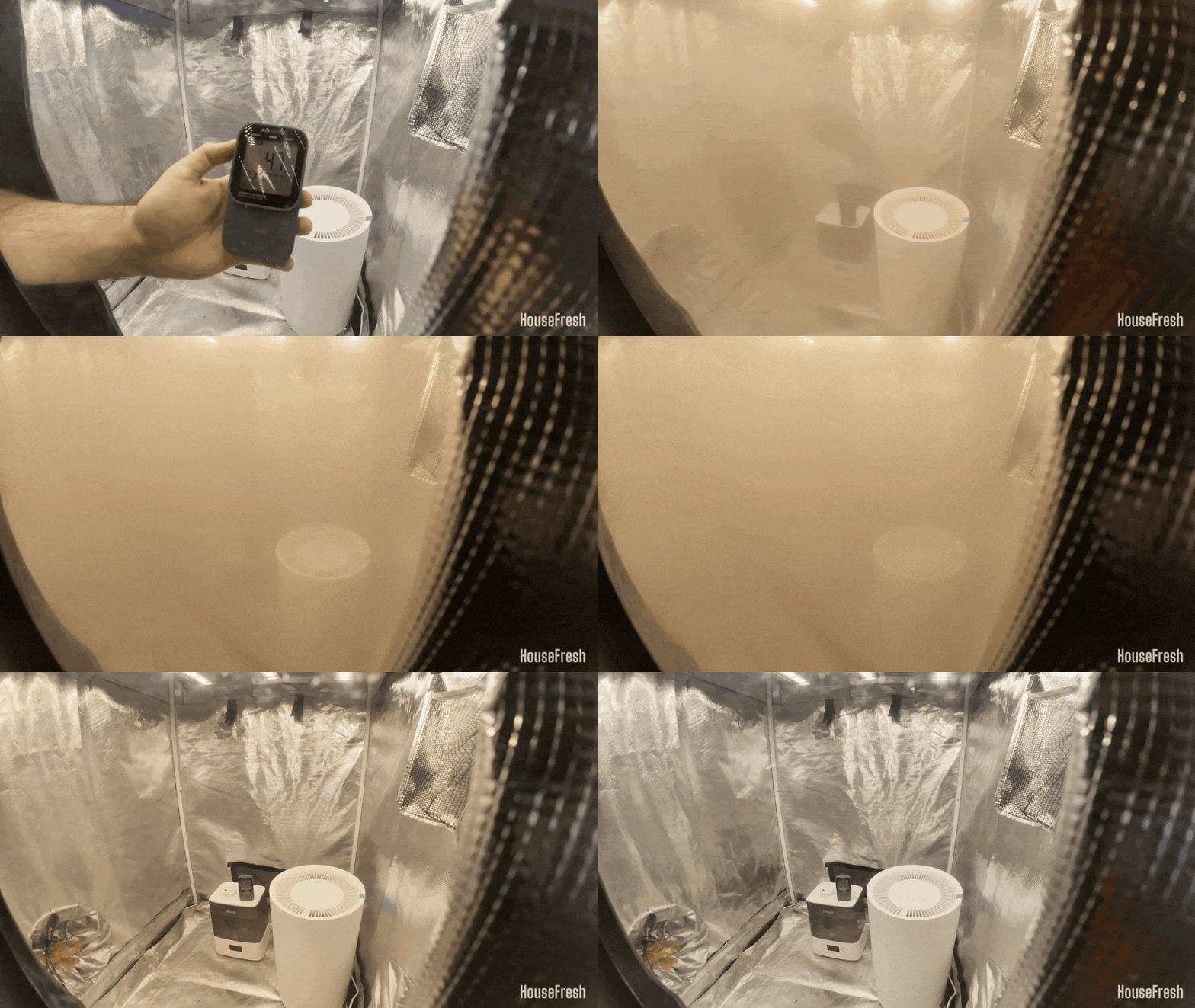
We use our Levoit Classic 300S humidifier to raise humidity levels to 94% inside our Shorty Gorilla Grow Tent and leave the tent for 5 mins for the numbers to stabilize before setting the dehumidifier to top speed for 30 mins.
We then gather humidity data with our SensorPush wireless hygrometer and repeat the test a minimum of three times. We also test the natural decay inside our tent without any dehumidifier running.
STEP 2. Water extraction rate
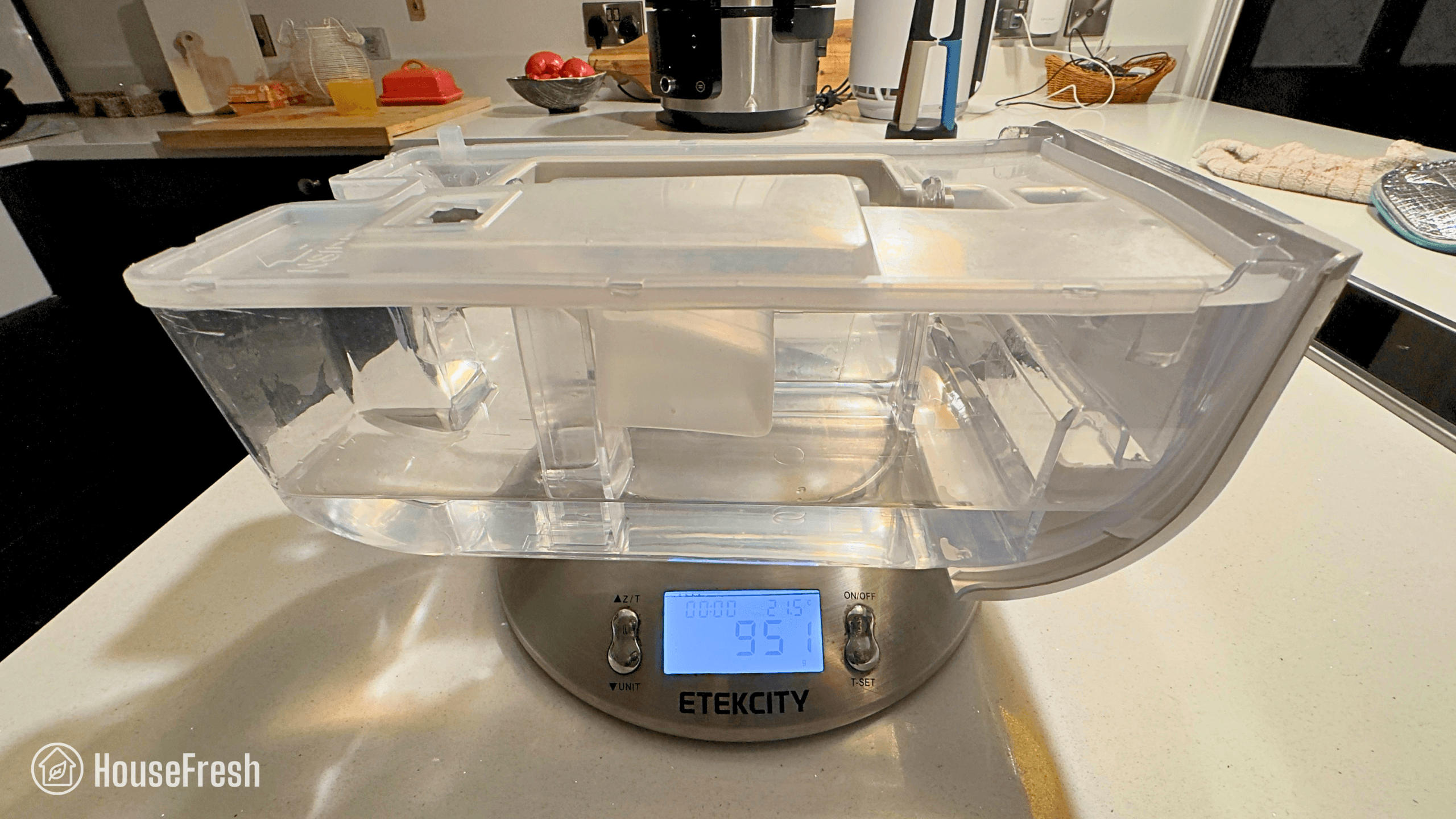
We also run a water extraction test in which we measure how much water each model is capable of removing in the same room of our house at 20 degrees Celsius and 52% humidity during a set amount of time.
Once the time is up, we weigh the water bucket before and after the test to determine how much water was removed during the test.
STEP 3. Electricity consumption
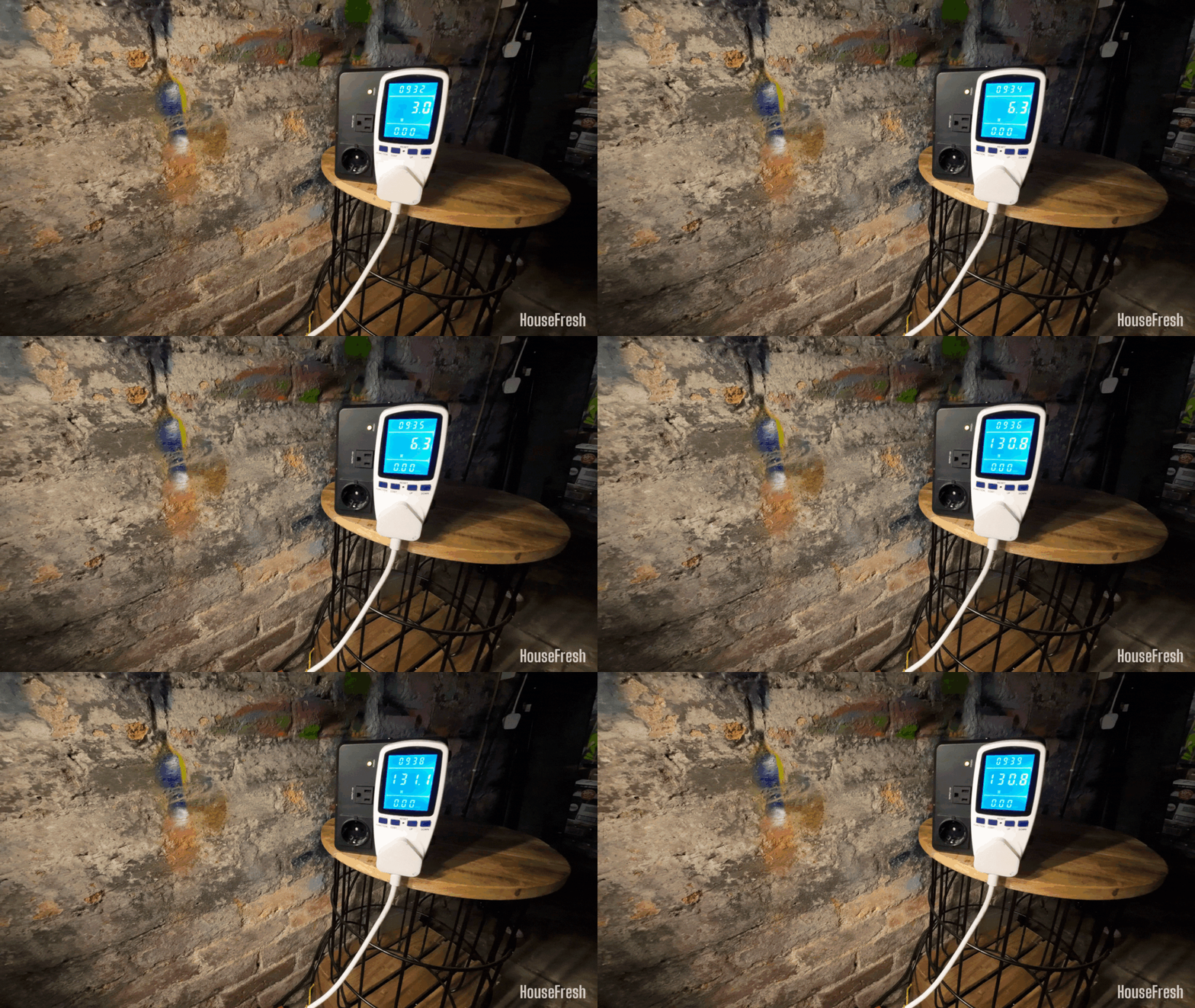
Dehumidifiers an be power-hungry little beasts. That is why we measure how much electricity the dehumidifier pulls at different speeds.
To do this, we use a MECHEER power meter for UK devices and a Poniie PN2500 energy meter for U.S. devices.
We measure electricity consumption with each dehumidifier running at all its modes and fan speeds.
STEP 4. Sound generation
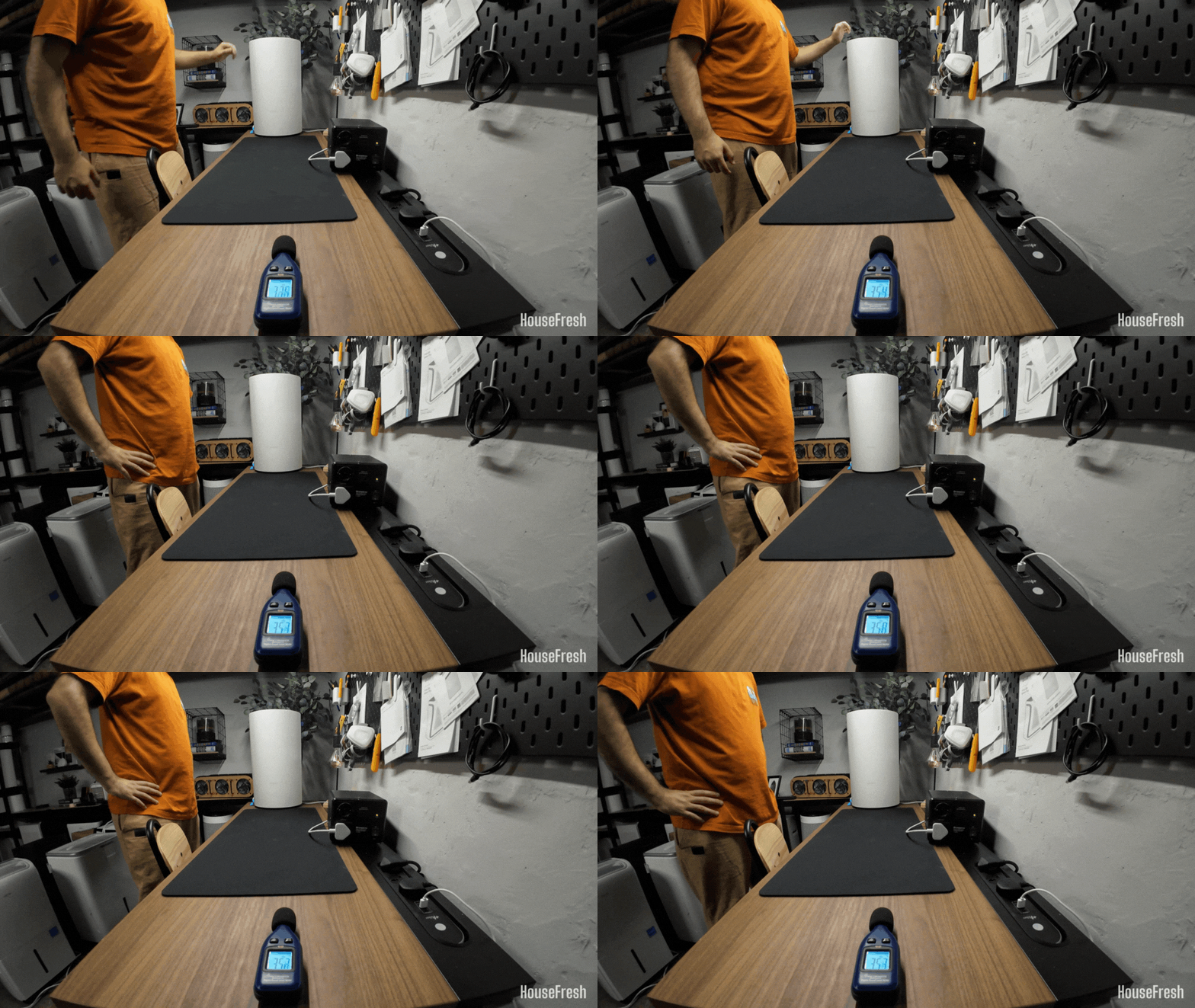
Sound is also super important as nobody wants to have a leaf blower running inside their home 24/7.
That is why we use a BAFX Sound Level Meter to measure how much noise in decibels each dehumidifier generates.
We conduct this test from three feet away, the same way we measure noise levels of the air purifiers we test.
STEP 5. Everyday user experience
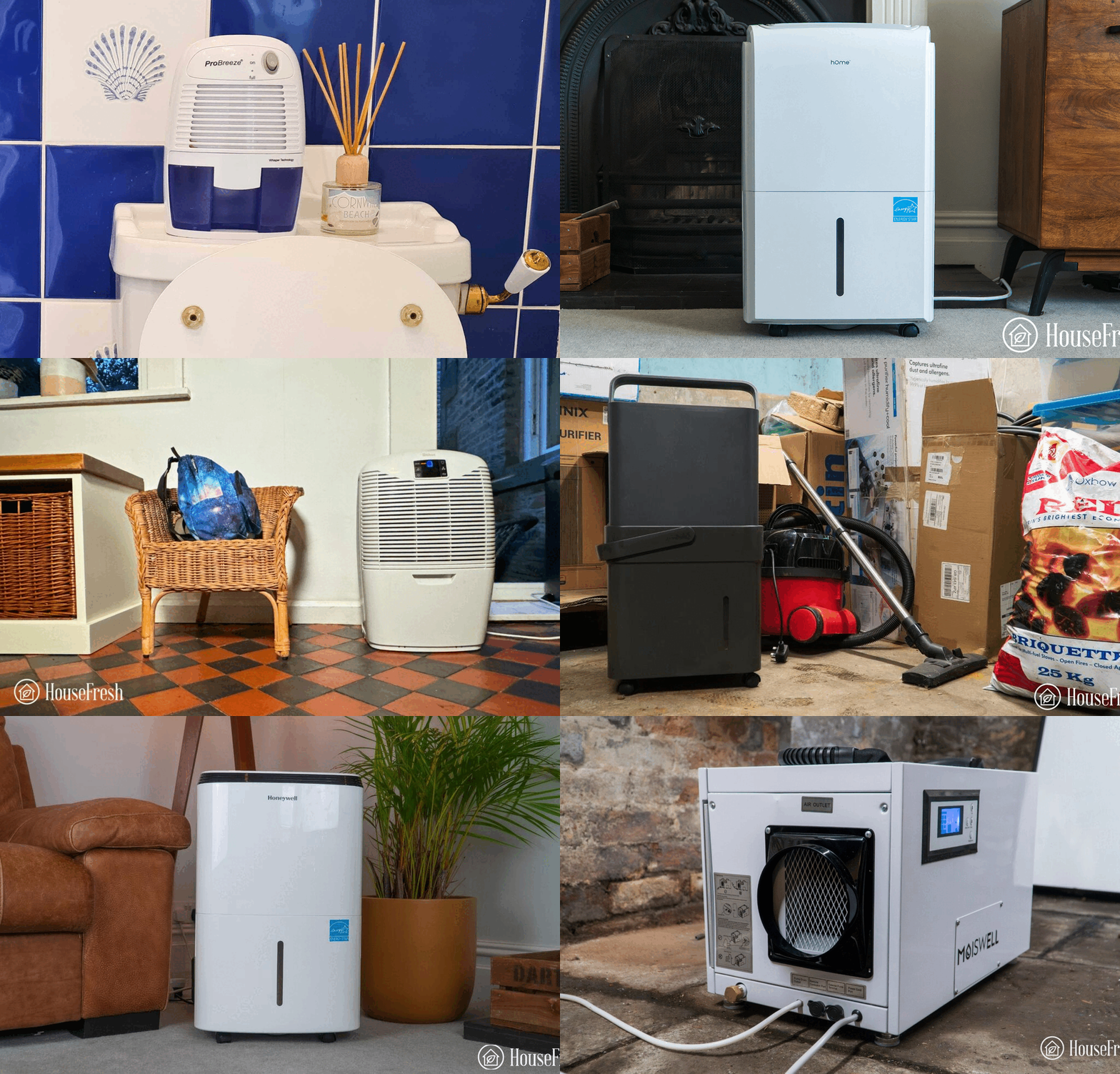
In addition to all our tests, we also use each of the dehumidifiers in our own home to determine how well they perform at removing moisture from the air and how it feels to live with them in different rooms.
This is generally the most eye-opening stage in our testing as we experienced the same issue twice across different dehumidifiers: the internal pump of both the hOmeLabs 4000 sq. ft. and the Moiswell 145 pint (Defender XP70) broke within a couple of months of daily usage.
The pros and cons of the Midea Cube
A summary of our top-level findings after testing this dehumidifier, following our methodology.

“I’ve been using my Midea Cube in our basement with a gravity hose for a little over three years now without any issues, and this is a lot to say about a dehumidifier.
It offers a high level of efficiency and I really like the bucket design, which sits higher than the floor so it’s perfect for a gravity hose. That said, I wouldn’t want to empty this bucket manually as it gets REALLY heavy when it’s full.”

HouseFresh Founder
& Lead Tester
CONS
PROS
| Water removal capacity (per day): | – HouseFresh test data: 13.93 pints (7.92 liters) – ENERGYSTAR test data: 36.4 pints (17.22 liters) |
| Humidity reduction rate (in 30 minutes): | 54% drop in 30 minutes (from 95% to 41%) |
| Bucket capacity: | 34 pints (4.25 gallons) |
| Electricity consumption (top speed): | 378.83 watts |
| Integrated energy factor (top speed): | – HouseFresh test data: 0.9 L/kWh – ENERGYSTAR test data: 2.0 L/kWh |
| Noise level in from 3 ft. away (top speed): | 54.2 dBA |
| Airflow (top speed): | 185 cfm |
| Refrigerant type: | R-410A |
| Recommended room size: | 600-800 sq. ft. (50-80% relative humidity) |
| Dimensions: | 14.8 x 14.4 x 14.5 in (37.5D x 36.7W x 37H cm) |
| Weight: | 45.2 lbs (20.5 kg) |
| Manufacturer’s warranty: | 1 year |
| Country of origin: | China |
| Country of manufacture: | China |
Water bucket
A simple black cube that you can stack up and works well with a gravity hose.
One thing I really like about this dehumidifier design is that you can save a ton of space when not using it by putting it inside the water bucket.

This means that when storing, you will take up a lot less space than a traditional design. The entire box beneath can hold water, so you can really see how much extra water this device can hold compared to competing brands.
Another great feature of the Midea Cube is the pump. As the bucket sits higher than the ground, the gravity hose works very well.
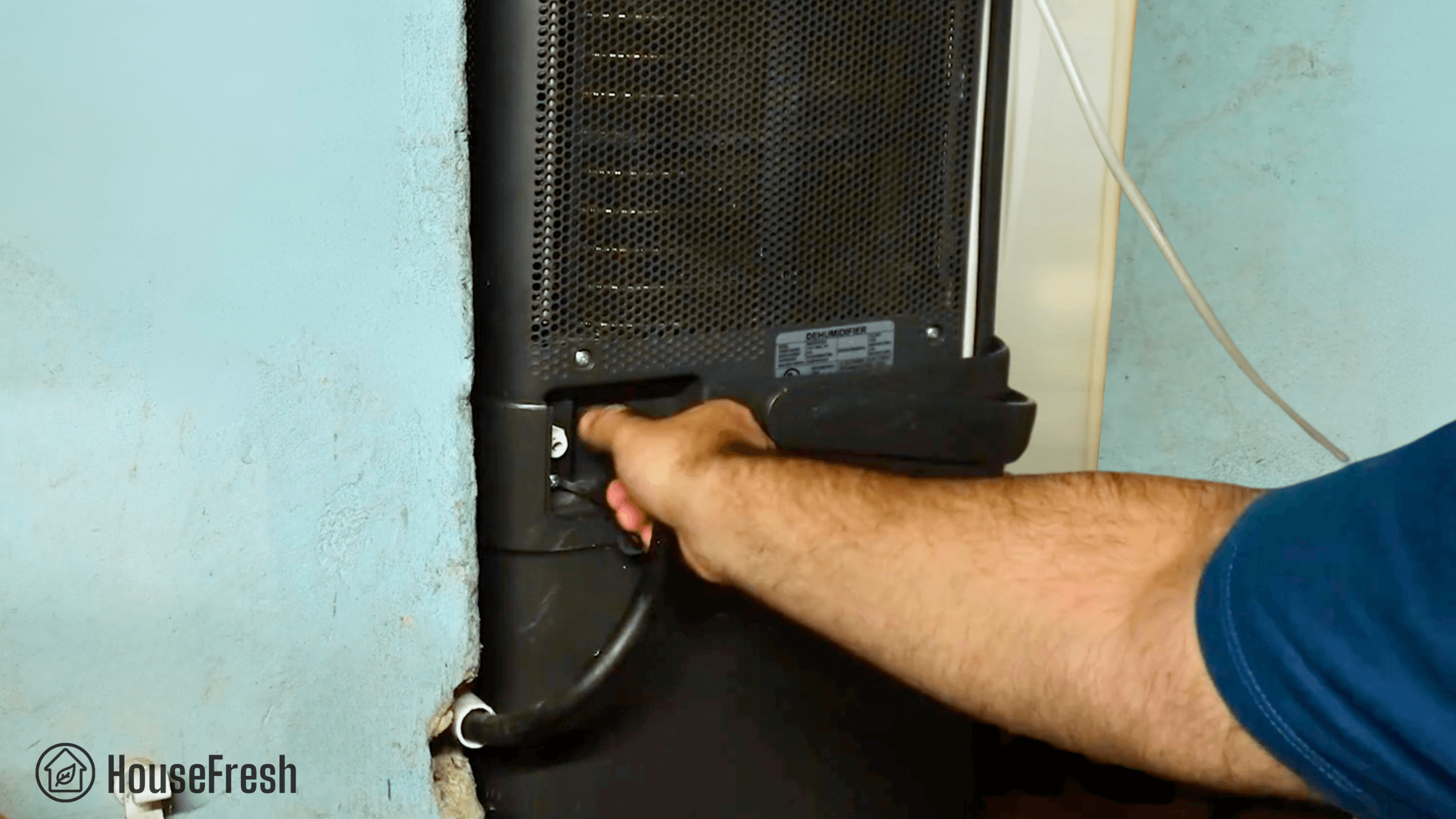
When the Cube is in pump mode, the water the dehumidifier is pulling from the air can be simply pumped from the device into a drain through a pump drain hose that is included in the box. This is the way I use my Cube at home.
Design, features and controls
Clearly labeled controls, app support and two filters.
It comes with a generous handle at the top and a control panel with buttons and a screen.

You get wheels at the bottom, which make it easy to move it around on hard floors and even carpets.
You get buttons to set your desired humidity level, fan speeds, modes and timers.

You can also set how high you want the bucket to fill up — if the 4.2 gallons seem to heavy, you can limit this.
It has two filters, one on each side, that block small particles from entering the fan motor.

There’s a light to alert you when it’s time to clean these filters, usually every 2-3 weeks.

It was not easy to set up the Midea Air app on my iPhone.
- You can’t use it on a 5ghz WiFi. Even if your router can provide for both 2.4 and 5 GHz on the same network, you must create a WiFi connection that only has 2.4 GHz.
- The Apple account login failed. I was able to set it up with a standard email address login. So don’t waste your time trying to use your Apple logins.
That said, once I could finally connect my phone to my Midea Cube, I was happy with the overall design and UX of the app.
- It unlocks features that are unavailable on the control panel, such as the estimated time when you will need to empty the water bucket.
- Setting the bucket level is also much easier with a simple visualization inside the app vs the numbers on the onboard control panel.
Dehumidification performance
We tested the Midea Cube in our grow test using a humidifier and our trusted hygrometer.
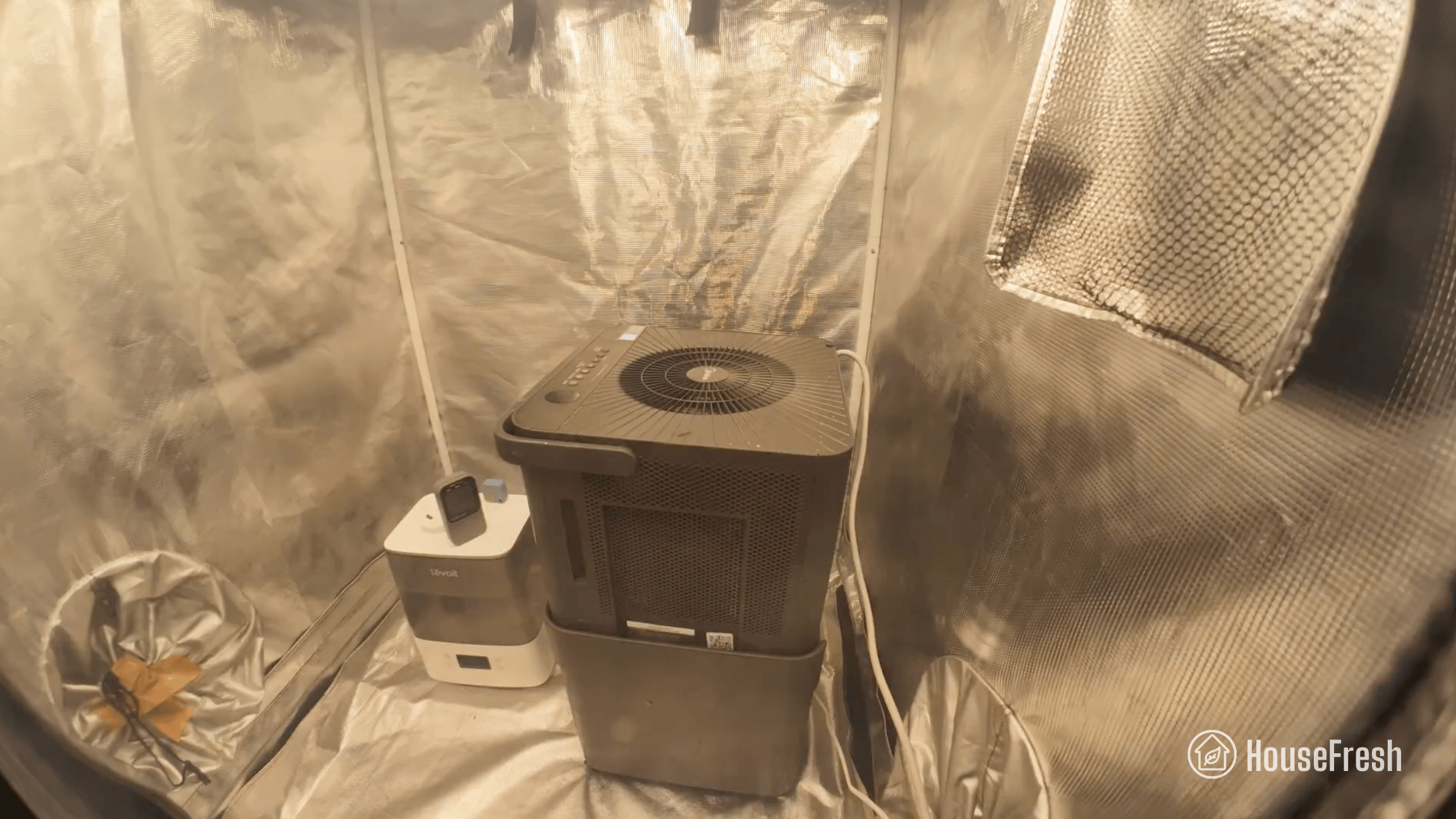
We used our Levoit Classic 300S humidifier to raise the humidity inside our Shorty Gorilla Grow Tent to 95% and let the numbers stabilize for five minutes before setting our Midea Cube to top speed for 30 minutes. We used our SensorPush wireless hygrometer to gather humidity data during this test, and also tested the natural decay inside the tent without a dehumidifier running.
When running at full speed, this Midea Cube 35-Pint dehumidifier reduced humidity from 94.92% to 41.05% – a 53.87% drop in 30 minutes comparable to what was achieved by much larger units from Honeywell, Frigidaire and Moiswell.
And in out water extraction tests, this Midea Cube extracted 0.99 liters of water in three hours. This result is more in line with 50-80 pint dehumidifiers (like the Waykar 80-Pint) than with 20-30 pint units:
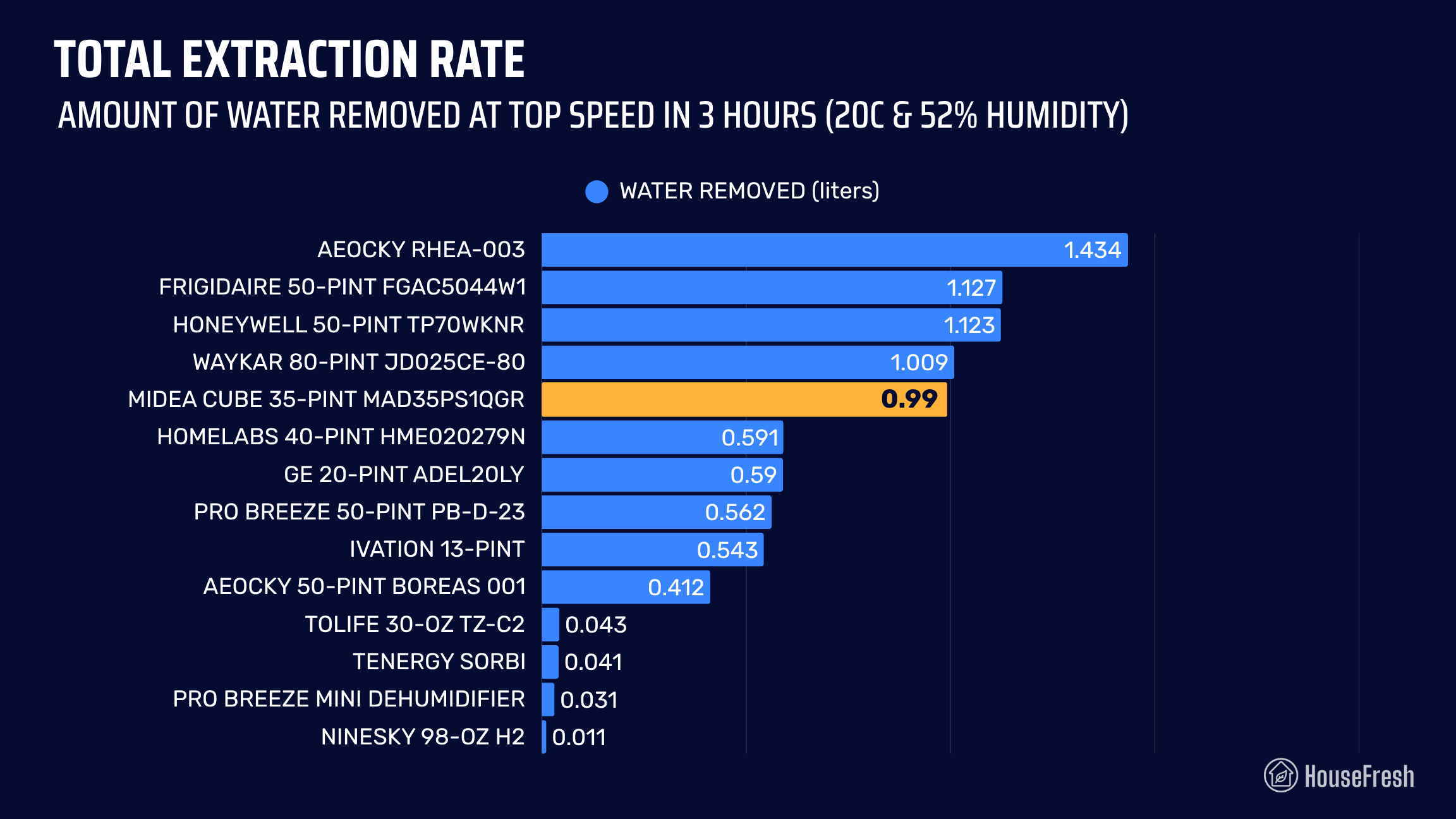
This shows how powerful the Midea Cube is at reducing humidity levels and removing water from the air, even though it’s a 35-Pint unit.
Sound levels
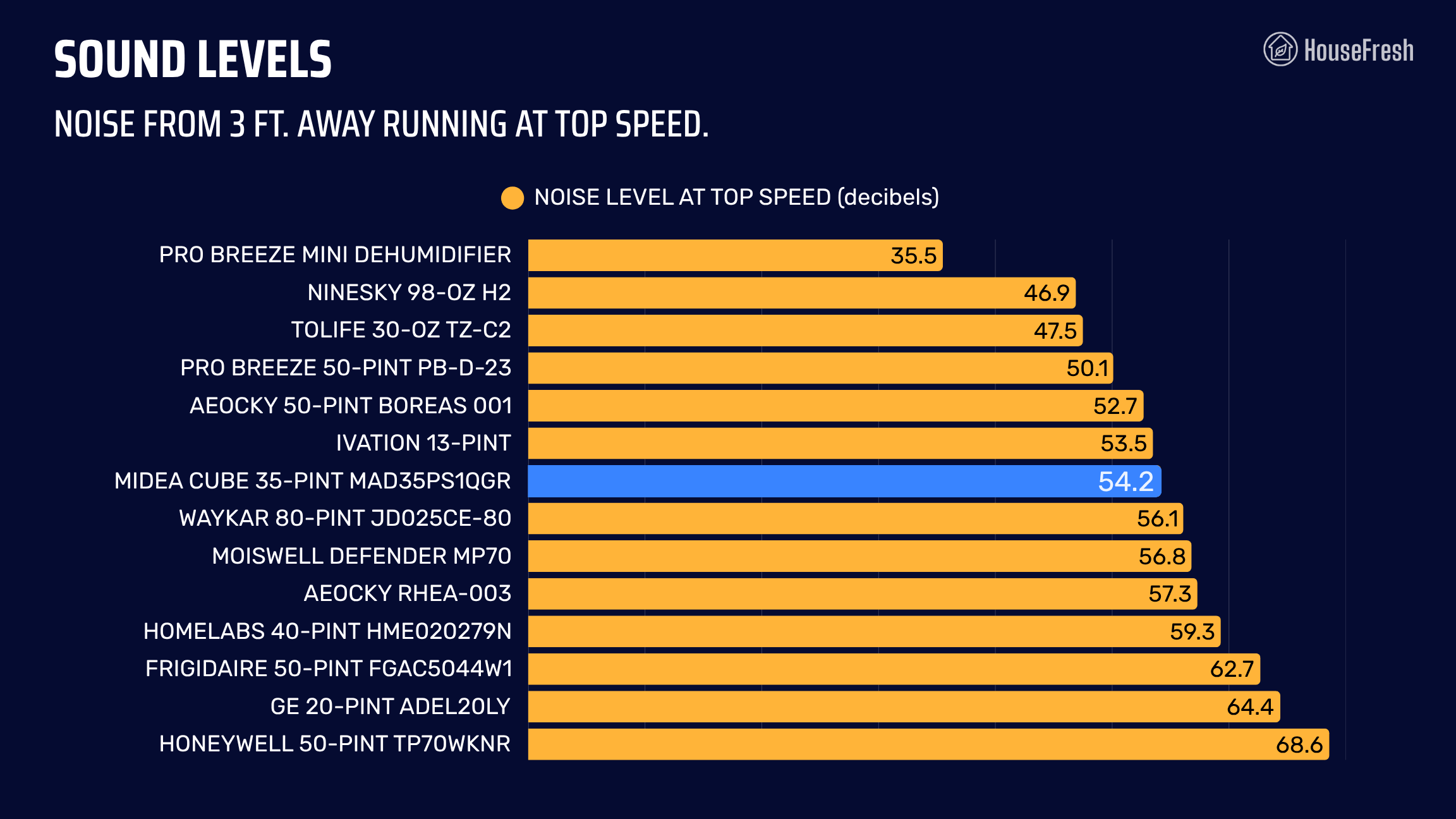
The sound levels of the Midea Cube 35-Pint reached 54.2 dBA, making it the 7th quietest dehumidifier we have tested.
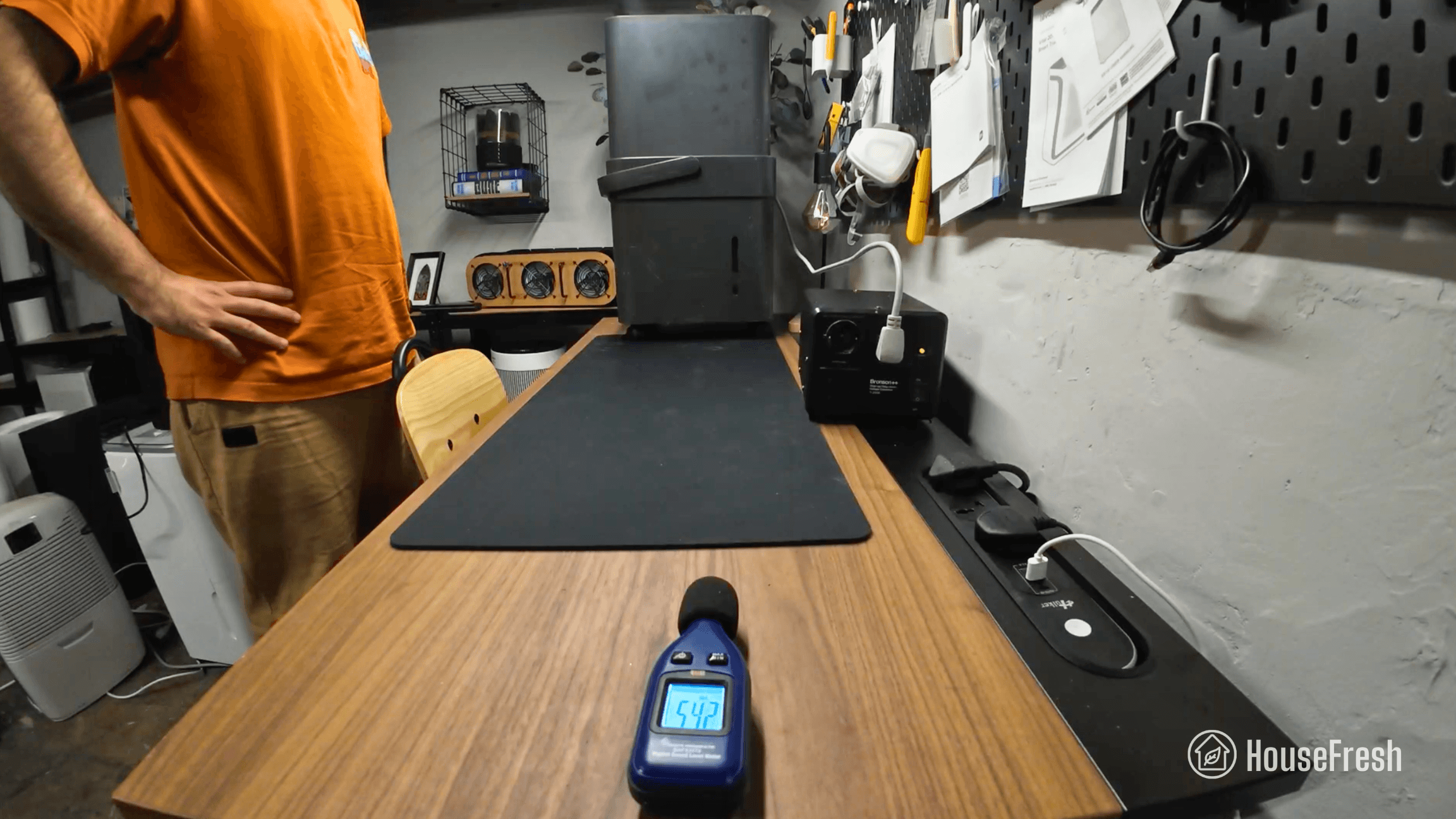
I used our BAFX sound meter to measure the sound level of the Midea Cube running at high and low speeds. At a distance of 3 ft., I recorded 54.2 dBA at top speed.
When we compare this to other dehumidifiers we tested, it becomes clear that the Cube is the quietest large dehumidifier of the bunch – models with comparable dehumidification power like the Honeywell 50-Pint can be nearly 15 decibels louder!
Long-term running costs
Running your Midea Cube will cost you $289.20 per year, assuming you run it 12 hours per day.
We used our energy meter to record how much electricity this dehumidifier pulls when running at top speed.
We measured 374.1 watts at full power, which makes this Midea Cube dehumidifier sit right in the middle of our comparison – more power-hungry than the Waykar 80-Pint (which offers similar dehumidification performance) but more energy efficient than pretty much every other large dehumidifier we tested.
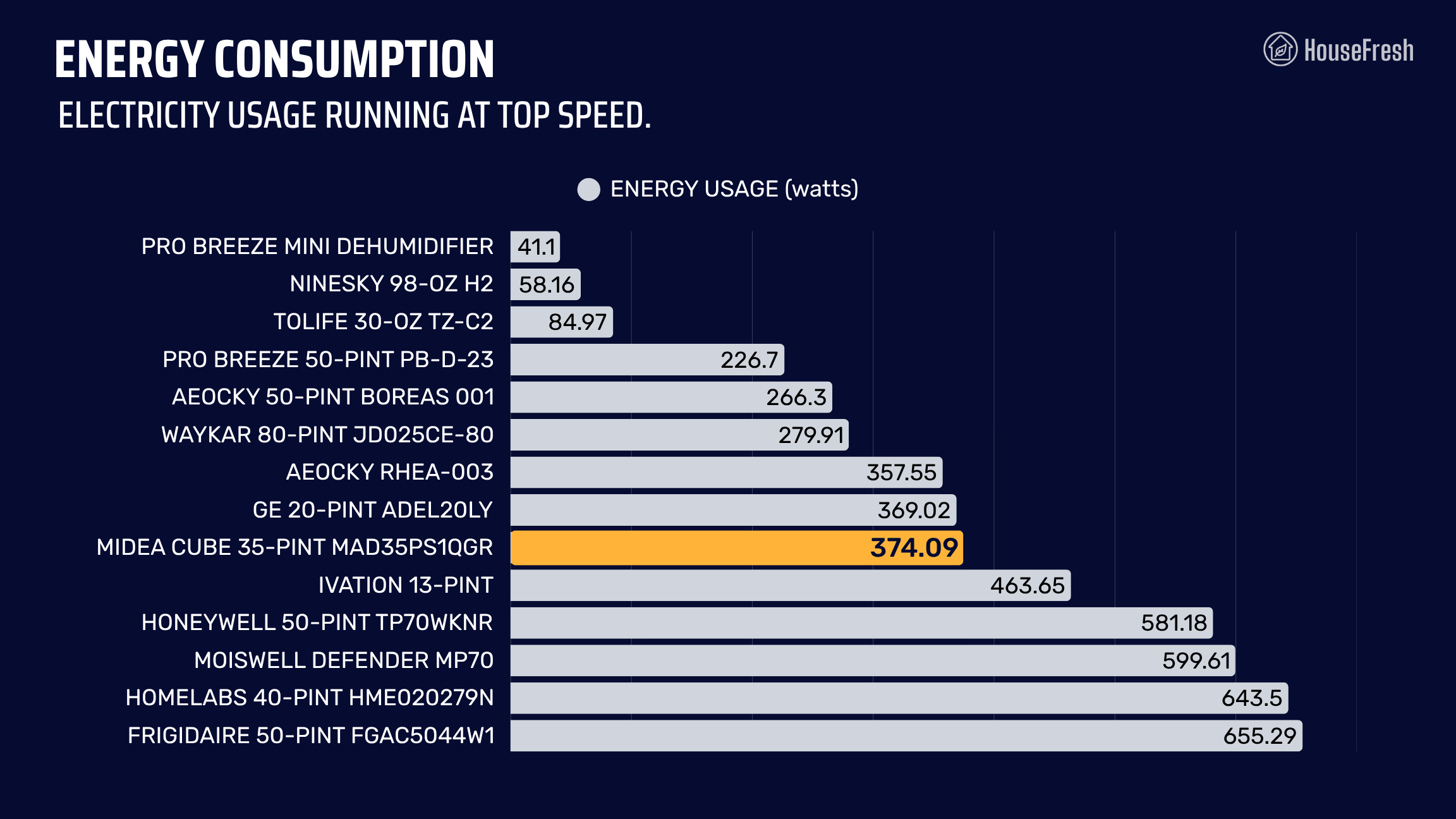
This is a good result, considering the Midea Cube can remove nearly as much water from the air as larger, more power-hungry units. As a result, its water-removal-per-watt efficiency is pretty good, being able to remove 0.9 liters/kWh.
Bottom line: Should you get a Midea Cube dehumidifier?
An innovative design that looks nothing like traditional models turned out to be one of the best home dehumidifiers on the market

With a list price of $229.99, the Midea Cube 35-Pint is fairly priced, especially considering its performance.
You get an onboard sensor, the ability to use a gravity hose, a bucket design that takes up less space when not in use AND it comes from a brand that has been making appliances for a long time.
While I experience some issues with the WiFi setup to connect it to my phone through the Midea Air app, once I could get the Cube connected to my iPhone, I found that smart features worked well without a hitch.
Knowing how many issues dehumidifiers can have, I would like it if Midea were to offer a warranty beyond just one year. But I have been using my Cube for over three years without any problems (*touches wood*) so at least I can vouch for its build quality.
If you’re looking for a dehumidifier with a large water bucket that won’t need to be emptied all the time, then the Midea Cube might be just the thing – especially if you can use the gravity hose function.
If you decide to get yourself a Midea Cube, please use this link – we will receive a small affiliate commission at no extra cost to you that we will reinvest into buying and testing new dehumidifiers. We don’t run any ads and have no partnerships with brands, so we rely on those commissions to continue the work we do.
If you have any questions about this Midea model or about dehumidifiers in general, please drop them in the comments below, and I’ll get back to you personally as soon as I can.