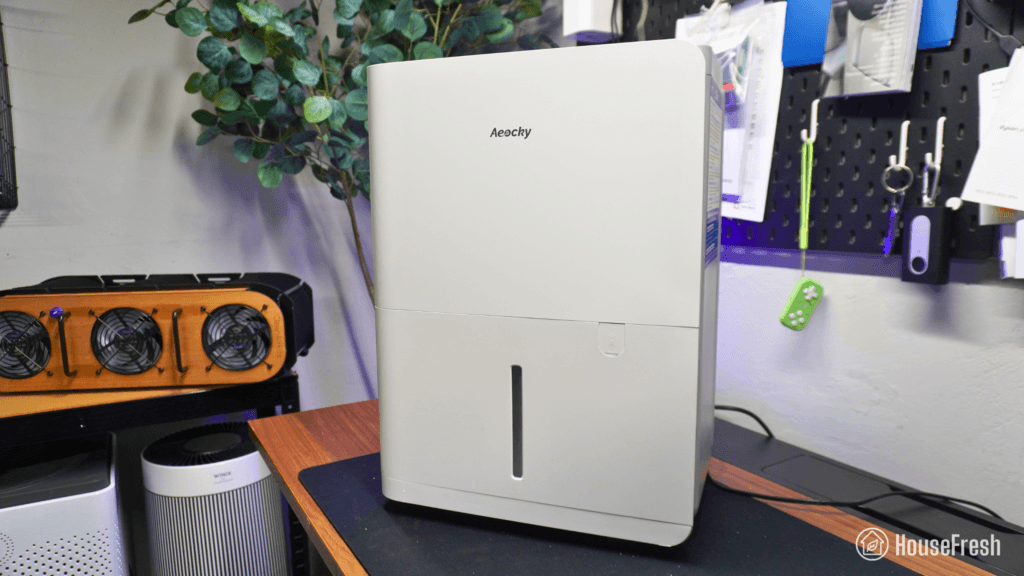
After testing the Boreas-001, the time has come to share my review of the Rhea-003.
This is the largest model in Aeocky’s range of dehumidifiers and it comes with all the features you will expect – from laundry mode to an automatic defrost function.
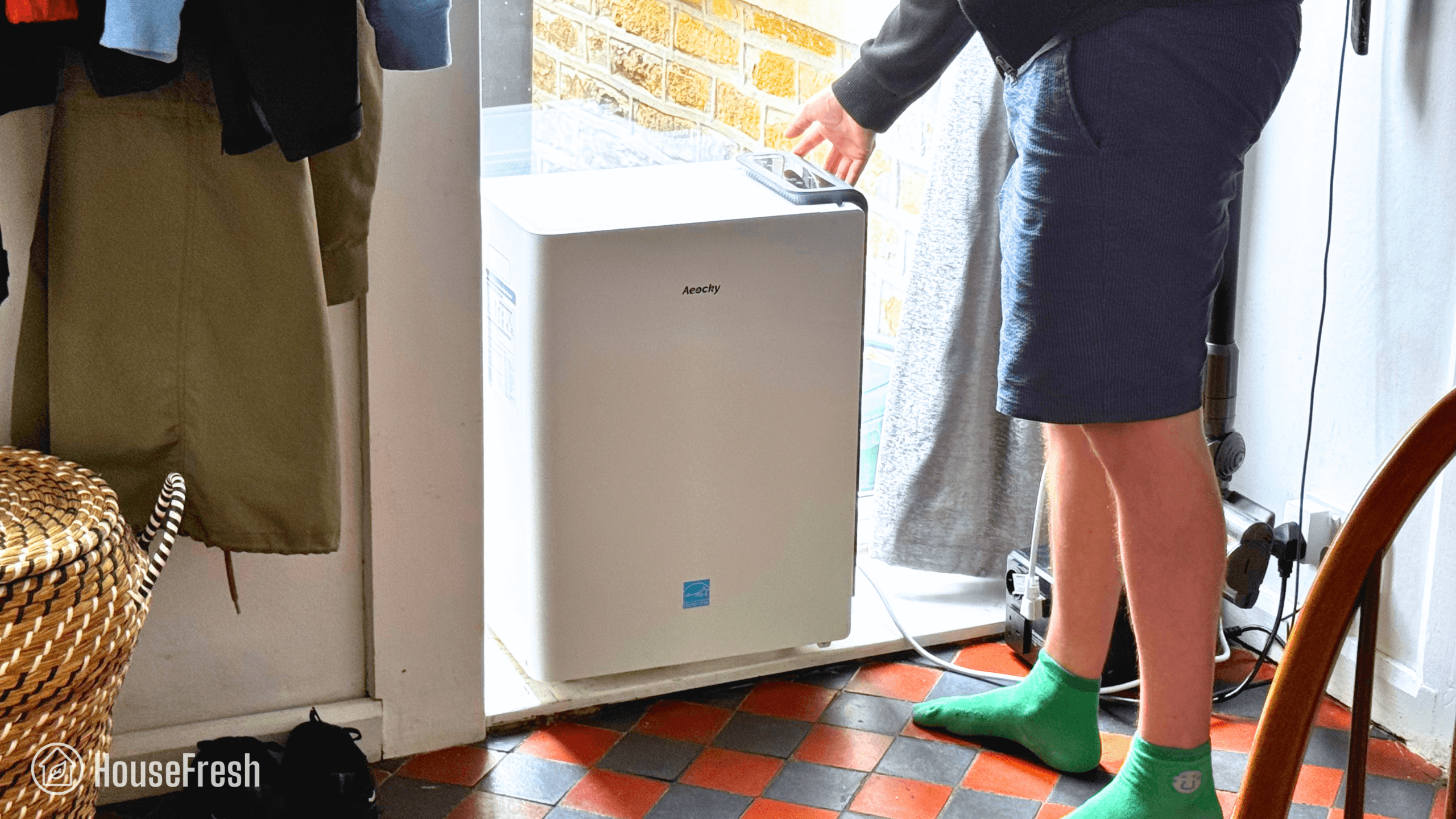
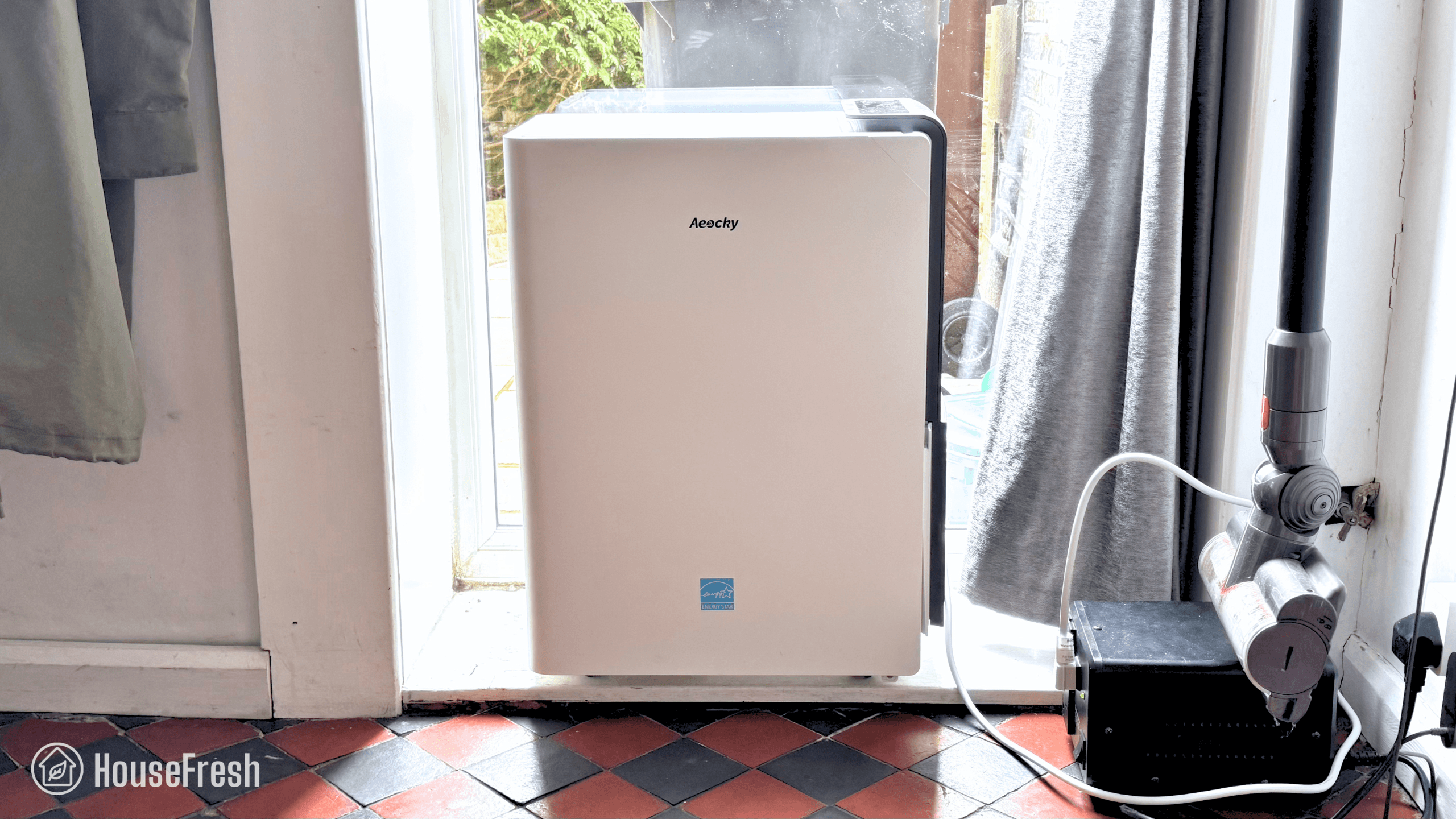
We have been using it at home since July 2026 and we found that it offers excellent dehumidification performance in a package that is easy to live with.
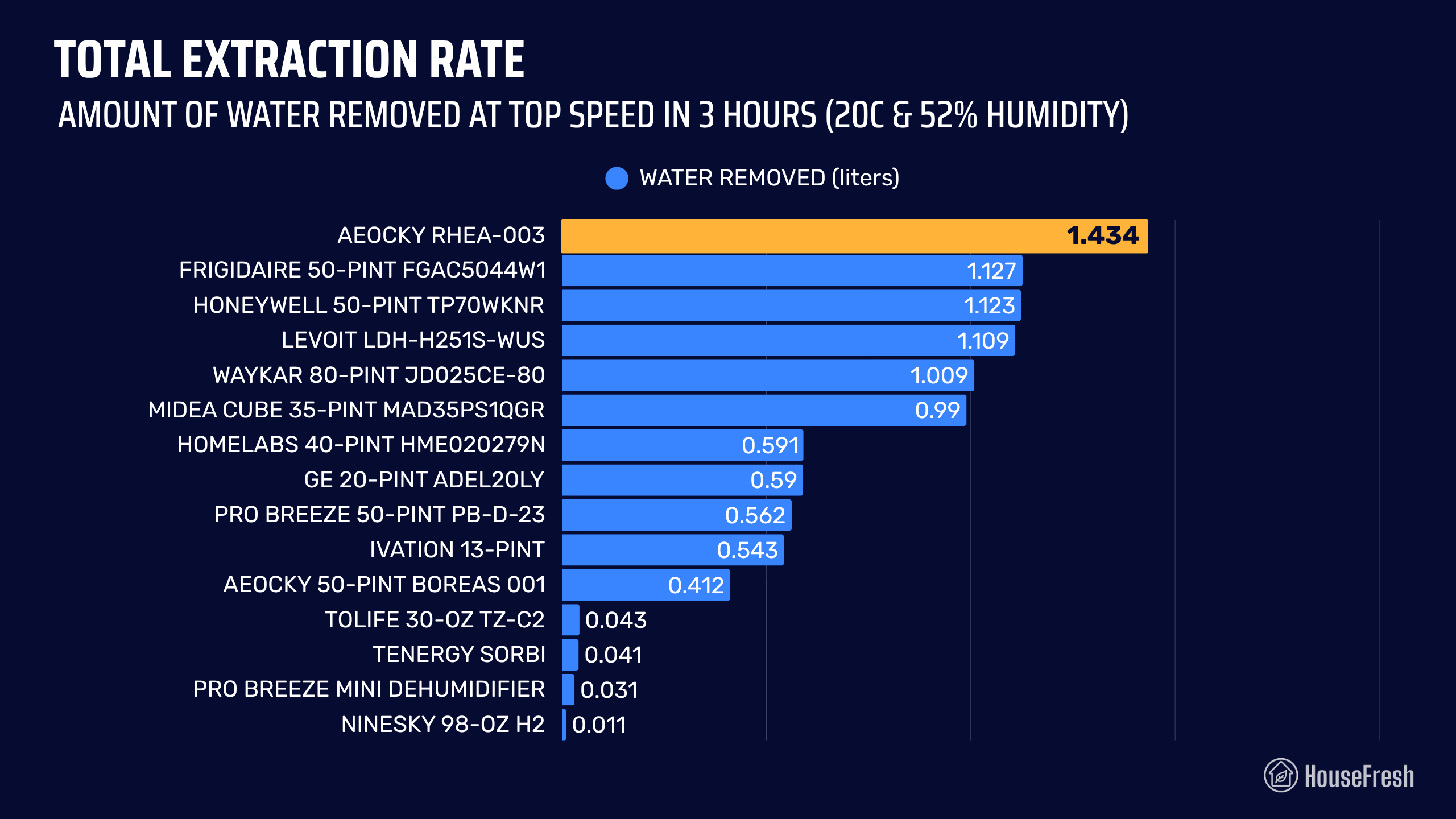
In our tests, this large dehumidifier extracted humidity from the air faster than large dehumidifiers from well known brands like Honeywell that sell for double the price. And it did this without pulling a lot of energy, which really REALLY surprised me.
But… Is it better or worse than the mighty Midea Cube? Read on to find out.
The pros and cons of the Aeocky Rhea
A summary of our top-level findings after testing this dehumidifier, following our methodology.
“If you’re looking to dry out a large basement, an open plan space or even your entire house, the Rhea-003 from Aeocky might be just the thing for you.
It is highly affordable considering its power and won’t drain your wallet with exorbitant energy bills. Plus, the 3-year warranty is uncommon in the world of dehumidifiers.”
The water bucket is much smaller than the one in the Midea Cube, so you will find yourself emptying very often. If you’re planning on using it in a very humid space, I suggest you set it up with a gravity hose.
Even though it is quiet compared to large dehumidifiers, it is a lot louder than small-to-medium sized units so it will be great for a basement but not ideal for a bedroom.
PROS
It comes with a 3-year warranty, whereas most other dehumidifier brands only offer 1 year.
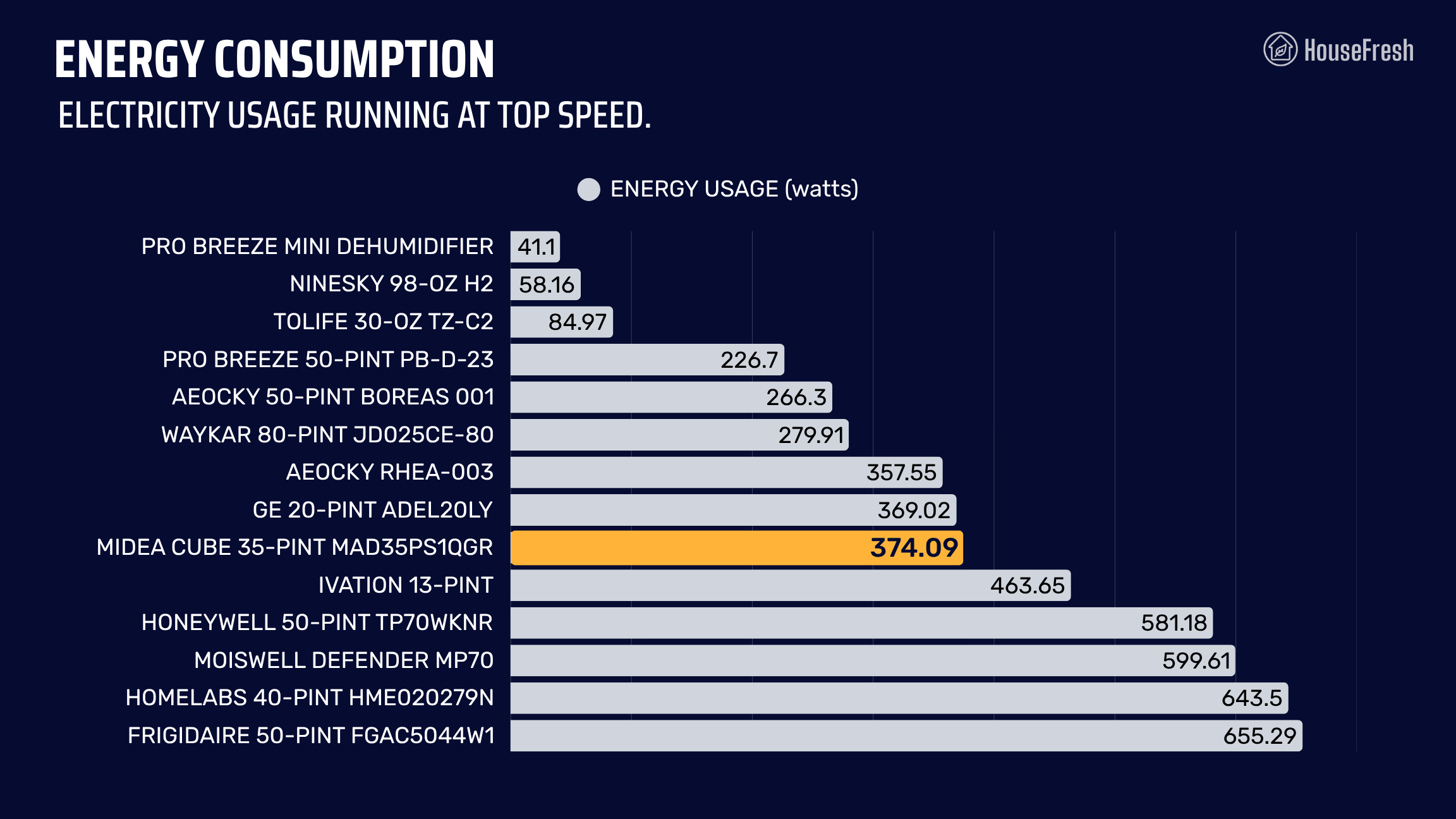
Low energy usage that helps keep long-term costs low – it is less power-hungry than large models from brands like GE, Midea, Honeywell, Frigidaire and hOmeLabs.
In our water extraction tests, it outperformed all 27 dehumidifiers I tested in 2026.
It generates 57.3 decibels of at top speed, which is much quieter than the 60-70 dBA you usually get with large dehumidifiers like this.
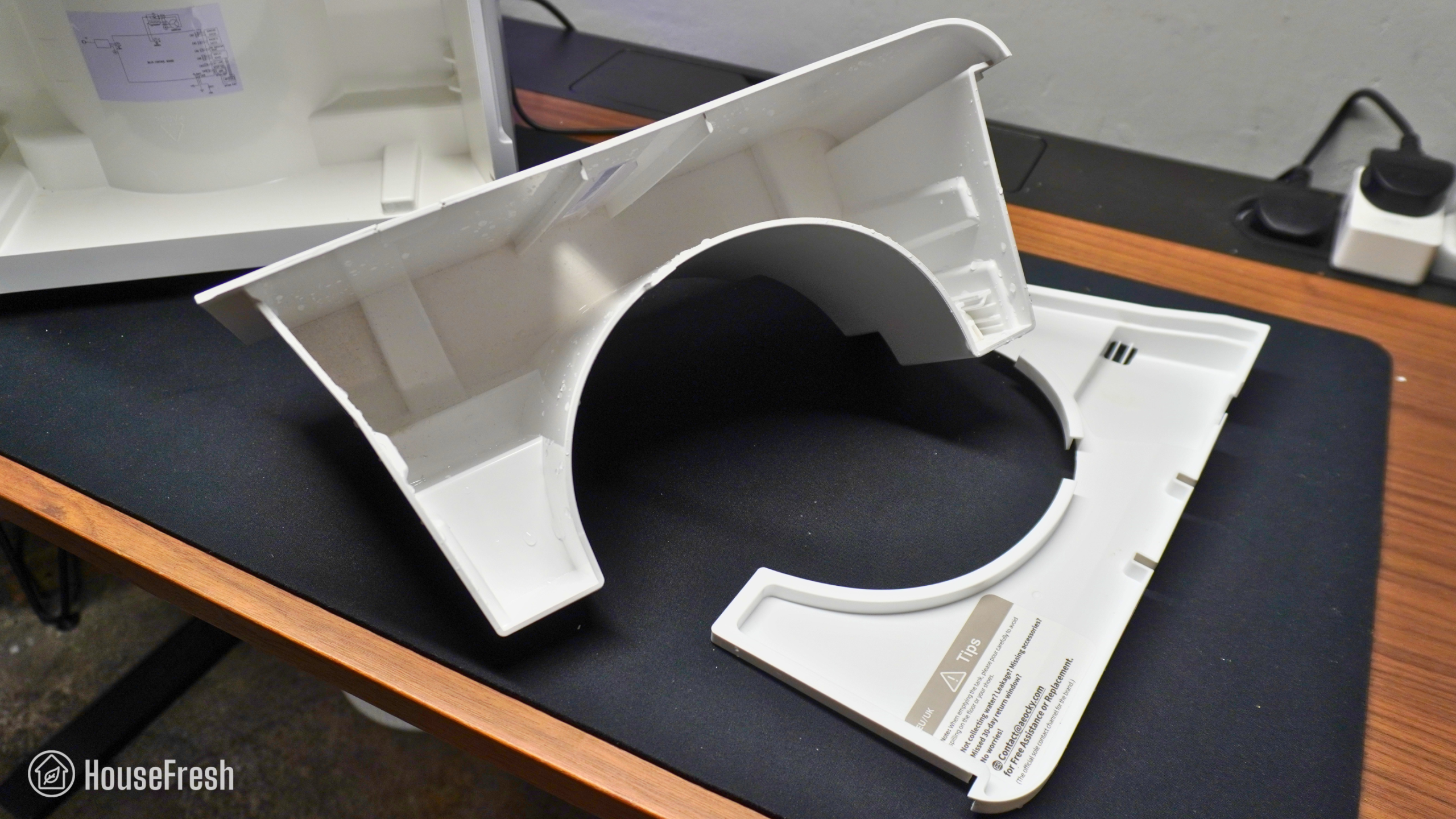
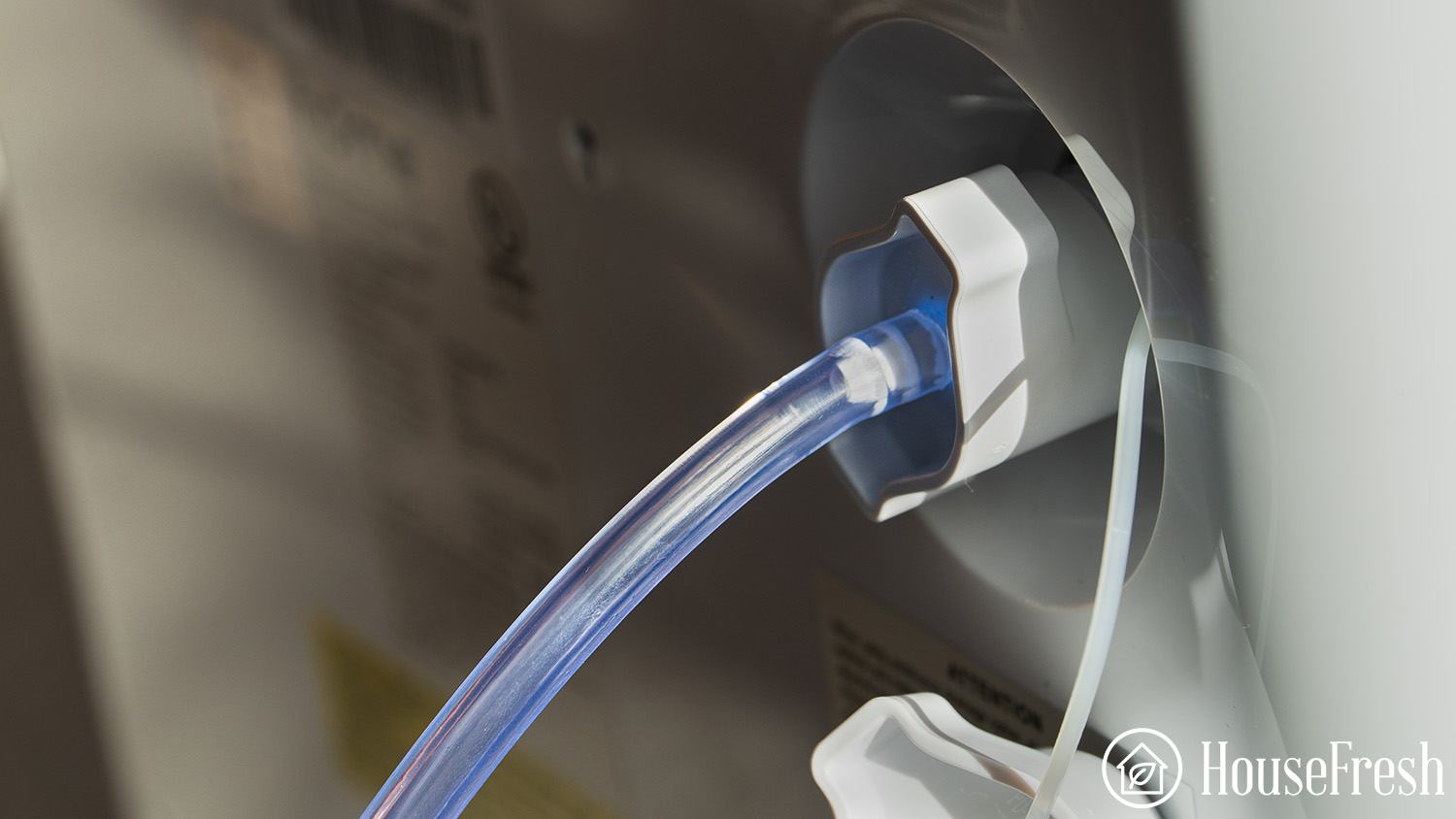
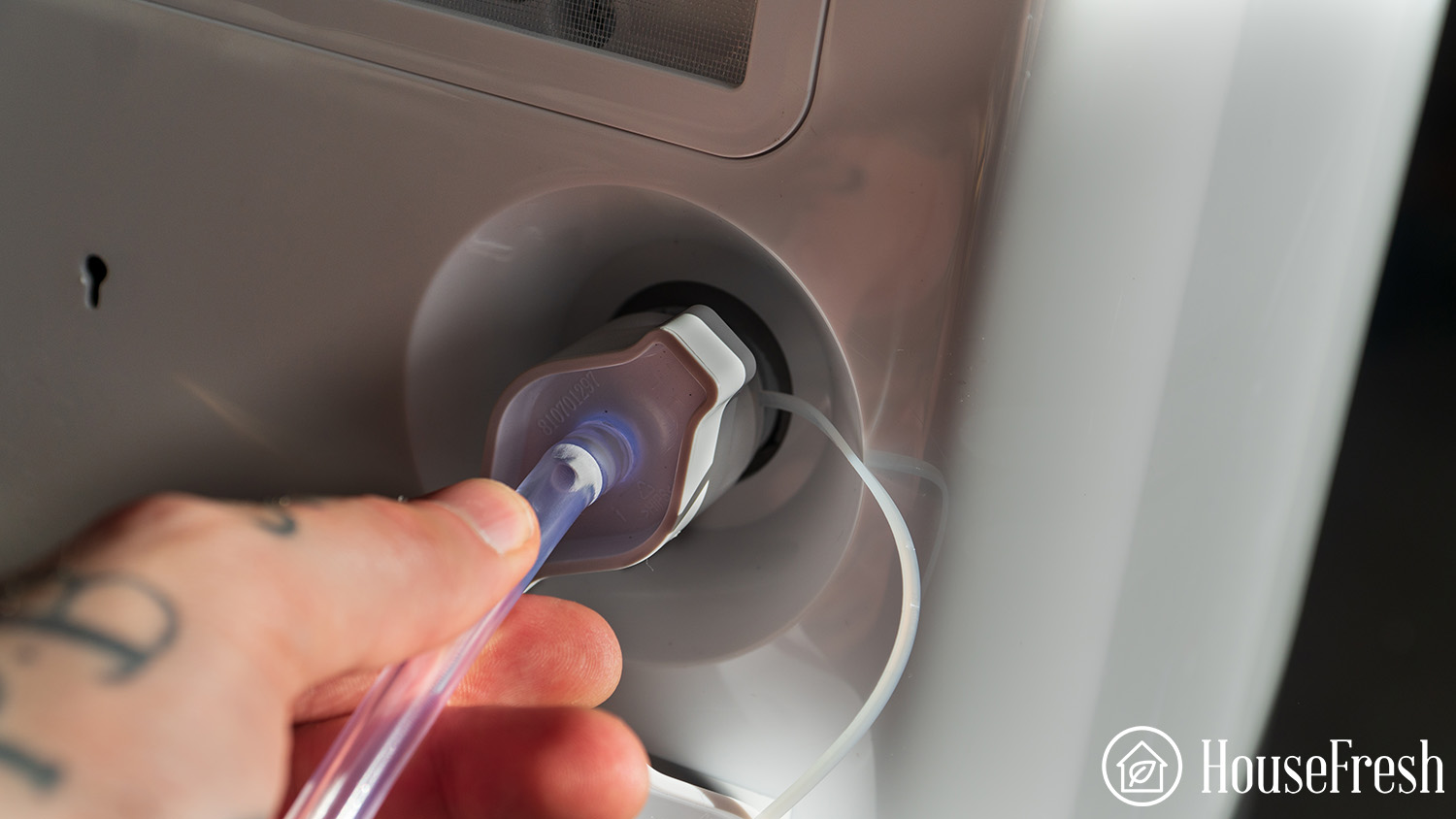
It includes an attachment so you can connect it to any outdoor hose – this comes very handy when setting up a gravity hose in cases where the drain is far away.
Water removal capacity (per day):
– HouseFresh test data: 20.18 pints (11.47 liters) – ENERGYSTAR test data: 44.3 pints (25.17 liters)
Bucket capacity:
14.80 Pints (1.85 gallons)
Electricity consumption (top speed):
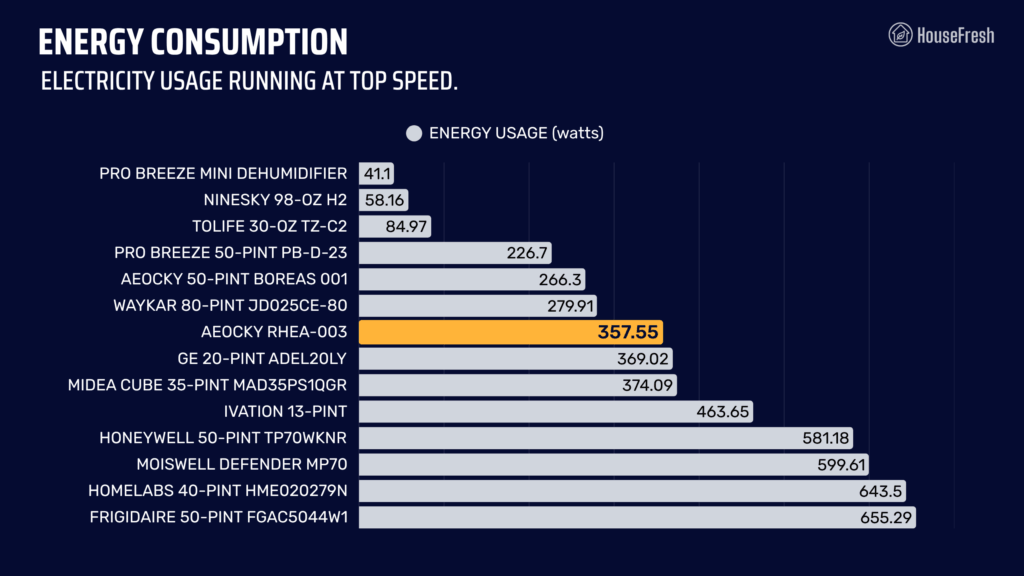
357.55 watts
Integrated energy factor (top speed):
– HouseFresh test data: 1.3 L/kWh – ENERGYSTAR test data: 2.2 L/kWh
Noise level in from 3 ft. away (top speed):
57.3 dBA
Refrigerant type:
HFC-32
Recommended room size:
5,500 sq. ft. (50-80% relative humidity)
Dimensions:
17.68 x 11.02 x 24.09 inches (44.91 x 27.99 x 61.19 cm)
Weight:
43.4lbs (19.7lkg)
Manufacturer’s warranty:
3 years
Country of origin:
China
Country of manufacture:
China
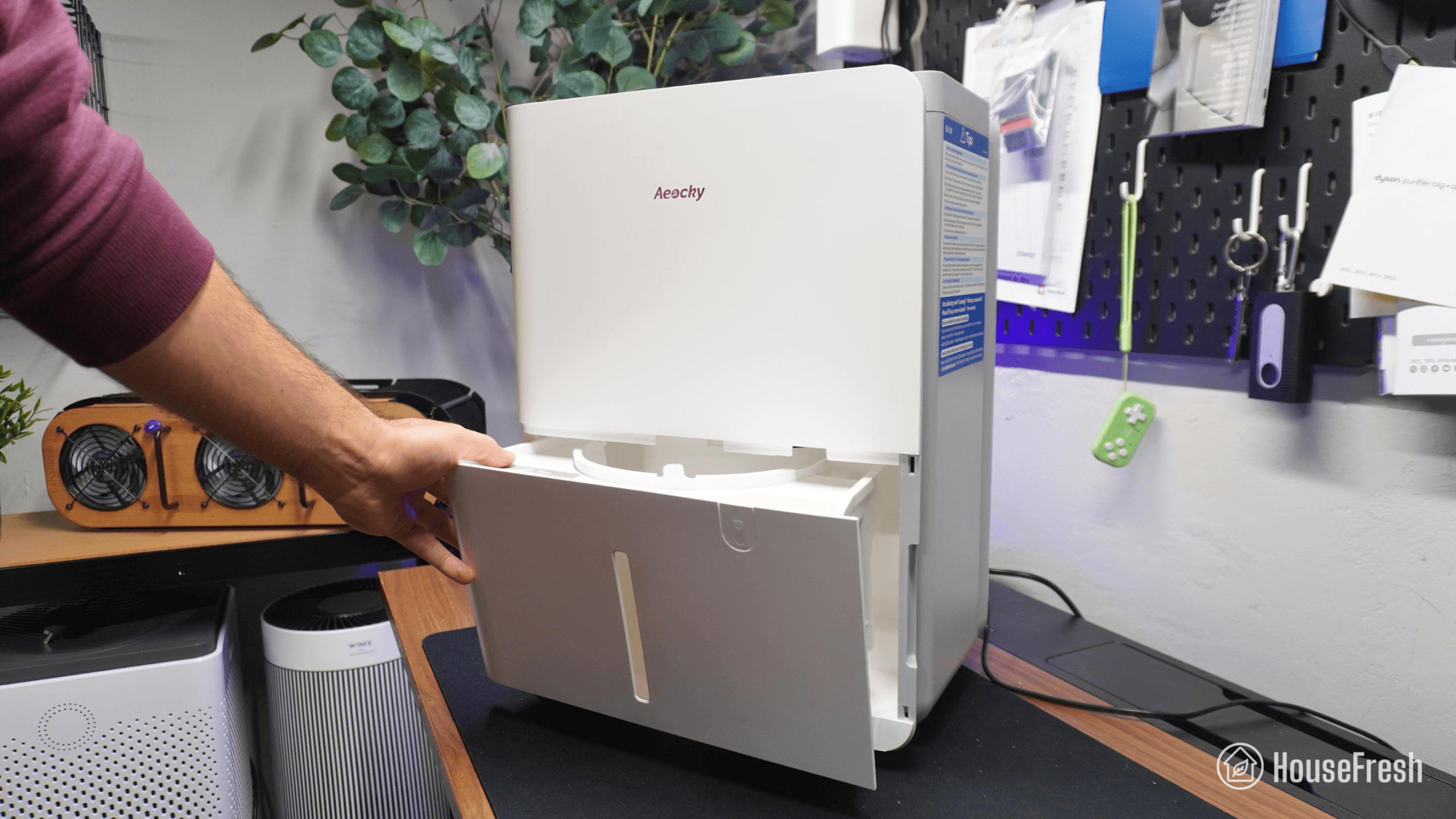
Water bucket
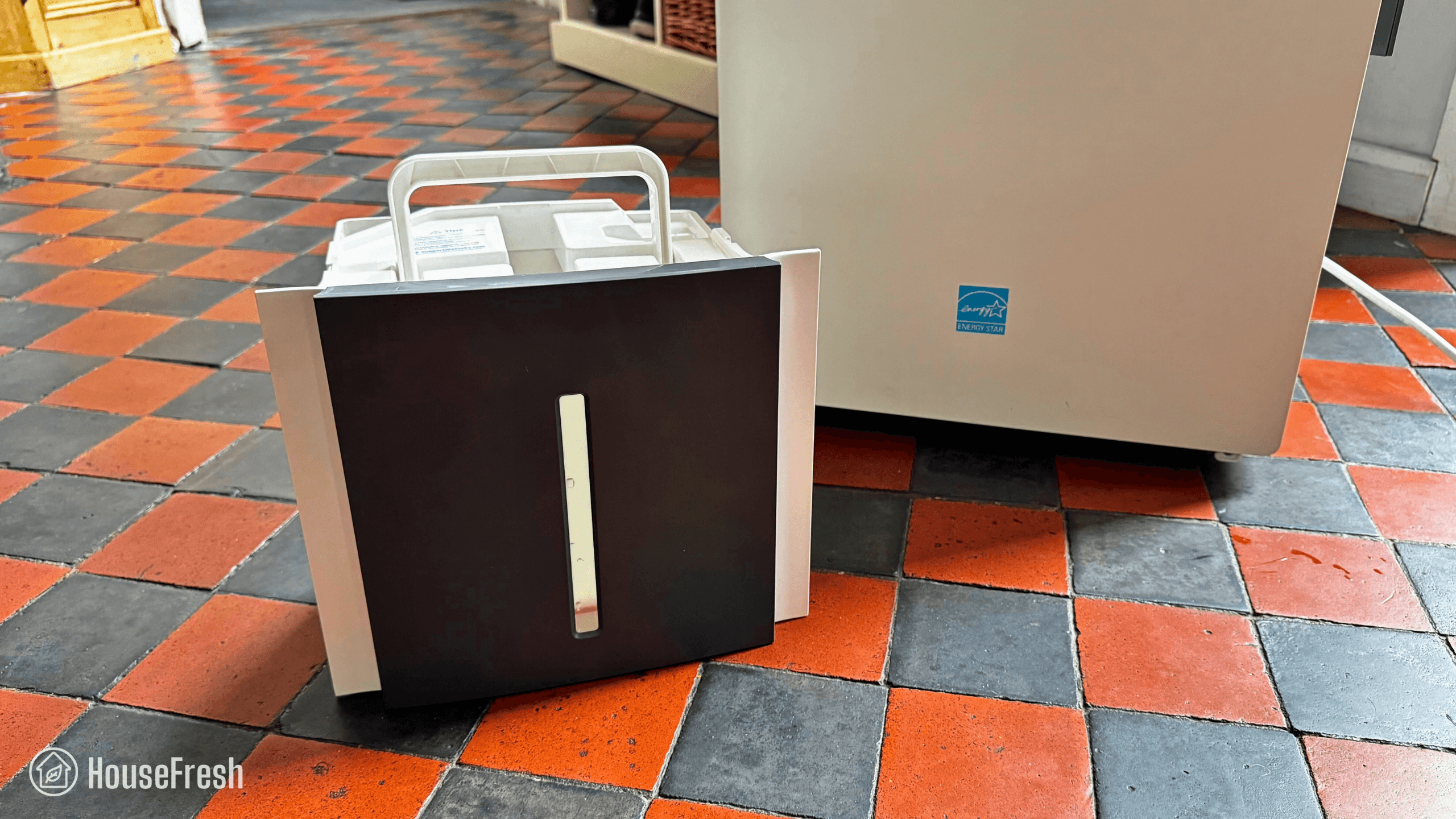
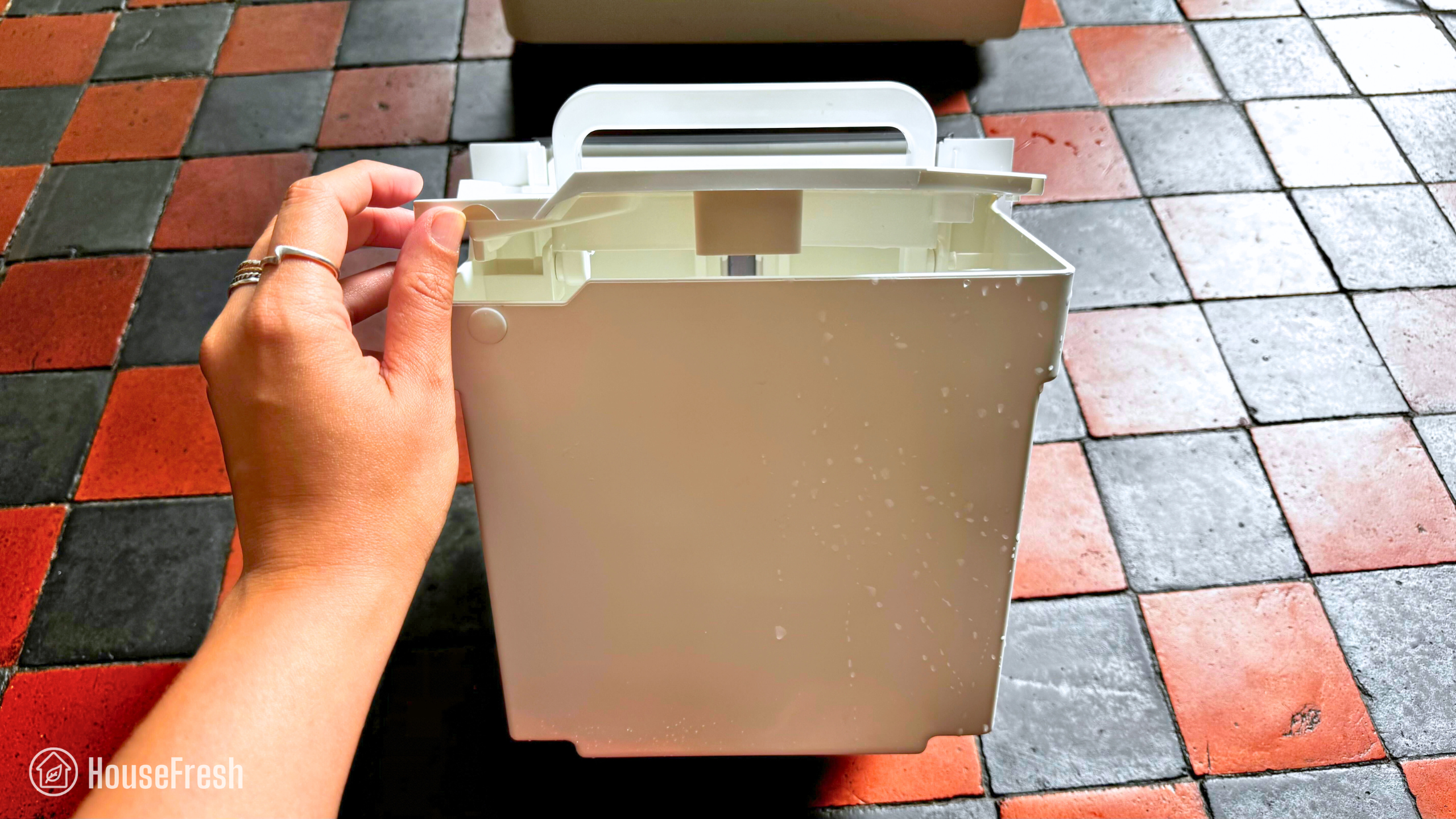
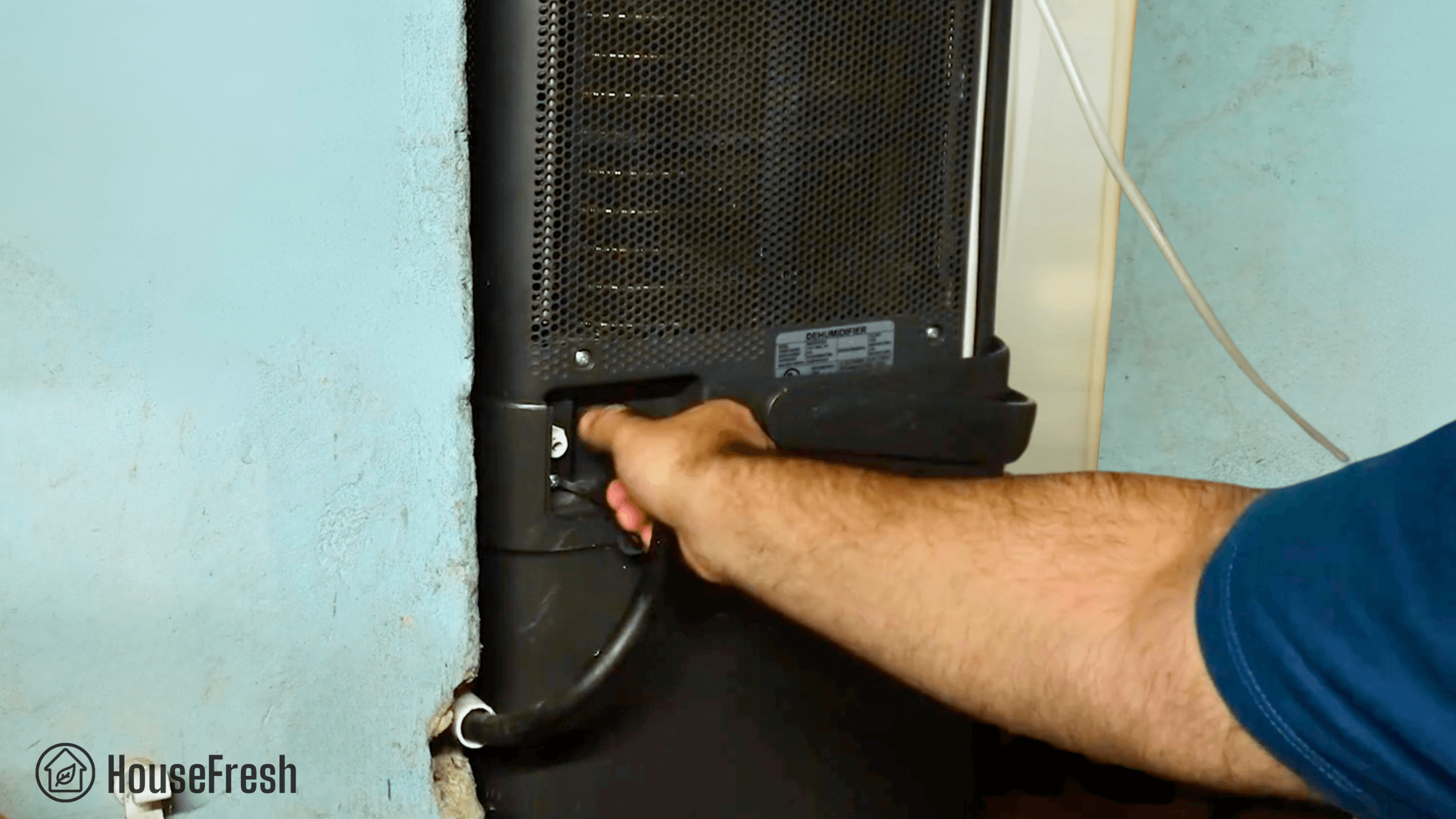
The water tank that slides from the side and is smaller than I’d like.
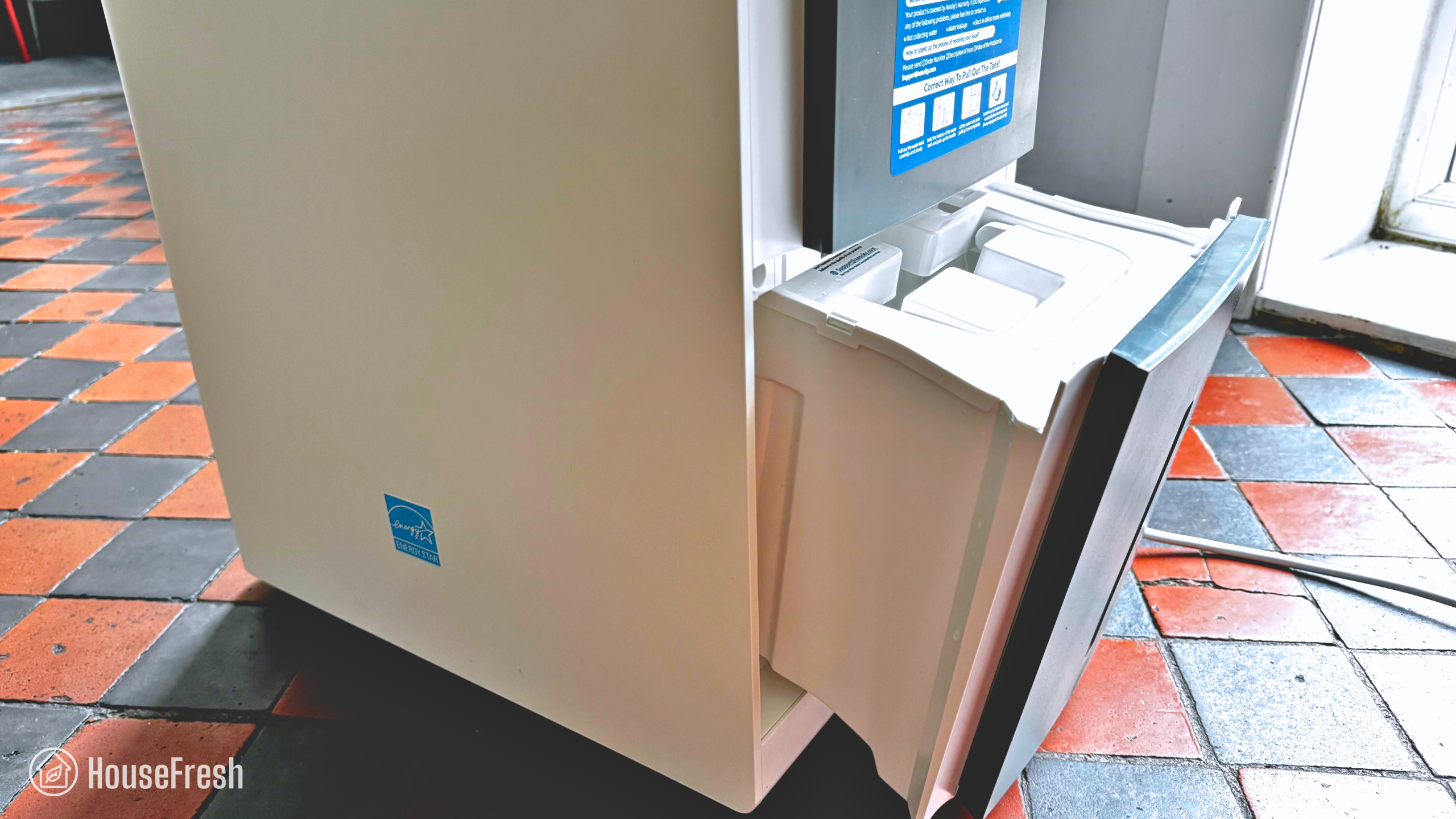
The bucket slides out from the side – not as convenient as buckets that slide out from the front but much better than tanks that sit at the back.
The water tank has a capacity of 14.8 pints, which is larger than the 5.7 pints of the Aeocky Boreas but much smaller than the 34 pints of the Midea Cube.
I appreciate the cover and the handle at the top, which make it easier to empty the bucket when its full without making a mess on the way to the sink.
Design, features and controls
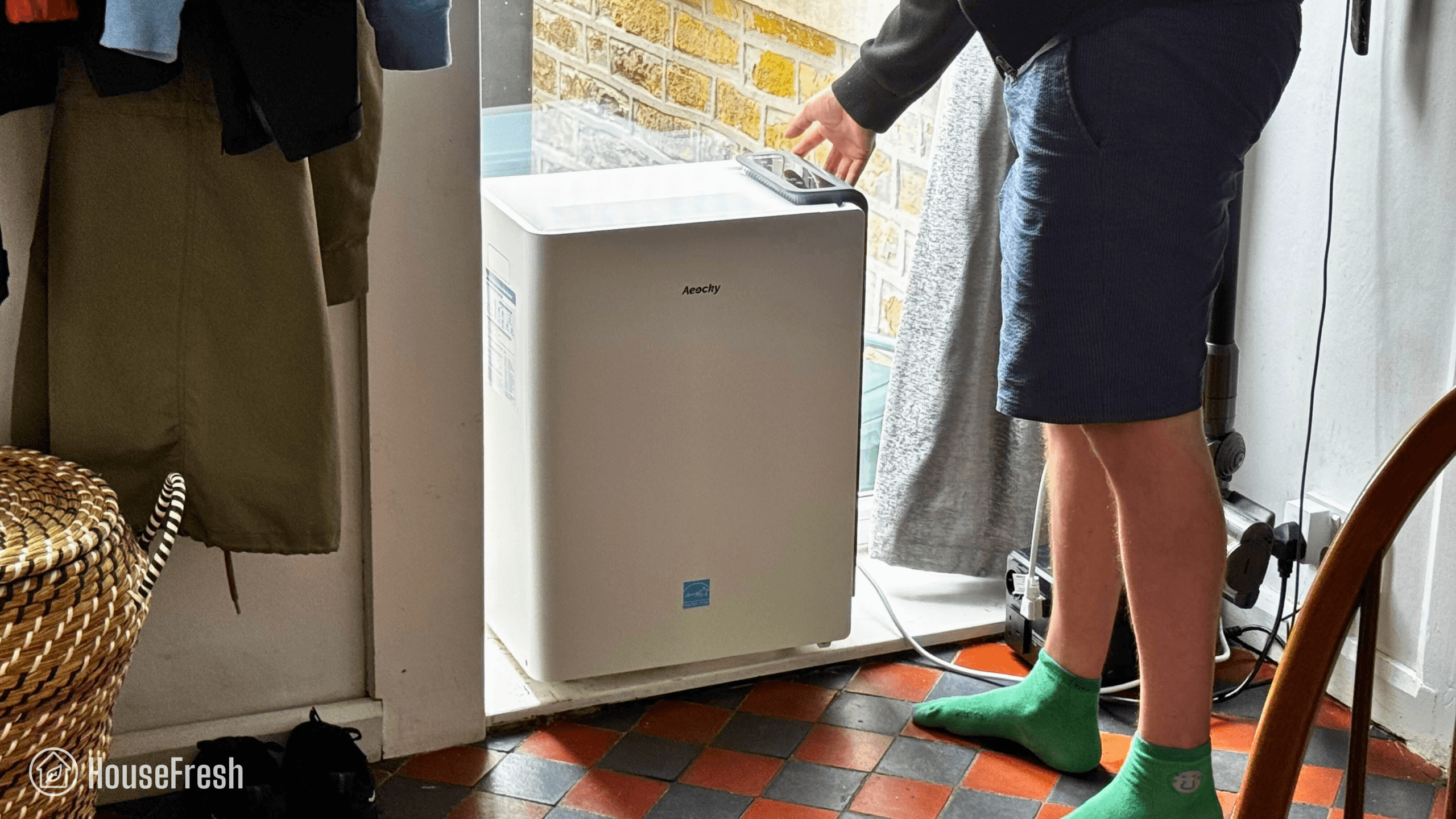
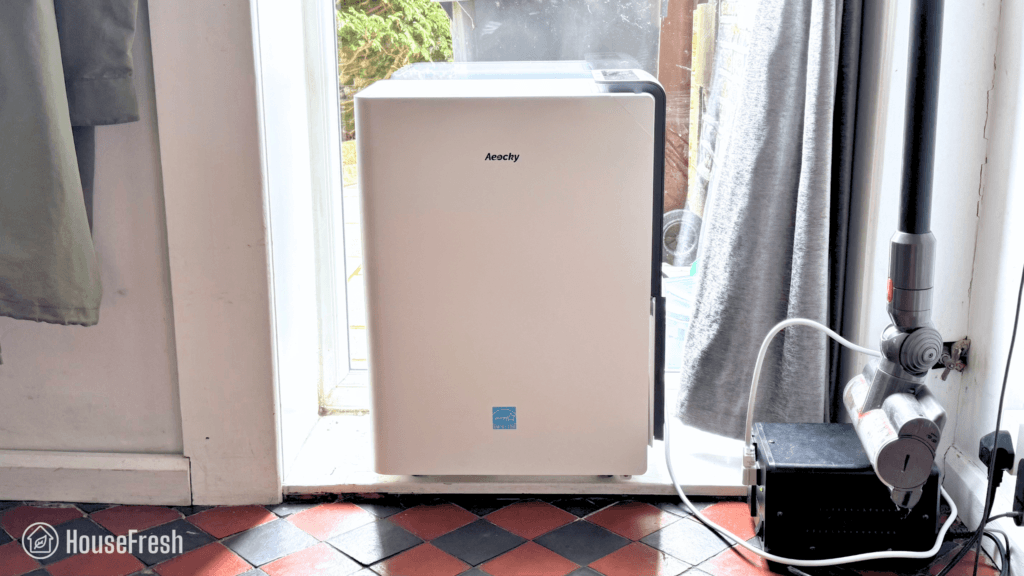
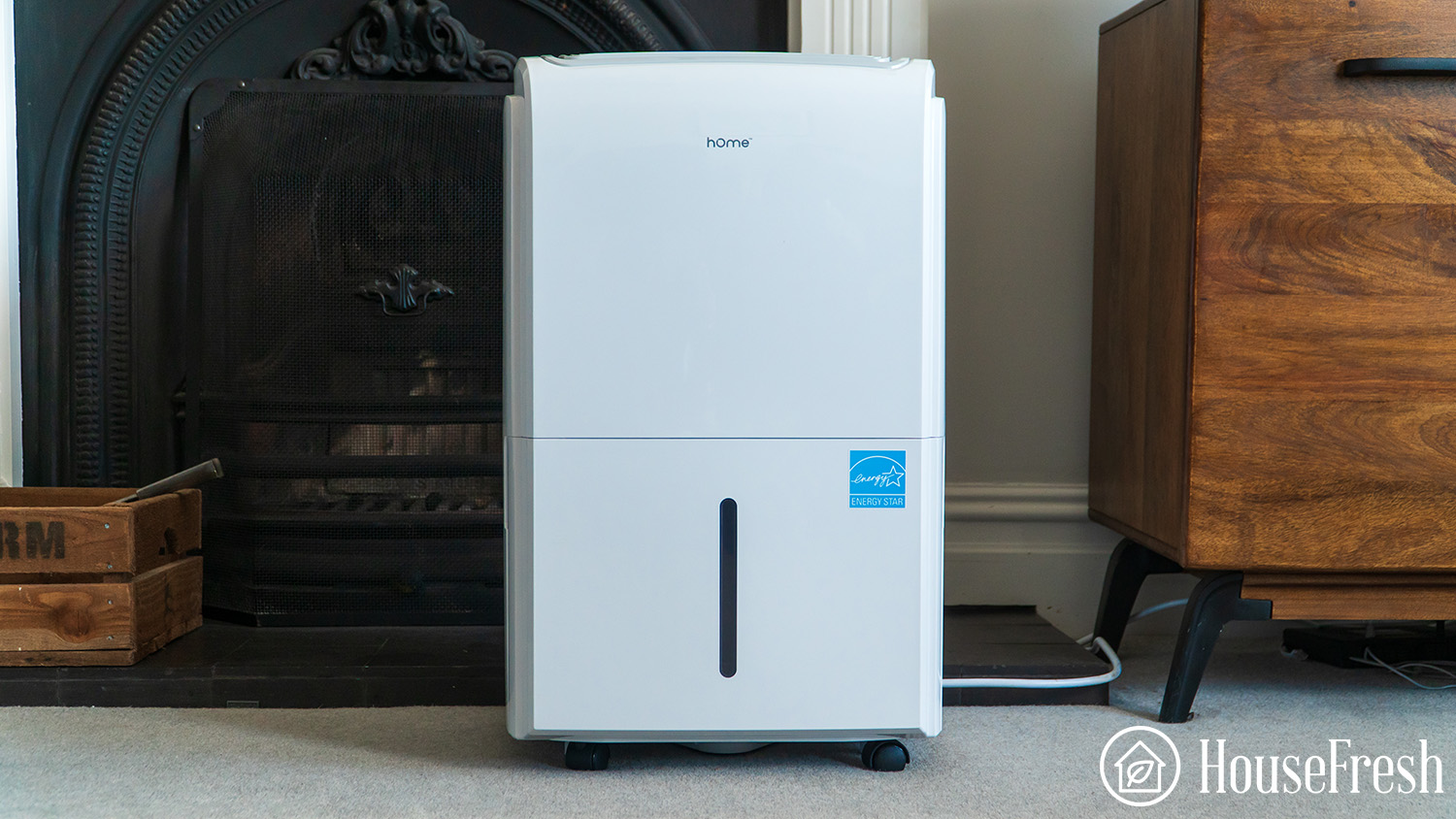
A large dehumidifier that Aeocky states can cover an area up to 8,000 sq. ft.
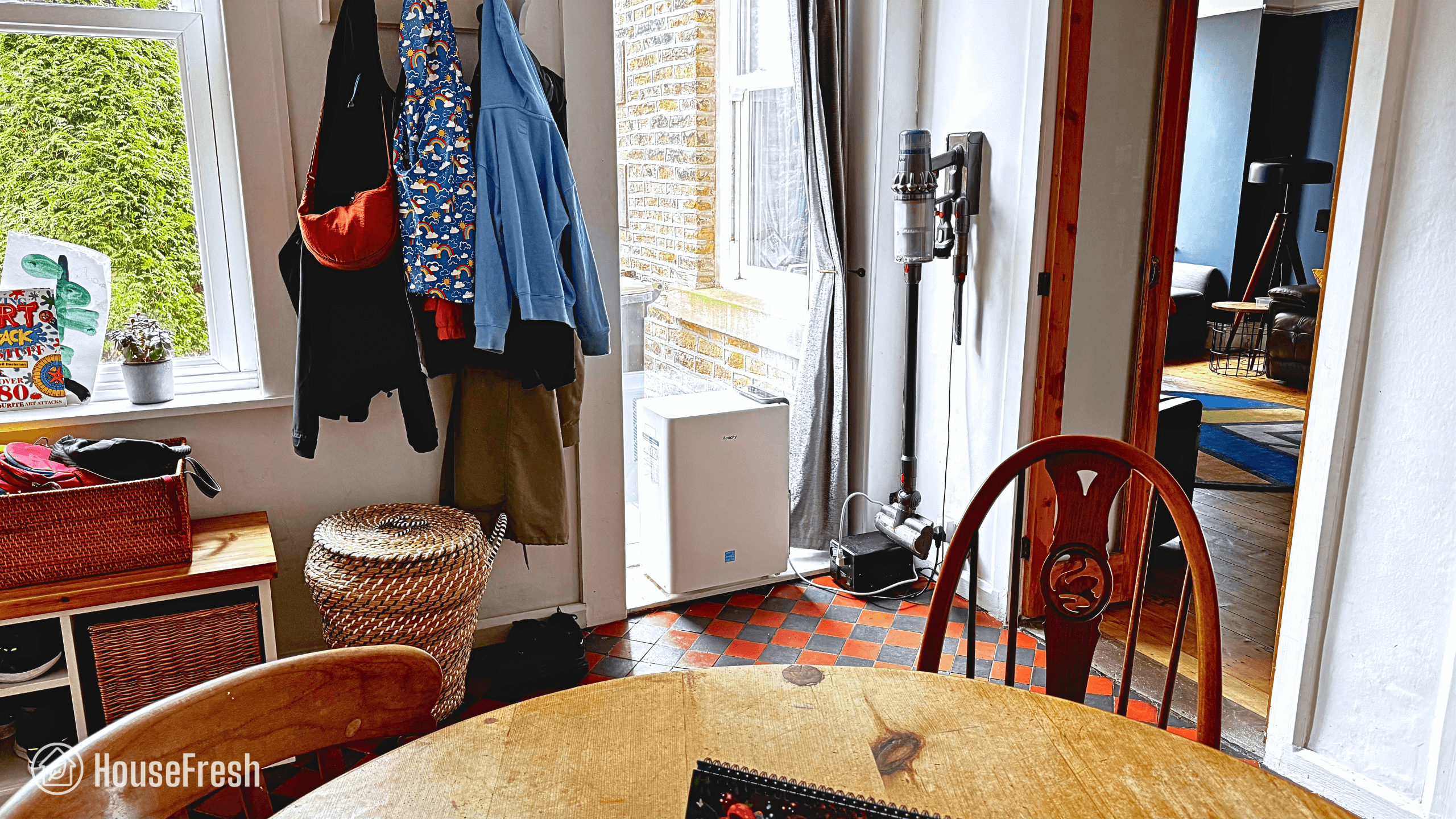
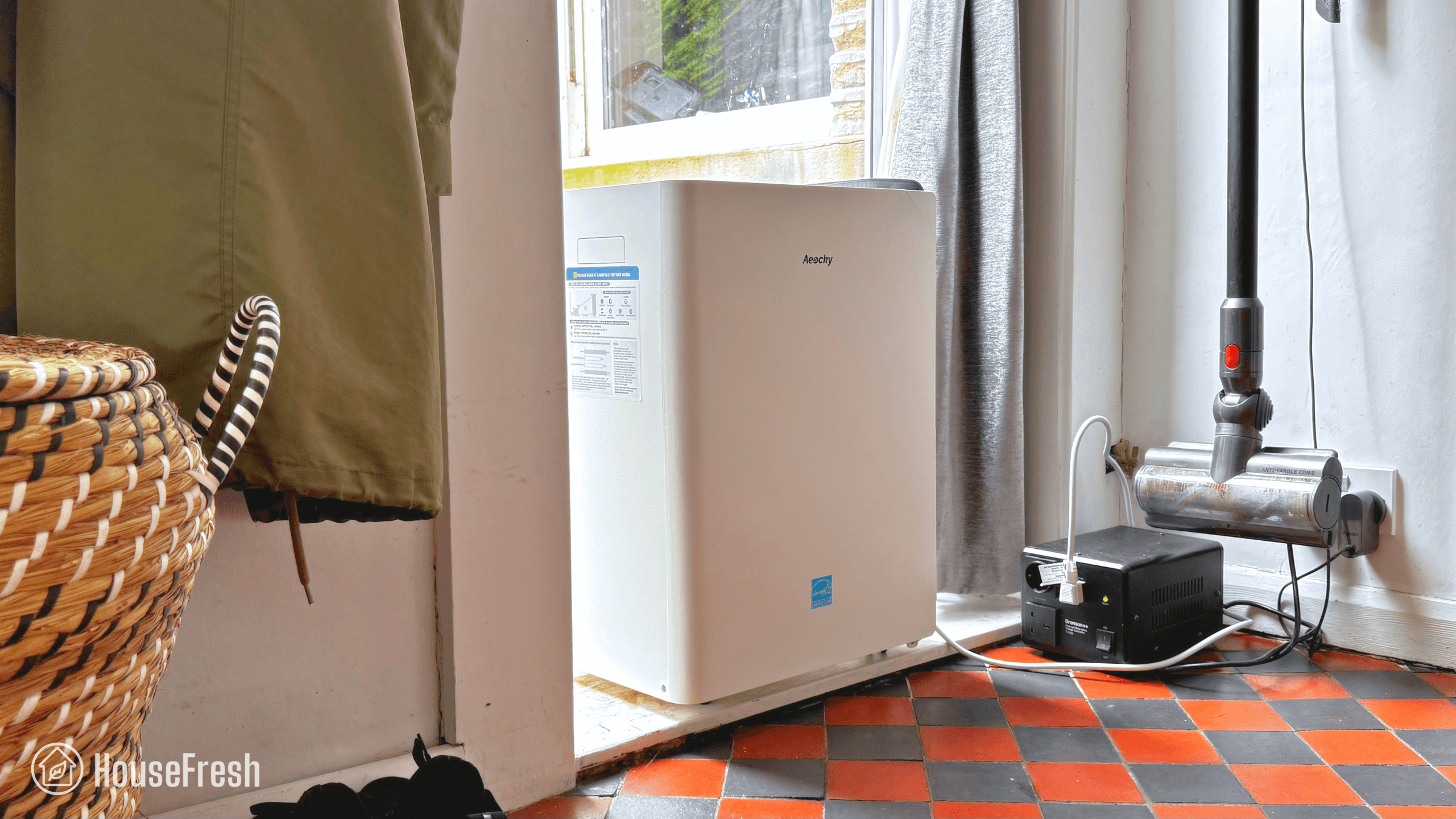
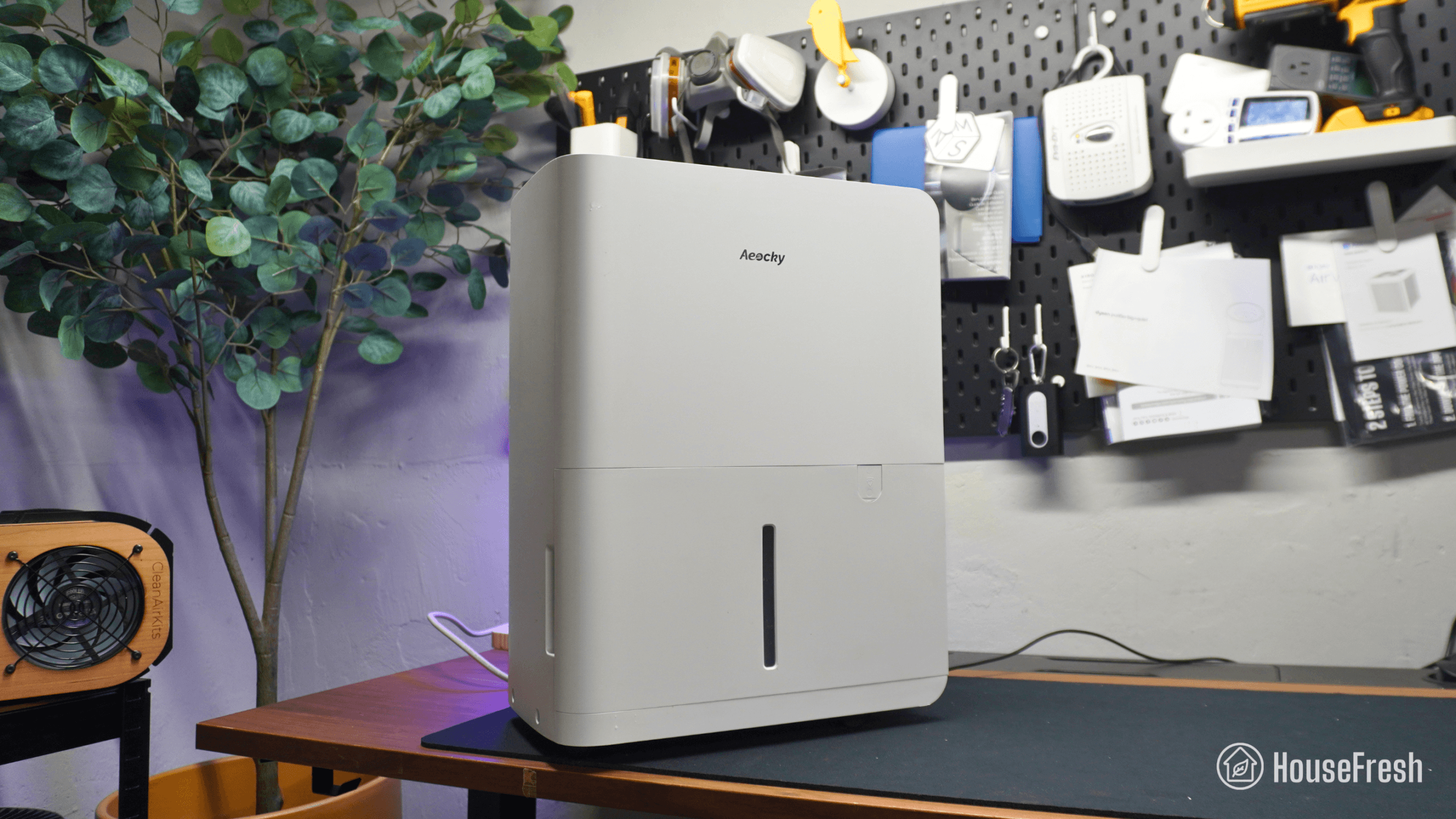
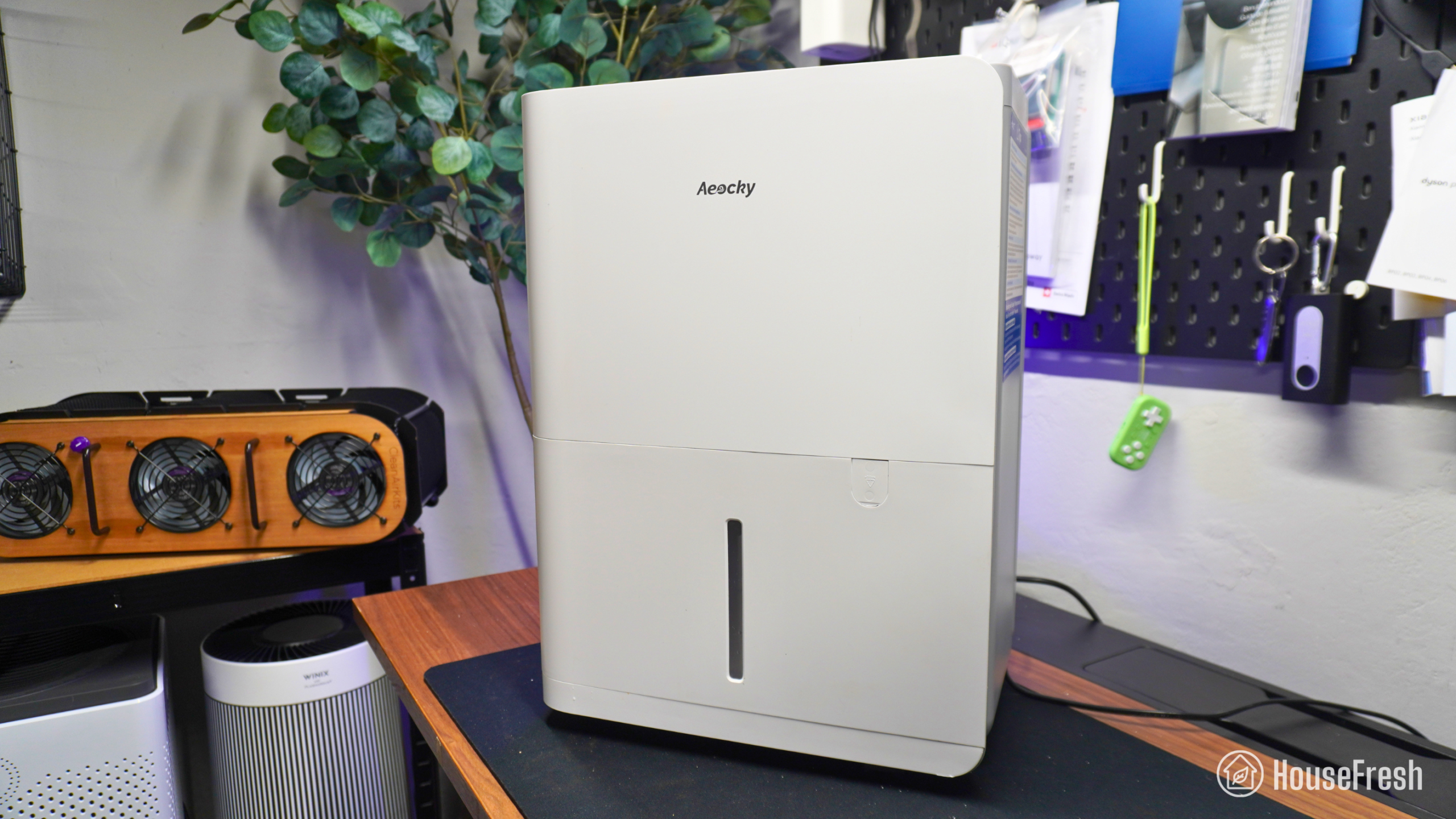
It has a large body and there’s no escaping that. That said, the design is pretty compact for a large dehumidifier.
The bucket slides out from the right, so you need to keep this in mind when choosing where to place it.
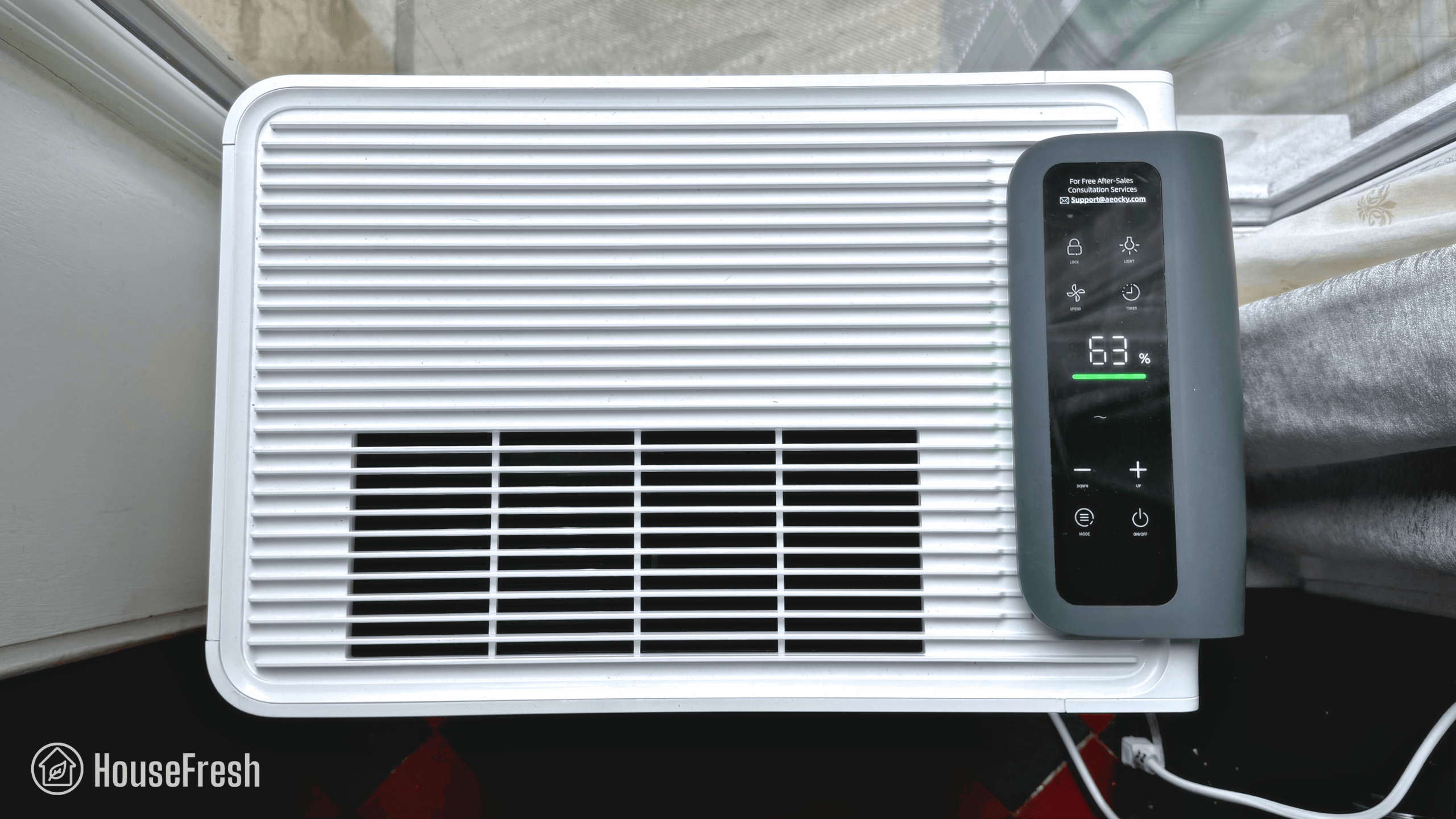
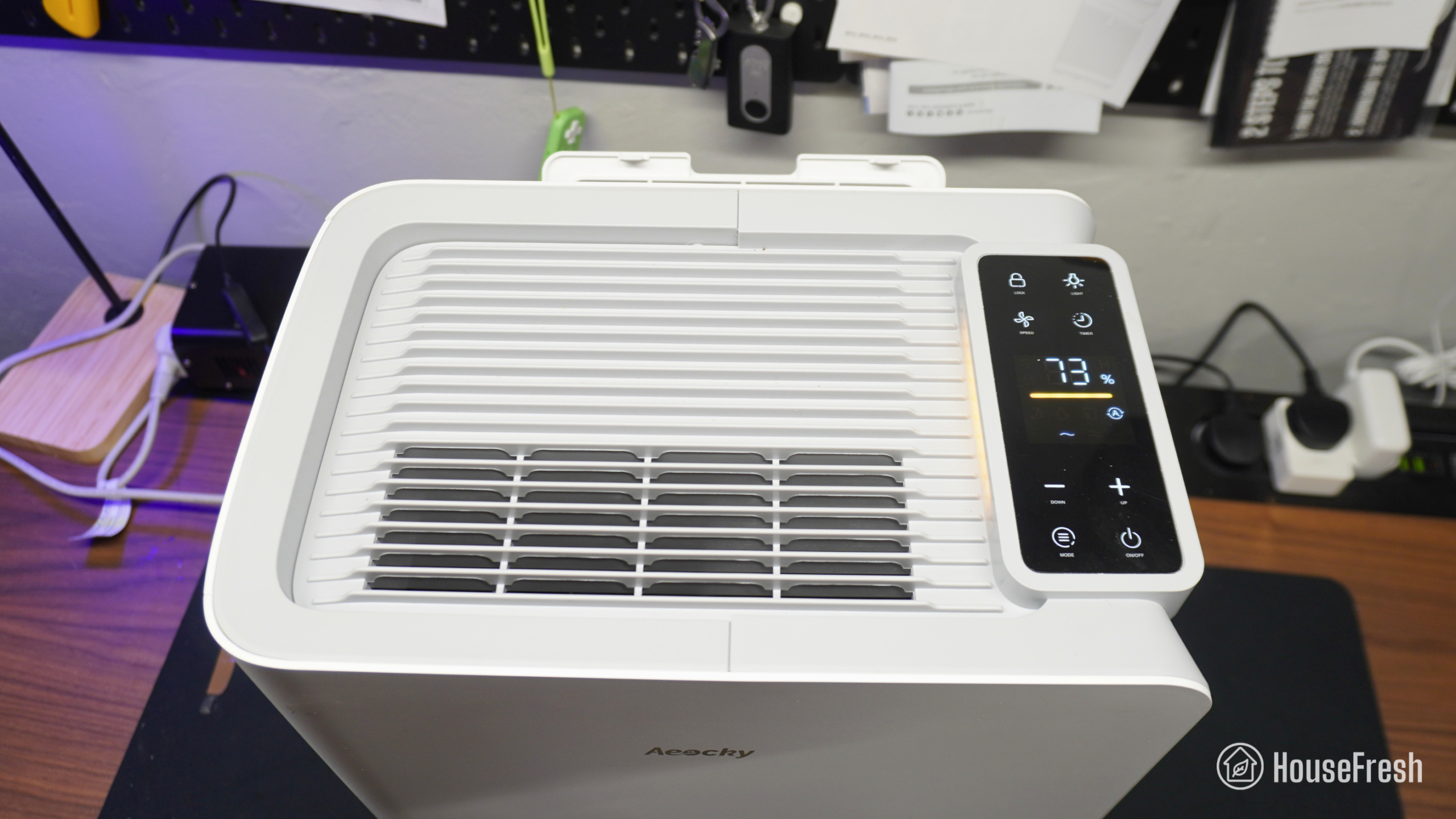
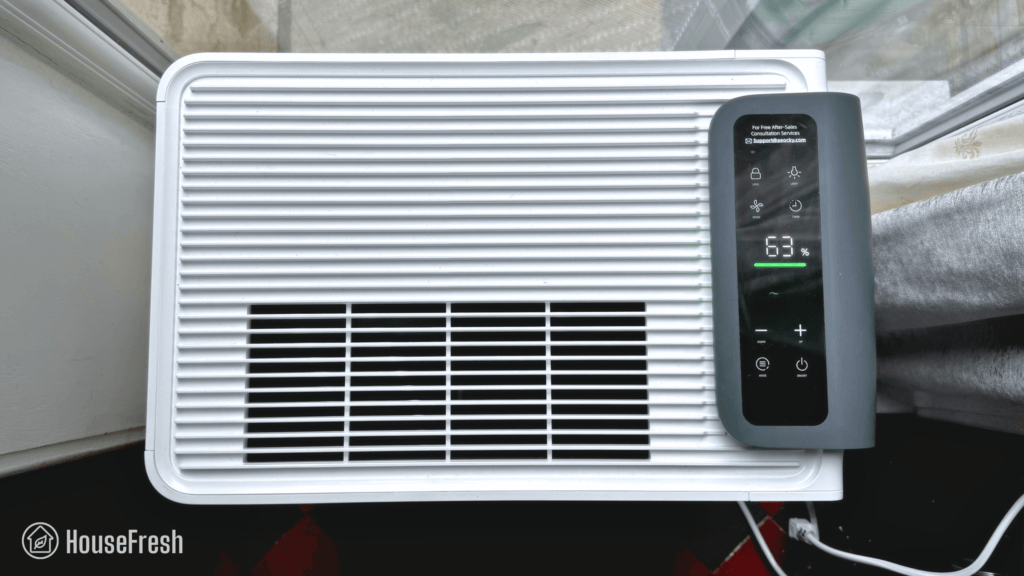
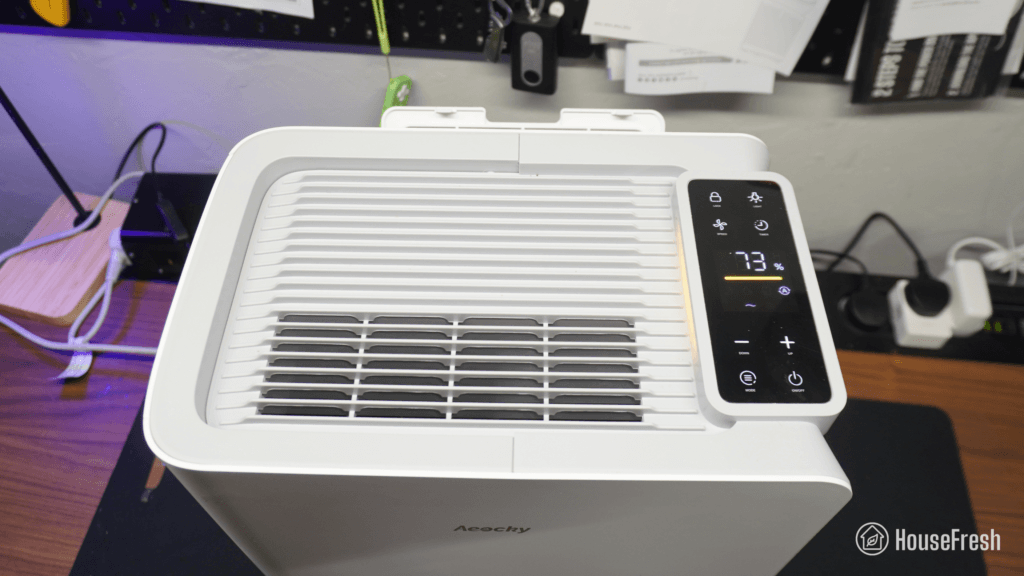
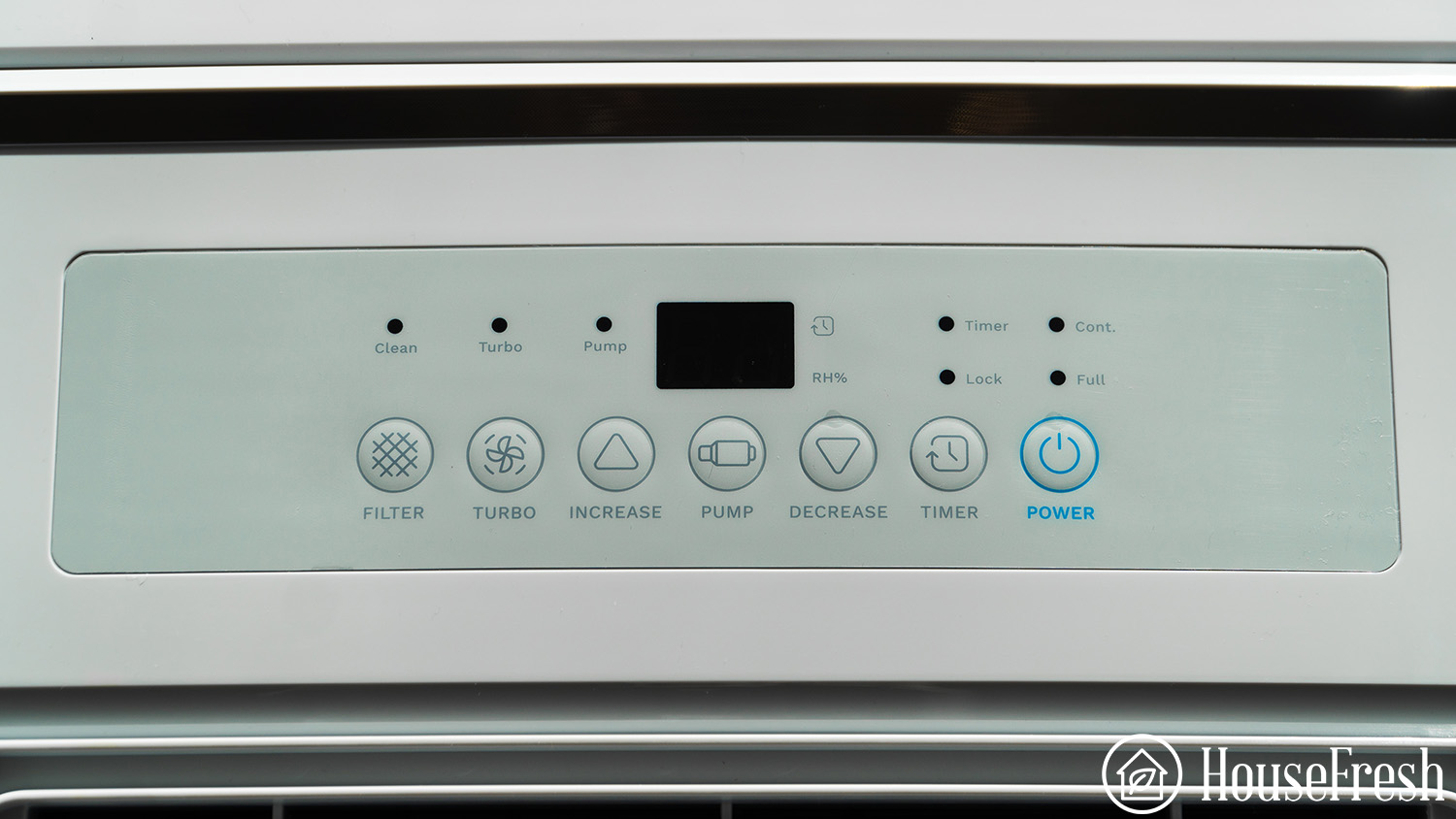
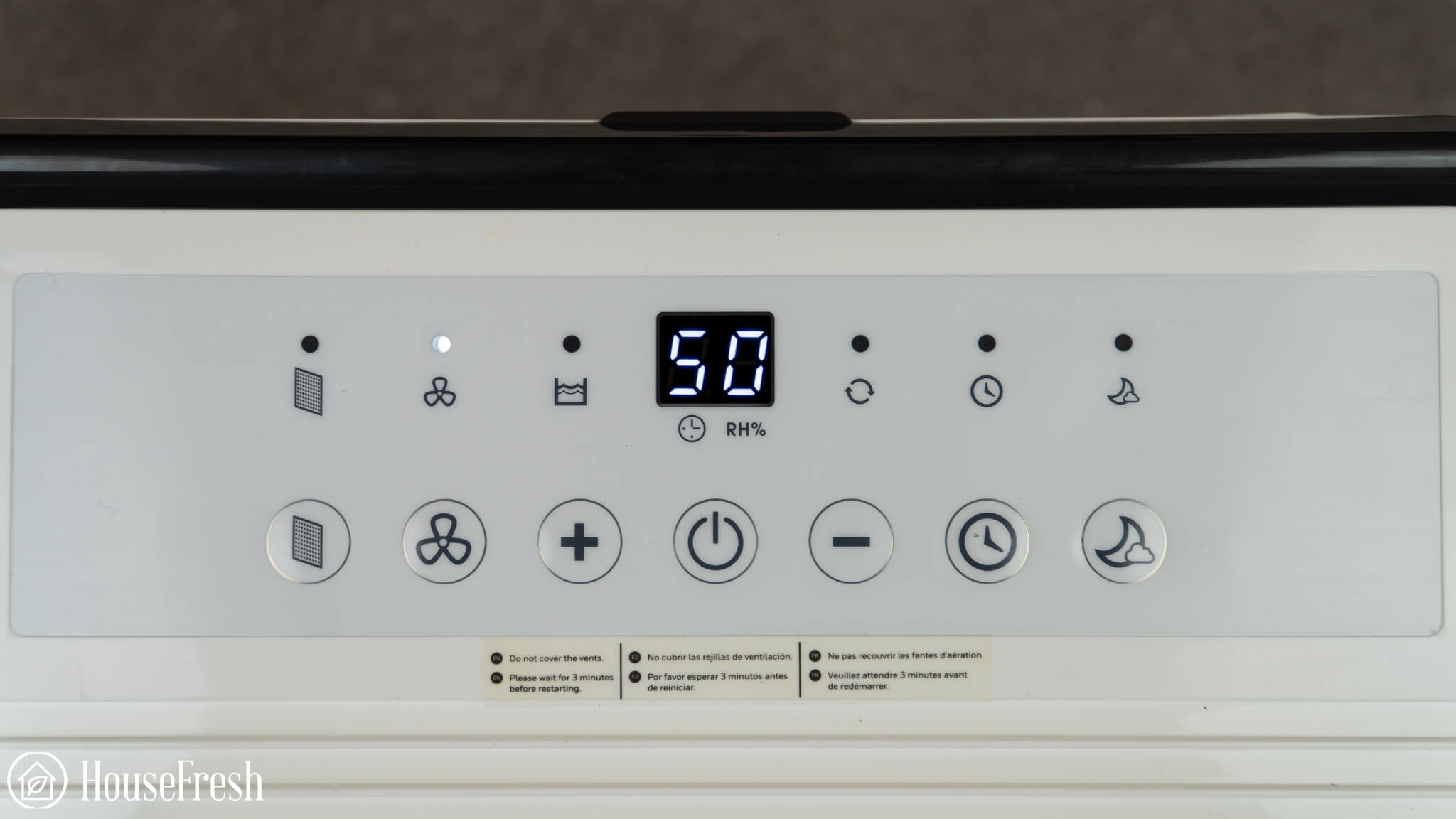
It has buttons to switch fan speeds/modes, set the desired humidity, adjust lights, schedule timers and lock the screen.
It comes with an on-board hygrometer that is fairly accurate compared to our room humidity monitor.
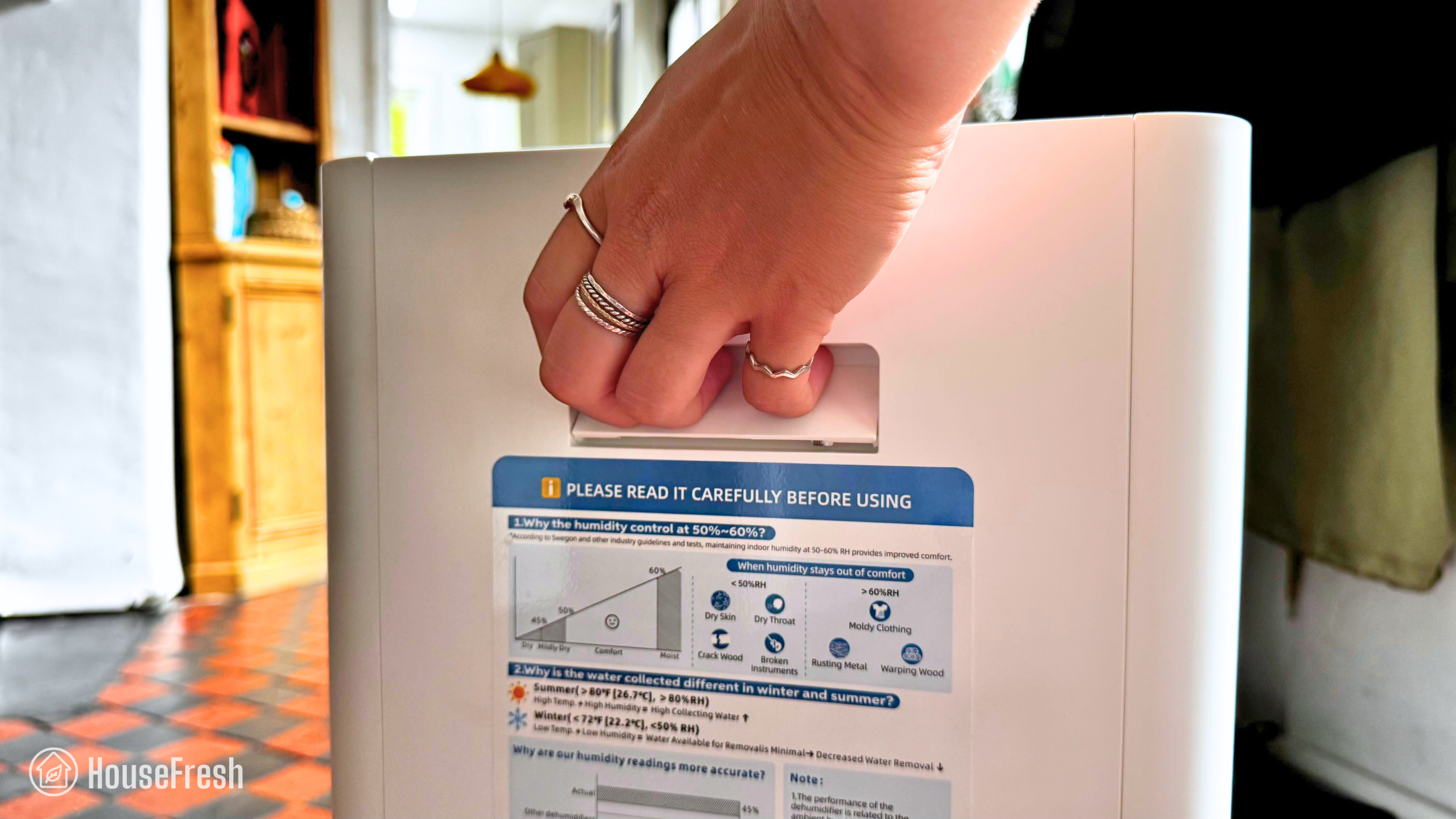
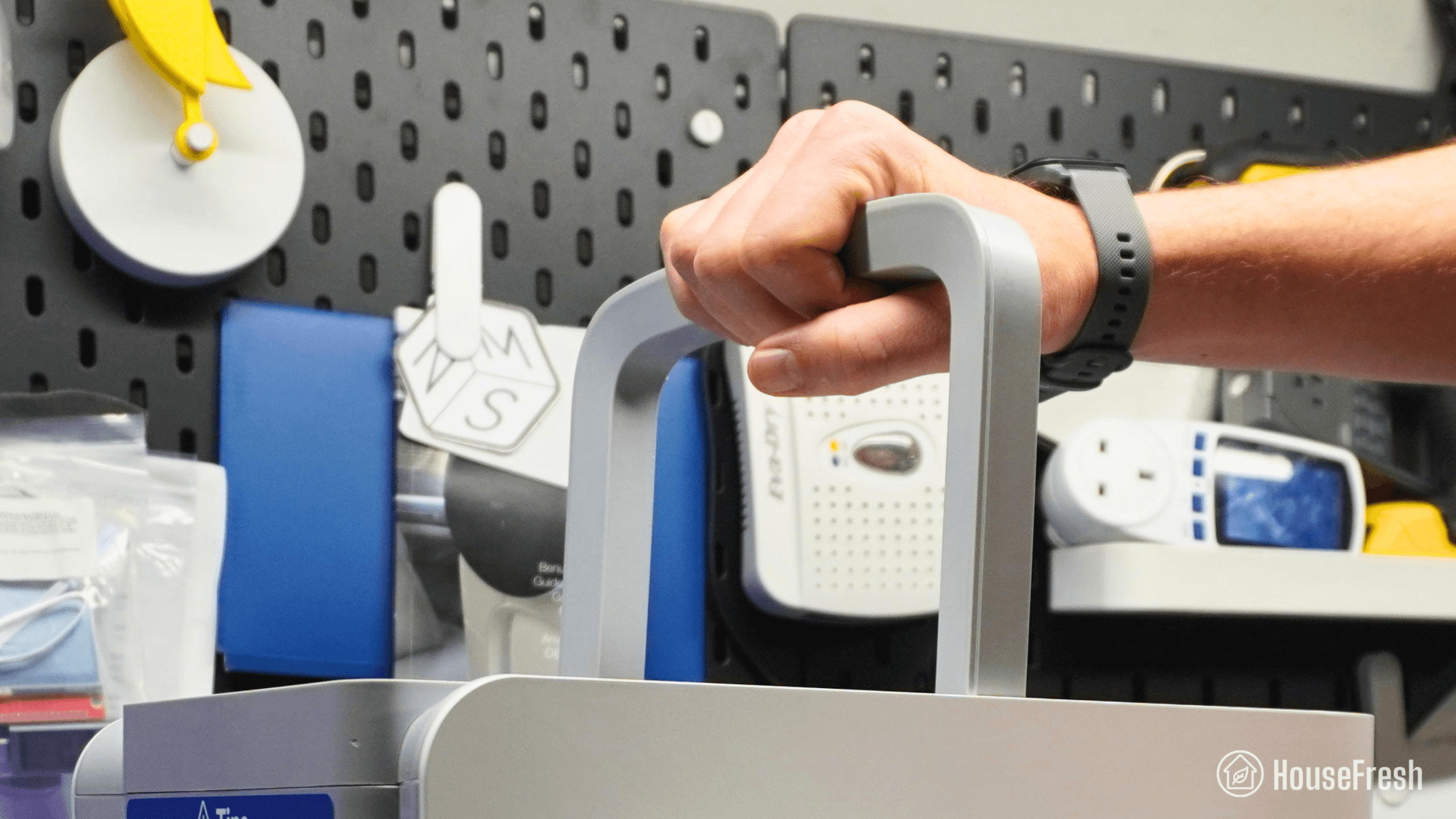
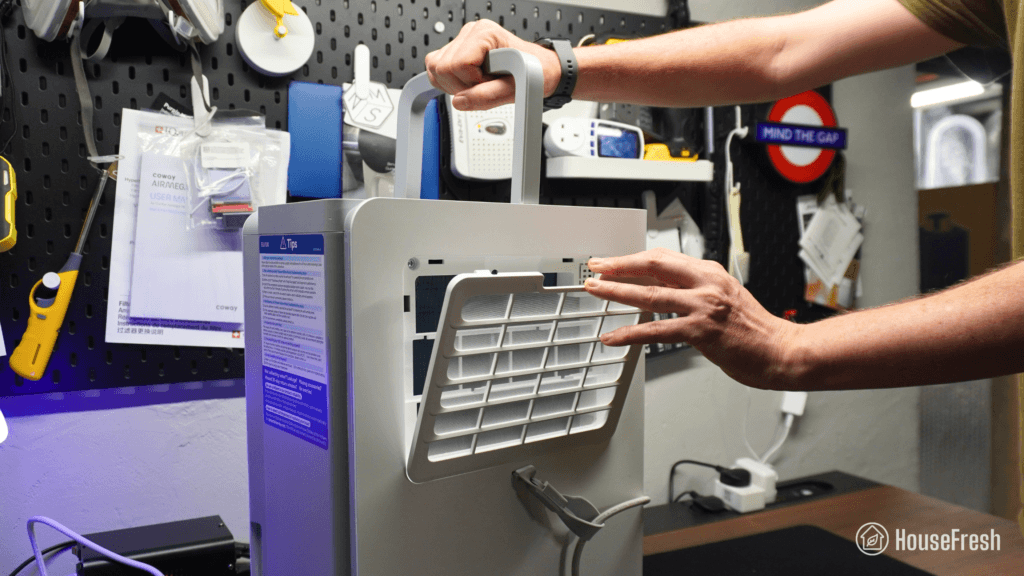
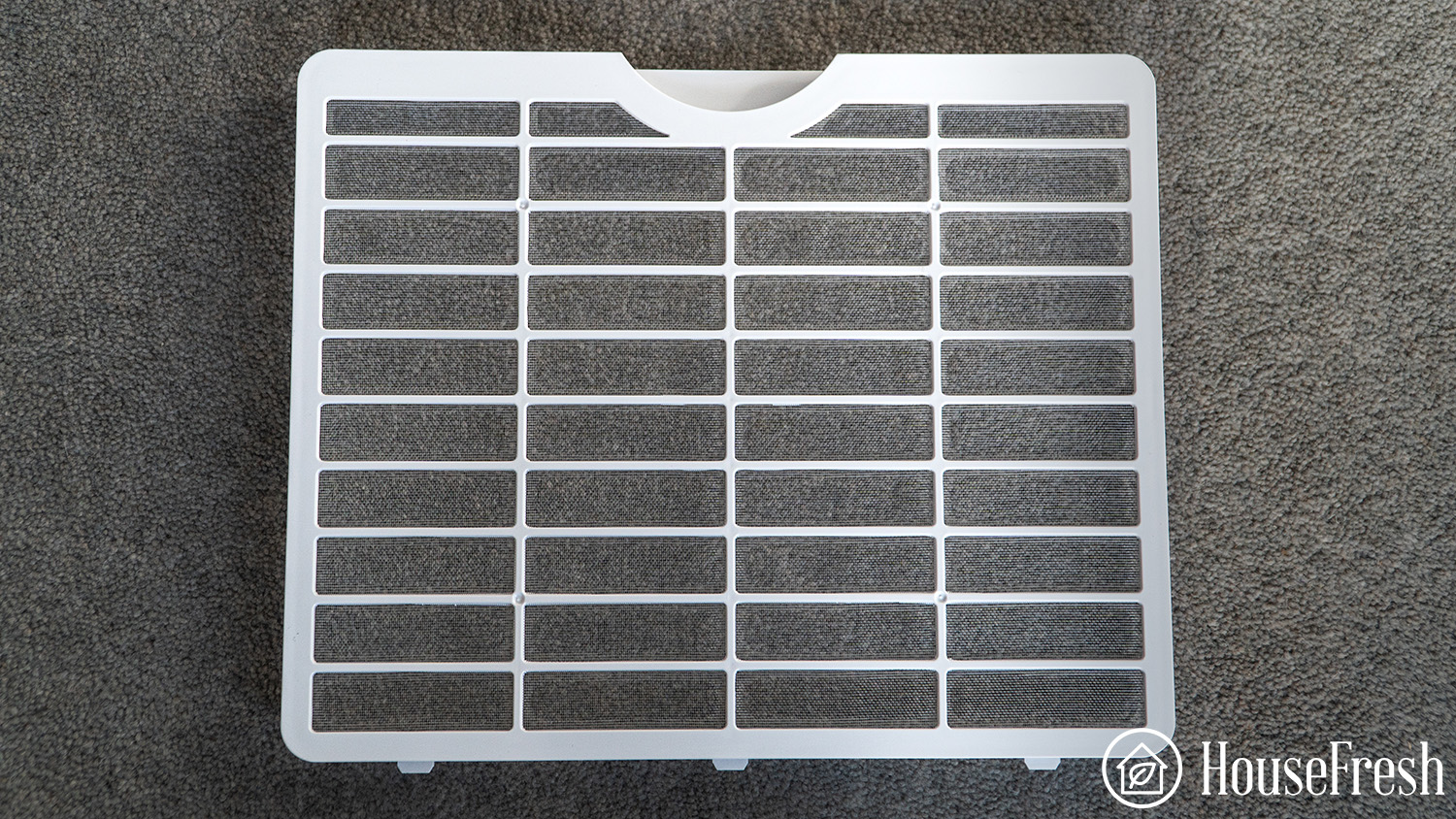
It comes with a handle each side of the device. The handles aren’t visible unless you push in with your hands.
I’d prefer a sturdy handle at the top, but the side handles of the Rhea are deep enough to be useful.
Dehumidification performance
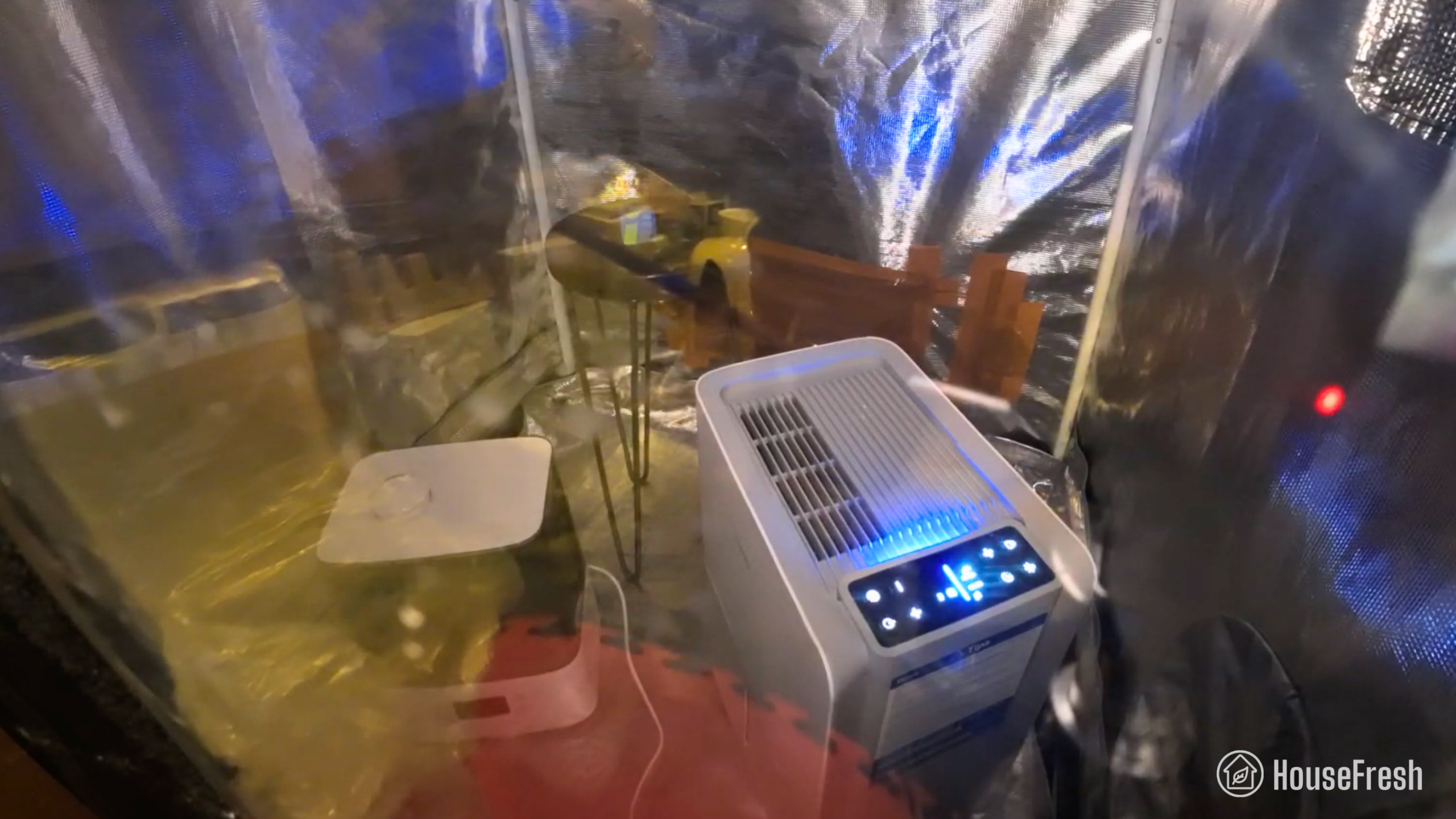
We tested the Aeocky Rhea in our grow test using a humidifier and our trusted hygrometer.
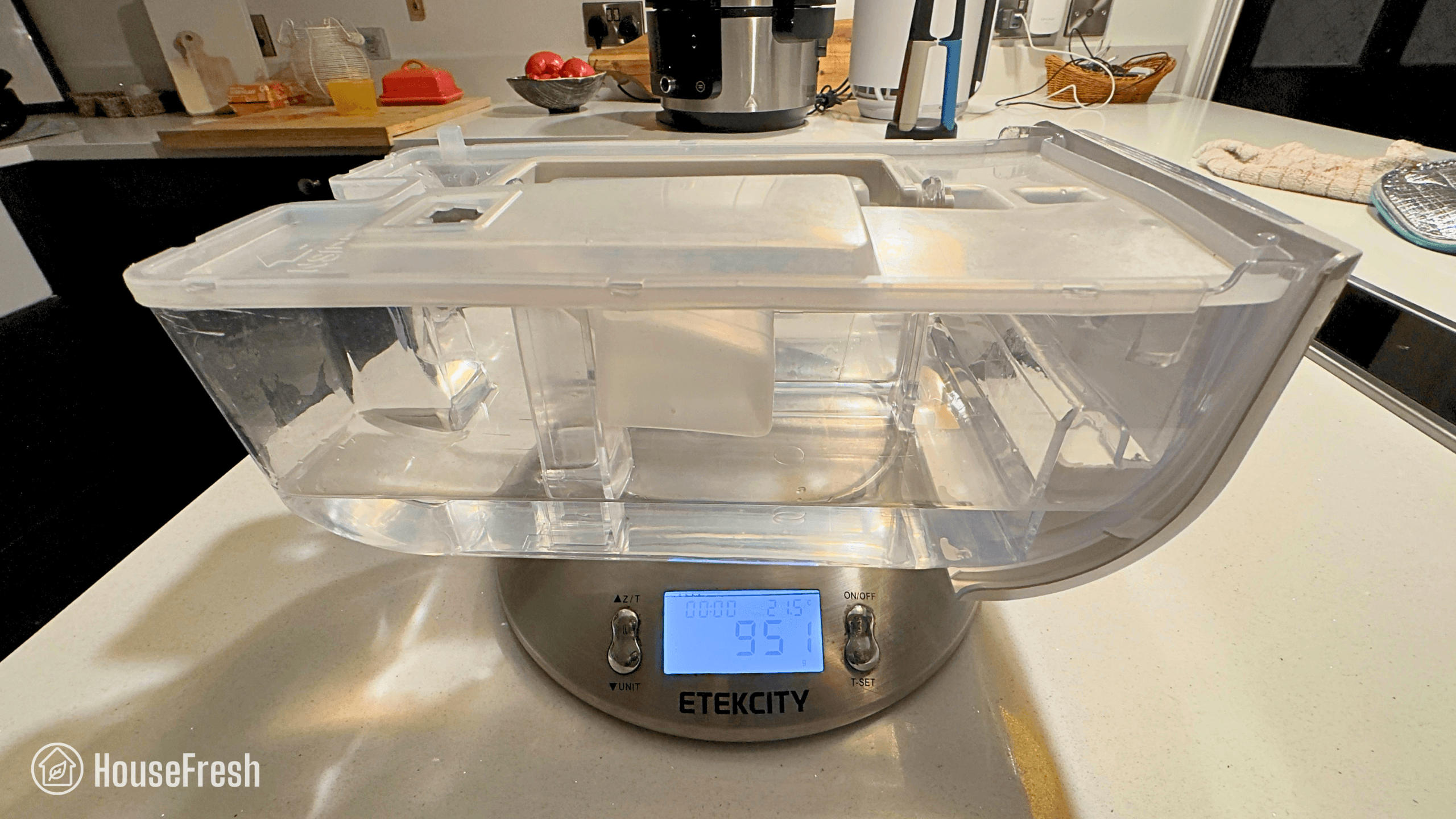
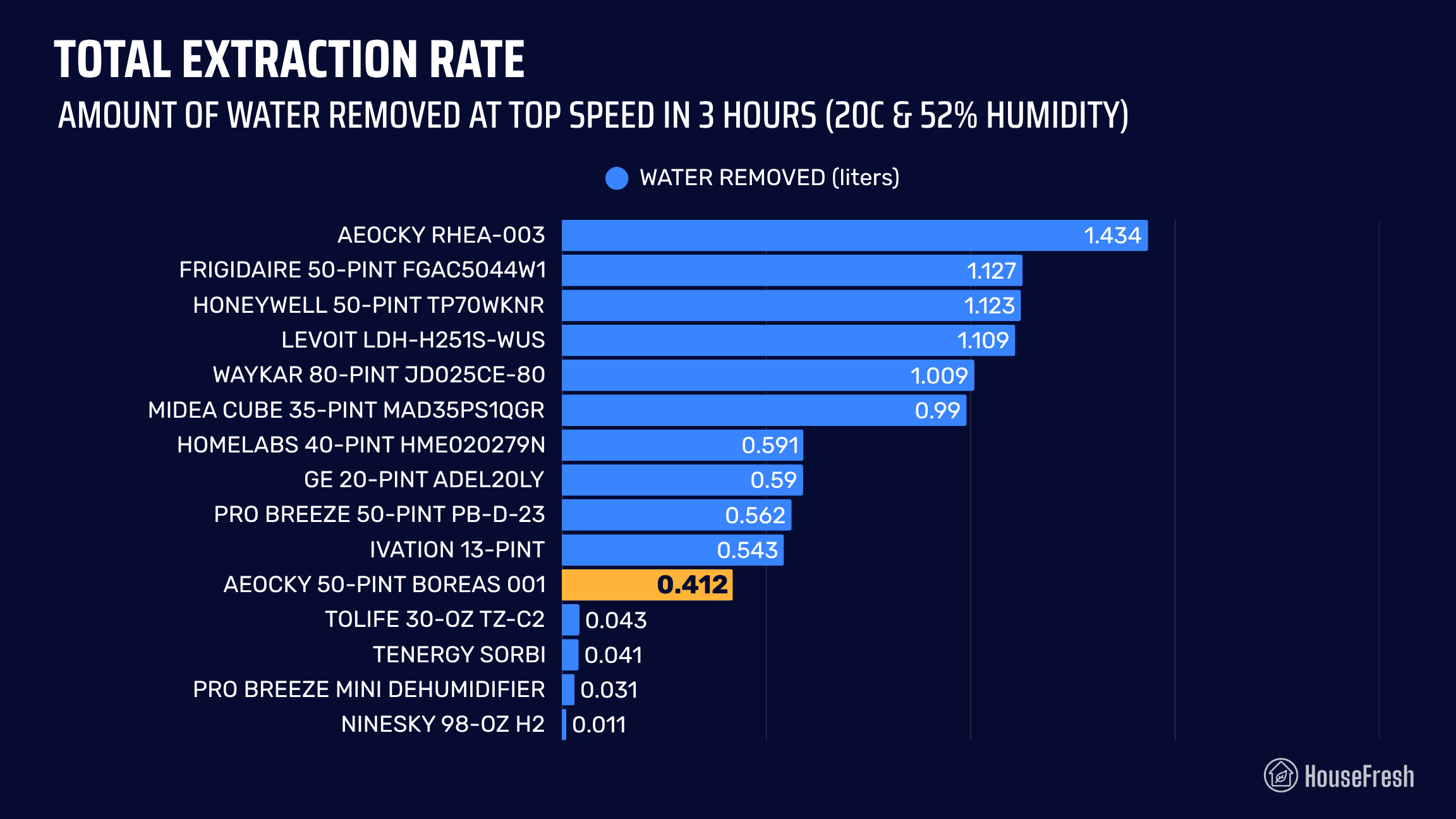
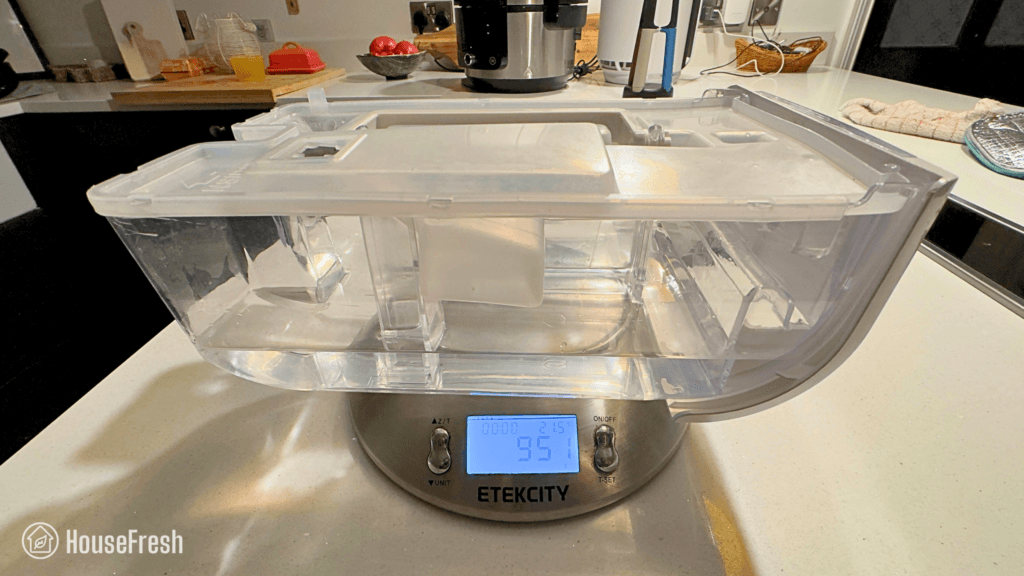
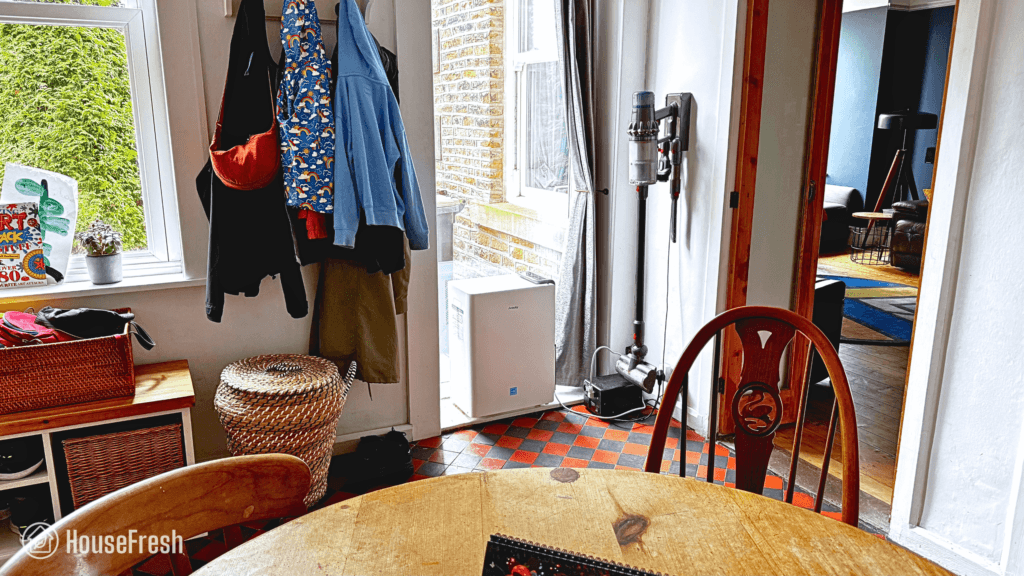
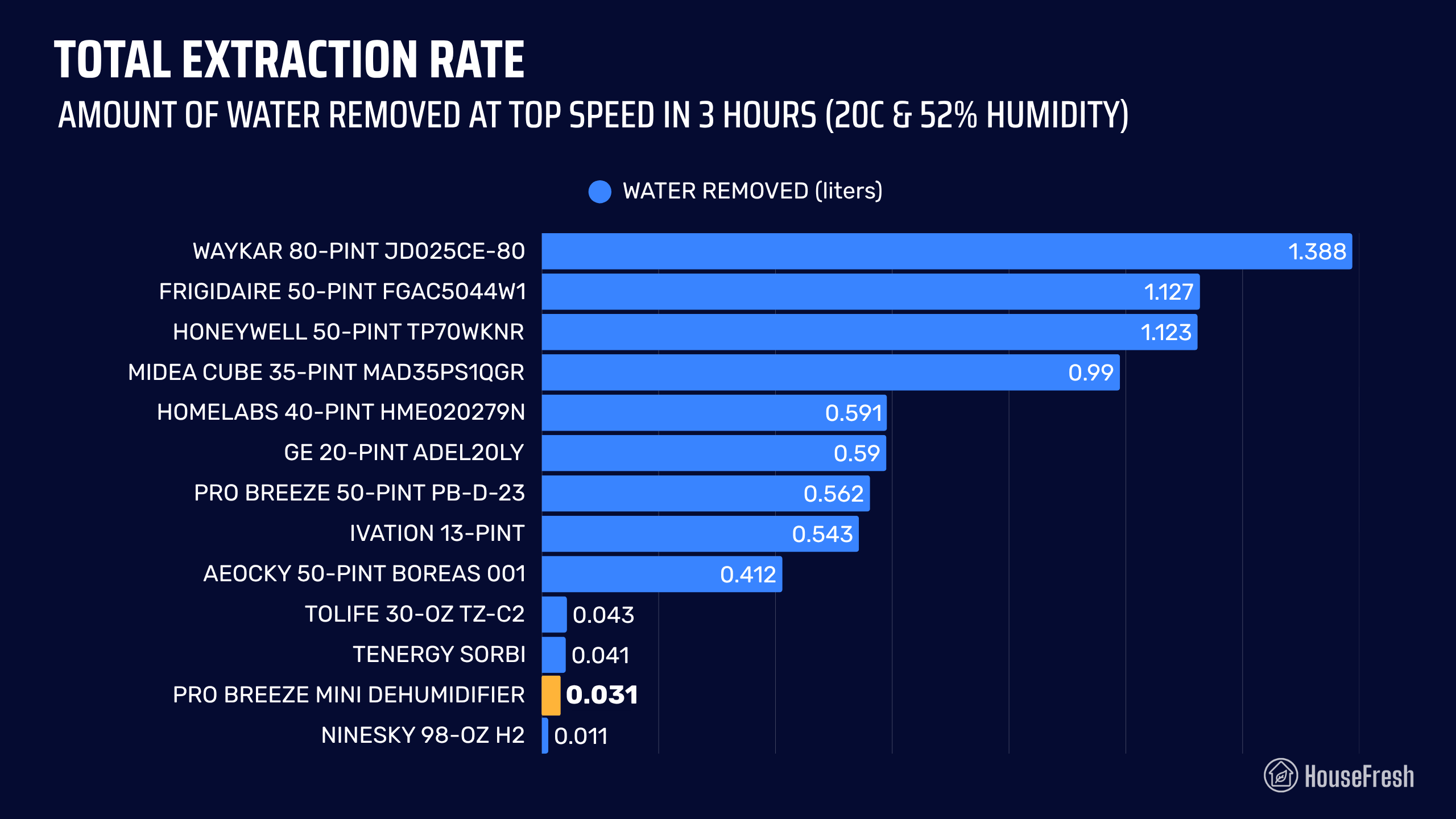
First, we measured how much water the Aeocky Rhea is capable of removing from our very damp dining room at 20 degrees Celsius and 52% humidity during a set period of three hours. I weighed the water bucket before and after the test to determine how much water the Rhea was able to remove.
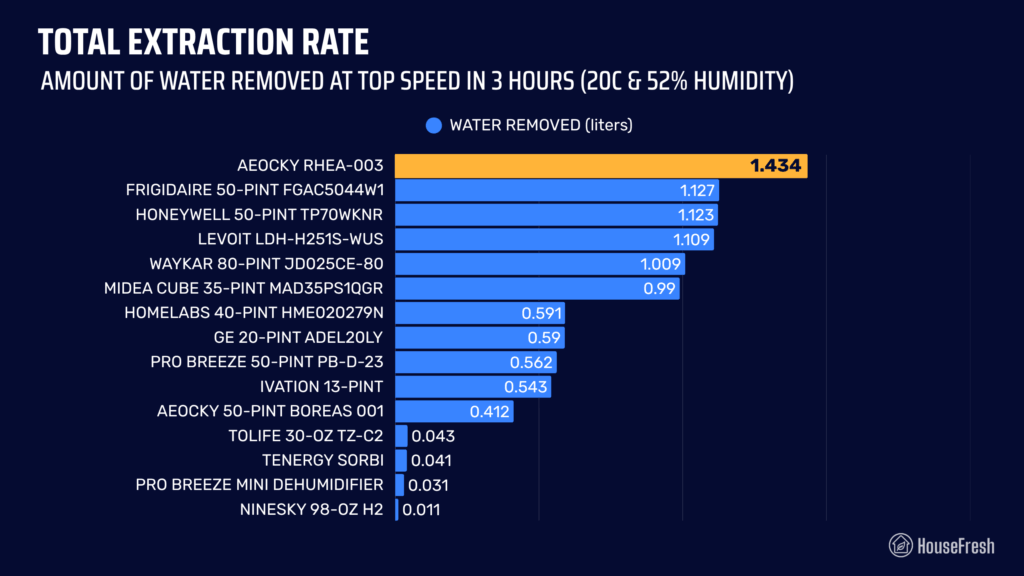
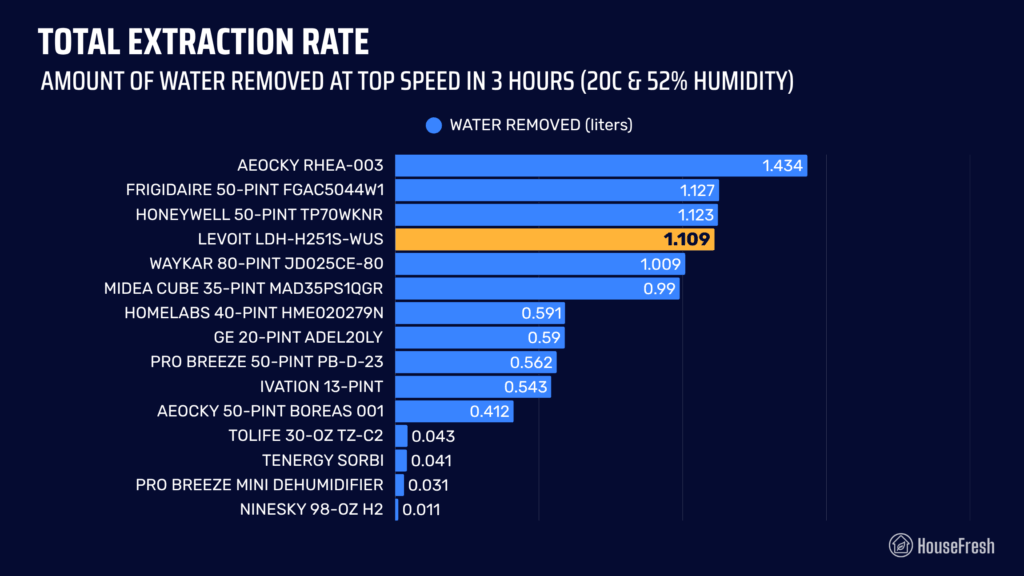
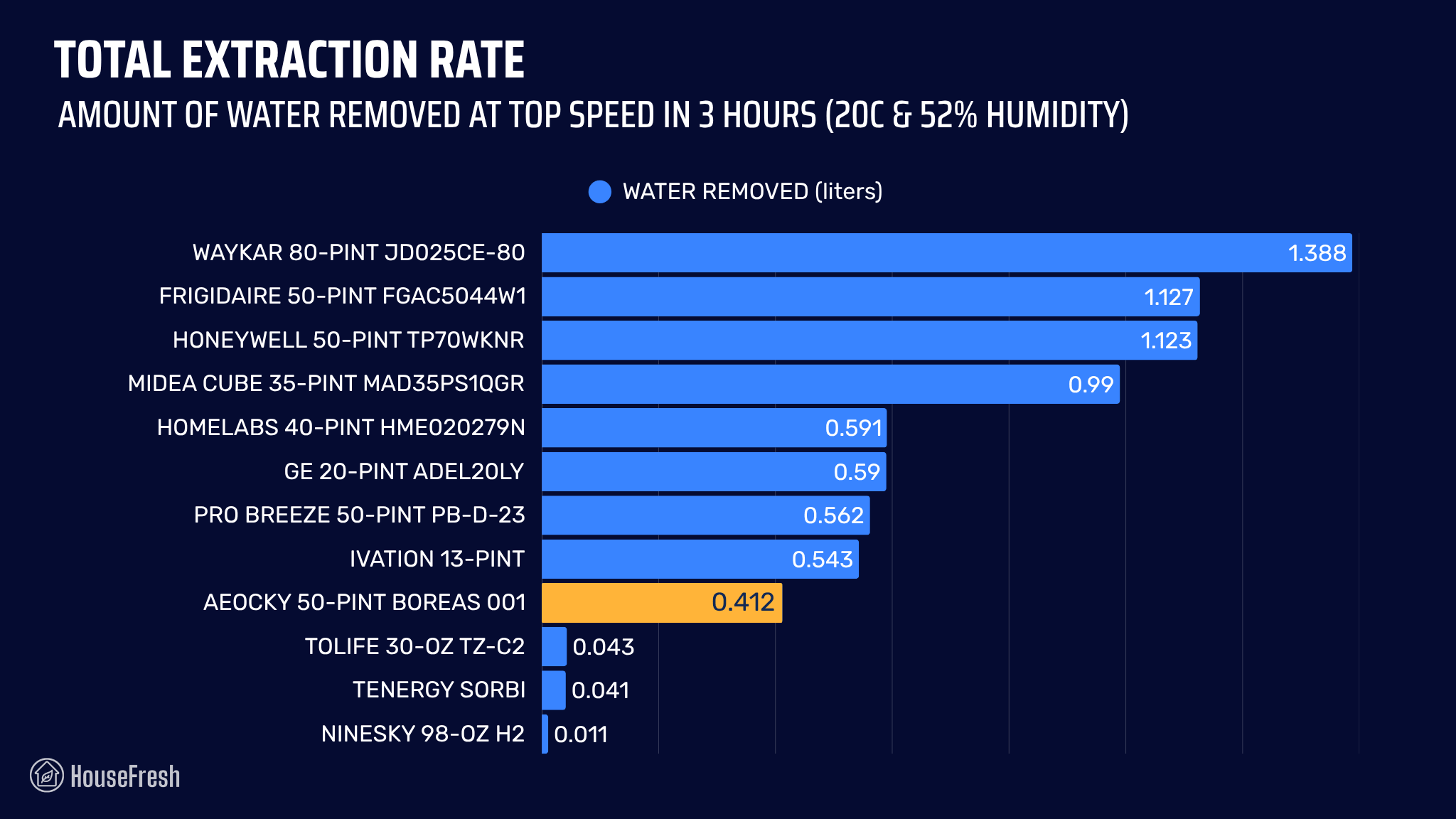
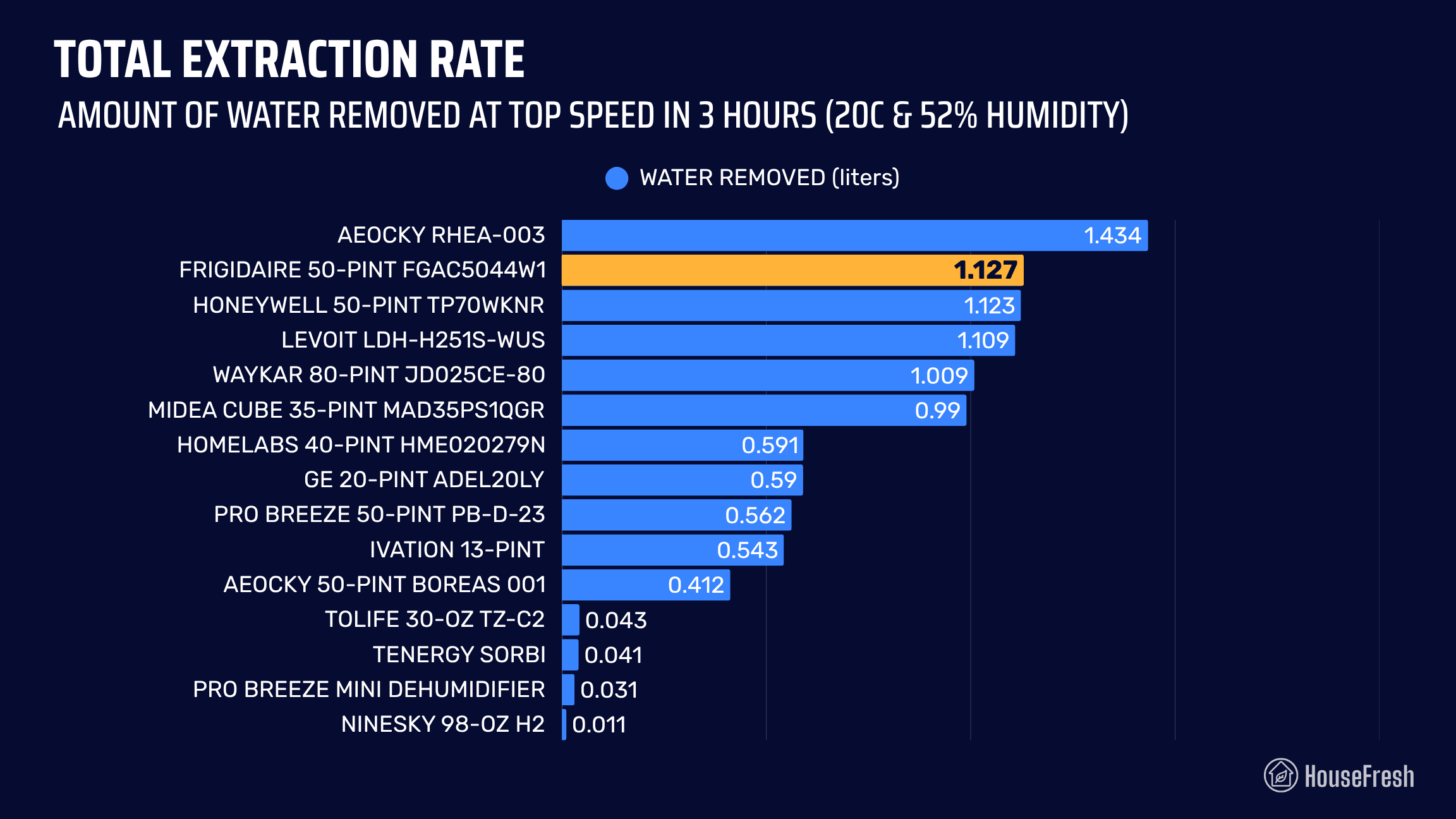
In our tests, this dehumidifier extracted 1.43 liters of water in three hours. The Rhea tops our water extraction ranking, beating all 27 different dehumidifiers I have tested – this includes two 50-Pint models from Honeywell and Frigidaire and an 80-Pint model from Waykar.
This means that the Rhea-003 is capable of removing 11.47 liters of water from the air in our dining room within 24 hours when running at full power. The question is, how loud is it?
Sound levels
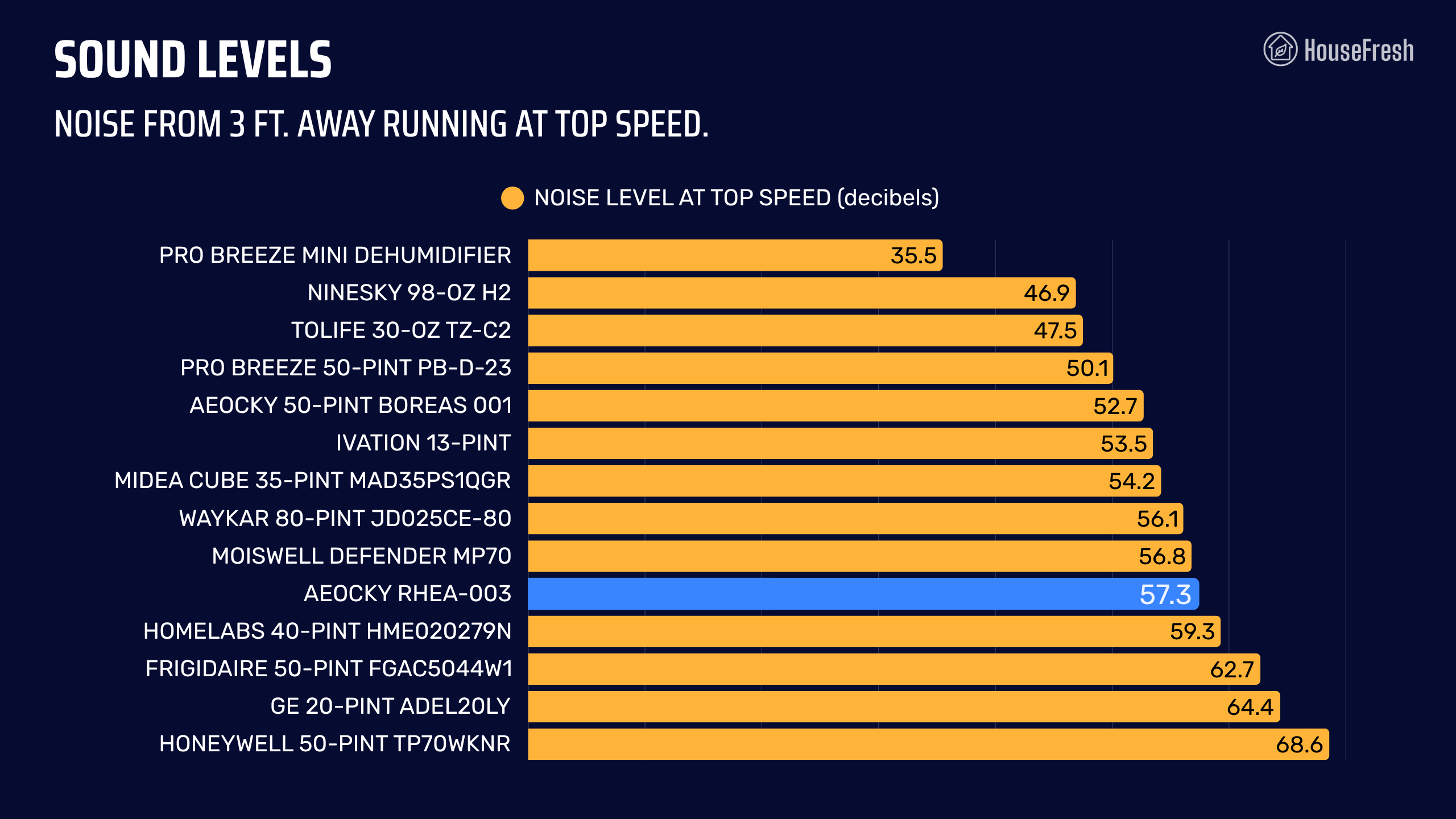
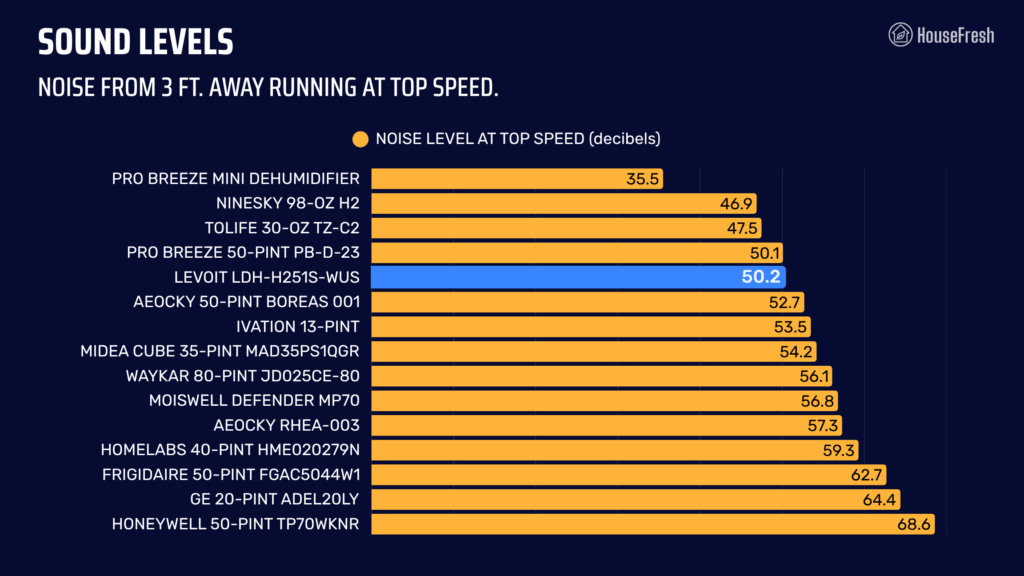
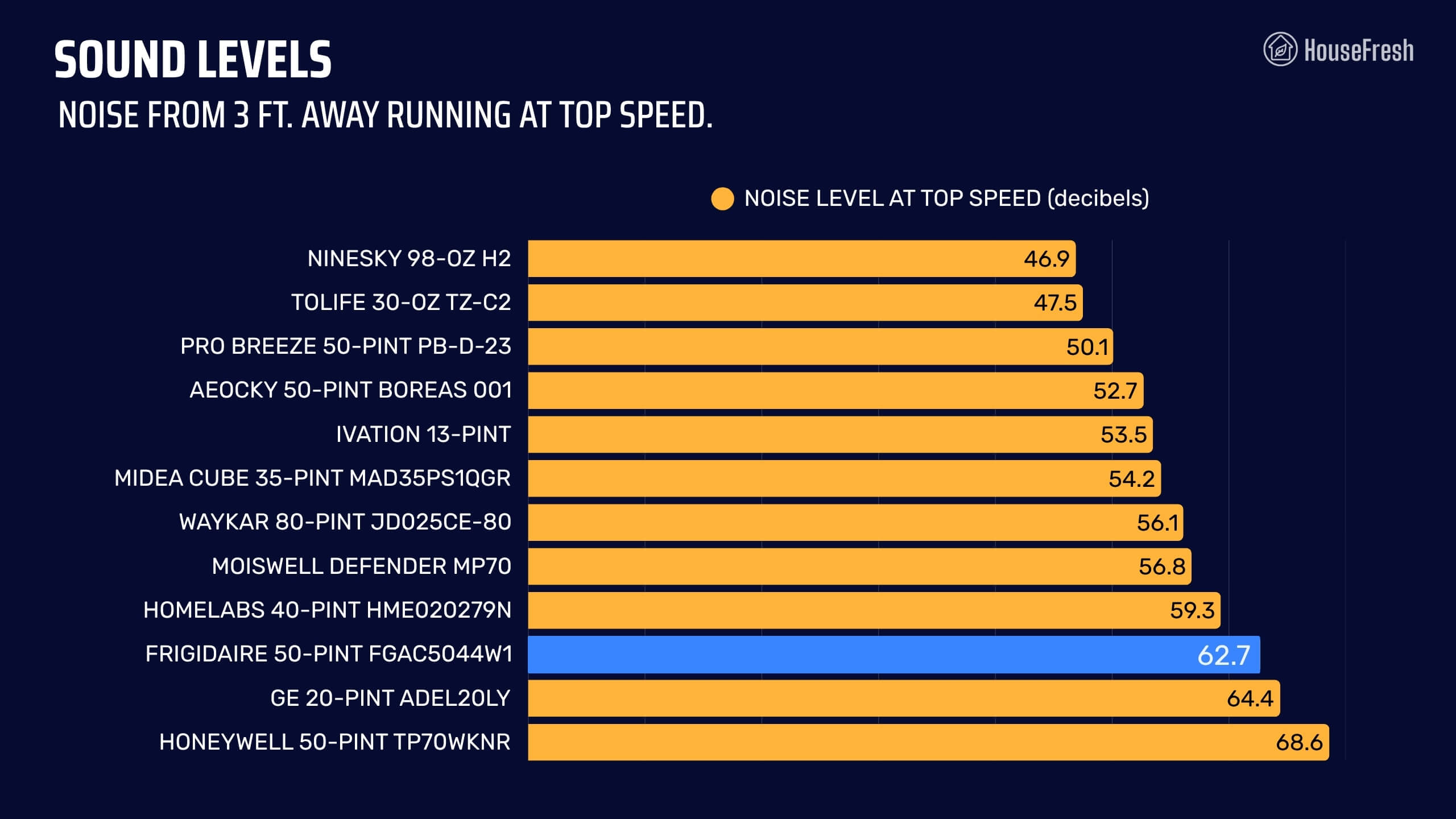
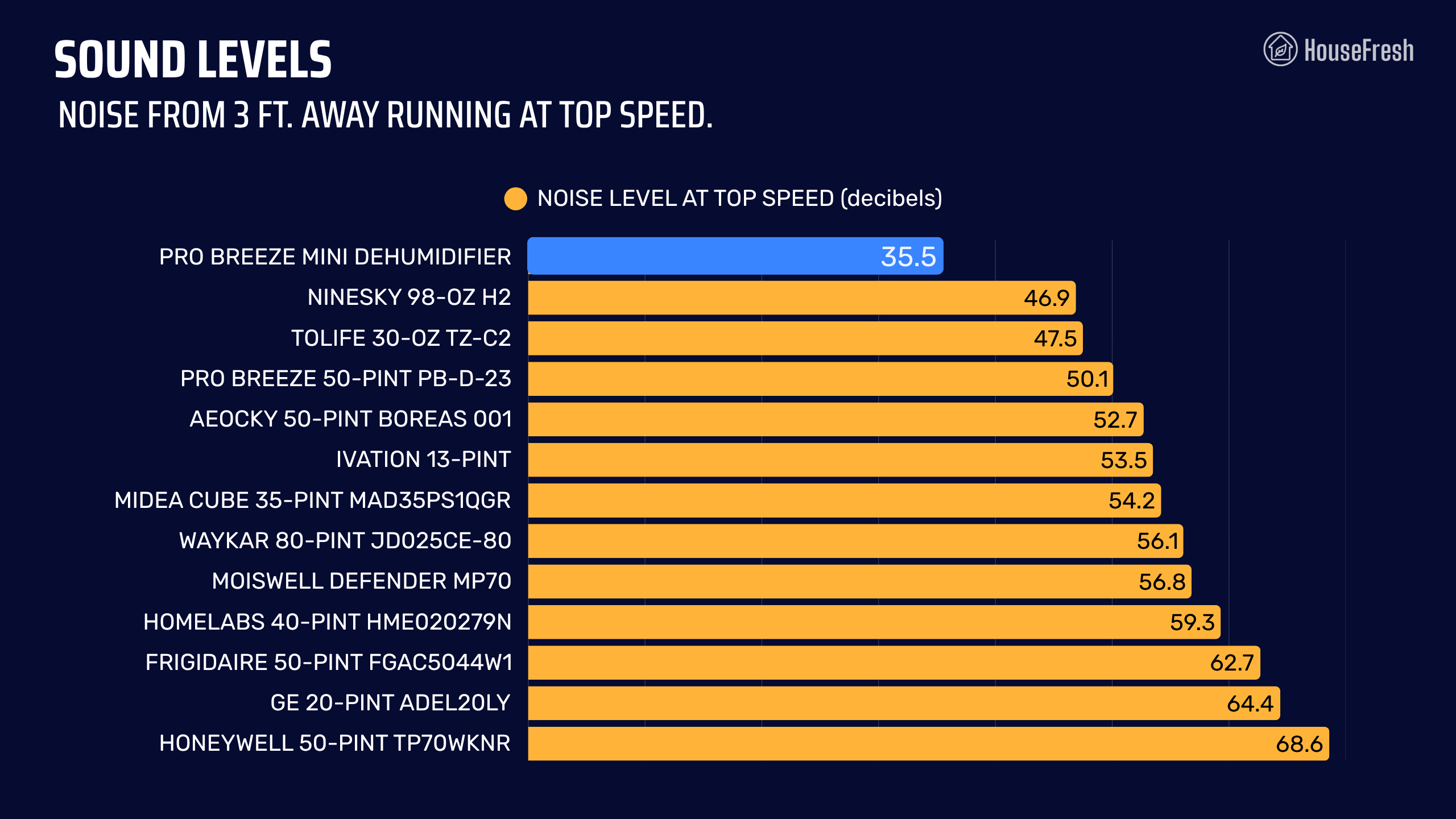
The sound levels of the AEOCKY Rhea-003 reached 57.3 dBA – – this is quiet compared to the 62 to 68 decibels of similar performing dehumidifiers from Honeywell, GE and Frigidaire.
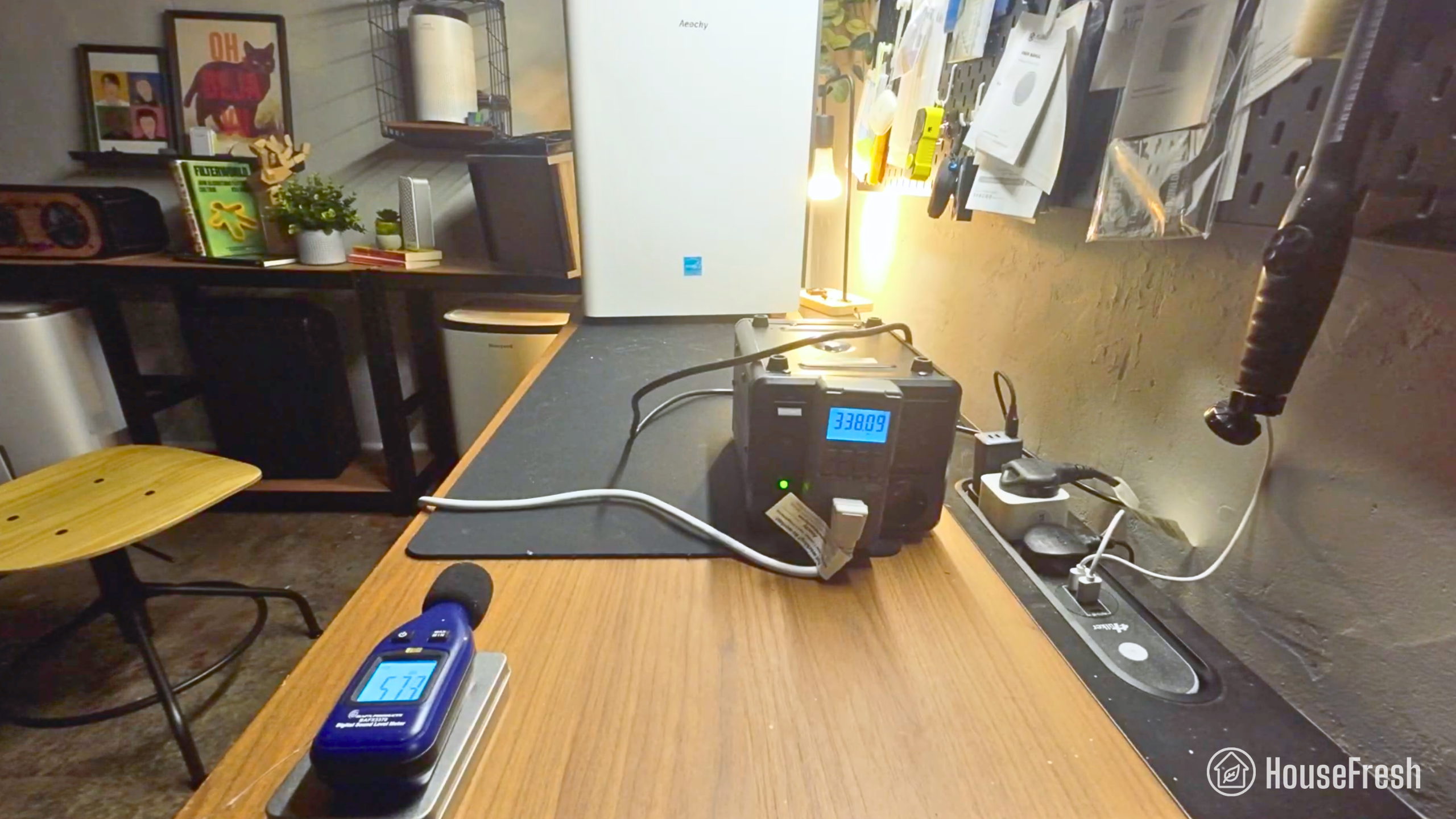
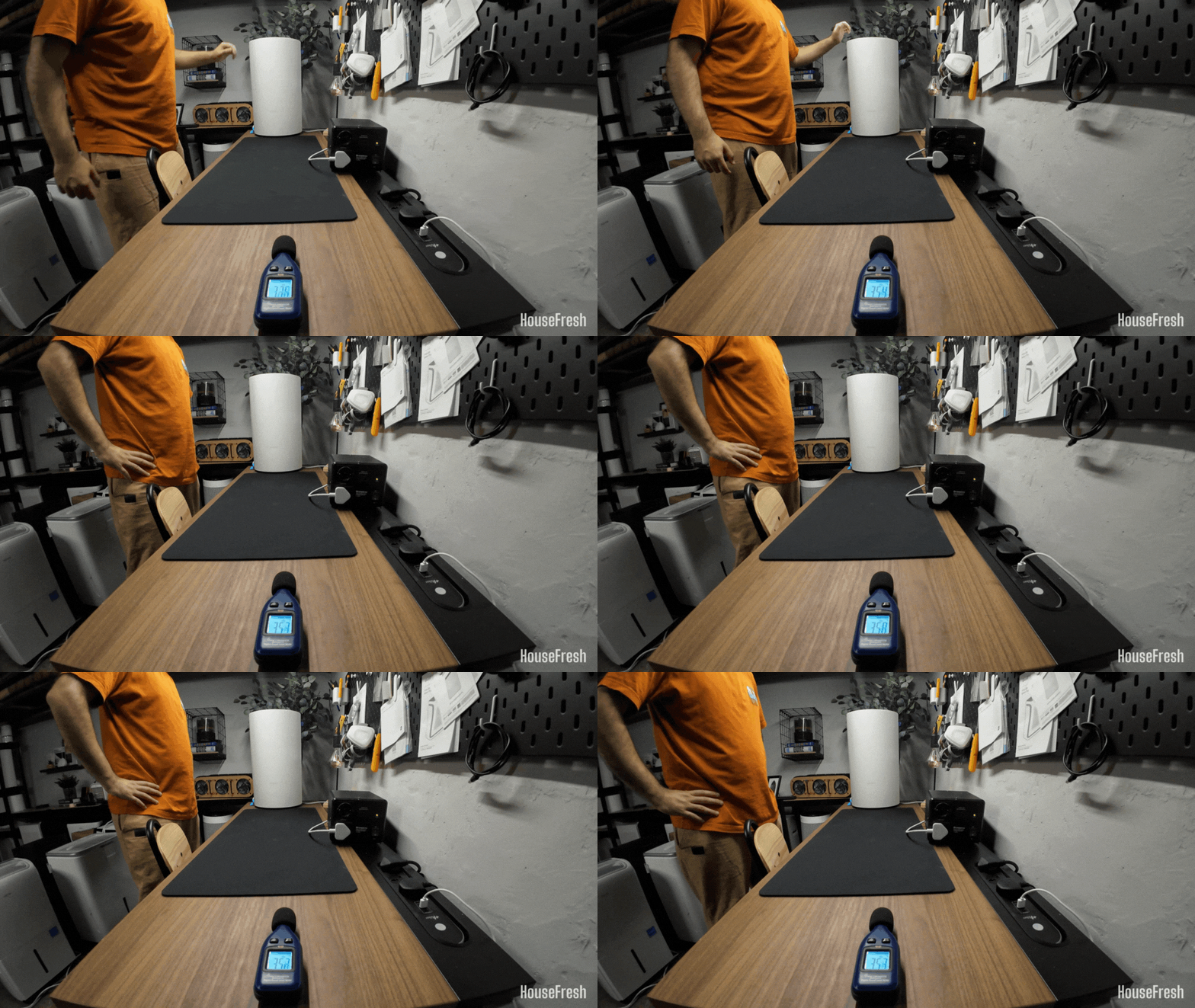
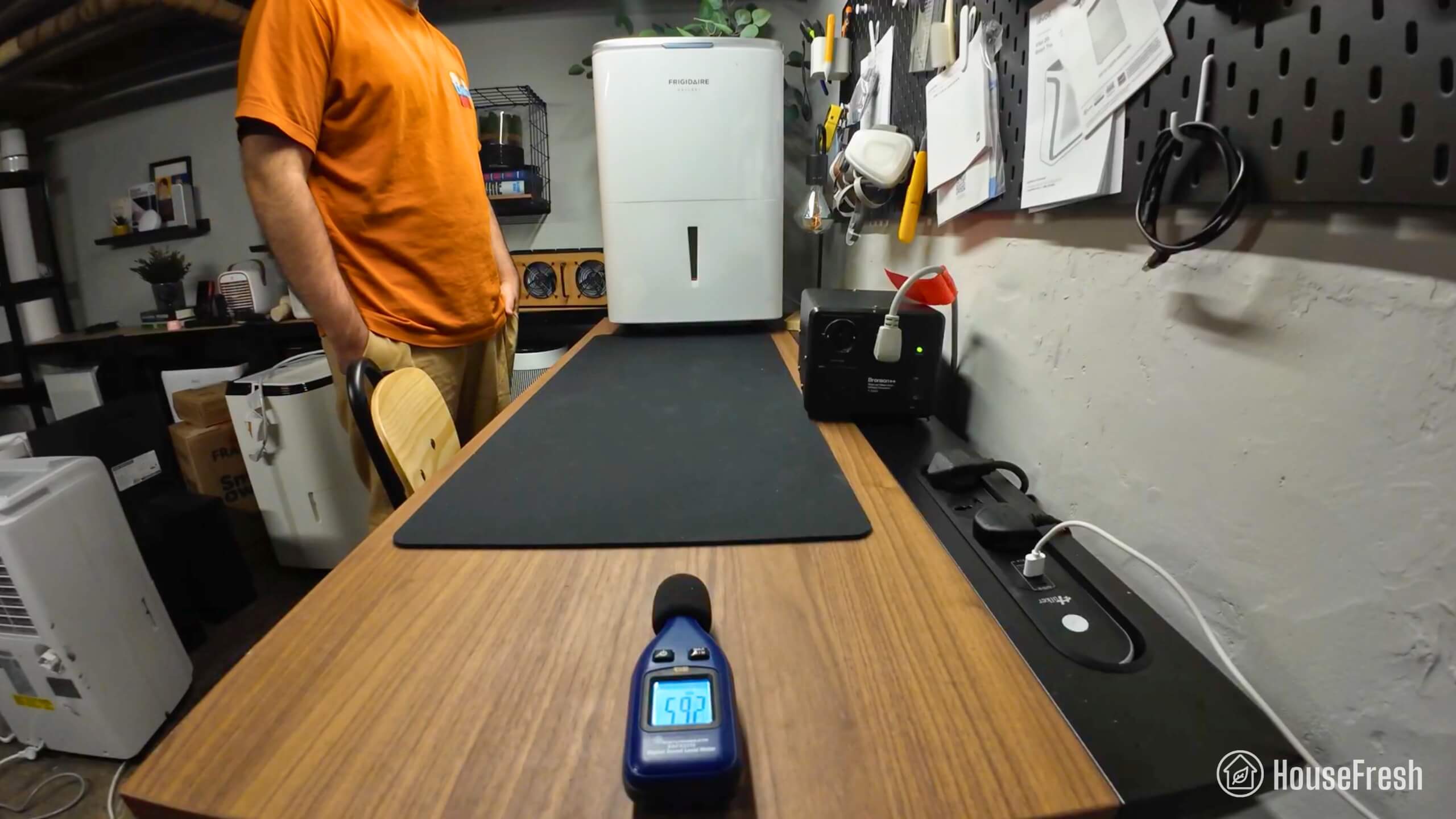
I used our BAFX sound meter to find out how much noise the Aeocky Rhea 003 generates when it runs at full power and measured 57.3 dBA from 3-feet away.
Considering that the Rhea vastly outperformed units like the Honeywell 50-Pint and the Frigidaire 50-Pint, it’s pretty impressive to see it did so while generating less noise.
That said, 57 decibels is pretty loud. I don’t mind it in my basement (where the Rhea lives now) but it was a little too much for our dining room.
Long-term running costs
Running your Aeocky Rhea-003 will cost you $276.41 per year, assuming you run it 8 hours per day, every day.
The only thing more impressive than the water extraction power of the Rhea is its energy efficiency.
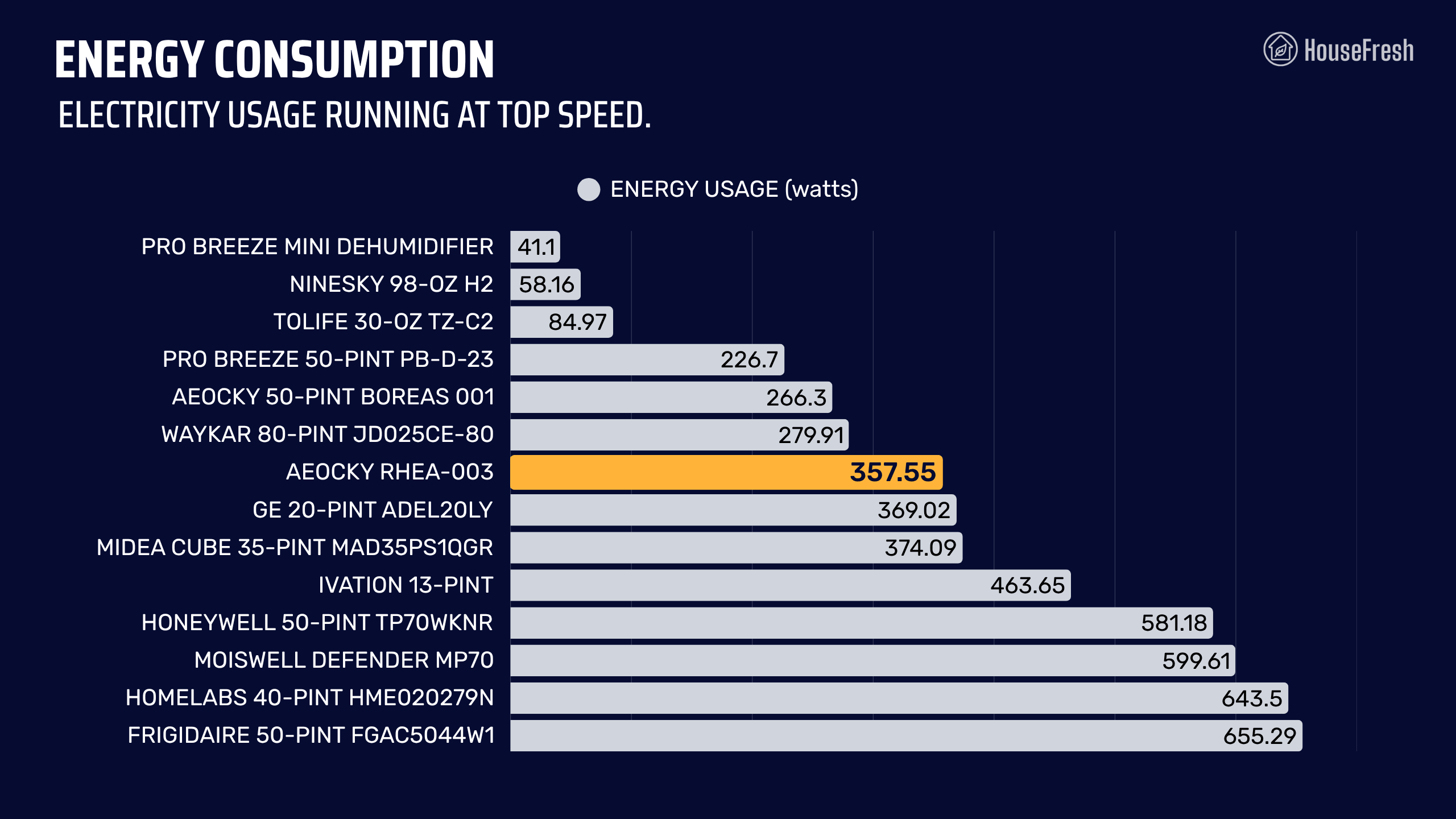
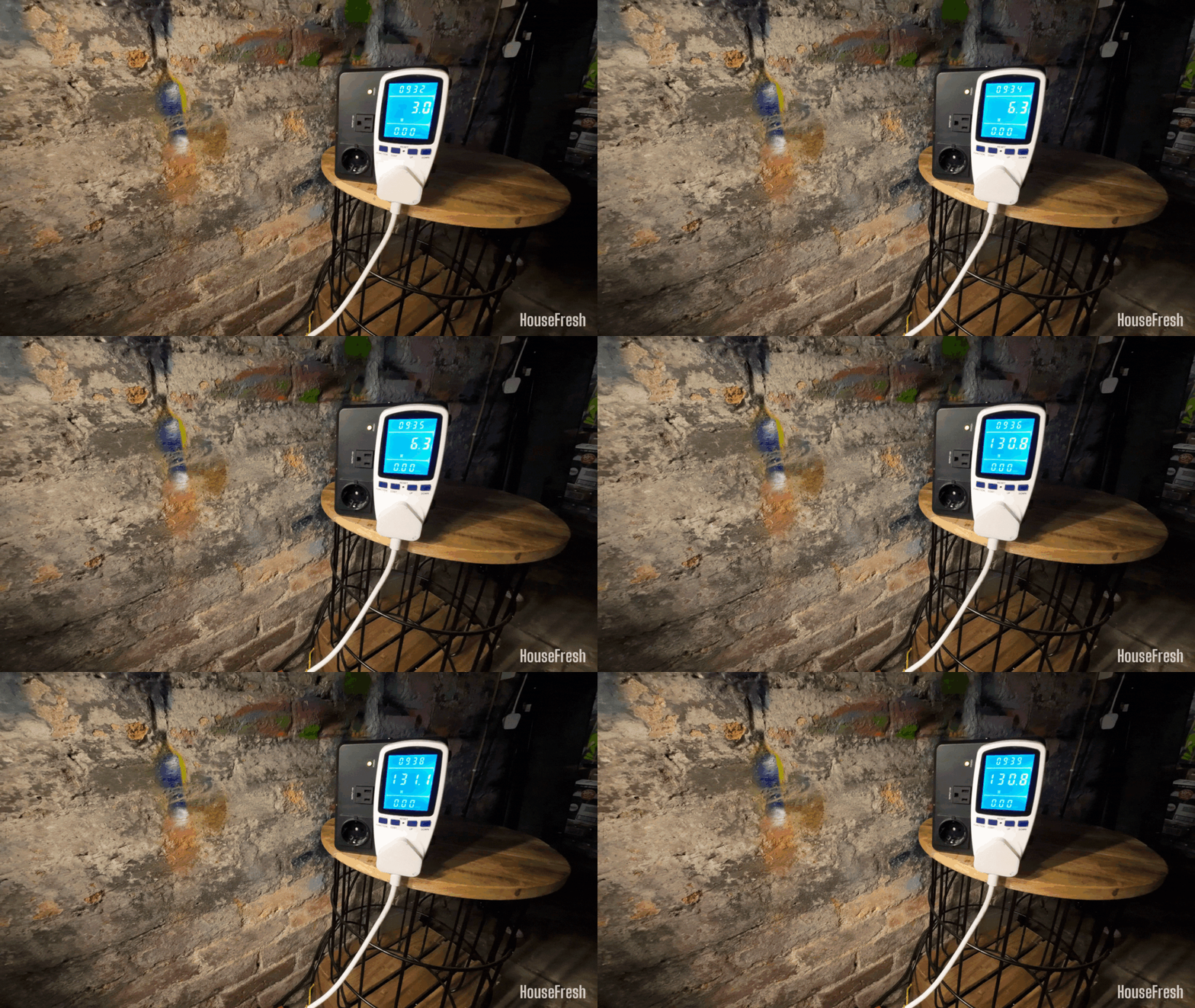
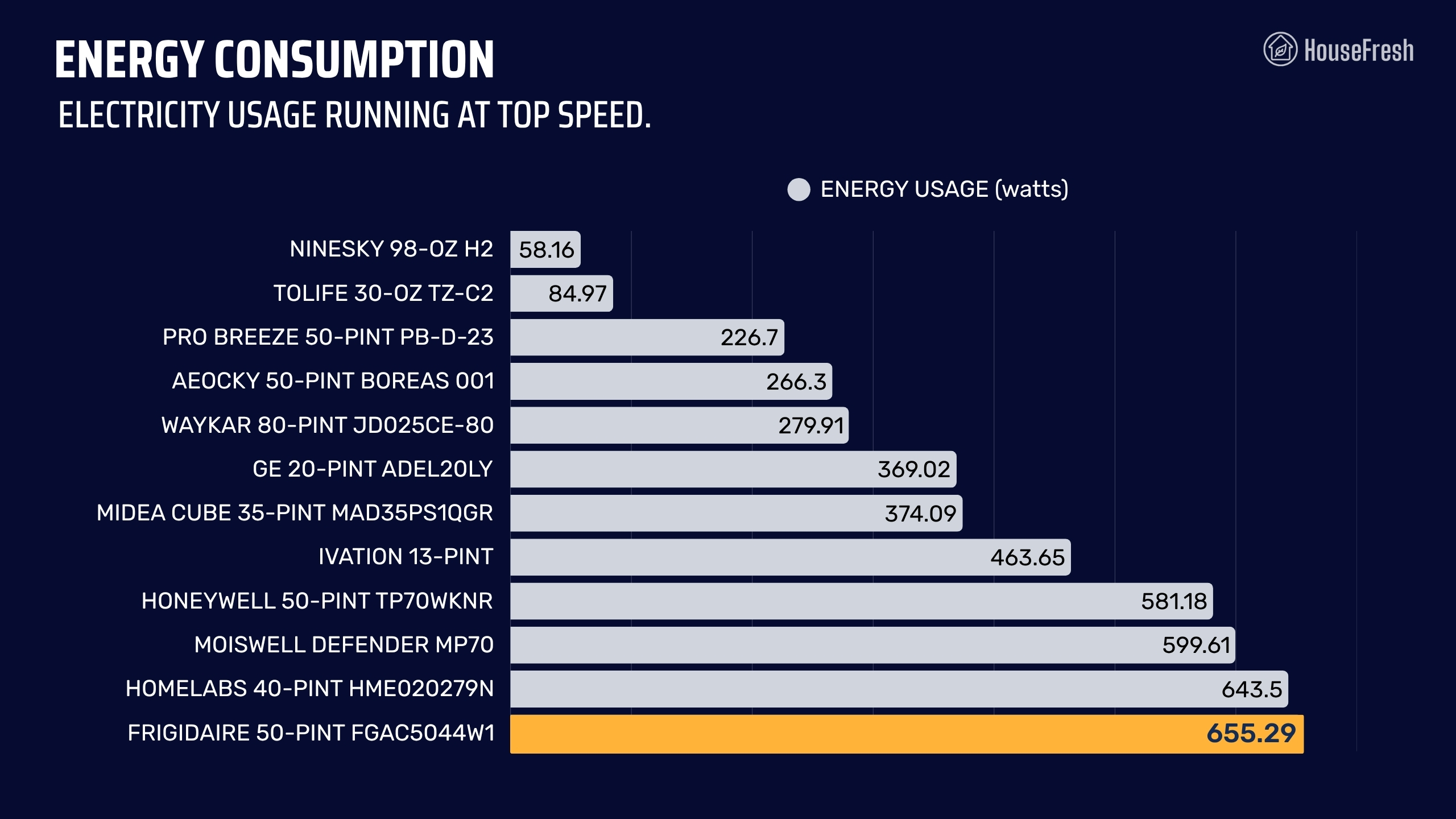
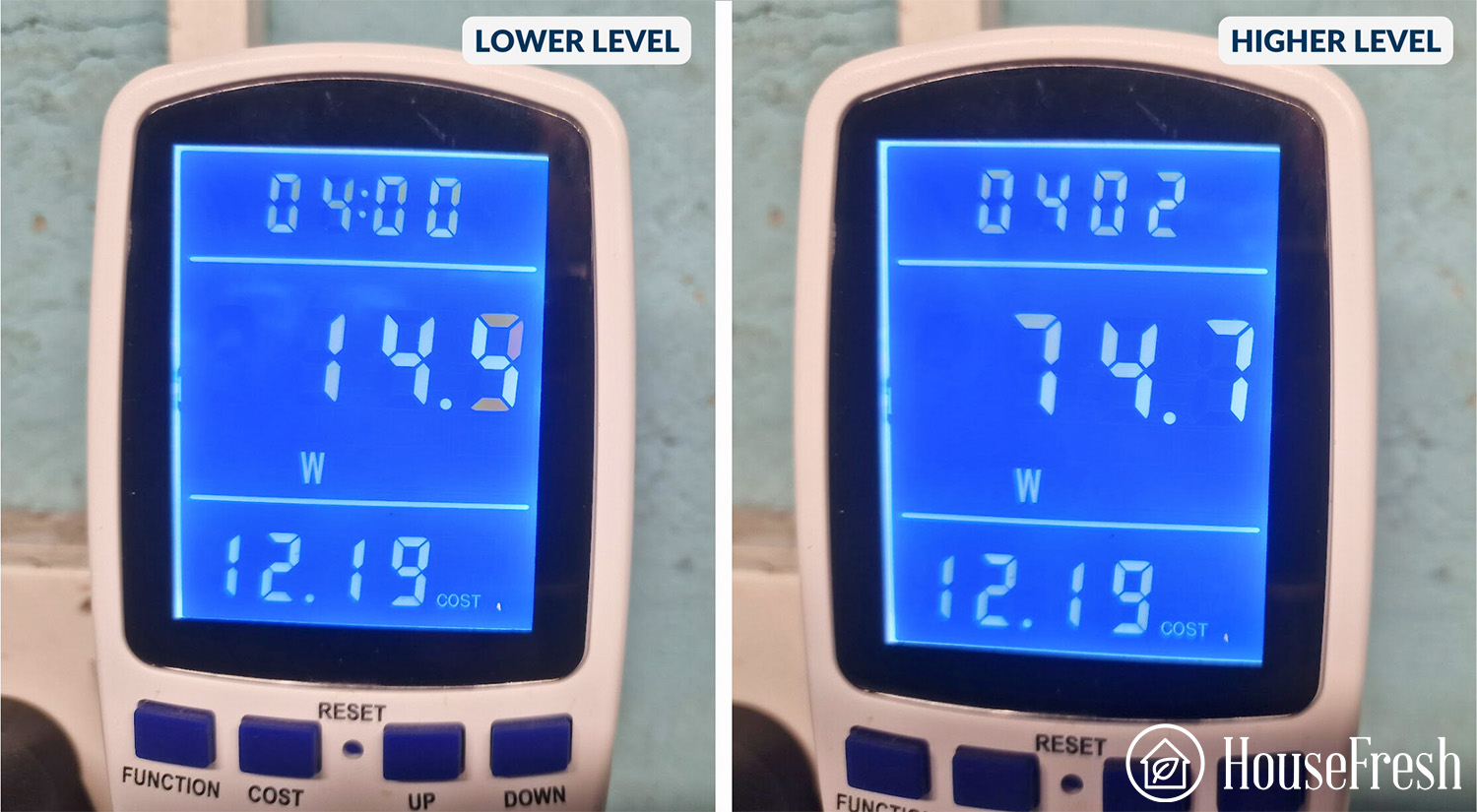
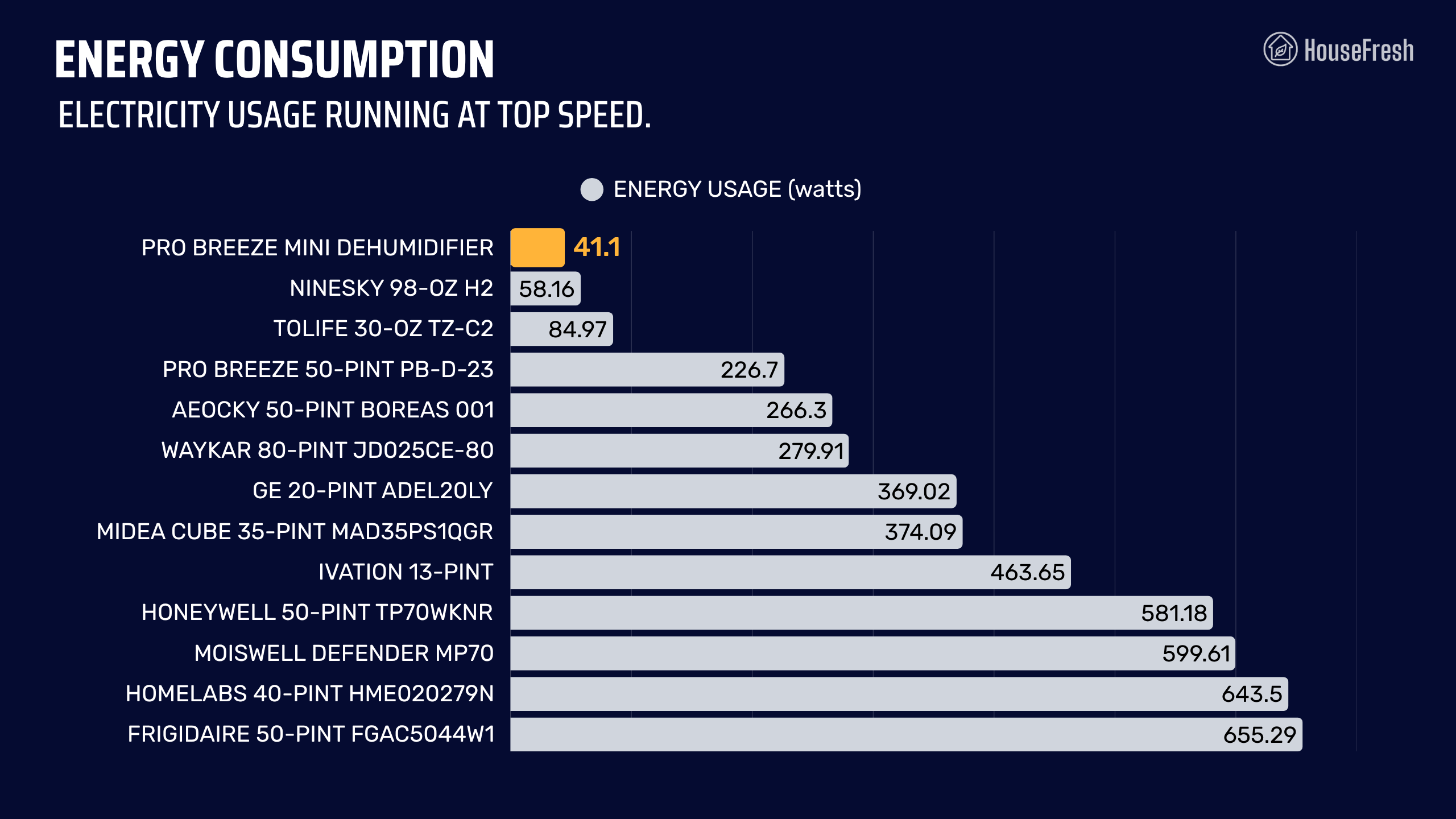
I used our energy meter to record how much electricity this dehumidifier pulls and found that it pulls just 357.55 watts at full power. This might seem like a lot but it really isn’t when you consider how much water thing thing can extract from the air.
This result makes the Rhea our most energy-efficient dehumidifier, with an efficiency factor of 1.3 litres/kWH. This matches the results of ENERGYSTAR, where this model is also a top performer.
Bottom line: Should you get an AEOCKY Rhea dehumidifier?
If you’re looking for a whole-house dehumidifier or a unit for a very damp basement, then the Rhea might be it.
My first dehumidifier from Aeocky was the Boreas, which is a smaller sibling of the Rhea. The little Boreas surprised me as I wasn’t expecting much from a small dehumidifier manufactured by an unknown brand…
But I was wrong.
In our tests, the Boreas-001 outperformed popular models from Ivation and Pro Breeze. And, as soon as I saw this, I went ahead and bought a Rhea to see what a large dehumidifier from Aeocky could do.
As the data shows, the Rhea offers excellent water extraction rate without generating a lot of noise and without consuming a lot of electricity.
In fact, the Rhea-003 currently sits at the top of water extraction ranking. It beat 27 dehumidifier models from well-known brands like Honeywell, Frigidaire, Pro Breeze, Midea, hOmeLabs, GE and many many others.
Plus, you get a 3-year warranty and all the functions you need, like auto mode, continuous mode, sleep mode and even laundry mode.
This is a large dehumidifier that has a compact body and is easy to live with. It doesn’t get louder than 57 decibels and it won’t burn a hole in your pocket when the time comes to pay for your energy bill.
So if you’re looking for an affordable dehumidifier for a basement or to reduce humidity in your whole house, then the Aeocky Rhea will offer excellent value for your money.
If you decide to get yourself a Rhea, please use this link and we will receive a small commission at no extra cost to you. We don’t run ads and we don’t do sponsored reviews of any kind, so these affiliate commissions are the one thing that helps us keep running HouseFresh.
If you have any questions about this or any other dehumidifier, just drop them in the comments below and I’ll get back to you personally as soon as I can.
The marketing materials for the Aeocky Boreas state that it can remove up to 50 pints per day, but this is based on a sauna-like environment at 95°F (35 °C) temperatures with 95% humidity.
In our tests, this mid-sized dehumidifier extracted humidity from the air as quickly as 20 to 35-pint dehumidifiers we have tested. And in our sound tests, noise ranged from 48.1 to 52.7 decibels at 3 feet, which is much quieter than other models. However, in our electricity consumption tests, this Aeocky model was more power-hungry than other 50-pint models…
When it comes to the brand itself, it’s worth mentioning that Aeocky is fairly new to the market, but the good news is that they offer a longer-than-average warranty to most cheap dehumidifiers: three years instead of just one.
But… Is it worth the money? Read on to find out.
STEP 1. Humidity reduction rate
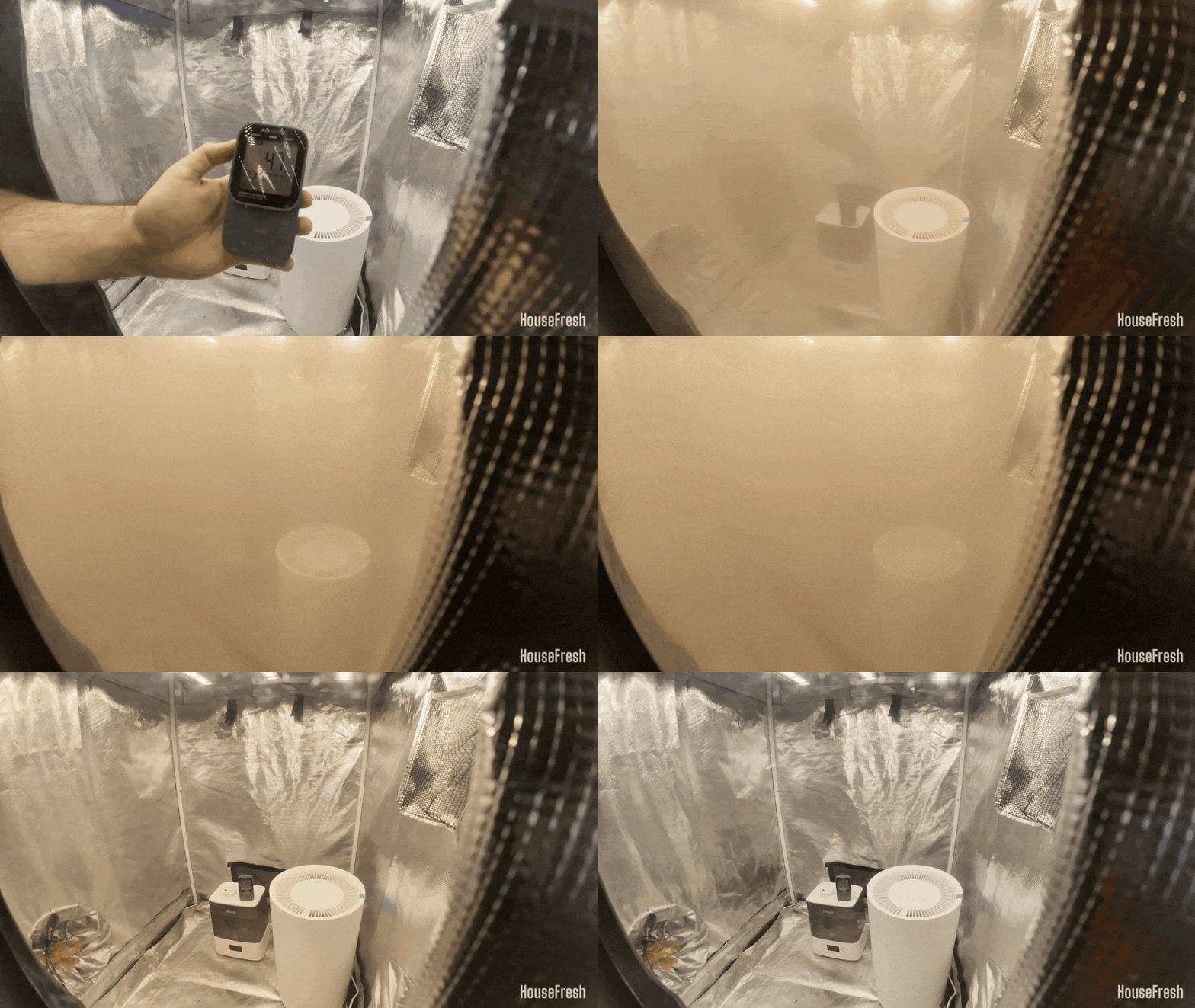
We use our Levoit Classic 300S humidifier to raise humidity levels to 94% inside our Shorty Gorilla Grow Tent and leave the tent for 5 mins for the numbers to stabilize before setting the dehumidifier to top speed for 30 mins.
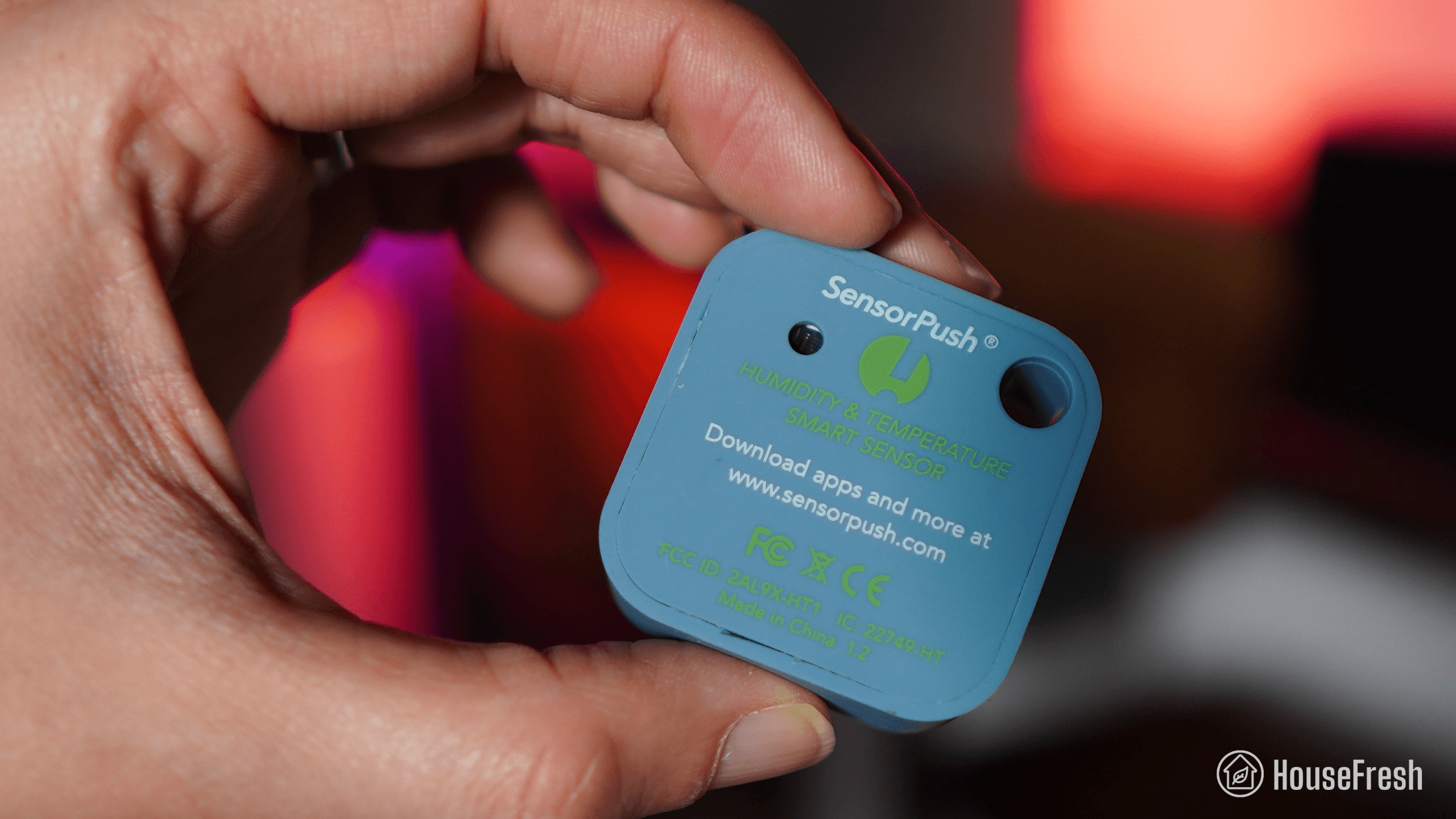
We then gather humidity data with our SensorPush wireless hygrometer and repeat the test a minimum of three times. We also test the natural decay inside our tent without any dehumidifier running.
STEP 2. Water extraction rate
We also run a water extraction test in which we measure how much water each model is capable of removing in the same room of our house at 20 degrees Celsius and 52% humidity during a set amount of time.
Once the time is up, we weigh the water bucket before and after the test to determine how much water was removed during the test.
STEP 3. Electricity consumption
Dehumidifiers an be power-hungry little beasts. That is why we measure how much electricity the dehumidifier pulls at different speeds.
We measure electricity consumption with each dehumidifier running at all its modes and fan speeds.
STEP 4. Sound generation
Sound is also super important as nobody wants to have a leaf blower running inside their home 24/7.
That is why we use a BAFX Sound Level Meter to measure how much noise in decibels each dehumidifier generates.
We conduct this test from three feet away, the same way we measure noise levels of the air purifiers we test.
STEP 5. Everyday user experience
In addition to all our tests, we also use each of the dehumidifiers in our own home to determine how well they perform at removing moisture from the air and how it feels to live with them in different rooms.
This is generally the most eye-opening stage in our testing as we experienced the same issue twice across different dehumidifiers: the internal pump of both the hOmeLabs 4000 sq. ft. and the Moiswell 145 pint (Defender XP70) broke within a couple of months of daily usage.
The pros and cons of the Aeocky Boreas
A summary of our top-level findings after testing this dehumidifier, following our methodology.
“Despite being marketed as a 50-pint dehumidifier, the extraction rate of the Aeocky Boreas in our test was comparable to 30-35 pint dehumidifiers we tested.
All in all, the Boreas 001 is a well priced and capable unit, with quieter operation than other similarly sized dehumidifiers. And the 3-year warranty is rare at this price point.”
The water bucket is a little small at 2.7 liters (or 5.7 pints).
It has a lower extraction rate than other dehumidifiers also labeled as 50-pint models.
PROS
It offers the best performance-to-price ratio among cheap dehumidifiers, based on its humidity extraction results.
The handle is well-made and easily folds away when not in use.
It comes with handy features like auto mode and a button to switch off all lights.
It’s quieter than most, reaching just 52.7 decibels at its top fan speed.
Humidity reduction rate:
29.31% drop in 30 minutes (from 91.11% to 61.8%)
Water removal capacity (per day):
5.8 pints (3.3 liters)
Recommended room size:
500– 800 sq. ft. (50-90% relative humidity)
Water tank capacity:
5.7 pints (0.71 gallons)
Dimensions (in inches / in cm):
13.19 x 17.99 x 8.66 in (33.5 x 45.7x 22 cm)
Weight (in pounds / in kg):
28.7 lbs (13.02 kg)
Refrigerant type:
R290
Noise level:
Top speed: 52.7 dBA Low speed: 48.1 dBA
Electricity consumption(top speed):
266.3 watts
Manufacturer’s warranty:
3 years
Country of manufacture:
China
Water bucket
A bucket that is smaller than the one you’ll get with other 50-pint models
The bucket slides out from the front – much more convenient than with models with the bucket at the back, like the Xiaomi Smart Dehumidifier Lite.
With a capacity of 5.7 pints, this is the third-smallest water bucket across all dehumidifiers I’ve tested. You get a gravity-hose option, too.
Design, features and controls
Small size and castor wheels make it easy to move around.
Whilst it’s not too heavy, I appreciated the handle that can be easily hidden when not in use.
It comes on castor wheels, which make it easy to move around on the floor.
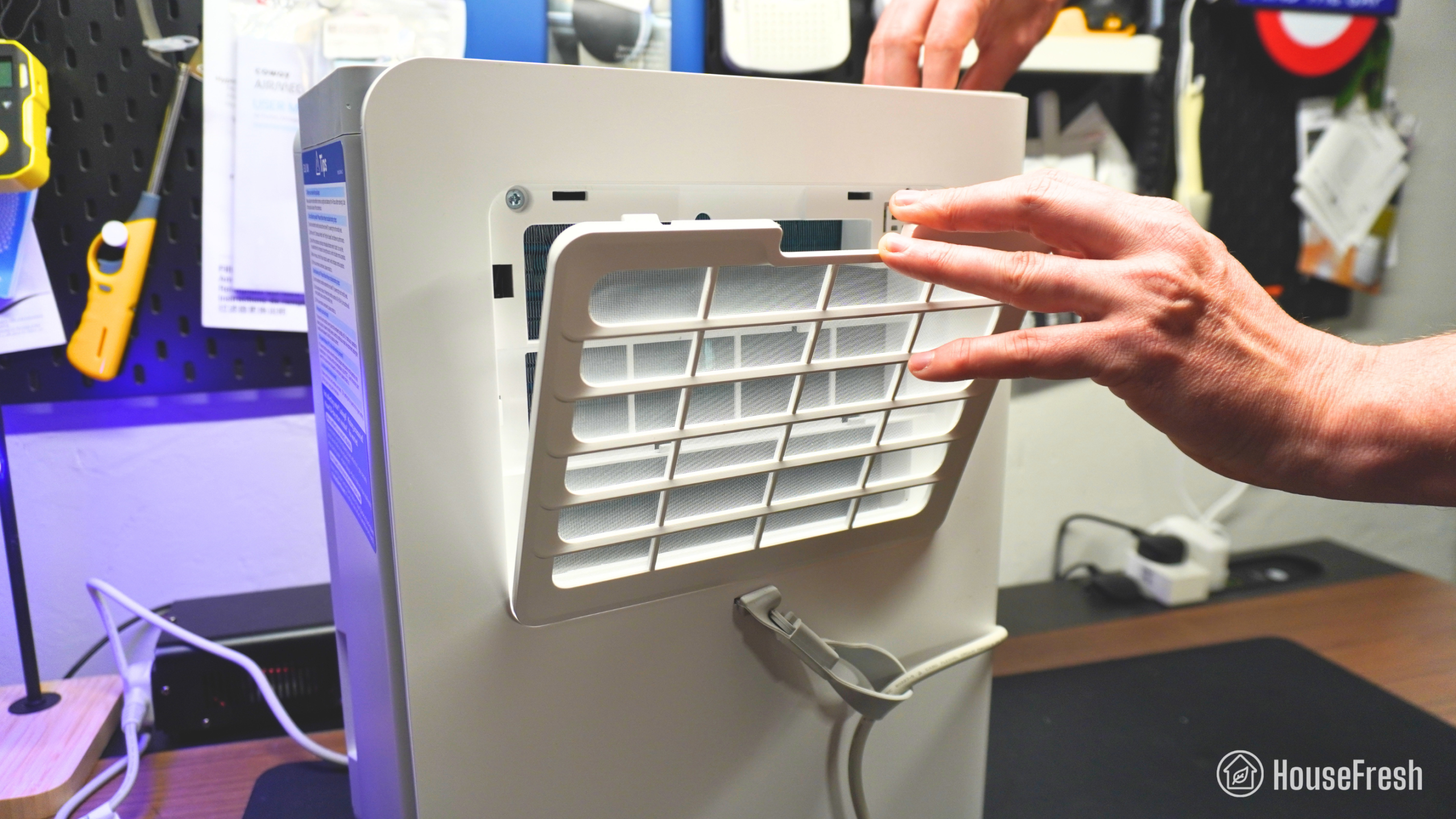
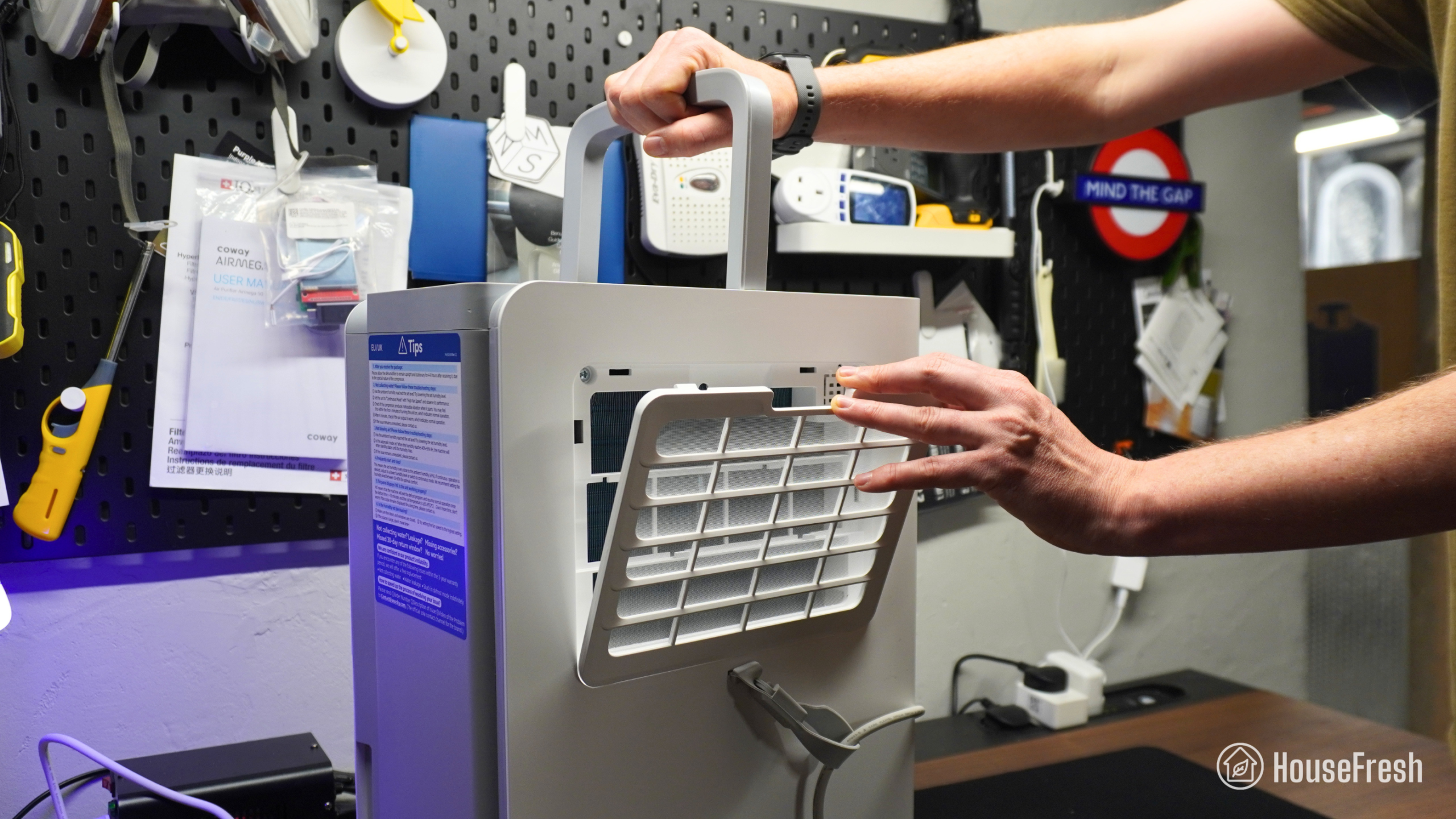
You get a washable nylon pre-filter at the back that catches large particles.
You should clean it regularly to ensure the airflow is not blocked.
It has buttons to set the desired humidity level, adjust fan speeds, and switch modes.
On the right-hand side, you also get a black screen that shows the current humidity level in the room.
Dehumidification performance
We tested the Aeocky Boreas in our grow tent using a humidifier and our trusted hygrometer.
We used our Levoit Classic 300S humidifier to raise the humidity inside our Shorty Gorilla Grow Tent to 91.11% and let the numbers stabilize for five minutes before setting the dehumidifier to top speed for 30 minutes. We used our SensorPush wireless hygrometer to gather humidity data during this test, and also tested the natural decay inside the tent without a dehumidifier running.
When running at full speed, this Aeocky Boreas dehumidifier reduced humidity from 91.11% to 61.8% – a 29.31% drop in 30 minutes.
As you can see from the chart, this model offers performance similar to that of the ProBreeze 50-Pint.
And in out water extraction tests, this Boreas 001 extracted 0.412 liters of water in three hours. This result is more in line with 20 to 35-pint dehumidifiers than with 50-pint models.
Sound levels
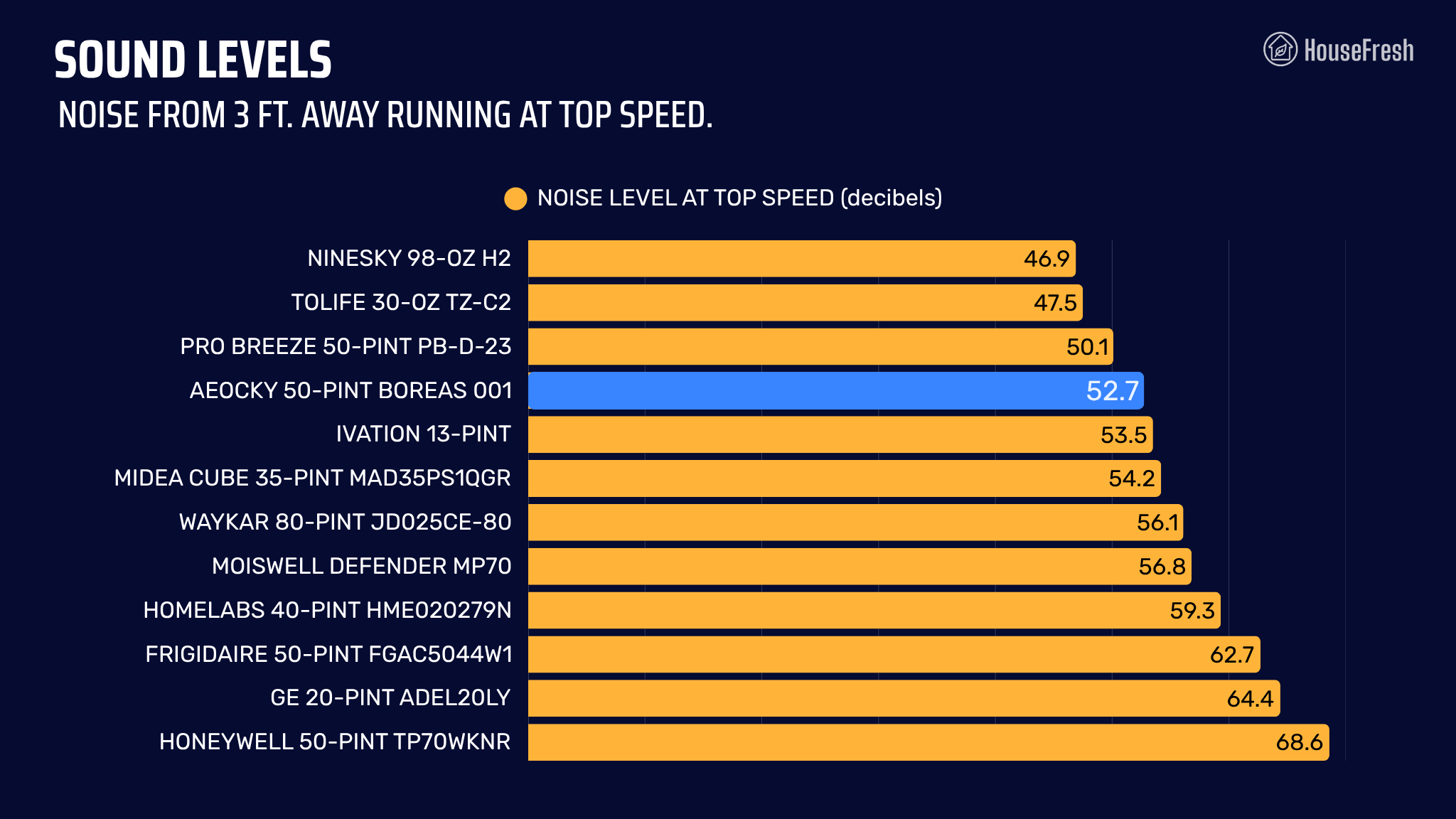
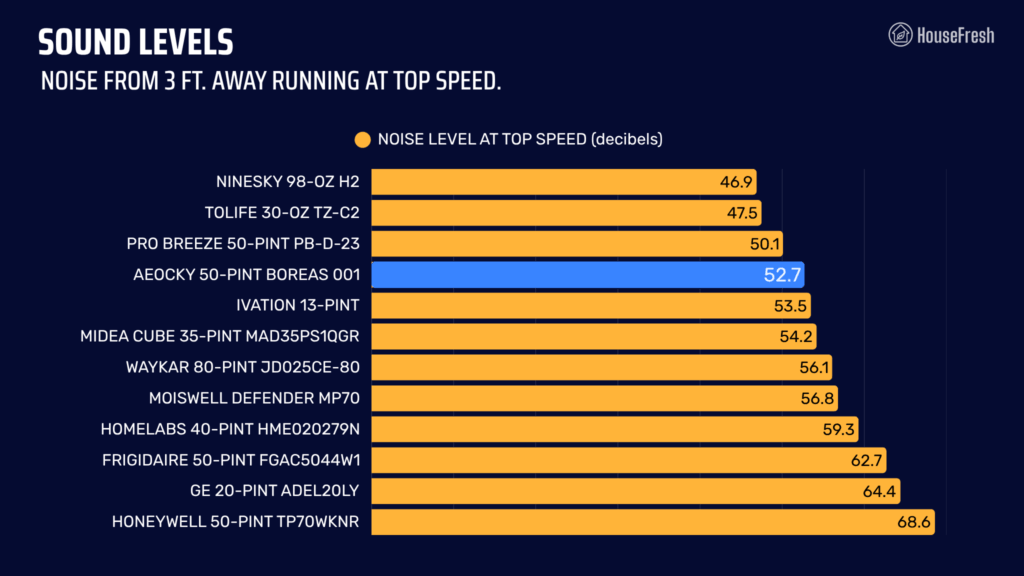
The sound levels of the Aeocky Boreas 001 reached 52.7 dBA, making it the 4th quietest dehumidifier we have tested.
I used our BAFX sound meter to measure the sound level of the Aeocky Boreas 001 running at high and low speeds. At a distance of 3 ft., I recorded 52.7 dBA at top speed and 48.1 dBA at low speed.
As you can see from the chart below, the Boreas 001 is a lot quieter than most other models:
Long-term running costs
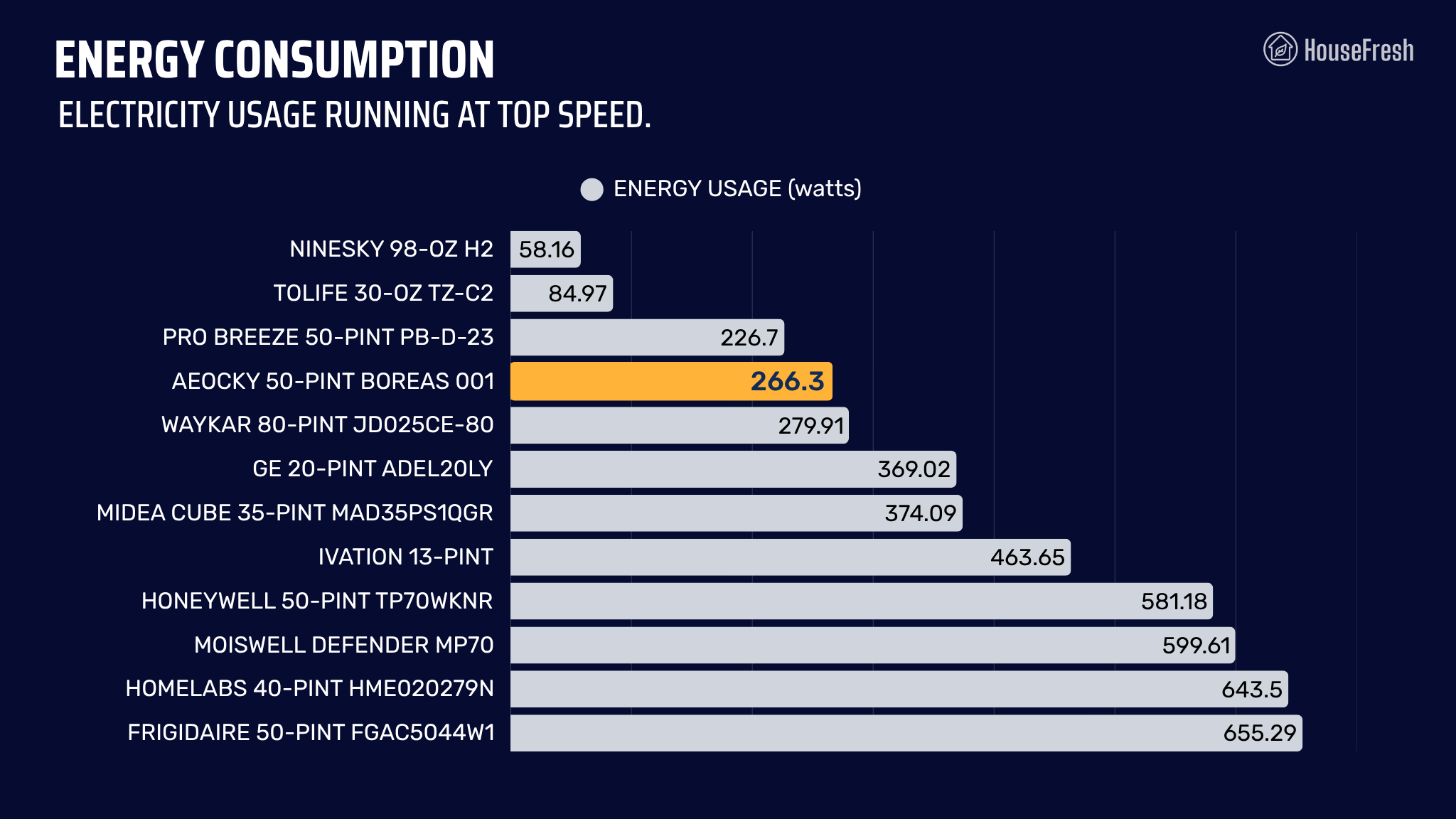
Running your Aeocky Boreas 001 will cost you $205.87 per year, assuming you run it 8 hours per day at top speed.
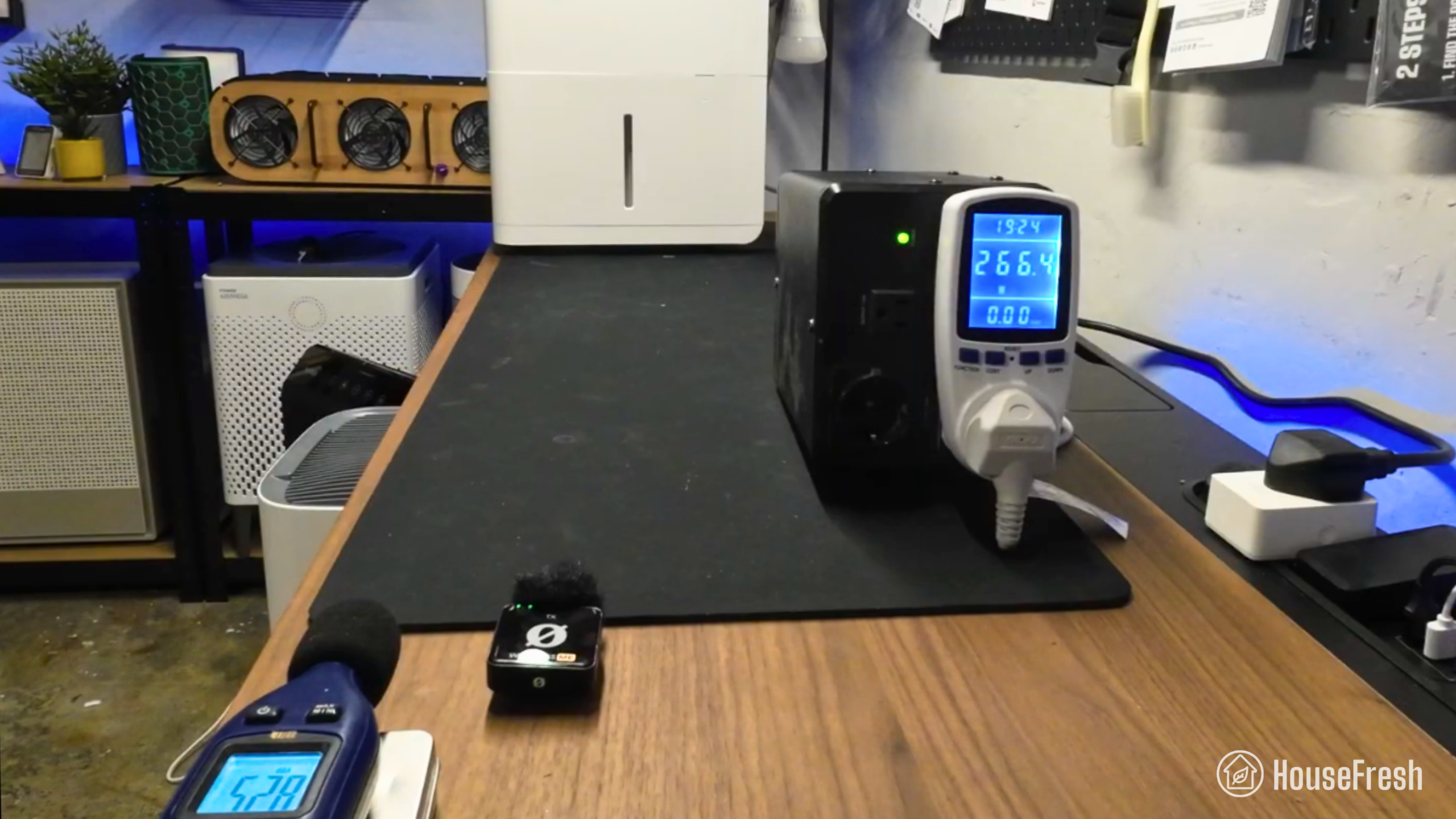
We used our energy meter to record how much electricity this dehumidifier pulls when running at top speed.
Although power consumption was relatively low at 266.3 watts, this Aeocky dehumidifier extracted less water than many larger units. As a result, its water-removal-per-watt efficiency wasn’t as good as that of some higher-capacity competitors.
The only other dehumidifier that comes close to the Boreas 001 is the Pro Breeze 50-Pint model, but keep in mind that this model comes with a much higher list price of $239.99.
Bottom line: Should you get an Aeocky Boreas dehumidifier?
While I wouldn’t call it a 50-pint dehumidifier, this small Aeocky model benefits from quiet operation, low price and a 3-year warranty.
Aeocky is a fairly new brand in the world of dehumidifiers, so I didn’t know what to expect, especially considering its low price of just around $100.
However, as the data show, the Boreas 001 performed well at this low price, with an extraction rate comparable to that of the Ivation 13-Pint and the Pro Breeze 50-Pint dehumidifiers.
The 3-year warranty also helps this cheap dehumidifier stand out from other brands, considering most sub-$250 models only offer a 1-year warranty.
The Boreas is also an easy-to-live-with dehumidifier, thanks to its quiet operation and features like auto-mode, a child lock, the ability to turn off all lights and a deep handle that can retract when not in use.
Now, if you need serious moisture removal in a large space like a basement, there are stronger performers than this small Aeocky, like the Midea Cube or the larger Aeocky Rhea-003.
But if you’re looking for a quiet, affordable dehumidifier for a bedroom, office or a moderately damp room, then the Aeocky Boreas 001 will offer excellent value for your money.
If you decide to get yourself a Boreas, please use this link – we will receive a small affiliate commission at no extra cost to you that we will reinvest into buying and testing new dehumidifiers. We don’t run any ads and have no partnerships with brands, so we rely on those commissions to continue the work we do.
If you have any questions about this model or Aeocky dehumidifiers in general, please drop them in the comments below, and I’ll get back to you personally as soon as I can.
It may seem that the options are endless when buying a dehumidifier, but in reality, most units are made in the same factories.
We know this because of the recalls:
In 2021, a manufacturer called New Widetech recalled two million dehumidifiers due to fire and burn hazards, including units from popular brands such as Honeywell, Danby, De’Longhi, Ivation and Idylis.
In 2023, the world’s largest air conditioner manufacturer, Gree, recalled 1.56 million dehumidifiers sold under different brands, including Frigidaire, GE and Kenmore.
The moral of the story is that most dehumidifiers on the market are produced in just a handful of the same factories.
So while you may think that you’re choosing between dozens of different brands and models, you’re often just choosing between different logos slapped onto the same machines.
With that in mind, let me tell you which dehumidifier brands and models are worth it – and which ones to avoid.
Dos and don’ts of buying a dehumidifier
DO
Get the largest dehumidifier you can live with. Otherwise, you will spend most of your day emptying the tank.
Choose a dehumidifier with a gravity hose if you want a ‘set and forget’ option.
Be wary of recommendations from big publications. In most cases, they do not even test the dehumidifiers before telling you to buy them.
DON’T
Don’t go for small and mini-sized dehumidifiers like the Pro Breeze Mini, as they are just too underpowered to be useful.
Don’t get a dehumidifier with internal pumps. In my experience, dehumidifiers with pumps break more often.
Product testing is important to us here at HouseFresh, so before I take you through our shortlist of the best dehumidifiers, let me tell you a little bit about how we tested each device.
How we test dehumidifiers
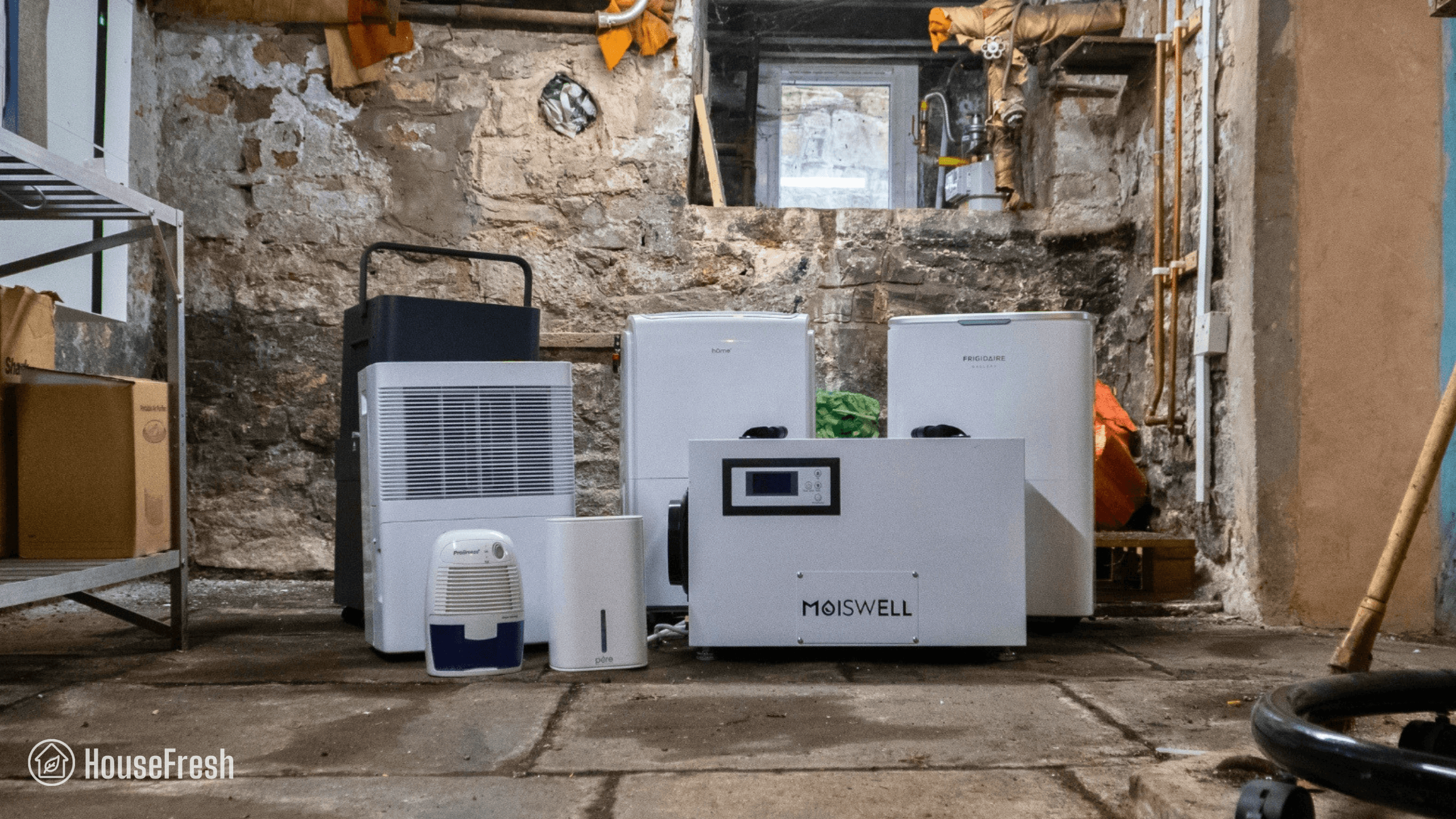
To put this list together, I purchased 33 of the most popular dehumidifier models across all sizes, ranging from large 145-pint devices to tiny machines designed to be used in a cupboard.
We used our Levoit Classic 300S humidifier to raise humidity levels to 94% inside our Shorty Gorilla Grow Tent and left the tent for 5 mins for the numbers to stabilize before setting the dehumidifier to top speed for 30 mins.
We gathered humidity data with our SensorPush wireless hygrometer and repeated the test a minimum of three times. We also tested the natural decay inside our tent without any dehumidifier running.
In 2026, we introduced a water extraction test. To do this, we measured how much water each model is capable of removing in the same room of our house at 20 degrees Celsius and 52% humidity during a set amount of time.
We weighed the water bucket before and after the test to determine how much water was removed during the test.
Next, we measured how much electricity each dehumidifier pulls at different speeds.
Lastly, we used our BAFX Sound Level Meter to measure how much noise in decibels each dehumidifier generates.
We conducted this test from three feet away, the same way we measure noise levels of the air purifiers we test.
In addition to these tests, we used each of the dehumidifiers in our own home to assess how well they perform at removing moisture from the air in different rooms over several months.
This is generally the most eye-opening stage in our testing as we experienced the same issue twice across different dehumidifiers: the internal pump of both the hOmeLabs 4000 sq. ft. and the Moiswell 145 pint (Defender XP70) broke within a couple of months of daily usage.
For smaller spaces that are not too humid, don’t go smaller than the AEOCKY Boreas-001.
For areas larger than 500 sq. ft., look for larger dehumidifiers with capacities increasing in 10-pint increments. I like the Midea Cube 35-Pint, just be sure to avoid Peltier designs that measure in 500-1000ml – they are not powerful enough and very inefficient.
For very large spaces of around 1,200 sq. ft., you require powerful dehumidifiers capable of removing 50 pints of moisture in 24 hours. The AEOCKY Rhea-003 model and has high water-removal efficiency for larger spaces. I also like the inclusion of an attachment so you can use any garden hose as a gravity hose.
For those wanting to dry out a large basement or the entire house, the Rhea-003 from AEOCKY is our top choice for this year.
The Rhea-003 is the largest in the range of dehumidifiers from AEOCKY. We have been using it at home for nearly three months now and it surprised me with its performance and its energy-efficiency.
It tops our water extraction ranking, removing 11.47L of water within 24 hours and beating all 27 different dehumidifiers we tested – this includes two 50-Pint models from Honeywell and Frigidaire and an 80-Pint model from Waykar.
What’s even more impressive is that it did this pulling just 357.55 watts, making it our most energy-efficient model with an efficiency factor of 1.3 litres/kWH. This matches the results of ENERGYSTAR, where this model is also a top performer.
This is a large dehumidifier but luckily it isn’t as noisy as you may expect. In our sound tests, we measured 57.3 dBA at top speed from 3-feet away – to put this into perspective our 50-Pint Honeywell reached 68.6 dBA.
In terms of controls, you get all the standard functions plus a child lock and a light switch. There are two fan speeds and you can adjust the humidity range. The on-board hygrometer was fairly accurate when comparing with our room humidity monitor.
CONS
The water bucket is much smaller than the one in the Midea Cube, so you will find yourself emptying very often. If you’re planning on using it in a very humid space, I suggest you set it up with a gravity hose.
Even though it is quiet compared to large dehumidifiers, it is a lot louder than small-to-medium sized units so it will be great for a basement but not ideal for a bedroom.
PROS
It comes with a 3-year warranty, whereas most other dehumidifier brands only offer 1 year.
Low energy usage that helps keep long-term costs low – it is less power-hungry than large models from brands like GE, Midea, Honeywell, Frigidaire and hOmeLabs.
In our water extraction tests, it outperformed all 27 dehumidifiers I tested in 2026.
It generates 57.3 decibels of at top speed, which is much quieter than the 60-70 dBA you usually get with large dehumidifiers like this.
It includes an attachment so you can connect it to any outdoor hose – this comes very handy when setting up a gravity hose in cases where the drain is far away.
Water removal capacity (per day):
– HouseFresh test data: 20.18 pints (11.47 liters) – ENERGYSTAR test data: 44.3 pints (25.17 liters)
Bucket capacity:
14.80 Pints (1.85 gallons)
Electricity consumption (top speed):
357.55 watts
Integrated energy factor (top speed):
– HouseFresh test data: 1.3 L/kWh – ENERGYSTAR test data: 2.2 L/kWh
Noise level in from 3 ft. away (top speed):
57.3 dBA
Refrigerant type:
HFC-32
Recommended room size:
5,500 sq. ft. (50-80% relative humidity)
Dimensions:
17.68 x 11.02 x 24.09 inches (44.91 x 27.99 x 61.19 cm)
If you’re looking for a dehumidifier for a bedroom or home office, then look no further than this new model from Levoit.
We have tested many air purifiers and humidifiers from Levoit, so I was very excited when I learned about the release of their very first dehumidifier model. In our tests, I was particularly surprised by how quiet it is – – especially considering its dehumidification performance.
In our water extraction rate, the Levoit Smart Dehumidifier was able to remove 1.10L of water from the air within three hours.
Based on this result, we estimate that it can remove 8.87L of water in a day in real world conditions. It outperformed our previous top pick (the Midea Cube 35-Pint) and models from hOmeLabs, GE and Pro Breeze.
Reaching 50.2 decibels at Turbo speed, the Levoit Smart Dehumidifier is the quietest high performance dehumidifier I have tested. This makes it perfect for spaces that require quiet operation, such as a bedroom or home office.
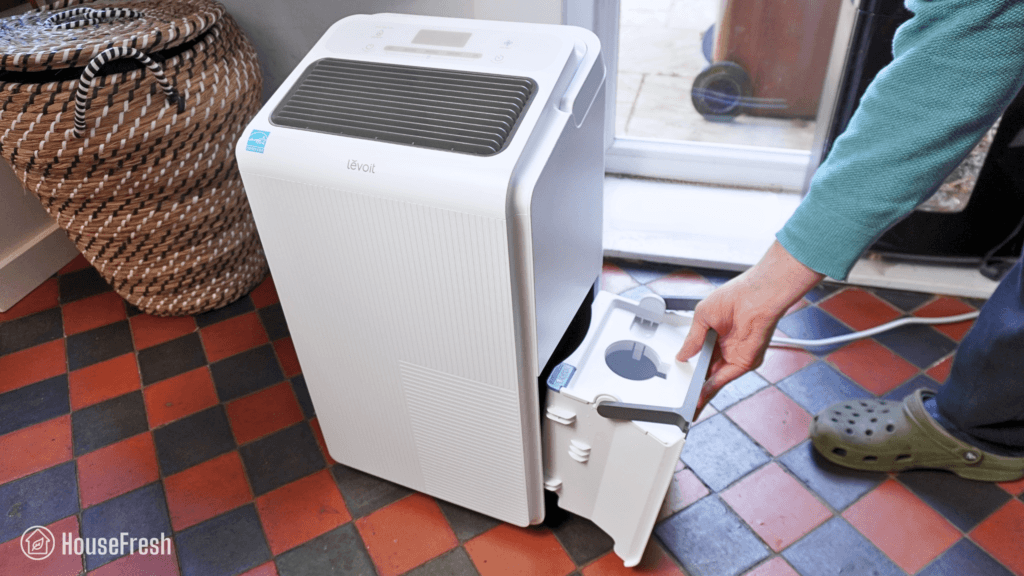
The water tank slides out from the side. I really like the wide handle that is integrated into the tank and the enclosure at the top to minimize splashes.
You also get a removable pump, the ability to use it with a gravity hose and even the option of connecting it to a garden hose. I tested them all with good results – just be aware that the pump won’t kick in until the tank is full.
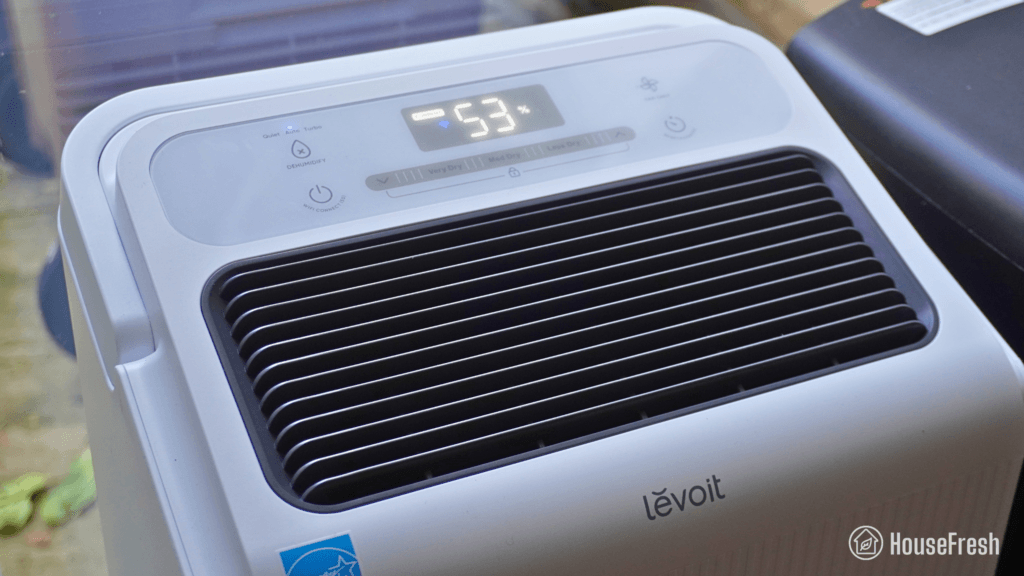
In terms of controls, you get buttons to set the desired humidity level, choose the fan speed, switch between dehumidification modes and set timers. It connects Levoit’s VeSync app, so you can control it remotely, access humidity data and schedule routines.
CONS
The pump doesn’t run continuously and it won’t kick in until water reaches the limit of the bucket.
You don’t get any type of laundry mode on the control panel, so we’ve been setting it to Turbo when drying clothes – not ideal.
PROS
It generates 50.2 dBA at full power, which is much lower than the 60-70 dBA you can expect from units with comparable performance from brands like Honeywell or Frigidaire.
The pump is detachable, so you’re not forced to use it. Plus, if it were to break, you could just remove it and keep using your dehumidifier.
It is pretty compact and easy to live with for a unit capable of removing so much water from the air.
It is energy efficient. Based on our energy consumption tests, we calculated an energy efficiency factor of 1.24 L per kWh.
You get a 2-year warranty.
Water removal capacity (per day):
– HouseFresh test data: 18.75 pints (8.87 liters) – ENERGYSTAR test data: 24.5 pints (11.59 liters)
Bucket capacity:
7.36 pints (3.48 liters)
Electricity consumption (top speed):
298.8 watts
Integrated energy factor (top speed):
– HouseFresh test data: 1.24 L/kWh – ENERGYSTAR test data: 1.9 L/kWh
Noise level in from 3 ft. away (top speed):
50.2 dBA
Refrigerant type:
HFC-32 (GWP:675 | Lower GWP)
Operating conditions:
– Temperature: 41°-90° F (5°-32° C) – Humidity: ≤ 90% RH
My top picks can be expensive or might be too large for your space. This is the only cheap + small dehumidifier worth your money.
Up to now, I’ve been recommending medium to large size dehumidifiers with price tags around $300. But this AEOCKY device is much smaller and cheaper, so it could be a good option for those looking for a dehumidifier on a budget.
The Boreas-001 vastly outperformed all other popular small and mini dehumidifiers we tested – usually units you’ll find at the top of Amazon.
And it did this while generating just 52.7 decibels of noise, which is a lot quieter than what you can expect from larger dehumidifier.
You get buttons to set the humidity level, change fan speeds and modes, switch off lights, set auto mode and lock the screen (child lock).
You also get a big handle at the top and castor wheels at the bottom to move the dehumidifier around the home.
CONS
The water bucket is on the small side, so you may find yourself emptying it more often than you’d like.
PROS
With a list price of $229.99, the Boreas provided the best level of water removal per $ spent compared to other small dehumidifiers we tested.
The 3-year warranty is unique to AEOCKY and is a major stand out feature for a dehumidifier at this price point.
The height of the bucket makes it possible to use a gravity hose — something that is much harder to do with the standard bucket design.
It generates 48.1 decibels of noise, which is much quieter than what you’ll get with the larger dehumidifiers on this list (above).
If you go smaller than this, you are likely to waste your money.
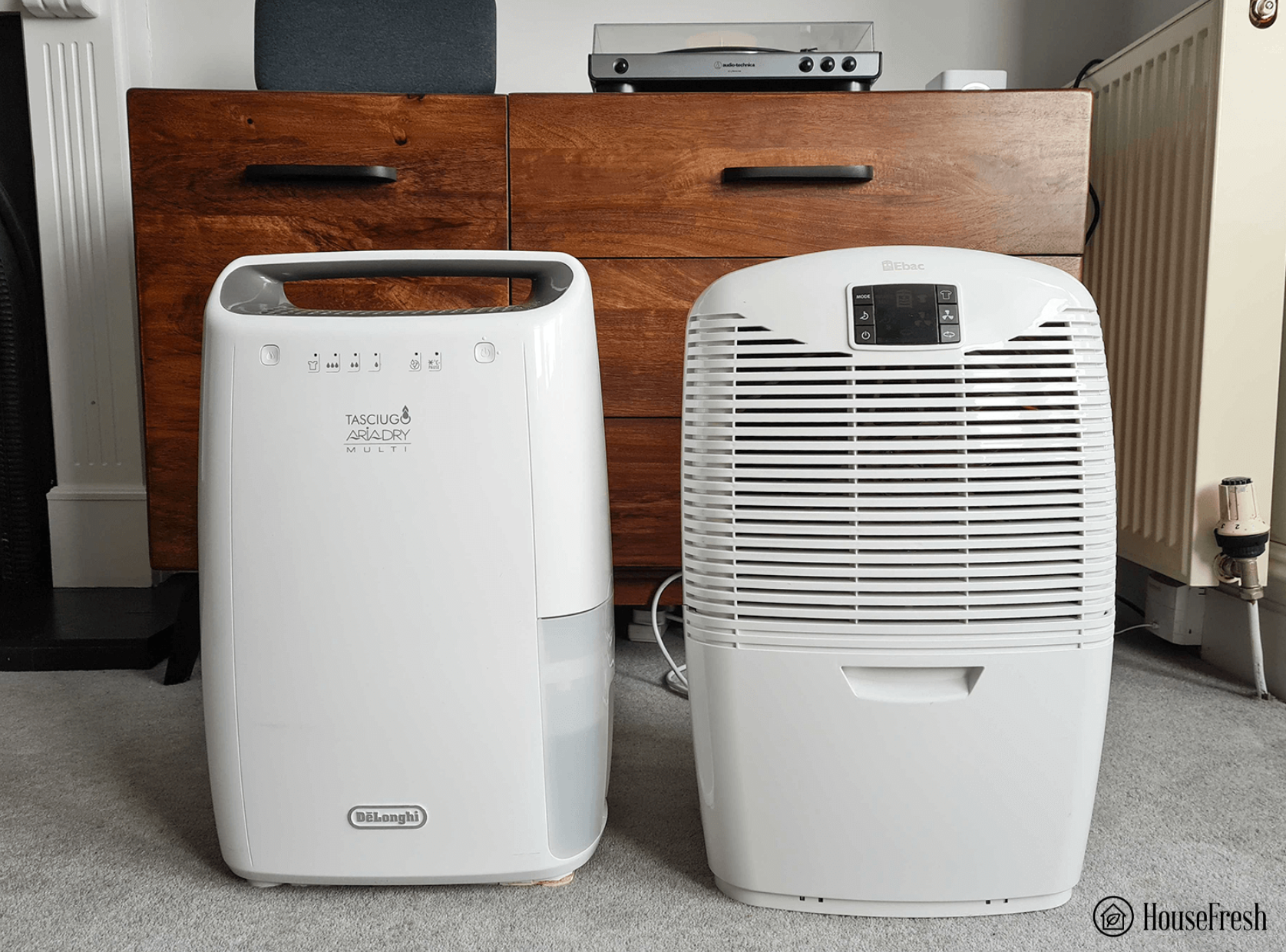
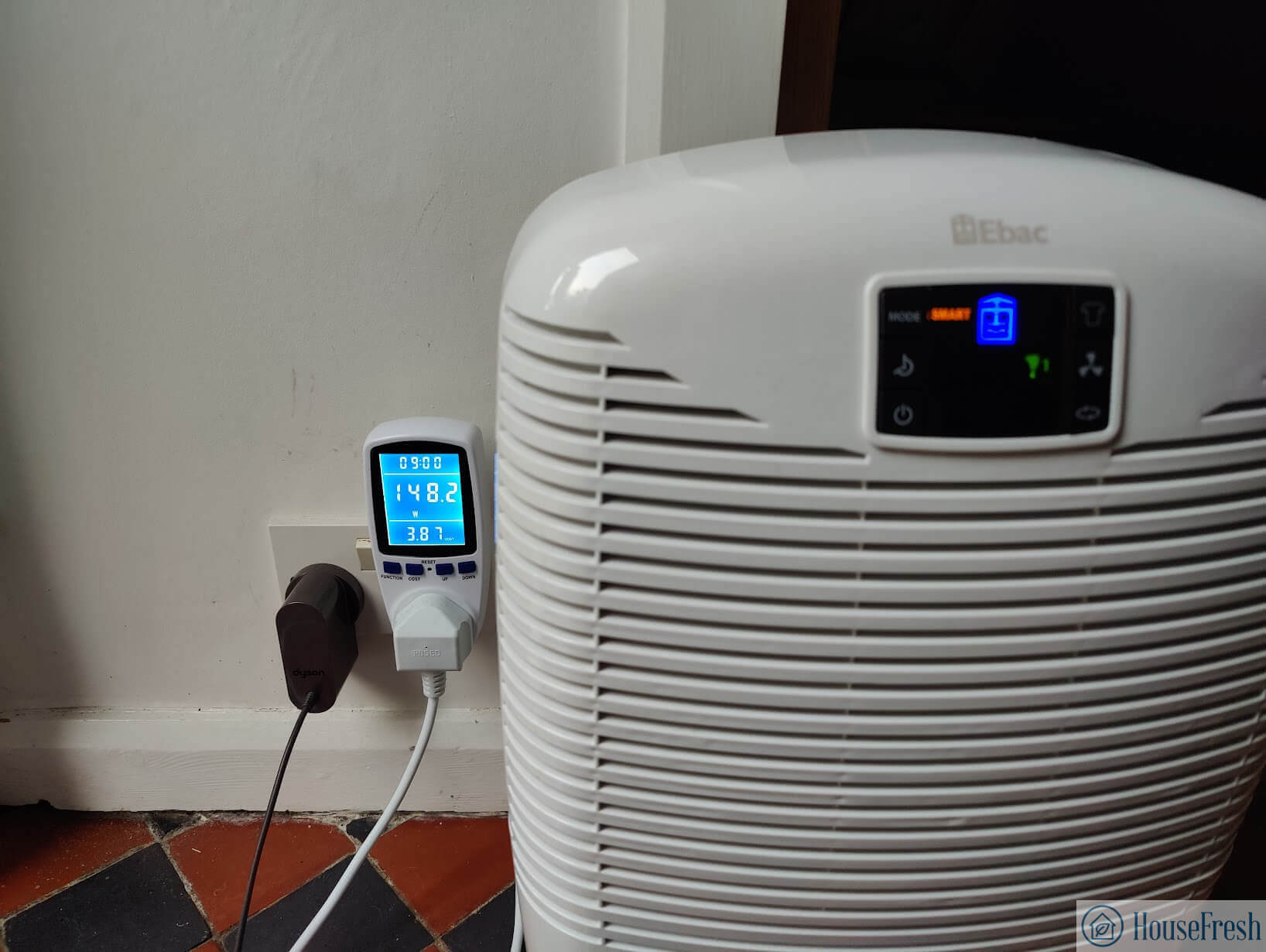
As a resident of the north of England, I know that our kind of damp is different, and our electricity bills are a lot higher. The good news is that I found a UK brand that designs dehumidifiers for the UK environment with an onboard smart mode that can keep humidity down without continuously adding to your energy bill.
When it comes to performance, the Ebac 3850e matched what you will get with the Xiaomi Smart Lite:
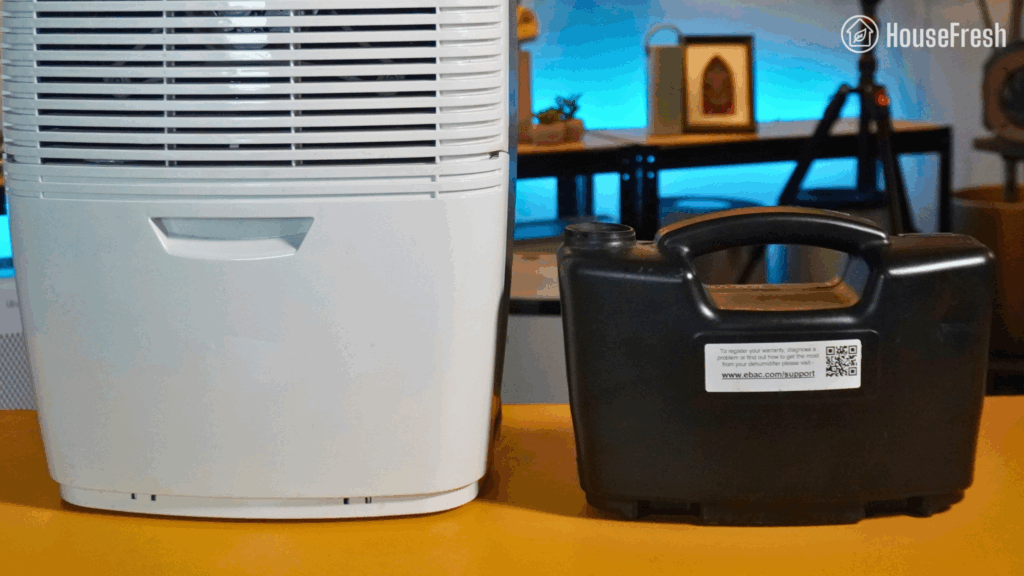
Something I appreciate about my 3850e is that Ebac has redesigned the water bucket and turned it into a sort of watering can, so it is much easier to empty it when full compared to your standard bucket design:
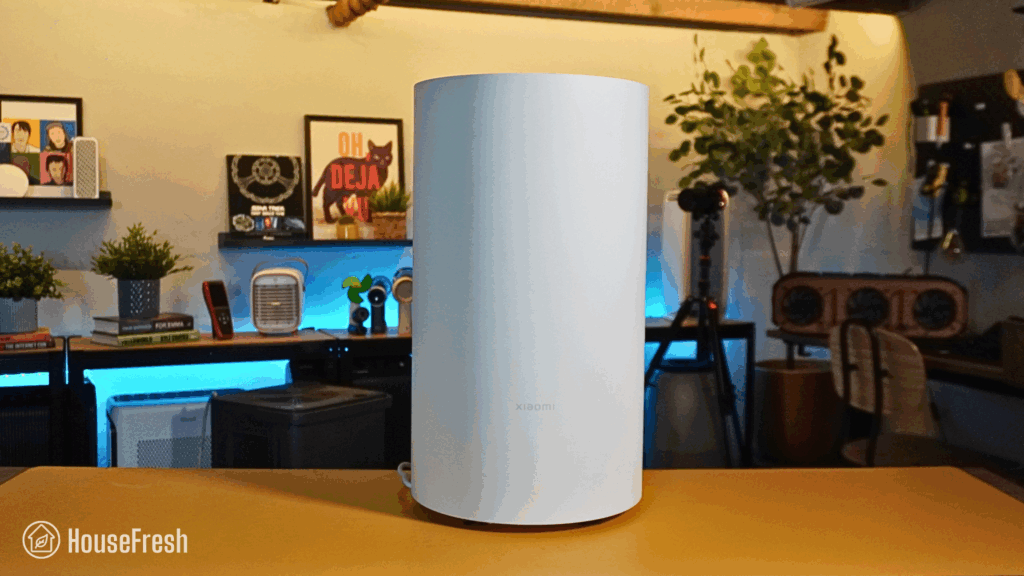
We measured the noise generated by our Ebac and it reached 54.3 decibels at top speed, so it’s louder than the Xiaomi Smart Lite (below).
That said, we have ours in our dining room, and the noise doesn’t get in the way of conversations or our day-to-day.
Ebac is a British company that has been manufacturing dehumidifiers in County Durham since 1972, so if you live in the UK and want to support a local business, then Ebac is the way to go.
CONS
Considering how small it is, it can get loud, hitting 54 decibels.
Ebac is currently not available outside of the UK.
PROS
It has been designed with the UK’s cold, humid climate in mind.
It is small and easy to move around. You can even buy a set of wheels to add to the bottom.
The bucket design in the shape of a watering can minimizes the chances of splashing water all over the place when removing the “bucket” from the device.
Humidity reduction rate:
42% drop (from 95% to 53% in 30 minutes)
Water removal capacity (per day):
36.95 pints (21 liters)
Bucket capacity:
5.28 pints (0.55 gallons)
Electricity consumption (top speed):
178.50 watts
Energy factor:
4.90 liters/kWh
Noise level in from 3 ft. away (top speed):
54.3 dBA
Airflow (top speed):
92.81 cfm
Recommended room size:
600-800 sq. ft. (60-80% relative humidity)
Dimensions:
19.9 x 12.87 x 10.74 in (50.6 x 32.7 x 27.3 cm)
Weight:
28.66 lbs (13 kg)
Manufacturer’s warranty:
1 year
Country of origin:
UK
Country of manufacture:
UK
Special mentions
We have tested over 30 dehumidifiers and there were some that nearly made the list. Perhaps one of them will be a good option for your specific situation.
The Midea Cube is a simple cube that you can stack up: the bucket sits at the bottom and the fan sits at the top. In terms of performance, it was able to outperform popular models from brands like Pro Breeze, GE and hOmeLabs.
I used mine in our basement for just over 3 years with a gravity hose and had zero issues with it. It didn’t make the cut because the Levoit Smart Dehumidifier offers more power at quieter and more energy-efficient operation.
The small yet powerful Xiaomi Smart Dehumidifier Lite is available across Europe and Asia for less than 250 EUR. Its performance is comparable to small units like the MeacoDry Arete Two 12L and the Honeywell 16L.
It didn’t make the cut because the AEOCKY Boreas-001 offered better performance for nearly half the price. Plus, I’m not a fan of having the water bucket at the back of the unit – pretty inconvenient!
Things to keep in mind when buying a dehumidifier
Our top tips for ensuring you won’t buy a device you will regret later.
Don’t fuss over the latest models. It seems like new dehumidifier models come out weekly, but you should know that they are usually very similar to previous ones, so you don’t need to worry about trying to keep up with the latest dehumidifier as you would with an iPhone.
Pay attention to the features. I recommend choosing simple dehumidifiers without fancy smart models or internal pumps as they will cost you a lot of money and won’t add a lot of value.
Be aware of strange brand names on Amazon that are offered at lower prices. Many dehumidifier manufacturers care more about making money than building a long-lasting brand. While it might be a little pricier to go with a trusted brand, you will find that buying a unit from an unknown company offers less value in the long term — especially when you can’t find anyone to contact if you need help with warranties and repairs.
Sadly, many dehumidifiers have a habit of failing. That means you might be more likely to need customer support than other consumer products. Another reason to go with a trusted brand like Midea, Frigidaire or Honeywell.
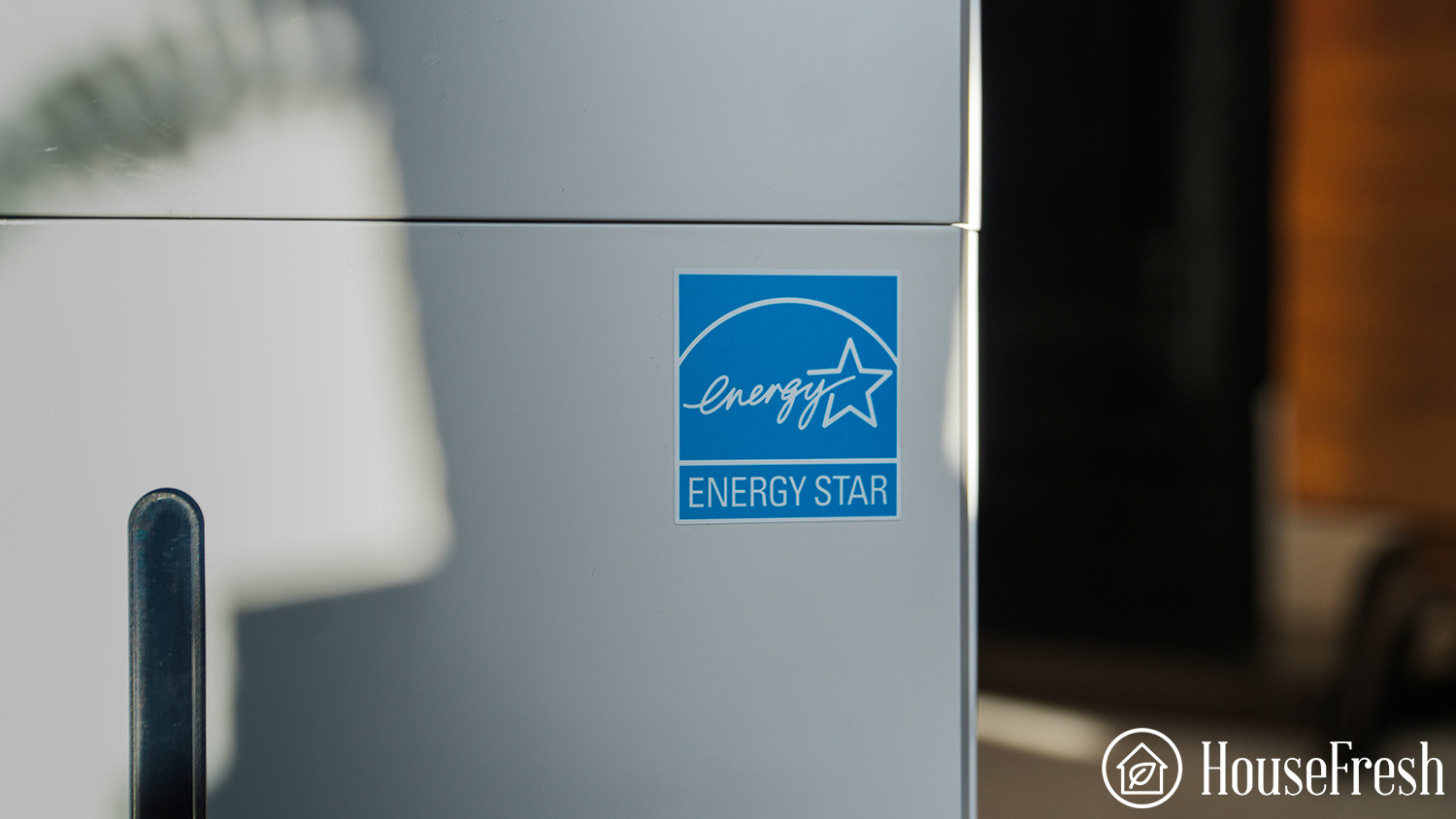
Choose dehumidifiers that have been Energy Star certified. Many devices are not sent to Energy Star for testing and could be less efficient than promised. Always look for the unit on the Energy Star website to ensure they have been tested.
Oversizing your dehumidifier has no benefit. Buying a larger dehumidifier than you need will just increase your electricity bills. It’s better to get the right size for the room you want to keep dry.
Why you should ignore Peltier dehumidifiers
They might be cheap and cute, but they will also be a waste of your money
We have tested several Peltier-effect dehumidifiers, and in all cases, they were too weak to reduce the humidity in our basement.
The charts below show the comparison between the test of the Honeywell TP70WKN and the NineSky H2 dehumidifier:
As you can see, the Peltier dehumidifier (NineSky H2) struggled to bring the humidity down to 63% and even when it did, it could only keep it there for a very short period of time.
That is a stark difference from the Honeywell TP70WKN, which managed to bring the humidity down to 49% and kept it within the 50% range for as long as the dehumidifier ran.
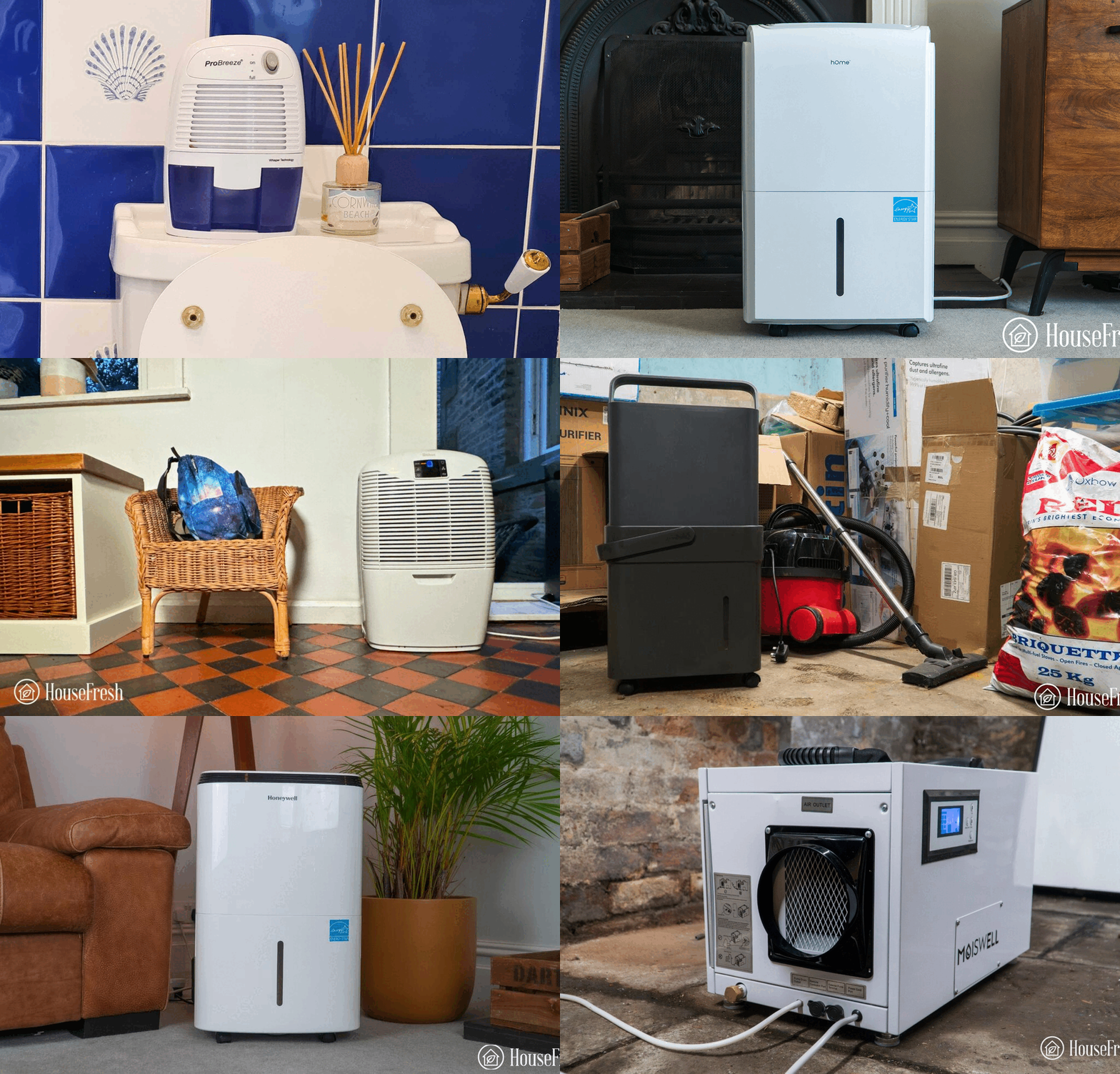
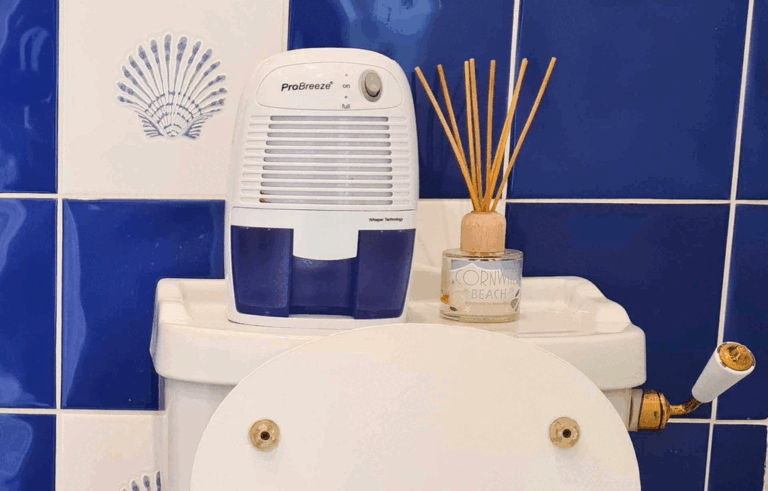
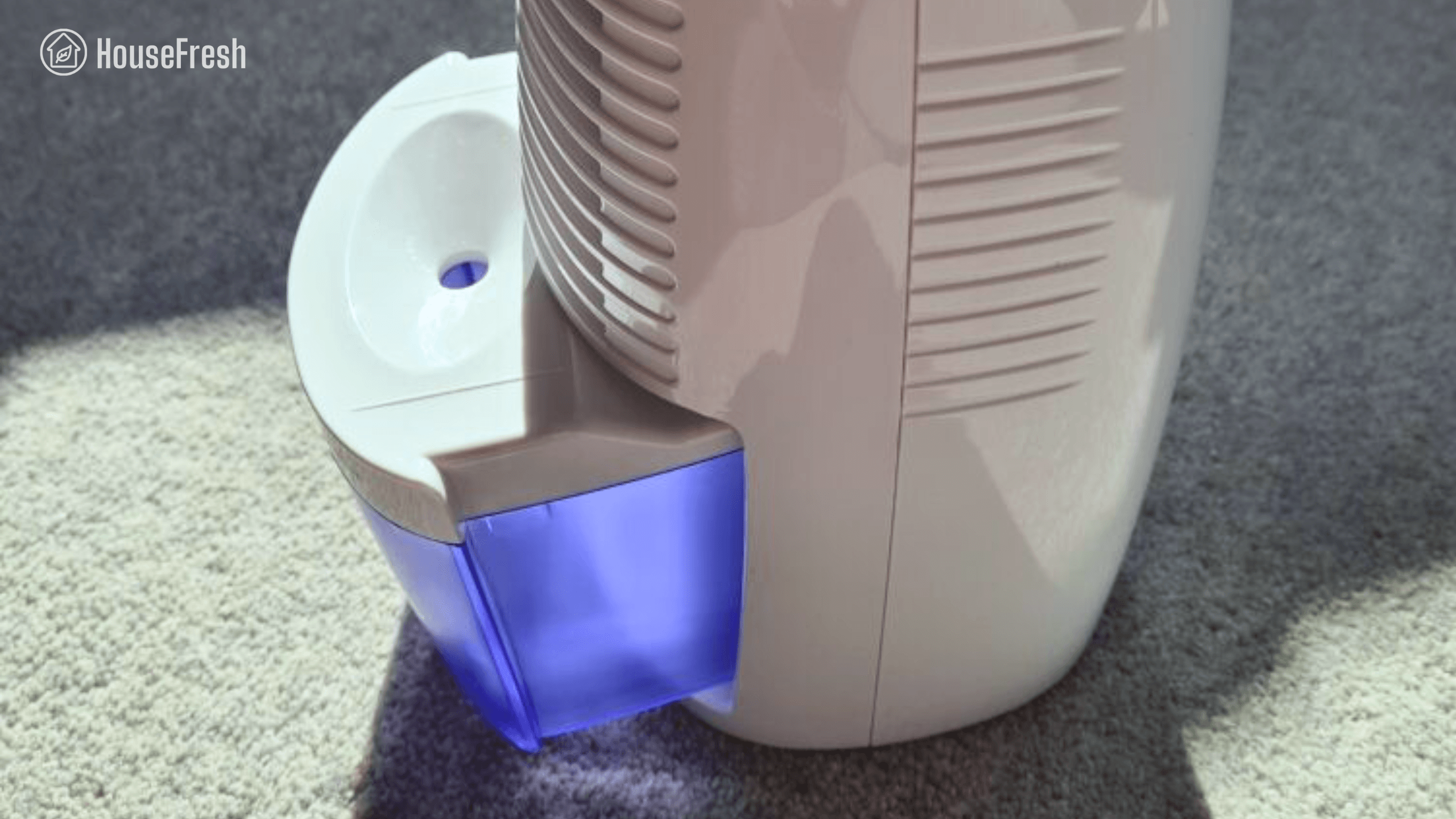
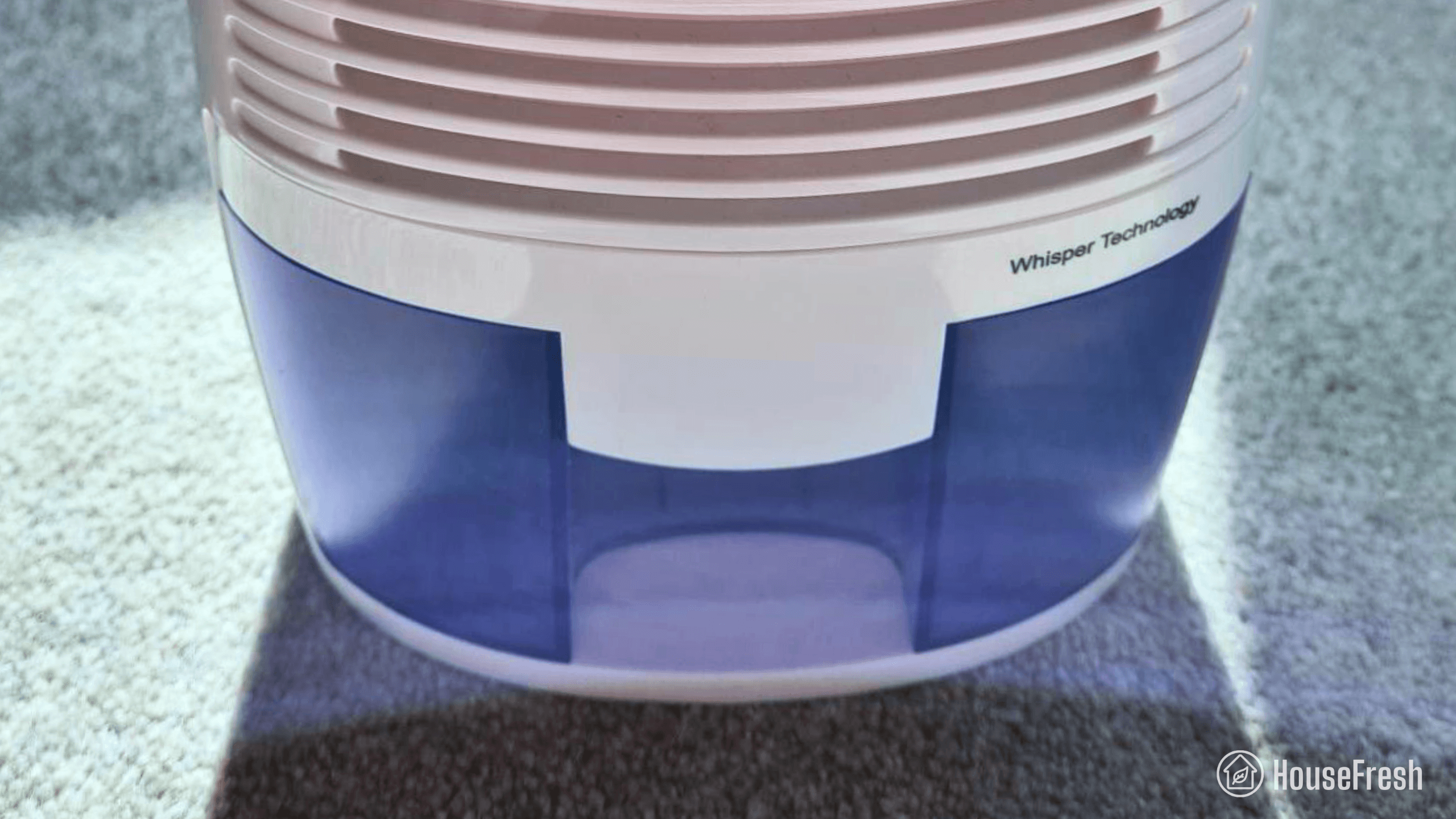
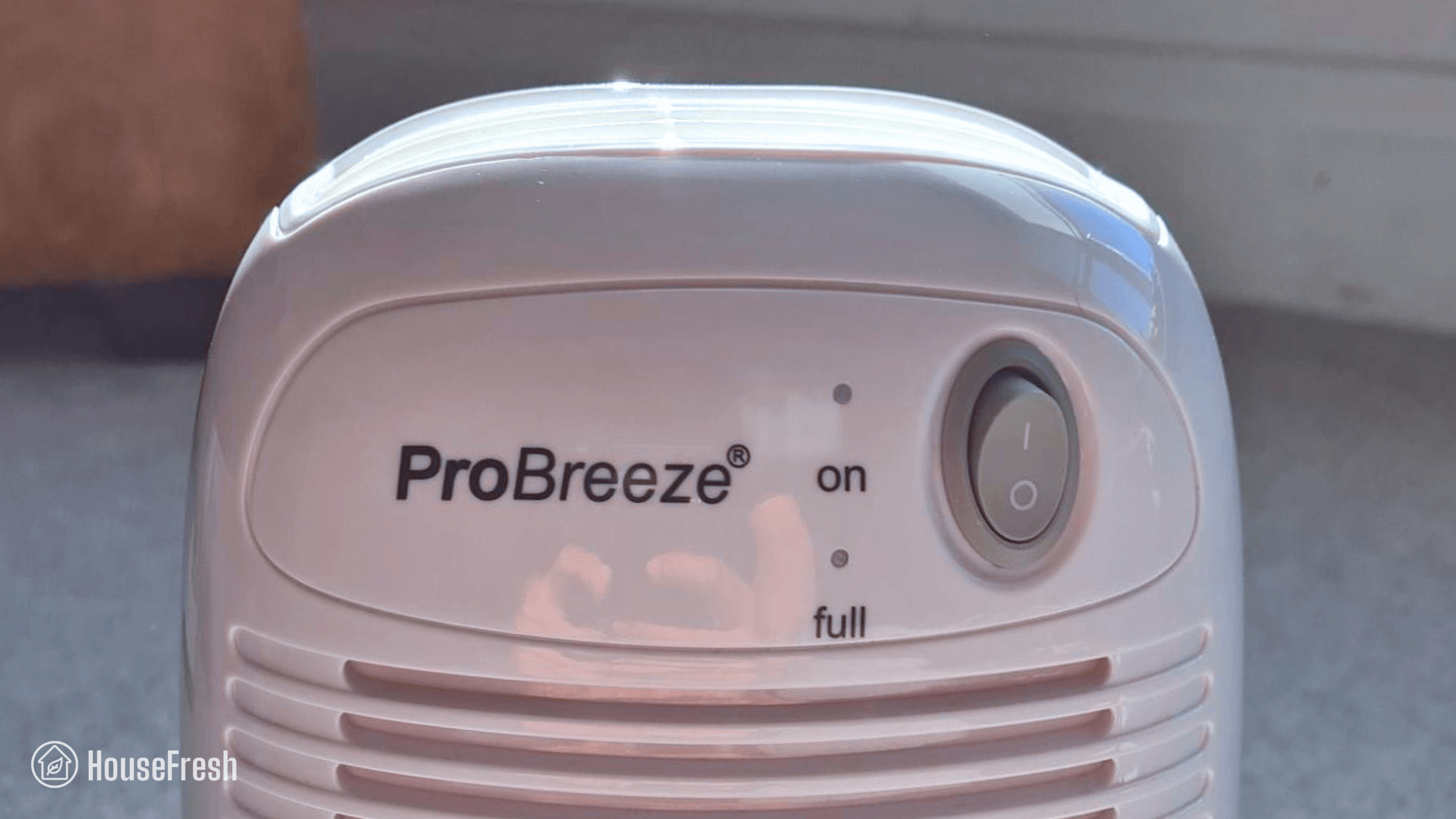
Most people choose Peltier dehumidifiers because they are small and cost around $50-80. In many cases, they look cute too as you can see in the images below:
Truth be told, most people don’t want to hear that they must spend $200 on a dehumidifier for it to achieve meaningful results. The problem with not wanting to invest in a serious dehumidifier is that you are wasting $80 on a piece of plastic that will do nothing to lower humidity levels in your home.
At HouseFresh, we want to raise awareness about these useless devices so that fewer consumers are duped out of their money.
If you are struggling with humidity in your bathroom, the first and foremost step is to improve ventilation. Keep the bathroom door and window open to let air in, or install exhaust fans if that’s possible.
Bringing an electric device into your bathroom poses a risk that is not worth taking.
Wrapping up
Searching for the best dehumidifier can seem overwhelming, but I hope my guide shows you that most devices are made in just three factories.
Make sure you choose an efficient device by focusing on those that have achieved the Energy Star Certified status.
Finally, know that there is no major difference between the models across brands; they are all pretty much the same thing manufactured in the same place. The exception to this rule is the Midea Cube design, which is why it’s our top recommendation.
October 12th, 2026:
Replaced the Midea Cube 35-Pint with the Levoit Smart Dehumidifier, which can remove more water from the air while generating less noise and consuming less electricity.
August 27th, 2026:
Replaced the Frigidaire 50-Pint with the AEOCKY Rhea-003 as the best dehumidifier for large spaces.
Updated the section about the Midea Cube 35-Pint with new charts including data from our latest peformance tests.
Updated the methodology section with information about our new water extraction test.
Replaced the Ivation 13-Pint with the AEOCKY Boreas-001 after we encountered issues with our Ivation after long-term use at home.
May 30th, 2026:
Replaced the Honeywell 50-Pint with the Frigidaire 50-Pint after learning that Honeywell is not currently producing large capacity dehumidifiers.
July 27th, 2025:
Added the Xiaomi Smart Lite as a Special Mention after testing it at home for over three months with good results.
When discussing the relative humidity of your home, it’s usually in terms of high humidity. While living in humid, heavy air can be a miserable experience, having air that’s too dry is just as uncomfortable — and just as dangerous. Low humidity levels can result in:
Property damage. Very dry air can dry out wood, causing it to shrink and warp. It can also cause adhesives to turn brittle and fail, resulting in peeling wallpaper and paint.
If the air in your home is too dry, you can use something like an ultrasonic humidifier, vaporizer or evaporative humidfier to raise the humidity levels in the home (don’t use a diffuser, as they don’t do much to increase humidity levels).
If want to try a humidifier we share all our test data on our best humidifier list so we can score and rank the best options based on home lab experiments providing first hand data for performance ,sound, energy, running costs and how easy it is to keep clean.
But if you don’t have (or want) a humidifier, you have other options.
Three DIY ways to humidify the air
If the air in your house is too dry, you don’t necessarily need to invest in a humidifier to improve the situation. Here are three ways you can increase the humidity without a trip to the store.
1. Existing sources of humidity
Your home generates a lot of humidity. An easy way to get more water vapor into the air is to harness these existing sources.
Take longer showers. Take a longer shower than usual and leave the bathroom door open to release humidity further throughout your home.
Air dry laundry. Instead of putting clothes in the dryer, hang them on a drying rack inside.
Air out dishwashers. Skip the drying cycle, open the dishwasher door, and let that humid air circulate.
2. Add more sources of water vapor
An easy way to increase humidity is to increase the number of sources of water vapor.
Heat water. Fill a pot with water and boil it on your stovetop, or place a container of water on radiators or sunny window sills to evaporate.
Get some houseplants. Many plants add moisture to the air via a process known as transpiration. Adding the right varieties can increase the humidity in a room noticeably.
Place water vessels. Standing water increases humidity through the process of evaporation. Adding a fish tank or flower vases to your home’s decor will make an impact.
Tip
If you have a wood-burning stove, consider investing in a stovetop humidifier. These kettle-like devices add humidity to all spaces.
3. Make a DIY humidifier
A humidifier is a very simple machine — you can easily make one yourself with a water container (like a bucket or a bowl), a sponge and a fan.
Place the bucket or pan on a flat surface like the floor, a chair, or a table.
Place the fan behind the bucket or pan so that it blows air across the surface.
Place your sponge in the container:
If using a shallow container like a baking pan, lay the sponge flat on the bottom.
If using a taller container like a bucket, use a skewer, chopstick, or other material to pierce the top of the sponge and lay it across the top of the container.
Fill the container so that the sponge is about half immersed in the water.
Turn the fan on low.
The sponge will wick up water, which then evaporates. The fan then blows that moisture across the room, raising the humidity.
The ideal humidity levels at home
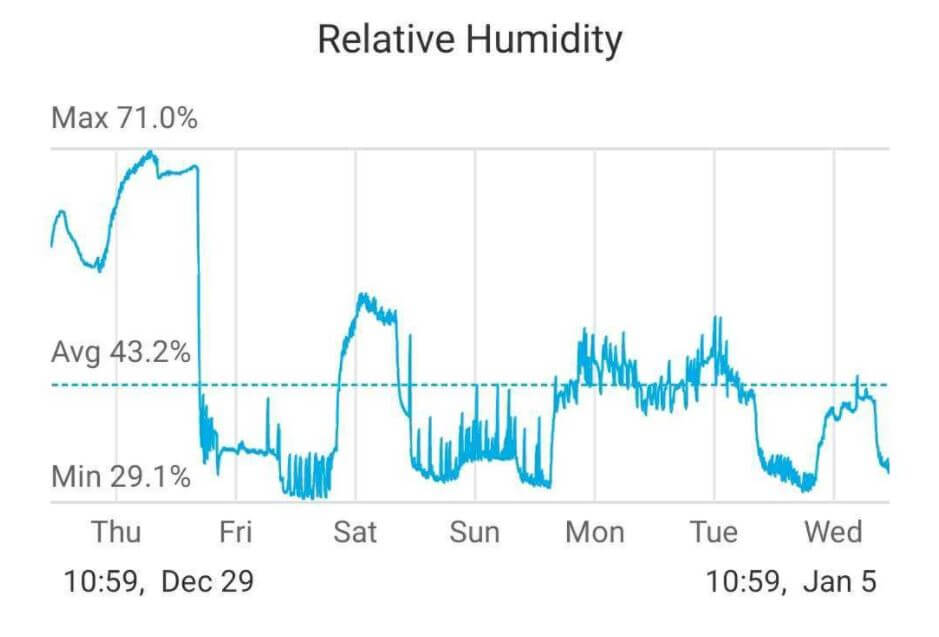
Relative humidity in the home should be maintained between 30% and 50% for your comfort, personal health, and home environment. There are two easy ways to measure humidity in your home: using a hygrometer, or via the “wet/dry bulb” method.
A hygrometer is an electronic device that measures the amount of water vapor in the air. After calibration, it’s very easy to use:
Place the hygrometer on a flat surface a few feet off the ground
Turn it on
Wait 3-5 minutes
Read the humidity level on the screen
Common questions about dry air and humidity at home
Dry air and low humidity in your home can be caused by many factors, such as low temperatures, poor insulation or failing weather seals, excessive use of heating, air conditioners, or dehumidifiers, and external climate factors.
Common symptoms of sleeping in a dry room include Dry and itchy skin, irritated eyes, morning coughs or uncomfortable congestion, nosebleeds, and exacerbated symptoms of respiratory conditions like asthma.
There are several ways to quickly increase a room’s humidity:
If you have an en suite bathroom, run a warm shower with the door open
Open or close windows depending on the weather
Use spray bottles to mist the air in the room
Place a bowl of water on a heat source
Soak some towels in water and hang them in the room to dry
Both cool-mist and warm-mist humidifiers can be effective at relieving cold symptoms including congestion, sinus pressure, and a sore throat. Cool-mist humidifiers may be slightly more effective in relieving swollen sinuses but also carry a greater risk of contamination and the spread of diseases.
The CDC recommends that you use only distilled, boiled, or disinfected water in any humidifier. Using other water sources (tap water, bottled water, or collected water) can introduce organisms and other materials to your home environment, potentially making you sick and reducing the quality of the air.
Final thoughts
A dry home is an uncomfortable and unhealthy one. If you frequently suffer from symptoms related to dry air, there are some fixes you can employ right now. It’s easy to raise your home’s humidity levels, and it doesn’t require any expensive equipment. A few simple steps can turn your home back into the comfortable oasis it was meant to be.
Tip
If you’re experiencing respiratory symptoms, also consider using an air purifier with your humidifier to reduce dust and other allergens in the room.
Midea is a large Chinese electronic appliance company that has existed since 1968. It has over 160,000 employees worldwide and has an extensive product range from refrigerators to large HVAC systems.
In a recent survey from Consumer Reports, Midea was included as one of the most reliable based on a survey of their members, so I was very excited when the Cube arrived.
Most residential dehumidifiers have a similar design: a rectangular box with a small bucket at the bottom. With the Cube, Midea has chosen a completely different technique that, as you can guess from the name, uses a cube as a bucket, allowing for a much bigger water bucket than the traditional design.
The Midea Cube was launched in 2019, which means it is a reasonably new dehumidifier design. Since then, it has been very popular with consumers, so we were keen to test and review it for ourselves.
I am reviewing the 35-pint model with a built-in pump, which is usually found for just under $300.
STEP 1. Humidity reduction rate
We use our Levoit Classic 300S humidifier to raise humidity levels to 94% inside our Shorty Gorilla Grow Tent and leave the tent for 5 mins for the numbers to stabilize before setting the dehumidifier to top speed for 30 mins.
We then gather humidity data with our SensorPush wireless hygrometer and repeat the test a minimum of three times. We also test the natural decay inside our tent without any dehumidifier running.
STEP 2. Water extraction rate
We also run a water extraction test in which we measure how much water each model is capable of removing in the same room of our house at 20 degrees Celsius and 52% humidity during a set amount of time.
Once the time is up, we weigh the water bucket before and after the test to determine how much water was removed during the test.
STEP 3. Electricity consumption
Dehumidifiers an be power-hungry little beasts. That is why we measure how much electricity the dehumidifier pulls at different speeds.
We measure electricity consumption with each dehumidifier running at all its modes and fan speeds.
STEP 4. Sound generation
Sound is also super important as nobody wants to have a leaf blower running inside their home 24/7.
That is why we use a BAFX Sound Level Meter to measure how much noise in decibels each dehumidifier generates.
We conduct this test from three feet away, the same way we measure noise levels of the air purifiers we test.
STEP 5. Everyday user experience
In addition to all our tests, we also use each of the dehumidifiers in our own home to determine how well they perform at removing moisture from the air and how it feels to live with them in different rooms.
This is generally the most eye-opening stage in our testing as we experienced the same issue twice across different dehumidifiers: the internal pump of both the hOmeLabs 4000 sq. ft. and the Moiswell 145 pint (Defender XP70) broke within a couple of months of daily usage.
The pros and cons of the Midea Cube
A summary of our top-level findings after testing this dehumidifier, following our methodology.
“I’ve been using my Midea Cube in our basement with a gravity hose for a little over three years now without any issues, and this is a lot to say about a dehumidifier.
It offers a high level of efficiency and I really like the bucket design, which sits higher than the floor so it’s perfect for a gravity hose. That said, I wouldn’t want to empty this bucket manually as it gets REALLY heavy when it’s full.”
At the full 4.2 gallons, the water bucket could be too heavy for some consumers to empty easily
Smart features are not so useful for most situations and add additional cost
The warranty will cover you for just one year – in comparison, Honeywell offers five years for their dehumidifiers
PROS
Innovative cube design means the water bucket can hold up to 4.2 gallons of water, so you will spend less time emptying the bucket
ENERGY STAR certified with a great level of efficiency with1.8L of water removal per kWh
The included pump allows you to use it without needing to empty the bucket at all if that’s your thing
App support means you can manage your Cube from any location on earth and can also use voice commands through a smart speaker
Water removal capacity (per day):
– HouseFresh test data: 13.93 pints (7.92 liters) – ENERGYSTAR test data: 36.4 pints (17.22 liters)
Humidity reduction rate (in 30 minutes):
54% drop in 30 minutes (from 95% to 41%)
Bucket capacity:
34 pints (4.25 gallons)
Electricity consumption (top speed):
378.83 watts
Integrated energy factor (top speed):
– HouseFresh test data: 0.9 L/kWh – ENERGYSTAR test data: 2.0 L/kWh
Noise level in from 3 ft. away (top speed):
54.2 dBA
Airflow (top speed):
185 cfm
Refrigerant type:
R-410A
Recommended room size:
600-800 sq. ft. (50-80% relative humidity)
Dimensions:
14.8 x 14.4 x 14.5 in (37.5D x 36.7W x 37H cm)
Weight:
45.2 lbs (20.5 kg)
Manufacturer’s warranty:
1 year
Country of origin:
China
Country of manufacture:
China
Water bucket
A simple black cube that you can stack up and works well with a gravity hose.
One thing I really like about this dehumidifier design is that you can save a ton of space when not using it by putting it inside the water bucket.
This means that when storing, you will take up a lot less space than a traditional design. The entire box beneath can hold water, so you can really see how much extra water this device can hold compared to competing brands.
Another great feature of the Midea Cube is the pump. As the bucket sits higher than the ground, the gravity hose works very well.
When the Cube is in pump mode, the water the dehumidifier is pulling from the air can be simply pumped from the device into a drain through a pump drain hose that is included in the box. This is the way I use my Cube at home.
Design, features and controls
Clearly labeled controls, app support and two filters.
It comes with a generous handle at the top and a control panel with buttons and a screen.
You get wheels at the bottom, which make it easy to move it around on hard floors and even carpets.
You get buttons to set your desired humidity level, fan speeds, modes and timers.
You can also set how high you want the bucket to fill up — if the 4.2 gallons seem to heavy, you can limit this.
It has two filters, one on each side, that block small particles from entering the fan motor.
There’s a light to alert you when it’s time to clean these filters, usually every 2-3 weeks.
It was not easy to set up the Midea Air app on my iPhone.
You can’t use it on a 5ghz WiFi. Even if your router can provide for both 2.4 and 5 GHz on the same network, you must create a WiFi connection that only has 2.4 GHz.
The Apple account login failed. I was able to set it up with a standard email address login. So don’t waste your time trying to use your Apple logins.
That said, once I could finally connect my phone to my Midea Cube, I was happy with the overall design and UX of the app.
It unlocks features that are unavailable on the control panel, such as the estimated time when you will need to empty the water bucket.
Setting the bucket level is also much easier with a simple visualization inside the app vs the numbers on the onboard control panel.
Dehumidification performance
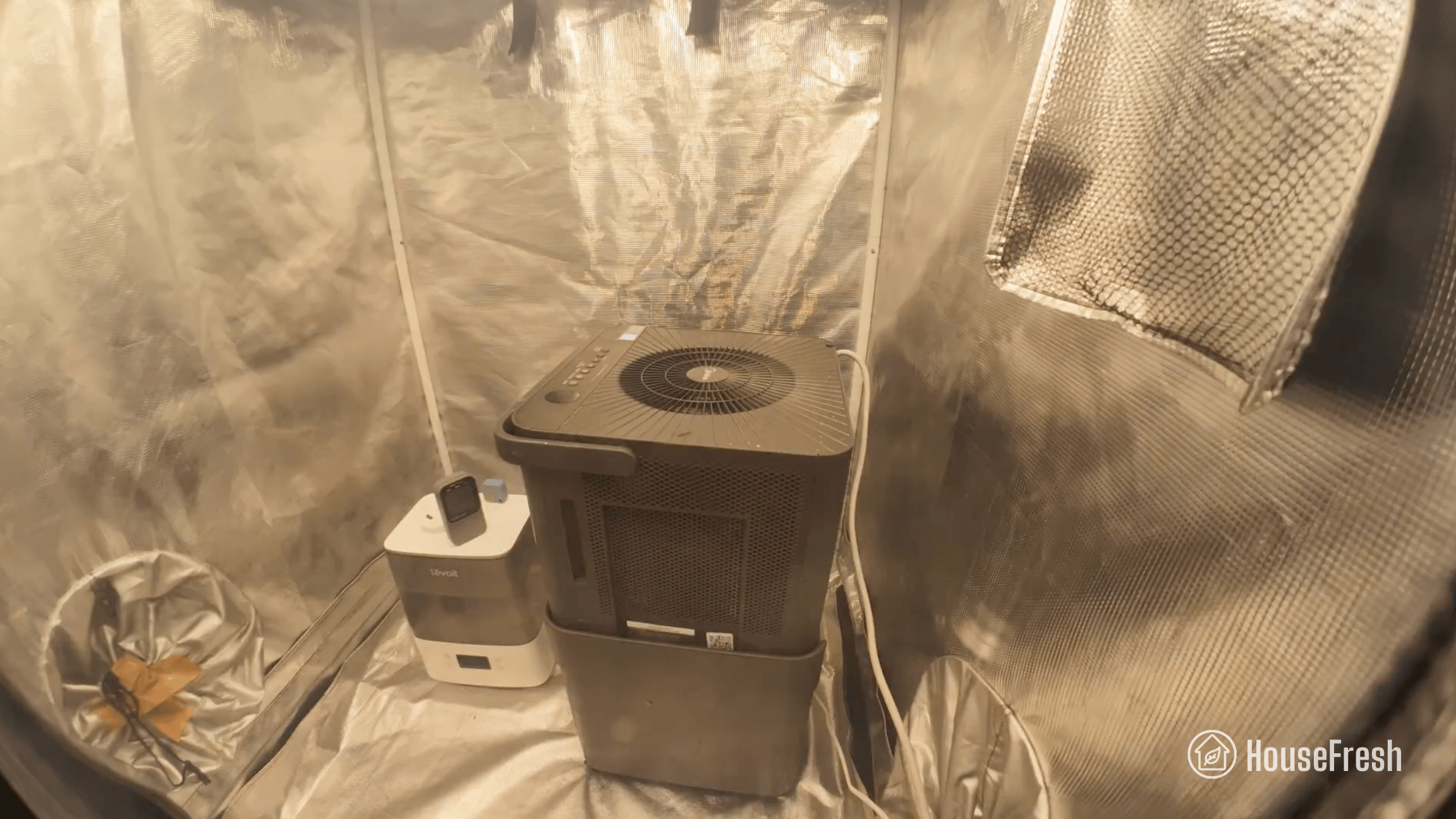
We tested the Midea Cube in our grow test using a humidifier and our trusted hygrometer.
We used our Levoit Classic 300S humidifier to raise the humidity inside our Shorty Gorilla Grow Tent to 95% and let the numbers stabilize for five minutes before setting our Midea Cube to top speed for 30 minutes. We used our SensorPush wireless hygrometer to gather humidity data during this test, and also tested the natural decay inside the tent without a dehumidifier running.
When running at full speed, this Midea Cube 35-Pint dehumidifier reduced humidity from 94.92% to 41.05% – a 53.87% drop in 30 minutes comparable to what was achieved by much larger units from Honeywell, Frigidaire and Moiswell.
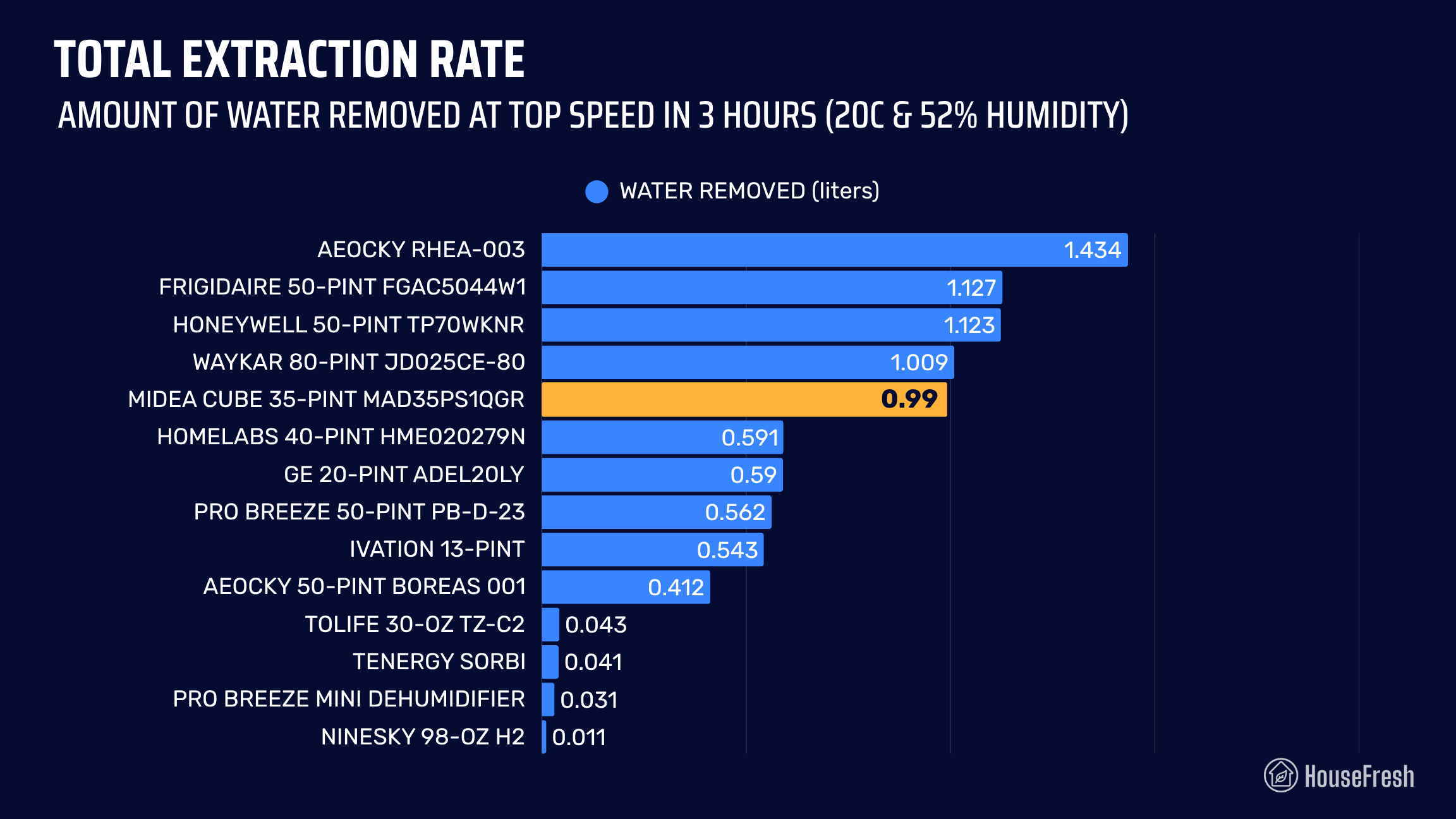
And in out water extraction tests, this Midea Cube extracted 0.99 liters of water in three hours. This result is more in line with 50-80 pint dehumidifiers (like the Waykar 80-Pint) than with 20-30 pint units:
This shows how powerful the Midea Cube is at reducing humidity levels and removing water from the air, even though it’s a 35-Pint unit.
Sound levels
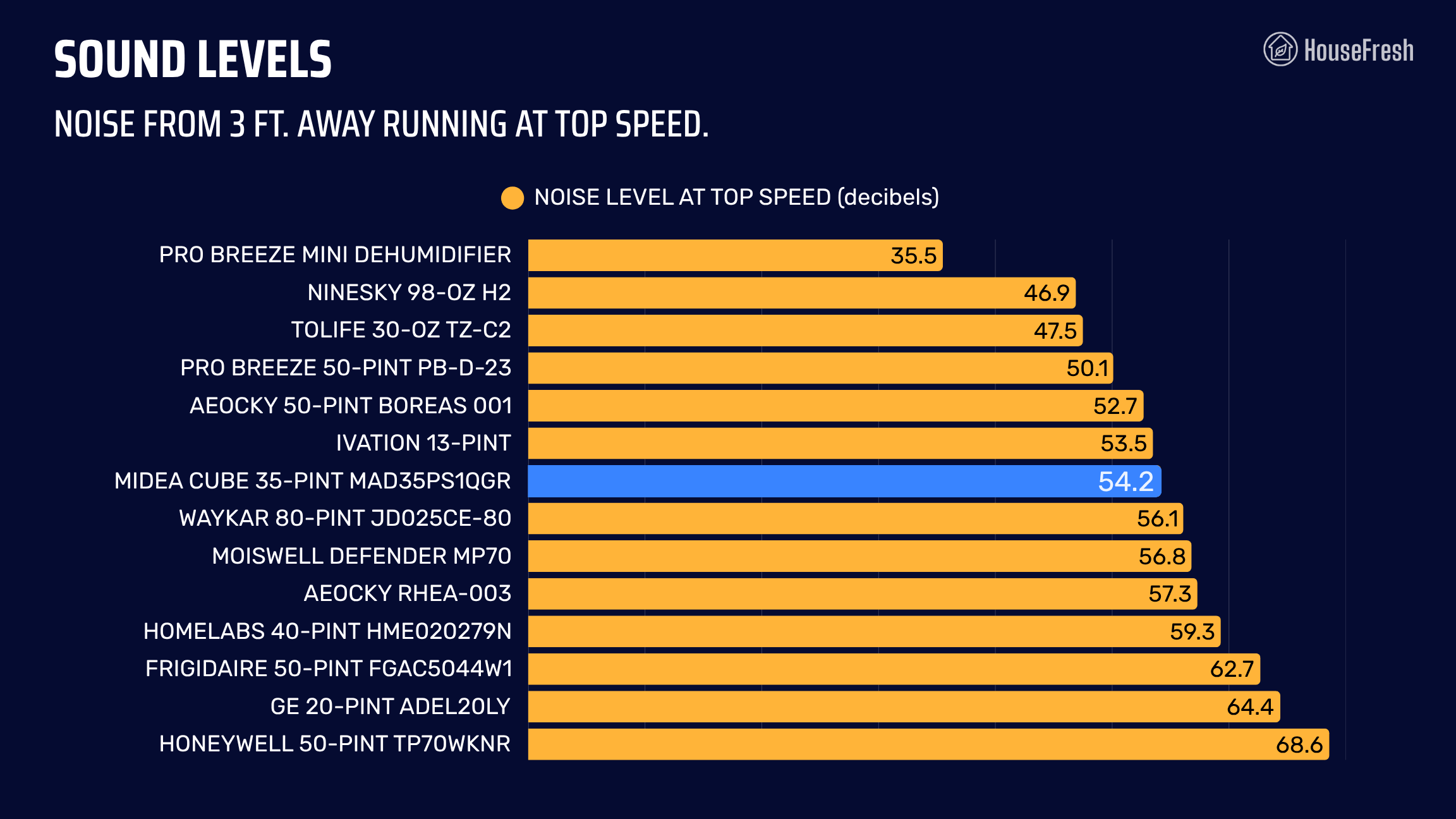
The sound levels of the Midea Cube 35-Pint reached 54.2 dBA, making it the 7th quietest dehumidifier we have tested.
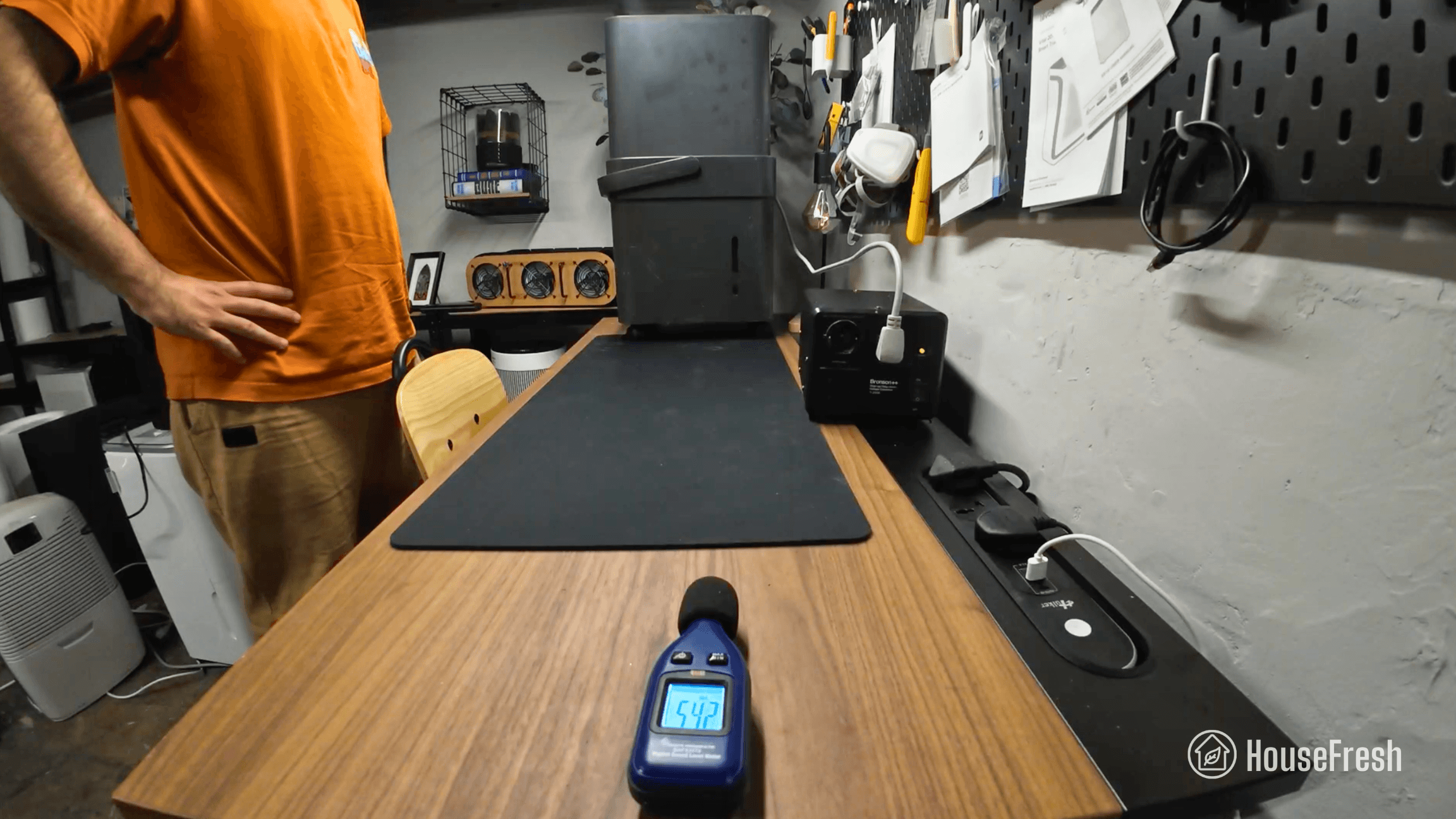
I used our BAFX sound meter to measure the sound level of the Midea Cube running at high and low speeds. At a distance of 3 ft., I recorded 54.2 dBA at top speed.
When we compare this to other dehumidifiers we tested, it becomes clear that the Cube is the quietest large dehumidifier of the bunch – models with comparable dehumidification power like the Honeywell 50-Pint can be nearly 15 decibels louder!
Long-term running costs
Running your Midea Cube will cost you $289.20 per year, assuming you run it 12 hours per day.
We used our energy meter to record how much electricity this dehumidifier pulls when running at top speed.
We measured 374.1 watts at full power, which makes this Midea Cube dehumidifier sit right in the middle of our comparison – more power-hungry than the Waykar 80-Pint (which offers similar dehumidification performance) but more energy efficient than pretty much every other large dehumidifier we tested.
This is a good result, considering the Midea Cube can remove nearly as much water from the air as larger, more power-hungry units. As a result, its water-removal-per-watt efficiency is pretty good, being able to remove 0.9 liters/kWh.
Bottom line: Should you get a Midea Cube dehumidifier?
An innovative design that looks nothing like traditional models turned out to be one of the best home dehumidifiers on the market
With a list price of $229.99, the Midea Cube 35-Pint is fairly priced, especially considering its performance.
You get an onboard sensor, the ability to use a gravity hose, a bucket design that takes up less space when not in use AND it comes from a brand that has been making appliances for a long time.
While I experience some issues with the WiFi setup to connect it to my phone through the Midea Air app, once I could get the Cube connected to my iPhone, I found that smart features worked well without a hitch.
Knowing how many issues dehumidifiers can have, I would like it if Midea were to offer a warranty beyond just one year. But I have been using my Cube for over three years without any problems (*touches wood*) so at least I can vouch for its build quality.
If you’re looking for a dehumidifier with a large water bucket that won’t need to be emptied all the time, then the Midea Cube might be just the thing – especially if you can use the gravity hose function.
If you decide to get yourself a Midea Cube, please use this link – we will receive a small affiliate commission at no extra cost to you that we will reinvest into buying and testing new dehumidifiers. We don’t run any ads and have no partnerships with brands, so we rely on those commissions to continue the work we do.
If you have any questions about this Midea model or about dehumidifiers in general, please drop them in the comments below, and I’ll get back to you personally as soon as I can.
Being comfortable and safe in our own home is paramount. One of the most crucial aspects of that safety and comfort is the humidity (the amount of water vapor in the air) inside your home. While most people think of the stuffy, heavy feeling of high humidity (especially when combined with high temperatures), low humidity can be just as damaging to your comfort, health, and property.
If you are concerned about the humidity in your, here’s how to measure it.
Three ways to measure humidity in your house
You can’t always rely on the “feel” of the air when it comes to relative humidity; higher dew points can make high humidity feel less uncomfortable, so it’s best to measure the humidity to determine if you need to install a dehumidifier or find other ways to lower the relative humidity in the house. There are three ways you can measure humidity on your own.
1. The ice cube method
A very simple method to determine whether your humidity is high or low requires nothing more than a glass of water and some ice cubes. This won’t be a very informative test, but it can broadly determine whether your relative humidity is high or low.
Put three or four ice cubes inside a glass of water
Place the glass in the room you want to measure and leave the room
After four minutes have passed, check to see if there is condensation on the outside of the glass
If there is, the humidity is high. If there’s no condensation, then your humidity is on the lower side.
Good to know
Measuring the humidity levels in wet areas like kitchens and bathrooms can be challenging because the humidity will naturally spike (like when you’re taking a shower) and then drop.
2. The wet/dry bulb method
Another easy DIY method of measuring the humidity in your home is a bit of a science project called the Wet/Dry Bulb Method.
You’ll need:
Two standard thermometers
A piece of gauze or cloth
A small fan
Wrap the bulb of one thermometer in gauze or cloth
Wet the cloth
Arrange both thermometers so the fan can blow air over their bulbs
Measure the temperature they report:
– The dry thermometer should remain stable – The wet thermometer will show lower temperatures over time as the water evaporates
When the temperature of the wet thermometer stops changing, note both temperatures
Subtract the dry reading from the wet reading
Use the chart here or the calculator here to determine the relative humidity
3. Use a hygrometer
The easiest way to measure the humidity in your home is to purchase a digital tool called a hygrometer. You can buy devices with built-in hygrometers for less than $10, or buy more sophisticated smart devices.
Using a hygrometer to measure humidity is very simple: Set up the device according to instructions and note the result displayed on the device’s screen. While most hygrometers are relatively accurate, it’s best to test and calibrate a new unit before relying on its results.
Fill a bowl about 2/3 of the way with water
Add salt and stir until no more salt dissolves; there should be a small amount of undissolved salt at the bottom
Place bowl and hygrometer in a plastic bag together and seal the bag
Wait six hours and read the hygrometer:
– If the RH reading on the hygrometer is about 75%, it is accurate. – If the reading is higher or lower, the difference is your calibration factor.
For example, if it reads 70%, you should add 5% to all future readings
What to do if your house is too humid
If your home is consistently measured to have relative humidity over 60% you should act to reduce the humidity before it negatively affects your health or your property. Here’s what to do and not do.
What to do
DO Increase ventilation. Air movement and exchange is crucial to humidity control indoors. Running air conditioning, fans, or opening windows can reduce humidity dramatically.
DO Clean filters. Clogged filters on HVAC equipment or dehumidifiers can impair their performance.
DO Locate and repair leaks. Any signs of water intrusion should be investigated and repaired.
What not to do
DON’T Delay. High humidity can result in house-wide damage if left unchecked.
DON’T Take long showers. Any activity that produces steam will increase humidity. Shorter, cooler showers will help reduce it.
DON’T Run the dryer. Hanging clothes outside to dry will prevent excess moisture from being pumped into the air.
DON’T Cook. Avoiding simmering pots on a stovetop can reduce the amount of moisture in the air.
What to do if your house is too dry
If your home’s humidity levels are below 30%, take steps to bring it up to more comfortable levels. Here’s what to do, and what not to do.
What to do
DO Use a whole-house humidifier. The increased capacity of a whole-house humidifier can improve the humidity levels throughout the house.
DO Add houseplants. Due to a process known as transpiration, houseplants can both increase or decrease humidity depending on environmental conditions.
DO Use water. Placing open containers of water near heating vents or boiling water on the stove can release moisture into the air.
DO let dishes and clothes air-dry. Laying out wet clothes and opening the dishwasher after running it will release that moisture into the air, increasing humidity levels.
What not to do
DON’T ignore symptoms. Dry, itchy skin, irritated throat or nasal passages, dry eyes, and increased static electricity should be investigated.
DON’T run the AC. Air conditioning will lower the humidity even further.
DON’T use dirty water. Ensure the water used in any humidifier or open container is purified and fresh, and clean your humidifier regularly.
Wrapping up
The relative humidity inside your home can have a negative impact on your health, your enjoyment of the home, and the property itself. Taking steps to measure, monitor, and manage the humidity in your home requires a few simple tools and some easy lifestyle adjustments—adjustments that will pay off with a more comfortable and healthier home.
There’s a reason people react with horror when they see mold growing in their homes—mold is bad news.
Mold spores in the air can harm your health, and both ‘white’ and ‘black’ mold can be dangerous. Mold can reduce your quality of life and cause real damage, eating away at wood, drywall, and other materials. Mold cleanup and repair can be financially devastating, costing $5,000 on average.
Mold spores are always in the air, and the right environmental conditions will result in mold growth. The key to fighting mold is being proactive:
Control the humidity. Relative humidity below 50% inhibits mold growth.
Ventilate. A good-quality air purifier can be effective at reducing mold spores in the air.
Maintenance. Repair leaks promptly and clean the home regularly.
Testing for mold can confirm its presence, identify the species, and pinpoint its source.
Three ways to test for mold in your house
If you suspect you have mold growing in your home, there are several ways to test for it.
1. DIY testing
Mold is often difficult to distinguish from simple dirt, and it can hide behind paint. If you think a discolored spot on your wall might be mold, you can conduct two simple, free tests immediately:
Diluted bleach. Mix one part bleach with 16 parts water, then dab some (don’t scrub) on the stained portion of the wall. If the discoloration fades away immediately, it’s probably mold. If it comes back a few days later, it’s definitely mold .
Screwdriver. Take a screwdriver and push the blade against the surface. If it goes in very easily, your wood has likely been chewed up by mold.
2. Test kits
DIY tests can’t identify the type of mold you’re dealing with or reveal mold you can’t see. For that, you’ll need to purchase a testing kit, which comes in two basic varieties:
Surface testing. These test kits require you to scrape or swab surfaces, seal the samples into containers, and then either wait for a reaction or send the samples to a lab for professional testing.
The drawback of these tests is that they only determine the presence of mold on the specific surfaces you test.
Air quality kits. These mold tests sample the air to determine whether mold spores are present. Some utilize a petri dish, others utilize an air pump that samples the air in the home and routes it to an internal testing medium.
All these kits can tell you on their own is whether some kind of mold is present in high enough concentrations to be worrying. You will need to send the samples to a lab to discover what kind of mold it is.
Sometimes the lab costs are included in the purchase price of the kits, but you should make sure of this before purchase.
3. Professional testers
A third option is a mold testing professional. They will take air and surface samples and conduct lab tests on them—basically, they do everything a test kit does but on a house-wide scale and with trained, professional experience.
These inspections can be pricey, ranging from $600 to $1,000, depending on the size of your home. See below for more detailed information on mold testing costs.
Air samples collected to determine the presence of spores.
$240-$360
HVAC testing addition
An additional air test targeting HVAC ducts and returns.
$50-$75
Tip
Something to keep in mind. Any lab work required will typically be an additional cost ranging from $50 to $150.
What are the signs of mold (and where to look for them)
Knowing the signs of dangerous mold growth in your home can alert you to a potential problem before it impacts your health and property. Here’s what to look for:
Staining. Dark spots on walls, darkened grout (caused by mildew, a form of mold), fuzzy or slimy discolorations on surfaces.
Smell. Musty, earthy smells that are very unpleasant.
Damp areas. Mold requires moisture to grow.
Odd tastes. If food and beverages taste “off” it may be due to mold in your appliances.
Health issues. Sudden respiratory problems or skin rashes may be allergic reactions to mold.
Often, mold manages to grow out of sight in hidden places. There are specific areas of your home you should check:
Bathrooms and kitchens are damp spaces where ventilation is often problematic.
Mattresses and upholstery can be ideal breeding grounds for mold because our bodies sweat and provide a warm, moist environment.
Windows with failed caulking and weather stripping allow moisture to build up.
Attics, basements, and crawlspaces tend to be damp and “out of sight, out of mind.”
HVAC and laundry ducting can provide the ideal humid conditions for mold.
Wrapping up
Getting rid of mold starts with being aware of its presence. Testing for mold can be inexpensive and testing kits or professional testing can give you the information you need to protect your property and family.
Once you determine that mold is present, don’t panic! Follow this guide to getting rid of mold and you’ll soon be living a mold-free life.
Crawl spaces are easy to ignore. Without the utility of a basement, they’re often literally “out of sight, out of mind” for homeowners unless there’s an obvious problem. But if you want to protect your home from trouble down the road, there’s one aspect of your crawl space you should pay close attention to: Its humidity levels.
High humidity in a crawl space can result in problems like
Mold
Dry rot in floor joists
Foundation damage
Pests like cockroaches
To avoid these problems, your crawl space should consistently have humidity below 60% and above 30%. About 55% relative humidity is ideal in most cases.
5 tips for keeping your crawl space dry
Humidity can be a challenge in your crawl space because there are many factors that contribute to higher levels of water vapor in the air. There are several ways to combat the problem.
1. Install a vapor barrier
One of the easiest ways to reduce crawl space humidity is to install a vapor barrier (a plastic sheet that lays over the ground) blocking moisture from rising up.
A sump pump is a pumping system utilizing a shallow pit where water collects until it reaches a prescribed level and is pumped out, preventing water levels from rising above the ground.
A qualified plumbing professional can install a sump system in less than a day.
3. Use a dehumidifier or fan
Humidity in a crawl space can be the result of overall climate conditions. A high-quality dehumidifier rated for the size of your crawl space can keep humidity levels lower via continuous operation.
Crawl spaces can be vented for passive air exchange or non-vented; older homes tend to have vented crawl spaces. Venting a crawl space can reduce humidity if the humidity levels outside are low, but can have the opposite effect in very humid climates. If your home is located in a very humid area, closing the vents and sealing off other openings can be effective at reducing humidity levels.
Tip
Consider encapsulating a crawl space.
If you want to seal off your crawl space from exterior humidity, consider encapsulating it. This is an augmented form of vapor barrier that seals the space off entirely, keeping outside air (and pests) from infiltrating.
5. Check the grade and gutters
A properly designed home will divert water away from the foundation when it rains, but clogged gutters and incorrect grading of the ground around a house may be allowing water to pool near the home. Cleaning out the gutters and inspecting the drainage around the home can help prevent water from entering the crawl space.
Uncovering the source of water in your crawl space
Knowing where the moisture is coming from in the first place will help you choose a strategy to battle humidity in a crawl space.
Most humidity issues in a crawl space can be traced to some common causes:
Plumbing leaks. If you notice water puddling in your crawl space under pipes, inspect them for leaks. These are most commonly found at connections where two or more pipes meet.
Groundwater or runoff. If the water table under your house rises, the dirt can become saturated, raising overall humidity levels. A sump pump can help dry out the ground.
Condensation. High humidity in your crawlspace causes water vapor to condense on colder surfaces, like ductwork or pipes. This water then drips down onto the floor.
Infiltration. If water pools against your house after rainfall, it can seep through the foundation walls and leak into your crawlspace. Inspecting and repairing gutters and re-grading landscaping can alleviate this.
Common questions about crawl space humidity
Crawl spaces can be claustrophobic, mysterious places filled with dirt and spiderwebs. Many homeowners don’t know much about what’s normal in a crawl space. In this section, I will try to answer some of the most frequently asked questions about crawl space humidity.
Your crawl space should be dry. A well-maintained crawl space will have no standing water, no condensation issues, and moderate humidity levels. Any spikes in humidity or signs of standing water should be investigated and dealt with immediately.
The ideal humidity level for a crawl space is about 55%. The acceptable range is between 30% and 60%. Crawl space humidity can also be too low; levels below 30% can lead to wood shrinkage, which can also damage your home.
If your crawl space is experiencing higher-than-normal humidity due to a specific event—a plumbing leak or local flooding, for example—it may dry out over time. Most humidity issues in crawl spaces will require more direct interventions to rectify the source of the moisture.
Absolutely. A damp crawlspace is an ideal breeding ground for mold, and easily transmits mold spores to the living areas of the home. Mold can cause a wide range of negative health issues, including allergic reactions, upper respiratory issues, fever, and possibly more severe conditions. If your crawl space is damp, it’s imperative that you locate the source of the moisture and make repairs and changes as needed to reduce the humidity.
Final thoughts
It’s easy to ignore your crawl space if there are no overt problems. But even something as seemingly minor as high or low humidity in the space below your main floor can have a devastating effect on your property and even your health. Monitor the humidity levels in your crawl space regularly, and take action to repair leaks and reduce those levels as needed.
A quick rule of thumb is that the closer the dew point is to the temperature of the air, the more likely the air will feel humid. However, the air temperature will affect your perception of humidity, so you may not always feel uncomfortable.
This handy table shows what dew point temperatures will likely make you uncomfortable:
Dew point
How it feels
40°
Nice summer day
50°
Comfortable
60°
Uncomfortable
75°
Unbearable
That’s it, nice and simple. But the question is, ‘Why?‘
Why am I talking about dew point when you clicked on an article about humidity? Shouldn’t I be writing about relative humidity levels?
Your confusion is totally justified, given that relative humidity is the metric that weather reporters use to forecast rain, fog, frost and what temperature will “feel like“.
To understand the table above, you need to learn more about the relationship between air, water and temperature, and how this relationship affects our experience of humidity.
Understanding the relationship between air, water and temperature
When the air is hot, it expands and rises. When the air is cold, it gets denser (contracts) and sinks. This change in temperature affects the air’s ability to hold water vapor.
Air can hold twice the amount of water vapor at higher temperatures (say 70°F or 21°C) than at lower temperatures (say 50°F or 10°C).
This is where the term relative humidity comes into play. Relative humidity quantifies the amount of water vapor present in the air compared to the maximum amount that the air can hold at the same temperature.
When relative humidity reaches 100%, that means that the air is holding as much water as it can at the current temperature. When this happens, the air becomes saturated with water.
Now, here is where temperaturecan make a big difference:
When saturated air warms up, it can hold more water, which makes relative humidity drop — that’s the reason why your dryer uses warm air to absorb moisture in your clothes.
When saturated air cools down, condensation happens as the air forces water out because it can’t hold it anymore — that’s the reason why your glass of cold iced tea leaves water rings on the table, as the moisture from the air condenses on the sides of the glass and this ‘sweat’ drips down to the table.
The dew point is the temperature at which the amount of water vapor in the air exceeds the amount of water vapor the air can hold. This is the point when water starts condensing and forming dew on surfaces below this cooler temperature threshold. It’s worth clarifying that in cases where the dew point is below freezing (32°F or 0°C), the water vapor turns directly into frost (frost point).
The connection between relative humidity (RH) and dew point
You may be used to seeing humidity described as ‘relative humidity’ (RH) in weather reports, but very little is said about ‘dew point’.
Say you watch the weather report for your area, and the reporter says that the RH today will be 50%, but once you leave your house, you are hit with a front of muggy air and within minutes, you feel yourself sweating. The next morning, the forecast says RH will be at 100%, so you head out wearing a t-shirt — because 50% more humidity would surely mean you will be sweating buckets, right? — but when you reach the porch, you realize you’re going to need a coat.
How could this be?
Well, RH is relative to the temperature of the air. What we’re missing from that scenario is what the temperature of the air was on those days.
Relative humidity could be 100% on a day when the temperature is at 86ºF (30ºC) and also on a day with 14ºF (-10ºC). But the reality is that no matter what the RH is at such a low temperature, it’s doubtful that you’ll be sweating and the air will feel muggy. However, if the temperature is 86ºF (30ºC) and the RH is at 60%, it will likely feel humid when the dew point sits at 70ºF (21ºC).
But why do some dew points feel more uncomfortable than others?
At higher dew points, the air around you becomes packed with water vapor, leaving little room for anything else. This inhibits the evaporation of sweat, making it impossible for your body to cool down.
At lower dew points, the lack of humidity in the air can cause skin irritation and cracking. It can also dry out your airways, which can be linked to the spread of certain viruses (such as cold, flu and even COVID-19) because the hair-like organelles outside of cell membranes become less effective at expelling viral particles.
Something to keep in mind is that humidity perception varies from person to person. People who were born in warmer climates (where higher dew points are the norm) will be more comfortable on ‘muggy days’ than those who were born in colder climates.
According to the Environmental Protection Agency, indoor relative humidity (RH) should be kept below 60% — ideally between 30% and 50%.
But as you know, humidity doesn’t function in isolation. Temperature is another important thing to consider.
Remember that at higher temperatures, the air can hold more moisture, which means that keeping your house nice and warm will help control the moisture levels in the air before condensation starts. This, in turn, will help avoid issues such as mold growth and other water-based damages.
Final thoughts
We believe thedew point is the best indicator of how you will feel regarding humidity. If the dew point is high, it will be muggier, and you’ll feel more uncomfortable. RH here is defunct when figuring out how humid the outside air is.
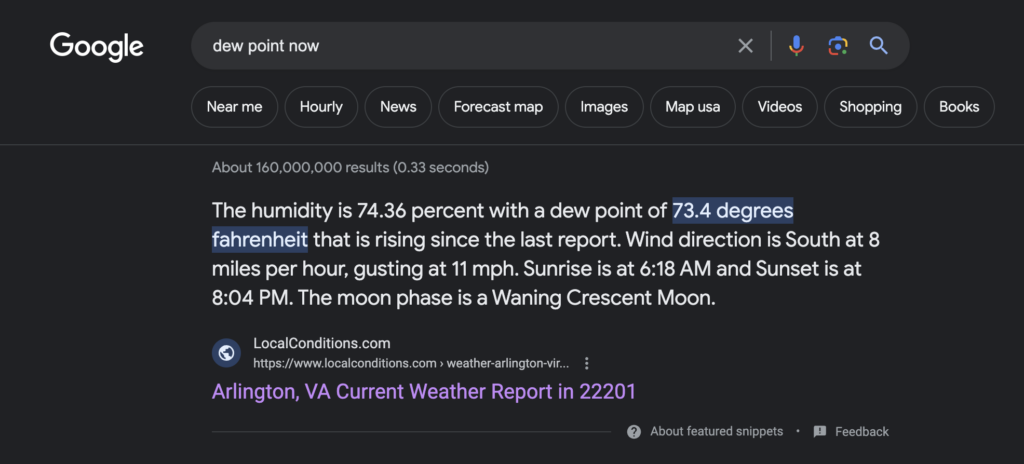
When Googling, try searching for “dew point now” to see the current dew point in your location:
The top hit will likely be https://www.accuweather.com, which has a handy chart telling you the dew point. Alternatively, you could use the dew point calculator found at http://www.dpcalc.org to calculate the dew point yourself based on the weather forecast for the day (you just need to enter the temperature and the RH percentage).
Lastly, if you have issues with either excess moisture or the opposite in your home, consider investing in a dehumidifier or humidifier. These tools can help you to regulate your home’s humidity levels.
When we think about being comfortable in our homes, we often focus on the temperature. While it’s true that an uncomfortably hot house makes it difficult to enjoy our home, high humidity also has a powerful impact on our comfort.
High indoor humidity can also cause a long list of negative effects on our health and the health of our property, even if the temperature is maintained at a comfortable level. Luckily, if the humidity in your house is too high, there are several steps you can take to reduce it, from lifestyle changes to technological solutions like dehumidifiers.
How to reduce humidity room by room
If your humidity problems are centered on one specific area of your house, you can apply more targeted solutions:
🛁 Reducing humidity in your bathroom
Bathrooms are naturally humid spaces. If your bathroom doesn’t have a ventilation fan or window, consider installing one to improve ventilation, or a bathroom dehumidifier that is designed to keep a smaller room clean without being very large and running without making too much noise.
If it does have a ventilation fan, inspect it to see where it vents to; many older homes vented these fans into attics or crawl spaces instead of outside the home. If that’s the case, you may need to install ductwork to direct humid air outside the house.
🍳 Reducing humidity in your kitchen
If your kitchen has a vented hood over the stove, running it more often or at a higher setting can help pull moisture out of the air. Try to fix leaky pipes or taps as soon as you uncover them to keep kitchen moisture under control.
🚪Reducing humidity in your basement
Moisture rises from the ground under your home and can infiltrate your foundation walls. Inspect for water intrusion, looking for staining, damp areas, or persistent puddling and repair as needed. A vapor barrier on the ground will block moisture.
Tip
A dehumidifier designed specifically for basements can be a worthwhile investment.
🏠 Reducing humidity in your attic
The hot, moist air in your home will rise into your attic, where it can be trapped. Roof leaks can also contribute to the humidity levels in an attic. Repairing leaks and sealing air gaps can improve humidity levels. A dehumidifier can also be very helpful.
🧦 Reducing humidity in your laundry
One of the main culprits for humidity in a laundry room is inadequate venting of the dryer. Check your dryer to make sure that the vent hose is connected properly and is not blocked by excess lint or other obstructions.
How to reduce moisture levels in the air
If your home experiences high humidity regularly, you can take some general steps to reduce the moisture levels in the air:
Improve ventilation and repair leaks. Consider replacing caulk around windows or weather stripping on doors. If you discover a water leak, have it repaired before tackling the humidity issues. You can also run fans and open windows to push humid air out of the house.
Alter behaviors. Shorter showers and not drying laundry inside the home can reduce humidity levels noticeably.
Air conditioning. Running air conditioners even when the temperature is not too high outside will help dry out the air in your home. Some AC systems also come with a specific dehumidifying setting.
Baking soda or rock salt. Many substances absorb moisture from the air naturally, but baking soda or rock salt will be the most effective. Fill a container with the material and leave it in the area you need to dry out.
Get a dehumidifier. A high-quality dehumidifier can be very effective at reducing humidity in a home. The key is to ensure the dehumidifier’s capacity is appropriate for the space you need to dry out.
It can be challenging to figure out what’s causing high humidity levels in your house because several things can contribute to humidity levels, including:
Activity. Any activity you engage in that produces steam or evaporating water can increase the humidity in the house. These activities include showering, cooking, or hanging laundry to dry inside the home.
Poor ventilation. If your house is closed up and air cannot move through the interior, humidity levels can rise because the moisture in the air cannot escape.
Inadequate seal. If the humidity is coming from outside the house, a poorly sealed “building envelope” can be the cause. Checking the seals around windows and doors and repairing old, failing caulk can help keep dry air in and moist air out.
Houseplants. Plants can add beauty to a home and freshen the air—but some houseplants can increase the humidity in your home as they release moisture into the air, while others can reduce humidity by absorbing it. Take stock of your indoor plants and make changes as needed.
Inadequate moisture barriers. A lot of the moisture that finds its way into your home comes up from the ground.
Water leaks. If the high humidity in your home is a new phenomenon, inspect your home for water intrusion. Roof leaks, plumbing leaks inside cabinets or walls, and foundation leaks are common areas of the home where water gets in, damaging the home and raising humidity.
The negative impact of high humidity in your house
High humidity levels in your home can have several unpleasant impacts on:
1. Your comfort level
Humidity is measured in two ways: Relative humidity and the dew point of the air. The dew point is the best reference for how humidity will feel for you, and anything over 50° will feel increasingly uncomfortable.
2. Your health
High, sustained humidity can have a negative impact on our health. When humidity is high, the sweat on our skin doesn’t easily evaporate, compromising our ability to regulate temperature (this is the heat index—a measurement of what the air temperature actually feels like).
Almost all of the materials used to construct and finish your home are designed to function in moderate humidity. High humidity in your home can cause a wide range of damage, including:
Discoloration
Mold growth
Deformed or rotted wood
Peeling or blistering paint
Cracked and crumbling masonry
It’s imperative that you deal with high humidity in your home, even if you aren’t concerned about your comfort.
Final thoughts
High humidity in your home can make what should be a place of enjoyment into an unpleasant experience—and it can put your health and your investment in danger. Managing humidity levels requires a combination of proactive maintenance and repair, mindfulness about water usage, and technologies such as dehumidifiers.
Moiswell is a specialist dehumidifier brand that produces large crawl space and commercial dehumidifiers, from 145 pints to 320 pints per day.
According to their website, the Moiswell brand belongs to Hongkong lnofia Technology Co. Limited, a company registered in Hong Kong in 2022.
As with all the dehumidifier reviews we produce here at HouseFresh, we bought the Moiswell 145 pint with our own money and tested its water removal ability and performance over time. We often will update our reviews if things change, such as when our pump died on our hOmeLabs 4000 dehumidifier last month.
We set up the dehumidifier inside our very humid basement of 2,000 sq. ft.
We set up our trusted SensorPush wireless hygrometer to track humidity levels in the air every minute while the dehumidifier is running.
We switch the dehumidifier on to its highest speed and record how long it takes to lower the humidity levels in our basement.
We use an energy meter to measure precisely how much electricity is used when running the dehumidifier.
We track sound levels emitted by the dehumidifier with the help of our sound meter.
The lowdown on the Moiswell 145 pint dehumidifier
“Commercial grade dehumidification without the professional price tag. The Moiswell 145 Pint dehumidifieris a great option for those who want to look beyond standard big box style residential dehumidifiers.”
— Danny Ashton, HouseFresh Founder & Senior Writer
I am currently using it on my basement floor as I haven’t got around to mounting it on my floor joists. It weighs 70 lbs (or nearly 32 kg), so I will need help from someone else to mount it.
That being said, I was glad to see Moiswell added handles at the top of the dehumidifier, making it easier to move around – yes, it is still heavy but the handle bars make picking it up A LOT less challenging.
When I first unboxed the Moiswell 145 Pint dehumidifier, I immediately noticed how much smaller it is compared to the other residential dehumidifiers we tested here at HouseFresh.
Just to show you one example, check out the hOmeLabs 4000 – a residential air purifier that is super popular right now:
It looks nice but the honest truth is that the hOmeLabs 4000 would be way too big for any crawl space, so if you’re looking for a dehumidifier for a tight space, then the Moiswell is your best bet:
The control panel is really straightforward. It has four buttons, one for switching on/off, two for adjusting the humidity target and a timer function, so you can set it up to work for a specific amount of time.
I have connected the Moiswell to a Philips Hue Smart Plug, which means I can treat it like another smart home gadget. This allows me to fit the Moiswell into my existing automated routines for the house, plus it means that I can turn the dehumidifier on/off from anywhere as long as I can access the internet.
Tip
If you are into building a smart home, the Philips Hue system is a cheap way of turning any gadget into a smart appliance.
Washable filter with a pump and drain
All dehumidifiers need to keep dirt from entering the unit, as it can cause damage and lead to failure in the future.
The Moiswell Defender MP70 avoids this by making the washable filter slide out easily for cleaning.
After using this dehumidifier in my basement for two months, I have to say that the Moiswell has a good-quality filter. It is much better than what you get with most of the residential dehumidifiers we have reviewed.
I look forward to using the internal pump. You can use the gravity drain to connect a hose that will flow if you don’t go against gravity.
With the pump option, you also have an internal pump that can move the water vertically up to 16.5ft, which is excellent for use in basements where the drain is often higher than the basement floor.
The Moiswell 145 Pint dehumidifier also offers you the option of using an external pump, allowing you to move water anywhere, depending on the pump’s power.
It’s worth noting that these commercial-style dehumidifiers save space by not having a water bucket, so you will need a hose to remove the water. There is no option just to have the unit collect internally.
I am excited to see how well the pump performs over the long term, as after less than 12 months, our hOmeLabs dehumidifier pump failed, and I saw that this happens quite a bit with residential-style units.
🤓 I have noticed that many of the more prominent brands (Honeywell and Frigidaire) don’t have as many residential-style dehumidifier units with pumps, which might be due to returns.
I hope this dehumidifier has a higher-quality pump and won’t fail me, but I will update this review if it does.
The Moiswell Defender MP70 lowered humidity levels in my basement within 24 hours
I tested the Moiswell Defender MP70 in my very damp basement built in the 1890s. This space regularly gets very damp, reaching up to 74.1% humidity. Since the hOmeLabs pump failed, my basement had accumulated a lot of humidity, so it REALLY needed drying out. This set the perfect conditions for a test.
I used the internal pump to move water to an external drain outside my basement and was glad there was no water bucket to change. It would likely need changing multiple times a day.
To measure the humidity levels over time, I used my Govee WIFI humidity sensor that tracks current humidity every minute. Using this data, I can share below how the Moiswell 145-pint dehumidifier helped to reduce humidity levels to a comfortable level:
Noise levels test results
When running, the Moiswell 145 Pint dehumidifier generated up to 58dB, so you can’t hear it on the ground floor. I liked that the sound was continuous as it helped to blend into the other sounds around.
But sound levels are a personal thing, so feel free to check out the video of the Moiswell Defender MP70 running in my basement:
The cost to run a Moiswell 145 Pint dehumidifier: $541.37 per year
Dehumidifiers use a process similar to air conditioners and can use much more electricity than expected. It’s a little tricky to measure the exact amount of electricity a dehumidifier will use, depending on the current humidity conditions and settings you set up.
The dehumidifier must run harder to reduce the humidity if it’s very humid. When it reaches the target level, it will stop until the humidity levels increase again.
When we tested the Moiswell 145 pint when it was in humid conditions, it pulled 514.96 watts, which, if we assume it will run for 24 hours per day every day of the year, will be $541.37 which I think is likely much higher than will be your usage but worth keeping in mind as these large commercial units do use a lot of energy.
Bottom line
I am impressed with how well the Moiswell Defender MP70 dehumidifier reduced the humidity in my 2000 sqft damp basement. The product looks well made, and while it doesn’t have any smart features, I could make it smart by connecting it to my Philips Hue system.
If you have a sizeable damp basement, this commercial unit would be a better investment in the long term, especially considering how many residential-style units with pumps fail.
If any issues arise, I will continue to update this update, but as of now, this is a powerful, well-built unit for a price that makes it much more affordable than better, well-known brands.
SOURCES
We calculated the monthly energy consumption costs with the help of the Department of Energy’s appliance energy calculator. We calculated yearly costs associated with running Moiswell Defender MP70 for 24hs a day for 365 days. We ran this calculation utilizing the U.S. average utility rate of $0.12/kWh as of September 2023.
At HouseFresh, we have been reviewing air quality products since 2010. In all these years, we learned not to rely on manufacturers’ claims and the ever-so-glowing marketing materials. That is why we buy products with our own money, so we can write unbiased reviews after we’ve had enough time to evaluate air quality products in our home lab. Every unit we recommend has been thoroughly tested to assess its performance, energy consumption, and noise levels emitted in real-life environments. If you have any questions about our testing process for different types of air quality products, just drop us an email at danny@housefresh.com.
The main use case for this dehumidifier was to keep my growing tent free of excess humidity – I didn’t want to have something that took a lot of space but I also needed a unit that I could trust to deal with a large amount of humidifier as it would be located in our basement.
I will be honest, DeLonghi is not a brand I expected to run into in regards to dehumidifiers, as they are normally known for their coffee machines. But I read about the company and learned that they have significant history manufacturing heaters and air conditioners, so it makes total sense that they would move into the world of dehumidification.
As with all our hands-on reviews here at HouseFresh, I bought this unit with my own money, so I have no biases to give a better review than I would under normal circumstances. I also completed a series of tests in my own basement to assess the performance of the De’Longhi DEX214F in real-life conditions.
We set up the dehumidifier inside our very humid basement of 2,000 sq. ft.
We set up our trusted SensorPush wireless hygrometer to track humidity levels in the air every minute while the dehumidifier is running.
We switch the dehumidifier on to its highest speed and record how long it takes to lower the humidity levels in our basement.
We use an energy meter to measure precisely how much electricity is used when running the dehumidifier.
We track sound levels emitted by the dehumidifier with the help of our sound meter.
Right, let’s break down my first-hand experience using the De’Longhi DEX214F dehumidifier. I have been using this unit since September 2021, so I feel confident to give both a short-term and medium-term review of my experience.
The lowdown on the De’Longhi DEX214F
“The De’Longhi DEX214F is a mid-priced dehumidifier and can deal with 14 liters of water in a 24-hour period. If you are looking for a premium dehumidifier for a small to medium-sized room and are based in Europe, you should consider getting a De’Longhi DEX214F.”
— Danny Ashton, HouseFresh Founder & Senior Writer
I know that looks are not the main focus for most people but it is something we like to assess when we know that a unit is going to be in a room all the time.
The Italian heritage is clear with this dehumidifier. The design of the De’Longhi DEX214F is a lot more aesthetically pleasing than most dehumidifiers we have tested.
With its pearly white color and curves, the DEX214F breaks the mold used by other manufacturers who tend to release boxy dehumidifiers that are heavy and difficult to maneuver.
The handle is built into the main part of the unit, making it easy to move the dehumidifier from room to room if you need to do it. This is made even easier thanks to the low weight of this dehumidifier (only 24.9 lbs/11.3 kg when the tank is empty).
Unlike bigger units, it does not include a wall mount, so you can only use your De’Longhi DEX214F in cases where you have space to place it on the floor.
I doubt anyone is going to buy this dehumidifier for looks alone, but it is great to see the care De’Longhi took to make this unit look good when compared to the competition.
Another aspect of design that I always like to review is the control panel. After using the DEX214F at home for over six months, I am happy to report that this is one of the simplest units I have come across in terms of menu options.
💧💧💧 Approximately 40% environment humidity
💧💧 Approximately 50% environment humidity
💧 Approximately 60% environment humidity
The DEX214F also comes with a DRY mode 👕, which is very handy for speeding up the drying of laundry as it sets the dehumidifier to run at its top speed for a short period of time.
You will also get two indicator lights: one to let you know when the tank is full and another one to indicate that the room temperature is too low so the unit is operating at low-temp to ensure the dehumidifier doesn’t ice up.
If you’ve never used a dehumidifier before, these controls will be simple enough to ensure you can just switch on your unit and forget about it – until it’s time to empty the water tank at least!
Underwhelming double filtration technology
I would never recommend you use a dehumidifier to clean the air in the room as an air purifier will always be a better appliance for that specific job. That said, I was happy when I read that the De’Longhi DEX214F came with a double filter system as air filtration technology should keep out particulate matter that might damage the parts inside the unit.
The double filter in the DEX214F is comprised of a dust filter and a replaceable allergen filter for picking up smaller particles.
The dust filter is fine and covers the entire air intake but I wasn’t impressed with the allergen filter.
The problem is that the “allergen filter” is very very small and only protects the air coming from one section of the air intake, so it is basically useless.
Overall this was one of the weakest areas for this particular dehumidifier. I hope that De’Longhi looks at a more effective allergen filter for future models, such as the large filters used in British-made Ebac dehumidifiers.
The De’Longhi DEX214F lowered humidity levels in our test tent within 10 minutes
As I briefly explained earlier in this review, I ran three tests on the De’Longhi DEX214F in my basement to assess its performance in real-life conditions.
The first test was the dehumidification performance test, where I ran the DEX214F inside a Gorilla Grow Shorty Grow tent (3ft x 3ft) placed in the most humid area of my basement.
In the graphic below, you can see how quickly the humidity was reduced after switching on the dehumidifier:
It took less than 10 minutes to reduce from 71% to under 30% relative humidity, which is to be expected in a small space but still impressive to see. By the way, I used a Govee Wifi hygrometer to measure the temperature and humidity levels. What I like about this device is that you set it and then easily pull data in one-minute intervals.
In the graph above, you can see how effective the onboard humidity detector is. You will see that the sensor detected rising humidity levels, and once they hit a high level (60%), the DEX214F automatically switched on to full power till humidity levels dropped.
Every time humidity levels exceeded the average, the onboard humidity detector picked up those levels and switched on the unit until the desired humidity was reached.
It’s worth mentioning that this is a test we have designed to test humidifiers in a controlled space (our grow tent). It is a small space, and most people wouldn’t even consider using a dehumidifier inside a tent, but in terms of our testing, I was pleasantly surprised by the dehumidification performance of the DEX214F.
The only downside was remembering to remove the water, as the 1.2L bucket gets filled pretty quickly in very humid conditions, and my basement is ridiculously humid.
Noise levels test results
When running at its top mode, the De’Longhi DEX214F hit a maximum of 40 dB. This is equivalent to a refrigerator humming in the background.
We’ve recorded a video where we take the dehumidifier from mode to mode so you can listen to the associated noise levels with your own ears, as I understand that noise levels are a personal thing.
The cost to run a De’Longhi DEX214F: $206.04 per year
As part of my testing, I used a power meter to see how much power was used when the dehumidifier was on standby mode (not actively removing water) and found that it used 1.5W (left), which is around $2.1 per year, assuming the average utility rate in the U.S. of $0.12/kWh.
Once the dehumidifier detects an increase in humidity, it will go into full power mode, and as you can see in the image to the right, it increased to 195.6W, which is $206.04 per year (U.S. average utility rate of $0.12/kWh).
The reality is that most people won’t need to run their dehumidifier non-stop for 24 hours a day every single day of the year. But by looking at these figures, you can clearly see the financial benefit of an automatic system that reduces usage when the humidity target is reached.
Bottom line
If you are looking for a premium dehumidifier for a small to medium-sized room and you are based in the European region, you can’t wrong with the De’Longhi DEX214F.
It’s not without its faults, such as the tiny “allergen filter” but these cons are minor when weighed in the context of this unit’s performance. The power of this dehumidifier more than makes up for these minor issues.
De’Longhi is not a company name I would have connected to powerful dehumidifiers, but now that I have tested one of their units firsthand, I am impressed. I would be interested in future models from this company, and I have high expectations for its long-term usage. I do hope they make these dehumidifiers available in America soon.
SOURCES
We calculated the monthly energy consumption costs with the help of the Department of Energy’s appliance energy calculator. We calculated yearly costs associated with running the De’Longhi DEX214F. for 24hs a day for 365 days. We ran this calculation utilizing the U.S. average utility rate of $0.12/kWh as of August 8th, 2023.
At HouseFresh, we have been reviewing air quality products since 2010. In all these years, we learned not to rely on manufacturers’ claims and the ever-so-glowing marketing materials. That is why we buy products with our own money, so we can write unbiased reviews after we’ve had enough time to evaluate air quality products in our home lab. Every unit we recommend has been thoroughly tested to assess its performance, energy consumption, and noise levels emitted in real-life environments. If you have any questions about our testing process for different types of air quality products, just drop us an email at danny@housefresh.com.
The now discontinued FGAC5044W1 was part of the Frigidaire Gallery series, released in 2020.
It completed our extraction test as fast as other popular 50-pint models from brands like Honeywell, and benefits from a larger-than-average water bucket (16.9 pints vs. the 7-14 pints you’ll find in models from other brands).
In our electricity consumption tests, this Frigidaire dehumidifier proved to be much more power hungry than most, with one of the highest energy draws we have seen.
So… Is it worth the money? Read on to find out.
The pros and cons of the Frigidaire 50-Pint FGAC5044W1
A summary of our top-level findings after testing this dehumidifier, following our methodology.
“This Frigidaire dehumidifier is well made and offers solid performance, compared to other 50-pint models. And it achieves this while generating less noise than other similar sized models we have tested. Although, energy consumption is a lot higher than I expected.”
Energy usage was higher than average compared to 50-pint dehumidifier models from other brands.
The warranty covers you for just one (1) year.
PROS
A larger-than-average-sized bucket means that you’ll need to empty it less often.
It comes with a solid handle that makes it much easier to move around the house.
It’s nearly eight (8) full decibels quieter at top speed than the Honeywell 50-pint model.
Frigidaire’s latest 50-pint model has a high efficiency of 2.01 L/KWh.
Humidity reduction rate:
62.2% drop (from 97.7% to 35.5% in 30 minutes)
Water removal capacity (per day):
49.71 pints (28.18 liters)
Recommended room size:
800 – 1,200 sq. ft. (50-90% relative humidity)
Water tank capacity:
16.9 pints (2.11 gallons)
Dimensions (in inches / in cm):
15.8 x 12.4 x 25.4 in (40.1 x 31.5 x 64.5 cm)
Weight (in pounds / in kg):
41 lbs (18.60 kg)
Refrigerant type:
R-410A
Noise level (top speed):
62.7 dBA
Electricity consumption (top speed):
655.29 watts
Manufacturer’s warranty:
1 year
Country of manufacture:
China
Water bucket
A bucket that is larger than average.
The bucket slides out from the front of the device, so you won’t need to move the dehumidifier around as you would with the Xiaomi Smart Dehumidifier Lite.
With a capacity of 16.9 pints, this is the second largest bucket across all 13 dehumidifiers I’ve tested – the bucket handle is much appreciated!
Design, features and controls
Excellent build quality, wheels and a solid handle at the top.
This Frigidaire is heavy, so it’s great to get such a solid handle that pulls out from the top.
It comes on castor wheels, which make it easy to move around on the floor.
There’s a continuous drainage option that you can hook up from the back.
You just need to unscrew the drain cap to screw a hose onto the drain connector.
It has buttons to set the desired humidity level, adjust fan speeds, and switch modes.
You also get a screen that displays humidity readings in real-time.
Dehumidification performance
We tested the Frigidaire FGAC5044W1 in our grow test using a humidifier and our trusted hygrometer.
When running at full speed, this Frigidaire 50-pint dehumidifier reduced humidity from 97.79% to 35.5% in 30 minutes.
As you can see from the chart, the FGAC5044W1 model was the third quickest at reducing humidity in our tent, right after the Honeywell 50-pint and the Moisewell XP70.
In our tests, this 50-Pint Frigidaire extracted 1.137 liters of water in three hours. This was 0.004 liters more than the Honeywell 50-Pint model extracted.
Sound levels
The sound levels of the Frigidaire FGAC5044W1 reached from 62.7 dBA — which is quieter than large dehumidifiers from Honeywell and GE.
I used our BAFX sound meter to measure the sound level the Frigidaire 50-Pint generates when running at top speed. At a distance of 3 ft., I recorded 62.7 dBA.
This makes the FGAC5044W1 quieter than both the Honeywell and GE models, but it’s still the third loudest in our benchmark:
Long-term running costs
Running a Frigidaire FGAC5044W1 will cost you $307.35 per year, assuming you run it 8 hours per day.
We used our energy meter to record how much electricity this dehumidifier pulls when running at top speed.
In our test, we measured 655.29 watts — this is one of the most power-hungry dehumidifiers we’ve tested here at HouseFresh:
Bottom line: Should you get a Frigidaire 50-Pint dehumidifier?
A good performing dehumidifier with a water bucket that is larger than average and quieter operation than most.
While this model (FGAC5044W1) has now been discontinued due to the use of R-410A refrigerant, Frigidaire replaced it with the FHDD5034Y1.
The FGAC5044W1 is also a 50-Pint dehumidifier and it has an improved efficiency to 2.01 L/KWh, which is on par with the very best portable dehumidifiers on the market right now.
The new 50-Pint model shares some of the same downsides as this model I’m reviewing today, such as high energy usage. That said, both models still benefit from the well-designed handle and a larger-than-average water bucket.
I just wish that Frigidaire would extend the warranty beyond just 1 year, as you get with dehumidifiers from brands like Moiswell and Ebac.
If you decide to get yourself a Frigidaire 50-Pint dehumidifier, please use this link – we will receive a small affiliate commission at no extra cost to you that we will reinvest into buying and testing new dehumidifiers. We don’t run any ads and have no partnerships with brands, so we rely on those commissions to continue the work we do.
If you have any questions about the Frigidaire FGAC5044W1 or Frigidaire dehumidifiers in general, please drop them in the comments below, and I’ll get back to you personally as soon as I can.
There’s often nothing worse than being in a stuffy, sticky room. Yet not only does a humid atmosphere feel unpleasant, but it can also lead to health problems. Condensation and damp smells are other unwanted side effects of too much moisture.
This is where dehumidifiers come in: they can effectively reduce indoor moisture levels, making you feel much more comfortable.
We’ll explore how they do that in this article, so keep reading. We’ll also go into more detail about their uses and (occasionally surprising) benefits.
Finally, you’ll find info about spotting signs that you might need a dehumidifier.
How a dehumidifier works
The term “humidity” essentially means the amount of water vapor in the air and dehumidifiers are designed to eliminate or minimize this vapor.
Dehumidifiers can help decrease condensation and dampness and prevent mold growth by reducing excess moisture in the home. The devices may also help to relieve conditions such as allergies and asthma.
But how do they actually work?
After drawing warm air currents via a fan, the warm air contracts and is fed through cold, refrigerated coils inside the machine. Water subsequently condenses on the coils and is left inside the dehumidifier.
As the water droplets collect, they fall into a storage tank connected to the dehumidifier. The other side of the device then releases cooler, drier air back into your room.
The goal of a dehumidifier is to reduce indoor moisture levels in the air to a relative humidity (RH) of between 30-50%, as recommended by the EPA.
This is considered the optimum level for most buildings, as anything above this scale can lead to the growth of bacteria.
Fortunately, many dehumidifiers are fitted with digital humidistats performing two functions. One of these is to measure and tell you the RH levels in the area or room that it’s placed in. The second is that it allows you to set your own preferred RH level. The dehumidifier will then cycle on and off repeatedly to keep it to the desired level.
Tip
If the dehumidifier’s humidistat doesn’t show RH levels (or isn’t fitted with one), you can purchase a handy device called a hygrometer.. If you hang this near the dehumidifier, it will be able to measure the RH levels so that you can gauge when to turn your dehumidifier on and off.
You might be curious about whether dehumidifiers can also clean the air. The answer is: not really… but then again, kind of.
Check out the reasons why here.
Dehumidifiers: uses and benefits
Aside from simply improving the comfort of a room by removing sticky, moist air, dehumidifiers have a wide variety of uses and benefits.
One of the best ways it can improve your health is by reducing allergy triggers. Common triggers in the home include mold, dust mites, pet dander and pollen. Suppose you suffer from one or more of these allergies.
In that case, you may recognize some of the symptoms:
Sneezing
Chest pain
Eye irritation
Itching
Runny nose
Wheezing
Mold and mildew can be especially problematic for people who are sensitive to them. As mold needs moisture to thrive, dehumidifying the air prevents and inhibits its growth, combating mold allergies.
Like mold, dust mites need a certain amount of warmth and humidity to survive and breed. With regular cleaning, using a dehumidifier will help ease the symptoms of a dust mite allergy by keeping moisture levels low. Ideally, this should be between 35-50%, according to a 2016 study.
Dehumidifiers may also help to relieve and control asthma. High moisture levels can make breathing difficult, whereas drier air (as long as it isn’t too dry) is much easier on the lungs.
People who suffer from the lung condition COPD (chronic obstructive pulmonary disease) may also find that their symptoms, such as difficulty breathing, improve. Again, keeping RH levels below 50% is ideal, and a dehumidifier will help.
On top of the health benefits, using a dehumidifier can lead to other advantages. And one surprising plus is that the device could lower your energy bill. Dehumidifiers make the air cooler, so you won’t need to run the air conditioning system as much. Similarly, it can also help the AC to work more efficiently.
One final bonus of dehumidifiers is that cleaning your home becomes easier!Humidity makes lots of things moist — including surfaces. Dust is likely to cling to wet surfaces, objects and ceiling fans. Reducing humidity can help prevent dust from building up and sticking to such feelings.
Signs you need a dehumidifier
If you’re not sure whether a dehumidifier might benefit you and your family, here are some key signs you might want to consider:
🚩 You or anyone in your home suffers from persistent allergies all year round and year after year.
🚩 There are consistent symptoms of a respiratory illness, for example, a runny nose and coughing.
🚩 You or anyone you live with has a dust mite allergy.
🚩 Moving into a new home has caused your allergies to flare up or seem more intense.
🚩 You notice a continual damp smell in a specific area of your home.
🚩 Clothes and linens always seem to smell damp not long after you’ve washed them.
🚩 There is often condensation on windows and windowsills.
🚩 You spot mold and mildew, particularly dark spots on walls, ceilings and around the shower and toilet.
🚩 When you enter your home, you can feel that the air is muggy and can see the water vapor literally.
🚩 You keep noticing unwanted pests like silverfish, spiders, moths and cockroaches.
🚩 There is water leakage following heavy rainfall.
🚩 You notice water stain marks and think your home may have been flooded in the past.
🚩 The wood in your home, such as on a windowsill, is soft to the touch, indicating that it’s rotting.
If any of these things seem familiar, don’t worry because we’re here to help. Be sure to check out our advice on the best dehumidifiers. You can also find guidance about the most effective dehumidifiers for apartments and bathrooms.
Final thoughts
From condensation on windows to health problems like asthma and allergies, there are often key ways to tell that your home has high humidity.
Fortunately, using a dehumidifier will help to combat the issue. It’s a good idea to go for a device that has an inbuilt digital humidistat, as this can tell you the RH levels in your room.
This means that you can always keep to that 30-50% humidity sweet spot.
hOmeLabs is a brand managed by Aterian that is listed on the Nasdaq and is responsible for 2000 products ranging from dehumidifiers to air purifiers. I first became aware of the hOmelabs 50-pint model with a pump when I analyzed the best-selling dehumidifiers on Amazon.
This model stood out as the biggest seller of last year with over 40k reviews with an average review of 4.7 — not easy for a product like a dehumidifier prone to faults. The main aim of this specific model is to bring a high capacity of dehumidification, including a pump but for far less money than you would usually pay.
The hOmelabs 50-pint with pump can often be found for less than $250, while a similar unit from a brand like Honeywell with the same size and pump is over $350. hOmeLabs promises the same level of performance for $100 less, so I was super excited to test it for myself and see if it lives up to the hype.
We set up the dehumidifier inside our very humid basement of 2,000 sq. ft.
We set up our trusted SensorPush wireless hygrometer to track humidity levels in the air every minute while the dehumidifier is running.
We switch the dehumidifier on to its highest speed and record how long it takes to lower the humidity levels in our basement.
We use an energy meter to measure precisely how much electricity is used when running the dehumidifier.
We track sound levels emitted by the dehumidifier with the help of our sound meter.
The lowdown on the hOmeLabs 4000 sq. ft. dehumidifier
“Top-level performance for $250 typically only found in the $350+ range. If you have a damp basement and can use the pump, this is the dehumidifier to get in 2023”— Danny Ashton, Founder & Senior Writer
Don’t want to read my full review? Then get my low down on what I think about the hOmeLabs dehumidifier:
What we really like
50 pints of water removed for $100 less than the competition
Uses less power compared to other models with the same capability – 520 watts vs. 700
The hose is long enough for most situations
Size is easy to live with and comes with wheels for easy moving around
Sound level of 53dB is easy to live with and is much lower than many similar dehumidifiers on the market
What we think could be better
It lacks a carry handle which would make it easier to move to different rooms
No smart mode or app support
Water tank capacity is smaller than other units at this performance level, so less attractive to those who will not be able to utilize the pump and hose
Six months after using the hOmeLabs in my basement, the internal pump started to fail and the hose was unusable due to the amount of mold growing inside of it
The specifications
This model stands out with the amount of dehumidification power for far less money than many other competitors with similar specs:
HouseFresh rating:
★★★✩✩
Water removal in 24 hours (2019 DOE Standard):
50 pints
Water tank capacity:
7 pints
Recommended room size:
Up to 4000 sq. ft.
Noise level full power:
53dB
Dimensions (in inches / in cm):
11.75D x 15.75W x 25.3H inches (30D x 40W x 64H cm)
Any dehumidifier is unlikely to win a design award, but the hOmeLabs 50-pint with pump looks good and has a super simple menu system. You can change the humidification target level at 1% variations.
I preferred the hOmeLabs menu to the Honeywell, as I found the icon-only buttons unclear with the Honeywell model. The hOmeLab uses text and icons, and I could quickly know what each button did without requiring me to check the web.
The hOmeLabs dehumidifier has a high-quality mesh that stops large particles and insects from entering the cooling coils. There is also an alert to inform you when to keep this clean, which alerts me every three months.
Unlike other dehumidifiers we have tested, this unit doesn’t use any filter beyond the dust/insect mesh, and I don’t think this is such a bad thing. The main goal of a dehumidifier is to reduce humidity; if you are looking to clean the air of pollutants or odors, then you are much better off with a dedicated air purifier.
No need to drain daily
One of the highlights of this particular unit was the inclusion of the pump.
If you have ever used a dehumidifier, you will know that a real pain can be emptying the water bucket daily. This is fine for smaller rooms like a bathroom, but for a basement with a significant damp issue, you might be draining the water twice daily with a unit that can pull out 50 pints of water in 24 hours.
This dehumidifier comes with an extended 16.4ft hose that is long enough for most situations; I was able to have mine pump out water to a drain outside my basement.
You need to connect the hose to the connector at the back and press the pump button when using the pump. The pump means that you can have the hose go higher as it will not require gravity, as you will be able to pump the water to another location.
Tip
You can use this model without the pump if you’re not planning to place it in a humid room. However, in that case, you should probably go with a smaller dehumidifier without a pump, as it will be cheaper.
Intuitive control panel
The display screen shows the room’s current humidity level and you can then set your preferred target humidity up to a maximum of 80%. Once the dehumidifier detects hitting the desired humidity level, it automatically reduces power levels and the electricity you use.
The pump button is vital if you want to use the pump as you need to press it, or the unit will just use the water tank.
The timer allows you to have the dehumidifier on for a set amount of time, from 1-24 hours, which will switch off the dehumidifier after a set time. I’m sure this might have some use case.
Personally, I prefer to set the humidity rate and let the machine decide when to be on or off.
The hOmeLabs 4,000 sq ft lowered humidity levels in my basement within two weeks
This hOmeLabs dehumidifier can work up to 4000 square feet, so I tried it in my 2000 square foot very damp basement. My house is relatively old, so the basement gets very damp (90%+), so this is an excellent test for a unit with this level of performance.
I set up the unit with the included hose, which is long enough to connect to an outside pipe and drain. This is great as all the water absorbed from the air is pumped outside without the need of emptying the tank continuously. I had previously tested other smaller units in my basement and found I was emptying the tank twice per day, which was a pain and usually led to me spilling a little water every time.
To test the level of the humidifier, I used my Govee WIFI humidity sensor, which allows me to track the humidifier over time and export the data to show the change over time.
Before turning on the hOmeLabs, my basement showed 90+% humidity, so I set the hOmeLabs to 65% to see if we could hold this humidity level in the short and long term.
I switched on the dehumidifier on the 8th of October 2022, and you can see how quickly it reduced the initial humidity level from 90% down to the desired 65% by the 15th of October. Within two weeks, I saw significantly lower humidity levels.
Once it reached 65%, I didn’t switch off the unit. You can see how effectively it kept my basement’s humidity levels in the 50-60% range, which is much healthier than before. My wife, who suffers from asthma, now finds it much easier to spend time in the basement when before, she would have problems after just a few minutes down there.
I ran the test for a number of months (between October and January) and in that time, I had two alerts to clean the filters and no issues with the pump or with the unit switching off, even when we went away for four weeks along the way.
Overall, I was super happy with its dehumidification performance both in the short and long term.
Noise levels test results
The hOmeLabs 50-pint dehumidifier has a maximum sound level of 53dB, similar to a refrigerator. While certainly not silent, it doesn’t stand out too much. Use a dehumidifier using a target humidifier level.
You will find that the unit is not on full power all the time except when it’s used for the first time and will often come on and off as needed, which helps to reduce the amount of sound generated.
Sound levels are always personal, so we have produced a short video of what our hOmeLabs dehumidifier sounds like in our basement:
The cost to run a hOmeLabs 4,000 sq. ft. dehumidifier: $528 per year
The maximum amount of power that this dehumidifier will draw from the power is 520 watts, which, if we assume it’s using this level of power all the time, will equate to $44 per month according to the Department of Energy’s appliance energy calculator.
When not running at full power (once humidity levels had been reached) the dehumidifier used between 14.9 watts at the lowest and 74.7 watts at the highest — much less than what you will see when you first use the dehumidifier in a very damp location, but something to consider when using longterm as it won’t cost as much as you might think.
Dehumidifiers can certainly use a lot more power than many people expect. Still, for many uses, the unit will not draw maximum capacity as it will switch to a lower power mode when it reaches the level of humidification required.
Bottom line
I had high hopes for the hOmeLabs 50-pint with pump dehumidifier and I’m glad to say that it met those expectations. Certainly, there could be some improvements made to its pump and hose and it would also be good to see this unit come with a handle and an app for your smartphone.
Still, for the price, it’s hard not to recommend this dehumidifier for any homeowner with a damp room that can utilize the pump function. It does the job well, is easy to live with the sound levels and won’t cost too much electricity.
Its main competitor is the Honeywell [TP70PWK] dehumidifier, which has a handle and higher capacity for removing water but, at $100, is a hard choice over this hOmeLabs model.
SOURCES
We calculated the monthly energy consumption costs using the Department of Energy’s appliance energy calculator. We calculated yearly costs associated with running the hOmeLabs humidifier for 24hs a day for 365 days. We ran this calculation using the U.S. average utility rate of $0.12/kWh as of April 2023.
At HouseFresh, we have been reviewing air quality products since 2010. In all these years, we learned not to rely on manufacturers’ claims and the ever-so-glowing marketing materials. That is why we buy products with our own money, so we can write unbiased reviews after we’ve had enough time to evaluate air quality products in our home lab. Every unit we recommend has been thoroughly tested to assess its performance, energy consumption, and noise levels emitted in real-life environments. If you have any questions about our testing process for different types of air quality products, just drop us an email at danny@housefresh.com.
By now, we all know how much a dehumidifier can help our home environment. It is particularly effective when used on a daily basis to prevent the spread of dampness and mold. One significant feature in a dehumidifier is the cooling coils, which, unfortunately, can sometimes freeze. This can result in your unit lacking in general performance. Luckily, there are a few tips and tricks to fix this problem instead of throwing the whole unit away and buying a new one.
Why does a dehumidifier ice up?
When it comes to dehumidifiers, most units give us a warning sign or indication that something’s not quite right, letting us know a bit of TLC may be required. One big sign is when the coils on your unit start to freeze up.
Freezing can be a particularly common issue among dehumidifiers, so here are a few key factors that might be causing the problem:
Factor 1: Room temperature
The temperature of your room can be the most common reason for your unit to freeze. Coils are extremely important in a dehumidifier, they operate by condensing water that drips into the water tank or is pumped away via a hose. However, this all works well as long as the temperature is high enough to do so. If the air is too cold, the water freezes instead of condenses, causing the coils to ice up and cause the problem. Most dehumidifiers tend to work efficiently at 65 degrees or above, anything lower could cause icing so you may have to keep a close eye on it.
Factor 2: Airflow
One of the less common reasons, but still probable, is that your machine isn’t getting enough air flowing through it. This usually means that the fan isn’t operating properly. With air not passing through fluently, it can cause the machine to freeze up. Whilst this issue is noticeable and can be caught early, it may require new parts.
Factor 3: Clogs or blockages
Build-up from dust and dirt is a common hindrance for dehumidifiers. If your unit is not sufficiently maintained, over time it can cause your unit to ice up. Giving the exterior, fan, coils, and filter a good clean will release a lot of the pressure these machines get put under. By allowing air to flow through more smoothly, you will decrease the risk of icing.
How to fix an iced-up dehumidifier
Here are a few troubleshooting ways to fix your iced-up dehumidifier. We’re not electricians and probably neither are you. If you feel like you’re out of your depth, please, call an expert.
Before attempting to fix any problem, first things first, always switch off and unplug your dehumidifier. Remember, your dehumidifier is frozen; moisture, water, and electricity do not mix.
STEP 1️: Clean the filter, blower wheel, and fan blade
Cleaning your unit’s filter is a very simple but necessary process. If your blower wheel and fan blade are blocked or damaged in any way your unit will suffer a huge airflow problem.
💧 Find the safest way to remove the panel covering the filter, slot the filter out carefully, and run it under hot water until you see the dirt and dust begin to disappear.
🧽 Locate the fans or blower fins within the core of your machine and give them a good clean using a slightly damp cloth.
🔍 Check for any obstruction or debris and assess that the wheel / fan spins freely and everything is firmly attached.
Tip
If there do appear to be defects within the machine, do not keep running it. Parts may need to be replaced so running it will be a waste of time and potentially hazardous to your home.
STEP 2: Check the humidity control & sensor
Humidity control operates by sensing relative humidity levels. If there is a fault with the humidity control then there are a few simple ways to detect a problem. If a humidistat doesn’t recognize or sense the correct level of humidity, the compressor in your unit will continue to run which can cause the dehumidifier coils to ice over.
🔌 Unplug your unit and open it up carefully.
🔍 Check your humidity sensor is connected to the humidity control. If the connection is slightly apart or has come apart altogether, the sensor will not be able to give the right information to the thermostat which may cause the unit to freeze.
🙌 Simply re-attach the connection and re-apply the cover.
STEP 3: Check the fan motor
In order for the fan motor to operate effectively, it needs to have an adequate amount of air blowing across the evaporator and condenser coils. If the coils are deprived of a healthy amount of air it can cause an ice build-up, therefore ceasing operation.
🧽 Remove the outer panel of your unit and inspect the coils, they may be riddled with dirt, lint, and dust build-up, so be sure to give them a good clean if required.
🤚 By placing your hand inside the core of your dehumidifier, check to see that the fan motor spins without obstruction and see if the blower wheel or the fan blade is firmly attached. You should give these features a good clean as well as it should be easy to access.
👀 Another great way to test to see if it is an internal issue is to operate the fan-only mode on the control panel and observe the fan motor.
Tip
If there is an unpleasant noise or strange hum it may be a sign that your unit is defective and might need replacing and should contact a specialist.
Dehumidifiers are extremely effective at improving indoor air quality. They reduce the level of humidity and have become difficult to live without in the home. But did you know that dehumidifiers need cleaning and maintaining on a regular basis, especially those that have an air filter?
An air filter plays a fantastic role in tackling mold and condensation, but after a while, your unit may not be as effective as it was from the start. This is probably because your filter is in need of a good clean. Your filter can be removed and washed easily, allowing your unit to perform to its maximum potential once again.
Why could a filter need cleaning?
An air filter’s purpose is to pull contaminants out of the air, so as you can imagine the filter can get very dirty in a short space of time. Failing to keep your machine’s filter clean will evidently result in poor performance, lack of general efficiency, and will waste energy which, in turn, will cost you more money to run.
A dehumidifier filter’s lifespan will be determined greatly on how well you take care of it. You wouldn’t let your plants go without water, or have your car run without engine oil, so be sure to clean your filter to give you the best possible results and improve your home environment.
How to clean a dehumidifier filter: A step by step guide
If your home is starting to show signs of dampness, rot, or evidence of dust mites again, don’t be so quick to dispose of your dehumidifier to buy a new one. It could simply be a case that the air filter needs cleaning.
Here are some useful tips that will help you maintain your product’s filter to put a stop to any problematic development.
1. Unplug your dehumidifier
The very first thing you need to do is to switch off and unplug your dehumidifier. Remember, a dehumidifier deals with moisture and water, which doesn’t exactly mix well with electricity. You want to exclude any risk of being launched across the room from an electric shock, or permanently damaging your unit by exposing its circuits to any moisture contained in the filter when removing.
2. Find the filter cover panel
A lot of dehumidifiers are different but most have the same setup for cleaning the air filter. Seek out the panel at the back of your unit that covers the air filter and carefully remove it. The filter should be staring right at you, however, be sure to check the unit’s instructions or look for a guide on YouTube to find the best approach for your model to avoid any damage.
3. Remove the filter
Depending on the unit, the filters are usually located within the core of the dehumidifier. You may need to remove the water tank in order to slot the filters out. Generally, dehumidifier filters have a tassel that is found towards the top, simply pull on the tassel and the filter should become loose, making them easy to remove. Be wary of any hanging wires and electrics when removing the filter. We always suggest consulting the manual first.
4. Washing your filter
If this is the first time cleaning your filter it can appear filthy. Don’t worry, that just means your dehumidifier is doing its job. Place the filter dust side down in your sink and rinse with hot water, move the filter around in your hands under the tap in order to remove the dust and dirt efficiently (if you have access to a flexible spray tap, it makes everything much easier). Dehumidifier filters are washable and reusable so keep an eye out for any breaks or tears in the material, this may be an indication that you need a new one.
5. Drying your filter
Once you have removed all the dust and dirt from your filter you need to leave it to dry for around half an hour before giving it a thorough dry with a dry cloth or dish towel. Again, be careful not to rip or tear the filter whilst drying. With all the moisture removed, your air filter is now ready to place back into the dehumidifier.
Tip
Some units come with filters on both the front and back. Be sure to check your manual so you’re not doing half a job.
6. Placing the filter back in your dehumidifier
Placing your filter back into your machine is as simple as it was to remove. Slot the filter into its place, making sure it’s in the right position making sure it isn’t loose or wobbly. Don’t force anything and risk damaging your unit.
You will probably notice that your filter is now sparkling but your unit isn’t. You’ve already come this far, you might as well give the whole dehumidifier a clean to fully maximize its efficiency. Follow our step-by-step guide on how to clean and maintain your unit to avoid any further moisture issues or having to shell out for a new one.
Final thoughts
Cleaning your air filter is paramount. If you want your dehumidifier to work to its maximum potential, it is recommended that the filter(s) are cleaned once every 2-3 weeks. This can vary depending on how high humidity levels are, or how frequently your unit is used, but as long as you keep on top of the maintenance you should not be concerned about performance.
Dehumidifiers are put under a lot of pressure, tackling excess moisture on a daily basis which takes its toll. Keeping your unit well maintained doesn’t only improve performance but will save you from buying a new one whenever there is a problem.
If you’ve noticed that your dehumidifier doesn’t seem to be collecting much water – or isn’t collecting any water at all – there could be a few different things causing the issue. It may well be the case that there is nothing wrong with your dehumidifier at all, but there may also be a mechanical issue involved. In this article, we will go over all of the possible reasons why your dehumidifier isn’t collecting water, and more importantly, suggest what you can do to fix the problem (if there is, in fact, a problem to fix).
A compressor dehumidifier explained
How do you know if your dehumidifier is not working?
First and foremost, you should make sure that your dehumidifier is actually malfunctioning. It could be the case that there simply isn’t any moisture in the air for the dehumidifier to collect. When you first purchase a dehumidifier, it has the tremendous task of collecting all of the moisture on your ceiling, walls and furniture, and everywhere else in your home.
So, in the first few days or weeks after buying a dehumidifier, you’ll notice it collecting a ton of water. However, after it has removed all of the existing moisture and humidity from your home, you’ll notice a big decrease in the amount of water being collected – simply because there is no longer that much water to collect. As such, if your dehumidifier is relatively new, and you’ve noticed it’s no longer collecting water, it may be the case that it’s working perfectly.
However, if your dehumidifier is not brand new, or if you notice that it’s particularly humid in your home and the dehumidifier is not collecting much water, then there is probably another issue at play. Let’s go over some of the issues that could be causing the problem.
Desiccant vs. compressor dehumidifiers
Before diagnosing the problem, it’s important to distinguish between the two different types of dehumidifiers on the market. Desiccant dehumidifiers use a special substance to collect and absorb moisture in the air, whereas compressor dehumidifiers use a cold coil system to accomplish this task.
Depending on which type of dehumidifier you have, the issue will likely be caused by a different problem. In most cases, if a desiccant dehumidifier isn’t functioning properly, it’s because either the desiccant material – whether it be silica, Zeolite, or another desiccant – needs to be replaced, or the filter or condenser is clogged.
Try changing your filter first. If that doesn’t solve the problem, then you may need to replace the desiccant. It could also be the case that the fan is blocked, so be sure to check for and remove any obstructions that could cause the fan to stop working properly.
That said, most dehumidifiers are compressor-based. When diagnosing problems with your compressor/cold coil dehumidifier, there are a few potential culprits. Let’s go over them one by one.
1. You are running your dehumidifier too often
Dehumidifiers are not meant to run all the time. If there is no moisture in the air for the dehumidifier to collect, operating it will only put unnecessary strain on the mechanical components, which can cause them to overheat and subsequently malfunction. To prevent this problem, make sure that you only turn your dehumidifier on occasionally or when it’s particularly humid in your home.
2. The temperature is too low for your dehumidifier
Condenser dehumidifiers use a cold coil system. These work by passing warm, moist air through the coil, which cools the air rapidly and extracts the water from it; the water then collects in the basin at the bottom of the unit. However, if the air temperature is very cold, the water can turn to ice on the coil, which can clog it up and cause it to stop working properly. Make sure that you only run your dehumidifier when the ambient room temperature is warm to avoid this problem.
3. Your refrigerant fluid needs to be topped up
It could also be the case that you just need to top up your refrigerant fluid. Compressor dehumidifiers rely on a refrigerant to cool the coils that extract the moisture from the air, so check to see if you need to top up your fluid; all too often, this is the problem, especially if you have been using your dehumidifier often or it’s a few years old.
4. The compressor is malfunctioning
A more severe problem could be that the compressor isn’t working properly. Unfortunately, dehumidifiers don’t last forever. Most good dehumidifiers on the market should serve you faithfully for many years, but eventually, they will give out one day. If your compressor has stopped working, you have two options: you can either pay to replace the compressor or you can buy a new dehumidifier. Both options will require an investment, so you’ll probably be better off buying a new dehumidifier.
5. You have a blocked drainage pipe
Some units also have a drainage pipe that allows the collected water to drain out continuously. It’s a relatively rare problem, but if you have a dehumidifier with a drainage pipe, then check to see whether it may be blocked. Should that be the case, try to clear the blockage and see if that resolves the issue; in most cases, it will.
For the detailed answer, I would refer toJoe Schwarcz Ph.D. from McGill Canada who says that water created by a dehumidifier is drinkable but there are risks associated with the growth of bacteria if it’s left for some time in the tank.
Andy Martin from Stanford Mag says you shouldn’t drink it, due to the fact that mildew algae and mold could form in the bucket and mentions that that metal residue from the dehumidifier could contaminate the water but doesn’t link any specific research.
In 2018,UC Berkeley released information on a device that uses a condenser similar to how a dehumidifier works to generate drinkable water when combined with a carbon filter.
I then came across this BBC news story about theMayo Group Peru for the University of Engineering and Technology that created a device using advertising billboards to create drinking water that uses a dehumidification process combined with a carbon water filter to produce 96 liters per day.
Next, I saw this exact technique in practice over on Youtube of using a standard consumer dehumidifier from the Canadian Prepper team. He combines a dehumidifier with a portable power station connected to solar to create a device for creating water when main lines are not working. He does use a water bottle filter as he had concerns about viruses and bacteria similar to our experts Joe Schwarcz Ph.D. and Andy Martin.As of 2022, you can buy devices called Atmospheric Water Generators from Nube that use a dehumidification process with a reverse osmosis cleaning process which can provide 8 gallons or 64 pints of water per day but do come at a hefty price tag north of $1,800.
Housefresh experiment: Comparing the quality of dehumidifier water with tap water
A standard commercial dehumidifier can remove up to 30 pints of water per day and will also cost a lot less than $300. This could be a way to generate water in an emergency situation as long you are aware of the risks of bacteria from the water sitting in the container.
This isn’t something I would recommend but I wanted to see for real if I could drink the water from my dehumidifier.
I reduced the risk of contamination by using the water that had been left for only a few hours and took the precaution to look at the dissolved solid content and also do a water test normally used for well water to look for signs of bacteria, pesticide, and lead.
To start this test I used my Ebac 3850e dehumidifier and used a fairly simple TDS meter that measures the conductivity to see the levels of dissolved solids in the water. I compared this with tap water and filtered tap water.
My experiment showed that water from the dehumidifier bucket was in the range of “ideal drinking water” following the figures from the chart below:
Tap water: 54 parts per million
Filtered tap water: 45 parts per million
From dehumidifier bucket: 7 parts per million
Based on the TDS meter, this water is very close to containing no dissolved solids in the water. This doesn’t mean that the water is safe to drink as a TDS meter doesn’t know exactly what is in the water and it could still contain things like bacteria, lead, and pesticides, but it’s much closer to distilled water than normal tap water.
For the next step, I bought a well water test kit that would allow me to be confident that no bacteria, lead, or pesticide was in the water before I took a gulp.
I mixed the water with the agent and left it for 48 hours before checking the color: a yellow shade would signify the presence of bacteria, whereas a purple shade would show no bacteria were present.
As you can see in the image below the bacteria test on the water from the dehumidifier bucket came back negative:
There was still a concern about the presence of lead or pesticides so I went one step further and tested the dehumidifier for both of these substances using the Watersafe Lead Test and Pesticide Test.
As you can see in the image below, the water from the dehumidifier showed no presence of pesticides or lead.
With all test results coming back negative, I was happy to take the risk and taste the water from the dehumidifier bucket for the love of science.
So, how did it taste?
Quite weird.
But cool to know that you can drink dehumidifier water if you have no other option.
However, the low mineral content in the water gave it a strange distilled taste with no clear flavor – a stark difference when compared to the taste of tap or filtered water.
I wouldn’t want to drink it regularly, but I could see myself using it in an emergency with the help of a water filter system, as I would always be concerned about the potential of bacteria in the bucket.
One thing worth mentioning is that the water generated through dehumidification has no trace minerals that you would normally find in drinking water, such as calcium. This could create health issues if you have a deficiency in your normal diet.
I hope you never have to drink the water from your dehumidifier, but at least you know it could be possible if you have a way to clean it.
Ebac (or Elliott Brothers Air Control) is a British company founded by John Elliott and his brothers in 1972. Within seven years, Ebac went on to reach a £1m turnover, becoming the leading UK brand for dehumidifiers.
Many of the dehumidifiers on the market are aimed at the United States or Asia and are designed for those particular climates, but Ebac is a specialist UK dehumidifier brand and that is the reason why I chose to review the Ebac 3850e.
I live in the middle of a national park in England, and our home is a stone house built in the 1870s. This means that we face high humidity levels all year round due to continuous rain and the fact that our stone home has been standing for over 150 years. Our situation requires a dehumidifier running 24/7.
Before I take you through my review, let me mention that we bought the Ebac 3850e with our own money, as we do with all the hands-on reviews we publish here at HouseFresh. We have no relationship with Ebac, so we can be completely unbiased in our assessment of this dehumidifier.
We set up the dehumidifier inside our very humid basement of 2,000 sq. ft.
We set up our trusted SensorPush wireless hygrometer to track humidity levels in the air every minute while the dehumidifier is running.
We switch the dehumidifier on to its highest speed and record how long it takes to lower the humidity levels in our basement.
We use an energy meter to measure precisely how much electricity is used when running the dehumidifier.
We track sound levels emitted by the dehumidifier with the help of our sound meter.
The lowdown on the Ebac 3850e
“I live in the middle of a national park in England, and our home is a stone house built in the 1870s. This means that we face high humidity levels in our home that require a dehumidifier running 24/7. The Ebac 3850e has been running non-stop in our dining room since the end of 2021, and we have experienced zero issues. That is a testament to the quality built and efficiency of this device.”
— Danny Ashton, HouseFresh Founder & Senior Writer
I mean, it’s a dehumidifier. It won’t win any interior design awards and it might clash with the décor of your home, but I personally like the curvy lines and the compact size.
That said, this doesn’t mean that Ebac didn’t put any time into the design of this dehumidifier. Perhaps the point is that they put some thought into the internals and also the most important element of any dehumidifier: its water container.
That’s right, my favorite part about the Ebac 3850e is its bucket.
You might think nothing of it but if you have used as many dehumidifers as I have you will know that the worst part of having a dehumidifier is emptying its bucket. Usually these things are bulky and prone to spilling water everywhere on the trip to the sink.
But as you can see in the photo below, the bucket in the Ebac 3850e has been designed to be easy to carry without making big messes.
The bucket in the Ebac 3850e has been designed to resemble a watering can or a water container that can easily be removed without water spillages. I actually use it to water my plants, so the handle comes super handy.
You can see how the design of the bucket makes emptying super easy:
On the back of the unit, you will find the filter and the cable, which can be easily tucked in to keep things tidy.
In case you didn’t know, all dehumidifiers require some sort of filter system to protect the delicate internal parts of the device from being covered in dust or other small particles floating in the air.
The Ebac 3850e comes with a combination of filters that include both carbon and antibacterial filtration.
That means that your dehumidifier will be able to help clean the air at the same time it reduces moisture. Now, a dehumidifier will never be as effective at cleaning the air as an air purifier will, but this is a nice touch from Ebac.
You can see in the image below how chunky the carbon filter is:
The filter system used by Ebac is something that I hope other manufacturers imitate. It would be excellent if this becomes the standard.
Tip
You should vacuum your filters every month to ensure optimum performance.
By the way, this unit doesn’t come with a hose or wheels, but the good news is that this is something you care about, you can just buy them separately, costing around $18 (or £15).
Smart controls not found in other dehumidifiers
The screen of the Ebac 3850e can feel a little confusing at first but it’s actually pretty straightforward once you start using it.
When you first look at the menu system for the Ebac 3850e, it can be a little confusing, but once you have had a chance to play around, it’s pretty simple.
One of the best features of the Ebac 3850e is the fact is the Smart Control mode. Most dehumidifiers allow you to set the humidity preference either as a specific percentage of humidity (like we saw in the Honeywell dehumidifiers) or as a set range (like we saw in the Delonghi dehumidifiers).
According to Ebac’s marketing materials, there are three key elements of the Smart Control: humidity sensors that detect moisture levels, artificial intelligence that learns about the patterns of the moisture, and automatic settings that allow the dehumidifier to remove the right amount of moisture before it becomes a problem.
In simple terms, it means that rather than having a simple on-off mode, the Ebac 3850e continually keeps track of the levels of humidity and can make small adjustments to ensure your room is kept at the right level of humidity.
Ebac’s Smart Control results in a dehumidifier that consumes far less electricity compared to other non-smart dehumidifiers. Other dehumidifiers I have tested wait for humidity levels to reach higher levels before they kick in and this results in the devices working harder, consuming more electricity and generating more water. With Smart Control, Ebac helps you save money in the long run as your dehumidifier won’t be pushed as hard.
In the video below, I’ll take you through the different options on the display:
For most use cases you will just leave it on Smart Mode, and that will be the end of it. You can adjust the fan system, but I found the Smart Mode to be fine for minor adjustments.
The only other mode that I use on a regular basis is the Laundry Modem, which pushes the unit into a higher mode for a short period of time. It is perfect for when you have just put the laundry to dry.
The Cost of Running the Ebac 3850e = $197.10 (or £156.95)
On the Ebac website, they mention that the unit costs 54 cents (43p) per day to run.
I’m assuming that due to the Smart Mode, Ebac has not shared specific watt usage, as it will vary dramatically depending on what the Smart Mode requires at the time.
Luckily, I used my trusted energy power meter to see how much actual energy the Ebac 3850e consumes when running at different modes.
On the normal Smart Mode, my Ebac 3850e pulled 148.2 watts. When I switched it to its highest mode, this increased to 160 watts. So that would be 88 cents (or 70p) per day at the lowest mode and 94 cents (or 75p) per day at the highest level.
One thing to consider is that most of the time, your dehumidifier will not be active (especially if you run it on Smart Mode), so the 54 cents (43p) per day estimate from Ebac is fair.
Bottom line: Is the Ebac 3850e worth it?
The two standout features are the Smart Mode and the anti-spillage water bucket. These two features deal with two of the biggest pain points of having a dehumidifier.
I never thought I would get excited about a dehumidifier, but Ebac has done something very special with the 3850e.
With energy prices expected to increase, anything that can help to reduce bill costs is worth looking at. Most humidity issues don’t go away, so you will have to run your dehumidifier every single day, which can make these long-term costs quickly add up. The Smart Mode in the Ebac 3850e guarantees that your energy bill won’t be impacted as much as it would if you were to choose a different dehumidifier.
The Smart Mode combined with the clever design of the water bucket, makes the Ebac 3850e my go-to recommendation for anyone looking for a dehumidifier in the UK.
You can buy this unit from Amazon, but I would suggest buying it locally from a shop. And if that is not possible, you can also buy it directly from Ebac.
Extreme heat events are becoming more common as the climate warms. Cities around the world, but particularly in the Global South, are scrambling to cope, their buildings and infrastructure not designed to counter such dangerous temperature levels. This heat leads to humidity. And humidity — the amount of water vapor in the air, or that muggy feeling — can lead to fatigue, fainting or worse.
“If you’re sitting in the shade with unlimited drinking water in California’s Death Valley, conditions may not be pleasant, but they’re survivable,” says Colin Raymond, a climate scientist at NASA’s Jet Propulsion Laboratory in Southern California. “But in humid regions, once you approach wet-bulb temperatures of 34-to-36 degrees Celsius (93-to-97 degrees Fahrenheit), it doesn’t matter what you’re doing. You can’t survive for extended periods of time.”
Heat and humidity can feel particularly intense in the city. And the World Economic Forum predicts that the percentage of the world population living in cities will rise from 55% now to 80% by 2050. With more dramatic steps needed by both urban institutions and city-dwellers, we identified the most humid cities in the world and ranked every major city by the number of days per year that each major city is humid.
Key findings
Honolulu (Hawaii) is the most humid major U.S. city, with 337.1 uncomfortably humid days per year.
Singapore, Macapa (Brazil) and Cartagena (Colombia) are among the most humid global cities, with 365 uncomfortably humid days per year.
Portsmouth is the most humidUK city, with 11.7 uncomfortably humid days each year.
Hamilton is Canada’smost humidcity, with 52.7 uncomfortably humid days per year.
Cairns is Australia’smost humidcity, with 315 uncomfortably humid days each year.
We analyzed Weather Spark’s humidity data for 14,657 major cities to find how many days in 2023 each experienced a dew point of at least 16°C (60°F). We ranked cities with the most days above this level as the most humid.
Dew point is the temperature at which perspiration evaporates from the skin, cooling the body, so higher dew points feel more humid. This makes it a more accurate measure of how muggy it feels on a given day compared to relative humidity.
Before we dive into the results of our study, have a read at the mini-infographic below to learn more about the difference between relative humidity and dew point:
The most humid cities in the United States
We ranked America’s top 20 most humid places, based on the number of uncomfortably humid days they experience each year.
We found that Honolulu in Hawaii is the most humid major U.S. city, with 337.1 days per year when the dew point is 16°C (60°F) or over. However, Florida is the state with the most major cities among America’s most humid. There are seven Florida cities in the top ten, each with over 208 days per year of high humidity.
Honolulu is significantly more humid than any major U.S. city outside of Hawaii. The island state is more than 2,000 miles from the main continent and is surrounded by sea with a surface temperature that rarely dips below 22 degrees, causing moisture to rise from the ocean and contributing to humidity.
However, the humidity is far from uniform in Hawaii. The dramatic lay of the land plays a major part in modulating weather effects, and winds rushing down from the mountains can dry the air, worsening another climate-related threat: wildfires, such as those that engulfed Maui last summer.
The most humid city in every state
We mapped the city in each U.S. state that experiences the most uncomfortably humid days annually, with Kailua in Hawaii taking the top spot.
Our study shows that the most humid Hawaiian cities eclipse mainland humidity levels. For the map below, we expanded from major cities to include all U.S. cities with a population of more than 10,000 people. We found that Kailua, to the north-east of Honolulu on the island of Oʻahu, is the most humid city of this scale in America, suffering from 342.9 humid days per year.
The second most humid city with a population of over 10,000 is Homestead, joining its larger Florida neighbors Miami, Orlando and Sarasota among America’s muggiest places. Homestead suffers from 301.5 humid days per year. Local farmworker Efraín López García died at work in Homestead on July 6, 2023 — the hottest day on record — having suffered “symptoms consistent with heat illness,” according to NBC News.
“All of this could have been prevented with the right legislation,” said Yvette Cruz, Farmworker Association of Florida spokesperson. “All we ask is for four basic things: water, shade, breaks and to work with somebody — not to be left alone.”
The most humid cities around the world
We analyzed worldwide humidity data to identify the city in every country that experiences the highest number of uncomfortably humid days each year.
There are seven countries worldwide with cities that have constantly high humidity (365 days per year). Four of these are in Asia, and two are in South America, with Libreville in Gabon, Africa, the seventh.
The most humid cities in North America
We ranked the top 10 places across North America that experience the most uncomfortably humid weather.
No North American countries are among the global top 20. But San Pedro Sula in Honduras suffers uncomfortably high humidity 363.5 days a year, so it is not far behind. The city is hot throughout the year but may be a little less humid in April when it tends to rain less.
There are two Mexican cities among North America’s most humid. Cancun suffers from 348.3 uncomfortably humid days per year. The tropical climate and location on the Caribbean Sea combine to create a warm, damp atmosphere, particularly between June and October when it is rainier. To the west of the continent, Acapulco suffers even worse humidity, with Pacific Coastal conditions exacerbated by harsh trade winds.
The most humid cities in Europe
These 10 European cities experience the highest number of uncomfortably humid days each year.
Next, we looked at Europe, where the humidity level among the most humid major cities is lower than on any other continent. Nine out of the top ten cities are in Spain or Italy, where the climate and moisture from the Mediterranean combine to keep things muggy through the summer months.
The south of Europe also feels the knock-on effects of African weather events. “The bubble of hot air that has inflated over Southern Europe has turned Italy and surrounding countries into a giant pizza oven,” explained Hannah Cloke, a University of Reading climate scientist, during the European heatwave last summer. “The hot air, which pushed in from Africa, is now staying put with settled high-pressure conditions meaning that heat in warm sea, land and air continues to build.”
The most humid cities in Asia
We ranked the top 10 most humid places across Asia, with Balikpapan in Indonesia taking the crown.
Our data shows that Asian cities are the most humid of all. In fact, the entire top ten suffers from humidity 365 days per year. In order to rank them, we calculated the number of days each city spent at an extreme level of humidity (24°C/75°F dew point or more). By this metric, Balikpapan in Indonesia is the most humid, suffering 365.0 humid days and 268.8 extremely humid days per year.
Asia is particularly susceptible to humidity due to its geographical layout, with vast mountainous regions, proximity to warm seas and intense monsoon seasons creating a “hothouse atmosphere.” Four of the most humid major Asian cities are in the Philippines. Humidity levels reached as high as 97% in May 2023. A 2019 report from the Institute for Economics and Peace suggested that the Philippines is the country most at risk from the climate crisis.
The most humid cities in South America
Below you’ll find a ranking of the South American cities with the highest number of uncomfortably humid days per year.
All of South America’s ten most humid major cities are in Colombia or Brazil, and all suffer 365 humid days per year. (As described above, we separated them based on how many days each city spent at an extreme level of humidity of 24°C/75°F dew point or more.)
Cartagena in Colombia is South America’s most humid major city, with 365 days of humidity, of which 248.91 are extreme. The city has plans to construct six embankments and four breakwaters to defend against the onslaught of climate change. Researchers at the Niels Bohr Institute predict that the median sea level will rise by one meter over the next 100 years, which will affect 93% of Cartagena’s tourism zone, according to the Center for Caribbean Oceanographic Research.
The most humid cities in Oceania
We also uncovered the top 10 most humid places across Oceania, based on the number of uncomfortably humid days they experience yearly.
The bulk of Oceania’s most humid major cities are in Australia, partly because this is where the majority of the region’s major cities are. However, the Fijian capital, Suva, stands out as the most humid by far, with 356.6 uncomfortably humid days per year.
Fiji’s position puts it on the front line of climate change. “[M]any children in the region have already experienced firsthand the impacts of severe cyclonic events which are happening with greater frequency,” says Milika Sobey, Pacific Islands program manager at The Asia Foundation. “They are experiencing firsthand the warmer ocean, the sea level rise, the destructive storm surges, the eroding coastlines and the trauma of relocation.”
The most humid cities in Africa
Libreville in Gabon tops the list of the 10 most humid places across Africa, according to the number of uncomfortably humid days they experience annually.
The most humid major African cities barely get a day without uncomfortable humidity each year; all among the top 20 most humid have more than 361 days per year of humidity. Cities from eight different countries are among the top ten, with diverse conditions contributing to local humidity, including proximity to the sea or dense forest cover and a tropical climate induced by closeness to the equator.
Libreville, the capital of Gabon, is the only city where the dew point is always at least 16°C. Gabon is mainly covered by forests and is considered “probably the most carbon-positive country in the world due to its strong environmental conservation and longstanding political commitment to preserving the country’s untouched natural environment.” However, weather patterns are already changing drastically in Gabon, and an increase in heat waves and coastal flooding is likely to impact the country’s biodiversity and the health of locals in cities and rural areas.
The effects of high humidity on our health
In addition to feeling muggy and uncomfortable, high humidity levels can have several effects on human health. This is particularly the case for older people, those with pre-existing conditions and those who are on medication — although young, healthy people are also vulnerable to severe, ongoing humidity.
The effects of dangerous levels of humidity include:
Difficulty regulating body temperature: Humidity can slow the evaporation of sweat so that the body fails to cool — which can lead to heat stroke.
Skin issues: Trapped sweat can cause heat rash and worsen existing conditions such as eczema.
Aggravation of heart issues: Humidity increases blood flow to the skin, putting additional strain on the heart and circulatory system. Pre-existing damage from a heart attack can make it harder for your heart to keep up with demands.
These are the best steps you can take to protect your family’s health if you’re planning on visiting any of the destinations highlighted in our study:
Check the weather before you go: If the weather report suggests high humidity levels, plan to take it easy and not venture too far from well-air-conditioned areas.
Dress to stay cool: Wear loose clothes to stay comfortable and a hat to keep the sun off your head and face. Light, breathable fabrics in pale, reflective colors will help your body stay cool.
Drink plenty of fluids: “Drinking enough fluids is one of the most important things you can do to prevent heat illness,” according to the Centers for Disease Control and Prevention (CDC). The CDC recommends drinking water before, during and after activity.
Be aware of the symptoms: Sweating, cramps, dizziness, an itchy rash, nausea and headaches can all be symptoms of heat or humidity-induced sickness.
Sadly, humidity is an issue that is going to get worse in cities all around the world, particularly in parts of South Asia and the Persian Gulf and states including Arkansas, Missouri and Iowa.
While the sick, the elderly, and those who work most outdoors are among the most vulnerable to humidity, those “without access to air conditioning” are also vulnerable, according to NASA. “Air conditioning removes humidity from the air and is the best solution when wet-bulb temperatures get too high. Fans can help sweat evaporate more efficiently, but they’re less effective.”
Final thoughts from our founder
“Humidity in the home can cause problems ranging from discomfort to serious health issues and from moldy walls to severe structural issues. Here are some ideas on how to counter it:
1. Use a dehumidifier. Dehumidifiers pull moisture out of the air and collect it in a tank. Choose an energy-efficient one, and you’ll find it uses far less energy than many other household appliances.
2. Use electric fans. An electric fan creates a breeze to keep you cool but also prevents moisture from settling and improves evaporation levels.
3. Open doors and windows. The simplest solution to keep air flowing through your home and let moisture escape is to give it somewhere to go. If keeping external doors and windows open isn’t possible, keeping interior ones open can still help.
4. Take shorter showers and dry laundry outdoors. Consider ways that your daily routine may contribute to humidity in the home, and take steps to reduce the amount of warm moisture that you create indoors.
5. Get dehumidifying houseplants. Plants such as Baby Rubberplant, Golden Pothos and Aloe Vera are excellent at removing moisture from the air in a room.
For more tips, check out our extensive guide with advice to help you naturally dehumidify a room without a dehumidifier.”
Danny Ashton Founder of HouseFresh
METHODOLOGY
To identify the cities worldwide with the most humid days annually, we pulled humidity comfort data from 14,657 major cities from https://weatherspark.com/.
Our study ranks cities based on the number of days each in 2023 with a dew point of 16°C (60°F) or above (the dew point at which the air stops feeling comfortable and starts feeling humid).
For cities that were tied on 365 annual humid days in the South America and Asia rankings, we separated them based on the number of days spent at an extreme level of humidity (24°C/75°F dew point or above).
For the U.S. map, we lowered the threshold to 10k population cities to dive deeper into the most humid cities by state beyond just the largest settlements.
The dew point defines humidity comfort levels. Dew point temperature determines when perspiration evaporates from the skin, cooling the body. Lower dew point temperatures feel drier, and higher dew points feel more humid.
Dew point better represents how humid a city feels than relative humidity. This is explained here and here.
On paper, the Pro Breeze mini dehumidifier seems like the perfect dehumidifier: it’s tiny, silent and costs less than $50.
But is it a good use of 50 bucks?
In our tests, this 500ml (17oz) mini dehumidifier couldn’t extract enough moisture from the air to have a meaningful effect in the test room – especially when compared to other dehumidifier models we tested.
Let me walk you through the data.
The pros and cons of the Pro Breeze Mini Dehumidifier
A summary of our top-level findings after testing this dehumidifier in our home.
“After testing the Pro Breeze Mini Dehumidifier, I wouldn’t recommend it to anyone unless you have a very specific case where you need a very small dehumidifier for a very small space like a tiny closet.
But for most people, I suggest you try to stretch your budget and get a larger dehumidifier that will be powerful enough to remove a meaningful amount of water from the air – check out the AEOCKY Boreas for an affordable option.”
The water extraction rate is too low for spaces larger than a small cupboard.
The LED light is super dim, so it’s hard to know whether the dehumidifier is on during the day.
PROS
It’s small and easy to find a spot for, even in the smallest of places.
It’s silent, reaching just 35.5 decibels.
One-button operation makes it incredibly easy to use.
It costs less than $50, so most people will find it affordable.
Water removal capacity (per day):
5.8 pints (0.25 liters)
Recommended room size:
500– 800 sq. ft. (50-90% relative humidity)
Water tank capacity:
0.53 pints (0.71 gallons)
Dimensions (in inches / in cm):
6.1 x 5.1 x 8.6 in (15.6 x 13 x 22 cm)
Weight (in pounds / in kg):
2.2 lbs (1 kg)
Dehumidifier type:
Peltier
Noise level:
35.5 dBA
Electricity consumption(top speed):
41.1 watts
Manufacturer’s warranty:
1 year
Country of manufacture:
China
Water bucket
A small water container that sits at the front.
The bucket slides out from the front. This is more convenient than with models with the bucket at the back, like the larger Pro Breeze PB-D-23.
With a capacity of 0.5 liters, this is one of the smallest containers across all dehumidifiers I’ve tested and needs to be emptied more often than most.
Design, features and controls
A tiny body that can be carried with one hand.
This dehumidifier is super small and light – one of the smallest in my collection.
The control panel is as simple as it can be, with only two buttons – on and off.
Dehumidification performance
We tested the Pro Breeze Mini Dehumidifier 500ml with our trusted hygrometer.
In our tests, this Pro Breeze Mini Dehumidifier extracted 0.412 liters of water in three hours. This result is more in line with 20 to 35-pint dehumidifiers than with 50-pint models.
This is better than the NineSky H2, but it’s very underpowered to make a meaningful difference to the humidity levels in a room.
Sound levels
The sound levels of the Pro Breeze Mini Dehumidifier reached 35.5 dBA, so it’s whisper-quiet
I used our BAFX sound meter to measure how much sound the Pro Breeze Mini Dehumidifier 500ml generated. At a distance of 3 ft., I recorded 35.5 dBA.
As you can see from the table, this is considerably quieter than other dehumidifiers we tested.
Also, keep in mind that the ambient noise level in our test room is 35 dBA, so it’s possible that this mini dehumidifier would reach even quieter results if we could test it in a silent room.
Long-term running costs
Running your Pro Breeze Mini Dehumidifier will cost you $31.77 per year, assuming you run it 12 hours per day.
We used our energy meter to record how much electricity this dehumidifier pulls when running at top speed.
As we saw with sound, power consumption is super low at 41.1 watts.
Bottom line: Should you get a Pro Breeze Mini Dehumidifier 500ml?
I certainly didn’t expect that this mini dehumidifier was going to perform super well compared with models that are four or five times more expensive and 10 times its size, and I was right.
Since buying this Pro Breeze, I started noticing it everywhere! And I can see why, as it’s small and cheap to buy, so most people will be attracted to it.
However, I live in the UK, where humidity is high all the time, and every time I see one of these mini dehumidifiers, I feel like telling the owner that they really need to size up.
If you have a tight budget and live in the UK, the smallest dehumidifier I would recommend is the MeacoDry Arete One 6L. In our tests, it removed nearly five times the amount of moisture from the air as this small Pro Breeze unit. Plus, you get a lot of other features like an on-board sensor, auto mode, and a 5-year warranty.
And if you’re in the U.S., I would recommend the 20 Pint Midea Cube. It is larger, noisier and less energy efficient BUT in terms of performance, it is light years ahead. Check out my review of its 50-Pint sibling to learn more about it, and keep an eye out for deal days when you can find it selling for as low as $149.99.
Or if you like the Pro Breeze brand, the larger 20 Liter Pro Breeze PB-D-23 can go for around $179 on Prime Day or deal days and it offers excellent performance in a more traditional design than the Midea Cube.
If you decide to get yourself a Pro Breeze Mini Dehumidifier, regardless, please use this link – we will receive a small affiliate commission at no extra cost to you that we will reinvest into buying and testing new dehumidifiers. We don’t run any ads and have no partnerships with brands, so we rely on those commissions to continue the work we do.
If you have any questions about this model or about dehumidifiers in general, please drop them in the comments below, and I’ll get back to you personally as soon as I can.
In winter our home gets super damp so I wanted a way to control the humidity in the bedroom as my wife and child both suffer from asthma and excess humidity can be a trigger for them.
I was attracted to the Honeywell brand as I have tested multiple air purifiers from them. Plus, Honeywell is a brand that has been going since 1906 so it inspired trust.
If you have ever looked on amazon.com for dehumidifiers it’s full of brand names that are often very strange sounding Chinese sellers selling generic units (COSVII, SEAVON, Donatello, LEEL, etc.) There is nothing inherently wrong with these units but for my bedroom dehumidifier, I wanted to go with a brand I trusted and had my back if anything went wrong and Honeywell provides a 5-year guarantee.
As with all the hands-on reviews we do here at HouseFresh, this unit was bought with our hard-earned money so we don’t have a bias to give a more positive review to keep the manufacturers happy. If this dehumidifier stinks, we have no problem with telling you so that you can find a model that does the job for your needs and budget.
The lowdown on the Honeywell TP30WKN
“If you are looking for a dehumidifier for a fairly small space like a bedroom, then the TP30WKN might be one of the best options available.
Sadly due to its popularity, the price can be higher than the usual retail price, so it is always worth checking it against large units like the TP50WKN as they sometimes can be found for the same or cheaper price.”
— Danny Ashton, HouseFresh Founder & Senior Writer
If you don’t want to read my full review, here are the things I like about this dehumidifier and the things I don’t:
CONS
The 7-pint tank will need emptying multiple times in a 24-hour period if you can’t use the continuous hose.
Smart functionality and app connectivity is not worth paying for.
PROS
It can remove 20 pints per day, which is around 10 large McDonald’s sodas — a fair amount of water.
It comes with a 5-year guarantee, which is not something you usually see for a dehumidifier at this price point.
Easy to use — it took me less than two minutes to get my head around the settings.
The filter clips easily without requiring too much pressure.
The handle and wheels make it super easy to move around
It includes a filter for trapping dust coming into the unit, which will need to be replaced/cleaned on a regular basis.
The design
The TP30WKN includes a few key touches that make a big difference.
It looks like what you’d expect of a dehumidifier, with the control panel on top and the bucket accessible through the front.
You get a continuous drain tube so you don’t have to rely on the tank capacity (seven pints) and end up emptying the bucket multiple times per day.
Inside the box, you will also find two accessories you can use for mounting it on your wall. I didn’t mount it on my wall but it is definitely something useful if you plan to use it in one location 24/7.
I really like it comes with a chunky handle and wheels, as this makes it easy to move to another room – although, do make sure you empty the bucket as it is super heavy when it’s full of water!
All dehumidifiers need to pull air from the room around them so this also means they pull in any dirty, dust or other nasty things in the air. Thankfully this dehumidifier includes a filter so it catches these before they create problems inside the machine. You do need to keep it clean so remember to clean it on a regular basis.
Unlike air purifiers, dehumidifiers don’t clean the air but this also means you don’t need to spend extra on filter replacements.
From a day-to-day operation perspective, the TP30WKN is fairly simple to use:
From left to right, we have a filter clean light that will light up when the filter needs cleaning manually.
Next, you get a button to adjust fan speeds. A tip: you will want maximum when you first use it and then reduce it during the night to keep the sound to a minimum.
Then, you get a button to set the humidity level you want to achieve. So if you set it to 60% humidity, the TP30WKN will come on and off until it achieves this level. This means that you will spend less on electricity compared to setting it to run 24/7 on high.
You also get a timer button that allows you to set a timer for the device to automatically switch off, Next to that, you get a sleep mode button, which switches all the lights off.
Tip
When you first unbox it, the continuous drain pump hose is actually tucked inside the water tank. Make sure you remove it before turning on the dehumidifier – although the guys at Honeywell make this super clear with the instructions.
There are two options for this dehumidifier, the TP30WKN and TP30AWKN. The AWKN is the one that includes a smart app. If you have read my reviews, you will know I am not a big fan of apps for simple devices like this and this is no exception. The app requires details for registration and the app itself has very poor ratings on the Google Play store:
For the extra money that the “smart” version requires, I would just invest in a smart hygrometer sensor like Govee H5179 as it has a ton of features for less money than the “smart” version of the Honeywell 30 pint dehumidifier.
Cost of running the TP30WKN: $306.57 per year
If you use this unit with the supplied hose, it’s able to run continuously. If not, it will automatically shut off when the included 7-pint tank fills up – which will be more than twice every day, so it really becomes a chore if used in this way.
Based on our tests, it can remove 20 pints per day, which is around 10 large McDonald’s sodas — a fair amount of water.
When running 24/7, it will pull 276 watts on the lowest fan setting. This will translate to $306.57 per year, which isn’t bad when compared with older units that are used far more power to achieve the same level of dehumidification.
Bottom line: Is the Honeywell TP30WKN worth it?
It has everything you will need from a dehumidifier such as a timer, sleep mode, and a continuous hose for those wanting to use it all the time.
30 pints is perfect for those wanting something that is still portable but doesn’t expect it to be able to dry out a large basement of an open plan room. If you do want a similar unit for a larger space, then check out the TP50WKN and TP70WKN which have 50-70 pint capabilities but are much larger and won’t be as easy to carry to different rooms.
The big issue for this unit is the supply chain issue with a lack of supply meaning that this unit regularly being out of stock and often priced higher than the bigger 50-pint units so be sure to do your research and don’t overpay. I honestly don’t think that smart edition – TP30AWKN is worth the extra $30 so just go for the standard model that is regularly priced at sub $200.