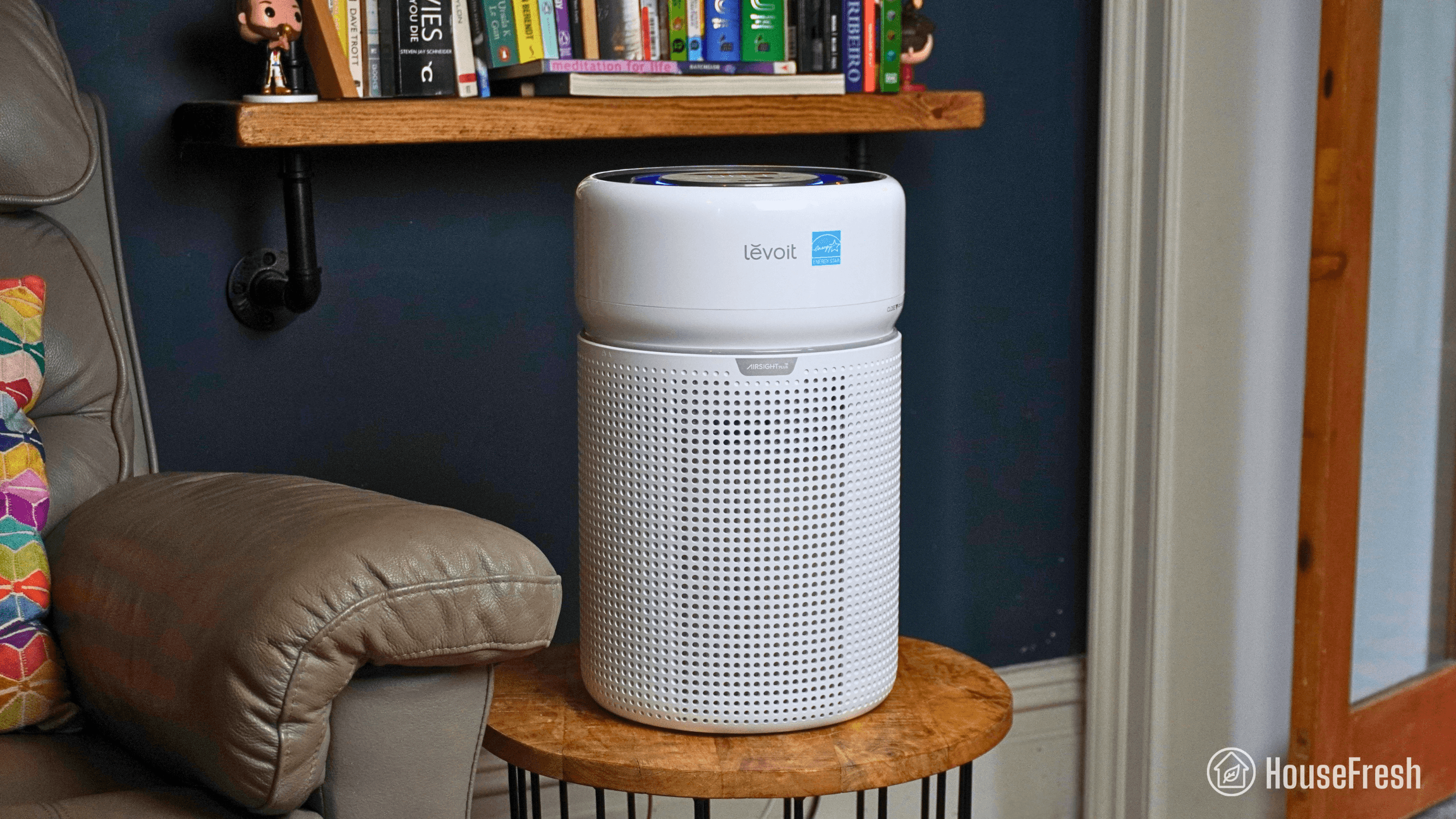
Levoit Eleva 300X review

Levoit Eleva 300X HouseFresh

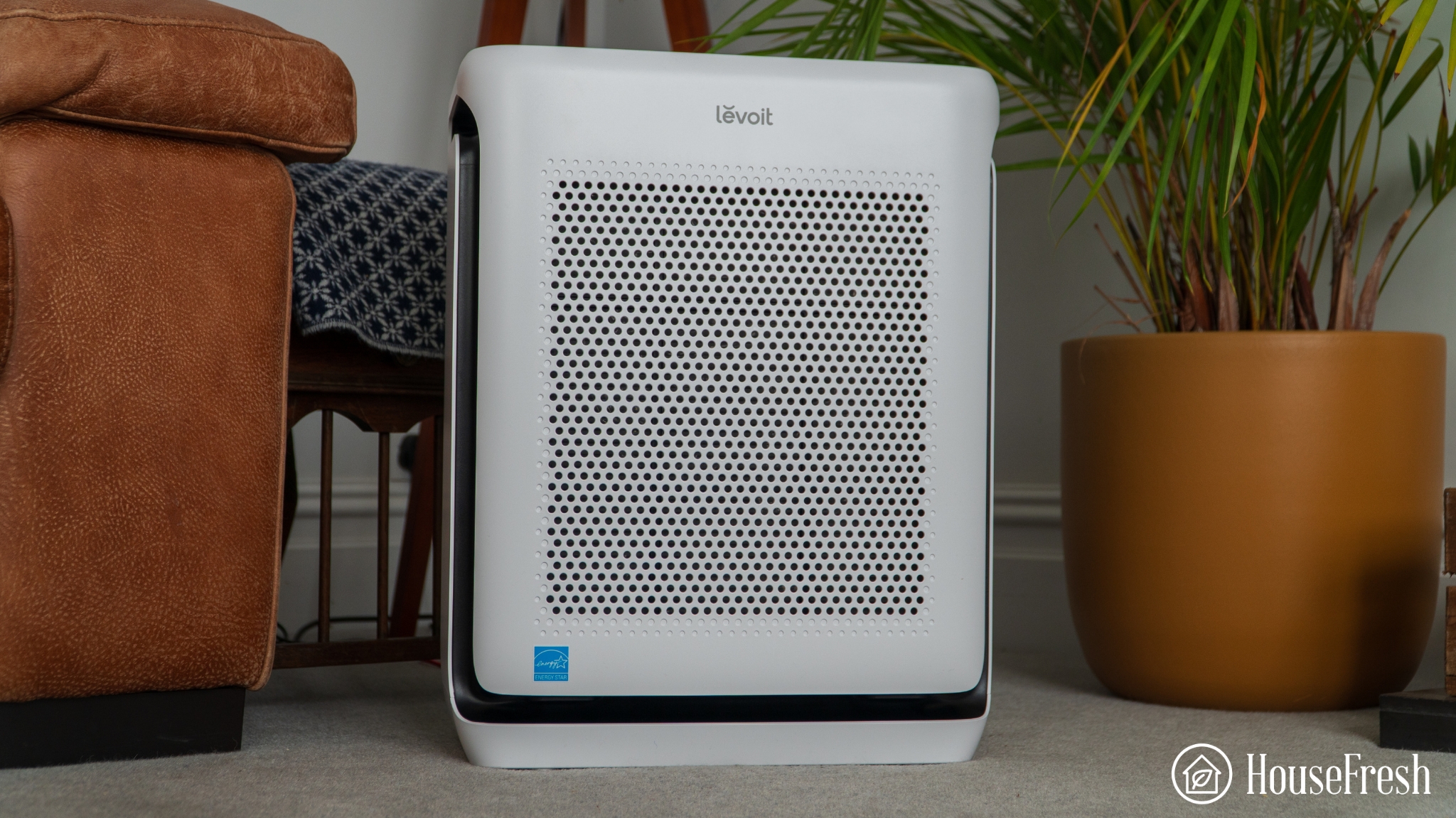
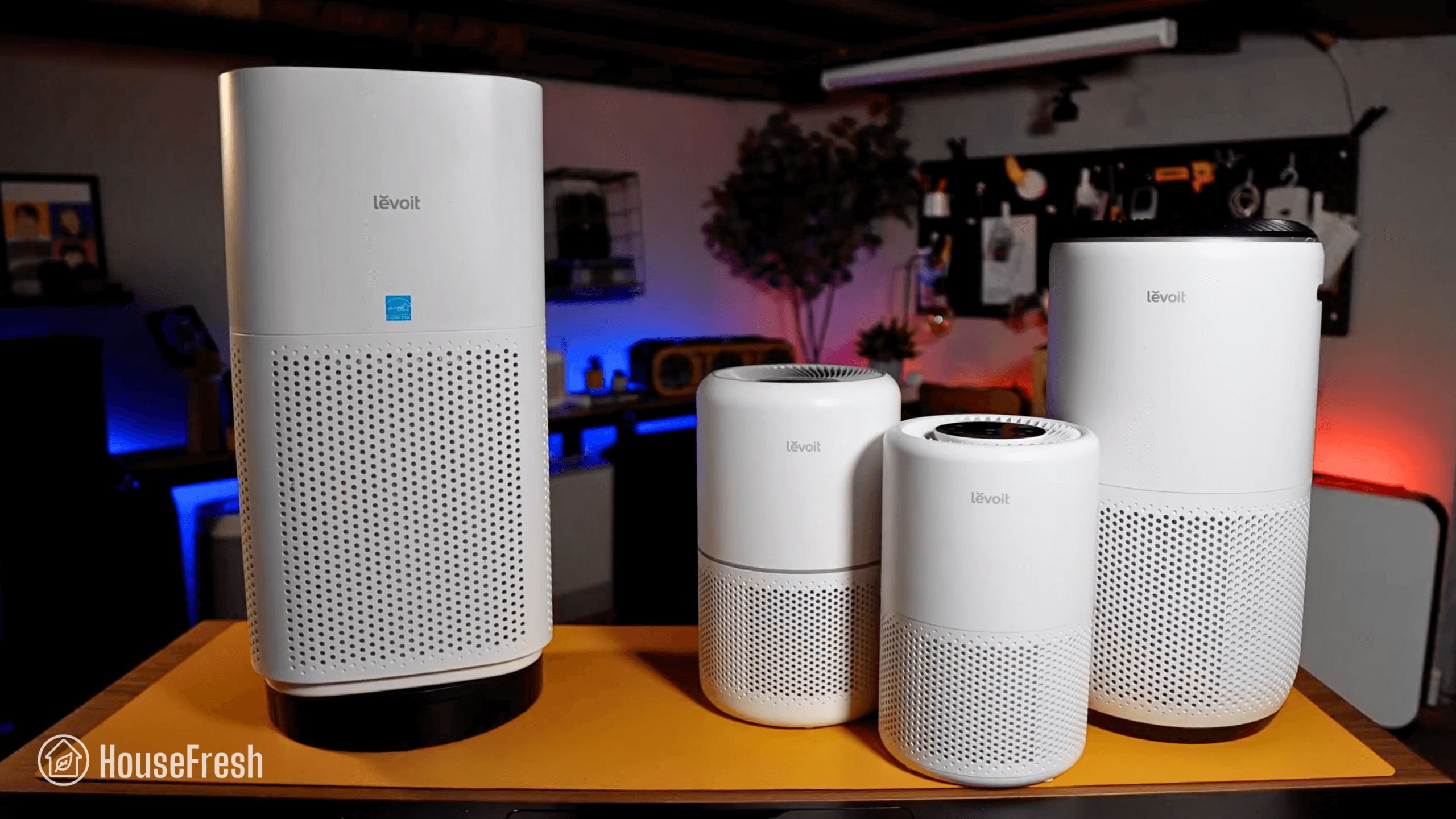
The Eleva 300X is a new tabletop air purifier from Levoit with an onboard laser sensor, separate particle and gas filters, and smart features you can customize via their app.

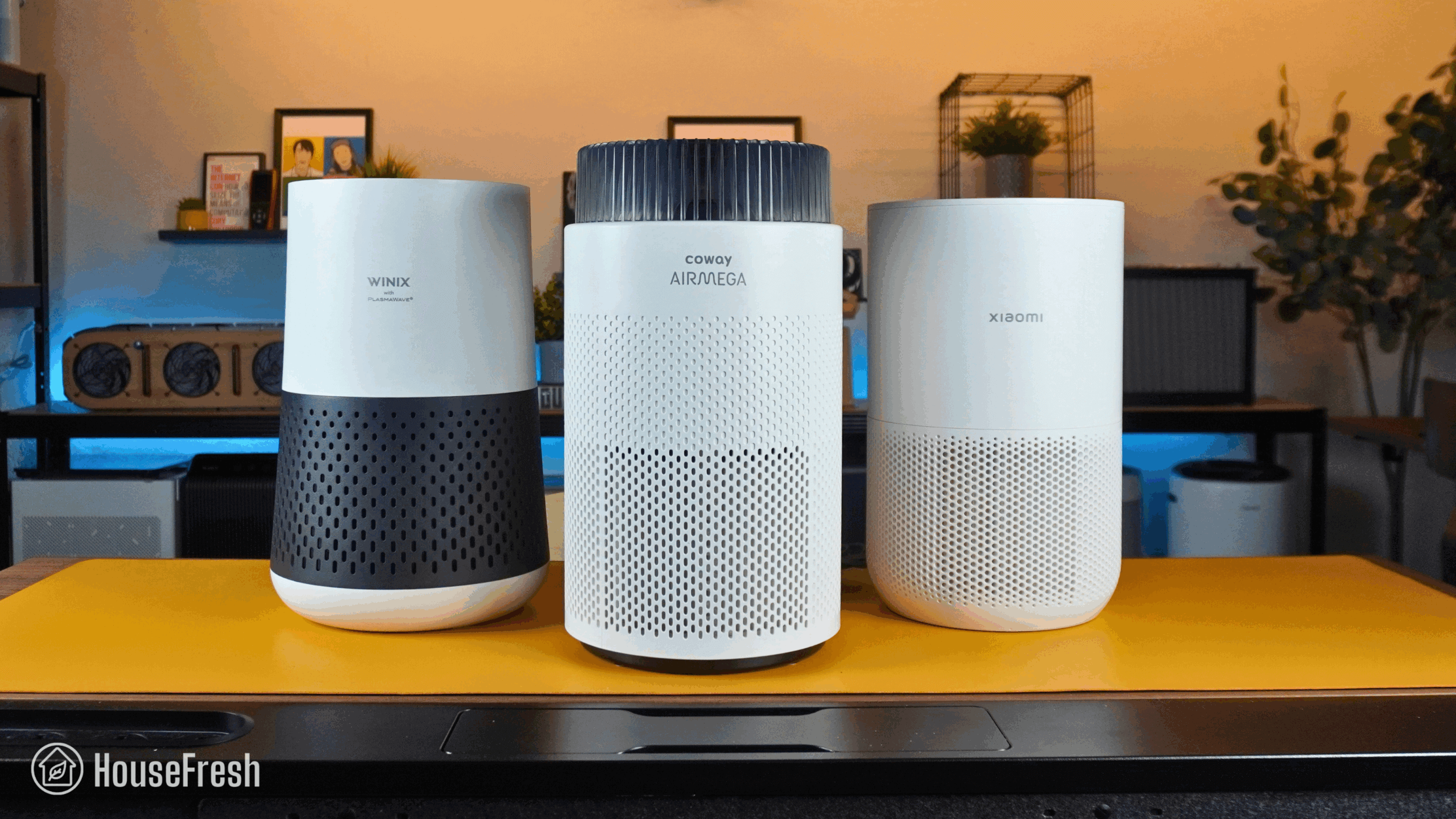
But how does it compare to the trusted Core 300 and Core 300S? And is it better or worse at cleaning the air than other small air purifier models from Dyson, Blueair, Winix, Coway and Xiaomi? And what about the filter inside?… Is it HEPA grade or not?

To find out, I bought one with my own money so that I could test its air cleaning performance, noise generation, energy consumption, annual running costs, and day-to-day user experience.

The overall score for the Levoit Eleva 300X incorporates first-hand data results from our battery of tests, as well as our ratings for customer service, brand transparency, and design & UX. Check out the full scorecard below to see the category breakdown.

Search for ‘Eleva 300X’ to see where it ranks, based on its air cleaning performance and value for money. You can also filter results to easily compare models in the same price range.

The pros and cons of the Levoit Eleva 300X

A summary of our top-level findings after testing this air purifier, following our methodology.

“When you compare it to other small air purifiers on the market today, it becomes clear that the Eleva 300X is a powerful little unit – with a high CADR at quiet operation.

And when you compare it to the older Core 300S, you get much better air cleaning performance and features at a cheaper price, so I recommend you go with a 300X over a 300S.

I really appreciate the cheap initial price, especially considering that you not only get good performance, but also features like a laser sensor and the ability to customize the auto mode through the app.”

Danny Ashton HouseFresh
Danny Ashton
HouseFresh Founder
& Lead Tester

CONS

You must register the filters to pair them to the device. If you don’t do this, you lose the filter lifespan tracking function.
The use of AI in the data reporting seems to add complexity and lag for no obvious benefit.
It’s louder and more power-hungry than the older Levoit Core 300S.
Filter replacements are more expensive than other small models from competing brands, but they have a longer lifespan as well.

PROS

It offers excellent value for your money! It has the lowest cost per CADR across all other small units I’ve tested.
Its performance at quiet fan speeds rivals that of the $349 Dyson HushJet Compact but for a much cheaper price.
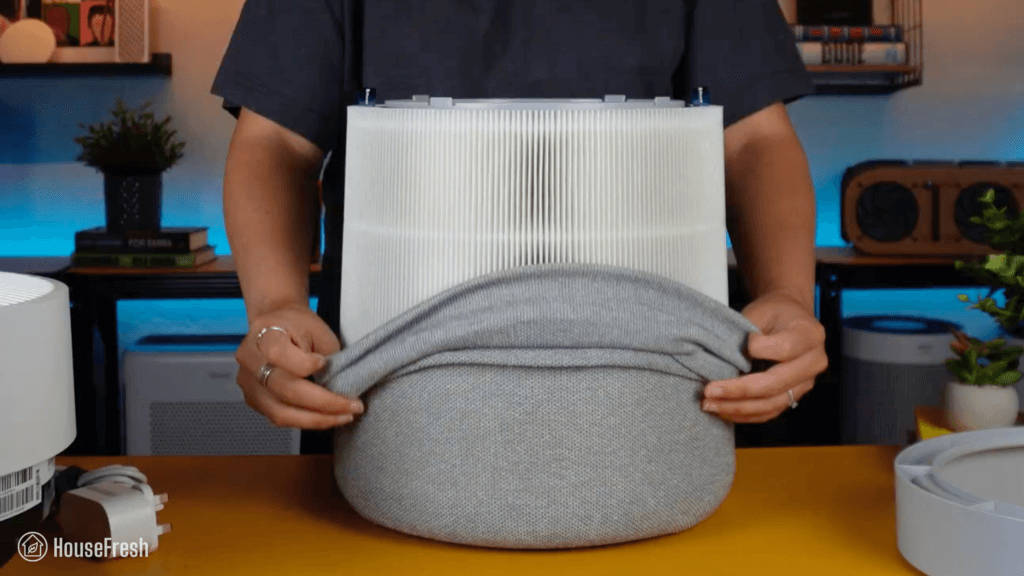
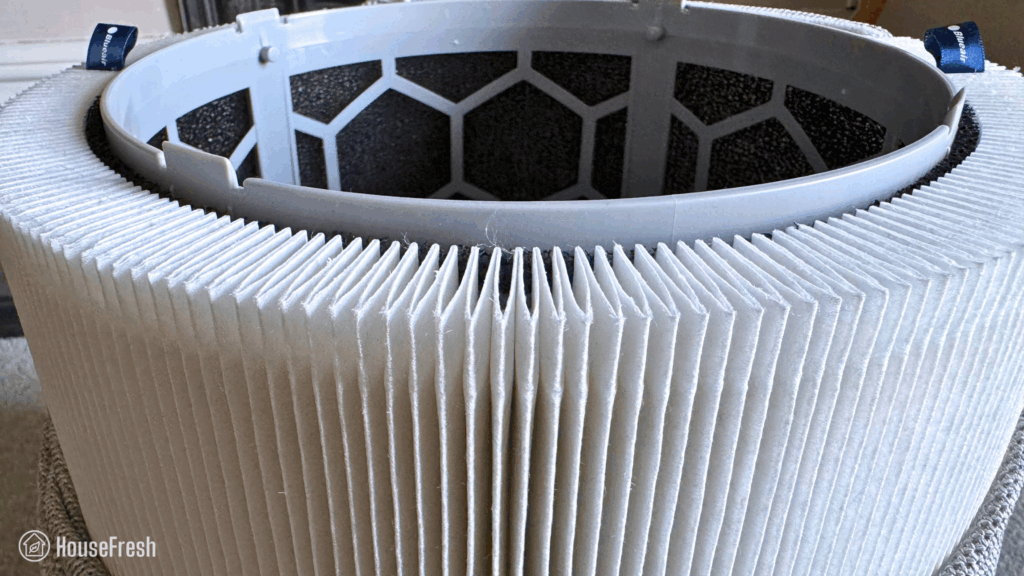
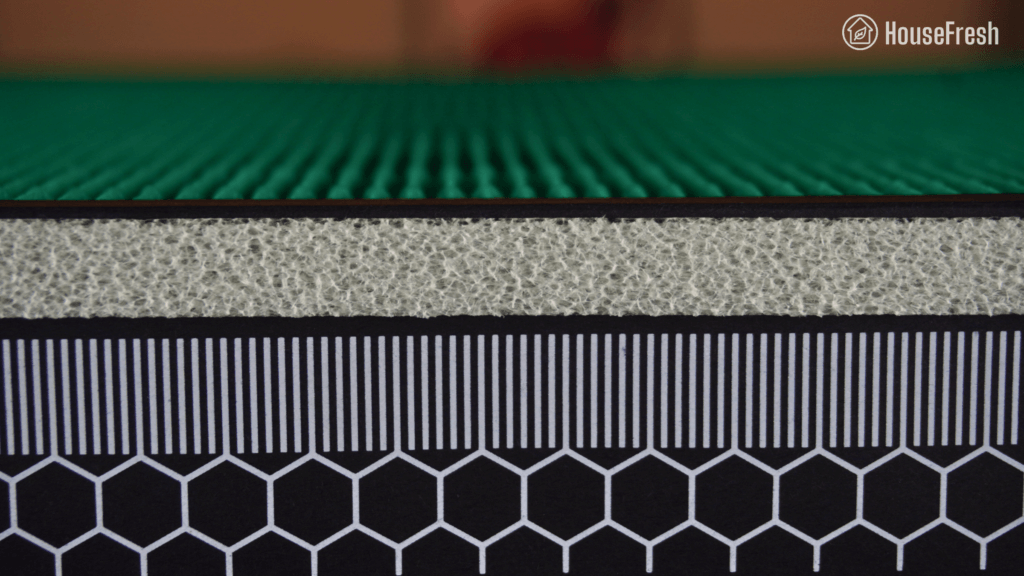
You get two separate filters for particles and gases – no more all-in-one cylindrical filters you’ll be throwing away sooner than you need to.
It comes with a high quality laser sensor that provides data on PM1, PM2.5 and PM10 particle levels.
The new app enables a Dynamic Manual mode I’m in love with: you can manually set your Eleva to run at speed 2, for example, while also allowing it to momentarily go up to Turbo whenever the sensor notices a rise in pollutants.

Clean air delivery rate (CADR):– Top speed PM1 CADR: 165 cfm
– Sub-45 dBA PM1 CADR: 115 cfm
Filter technology:Separate HEPA particle filter and gas filter with activated carbon pellets.
Recommended room size (5 air changes per hour):247 sq. ft. (23 m2)
Dimensions:9.4 x 9.4 x 15.1 in (23.8 x 23.8 x 38.3 cm)
Weight:9.9 lbs (4.5 kg)
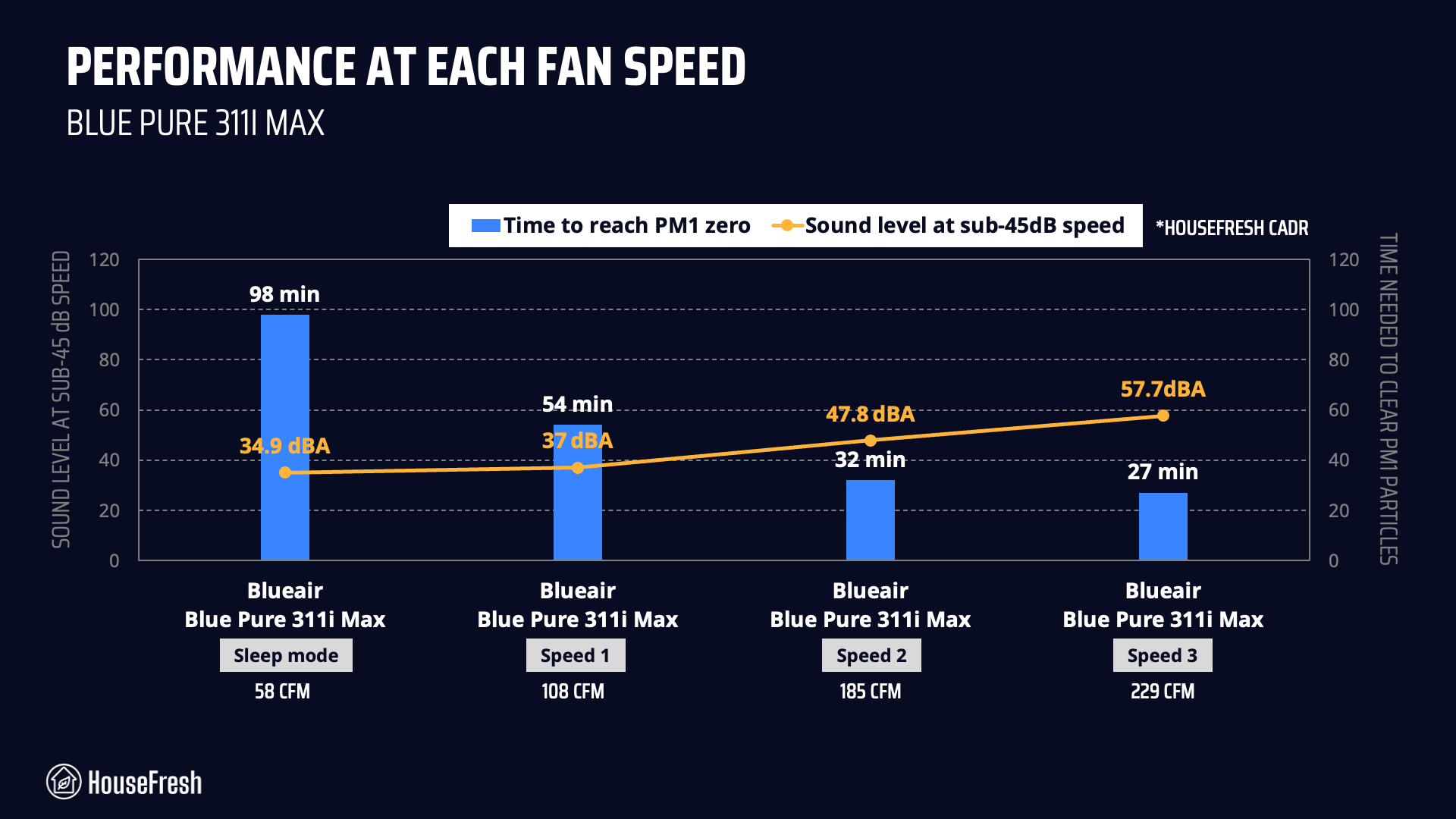
Noise level in decibels from 3 ft. away:Sleep mode: 35.8 dBA
Speed 1: 36.8 dBA
Speed 2: 39.8 dBA
Speed 3: 44.9 dBA
Turbo speed: 55.4 dBA
Electricity consumption in watts:Standby: 0.65 watts
Sleep mode: 1.85 watts
Speed 1: 5.33 watts
Speed 2: 6.91 watts
Speed 3: 10.03 watts
Turbo speed: 23.91 watts
Filter lifespan:HEPA filter: 2 years
Carbon filter: 6 months
Manufacturer’s warranty:2 years
Country of origin:United States
Country of manufacture:China

Filtration technology

Separate particle and carbon filters that will help reduce waste.

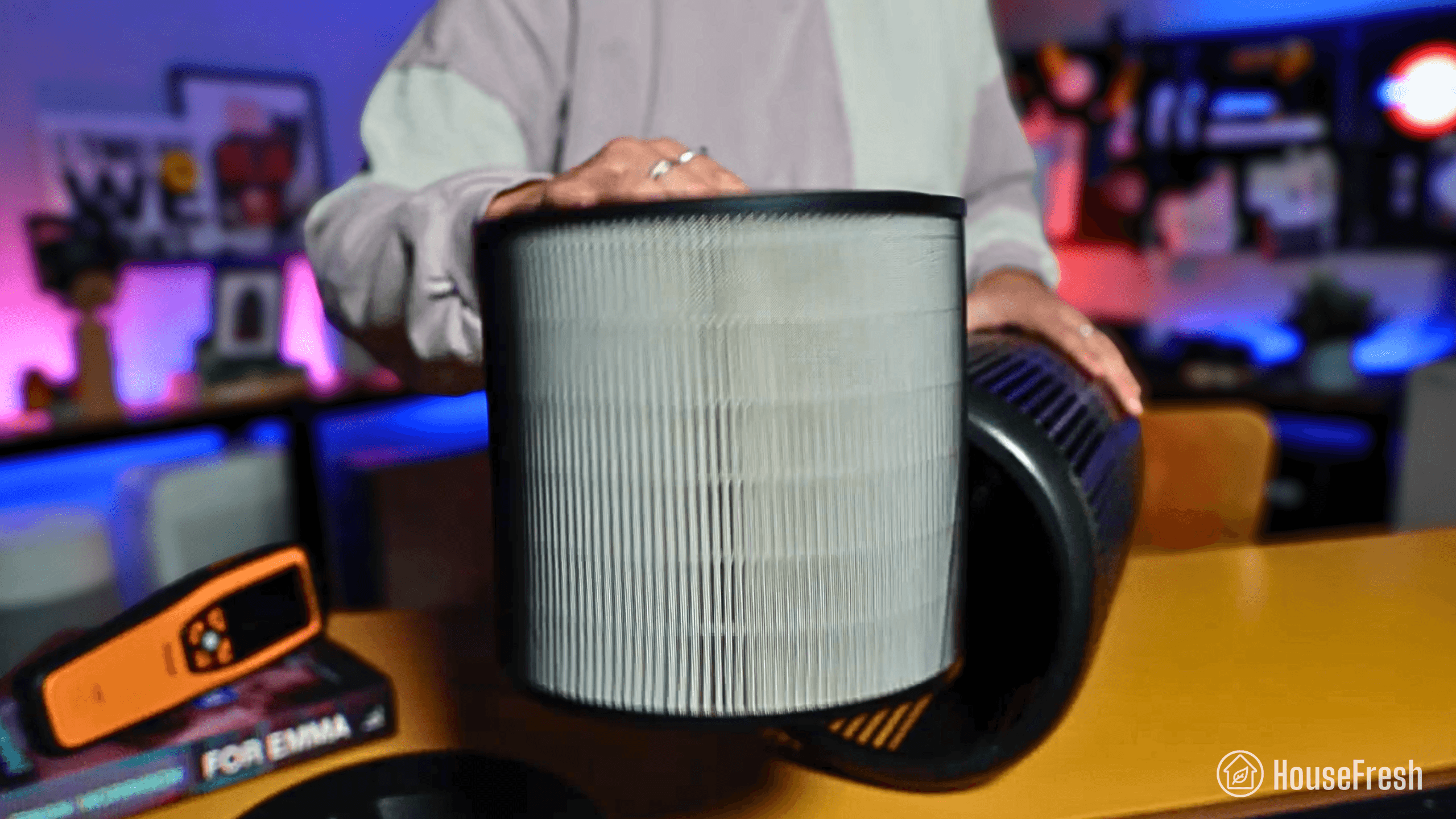
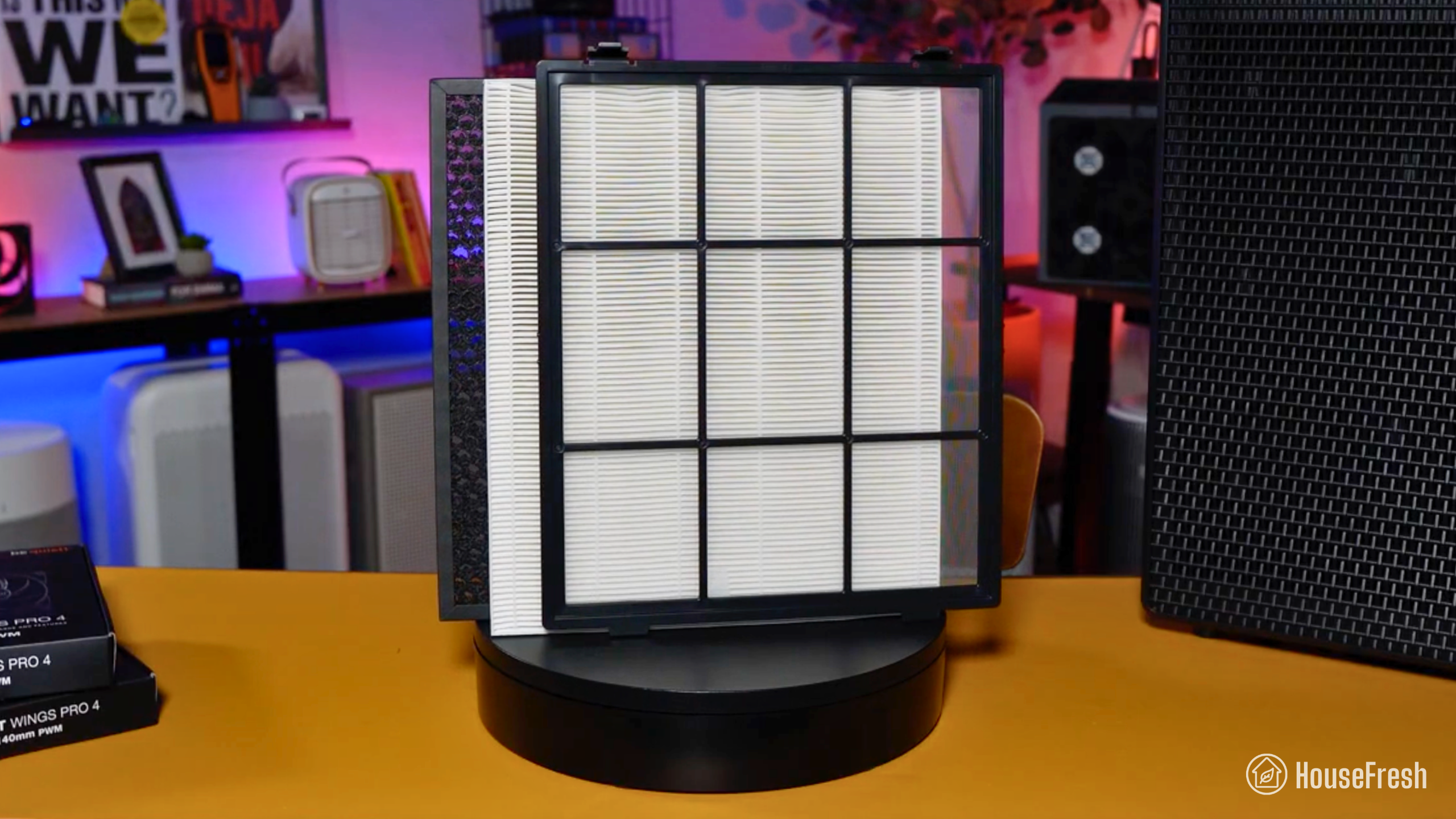
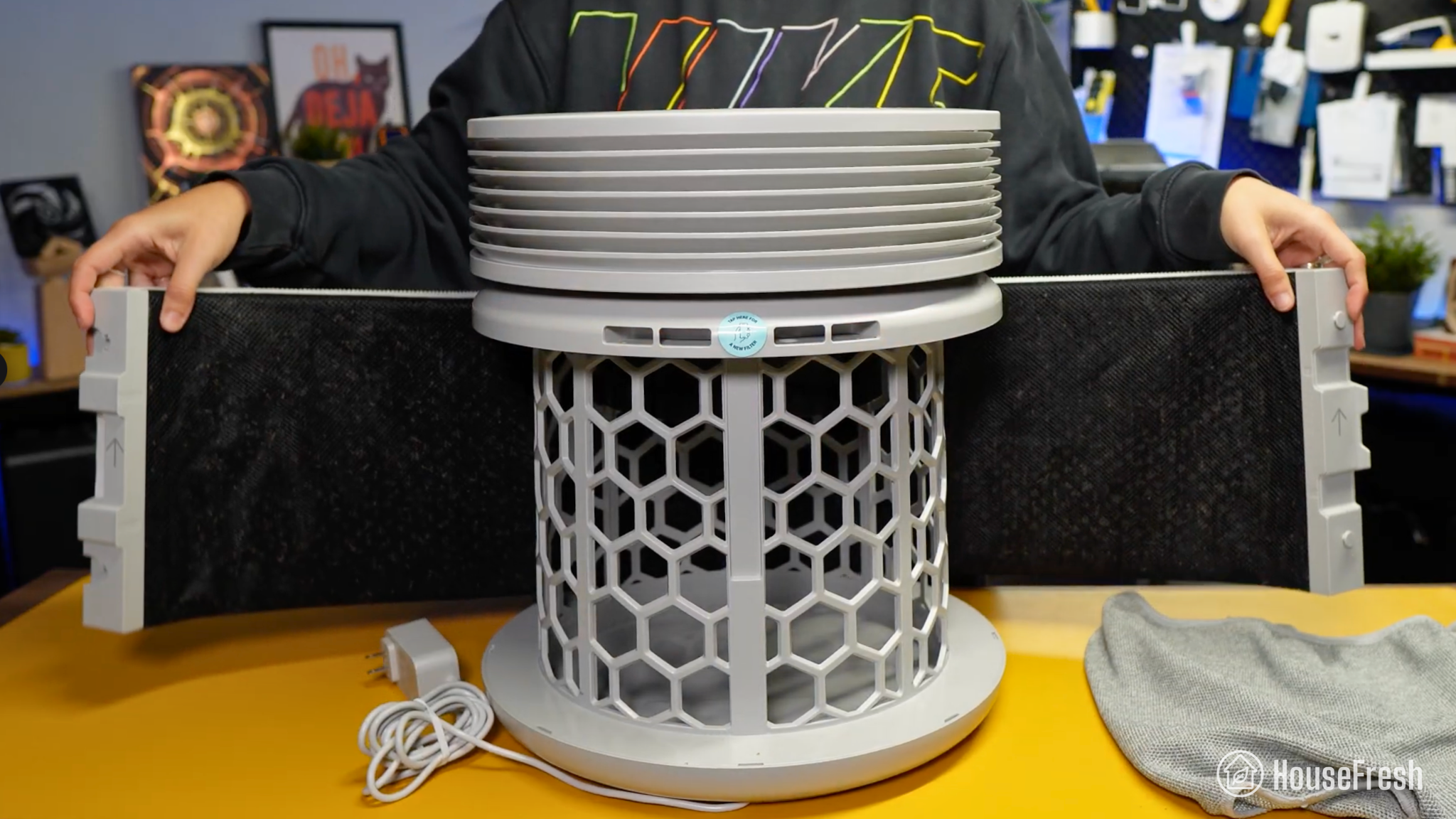
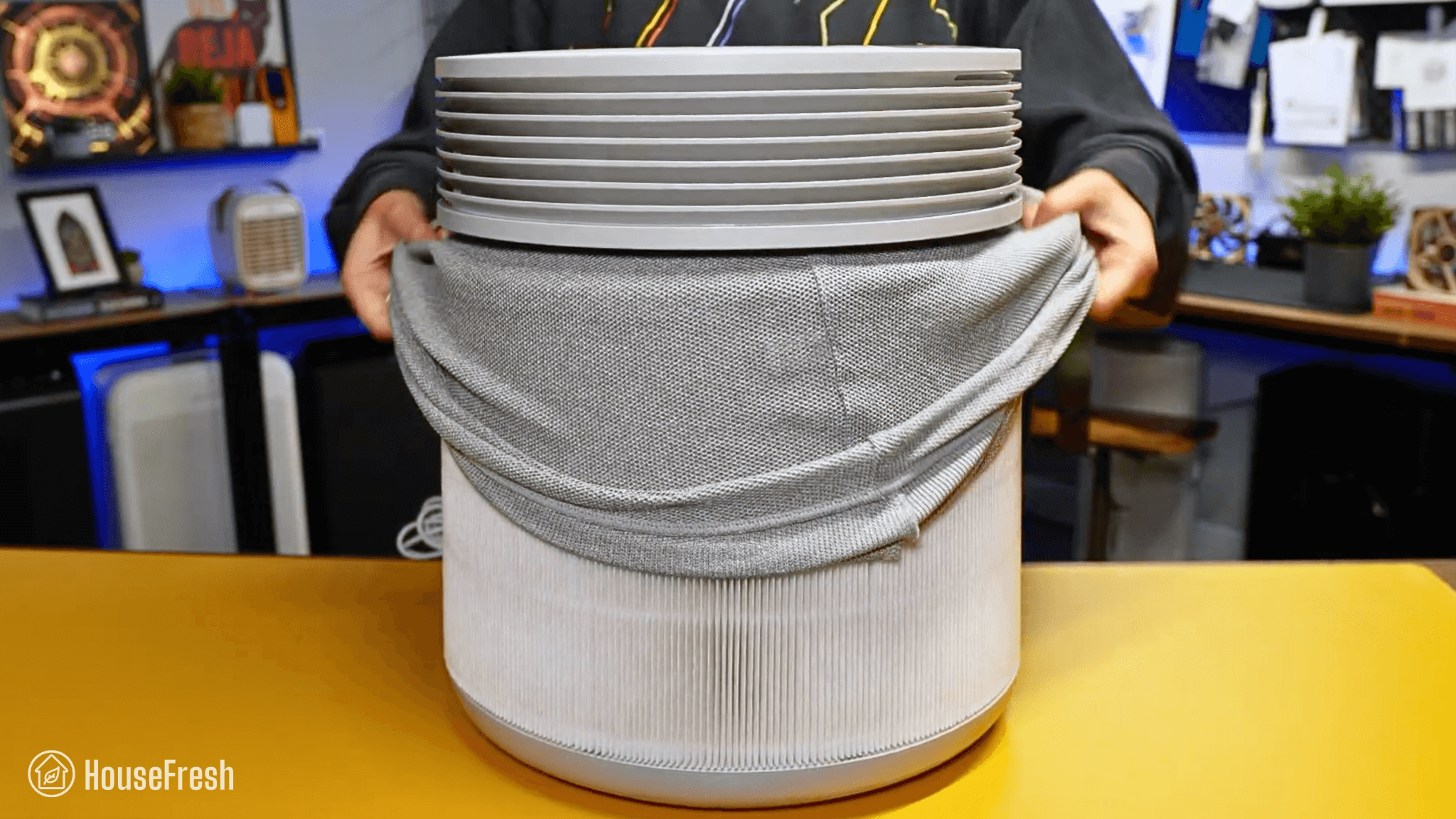
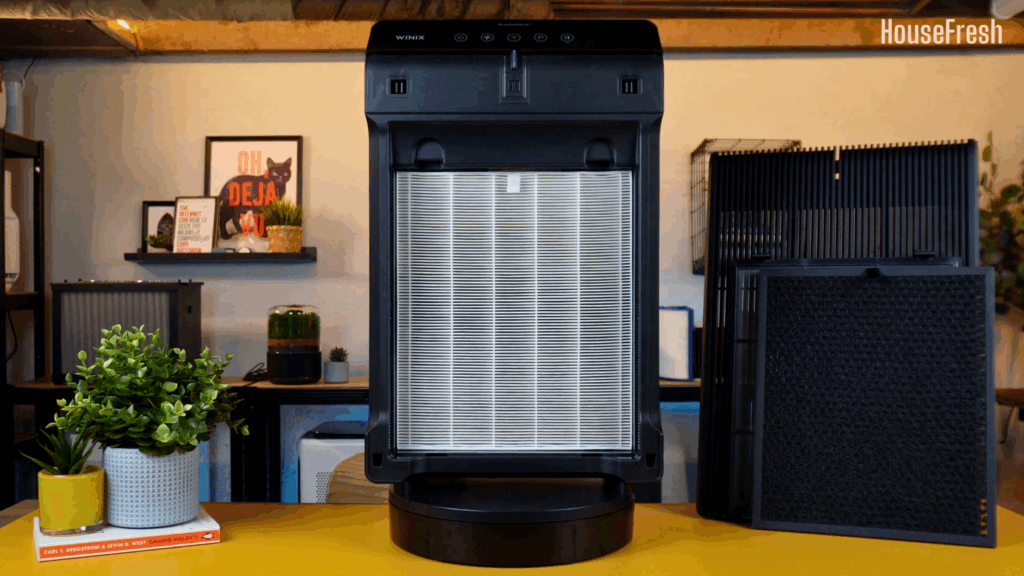
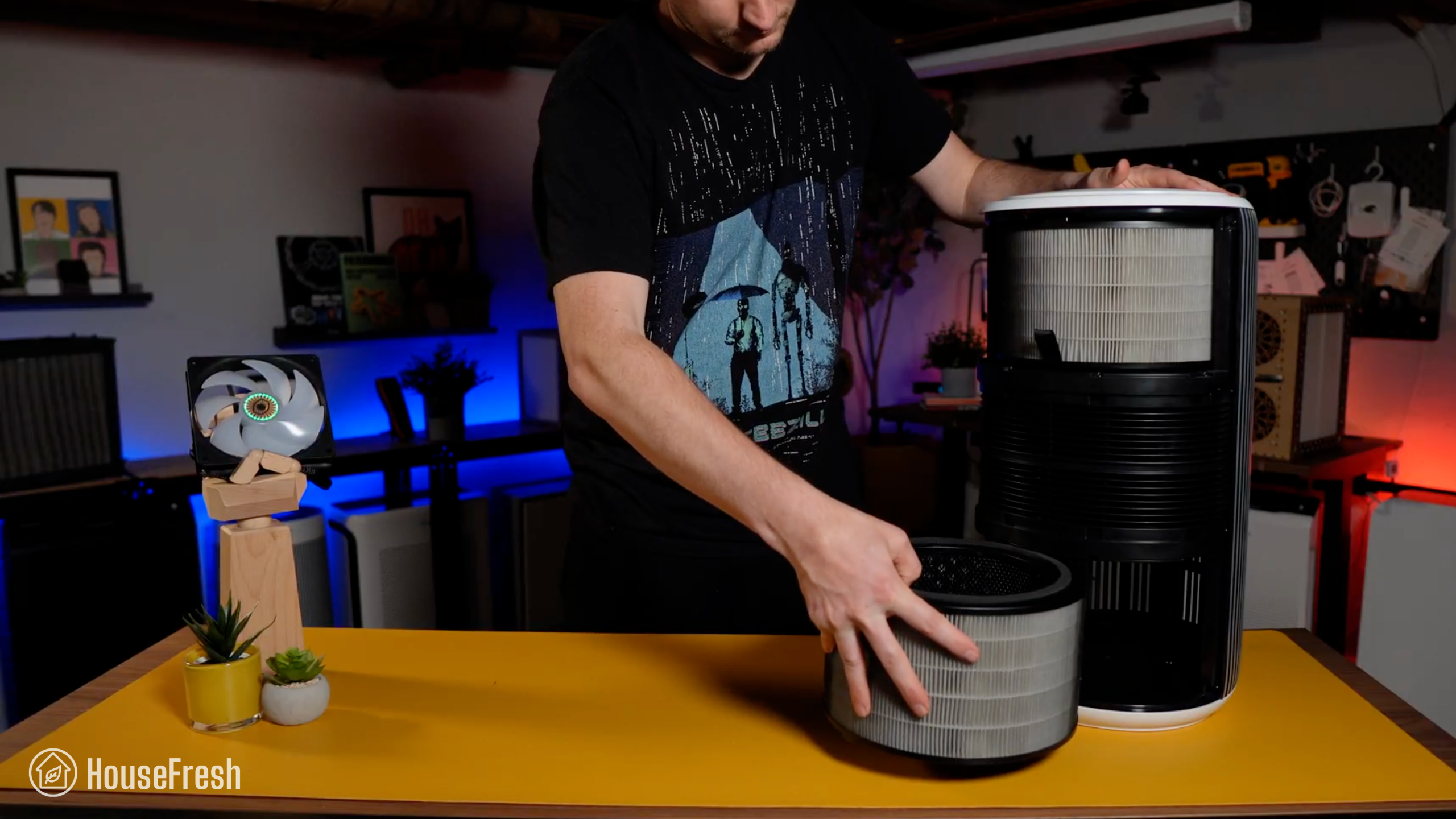
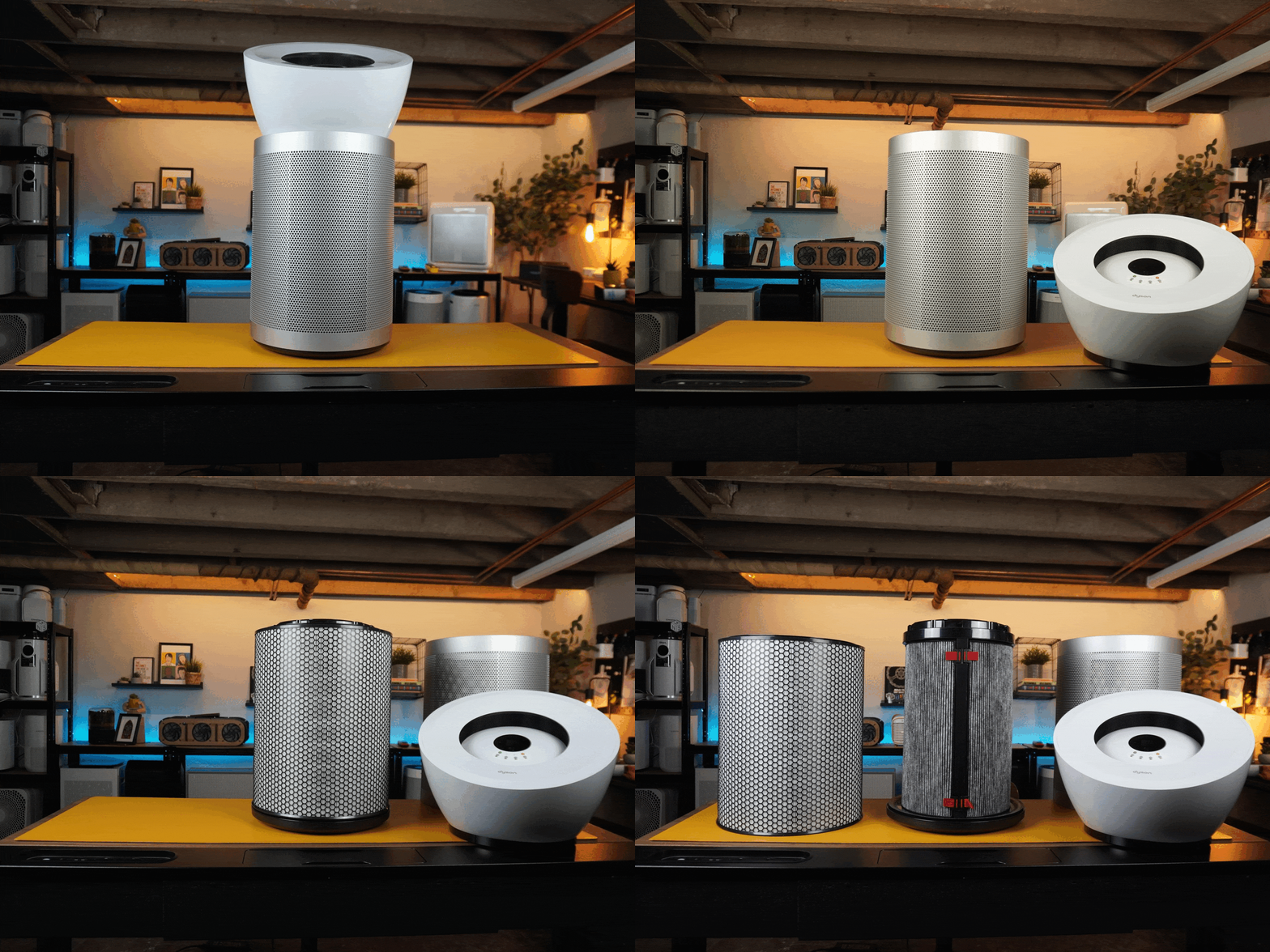
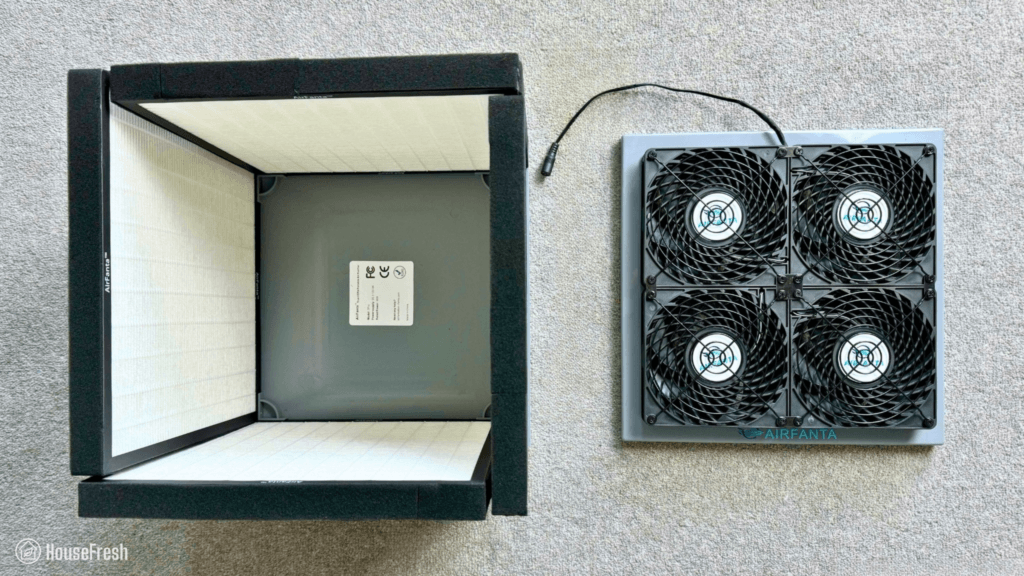
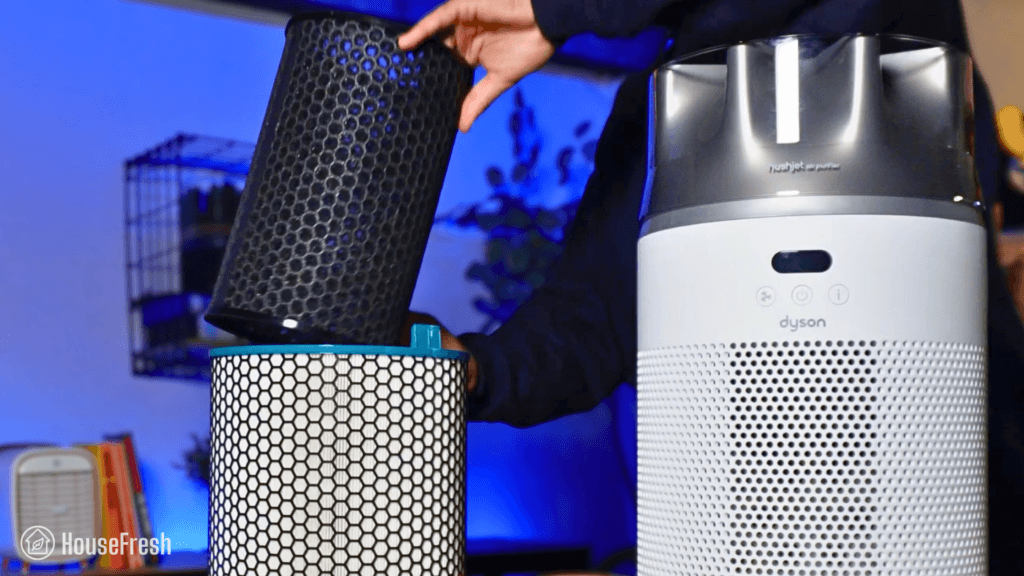
Most cylindrical air purifiers come with all-in-one filters that combine the particle and gas filters into one (see left). But with the Eleva 300X, you get two filters: one that captures particles and one that traps gases.
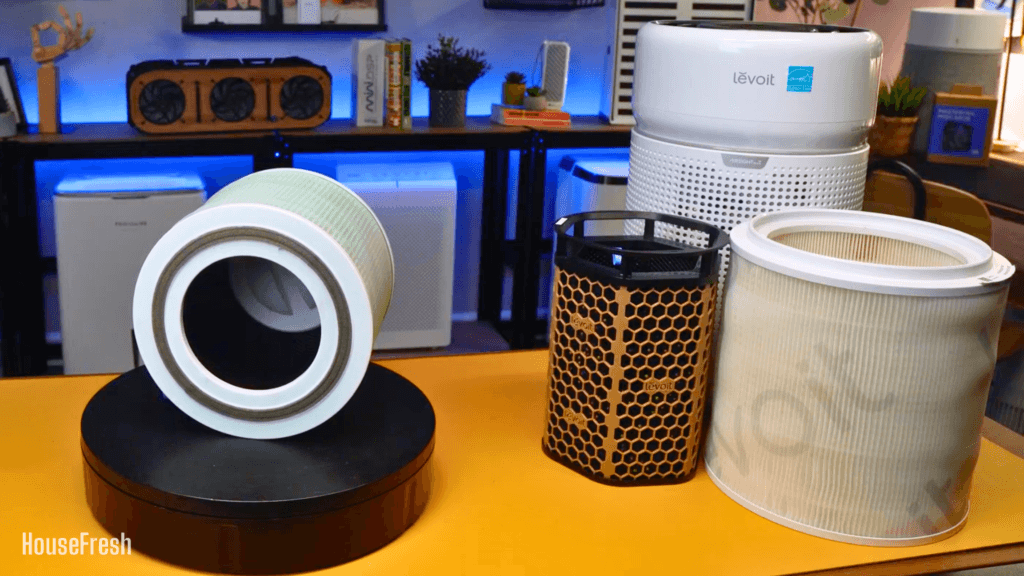
Levoit Core 300 Filter VS Levoit Eleva 300X Filters

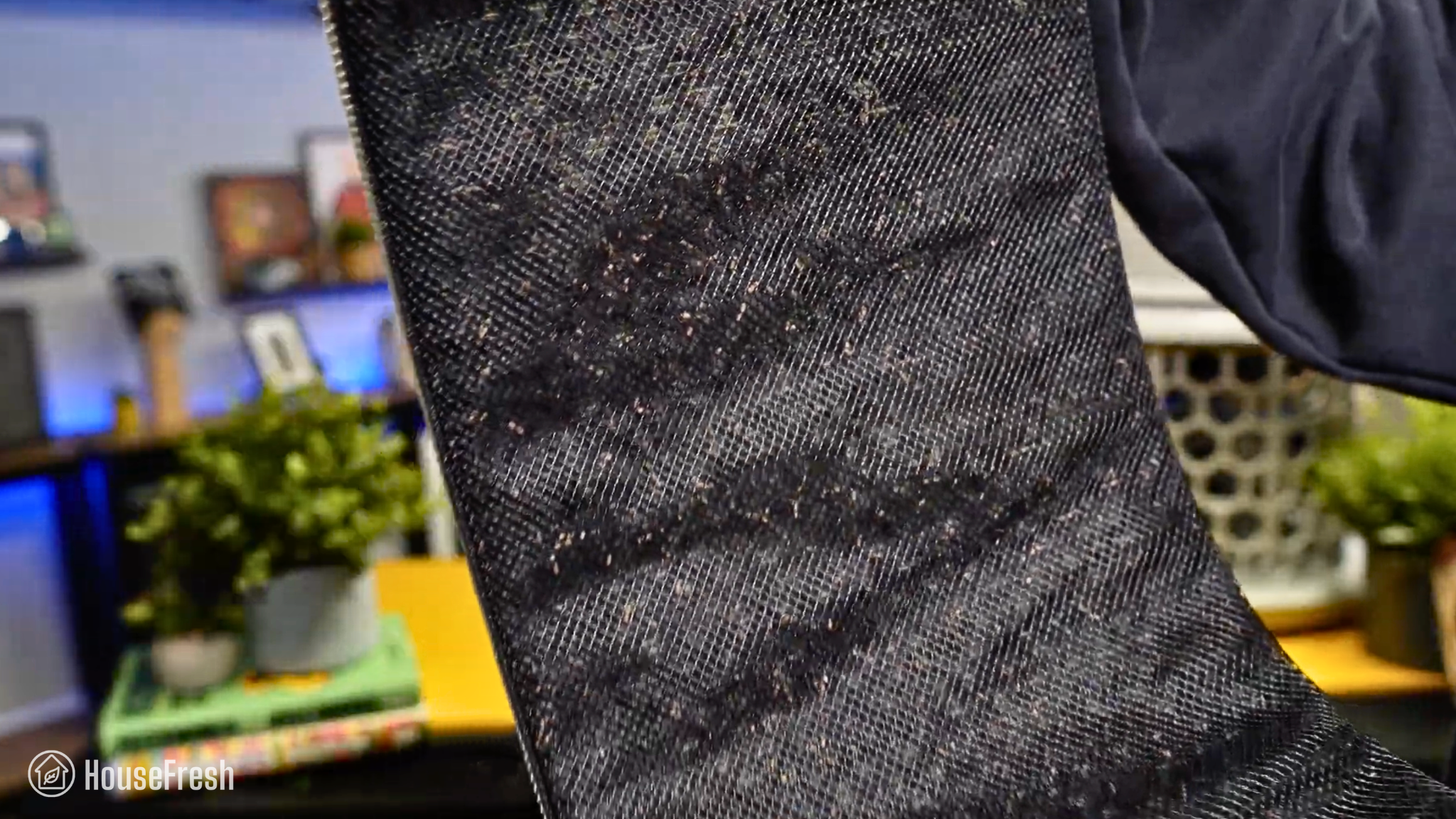
Carbon filters have a shorter lifespan than particle filters, so with all-in-one filters, you must throw both of them away when the time comes to replace just one. The Eleva 300X fixes this with separate filters.

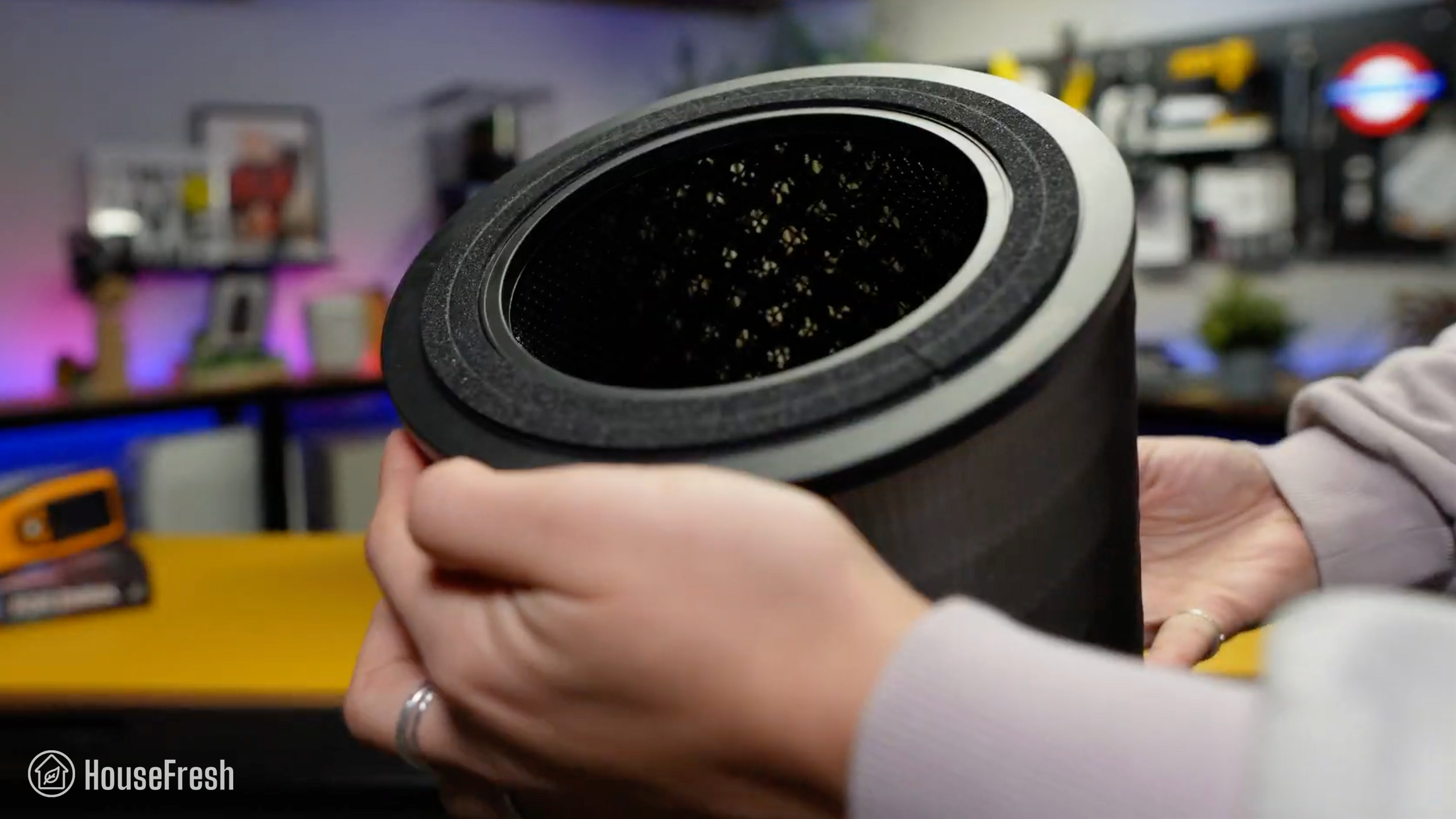
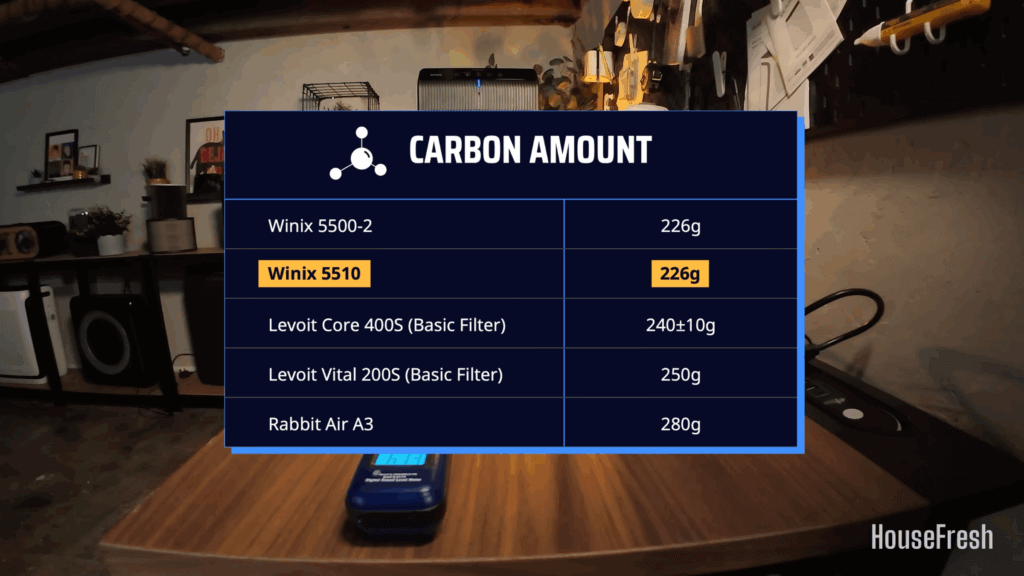
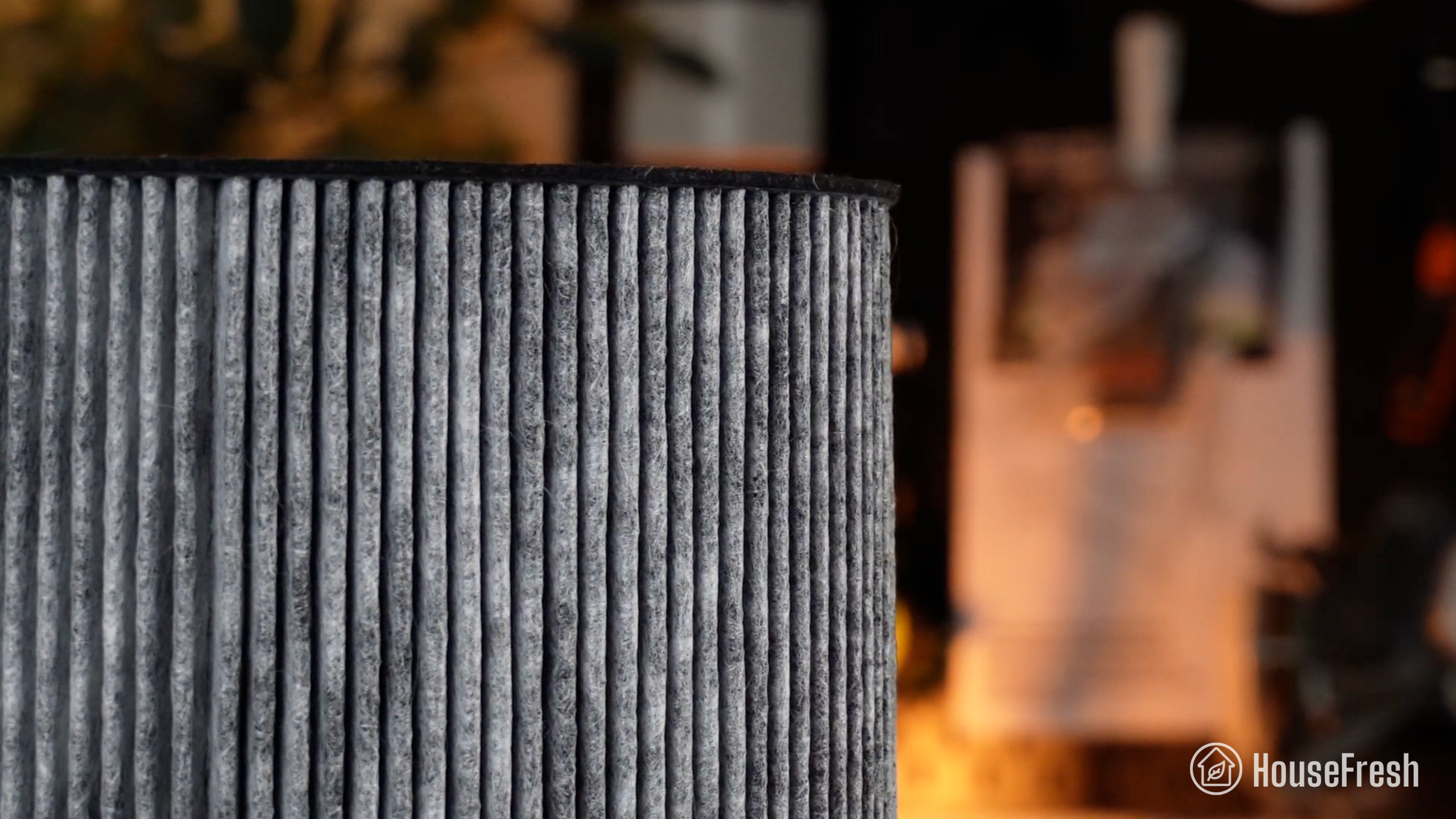
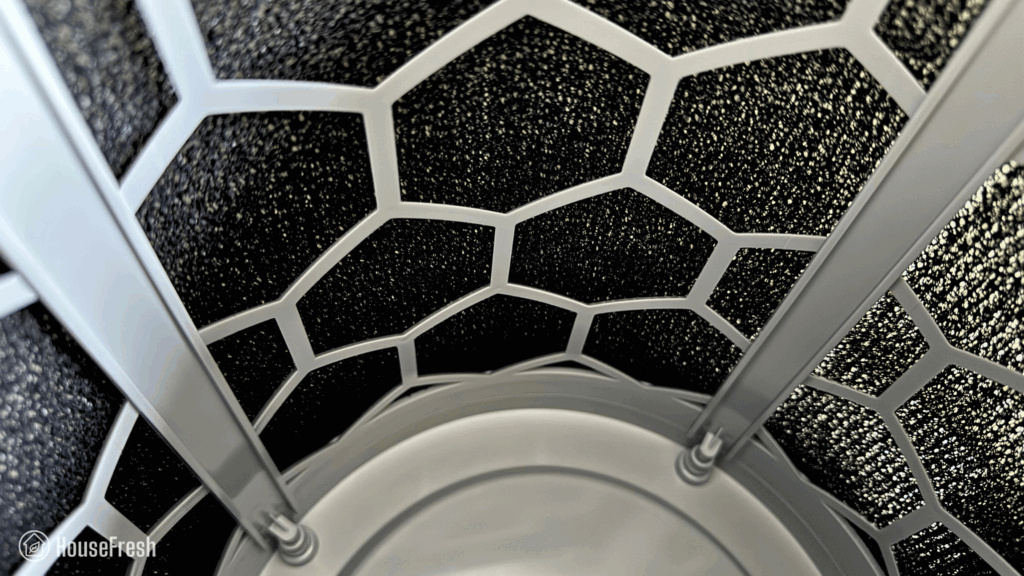
You can customize the carbon filter based on your needs: the Essential filter has 90g of carbon, the Pet filter has 200g, the Smoke & Cooking filter has 240g and the Premium filter has 260 grams of carbon.
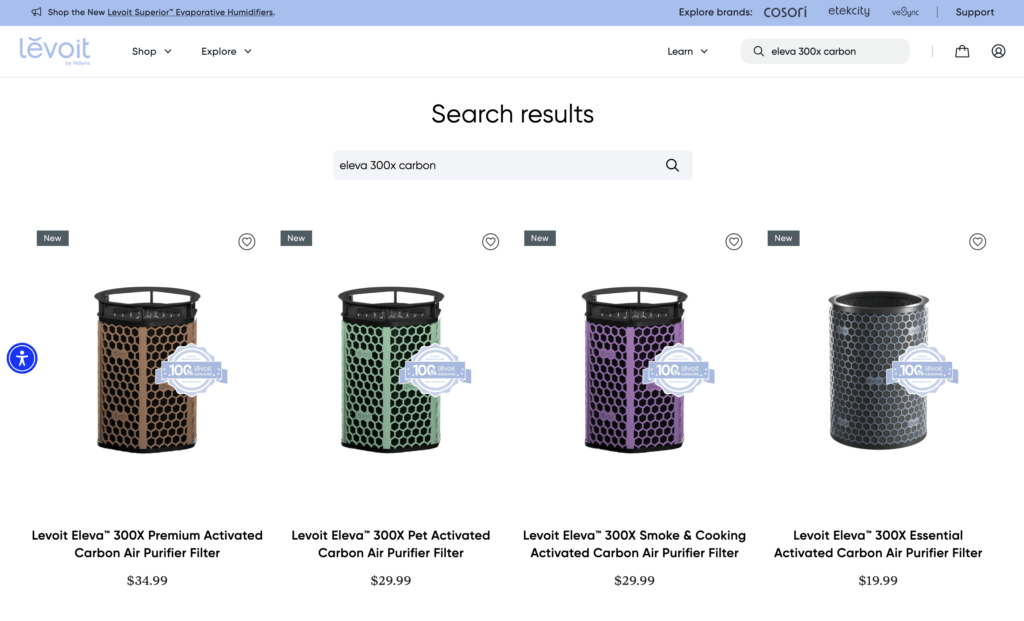
Levoit Eleva 300X Review Carbon Filter Options

Keep in mind that larger amounts of carbon will restrict airflow so, unless you need to tackle serious odors, I recommend sticking to the standard filter to get the best possible particle filtration.
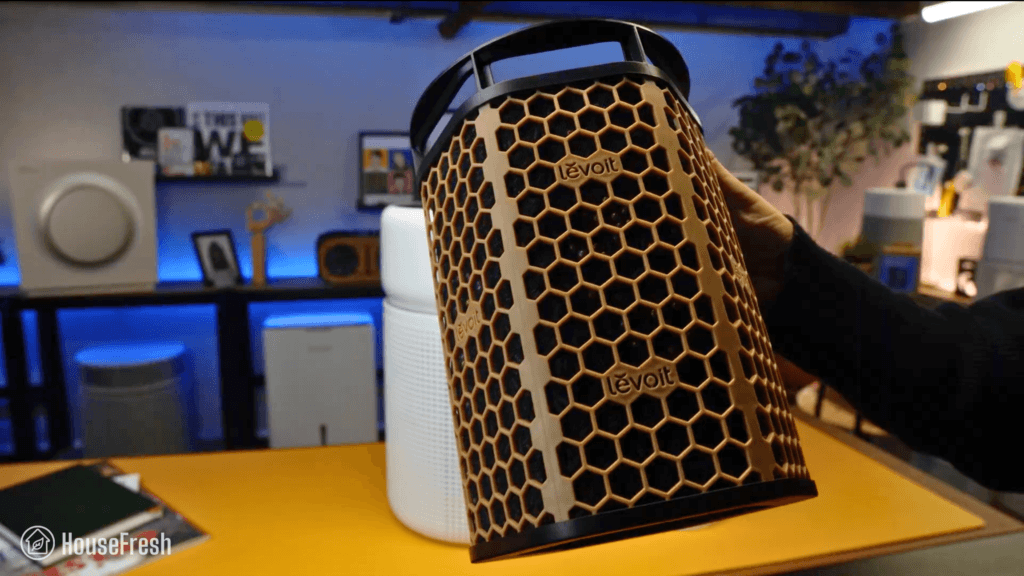
Levoit Eleva 300X Carbon filter

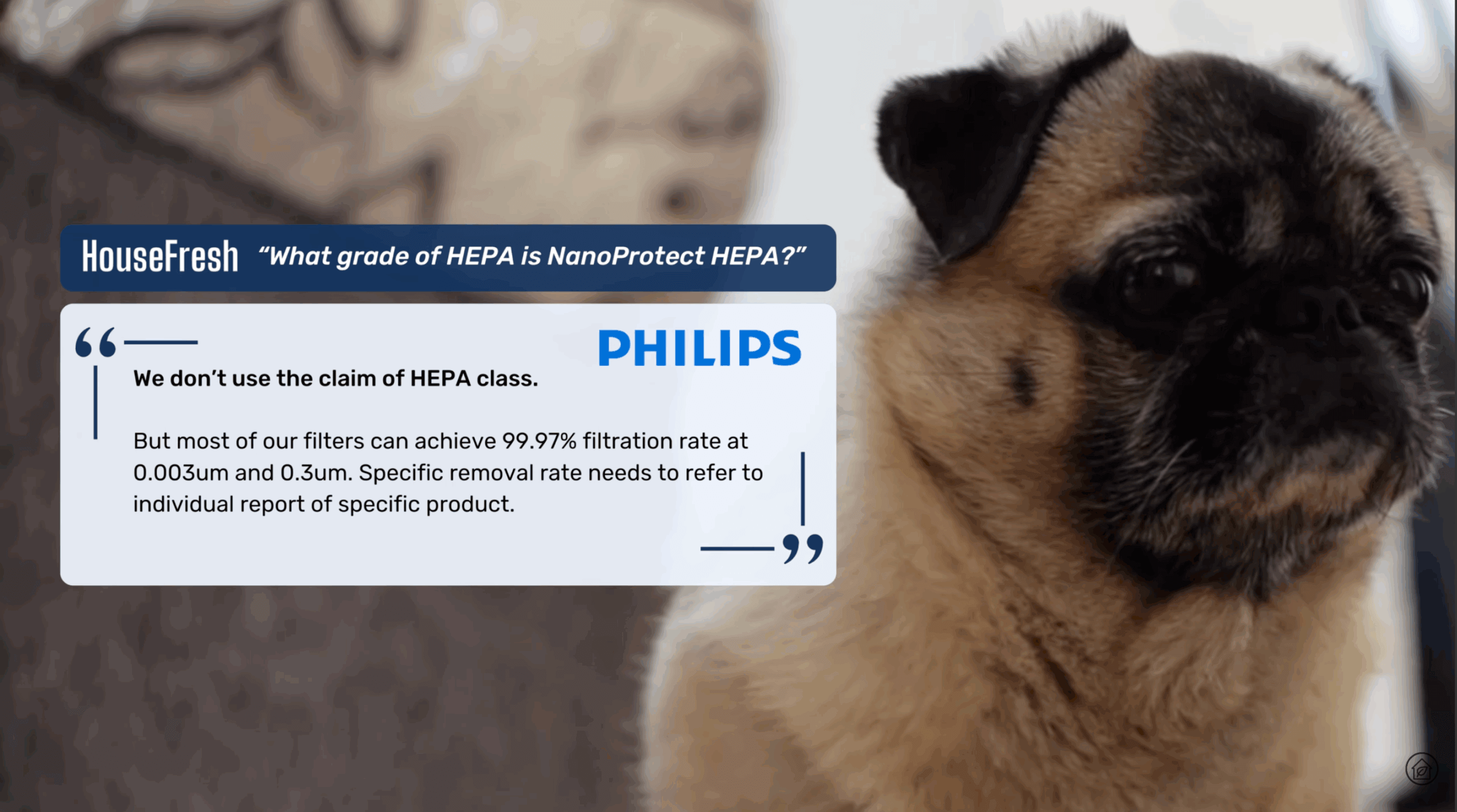
Levoit initially advertised their Core and Vital lines as using HEPA filters, but they later removed mentions of HEPA from marketing materials after Dyson challenged Levoit’s claims through the BBB National Programs National Advertising Division (NAD).

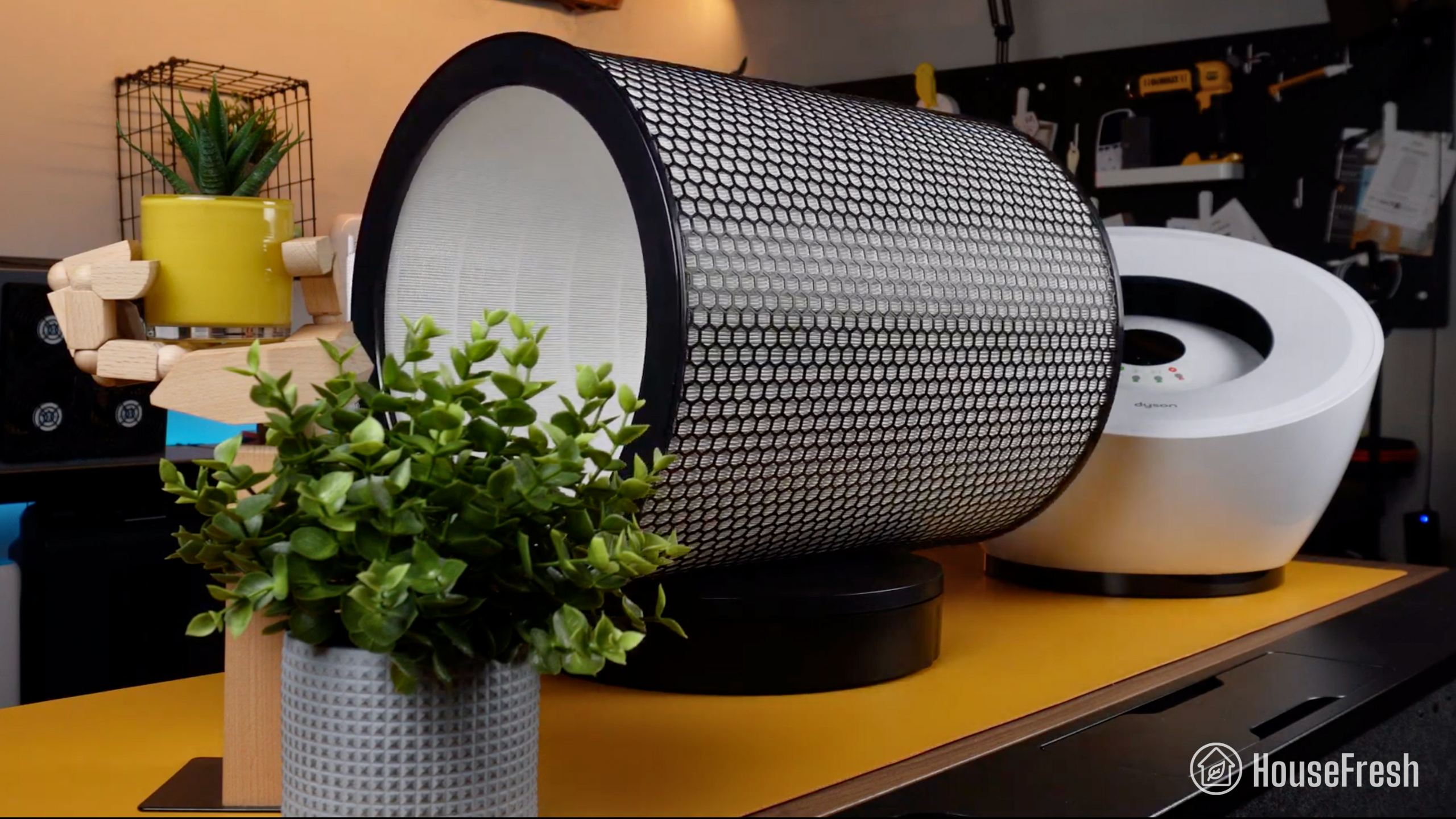
Now Levoit states that the Eleva 300X features HEPA filtration capable of capturing 99.97% of 0.3 micron particles, according to an independent test by SGS using the ASTM F3150-18 test standard — a test normally used for residential and commercial vacuum cleaners.

The test involves detecting if any small particles are released when a vacuum cleaner is running, so the focus is not solely on the filter itself but the entire device.

So it seems that the Levoit Eleva 300X can achieve HEPA levels of filtration when the air passes through the device.

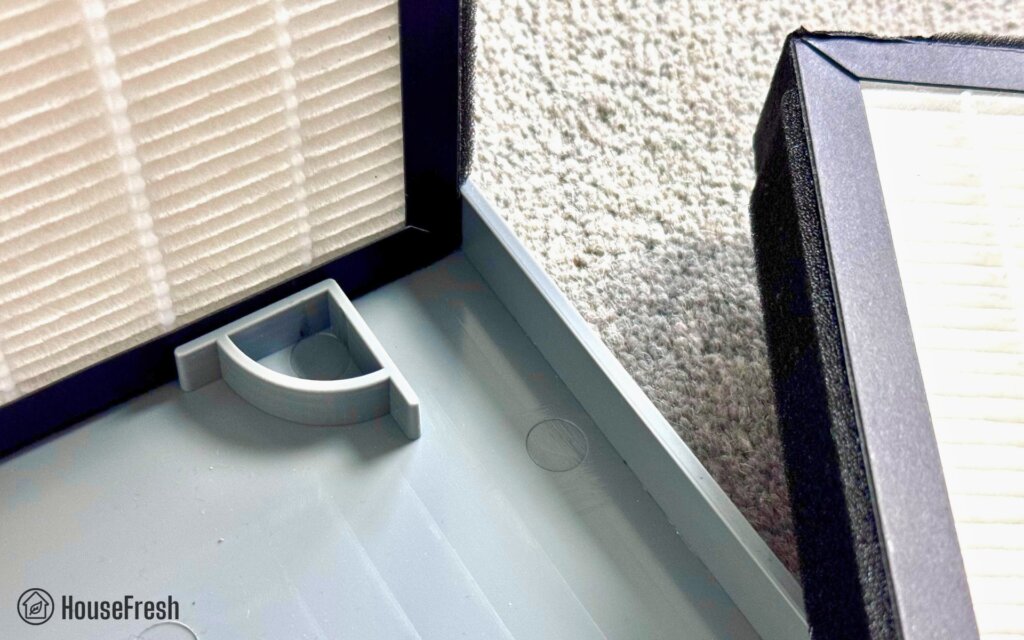
This might explain the new rubber seals where the filter meets the body, as otherwise air could bypass the filter.

Design, controls and app features

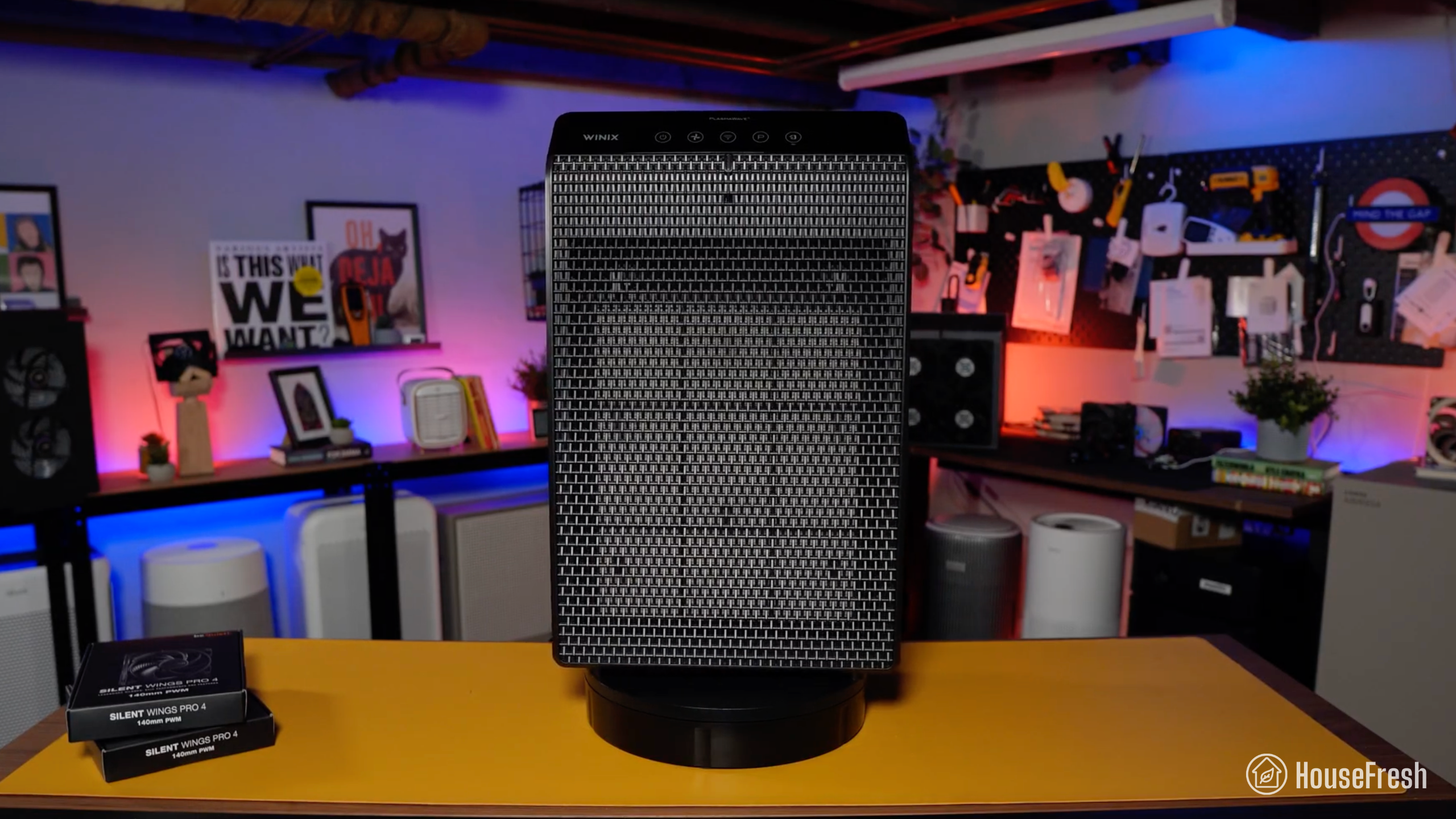
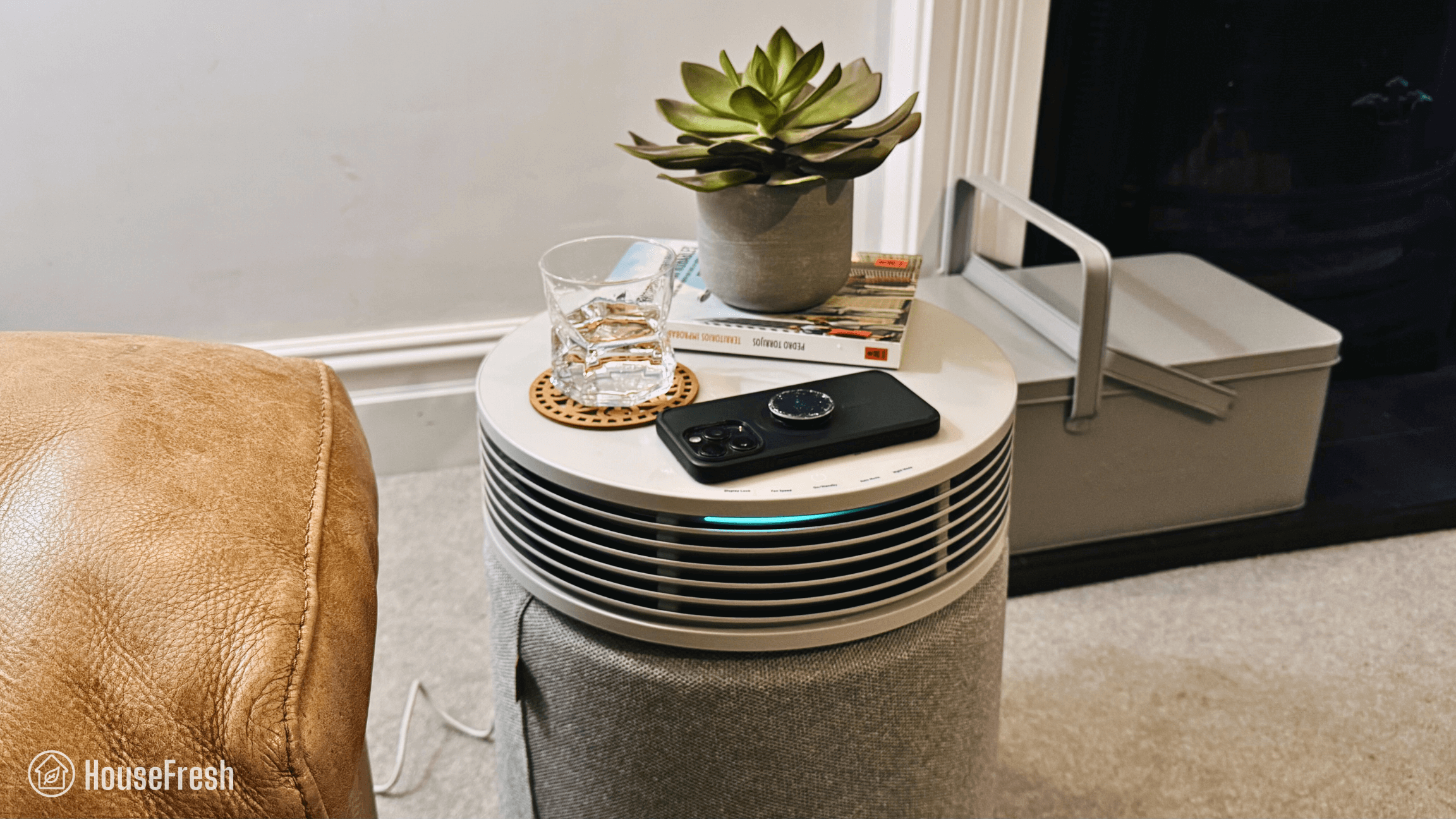
A cylindrical air purifier small enough to fit on top of a kitchen counter or bedside table.

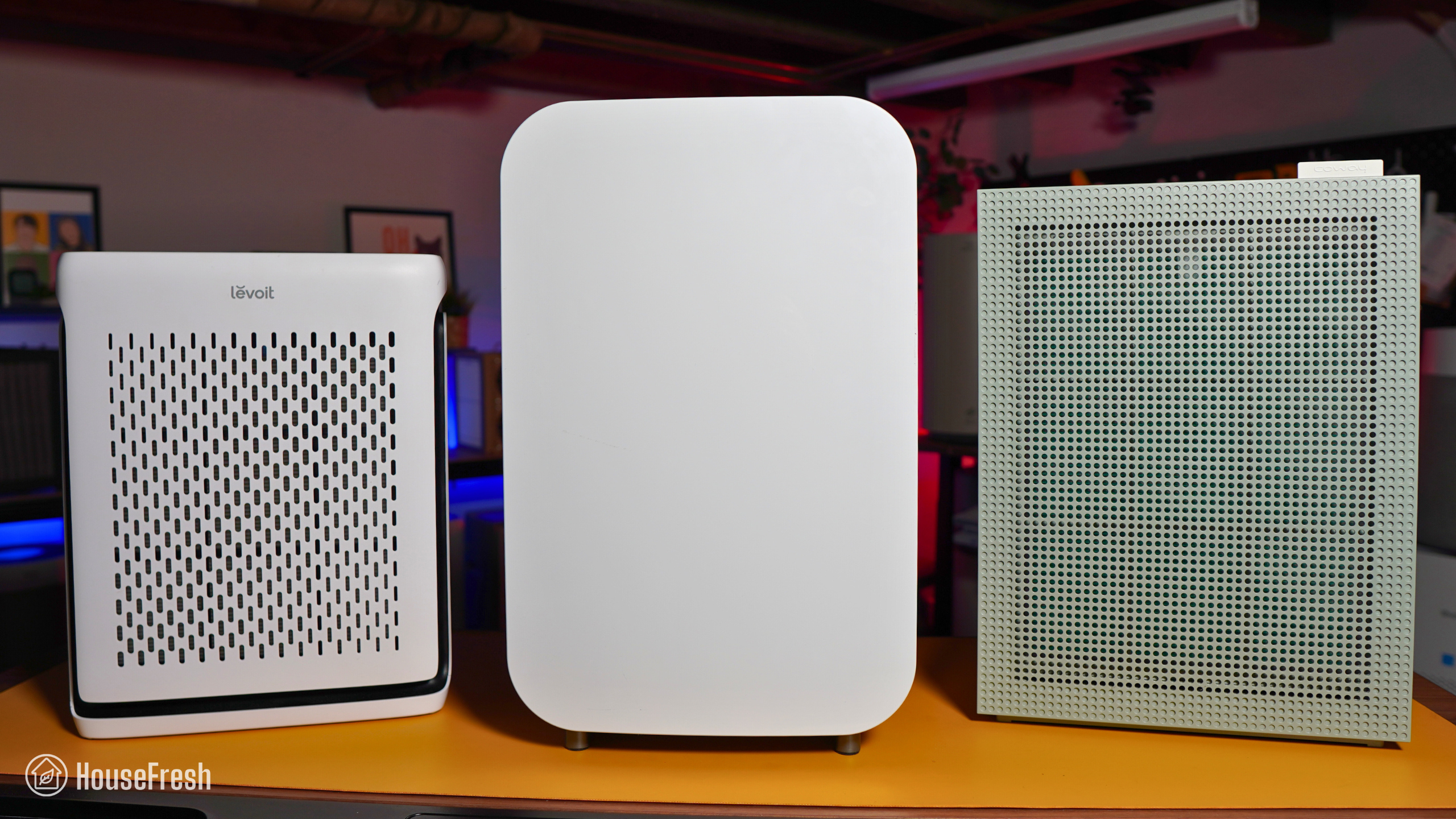
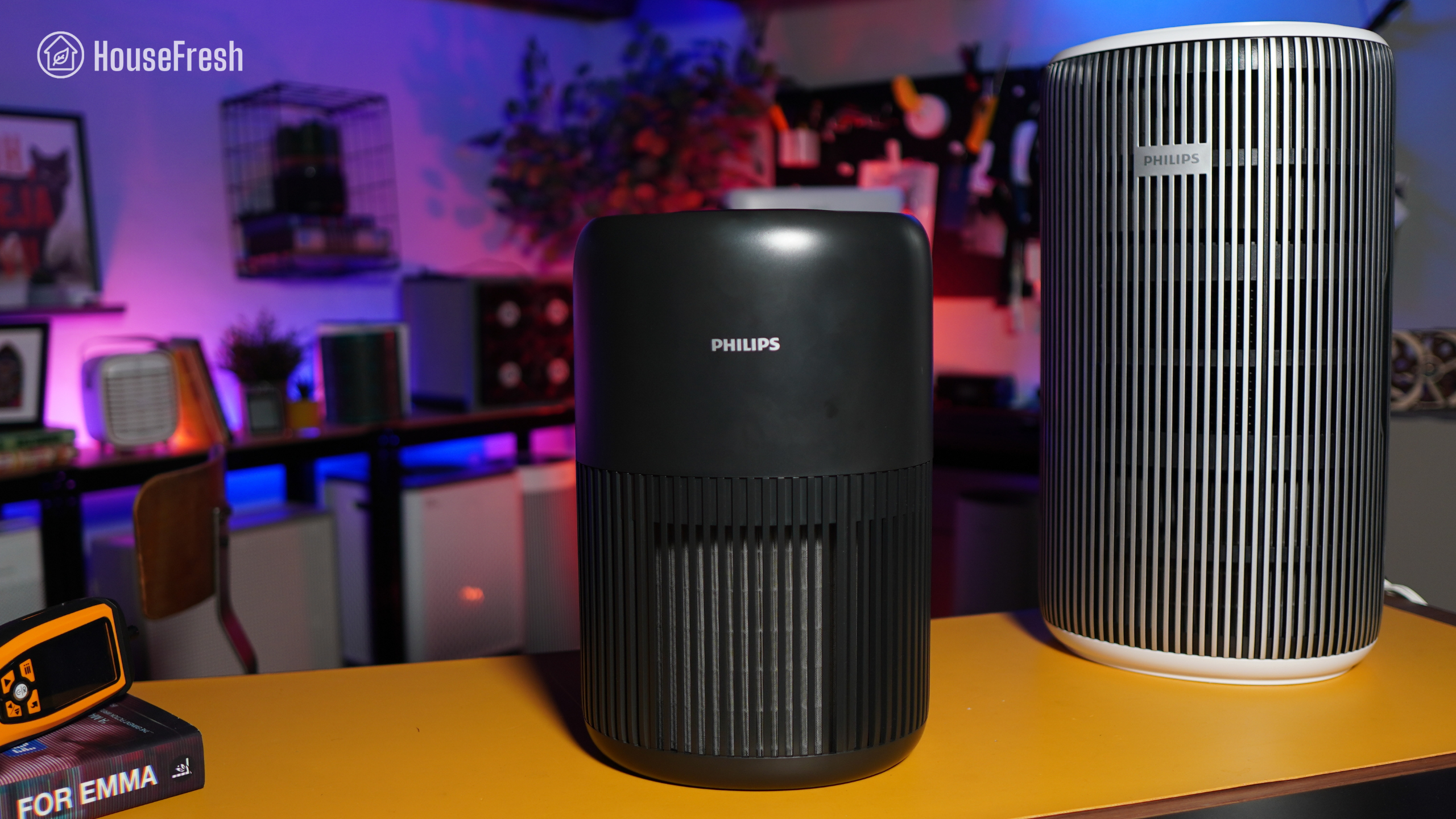
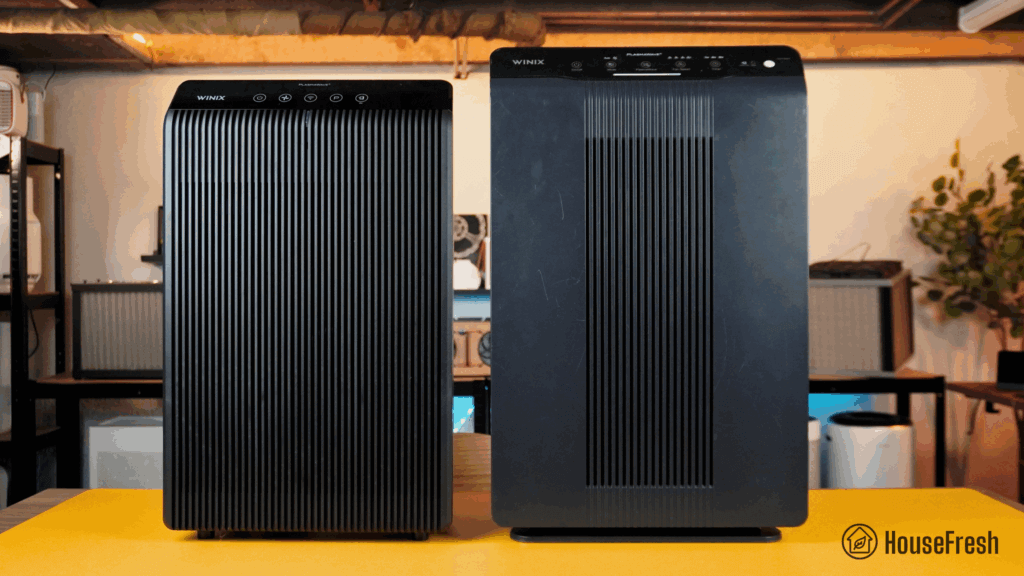
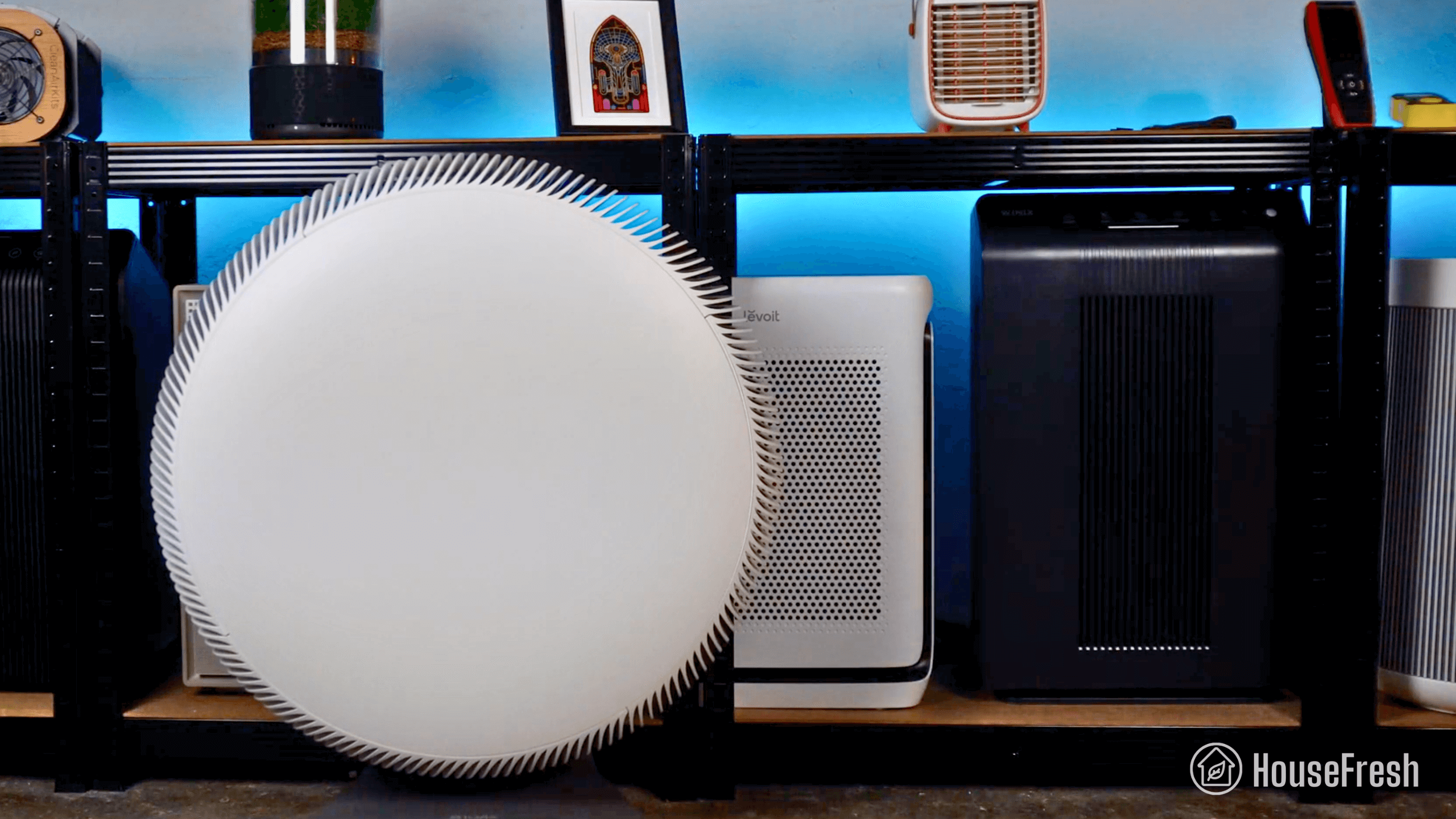
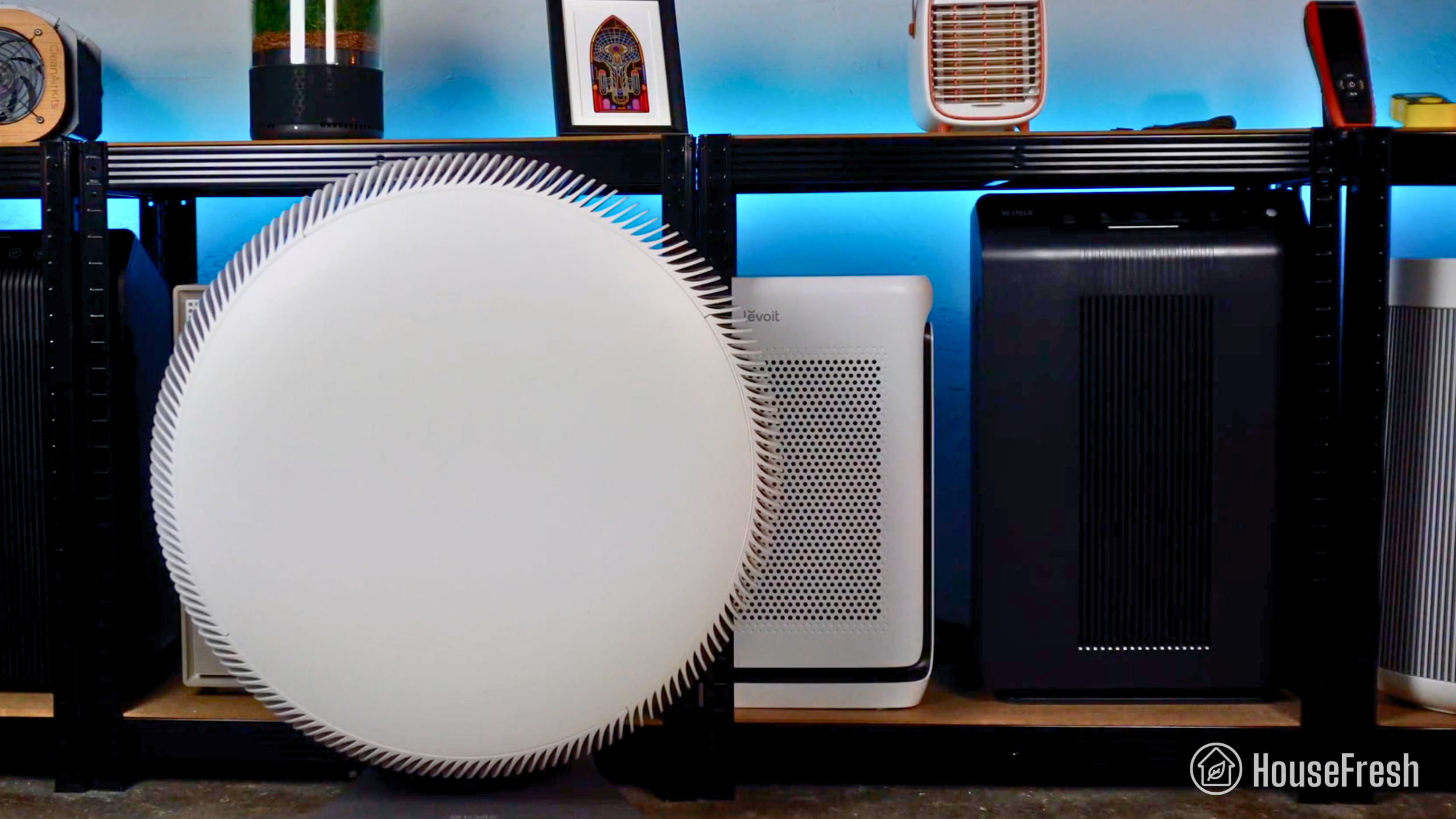
The Eleva 300X and the Core 300S are similar at a glance but the Eleva is a little bigger.

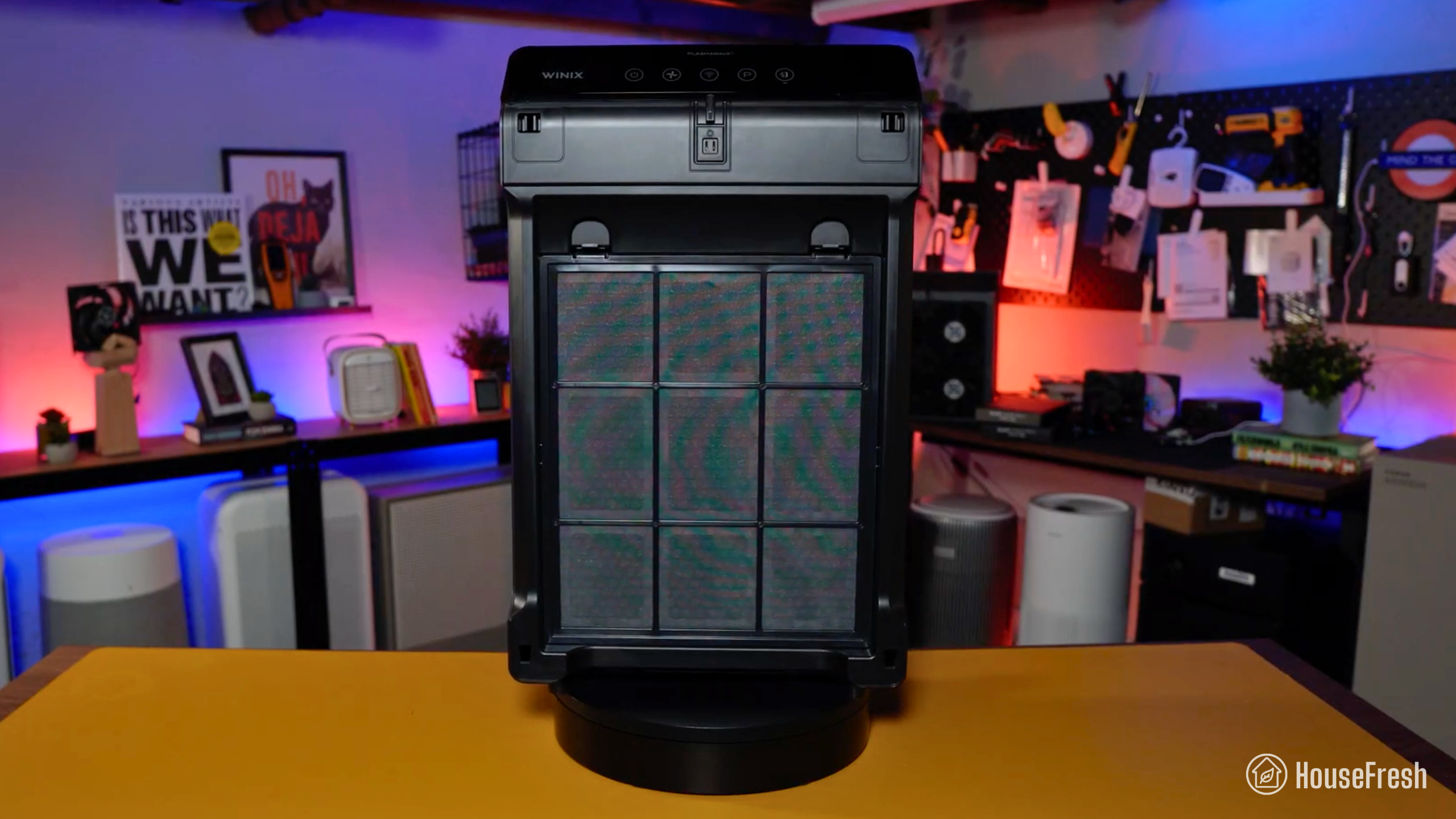
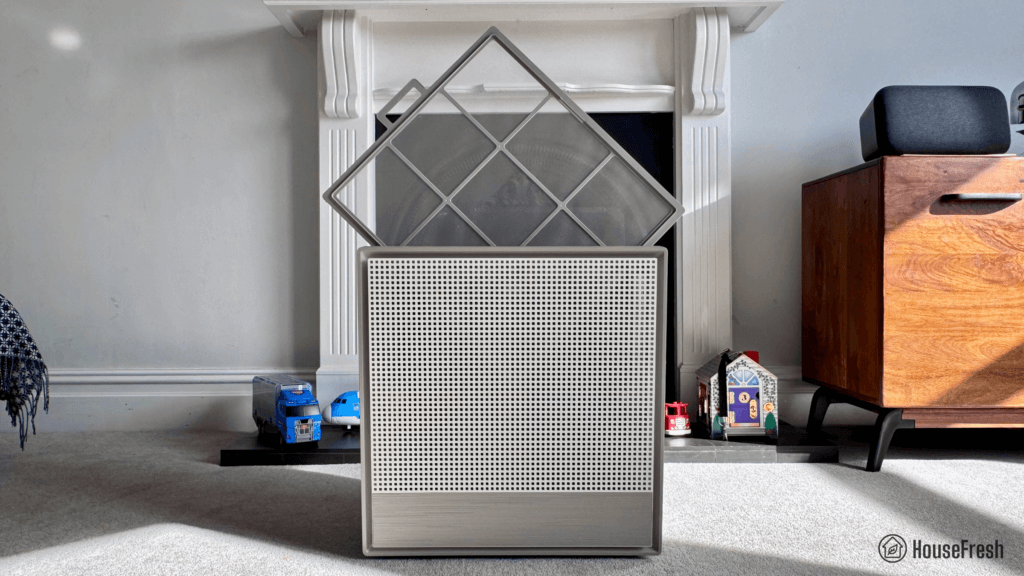
To access the filter on your Eleva 300X, you must twist and pull the top out before pressing a button to disconnect the filter from the head.

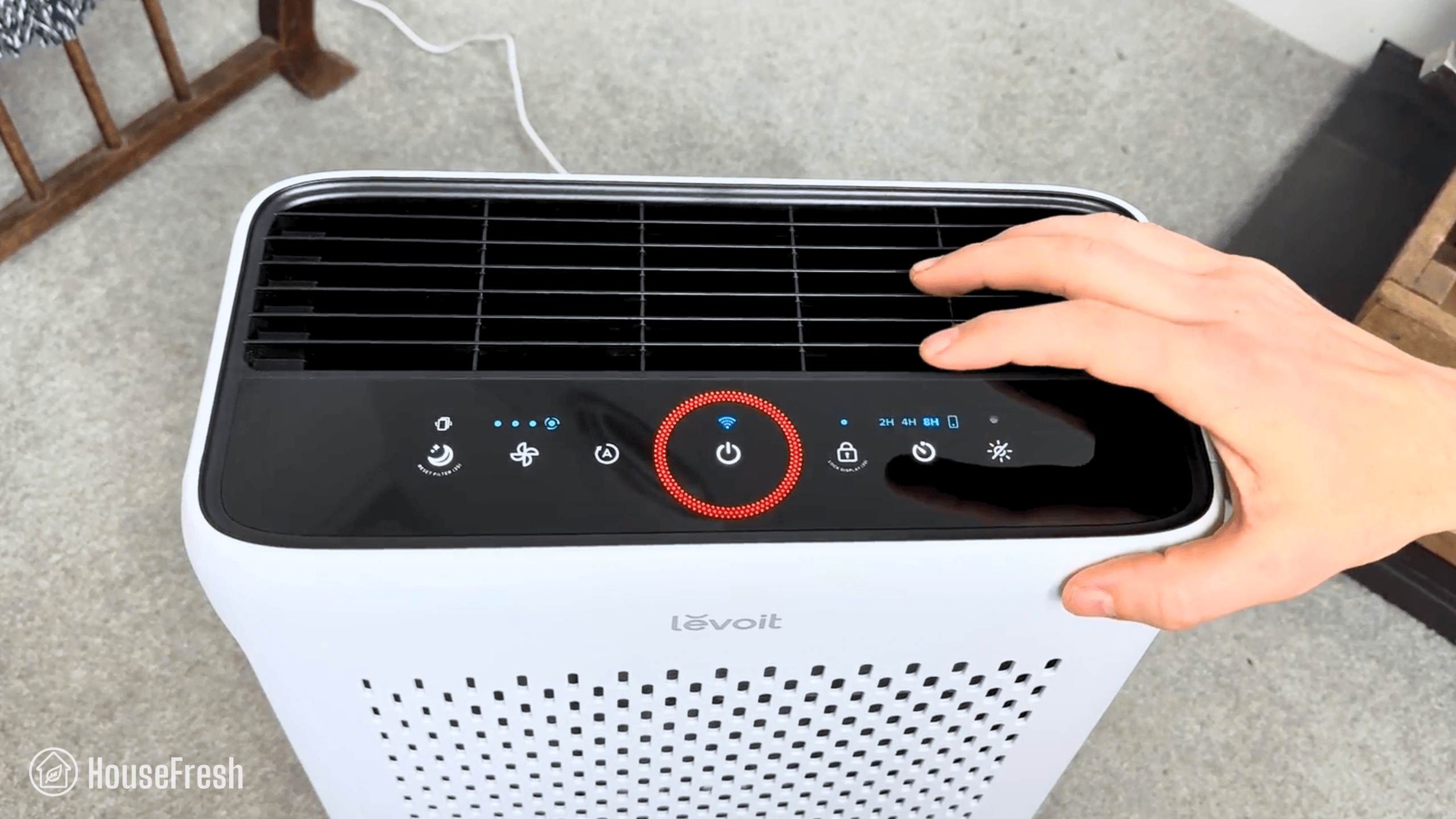
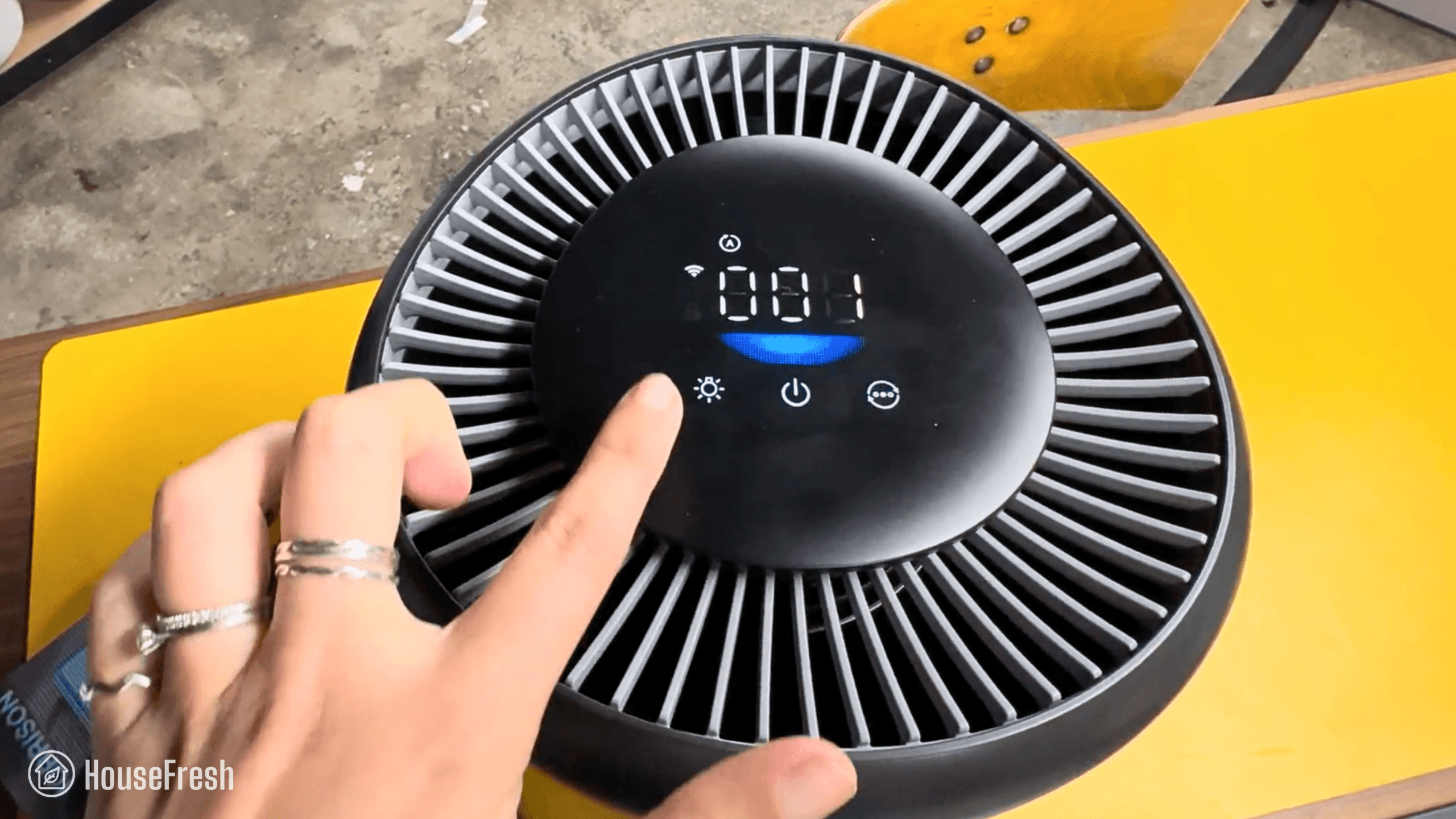
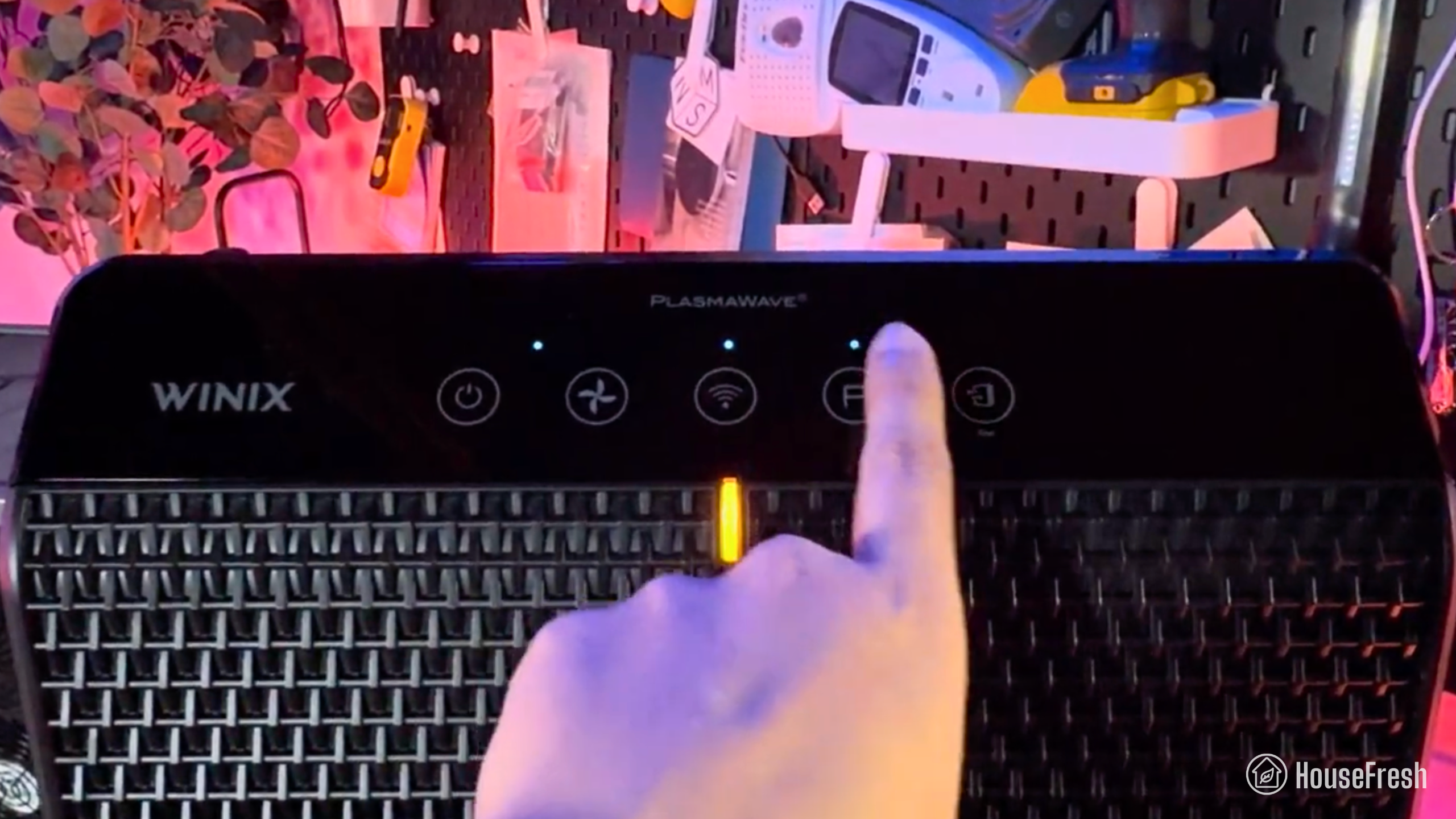
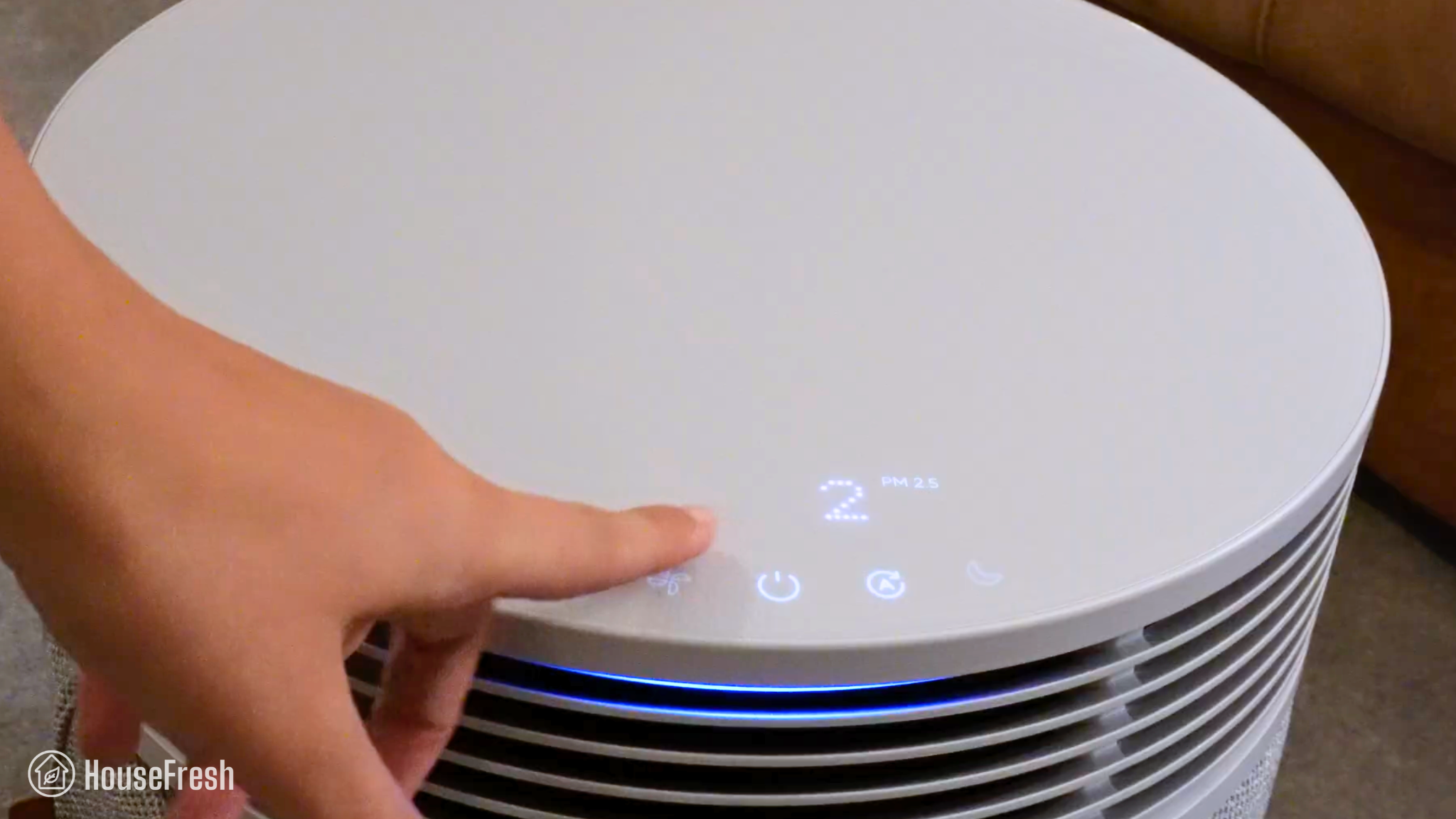
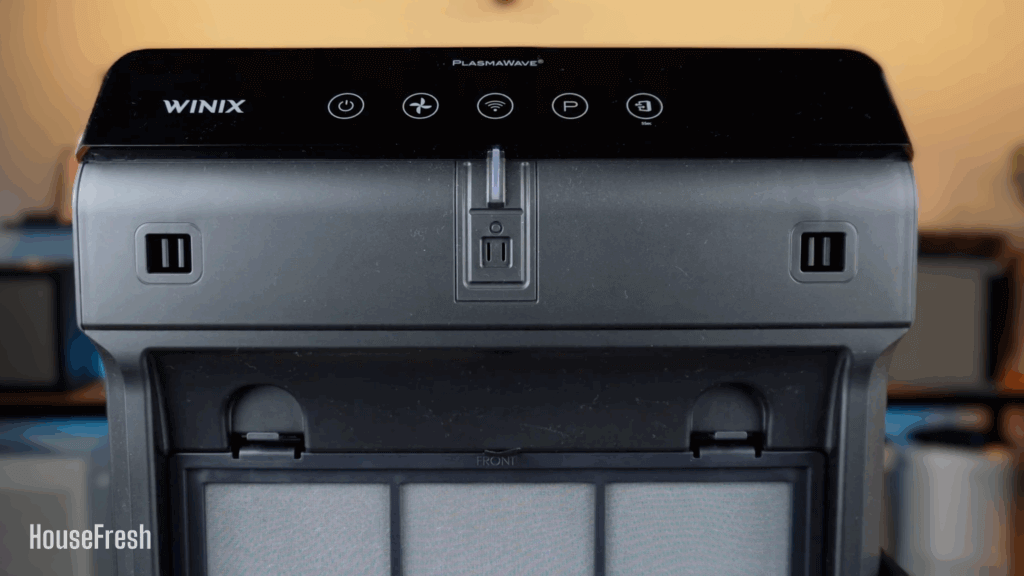
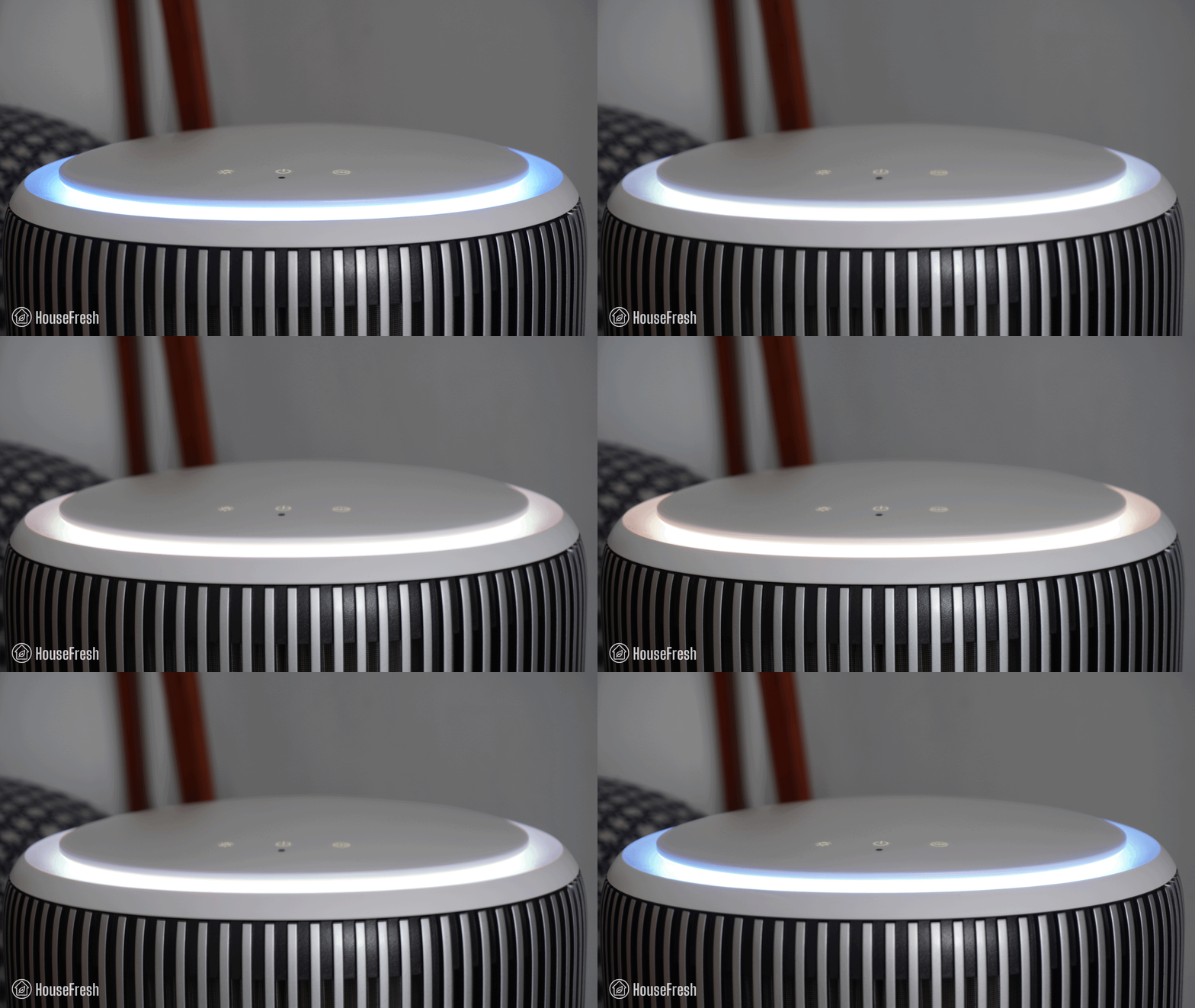
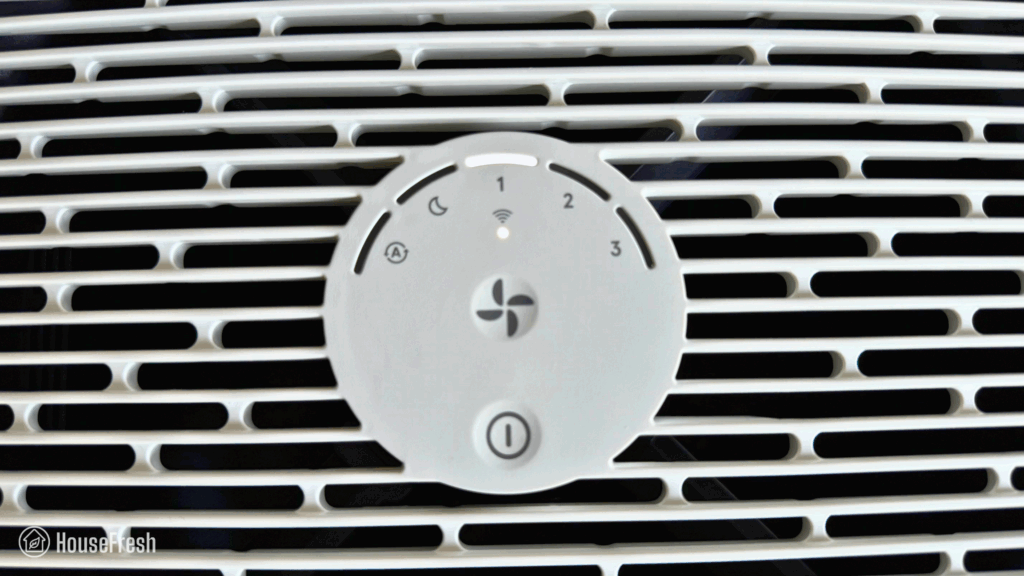
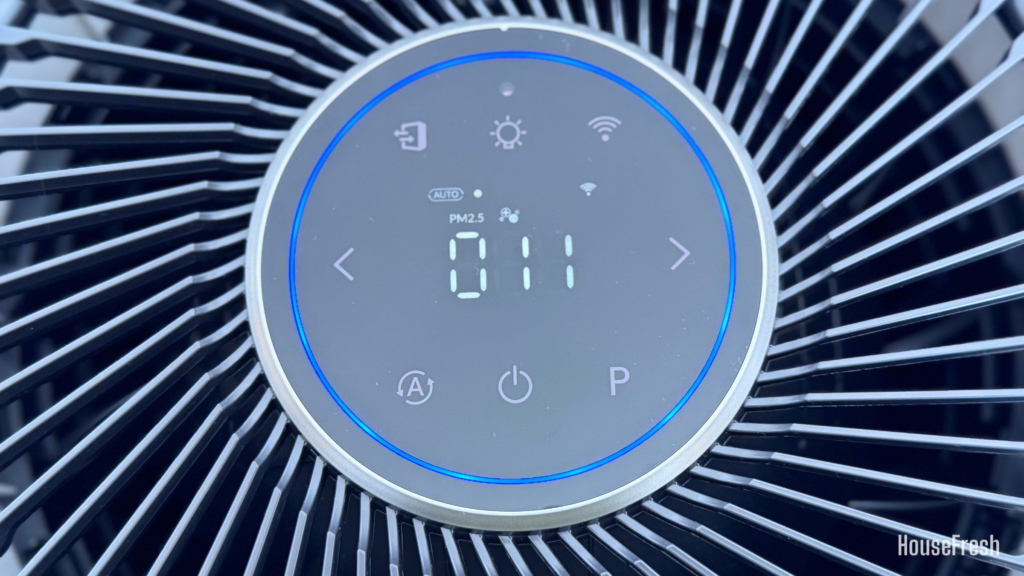
The control panel sits at the top, with a bright LED ring that adjusts color depending on air quality.
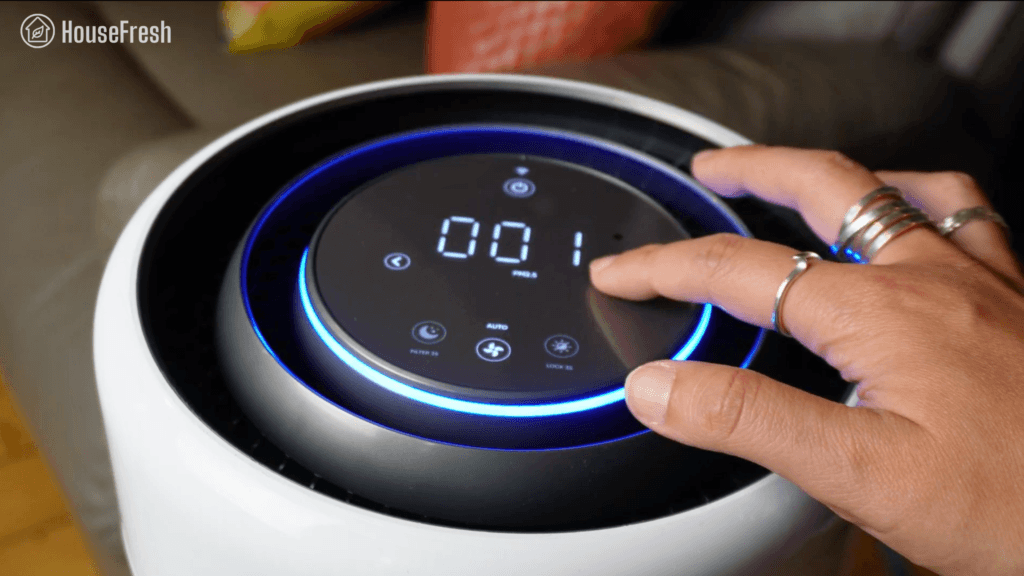
Levoit Eleva 300X Controls

You get touchscreen buttons to enable sleep mode, switch between fan speeds or set Auto Mode, and turn the display off or lock the screen.

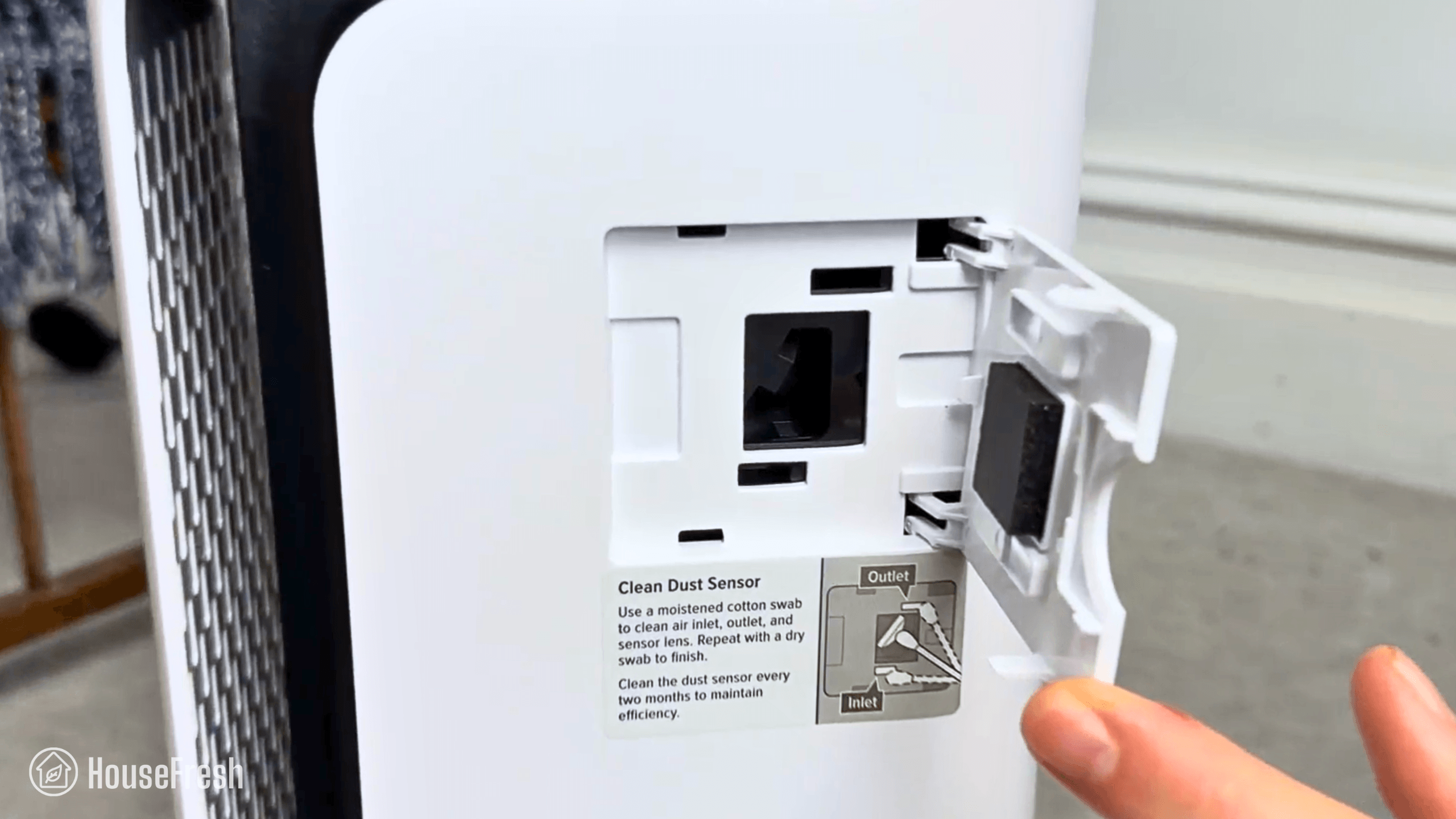
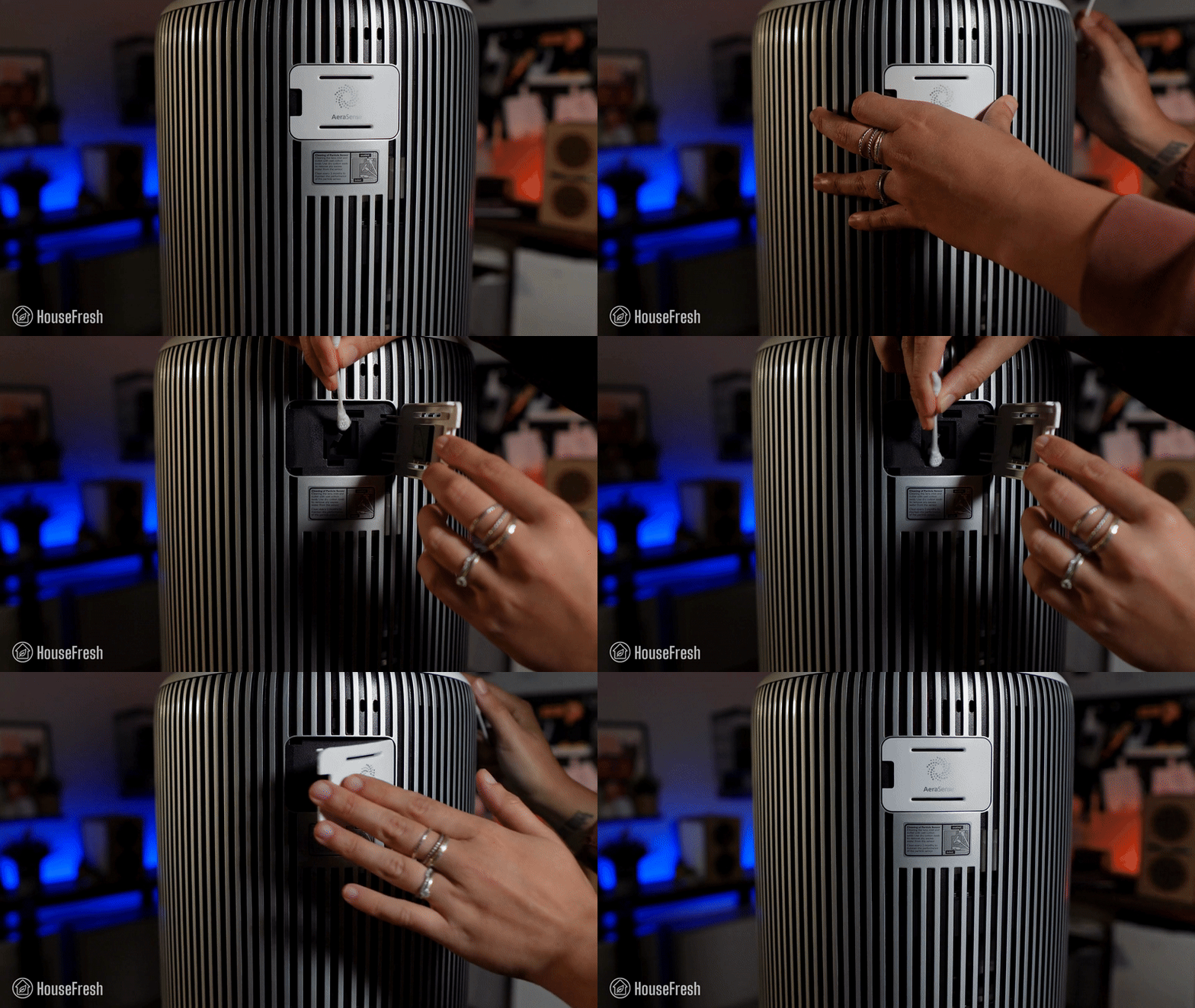
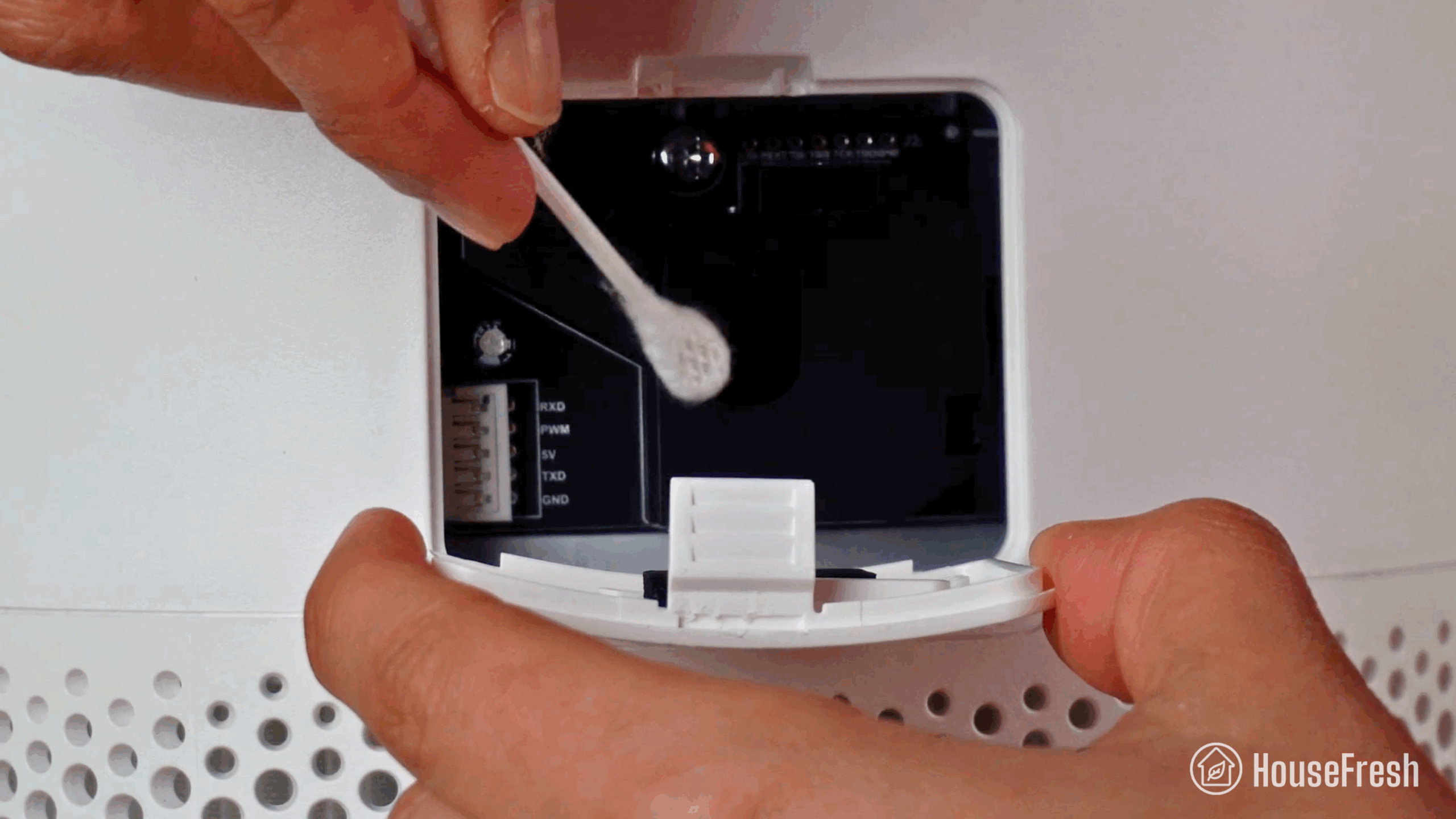
When removing the head, you also get to see the spot where the laser particle sensor is.
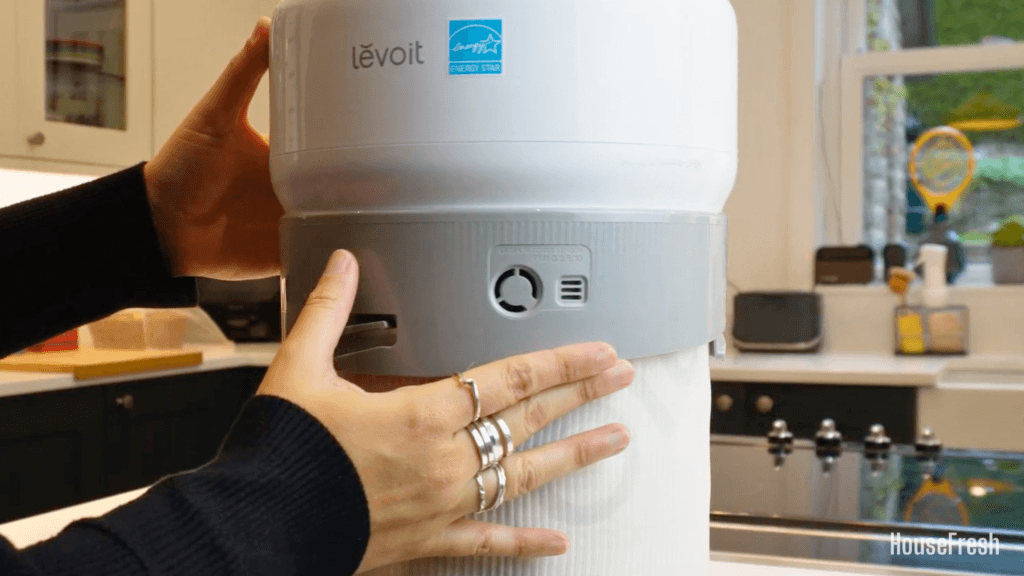
Levoit Eleva 300X Review Sensor 1

There is also an onboard screen at the top that shows levels of PM1, PM2.5, PM10 particle pollution, and an overall air quality score.

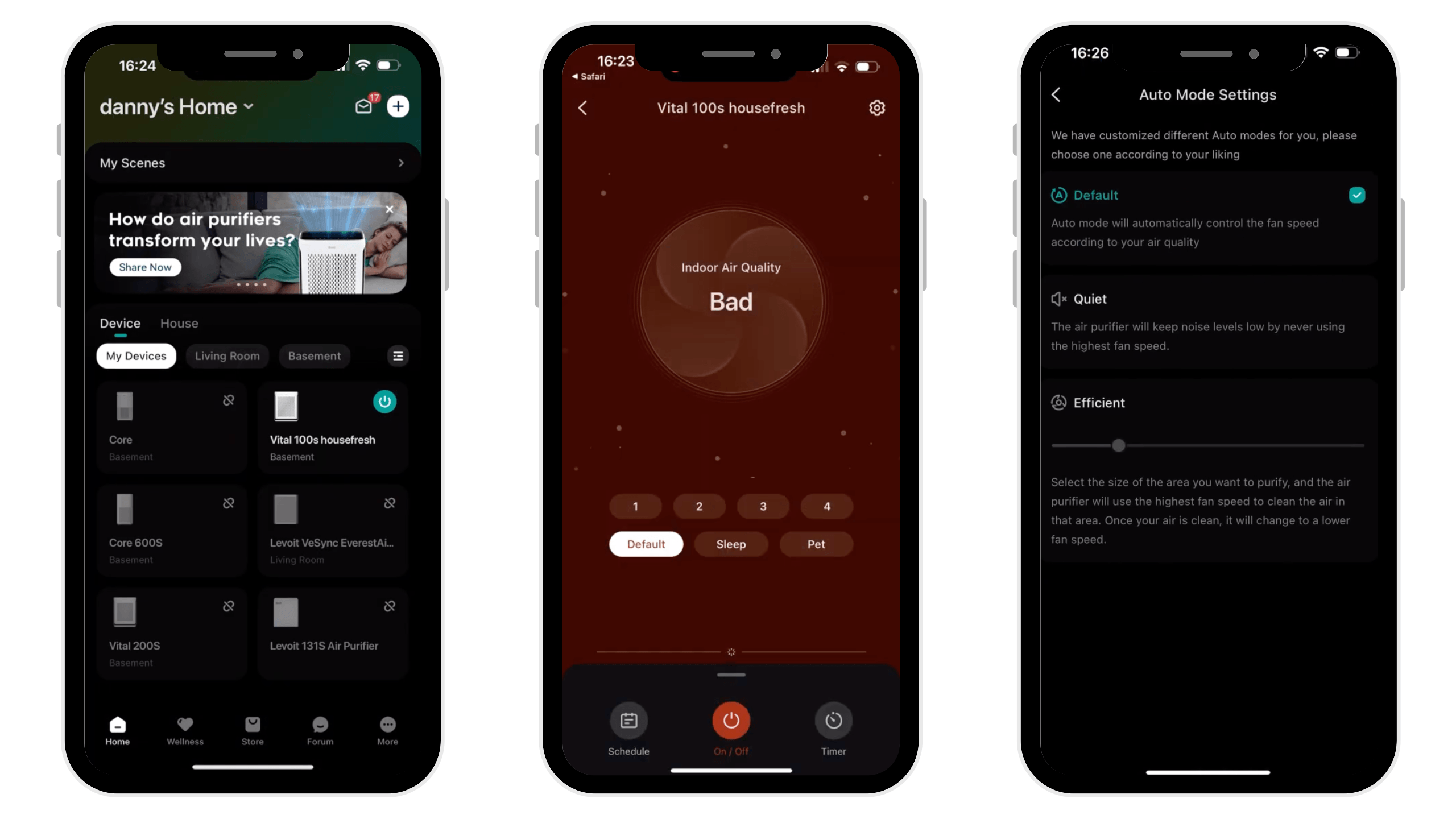
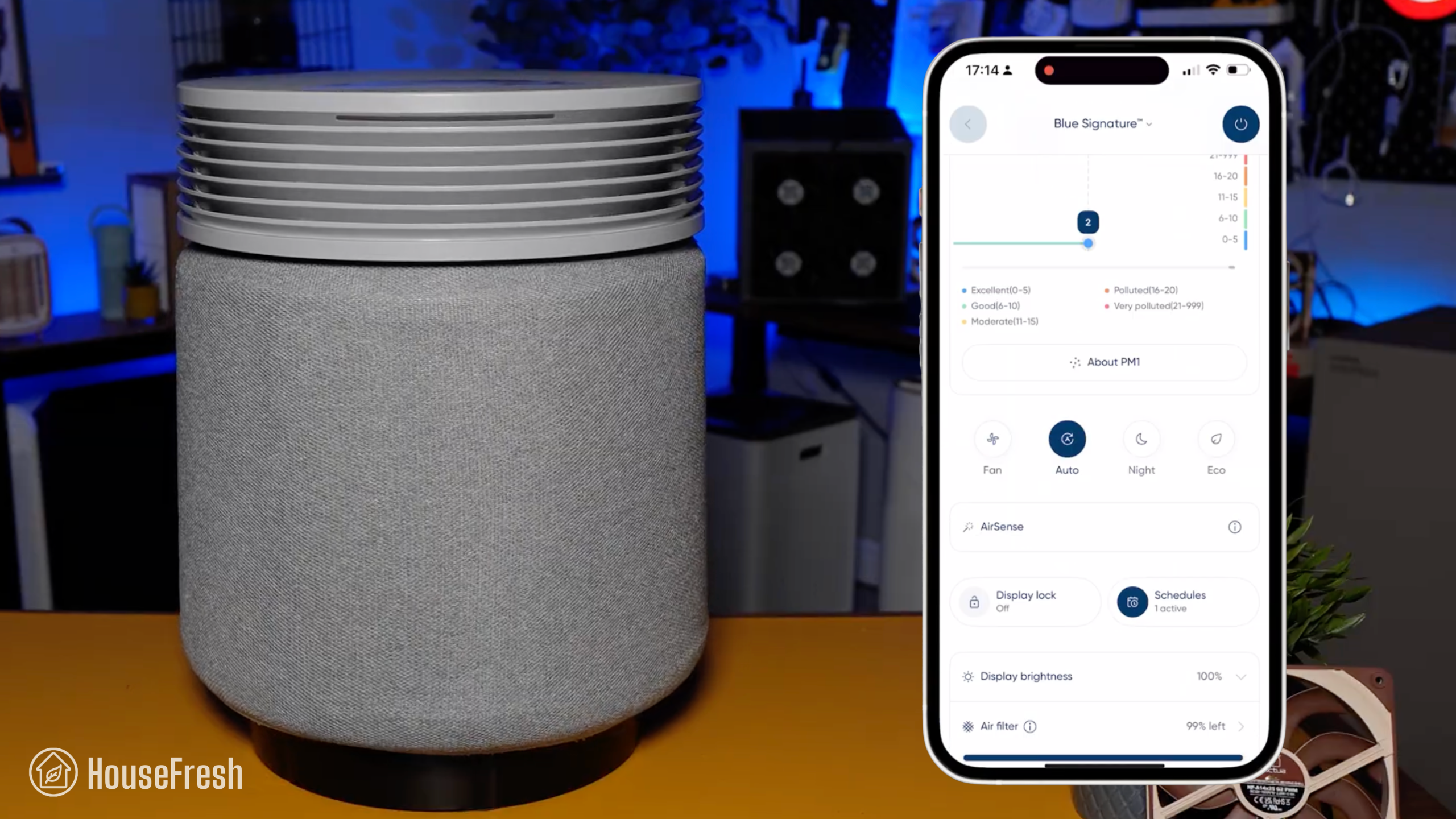
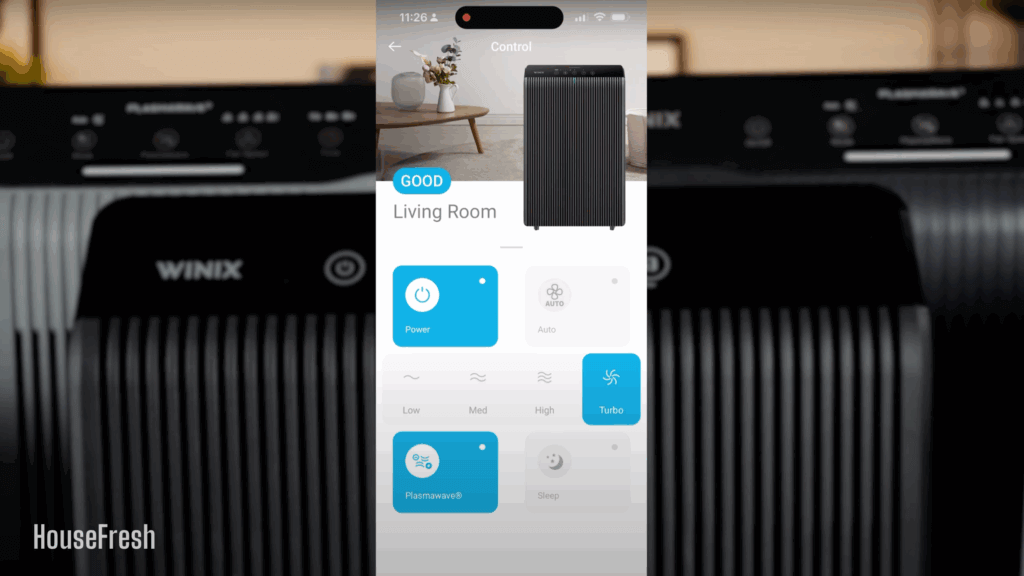
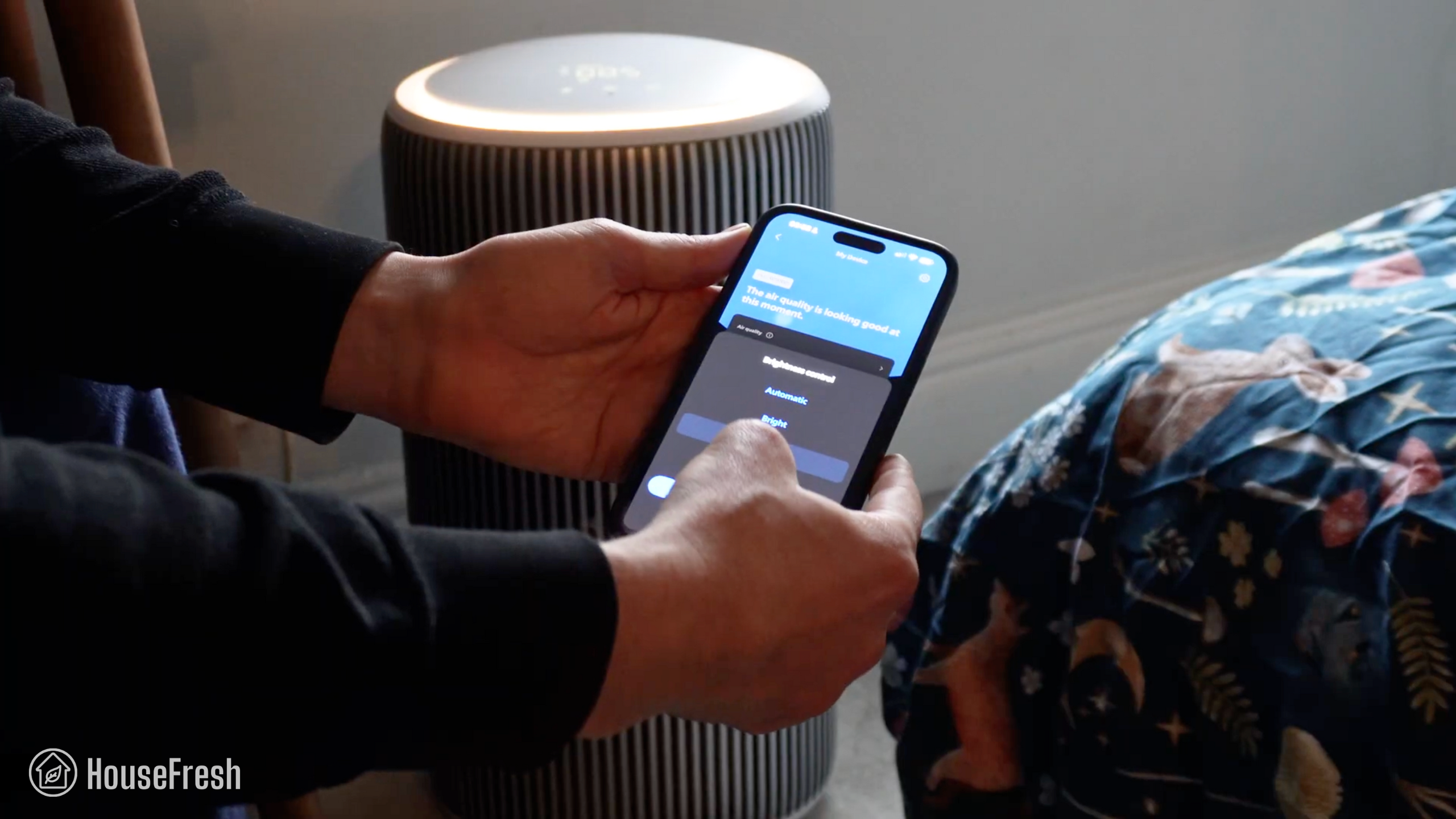
You can connect your Eleva 300X to the VeSync app, which is same app Levoit uses across all their smart products. On the app, you can control your device remotely, keep track of air quality readings from the sensor, set simple automated routines and get access to customizable smart modes.

With the Eleva series, Levoit introduced something they call ‘Personalized Air Purification’ through three personalized functions: Daily Comfort, Focused Care, and Advanced Care.

I personally found these modes unclear and I miss having the option to set Efficient Mode based on the size of the room as I can do it with old models like my Vital 200S.

Something I did like about the app is the introduction of the Dynamic Manual mode.

Dynamic Mode is a function that allows you to set a preferred manual speed while enabling your Eleva to kick into Turbo mode whenever the sensor detects pollutants, before returning to the manual speed you chose.

This means you get the full power of the fan ready to quickly kick into gear but once the air is clean, the air purifier will go back to your chosen manual speed – instead of going down to the lowest fan speed, as normal Auto Modes do.

Air cleaning performance

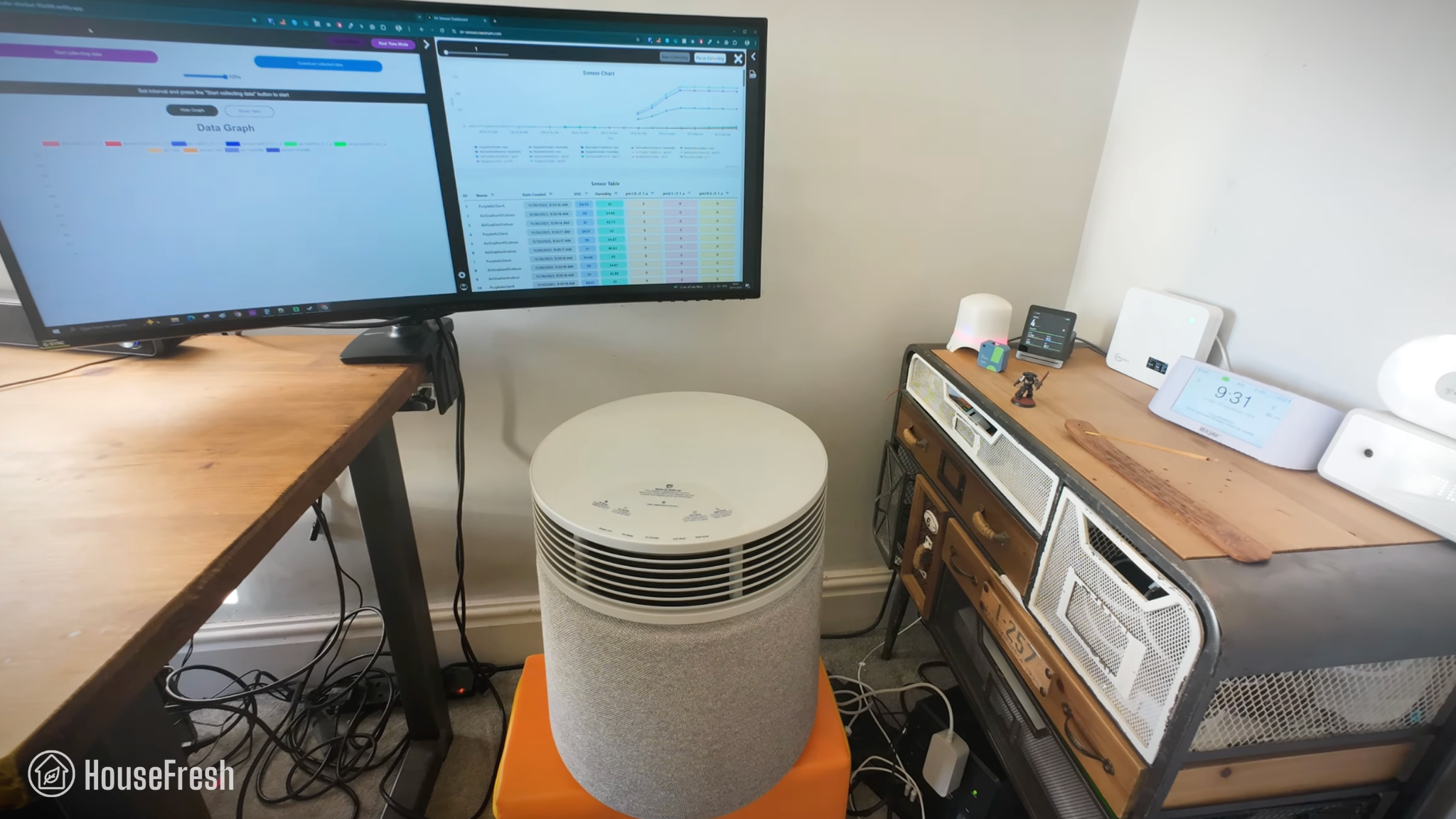
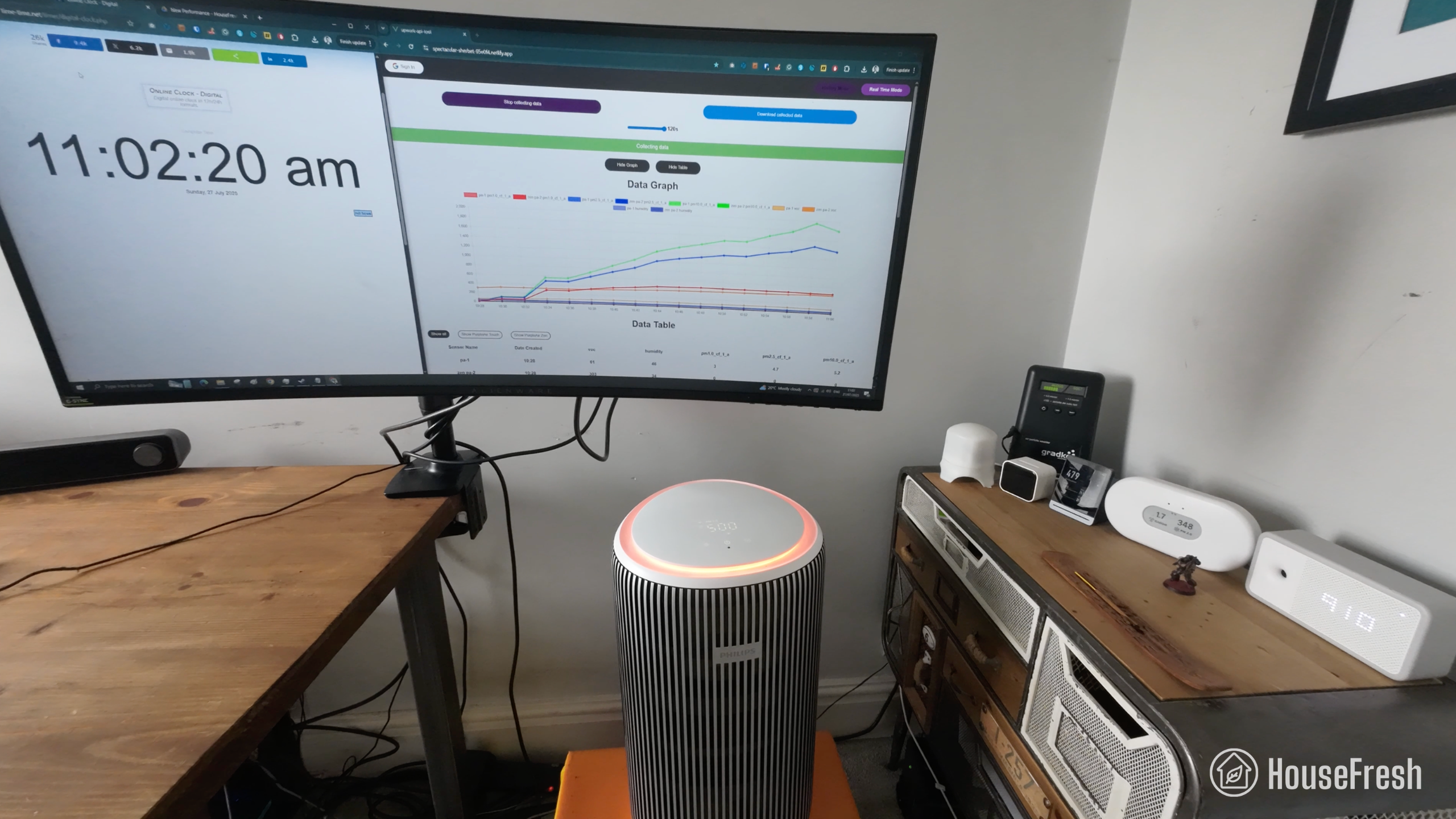
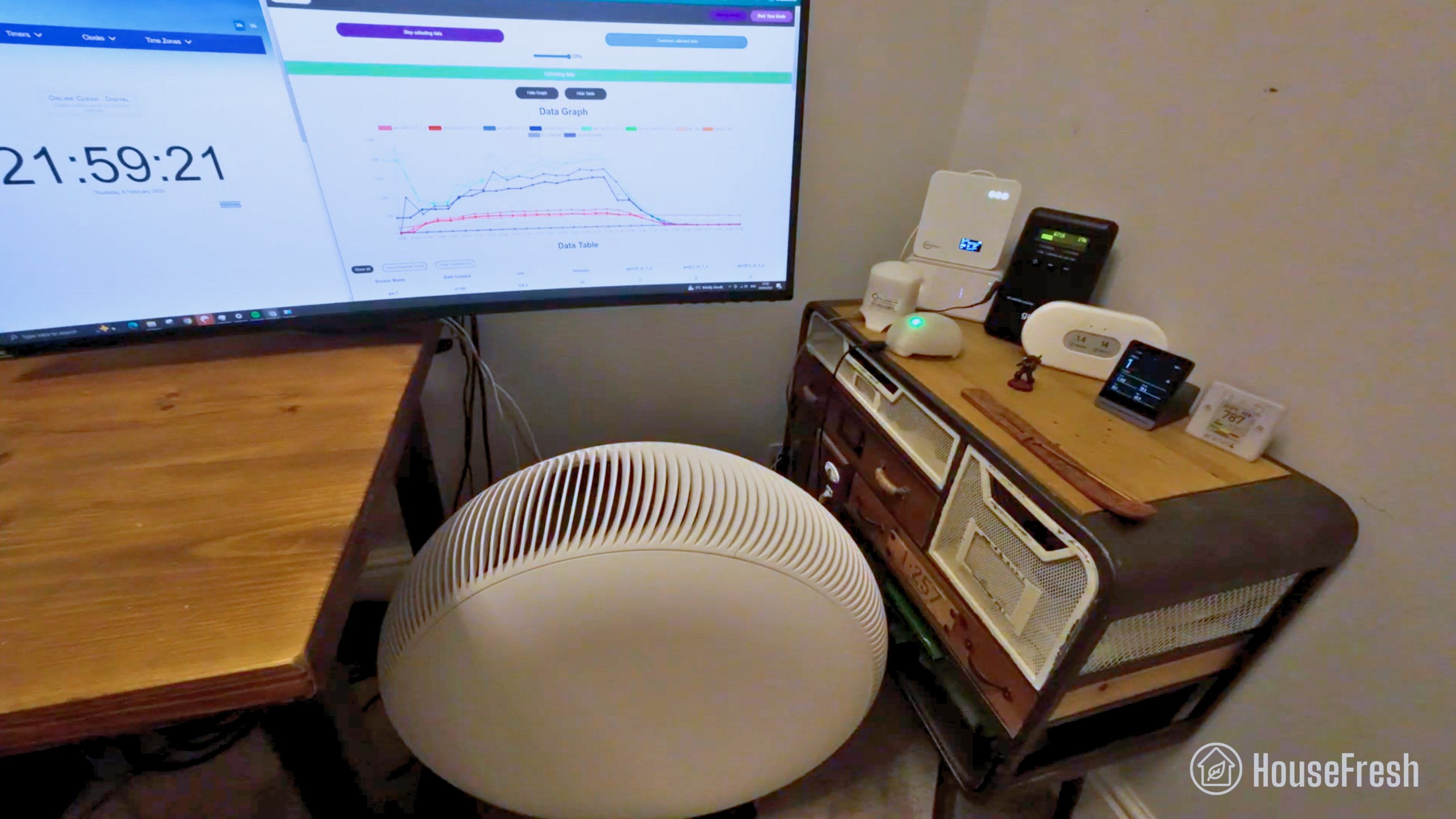
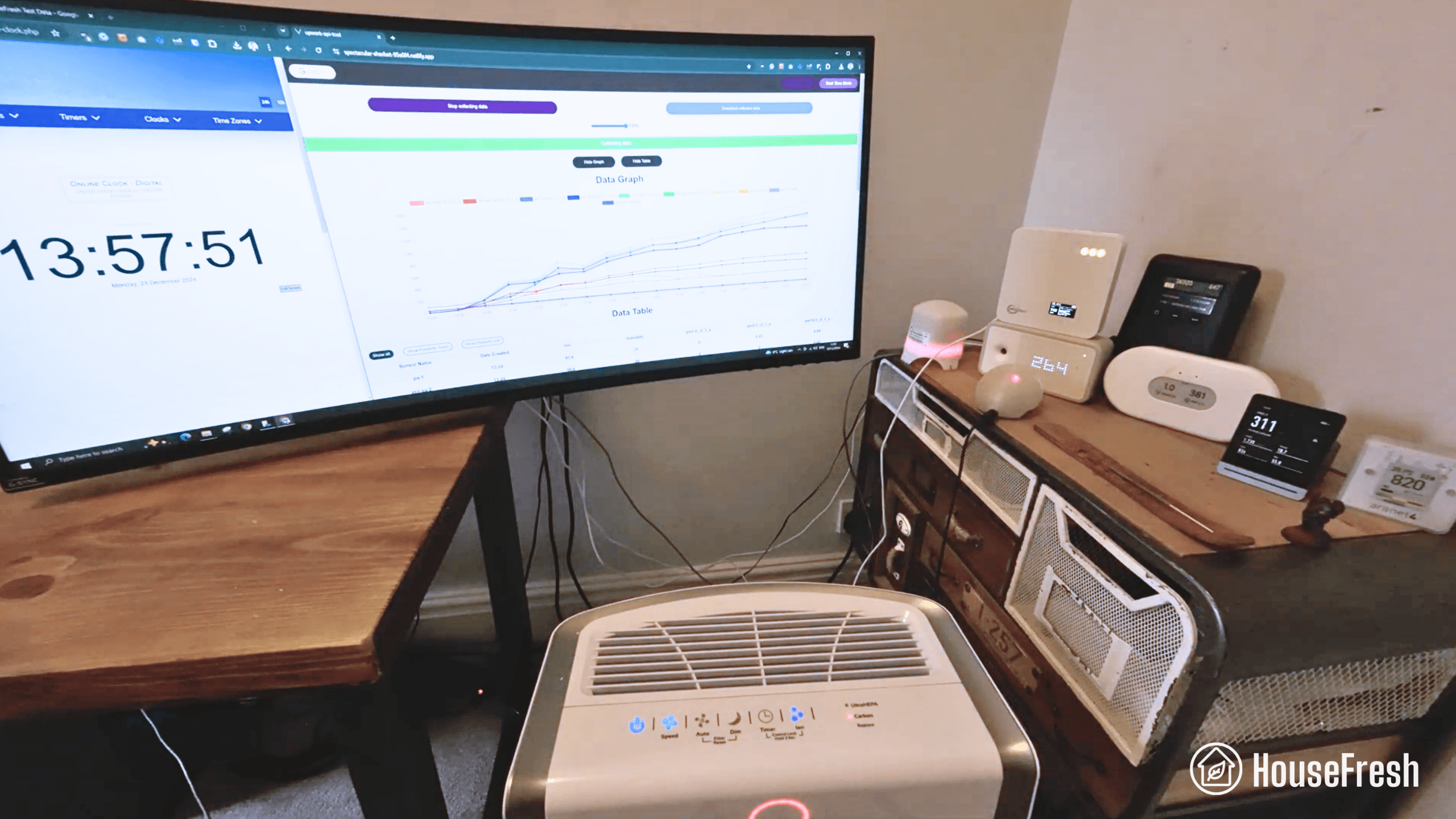
We tested the Levoit Eleva 300X in our 728-cubic-ft test room, measuring how quickly it removed PM1 particles from the air after we filled the space with incense smoke.
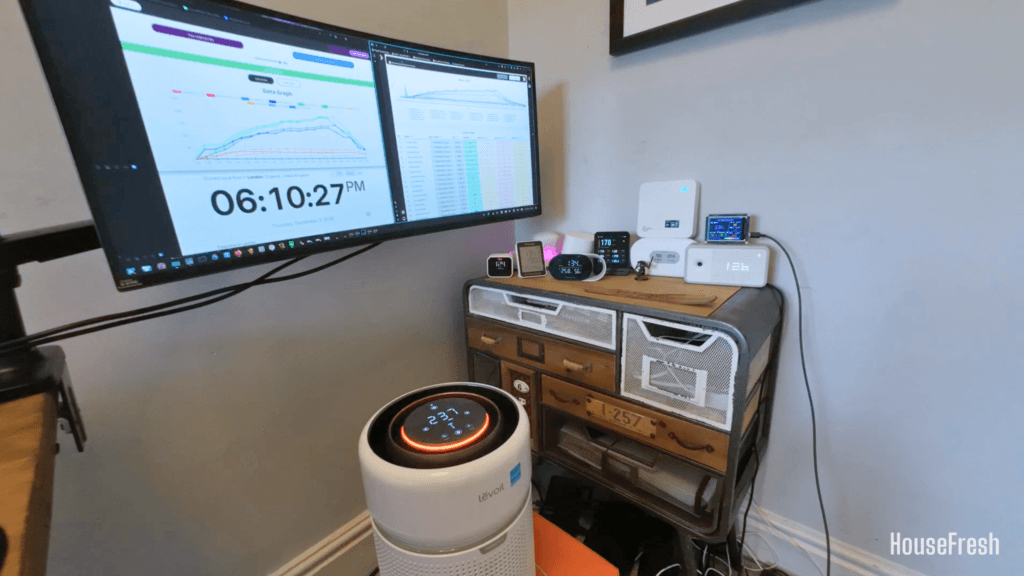
Levoit Eleva 300X Review CADR Test HouseFresh

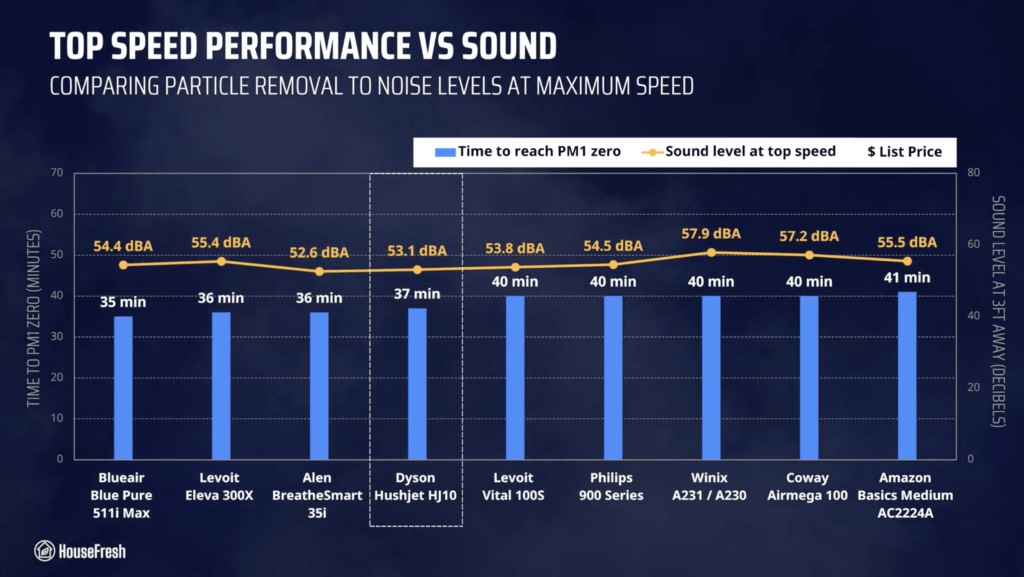
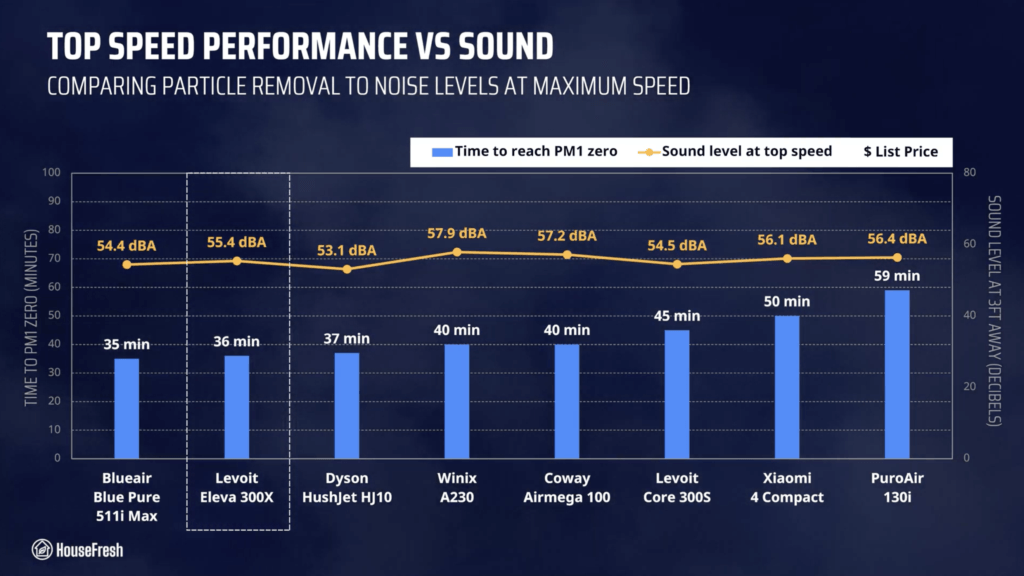
When running at top speed, our PurpleAir Zen sensor shows that the Eleva 300X needed 36 minutes to reach PM1 zero. Based on the natural ventilation of our test room, we estimate a PM1 CADR of 165 cfm.

This makes the Eleva 300X powerful enough to provide five air changes per hour in small rooms up to 247 sq. ft. (or 23 m2).

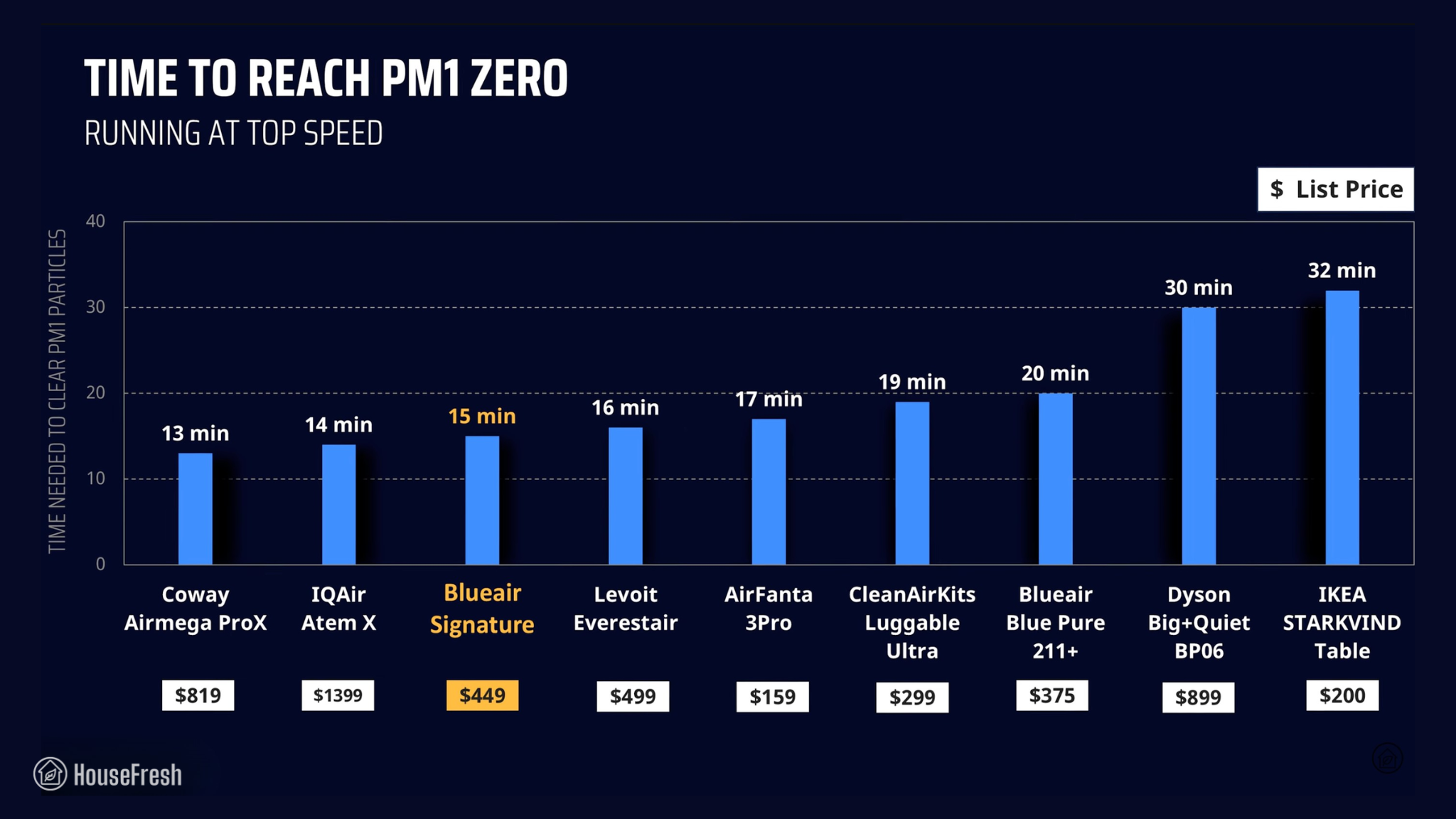
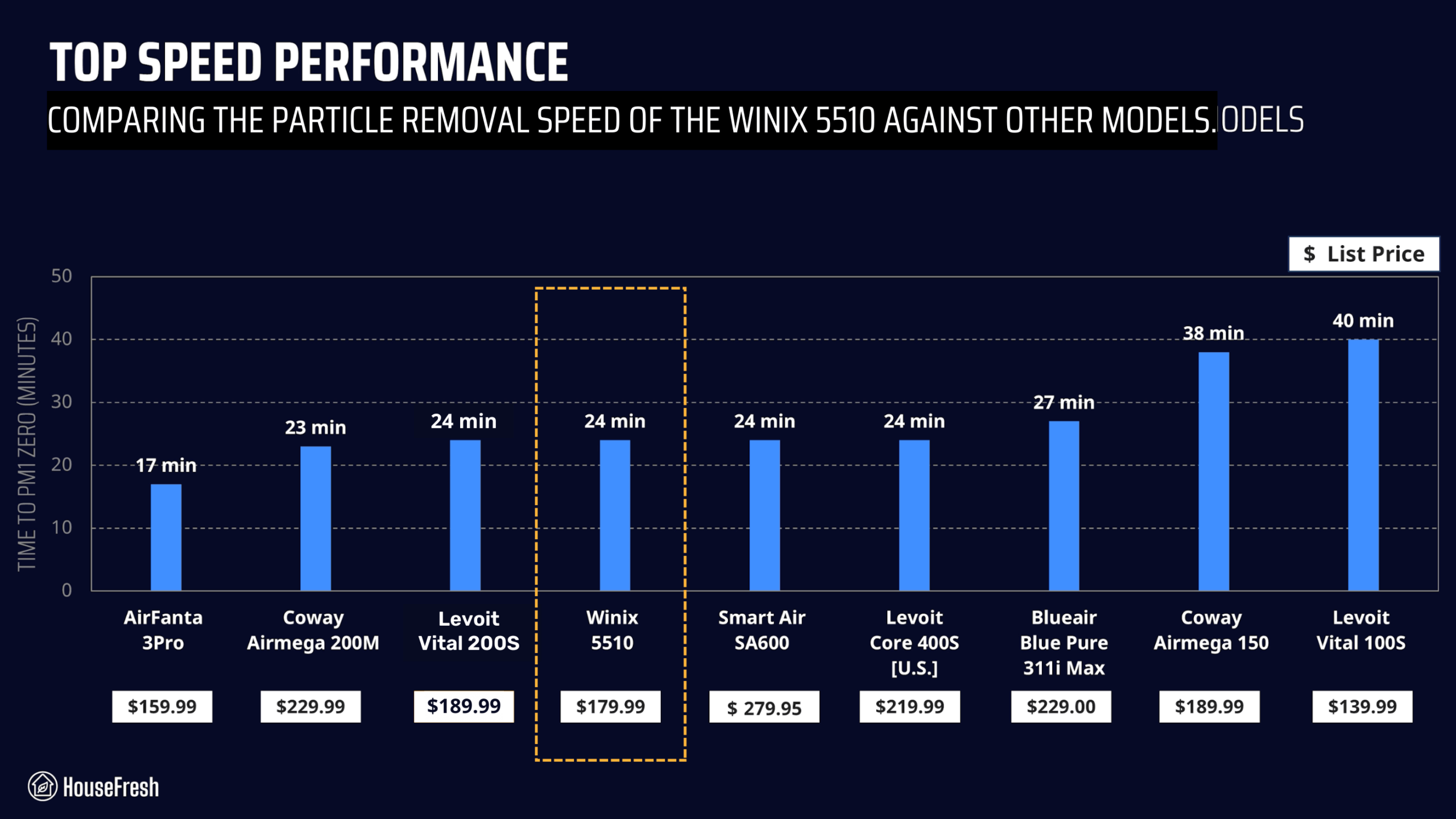
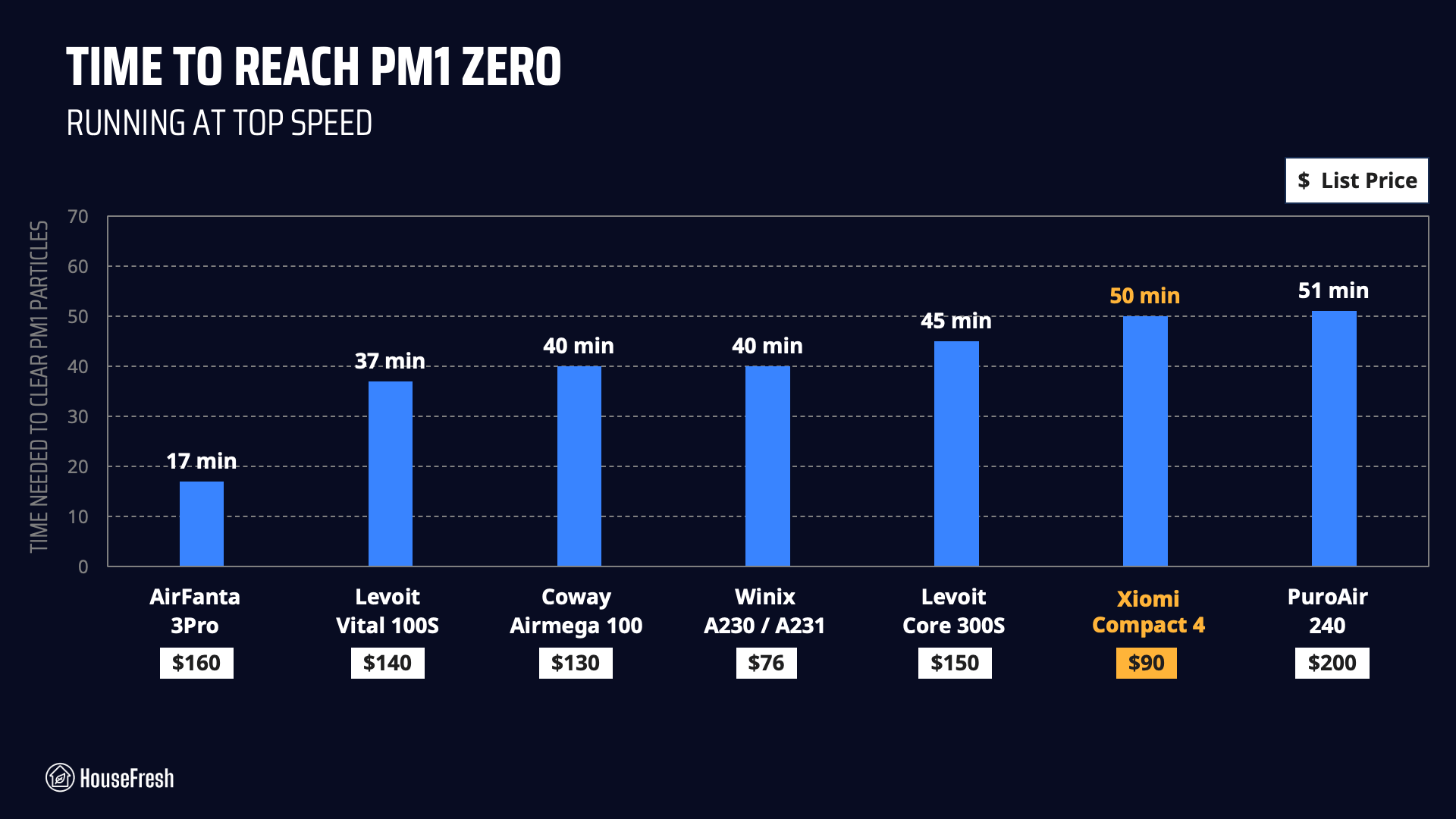
As you can see from the chart below, this Levoit offers excellent air cleaning performance for its price. The only small unit under $150 that outperforms it is the Blueair Blue Pure 511i Max, which uses an ionization process that cannot be disabled.
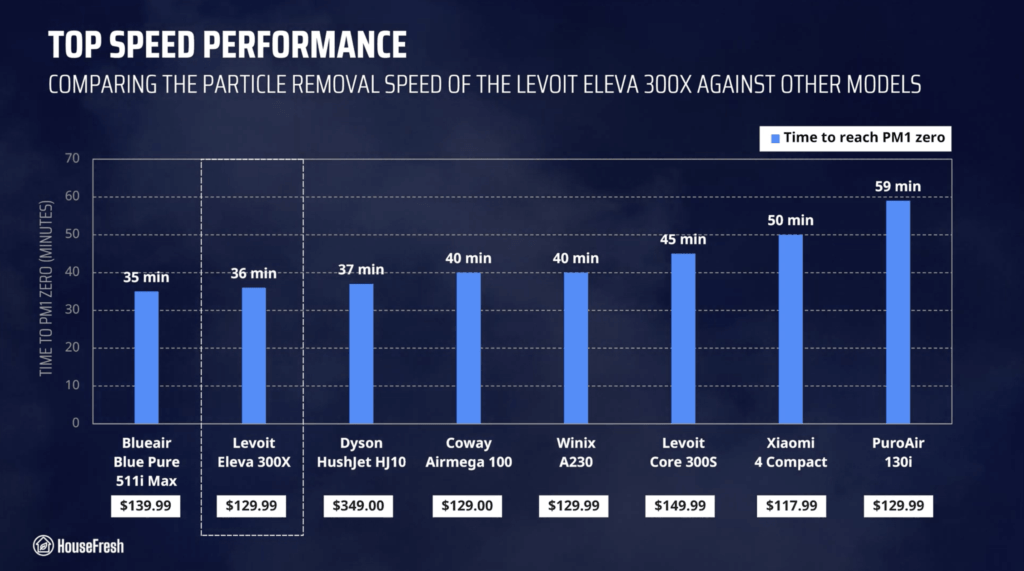
Levoit Eleva 300X Time to PM1 Zero HouseFresh

But all these numbers are based on results at top speed, and most people won’t use their air purifier at top speed 24/7 because these devices running at full power can be as loud as a vacuum cleaner.

Sound levels

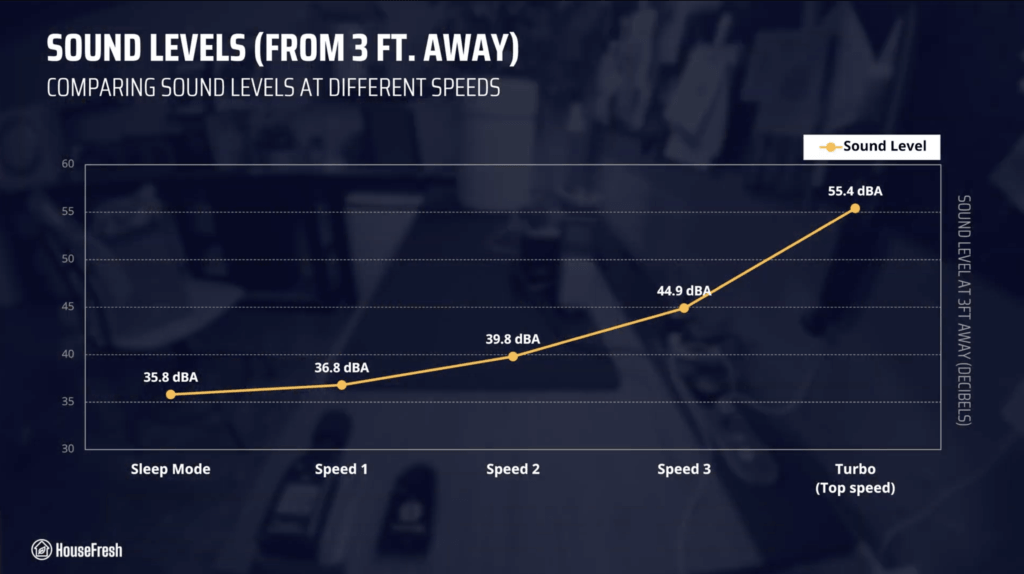
The sound levels of the Levoit Eleva 300X range from 35.8 dBA to 55.4 dBA — which is a little louder than what we measured when testing the Dyson HushJet Compact HJ10.
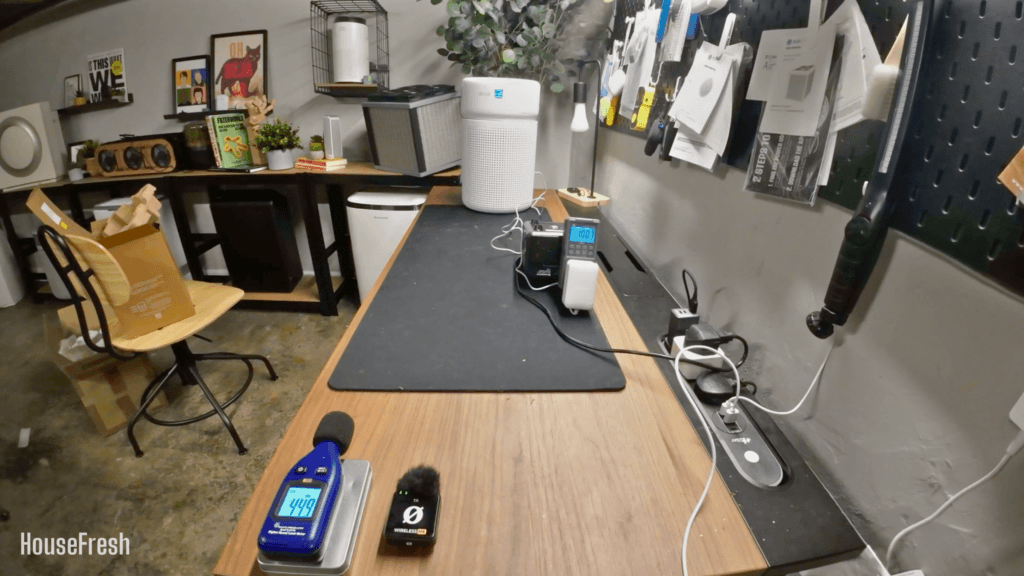
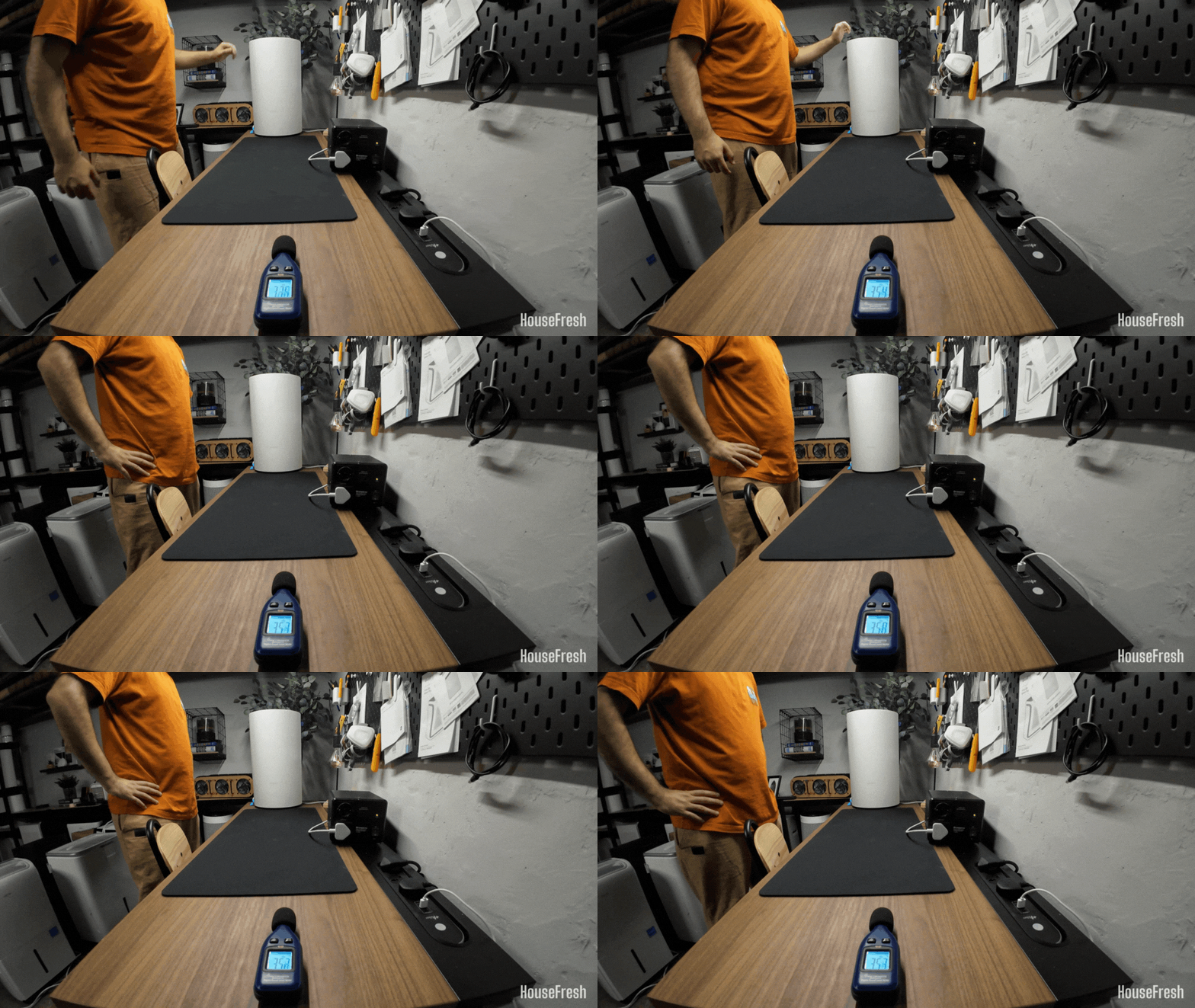
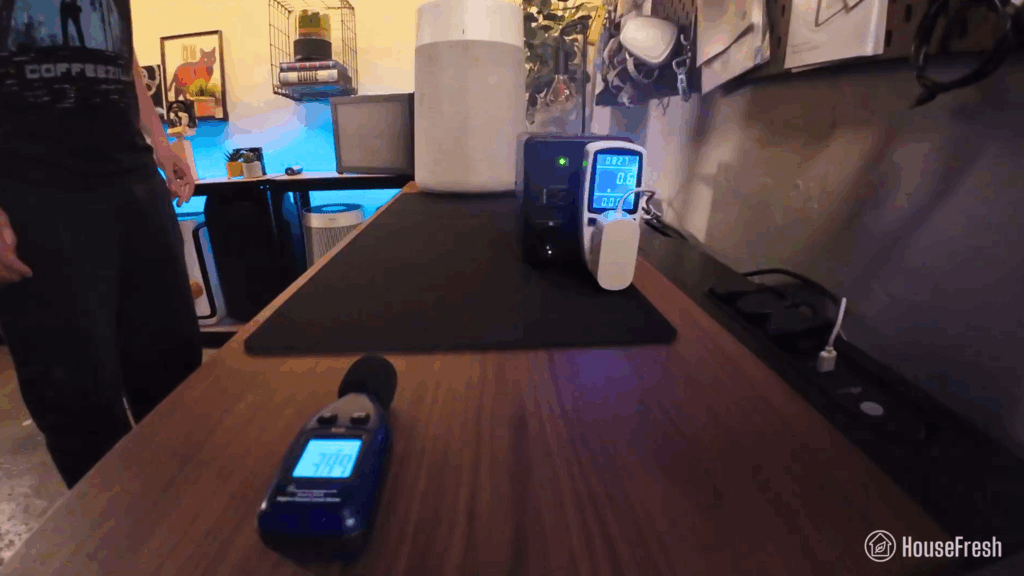
Levoit Eleva 300X Review Sound Energy Test HouseFresh

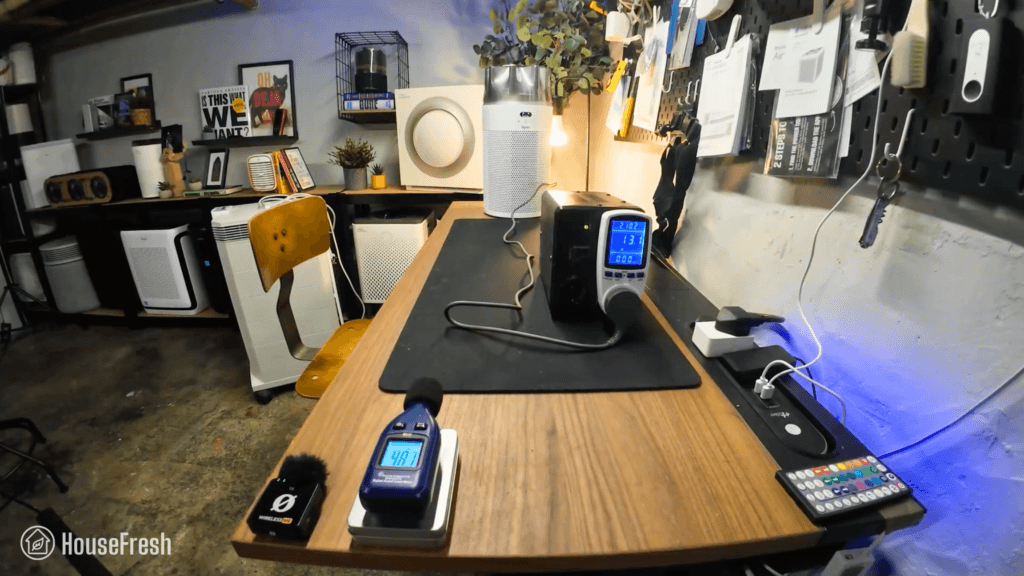
As always, I used our BAFX sound meter to measure how much sound the Eleva 300X generates at each of its fan speeds at 3 ft away:
Levoit Eleva 300X Review Sound Levels HouseFresh

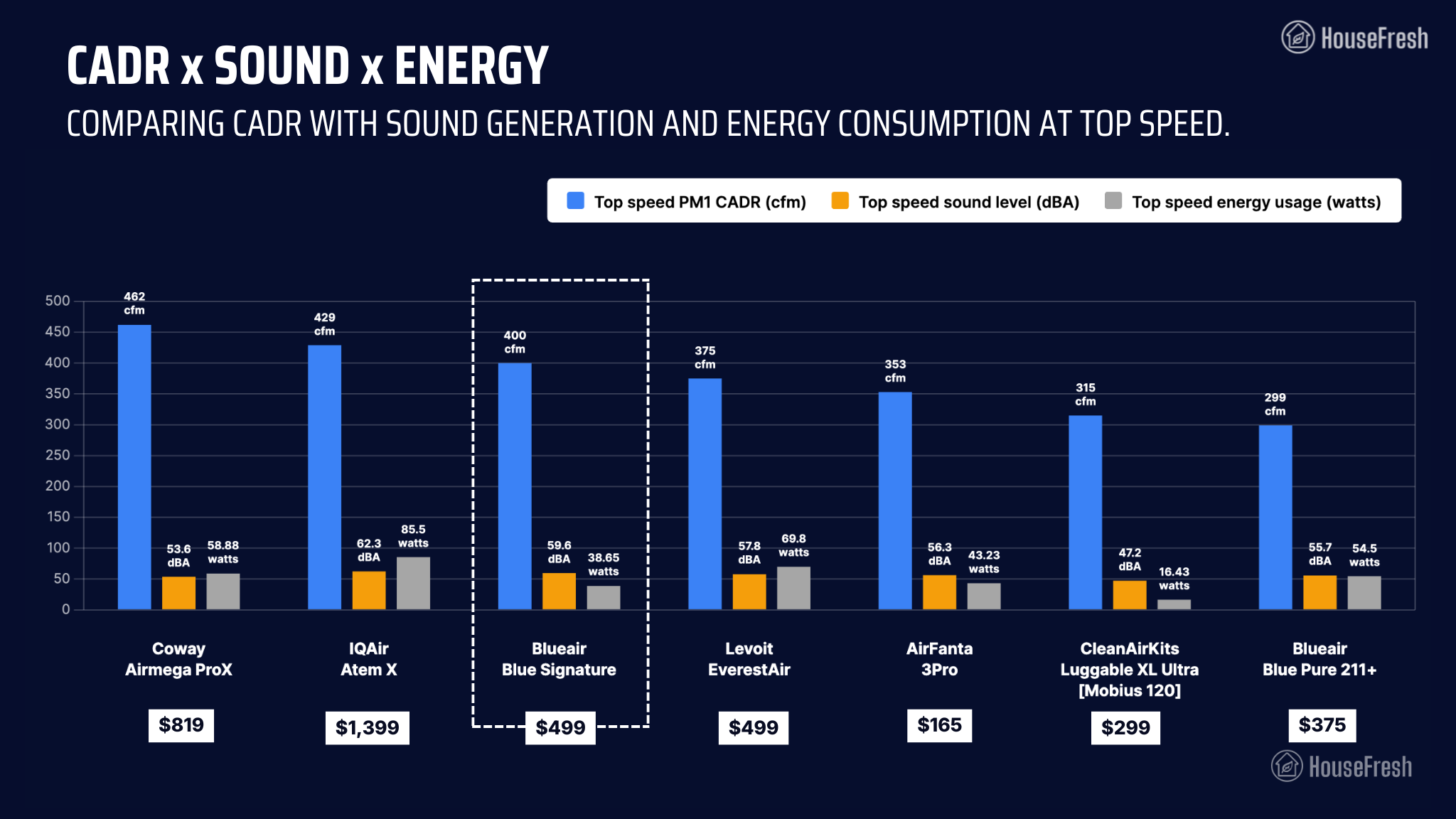
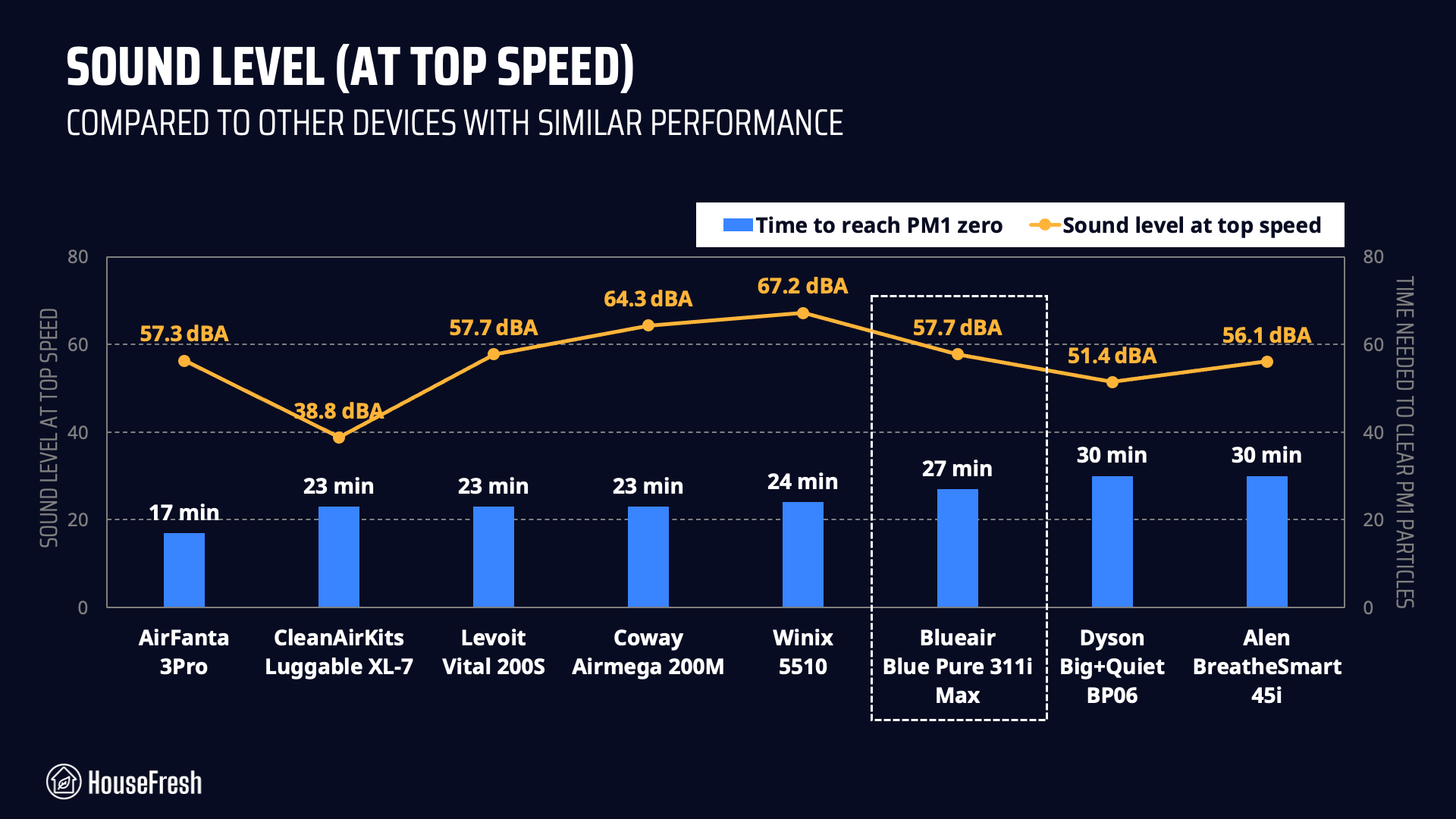
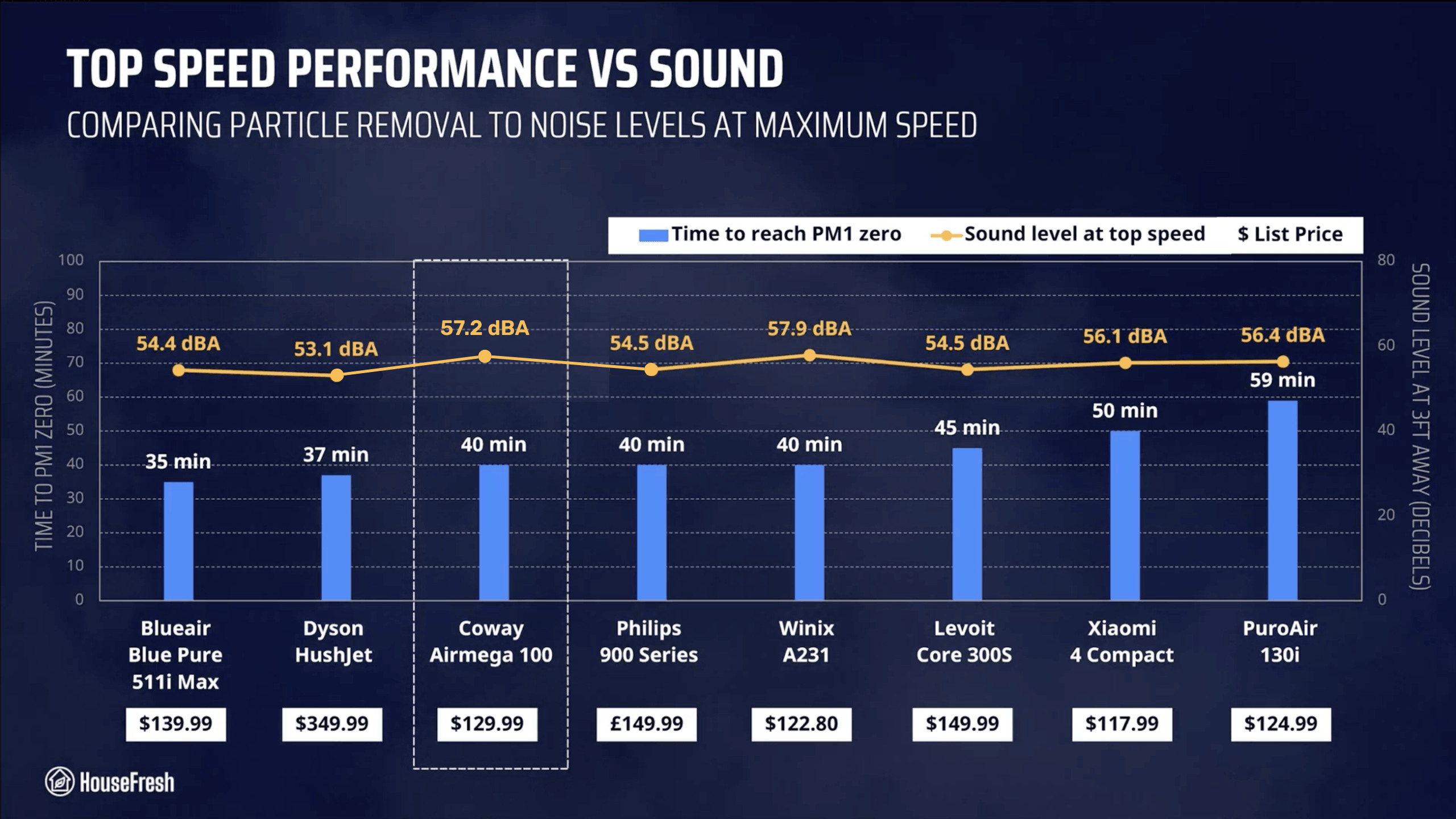
Reaching 55.4 dBA at top speed, the Eleva 300X is louder than the older Levoit Core 300S and newer models from Dyson and Blueair.
Levoit Eleva 300X Review Top Speed Performance

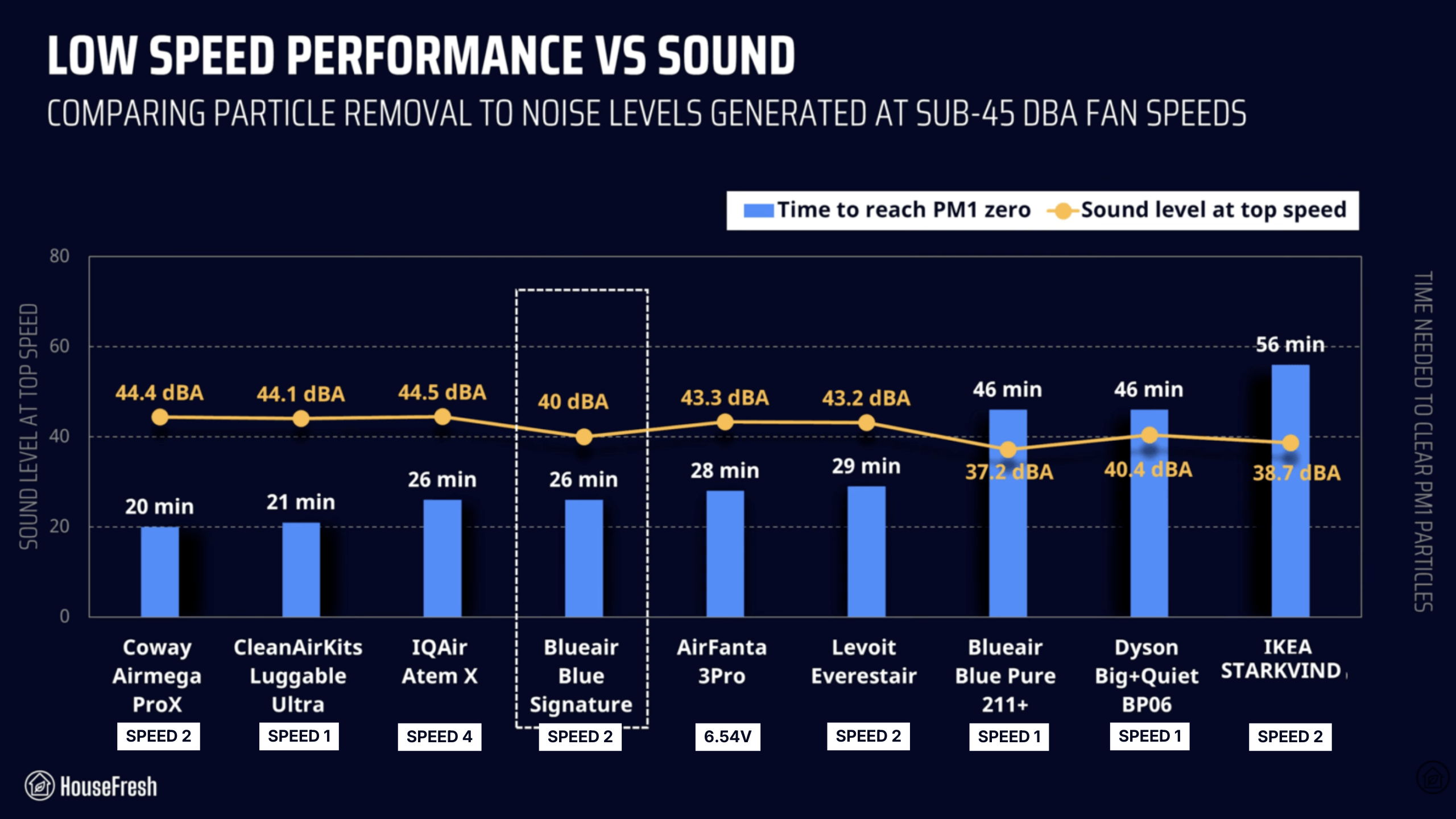
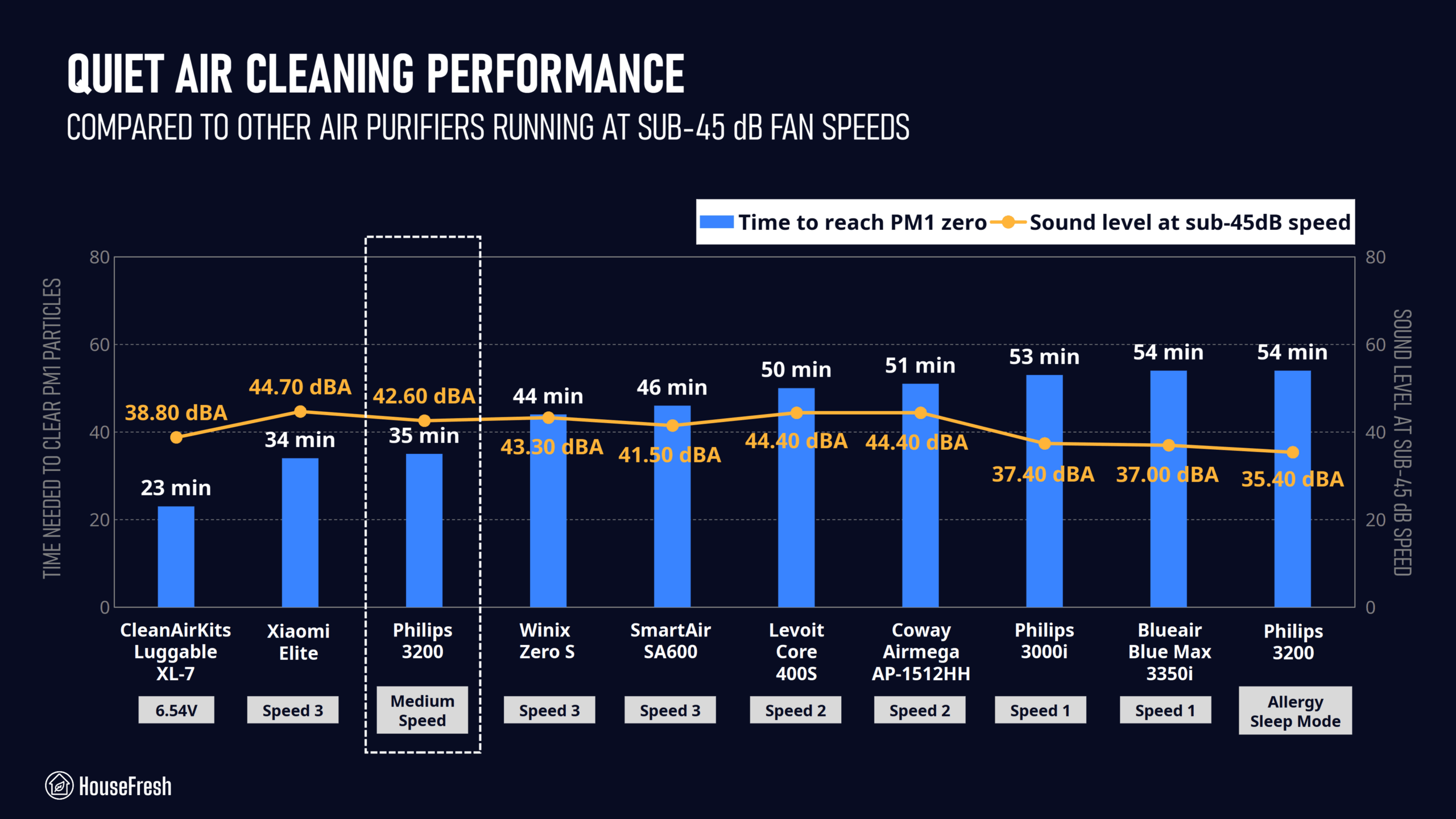
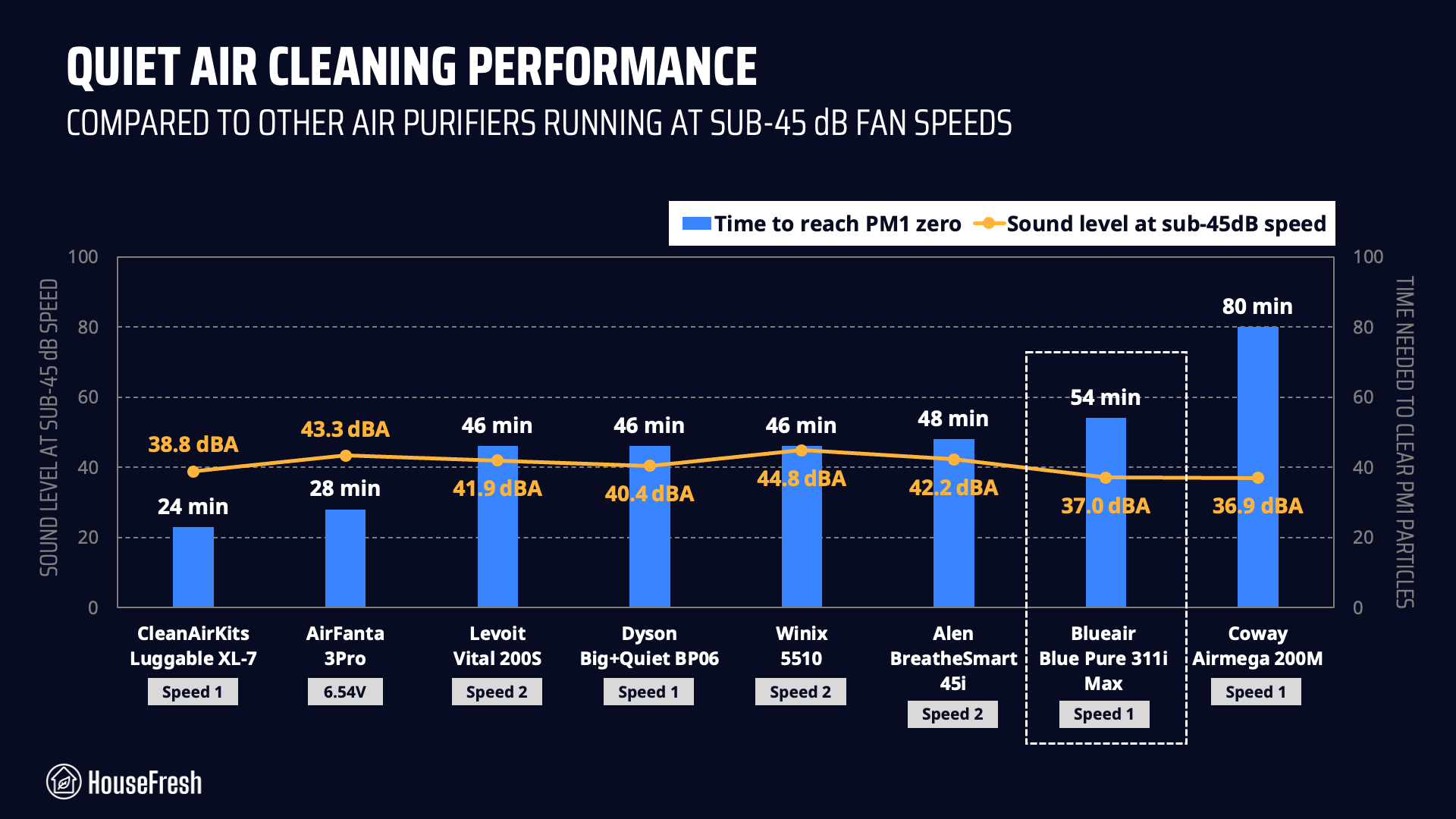
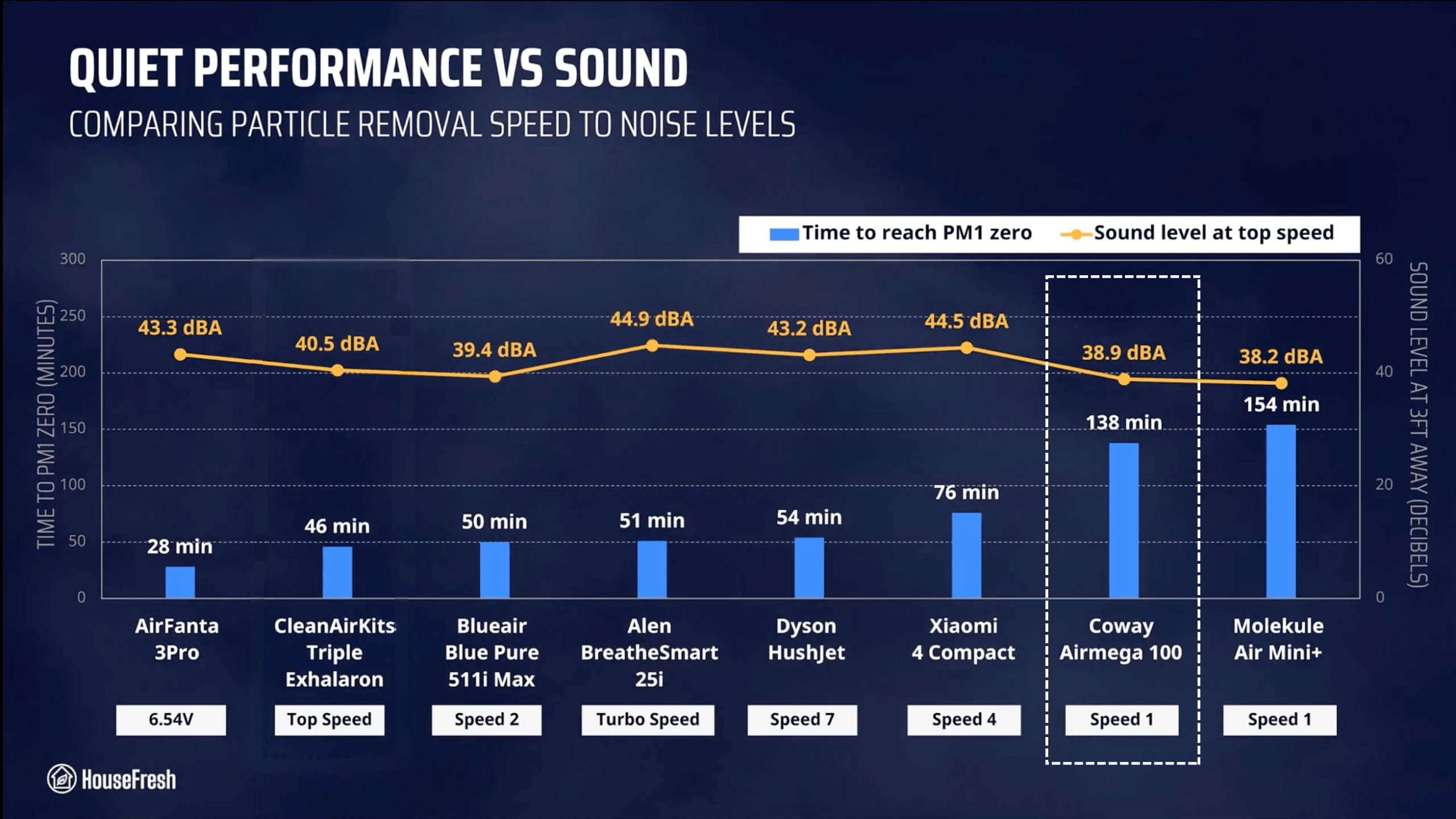
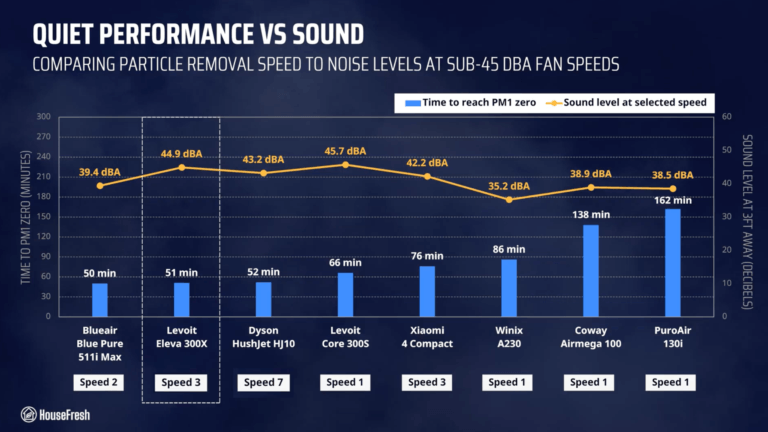
Running at speed 3, it reached 44.9 dBA and cleared our test room in 51 minutes. This is faster than most other small units in our benchmark.
Levoit Eleva 300X Review Quiet Performance HouseFresh

When looking at quiet performance results, we can see just how much power this Eleva model packs… It completed the test 15 minutes faster than the old Levoit Core 300S – pretty impressive!

Long-term running costs

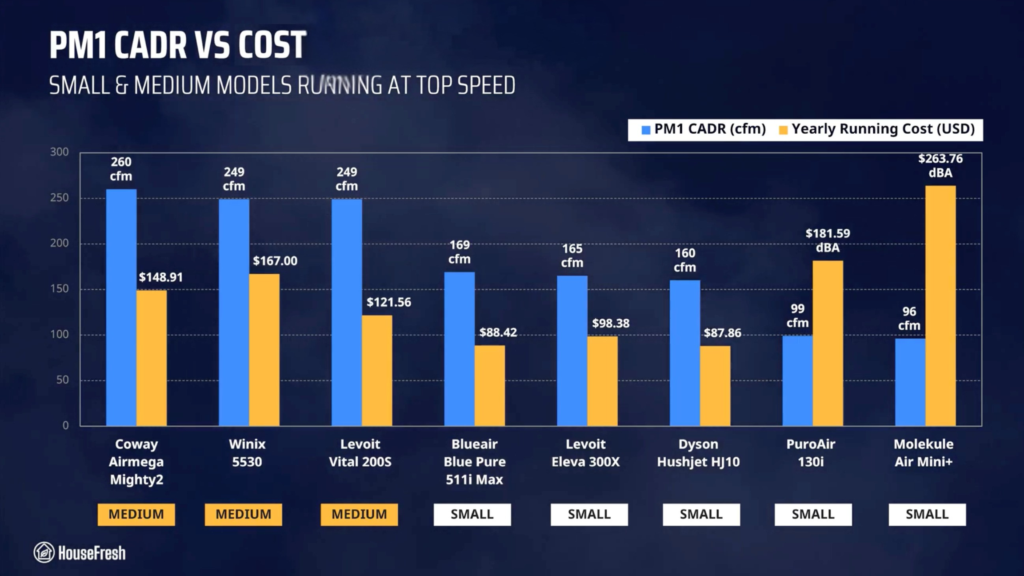
Running a Levoit Eleva 300X will cost you $98.38 per year, combining energy and filter replacement costs.

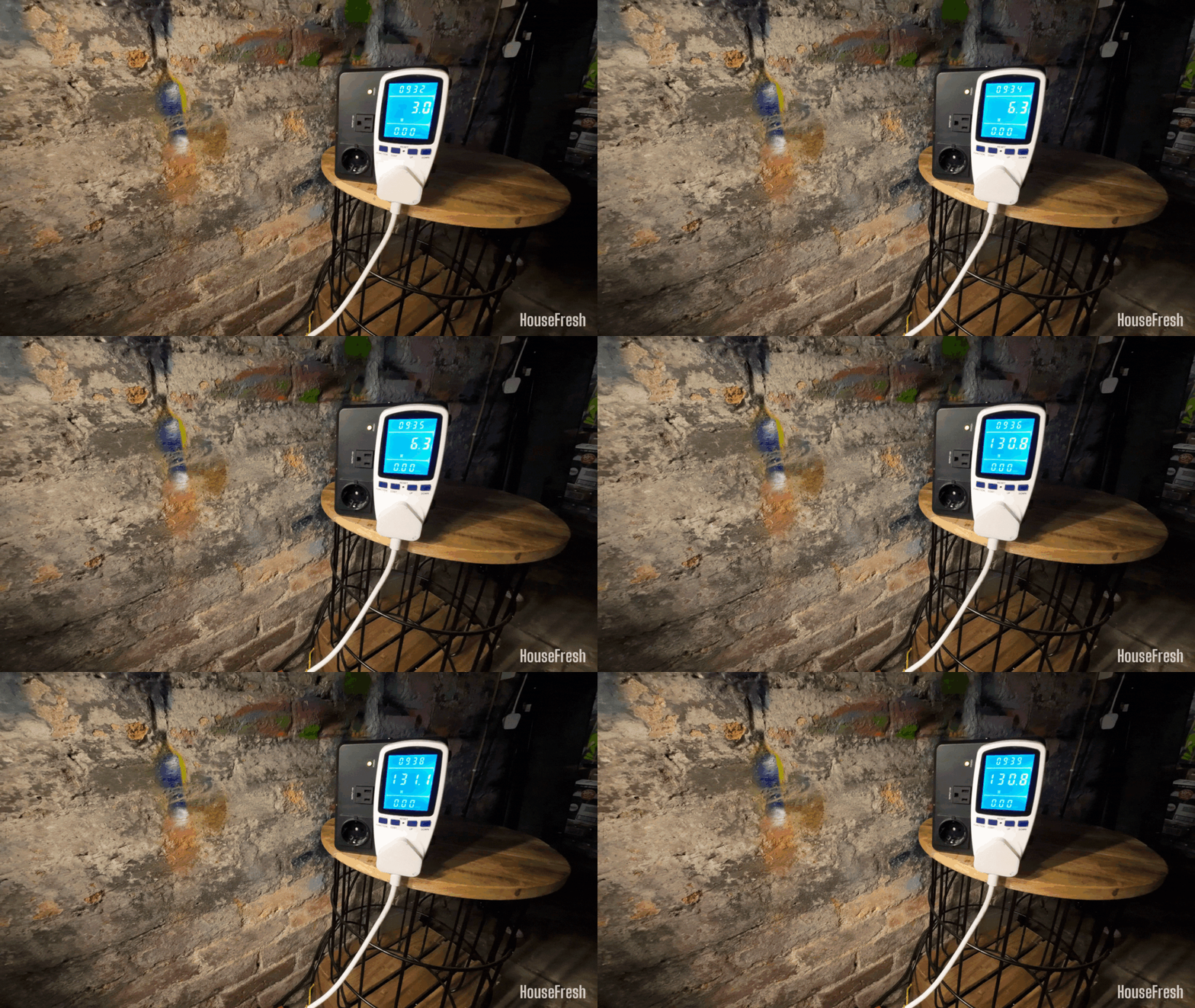
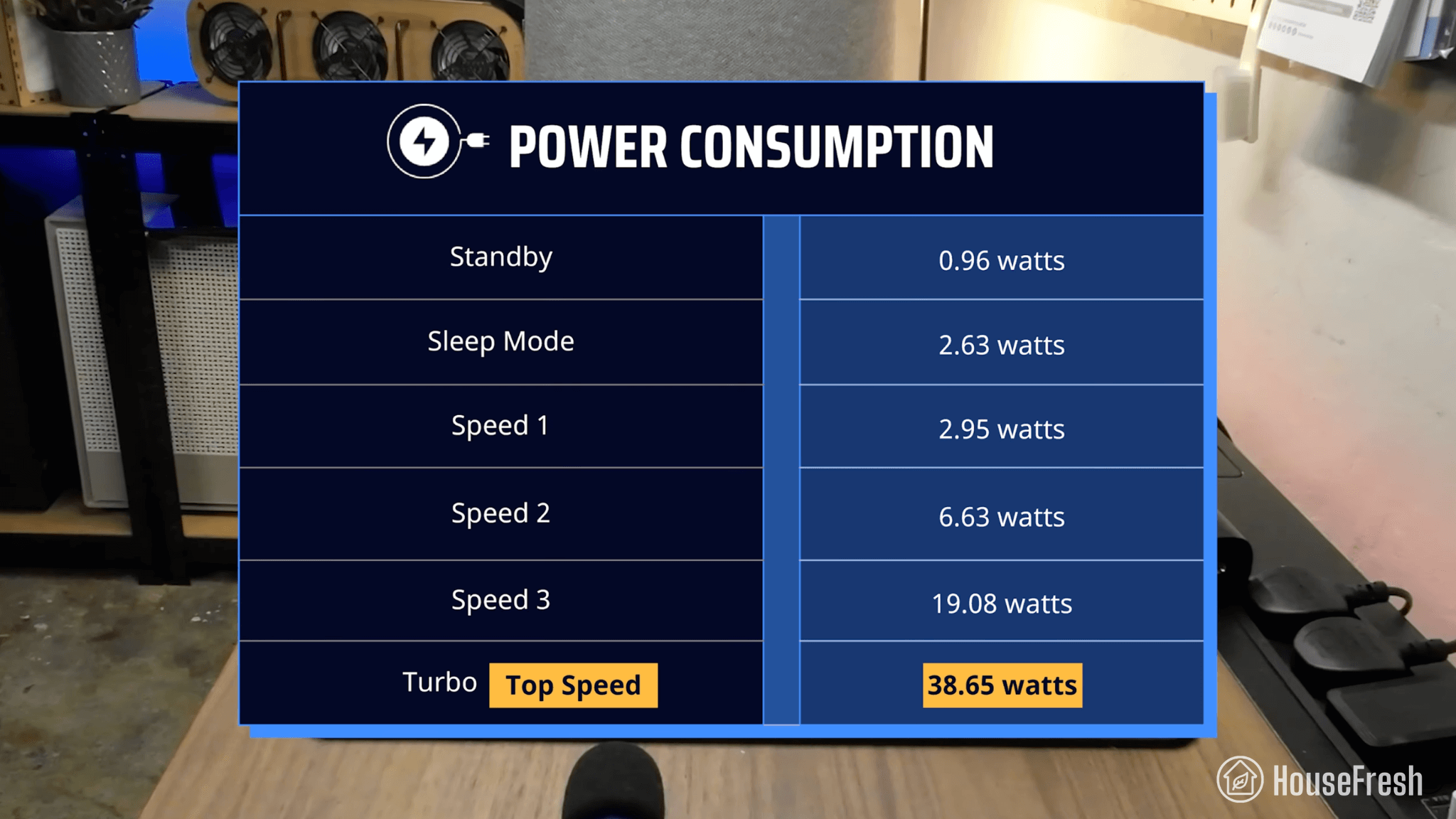
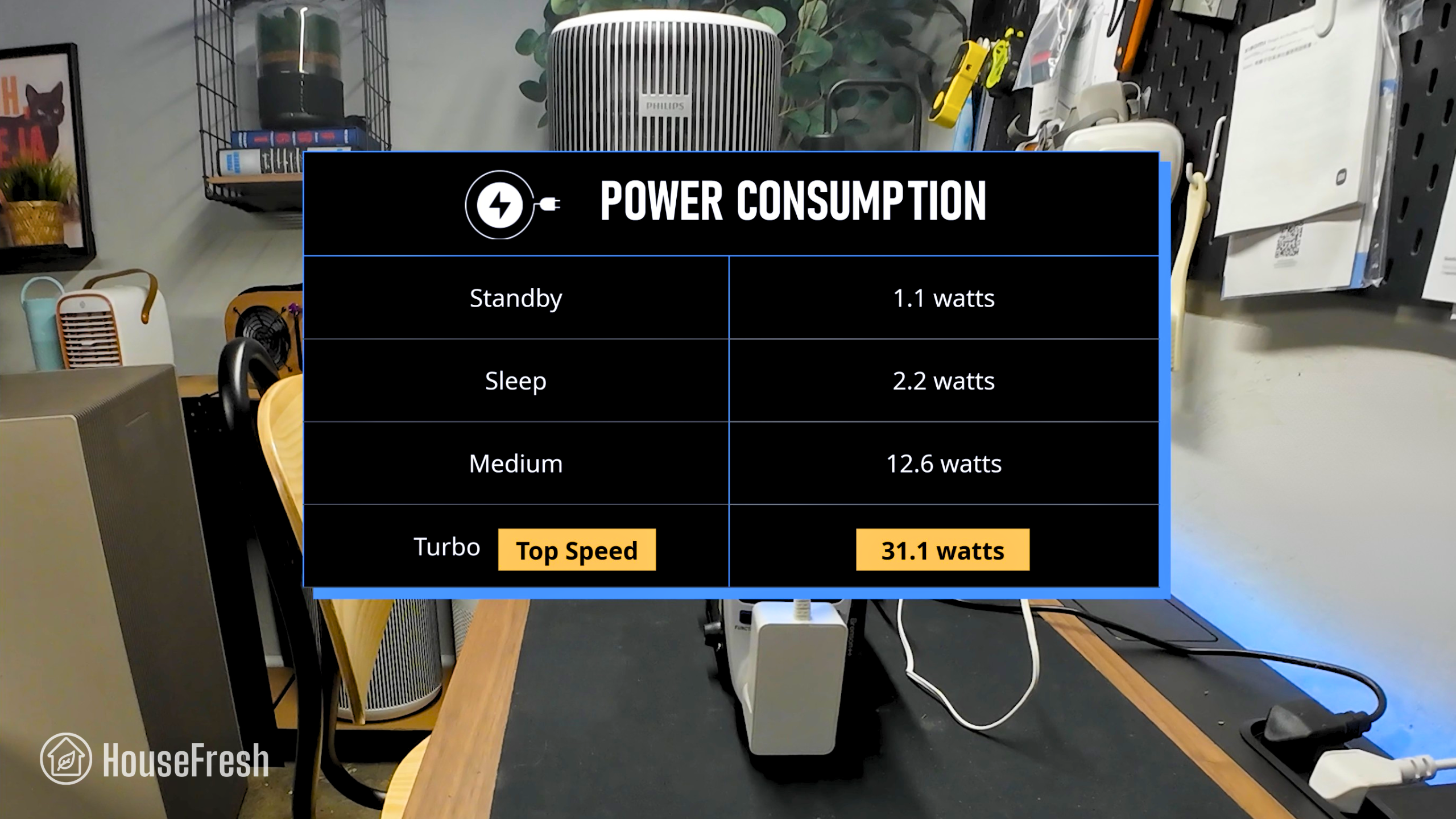
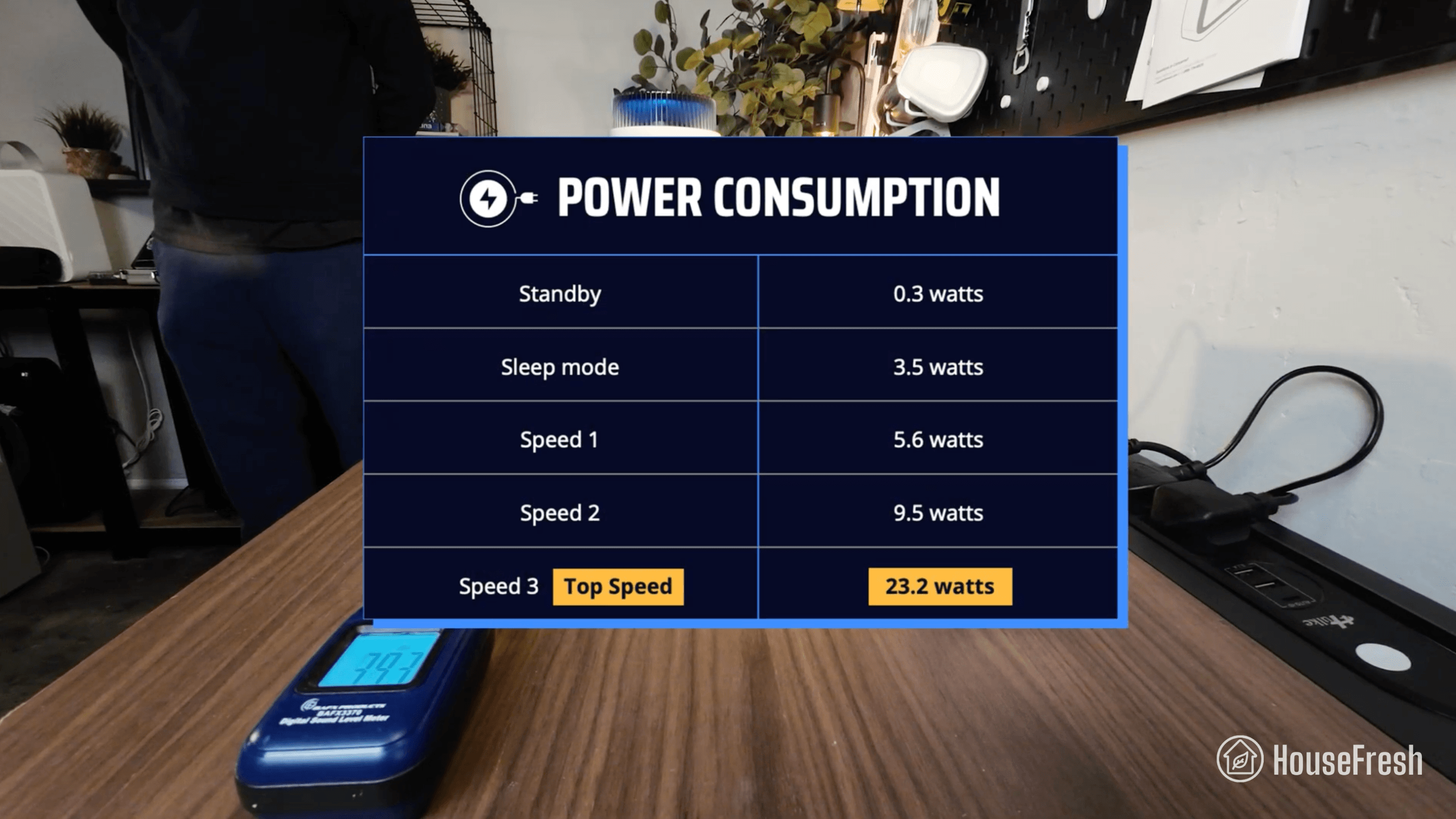
We used our energy meter to record how much electricity the Eleva 300X pulls at each fan speed and while on standby.
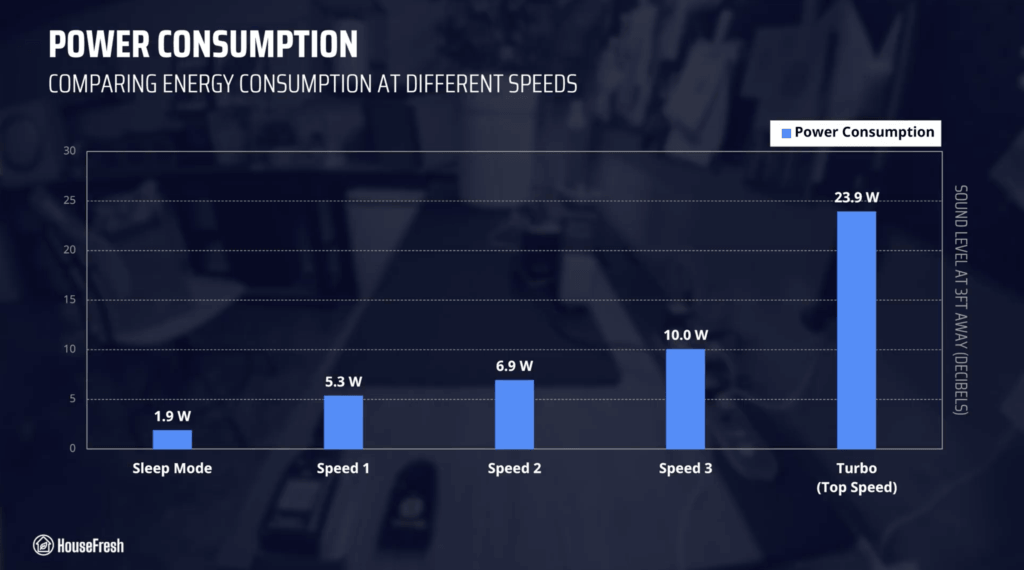
Levoit Eleva 300X Review Energy Consumption HouseFresh

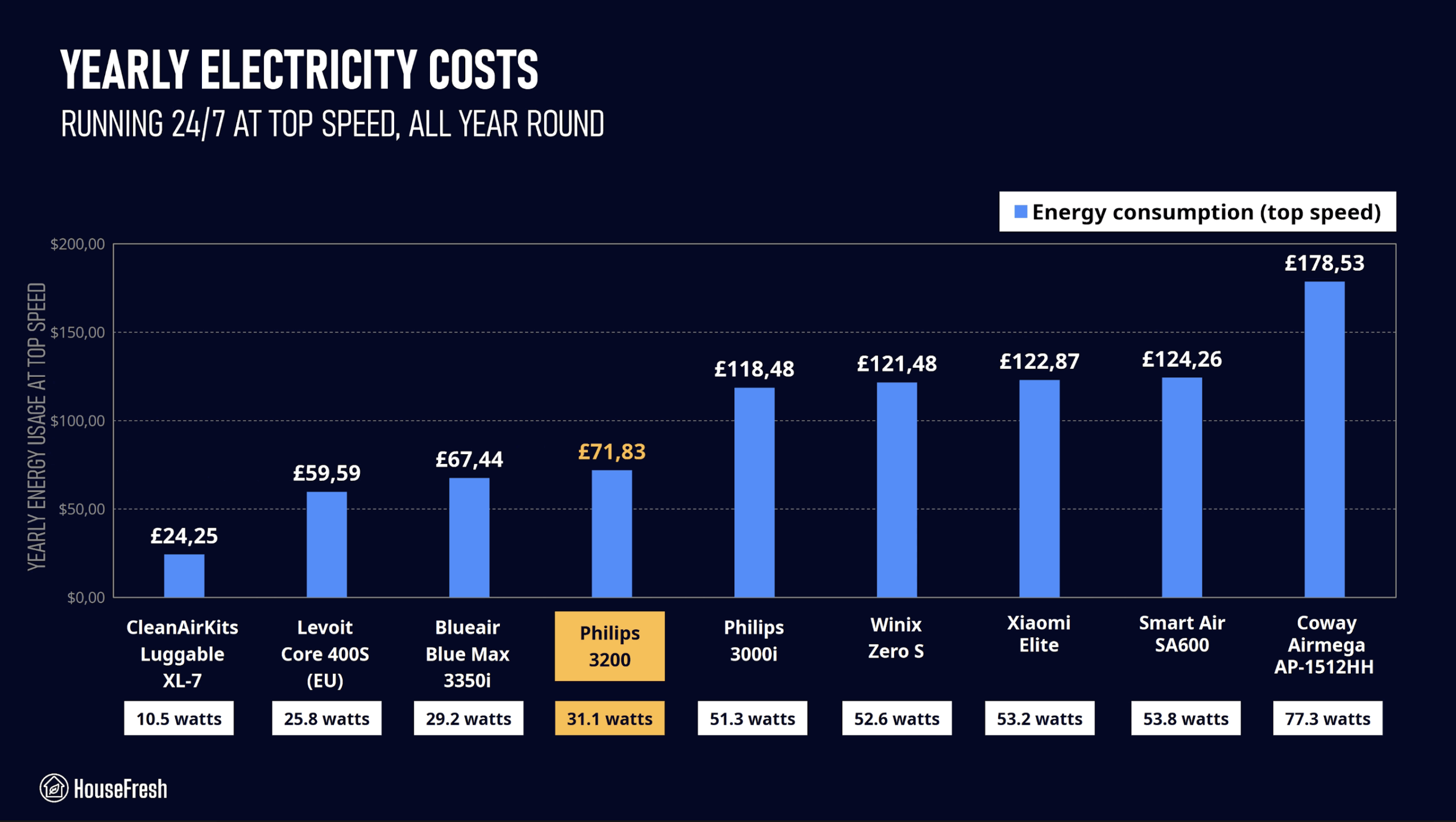
At top speed, the Eleva 300X draws 23.9 watts, so if you were to leave it running at top speed 24/7 for one year, it will add $38.41 to your energy bill, based on the latest electricity prices in the U.S. as of October 2026.

This makes the 300X more power hungry than the older Levoit Core 300S and the new Dyson HushJet Compact H10 AND the Blueair 511i Max.

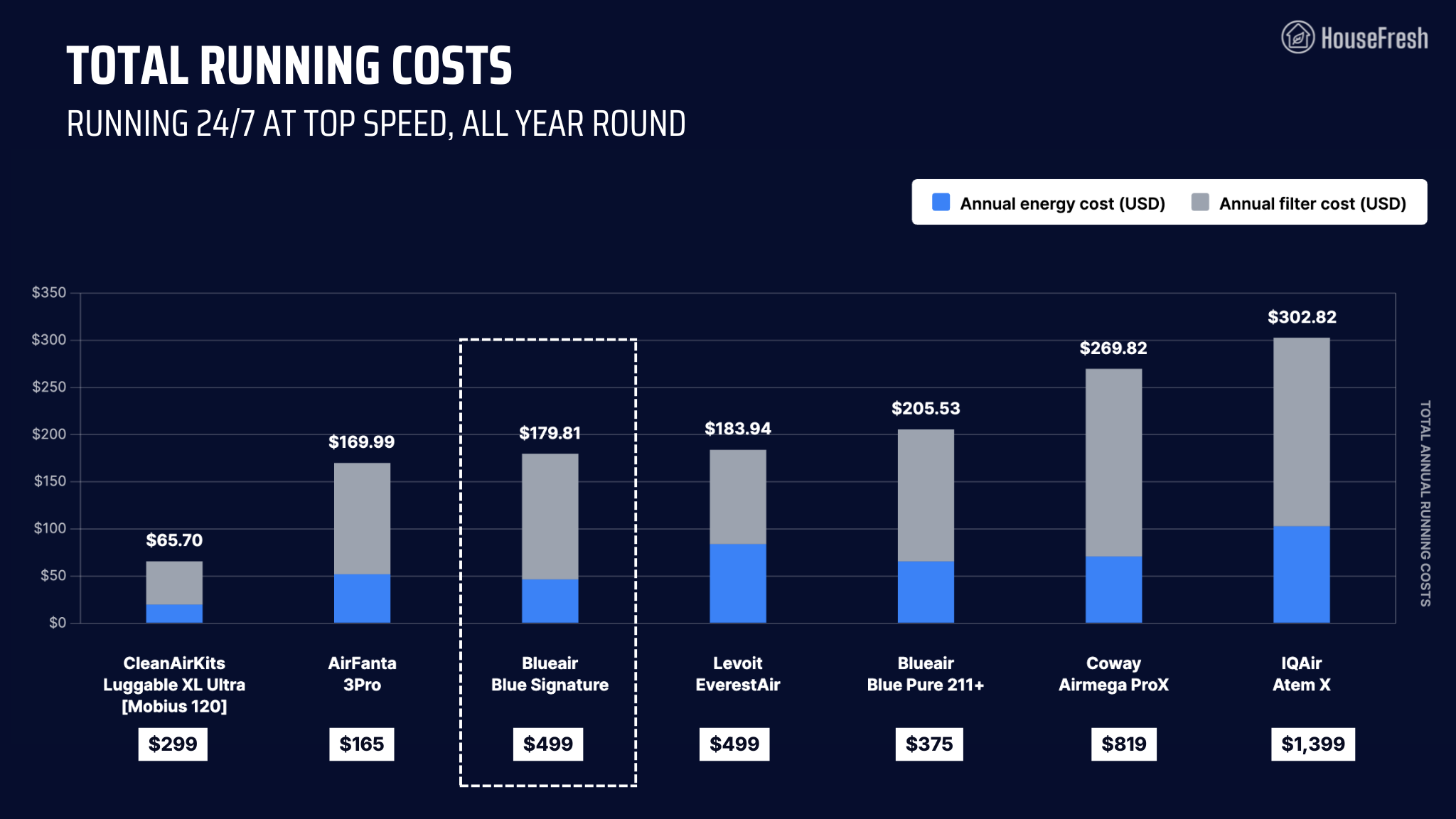
According to Levoit, the particle filter ($39.99) can last up to 2 years and the standard carbon filter ($19.99) has a lifespan of 6 months. This means you can expect to spend $59.97 each year on filter replacements alone.

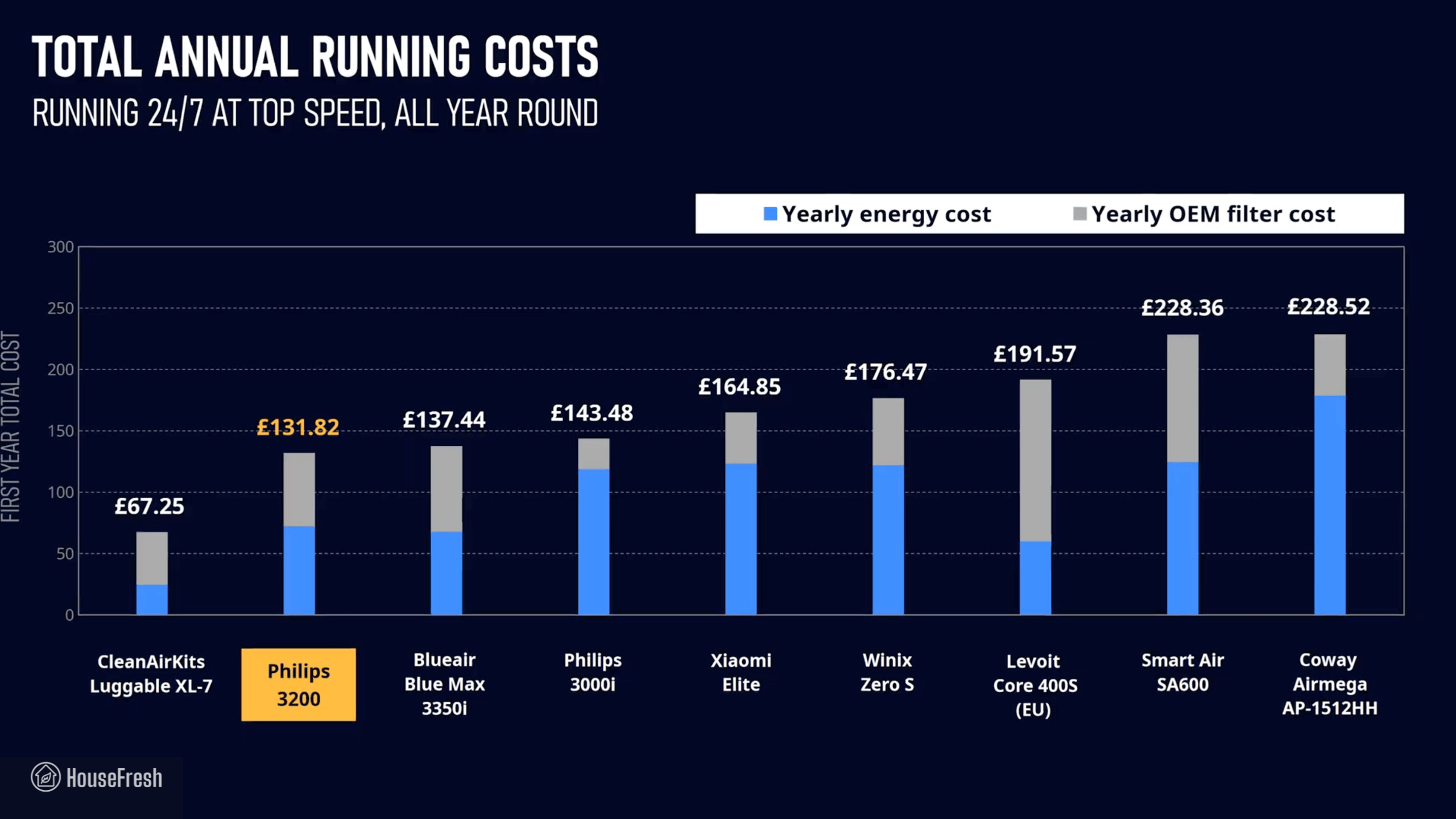
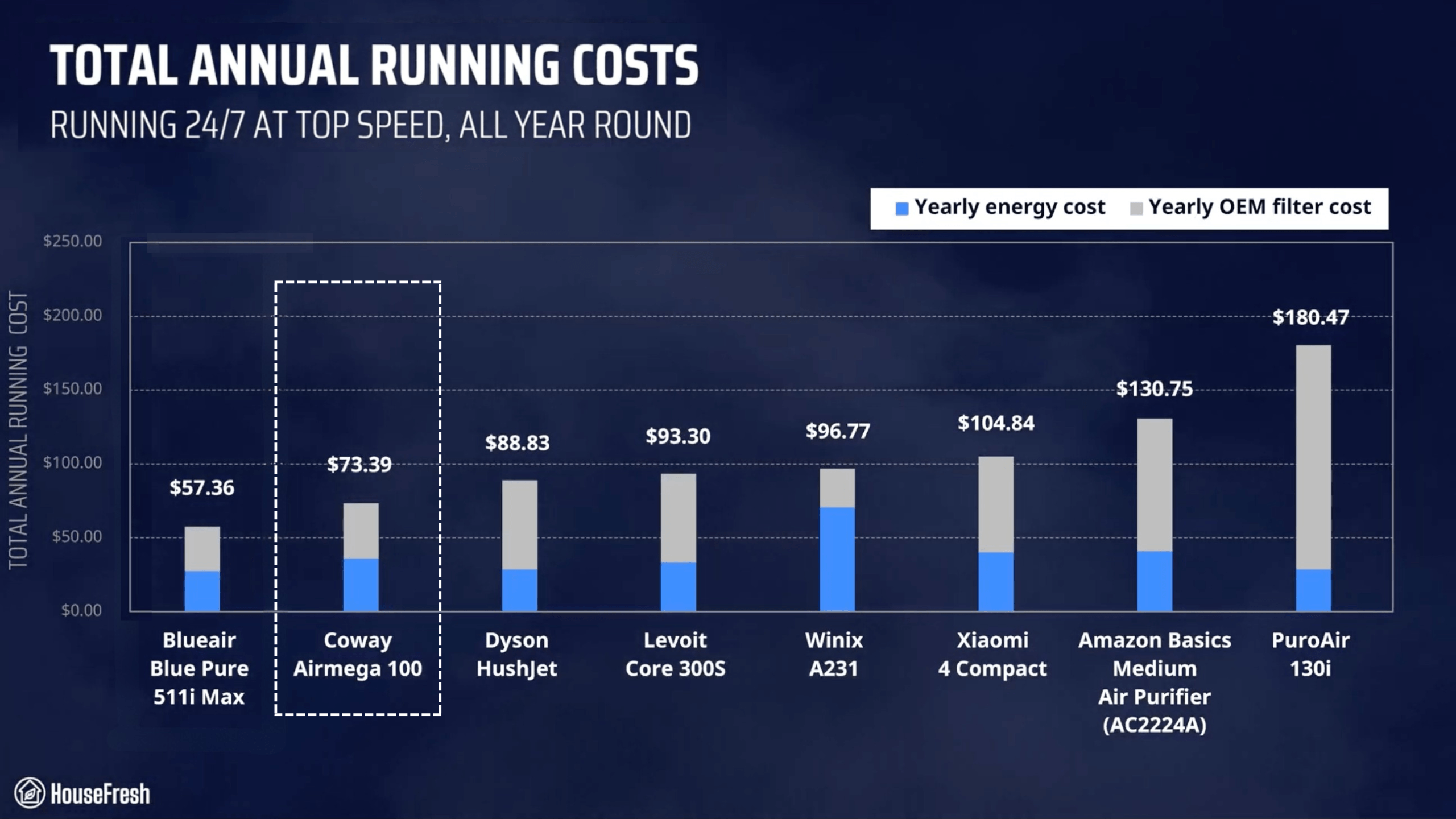
I added this to the energy costs and can tell you that you need to budget $98.38 each year to keep your 100S running 24/7 in your home:
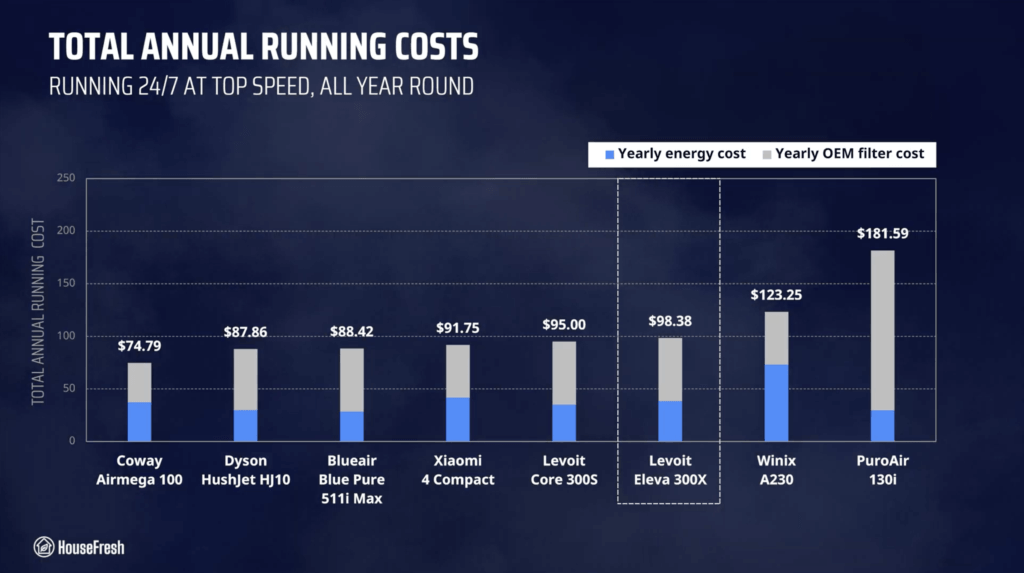
Levoit Eleva 300X Review Yearly Running Costs

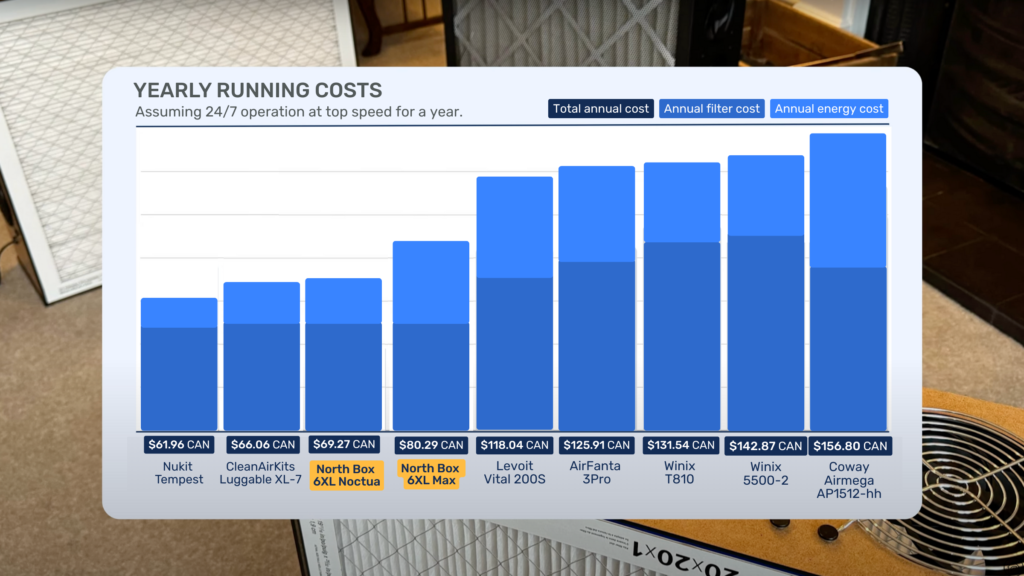
Due to higher filter and energy costs, the 300X has some of the highest running costs when compared to other small air purifiers we have benchmarked it against.

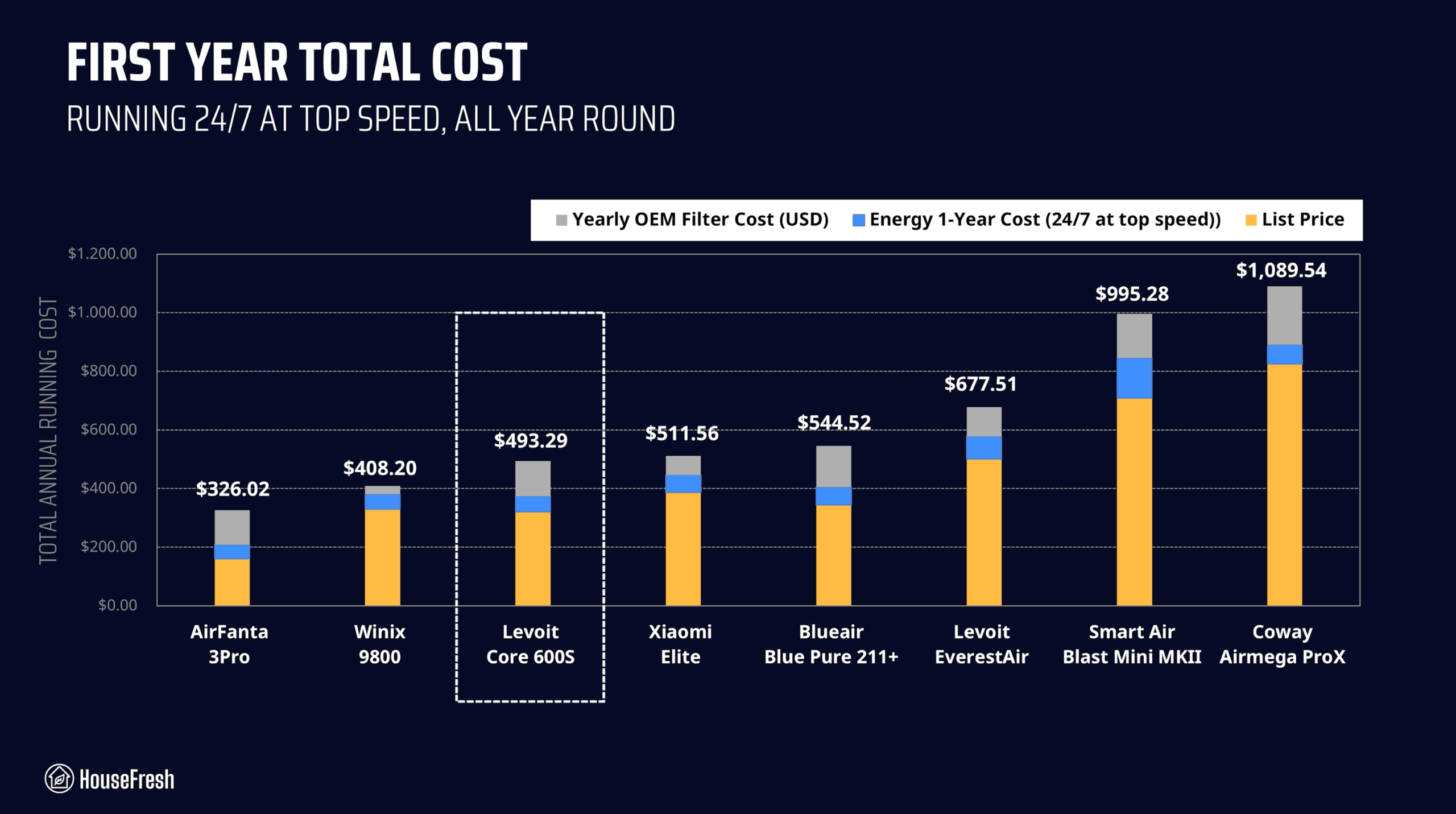
But for a new buyer, the most important figure is the total investment in the first year. And here the math works in Levoit’s favor… When you add the $129.99 retail price to that first year’s running cost, your total investment is $228.37:
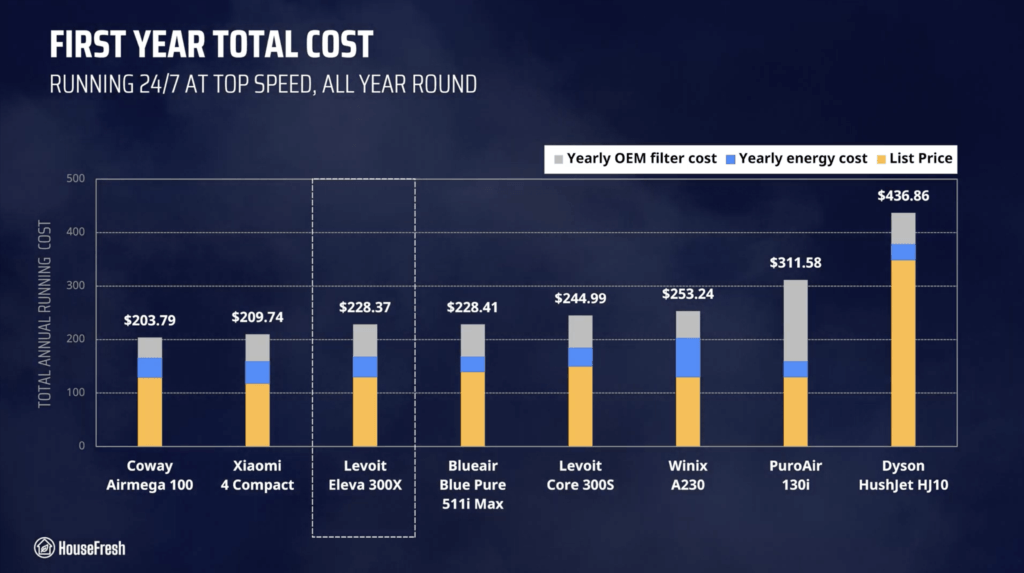
Levoit Eleva 300X Review First Year Cost

Thanks to its low initial cost, the Eleva 300X is the third cheapest device to buy and run in that first year of ownership – – cheaper than even the old Levoit Core 300S.

Bottom line: Should you get a Levoit Eleva 300X?

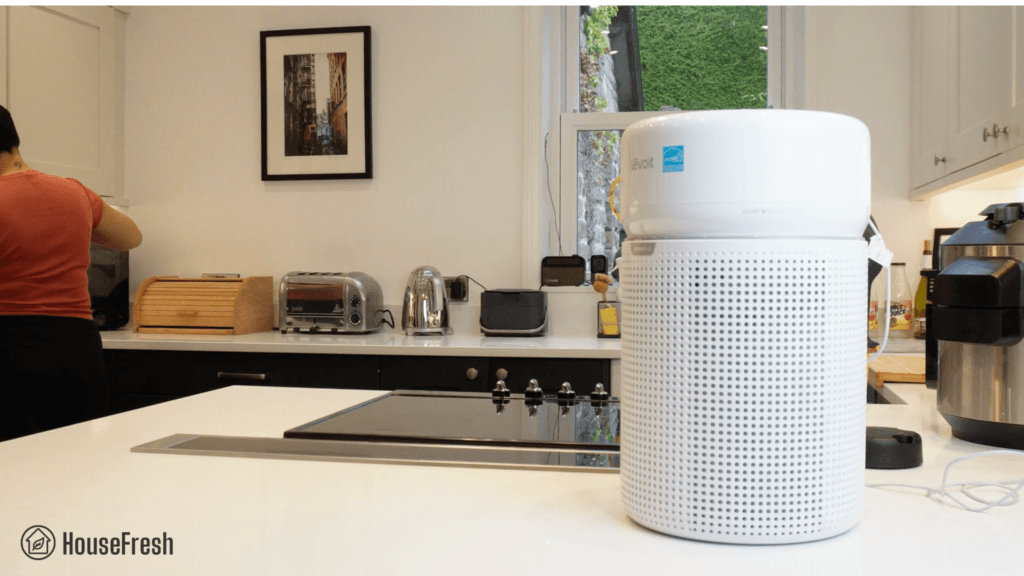
If you’re looking for a small air purifier for a room no larger than 247 sq. ft. (23 m2), then this might be it.
Levoit Eleva 300X Kitchen

When you compare it to the older Core 300S, you get much better air cleaning performance and features at a cheaper price with the Eleva 300X, so I definitely recommend it over a Core 300S.

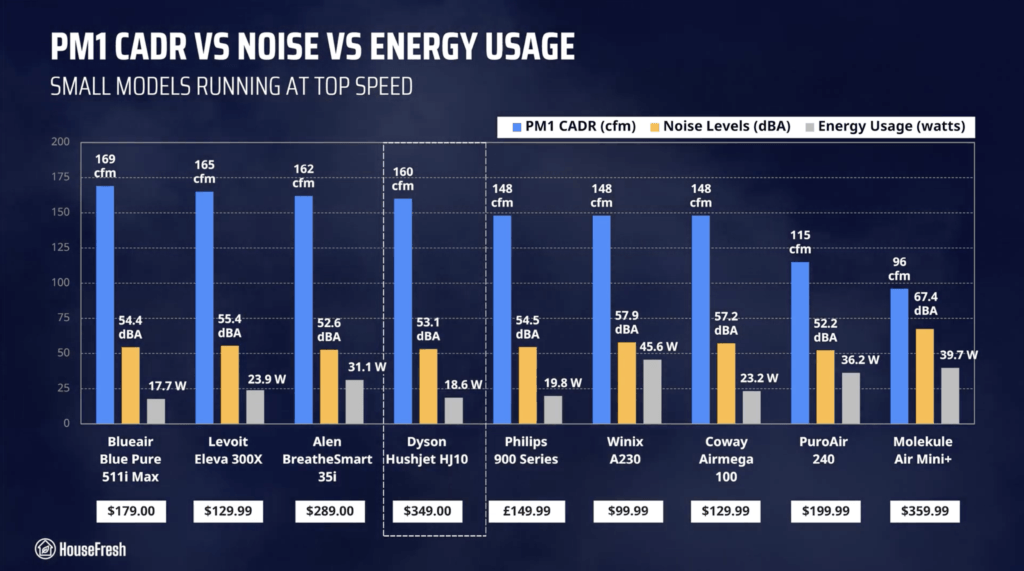
And when you compare it to other small air purifiers on the market today, we find powerful air cleaning power with fair sound levels and energy consumption for less than $130.
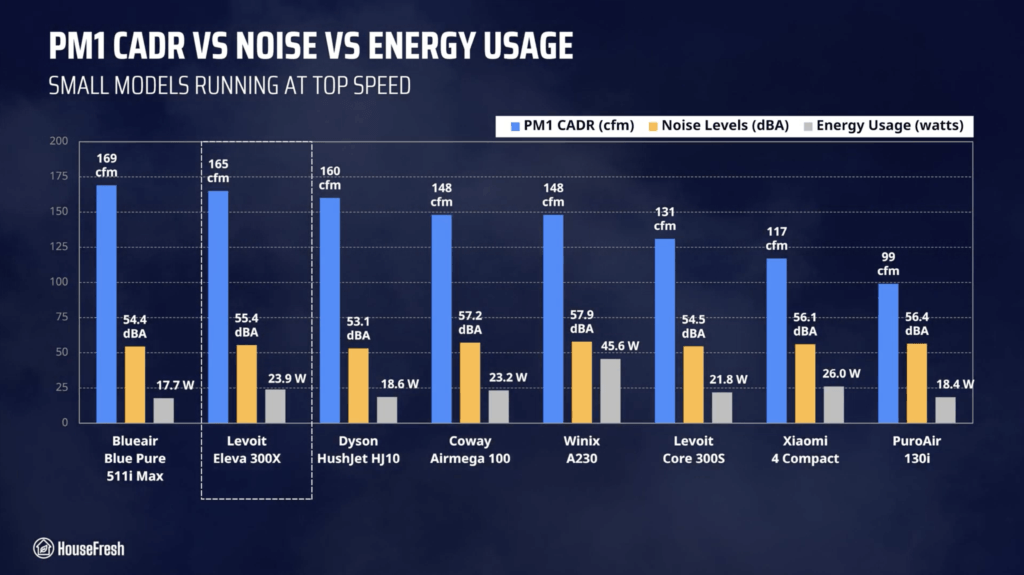
Levoit Eleva 300X Review CADR Sound Energy

However, the main big benefit over other small cylindrical units is the use of separate filters.

You could get up to two years of use for the main particle filter, while you replace the gas filter as needed whenever the carbon is full.  Plus, if you don’t care about odor removal, then you could just run your Eleva without the carbon filter and save yourself some money there.

I really appreciate the cheap initial price, especially considering that you not only get good performance, but also features we don’t normally see on budget-friendly air purifiers like a laser sensor.

And if you care about buying a small unit with HEPA grade filtration, then this might be it.

I’m still not sure why Levoit (and other manufacturers) continue to go to great lengths to produce units with HEPA-grade filters after we’ve seen so many examples of units with lower grade filters outperforming HEPA…

But I guess many consumers are still under the impression that HEPA means it must be better – – and all the big media newspapers and magazines regurgitating marketing materials continue to perpetuate this myth.

If you decide to get yourself a Levoit Eleva 300X, please use this link and we will receive a small affiliate commission at no extra cost to you.

And if you’re still unsure, you can try using our air purifier comparison tool to see how the Eleva 300X stacks up against units with similar prices:

If you have any questions about the this model or about Levoit air purifiers in general, please drop them in the comments below, and I’ll get back to you personally as soon as I can.
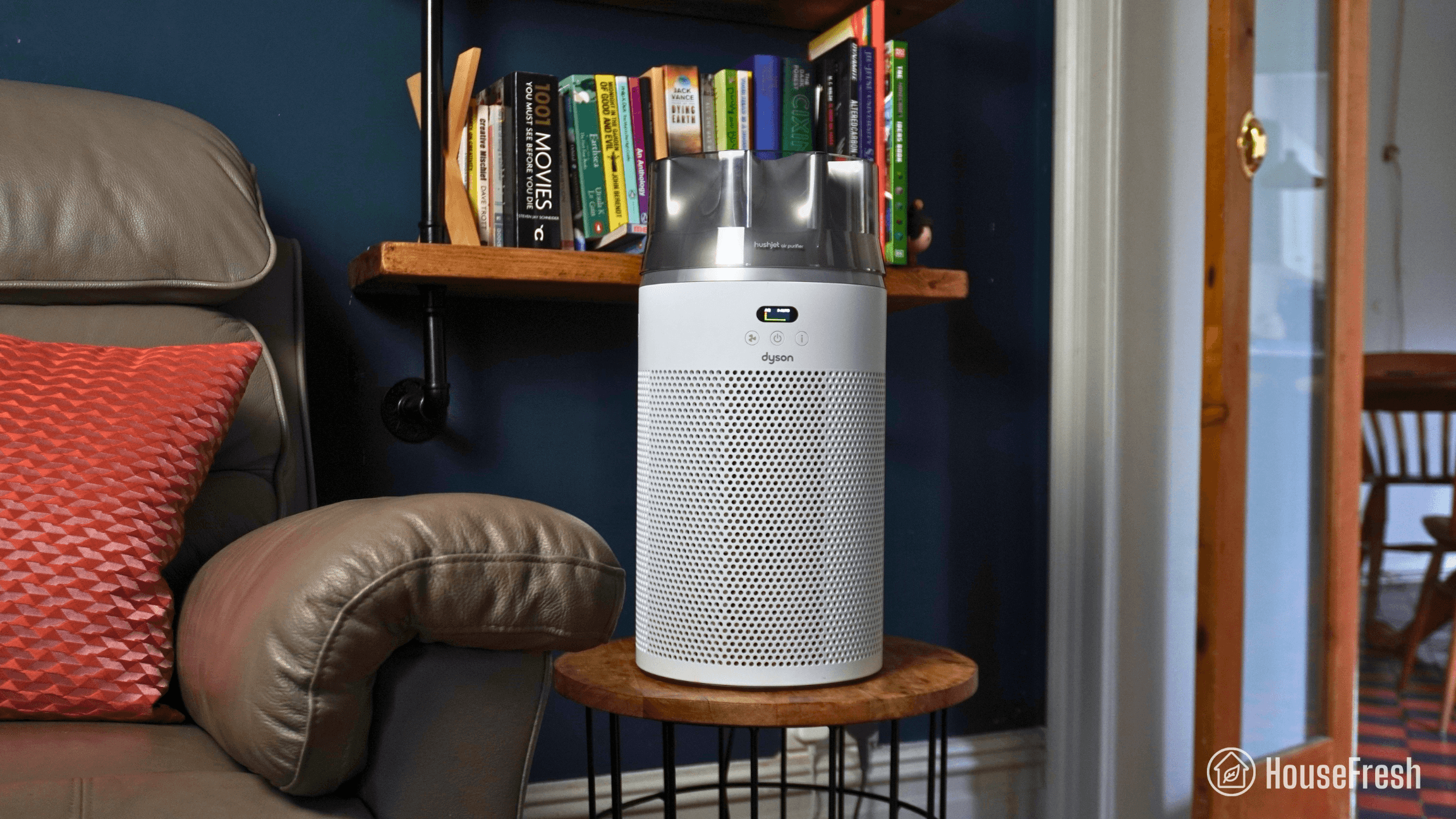
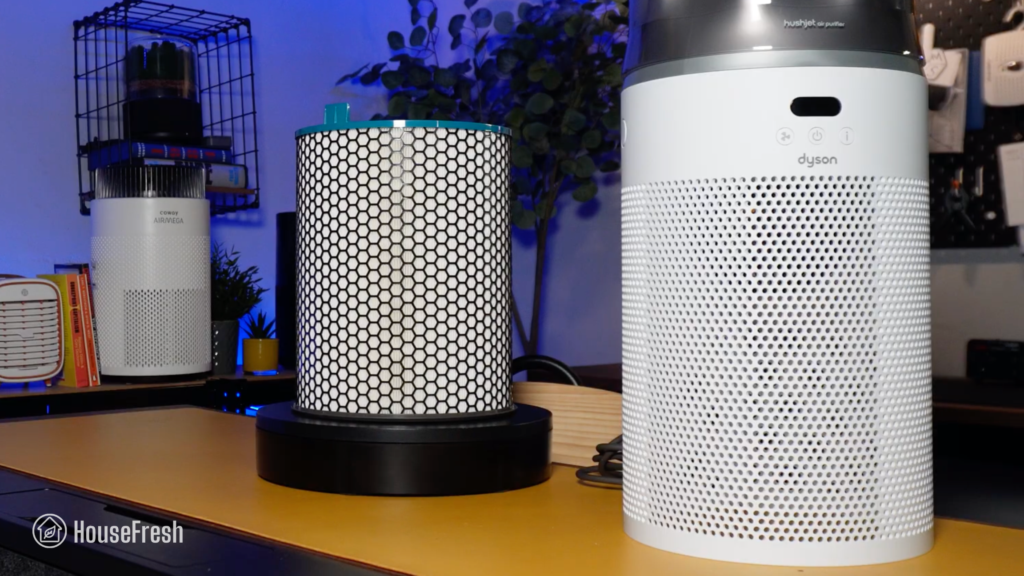
Dyson HushJet Compact HJ10 review

Dyson HushJet Compact HJ10 Review HouseFresh Close Up

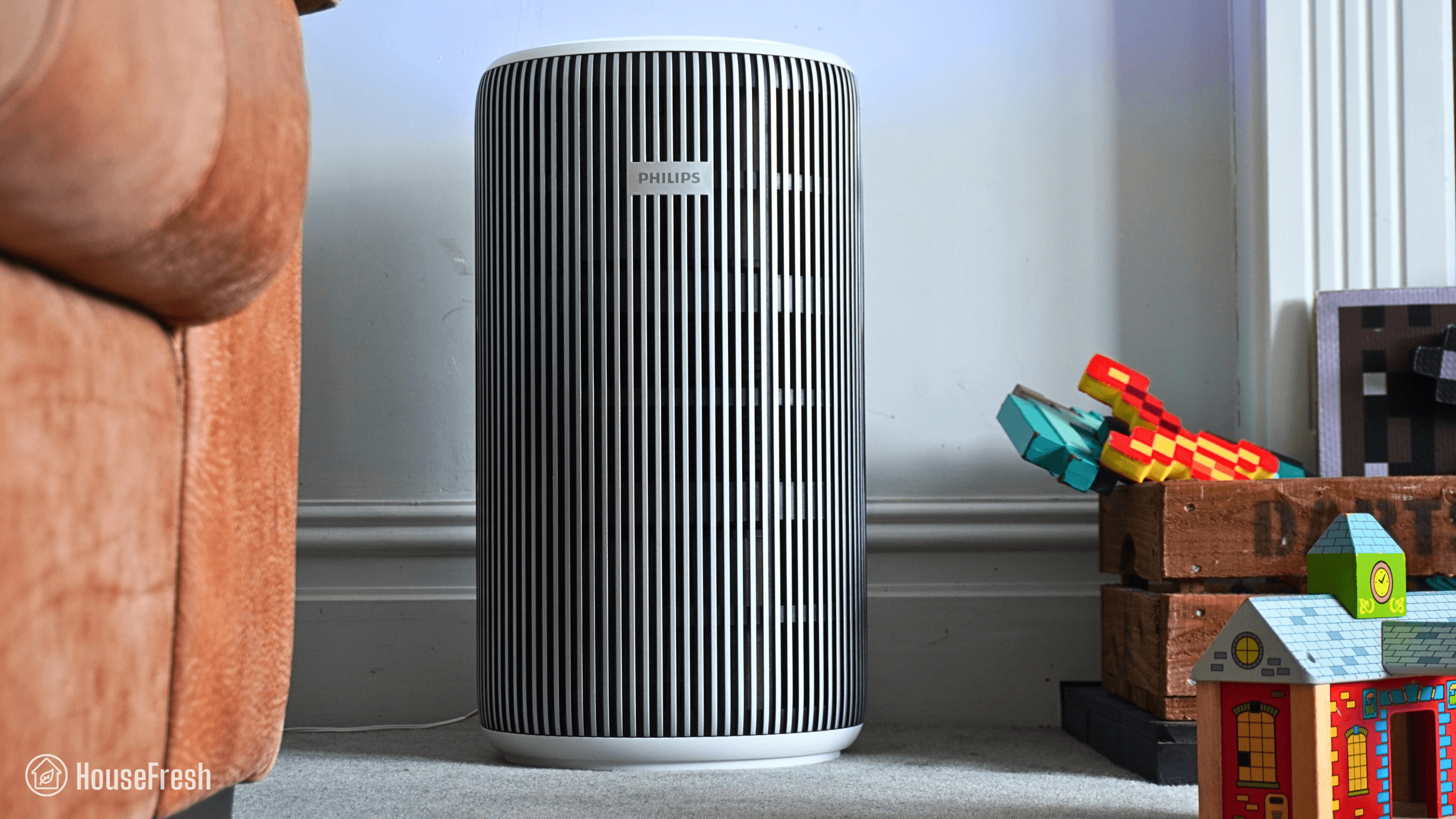
The Dyson HushJet Compact Purifier is the smallest air purifier I’ve tested from Dyson and it’s also the first one to be released in their new HushJet range.

In the years I’ve been reviewing air purifiers, my opinion on Dyson models has been pretty consistent: average performance for a high price that will definitely won’t be worth it for most.

But could Dyson change my mind with the release of their first small air purifier?

To find out, I bought a Dyson HushJet Compact and have been using it at home since May 2026 to test its air cleaning performance, sound generation, energy consumption, long-term running costs and everyday user experience.

The overall score for the Dyson HushJet Compact HJ10 incorporates first-hand data results from our battery of tests, as well as our ratings for customer service, brand transparency, and design & UX. Check out the full scorecard below to see the category breakdown.

Search for ‘Dyson HushJet’ to see where it ranks, based on its air cleaning performance and value for money. You can also filter results to easily compare models in the same price range.

The pros and cons of the Dyson HushJet Compact HJ10

A summary of our top-level findings after testing this air purifier, following our methodology.

“Dyson’s HushJet Compact comes with a wide range of fan speeds, a very good app, smart functions, and solid air cleaning performance, especially considering its size.

In our particle removal tests, it cleared our test room of incense smoke in 37 minutes, outperforming small units I’ve recommended over the years like the Winix A231 and the Coway Airmega 100. And it did this, generating less noise and consuming less electricity.

So if the $349 price tag doesn’t scare you, then you will be buying a tabletop air purifier with good air cleaning performance with lower yearly running costs than most.”

Danny Ashton HouseFresh
Danny Ashton
HouseFresh Founder
& Lead Tester

CONS

It is very expensive, especially for a small air purifier – for the same price, you could buy yourself a more powerful midsized unit like the Coway Airmega Mighty2 and you’d still have money to spare.
In our tests, it was outperformed by cheaper air purifiers from Levoit, Coway, Winix, Blueair and Switchbot.

PROS

The upfront cost is high but the yearly running costs are some of the lowest I’ve seen.
It completed our particle removal test faster than popular small cylindrical models, and it did so at quieter operation.
It’s very, VERY quiet – sound levels range from 35 to 53 decibels.
You get separate particle and gas filters, so you can replace the gas filter when the carbon is full without having to throw away a perfectly good particle filter.
I was pleased to see that even though it comes with app, Dyson didn’t get rid of the physical buttons as we saw with other models like the Dyson BP04.

Clean air delivery rate (CADR):– Top speed PM1 CADR: 160 cfm
– Sub-45 dBA PM1 CADR: 113 cfm
Filter technology:Particle filter with electrostatic material and gas filter with 120g of carbon pellets
Recommended room size (5 air changes per hour):180 sq. ft. (17 m2)
Dimensions:18.5 x 9.0 x 9.0 in (47 x 23 x 23 cm)
Weight:6.9 lb (3.15 kg)
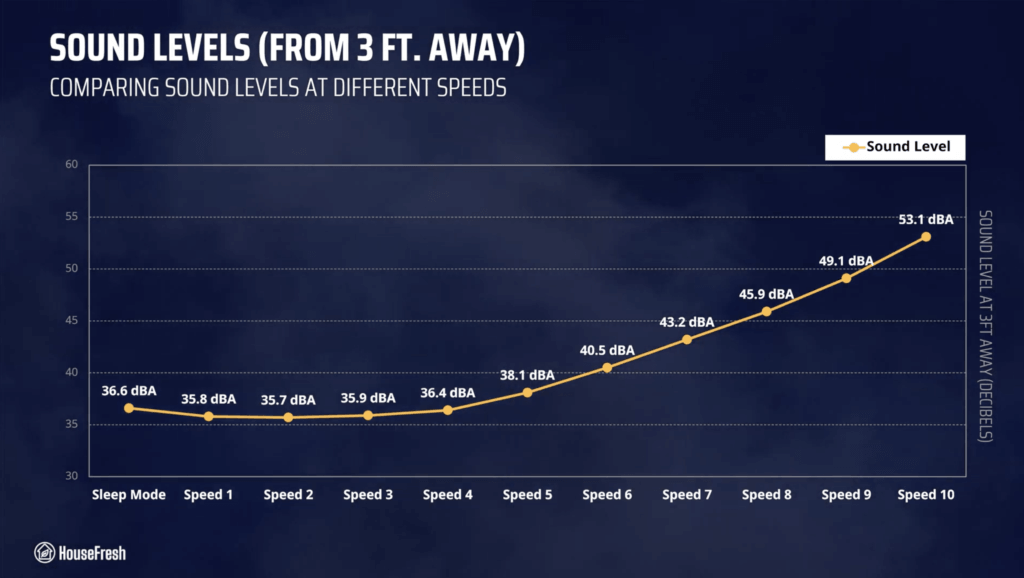
Noise level in decibels from 3 ft. away:Sleep mode: 36.6 dBA
Speed 1: 35.8 dBA
Speed 2: 35.7 dBA
Speed 3: 35.9 dBA
Speed 4: 36.4 dBA
Speed 5: 36.4 dBA
Speed 6: 40.5 dBA
Speed 7: 43.2 dBA
Speed 8: 45.9 dBA
Speed 9: 49.1 dBA
Speed 4: 53.1 dBA
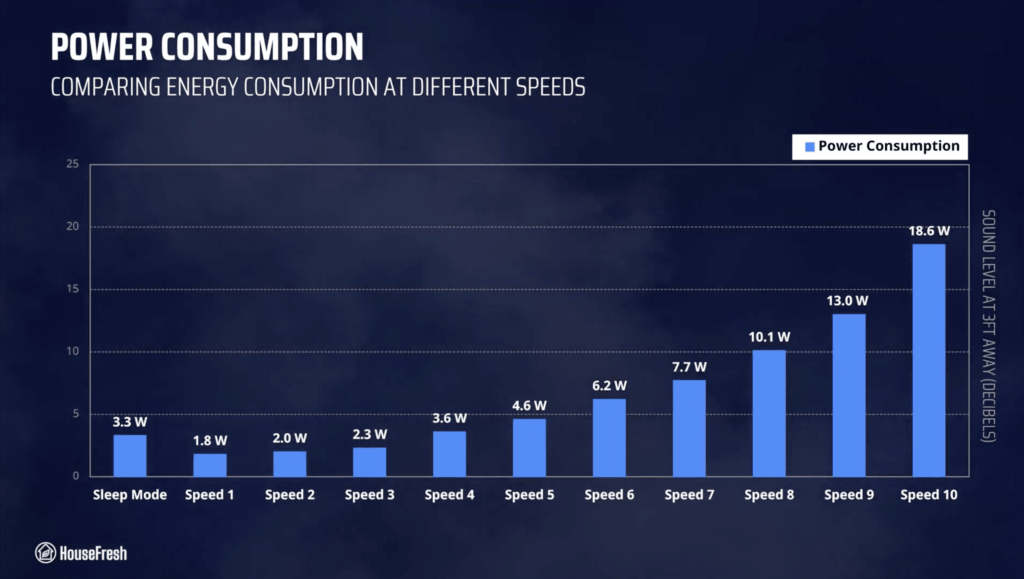
Electricity consumption in watts:Sleep mode: 3.3 watts
Speed 1: 1.8 watts
Speed 2: 2.0 watts
Speed 3: 2.3 watts
Speed 4: 3.6 watts
Speed 5: 4.6 watts
Speed 6: 6.2 watts
Speed 7: 7.7 watts
Speed 8: 10.1 watts
Speed 9: 13 watts
Speed 4: 18.6 watts
Filter lifespan:Particle filter: 5 years
Gas filter: 6-12 months
Manufacturer’s warranty:2 years
Country of origin:United Kingdom
Country of manufacture:Malaysia

Filtration technology

Two separate cylindrical filters that remove particles and odors from the air.

I was really pleased to see that Dyson designed separate filters for the HushJet Compact.

When you press the buttons at each side of the air purifier, the body disconnects from the filters inside.

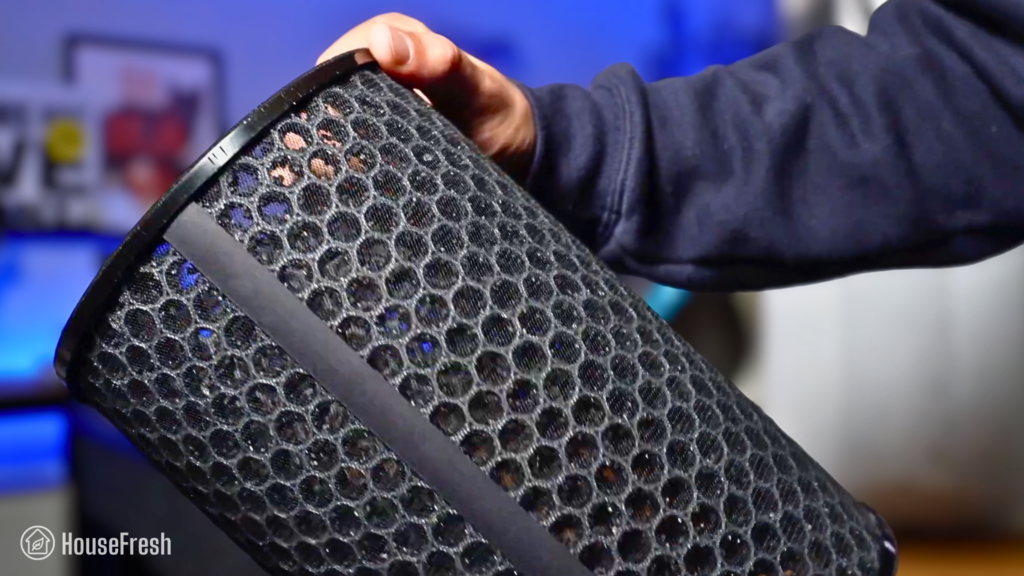
Once you remove the body of the device, you’ll be met with a cylindrical particle filter.

Dyson HushJet Compact HJ10 Review Particle Filter

Dyson states they’ve used a material with lower resistance than HEPA that’s electrostatically charged to pull particles towards it.

Underneath the particle filter, you get a gas filter with 120 g of activated carbon to remove odors.

Dyson HushJet Compact HJ10 Review Carbon Filter

This is a small amount of carbon that will remove mild odors but won’t help with serious issues with VOCs.

One of the downsides of cylindrical air purifiers is that they generally come with all-in-one filters that combine a particle filter with a gas filter in one cylindrical design.

We’ve found that this kind of bonded filter tends to lead to slightly better air cleaning performance BUT it also forces you to buy replacements more often than you may need.

Dyson HushJet Compact HJ10 Review Separate Filters

This happens because the carbon inside the gas filter portion will generally become full within 6 months or so, and you will get a sense the air isn’t as fresh as before.

So you will go ahead and replace the filter, and will likely end up throwing away a perfectly good particle filter in the process.

Particle filters generally have a longer lifespan than carbon filters, with most of them lasting around 12 months.

Design, controls and app features

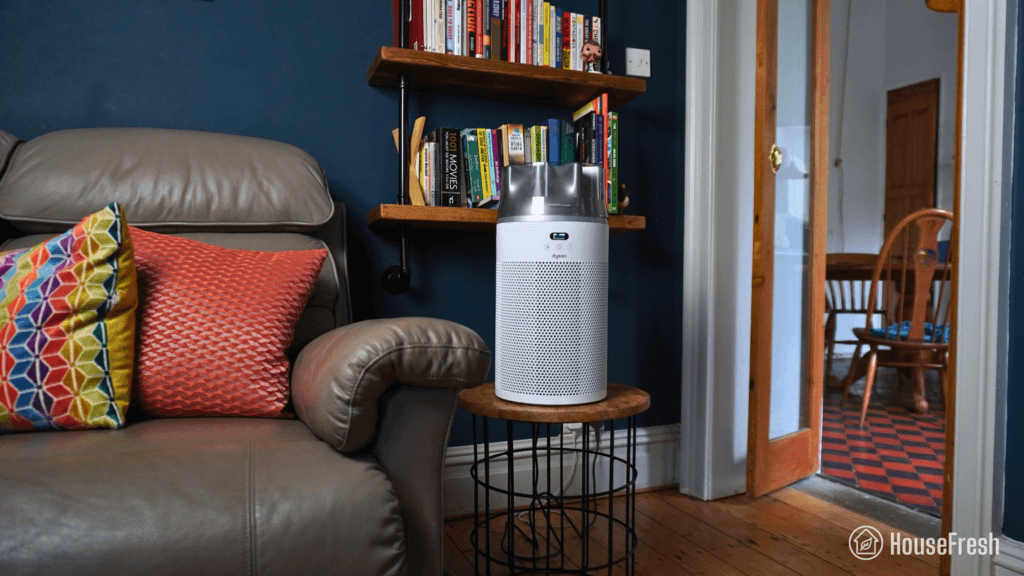
A relatively small air purifier that will sit comfortable on top of a desk or side table.

This is a small cylindrical air purifier that will fit on top of a bedside table or kitchen counter.

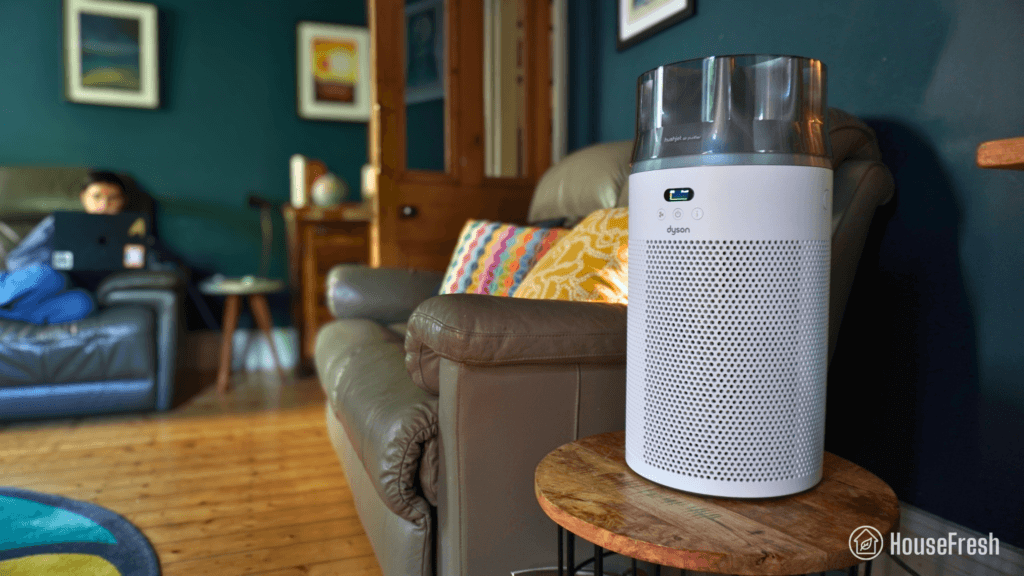
Dyson HushJet Compact HJ10 Review HouseFresh Living Room

As you would expect from Dyson, the HushJet Compact HJ10 has a unique design and is manufactured to a high build quality.

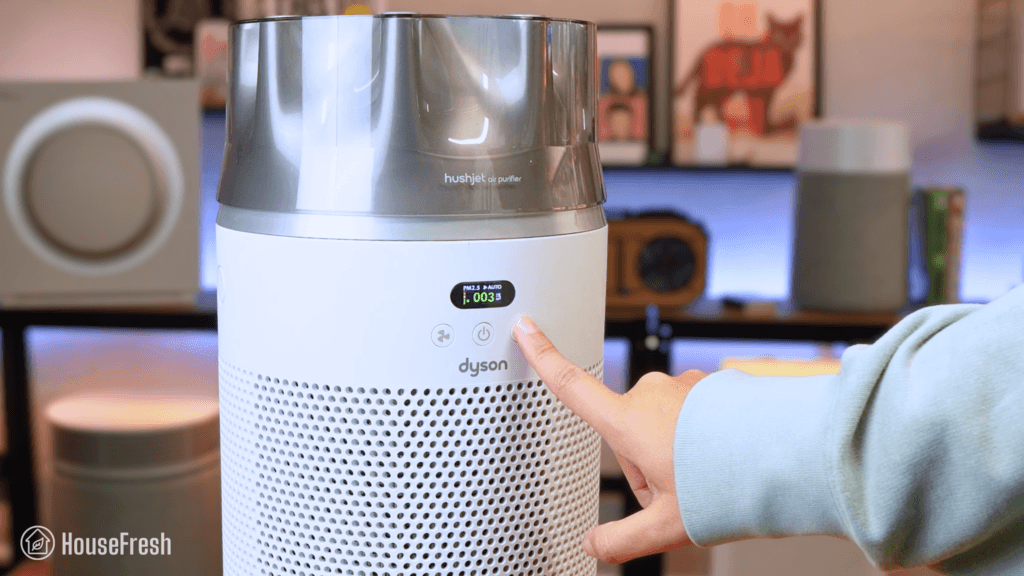
It has a laser sensor and a little screen at the front where you can see particle levels in real time.

Dyson HushJet Compact HJ10 Review Controls

It has three buttons to adjust fan speeds, set auto/sleep mode, and switch between air quality readings and filter lifespan estimates.

It takes up as much space as other small cylindrical units BUT it’s slightly taller due to the nozzle.

Dyson HushJet Compact HJ10 Review Top Cone

This nozzle sits at the top of all HushJet devices from Dyson and it helps reduce noise. We tested it and it was 2 full decibels louder without it.

I was glad to see that Dyson added three buttons to the HushJet HJ10, moving away from units with just one button which forces you to use the app or the remote control provided.

If you want to get access to all the different fan speeds in your HushJet Compact and get more insight into the data from the sensor, then you can download the app on your phone.

The Dyson app has a pretty clean UX and has recently had a design face lift that opened up a lot more insight into the air quality readings from the laser sensor onboard.

Air cleaning performance

We tested the Dyson HushJet Compact in our 728-cubic-feet test room, measuring how quickly it removed PM1 particles from the air after we filled the space with incense smoke.

Dyson HushJet Compact HJ10 Review HouseFresh Performance Test

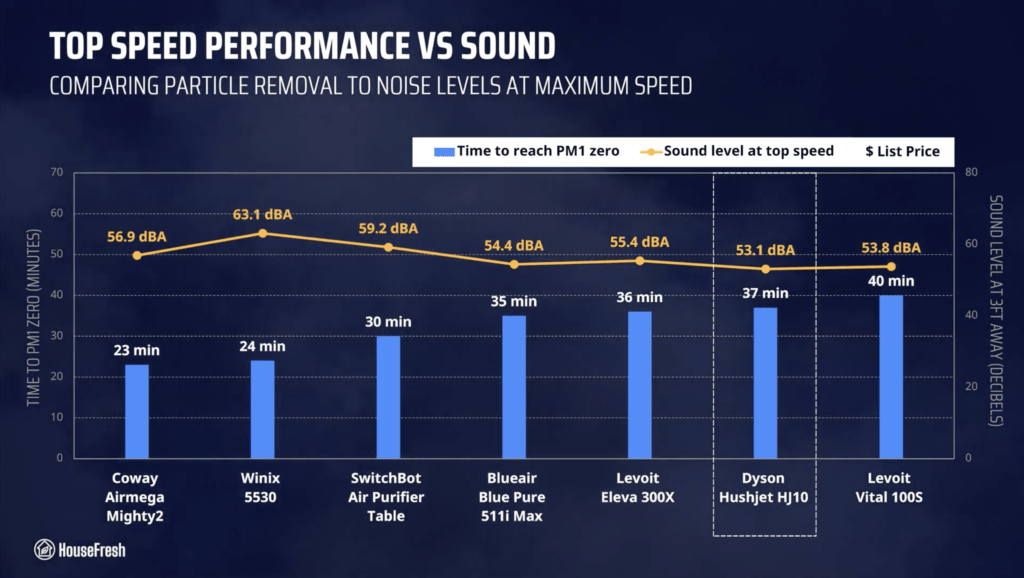
When running at top speed, our PurpleAir Zen sensor shows that the HushJet Compact needed 37 minutes to reach PM1 zero. Based on the natural ventilation of our test room, we estimate a PM1 CADR of 160 cfm.

This makes this Dyson model powerful enough to clean the air five times per hour in rooms no larger than 240 sq. ft. (or 22 m2).

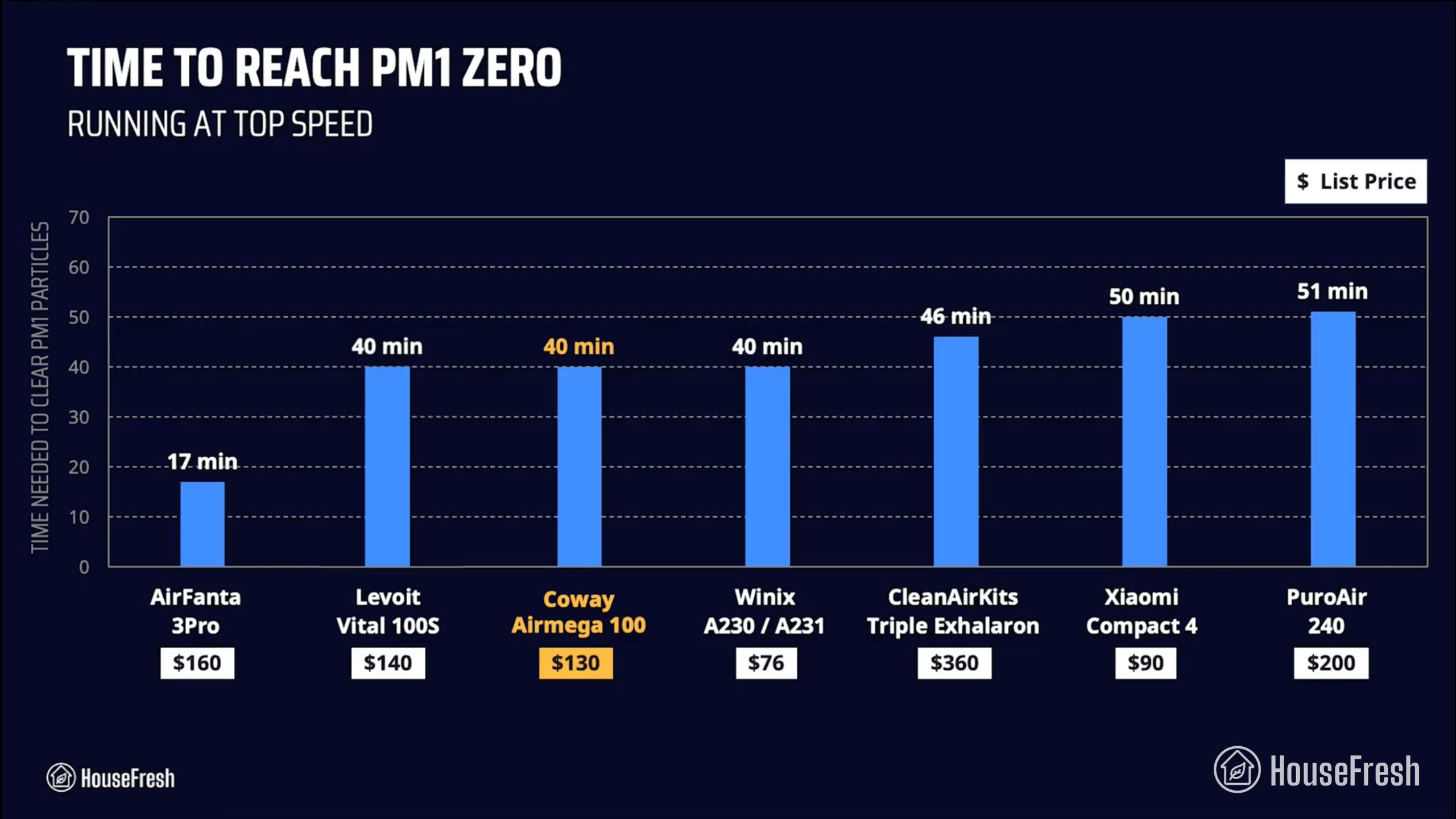
To put this into context, this is faster than the 40 minutes it took popular units like the Levoit Vital 100S but it’s slower than the results achieved by the new generation of small air purifiers like the $130 Levoit Eleva 300X:

Dyson HushJet Compact HJ10 Review Air Cleaning Performance Full Power

However, this test was conducted at full power and air purifiers running at full power tend to be too loud – – even small models like this one. That is why I tested sound levels at different fan speeds so we could account for noise levels.

Sound levels

The sound levels of the Dyson HushJet Compact HJ10 range from 35.8 dBA to 53.1 dBA — which is quieter than most other small models I’ve tested.

Dyson HushJet Compact HJ10 Review HouseFresh Sound Energy Test

As always, I used our BAFX sound meter to how much sound the Dyson HJ10 generates at each of its fan speeds and on sleep mode from 3 ft. away:

Dyson HushJet Compact HJ10 Review Sound Levels

As you can see from the chart below, the HushJet Compact is the quietest small air purifier model in our comparison, reaching 53.1 dBA at top speed.

Dyson HushJet Compact HJ10 Review Top Speed Performance

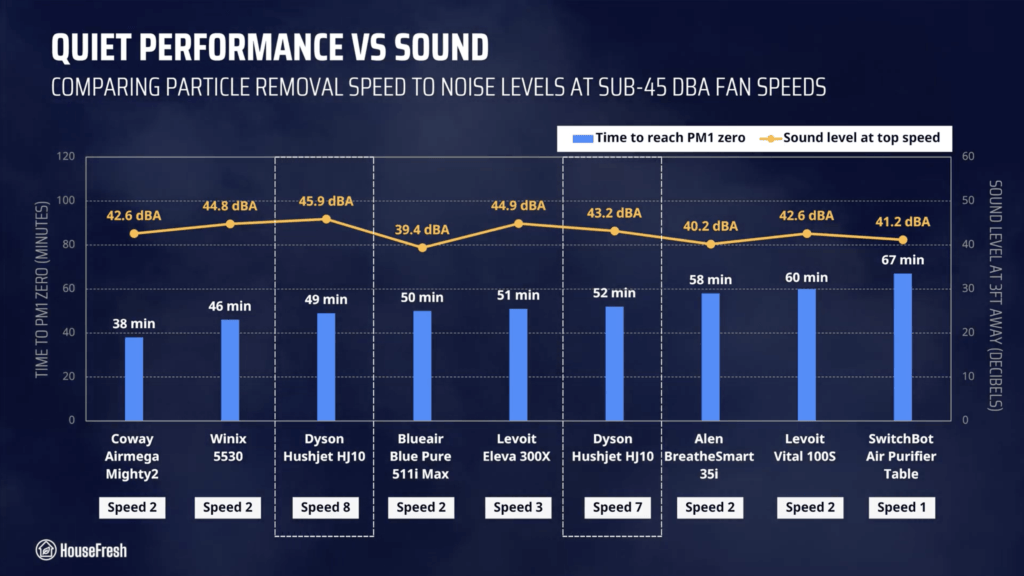
Running at speed 7, it reached 43.2 dBA and cleared our test room in 52 minutes. Based on this result, we estimate a PM1 CADR of 113 cfm at speed 7.

Dyson HushJet Compact HJ10 Review Sub 45 dBA Performance

When it comes to quiet performance, the Dyson HushJet HJ10 is faster than most other small units running at sub-45 dBA fan speeds with the exception of the Levoit Eleva 300X and the Blueair Blue Pure 511i Max.

Long-term running costs

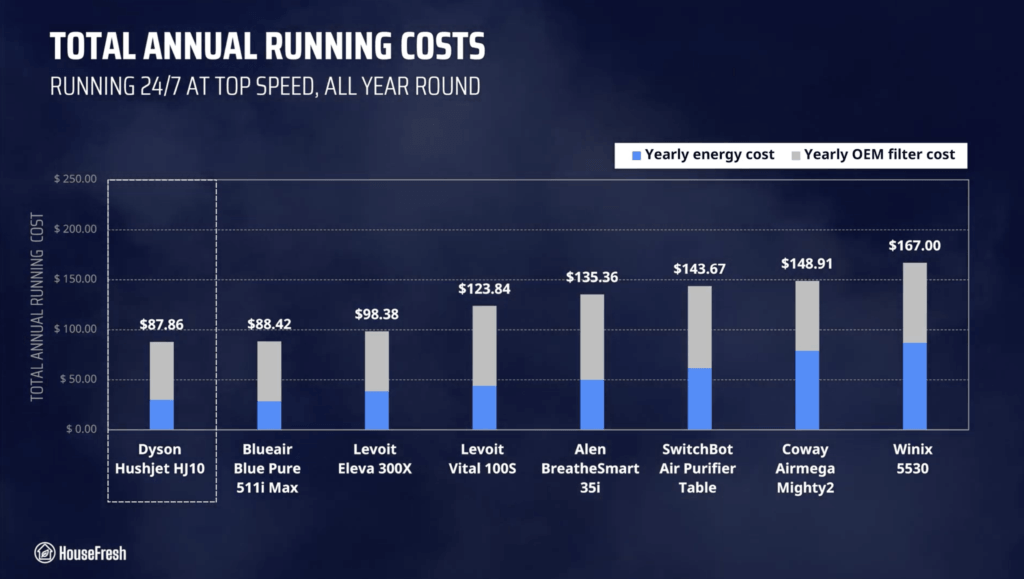
Running a Dyson HushJet Compact HJ10 will cost you $87.86 per year, combining energy and filter replacement costs.

We used our energy meter to record how much electricity the Dyson HushJet Compact pulls at each fan speed and while on standby.

Dyson HushJet Compact HJ10 Review Energy Consumption

At top speed, the HushJet Compact draws 18.6 watts, so if you were to leave it running at top speed 24/7 for one year, it will add $29.88 to your energy bill, based on the latest electricity prices in the U.S. as of October 2026.

This is outstanding energy efficiency from Dyson, but electricity consumption isn’t the only cost to consider, so let’s look at replacement filters.

Dyson states that the electrostatic filter should last up to 5 years and the carbon filter up to 12 months. The electrostatic filter costs $64.99 and the carbon filter costs $44.99.  So based on these lifespan calculations, yearly filter costs would go up to $58.

I added this to the energy costs and can tell you that you need to budget $87.86 each year to keep your Dyson HushJet Compact running 24/7 in your home:

Dyson HushJet Compact HJ10 Review HouseFresh Yearly Running Costs

This makes the Dyson HushJet Compact HJ10 the cheapest air purifier in our yearly costs comparison, thanks to the combination of low energy usage and a 5-year filter lifespan.

Bear in mind that most other small air purifier models have filters that last just 12 months so this low filter replacement cost is dependent on the particle filter really lasting 5 years.

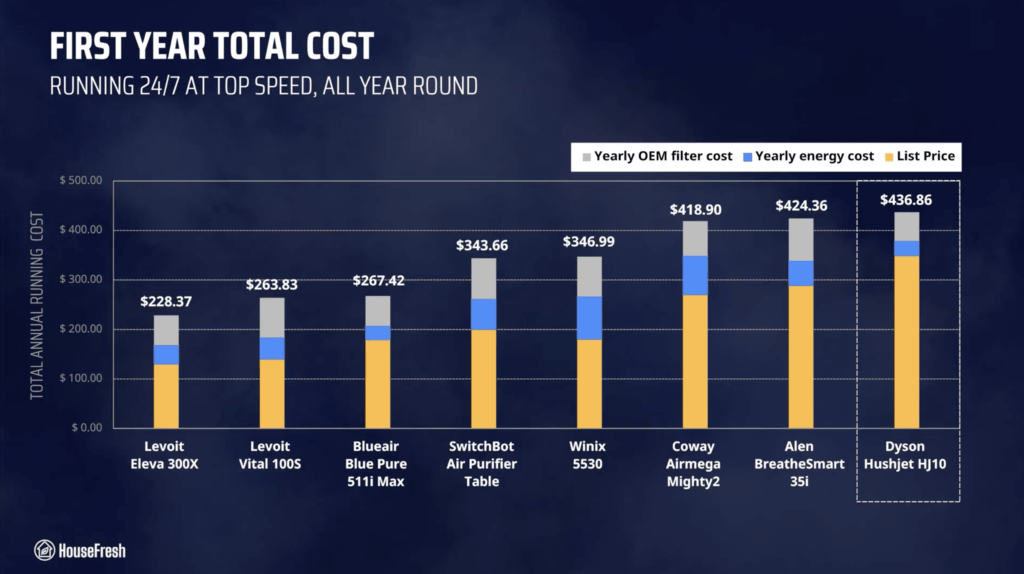
When you add the $349 retail price to that first year’s running cost, your total investment in the first year of ownership is $436.86.

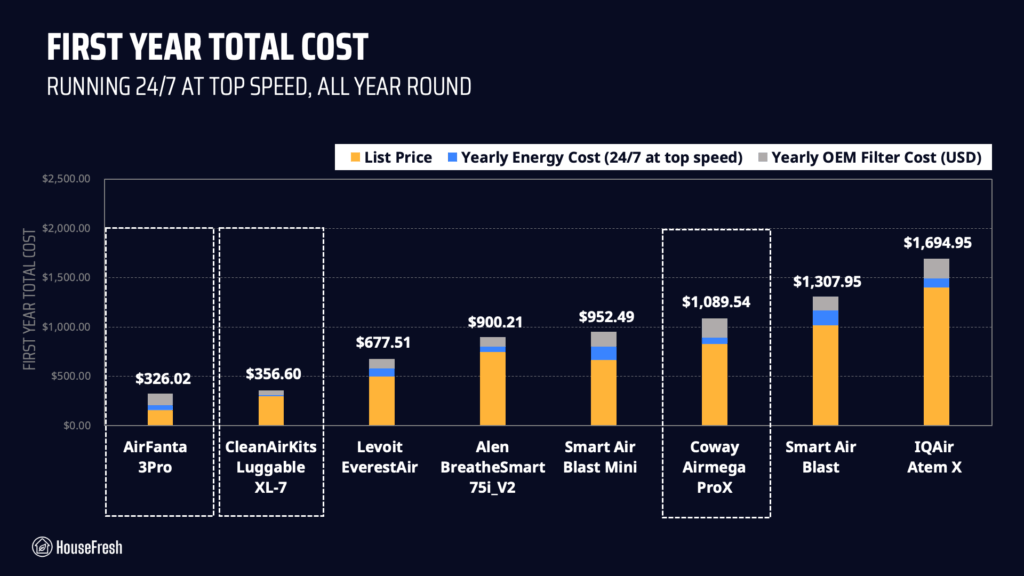
Dyson HushJet Compact HJ10 Review HouseFresh First Year Total Cost

Looking at the chart, we find that the Dyson HushJet Compact is the most expensive model to buy and to run in that first year of ownership.

And bear in mind that this comparison includes midsized models that offer more air cleaning power like the Winix 5530 and the Coway Airmega Mighty2.

Bottom line: Should you get a Dyson HushJet Compact HJ10?

Is the Dyson HushJet Compact worth the $349 price tag? Well… It depends…

Dyson HushJet Compact HJ10 Review HouseFresh Home

Let me start by saying that this is a good air purifier. It comes with a wide range of fan speeds, a very good app, smart functions, and solid air cleaning performance, especially considering its size.

In our particle removal tests, we found that the 40-minute mark is tough to beat for small cylindrical air purifiers. And I’ve got to say, I was worried the HushJet would cost 350 bucks and hit the same wall…

Dyson HushJet Compact HJ10 Review Small Air Purifiers Comparison

But it managed to clear our test room in 37 minutes, outperforming small units I’ve recommended over the years like the Winix A231 and the Coway 100.

Based on our test data, it offers a PM1 CADR of 160 cfm at top speed, while generating 53 dBA of noise and pulling less than 20 watts.

And this compares well to other small air purifiers…

Dyson HushJet Compact HJ10 Review HouseFresh CADR Sound Energy

Models that offer more air cleaning power are generally louder or more power hungry than the HushJet Compact. However, they are also cheaper to buy…

The good news is that if the $349 price tag doesn’t scare you, then you will be saving money in the long run. When you combine the use of separate particle and gas filters with the fact that they have a long lifespan, this saves you money on filter replacements.

And Dyson’s engineers managed to pack a lot of power in a fan that is actually really energy efficient, so this will in turn save you money on electricity.

As I always say, if space is not an issue, I recommend that you size up and go for a midsized model instead — you will get a lot more air cleaning power with a Coway Mighty2, a Levoit Vital 200S or a Winix 5530.

HouseFresh Small VS Medium Air Purifiers

If you decide to get yourself a Dyson HushJet Compact HJ10, please use this link. When doing so, we will receive a small affiliate commission at no extra cost to you.

And if you’re still unsure, you can try using our air purifier comparison tool to see how this Dyson model stacks up against air purifiers with similar prices:

If you have any questions about the this model or about Dyson air purifiers in general, please drop them in the comments below, and I’ll get back to you personally as soon as I can.
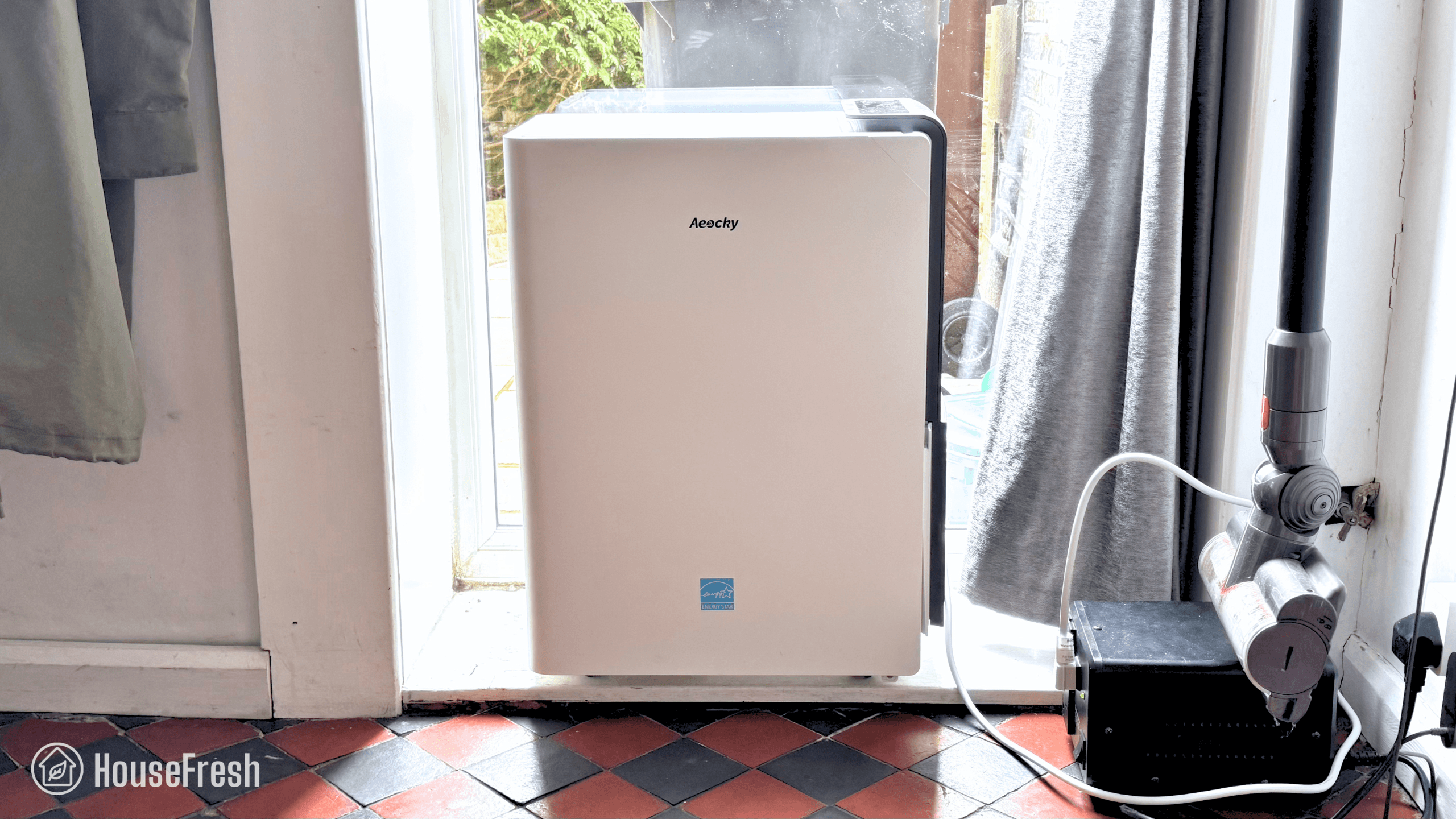
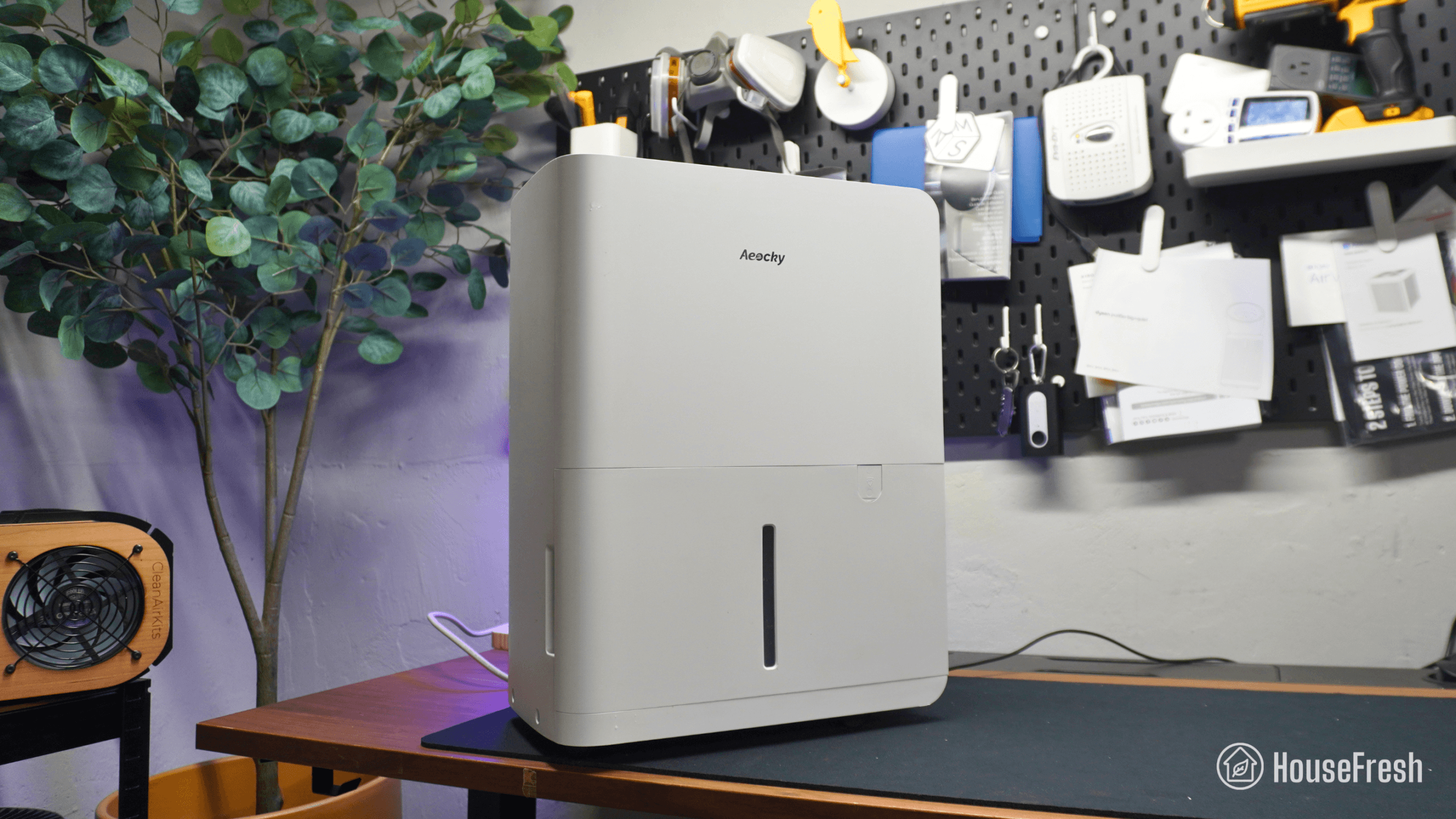
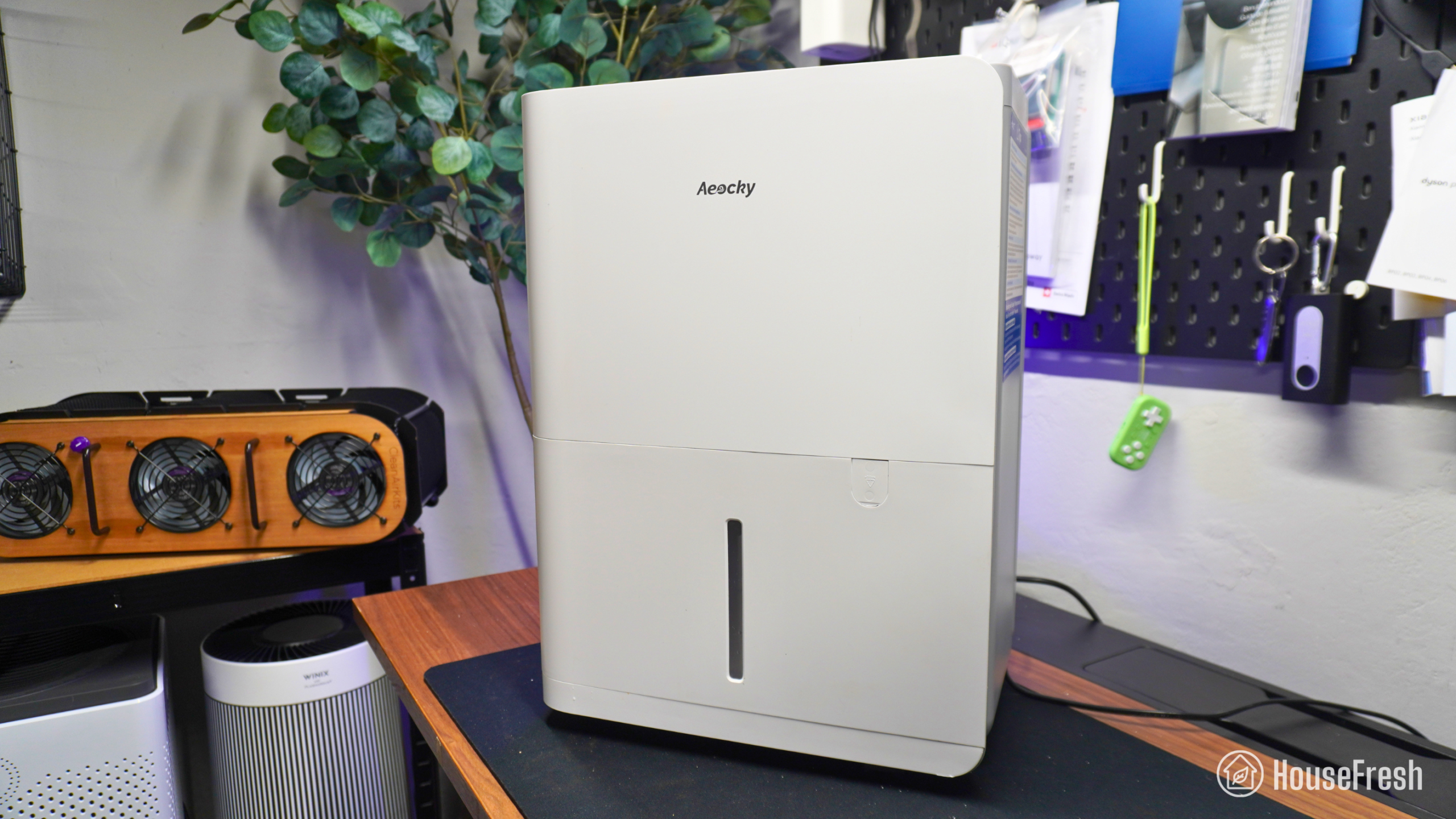
Aeocky Rhea dehumidifier review

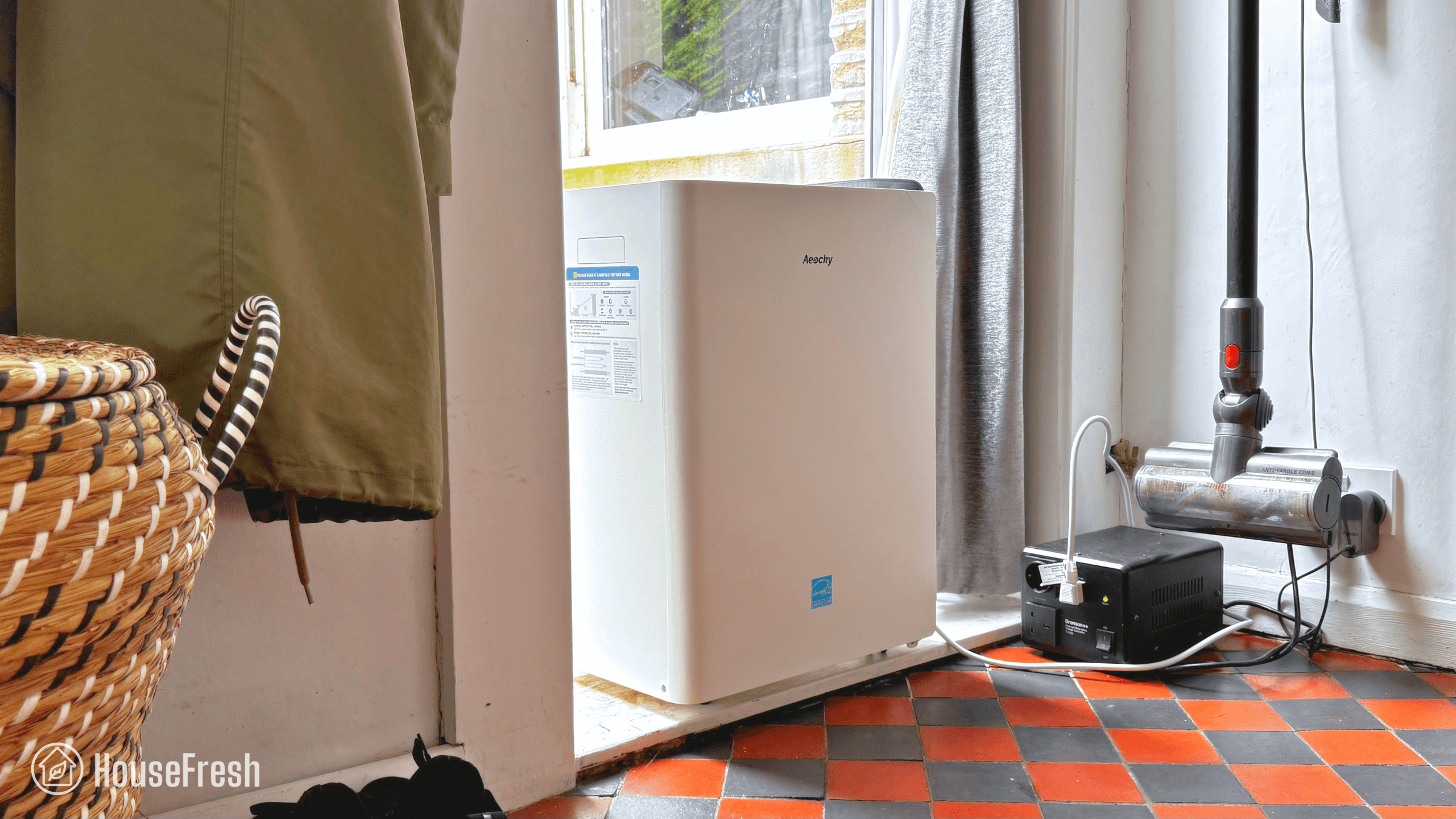
Aeocky Rhea Home

After testing the Boreas-001, the time has come to share my review of the Rhea-003.

This is the largest model in Aeocky’s range of dehumidifiers and it comes with all the features you will expect – from laundry mode to an automatic defrost function.

We have been using it at home since July 2026 and we found that it offers excellent dehumidification performance in a package that is easy to live with.

In our tests, this large dehumidifier extracted humidity from the air faster than large dehumidifiers from well known brands like Honeywell that sell for double the price. And it did this without pulling a lot of energy, which really REALLY surprised me.

But… Is it better or worse than the mighty Midea Cube? Read on to find out.

The pros and cons of the Aeocky Rhea

A summary of our top-level findings after testing this dehumidifier, following our methodology.

Aeocky Rhea Dining Room

“If you’re looking to dry out a large basement, an open plan space or even your entire house, the Rhea-003 from Aeocky might be just the thing for you.

It is highly affordable considering its power and won’t drain your wallet with exorbitant energy bills. Plus, the 3-year warranty is uncommon in the world of dehumidifiers.”

Danny Ashton HouseFresh
Danny Ashton
HouseFresh Founder
& Lead Tester

CONS

The water bucket is much smaller than the one in the Midea Cube, so you will find yourself emptying very often. If you’re planning on using it in a very humid space, I suggest you set it up with a gravity hose.
Even though it is quiet compared to large dehumidifiers, it is a lot louder than small-to-medium sized units so it will be great for a basement but not ideal for a bedroom.

PROS

It comes with a 3-year warranty, whereas most other dehumidifier brands only offer 1 year.
Low energy usage that helps keep long-term costs low – it is less power-hungry than large models from brands like GE, Midea, Honeywell, Frigidaire and hOmeLabs.
In our water extraction tests, it outperformed all 27 dehumidifiers I tested in 2026.
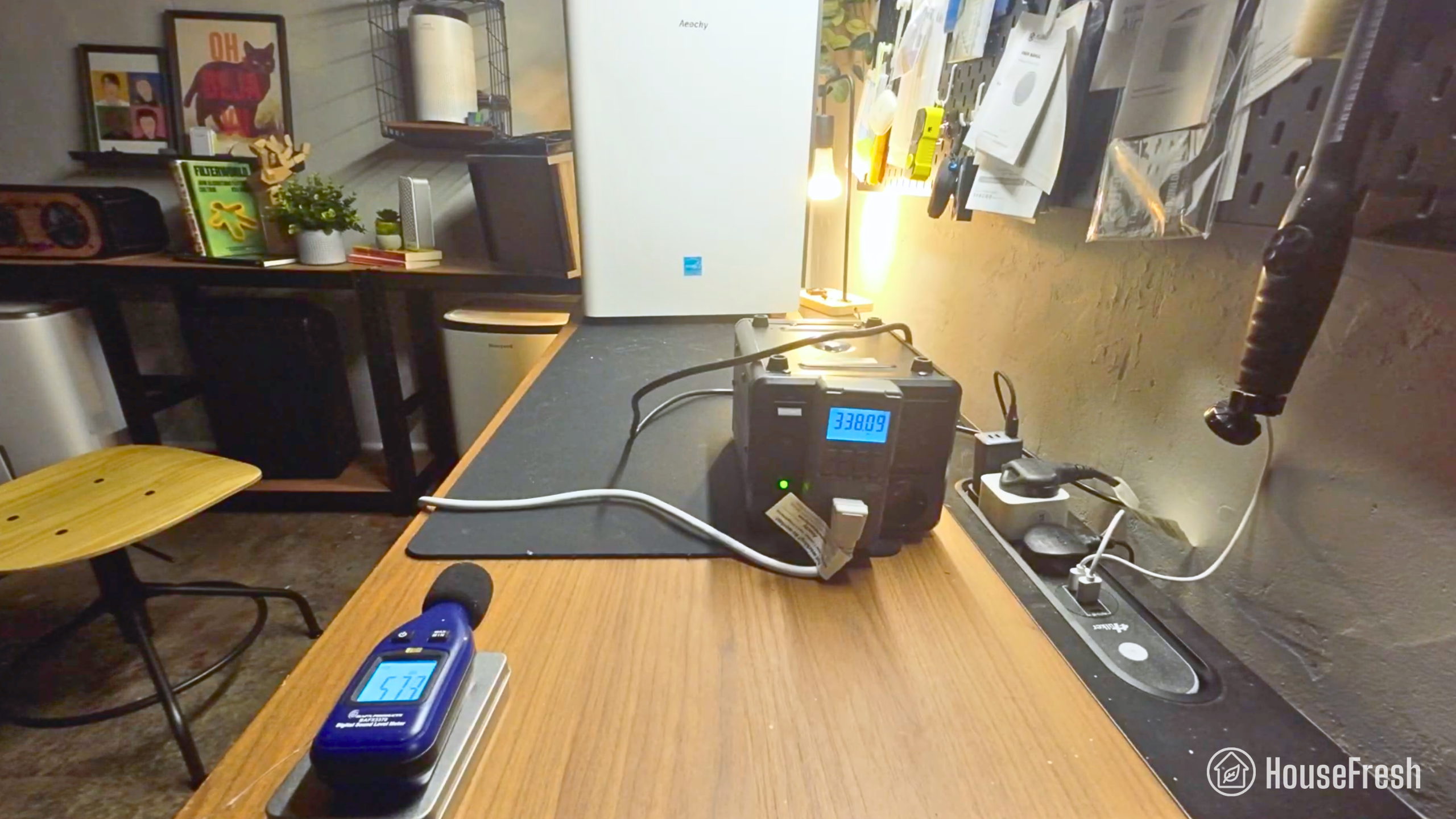
It generates 57.3 decibels of at top speed, which is much quieter than the 60-70 dBA you usually get with large dehumidifiers like this.
It includes an attachment so you can connect it to any outdoor hose – this comes very handy when setting up a gravity hose in cases where the drain is far away.

Water removal capacity (per day):– HouseFresh test data: 20.18 pints (11.47 liters)
– ENERGYSTAR test data: 44.3 pints (25.17 liters)
Bucket capacity:14.80 Pints (1.85 gallons)
Electricity consumption (top speed):357.55 watts
Integrated energy factor (top speed):– HouseFresh test data: 1.3 L/kWh
– ENERGYSTAR test data: 2.2 L/kWh
Noise level in from 3 ft. away (top speed):57.3 dBA
Refrigerant type:HFC-32
Recommended room size:5,500 sq. ft. (50-80% relative humidity)
Dimensions:17.68 x 11.02 x 24.09 inches (44.91 x 27.99 x 61.19 cm)
Weight:43.4lbs (19.7lkg)
Manufacturer’s warranty:3 years
Country of origin:China
Country of manufacture:China

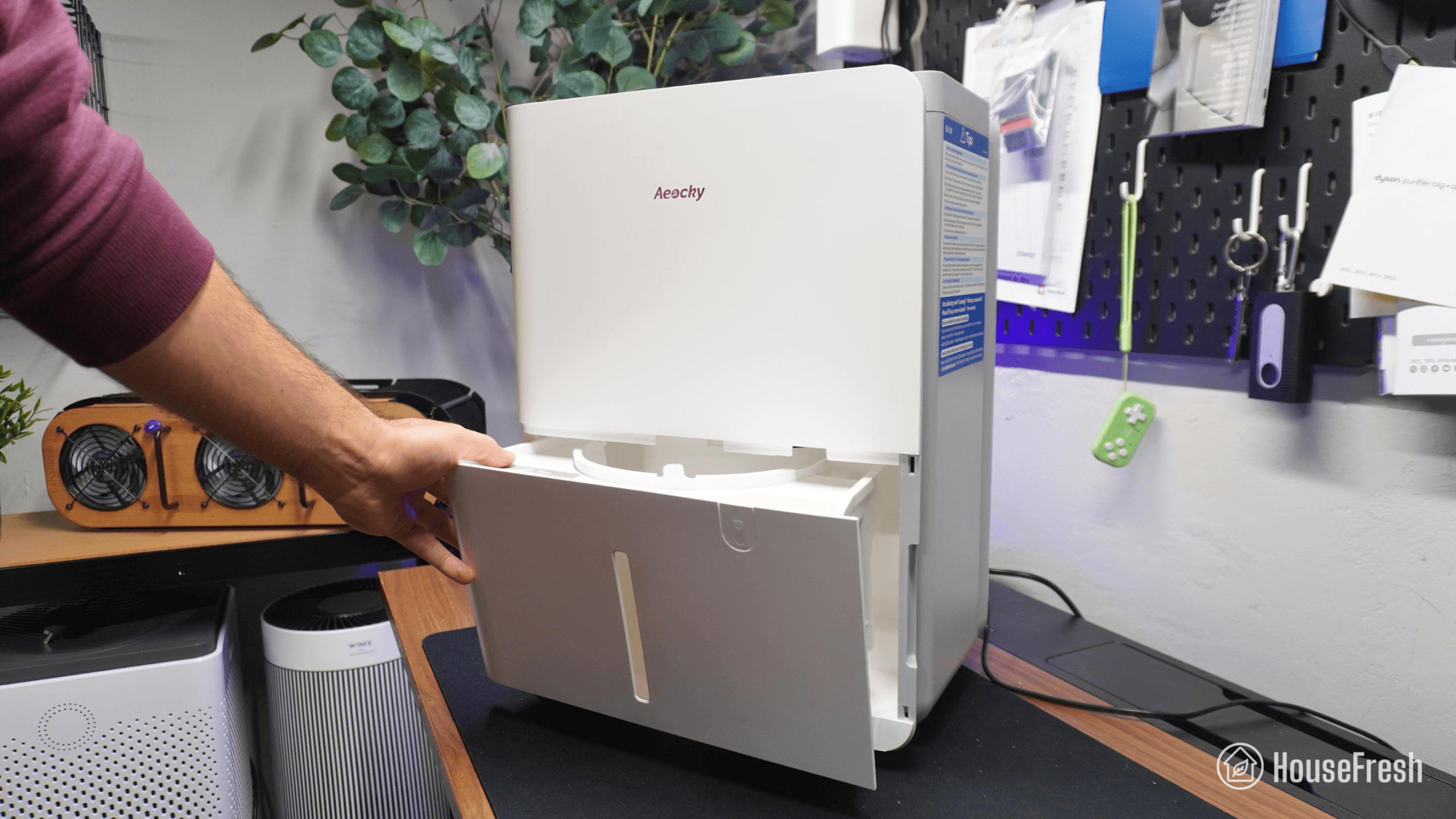
Water bucket

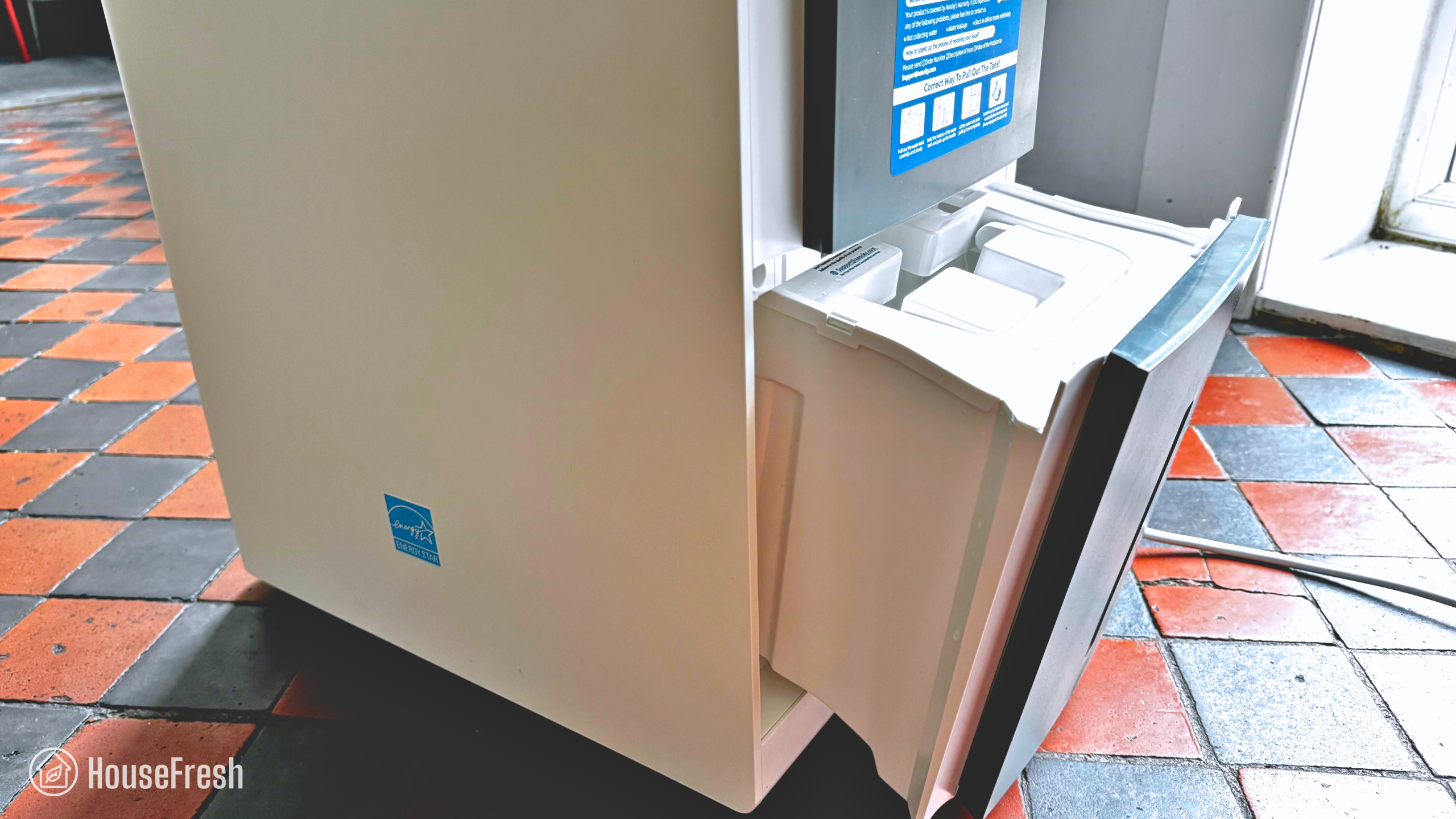
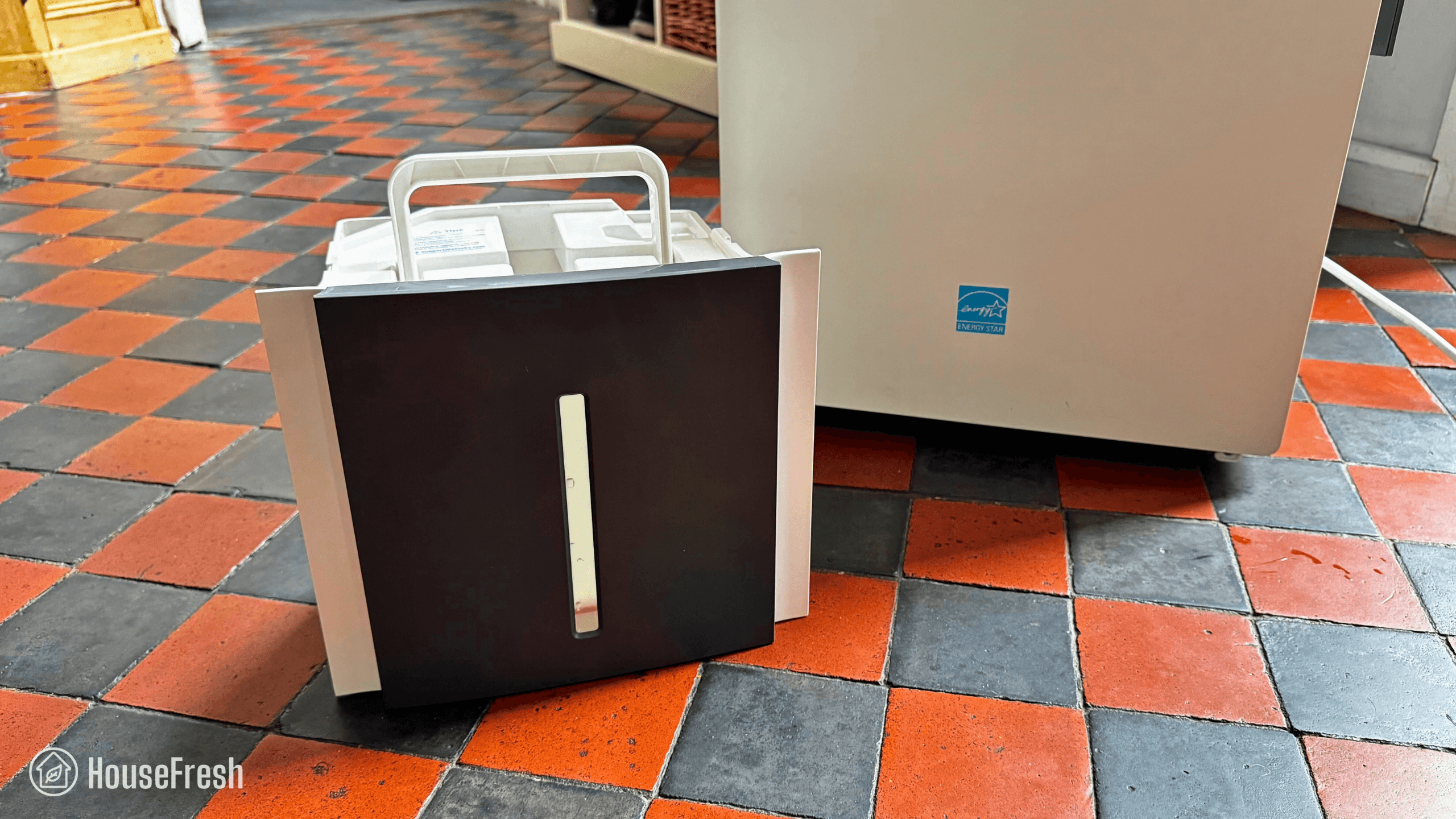
The water tank that slides from the side and is smaller than I’d like.

The bucket slides out from the side – not as convenient as buckets that slide out from the front but much better than tanks that sit at the back.

Aeocky Rhea Sliding Tank

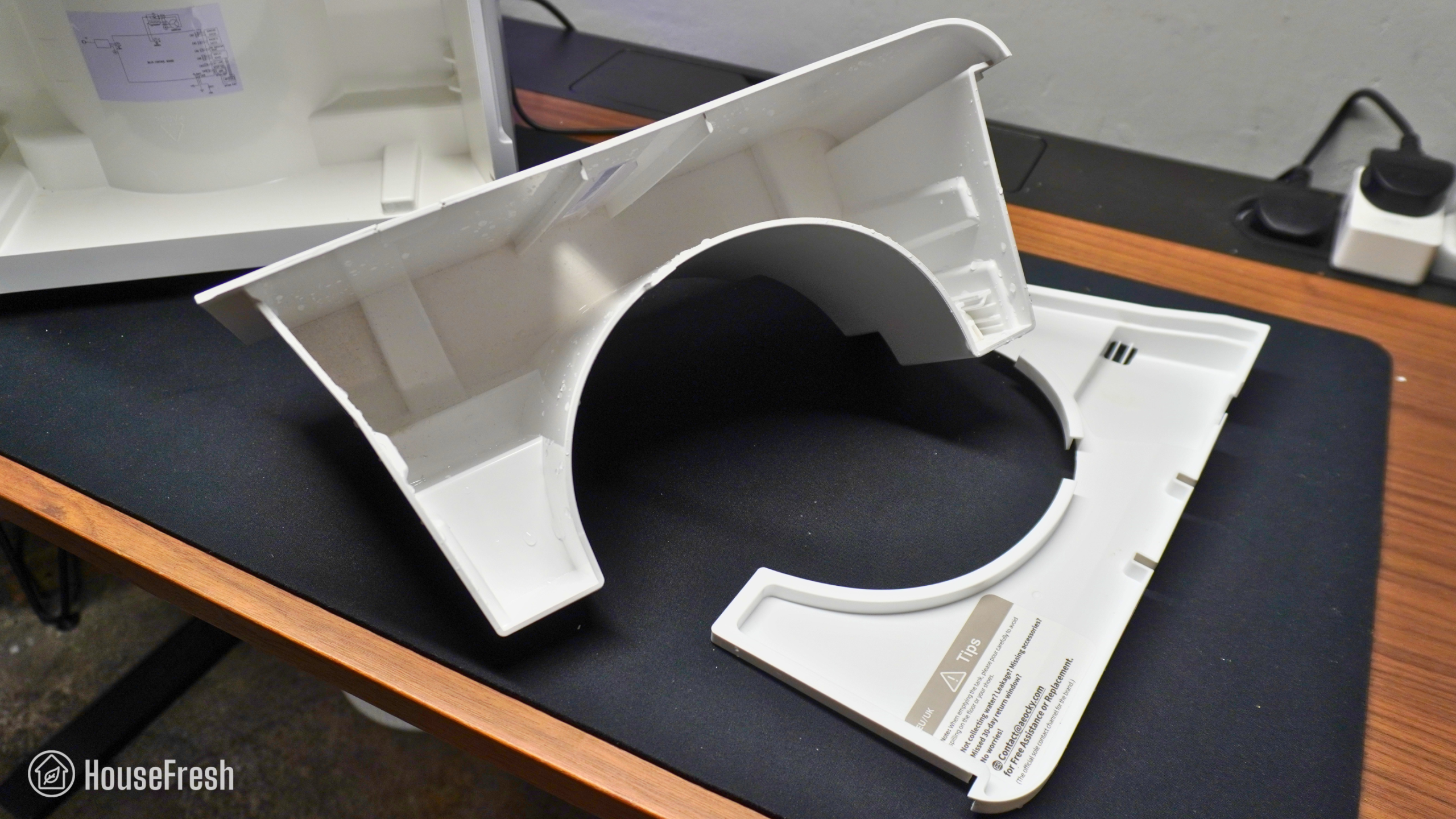
The water tank has a capacity of 14.8 pints, which is larger than the 5.7 pints of the Aeocky Boreas but much smaller than the 34 pints of the Midea Cube.

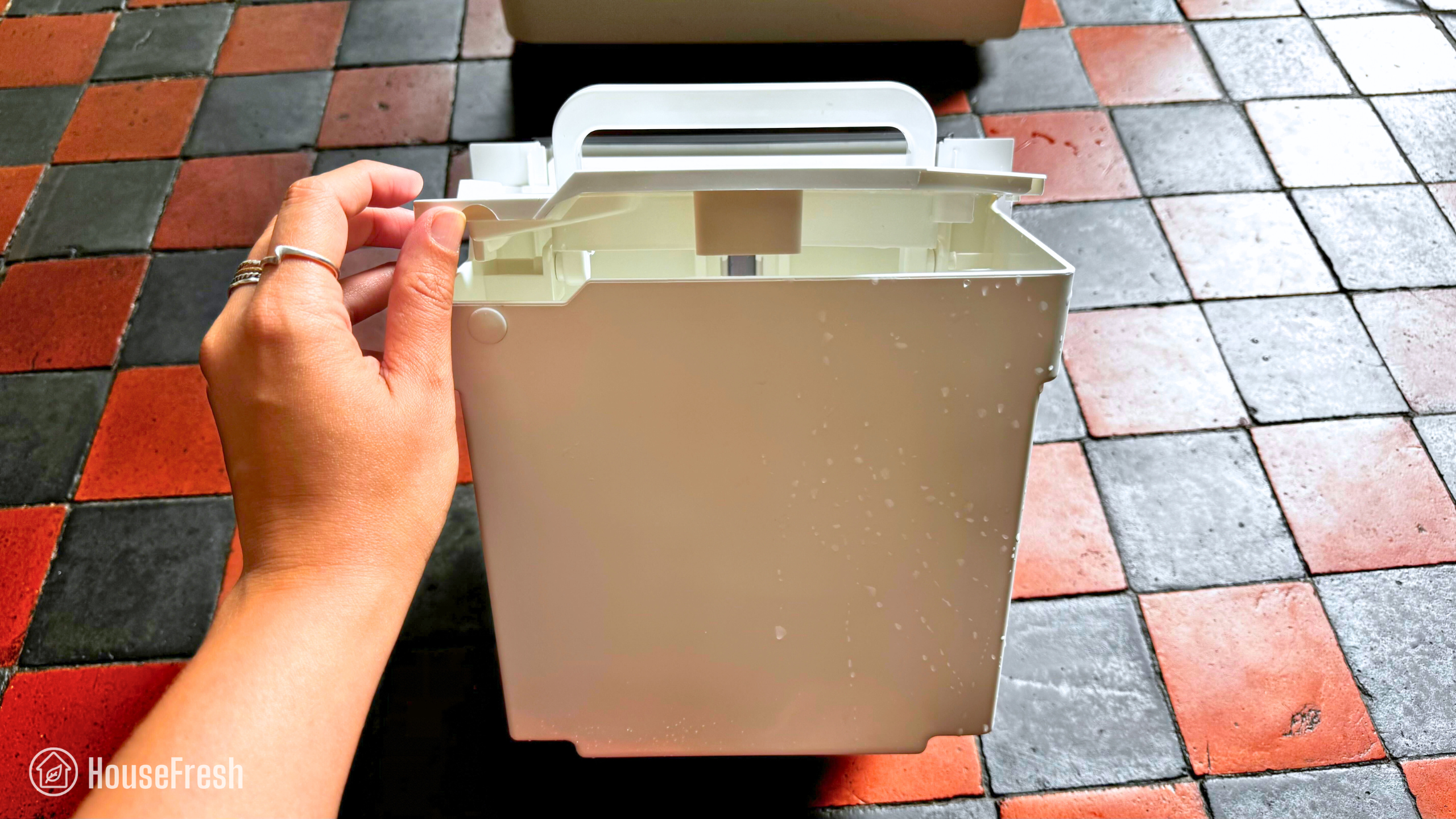
Aeocky Rhea Water Tank

I appreciate the cover and the handle at the top, which make it easier to empty the bucket when its full without making a mess on the way to the sink.

Aeocky Rhea Bucket

Design, features and controls

A large dehumidifier that Aeocky states can cover an area up to 8,000 sq. ft.

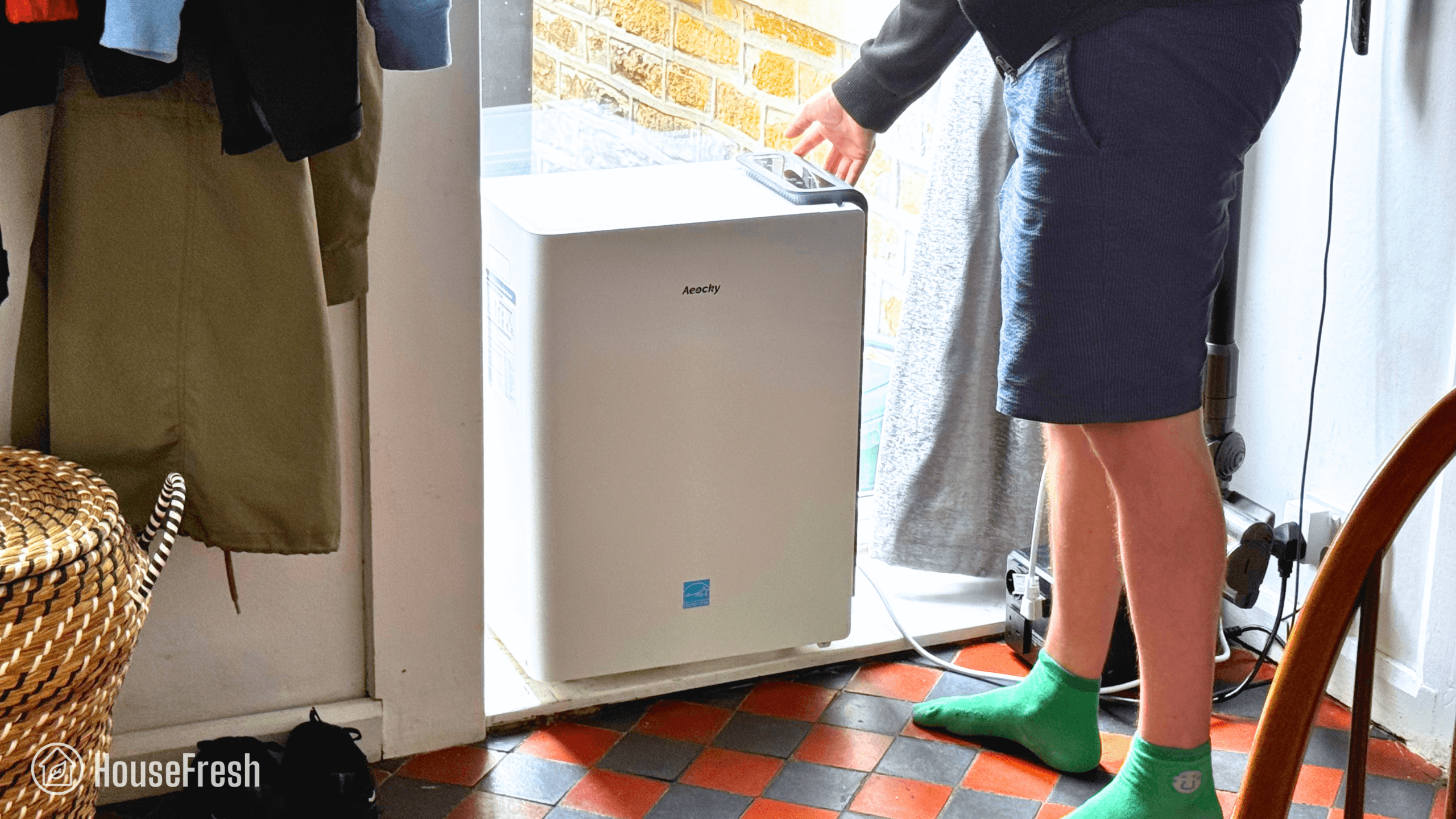
It has a large body and there’s no escaping that. That said, the design is pretty compact for a large dehumidifier.

Aeocky Rhea Corner

The bucket slides out from the right, so you need to keep this in mind when choosing where to place it.

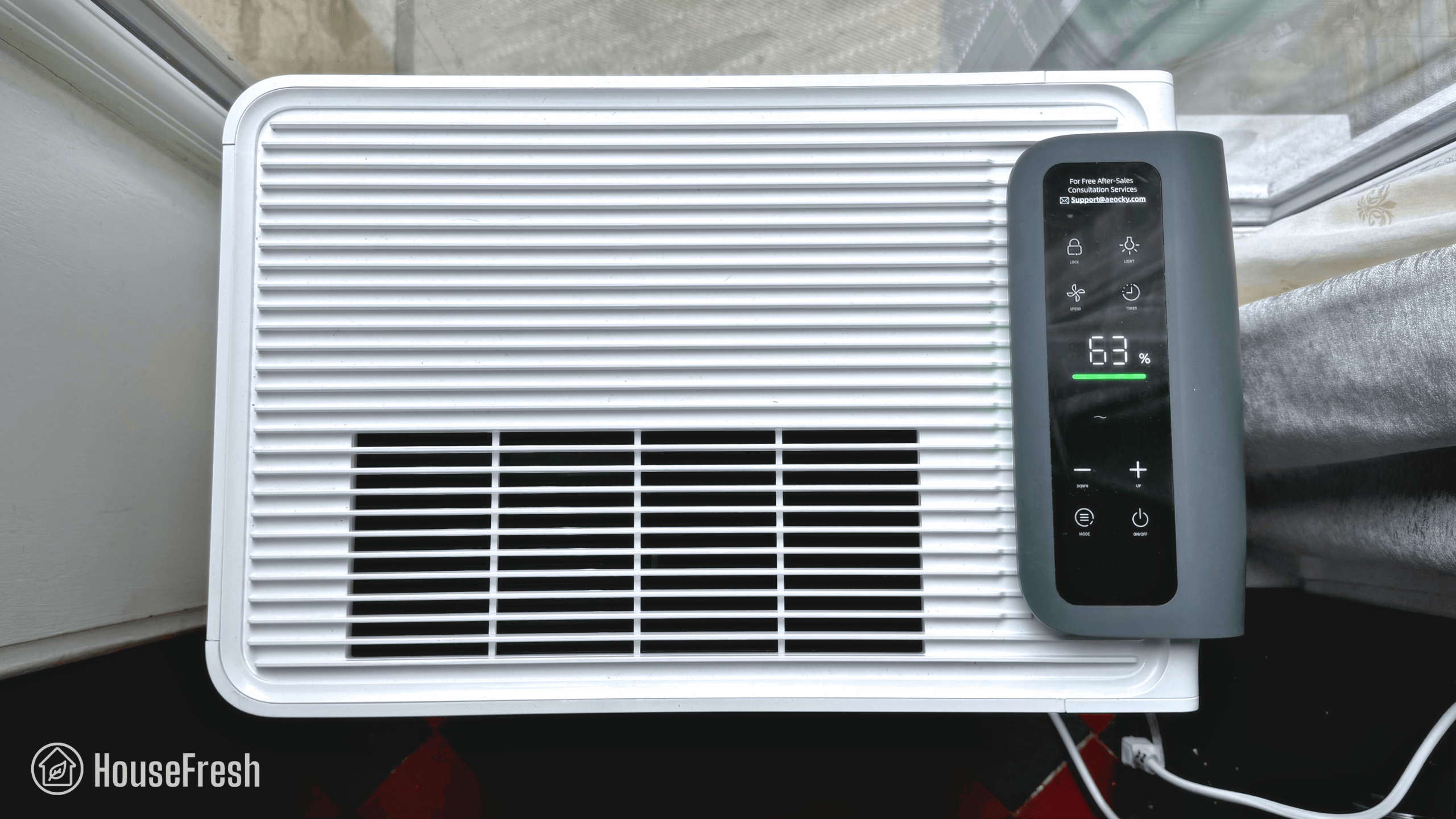
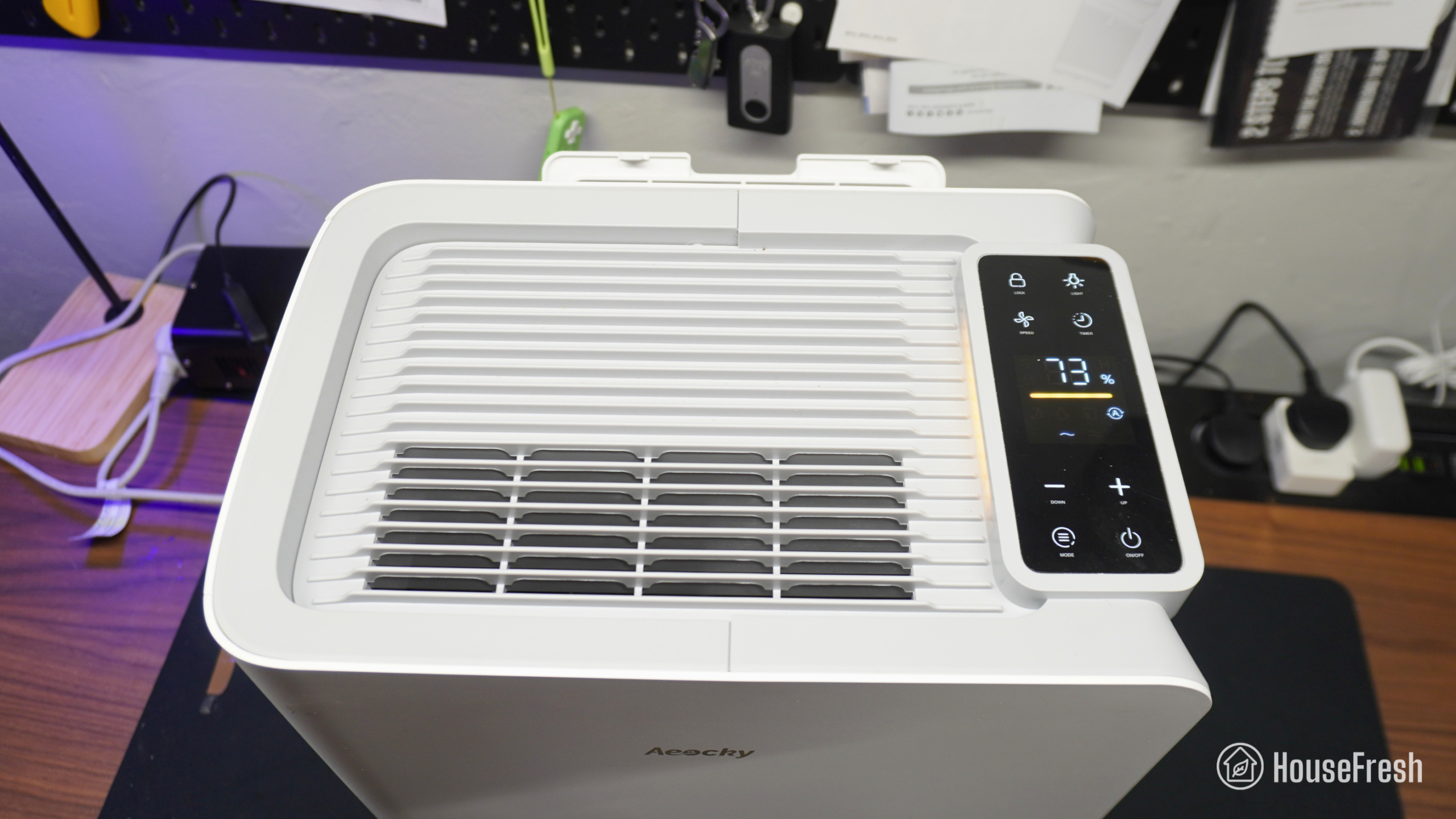
It has buttons to switch fan speeds/modes, set the desired humidity, adjust lights, schedule timers and lock the screen.

Aeocky Rhea Top

It comes with an on-board hygrometer that is fairly accurate compared to our room humidity monitor.

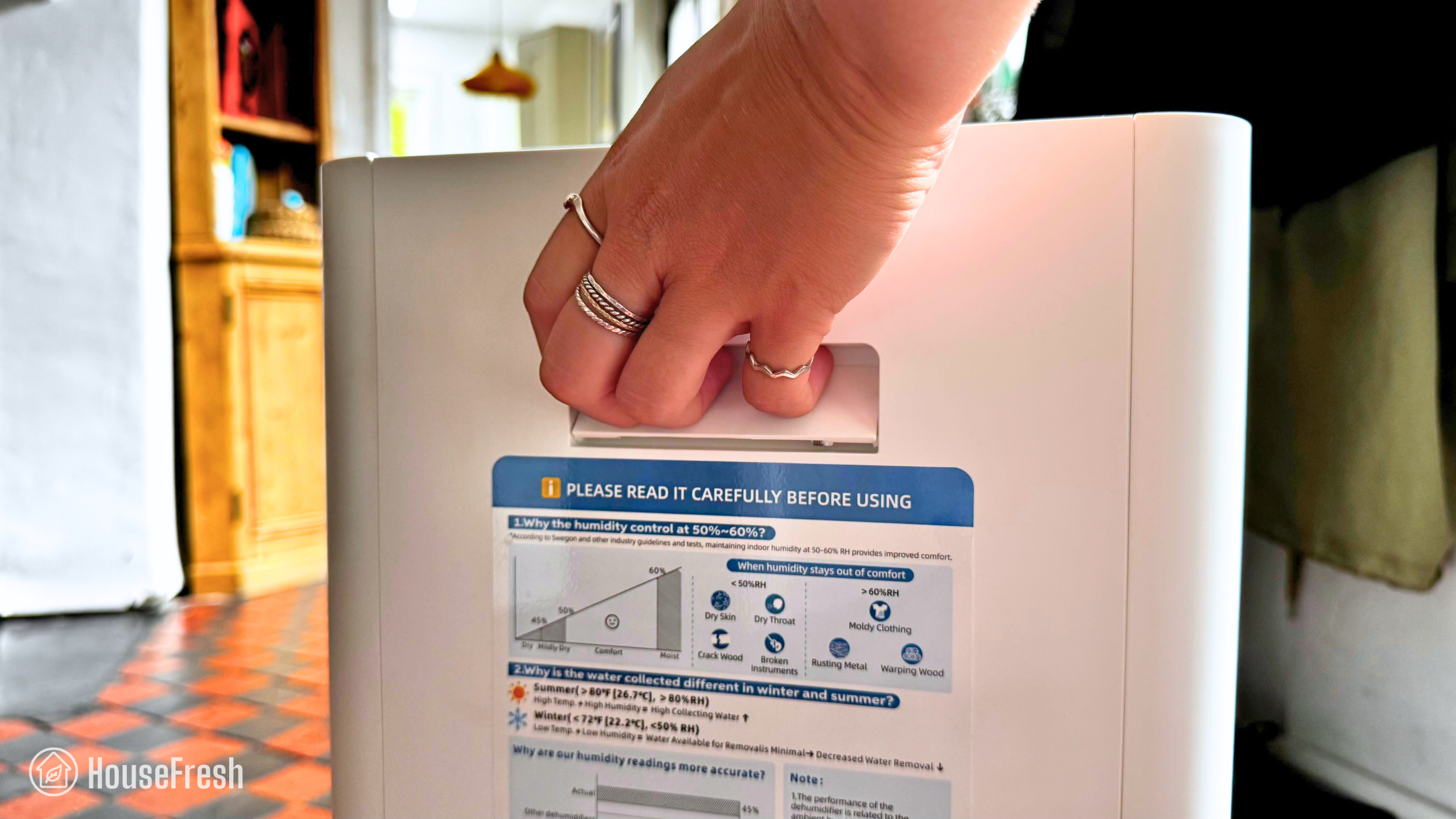
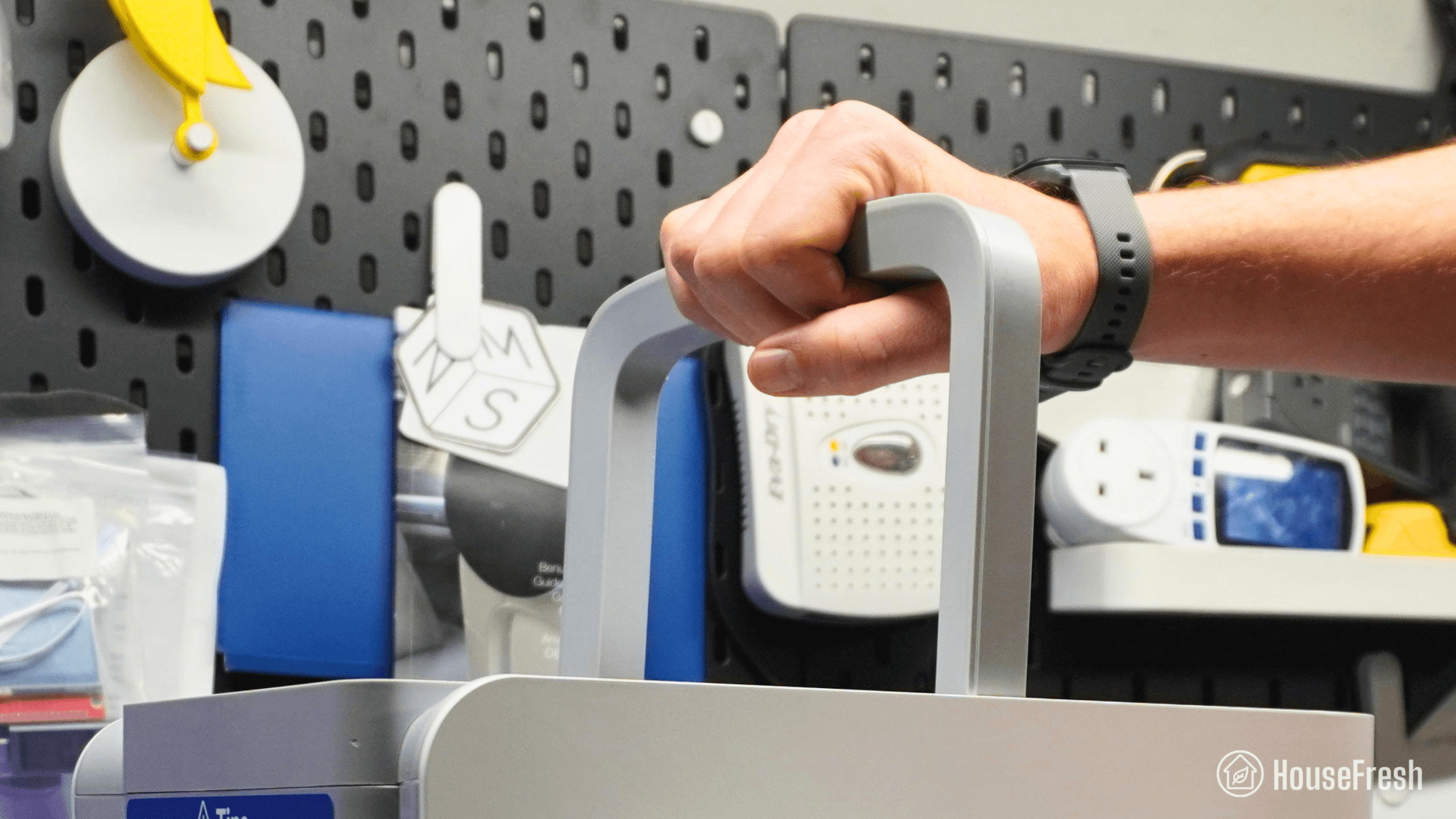
It comes with a handle each side of the device. The handles aren’t visible unless you push in with your hands.

Aeocky Rhea Handle

I’d prefer a sturdy handle at the top, but the side handles of the Rhea are deep enough to be useful.

Dehumidification performance

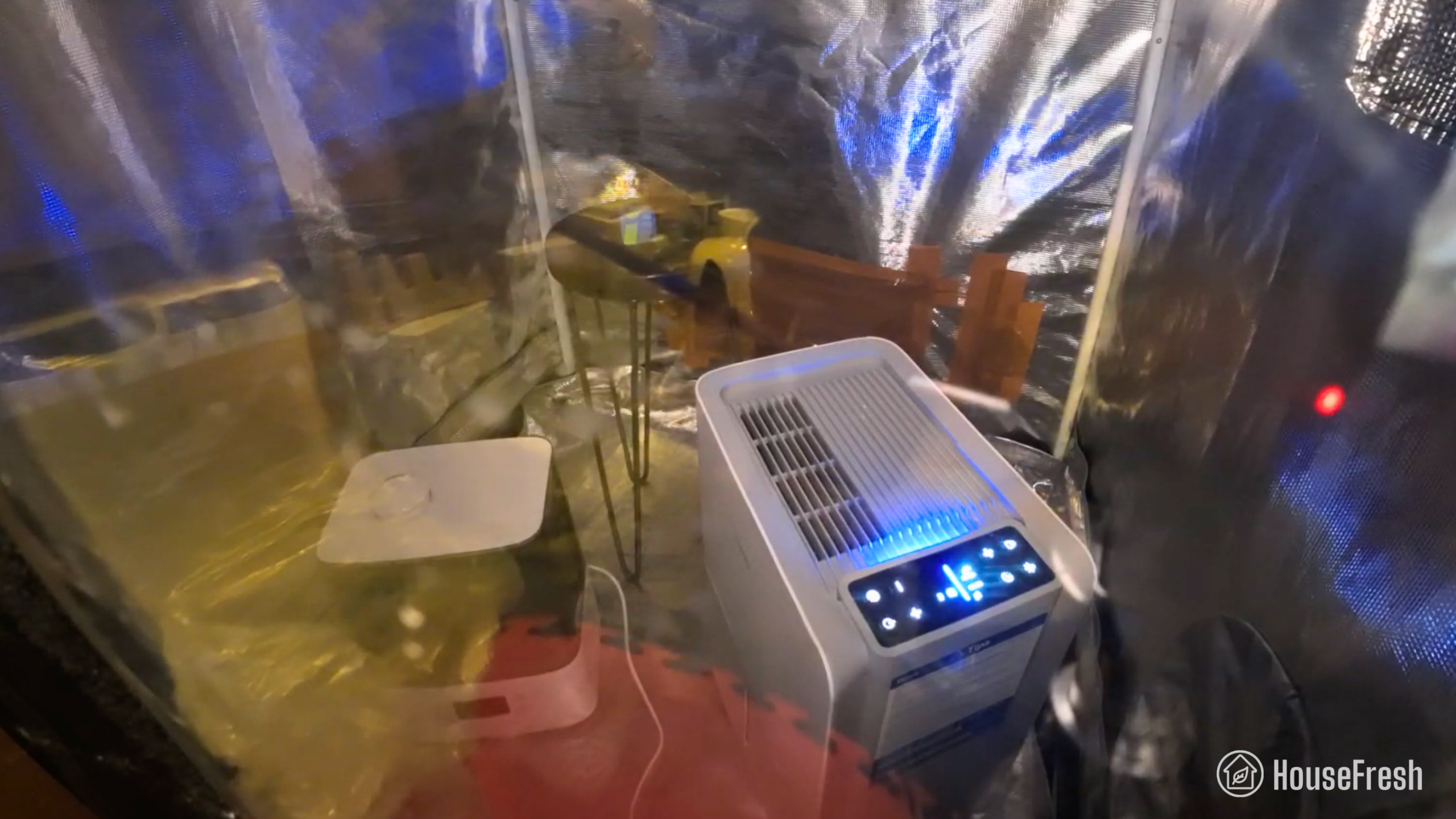
We tested the Aeocky Rhea in our grow test using a humidifier and our trusted hygrometer.

Aeocky Rhea Dehumidification Test

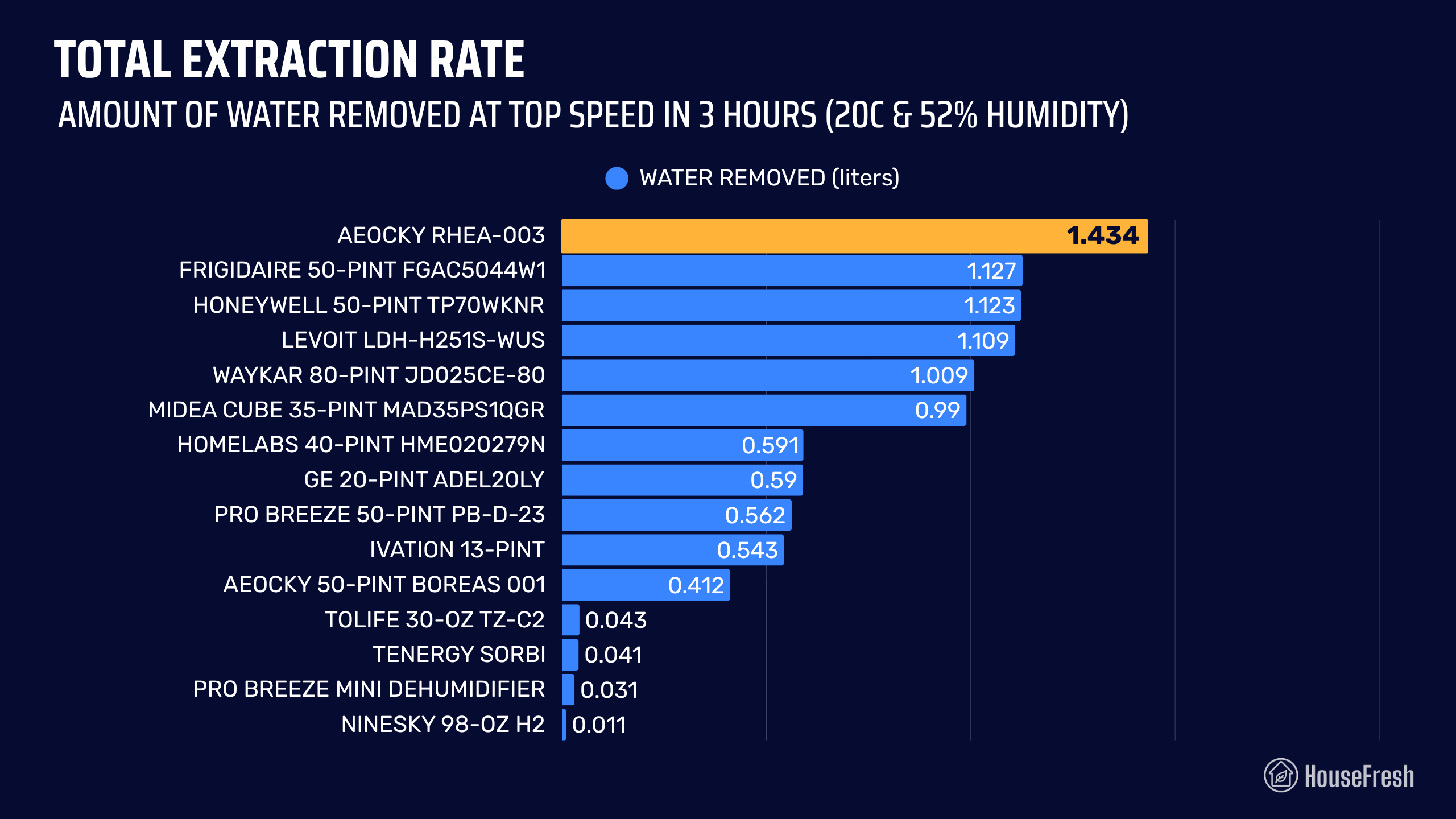
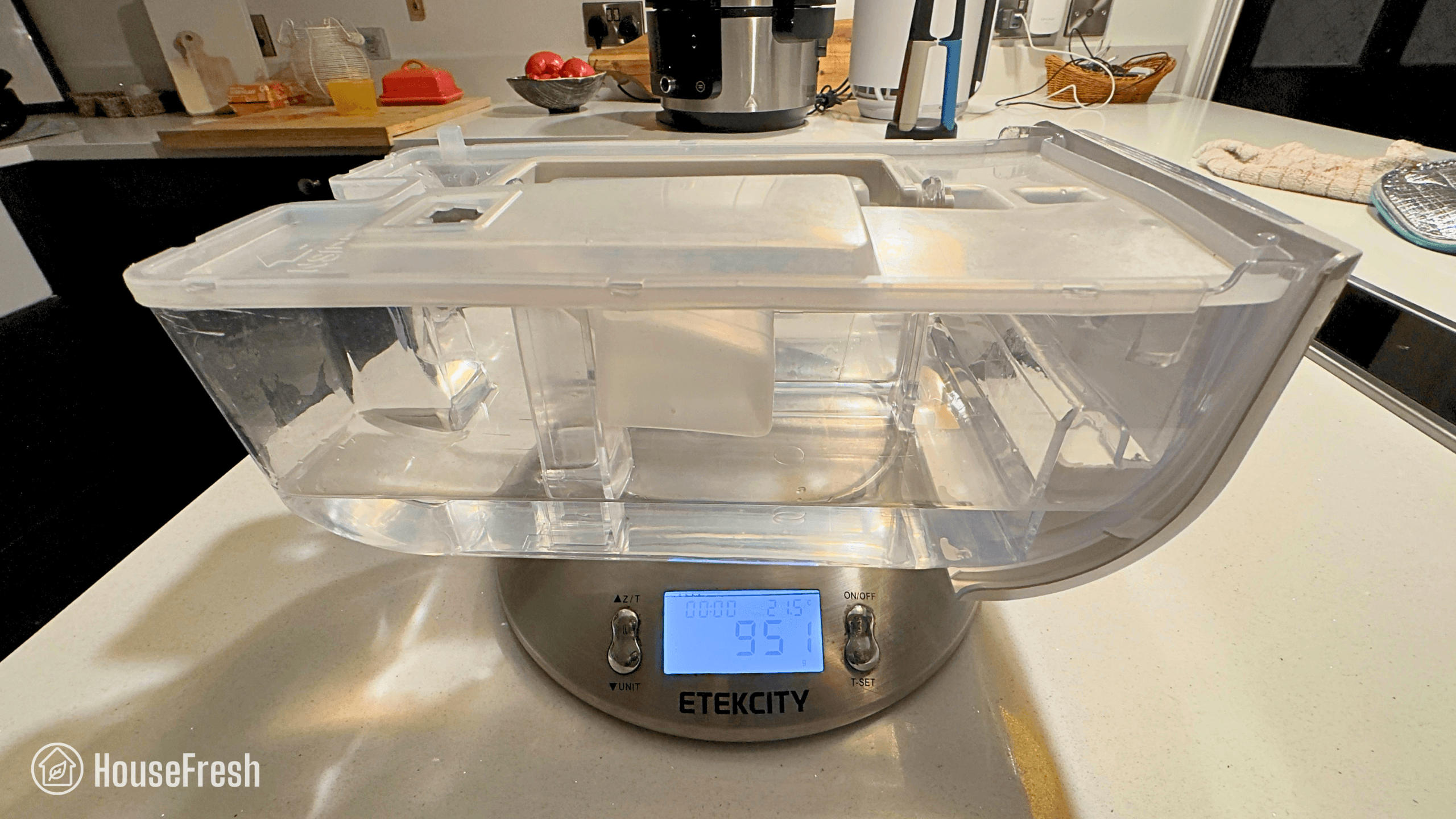
First, we measured how much water the Aeocky Rhea is capable of removing from our very damp dining room at 20 degrees Celsius and 52% humidity during a set period of three hours. I weighed the water bucket before and after the test to determine how much water the Rhea was able to remove.

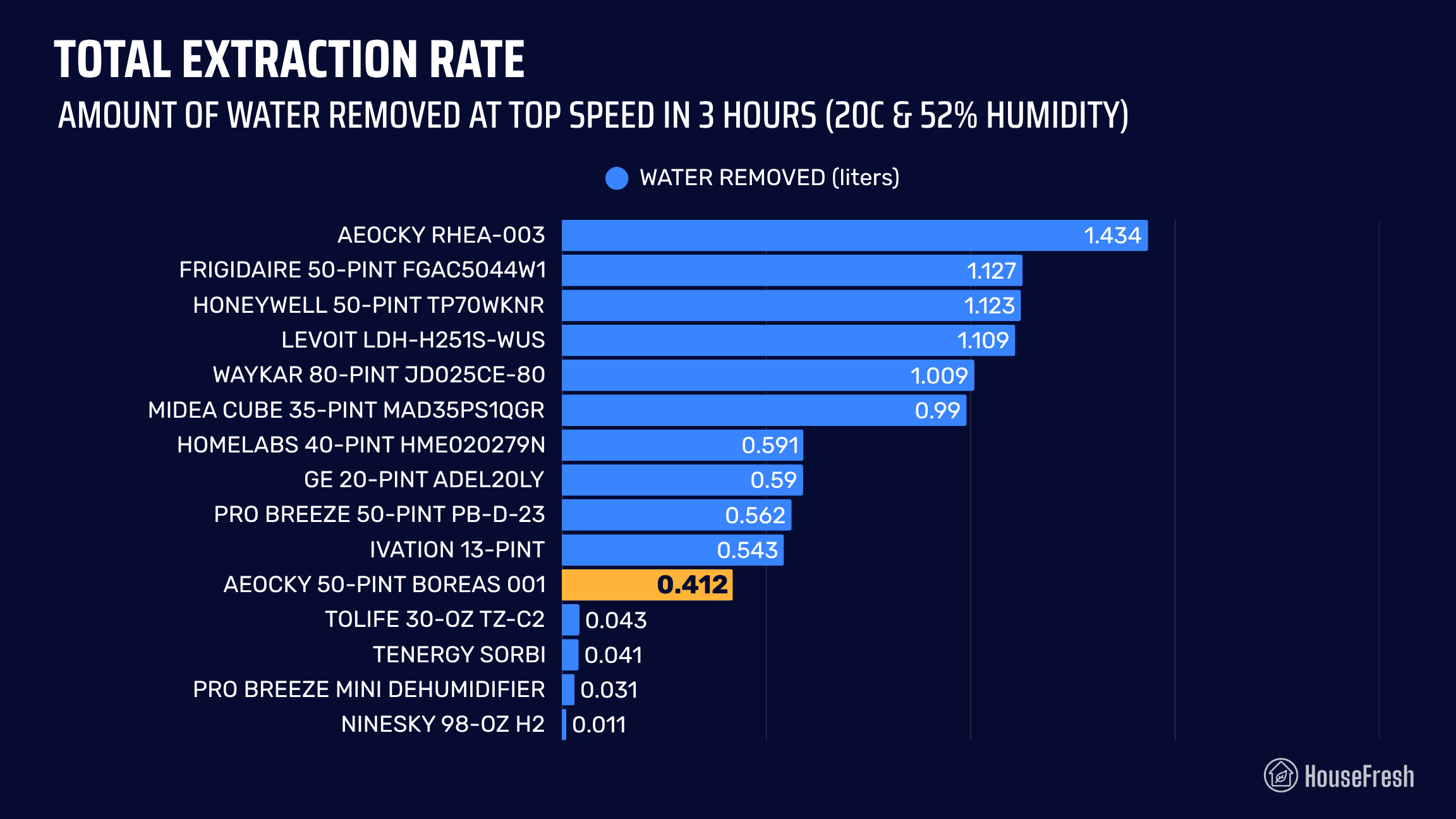
In our tests, this dehumidifier extracted 1.43 liters of water in three hours. The Rhea tops our water extraction ranking, beating all 27 different dehumidifiers I have tested – this includes two 50-Pint models from Honeywell and Frigidaire and an 80-Pint model from Waykar.

Aeocky Rhea 003 Extraction Rate

This means that the Rhea-003 is capable of removing 11.47 liters of water from the air in our dining room within 24 hours when running at full power. The question is, how loud is it?

Sound levels

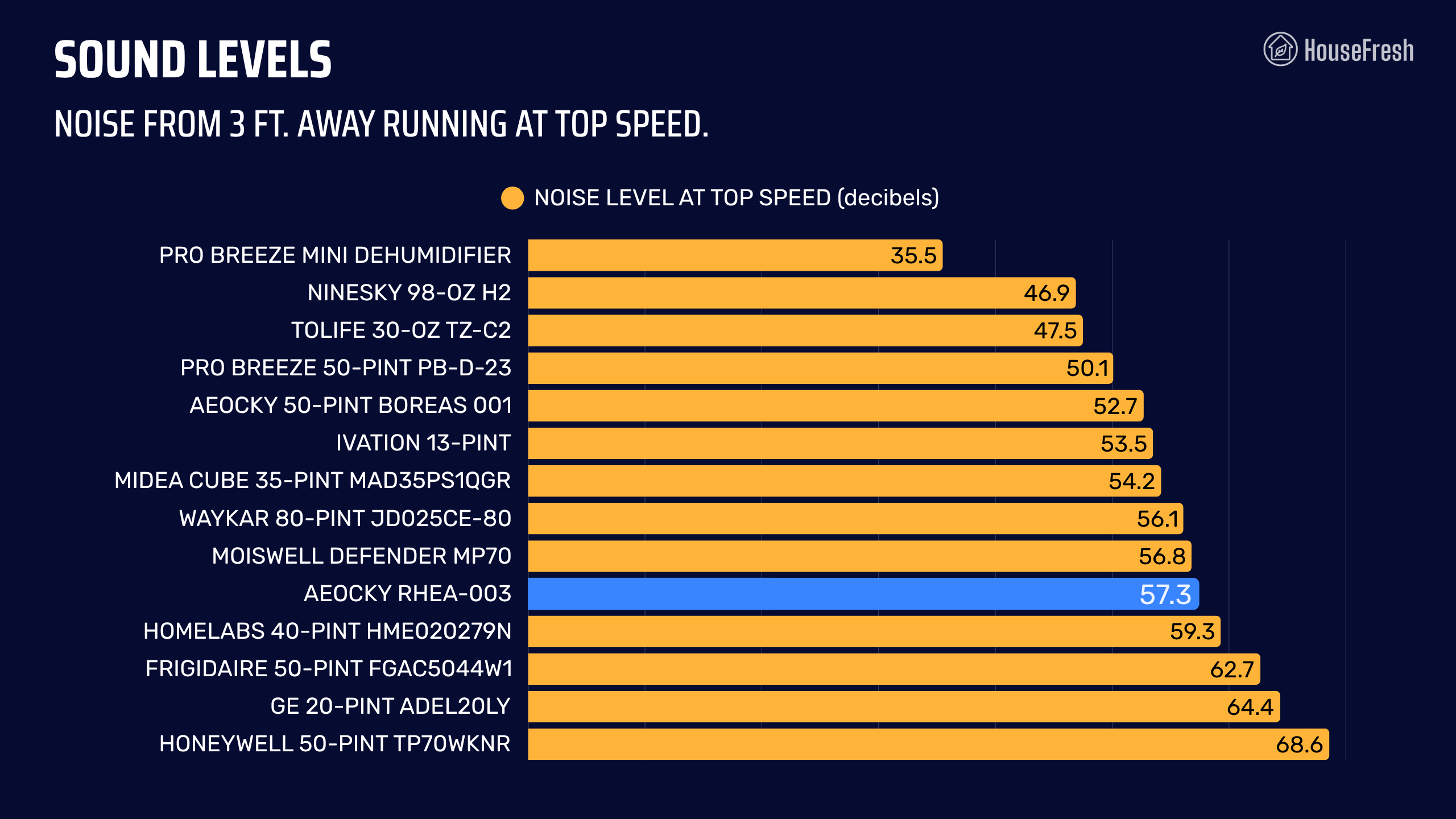
The sound levels of the AEOCKY Rhea-003 reached 57.3 dBA – – this is quiet compared to the 62 to 68 decibels of similar performing dehumidifiers from Honeywell, GE and Frigidaire.

Aeocky Rhea Sound Test

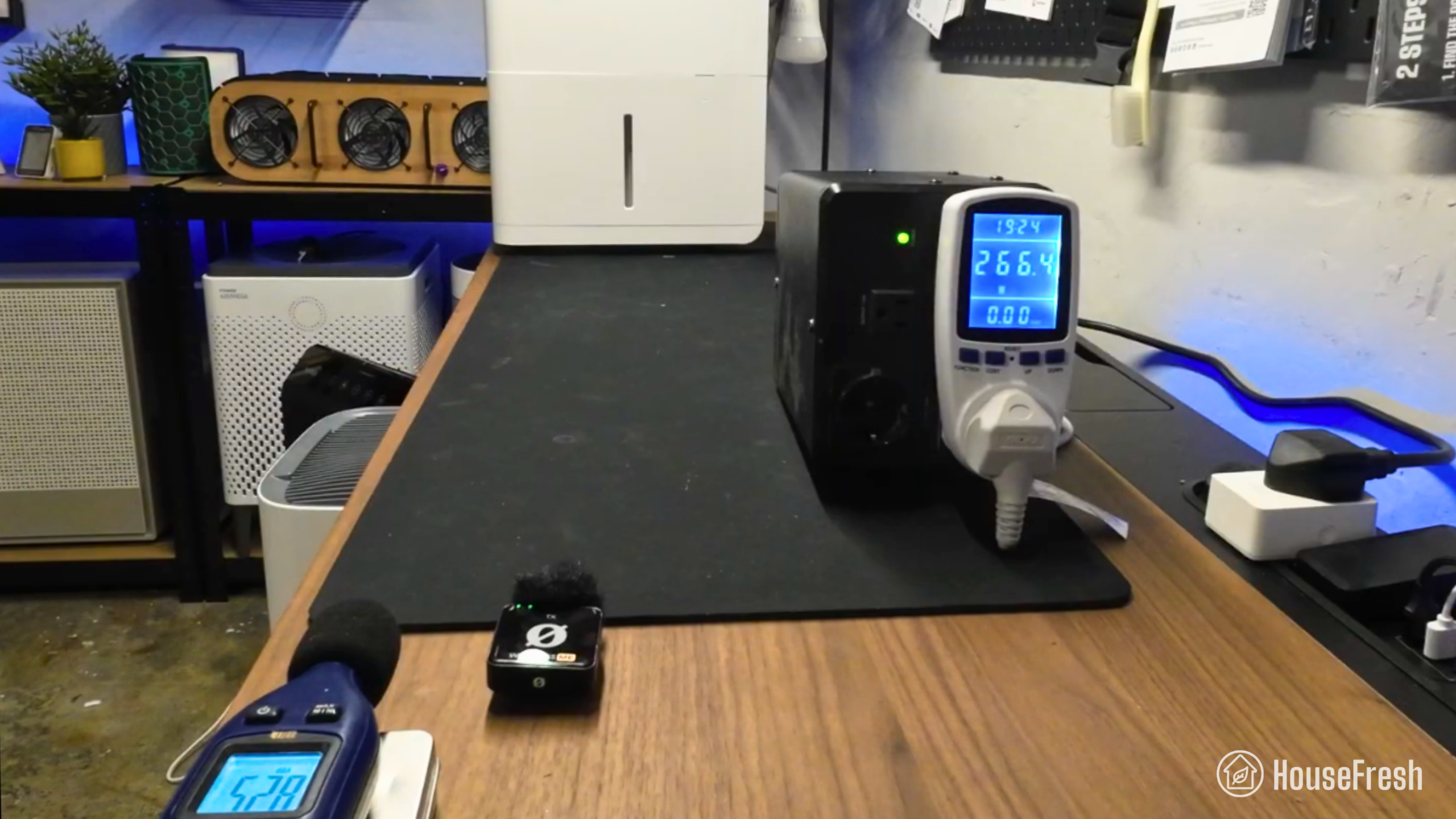
I used our BAFX sound meter to find out how much noise the Aeocky Rhea 003 generates when it runs at full power and measured 57.3 dBA from 3-feet away.

Considering that the Rhea vastly outperformed units like the Honeywell 50-Pint and the Frigidaire 50-Pint, it’s pretty impressive to see it did so while generating less noise.

Aeocky Rhea Sound Levels

That said, 57 decibels is pretty loud. I don’t mind it in my basement (where the Rhea lives now) but it was a little too much for our dining room.

Long-term running costs

Running your Aeocky Rhea-003 will cost you $276.41 per year, assuming you run it 8 hours per day, every day.

The only thing more impressive than the water extraction power of the Rhea is its energy efficiency.

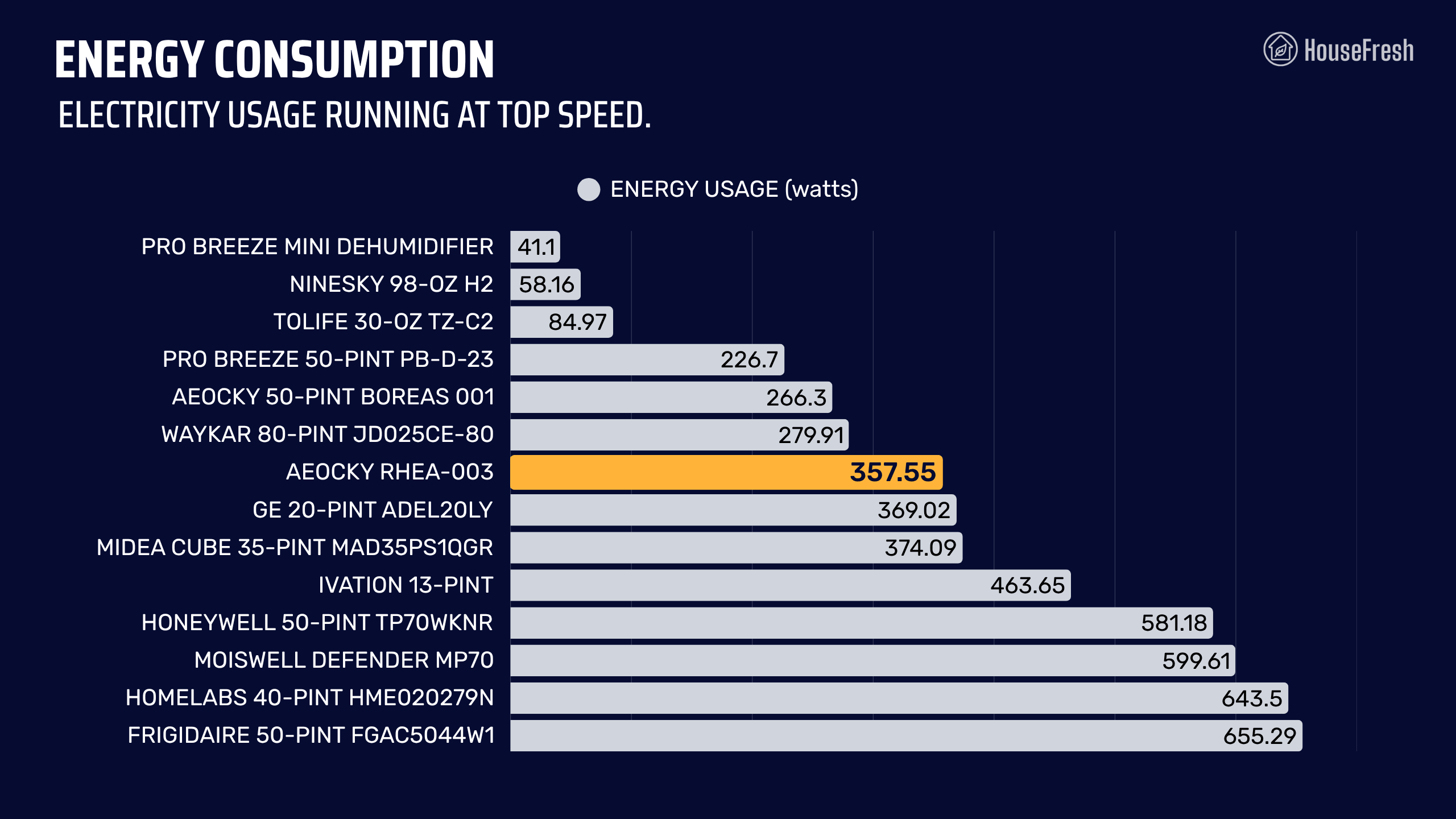
I used our energy meter to record how much electricity this dehumidifier pulls and found that it pulls just 357.55 watts at full power. This might seem like a lot but it really isn’t when you consider how much water thing thing can extract from the air.

Aeocky Rhea 003 Energy Consumption

This result makes the Rhea our most energy-efficient dehumidifier, with an efficiency factor of 1.3 litres/kWH. This matches the results of ENERGYSTAR, where this model is also a top performer.

Bottom line: Should you get an AEOCKY Rhea dehumidifier?

If you’re looking for a whole-house dehumidifier or a unit for a very damp basement, then the Rhea might be it.

Aeocky Rhea Danny

My first dehumidifier from Aeocky was the Boreas, which is a smaller sibling of the Rhea. The little Boreas surprised me as I wasn’t expecting much from a small dehumidifier manufactured by an unknown brand…

But I was wrong.

In our tests, the Boreas-001 outperformed popular models from Ivation and Pro Breeze. And, as soon as I saw this, I went ahead and bought a Rhea to see what a large dehumidifier from Aeocky could do.

As the data shows, the Rhea offers excellent water extraction rate without generating a lot of noise and without consuming a lot of electricity.

In fact, the Rhea-003 currently sits at the top of water extraction ranking. It beat 27 dehumidifier models from well-known brands like Honeywell, Frigidaire, Pro Breeze, Midea, hOmeLabs, GE and many many others.

Aeocky Rhea Close

Plus, you get a 3-year warranty and all the functions you need, like auto mode, continuous mode, sleep mode and even laundry mode.

This is a large dehumidifier that has a compact body and is easy to live with. It doesn’t get louder than 57 decibels and it won’t burn a hole in your pocket when the time comes to pay for your energy bill.

So if you’re looking for an affordable dehumidifier for a basement or to reduce humidity in your whole house, then the Aeocky Rhea will offer excellent value for your money.

If you decide to get yourself a Rhea, please use this link and we will receive a small commission at no extra cost to you. We don’t run ads and we don’t do sponsored reviews of any kind, so these affiliate commissions are the one thing that helps us keep running HouseFresh.

If you have any questions about this or any other dehumidifier, just drop them in the comments below and I’ll get back to you personally as soon as I can.

Levoit Vital 100S review

Levoit Vital 100S Corner

The Vital 100S is the smaller sibling of the Levoit Vital 200S, one of the air purifiers I’ve recommended to most people since I first tested it years ago.

But can this smaller model deliver the same level of powerful air cleaning performance than the larger 200S?

To find out, I bought one with my own money so that I could test its air cleaning performance, noise generation, energy consumption, annual running costs, and day-to-day user experience.

The overall score for the Levoit Vital 100S incorporates first-hand data results from our battery of tests, as well as our ratings for customer service, brand transparency, and design & UX. Check out the full scorecard below to see the category breakdown.

Search for ‘Vital 100S’ to see where it ranks, based on its air cleaning performance and value for money. You can also filter results to easily compare models in the same price range.

The pros and cons of the Levoit Vital 100S

A summary of our top-level findings after testing this air purifier, following our methodology.

Levoit Vital 100S Fireplace

“The Levoit Vital 100S is a small rectangular air purifier that offers good air cleaning performance for rooms no larger than 222 sq. ft. (20 m²).

It also looks pretty good, following the design lines and features of the larger Vital 200S. You get a removable pre-filter, a particle sensor, auto mode, an air quality indicator ring and a straightforward touchscreen at the top, and app connectivity.”

Danny Ashton HouseFresh
Danny Ashton
HouseFresh Founder
& Lead Tester

CONS

It comes with an optical sensor instead of laser sensor, so you’re going to have to remember to clean it regularly.
As with all the other devices on this list, I don’t appreciate Levoit initially marketing the particle filter as TrueHEPA just to remove mentions later. This doesn’t affect performance, though.

PROS

The Vital 100S one of the most energy-efficient Levoit air purifiers we tested, pulling just 27.3 watts at top speed.
It has low long-term running costs, both in terms of filter replacement and energy consumption.
It comes with all the same smart features as the larger Vital 200S, such as app support, an in-built air quality sensor and auto mode.
It has a removable pre-filter, which makes it easier to quickly vacuum or rinse the pre-filter regularly to incrase the lifespan of the main filter.

Clean air delivery rate (CADR):– Top speed PM1 CADR: 148 cfm
– Sub-45 dBA PM1 CADR: 97 cfm
Filter technology:Bonded particle filter with a layer of pelleted activated carbon and a removable pre-filter
Recommended room size:222 sq. ft. (5 air changes per hour)
Dimensions:12.6 x 6.3 x 16.0 in (32.1 x 16.0 x 40.6 cm)
Weight:8.6 lb (3.9 kg)
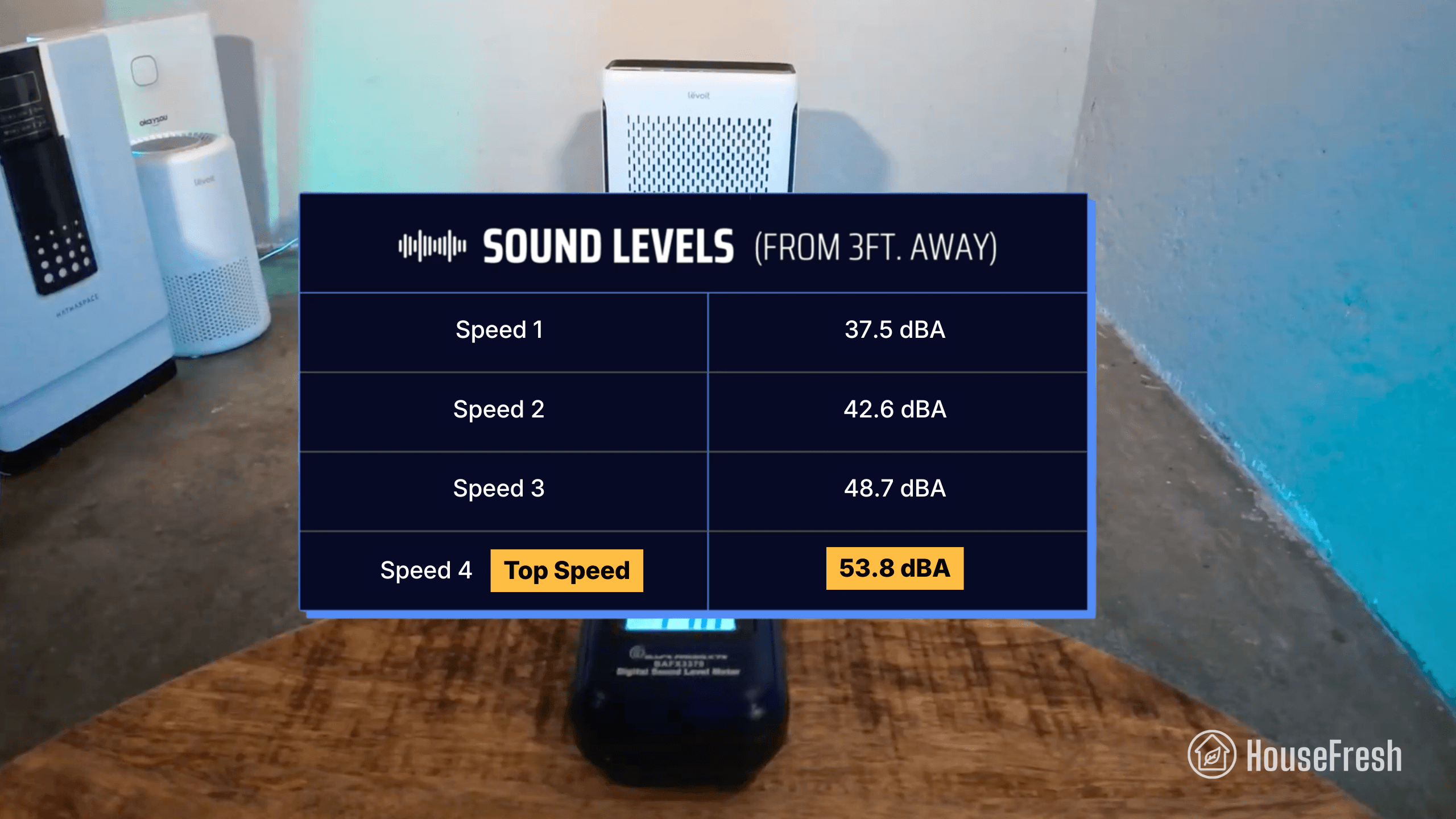
Noise level in decibels from 3 ft. away:Speed 1: 37.5 dBA
Speed 2: 42.6 dBA
Speed 3: 48.7 dBA
Speed 4: 53.8 dBA
Electricity consumption in watts:Standby: 1.6 watts
Sleep mode: 3.2 watts
Speed 1: 5.0 watts
Speed 2: 8.7 watts
Speed 3: 15.4 watts
Speed 4: 27.3 watts
Filter lifespan:6-12 months
Manufacturer’s warranty:2 years
Country of origin:United States
Country of manufacture:China

Filtration technology

An all-in-one filter with particle filtration and activated carbon.

In terms of filtration, you get a double-sided filter with particle filtration on one side and activated carbon filtration on the other.

Levoit Vital 100S Filters

The pre-filter is removable and washable to help trap larger particles and extend the life of the main all-in-one filter. Remember to clean it every 1-2 weeks, especially if you have a pet.

I was pleased to see a good amount of activated carbon pellets in the gas filter. You get four filter options: original, pet, smoke and toxins.

Levoit Vital 100S Pelleted carbon closeup

You will need to replace the whole filter once the carbon is full, which might happen sooner than the particle filter needs changing if you have serious issues with odors.

Levoit initially advertised the Vital 100S as having a HEPA filter but this was removed from all marketing materials after Dyson challenged Levoit’s claims through the BBB National Programs National Advertising Division (NAD).

We don’t appreciate manufacturers not being transparent about technical specifications. However, we must clarify that HEPA is not required to clean the air effectively, as lower grade filters still remove the smallest of particles in multiple passes.

Design, controls and app features

It has a modern and clean look similar to its larger sibling, the Vital 200S.

Vital 100s Alen 35i Coway 150

It’s smaller than small air purifier models from brands like Alen and Coway, while packing similar power.

You get buttons to adjust modes and fan speeds, set timers, switch lights off, and lock the screen.

Levoit Vital 100S Controls

You get an LED ring around the power button that changes color depending on the quality of your air.

It has an infrared dust sensor that measures the level of PM2.5 particle pollution in the air.

Levoit Vital 100S Sensor

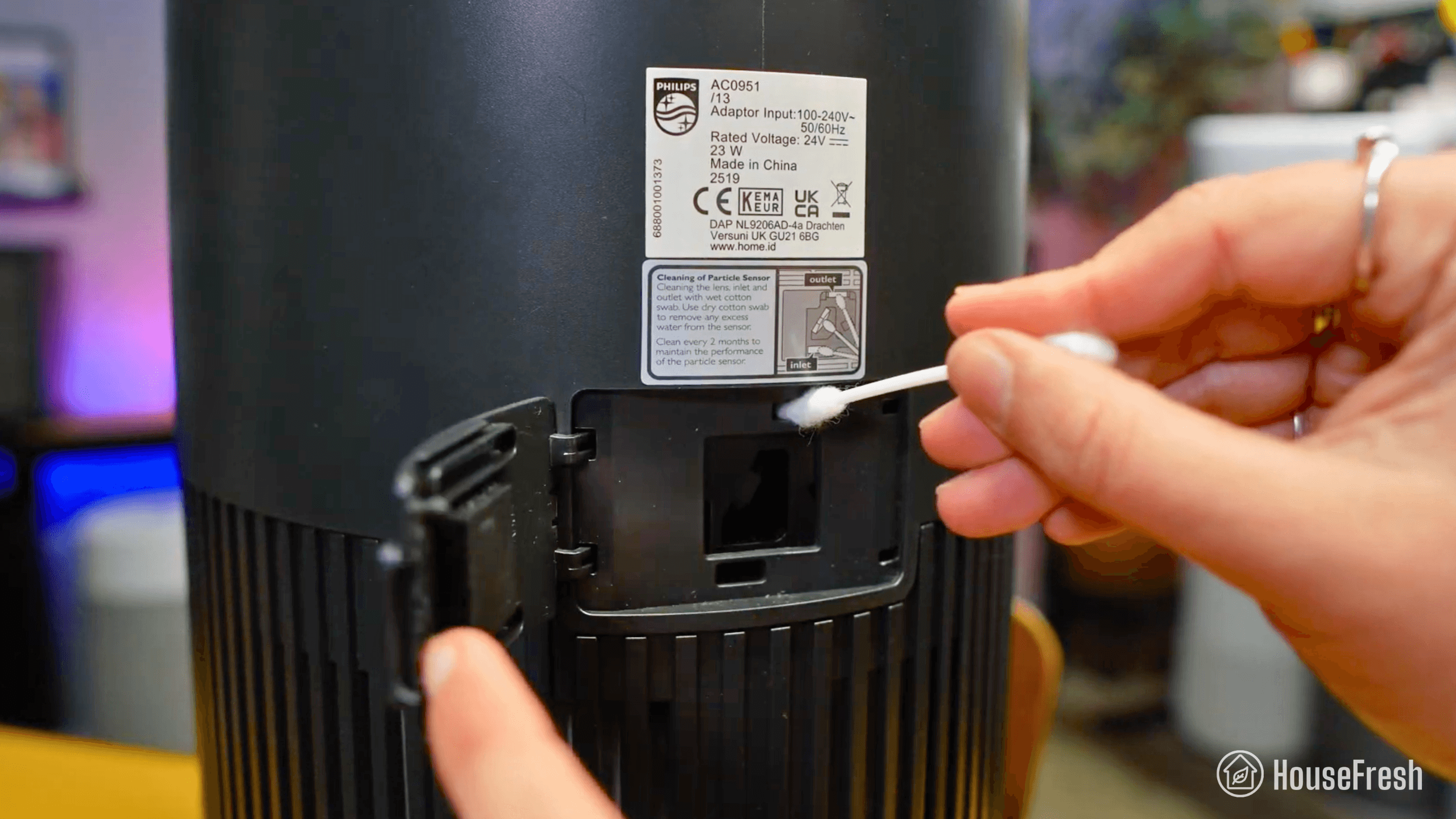
You must clean the sensor with a cotton swab every two months to ensure it stays accurate.

Levoit Vital 100S App

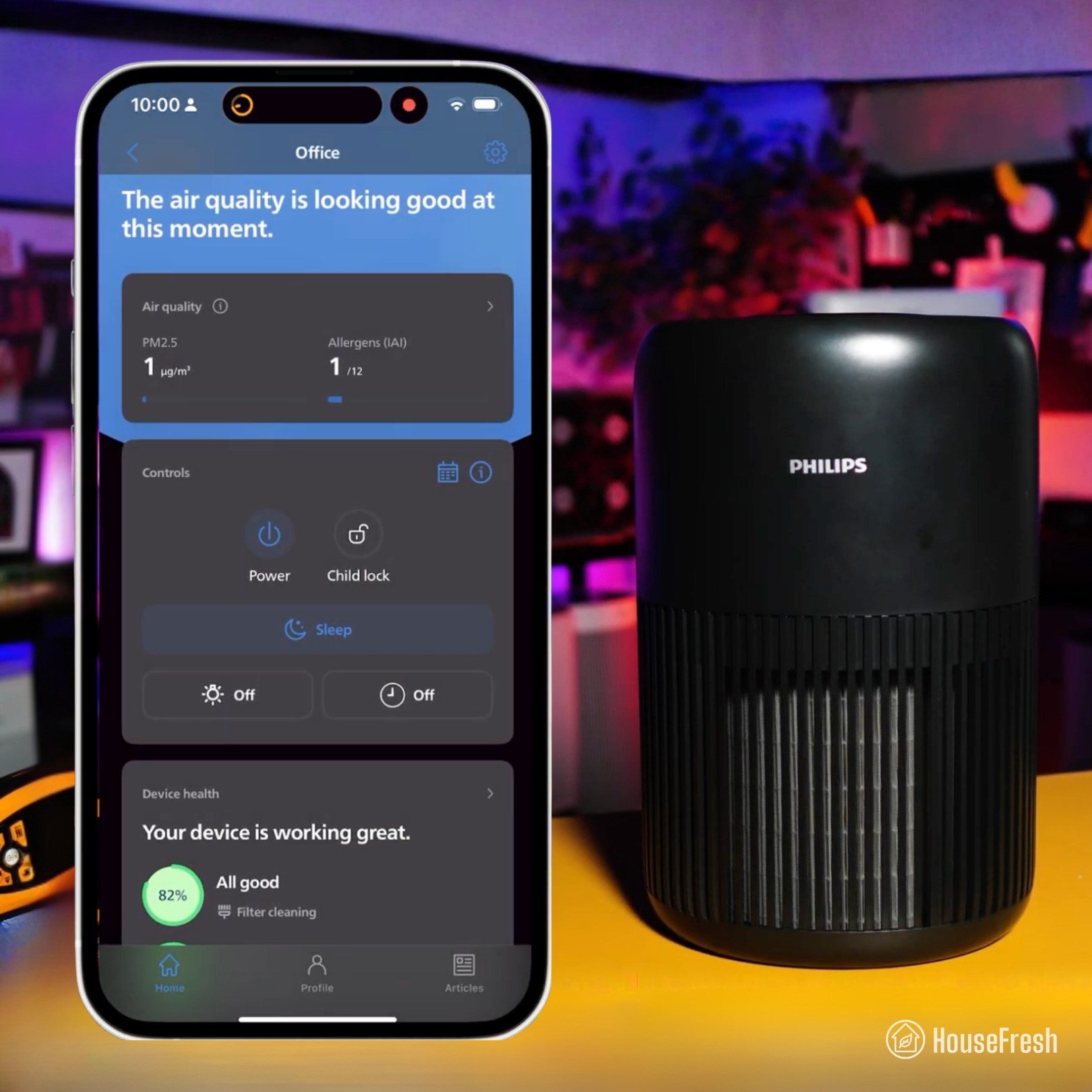
You can connect your Vital 100S to the VeSync app, which is one of my favorite apps along with Xiaomi’s and Philips’ app.

This is the same app used across all Levoit smart products. It has great UX and gets regular updates that unlock new features even on old devices.

On the app, you can control your Vital remotely, see air quality readings, customize the auto mode, and set simple automated routines and schedules.

One thing I don’t like is the number of ads you get served on the app for other Levoit products.

Air cleaning performance

We tested the Levoit Vital 100S in our 728-cubic-ft test room, measuring how quickly it removed PM1 particles from the air after we filled the space with incense smoke.

Levoit Vital 100S CADR Test

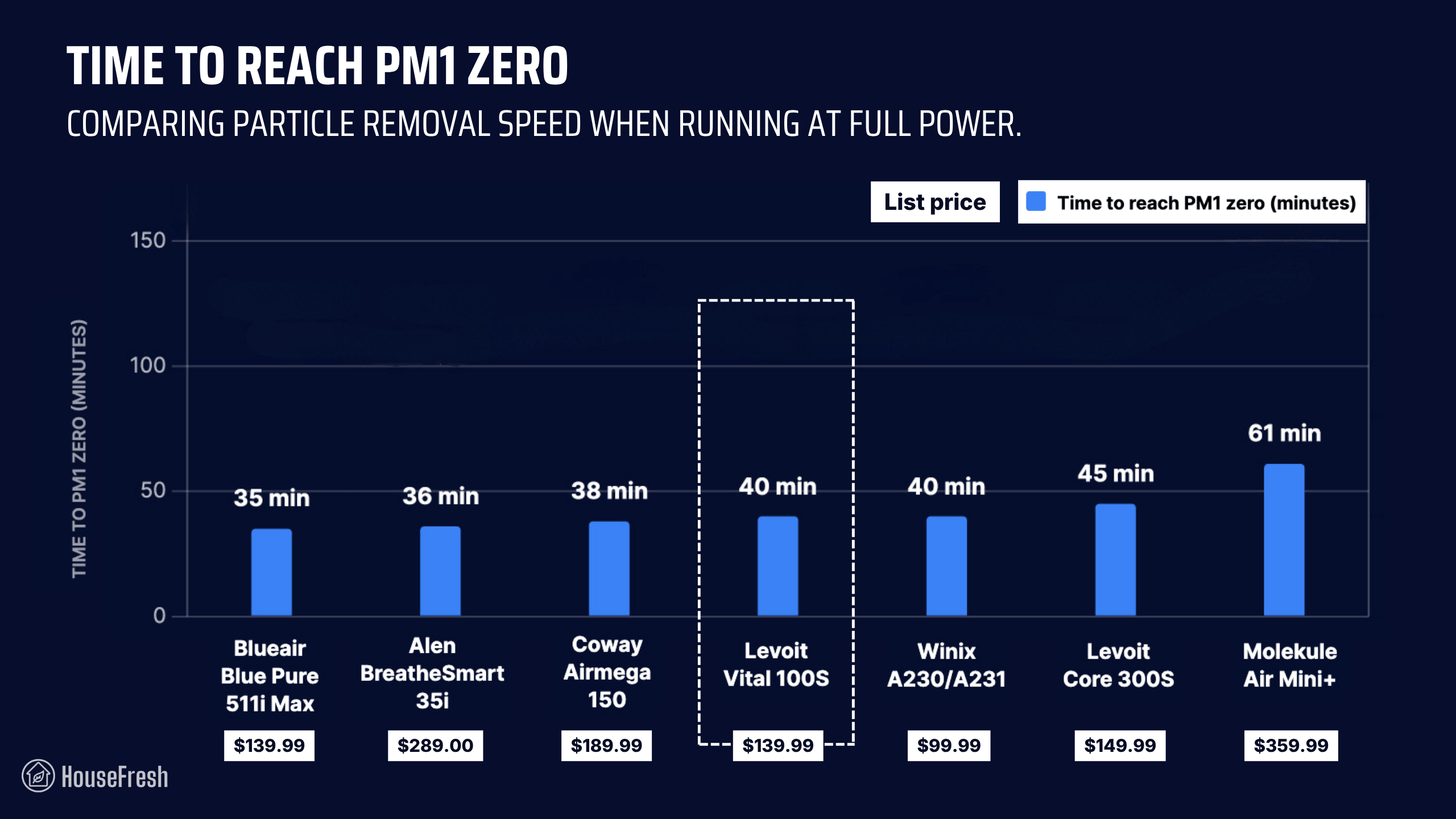
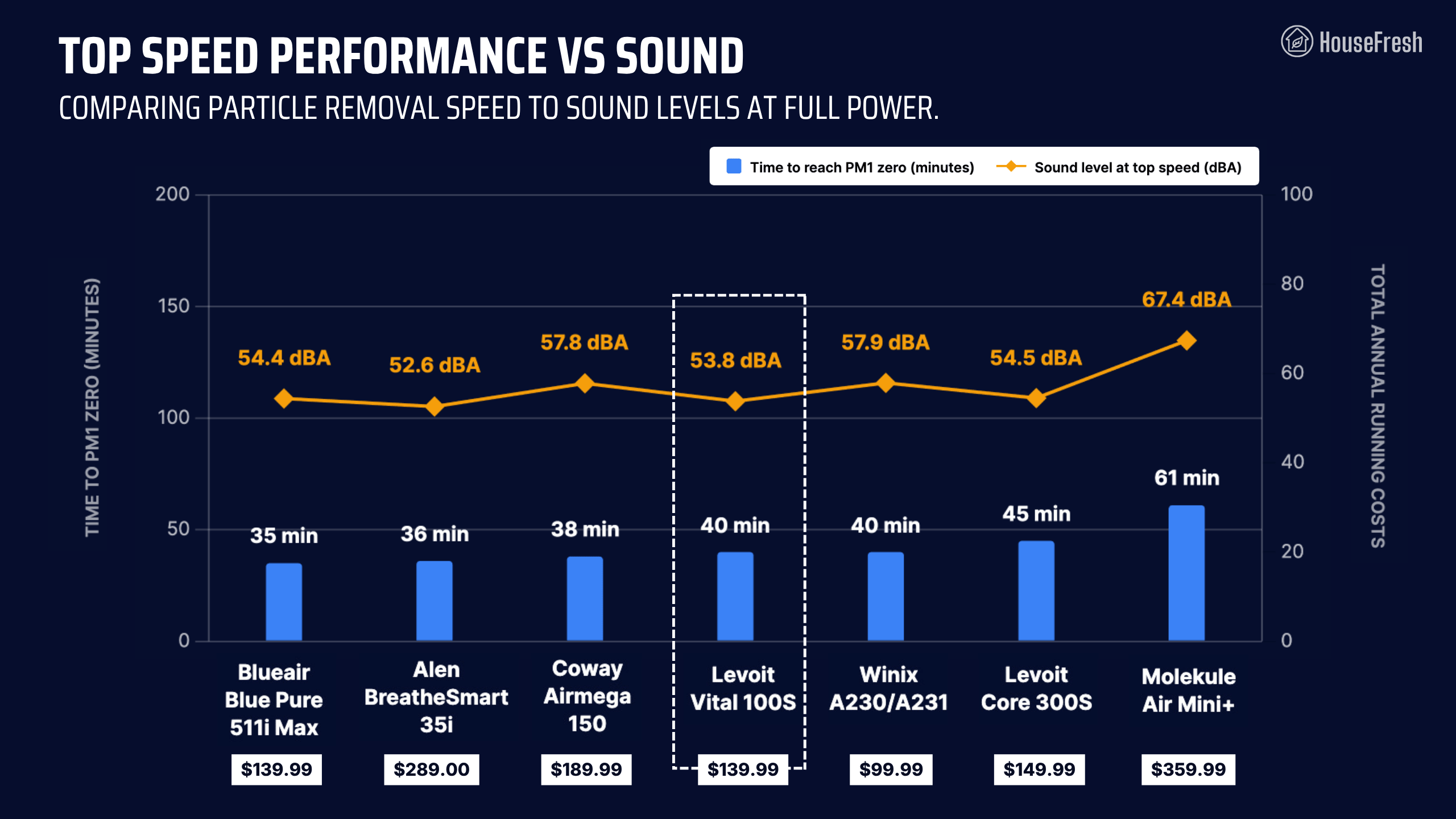
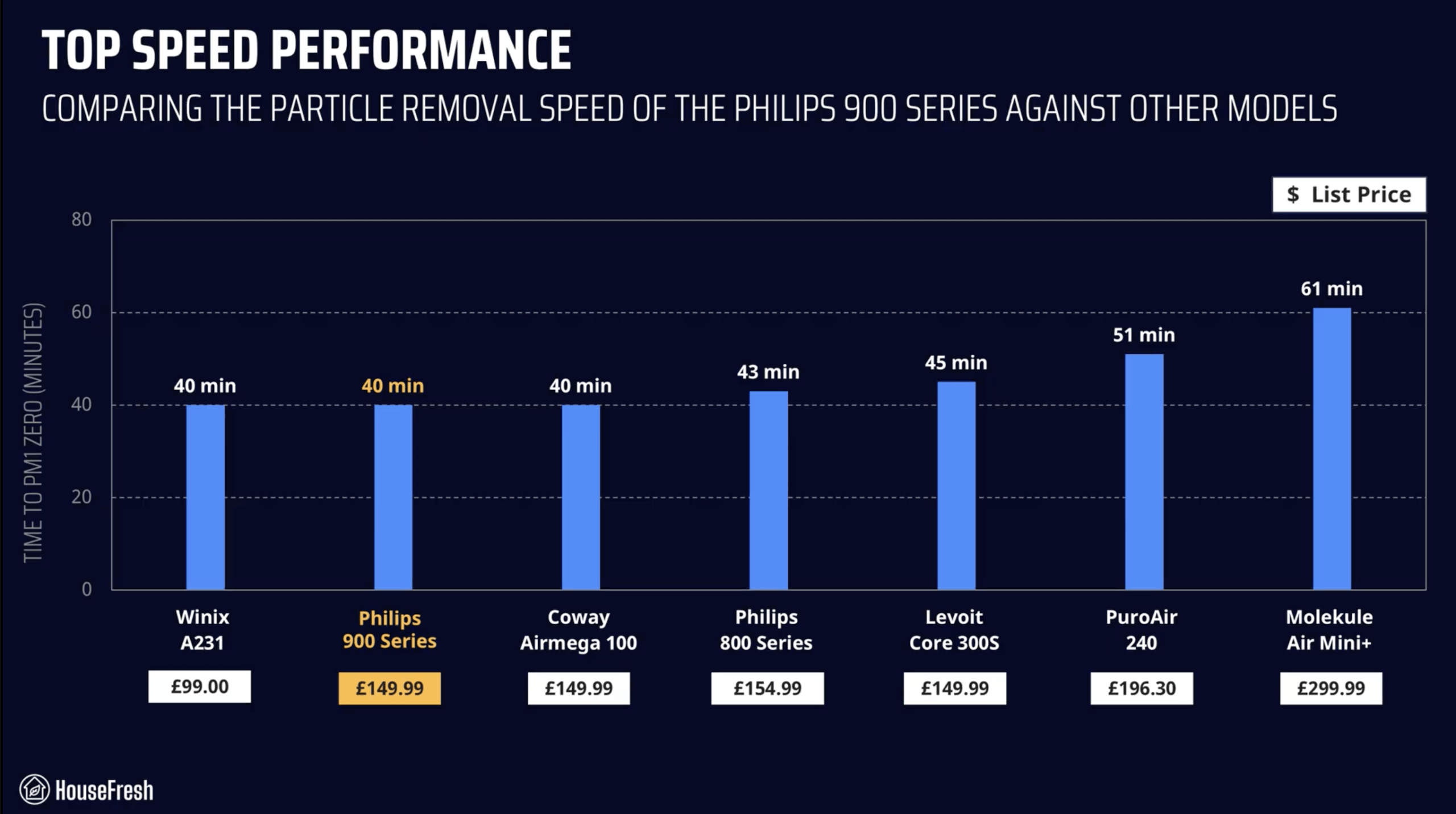
When running at top speed, our PurpleAir Zen sensor shows that the Vital 100S needed 40 minutes to reach PM1 zero. Based on the natural ventilation of our test room, we estimate a PM1 CADR of 148 cfm.

This makes the Vital 100S powerful enough to provide five air changes per hour in small rooms up to 222 sq. ft.

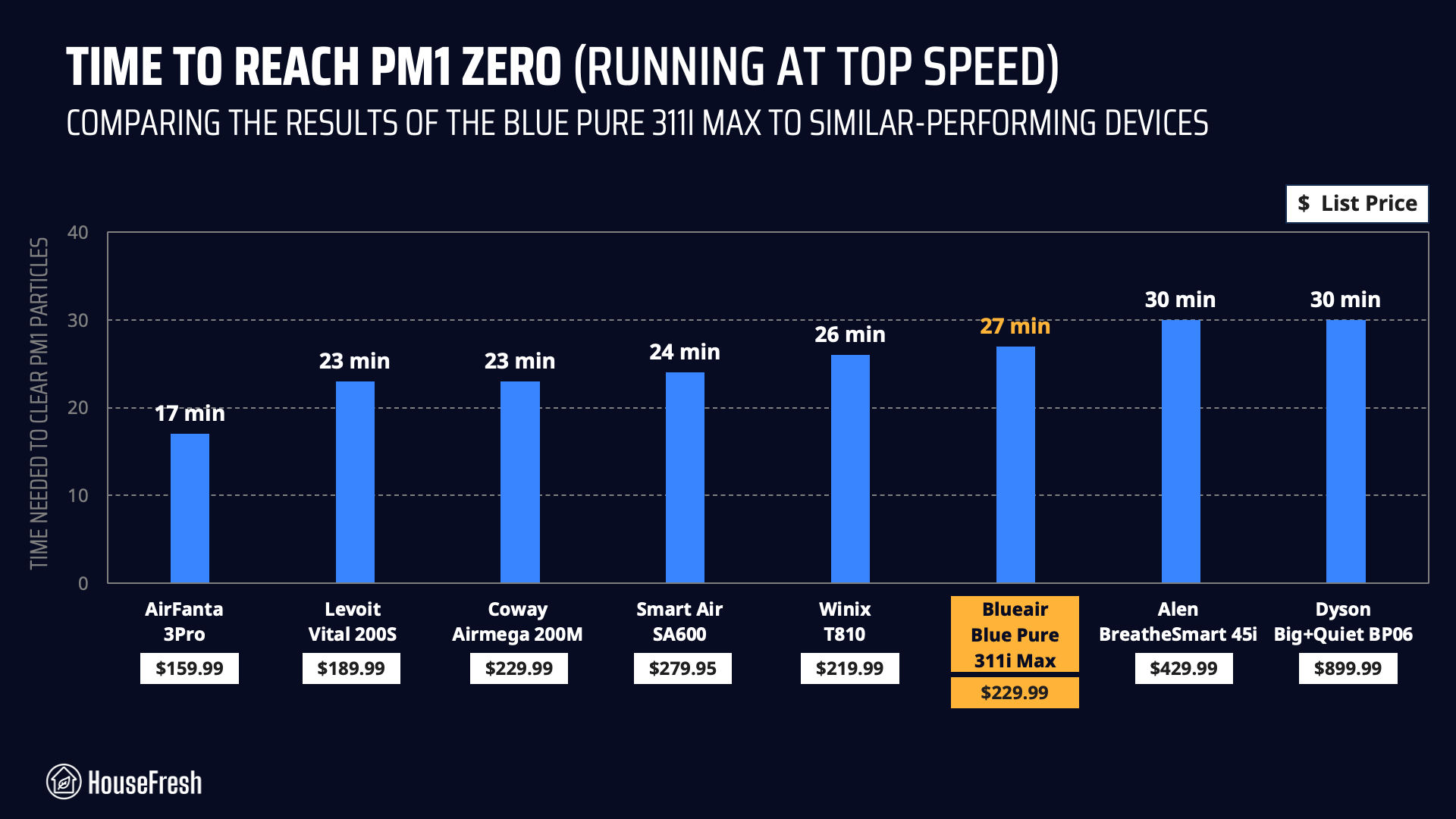
As you can see from the chart below, this Levoit offers good performance for its price. The only small unit under $150 that outperforms it (Blueair Blue Pure 511i Max) does so with the help of bipolar ionization, which I know many people prefer to avoid.

Levoit Vital 100S Performance Test

BUT this test was conducted at full power and air purifiers running at full power are usually too loud for everyday use. That is why I tested sound levels at different fan speeds so we could account for noise levels.

Sound levels

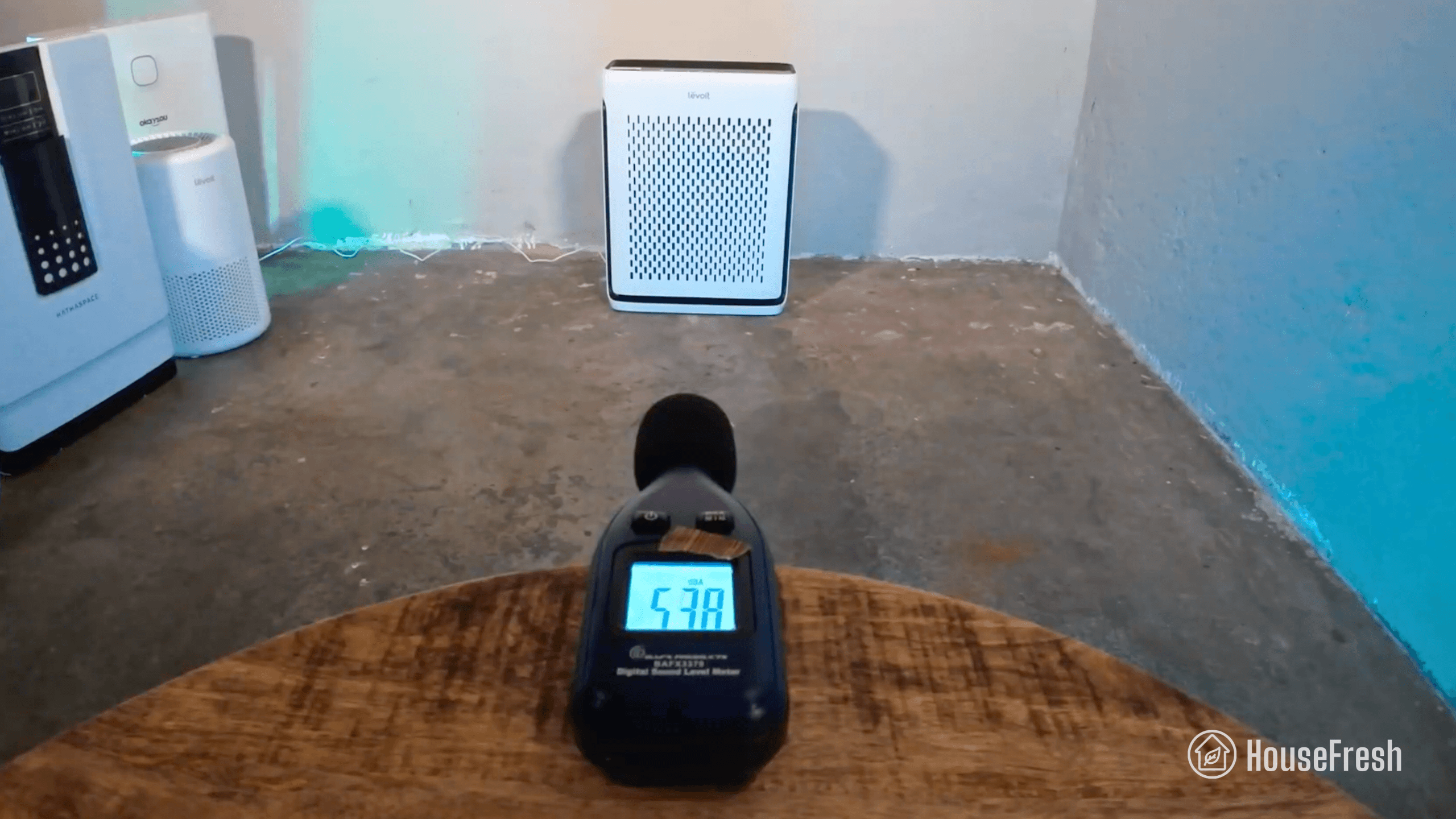
The sound levels of the Levoit Vital 100S range from 37.5 dBA to 53.8 dBA — which is quieter than small air purifiers from Coway, Winix and Blueair with similar performance.

Levoit Vital 100S Sound Test

As always, I used our BAFX sound meter to measure how much sound the Vital 100S generates at each of its fan speeds at 3 ft away:

Levoit Vital 100S Sound Levels

Reaching 53.8 dBA at top speed, the Vital 100S is quieter than nearly all other small air purifiers in the comparison, with the exception of the Alen 35i which costs $150 more.

Levoit Vital 100S Top Speed Performance vs Sound

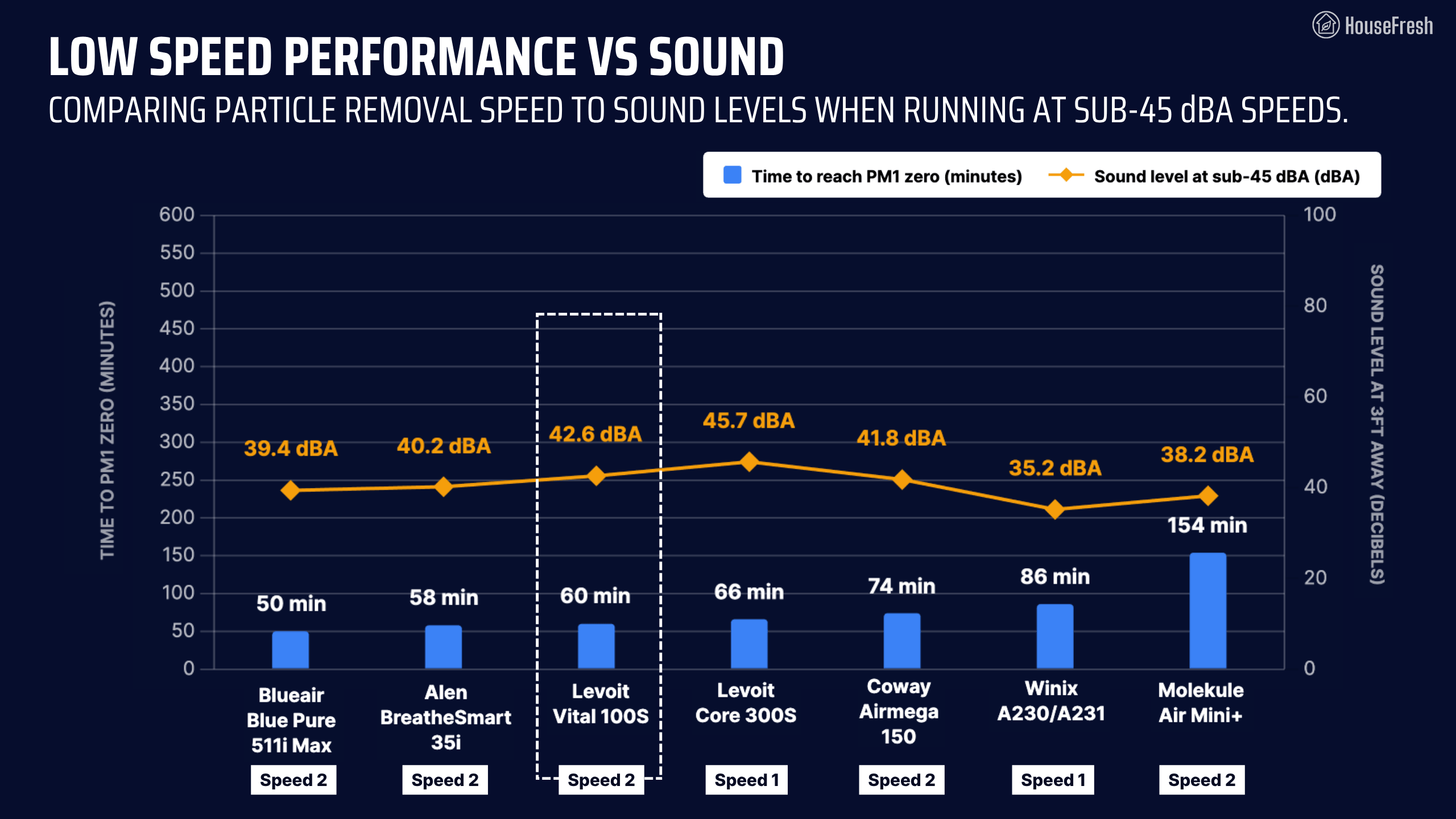
Running at speed 2, it reached 42.6 dBA and cleared our test room in 60 minutes. In our comparison, it was once again outperformed by the 511i Max and the 35i.

Levoit Vital 100S Quiet Speed Performance vs Sound

Based on the natural ventilation of our test room, I estimate a PM1 CADR of 97 cfm at speed 2, which can clean the air five times per hour in spaces up to 145 sq. ft. (or 13 m²).

Long-term running costs

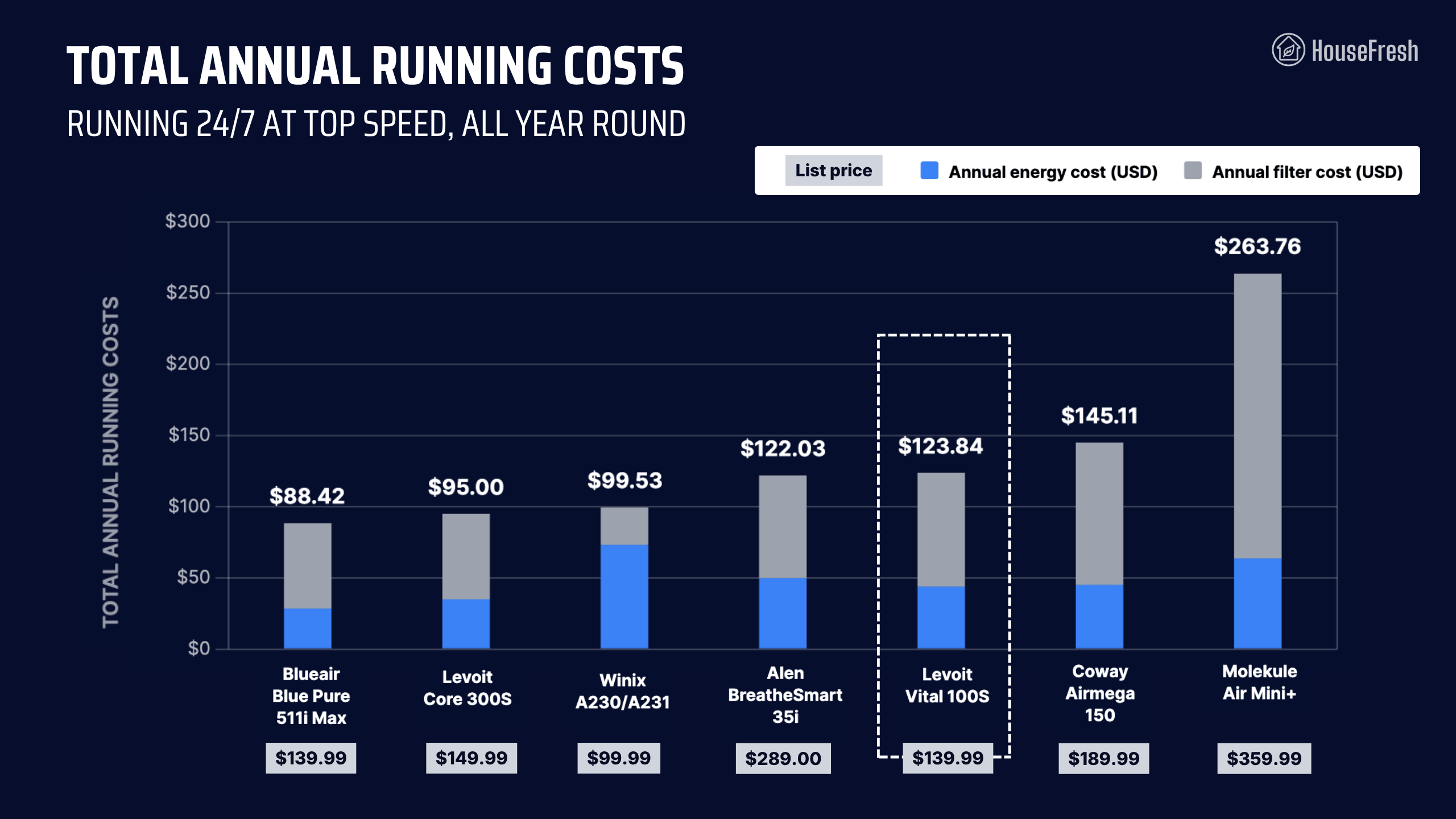
Running a Levoit Vital 100S will cost you $123.84 per year, combining energy and filter replacement costs.

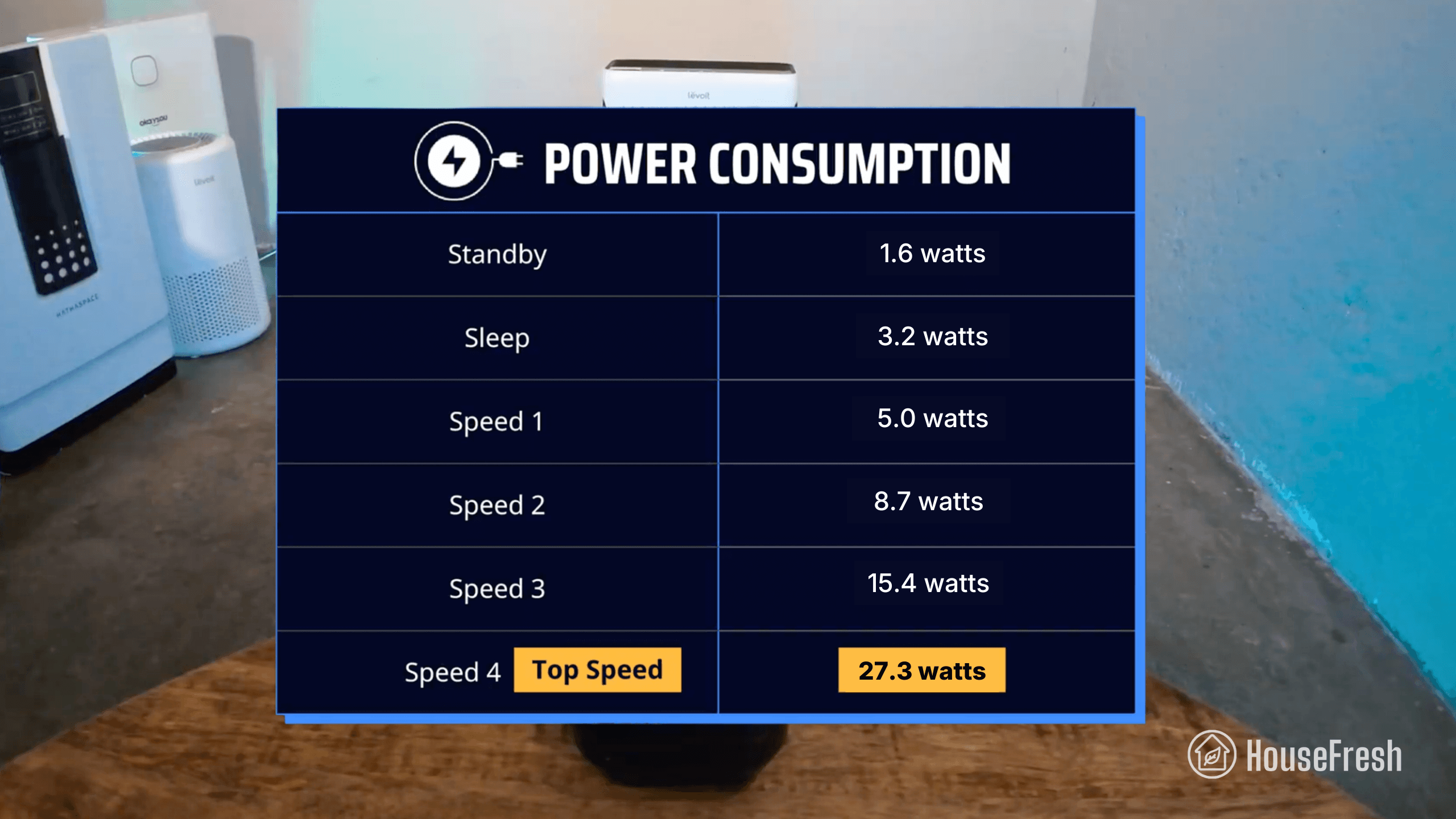
We used our energy meter to record how much electricity the Vital 100S pulls at each fan speed and while on standby.

Levoit Vital 100S Energy Consumption

At top speed, the Vital 100S draws 27.3 watts, so if you were to leave it running at top speed 24/7 for one year, it will add $43.86 to your energy bill, based on the latest electricity prices in the U.S. as of September 2026.

This is the kind of energy efficiency Levoit has us accustomed to. But energy consumption isn’t the only cost to consider, so let’s look at replacement filters.

According to Levoit, you need to change the filter in your Vital 100S every 6-12 months. The original filter is available for $39.47, so you can expect to spend $79.98 each year on filter replacements alone, using the shortest lifespan estimation.

I added this to the energy costs and can tell you that you need to budget $123.84 each year to keep your 100S running 24/7 in your home:

Levoit Vital 100S Yearly Running Costs

This places the Vital 100S on the ‘expensive’ side of the chart, alongside models like the Alen 35i and the Coway Airmega 150.

Smaller units like the Core 300S and the Winix A230 cost less to run, but perhaps the most important calculation for a first time buyer is the total investment cost in the first year of ownership.

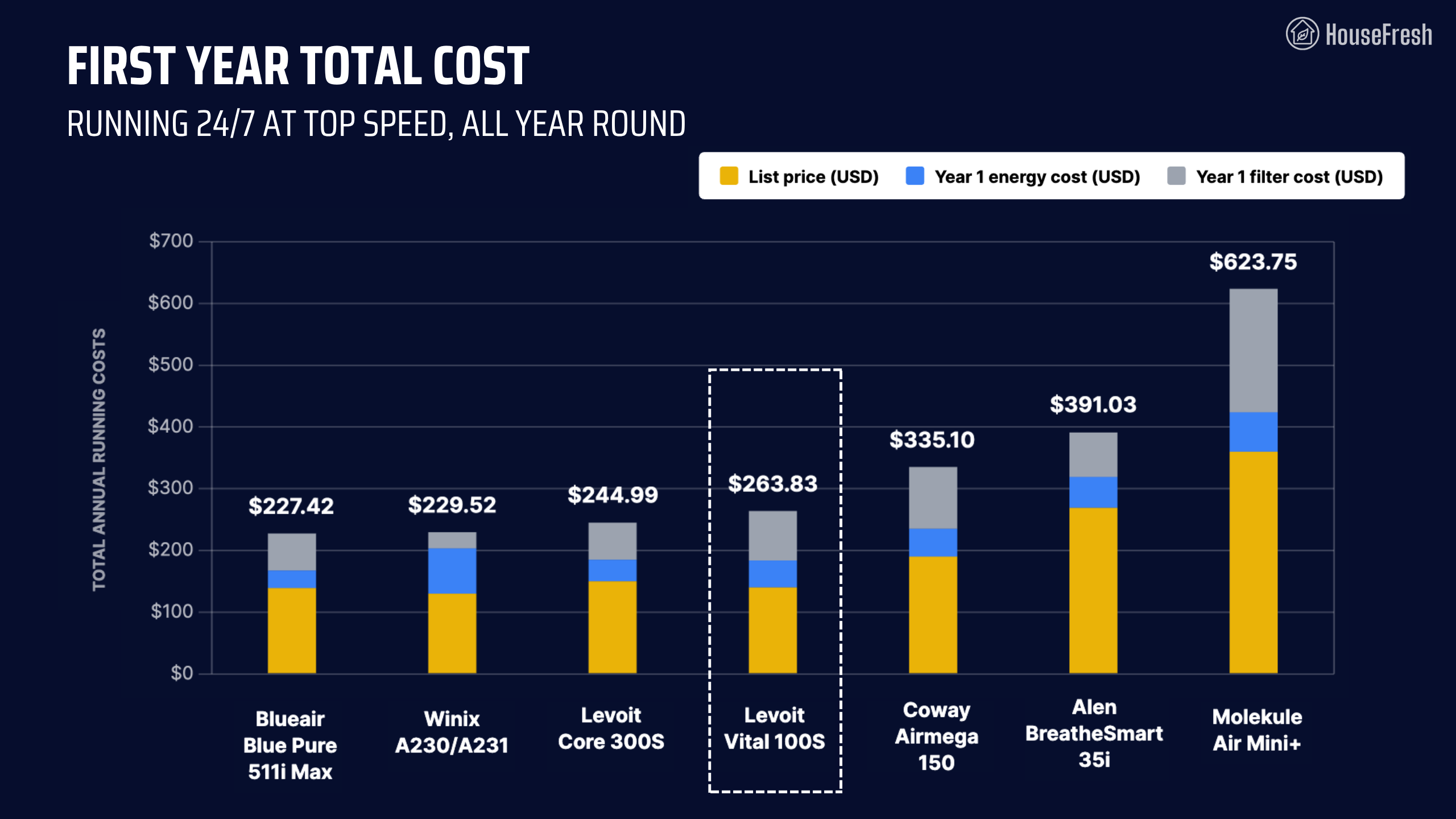
When you add the $139.99 list price to that first year’s running cost, you will need to invest $263.83 in the first year of owning a Levoit Vital 100S.

Levoit Vital 100S Year 1 Investment

As the table shows, you could buy and run two Vital 100S air purifiers for the total year 1 cost of just one Molekule Air Mini+…

That is why you should always calculate how much you will need to spend to use an air purifier before deciding which model you’ll go with, especially with small air purifiers that will need filters replaced more often than mid-sized or larger units.

Bottom line: Should you get a Levoit Vital 100S?

If you’re looking for a small air purifier that doesn’t use an ionizer under $150, then this might be the one for you.

Levoit Vital 100S TV room

The Vital 100S offers good performance at top speed, matching the air cleaning power you’ll get from units like the Winix A230 and the Philips 900 Series. And it comes with an onboard particle sensor that informs an air quality indicator light and smart functions like auto-mode, which you can customize through the VeSync app.

If you’re looking for all this and you only have $150 to spare, then the Vital 100S might be the one. But if you can spare $100 more or if you don’t mind the use of bipolar ionization, then you will get more power from the Alen 35i and the Blueair 511i Max.

Okay but before I leave you, I will suggest that if space allows, you should consider choosing a mid-sized air purifier with a CADR of at least 200 cfm to get the most bang for your buck. If you like what the Vital 100S offers, then look into the Levoit Vital 200S.

Levoit Vital 200S TV room

If you decide to get yourself a Levoit Vital 100S, please use this link to help support the work we do here at HouseFresh. When using this link, we will receive a small affiliate commission at no extra cost to you that we will use to buy and tests more air quality products.

And if you’re still unsure, you can try using our air purifier comparison tool to see how the Vital 100S stacks up against units with similar prices:

If you have any questions about the this unit or about Levoit air purifiers in general, please drop them in the comments below, and I’ll get back to you personally as soon as I can.
Coway Airmega Mighty2 review

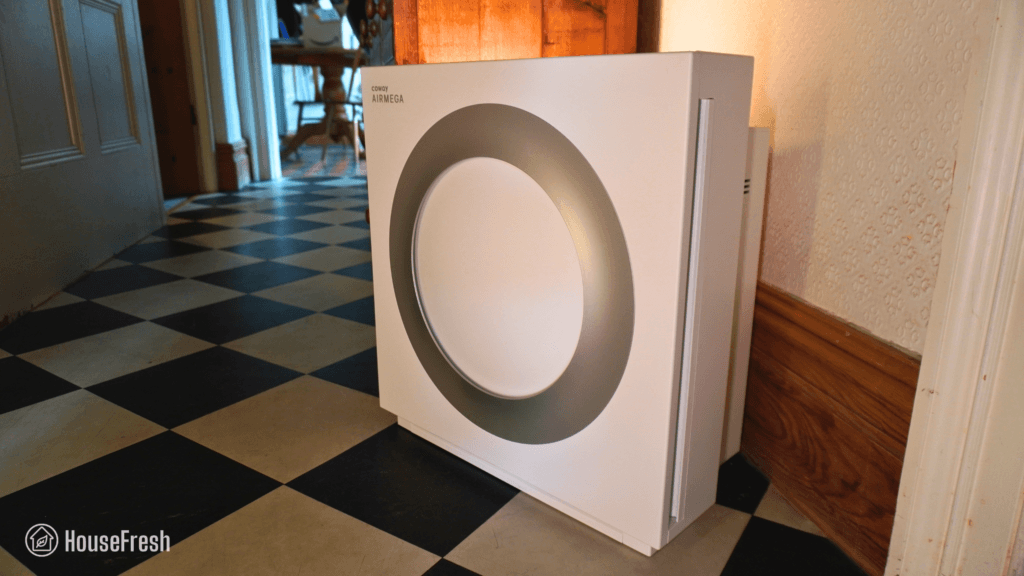
Coway Mighty2 Hallway

The original Coway Mighty is a legend… It’s been on the market for over 10 years, and in that time, it has become one of the most recommended air purifiers online.

But the reign of the Mighty has potentially come to an end with the release of the Coway Airmega Mighty2 AP-1512N in March 2026.

But is this new Mighty2 better than the original Mighty? And how does it compare to popular mid-sized air purifiers like the Levoit Vital 200S and the Winix 5510?

I bought one with my own money to test its air cleaning performance, sound generation, energy efficiency, yearly running costs, and day-to-day user experience.

The overall score for the Coway Airmega Mighty2 incorporates first-hand data results from our battery of tests, as well as our ratings for customer service, brand transparency, and design & UX. Check out the full scorecard below to see the category breakdown.

Search for ‘Mighty2’ to see where it ranks, based on its air cleaning performance and value for money. You can also filter results to easily compare models in the same price range.

The pros and cons of the Coway Airmega Mighty2 AP-1512N

A summary of our top-level findings after testing this air purifier, following our methodology.

“The Coway Mighty2 looks like a million bucks and, in our tests, it outperformed the original Mighty AP-1512hh, the popular Levoit Vital 200S AND both the Winix 5510 and the 5520. Outstanding and unexpected.

When you compare it to PC fan-powered units, it still loses on raw power but for a traditional mid-sized air purifier, the Mighty2 is one of the best options out there — especially considering how quiet it is.”

Danny Ashton HouseFresh
Danny Ashton
HouseFresh Founder
& Lead Tester

CONS

The buttons are not backlit, so it’s difficult to see what you’re pressing at night.
When set to Smart mode, it will automatically go into Sleep mode when the light sensor detects darkness. That is why I recommend running it on speed 2 24/7.
It doesn’t come with app support, which might be something you expect considering it’s more expensive than mid-sized units from Levoit and Winix with app support.
The first Mighty2 I bought made a weird rattling sound at low fan speeds. I bought a second one that didn’t, so I think perhaps my first unit was damaged in transit but it’s worth mentioning.

PROS

Coway removed the ionizer, and it didn’t have a negative impact on performance.
It comes with a laser particle sensor that responds much faster than the optical sensor you get in other Coway models.
The removable pre-filter slides out without the need of opening the front cover, minimizing dust and fluff floating around when the time comes to clean it.
The filter is much chunkier and larger than the one you get with other mid-sized air purifiers. Plus, it comes with carbon pellets instead of the carbon-impregnated fabric you get with the old Mighty.
It is smaller than other mid-sized air purifiers so it won’t be hard to find a spot for it, even in small rooms.

Clean air delivery rate (CADR):Speed 1: 99 cfm
Speed 2: 151 cfm
Speed 3: 212 cfm
Turbo speed: 260 cfm
Filter technology:Washable pre-filter and bonded pelleted activated Carbon + HEPA-grade particle filter (on sleep mode)
Air quality sensor:Laser particle sensor (PM1, PM2.5, PM10)
Recommended room size (5 air changes per hour):390 sq. ft. (36.23 m2)
Dimensions:16.9 x 17.9 x 9.3 in (43 x 45.5 x 23.7 cm)
Weight:15.2 lbs (6.9 kg)
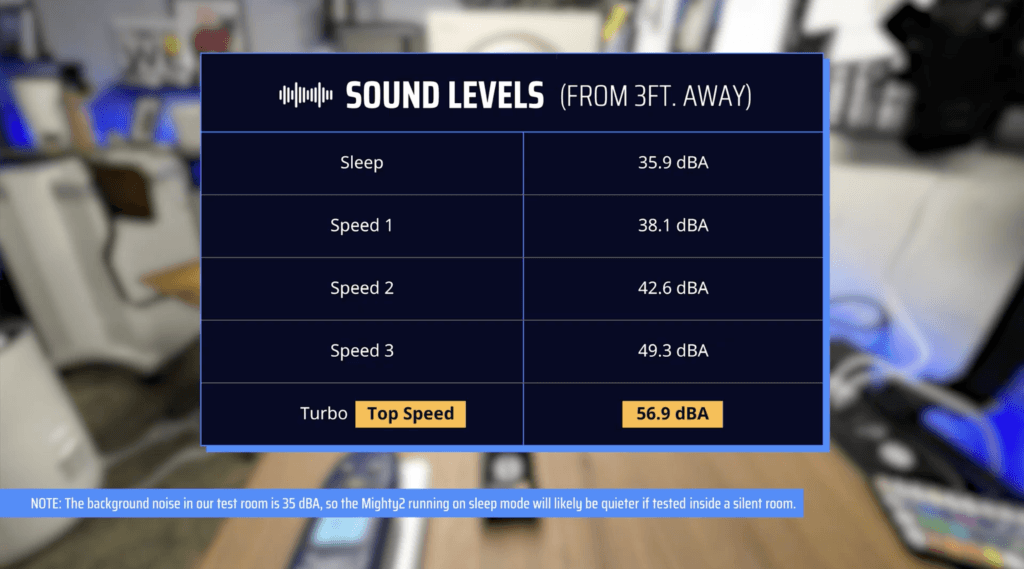
Noise level in decibels from 3 ft. away:Sleep mode: 35.9 dBA
Speed 1: 38.1 dBA
Speed 2: 42.6 dBA
Speed 3: 49.3 dBA
Turbo speed: 56.9 dBA
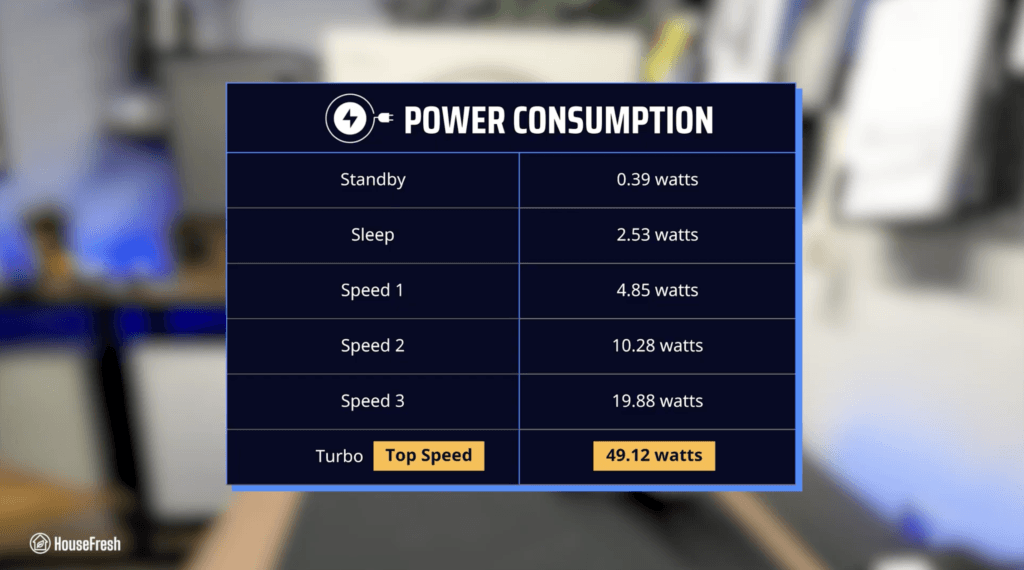
Electricity consumption in watts:Standby: 0.39 watts
Sleep mode: 2.53 watts
Speed 1: 4.85 watts
Speed 2: 10.28 watts
Speed 3: 19.88 watts
Turbo speed: 49.12 watts
Filter lifespan:12 months
Manufacturer’s warranty:3 years
Country of origin:South Korea
Country of manufacture:China

Filtration technology

An all-in-one filter that combines HEPA-grade particle filtration with pelleted activated carbon.

The filter is larger than the ones in the old Mighty and the 200M, and it comes with pelleted carbon, which offers better odor removal.

The downside of bonded filters like this one is that you will need to replace the whole thing when the carbon filter runs out, which usually happens before the main particle filter needs replacing. But they help improve performance.

You can easily slide the pre-filter out to vacuum it or wash it without opening the front cover, unlike with other models.

Not only is this feature cool, but it also significantly minimizes the amount of dust and fluff that fly into the air every time you open the front cover when the time comes to clean the pre-filter.

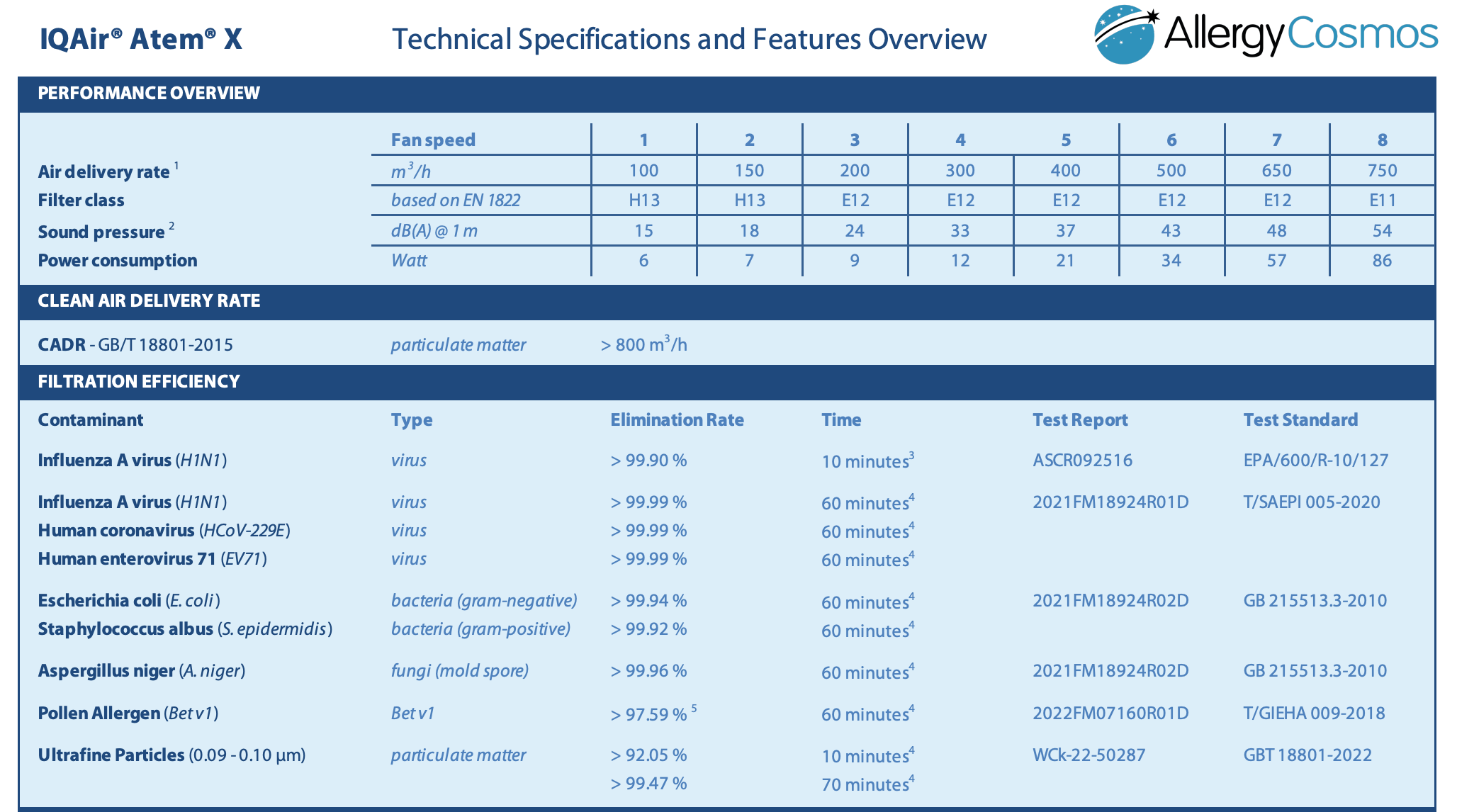
The short answer: yes, but only when running in sleep mode.

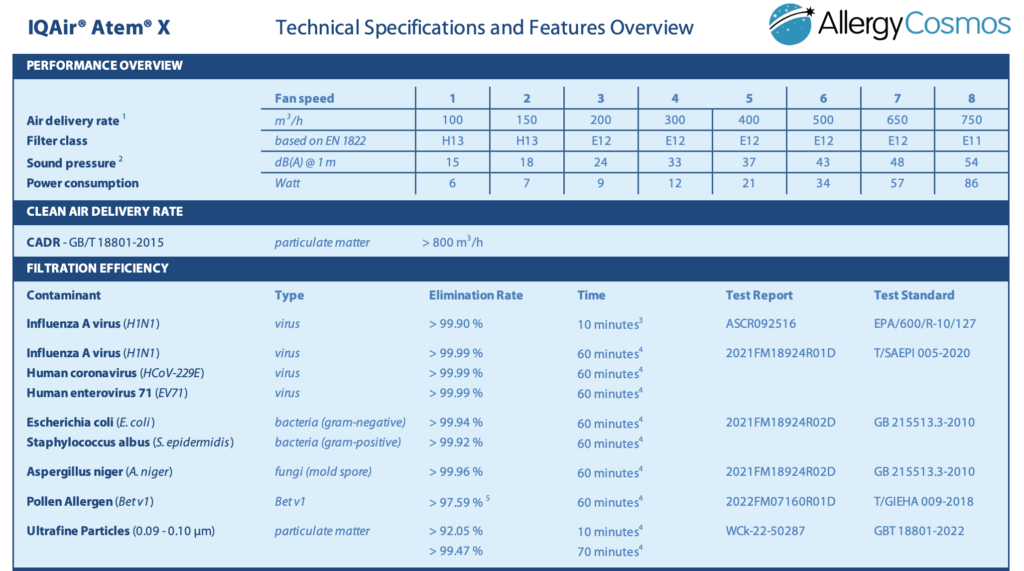
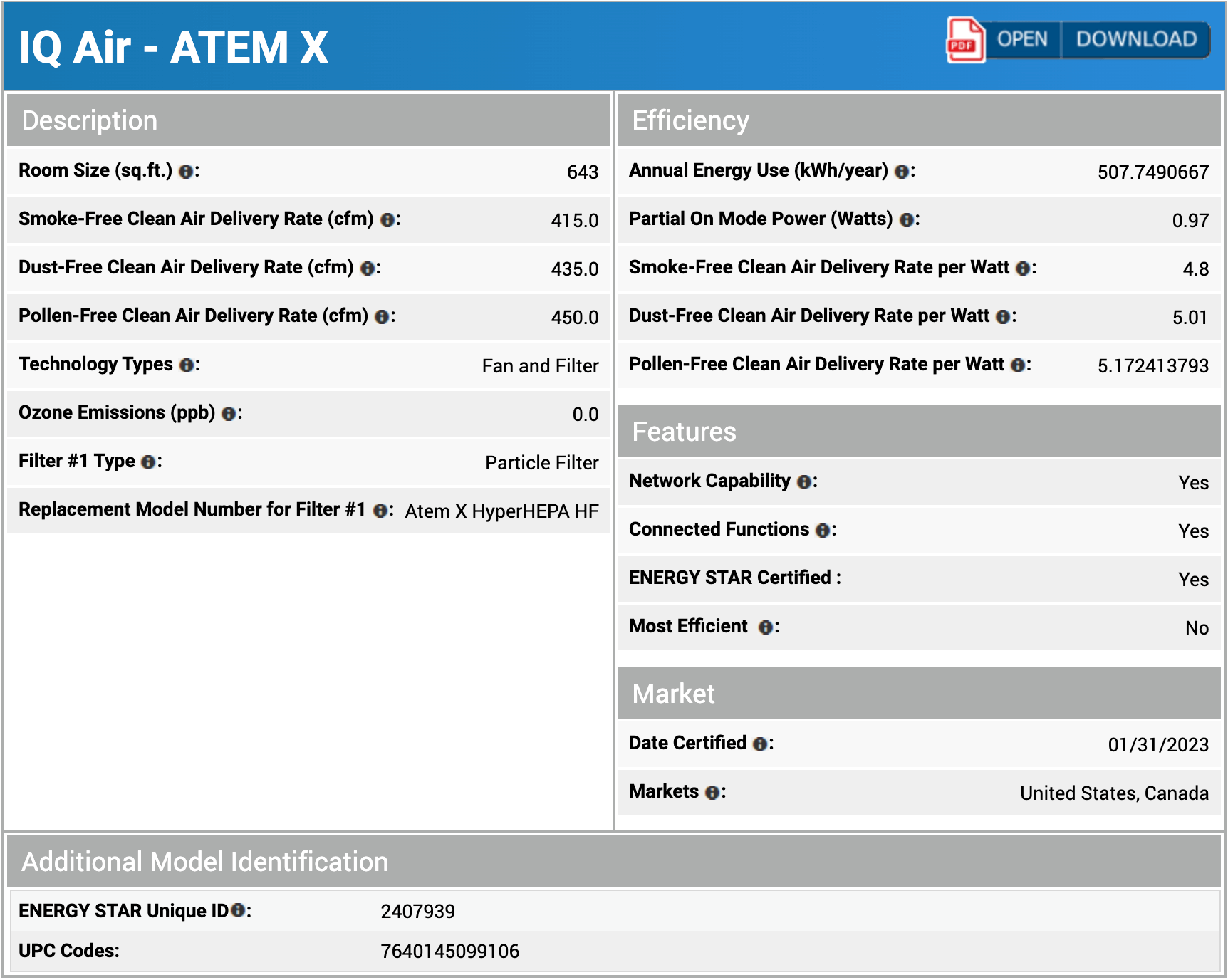
This might seem odd, but it’s actually just science – the higher the speed of the air flowing through the filters, the higher the penetration of particles and the lower the CADR. You can see in the image below how the class of the particle filter in the IQAir Atem X changes at different fan speeds:

IQAir Atem X HyperHEPA Specs

Particle filters classed as HEPA-grade at top speed result in a very low CADR. That means that the low-grade particle filter in the Mighty2 allows this air purifier to circulate air through the filter multiple times per hour – and this is a good thing.

Design, controls and app features

A relatively small air purifier with similar dimensions to the old Airmega Mighty and the Airmega 200M.

The design is stylish and compact, with a retro modern vibe that I personally really like.

Coway Mighty2 Living Room

We used our Mighty2 in different rooms around the house, and it was never out of place.

Coway upgraded the old Mighty design with a laser particle sensor that won’t need regular cleaning.

Coway Mighty2 Sensor

This makes the Mighty2 much quicker at detecting airborne particles than models with infrared sensors.

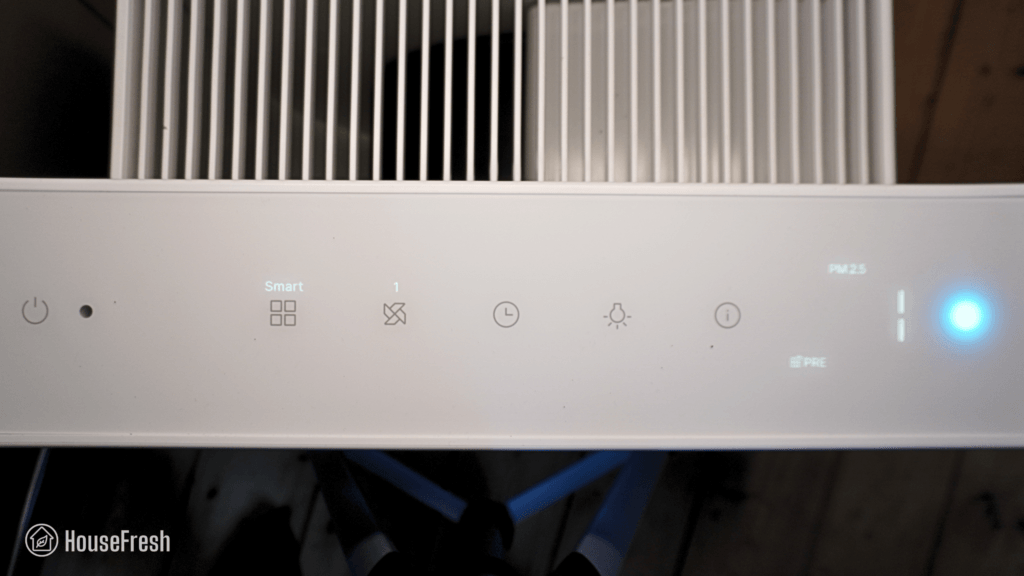
You get buttons to set smart modes, adjust fan speeds, schedule timers and control lights.

Coway Mighty2 Controls

You also get an air quality indicator light with real-time PM1, PM2.5 and PM10 readings on screen.

  • Similarly to what we saw with other models like the Winix 9800, the Mighty2 comes with a light sensor that will automatically set the unit from Smart mode to Sleep mode when it detects darkness — even if you just wanted to have it running on auto, lights and all. This is why I prefer to have our Mighty2 set to speed 2 all day, every day.
  • The fan of our first Mighty2 made a rattling sound at low fan speeds, so we bought another one to see if this was a common issue. This second Mighty2 doesn’t make any weird noises, so I think perhaps our first one got damaged in transit to the UK.

Air cleaning performance

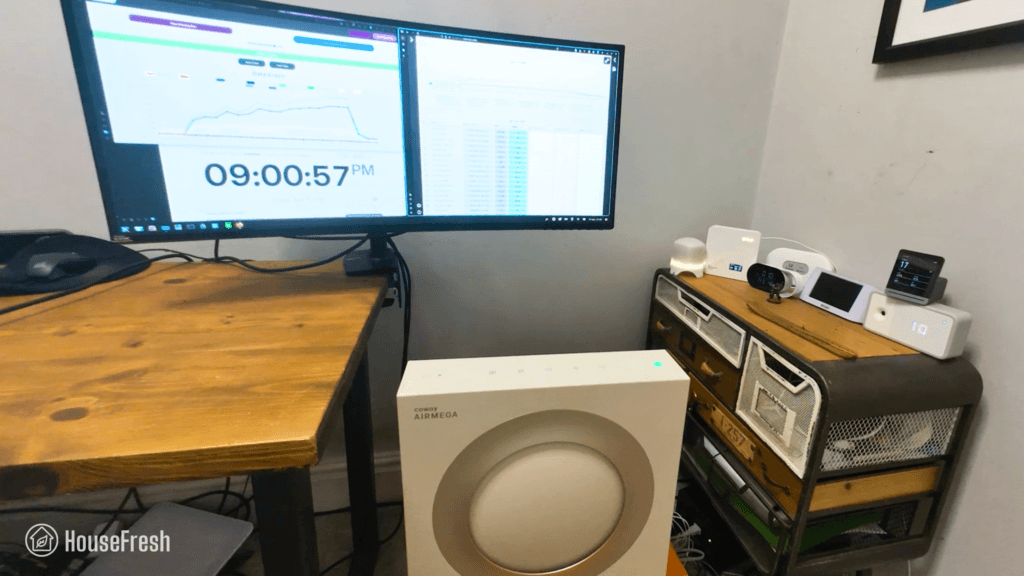
We tested the Coway Airmega Mighty2 AP-1512N in our 728-cubic-ft test room, measuring how quickly it removed PM1 particles from the air after we filled the space with incense smoke.

Coway Mighty2 HouseFresh CADR Test

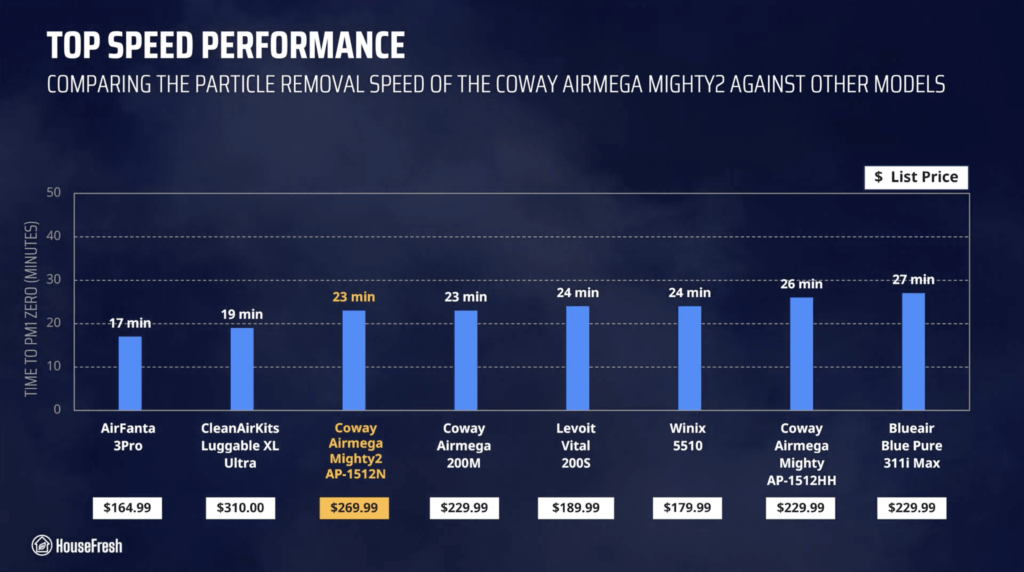
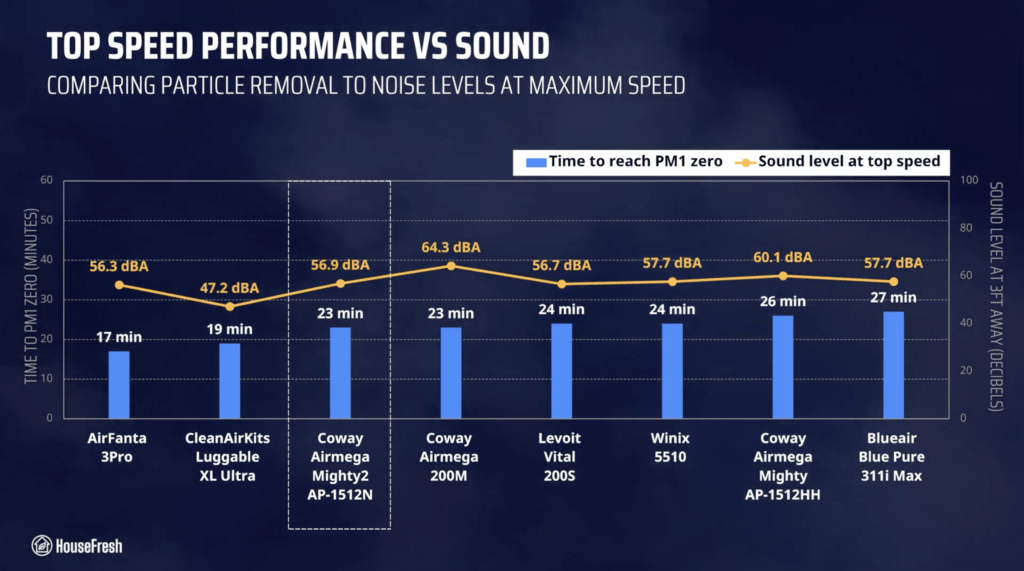
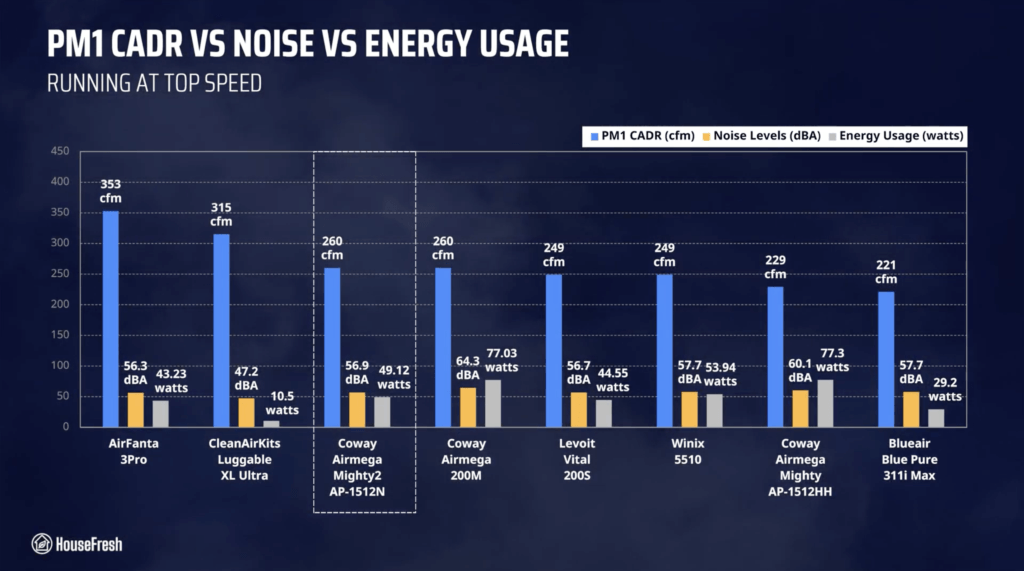
When running at top speed, our PurpleAir Zen sensor shows that the Mighty2 needed 23 minutes to reach PM1 zero. I’ll be honest… I wasn’t expecting that!

Based on this performance, we estimated a PM1 CADR of 260 cfm, which is powerful enough to clean the air five times per hour in rooms up to 390 sq. ft.

This is faster than the original Mighty AP-1512hh, but it’s also faster than the larger Levoit Vital 200S and the Winix 5510 and 5520.

Coway Mighty2 Particle Removal Speed Chart

BUT results at top speed won’t tell us the full story… We need to take sound into account because you don’t want to sleep or watch TV next to a leaf blower.

Sound levels

The sound levels of the Coway Airmega Mighty2 range from 35.9 dBA to 56.9 dBA — which is quieter than mid-sized air purifiers from Levoit and Winix with similar performance.

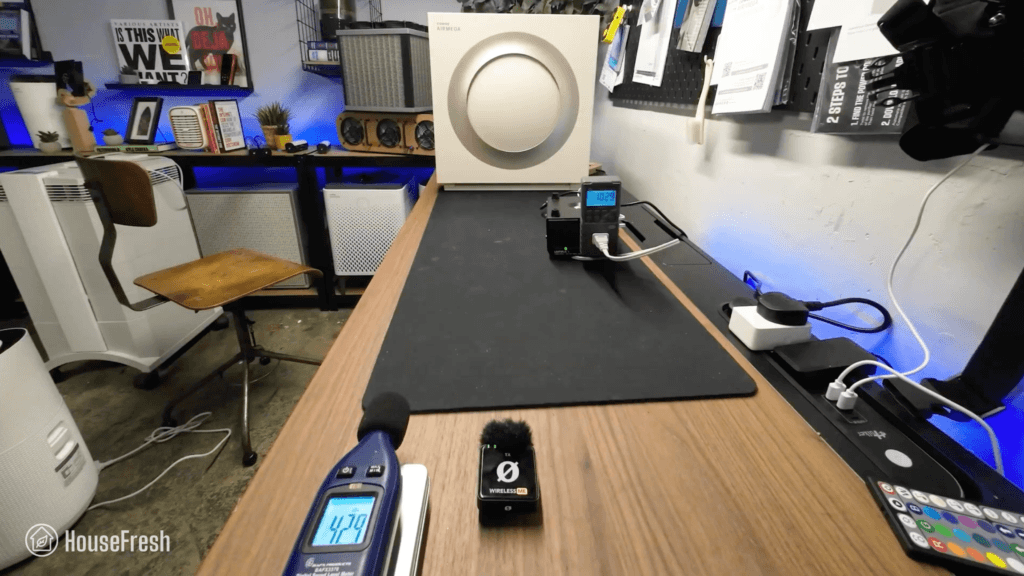
Coway Mighty2 Sound Test

As always, I used our BAFX sound meter to measure how much sound the Mighty2 AP-1512N generates at each of its fan speeds at 3 ft away:

Coway Mighty2 Sound Levels

Reaching 56.9 dBA at Turbo speed, the Might2 is still louder than PC fan-powered models like the Luggable XL Ultra and the AirFanta 3Pro, but it is the quietest compared to traditional mid-sized air purifiers from Levoit, Winix, Blueair and even Coway itself.

Coway Mighty2 Performance vs Sound Chart

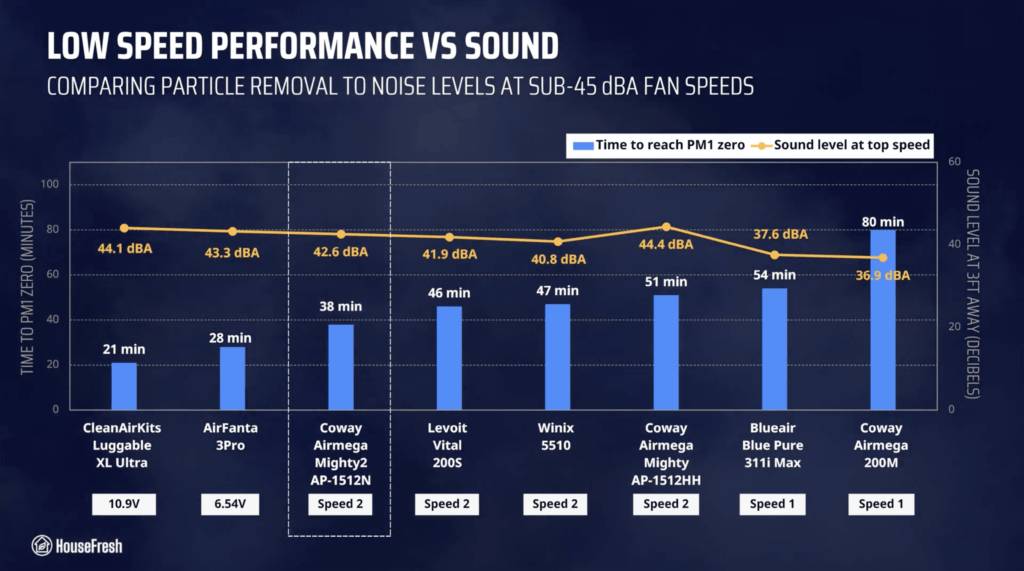
Running at Speed 2, it reached 42.6 dBA and cleared our test room in 38 minutes – this is a very impressive result for a unit of this size. The Mighty2 was a full eight (8) minutes quicker to clean the air than the next traditional air purifier in the comparison.

Coway Mighty2 Quiet Performance Chart

Based on the natural ventilation of our test room, I estimate a PM1 CADR of 151 cfm at speed 2, which can clean the air five times per hour in spaces up to 226.5 sq. ft (or 21 m2).

Long-term running costs

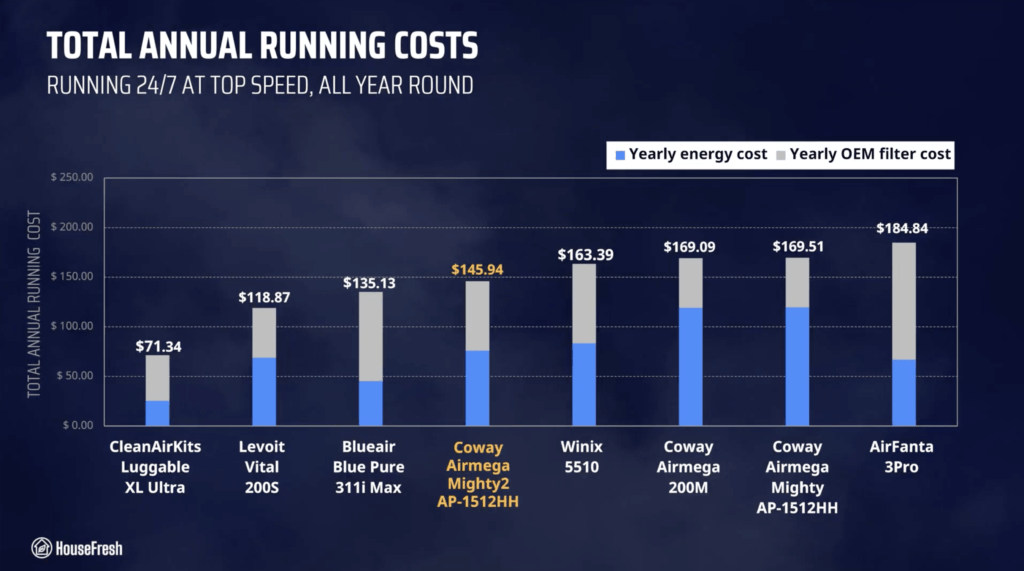
Running a Coway Mighty2 will cost you $145.94 per year, combining energy and filter replacement costs.

We used our energy meter to record how much electricity the Mighty2 pulls at each fan speed and while on standby.

Coway Mighty2 Energy Consumption

At top speed, the Mighty2 draws 49.12 watts, so if you were to leave it running at top speed 24/7 for one year, it will add $75.95 to your energy bill, based on the average electricity price as of June 2026. Compared to older models in the Airmega line, it’s clear that Coway has improved the fan motor’s energy efficiency.

According to Coway, you need to change the filter every 12 months. The genuine filter costs $69.99, so you can expect to spend $69.99 each year on filter replacements alone.

Overall, you will need to budget $145.94 each year to keep your Coway Mighty2 running 24/7 in your home at top speed:

Coway Mighty2 Annual Running Costs

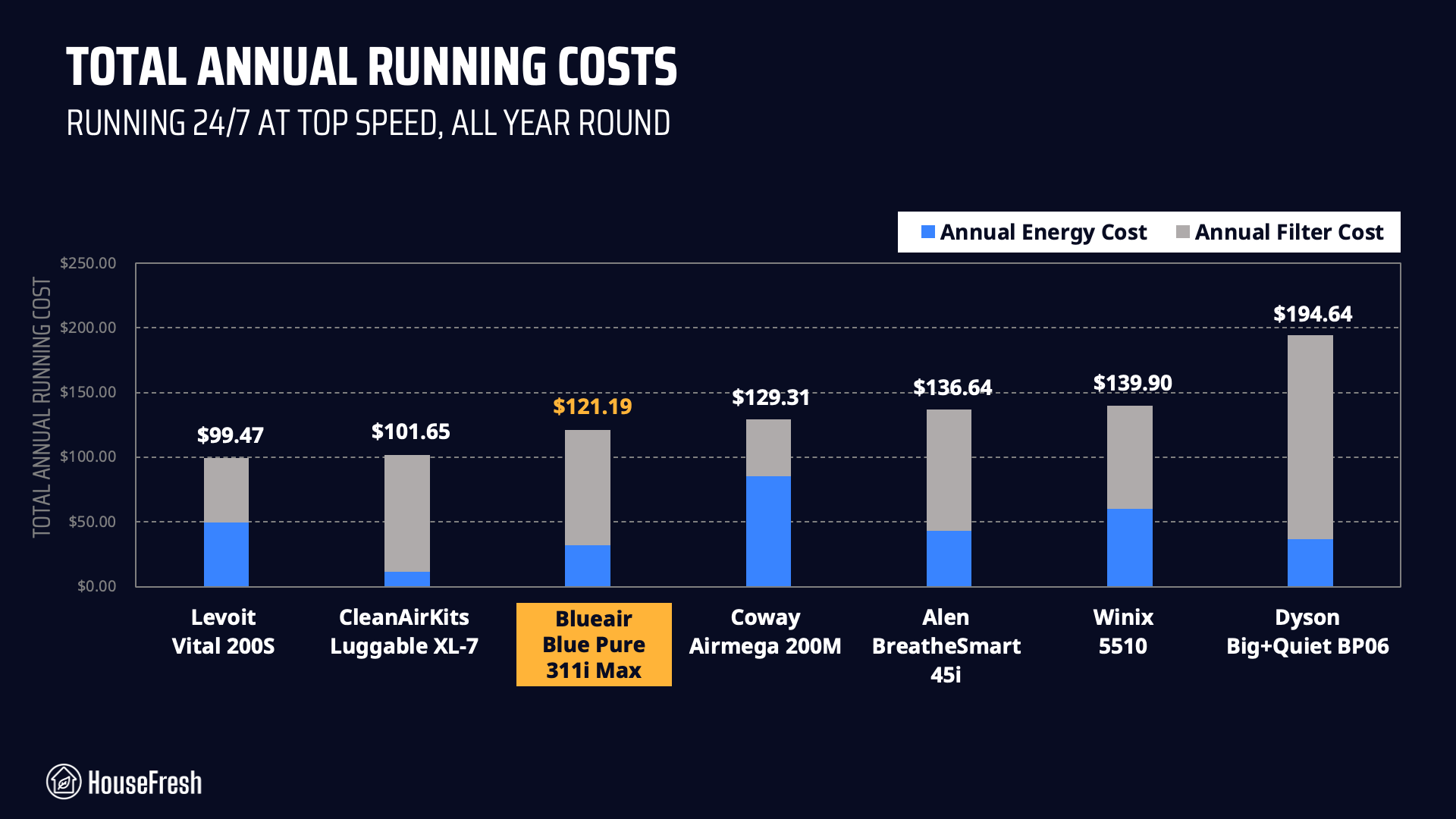
The only mid-sized models in our benchmark that are cheaper to run are the CleanAirKits Luggable XL (with generic filters and super-efficient PC fans), the Levoit Vital 200S (with its cheaper filter replacements and less power-hungry motor), and the 311i Max from Blueair (with its highly energy-efficient fan motor with ionization technology).

However, when it comes to performance, the Mighty2 will offer more air cleaning power than the Levoit and the Blueair, so the additional running cost comes with benefits.

But… Is the Coway Airmega Mighty2 worth it?

Bottom line: Should you get a Coway Airmega Mighty2?

Honestly, I think this could be a possible contender to take the crown from the Vital 200S as the best air purifier for most people…

Coway Mighty2 Close

When you compare it to PC fan-powered units, this new Coway still loses on raw power but for a traditional air purifier, it is one of the best options out there — especially considering how quiet it is:

Coway Mighty2 CADR vs Sound vs Energy

The older Mighty is a solid air purifier in terms of value for money, but it’s also loud, it’s power-hungry, and it uses an ionizer – which I know a lot of people prefer to avoid.

The Mighty2 has managed to keep all the good stuff from the original while upgrading things in the right areas: you get a stylish design, a more accurate laser sensor, lower energy consumption and better performance at quieter fan speeds.

The only tradeoff is the price…

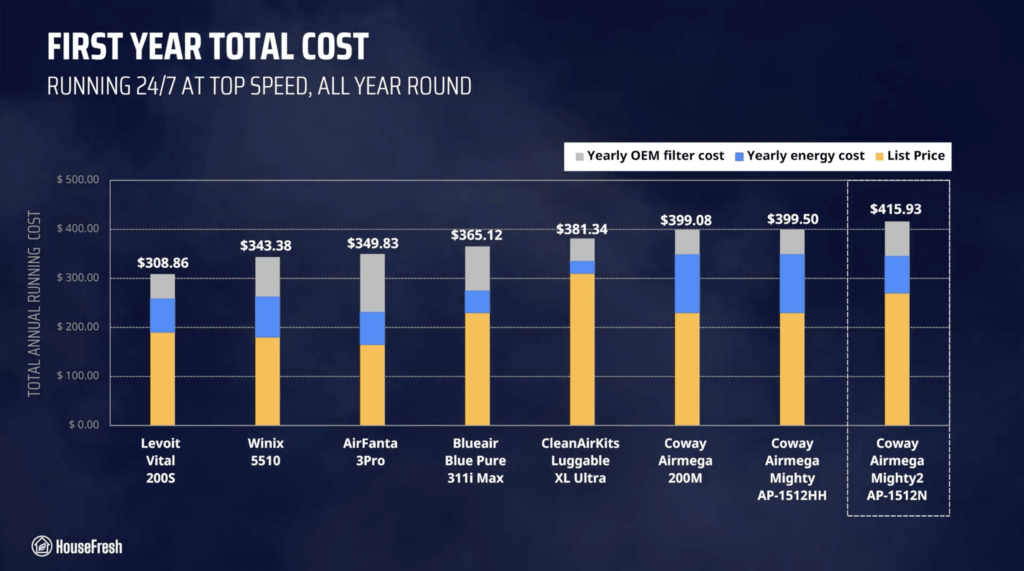
The Mighty2 is selling for $269.99, and when you add this to the running cost, your total investment in the first year goes up to $415.07:

Coway Mighty2 Year 1 Cost

This makes the Airmega Mighty2 the most expensive mid-sized air purifier to buy and to run in the first year of ownership. But, in my opinion, you’re getting your money back in good performance, good design, and good quality.

Plus, it comes with the coolest slidable, removable pre-filter I’ve seen **heart-eyes emoji**

Coway Mighty2 Pre filter

And let’s not forget about Coway’s 3-year warranty. I regularly hear from people who have been using the original Mighty for 10 years or more, so I have confidence that the Mighty2 will follow in the footsteps of the old one.

The only possible fly in the ointment is the lack of app support, which I know might be an issue for some people. But it’s worth noting that this model works with any smart plug, so you can add it to your smart home setup without downloading another app on your phone.

If you decide to buy a Coway Mighty2, please use this link to help support the work we do at HouseFresh – – we will receive a small affiliate commission at no extra cost to you. We don’t run any ads and have no partnerships with air purifier brands, so we rely on those commissions to continue buying and testing air quality products.

And if you’re still unsure, you can try using our air purifier comparison tool to see how the Mighty2 stacks up against units with similar prices:

Did I miss anything? If you have any questions about the Mighty2 or about Coway air purifiers in general, please drop them in the comments below, and I’ll get back to you personally as soon as I can.
Aeocky Boreas dehumidifier review

AEOCKY BOREAS 001 Front 1 scaled

The marketing materials for the Aeocky Boreas state that it can remove up to 50 pints per day, but this is based on a sauna-like environment at 95°F (35 °C) temperatures with 95% humidity.

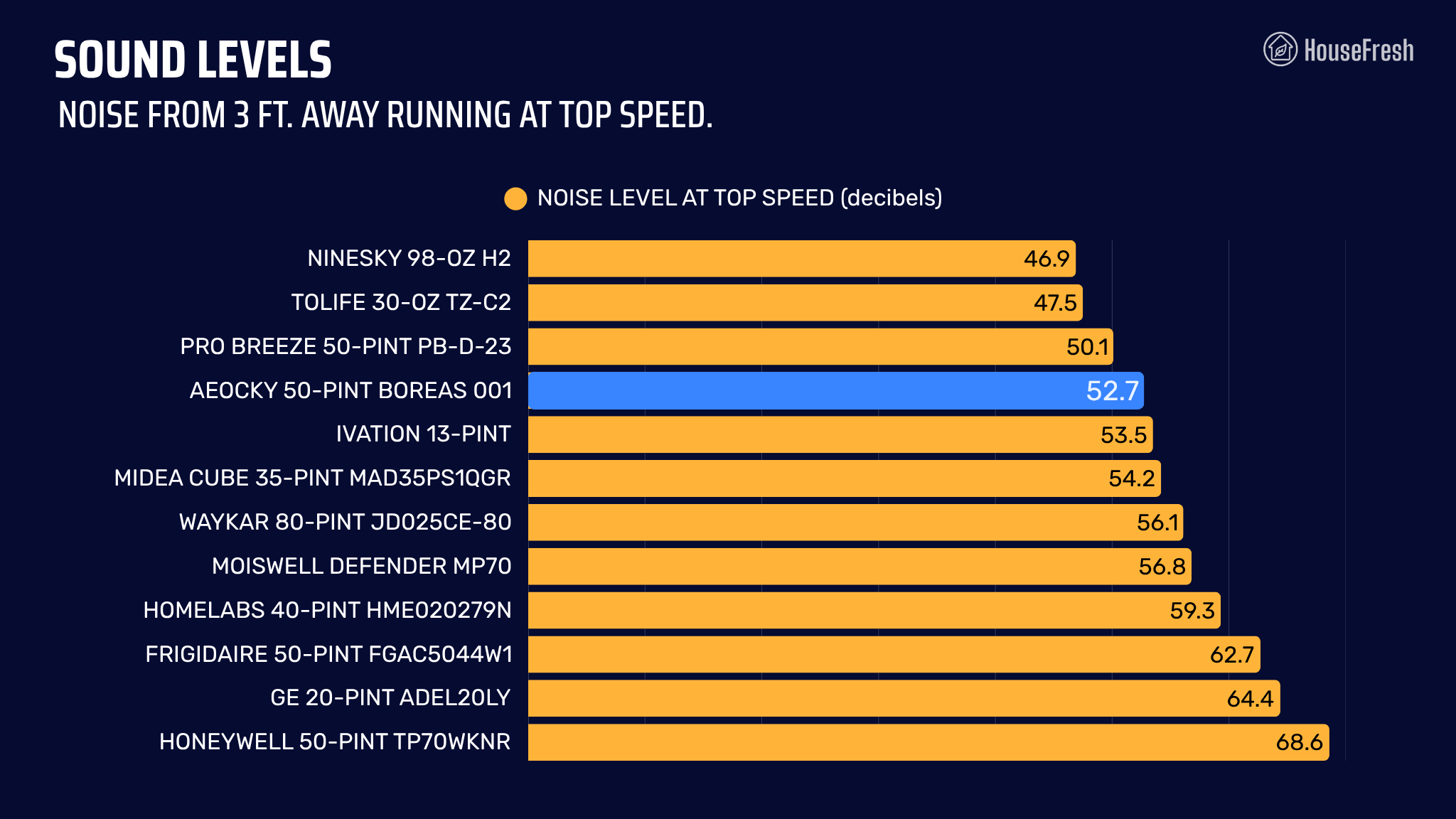
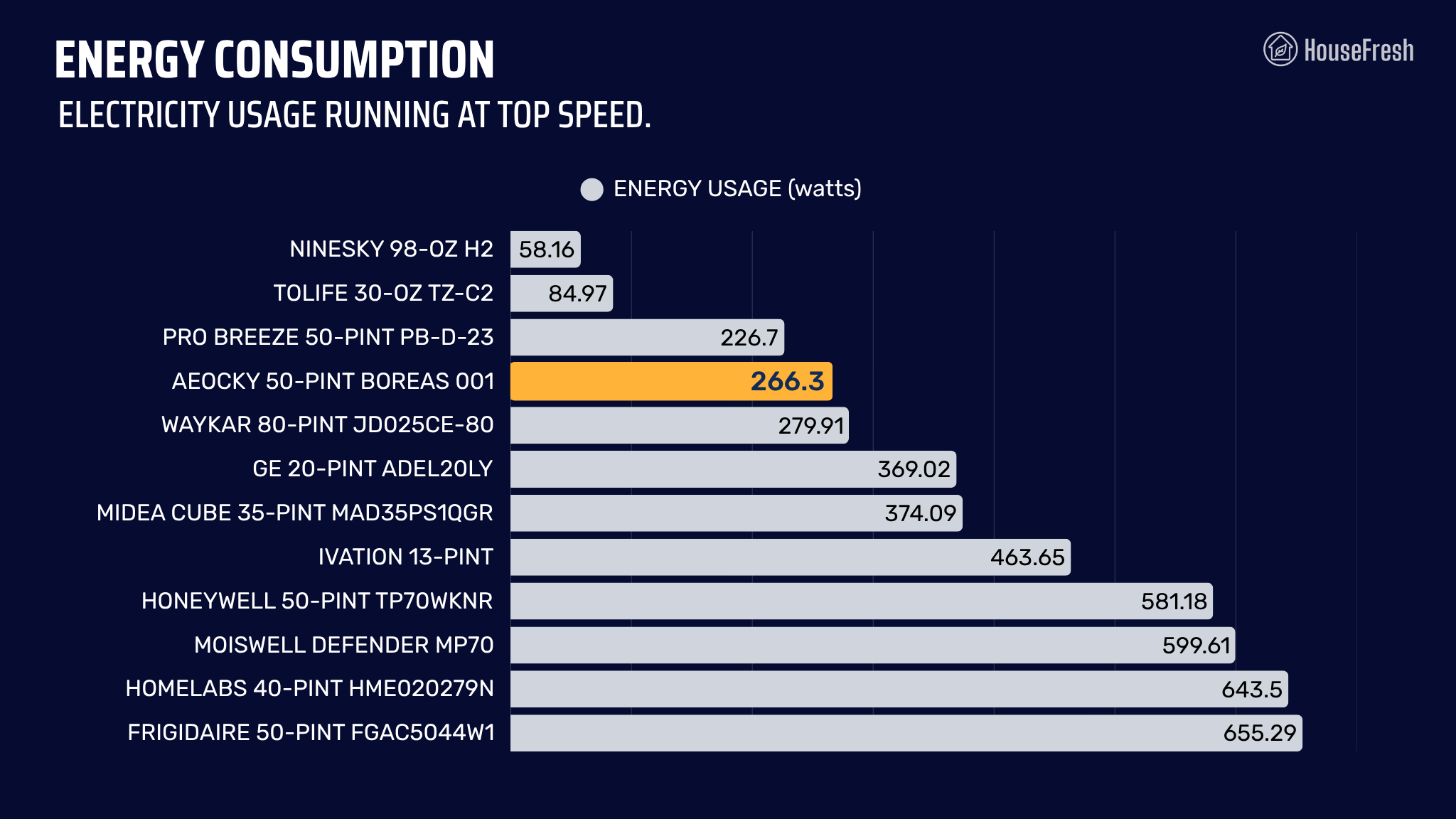
In our tests, this mid-sized dehumidifier extracted humidity from the air as quickly as 20 to 35-pint dehumidifiers we have tested. And in our sound tests, noise ranged from 48.1 to 52.7 decibels at 3 feet, which is much quieter than other models. However, in our electricity consumption tests, this Aeocky model was more power-hungry than other 50-pint models…

When it comes to the brand itself, it’s worth mentioning that Aeocky is fairly new to the market, but the good news is that they offer a longer-than-average warranty to most cheap dehumidifiers: three years instead of just one.

But… Is it worth the money? Read on to find out.

STEP 1. Humidity reduction rate

housefresh dehumidifier test

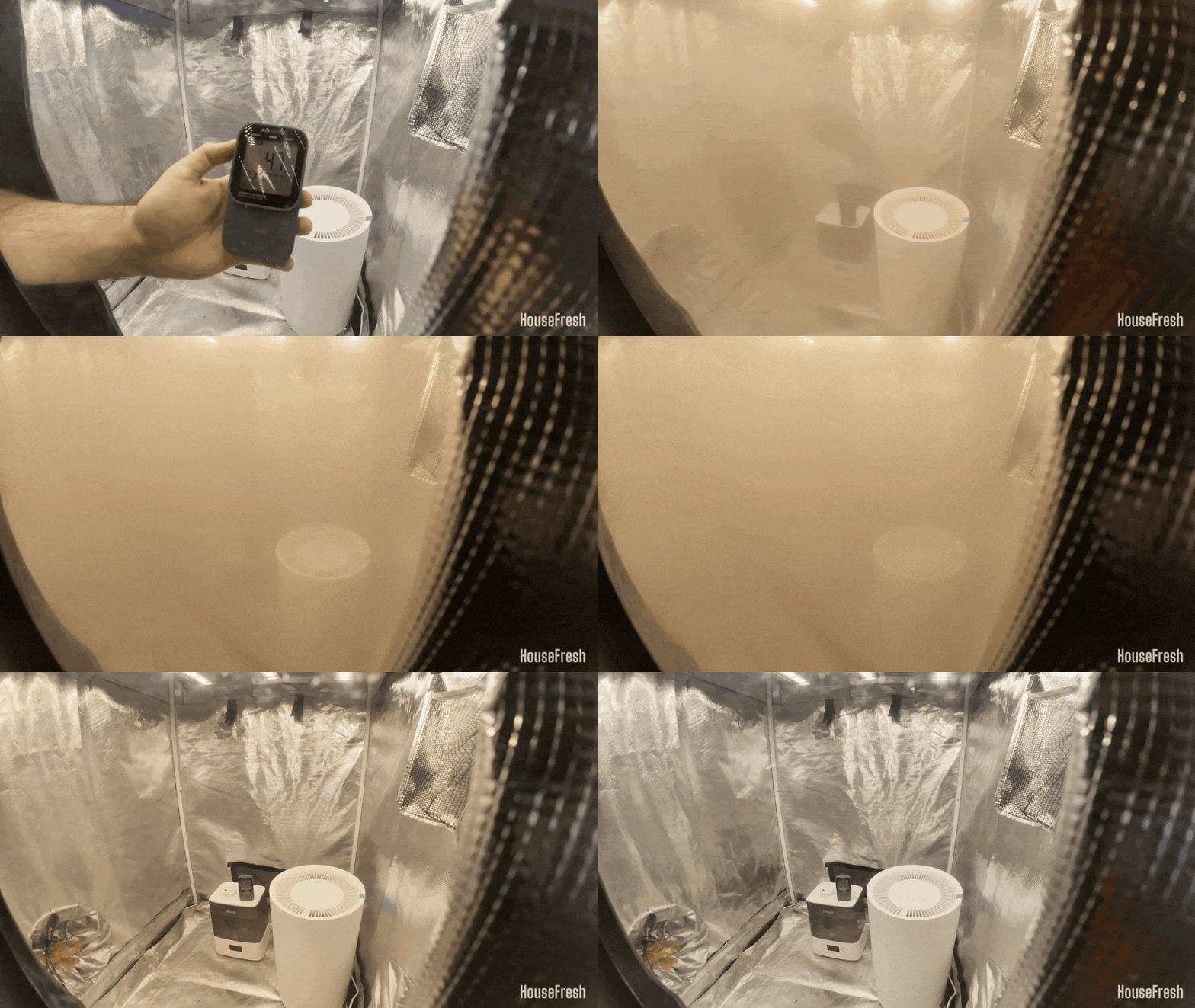
We use our Levoit Classic 300S humidifier to raise humidity levels to 94% inside our Shorty Gorilla Grow Tent and leave the tent for 5 mins for the numbers to stabilize before setting the dehumidifier to top speed for 30 mins.

We then gather humidity data with our SensorPush wireless hygrometer and repeat the test a minimum of three times. We also test the natural decay inside our tent without any dehumidifier running.

STEP 2. Water extraction rate

2026 Water Extraction Test Dehumidifiers

We also run a water extraction test in which we measure how much water each model is capable of removing in the same room of our house at 20 degrees Celsius and 52% humidity during a set amount of time.

Once the time is up, we weigh the water bucket before and after the test to determine how much water was removed during the test.

STEP 3. Electricity consumption

dehumidifier energy test

Dehumidifiers an be power-hungry little beasts. That is why we measure how much electricity the dehumidifier pulls at different speeds.

To do this, we use a MECHEER power meter for UK devices and a Poniie PN2500 energy meter for U.S. devices.

We measure electricity consumption with each dehumidifier running at all its modes and fan speeds.

STEP 4. Sound generation

dehumidifiers sound test

Sound is also super important as nobody wants to have a leaf blower running inside their home 24/7.

That is why we use a BAFX Sound Level Meter to measure how much noise in decibels each dehumidifier generates.

We conduct this test from three feet away, the same way we measure noise levels of the air purifiers we test.

STEP 5. Everyday user experience

housefresh dehumidifier real life tests

In addition to all our tests, we also use each of the dehumidifiers in our own home to determine how well they perform at removing moisture from the air and how it feels to live with them in different rooms.

This is generally the most eye-opening stage in our testing as we experienced the same issue twice across different dehumidifiers: the internal pump of both the hOmeLabs 4000 sq. ft. and the Moiswell 145 pint (Defender XP70) broke within a couple of months of daily usage.

The pros and cons of the Aeocky Boreas

A summary of our top-level findings after testing this dehumidifier, following our methodology.

AEOCKY BOREAS 001 Close scaled

“Despite being marketed as a 50-pint dehumidifier, the extraction rate of the Aeocky Boreas in our test was comparable to 30-35 pint dehumidifiers we tested.

All in all, the Boreas 001 is a well priced and capable unit, with quieter operation than other similarly sized dehumidifiers. And the 3-year warranty is rare at this price point.”

Danny Ashton HouseFresh
Danny Ashton
HouseFresh Founder
& Lead Tester

CONS

The water bucket is a little small at 2.7 liters (or 5.7 pints).
It has a lower extraction rate than other dehumidifiers also labeled as 50-pint models.

PROS

It offers the best performance-to-price ratio among cheap dehumidifiers, based on its humidity extraction results.
The handle is well-made and easily folds away when not in use.
It comes with handy features like auto mode and a button to switch off all lights.
It’s quieter than most, reaching just 52.7 decibels at its top fan speed.

Humidity reduction rate:29.31% drop in 30 minutes (from 91.11% to 61.8%)
Water removal capacity (per day):5.8 pints (3.3 liters)
Recommended room size:500– 800 sq. ft. (50-90% relative humidity)
Water tank capacity:5.7 pints (0.71 gallons)
Dimensions (in inches / in cm):13.19 x 17.99 x 8.66 in (33.5 x 45.7x 22 cm)
Weight (in pounds / in kg):28.7 lbs (13.02 kg)
Refrigerant type:R290
Noise level:Top speed: 52.7 dBA
Low speed: 48.1 dBA
Electricity consumption (top speed):266.3 watts
Manufacturer’s warranty:3 years
Country of manufacture:China

Water bucket

A bucket that is smaller than the one you’ll get with other 50-pint models

The bucket slides out from the front – much more convenient than with models with the bucket at the back, like the Xiaomi Smart Dehumidifier Lite.

AEOCKY BOREAS 001 Open Bucket 1 scaled

With a capacity of 5.7 pints, this is the third-smallest water bucket across all dehumidifiers I’ve tested. You get a gravity-hose option, too.

AEOCKY BOREAS 001 Bucket scaled

Design, features and controls

Small size and castor wheels make it easy to move around.

Whilst it’s not too heavy, I appreciated the handle that can be easily hidden when not in use.

AEOCKY BOREAS 001 Handle 1 scaled

It comes on castor wheels, which make it easy to move around on the floor.

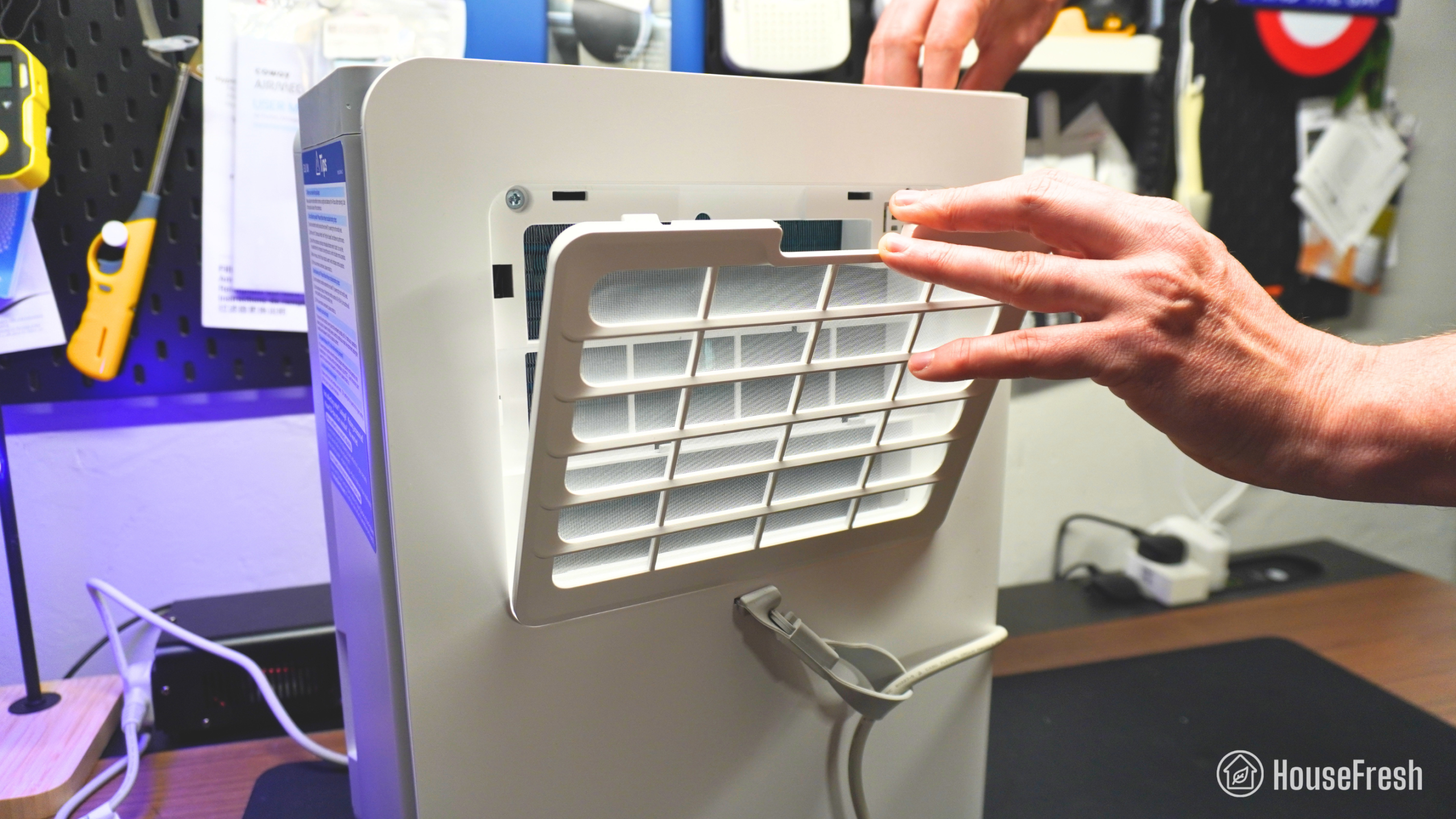
You get a washable nylon pre-filter at the back that catches large particles.

AEOCKY BOREAS 001 Pre Filter 1 scaled

You should clean it regularly to ensure the airflow is not blocked.

It has buttons to set the desired humidity level, adjust fan speeds, and switch modes.

AEOCKY BOREAS 001 Controls scaled

On the right-hand side, you also get a black screen that shows the current humidity level in the room.

Dehumidification performance

We tested the Aeocky Boreas in our grow tent using a humidifier and our trusted hygrometer.

AEOCKY BOREAS 001 Performance Test scaled

We used our Levoit Classic 300S humidifier to raise the humidity inside our Shorty Gorilla Grow Tent to 91.11% and let the numbers stabilize for five minutes before setting the dehumidifier to top speed for 30 minutes. We used our SensorPush wireless hygrometer to gather humidity data during this test, and also tested the natural decay inside the tent without a dehumidifier running.

When running at full speed, this Aeocky Boreas dehumidifier reduced humidity from 91.11% to 61.8% – a 29.31% drop in 30 minutes. 

As you can see from the chart, this model offers performance similar to that of the ProBreeze 50-Pint.

And in out water extraction tests, this Boreas 001 extracted 0.412 liters of water in three hours. This result is more in line with 20 to 35-pint dehumidifiers than with 50-pint models.

AEOCKY BOREAS Extraction Rate

Sound levels

The sound levels of the Aeocky Boreas 001 reached 52.7 dBA, making it the 4th quietest dehumidifier we have tested.

AEOCKY BOREAS 001 Sound Electricity Test scaled

I used our BAFX sound meter to measure the sound level of the Aeocky Boreas 001 running at high and low speeds. At a distance of 3 ft., I recorded 52.7 dBA at top speed and 48.1 dBA at low speed.

As you can see from the chart below, the Boreas 001 is a lot quieter than most other models:

AEOCKY BOREAS 001 Sound Compared

Long-term running costs

Running your Aeocky Boreas 001 will cost you $205.87 per year, assuming you run it 8 hours per day at top speed.

We used our energy meter to record how much electricity this dehumidifier pulls when running at top speed.

Although power consumption was relatively low at 266.3 watts, this Aeocky dehumidifier extracted less water than many larger units. As a result, its water-removal-per-watt efficiency wasn’t as good as that of some higher-capacity competitors.

AEOCKY BOREAS 001 Energy Consumption

The only other dehumidifier that comes close to the Boreas 001 is the Pro Breeze 50-Pint model, but keep in mind that this model comes with a much higher list price of $239.99.

Bottom line: Should you get an Aeocky Boreas dehumidifier?

While I wouldn’t call it a 50-pint dehumidifier, this small Aeocky model benefits from quiet operation, low price and a 3-year warranty.

AEOCKY BOREAS 001 Front 1 scaled

Aeocky is a fairly new brand in the world of dehumidifiers, so I didn’t know what to expect, especially considering its low price of just around $100.

However, as the data show, the Boreas 001 performed well at this low price, with an extraction rate comparable to that of the Ivation 13-Pint and the Pro Breeze 50-Pint dehumidifiers.

The 3-year warranty also helps this cheap dehumidifier stand out from other brands, considering most sub-$250 models only offer a 1-year warranty.

The Boreas is also an easy-to-live-with dehumidifier, thanks to its quiet operation and features like auto-mode, a child lock, the ability to turn off all lights and a deep handle that can retract when not in use.

AEOCKY BOREAS 001 Back scaled

Now, if you need serious moisture removal in a large space like a basement, there are stronger performers than this small Aeocky, like the Midea Cube or the larger Aeocky Rhea-003.

But if you’re looking for a quiet, affordable dehumidifier for a bedroom, office or a moderately damp room, then the Aeocky Boreas 001 will offer excellent value for your money.

If you decide to get yourself a Boreas, please use this link – we will receive a small affiliate commission at no extra cost to you that we will reinvest into buying and testing new dehumidifiers. We don’t run any ads and have no partnerships with brands, so we rely on those commissions to continue the work we do.

If you have any questions about this model or Aeocky dehumidifiers in general, please drop them in the comments below, and I’ll get back to you personally as soon as I can.
Jaspr Air Purifier review

Jaspr Air Scrubber HouseFresh

The Jaspr is a $1,200 air purifier that has been all over social media for the past few years, with influencers giving glowing reviews and offering juicy discount codes.

But after testing it, I found something that doesn’t add up…

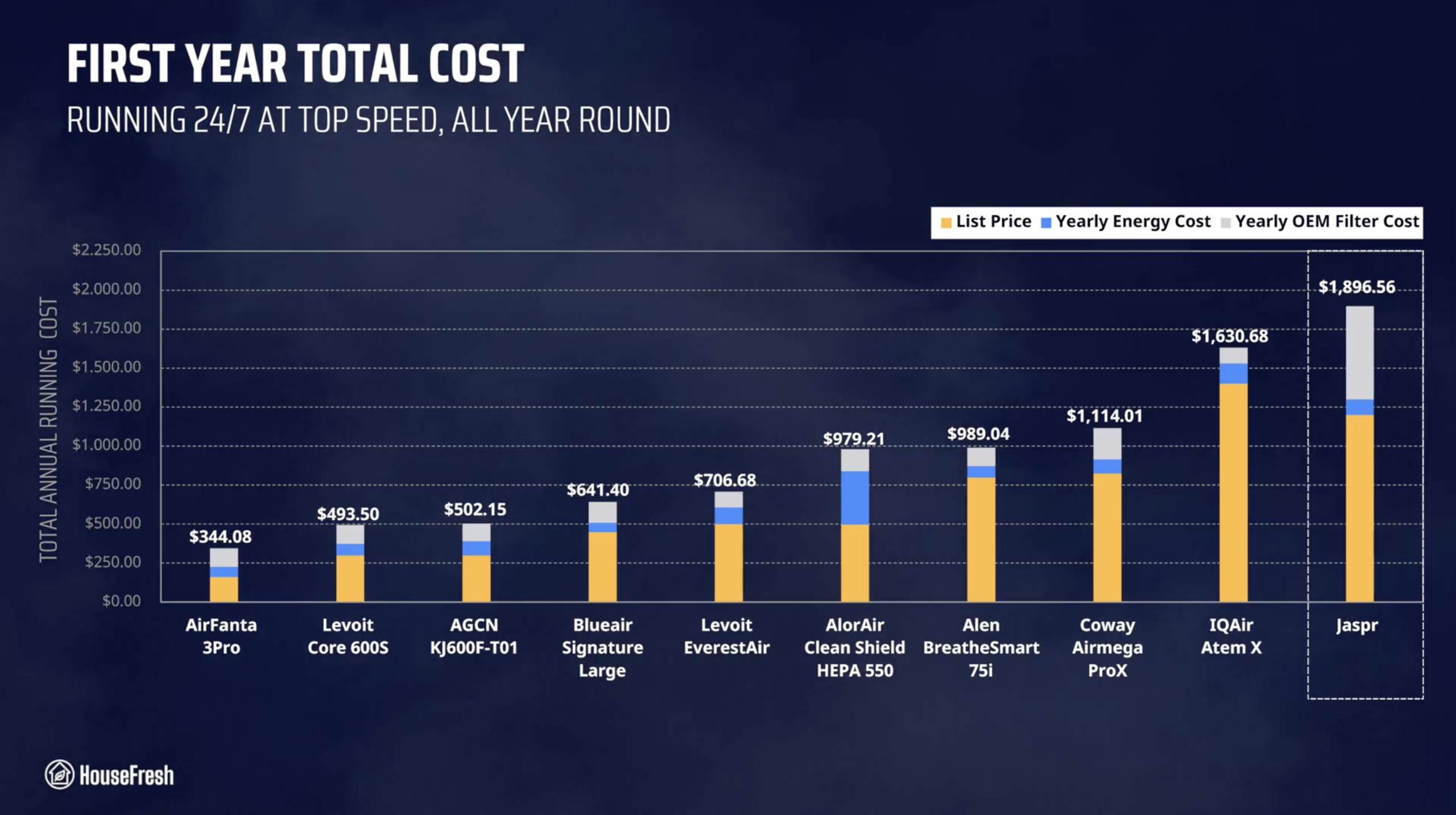
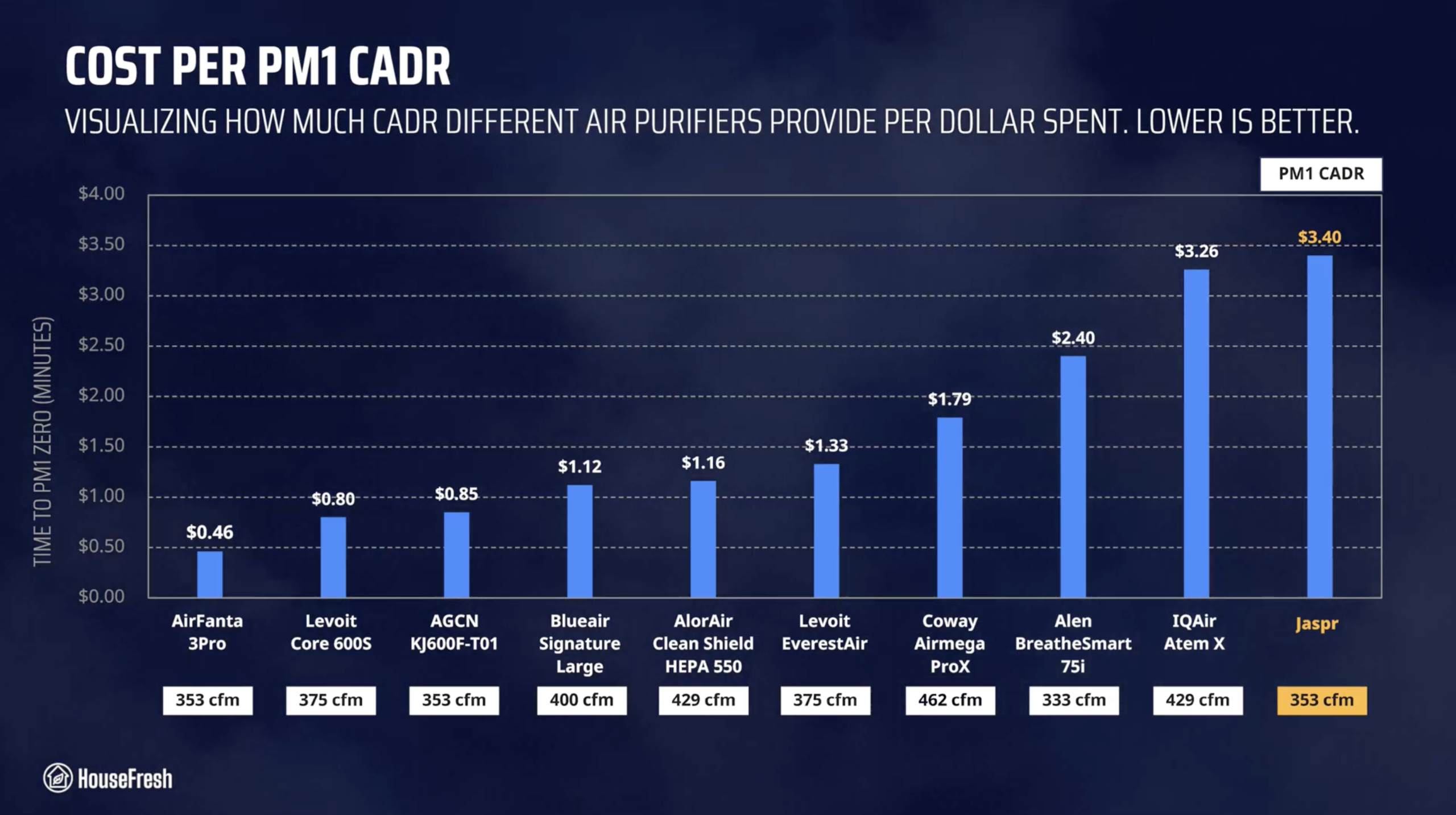
It costs three times as much to buy and run as air purifiers with the same level of performance.

And I know this because I bought a Jaspr with my own money and then spent an additional $1,298 to have it shipped to the UK, so we could test it.

Read on to find out how the Jaspr fared in my tests of its air-cleaning performance, sound generation, energy efficiency, yearly running costs, and day-to-day user experience.

The overall score for the Jaspr incorporates first-hand data results from our battery of tests, as well as our ratings for customer service, brand transparency, and design & UX. Check out the full scorecard below to see the category breakdown.

Search for ‘Jaspr’ to see where it ranks, based on its air cleaning performance and value for money. You can also filter results to easily compare models in the same price range.

The pros and cons of the Jaspr

A summary of our top-level findings after testing this air purifier, following our methodology.

“The Jaspr isn’t a bad air purifier: it offers good air cleaning at top speed, is made of durable materials and comes with both a particle sensor and a VOC sensor.

However, there is nothing in the performance, filtration technology, features or design that make the $1,200 price tag make sense for consumers.

Our data shows that the Jaspr delivers performance on par with air purifiers you could buy for as low as $165. So even though you are paying a premium price upfront, you are not getting premium value in return.”

Danny Ashton HouseFresh
Danny Ashton
HouseFresh Founder
& Lead Tester

CONS

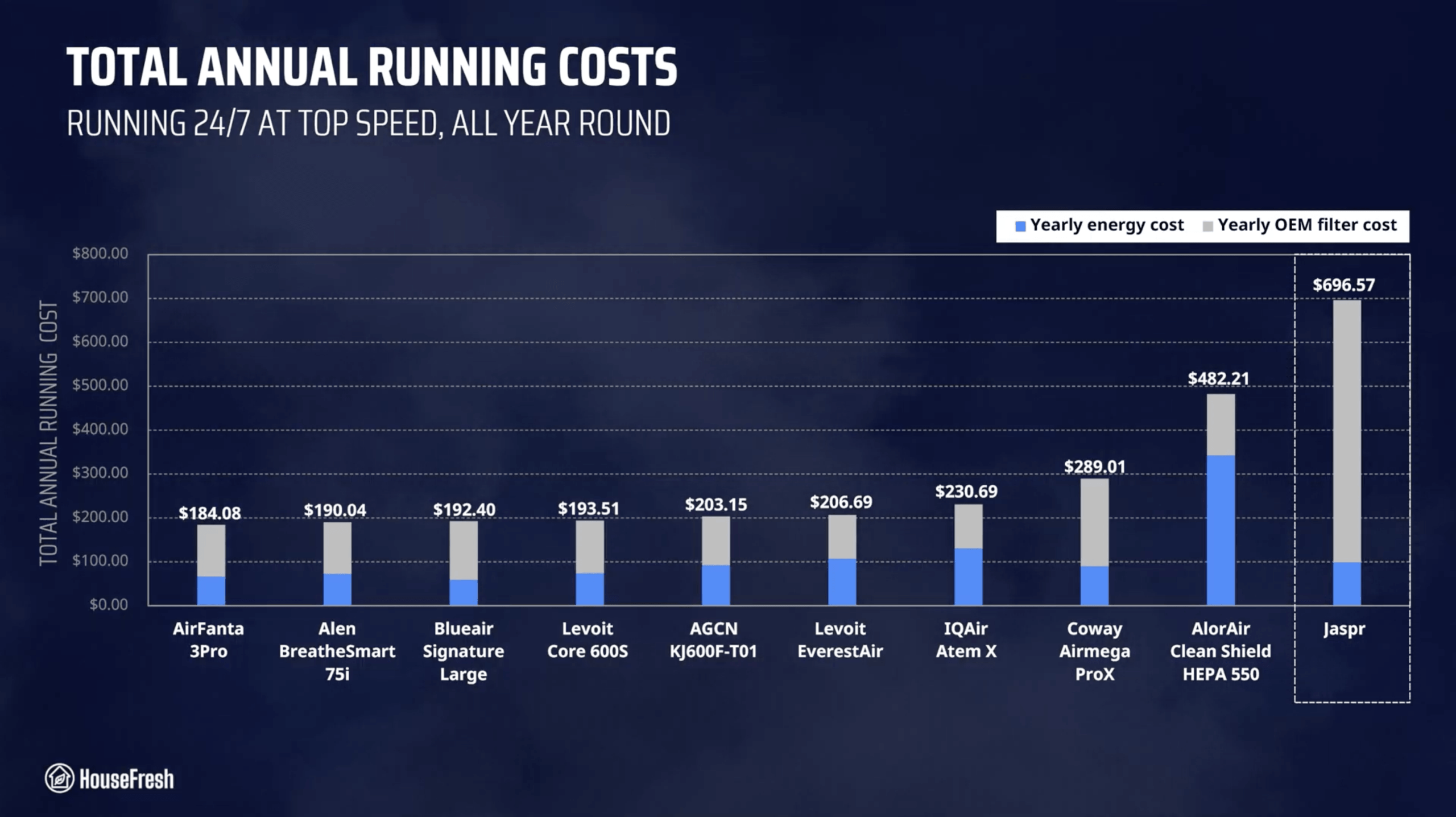
It has the highest yearly running cost across all 136 air purifiers we have tested since 2020.
It offers the same particle removal power as air purifiers selling for less than half its price.
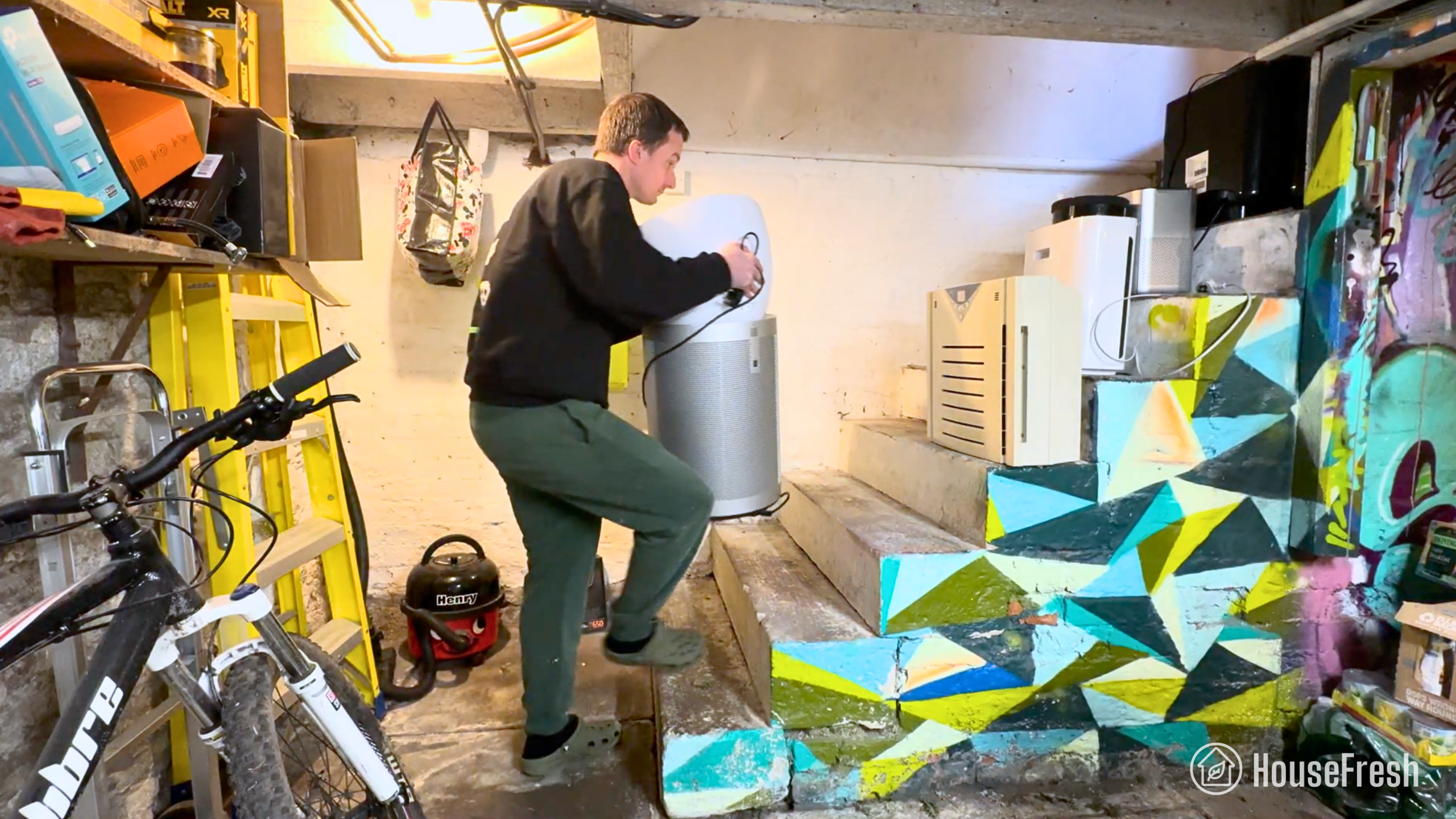
It is difficult to move around the house because it is very heavy and doesn’t have any wheels or handles.
The filter subscription is enabled by default at checkout – and there is no way to opt out before you buy.
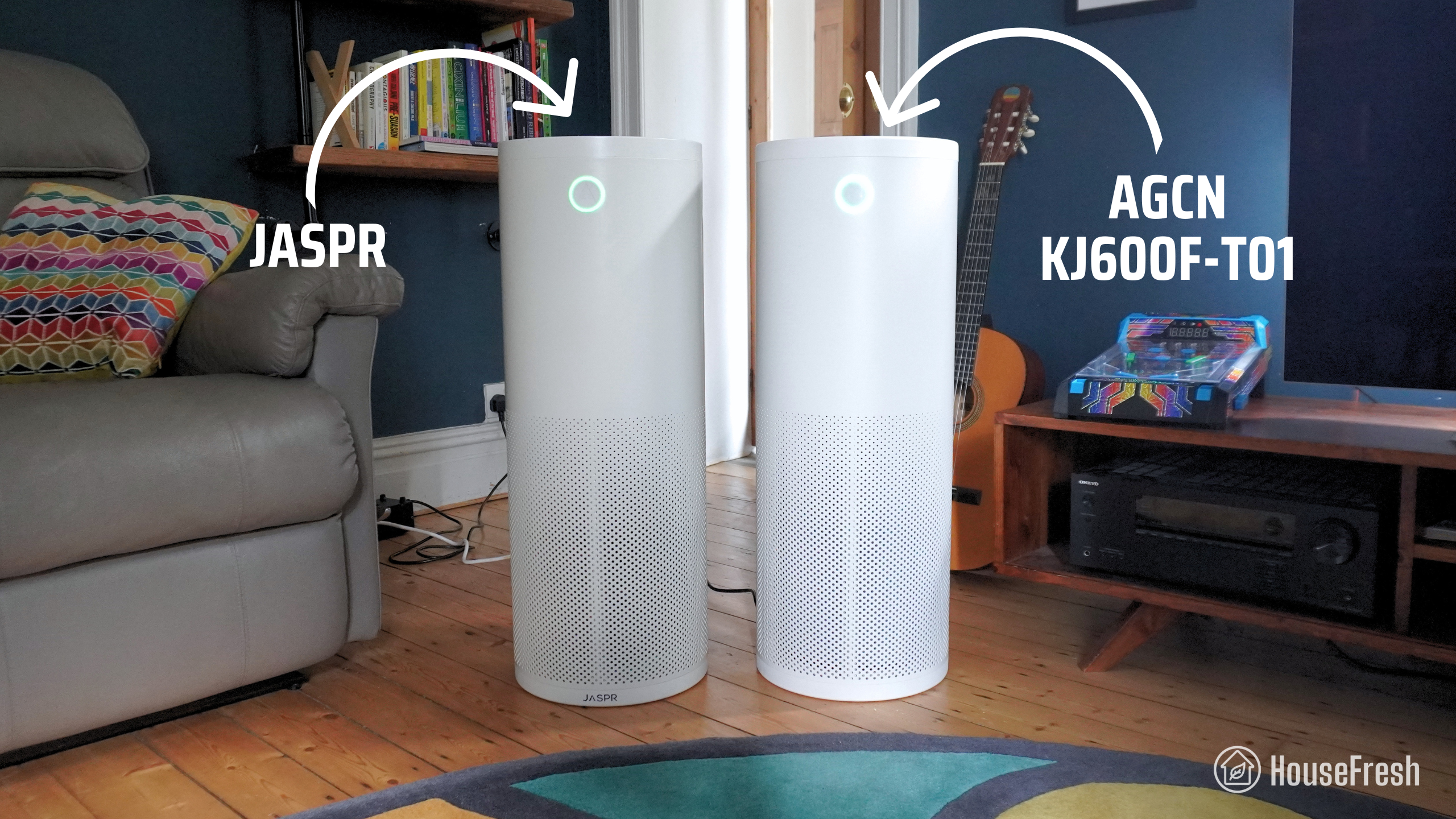
At a glance, the design seems quite similar to a cheaper device available on Alibaba for $299.

PROS

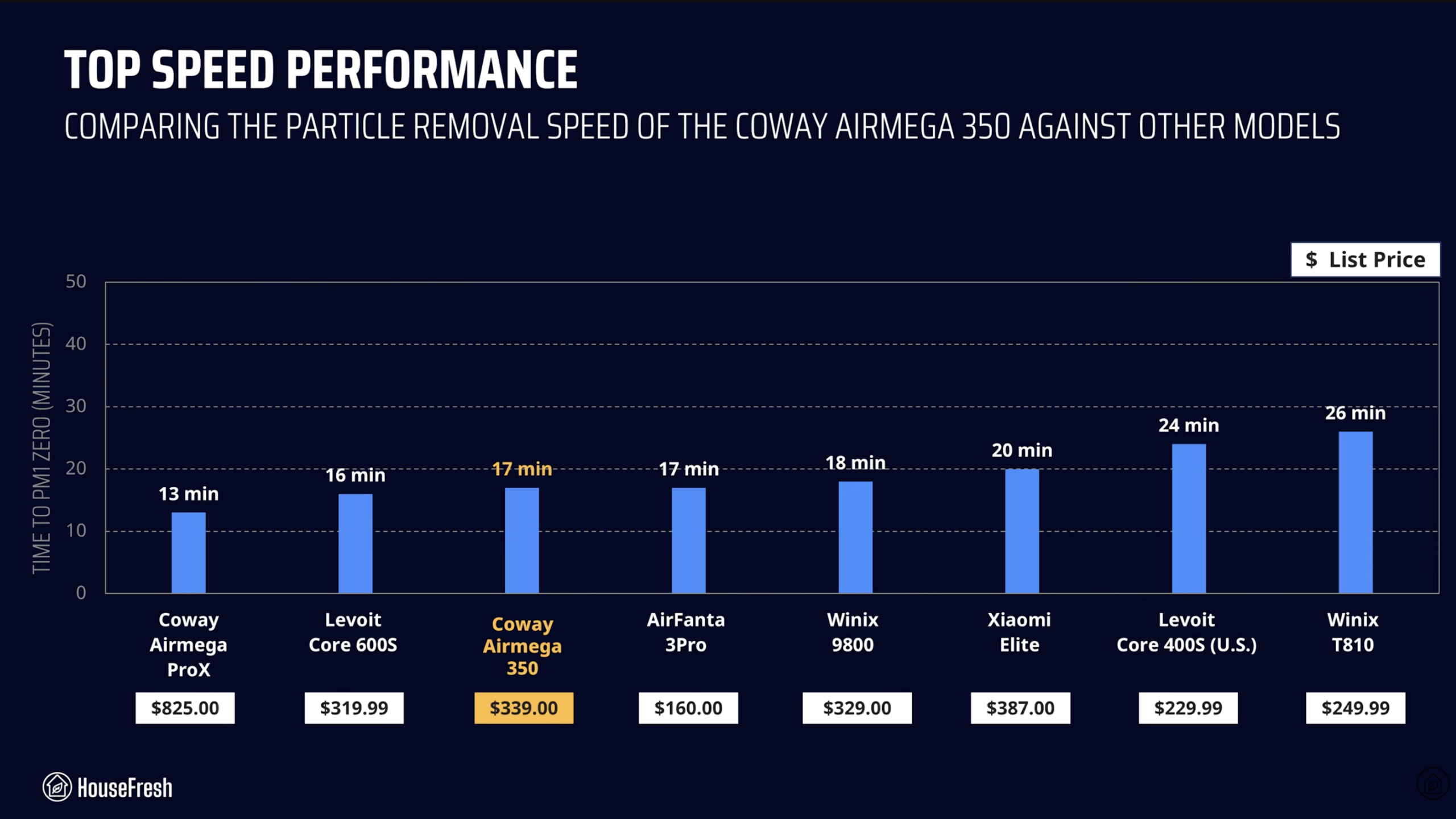
It cleans the air as well as some of the best models we have tested, matching the results of the AirFanta 3Pro and the Coway Airmega 350.
It has dual sensors for particles and VOCs, making the auto mode more responsive in rooms like the kitchen.

Clean air delivery rate (CADR):Speed 1: 97 cfm
Speed 2: 198 cfm
Speed 3: 248 cfm
Speed 4: 352 cfm
Filter technology:Particle Filter with 1 lbs (453 g) of carbon.
Recommended room size:529 sq. ft. (5 air changes per hour)
Dimensions:31.5 in x 11.5 in (80 cm x 29.2 cm)
Weight:25 lbs (11.3 kg)
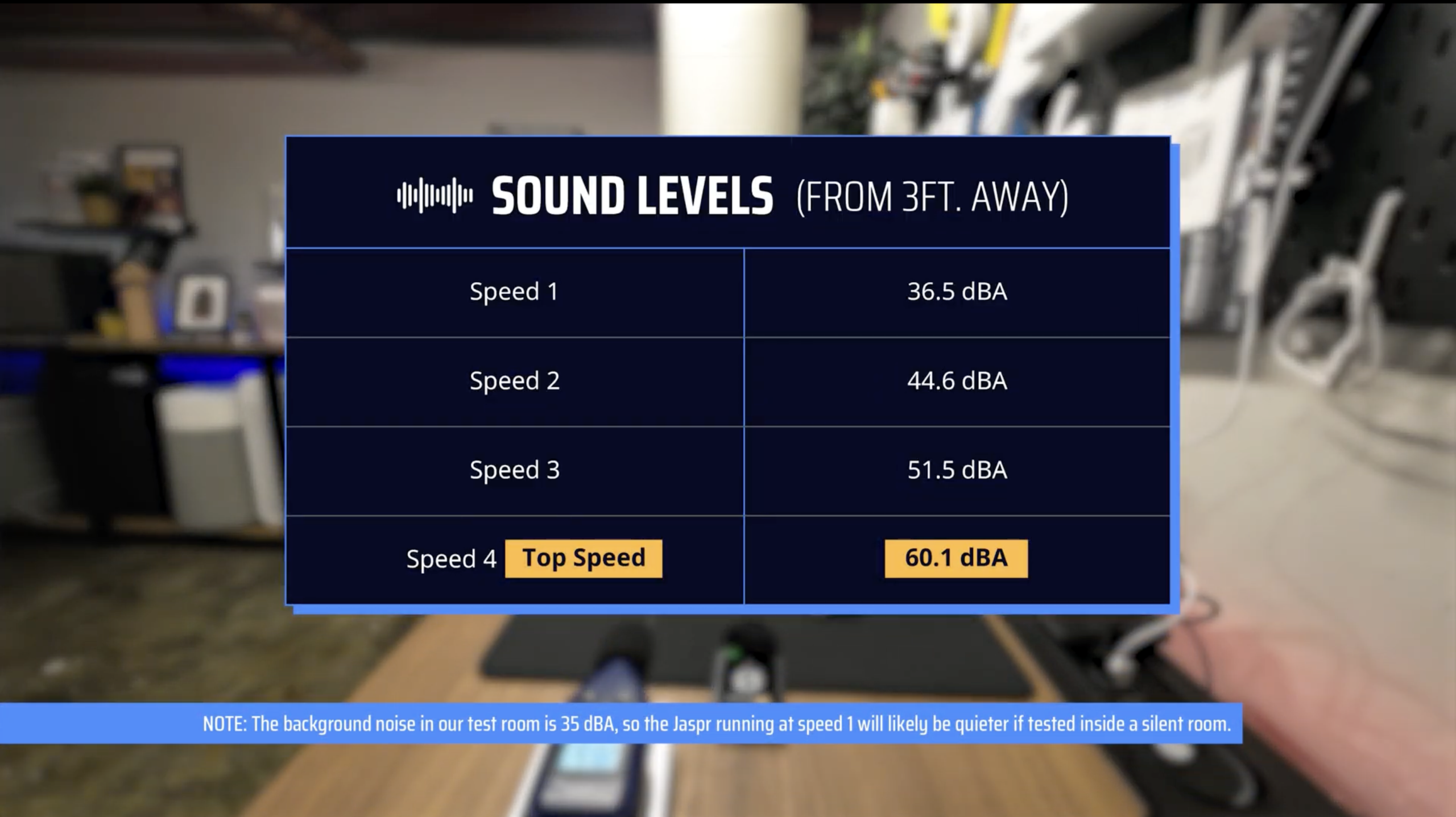
Noise level in decibels from 3 ft. away:Speed 1: 36.5 dBA
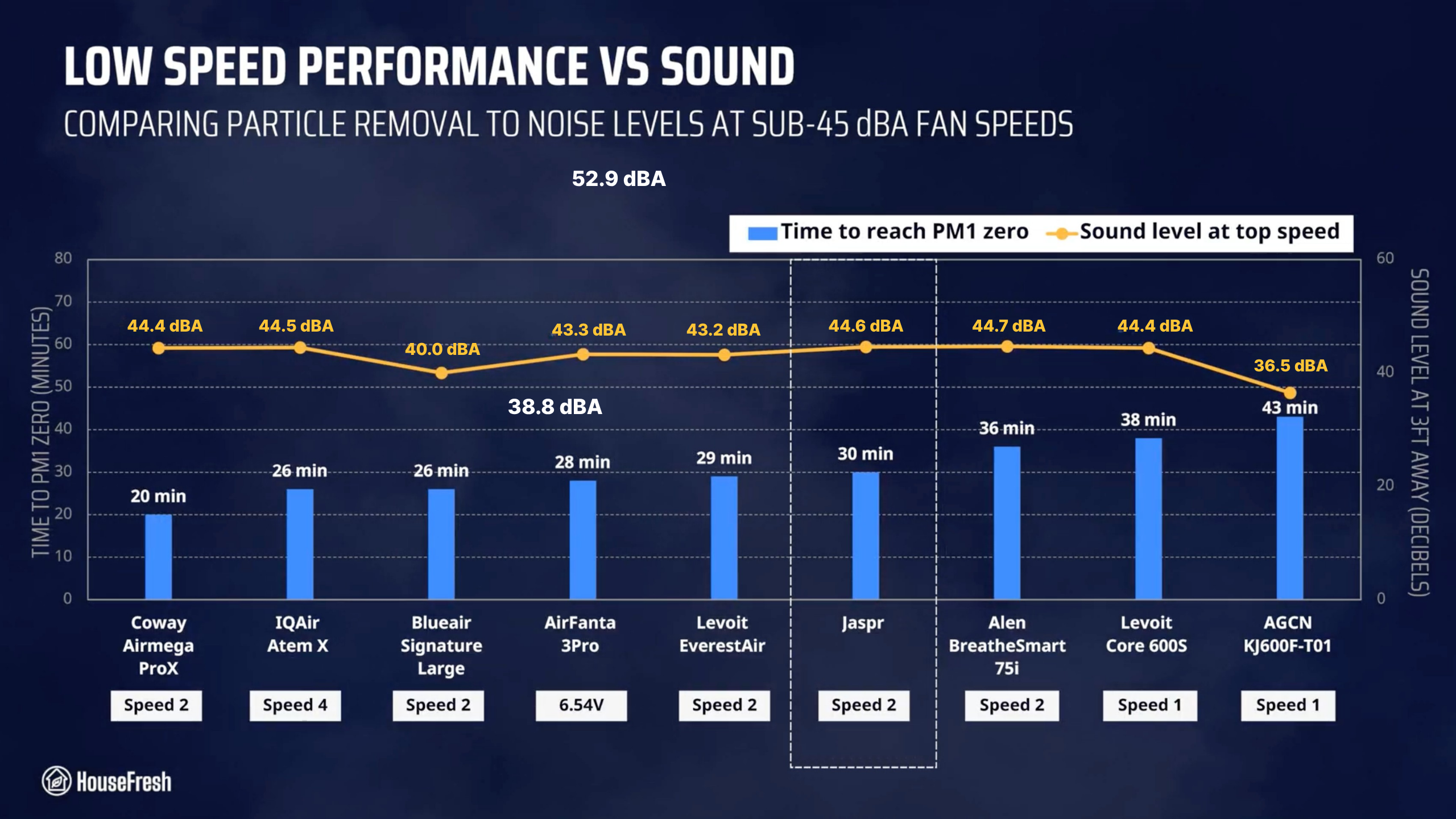
Speed 2: 44.6 dBA
Speed 3: 51.5dBA
Speed 4: 60.1 dBA
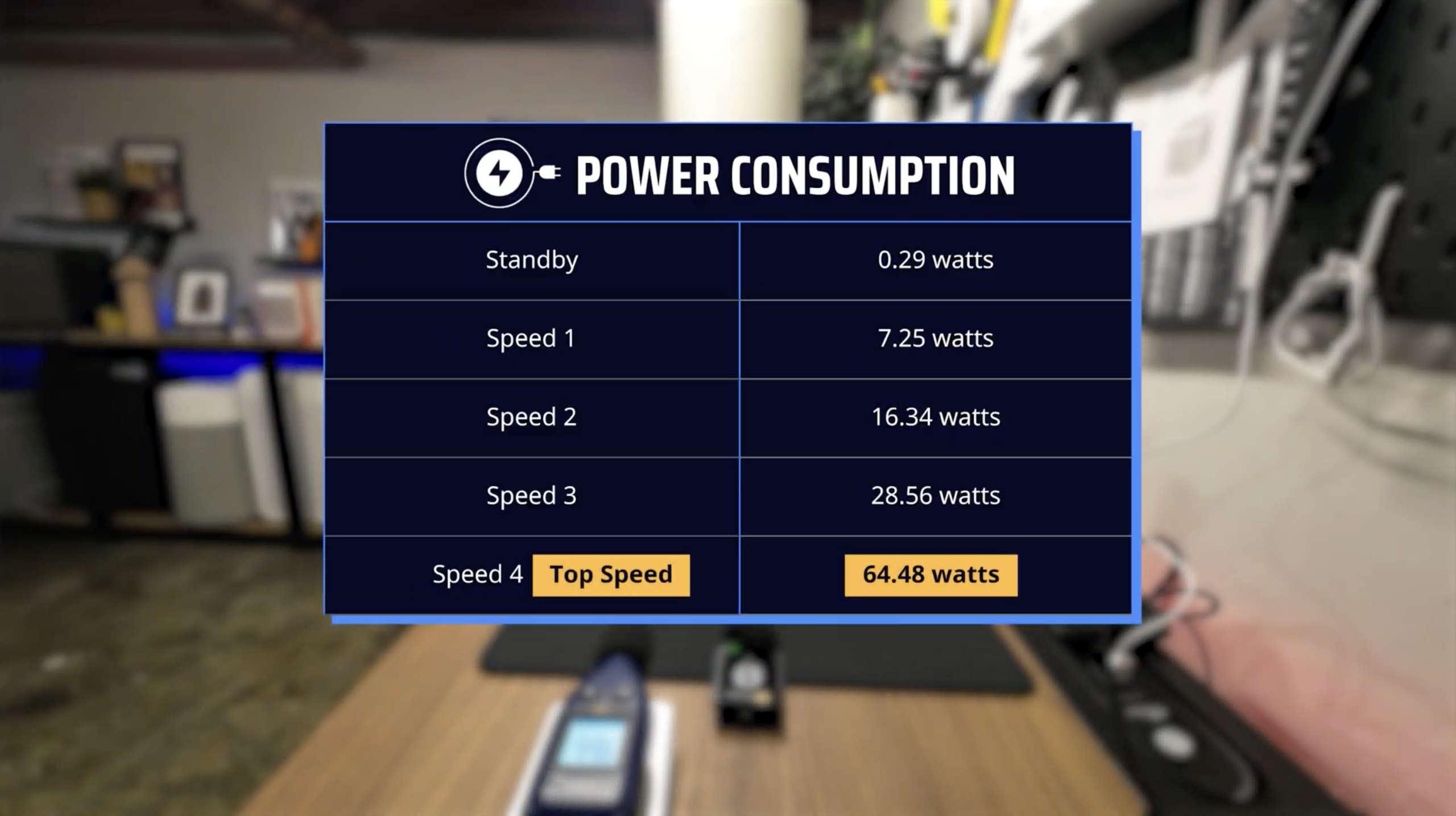
Electricity consumption in watts:Standby: 0.29 watts
Speed 1: 7.25 watts
Speed 2: 16.34 watts
Speed 3 28.56 watts
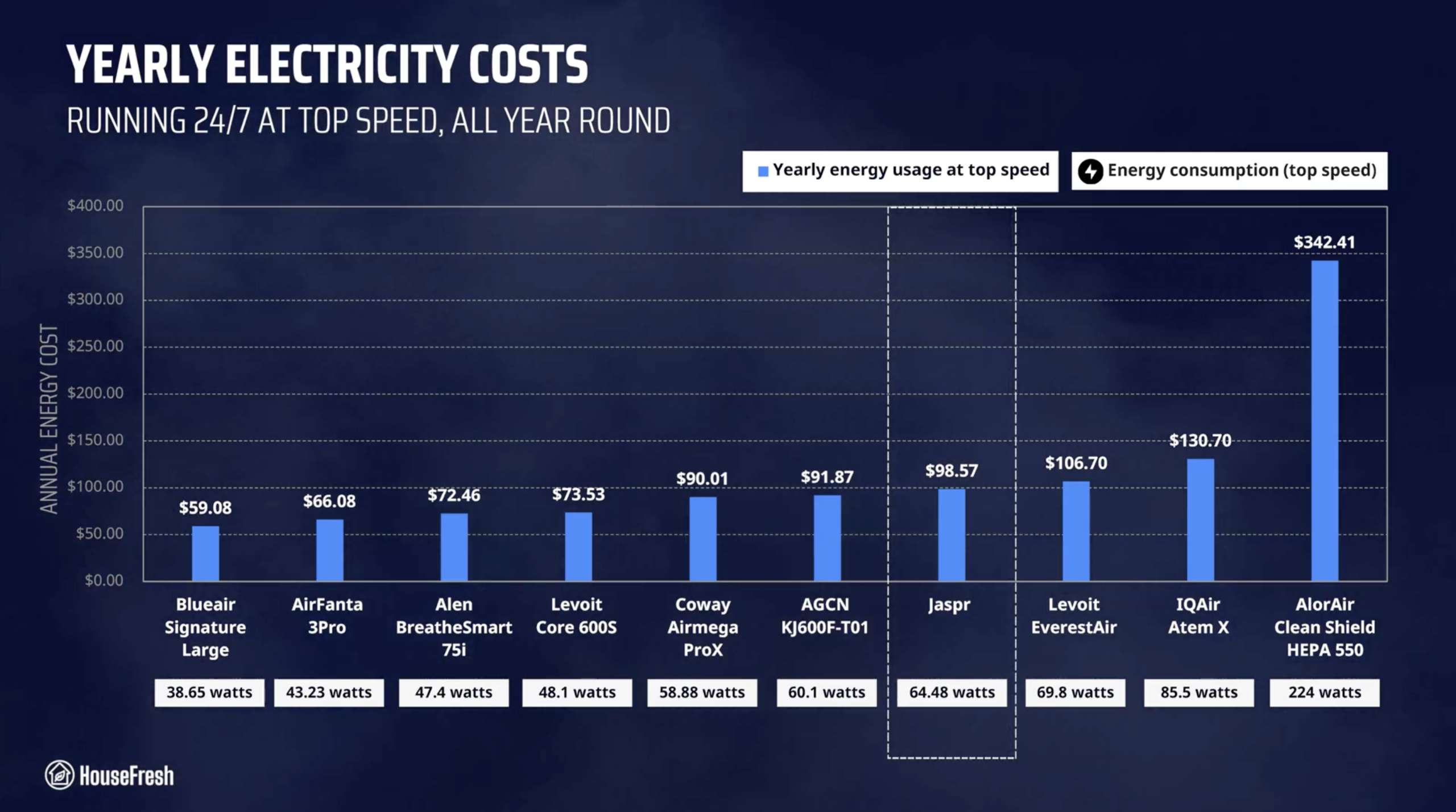
Speed 4: 64.48 watts
Filter lifespan:6 months
Manufacturer’s warranty:1 year
Country of origin:United States
Country of manufacture:China

Filtration technology

A large cylindrical filter with particle filtration and activated carbon pellets.

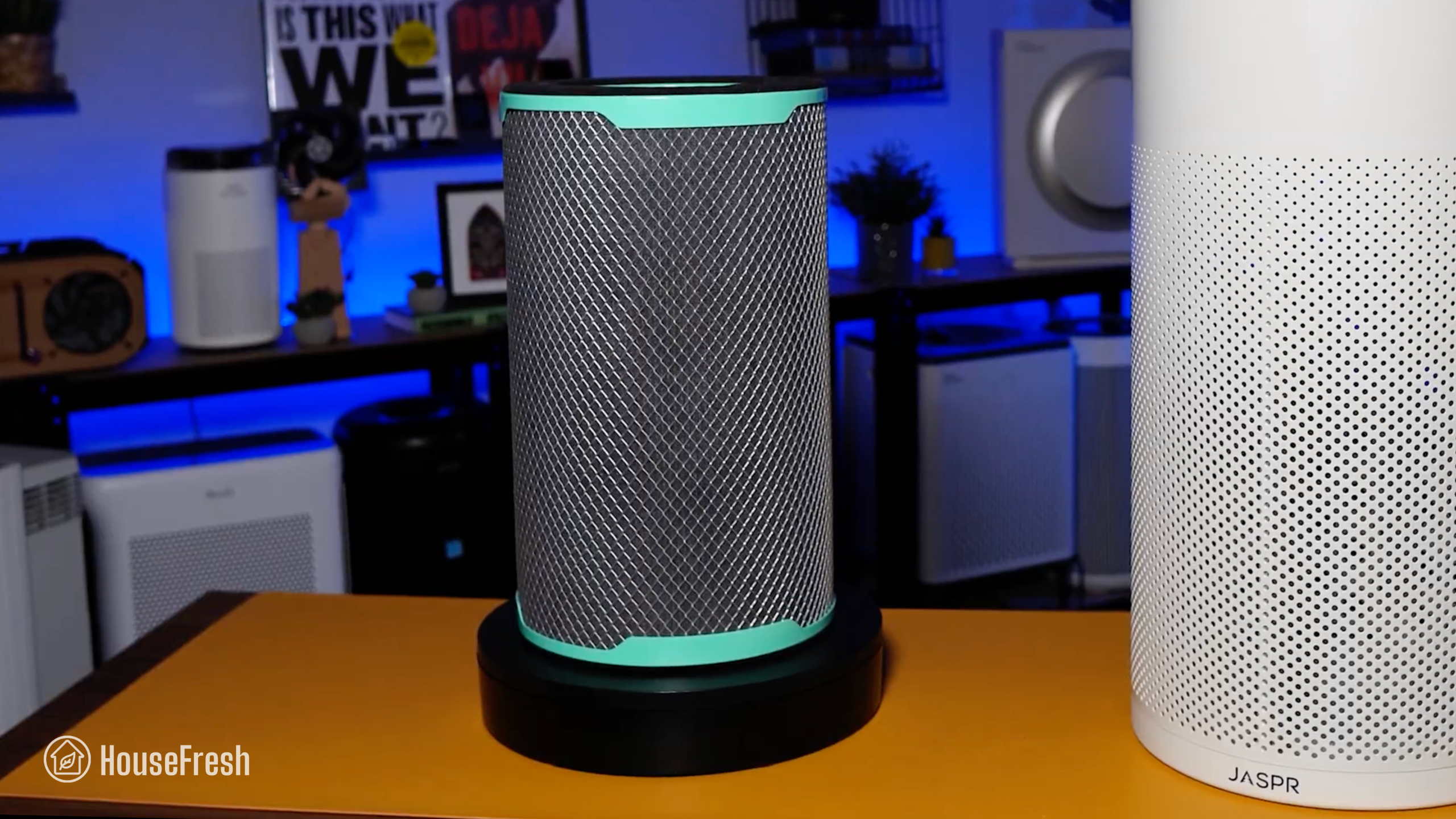
The filter inside the Jaspr has a metal pre-filter mesh on the outside, a particle filter in the middle, followed by a layer of pelleted carbon.

Jaspr Filter

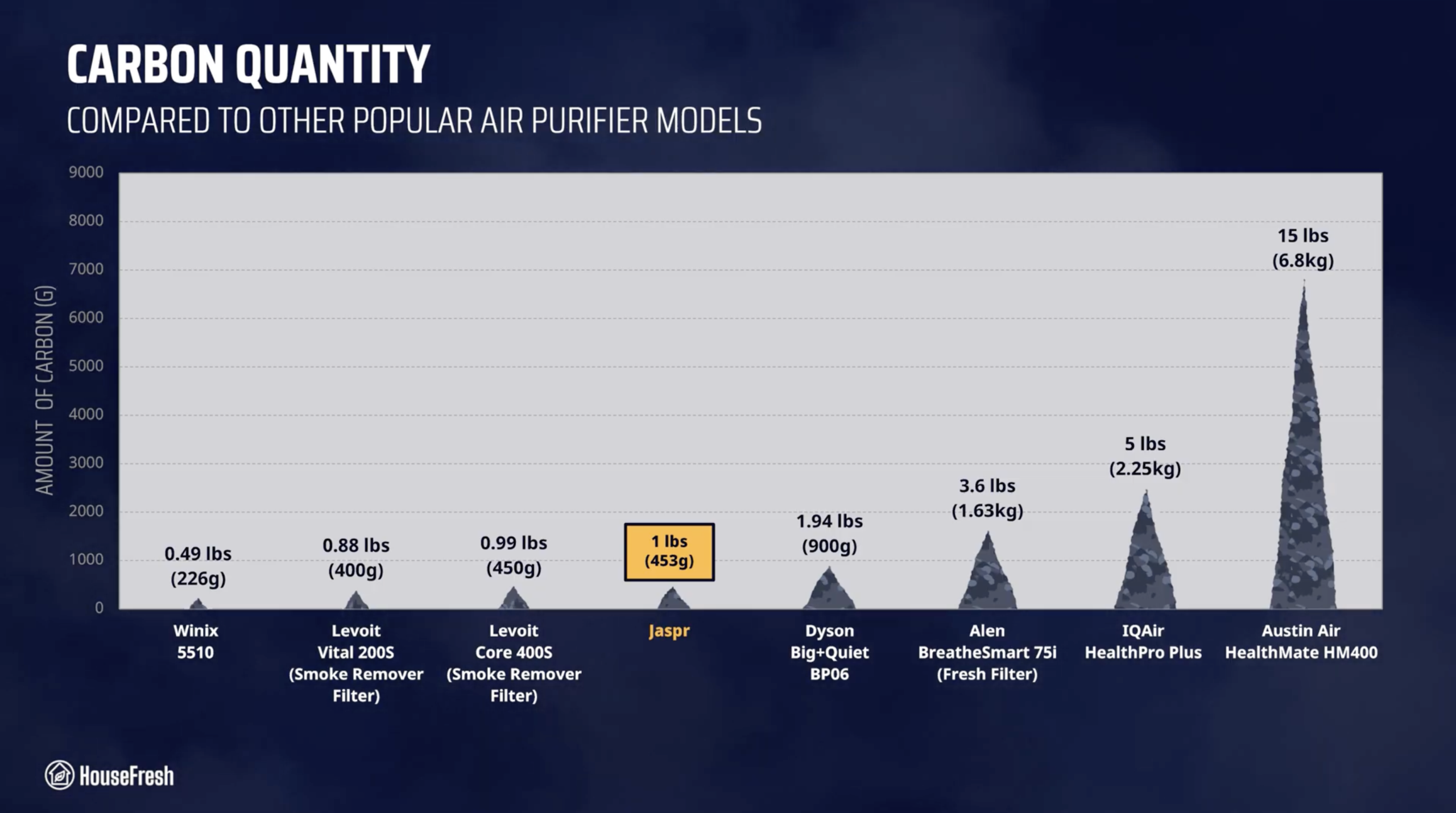
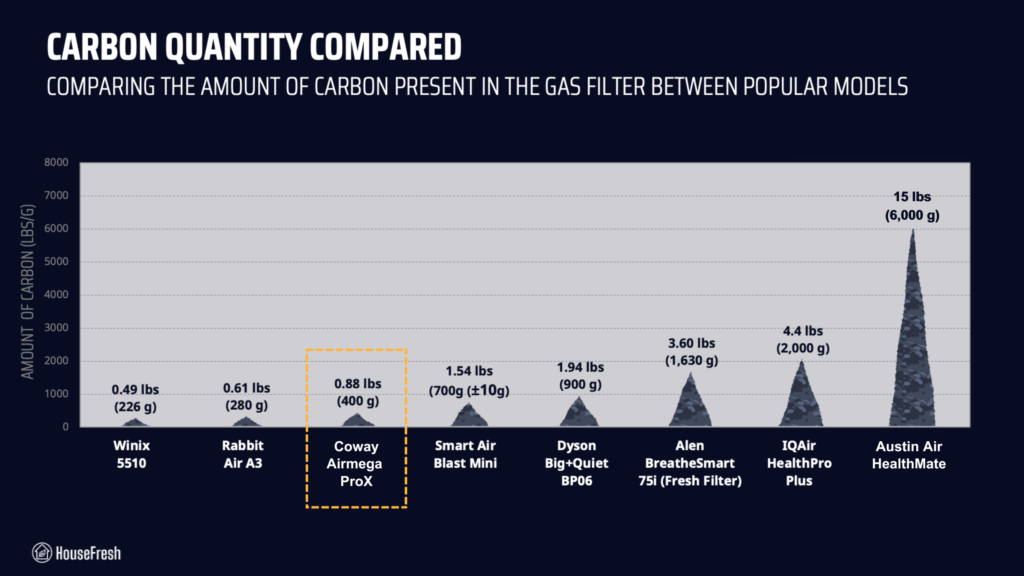
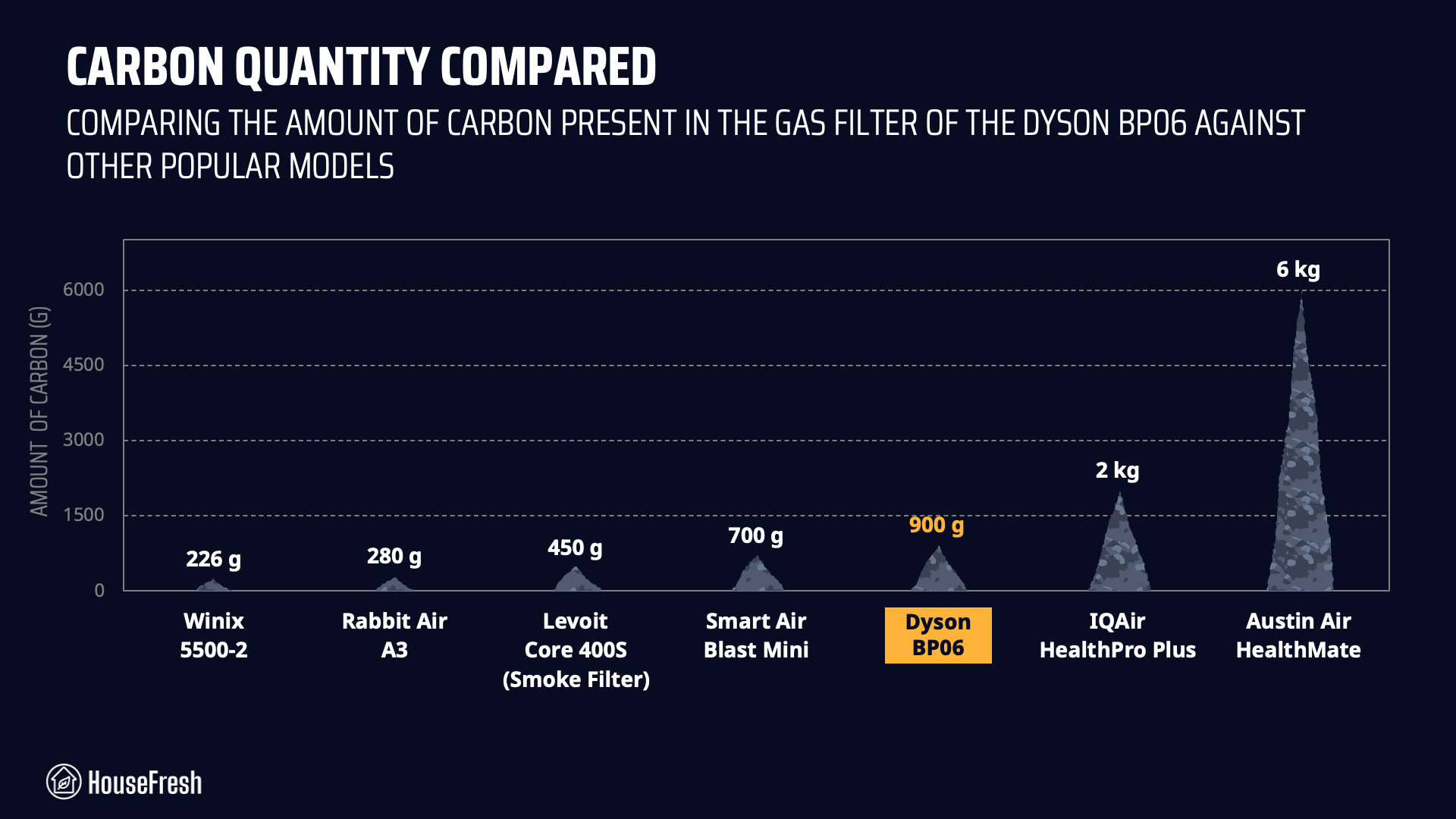
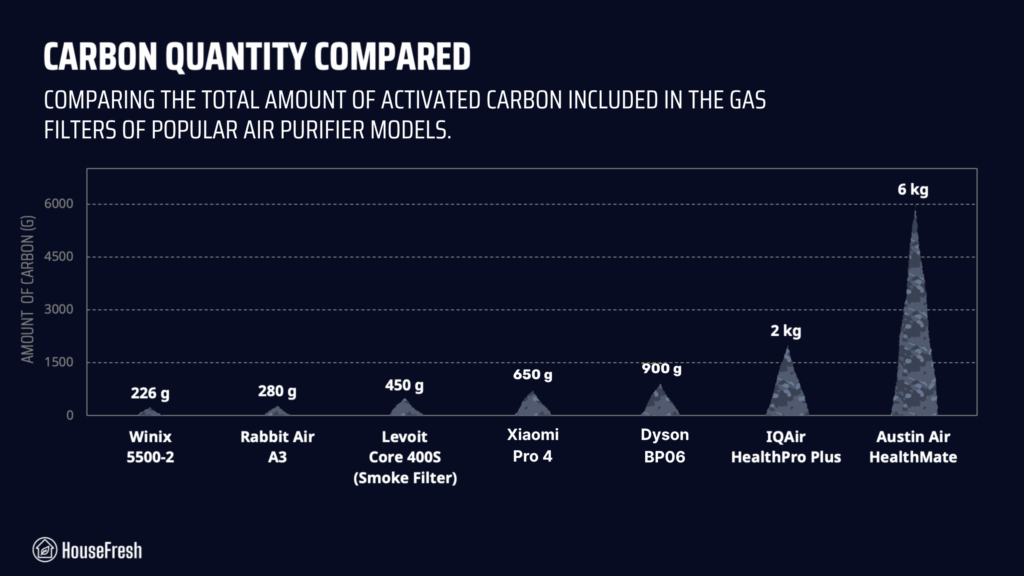
The filter comes with 1 lb (453g) of carbon, which is a good amount but won’t be sufficient to tackle serious VOCs. See how it compares to other models:

Jaspr Carbon Quantity Filter Comparison scaled

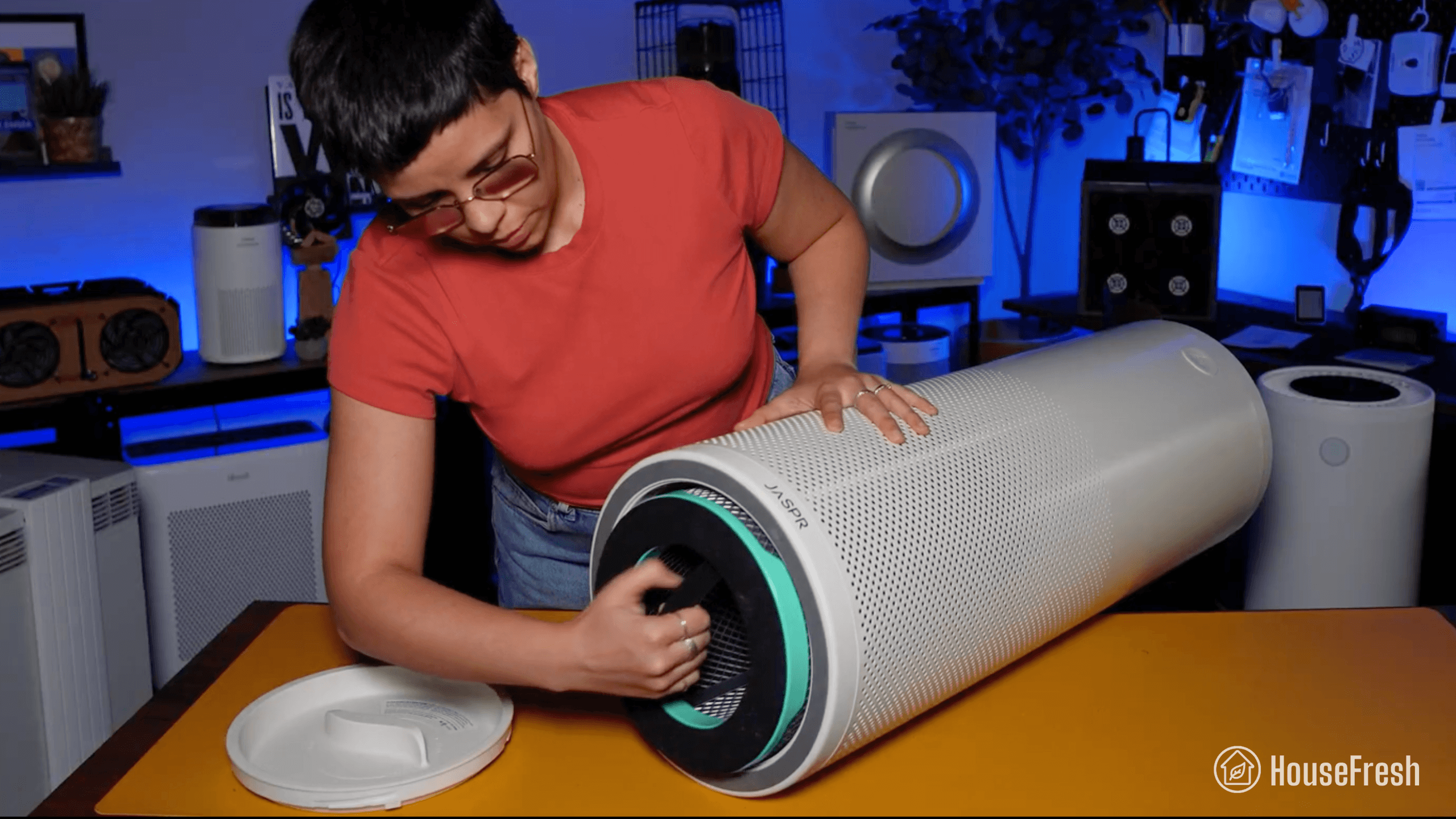
You need to tip the Jaspr onto its head to access the filter. Once you twist the bottom cover, you’ll be able to see the filter inside.

Jaspr Filter Change

The filter comes with an elasticated handle at one end, which makes it easy to grab and pull out of the body of the Jaspr.

Jaspr Air Scrubber Filter

This is the first time I’ve encountered a manufacturer that didn’t offer the option to simply buy the device without an automatic filter subscription.

Jaspr seems to have designed the checkout process so that a recurring $199 filter subscription is mandatory. 

I reached out to Jaspr to ask whether customers can currently purchase a Jaspr without enrolling in a recurring subscription, and the spokesperson said customers can contact the company via the website to buy a unit without a filter subscription.

Jaspr Filter Subscription 1 scaled
The founder of Jaspr explains why they removed customers’ ability to buy the device without automatically subscribing to filter replacements

Design, controls and features

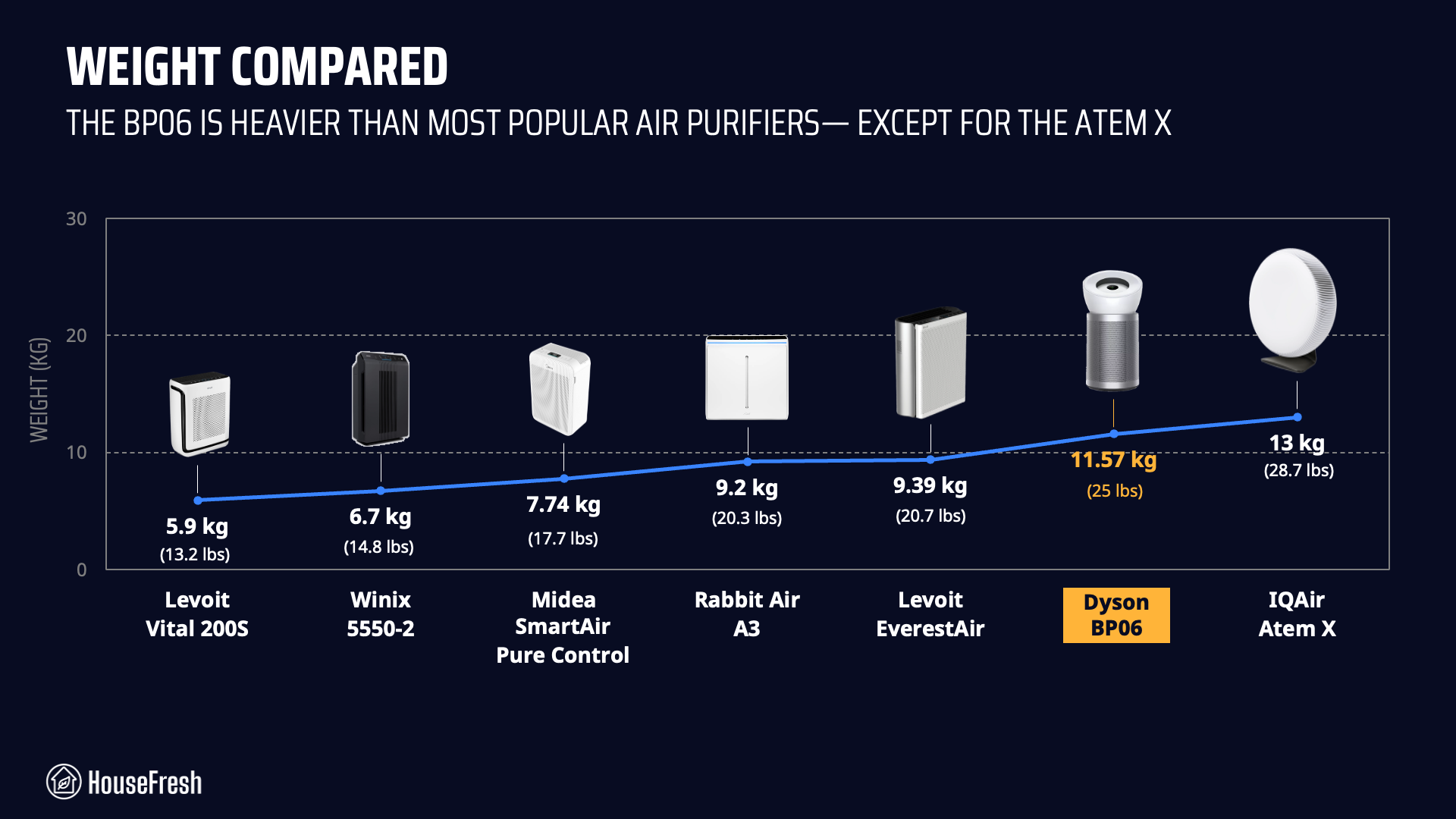
A large, cylindrical air purifier made out of metal that weighs 25 lbs (11.3 kg).

Considering how big and heavy it is, I was surprised to find that it doesn’t have handles or wheels.

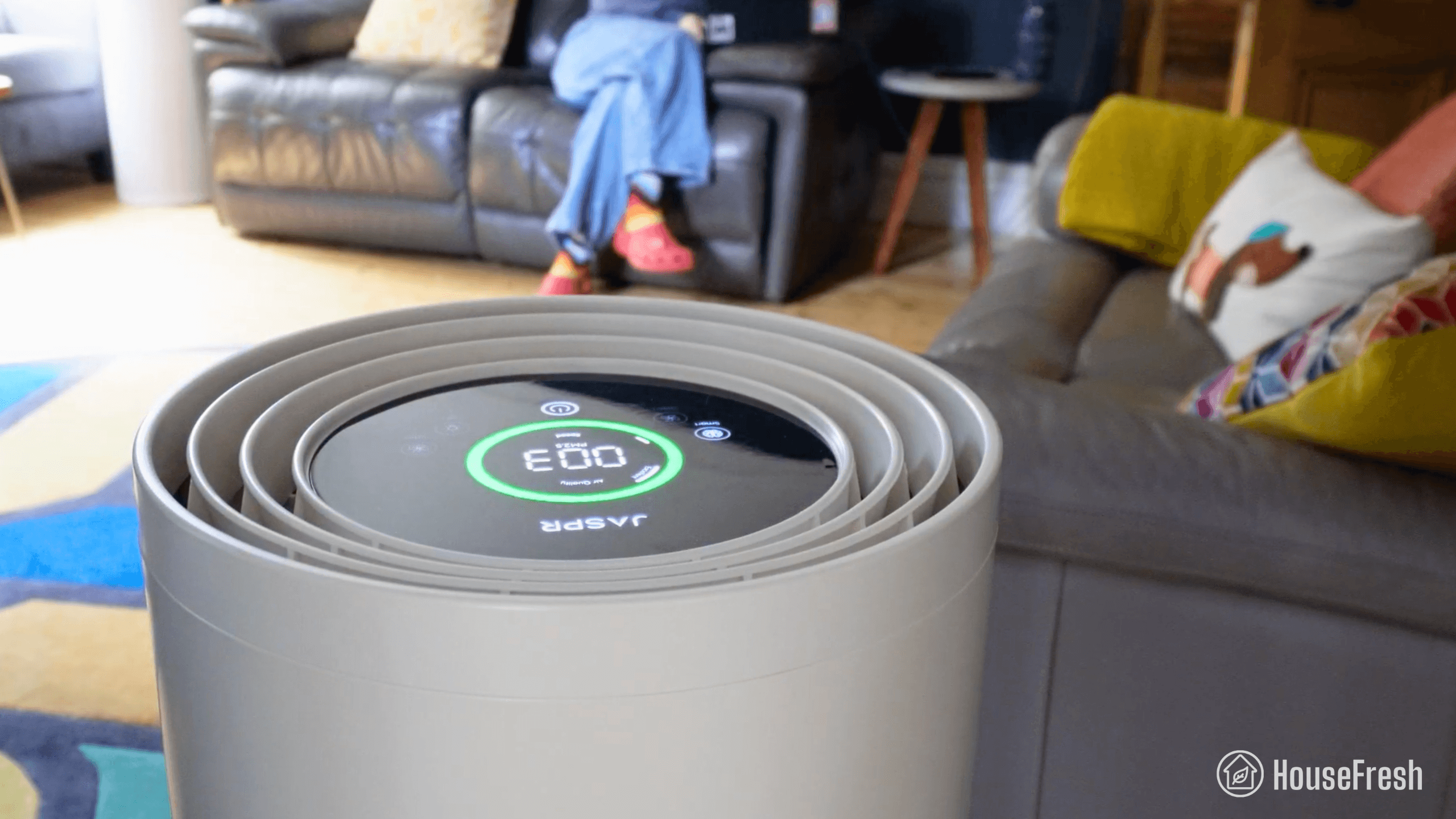
Jaspr Air Scrubber HouseFresh

You get smart functions, but there are no buttons to set timers or lock the screen. Also, there’s no app, which might be something you expect at this price point.

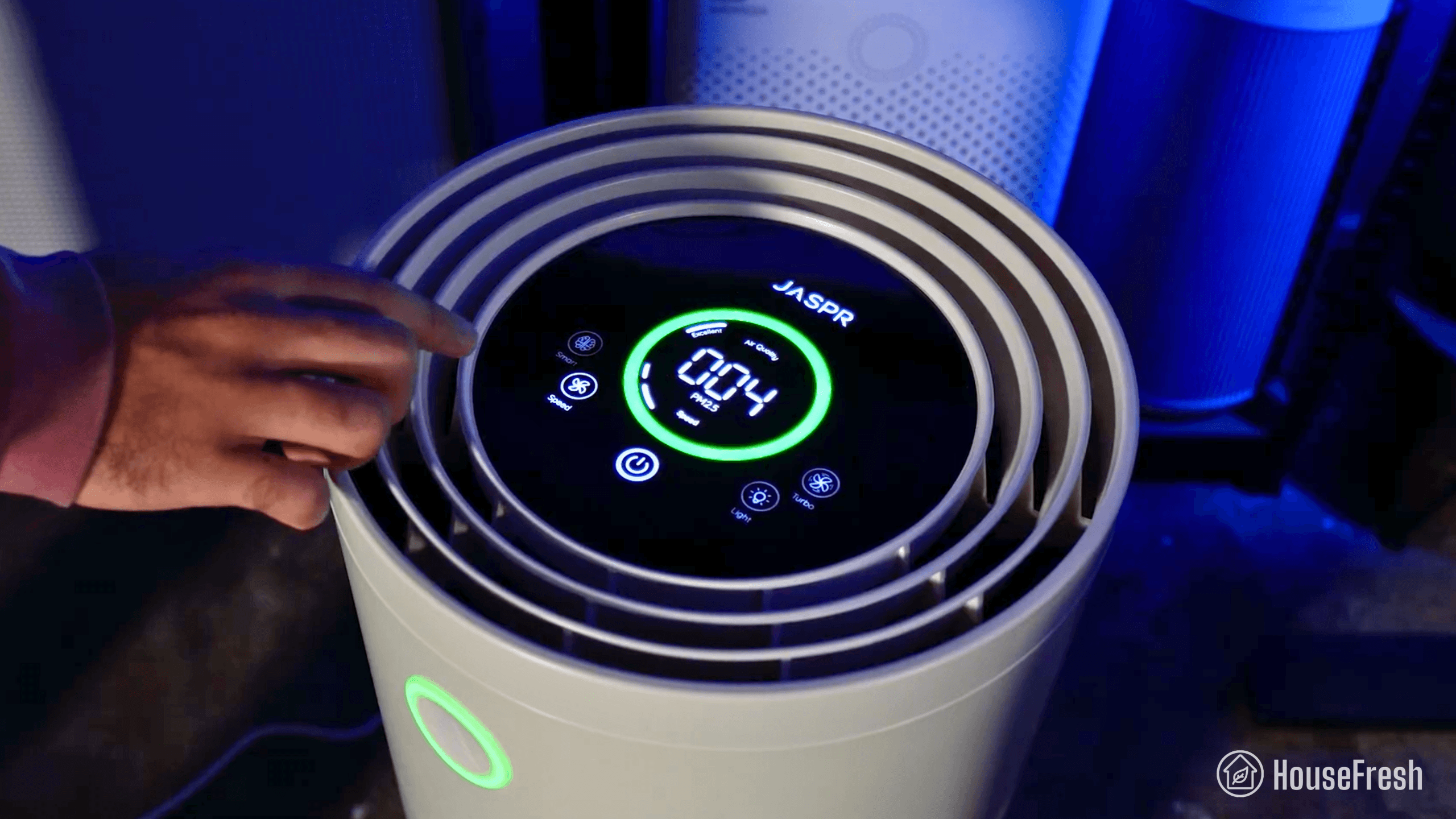
It has a touch screen at the top with four buttons: smart mode, fan speed, light and turbo mode.

Jaspr Air Scrubber Controls

It comes with a particle sensor and a gas sensor, which makes the auto mode more responsive and more useful – especially in a room like a kitchen.

You also get real-time particle readings on screen (PM2.5), and an air quality indicator ring.

Jaspr Home

The ring changes color depending on the quality of the air in the room, going from green to yellow to red based on readings from the sensor.

Dentair Medicair 1.0

When I first saw the Jaspr, it immediately reminded me of the air purifier that my dentist uses called the DentAir MedicAir 1.0.

There are certainly some differences, but it seems to me that this DentAir device has a similar height, control positioning, air quality indicator layout, and even a similar rolled-steel body to the Jaspr.

Alibaba AGCEN

I dug deeper and came across a listing on Alibaba for the AGCEN KJ-600F-T01. Another tall, cylindrical air purifier with a steel body, the same reported CADR, dual sensors, and a similar touchscreen at the top.

Finding this unit made me even more curious, so I did some additional research to learn more about Jaspr Air Ventures Inc., the company behind Jaspr.

Jaspr VS AGCEN

I found import/export data showing that Jaspr has been importing purifiers from AGCEN ENVIRONMENTAL PROTECTION Technology Co., Ltd, which is the same company that manufactures the KJ-600F-T01.

So I spent an additional $299 to buy a KJ-600F-T01 to test it and compare its results with those of the Jaspr. I’ll include the results for the AGCEN device in the sections below.

Air cleaning performance

We tested the Jaspr in our 728-cubic-ft test room, measuring how quickly it removed PM1 particles from the air after we filled the space with incense smoke.

Jaspr Particle Removal Test HouseFresh

When running at top speed, our PurpleAir Zen multi-sensor array shows that the Jaspr needed 17 minutes to reach PM1 zero. Based on the natural ventilation of our test room, we estimate a PM1 CADR of 353 cfm.

This makes the Jaspr powerful enough to provide five air changes per hour in rooms up to 529.5 sq. ft.

While top speed performance is good, there are cheaper models from different brands that achieved the same or even better performance – in fact, 17 minutes was the exact same result we recorded for the AGCEN KJ-600F:

Jaspr Particle Removal Test

Just to put it into perspective, you could afford to buy four (4) Levoit Core 600S or seven (7) AirFanta 3Pros for the price of one Jaspr, and in both cases, you would be getting an air purifier with similar or even better particle removal performance.

But performance in isolation might not be showing us the full picture here.

Sound levels

The sound levels of the Jaspr range from 36.5 dBA to 60.1 dBA — which is louder than air purifiers from Blueair, Levoit and Coway with similar performance.

Jaspr Sound Electricity Test HouseFresh

I used our BAFX sound meter to measure how much sound the Jaspr generates at each of its fan speeds at 3 ft away:

Jaspr Sound Levels HouseFresh scaled

Reaching 60.1 dBA at speed 4, the Jaspr is the fourth loudest at top speed, behind the AlorAir air scrubber, the Atem X and the Levoit Core 600S.

Jaspr Top Speed Performance HouseFresh scaled

Running at speed 2, the Jaspr cleared our test room of PM1 pollutants in 30 minutes while generating 44.6 dBA of noise.

Jaspr Quiet Peformance Chart

So far, we’ve learned that the Jaspr offers similar performance to much cheaper models, but perhaps it will make up for it in long-term maintenance costs…

Long-term running costs

Running a Jaspr will cost you $696.57 per year, combining energy and filter replacement costs.

We used our energy meter to record how much electricity the Jaspr pulls at each fan speed and while on standby.

Jaspr Power Consumption HouseFresh scaled

At top speed, the Jaspr draws 64.48 watts, so if you were to leave it running at top speed 24/7 for one year, it will add $98.57 to your energy bill.

The Jaspr ranks as the fourth most power-hungry model after the AlorAir air scrubber, the Atem X, and the EverestAir.

Jaspr Yearly Electricity Cost scaled

However, energy costs are not the only costs that add up when running your air purifier; eventually, you will also need to replace the filters.

According to Jaspr (and their automatic filter subscription), you will need to replace the filters every 6 months. Jaspr sells filter replacements outside the subscription for $299 on its website, resulting in a yearly filter cost of $598.

I added this to the energy costs and can tell you that you need to budget $696.57 each year to keep your Jaspr running at to speed 24/7 in your home:

Jaspr Yearly Running Costs scaled

When accounting for both energy and filters, the Jaspr will cost nearly 1.5x as much to run as the super power-hungry commercial air scrubber from AlorAir.

And when we compare it to similarly powered air purifiers, the gap grows wider – the Jaspr is around 3x more expensive to run than the more powerful Coway Airmega ProX and even the high-end IQAir Atem X.

When you add the $1,199.99 list price to that first year’s running cost, you will need to invest $1,896.56 in the first year of owning a Jaspr:

Jaspr First Year Investment scaled

To put this figure into perspective, for the same amount of money, you could afford to buy and run five (5!) AirFanta 3Pros 24/7 for a year at top speed – and you’d have $175 to spare to buy us a coffee.

Expensive filter replacements don’t help, but what inflates the investment you’ll need to make in the first year of ownership is the high price tag.

But… Is the Jaspr worth the $1,199.99 price tag?

Bottom line: Should you get a Jaspr?

Is the Jaspr as good as all these influencers + podcasters + YouTubers say? In our view… No, it is not.

Jaspr Close Up

Let me start by clarifying that the Jaspr isn’t a bad air purifier. At top speed, it cleaned the air as fast as some of the best units we’ve tested.

In terms of sound, it gets a bit loud at top speed, but at speed 2 it stays below 45 dBA and still offers fair performance. Plus. it’s made out of a durable material and it comes with both a particle sensor AND a VOC sensor that make the auto mode more responsive.

That said, there is nothing in the performance, filtration technology, features, or design of the Jaspr that justifies the $1,200 price tag.

At top speed, the Jaspr delivers good performance, but you’re expected to pay a premium for it.

To show the differences in even clearer terms, I’ve calculated the cost per CADR cfm at top speed across all these models – the lower the cost per CADR, the more air cleaning power you get for your money:

Jaspr Cost per CADR scaled

The Jaspr Pro offers a cost per CADR cfm of $3.40, which is the highest across the board – even higher than the work of art that is the $,1400 Atem X from IQAir.

And it gets worse…. When you factor in the cost of filter replacements and power consumption, the Jaspr ranks as the most expensive model to buy and to run in that first year of ownership.

So my verdict is simple: I wouldn’t advise anyone to spend over $1,000 in a Jaspr.

If you want top-tier air cleaning performance, there are better options that cost less to buy and operate. 

  • If you’re looking for a unit for a large room or an open-plan space, the Coway Airmega ProX delivers more power for under $900. 

  • If you want more carbon, I would look at the Austin Air HealthMate because it comes with 15x as much carbon as the Jaspr.

  • If you want the best air cleaner money can buy, then check out the Atem X from IQAir. It offers better performance than the Jaspr at top speed AND at quiet fan speeds.

  • And if you’re looking to get the best performance for your money, then look no further than the $165 AirFanta 3Pro – it offers the same air cleaning power as the Jaspr with quieter operation, lower energy consumption, and cheaper filter replacement costs.

If you appreciated this review and want to support the work we do here at HouseFresh, you can buy us a coffee: https://buymeacoffee.com/housefresh

And if you’re still unsure of which air purifier to buy, you can try using our air purifier comparison tool to see how the Jaspr stacks up against units with similar prices:

If you have any questions about the Jaspr or about air purifiers in general, please drop them in the comments below, and I’ll get back to you as soon as I can.

Philips PureProtect Mini 900 Series review

Philips 900 Series HouseFresh

The Philips 800 was a fan favorite in the UK in 2025, but it had one fatal flaw: it offered poor air cleaning performance at its only quiet fan speed.

Now Philips has released a new small air purifier: the Philips PureProtect Mini 900 Series. But can this new model deliver more powerful air cleaning performance without adding too much noise?

I bought one with my own money in order to find out. I tested its air cleaning performance, sound generation, energy efficiency, yearly running costs, and day-to-day user experience.

The overall score for the Philips 900 Series incorporates first-hand data results from our battery of tests, as well as our ratings for customer service, brand transparency, and design & UX. Check out the full scorecard below to see the category breakdown.

Search for ‘Philips 900’ to see where it ranks, based on its air cleaning performance and value for money. You can also filter results to easily compare models in the same price range.

The pros and cons of the Philips PureProtect Mini 900 Series

A summary of our top-level findings after testing this air purifier, following our methodology.

“The Philips 900 Series stands out against other small cylindrical air purifiers for two main reasons: it offers good air cleaning performance even at quiet fan speeds + it has low running costs.

It also looks pretty good and comes with all the features you want from a modern air purifier like an on-board sensor, an air quality indicator light, a straightforward touchscreen, auto mode, and a decent app with scheduling functions.”

Danny Ashton HouseFresh
Danny Ashton
HouseFresh Founder
& Lead Tester

CONS

It lacks some of the app features available to larger Philips models like the 3200 Series.
You only get two fan speeds, other than Auto.
It comes with an infrared dust sensor rather than a more precise laser sensor.

PROS

Good performance at quiet fan speeds, especially considering its size.
The filters are fairly priced and have a 12-month lifespan, which is longer than the usual 4-6 months you see with small units like this.
You get real-time PM2.5 readings on the display at the top.
The app works well and has all the main features you’d expect.

Clean air delivery rate (CADR):– Top speed PM1 CADR: 147 cfm
– Sub-45 dBA PM1 CADR: 91 cfm
Filter technology:HEPA NanoProtect with pelleted activated carbon
Recommended room size:222 sq. ft. (5 air changes per hour)
Dimensions:14.3 x 9.4 x 9.3 in (36.4 x 24 x 23.8 cm)
Weight:7.7 lbs (3.5 kg)
Noise level in decibels from 3 ft. away:Sleep mode: 34.7 dBA
Speed 1 (Medium): 42.3 dBA
Speed 2 (Turbo): 54.5 dBA
Electricity consumption in watts:Standby: 1.2 watts
Sleep mode: 6.5 watts
Speed 1 (Medium): 6.9 watts
Speed 2 (Turbo): 19.8 watts
Filter lifespan:12 months
Manufacturer’s warranty:2 years
Country of origin:Netherlands
Country of manufacture:China

Filtration technology

A small cylindrical filter with particle filtration and activated carbon.

The filter inside the 900 Series has three layers of filtration: a pre-filter mesh on the outside, a particle filter in the middle and a carbon filter on the inside.

Philips 900 Series Filter

Philips revamped the older filter in the 800 Series by adding a layer of pelleted activated carbon that makes the 900 Series better at removing odors.

Philips 900 Series Carbon Filter

As with other Philips models I have reviewed, Philips uses the term HEPA NanoProtect+ to refer to the main filter inside the 900 Series.

While the average consumer might think that this name stands for a higher grade of HEPA filtration, in reality, the filter inside the 900 Series is less dense than the usual HEPA H13 you see advertised.

The good news is that this lower-grade particle filter leads to a higher CADR, which in turn leads to more clean air in a shorter period of time.

Design, controls and app features

It has a modern and sleek oval shape similar to its larger sibling, the Philips 3200.

Philips 900 Series VS 3200

I bought the black version, but it’s also available in white if you prefer.

It has three buttons: light, power and mode (to switch between auto, medium, turbo, sleep).

Philips 900 Series Controls

You get real-time sensor readings and an LED air quality indicator light.

It has an infrared dust sensor that measures the level of PM2.5 particle pollution in the air.

Philips 900 Series Sensor

You will need to clean the sensor with a cotton swab every two months.

Philips 900 Series App

You can connect your 900 Series to the Philips Air+ app, which is one of my favorite apps because it has great UX, clean design and is not bloated with ads.

The only disappointing thing about it is that Philips didn’t roll out all the functions available with other models, like the Allergy Sleep mode that I can set on my larger Philips 3200.

On the app, you only get air quality readings, the ability to control your 900 remotely and the option to set timers and schedule routines. It all works well, though, so I’m just being picky here.

Air cleaning performance

We tested the Philips 900 Series in our 728-cubic-ft test room, measuring how quickly it removed PM1 particles from the air after we filled the space with incense smoke.

Philips 900 Series HouseFresh CADR Test

When running at top speed, our PurpleAir Zen sensor shows that the 900 Series needed 40 minutes to reach PM1 zero. Based on the natural ventilation of our test room, we estimate a PM1 CADR of 147 cfm.

This makes the Philips 900 Series powerful enough to provide five air changes per hour in small rooms up to 222 sq. ft.

There is a lot of competition in the 40-minute mark, but the 900 Series is the only one on the list that reached the top of the ranking and also offers app support. It was also 21 minutes faster than the much pricier Molekule Air Mini+!

Philips 900 Series Performance scaled

BUT, as I always say, air purifiers running at full power are usually too loud for everyday use, so we must account for noise levels – – especially with small units that you’re likely to place on top of your bedside table or a desk.

Sound levels

The sound levels of the Philips 900 Series range from 35.2 dBA to 54.5 dBA — which is quieter than small air purifiers from Coway and Winix with similar performance.

Philips 900 Series Sound Energy Tests

I used our BAFX sound meter to measure how much sound the 900 Series generates at each of its fan speeds at 3 ft away:

Philips 900 Series Sound Levels

Reaching 54.5 dBA at Turbo speed, the Philips 900 is not particularly quiet compared to other small air purifiers on the chart, BUT it is quieter than similar-performing units like the Winix A231 and Coway Airmega 100.

Philips 900 Series Top Performance VS Sound scaled

Running at Medium speed (its lowest manual fan speed), the 900 Series reached 42.3 dBA and cleared our test room in 64 minutes. That makes it the fastest small cylindrical air purifier to complete our test when running at sub-45 dBA fan speeds.

Philips 900 Series Medium Performance VS Sound scaled

Based on the natural ventilation of our test room, I estimate a PM1 CADR of 91 cfm at Medium speed, which can clean the air five times per hour in spaces up to 136.5 sq. ft.

Long-term running costs

Running a Philips 900 Series will cost you £83.01 per year, combining energy and filter replacement costs.

We used our energy meter to record how much electricity the 900 Series pulls at each fan speed and while on standby.

Philips 900 Series Energy Consumption

At top speed, the Philips 900 draws 18.8 watts, so if you were to leave it running at top speed 24/7 for one year, it will add £48.02 to your energy bill, based on the UK price cap as of May 2026.

It’s great to see that the marketing claims on the product page around the energy efficiency of the 900 Series are, in fact, true! But energy consumption isn’t the only cost to consider, so let’s look at replacement filters.

According to Philips, you need to change the filter in your 900 Series every 12 months. The genuine filter is available for £34.99, so you can expect to spend £34.99 each year on filter replacements alone.

I added this to the energy costs and can tell you that you need to budget £83.01 each year to keep your 900 Series running 24/7 in your home:

Philips 900 Series Annual Running Cost scaled

The only other small air purifier with lower running costs is the older 800 Series BUT bear in mind that the filter doesn’t have any carbon, so it’s definitely worth spending the additional £10 per year to get the higher performance and the pelleted carbon in the 900 Series.

When you add the £149.99 list price to that first year’s running cost, you will need to invest £233 in the first year of owning a Philips 900:

Philips 900 Series Year 1 Total Cost scaled

As you can see from the table, you could buy and run two Philips 900 air purifiers for the total year 1 cost of just one PuroAir 240… and the figure is even higher for the Molekule Air Mini+.

That is why I always advise people looking for small air purifiers to take the time to calculate how much they will need to spend each year, at least on filter replacement costs. These little units might look cute and inexpensive, but they can drain your bank account in the long run.

Bottom line: Should you get a Philips 900 Series?

If the £149.99 fits your budget, I’d say go for it.

Philips 900 Series Side Table

When compared against other small air purifiers available in the UK right now, the Philips 900 stands out for two main reasons:

  • It offers better air cleaning performance than what you will get from other small models, even when running on its quietest fan speed.

  • It has low running costs thanks to its energy efficiency and fairly priced filter replacements.

And on top of good performance under 45 dBA and low yearly running costs, the Philips 900 Series also looks pretty good and comes with all the features you want from a modern air purifier, like an on-board sensor, an air quality indicator light, a straightforward touchscreen, auto mode, and a decent app with scheduling functions.

If you’re reading this from the U.S. or Canada, I’m sorry to report that the Philips 900 is not available in North America at the moment. But if you’re in Europe, the Middle East or Asia Pacific, it’s likely that you will find the 900 Series in your country.

Before I leave you, I will suggest that most people go for a mid-sized air purifier with a CADR of at least 200 cfm to get the most value for your money. If you like what the 900 Series offers, then look into the Philips 3200 Series.

Philips 900 Series VS 3200

BUT I get that there is a lot of demand for smaller units, which is why manufacturers keep coming up with tiny models each year that get recommended by every big media publisher under the sun. So I won’t try to convince you to go bigger, as I’m sure there’s a good reason why you’re looking for a small unit.

If you decide to get yourself a 900 Series, please use this link to help support the work we do at HouseFresh – – we will receive a small affiliate commission at no extra cost to you. We don’t run any ads and have no partnerships with air purifier brands, so we rely on those commissions to continue buying and testing air quality products.

And if you’re still unsure, you can try using our air purifier comparison tool to see how the Philips 900 stacks up against units with similar prices:

If you have any questions about the 900 Series or about Philips air purifiers in general, please drop them in the comments below, and I’ll get back to you personally as soon as I can.
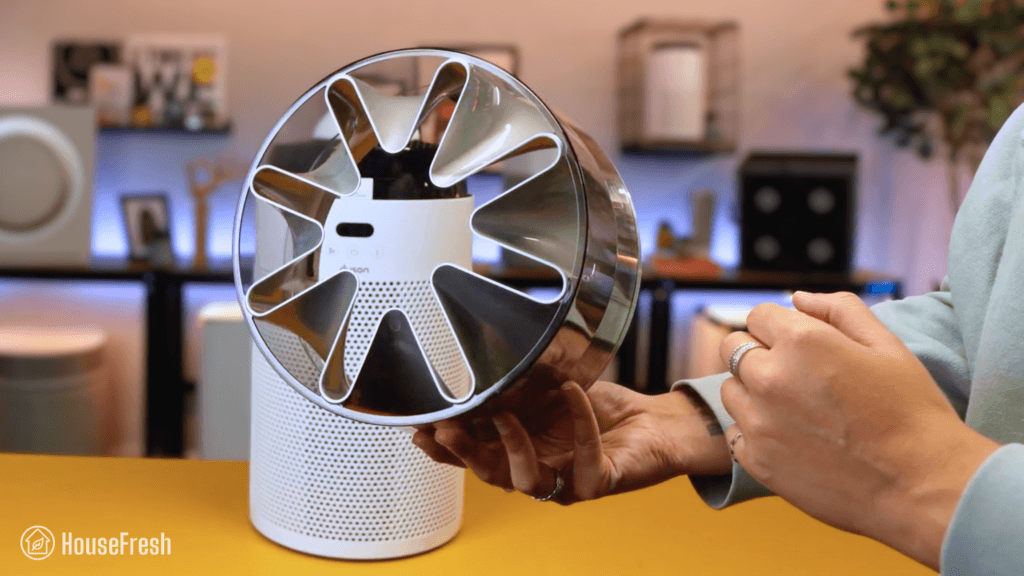
The best air quality monitors you can buy in 2026

air quality monitors

While you can download apps to find out the quality of the air outside, these apps won’t complete the picture because the air quality indoors is different. In fact, according to the EPA, indoor pollution can be 2-5 times worse than outside.

Poor air quality can lead to dizziness, headaches and fatigue in the short term — all of which can lead to respiratory diseases, cancer, and heart disease in the long term. That is why monitoring the air quality indoors matters.

Since 2020, I have tested over 100 air purifiers, and along the way, I have used nearly 20 air quality sensors as part of our air purifier testing process. In this article, I will share my findings and highlight the best air quality monitors on the market right now.

If you want to know the air quality in your area, many free apps can provide this data. For those in the U.S., the EPA has an app called AirNow, and even Google Maps now provides air quality data. For those outside the U.S., the IQAir AirVisual app is straightforward and, more importantly, free. 

These tools can help you get local information on air quality without spending money, which you can then use to mitigate the problem, such as investing in an air purifier. If you only have $150, you are better off investing the entire budget in a good performing (and affordable) air purifier instead of buying a cheap sensor and a cheap air purifier.

TL;DR: The air quality monitors we recommend

If you are short on time and can’t read my full article, then you can watch my YouTube video instead.

BEST PORTABLE MONITORBEST FOR MOST PEOPLEMOST ACCURATE SENSORBEST CHEAP
Aranet4 HOMEQP Pro 2PurpleAir ZenTemtop S1
ARANET4 Close UpQP Pro 2 Close UpPurpleAir Zen Close UpTemtop S1 Close
MeasurementsCO2, temp, RH, pressureCO2, PM2.5, PM10, tVOC, temp, RH, soundPM2.5, temp, RHPM2.5, temp, RH
Power source2 AA batteries5V, USB-C5V, USB Micro1 AAA battery
Mounting typeIndoors tabletop or wall mountedIndoors tabletopOutdoors wall mounted and indoors tabletopIndoors tabletop or magnetic mount
Sensor typeNondispersive infrared sensor (NDIR sensor)Grandway P5500 optical particle counterPlantower PMS6003 optical particle counter + Bosch BME688 gas sensorLaser PM sensor
Dimensions7.01 x 7.01 x 2.38 cm8.5 x 7.5 x 8.6 cm8.5 x 8.5 x 10 cm1.7 × 6.8 × 8.8 cm
List price$189.00$149.99$299.00$27.99

1. Best portable monitor: Aranet4 HOME

A battery-powered CO2 monitor that you can bring with you wherever you go.

ARANET4 Close Up

FIND it on amazon FIND IT ON Aranet

While you might be tempted to go straight for a particle sensor, you might find a CO2 sensor more useful as a first step towards understanding indoor air quality. High levels of CO2 have been linked to poor decision-making, slower reaction times, and increased tiredness. Plus, a study from 2021 showed that the level of CO2 can reflect risks of COVID, as it can be a proxy of how well ventilated a room is.

The Aranet4 HOME is small, portable CO2 monitor that you can bring with you wherever you go.

Aranet4 Home Sensor Room1

I highly recommend this CO2 monitor for those who want a device that can quickly assess whether better ventilation is needed in a space.

The Aranet4 can last up to four years on a single set of batteries thanks to its e-ink screen.

Aranet4 Home Sensor Front

Plus, battery life can be extended to up to seven (7!) years if you set it to record CO2 readings every 10 minutes.

CONS

The battery cover slid off the device a few times while it was in my backpack.
It is an expensive monitor and won’t be affordable for many people.

PROS

With lithium AA batteries, you can extend battery life to up to seven (7!) years.
Excellent e-ink display that makes it easy to see readings even under the sun.
Its NDIR sensor has a long lifespan and requires less recalibration than other types of CO2 sensors.
The buzzer emits a sound when the CO2 concentration reaches the red threshold (1400 ppm). 

Measurements:CO2, temperature, relative humidity and atmospheric pressure
Sensor type:Senseair Sunrise (NDIR)
CO2 concentration accuracy:± 30 ppm (+ 3% of reading)
Mounting type:Indoors table top or wall mounted (with this wall mount bracket)
Power source:Two AA alkaline batteries (included)
Dimensions (in inches / in cm):‎2.76 x 2.76 x 0.94 in (7.01 x 7.01 x 2.38 cm)
Weight (in pounds / in kg):0.23 lbs (104 g)
App connectivity:Yes
Manufacturer’s warranty:1 year

Tip

The Aranet4 HOME uses a highly accurate NDIR (nondispersive infrared sensor) and this is a big reason why it has a high price tag. However, you can find cheaper (and smaller) CO2 sensors that use photo-acoustic sensors. These sensors have been shown to work well indoors but are not as useful outside, according to a study by AirGradient, but they can be found for less than $50.

I have also tested the Qingping CO2 Monitor from Smart Air that can be found for less than $70. It uses an NDIR sensor and is very accurate but it has a much shorter battery life compared to the Aranet4 (around 30 days).

READ MY FULL REVIEW ➜ 

2. Best for most people: Qingping Pro (Gen 2)

A good looking air quality monitor with a touch screen and an optical particle counter that will set you back $149.99.

QP Pro 2 Close Up

PRICE on amazon

The QP Pro 2 is the second release of the Qingping Pro model. Similar to the first generation, the QP Pro 2 not only measures CO2 levels but also PM2.5 and PM10 (particulate matter) levels. And, according to AQMD’s Air Quality Sensor Performance Evaluation Center, the Qingping series from Smart Air has been shown to perform as accurately as much higher-priced devices.

On top of CO2 and PM, the QP Pro 2 also measures temperature, relative humidity and noise levels.

It also detects VOCs, which is rare as VOC sensors are expensive and are hardly ever included in budget air quality monitors.

It also functions as a clock (with alarms) and displays the weather, air quality index and UV index in your area.

QP Pro 2 Clock

It also looks GREAT, with a high quality aluminium outer casing that houses a replaceable sensor and a 4-inch touchscreen display.

CONS

The Qingping+ app can be buggy — especially after updates.
The Air Quality Index data is not measured locally, so it is only available for a set list of large U.S. cities but might not show any data depending on where you are based.

PROS

You can replace the PM sensor when the time comes.
It has been made with high quality materials and the touchscreen displays the most important air quality data in an easy-to-digest way.
Set up takes only a few minutes, and the settings are straightforward and intuitive.
You can connect it to the Xiaomi Home app to build routines for your Xiaomi devices around air quality readings from the Qingping Pro.

Measurements:CO2, PM2.5, PM10, tVOC, temperature, relative humidity and sound levels
Sensor type:Grandway P5500 optical particle counter (non-FEM), SenseAir S8 C02, Sensirion temp & RH
CO2 concentration accuracy:±15%
PM2.5 concentration accuracy:±10%
Mounting type:Indoors table top
Power source:5V, USB-C
Dimensions (in inches / in cm):‎3.35 x 2.69 x 3.4 in (8.5 x 7.5 x 8.6 cm)
Weight (in pounds / in kg):0.23 lbs (104 g)
App connectivity:Yes
Manufacturer’s warranty:1 year

Tip

The internal battery of the QingPing Pro Gen 2 will only last a few hours so be sure to keep the sensor plugged into a battery pack or the well with a USB-C cable if you are pulling regular readings.

3. Most accurate sensor: PurpleAir Zen

The PurpleAir Zen is the very sensor we use here at HouseFresh to test the particle removal speed of every air purifier we review.

PurpleAir Zen Close Up

We use the PurpleAir Zen as our primary sensor for hands-on air purifier testing, as it tracks PM1, PM2.5, and PM10 every few seconds. One of the reasons we chose it is that you can export all your data, which isn’t a common feature.

The Zen comes with a replaceable dual laser particle counter and a gas sensor — the most powerful combo of any sensor on my list.

PurpleAir Zen Lights

It doesn’t come with a fancy screen, but you do get an in-built color-coded LED ring that ranges from green (good) to purple (hazardous). allowing you to quickly see the overall quality of your air at a glance.

It can be used indoors (with the tabletop mount) and also outdoors (with the use of cable ties).

PupleAir Zen HouseFresh

If accuracy is your core concern, then the Zen sensor is the best you can get without investing tens of thousands of dollars in reference instruments like the GRIMM EDM 180 or the Teledyne API T640.

CONS

This device is a little ‘techy-er’ than others on this list, so if you don’t want to do any technical steps, this sensor might not be the best option.
You used to be able to download the data directly from the website but now you need to use their API. which will be trickier for non-technical people.
It doesn’t have an app like you will find in other plug-and-play sensors that I look at later on.

PROS

It has two Plantower PMS6003 laser particle counters and a Bosch BME688 gas sensor for improved accuracy.
For PM1.0 particles, the results are highly aligned with those from a reference sensor like the $25K GRIMM EDM 180, based on the field report from AQMD.
The particle sensors are user-replaceable, so if you have any issues, you can swap out the sensor rather than buy a new device. 
It has a color-coded LED light that shows the quality of your air and you can also view real-time data using the PurpleAir map.

Measurements:PM1, PM2.5, PM10, tVOC, temperature, relative humidity and atmospheric pressure
Sensor type:Plantower PMS6003 optical particle counter (non-FEM) + Bosch BME688 gas sensor
PM2.5 concentration accuracy:±10% at 100 to 500μg/m³
±10μg/m³ at 0 to 100μg/m³
Mounting type:Indoors table top or wall mounted
Power source:5V USB Micro, 0.18A continuous, 600mA peak
Dimensions (in inches / in cm):3.5 x 3.5 x 4 in (8.5 x 8.5 x 10 cm)
Weight (in pounds / in kg):0.78 lb (357 g)
App connectivity:No
Manufacturer’s warranty:1 year

Tip

If you like the sound of a PurpleAir sensor but you can’t justify the $200+ price tag of the Touch or the Zen sensors then check out the new PurpleAir PIXEL. It is small, portable and powered by USB. Plus, it also has an LED color coded light to show the quality of the air at a glance.

4. Best cheap sensor: Temtop S1

Retailing at $27.99, the Temtop S1 is the most reliable sensor you can buy for less than 50 bucks.

Temtop S1 Close

PRICE on amazon

If you are looking to spend less than $50, then this is the one I recommend. The S1 is a small air quality monitor from Temtop with a laser sensor that can measure PM2.5 levels, relative humidity and temperature.

It has two buttons at the top: a power button and a mode button. Using the mode button, you can rotate between four different modes.

Temtop S1 Controls

To save battery life, I recommend sticking to the interval mode. In this mode, the sensor collects PM2.5 data every 5 minutes, extending battery life to up to 25 days.

You can place it directly on any surface and it stands pretty well on its own, but it also comes with a bracket that sticks to the back.

Temtop S1 Stand

Without the bracket, you can also use the magnet at the back of the sensor to stick your S1 on your fridge or any other magnetic surface.

CONS

It’s a cheap unit, so it won’t be as accurate as other monitors on this list.
If you want to export the air quality data or connect the sensor to your smartphone, you will need to upgrade to the S1+ ($39.99).

PROS

You can use it straight out of the box.
It’s portable, you can set it on a table, or you can stick it to your fridge with its magnetic back.
When set to power-saving mode, battery life can last up to 60 days.
You get an easy-to-follow indicator that shows whether the air quality is good (0-50), fair (51-150), or poor (>150).

Measurements:PM2.5, temperature and relative humidity.
Sensor type:Laser PM sensor
PM2.5 concentration accuracy:±5 ug/m³ (0-50 ug/m³)
±10 ug/m³ (50-100 ug/m³)
±10% (100-500 ug/m³)
Humidity accuracy:±3% RH
Temperature measuring range:-10 to 60°C (14-140°F)
Mounting type:Indoors portable, tabletop or magnetic
Power source:1 AAA battery
Dimensions (in inches / in cm):0.7 x 2.7 x 3.5 in (1.7 × 6.8 × 8.8 cm)
Weight (in pounds / in kg):0.35 lbs (160 g)
App connectivity:No
Manufacturer’s warranty:1 year

5. Best formaldehyde sensor: Elitech Temtop LKC-1000S+

This is the only monitor on this list that can detect HCHO (formaldehyde) molecules.

Temtop LKC 1000S Close Up

PRICE on amazon

The Temtop LKC-1000S+ is a handheld air quality monitor that measures PM2.5, PM10, formaldehyde (HCHO), tVOC, temperature and relative humidity. It comes with a little stand at the back so you can place it on surfaces without the need to be holding it all the time.

Something I really like about this monitor is that it has a function that shows the changes of PM2.5 levels for the last 12 hours represented as a histogram chart, which makes it easy to digest the data as a bar chart compared to a simple line chart. However, I know this is a subjective thing because I am a sucker for data visualization 🙂

CONS

The laser particle sensor has a lifetime up to 20,000 hours but you won’t be able to replace it once the lifetime comes to an end.
It doesn’t measure CO2 levels. If you like the Temtop design but need a CO2 monitor, I’d recommend the Temtop M2000 (Gen 2).

PROS

This is my second Temtop monitor and I really appreciate the flip-out stand at the back.
The color LCD screen shows the data across all metrics clearly, including the
It can store up to three (3) months of continuous data inside the device, and you can also export the data through a USB cable.

At the bottom of the screen, you get a color-coded air quality indicator light that ranges from green (good) to maroon (hazardous) so you can quickly see what the quality of your air is at a glance.

Measurements:PM2.5, PM10, HCHO (formaldehyde), tVOC, temperature and relative humidity
Sensor type:Dart electrochemical HCHO sensor + Temptop laser PM2.5 sensor + Sensirion temp & humidity sensor
PM2.5 concentration accuracy:±10μg/m3 (0-100μg/m3)
±10%(100-500μg/m3)
Mounting type:Indoors handheld and table top
Power source:5V
Dimensions (in inches / in cm):6.9 x 2.6 x 1.2 in (17.7 x 6.5 x 3.2 cm)
Weight (in pounds / in kg):0.48 lbs (219 g)
App connectivity:No
Manufacturer’s warranty:1 year

6. Best radon detector: Airthings View Plus

The only air quality sensor on our list capable of detecting radioactive gas.

Airthings View Plus 2960 Side

PRICE on amazon

The Airthings View Plus is not cheap at just under $300, but it can detect CO2, PM2.5, tVOCs, temperature, humidity, pressure AND radon. Similarly to the Aranet4 HOME, it comes with an eInk display that can be customized to show the air quality values you want to always have on show.

This monitor integrates with IFTTT, Alexa and Google Assistant, and it also connects to the Airthings app, where you can see historical data visualized in easy-to-digest charts. It runs with six AA batteries and you can also plug it in with a USB-C cable.

CONS

You cannot export your data. Data can only be accessed via the Airthings Wave app or the web dashboard.
The reading intervals are a lot more spaced out than other monitors on this list. The shortest interval is 2.5 minutes but this only works when the View Plus is plugged in.
It is an expensive sensor. If radon is not an issue, you’ll be able to get every other measurement for half the price with the QP Pro.

PROS

If you wave in front of the monitor, the LED light on top of the screen activates to show the air quality in the room (green = good, yellow = fair, and red = poor).
The UX of the View Plus is super clean, compared to many of the sensors on this page.
You can plug it with a USB cable, which also allows the View Plus to become a hub for other Airthings devices.
It works as a tabletop and also has mounting brackets on the back to mount it on the wall.

Measurements:Radon, CO2, PM2.5, tVOC, temperature, relative humidity and atmospheric pressure
Sensor type:Alpha-spectrometer for radon + NDIR sensor for CO2 + Laser scattering based optical particle counter
CO2 concentration accuracy:±50ppm ±3% within 10–35°C (50-95°F) and 0–80% RH
PM2.5 concentration accuracy:0 ~100μg/m3, ±10μg/m3,100 ~200 μg/m3, ±10%
Mounting type:Table top or wall mounted
Power source:6 AA batteries or USB-C
Dimensions (in inches / in cm):6.6 x 3.5 x 1.3 in (17 x 9 x 3.3 cm)
Weight (in pounds / in kg):0.79 lbs (360 g)
App connectivity:Yes
Manufacturer’s warranty:5 years

7. Best open-source DIY sensors: AirGradient ONE & AirGradient Open Air

Two sensors with open-source hardware and firmware that you can assemble yourself with replaceable parts, or buy fully assembled.

AirGradient HouseFresh

AirGradient devices are the best alternative to PurpleAir monitors due to the use of high-end replaceable sensors from industry leaders like Plantower, Sensirion and SenseAir. And unlike PurpleAir, AirGradient follows an open-source model for the data whereas the terms and conditions from PurpleAir make it clear that they own all the data. 

Another unique aspect of these sensors from AirGradient is that both of them are available as build-it-yourself kits. If you go for the kit version, you will get everything you need to build the monitor at home, including detailed instructions that are clear and easy to follow. And if you have any problems, you can drop a question in the AirGradient Forum and someone from the community will get back to you with their advice.

CONS

The sensors have not yet been tested by AQMD, but AirGradient does extensive testing and their devices are used in several universities.
Similarly to what we see with PurpleAir, AirGradient sensors are more suited to tech-savvy people who will be able to get a lot more value than just air quality readings.

PROS

Both monitors use high-end replaceable particle sensors from Plantower (PMS5003), gas sensors from Sensirion and NDIR CO2 sensors from SenseAir.
AirGradient states that all data is yours. You can access your data without setting up an API, so it’s easier to export it than with PurpleAir sensors.
The sensors come with Home Assistant integration and the AirGradient community has also built extensions to existing data platforms like ESPHome, Prometheus, and openHAB.
Both sensors work as a tabletop and can be mounted on walls or poles.

Indoor monitor: AirGradient ONE

The AirGradient ONE is an indoor air quality monitor that measures CO2, PM2.5, tVOC, NOX, temperature and humidity. It has a color-coded LED bar and small 1.3-inch OLED display at the front that show the current air quality in the room. Even though it’s an indoor sensor, it comes in a plastic, UV resistant and weather proof enclosure.

AirGradient One Close Up

PRICE FOR FULLY ASSEMBLED PRICE FOR DY KIT

Measurements:CO2, PM2.5, tVOC, NOX, temperature and relative humidity
Sensor type:SenseAir S8/S88 CO2 NDIR sensor + Plantower PMS5003 laser particle counter + Sensirion SGP41 TVOC/NOX sensor + Sensirion SHT3x/4x temperature & humidity sensors
CO2 concentration accuracy:±40 ppm ±3% of reading at 5 to 30°C, 0-85% RH (400 – 2000ppm range)
PM2.5 concentration accuracy:±10%@100-500μg/m³, ±10μg/m³@0~100μg/m³
tVOC/NOX concentration accuracy:tVOC <±15 @ 0 to 500 VOC Index
NOX <±50 @ 0 – 500 NOX Index
Mounting type:Table top (with clip-on stand) or wall mounted
Power source:2A 5V USB-C
Dimensions (in inches / in cm):5.1 x 5.1 x 1.3 in (13 x 13 x 3.5 cm)
Weight (in pounds / in kg):0.77 lbs (350 g)
App connectivity:Yes
Manufacturer’s warranty:1 year

Outdoor monitor: AirGradient Open Air

The AirGradient Open Air is an outdoor air quality monitor. Similarly to the ONE, the Open Air monitor detects CO2, PM2.5, tVOC, NOX, temperature and relative humidity. At the back of the device, you get zip tie holders you can use for pole mounting and you also get screw holes for wall mounting. There is also a small hole at the back that you can use with a secure screw to prevent the monitor from being stolen.

AirGradient Open Air Close Up

PRICE FOR FULLY ASSEMBLED PRICE FOR DY KIT

Measurements:CO2, PM2.5, tVOC, NOX, temperature and relative humidity
Sensor type:SenseAir S8/S88 CO2 NDIR sensor + Plantower PMS5003T laser particle counter + Sensirion SGP41 TVOC/NOX sensor + ScioSense ENS210 temperature & humidity sensor
CO2 concentration accuracy:±40 ppm ±3% of reading at 5 to 30°C, 0-85% RH (400 – 2000ppm range)
PM2.5 concentration accuracy:±10%@100-500μg/m³, ±10μg/m³@0~100μg/m³
tVOC/NOX concentration accuracy:tVOC <±15 @ 0 to 500 VOC Index
NOX <±50 @ 0 – 500 NOX Index
Mounting type:Pole or wall mounted
Power source:2A 5V USB-C
Dimensions (in inches / in cm):3.60 x 3.41 x 3.34 in (9.1 x 8.6 x 8.5 cm)
Weight (in pounds / in kg):0.38 lbs (180 g)
App connectivity:Yes
Manufacturer’s warranty:1 year

Common questions about air quality monitors

The air quality sensors available to consumers estimate particulate matter or gaseous pollution in the air, often based on a reading of a different but easier-to-measure substance related to the pollutant. For instance, a sensor may be designed to measure the amount of light that particulate matter scatters, which, more often than not, increases as the levels of pollution rise. These results are then interpreted by the device and shown on a scale of low to high, sometimes with associated colored bars or LEDs.

The most basic air quality monitor is one you probably already have in your home—a smoke detector, which uses a binary scale and signals whether smoke is present.

Air quality is measured by the EPA using the U.S. Air Quality Index (AQI), and it has six categories corresponding to different levels of health concerns. Each of the six categories has its own color to make it easier for the public to know if the air quality is approaching unhealthy levels. The colors and categories are:

  • Green – Good
  • Yellow – Moderate
  • Orange – Unhealthy for sensitive groups
  • Red – Unhealthy
  • Purple – Very unhealthy
  • Maroon – Hazardous

According to the CDC, “The EPA has identified six pollutants as “criteria” air pollutants”. These six air pollutants are:

  1. Carbon Monoxide. Breathing in high levels of CO can cause confusion, unconsciousness, and death.
  2. Lead. Lead in the air may have an adverse effect on the nervous system, kidneys, immune system, and cardiovascular system.
  3. Nitrogen Oxides (NO2). Breathing air with high levels of NO2 can lead to respiratory problems such as asthma and can become severe.
  4. Ozone. Increased ozone levels can cause coughing, damage your airways, and make the lungs more vulnerable to infections.
  5. Particulate Matter. This pollutant contains solids or liquid droplets so small they can only be seen under a microscope and if inhaled, can cause serious health problems, getting into your lungs, and even into your bloodstream.
  6. Sulfur Dioxide (SO2). Exposure to SO2 can cause harm to your respiratory system and make it difficult to breathe. Asthmatics and young children are at particular risk.

You’ve probably heard that the air inside your home can contain up to five times more pollutants than the outside air. The only way to accurately monitor the air quality in your home is to invest in a suitable quality air quality monitoring device.

An indoor air quality monitor, by definition, does precisely what the name implies: it monitors the quality of the air inside your home, continuously or periodically, depending on the type of monitor.

If you are concerned about the air quality in your home, get a monitor that tests for nearly all the pollutants found indoors such as the QP Pro.

It all depends on the technology the sensors use, the type of sensor, and lastly, the incorporated display method. Many middle- to high-end air purifiers have at least one integrated sensor. The most commonly found sensor is a PM2.5 sensor, capable of detecting particle matter up to 2.5 micrometers. They are normally the cheapest to manufacture and provide only basic readings and results. PM2.5 sensors found in air purifiers mostly use infrared technology, and while they do what they are supposed to do, the measurements are not very accurate. On the other hand, laser beam technology gives more precise air quality readings.

The display method used by the air purifier to show the quality of the air is also an important factor in determining the accuracy of the sensors. Most of them use a color scale to show the quality of the air—green for good, up to red for bad—which may look appealing, but it doesn’t tell you much. A display that shows the air quality index as a number, or a series of numbers, is more accurate.

PM2.5 is the measurement given to fine particulate matter (PM) with a thickness of fewer than 2.5 micrometers. To put that number in perspective, a grain of sand has a diameter of 90 micrometers, and a human hair measures 50-70 micrometers.

A PM2.5 sensor works by counting these fine particles suspended in the air. As air is sucked into an air quality monitoring device, particles in the air stream pass through a laser beam, which causes the light to diffract. The diffracted light will land on the sensor, placed at a right angle to the laser beam. The changes in the light intensity that the sensor picks up mean that individual particles can be counted.

VOC is an acronym for Volatile Organic Compounds and is an extremely broad classification of carbon-based chemicals. Consumer-related devices with integrated VOC sensors have become more and more available in the past few years, but they are relatively low-cost sensors that can only give a general reading as to the total amount of VOCs in the air and cannot pinpoint with any accuracy exactly what VOC it is detecting. They cannot differentiate between VOCs that are harmful and those that are not. There are some sensors on the market specifically designed to detect particular VOCs. For example, you can get a sensor that will detect formaldehyde, one for Carbon Monoxide, another for Radon, and some high-end devices have multiple sensors built-in to cover all major VOC detections with some degree of accuracy. Still, they tend to be a bit pricey.

Depending on your smartphone’s operating system, two of the best air quality apps are:

  • For Android users, the IQAir AirVisual app gives you historical, real-time, and forecast air quality data for your area. It provides live information on the six “criteria” for air pollutants, with health recommendations.
  • For Apple users, then the Air Quality Reader is an excellent choice. With this app, you can switch between the air quality data from the EPA and the air quality index readings provided by PurpleAir on their website.

So… Is it worth getting an air quality monitor?

The short answer is ‘yes’.

Whether you are getting a single-pollutant monitor (such as carbon monoxide or radon) or a sensor that can detect multiple pollutants (like particle matter or tVOCs), getting a sense of the quality of the air in your home will help you take the right precautions when needed — from simply opening a window to setting your air purifier to full speed.

If you have decided to buy your first air quality monitor, I recommend choosing a device that can detect several types of pollutants with an easy-to-understand display screen, such as the Qingping Pro or the Airthings View Plus.

Now, if you are a more technical person and/or care about getting the most accurate results possible, then you should look into the PurpleAir Zen sensor and the open-source AirGradient ONE sensor.

Tip

Once you have introduced an air quality monitor to your space, make sure to calibrate it regularly to get the most accurate results possible.

Winix 5520 review

Winix 5520 Close

The Winix 5520 was released alongside the 5510 around the same time the highly popular Winix 5500-2 was discontinued.

But can this new model deliver the same powerful air cleaning performance as its predecessor? And is it better or worse than the Winix 5510? I bought a 5520 with my own money, so that I could put it through all the tests we perform here at HouseFresh in order to find out.

The overall score for the Winix 5520 incorporates first-hand data results from our battery of tests, as well as our ratings for customer service, brand transparency, and design & UX. Check out the full scorecard below to see the split of categories.

Search for ‘Winix 5520’ to see where it ranks, based on its air cleaning performance and value for money. You can also filter results to easily compare models in the same price range.

The pros and cons of the Winix 5520

A summary of our top-level findings after testing this air purifier, following our methodology.

“The Winix 5520 is the predecessor to the highly popular Winix 5500-2, but it comes in a smaller and better looking package. It has smart features and app support, and the running costs are fair, too.

Air cleaning performance is very good and matches what we saw with the Winix 5510 – but only when running at top speed.”

Danny Ashton HouseFresh
Danny Ashton
HouseFresh Founder
& Lead Tester

CONS

It only has one fan speed below 45 decibels (speed 1) and its performance is weak (106 cfm) compared to the sub-45 dBA performance of the Winix 5510.
The Winix Smart app is quite bare and lacks features you see in apps from Levoit, Xiaomi and Philips.
It comes with a gas sensor rather than a particle sensor, so it will respond to VOCs in the air but not to particulate matter.

PROS

It offers solid performance at top speed, matching what we saw with the Winix 5510 and the Levoit Vital 200S.
It has a smaller body than the Winix 5500-2, so it will fit in tighter spaces.
The filter replacements are fairly priced ($79.99) and can last up to 12 months.
You get app support via the Winix app, which has a clean UX and is easy to use.

Clean air delivery rate (CADR):– Top speed PM1 CADR: 248 cfm
– Sub-45 dBA PM1 CADR: 106 cfm
– AHAM PM2.5 CADR: 252 cfm (dust)
Filter technology:True HEPA filter with pelleted activated carbon and a removable pre-filter
Recommended room size:372 sq. ft. (5 air changes per hour)
Dimensions:15.9 x 11 x 25.2 in (40.3 x 27.9 x 64 cm)
Weight:13.03 lbs (5.9 kg)
Noise level in decibels from 3 ft. away:Speed 1: 40.4 dBA
Speed 2: 45.8 dBA
Speed 3: 50.9 dBA
Speed 4: 64.9 dBA
Electricity consumption in watts:Standby: 1.14 watts
Sleep mode: 3.49 watts (3.77 with PlasmaWave)
Speed 1: 6.89 watts (7.13 with PlasmaWave)
Speed 2: 10.63 watts (10.92 with PlasmaWave)
Speed 3: 16.77 watts (16.75 with PlasmaWave)
Speed 4: 55.31 watts (55.6 with PlasmaWave)
Filter lifespan:12 months
Manufacturer’s warranty:2 years
Country of origin:South Korea
Country of manufacture:Thailand

Filtration technology

Three separate filters for particle and VOC filtration.

The Winix 5520 offers three layers of filtration: a pre-filter for larger particles, a True HEPA filter for small particles, and a pelleted activated carbon filter for gases and odors.

Winix 5520 Filters

The pre-filter is removable, making it easier to vacuum and clean to remove pet hair, fluff, and large dust particles that accumulate before they block airflow.

Winix 5520 Pre filter

As with other Winix air purifiers, the 5520 comes with PlasmaWave, Winix’s trademarked bipolar ionization technology. This feature is meant to supercharge air cleaning performance by releasing electrical charges that make particles easier to remove from the air.

The bipolar ionization process may introduce new chemicals into the air, such as ozone. Winix makes this feature optional, so you can simply deactivate PlasmaWave by pressing the P button if you don’t want to use it.

Winix 5520 PlasmaWave

Design, controls and app features

A stylish, medium-sized air purifier with app support.

I know looks are subjective, but I really like the look of the 5520, with its black design and patterned cover.

Winix 5520 HouseFresh Studio

It’s smaller than the older Winix 5500-2, standing at 22.17 inches (56.31 cm) and weighing 13.3 lb (6 kg).

The controls are simple: a power button, a speed button (including Sleep and Auto Modes), and a button to engage PlasmaWave.

Winix 5520 Controls

You don’t get a child lock or a timer button, which are common features you will find in other mid-sized air purifiers.

It has a gas sensor that informs the air quality indicator light at the front, which changes from Blue (good) to Amber (poor) to Red (bad).

Winix 5520 Close

It also has a light sensor at the top, which will react to changes in ambient light, switching the air purifier to low-light in the dark.

Winix 5510 App

You can connect the 5520 to your smartphone via the Winix Smart app, which is available on both iPhone and Android.

The app has a clean design and a good UX, with no major issues. It lets you adjust fan speeds remotely from your phone, monitor filter life, and track air quality data from the sensor.

After using other apps from different manufacturers, I found the Winix Smart app pretty bare – it misses features that are common in apps from brands like Xiaomi and Levoit.

Air cleaning performance

We tested the Winix 5520 in our 728 cubic ft. test room, tracking how fast it removed all PM1 particles from the air after we filled the space with incense smoke.

Winix 5520 Performance Test

When running at top speed, our PurpleAir Zen sensor shows that the 5520 needed 24 minutes to reach PM1 zero. Based on the natural ventilation of our test room, we estimate a PM1 CADR of 249 cfm.

This makes the Winix 5520 powerful enough to provide five air changes per hour in medium-sized rooms up to 373 sq. ft.

As you can see from the chart, the 5520 matched the top speed performance of its sibling (5510), the popular Levoit Vital 200S, and the pricier Coway Airmega 250S:

Winix 5520 HouseFresh Particle Removal Chart

This is a good result for a medium-sized air purifier in the sub-$200 price range.

BUT, as I always say, air purifiers running at full power are usually too loud for everyday use, so we must account for noise levels…

Sound levels

The sound levels of the Winix 5520 range from 40.4 dBA to 64.9 dBA — which is louder than other mid-sized air purifiers from Levoit, Coway and Blueair.

Winix 5520 Sound Energy Test

I used our BAFX sound meter to measure how much sound the 5520 generates at each of its fan speeds at 3 ft away:

Winix 5520 Sound Levels HouseFresh

Reaching 64.9 dBA at top speed, the 5520 is one of the loudest mid-sized air purifiers on the chart, second only to the Winix 5510 and its 67.2 dBA when running at full power.

Winix 5520 Top Performance Chart

Running at speed 1, the 5520 reached 40.4 dBA and completed our particle removal test in 55 minutes. This is the only fan speed under the 45 dBA limit we set for quiet performance tests.

Winix 5520 Quiet Performance Chart

I repeated the test with the 5520 running at speed 2, and it cleared our test room in 44 minutes while generating 45.8 dBA of noise. That is not much louder than our 45 dBA limit, so if you don’t mind the extra noise, you could have the 5520 running at speed 2, and it would clean the air five times per hour in spaces up to 200 sq. ft.

Long-term running costs

Running a Winix 5520 will cost you $146.51 per year, combining energy and filter replacement costs.

We used our energy meter to record how much electricity the 5520 pulls at each fan speed and while on standby.

Winix 5520 Energy Consumption HouseFresh

At top speed, the Winix 5520 draws 55.31 watts, so if you were to leave it running at full power 24/7 for a year, it would add $66.52 to your energy bill, based on the average U.S. electricity price as of March 2026.

However, electricity consumption is not the only long-term cost you should budget for when buying an air purifier… The biggest expense tends to be the filter replacements.

According to Winix, you need to change the filter in your 5520 every 12 months. The set with one True HEPA and one carbon filter costs $79.99, so you can expect to spend that much each year on filter replacements alone.

When we add this to energy costs, we can work out that it will cost you $146.51 to run a 5520 for a year. Let’s compare it with other models:

Winix 5520 Yearly Running Costs Chart

Because the 5520 is a tiny bit more power-hungry than the Winix 5510, you can expect to spend more each year on running costs, even though both units use the same filter replacements.

Bottom line: Should you get a Winix 5520?

Our data showed that the 5520 offers performance comparable to that of its sibling, the Winix 5510, BUT it comes with a higher price tag and a more power-hungry fan motor.

Winix 5520 Corner

The 5520 is a solid mid-sized air purifier with similar particle removal performance to that of many popular models in the segment, such as the Levoit Vital 200S, the Smart Air SA600, and even the more expensive Coway Airmega 250S.

Considering its affordable price at $189.99, this makes it a good choice for those looking for a good performing air purifier for rooms up to 373 sq. ft. that also comes with app support, an onboard air quality sensor, and auto mode.

That said, it’s hard to recommend it over the Winix 5510…

Both devices look nearly identical, offer the exact same features and share the same Winix filters:

However, when it comes to air filtration, you will get better performance from the 5510 at quiet fan speeds. Plus, the 5510 costs less to buy and run, because the 5520 has a slightly higher price tag and consumes more electricity.

You will save some money upfront and in the long run with the 5510:

Winix 5520 Year 1 Costs Chart

That is why I wouldn’t recommend buying the 5520 over the 5510 unless you really like its front cover design – that is the main design difference between the two.

If you’re looking for a cheap air purifier to help with dust, mold, or pollen allergies, I suggest checking out the AirFanta 3Pro. For $165, you’ll get better particle removal performance in rooms as large as 529 sq. ft., thanks to a higher CADR of 353 cfm (vs the 249 cfm in the 5520). The downsides are that the $165 version doesn’t come with carbon (which you won’t need if you’re trying to tackle dust, mold, and pollen), and that the 3Pro is a PC fan-powered unit without a fancy touchscreen display or onboard sensors you’ll find in a traditional air purifier.

BUT if you like the look of the 5520 and are happy to pay the $189.99 price tag, then you will be buying a good air purifier with smart features that will help remove both particles and odors from the air.

If you decide to get yourself a 5520, please use this link to help support the work we do at HouseFresh. When you buy through that link, we will receive a small affiliate commission at no extra cost to you. We don’t run any ads and have no partnerships with air purifier brands, so we rely on those small commissions to continue buying and testing air quality products.

And if you’re still unsure, you can try using our air purifier comparison tool to see how the Winix 5520 stacks up against units with similar prices:

If you have any questions about the 5520 or about Winix air purifiers in general, please drop them in the comments below, and I’ll get back to you personally as soon as I can.
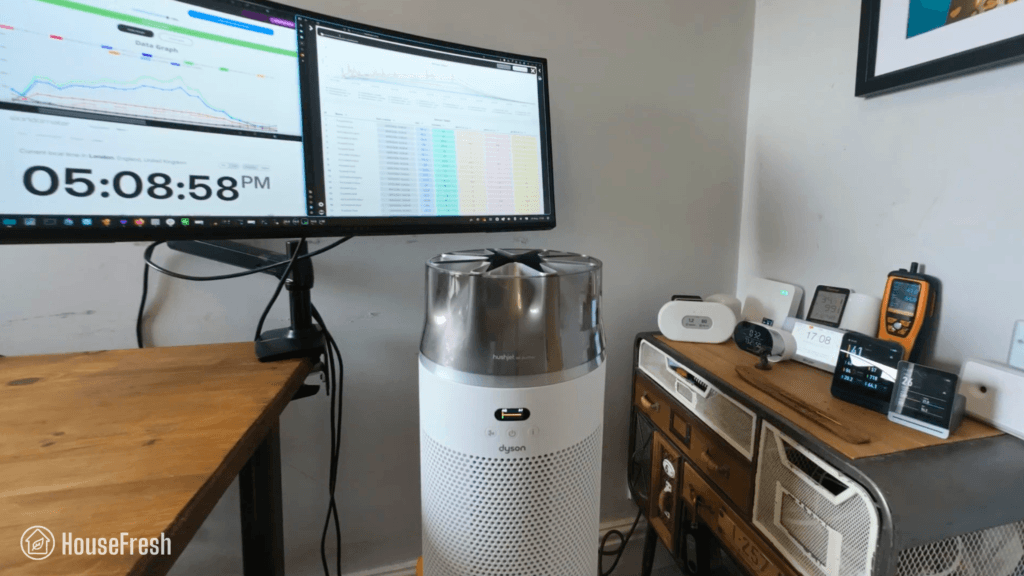
Coway Airmega 350 review

Coway Airmega 350 Living Room scaled

With the Airmega 350, Coway brought the power and low running costs they’re well known for but in a cylindrical design, with the same retro-inspired aesthetic as the Airmega 250S and Airmega ProX.

But can this new model compete with the excellent cylindrical designs from Levoit, Winix and Xiaomi? I bought a 350 with my own money and put it through all the tests we perform here at HouseFresh to find out.

The overall score for the Coway Airmega 350 incorporates first-hand data results from our battery of tests, as well as our ratings for customer service, brand transparency, and design & UX. Check out the full scorecard below to see the split of categories.

Search for ‘Coway Airmega 350’ to see where it ranks, based on its air cleaning performance and value for money. You can also filter results to easily compare models in the same price range.

The pros and cons of the Coway Airmega 350

A summary of our top-level findings after testing this air purifier, following our methodology.

“The Airmega 350 is Coway’s alternative to the Levoit Core 600S and the Xiaomi Elite, with a good looking design that will fit even the most stylish of homes. The running costs are very fair, with $79 filter replacements that can last as long as 12 months.

When comparing to Xiaomi and Levoit, you get comparable air cleaning performance but you lose out on a laser sensor and app support. That said, you can use the 350 with a smart plug.”

Danny Ashton HouseFresh
Danny Ashton
HouseFresh Founder
& Lead Tester

CONS

It only has one fan speed below 45 decibels (speed 1) and its performance at this speed is weak (100 cfm).
There is a big jump in how loud this thing gets when you go from speed 1 (37.6 dBA) to speed 2 (49.4 dBA).
It comes with an optical sensor rather than a laser sensor, so you can’t forget to clean it regularly.

PROS

It offers excellent performance at top speed, outmatching large units like the Winix 9800 and the Xiaomi Elite.
You can use it with any smart plug, so you can connect it to your smart home system or set simple automations.
The filter replacements are fairly priced and can last up to 12 months.
It looks like a million bucks – I know design is subjective, but I think most people will like the look of the 350.

Clean air delivery rate (CADR):– Top speed PM1 CADR: 352 cfm
– Sub-45 dBA PM1 CADR: 100 cfm
– AHAM PM2.5 CADR: 378 cfm (dust)
Filter technology:Bonded cylindrical Green HEPA filter with a layer of pelleted activated carbon and a surrounding pre-filter mesh.
Recommended room size:528 sq. ft. (5 air changes per hour)
Dimensions:12 x 12 x 23 in (30.5 x 30.5 x 59 cm)
Weight:17.6 lbs (8 kg)
Noise level in decibels from 3 ft. away:Sleep mode: 35.2 dBA
Speed 1: 37.6 dBA
Speed 2: 49.4 dBA
Speed 3: 55.4 dBA
Turno mode: 61.8 dBA
Electricity consumption in watts:Standby: 0 watts
Sleep mode: 3.1 watts
Speed 1: 4.89 watts
Speed 2: 17.04 watts
Speed 3: 32.65 watts
Trubo mode: 57.95 dBA
Filter lifespan:12 months
Manufacturer’s warranty:3 years
Country of origin:South Korea
Country of manufacture:China

Filtration technology

Coway’s Green True HEPA filter with pelleted activated carbon and a pre-filter mesh.

The Airmega 350 comes with a large cylindrical filter with Coway’s signature Green True HEPA and a layer of pelleted activated carbon.

Coway Airmega 350 Filter scaled

As with other cylindrical models, the pre-filter is attached to the main filter, so you will need to remove the whole thing to vacuum it.

Coway Airmega 350 Filter scaled

There are three different filters for the Airmega 350:

  • Fresh Starter+ filter is the standard filter (above)

  • Allergen+ filter, which is treated with a proprietary compound to remove allergens

  • Intense Smoke+ filter, aimed at those who want to tackle smoke and VOCs
350 airmega pdpgrid 7

Design, controls and app features

A cylindrical addition to Coway’s new retro modern family of air purifiers.

It looks like a million bucks – I know design is subjective, but I think most people will like the retro modern look of the 350.

Coway Airmega 350 Corner

I bought the beige version that matches our 250S, but if you’re not a fan of beige, you’ll be happy to know you can also get it in white.

In terms of size, it stands at 23 inches tall (58.4 cm) and weighs 17.19 lbs (7.8 kg), so it’s on the larger side of cylindrical models.

Coway Airmega 350 Handle scaled

It’s great to see that Coway included a deep handle at the back, which makes it easier to move it around the house.

It has an infrared particle sensor that measures PM10 pollution and connects to the LED air quality indicator light at the top.

Coway Airmega 350 Controls scaled

You get buttons to set fan speeds, smart modes and timers. There’s also a light button that turns off the display, the LED ring, or both.

The Coway 350 doesn’t come with an app, but you can use it with any smart plug to add simple routines. I tested it using a Philips Hue Plug and was able to switch it on and off remotely via the Hue app.

You also get a very cool hidden feature I wish more manufacturers would roll out:

If you hold down the Mode and Airflow buttons, you can adjust the sensitivity of the sensor, selecting between 1 (sensitive), 2 (default) and 3 (insensitive).

Air cleaning performance

We tested the Coway Airmega 350 in our 728 cubic ft. test room, tracking how fast it removed all PM1 particles from the air after we filled the space with incense smoke.

Coway Airmega 350 Particle Removal Test

When running at top speed, our PurpleAir Zen sensor shows that the Airmega 350 needed 17 minutes to reach PM1 zero. Based on the natural ventilation of our test room, we estimate a PM1 CADR of 352 cfm.

This makes this Coway Airmega powerful enough to provide five air changes per hour in large rooms up to 528 sq. ft.

As you can see from the chart, the Airmega 350 outperformed most models we’ve benchmarked it against:

Coway Airmega 100 HouseFresh Particle Removal Test scaled

The only devices that were quicker to complete our test were the much larger Coway Airmega ProX (13 minutes) and the older (and cheaper!) Levoit Core 600S.

We repeated our particle removal test three times across all available fan speeds, which allowed me to estimate PM1 CADR at each fan speed:

Coway Airmega 350 CADR scaled

BUT, as I always say, air purifiers running at full power are usually too loud for everyday use, so we must account for noise levels…

Sound levels

The sound levels of the Coway Airmega 350 range from 35.2 dBA to 61.8 dBA — which is a little louder than most air purifiers we have benchmarked it against.

Coway Airmega 350 Sound Energy Test

I used our BAFX sound meter to measure how much sound the Airmega 350 generates at each of its fan speeds (including sleep mode) at 3 ft away:

Coway Airmega 350 Sound Levels

Hitting 61.8 dBA at top speed, the Airmega 350 is one of the loudest air purifiers on the chart, second only to the Core 600S and its 62.3 dBA when running full power.

Coway Airmega 350 HouseFresh Top Performance

When running at speed 1, it generates just 37.6 dBA and was able to complete our particle removal test in 58 minutes – slower than most other models on the table.

Coway Airmega 350 Sub 45dBA Performance

I wish Coway would add an intermediary fan speed between speed 1 and speed 2, where the 350 stays below 45 dBA.

Long-term running costs

Running a Coway Airmega 350 will cost you $115.69 per year, combining energy and filter replacement costs.

We used our energy meter to record how much electricity the Airmega 350 pulls at each fan speed and while on standby.

Coway Airmega 350 Energy

At top speed, the Airmega 350 draws 57.95 watts, so if you left it running at top speed 24/7 for one year, it would add $69.70 to your energy bill, based on the average U.S. electricity price as of March 2026.

But electricity consumption is not the only long-term cost you need to budget for; there’s also the filter replacements.

According to Coway, you need to change the filter in your Airmega 350 every 12 months. The replacement filter costs $79, so you can expect to spend that much each year on filter replacements alone.

When we add this to energy costs, we can work out that it will cost you $148.70 to run a 350 for a year. Let’s compare it with other models:

Coway Airmega 350 Yearly Running Costs

Thanks to Coway’s affordable filter replacement costs, the Airmega 350 is cheaper to run than most other high CADR models we benchmarked it against, with the exception of the Winix 9800 and the Xiaomi Elite.

Bottom line: Should you get a Coway Airmega 350?

Our data showed that the Airmega 350 offers excellent air cleaning performance when compared to other cylindrical air purifiers on the market today.

Coway Airmega 350 Living Room scaled

If you’re looking for the absolute best bang for your buck, the AirFanta 3Pro will offer the same level of performance at top speed as the Airmega 350, but at a lower price tag ($165).

And if you’re looking for a more traditional-looking air purifier, then the Winix 9800 costs a little less than the 350 ($329) and offers similar performance with much lower running costs courtesy of Winix’s highly affordable Type A filters.

That said, the 350’s running costs are also very fair, so at the end of the first year, the upfront cost will even out:

Coway Airmega 350 Year 1 Costs

I also know that many consumers prefer the look and small footprint of cylindrical air purifiers, so if that is you, then the Coway Airmega 350 might be just the thing.

Personally, I much prefer the design of the 350 to the look of Xiaomi’s Elite and Levoit’s Core 600S. However, when compared to Xiaomi and Levoit, you don’t get an accurate laser sensor and app support.

But I’d swap app support any day for the granular light control and the ability to adjust the sensor’s sensitivity that you get with the Airmega 350. Plus, it’s great to know that you can use a smart plug to control your 350 remotely from your phone.

As it has become common with Coway, there is a big jump in sound from speed 1 to speed 2, which means that its performance at sub-45 dBA sound levels is less powerful than all the air purifiers we benchmarked it against. But if 49 dBA is not too loud for you, then you will get excellent performance at speed 2. For reference, we had our 350 in our bedroom for over a month running at speed 2 all day and all night without it bothering us.

Overall, I think the Airmega 350 is a great alternative to the Levoit Core 600S, and I can see myself recommending this model in the future to those looking for a mid-sized cylindrical air purifier that looks good and offers good air cleaning performance.

If you decide to get yourself a 350, please use this link to help support the work we do here at HouseFresh. If you do, we will get a small commission at no extra cost to you, which we will use to continue buying and testing air quality products.

If you have any questions about the 350 or about Coway air purifiers in general, please drop them in the comments below, and I’ll get back to you as soon as I can.

Blueair Blue Signature review

Blueair Signature HouseFresh

The Blueair Blue Signature looks like a piece of furniture and doubles as a table, just like the IKEA Starkvind and the air purifiers from SwitchBot.

However, unlike IKEA and Switchbot units, the Blue Signature is not cheap, with a list price of $449.99 in the U.S. and £369 in the UK.

But does beautiful design and a high price tag equal better performance? We bought one to find out.

The overall score for the Blueair Blue Signature incorporates first-hand data results from our battery of tests, as well as our ratings for customer service, brand transparency, and design & UX. Check out the full scorecard below to see the split of categories.

Search for ‘Blueair Blue Signature’ to see where it ranks, based on its air cleaning performance and value for money. You can also filter results to easily compare models in the same price range.

The pros and cons of the Blueair Blue Signature

A summary of our top-level findings after testing this air purifier, following our methodology.

“The Blue Signature looks like a piece of furniture and also doubles as a table. You can even add legs to lift it off the ground, with options to match your home’s decor.

It’s not cheap at just under $450, but it ticks a lot of boxes for this price: Performance is top tier at both top speed and quiet fan speeds, the running costs are fair, and it has a high quality laser sensor, a table surface, and app support.”

Danny Ashton HouseFresh
Danny Ashton
HouseFresh Founder
& Lead Tester

CONS

It is more expensive to buy and run than other mid-sized air purifiers.
There is no option to disable the electrostatic ionization function, unlike what we see from other manufacturers like Winix, Coway and Xiaomi.
The wooden legs and the chrome base to turn it into a table are not included, so you’d need to pay up to $100 more to elevate your Blue Signature.

PROS

It doubles as a side table that will fit most living rooms and bedrooms – you can even buy wooden legs to give it more height.
It matches the air-cleaning performance of high-end units that cost twice as much and are twice as large.
It comes with a highly accurate laser sensor on board that doesn’t need to be cleaned regularly.
The Blueair app has a clean UX and is easy to use.
You can customize the design with options for multiple pre-filter fabric colors and two different designs for the legs.

Clean air delivery rate (CADR):– Top speed PM1 CADR: 400 cfm
– Sub-45 dBA PM1 CADR: 229 cfm
– AHAM PM2.5 CADR: 434 cfm (dust)
Filter technology:HEPASilent particle filter with pelleted activated carbon and a removable pre-filter fabric + bipolar electrostatic ionizer
Recommended room size:600 sq. ft. (5 air changes per hour)
Dimensions:17.3 x 15.7 x 15.7 in (44 x 40 x 40 cm)
Weight:13.2 lbs (5.98 kg)
Noise level in decibels from 3 ft. away:Sleep mode: 34.8 dBA
Speed 1: 35.3 dBA
Speed 2: 40 dBA
Speed 3: 51.9 dBA
Speed 4: 59.6 dBA
Electricity consumption in watts:Standby: 0.96 watts
Sleep mode: 2.63 watts
Speed 1: 2.95 watts
Speed 2: 6.63 watts
Speed 3: 19.08 watts
Speed 4: 38.65 watts
Filter lifespan:9 months
Manufacturer’s warranty:1 year (3 years with product registration)
Country of origin:Sweden
Country of manufacture:China

Filtration technology

HEPASilent with pelleted activated carbon and a washable, removable pre-filter.

The filter wraps around and clips onto the Blue Signature’s body – something new from Blueair.

Blueair Blue Signature Main Filter

This is the first time we see something like this from Blueair, but it reminded me of the carbon filter in our Dyson Big+Quiet BP06.

On the inside of the filter, you get a layer of pelleted activated carbon.

Blueair Blue Signature Carbon

I was glad to see this, as it’s much better than the impregnated carbon fabric in other Blueair models.

Similar to previous models, the Blue Signature has a removable, washable fabric pre-filter.

Blueair Blue Signature Pre Filter

I bought the Nordic Fog pre-filter, but you can choose from a range of colors to customize your Signature’s look.

HEPASilent is Blueair’s trademarked air filtration technology that combines electrostatic ionization with mechanical filtration.

The mechanical filtration element is the same as in all other air purifiers, with particle and carbon filters working in combination with a fan to remove pollutants from the air as it passes through the filters. For the electrostatic component, an ionizer inside the device generates negative ions to attract airborne particles, which are then captured by the filter.

This type of ionization process can release ozone, which can then form other chemical byproducts depending on the chemicals already in the air.

Now, the HEPASilent ionizer inside the Blue Signature produces very low levels of ozone: AHAM certified it produces just 3 ppb of ozone, which would be defined as producing zero ozone, based on the UL testing program UL2998 because it sits below the threshold of 5 ppb.

However, I still wish Blueair would include an option to disable HEPASilent, either with a button (as Alen, Winix, and Coway do) or just a setting in the app (as we’ve seen from Xiaomi).

Design, controls and app features

It clearly belongs to Blueair’s family of air purifiers, but with a twist.

It is shorter and lighter than other cylindrical units, such as the popular Levoit Core 400S, but it takes up more floor space. But what you lose in floorspace, you gain in tabletop space.

Blueair Signature Table

Another big change from the usual is the option to add a base to your Signature to elevate it from the ground and give it a more ‘furniture look’ – you can add a metal ring base for $100 or wooden legs for $87.

With the Blue Signature, Blueair moved away from the one-button control. It has a touchscreen with buttons to change fan speeds and modes, as well as PM2.5 readings.

Blueair Blue Signature Controls

The display turns off automatically after a few seconds, and you can wave to get the lights back on. You also get an LED light at the front that changes color based on readings from the onboard laser sensor.

Blue Signature App

The Blueair app is quite basic compared to the apps from brands like Xiaomi, Levoit, and Philips, but the design is clean, and you can see all the info you need on one screen.

You get real-time air quality readings from the onboard laser sensor, which update quickly on the screen. Historical data is saved, so you can access it whenever you want.

Through the app, you can also control the device, set schedules, and adjust the brightness of the display at the top of the Signature.

Air cleaning performance

We tested the Blue Signature in our 728 cubic ft. test room, tracking how fast it removed all PM1 particles from the air after we filled the space with incense smoke.

Blueair Blue Signature HouseFresh CADR Test

When running at top speed, our PurpleAir Zen sensor shows that the Signature needed 15 minutes to reach PM1 zero. Based on the natural ventilation of our test room, we estimate a PM1 CADR of 400 cfm.

This makes the Blue Signature powerful enough to provide five air changes per hour in large rooms up to 600 sq. ft.

As you can see from the chart, the Signature shows a significant performance jump over the older, bulkier Blue Pure 211+.

Blueair Blue Signature Performance Test

The only devices that were quicker to complete our test were the much larger Coway Airmega ProX (13 minutes) and the much, much pricier IQAir Atem X (14 minutes).

We repeated our particle removal test three times across all available fan speeds, which allowed me to estimate PM1 CADR at each fan speed:

Blueair Blue Signature CADR

BUT air purifiers running at full speed tend to be too loud for everyday use, so we must account for noise levels…

Sound levels

The sound levels of the Blue Signature range from 34.8 dBA to 59.6 dBA — which is a little louder than most air purifiers we have benchmarked it against.

Blueair Blue Signature Sound test

I used our BAFX sound meter to measure how much sound the Blue Signature generates at each of its 4 fan speeds and in sleep mode at 3 ft away:

Blueair Blue Signature Sound Data

Hitting 59.6 dBA at top speed, the Blue Signature is one of the loudest air purifiers on the table, second only to the Atem X, with its 62.3 dBA when running full power.

Blueair Blue Signature Performance vs Sound scaled

When running at speed 2, it generates just 40 dBA and was able to complete our particle removal test in 26 minutes – faster than the pricier EverestAir and BP06.

Blueair Blue Signature Quiet Performance HouseFresh

If you kept your Blue Signature running at speed 2, it would be whisper-quiet and still clean the air five times per hour in rooms up to 343 sq. ft.

Long-term running costs

Running a Blueair Blue Signature will cost you $179.81 per year, combining energy and filter replacement costs.

We used our energy meter to record how much electricity the Signature pulls at each fan speed and also while on standby.

Blueair Blue Signature Energy Data

At top speed, the Signature draws 38.65 watts, so if you left it running at top speed 24/7 for one year, it would add $46.49 to your energy bill, based on the average U.S. electricity price as of March 2026.

This is a huge improvement over the older 211+, and it’s only beaten by the Mobius fans in the Luggable Ultra and the highly energy-efficient BP06 and Starkvind, which are less powerful than the Signature.

So I went one step further and created a chart to compare its CADR, noise levels AND energy usage at quiet fan speeds to see how the Blue Signature compares to other popular high-CADR air purifiers:

Blueair Blue Signature CADR Sound Energy

But let’s calculate how much you’ll need to spend to run your Blueair Blue Signature for a year.

According to Blueair, you need to change the filter in your Blue Signature every 9-12 months. And as always, I will use the lowest estimate of nine (9) months.

The replacement filter is available for $99.99. That means that you can expect to spend $133.32 each year on filter replacements alone.

We can add this to energy costs to work out the total yearly cost and compare it with the other devices I’m benchmarking the Signature against:

Blueair Blue Signature Yearly Running Cost

Thanks to the low energy costs, the Blue Signature is cheaper to run than the older Blue Pure 211+ and most other high CADR models we benchmarked it against, with the exception of the PC fan-powered AirFanta 3Pro and CleanAirKits Luggable XL Ultra.

Bottom line: Should you get a Blueair Blue Signature?

Our data showed that the Blue Signature offers high performance, even at quiet operation, in a well-designed package for less than $450.

Blueair Signature Corner

The Blue Signature looks like a piece of furniture and also doubles as a table. You can even add legs to lift it off the ground, with options to match your home’s decor.

It isn’t cheap at just under $450, but it ticks a lot of boxes for this price.

Performance is top tier at both top speed and quiet fan speeds. To match the Signature’s performance with a traditional air purifier, you would need to spend nearly double for a much more utilitarian-looking Smart Air Blast Mini, or go with a much larger machine like the Coway Airmega Pro X. 

And if you want the same power in a smaller, good-looking package, then you would need to spend $1,400 on the IQAir Atem X — that’s a spicy price tag if I’ve seen one!

The running costs of the Blue Signature are fair, and while the initial price is higher than that of other mid-size models on the market, you do get a high-quality laser sensor, a table surface, and app connectivity.

So… This thing has the looks, the power and all the features you could ask for… so what’s the downside?

Even though the ozone levels from HEPASilent are very low, I still wish Blueair would include an option to disable HEPASilent, either a button (as Alen, Winix, and Coway do) or a setting in the app (as we’ve seen from Xiaomi).

I have received messages from people who have adverse reactions to any form of ionization, so I think all manufacturers using ionizers should allow consumers to choose whether they want this or not — even if it does lead to reductions in CADR.

So this is the main downside you should be aware of before buying that none of the other big media publisers or YouTube creators reviewing the Blue Signature will tell you about.

If you do decide to buy one, please use this link to support the work we do here at HouseFresh. In doing so, we will receive a small affiliate commission at no extra cost to you that we will use to continue buying and testing air quality products.

Did I miss any details? Do you have any questions I left unanswered? Just drop a comment below, and I’ll get back to you as soon as I see it.

Winix 5510 review

Winix 5510 Closeup scaled

The Winix 5510 is the much-anticipated successor to the incredibly popular Winix 5500-2, which has been one of my most recommended air purifiers since I first tested it back in 2023.

We received MANY requests to review the 5510, so I’m happy to share the results of our tests with you today.

Winix 5510 HouseFresh Subs

I paid $459.65 in total, including import fees and shipping, to get the Winix 5510 delivered to me in the UK, based on a list price of $249.99. However, as of May 2025, you can find the 5510 on Amazon for $179.99 and on the Winix America store for $199.99.

The overall score for the 5510 incorporates first-hand data results from our battery of tests, as well as our ratings for customer service, brand transparency, and design & UX. Check out the full scorecard below to see the split of categories.

Search for ‘Winix 5510’ to see where it ranks, based on its air cleaning performance and value for money. You can also filter results to easily compare models in the same price range.

The pros and cons of the Winix 5510

A summary of our top-level findings after testing this air purifier, following our methodology.

“The 5510 looks good, doesn’t take up too much space, and can clean the air as fast as the Levoit Vital 200S, the Philips 3200 Series and the Smart Air SA600.

So if you’re looking for a mid-sized air purifier that offers excellent air cleaning performance and you value smart features with app support, then the 5510 is definitely worth your consideration.”

Danny Ashton HouseFresh
Danny Ashton
HouseFresh Founder
& Lead Tester

CONS

The 5510 is louder at top speed than similarly-sized air purifiers from Winix and other brands.
Its air cleaning performance drops when running at sub-45 dBA fan speeds.
The app is still quite bare and lacks features you see in apps from Levoit and Xiaomi, but this is expected as it’s very new for Winix.

PROS

It has a better-looking design compared to every other rectangular Winix device I’ve tested.
When running at top speed, its air cleaning performance is on par with the SA600, the 5500-2 and the Rabbit Air A3.
The Winix app is intuitive and has no annoying ads like the ones we see in other apps.
Its body is compact and has a smaller footprint compared to the older Winix 5500-2.

Clean air delivery rate (CADR):– Top speed PM1 CADR: 248 cfm
– Sub-45 dBA PM1 CADR: 125 cfm
– AHAM PM2.5 CADR: 252 cfm (dust)
Filter technology:True HEPA filter with pelleted activated carbon and a removable pre-filter
Recommended room size:372 sq. ft. (5 air changes per hour)
Dimensions:15.9 x 11 x 25.2 in (40.3 x 27.9 x 64 cm)
Weight:13.03 lbs (5.9 kg)
Noise level in decibels from 3 ft. away:Sleep mode: 35.2 dBA
Speed 1: 36.8 dBA
Speed 2: 40.8 dBA
Speed 3: 51.6 dBA
Speed 4: 67.2 dBA
Electricity consumption in watts:Standby: 0.65 watts
Sleep mode: 3.51 watts (3.77 with PlasmaWave)
Speed 1: 4.59 watts (4.87 with PlasmaWave)
Speed 2: 6.58 watts (6.89 with PlasmaWave)
Speed 3: 15.68 watts (15.98 with PlasmaWave)
Speed 4: 52.62 watts (53.94 with PlasmaWave)
Filter lifespan:12 months
Manufacturer’s warranty:2 years
Country of origin:South Korea
Country of manufacture:South Korea

Design, controls and app features

A good-looking air purifier with smart features and app connectivity

Winix 5510 Living Room

The body of the 5510 is smaller than that of the now-discontinued 5500-2 and other mid-sized Winix air purifiers.

Winix 5510 VS 5500 2 Front

After reviewing the T810 and now the 5510, it has become obvious to me at this point that Winix is focusing heavily on the aesthetics of their devices with their new generation of air purifiers.

It has a gas sensor that triggers auto mode and a light sensor that puts it to sleep mode when detecting darkness. 

Winix 5510 Sensors

The control panel is intuitive and easy to navigate. You also get an air quality indicator in the form of an LED light that changes color (from blue to red) depending on the quality of your air.

You can connect it to your smartphone via the Winix app, which is available on both iPhone and Android.

Winix 5510 App

The app has a clean UX, works well, and allows you to control the 5510 remotely from your phone. It’s bare-bones compared to other air purifier apps, but it does the job without any issues.

Filtration technology

True HEPA filtration with activated carbon and optional bipolar ionization via PlasmaWave.

The 5510 comes with three separate mechanical filtration layers: a removable pre-filter, an activated carbon filter, and a HEPA particle filter.

Winix 5510 Filters

This means that once the carbon runs out (and starts getting smelly), you can just take it out and keep using the True HEPA filter till you can replace the carbon.

I reached out to Winix for more information and they confirmed that the 5510 comes with 226 grams of carbon – same as the older 5500-2. 

Winix 5510 Carbon amounts

As with other Winix devices, the 5510 comes with PlasmaWave, a bipolar ionization process that electrostatically charges particles, making them easier to remove. You can disable it if you prefer to avoid ionizers.

The 5510 uses a different type of filter set, Filter Q — 1712*0123-00, which works with the 5510 and 5520 models but is too small for the 5500-2, the 5300-2 and other older rectangular Winix devices.

Winix 5510 VS 5500 2 Filters
The filters in the Winix 5510 (left) are smaller than those in the Winix 5500-2 (right)

Air cleaning performance

We tested the 5510 in our 728 cubic ft. test room, tracking how fast it removed all PM1 particles from the air after we filled the space with incense smoke.

Winix 5510 HouseFresh CADR test scaled

First, we tested the Winix 5510 running at top speed with PlasmaWave enabled. According to our PurpleAir Zen sensor, the 5510 needed 24 minutes to achieve PM1 zero in our 728 cubic ft. test room, which matches what we expected based on its CADR report:

Based on the natural ventilation of our test room, I estimate a top speed PM1 CADR of 249 cfm. This is powerful enough to provide five air changes per hour in large rooms up to 373 sq. ft.

Winix 5510 HouseFresh Performance Data scaled

As you can see from the table, the 5510 compares very well against some of the best mid-sized devices we have tested when looking at raw performance at top speed, but considering it is a new model, I was hoping it would be at least a little quicker than the older 5500-2.

our air cleaning tests in isolation won’t tell us the full story…

Sound levels

The sound levels of the Winix 5510 range from 35.2 dBA to 67.2 dBA — considerably quieter than every single large air purifier we have benchmarked it again.

Winix 5510 HouseFresh tests scaled

The reality is that if an air purifier is too loud, then someone will turn it off eventually.

That is why I used my sound meter to measure how much noise the Winix 5510 generates from 3 ft. away at each of its fan speeds, including sleep mode:

winix 5510 sound

Be aware that our background noise is 35 dBA, so the 5510 running at speed one (1) and in sleep mode is likely to be quieter if you could measure sound levels in a silent room.

When running at top speed, it reached 67.2 dBA, which is considerably louder than other air purifiers with a similar clean air delivery rate.

Winix 5510 HouseFresh Performance VS Sound Data scaled

At speed 2, it reached PM1 zero in 47 minutes while generating 40.8 dBA, which is under our 45 dBA limit for daily use.

Winix 5510 Quiet Performance Test HouseFresh

Long-term running costs

Running a Winix 5510 will cost you $141.20 per year, combining energy and filter replacement costs.

winix 5510 energy consumption

At its top speed, the 5510 draws 53.84 watts. If you had to leave your 5510 running 24/7, it would cost $61.21 in energy costs for a year.

But let’s look at the other main factor affecting yearly running costs: filter replacements.

According to Winix, you can expect to change filters every 12 months, and you can buy a new filter set for $79.99, so you can expect to spend around $80 each year on filter replacements.

Winix 5510 Yearly costs scaled

We can now combine energy and filter replacement costs with the list price to calculate how much you will spend on the first year of owning a Winix 5510, and compare this to what you’d pay with other similar performing air purifiers:

Winix 5510 First Year Cost scaled

The 5510 has a list price of $179.99, but you could find it as low as $149.99 during Prime Day or Black Friday:

Bottom line: Should you get the Winix 5510?

Now that the Winix 5500-2 has been discontinued, the 5510 is the best next thing from Winix.

I hate to say this, but the Winix 5510 offers less powerful air cleaning performance at louder operation than older mid-sized Winix models. Sadly, I can’t recommend the 5500-2 or the 5300-2 anymore, as they have both been discontinued.

But does this mean that the 5510 is a bad investment? Well… not really.

In our air-cleaning performance tests, the Winix 5510 running at top speed is just 1 minute slower than the older 5500-2. And this level of power comes in a much more compact body and smaller filters, which explains why it is louder, as the fan has to work harder.  

Plus, the 5510 looks more high-end than the 5500-2 and the 5300-2 AND it comes with smartphone connectivity through the Winix app, which has a good UX and no annoying bugs. So you get some good features that you wouldn’t get access to with the older models.

Winix 5510 Closeup

However, if you are sensitive to sound and prefer to run your air purifier at low, quiet fan speeds, then I suggest you look into the Winix T810. The T810 offers similar performance at top speed to the 5510, but you will get better air cleaning power at quiet fan speeds. Plus, it also comes with smartphone connectivity through the Winix app.

If you are a big fan of app support but are not too bothered about getting a Winix device, then I recommend looking into air purifiers from brands like Levoit and Xiaomi, as their apps are much more polished and feature-rich.

Devices like the Levoit Vital 200S or the Xiaomi Pro 4 will offer air-cleaning performance similar to that of the 5510.

Levoit Vital 200S Corner Room

Philips 3200 Living Room

And if you are in the UK or Europe and like what the 5510 has to offer, you’ll be disappointed to hear it’s not available in your region yet.

Two good comparable models would be the Philips 3200 Series (for those who want a smart unit) and the Smart Air SA600 (for those who don’t want smart features).

If you decide to buy a 5510, please make sure to use this link to support the work we do here at HouseFresh. We will get a small commission on the sale at no extra cost to you, and this will allow us to continue to buy and test air purifiers in the future.

Are you still unsure about whether the Winix 5510 is the right air purifier for you? Just drop me a comment below and I’ll get back to you as soon as possible. Or email me if you would rather discuss in private 🙂

Coway Airmega ProX review

Coway Airmega ProX TV Room

The highest CADR air purifiers I have tested were designed for commercial spaces.

But what if you wanted something that not only looks good in the home but also comes with all the features you expect from a residential air purifier? Enter the Coway Airmega ProX.

The ProX is the largest model in the Coway Airmega line of air purifiers. But does size equal better performance? We bought one to find out.

The overall score for the ProX incorporates first-hand data results from our battery of tests, as well as our ratings for customer service, brand transparency, and design & UX. Check out the full scorecard below to see the split of categories.

Search for the ProX (or any other model you are researching) to see where it ranks:

The pros and cons of the Coway Airmega ProX

A summary of our top-level findings after testing this air purifier, following our methodology.

“The ProX isn’t cheap, is heavy and takes up a lot of space… but I have to say I’m a big fan.

I like that Coway has dropped the use of an ionizer that we have seen in older models but still managed to provide outstanding air cleaning power with mechanical filtration alone. And they did this without the loud noise and high energy consumption that usually comes with high CADR.”

Danny Ashton HouseFresh
Danny Ashton
HouseFresh Founder
& Lead Tester

CONS

The replacement filters are expensive and will set you back around $200 each year.
The bonded filter design means you will need to replace a perfectly good HEPA filter if the carbon element runs out first.
The filter covers sometimes will pop off when you lift the ProX using the handles on each side.
It takes up a lot of space.

PROS

It has an incredible performance-to-noise ratio. It’s powerful and quiet in a way that surprised me.
It comes with a responsive and low-maintenance laser particle sensor.
It has very low energy consumption for a device with such high CADR.
Coway included thoughtful ‘smart’ features, like the light sensor for auto-sleep mode.

Clean air delivery rate (CADR):– Top speed PM1 CADR: 462 cfm
– Sub-45 dBA PM1 CADR: 299 cfm
– AHAM dust CADR: 586 cfm
Filter technology:Two washable pre-filters and two Max2 filters (Green True HEPA and activated carbon)
Recommended room size:693 sq. ft. (5 air changes per hour)
Dimensions:18.9 x 36.6 x 24.3 in (48 x 93 x 62 cm)
Weight:51 lbs (23kg)
Noise level in decibels from 3 ft. away:Speed 1: 37.4 dBA
Speed 2: 44.4 dBA
Speed 3: 53.6 dBA
Electricity consumption in watts:Standby mode: 0 watts
Speed 1: 11.76 watts
Speed 2: 26.09 watts
Speed 3: 58.88 watts
Filter lifespan:12 months
Manufacturer’s warranty:3 years
Country of origin:South Korea
Country of manufacture:China

Filtration technology

You get Coway’s signature Green True HEPA and pelleted activated carbon, times two.

The ProX has two sets of Max2 filters, one at each side, and unlike the popular AP-1512hh, it doesn’t come with an ionizer function.

The filters themselves are bonded filters that combine two Green True HEPA filters with an activated carbon filter.

The filters are bonded, so you’ll need to replace them once the carbon is full, which might happen before the particle filter is at the end of its life.

Coway ProX Carbon

According to this Redditor, the Max2 filters in the ProX container 0.88 lbs of pelleted activated carbon. Be aware that this won’t be enough to address serious odor and VOC issues.

Design, controls and app features

It has the same retro feel as other new Airmega models, with muted colors and hard lines.

The ProX is the largest air purifier we’ve tested from Coway, weighing 51 lbs (23.1 kg).

Coway Airmega ProX TV Room

Considering how heavy it is, I was glad to see it has four wheels to move it around – great for hard floors, not so great for carpets.

If you want to lift it, you can use the handles at each side of the device.

ProX Handle issue

The only problem is that if you pull the handles from the wrong angle, you will end up removing the filter cover… which is a little annoying.

It doesn’t include app support, but it has a laser sensor and customizable auto modes.

Coway Airmega ProX Controls

You also get an air quality indicator at the far right, in the form of an LED light that changes color based on your air quality.

Coway ProX Fans

The large body of the ProX houses two fans stacked on top of each other on either side of the device, which is something I had never seen before.

Air cleaning performance

We tested the ProX in our 728 cubic ft. test room, tracking how fast it removed all PM1 particles from the air after we filled the space with incense smoke.

Coway Airmega ProX Test

When running at top speed, our PurpleAir Zen sensor shows that the ProX needed 13 minutes to reach PM1 zero. Based on the natural ventilation of our test room, we estimate a PM1 CADR of 462 cfm.

This makes the Airmega ProX powerful enough to provide five air changes per hour in large rooms up to 693 sq. ft.

As you can see from the chart, 13 minutes is the same amount of time it took for our DIY 30×20 Corsi-Rosenthal Box to reach PM1 zero:

Coway Airmega ProX HouseFresh Test

The only device to perform quicker than this was the even larger Smart Air Blast, which completed our particle removal test in a speedy 11 minutes.

We repeated our particle removal test three times across all available fan speeds, which allowed me to estimate PM1 CADR at each fan speed:

Coway Airmega ProX CADR

BUT looking at the results of our air cleaning tests in isolation won’t tell us the full story…

Sound levels

The sound levels of the ProX range from 37.4 dBA to 53.6 dBA — considerably quieter than every single large air purifier we have benchmarked it against.

Coway ProX Sound Test HouseFresh

As I always say, if your air purifier is too loud, someone in the house will eventually turn it off.

That is why I used our BAFX sound meter to measure how much noise in decibels the Airmega ProX generates at each fan speed from 3 ft. away:

Coway ProX Sound Results

I was surprised by how quiet the ProX is! Hitting 53 dBA at top speed is nothing considering its power.

When comparing particle removal speed to noise levels at top speed, it becomes clear that Coway has nailed performance at quiet operation:

Coway Airmega ProX Top speed sound

I repeated the HouseFresh CADR test at each fan speed with excellent results.

At speed 2, it reached PM1 zero in 20 minutes while generating 44.4 dBA. And at speed 1, it took 28 minutes at just 37.4 dBA.

Coway Airmega ProX Sound

When we compare this to other high-CADR air purifiers, you can see that, in terms of quiet performance, the ProX is only outmatched by the much larger Blast from Smart Air. And it’s clear that even at speed 1, this device delivers excellent air cleaning performance without the noise.

Long-term running costs

Running a Coway Airmega ProX will cost you $264.64 per year, combining energy and filter replacement costs.

We used our energy meter to record how much electricity the ProX pulls at each fan speed and also while on standby.

Coway ProX energy consumption

At speed 3, the ProX pulls 58.88 watts. Running it at top speed 24/7 for one year will add $65.54 to your energy bill, based on the average U.S. electricity price of 0.1268/kWh at the time of our test.

After conducting our particle removal test, I knew the Airmega ProX offers impressive raw performance, but I didn’t expect it would deliver this high CADR with such low energy consumption.

So I went one step further and created a chart to compare its CADR, noise levels AND energy usage at quiet fan speeds to see how the ProX compares to other popular high-CADR air purifiers:

Coway ProX CADR energy sound

As the table above shows, the Coway Airmega ProX delivers incredible CADR at lower fan speeds without excessive energy use or noise, vastly outperforming most large air purifiers I benchmarked it against. The exception would be the Luggable XL-7, which is A LOT more energy efficient and noticeably quieter than the ProX — that said, it’s not nearly as powerful.

But let’s look at the other main factor affecting yearly running costs: filter replacements.

According to Coway, you can expect to change filters every 12 months, and you can buy a new filter set for $199, so you can expect to spend $199 each year on filter replacements alone.

We can add this to energy costs to work out the total yearly cost and compare it with the other devices I’m benchmarking the ProX against:

Coway Airmega ProX Running Costs

$199 for a set of filters is steep, and it pushes the total annual cost to over $260, which is more than the Alen 75i and Levoit EverestAir, and doesn’t come close to the CleanAirKits Luggable XL-7 with its standard 3M HVAC filters.

Bottom line: Should you get a Coway Airmega ProX?

The ProX is one of the best options for those looking for an air purifier to help with dust, pollen, pet allergens, or smoke in large spaces.

Coway Airmega ProX Kids room

The ProX isn’t cheap, is heavy, and takes up a lot of space… but I have to say I’m a big fan.

I like that Coway has dropped the ionizer we saw in older models without dropping performance. Even without the ionizer, the ProX still provides outstanding air-cleaning power with mechanical filtration alone. And they did this without the loud noise and high energy consumption that usually comes with high CADR.

This air purifier doesn’t have an app. However, it still comes with a ton of features that most consumers will appreciate, such as a customizable auto mode, a particle sensor, an air quality indicator, a child lock, and the ability to adjust the sensor’s sensitivity.

Coway also innovated in how the ProX handles sleep time. Instead of a useless sleep mode, the ProX running in auto mode will automatically switch all lights off without you needing to do anything else. It won’t disturb your sleep, but it will ramp up the fan speed when detecting pollutants in the air.

Coway Airmega ProX Side

And even if you were to leave your ProX running at speed 1 all day, it would still provide you a higher CADR than you would get from a medium-sized unit like the Levoit Core 400S running at full speed.

For those looking for an air purifier to help with dust, pollen, pet allergens or smoke in large spaces, the Coway Airmega ProX is one of the best options out there because it won’t cost you an arm and a leg to run, it will offer excellent performance at quiet operation AND it will look good in your home while it’s at it.

Sadly, it is only available in the U.S. right now but I’ll update the review if that changes.

Now, for those looking for the best bang for buck, know that PC fan models like the Luggable XL-7 Utral and the AirFanta 3Pro will still provide a lot more value — and you will be able to get multiple of these devices for the price of the ProX.

ProX first year cost

But for those who want a large unit that looks good AND has all the bells and whistles you would expect from a standard consumer air purifier, the Airmega ProX is a solid choice.

If you do decide to buy one, please use this link to support the work we do here at HouseFresh. In doing so, we will receive a small affiliate commission at no extra cost to you that we will use to continue buying and testing air quality products.

Did I miss any details? Do you have any questions I left unanswered? Just drop a comment below and I’ll get back to you as soon as I see it.

Or if you have a specific model in mind, you can use our comparison tool to see how it compares to the Coway ProX and every other air purifier I have tested since 2020 – – give it a try!

Philips 3200 Series air purifier review

Philips 3200 Living Room

Philips is a Dutch multinational company founded in 1891. In 2021, they sold the domestic appliance portion of the business to a private equity firm (Hillhouse Investments). This appliance arm of Philips is now led by Versuni, so that is the company behind their air purifier range.

The 3200 is a stylish mid-sized device that promises performance on par with the larger, now-discontinued Philips 3000i Series. But is this all too good to be true?

The overall score for the Philips PureProtect 3200 Series (AC3220/10) incorporates first-hand data results from our battery of tests, as well as our ratings for customer service, brand transparency, and design & UX. Check out the full scorecard below to see the split of categories.

Search for the 3200 (or any other model you are researching) to see where it ranks:

The pros and cons of the Philips 3200

A summary of our top-level findings after testing this air purifier, following our methodology.

“After spending a few months with the Philips 3200 at home, I am convinced that it’s a significant upgrade to the now-discontinued 3000i.

You get the same level of air cleaning performance at a lower initial price with half the energy usage and cheaper long term costs.”

Danny Ashton HouseFresh
Danny Ashton
HouseFresh Founder
& Lead Tester

CONS

Filter names are confusing, so it’s hard to know which one to buy. For future reference: the filters are called FY3200/30.
It uses an optical sensor that needs to be cleaned regularly to ensure accurate particle readings and a responsive auto-mode.
It has two bonded filters, so you’ll have to replace the entire thing when the carbon runs out, even if the particle filter has life in it.

PROS

It offers excellent air cleaning performance at quiet fan speeds.
You can enable ‘Allergy Sleep’ mode in the app, which makes sleep mode actually useful.
It has low energy usage – nearly 50% reduction compared to the Philips 3000i Series
It has a very cool lamp mode that can be scheduled, as I do with my Philips Hue lights.

Clean air delivery rate (CADR):– Top speed PM1 CADR: 249 cfm
– Sub-45 dBA PM1 CADR: 169 cfm
– Manufacturer reported: 306 cfm
Filter technology:Two bonded HEPA NanoProtect particle filters with a layer of activated carbon and a pre-filter mash wrap.
Recommended room size:373 sq. ft. (5 air changes per hour)
Dimensions:11.2 x 11.2 x 20.4 inches (28.5 x 28.5 x 52 cm)
Weight:13.7 lbs (6.2 kg)
Noise level in decibels from 3 ft. away:Sleep: 35.4 dBA
Medium: 42.6 dB
Turbo: 52.9 dB
Electricity consumption in watts:Standby mode: 1.1 watts
Sleep: 2.2 watts
Medium: 12.6 watts
Turbo: 31.1 watts
Filter lifespan:12 months
Manufacturer’s warranty:2 years
Country of origin:Netherlands
Country of manufacture:China

Filtration technology

The Philips 3200 comes with two 3-in-1 cylindrical filters that capture particles and reduce mild odors.

Upon removing the front cover, you will find two small 3-in-1 filters: an outer pre-filter mesh, a particle filter, and a carbon filter on the inside.

Philips 3200 Filters

The filters are bonded, so you will need to replace the whole filter when the carbon runs out, which is usually earlier than the particle filter.

When I reached out to Philips, they told me that each cylindrical filter is packed with 50g of coconut carbon, which brings the total to 100 grams:

Philips 3200 Carbon

Philips stated that “coconut carbon is more effective than standard carbon, is renewable, and uses less energy to produce.”

Philips NanoProtect HEPA statement scaled

In terms of particle filtration, the 3200 uses the same HEPA NanoProtect filter used in other Philips air purifiers, which most people will assume is a certified HEPA filter.

However, Philips confirmed with us that it was not the case when I reached out for comment while working on my review of the Philips 3000i.

Marketing terms like ‘HEPA NanoProtect’ can be confusing to consumers, and mentions of how the filter “captures 99.97% at 0.003 microns” can be misleading because this level of particle removal can be achieved with a wide range of filter grades.

Design, controls and app features

A medium-sized cylindrical air purifier with smart functions, with a silver and black design that helps it stand out from the standard white we see from other brands.

The Philips 3200 (center) is a mid-size air purifier, similar in size to the Levoit Core 400S (right) and the Winix T810 (left).

Winix T810 Philips 3200 Levoit Core 400S

It weighs 6.2kg (13.6 lbs), so it’s not too heavy to move around – although I wish it had a handle somewhere so I wouldn’t have to carry it like a baby.

It comes with an optical sensor on the back, enabling auto-mode and PM2.5 readings, which are displayed at the top of the device.

How to clean the sensor in the Philips 3200

Optical sensors require regular cleaning to prevent dust buildup, which can affect their accuracy. Philips recommends cleaning it every two months with a dry cotton swab.

The LED ring at the top changes color based on the air quality in your room. Going from blue (good) to purple (fair) to red (poor).

Philips 3200 Ring light

If you prefer, you can also set the ring to be a lamp. When set to lamp mode, the top of the 3200 emits a nice, warm white glow.

Philips 3200 App

Through the Philips Air+ App, you can set schedules for different modes, switch the light to lamp mode, and receive alerts when it’s time to clean the pre-filter.

You can also enable the Allergy Sleep mode, which supercharges the normal sleep mode by allowing the air purifier to reach a more powerful yet quiet fan speed when it detects PM2.5 in the air.

This is much better than the performance of the standard sleep mode, which is capped at the lowest fan speed, regardless of the level of particles in the air.

Unlike most cylindrical air purifiers, the 3200 has two filters and two fans. Whilst I have seen two fans used in larger devices, this is the first time I have seen this dual-fan approach in a mid-sized device like this.

Read on to find out whether this two-fans-two-filters gamble paid off for Philips – and whether doubling the number of fans led to double electricity consumption…

Air cleaning performance

I tested the Philips 3200 in our 728 cubic ft. test room, tracking how fast it removed all PM1 particles from the air after we filled the space with incense smoke.

Philips 3200 Performance

When running at Turbo speed, our PurpleAir Zen sensor shows that the 3200 needed 24 minutes to reach PM1 zero.

I was surprised to see that the 3200 matched the performance of the larger and more expensive Philips 3000i Series, which goes to show that the choice of using two fans and two filters paid off:

Philips 3200 Performance Chart scaled

That said, you could get more powerful air cleaning with the Xiaomi Elite or the CleanAirKits Luggable XL-7, if you can afford the extra £40.

Based on the natural ventilation of our test room, we estimate a PM1 CADR of 249 cfm. This makes it powerful enough to provide five air changes per hour in rooms no larger than 373 sq. ft.

I repeated the particle removal test with the 3200 running at each available fan speed, allowing me to estimate PM1 CADR at each fan speed:

Philips 3200 PM1 CADR

Sound levels

I measured how much sound the 3200 generates at each fan speed from 3 ft. away – noise ranges from 35.4 dBA to 52.9 dBA at full speed.

Philips 3200 Sound

The 3200 hit 52.9 dBA at Turbo speed, so it’s much quieter than the older 3000i (59.2 dBA).

Philips 3200 Top Performance vs Sound

The 3200 is the second quietest mid-sized air purifier on our table, outmatched only by the PC fan-powered Luggable XL-7 from CleanAirKits (38.8 dBA).

It generates 42.6 dBA at Medium speed, and it took 35 minutes to reach PM1 zero in our test room.

Philips 3200 Quiet Performance vs Sound scaled

It’s fair to say that the Philips 3200 offers excellent performance at quiet fan speeds – even though it was once again outperformed by the incredible power of the Luggable XL-7 with its seven Cooler Master Sickleflow 120 fans.

Long-term running costs

Running a Philips 3200 Series will cost you £131.82 per year, combining energy and filter replacement costs.

We used our energy meter to record how much electricity the Philips 3200 pulls at each fan speed and also while on standby:

Philips 3200 Electricity Consumption

At Turbo speed, the 3200 Series pulls 31.1 watts, so if you were to leave it running 24/7 at this speed for one year, it would add £71.83 to your energy bill, based on the November 2025 average UK electricity price cap of £0.26 per kWh.

Here, the Philips 3200 also does well against other similarly priced mid-sized models, although it still uses more energy than the Blueair 3350i and the European version of the Levoit Core 400S.

Philips 3200 Electricity Consumption Compared scaled

According to Philips, you can expect to change filters every 12 months, and you can buy a new filter set that includes two filters for £59.99. We can add this to energy costs to work out the total yearly cost and compare it with other mid-size devices we have tested:

Philips 3200 Yearly Costs

When accounting for both energy and filter replacements, the Philips 3200 is one of the more affordable mid-size air purifiers to run. 

Bottom line: Should you get a Philips 3200 Series?

Our data shows that the 3200 Series is a significant upgrade to the now-discontinued 3000i Series – does that make it the best air purifier in the UK?

Philips 3200 HouseFresh

On paper, the 3200 certainly looked good, but it took me a while to pull the trigger and buy it because I was super disappointed to learn that Philips had discontinued the 3000i after just a few years on the market. But I reached out to Philips, and they said that the 3200 is here to stay. They also confirmed that they have no plans to discontinue the filter replacements for the 3000i, so that is some good news for UK owners of the 3000i 🙂

After spending a few months with the Philips 3200 at home, I am convinced that it’s a significant upgrade to the now-discontinued 3000i.

Philips 3200 Year 1 Costs

You get the same level of air cleaning performance at a lower initial price with half the energy usage and cheaper long term costs.

However, aside from finances, the best feature of the 3200 is how well it performs at quiet fan speeds below 45 dBA.

Philips 3200 Quiet Performance vs Sound scaled

The use of two fans allows this device to outperform most mid-size models available in the UK and Europe.

It is clear as well that Philips has been upgrading its app by rolling out better smart features, and I’m a big fan of their Allergy Sleep mode, which dials up the CADR of the default Sleep mode. 

And even though I thought the lamp function would be gimmicky at first, I was surprised by the quality of the light and I soon found myself scheduling the light through the app as I do with my Philips Hue lights.

Philips 3200 Close

However, if you don’t care about smart functions, apps and lights, then you should definitely check out the Luggable XL-7 from CleanAirKits, which has recently been introduced to the UK and Europe.

Or if you’re looking for a traditional air purifier that offers better bang for your buck, then you should check out the Winix Zero S, which costs £179 and offers similar performance to the 3200 without the fancy app.

But for those of you who want it all (looks, smart features, app connectivity, quiet performance and a nightlight), then you can’t go wrong with the Philips 3200.

If you think the 3200 is the right air purifier for you, please use our affiliate link to buy one to help support the work we do here at HouseFresh at no extra cost to you. And if you have any questions about this or any other air purifier, please drop them in the comments below and I’ll get back to you as soon as I can.

Levoit Core 600S review

Levoit Core 600S Room 5

If you’ve been shopping around for a new air purifier, you will no doubt have come across Levoit. 

Having emerged on the scene in 2017, they’ve become one of the most popular manufacturers on the market, with an array of air purifiers to suit different needs and budgets.

Levoit’s Core line has sold millions of units thanks to impressive performance at affordable prices. The Core 600S is the largest and most powerful unit in the range, with a particle and gas filter capable of providing five air changes per hour in spaces up to 562 sq. ft.

I have been using my 600S at home since 2022. But after over a hundred air purifier tests, is it still a top contender all these years later?

The overall score for the Levoit Core 600S incorporates first-hand data results from our battery of tests, as well as our ratings for customer service, brand transparency, and design & UX. Check out the full scorecard below to see the split of categories.

Search for the 600S (or any other model you are researching) to see where it ranks:

The pros and cons of the Levoit Core 600S

A summary of our top-level findings after testing this air purifier, following our methodology.

💡exclusive code for HouseFresh for 10% off a single purchase on Levoit.com: HOUSE10

“The Core 600S is the biggest air purifier in Levoit’s Core range, with an estimated PM1 CADR at top speed of 375 cfm that matches the newer, fancier Levoit EverestAir. The main difference? The Core 600S costs less than $300.

I have been using my 600S since 2022 without any issues. In 2025, I re-tested everything about it and found that it still is a good option for those who want an air purifier with smart features and excellent raw air cleaning power at a low initial price.”

Danny Ashton HouseFresh
Danny Ashton
HouseFresh Founder
& Lead Tester

CONS

It’s loud at top speed (62 dBA) and, at speed 1, it makes an annoying whirring sound that might bother you if you’re sensitive.
The filter isn’t HEPA as initially advertised when I bought it in 2022. This won’t affect performance for most pollutants, but it’s not good.
Its air cleaning performance at quiet fan speeds lags behind more modern large air purifiers like the Coway Airmega ProX.
It has a bonded filter, so you’ll have to replace the entire thing when the carbon runs out, even if the particle filter has life in it.

PROS

The raw air cleaning performance at top speed (375 cfm) is fantastic for the price (less than $300).
It comes with a laser sensor that reacts quickly to airborne particles and doesn’t need to be cleaned regularly.
Despite its size, it remains lightweight and easy to move around thanks to its deep handles at each side of the unit.
The app’s customisable auto-modes are a game changer, letting you tailor its performance to your exact needs.

Clean air delivery rate (CADR):– Top speed PM1 CADR: 375 cfm
– Sub-45 dBA PM1 CADR: 156 cfm
– AHAM PM2.5 CADR: 398 cfm (dust)
Filter technology:Bonded particle filter with a layer of pelleted activated carbon and a pre-filter mash wrap.
Recommended room size:562 sq. ft. (5 air changes per hour)
Dimensions:12.3 x 12.3 x 23.6 inches (31.3 x 31.3 x 60 cm)
Weight:13.7 lbs (6.2 kg)
Noise level in decibels from 3 ft. away:Sleep: 37.9 dBA
Speed 1: 44.4 dB
Speed 2: 45.9 dB
Speed 3: 53.8 dBA
Speed 4: 62.3 dBA
Electricity consumption in watts:Standby mode: 1.3 watts
Sleep: 4.33 watts
Speed 1: 7.46 watts
Speed 2: 10.7 watts
Speed 3: 20.29 watts
Speed 4: 48.1 watts
Filter lifespan:6-12 months
Manufacturer’s warranty:2 years
Country of origin:United States
Country of manufacture:China

Filtration technology

The Core 600S comes with a 3-in-1 cylindrical filter that captures particles and helps reduce mild odors.

The large cylindrical filter has three layers: an outer pre-filter mesh, a particle filter, and a layer of pelleted activated carbon on the inside.

Levoit Core 600S Filter 3

Be aware that using a bonded filter means you will need to replace both the particle and carbon filters, even if only one needs replacing — usually the carbon, as it will likely fill sooner than the HEPA.

When it’s time to replace your filter, you can choose the standard filter or upgrade to the Pet Allergy, Smoke Remover, or Toxin Absorber.

levoit core 600s filter options

The specialized filters all come packed with 360g of activated carbon instead of the 160g you get in the Standard filter.

When I bought my Core 600S in 2022, Levoit advertised it as a HEPA H13 filter. Today, you won’t have ‘H13’ mentioned anywhere. The change in marketing occurred in 2023, when Levoit discontinued HEPA claims for its products following a Better Business Bureau challenge brought by Dyson.

The bad news is that Levoit seems to have misrepresented the grade of their filters. The good news is that, HEPA or no HEPA, the particle filtration of the 600S is excellent.

Installing and replacing the filter on the Core 600S couldn’t be easier. Twist the body and slot in the filter with the tabs facing up. Check out our video below to see just how easy it is. 

Design, controls and app features

A large cylindrical air purifier with smart functions that is lightweight and easy to move around the room.

It is the largest in the Levoit Core range, which includes the 200S, 300S, and 400S.

Levoit Core Range

It weighs 13.7lbs (6.2 kg) but is easy to move around thanks to handles on each side.

It comes with Levoit’s Airsight Plus, which is a laser dust sensor on the side of the device.

Levoit Core 600S Sensor

It is quicker to react to PM2.5 particles than optical sensors, and doesn’t need to be cleaned every few weeks.

The LED ring on top changes color based on your air, from blue (very good) to red (bad).

Levoit Core 600S Controls

Inside the ring, you get real-time PM2.5 particle readings in micrograms per cubic meter.

Levoit Core 600S App

When I first tested the Core 600S back in 2022, the VeSync app worked well, but it was pretty simple compared to what it is now.

Levoit has clearly invested in its app in the last few years, and all improvements have been rolled out across old models. The most exciting change in my view is that I can now adjust the auto-mode settings on my old 600S 🙂

Standard auto-modes often cap the air purifier to a set speed threshold, which is usually below the top speed. This makes regular auto-modes less efficient, as they don’t reach top speed even when air pollution levels are high.

Now, Levoit allows you to customize your auto-mode, offering choices for Default, Quiet, Eco and Efficient. My preference is the efficient mode, as you can set the size of your room, and the air purifier will reach full speed to provide a full air change before returning to the default auto-mode. 

I can also see the sensor and the Core 600S in my Home Assistant app, which is good news for those who want to integrate their air purifier with Home Assistant.

The warning covers 900 toxins and carcinogens that, if exposed to, can result in adverse health effects.  The 1986 act now covers any goods sold in California, which has enforced labels on everything, from bread to Starbucks coffee. 

Regarding the 600S, and air purifiers in general, the warning usually relates to the electrical components inside, with solder known to contain chromium and circuit boards often found to contain lead. These are trace amounts and won’t pose any danger through normal use. The Core 600S is FCC-compliant and CARB-certified, ensuring compliance with federal and California health and safety standards. 

Air cleaning performance

We tested the Core 600S in our 728 cubic ft. test room, tracking how fast it removed all PM1 particles from the air after we filled the space with incense smoke.

Levoit Core 600S CADR

When running at top speed, our PurpleAir Zen sensor shows that the 600S needed 16 minutes to reach PM1 zero. Based on the natural ventilation of our test room, we estimate a PM1 CADR of 375 cfm.

This makes it powerful enough to provide five air changes per hour in large rooms up to 562 sq. ft.

When we compare this against other similarly priced and similar performing air purifiers, you see what a good deal you get with a 600S:

Levoit Core 600S Performance scaled

The only cheaper model that matches the top speed performance of the Core 600S is the AirFanta 3Pro, with its four PC fans and four E11 filters that you can buy for less than $160.

We repeated our particle removal test three times across all available fan speeds, which allowed me to estimate PM1 CADR at each fan speed:

Levoit Core 600S CADR scaled

BUT air cleaning performance alone won’t tell us the full story…

Sound levels

Levoit Core 600S Sound Test

Here’s the thing: if your air purifier is too loud, you will turn it off eventually. That is why we use a sound meter to measure how much noise in decibels the Core 600S generates at each fan speed from 3 ft. away:

Levoit Core 600S Sound Data

But I know that sound can be subjective, so please have a listen for yourself:

The Core 600S runs loud, hitting 62.3 dBA at top speed.

Every other air purifier I’ve benchmarked it against is quieter than this, with the loudest one of the pack being the Xiaomi Elite (61.5 dBA).

Levoit Core 600S Performance VS Sound scaled

The 600S generates 44.4 dBA at speed 1, so I repeated the particle removal test at this speed, and it took 38 minutes to reach PM1 zero.

We estimate a PM1 CADR of 156 cfm, based on the natural ventilation of our test room.

Levoit Core 600S Performance VS Sound 45dB scaled

When we compare this to other similarly priced devices, you can see that the 600S offers generally low performance at low fan speeds compared to other large units — with the exception of the Blueair 211+, which took much longer to clean the air.

Long-term running costs

Running a Levoit Core 600S will cost you $173.30 per year, combining energy and filter replacement costs.

We used our energy meter to record how much electricity the 600S pulls at each fan speed and also while on standby.

Levoit Core 600S Energy Data

At top speed, the Core 600S pulls 48.1 watts, so if you were to leave it running 24/7, it will add $53.32 to your yearly energy bill, based on the average U.S. electricity price as of September 2025.

When comparing against other similarly powered and similarly priced devices, it becomes clear that the 600S is one of the most energy efficient high CADR traditional air purifiers.

But let’s look at the other main factor affecting yearly running costs: filter replacements.

According to Levoit, you need to change the filter in your Core 600S every 6-12 months. As always, I will take the lowest estimate for my calculations here. The original standard 600S filter is available for $59.99. That means that you can expect to spend $119.98 each year on filter replacements alone.

We can add this to energy costs to work out the total yearly cost and compare it with the other devices I’m benchmarking the 600S against:

Levoit Core 600S Running Costs scaled

The Levoit Core 600S sits right in the middle of the comparison here — it isn’t the most expensive, but it’s also not the cheapest to run in the long term.

Bottom line: Should you get a Levoit Core 600S?

After re-testing everything about this air purifier, I can confidently say it still holds its own against newer models — especially given its price.

Levoit Core 600S Front Room

💡exclusive code for HouseFresh for 10% off a single purchase on Levoit.com: HOUSE10

I calculated how much money you can expect to pay on year 1 of owning a Core 600S and it goes to show how good a deal you get, considering its raw air cleaning power.

Levoit Core 600S Year 1 Costs scaled

And this is based on the list price of $319.99, which is usually higher than what you can find the 600S selling for online.

Now, it doesn’t come without its downsides:

  • It is loud at top speed hitting 62 decibels.
  • Its only sub-45 dBA fan speed is speed 1 and at that speed it is not as powerful at cleaning the air.
  • It comes with a bonded filter so you will need to replace it once the carbon is full, which might happen sooner than the particle filter needs replacing.

But if you’re not too bothered about noise and are looking for a powerful unit under $300 that comes with smart features and smartphone connectivity, then the Levoit Core 600S is a solid choice.

I have mine running in a corner of the basement, as I don’t care about noise down there, it is a hardy unit and I can set automations so it only comes on when it detects particles in the air.

The big standout benefit and a big win for existing owners has been the investment that Levoit has made to the app. You now can adjust the way the Auto mode works, which was one of my main bug bears around auto-modes in general.

The fact that you can create automations using just the sensor’s information to switch it on the 600S is a game-changer. Whilst I am sure there are plenty of home automation enthusiasts out there that can do this type of thing, the fact that this works out of the box and is as simple as a few clicks is impressive.

Levoit Core 600S Room 5

Now, if sound is important to you and you don’t care about smart features, then you should definitely look into the PC fan kits like the AirFanta 3Pro or the Luggable XL-7 from CleanAirKits. 

And if you’re looking for a more traditional air purifier that is quieter than the 600S and does have an auto mode, then the Winix 9800 might be a better option.

However, for those who value app connectivity and raw air cleaning power at a low initial price, then the Levoit Core 600S is well worth considering.

If you decide you like this model and want to support the channel, be sure to use this affiliate link, or the buttons I included throughout this article. We will get a small commission at no extra cost to you that will allow me to continue to buy, test and review air quality products in the future.

Do you have another model in mind and would like to know how it compares to the Core 600S? Use our comparison tool or drop me a comment below and I’ll share my personalized advice as soon as I can.

Xiaomi 4 Compact review

Xiaomi 4 Compact Closeup

The 4 Compact is the smallest air purifier we have tested from Xiaomi. It is currently available in the U.S., Europe, Asia and some countries in South America, selling for under $100.

It comes with app support through Xiaomi’s Mi app and has an in-built infrared laser particle sensor that feeds live data to the air purifier to enable a smart mode that automatically adjusts fan speeds based on the quality of your air. In terms of filtration technologies, the Compact 4 comes with a small 3-in-1 cylindrical filter including a pre-filter mesh cover for large particles, a low-grade particle filter for small particles and a layer of activated carbon for odors.

The overall score for the Xiaomi 4 Compact incorporates first-hand data results from our battery of tests, as well as our ratings for customer service, brand transparency and design & UX. Check out the full scorecard below to see the split of categories.

Search for the 4 Compact (or any other model you are researching) to see where it ranks:

The pros and cons of the Xiaomi 4 Compact

A summary of our top-level findings after testing this air purifier following our methodology.

“If $99 is the top of your budget, then the 4 Compact is definitely a good option for you.

At this price, the 4 Compact will give you okay performance at top speed but above average performance at sub-45 decibels, which I’d argue is more important in the day to day.

It also has some of the lowest running costs when compared to other popular small devices, so you won’t be spending an arm and a leg to use this air purifier each year.”

Danny Ashton HouseFresh
Danny Ashton
HouseFresh Founder
& Lead Tester

CONS

Top speed performance is not as good as what you get with other popular small air purifiers like the Levoit Vital 100S or the Coway Airmega 100.
Minimal buttons on the control panel mean you will need to use the app to actually set manual fan speeds.
The filter doesn’t come with enough carbon to make a significant difference against odors and gases.

PROS

It offers very good performance at sub-45 dBA fan speeds, outmatching the Winix A231 and the larger Coway Airmega 200M.
It has low running costs thanks to affordable OEM filter replacements and low electricity consumption.
The design is small and lightweight, so you can easily place it on top of sidetables and window sills.
The Mi app is one of my favorite ones: it’s easy to use and unlocks a wide range of fan speed options.

Clean air delivery rate (CADR):– Top speed PM1 CADR: 117 cfm
– Sub-45 dBA PM1 CADR: 77 cfm
– Manufacturer provided CADR: 135 cfm
Filter technology:Bonded cylindrical particle filter with a layer of pelleted activated carbon and a pre-filter mesh cover.
Recommended room size:175 sq. ft. (5 air changes per hour)
Dimensions:8.6 x 14 inches (21.8 x 35.5 cm)
Weight:4.85 lb (2.2 kg)
Noise level in decibels from 3 ft. away:Sleep mode: 35.6 dBA
Speed 1: 35.3 dBA
Speed 2: 35.6 dBA
Speed 3: 42.2 dBA
Speed 4: 44.5 dBA
Speed 5: 46.4 dBA
Top speed: 56.1 dBA
Electricity consumption in watts:Standby: 1.4 watts
Sleep mode: 2.2 watts
Speed 1: 2.4 watts
Speed 2: 3.6 watts
Speed 3: 8.1 watts
Speed 4: 9.5 watts
Speed 5: 11.3 watts
Top speed: 26 watts
Filter lifespan:6 months
Manufacturer’s warranty:1 year
Country of origin:China
Country of manufacture:China

Filtration technology

The 4 Compact comes with a 3-in-1 cylindrical filter that can capture particles and help with mild odors.

The filter has three layers to it. First, you get an outer pre-filter mesh cover that wraps around the particle filter which has a layer of activated carbon on the inside.

Xiaomi 4 Compact Filter

However, it is worth mentioning that this is a small filter so it doesn’t come with enough activated carbon to help with serious issues with VOCs or strong smells.

On their website, Xiaomi explains that the filters in the 4 Compact have a lower grade of density than traditional HEPA-grade filters, which they say will lead to higher performance at a lower noise level.

Xiaomi 4 Compact Filter

Xiaomi also states that in their testing, the filters could remove 99.9% of particles as small as 0.1 microns. It sounds impressive but is something that many particle filters can achieve, including MERV 13 filters.

Design, controls and features

A small cylindrical air purifier that doesn’t take up too much floor space, similar to what you get with the Airmega 100, Core 300S, Winix A231 and PuroAir 240.

Xiaomi 4 Compact Closeup

The 4 Compact (right) is a small cylindrical air purifier, similar in size with what you get with the Winix A231 (left) and the Coway Airmega 100 (center).

Winix A231 Coway 100 Xiaomi 4 Compact scaled

It is lightweight, doesn’t take up too much floor space and can easily fit on top of a desk or side table without looking too bulky.

Xiaomi 4 Compact Desk scaled

It comes with an infrared laser particle sensor, which is nice to have BUT is a cheaper sensor compared to what you get with the Xiaomi 4 Pro or the Xiaomi Elite, both of which have a laser sensor that also measures temperature and humidity.

Also, you need to remember to clean the sensor with a dry cotton swab to wipe the dust that will stick to it every few months to ensure the air quality readings are accurate.

Xiaomi 4 Compact Sensor Cleaning scaled

Like other Xiaomi air purifiers we have reviewed, the control panel consists of a touchscreen with three buttons that sits at the top of the device.

Xiaomi 4 Compact Controls scaled

From left to right, you get a button to dim or turn off the lights, a power button and a mode button to switch between auto, manual and sleep mode.

By the way, you will need to access the app in order to set manual fan speeds. Once you set what the manual speed is, the 4 Compact will automatically switch to it after you choose Manual with the mode button.

The mode button also doubles as a child lock if you press and hold the for seven seconds.

You also get a bunch of indicators on the screen, such as a child lock indicator, a Wi-Fi indicator and a filter life indicator.

There is also an LED air quality indicator bar at the top that changes color from red to yellow to green, based on the levels of pollutants in the air.

Xiaomi 4 Compact App

Through Xiaomi’s Mi Home app, you will be able to set the most optimal fan speed based on the size of your space and save your settings the Manual mode the device will go into when selecting M on the touchscreen.

You will also have the option to schedule routines, check the current filter lifespan and set automations with other Xiaomi devices.

Something disappointing is that, unlike the Xiaomi Pro 4 or the Elite, you don’t get an exact reading for PM2.5 levels in the air. Instead, the app shows a combined indoor air quality score.

Personally, I haven’t had any issues with the Mi app but I read some negative reviews on the App Store from people who had issues with their electric scooters and their vacuum cleaners. 

It seems most issues are happening on iOS as the current rating for the app is 3.7 from Apple users compared to 4.5 from Android users.

Air cleaning performance

We tested the 4 Compact in our 728 cubic ft. test room, tracking how fast it removed all PM1 particles from the air after we filled the space with incense smoke.

Xiaomi 4 Compact HouseFresh Test scaled

When running at top speed, our PurpleAir Zen sensor shows the 4 Compact needed 50 minutes to reach PM1 zero – and we estimate a PM1 CADR of 117 cfm which would be good enough to provide five air changes per hour in rooms no larger than 175 sq. ft.

When it comes to air cleaning performance at full power, the Compact 4 was outperformed by small models from Levoit, Coway and Winix.

Xiaomi 4 Compact Performance

But it’s not just about raw particle removal performance when running at top speed…

Sound levels

Xiaomi 4 Compact Sound Electricity Tests scaled

The reality is that if your air purifier is too loud, you are likely to end up turning it off eventually.

That is why we use a sound meter to measure how much noise in decibels the 4 Compact generates at each fan speed from 3 ft. away:

Xiaomi 4 Compact Sound Levels scaled

Be aware that our background noise is 35 dBA, so the 4 Compact running on sleep mode and at speed 1 and 2 might be quieter if you could test sound levels in a silent room.

By the way, unlike standard air purifiers, there are no specific speed settings in the Compact 4. Instead, you get 14 options for room sizes inside the app that range from 2-4 cubic meters to 16–27 cubic meters. For this test, I selected six different rooms sizes.

Reaching 56.1 dBA at top speed, this Xiaomi device generates as much noise as you can expect from other small air purifiers we have tested, although it is on the higher side compared to the Levoit Vital 100S.

Xiaomi 4 Compact Performance VS Sound

Now we have the sound levels at different fan speeds, we can find the speed that is below the 45 dBA limit we set for our quiet performance tests so we can re-test air cleaning performance.

Running at speed 4, the 4 Compact generates 44.5 dBA and was able to reach PM1 zero in 76 minutes, which we estimate to be a PM1 CADR of 77 cfm.

Xiaomi 4 Compact Performance Sub45 dBA

When accounting for sound, the Xiaomi 4 Compact ranks among the top three best performers on our table, right after the older Core 300S and the Vital 100S from Levoit.

However, part of this is down to the lack of fan speed options with the Winix and Coway models, so their sub-45 dBA fan speed is much quieter than what you get with the small Xiaomi.

But let’s start adding up long-term costs to see how much money you would need to spend each year to run an 4 Compact in your home.

Long-term running costs

Running an 4 Compact will cost you $93.52 per year, combining energy consumption costs and filter replacement prices.

We used our energy meter to record how much energy the 4 Compact uses when running at each fan speed and also while on standby.

Xiaomi 4 Compact Electricity Consumption scaled

At top speed, the 4 Compact pulls just 26 watts. This means that if you were to leave it running at top speed 24/7 for one year, it would add $28.88 to your annual energy bill, assuming an average U.S. electricity prices.

However, it’s not just energy costs that add to the running cost of an air purifier, you will also need to replace the filters eventually.

The OEM filter for the 4 Compact costs £24.99 (or $32.43) and Xiaomi says you need to replace it every 6-12 months.

As always, we will take the lowest estimate of six months to calculate filter replacement costs in the worst case scenario. So, according to this estimate, you will need to buy two filters per year for your 4 Compact and this will cost you £49.98 (or $64.64).

When we combine this with the electricity cost, you can expect to spend $93.52 each year to run this device all day, every day at top speed.

Xiaomi 4 Compact Running Costs

At $93.52 per year, the running costs for the Xiaomi 4 Compact are on the low side of the scale for the small air purifiers we have benchmarked against it.

Like we saw when testing the 4 Pro and the Elite, Xiaomi air purifiers generally have low running costs thanks to low-cost OEM filters and energy-efficient fan motors.

Bottom line: Should you get a Xiaomi 4 Compact?

If £70 (or $99) is the top of your budget, then I’d say yes.

At this price, the 4 Compact will give you okay performance at top speed but above average performance at sub-45 decibels, which I’d argue is more important in the day to day.

Xiaomi 4 Compact Sidetable

It also has some of the fairest annual running costs when compared to other popular small devices, so you won’t be spending an arm and a leg to use this air purifier each year.

So out of the many small air purifiers on the market, the Xiaomi 4 Compact stands out as being good value both at the point of purchase and in the long run. 

And this is a key point when it comes to small and cheap units as the low upfront cost will trick you into buying them, but then you’re stuck with a device that will cost you twice as much to run as the months go by.

Xiaomi 4 Compact Small Size scaled

That being said, if you can, try to go bigger and choose a mid-size air purifier like the Winix T810, the Levoit Vital 200S or the AirFanta 3Pro that will give you more power and will make a more meaningful difference to your air much faster than the 4 Compact ever will.

But if you need a small air purifier that won’t cost you three times the price just to run it each year and you find that Xiaomi sells devices in your country, then the 4 Compact is a very good option.

By the way, if you decide to buy a 4 Compact, please use this link to support the work we do at HouseFresh, as we will get a small affiliate commission over the price of the sale at no extra cost to you.

Let me know if you have any questions in the comments below and I’ll get back to you as soon as I can.

IQAir Atem X review

IQAir Atem X Studio

IQAir is one of the longest standing air purifier manufacturers and are known for their above-average prices, innovative Swiss engineering and the uncommon offer of a 10-year warranty.

The Atem X is part of their latest generation of air purifiers, with integrated air quality sensors, smart features and app connectivity. This is undoubtedly a high-end device that promises style AND performance.

Selling at $1,400, this is officially the most expensive unit we’ve ever bought, so as you can imagine, my expectations are very very high. I tested our Atem X in the same space we’ve tested more than 100 other models, and in my review, I will break down its design features, air cleaning performance, energy consumption, user experience and more.

The overall score of the IQAir Atem X incorporates first-hand data results from our battery of tests, as well as our ratings for customer service, brand transparency and design & UX. Check out the full scorecard below to see the split of categories.

The pros and cons of the IQAir Atem X

A summary of our top-level findings after testing this air purifier following our methodology.

CHECK PRICE NEAR YOU

“If you can afford the $1,4000 and value high-end design, then you should definitely consider the Atem X over other premium models like the Dyson Big+Quiet, the Jaspr and the Molekule Air Pro due to how powerful its air cleaning performance is.

A big downside, however, is that there are currently no gas filters for the Atem X in the U.S., so you will need to buy an additional device to deal with VOC issues.”

Danny Ashton HouseFresh
Danny Ashton
HouseFresh Founder
& Lead Tester

CONS

The Rolls Royce-tier design doesn’t come cheap at one cent under $1400.
It doesn’t come with a carbon filter for dealing with gases and odors, so you only get particle filtration.
It runs louder at top speed (62.3 dBA) than other highly-powered traditional air purifiers.
Official IQAir filters are not cheap, selling for $199.99.

PROS

The design looks incredible and even though it is a big device, it has a footprint smaller than two sheets of A4 paper.
Performance at top speed is one full minute faster than the beast that is the Smart Air Blast Mini MKII and nearly 10 minutes faster than the highly recommended Winix 5500-2.
When running at fan speeds that generate less than 45 dBA of sound, it offers similar performance to PC fan-powered air purifiers from AirFanta, CleanAirKits, NorthBox Systems and Nukit – this is not normal for a traditional air purifier.
Transparent specs: IQAir made available factory-tested airflow reports and detailed HEPA filter grades at each fan speed.
It comes with IQAir’s 10-year warranty, which certainly inspires confidence.
The app has a good UX, useful functions and you even get a web dashboard with a ton of data – which is something we have never seen before in an air purifier.

Clean air delivery rate (CADR):– Top speed PM1 CADR: 429 cfm
– Sub-45 dBA PM1 CADR: 229 cfm
– AHAM PM2.5 CADR: 435 cfm (dust)
Filter technology:HyperHEPA filtration.
Recommended room size:643 sq. ft. (5 air changes per hour)
Dimensions:27.08H x 25.19W x 10D inches (68.8H x 64W x 25.4D cm)
Weight:28.66 lbs (13 kg)
Noise level in decibels from 3 ft. away:Speed 1: 35.6 dBA
Speed 2: 36.9 dBA
Speed 3: 40.7 dBA
Speed 4: 44.5 dBA
Speed 5: 49.5 dBA
Speed 6: 53.6 dBA
Speed 7: 58.4 dBA
Speed 8: 62.3 dBA
Electricity consumption in watts:Standby: 1 watt
Speed 1: 5.3 watts
Speed 2: 7.5 watts
Speed 3: 10.5 watts
Speed 4: 15.5 watts
Speed 5: 24.2 watts
Speed 6: 35.9 watts
Speed 7: 57.2 watts
Speed 8: 85.5 watts
Filter lifespan:12 months
Manufacturer’s warranty:10 years
Country of origin:Switzerland
Country of manufacture:Germany

Atem X AHAM

Filtration technology

The Atem X comes with IQAir’s signature HyperHEPA filter, which is highly efficient at capturing particles but it has no activated carbon to remove VOCs from the air.

IQAir Atem X Filters

The Atem X comes with three HEPA filters that surround the device.

To access the filters, you need to remove the front round cover and unclip the ‘Impaktors,’ which are blades that trap larger particles and catch them in the washable pre-filter that sits underneath.

IQAir Atem X Impaktors
IQAir Atem X HyperHEPA Filter

However, it’s disappointing that this $1,400 device doesn’t come with a gas filter or any form of carbon filtration as standard. That said, in some regions like the UK and Thailand, you can get a set of HyperHEPA CF Filters if you need to tackle Formaldehyde. Hopefully, this option will be made available in the U.S. soon.

The HEPA grade will be dependant on the fan speed and ranges from H13 to E11, as you can see the full technical specifications made available by IQAir

IQAir Atem X HyperHEPA Specs

Design, controls and features

Most high CADR air purifiers are big, utilitarian-looking devices that put form over function but IQAir broke the mold with the Atem X.

IQAir Atem X VS Other Units 1

CHECK PRICE NEAR YOU

When it comes to the design, the Atem X looks very different from any other air purifier on the market right now.

IQAir Atem X VS Other Units

The only models that come close are other IQAir air purifiers in the Atem Series, such as the Atem Car.

RV Air Purifier IQair Atem

Even though the Atem X has a small footprint, it’s still pretty heavy (28.7 lbs or 13.5 kg). The good news is that it comes with a strap at the back and a stand with wheels that you can clip to the base.

IQAir Atem X Wheels

One thing I didn’t expect was how cool the Atem X looks once you remove the white front cover. Without it, you can see a red and black fan that sits behind a transparent plastic cover.

IQAir Atem X Fan

This means you can see the fan doing its thing, and I must say it is quite hypnotising! It was fun to show my kids.

The control panel is situated at the back and, unlike most other air purifiers, it doesn’t have any screens – instead, you get a few different lights.

IQAir Atem X Controls

From left to right, you get a filter warning light, the power button, an auto mode button, a fan speed slider that is surrounded by a color-coded air quality indicator, a light dimming button, a wi-fi button and an ethernet connection indicator.

The Atem X also comes with full app support using the IQAir AirVisual App, which unlock many features that are not available on the control panel.

The app has 4.7 out of 5 rating for Android and a 4.8 on Apple, but the vast majority of the reviews are not a fair representation of the UX and functionalities in the Atem X, as most people use the app to check the air quality in their area.

Once you add the Atem X to the app, you will get to enable child lock for the controls on the device, schedule routines, adjust the brightness of the lights, see indoor and outdoor air quality data, and also customize the auto mode (which IQAir calls ‘Smart mode’) by limiting the maximum fan speed to 5, 7 or 8 depending on the level of sound you want.

Overall, the IQAir AirVisual App app worked well and I had no issues, and I especially liked how quickly the indoor air quality data showed up on the screen.

You also get access to a web dashboard, which will be particularly useful for those who use multiple IQAir devices in one place – like in a school setting or an office. But be aware that you will need to get a paid subscription if you want to create groups of many devices, add multiple members, create widgets and other features that could be useful to those managing multiple air purifiers.

Air cleaning performance

We tested the Atem X in our 728 cubic ft. test room, tracking how fast it removed all PM1 particles from the air after we filled the space with incense stick.

IQAir Atem X Performance Test

CHECK PRICE NEAR YOU

When running at top speed, our PurpleAir Zen sensor shows the Atem X needed 14 minutes to reach PM1 zero – and we estimate a PM1 CADR of 429 cfm which would be good enough to provide five air changes per hour in rooms up to 643 sq. ft.

The Atem X provides excellent particle removal speed, outperforming some of the most powerful air purifiers we’ve tested in the the Smart Air Blast Mini and the Levoit EverestAir.

IQAir Atem X HouseFresh Test Chart

So I’m pleased to say that spending $1,399.99 on the Atem X won’t be a total waste of money as this device is officially one of the best performing air purifiers we have tested.

But it’s not just about raw power when running at top speed…

Sound levels

IQAir Atem X Sound Electricity Test

CHECK PRICE NEAR YOU

If an air purifier is too loud, you will turn it off eventually. That is why we always measure how much sound air purifiers generate from 3 ft. away.

These are the results for the Atem X:

IQAir Atem X Sound Levels

Be aware that our background noise is 35 dBA, so the Atem X running at speed 1 and 2 is likely to be quieter if you could measure it in a silent room.

Reaching 62.3 dBA at top speed, the Atem X is quieter than the DIY 30×20 CR box (which uses a standard box fan) and the AlorAir HEPA 550 air scrubber (which is generally used in construction zones), but it is louder than the Blast Mini, the Core 600S, the EverestAir and the AirFanta 3Pro – all of which offer similar air cleaning performance.

IQAir Atem X Performance VS Sound

However, one of the benefits of larger CADR devices with multiple fan speeds is that you can run them at lower fan speeds and still clean the air effectively.

Running at speed 4, the Atem X generates 44.5 dBA and it managed to clear our test room from all PM1 pollutants in 26 minutes, which we estimate to be a PM1 CADR of 229 cfm, when accounting for the natural ventilation in our test room.

IQAir Atem X Sub 45dBA Performance

So when it comes to sub-45 dBA air cleaning performance, the Smart Air Blast Mini and the Luggable XL-7 from CleanAirKits were still able to clean the air quicker at quiet fan speeds, but the Atem X was able to outperform the AirFanta 3Pro and the EverestAir and Core 600s from Levoit.

But let’s start adding up long-term costs to see how much money you would need to spend each year to run an Atem X in your home.

Long-term running costs

Running an Atem X will cost you $295.52 per year, combining energy consumption costs and filter replacement prices.

We used our energy meter to record how much energy the Atem X uses when running at each fan speed and also while on standby.

IQAir Atem X Energy Consumption

At top speed, the Atem X pulls 85.5 watts. This means that if you were to leave it running at top speed 24/7 for one year, it would add $95.53 to your annual energy bill, assuming an average U.S. electricity prices as of September 2025.

However, it’s not just energy costs that add to the running cost of an air purifier, you will also need to replace the filters eventually.

On their website, IQAir states that you need to replace the filters for the Atem X every 12 months. The genuine filter set includes the three HyperHEPA filters costs $199.99, so you will spend that much each year.

When we combine this with the electricity cost, you can expect to spend $295.52 each year to run this device all day, every day at top speed. Now, this is unlikely but it is the best way for us to calculate ongoing costs in a fair, comparable way.

IQAir Atem X Running Costs

As you can see from the chart, even though the Atem X is highly energy efficient, the expensive filter replacement costs drive the yearly running costs up.

To be clear, though, these calculations are using the 12-month estimate from IQAir, as we always use manufacturer’s filter lifespan information. But considering that the Atem X only uses a particle filter, I would expect that you would get a longer filter lifespan. For those in the UK, Allergy Cosmos estimates that the filters could last three years and this would mean a filter cost per year of $66.66.

Bottom line: Should you get an IQAir Atem X?

I can’t make a case for it being the best bang for your buck, so I won’t.

If particle removal performance is your top priority regardless of noise levels and long-term running costs, then you should consider building your own Corsi-Rosenthal box using 20×30 MPR 1900 MERV 13 filters from Filtrete and a Lasko box fan.

However, if money is not an issue, then the Atem X is definitely worth considering. A big downside, however, is that there are currently no gas filters for the Atem X in the U.S., so you will need to buy an additional device to deal with VOC issues.

IQAir Atem X Living Room

CHECK PRICE NEAR YOU

Like a Rolls Royce, the Atem X is expensive to buy and expensive to run, but it looks incredible inside and out, and wouldn’t look out of place in a 5-star hotel. Plus, it can be wall-mounted for an even cleaner look with the optional bracket.

It has an incredibly sensitive onboard sensor and auto-mode that can be adjusted to exactly what you want. The app is clean and works well, and you even get a web dashboard to access your data and control the device remotely. 

And running at lower fan speeds, it can even compete with the very large Smart Air Blast Mini or the new generation of PC fan-powered air purifiers from AirFanta and CleanAirKits.

IQAir Atem X Dining Room

But there is no way around the fact that it costs $1,399.

However, if you are okay with spending this amount of money and value design and features, it’s hard not to recommend this over the other premium models on the market like the Dyson Big+Quiet, the Jaspr and the Molekule Air Pro. With the Atem X, you will not only get the looks and the features but also a lot more air cleaning power.

So, should you buy it? If you want the best-looking, smart purifier for removing particles with a 10-year warranty and don’t mind the spicy price tag, then the Atem X is it. But if you’re budget-conscious, the mighty DIY 30×20 Corsi-Rosenthal box still rules.

If you do decide to buy yourself a fancy Atem X, please use the links in this article. It won’t cost you anything extra but you will be supporting the work we do at HouseFresh, as we will get a small affiliate commission over the price of the sale.

Let me know if you have any questions in the comments below and I’ll get back to you as soon as I can.

Alen BreatheSmart 75i review

Alen 75i Corner

Alen air purifiers are highly regarded for their impressive design, build quality and performance. This Texas-based manufacturer has developed an excellent reputation by being at the forefront of the industry for over 15 years.

Alen is also known for its above-average prices, and the BreatheSmart 75i, with a price tag of $799, is undoubtedly high-end. You might be here because you wonder whether it’s worth spending the extra money on this device, and that is why I bought an Alen 75i to test it in the same space I’ve tested over 100 air purifiers since 2020.

The overall score of the Alen 75i incorporates first-hand data results from our battery of tests, as well as our ratings for customer service, brand transparency and design & UX. Check out the full scorecard below to see the split of categories.

By the way, I originally reviewed the older BreatheSmart 75i back in 2022 and I have now updated my original review with the data of the newer 75i V2.

The pros and cons of the Alen BreatheSmart 75i 

A summary of our top-level findings after testing this air purifier following our methodology.

“For those looking for an air purifier for dealing with odors and VOCs in rooms up to 500 square feet, the Alen BreatheSmart 75i could be worth the $799 investment.

However, if you don’t have serious issues with gases and smells, then it might be overkill.”

Danny Ashton HouseFresh
Danny Ashton
HouseFresh Founder
& Lead Tester

CONS

It is considerably more expensive ($799) than other air purifiers with the same performance.
It is a large unit that takes up a lot of space.
The app is bare bones compared to many other air purifier apps.

PROS

It is more powerful than the older 75i model, with a dust CADR of 351 cfm certified by AHAM.
It offers solid performance at sub 45 dbA fan speeds: we estimate a PM1 CADR of 164 cfm at speed 2 with just 44.7 dBA of noise.
You get a laser sensor, which doesn’t need cleaning regularly and is more accurate than the optical sensors we see in other models.
It is packed with up to 3.6 lbs of carbon when choosing the Fresh filters.
Alen offers lifetime warranty if you stick to their branded filter replacements.

Clean air delivery rate (CADR):– Top speed PM1 CADR: 333 cfm
– Sub-45 dBA PM1 CADR: 164 cfm
– AHAM PM2.5 CADR: 351 cfm (dust)
Filter technology:True HEPA H13 filters with activated carbon pellets + Ionizer technology
Recommended room size:448 sq. ft. (5 air changes per hour)
Dimensions:27H x 18.5W x 11.5D inches (68.58H x 46.99W x 29.21D cm)
Weight:27 lbs (12.2 kg)
Noise level in decibels from 3 ft. away:Speed 1: 36.5 dBA
Speed 2: 44.7 dBA
Speed 3: 51.9 dBA
Speed 4: 54.6 dBA
Speed 5: 57.5 dBA
Electricity consumption in watts:Standby: 0.75 watts
Speed 1: 5.19 watts
Speed 2: 13.27 watts
Speed 3: 25.85 watts
Speed 4: 33.99 watts
Speed 5: 47.4 watts
Filter lifespan:12 – 15 months
Manufacturer’s warranty:Lifetime (with product registration & active filter subscription)
Country of origin:United States
Country of manufacture:China

Alen BreatheSmart 75i V2 AHAM

Filtration technology

The Dyson BP06 comes with a HEPA filter as standard, and you can choose between various options with different carbon quantities to suit your needs.

Alen 75i pre filter

The first layer of filtration comes in the form of a removable pre-filter that sits in front of the HEPA filter.

Alen 75i HEPA filter

As standard, the 75i comes with their Pure filter, which is a thick H13 HEPA filter without any carbon.

Alen 75i V2 Carbon filter

You can choose between Alen’s Fresh filter and their Odor filter if you want a combination of HEPA and pelleted activated carbon.

The Fresh filter has a thinner HEPA H13 combined with a carbon section that comes packed with 3.6 lbs of pelleted activated carbon.

The Odor filter also combines a HEPA 13 filter with less carbon but it has a catalyst to neutralize unwanted smells.

From all the air purifiers we have tested, the Alen 75i with its Fresh Filter has the third largest amount of carbon after the IQAir Healthpro Plus and Austin Air Healthmate:

Alen 75i Carbon Chart

We are developing our methodology for testing VOC removal and our preliminary data shows the 75i with the Fresh filter a great option for those wanting to remove orods and VOCs from the air. 

Design, controls and features

The 75i is a large air purifier with a laser particle sensor, smart functions and app connectivity.

The 75i is Alen’s largest air purifier and is much bigger than the 45i and the 35i.

Alen 35i vs 45i vs 75i 1

Build quality is solid. The plastics feel dense with no creaking, and the panel seams are tight, giving it a premium feel. 

Alen BreatheSmart 75i Dining Room

If you don’t want the plain white cover, there are five other options ranging from graphite to oak BUT you will need to pay a little extra.

Alen 75i customization options

Considering its size, I appreciate the large handle at the back and the wheels underneath for when you need to move it from room to room.

Alen BreatheSmart 75i Handle Wheels

It comes with a laser sensor is that is much quicker to react to air pollution than the typical optical sensors we see in most air purifiers and doesn’t need to be cleaned regularly.

Alen 75i Sensor

You also get an air quality indicator at the top. The LED ring changes color reacting to the pollution levels, going from blue (excellent) to green (good) to yellow (fair) to red (poor) and finally purple (very poor).

Alen 75i Controls

In terms of the control panel itself, I appreciate the clearly labelled buttons and the fact that all options are available without the need to use the smartphone app – which is a concerning trend I’ve noticed with new air purifiers.

The biggest improvement I’ve found from our older 75i is that the 75i V2 comes with app connectivity through the Alen Air app, where you can create schedules, check sensor data and you get an option to turn your phone screen into a mini remote to control your 75i

The app installed quickly (and even worked on my 5ghz network!) and I had no issues with it since I started using it. I love that it visualizes sensor readings in easy to understand charts for PM2.5, tVOC, CO2, temperature and humidity – and the data is easy to export, too.

One thing this app is lacking is the option to adjust the sensitivity in the auto mode to make sure it hits top speed when it needs to. This is something that other manufacturers like Levoit, Xiaomi and IQair have introduced that I really like. However, to be fair to Alen, the auto mode in the 75i reaches full speed when there is a high level of pollutants in the air by default.

Air cleaning performance

We tested the 75i V2 in our 728 cubic ft. test room, tracking how fast it removed all PM1 particles from the air after we filled the space with incense stick.

Alen 75i HouseFresh Air Cleaning Test

First, we tested 75i V2 running at each of its fan speeds in the same 728 cubic ft. test room where we have tested over 100 air purifiers.

When running at top speed, our PurpleAir Zen sensor shows the 75i needed 18 minutes to reach PM1 zero – and we estimate a PM1 CADR of 333 cfm which would be good enough to provide five air changes per hour in rooms up to 448 sq. ft.

For raw performance to $ spend, the Alen 75i provides more value for raw CADR than the IQAir Atem X, the Dyson BP06 and the Rabbit Air A3 but sits behind the Levoit EverestAir and the Smart Air Blast Mini.

Alen 75i Performance VS Price

But results at top speed won’t tell us the full story…

Sound levels

Alen 75i Sound Electricity Test

As part of our testing, I used a sound level meter to measure how much noise the Alen 75i generates at each of it fan speeds.

Reaching 57.5 dBA at top speed, the 75i is quieter than the Levoit EverestAir, the IQAir Atem X and the Rabbit Air A3 but it is louder than the Dyson BP06, the Airmega ProX and the Blast Mini from Smart Air.

Alen 75i CADR vs Sound Comparison

At speed 2, it cleared our test room from all PM1 pollutants in 36 minutes, so we estimate a PM1 CADR at sub-45 dBA of 164 cfm based on the natural ventilation of the room. At this sub-45 dBA speed, it can provide five air changes per hour in rooms up to 246 square feet.

So when it comes to quiet air cleaning performance, the 75i outperforms the Dyson Big+Quiet BP06 but its performance is worse than every other large air purifier on the table:

Alen 75i Quiet Performance

Long-term running costs

Running a 75i will cost you $170.23 per year, combining energy consumption costs and filter replacement prices.

We measured how much energy the 75i uses when running at speed 1 (5.19 watts), speed 2 (13.27 watts), speed 3 (25.85 watts), speed 4 (33.99 watts), speed 5 (47.4 watts) and on standby (0.75 watts).

If you were to leave your 75i running at top speed 24/7 for one year, it would pull 411.7 kWh and add $52.21 to your annual energy bill, assuming an average U.S. electricity prices as of August 2025.

But energy costs are not the only thing you need to budget for – the filters need to be replaced, and this can become a significant expense, depending on the lifespan of the filter and how expensive replacements are.

Alen says you need to replace the filters for the 75i every 12-15 months, and as always, we will take the lowest estimate.
So you will need to buy one Pure Filter for $99 each year as a minimum, which leads us to a yearly running cost of $151.21 combining this with the electricity cost:

Alen 75i Annual Running Costs

Thanks to the low energy usage and fair filter costs, the Alen 75i has the lowest running costs of all the large air purifiers we have benchmarked it against for this review.

And you can drop those yearly costs even further if you decide to go with a generic filter replacement from PUREBURG, which cost $75. That said, you will lose Alen’s lifetime warranty if you go the generic filter route, so you would need to decide if those $25 savings are worth losing that.

Bottom line: Should you get an Alen BreatheSmart 75i?

A powerful air purifier that can be customized with filters packed with carbon for serious odors and VOCs.

I have used Alen air purifiers for many years and something I can vouch for is how they continue to support older models. I still have my old A350 here in the basement and it not only works but I can still buy filters for it from Alen directly!

This means that when you choose to spend more on an air purifier from Alen, you know that you are investing in a device you will be able to run for as long as Alen exists.

And the fact that you can choose to go with the Fresh filter and get 3.6 lbs of activated carbon is a pro for me as it is a lot of carbon compared to what you get with most other air purifiers on the market today.

Alen 75i Corner

So for those looking for an air purifier for dealing with odors and VOCs in rooms up to 500 square feet, then the 75 could be worth the $799 investment.

The app is simple but works really well and the data you get from the laser onboard sensor offers accurate readings similar to those from a high-end air quality monitor.

So if that initial price doesn’t put you off, the Alen 75i is a solid contender for those looking for a premium air purifier.

But if odors are not a concern and you’re looking for a more powerful particle removal performance at a cheaper price, then look into the Levoit EverestAir (which sells for $499.99) or the Blast Mini which you can buy from Smart Air for around $700.

If you liked my review and want to support the work I do here at HouseFresh, please, use the affiliate links in the description and I’ll get a 3% commission at no extra cost to you.

Dyson Big+Quiet Formaldehyde BP06 review

Dyson BigQuiet BP06

I have been open about my disappointment in the air cleaning power of Dyson combo devices like the TP07, HP04 and PH03. But the BP06 is Dyson’s first pure air purifier, so my expectations are much higher.

The BP06 doesn’t have any of the smart functionalities you’ll find in other models in Dyson’s Big+Quiet range. The issue is that, selling at $600, this bare bones air purifier falls into the territory of premium devices with smart features like the Levoit EverestAir. In this review, I will help you decide whether its performance is worth the investment.

The overall score for the Dyson Big+Quiet BP06 incorporates first-hand data results from our battery of tests, as well as our ratings for customer service, brand transparency and design & UX. Check out the full scorecard below to see the split of categories.

The pros and cons of the Dyson BP-06

A summary of our top-level findings after testing this air purifier following our methodology.

“The Dyson BP06 is a much better air purifier than every Dyson combination units I have tested before. It offers good performance at top (51 dBA) and bottom (40.4 dBA) fan speeds and is more affordable than other units in Dyson’s Big+Quiet range.

That said, the BP06 offers the same power you will get from cheaper air purifiers, like the Winix T810, Vital 200S the Alen 45i.”

Danny Ashton HouseFresh
Danny Ashton
HouseFresh Founder
& Lead Tester

CONS

It is considerably more expensive ($600+) than other air purifiers with the same performance.
It lacks auto mode, smart functions, app connectivity, multiple fan speeds and an on-board particle sensor. If you want those features, you need to upgrade to the BP03 and BP04.
It’s takes up a lot of space and isn’t easy to move around the house.

PROS

It is a much better air purifier than previous Dyson models we have tested, such as the TP07, PH03 and HP04.
It offers good performance at speed 1 (128 cfm) while generating just 40.4 dBA of noise.
It comes with non-bonded filters, so you can replace the used-up carbon filter without throwing away a perfectly good particle filter.
It has low energy usage (32.9 watts at top speed), adding just $36.66 per year to your energy bill when running it 24/7.
Its filter can last up to 30 months, which is much longer than the usual filter lifespan of 6-12 months.

Clean air delivery rate (CADR):– Top speed PM1 CADR: 198 cfm
– Sub-45 dBA PM1 CADR: 128 cfm
– AHAM PM2.5 CADR: 190.8 cfm (dust)
Filtration technologyH13 HEPA filter and separate filter with 900g of activated carbon
Recommended room size:297 sq. ft. (5 air changes per hour)
Dimensions:32.67 x 17.08 x 16.33 in (83H x 41.5L x 43.4W cm)
Weight:25.5 lbs (11.57 kg)
Noise level in decibels from 3 ft. away:Speed 1: 40.4 dBA
Top speed: 51.4 dBA
Electricity consumption in watts:Standby: 0.5 watts
Speed 1: 10 watts
Top speed: 32.9 watts
Filter lifespan:Particle filter: 30 months
Carbon filter: 24 months
Manufacturer’s warranty:2 years
Country of origin:UK
Country of manufacture:Malaysia

Dyson bp06 CADR certificate

Filtration technology

The Dyson BP06 comes with a cylindrical HEPA filter and a separate activated carbon filter.

To access the filter, you need to remove the head (or conic amplifier) from the top and the metallic cover underneath:

How to replace the filter in the Dyson BP06

To catch particles, the BP06 comes with a large cylindrical H13 HEPA filter that Dyson recommends you to replace every 5 years.

HEPA filter inside the Dyson BP06 air purifier

The activated carbon filter is a flat piece of carbon impregnated fabric that clips into place around the internals of the device. Dyson states it comes with 900g of carbon.

Carbon filter inside the Dyson BP06 air purifier

This is a good amount of carbon and will help remove unwanted odors from the air.

Chart comparing the amount of carbon in different air filters

However, if you are looking for an air puriifer to deal with serious VOC issues, you should look into the Austin Air HealthMate instead.

Design, controls and features

The BP06 is a large air purifier without smart functions that you can operate with one button.

Dyson Big+Quiet BP06 in the living room

Love it or hate it, one can’t deny that the design of the Dyson Big + Quiet range is unique in the world of air purifiers. While it still uses a cylindrical design for the filter section at the bottom of the device, the fan on top looks very different from what brands like Winix, Coway, Blueair and pretty much everyone else offers.

Chart comparing the weight of popular air purifiers

The BP06 weighs 11.57kg (or 25 lbs), which matches the weight of other large air purifiers like the Atem X from IQAir. However, it’s much heavier than mid-size devices like the Levoit Vital 200s or Winix 5500-2.

So you could say that this device lives up to the ‘Big’ in its name.

Person carrying the Dyson BP06 up the stairs

We found it tricky to carry it upstairs because it doesn’t have any handles, so you basically have to pick it up like a giant box.

The bigger size and weight make it tricky to find a space for it, especially in smaller rooms. But it has wheels to move around the room on smooth floor surfaces.

Tip

You can upgrade the look by choosing the Nickel + Prussian Blue of the BP03 for an extra $300 or the fancy Prussian Blue + Gold of the BP04 for an extra $400.

But it’s not just the looks. Unlike the BP06, the BP03 and BP04 come with smart features, app connectivity, an on-board air quality sensor and multiple fan speeds.

In terms of operation, you get one button you can press to turn your BP06 on, rotate through the two fan speeds available, and also turn it off.

Person using the Dyson BP06 air purifier at home

Like other Dyson devices, the BP06 comes with a display screen where you can see the current fan speed and real-time air quality readings.

The BP06 doesn’t have sensors for particulates or gases, but it comes with a CO2 sensor so it will show you real-time CO2 readings on screen.

How to use the controls in the Dyson BP06

While air purifiers can’t remove CO2, high levels of CO2 are a good indicator of poor ventilation. This can prompt you to open the window, which will make a big difference to your air.

Air cleaning performance

We tested the Dyson BP06 in our 728 cubic ft. test room, tracking how fast it removed all PM1 particles from the air after we filled the space with incense stick.

a computer monitor showing test results next to Dyson BP06 air purifier

According to our PurpleAir Zen sensor, the BP06 needed 30 minutes to achieve PM1 zero in our 728 cubic ft. test room. We estimate a PM1 CADR of 198 cfm, which matches the AHAM PM2.5 CADR result of 190.8 cfm.

When it comes to raw particle removal speed, it’s clear from the table that you pay a lot more with the Dyson BP06.

Chart comparing air cleaning performance of various air purifiers

Now, when we compare the performance of this device to what we saw with other Dyson devices, you see that the BP06 vastly outperformed the combo units we’ve tested here in the past:

Chart showing air cleaning performance of Dyson air purifiers

However, when we compare the results of the BP06 to those of other premium air purifiers, it once again becomes clear that the Dyson tax doesn’t mean you are getting the best air cleaning power:

Chart showing air cleaning performance of luxury air purifiers

Sound levels

Dyson BP06 Sound Test HouseFresh

As part of our testing, we use a sound level meter to measure how much noise each of the air purifiers we review generates at each fan speed.

Dyson made things extra easy for me because the BP06 only has two fan speeds 🙂

At top speed, it reached 51.4 dBA. We visualized how this compares to other similarly-prices air purifiers running at top speed:

Dyson BP06 Sound Levels

The Dyson Big + Quiet BP06 lives up to its name with a significant reduction in sound when compared to other similar performing HEPA retail devices. But as expected it can’t compare with a PC fan powered air purifier like the Luggable XL-7 from CleanAirKits. 

Running at speed 1, the BP06 managed to reach PM1 zero in 46 minutes while generating just 40.4 dBA.

The data shows the BP06 offers the same level of performance at speed 1 than the $189.99 Vital 200S. And while it is a little quieter, it can’t compete with larger CADR devices like the EverestAir and the Rabbit Air A3.

Dyson BP06 Sub 45dba Test

We estimate a PM1 CADR of 128 cfm at speed 1, which would be enough to provide five (5) air changes per hour in spaces no larger than 192 sq. ft.

Long-term running costs

Running a Dyson BP06 will cost you $194.64 per year, combining energy consumption costs and filter replacement prices.

We measured how much energy the BP06 uses when running at speed 1 (10 watts), speed 2 (32.9 watts) and on standby (0.5 watts). It would cost you $36.66 in energy costs for a year, based on 24/7 usage at top speed at the average U.S. energy rate.

And you will also need to replace the filters eventually. The original HEPA filter costs $169.99 and the carbon filter costs $89.99.

On their website, Dyson states that the lifespan is half that time: 21,900 hours (or 30 months) for the HEPA filter and 8,760 hours (or 12 months) for the carbon filter. So, you would need to budget $157.98 annually for filter replacement costs.

When combining energy costs with filter replacement costs, you can expect to spend a total of $194.64 each year to run a Dyson BP06 24/7 at full speed.

Dyson BP06 Running Costs

The running costs for the Dyson BP06 are fair compared to other popular air purifiers and as it comes with a non-bonded filters, you could also choose to run the device with HEPA only if you wanted to save money on carbon filters.

There are many generic filters available, starting at $162.22 for a set of one particle and one carbon filter. We will be testing the performance of the BP06 with generic filters as part of the experiments we share with our supporters on our Patreon.

Bottom line: Should you get a Dyson BP06?

The BP06 is a much better air purifier than any of the Dyson combo units we have tested before.

Dyson BigQuiet BP06 HouseFresh

When it comes to air cleaning, the BP06 offers good performance at top speed at a much lower sound levels than competing HEPA retail devices.

At speed 1, it’s quiet enough (40.4 dBA) to leave it running in the background, with an estimated PM1 CADR of 128 cfm. This is good enough for five air changes in spaces up to 192 sq. ft., which is the same power you will get from popular devices like the Levoit Vital 200S and the Winix T810 running at fan speeds below 45 decibels.

The only fly in the ointment is the price. 

The BP06 is bare bones compared to other models in Dyson’s Big+Quiet range and this lack of fan speeds and features comes at a lower price tag that is easier to swallow, selling currently at $699.99 at the time of writing this review.

However, at this price point, this bare bones BP06 falls into the territory of premium devices like the Coway Airmega ProX, the Levoit EverestAir and the Rabbit Air A3, both of which offer multiple fan speeds, app support, an onboard particle sensor, and higher performance at lower sound levels.

So, it is big and it doesn’t come cheap, but if you are a fan of Dyson and are set on getting an air purifier from their range, then I can confidently say that you won’t be burning your money if you go with the BP06 – which isn’t something I could say about older models.

Dyson BigQuiet BP06

Now, if you like the BP06 and want the extra features such as remote control, particle and gas sensor, app connectivity, auto mode and more fan speeds, then you may want to look at the pricier BP03 and BP04, but I think it’s much harder to make a value case for these models because the price places them in the Atem X territory and they are not nearly as powerful.

If you have any questions I haven’t answered already about the BP06, please drop them in the comments below and I’ll get back to you as soon as I can.

And if you do decide to buy an air purifier after reading one of my reviews, please use the affiliate links in the buttons or buy us a coffee to support the work we do here at HouseFresh.

Xiaomi Smart Air Purifier 4 Pro review

Xiaomi Pro 4

The 4 Pro is a mid-sized air purifier from Xiaomi, available across Asia, Europe and some countries in South America.

It comes with app support through Xiaomi’s Mi app and smart functionalities such as sleep mode and auto-mode. It also has an on-board laser particle sensor, a temperature sensor and a humidity sensor that feed live data through the app and also on screen. In terms of filtration technologies, the 4 Pro has a cylindrical particle filter with 650 grams of pelleted carbon and comes with an ionizer that can be disabled.

The overall score for the Xiaomi 4 Pro incorporates first-hand data results from our battery of tests, as well as our ratings for customer service, brand transparency and design & UX. Check out the full scorecard below to see the split of categories.

The pros and cons of the 4 Pro

A summary of our top-level findings after testing this air purifier following our methodology.

Xiaomi Pro 4

“The Xiaomi 4 Pro offers good value for money, with air cleaning performance scores that much more expensive air purifiers like the Levoit Core 400S and the Coway Airmega 250S.

The only fly in the ointment is that the in-built ionizer can only be disabled through the app.”

Danny Ashton HouseFresh
Danny Ashton
HouseFresh Founder
& Lead Tester

CONS

If you want to disable the ionizer, you will need to use the app as there are no buttons on the device to do this.
There are cheaper air purifiers with better air cleaning performance in Europe like the AirFanta 3Pro (£160) and the Winix 5500-2 (£159).
We noticed a strange whining sound when using sleep mode that only becomes apparent at night, when our home is extra quiet.

PROS

Solid air cleaning performance at top speed for a £200 device, beating more expensive devices like the Dyson BP06 and the Coway Airmega 150.
Good performance at sub-45 dBA fan speeds, for those looking for a quiet device that can still clean the air. We estimate a PM1 CADR of 186 cfm when running at speed 2.
The Xiaomi app works really well and allows you to operate the 4 Pro remotely.
One of the most affordable air purifiers to use in the long run, thanks to cheap OEM filter replacements and low energy usage.
It is quite narrow so it will fit small spaces, even though I would class it as a mid-sized device.

Clean air delivery rate (CADR):– Top speed PM1 CADR: 285 cfm
– Sub-45 dBA PM1 CADR: 174 cfm
Filter technology:Particle filter with 650g of activated carbon pellets and optional ionizer function
Recommended room size:448 sq. ft. (5 air changes per hour)
Dimensions:10.8 x 10.8 x 26.7 in (27.5 x 27.5 x 68 cm)
Weight:15 lbs (6.8 kg)
Noise level in decibels from 3 ft. away:Sleep: 35.3 dBA
Speed 1: 35.5 dBA
Speed 2: 35.3 dBA
Speed 3: 44.5 dBA
Speed 4: 53.2 dBA
Top speed: 59.2 dBA
Electricity consumption in watts:Standby: 1 watt
Sleep: 4.4 watts
Speed 1: 4.1 watts
Speed 2: 5.4 watts
Speed 3: 13.9 watts
Speed 4: 26.6 watts
Top speed: 45.9 watts
Filter lifespan:6-12 months
Manufacturer’s warranty:1 year
Country of origin:China
Country of manufacture:China

Filtration technology

The Xiaomi Pro 4 features a particle filter packed with activated carbon that lasts between six and 12 months, and an ionizer function you can disable.

An all-in-one cylindrical pleated particle filter with a pre-filter mesh on the outside that you need to vacuum every few weeks.

Xiaomi Pro 4 Filter cover

The filter comes packed with 650g of pelleted activated carbon that adsorbs odors and gases but that won’t be the best for serious VOCs.

Xiaomi Pro 4 Carbon

In addition to mechanical filtration, the Xiaomi 4 Pro has an ionizer that electrically charges air molecules to produce negative ions with the goal of attracting and neutralizing positively charged particles such as dust, pollen, bacteria, and other pollutants. This process generates small amounts of ozone.

The good news for those who want to avoid ionization are that the ionizer can be disabled through the Xiaomi app — although I would much prefer to get a button to disable it as you do with the Xiaomi Elite.

Design, controls and smart features

The 4 Pro is a smart air purifier you can control through an OLED screen and also from your phone.

You get an OLED screen at the front that displays air quality readings, temperature and humidity levels.

Xiaomi Pro 4 OLED

You also get a power button and a mode button to switch between sleep mode, auto mode, three fan speeds and ‘manual’ mode which you can set on the app.

You can also adjust the brightness of the screen tapping on a button that sits at the back of the device, right above the sensor.

Xiaomi Pro 4 Button back

It connects to the Mi Home app, which is the same app you will use for other Xiaomi smart devices.

Xiaomi Pro 4 App

The app itself is slick and it works well. It displays real-time air quality readings and allows you to disable the ionizer, schedule routines and set your own ‘manual’ mode based on your coverage area.

I prefer the controls and app functionalities you get with the Xiaomi Elite. You get more buttons on screen and historical data in the app.

Xiaomi Elite vs Pro 4

The Xiaomi Elite costs double of what you pay for the Pro 4, but is it worth the extra money or should you go for the Pro 4 instead? My tests show that air cleaning performance at sub-45 dBA speeds is exactly the same, but we estimate a CADR of 299 cfm a top speed for the Elite compared to a lower CADR of 285 cfm for the Pro 4 at full power.

The biggest difference, however, comes in the form of a more attractive, Dyson-inspired design, a more comprehensive control panel (which allows you to disable the ionizer with the touch of a button) and the ability to store air quality data on the app. If any of those things matter to you, then perhaps the Elite will be worth the upgrade, but watch my full review below before you decide.

Air cleaning performance

Xiaomi Pro 4 Particle removal test

According to our PurpleAir Zen sensor, the Xiaomi Pro 4 needed 24 minutes to achieve PM1 zero in our 728 cubic ft. test room. We estimate a PM1 CADR of 285 cfm, which would allow the Pro 4 to provide five air changes per hour in rooms no larger than 448 sq. ft.

But this information in isolation won’t tell you much, so check out how this compares to other popular mid-sized air purifiers on the market today:

Xiaomi Pro 4 HF Test results

The Xiaomi Pro 4 completed our particle removal test faster than the much more expensive Dyson Big+Quiet BP06 (30 minutes) but slower than the cheaper AirFanta 3Pro (17 minutes). This is a decent result but if you are looking for an air purifier with solid air cleaning at a cheaper price, then you should definitely check out the 3Pro.

Sound levels

In our testing, the sound levels of the 4 Pro ranged from 35.3 dBA to 59.2 dBA. It is much quieter than the new Winix T810 (62.5 dBA) and the Coway Airmega 200M (64.3 dBA)

Xiaomi Pro 4 Sound test

We used a sound level meter to measure how much noise our air purifiers generate at each fan speed.

At top speed, the Xiaomi Pro 4 reaches 59.2 dBA. Check out the chart below to see how this compares to other similarly-priced air purifiers running at top speed:

Xiaomi Pro 4 performance vs sound

Completing our particle removal test in 24 minutes while generating just over 59 decibels is a good result, but it is also in line with what is expected for a mid-sized air purifier like the 4 Pro.

However, sound levels at turbo fan speeds are not as important as air cleaning performance at lower fan speeds.

That is why we always identify a fan speed where the air purifier generates less than 45 dBA of noise to assess its quiet performance.

Running at the Pro 4 at speed 2 (or 23-59 meters) generates 44.5 dB(A) of sound and it needed 34 minutes to complete our particle removal test.

Xiaomi Pro 4 Quiet performance

As you can see from the table, 34 minutes is the exact same result we saw when we tested the more expensive Xiaomi Elite, so even though the Elite has a higher CADR at top speed (299 cfm) but they both have the same sub-45 dBA CADR (174 cfm) so they could provide five air changes per hour in rooms up to 261 sq. ft.

Long-term running costs

Running a Xiaomi 4 Pro will cost you $162.24 per year, combining energy consumption costs and filter replacement prices.

As always, we used our energy meter to measure how much electricity the 4 Pro uses when running at each fan speed and also while on standby. Energy consumption ranges from 4.4 watts on sleep mode to 45.9 watts when running at top speed.

This means that if you had to leave your 4 Pro running 24/7 at top speed, it would cost $51.10 in energy costs for a year, using average U.S. energy rates.

Considering you need to replace the filter every six months and that the replacement costs $55.57 (£42.99), you can expect to also spend $111.14 per year on filters.

When compared to other similar-performing air purifiers, the 4 Pro is generally cheaper to run, thanks to its low energy usage and low-cost OEM filters:

There are many generic filters available, starting at £39.22 (or $28.55) when you buy two. As they don’t use a HEPA grade or pelleted activated carbon the generic filters could offer a good option for those wanting to save money. We have shared performance test results with our Pro 4 using PUREBURG filters with our Patreon supporters here.

Bottom line: Should you get the Xiaomi Pro 4?

A good option for those living in the UK, Asia and other parts of Europe looking for a mid-sized air purifier with smart functions and app support for under €250 or just over £200.

Xiaomi Pro 4 OLED

This Xiaomi air purifier is faster at cleaning the air at top speed (21 minutes) than the pricier Dyson Big+Quiet BP06 (30 minutes), and its quiet performance at sub-45 dBA matches the pricier Xiaomi Elite (both with a PM1 CADR of 174 cfm at speed 2).

Both points go to show that the 4 Pro offers excellent value for its price (£210 in the UK and €247 in Europe), especially considering long-term running costs are also cheap compared to most other mid-sized air purifiers.

Plus, it comes with app support, an air quality sensor and displays not only air quality but also temperature and humidity measurements on its OLED screen. And it can be connected to Google Home and Alexa, so it could be a great choice if you are looking for an air purifier for your smart home.

If you’ve got the extra budget and are a fan of Xiaomi already, check out the Xiaomi Elite. You’ll get everything you get with the 4 Pro with improved performance at top speed and lower yearly running costs thanks to a longer lasting filter.

I really wish you could disable the ionizer with a button on the control panel instead of having to open the app to do it. And I also noticed that the fan motor makes a high-pitched whining noise at low fan speeds, which in our case means we had to take this air purifier out of our room because it was disturbing our sleep.

If those two things would nag you too but are set on a smart air purifier, then check out the Winix T810 and the Levoit Core 400S, both of which sell for a similar price than the 4 Pro, come with app connectivity and offer good air cleaning performance. And if you’re not bothered by smart functionalities, then you should definitely consider the AirFanta 3Pro as it offers a higher CADR (353 cfm) for a lower price ($160).

By the way, if you decide to buy a Xiaomi 4 Pro and want to support the work we do at HouseFresh, please use this link so we can earn a commission at no extra cost to you.

Thank you so much for taking the time to read my review. Did I miss anything? Please drop a comment below and I’ll reply as soon as I can.

Blueair Blue Pure 311i Max review

Blueair 311i

The Blue Pure 311i Max is a mid-sized air purifier from Blueair, available worldwide under various model names, including the Blue Pure 3350i Max (Europe) and the Blue Pure 3450i Max (Oceania and parts of Asia).

The 311i Max has smart functionalities, such as WiFi connectivity, auto-mode, an LED air quality indicator and an app that allows you to control the air purifier remotely. As with other devices from Blueair, it features their trademarked HEPASilent technology which combines mechanical filtration with electrostatic ionization.

The overall score for the Blue Pure 311i Max incorporates first-hand data results from our battery of tests, as well as our ratings for customer service, brand transparency and design & UX. Check out the full scorecard below to see the split of categories.

The pros and cons of the 311i Max

A summary of our top-level findings after testing this air purifier following our methodology.

“Raw figures from our particle removal tests show that this air purifier offers solid air cleaning performance, and the use of HEPASilent allows the 311i Max to clean a lot of air without consuming too much energy.

If you don’t mind the use of electrostatic ionization, then this could be a good option for you.

Danny Ashton HouseFresh
Danny Ashton
HouseFresh Founder
& Lead Tester

CONS

It comes with an optical sensor instead of laser sensor, so you’re going to have to remember to clean the sensor regularly.
You will be forced to use its in-built ionizer, in the form of Blueair’s trademarked HEPASilent technology, which cannot be disabled.
With every new generation of 311 devices, Blueair introduces a new design that uses different filters, so if you’re thinking about upgrading from the old 311 Auto, you won’t be able to use any filters you might already have at home.

PROS

Good air cleaning performance at top speed for less than $300, comparable to what you’ll get with the Winix T810 and the Dyson BP06.
Low energy usage that helps keep long-term costs low – it is less power-hungry than smaller devices like the PuroAir 240 or the Molekule Air Mini+.
The app works well and allows you to operate the 311i remotely.
It is aesthetically pleasing, as we have come to expect from Blueair devices with fabric pre-filters.
Good size for small to medium-sized rooms.

Clean air delivery rate (CADR):– Top speed PM1 CADR: 220 cfm
– Sub-45 dBA PM1 CADR: 108 cfm
– AHAM PM2.5 CADR: 321 cfm (dust)
Filter technology:Bonded particle and carbon filter with a removable fabric pre-filter and HEPASilent electrostatic filtration.
Recommended room size:330 sq. ft. (5 air changes per hour)
Dimensions:19 x 12.5 x 12.5 in (48H x 32W x 32D cm)
Weight:7.87 lbs (3.56 kg)
Noise level in decibels from 3 ft. away:Sleep: 34.9 dBA
Speed 1: 37 dBA
Speed 2: 47.8 dBA
Top speed: 57.7 dBA
Electricity consumption in watts:Standby: 0.6 watts
Sleep: 2.8 watts
Speed 1: 5.2 watts
Speed 2: 13.4 watts
Top speed: 29.2 watts
Manufacturer’s warranty:2 years
Country of origin:Sweden
Country of manufacture:China

Filtration technology

The Blue Pure 311i Max features a cylindrical filter with three layers of filtration, along with an in-built ionizer.

The first layer is a washable fabric pre-filter that comes in various colors.

blueair 311i max fabric pre filter

The second layer is a pleated particle filter that sits underneath the fabric pre-filter.

Blueair 311i Max Particle

The third layer is a carbon-impregnated fabric that sits on the inside of the main filter.

Blueair 311i Max Carbon

When buying a filter replacement, you can choose a basic particle + carbon filter, or upgrade to Blueair’s specialist filters: the SmokeBlock (with additional carbon) or the AllergenBlock (with an odor neutralizer). Personally, I’d suggest you stick to the basic filter as it’s cheaper and will do the job in 90% of cases.

In addition to mechanical filtration, the 311i Max utilizes an ionizer that electrostatically charges particles, attracting them to the filter where they are captured and removed from the air. This process generates small amounts of ozone, and unfortunately, it cannot be disabled.

Other manufacturers such as Alen, Coway, and Winix use similar ionization technologies to supercharge their particle removal speed. However, they all include buttons or app options that allow users to disable the ionizer for those who don’t want to risk introducing ozone into their air.

Controls and smart features

The 311i Max is a smart air purifier you can control with just two buttons and also from your phone.

This air purifier comes with auto mode (adjusts fan speed based on PM2.5 levels), sleep mode (quiet and with dimmed lights) and three fan speeds.

Blueair 311i Max Controls

On the back, you get a sensor that measures the level of PM2.5 particles in the air. Unfortunately, it’s just an optical sensor so you need to remember to clean it.

Blueair 311i Max Sensor

On the front, you get an air quality indicator in the form of an LED light that circles through five colors, going from blue (excellent) to red (very polluted).

Blueair 311i Max AQI

The 311i Max comes with app support through the Blueair app. I had no issues installing the app, connecting it to the device, and using it on a regular basis. From the app, you’ll be able to adjust the fan speed, set the mode (auto or night), enable the child lock, track the filter lifetime and schedule routines for the device.

Air cleaning performance

This air purifier delivers good performance at its top speed, matching our expectations based on its AHAM CADR report.

Blueair 311i Max Test

According to our PurpleAir Zen sensor, the Blueair 311i Max needed 27 minutes to achieve PM1 zero in our 728 cubic ft. test room. Based on this time, we estimate a PM1 CADR of 220 cfm.

But this information in isolation won’t tell you much, so check out how this compares to other popular mid-sized air purifiers on the market today:

blueair 311i max performance housefresh

The Blue Pure 311i Max completed our particle removal test faster than the much more expensive Dyson Big+Quiet BP06 (30 minutes) but slower than the cheaper Levoit Vital 200S (23 minutes).

Sound levels

Blueair 311i Max Sound

We used a sound level meter to measure how much noise each of the air purifiers we review generates at each fan speed.

At top speed, the Blueair Blue Pure 311i Max reaches 57.7 dBA. Check out the table below to see how this compares to other similarly-priced air purifiers running at top speed:

blueair 311i max sound top speed

Completing our particle removal test in 27 minutes while generating only 57.7 dBA is impressive, although it doesn’t make a dent on the performance of the PC fan-powered Luggable XL-7 from CleanAirKits.

The reality however is that you are unlikely to want to run your air purifier at top speed all the time, so we found a fan speed at which the 311i Max generates less than 45 dBA of noise, which is the limit we have set for our quiet performance tests.

Running at the 311i Max at speed 1 will produce 37 dB(A) of sound, which is below the 45 dB(A) limit and close to the 40 dB(A) limit that CleanAirStars recommends for quiet classrooms and offices. At this speed, the 311I Max needed 54 minutes to complete our particle removal test:

blueair 311i max quiet performance

When we repeated the test at speed 2, the 311i Max reached PM1 zero in just 32 minutes while generating 47.8 dBA of noise. At home, I’ve been using it at this speed and it is louder than I would like BUT it is also more efficient at cleaning the air.

You can see in the table below the CADR and sound levels you get with the 311i Max at each available fan speed:

blueair 311i max CADR

Long-term running costs

Running a Blueair Blue Pure 311i Max will cost you $122.19 per year, combining energy consumption costs and filter replacement prices.

As always, we used our energy meter to measure how much electricity the 311i Max uses when running at each fan speed and also while on standby. Energy consumption ranges from 2.8 watts on sleep mode to 29.2 watts when running at top speed.

This means that if you had to leave your Blueair 311i Max running 24/7 at top speed, it would cost $32.21 in energy costs for a year, using average U.S. energy rates.

Considering you need to replace the filter every six months and that the replacement costs $44.49, you can expect to also spend $89.98 per year on filters.

When compared to other similar-performing air purifiers, the 311i Max is generally cheaper to run, thanks to its low energy usage and low-cost OEM filters:

blueair 311i max long term costs

There are many generic filters available, starting at $17 per filter when you buy two. As they don’t use a HEPA grade or pelleted activated carbon the generic filters could offer a good option for those wanting to save money. We will run performance tests with a range of generic filters for our Patreon supporters.

Bottom line: Should you get the Blueair 311i Max?

A good option for those looking for a mid-sized air purifier that won’t cost an arm and a leg to run, and who aren’t bothered about using an ionizer.

Blueair 311i Max living room

At top speed, the Blueair Blue Pure 311i Max will be faster at cleaning the air and MUCH cheaper to run than the pricier Dyson Big+Quiet BP06, so overall performance and value for money is very good. Even at speed 2, it can provide 185 cfm while generating 47.8 dBA of noise, which is louder than our 45 dBA limit but not by much.

Energy consumption is lower than other mid-sized air purifiers and filter replacement costs are fair, so you won’t be spending more than you should to run this device all year long.

Plus, it comes with app connectivity and an on-board air quality sensor, for those who are looking for an air purifier with smart features.

But there are two clear cases where I don’t recommend this Blueair device:

Don’t get the 311i Max if want to remove odors or chemical gases from the air. The lack of pelleted activated carbon renders this model pretty useless for VOCs. Instead, look for an air purifier with large amounts of pelleted charcoal — here are my recommendations.

Don’t get the 311i Max if you are wary of ionizers or don’t want to add ozone to your air. Unlike popular air purifiers like the Coway Airmega AP-1512hh or the Winix 5500-2, Blueair doesn’t include an option for users to disable the ionizer inside their devices. If this doesn’t sit well with you, then look into models from Levoit and Smart Air, or check out my list of ozone-free air purifiers.

And if you’re not set on getting a Blueair device but love the idea of a quiet and energy-efficient model, then check out the new generation of PC fan-powered air purifiers like the CleanAirKits Luggable XL (U.S.), the NorthBox Systems 6XL (Canada) and the Nukit Tempest Euro (Europe). All of these models are able to clean the air incredibly fast while generating less than 45 dBA of noise and pulling very little electricity.

If you decide to buy a 311i Max and want to support the work we do at HouseFresh, please use this link so we can earn a commission at no extra cost to you.

January 23rd, 2026:

  • Replaced interactive comparison tables with static images that visualize performance, sound, and long-term costs data in an easy-to-digest way.
  • Added a new chart with PM1 CADR figures and sound levels in dBA for each available fan speed.
  • Added information on the new specialist filters available for this model + my advice on whether you should spend the extra money.
  • Added a link to a new AHAM CADR report for this model that has been uploaded to the Energystar database.

Coway Airmega 100 review

Coway Airmega 100 Kitchen

The cylindrical 100 is one of the smallest air purifiers in Coway’s Airmega line, second only to the even smaller Airmega 50.

But can this new model deliver enough clean air to be worth the $129.99 price tag? And is it louder or quieter than other popular small cylindrical units from Levoit, Philips, Winix and Xiaomi?

To answer these questions, I bought one with my own money so that I could test its air cleaning performance, sound generation, energy efficiency, yearly running costs, and day-to-day user experience.

The overall score for the Coway Airmega 100 incorporates first-hand data results from our battery of tests, as well as our ratings for customer service, brand transparency, and design & UX. Check out the full scorecard below to see the category breakdown.

Search for ‘Airmega 100’ to see where it ranks, based on its air cleaning performance and value for money. You can also filter results to easily compare models in the same price range.

The pros and cons of the Coway Airmega 100

A summary of our top-level findings after testing this air purifier, following our methodology.

“Overall, I’d say this is a good device from Coway in a small package with some cool features like the night light function.

The upfront cost is higher than what you’ll pay for models from Winix and Xiaomi, but it could potentially lead to long-term savings because it has some of the lowest running costs we’ve seen in small air purifiers.”

Danny Ashton HouseFresh
Danny Ashton
HouseFresh Founder
& Lead Tester

CONS

It is more expensive than small cylindrical units from brands like Winix and Xiaomi.
Its own fan speed below 45 decibels is speed 1, so it doesn’t offer powerful air cleaning at sub-45 dBA sound levels. Set to speed 2, you get a lot more power but it’s just over the 45-decibel mark, reaching 46.5 dBA.

PROS

It is highly energy efficient. In our tests, we measured 23.2 watts when running at top speed.
The filter has a lifespan of 12 months and replacements cost less than $40, so yearly filter costs are low.
It has an onboard sensor and an indicator light at the top that changes color depending on the quality of your air.
You get a night light function with a soft warm glow.

Clean air delivery rate (CADR):– Top speed PM1 CADR: 148 cfm
– Sub-45 dBA PM1 CADR: 115 cfm
Filter technology:Bonded particle filter with a layer of carbon-impregnated fabric.
Recommended room size:222 sq. ft. (5 air changes per hour)
Dimensions:8.6 x 8.6 x 15.5 in (22 x 22 x 39.5 cm)
Weight:6.6 lbs (3.0 kg)
Noise level in decibels from 3 ft. away:Sleep mode: 35.6 dBA
Speed 1: 38.9 dBA
Speed 2: 46.5 dBA
Speed 3: 57.2 dBA
Electricity consumption in watts:Standby: 0.3 watts
Sleep mode: 3.5 watts
Speed 1: 5.6 watts
Speed 2: 9.5 watts
Speed 3: 23.2 watts
Filter lifespan:6-12 months
Manufacturer’s warranty:2 years
Country of origin:South Korea
Country of manufacture:China

Filtration technology

A small cylindrical filter with particle filtration and a layer of carbon-impregnated fabric.

The filter inside the Airmega 100 has three layers of filtration: a pre-filter mesh on the outside, a particle filter in the middle and a layer of carbon-impregnated fabric on the inside.

C1082 Coway Airmega 100 Filter2

The carbon-impregnated fabric won’t be able to help with serious issues with odors and chemical gases – I really wish Coway would include activated carbon pellets instead.

Coway Airmega 100 Carbon Filter

Design, controls and features

The Airmega 100 draws dirty air all around its body and releases clear air through the top.

small cylindrical air purifiers

In terms of size, it has dimensions similar to those of the popular Winix A231 and the Xiaomi 4 Compact.

You get touchscreen buttons to adjust fan speeds, switch between light modes and set timers.

Coway Airmega 100 Control Panel

You don’t get app connectivity, but you do get an onboard particle sensor that unlocks auto mode.

It has an onboard sensor that measures the level of particle pollution in the air.

Coway Airmega 100 Sensor Light

The air quality indicator light changes from blue (good) to green (moderate) to orange (unhealthy) to purple (very unhealthy).

Coway Airmega 100 Light

You get a button at the top to switch between the air quality indicator light mode, the night light mode, or to turn off all lights – including the backlit control buttons at the top.

The LED light is easy to see from across the room and is a pretty cool addition to the design that makes it stand out from other cylindrical small air purifiers.

The night light mode emits a warm glow with a faint shade of orange, which isn’t powerful enough for reading but feels pretty relaxing on a side table.

Air cleaning performance

We tested the Coway Airmega 100 in our 728-cubic-ft test room, measuring how quickly it removed PM1 particles from the air after we filled the space with incense smoke.

Coway Airmega 100 CADR Test

When running at top speed, our PurpleAir Zen sensor shows that the 900 Series needed 40 minutes to reach PM1 zero. Based on the natural ventilation of our test room, we estimate a PM1 CADR of 148 cfm.

This makes the Airmega 100 powerful enough to provide five air changes per hour in small rooms up to 222 sq. ft.

When comparing to other small-size air purifiers, the Airmega 100 matches what we saw from the Winix A231 and the Levoit Vital 100S, but it’s less powerful than the PC fan-powered AirFanta 3Pro.

Coway Airmega 100 Time to PM1 Zero

BUT, as I always say, air purifiers running at full power are usually too loud for everyday use, so we must account for noise levels – – especially with small units that you’re likely to place on top of your desk or maybe even your bedside table.

Sound levels

The sound levels of the Coway Airmega 100 range from 35.6 dBA to 57.2 dBA — which is louder than other small air purifiers like the Philips 900 Series.

Coway Airmega 100 Sound Electricity Tests

I used our BAFX sound meter to measure how much sound the Coway 100 generates at each of its fan speeds at 3 ft away:

Coway Airmega 100 Sound Levels

Reaching 57.2 dBA at top speed, the Coway 100 is not particularly quiet compared to other small air purifiers from Philips, Dyson and Blueair.

Coway Airmega 100 HouseFresh Peformance Chart

Running at speed 1, it hit 38.9 dBA and cleared our test room in 138 minutes. When set to speed 2, it completed the test in 50 mins at 46.5 dBA.

Quiet Performance Coway 100

Long-term running costs

Running a Coway Airmega 100 will cost you $73.39 per year, combining energy and filter replacement costs.

We used our energy meter to record how much electricity the Coway 100 pulls at each fan speed and while on standby.

Coway Airmega 100 Energy Consumption

At top speed, the Airmega 100 draws 23.2 watts, so if you were to leave it running at top speed 24/7 for one year, it will add $35.87 to your energy bill, based on the latest energy prices in the U.S.

But electricity costs are not the only costs you need to budget for when buying an air purifier…

According to Coway, you need to change the filter in your Airmega 100 every 12 months. The OEM filter is available for $37.52, so you can expect to spend that much each year on filter replacements alone.

I added this to the energy costs and can tell you that you need to budget $73.39 each year to keep your Coway Airmega 100 running 24/7 in your home:

Yearly Running Costs Coway 100

The only other small air purifier with lower running costs is the newer Blueair Blue Pure 511i Maz BUT bear in mind that it is more expensive upfront, with a list price of $139.99.

Bottom line: Should you get a Coway Airmega 100?

Overall, I’d say this is a good device from Coway in a small package with some cool features and decent air cleaning power.

Coway Airmega 100 HouseFresh

Let me recap my findings:

  • It offers good air cleaning performance at top speed, with test results on par with what we expect from small air purifiers. At 40 minutes, it matched the particle removal speed we saw from popular units like the Philips 900 Series and the Winix A231.

  • It has very low yearly running costs, which is something we always see in air purifiers manufactured by Coway – that is, assuming that the carbon-impregnated filter doesn’t give up sooner than 12 months.

  • It has an onboard particle sensor and you’ll be able to see air quality readings displayed in the form of a color-coded light on top of the device. However, it doesn’t come with app support.

  • It is more expensive to buy than small cylindrical air purifiers from Winix and Xiaomi, but you will spend less in the long run thanks to its energy efficiency and low-cost filter replacements.

  • It is noisier than other small models, with a top speed that reaches 57 dBA and a speed 2 that is louder than the 45 dBA limit we recommend for quiet performance.

Based on these notes, I’d say that if you’re looking for a good performing cylindrical air purifier with an onboard sensor and a light feature, then the Coway Airmega 100 might be just the thing.

However, bear in mind that its performance comes at a cost in the form of loud operation at top speed. I recommend setting it to speed 2, where it will generate around 46 decibels of noise while providing good air cleaning power, with an estimated PM1 CADR of 117 cfm that will be good enough to clean the air 5 times per hour in rooms up to 175.5 sq. ft. (or 16 m2).

Coway Airmega 100 Kitchen

And if space is not as tight, I recommend that you look for a mid-sized air purifier that will offer you A LOT more power at quiet fan speeds with the option of cranking up the power in moments when you need it. My top recommendations for mid-sized devices right now are the Coway Airmega Mighty2, the Levoit Vital 200S and the Winix 5510.

If you decide to get yourself a Coway Airmega 100, please use this link to help support the work we do at HouseFresh – – we will receive a small affiliate commission at no extra cost to you. We don’t run any ads and have no partnerships with air purifier brands, so we rely on those commissions to continue buying and testing air quality products.

And if you’re still unsure, you can try using our air purifier comparison tool to see how the Airmega 100 stacks up against units with similar prices:

If you have any questions about this air purifier or about Coway models in general, please drop them in the comments below, and I’ll get back to you personally as soon as I can.
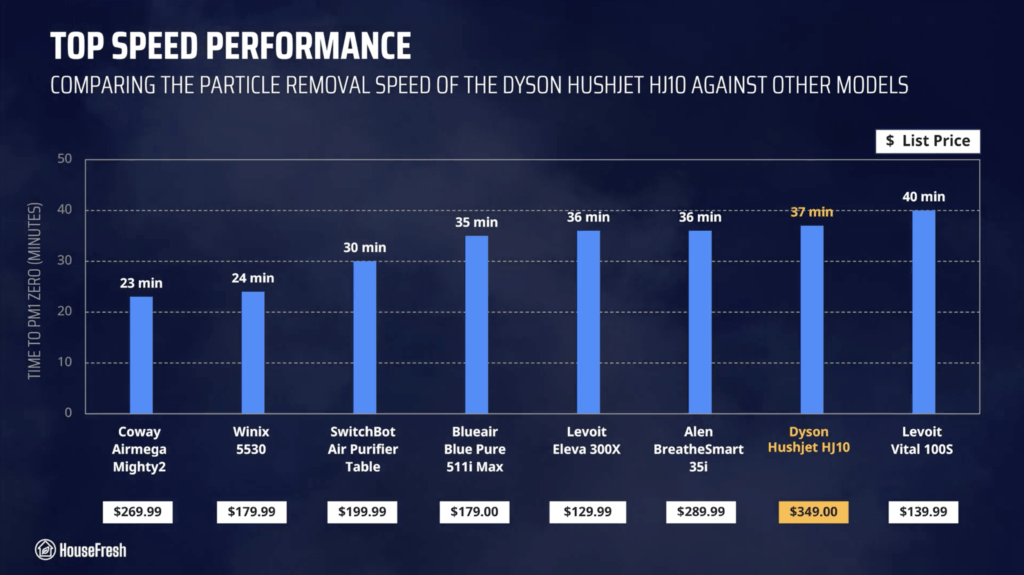
Coway Airmega 250S review

Coway Airmega 250S Living room

Coway is the manufacturer behind the most popular air purifier in the world, the Airmega AP-15122HH which has been the number one pick from the team at the NY TImes’ Wirecutter since 2014. 

The Airmega 250S is a relatively new model that has been around since the end of 2021, and has been very well received by the press. So well received, in fact, that one reviewer referred to it as “the Wagyu Beef of Air Purifiers”…

Wagyu Beef of Air Purifiers

That got me even more interested in testing its performance.

As always, we bought the Airmega 250S with our own money to experience the customer journey just as you will and remain unbiased without any special deal or connection to Coway.

The overall score for the Dyson Big+Quiet BP06 incorporates first-hand data results from our battery of tests, as well as our ratings for customer service, brand transparency and design & UX. Check out the full scorecard below to see the split of categories.

The pros and cons of the Coway Airmega 250S

A summary of our top-level findings after testing this air purifier following our methodology.

“The Airmega 250S has excellent build quality and is beautifully designed, so it is a good option for those who are happy to spend a little more on an air purifier that will look great while cleaning the air.

However, if you are sensitive to noise, you might want to pass on the 250S because it doesn’t offer good air cleaning performance under 45 dBA.”

Danny Ashton HouseFresh
Danny Ashton
HouseFresh Founder
& Lead Tester

If you don’t want to read my full review of the Coway Airmega 250S, here are the three things I like and the three things I don’t.

CONS

Long-term running costs are higher than similar performing devices due to the filters needing to be changed every six months.
Sub-par air cleaning at its only sub-45 dBA fan speed. There is a big jump in noise levels when moving from speed 1 to speed 2.
The app has a habit of logging you out, which is quite annoying and could explain the low user ratings in both the App store and the Google Play store.

PROS

Build quality and design are a step above the rest. The Airmega 250S is full of little design details, from the braided cable to the retro-modern aesthetic.
It offers solid air cleaning performance at top speed – earning the 250S a spot in our rankings right beside many of our top recommended air purifiers.
It is more energy efficient than previous Coway models we’ve tested.

Clean air delivery rate (CADR):– Top speed PM1 CADR: 249 cfm
– Sub-45 dBA PM1 CADR: 91 cfm
– AHAM PM2.5 CADR: 261.2 cfm (dust)
Filter technology:True HEPA filter with pelleted activated carbon and a washable pre-filter
Recommended room size:373 sq. ft. (5 air changes per hour)
Dimensions:18.5 x 19.7 x 8.3 in (47 x 50 x 21 cm)
Weight:20.5 lb (9.3 kg)
Noise level in decibels from 3 ft. away:– Sleep mode: 35.7 dBA
– Speed 1: 36.5 dBA
– Speed 2: 50.2 dBA
– Speed 3: 59.3 dBA
Electricity consumption in watts:– Standby mode: 1.76 watts
– Sleep mode: 4.53 watts
– Speed 1: 6.52 watts
– Speed 2: 22.01 watts
– Speed 3: 57.71 watts
Filter lifespan:6 – 12 months
Manufacturer’s warranty:3 years
Country of origin:South Korea
Country of manufacture:South Korea

Coway Airmega 250S AHAM

The best Airmega 250S feature: Retro-inspired design built with high quality materials

The 250S has been built to last and is guaranteed to look great in most rooms.

If you’re reading this review, it’s probably because you saw the 250S and thought the design was worth paying extra compared to other air purifiers from Coway. 

I’ll be honest, as soon as I unboxed this device, I became obsessed with how it looks. I am not one to care about design or aesthetics but the Airmega 250S really made me notice. And it’s not just how nice the retro-inspired design looks — from the plastic chassis to the braided cable, this thing has been made with high quality materials.

Filtration technology

The Airmega 250S comes with a bonded H13 HEPA filter with pelleted activated carbon and a removable pre-filter that is also washable.

With the Airmega 250S, Coway moved away from the non-bonded filters we’ve seen in the past from models such as their incredibly popular AP-15122HH or the newer Airmega 200M. And unlike those models, the 250s also lacks an ionizer function.

It comes with an all-in-one filter they call ‘Max 2’ filter with a Green True HEPA particle filter on one side and a gas filter with pelleted carbon on the other.

Coway Airmega 250S Filter closeup

The removable pre-filter on this unit is really high quality and slides into place beautifully. I like that it’s washable so you can rinse it, dry it and place it back.

Coway Airmega 250S Pre filter

Bonded filters can have better performance at removing particles compared to separate filters, but once the carbon runs out, you will need to replace the whole filter — even if the HEPA filter didn’t need to be replaced.

Design, controls and features

A customizable heavy, rectangular air purifier with two on-board sensors and app connectivity.

Coway Airmega 250S Front

Weighing 20.5 lb (or 9.3 kg), the Airmega 250 S is heavier than other similarly powered air purifiers, and it is also wider than other mid-sized devices so it will take up more space on the floor. Luckily, it has hand holds on each side, so it’s fairly easy to move around the house.

It comes with two sensors: one for particles and one for gases. When on auto mode, it switches to high fan speeds as needed based on the readers of the sensors.

Coway Airmega 250S Living room 1

While it has no screen showing air quality levels, it comes with an LED bar that changes color depending on how bad the air quality is — you will also get an alert through your phone once you have setup the app.

Coway Airmega 250S Controls

The AQI light bar is easy to see and will change color from blue (good) to green (moderate) to yellow (unhealthy) to red (very unhealthy), depending on the sensor readings.

Something I really like is the introduction of a ‘Rapid’ mode, which will supercharge the usual auto mode ensuring the device will hit its highest fan speed until the air quality is improved.

Coway Airmega 250S Top

We bought the Airmega 250S in Warm Gray, but if you go with the Airmega 250 Art, you can upgrade the look of the device to include an artwork imprinted on the front cover.

Coway Airmega 250 Art

However, it will cost you an additional $50 if you buy from Coway (or an added $100 if you buy from Amazon) and you will be giving up on the app connectivity that you get with the 250S.

The Airmega 250S comes with app connectivity through the Coway IoCare app, which is easy to use and has a clean UX without invasive ads. You can access all the controls you get on the device from the app, with the added option of scheduling routines and accessing historical air quality data.

An issue I encountered with the IoCare app is that it keeps logging me out. This is especially annoying if you don’t have the password handy. Based on the poor 1.4 out of 5 stars the app gets in the App store, it looks like I am not the only one having difficulties. But to be fair to Coway, I haven’t had any other issues with the app apart from this.

Air cleaning performance

We tested the Airmega 250S in our 728 cubic ft. test room, tracking how fast it removed all PM1 particles from the air after we filled the space with incense stick.

We started by testing the particle removal performance of the 250S running at its highest fan speed. According to our PurpleAir Zen sensor, it needed 24 minutes to achieve PM1 zero in our 728 cubic ft. test room:

Based on the natural ventilation of our 728 cubic feet test room, we estimate that it has a top speed PM1 CADR of 249 cfm, which could provide five air changes per hour in rooms up to 373 sq. ft.

With this data in hand, we can compare the performance of the 250S to the results of other similarly-priced air purifiers running at their top speed:

Coway Airmega 250S Performance Top Speed

As you can see from the table, air cleaning performance to cost seems fair when benchmarking with other similar powered devices. That said, you still get a much better bang for your buck with something like the AirFanta 3Pro or the Vital 200S. 

And if you are set on getting a Coway but not too fussed about it being the 250S, then you should probably look into the Airmega 200M, as it offers better particle removal performance for a cheaper price.

Sound levels

The sound levels of the 250S range from 35.7 dBA to 59.3 dBA — louder than similar performing models like the Smart Air SA600 and the Levoit Vital 200S.

Coway Airmega 250S Sound energy test

If an air purifier is too loud, you will find yourself turning it off eventually.

That is why we used a sound meter to measure how much sound the Coway Airmega 205S generates from 3 ft. away at each of its fan speeds:

Coway Airmega 250S Sound levels

Be aware our background noise is 35 dBA, so the 250S running at sleep mode and set to speed 1 is likely to be quieter than 36.5 dBA if you could measure sound levels in a silent room.

Even though it’s a larger device, when running at its highest fan speed, the 250S is quieter than the Airmega 200M. That said, it is still louder than most other mid-sized traditional air purifiers we benchmarked it against.

Coway Airmega 250S Performance VS Sound

However, it is clear that this device is much louder than a PC fan-powered air purifier like the Luggable XL-7 from CleanAirKits.

One of the benefits of going with a mid-to-large sized air purifier, is that you can run them at low (and quiet) fan speeds while still enjoying powerful air cleaning performance due to use of larger fans and filters. That is why we also test the particle removal speed of our air purifiers running at quiet fan speeds.

The Airmega 250S needed 64 minutes to remove all PM1 particles from the air running at speed 1 (36.5 dBA) and 30 minutes running at speed 2 (50.2 dBA). 

When comparing the sub-45 dBA performance of the 250S to other air purifiers running at fan speeds that generate less than 45 decibels, it becomes clear that this air purifier doesn’t offer good air cleaning at quiet operation.

Coway Airmega 250S Performance Sub 45DBA

Based on the natural ventilation of our test room, we estimate that the Coway Airmega 250S has a sub-45 dBA PM1 CADR of 91 cfm which would be powerful enough to offer five air changes per hour in rooms no larger than 136.5 sq. ft.

I would like for Coway to add a fan speed in between speed 1 and speed 2 that doesn’t exceed 45 dBA, as this is a sound level that many people will have no issues hearing all day in the background.

Long-term running costs

Running a Coway Airmega 250S will cost you $224.08 per year, combining energy consumption costs and filter replacement prices.

Coway Airmega 250S Close

As always, we used our energy meter to record how much energy the Airmega 250S uses when running at each fan speed and also while on standby. If you had to leave your 250S running at its top speed 24/7, it would cost $64.10 in energy costs for a year. 

Coway Airmega 250S Energy consumption

Now, I know this is an unlikely scenario as you will probably prefer having the device running at a quieter fan speed in the background, but I use this ‘worst case scenario’ to estimate the most the 250S could add to your energy bill each year.

But it’s not just energy costs that add to the running cost of an air purifier, you will also need to replace the filters eventually. In the case of the 250S, Coway says that you need to replace the filters every 6-12 months.

The recommended official filter (AP-1720-FP) costs $79.99, which means that you will need to spend $159.98 each year in filter replacements. 

When we combine energy costs with filter replacement costs, we find that the Coway Airmega 250S will cost you $224.08 per year to run.

Coway Airmega 250S Yearly Costs

Due to the filters needing to be changed twice per year, the costs are higher than those models that only need changing every 12 months. In this benchmark of similar devices, the 250S ranks as the air purifier with the highest long-term running costs.

Coway Airmega 250/250S Air Purifier Replacement Filter Set, Max 2 HEPA Filter and Active Carbon Filter, AP-1720-FP
  • Coway Airmega 250/250S Replacement Filter
  • Coway Airmega Max2 filter is an all-in-one that combines Coway HEPA filter with an Activated Carbon filter.
  • Coway Airmega Max2 filter has an average of 12-month lifespan.
 

Bottom line: Should you get the Coway Airmega 250S?

For raw money-to-air-cleaning-performance, you will get a better deal with the older AP-15122HH or the newer Airmega 200M.

Coway Airmega 250S Sofa

The Airmega 250S has excellent build quality and is beautifully designed, so it is a good option for those who are happy to spend a little more on an air purifier with smartphone connectivity that will look great while cleaning the air.

However, if you like the look of the 250S but are not keen on having yet another app on your phone, then you may want to choose the Airmega 250 instead or even the Airmega 250 Art for a snazzier look.

Coway Airmega 250S Corner

If you’re not convinced by the looks, then I’d say there are other mid-to-large sized air purifiers out there that will give you great air cleaning power even at quiet fan speeds for less or about the same price you’ll pay for the 250S.

A big problem with this device is the small number of fan speeds. 

While speed 1 is very quiet, air cleaning performance is not as impressive. Switching to speed 2 will improve this, but the 250S will get noisy as this fan speed goes over 50 dBA, which is louder than most people would like to have running continuously. 

It would be much better to see a fan speed in between that runs at just under 45 dBA, as we know that many people could deal with this sound level running all the time in the background.

For those wanting a powerful air purifier with excellent quiet performance, smartphone connectivity, and a design that looks as good as the Coway 250S, check out the Levoit EverestAir. 

And if you want to save some money, look into the Winix 5500-2 and the Levoit Vital 200S, both of which will give you the same level of air cleaning power for a cheaper upfront and long-term cost.

I hope my review was helpful and if you have any questions about the Coway Airmega 250S, be sure to leave them in the comments below.

NorthBox 6XL review

North Box 6XL Side

After his father went into a long-term care facility at the height of the COVID-19 pandemic, Robert Fantinatto teamed up with his son Aidan to make PC-fan powered air purifiers easily available to Canadians. 

As with all the air purifiers we tested, we bought the NorthBox 6XL with our own money. We went with the DIY kit as it was easier to ship all the way to the UK, and chose the HDF hardboard version as it was cheaper at $220 CAN. 

The DIY kit came with everything we needed to build the 6XL, except for the two 20x20x1 3M Filtrete MERV13 filters and the six Arctic P14 fans. But if DIYing is not your thing, you can get the fully assembled version for $350 CAN.

In this review, I will be comparing the NorthBox 6XL against the more than 100 air purifiers I have tested to date. I will take you through my first-hand data on air cleaning performance, sound generation, electricity consumption, user experience and long-term running costs.

how we test
How we test air purifiers

Read our full testing methodology.

The lowdown on the NorthBox 6XL

Danny Ashton HouseFresh
“The NorthBox 6XL is an excellent alternative to the CleanAirKits Luggable models for those living in Canada, who will be able to buy them without worrying about tariffs while supporting a Canadian small business.

Air cleaning performance, sound generation and energy consumption are on par with what we’ve come to expect from PC fan-powered devices.”

— Danny Ashton, HouseFresh Founder & Senior Writer

If you don’t want to read my full review, here are the five things I really like about the 6XL, and the three things I don’t.

What we really like

Excellent air cleaning performance comparable to the impressive Luggable XL-7 from CleanAirKits.
Outstanding particle removal speed at quiet operation with Noctua P14 Redux fans.
It is more affordable than other PC fan air purifier kits such as those from CleanAirKits and Nukit.
It uses 20x20x1 MERV 13 filters that are easily available.
It is lightweight and easy to move around.

What we think could be better

I found it trickier to build compared to the CleanAirKits Luggable XL-7 — but it’s definitely easier than the Nukit Tempest.
There is no mesh filter guard or pre-filter available, which is something we see with the Tempest and the Luggable.
North Box Systems doesn’t have an online store, so you will need to email them to make an oder.

HouseFresh rating:◼️◼️◼️◼️◼️◼️◼️◻️◻️◻️ 7/10
Time to clean our 728 cubic feet test room (with the device running at top speed):– Top speed: 21 minutes (Arctic P14 Max)
– Sub-45dBA speed: 23 minutes (Noctua P14 Redux)
Air filtration technology:MERV 13 (20x20x1 3M Filtrete MPR 1900)
Recommended room size (5 air changes per hour):427 sq. ft.
Clean air delivery rate (CADR):HouseFresh PM1: 285 cfm
Dimensions (in inches / in cm):20 x 20 X 5.5 in (50.8 x 50.8 X 14 cm)
Weight (in pounds / in kg):2.4 lbs (1.1 kg)
Filter life:12 months
Noise level in decibels (measured from 3 ft. away with a sound level meter):– Arctic P14 Max: 50.2 dBA
– Noctua P14 Redux: 45.1 cBA
Electricity consumption in watts (recorded with an electricity usage monitor):– Arctic P14 Max: 28.45 watts
– Noctua P14 Redux: 14.4 watts
Estimated running cost:– Energy consumption: $31.60 per year
– Filter replacement: $89.98 per year
Manufacturer’s warranty:1 year
Country of manufacture:Canada

The best 6XL feature: Repairable, upgradeable and customizable

You can choose different types of PC fans depending on what you value most: sheer power or quiet performance.

One of my favorite features of the new generation of PC fan-powered air purifiers is the fact that you can fix and replace parts, using widely available air filters and fans. 

In the case of the NorthBox 6XL, we were able to build multiple versions of the same device without any issues. Each time, we were able to improve the performance of the air purifier in regards to its particle removal efficiency and its sound generation. 

This makes the 6XL highly customizable, depending on what you value most: quiet power or particle removal speed.

A natural HDF hardboard body that houses two 20×20 MERV 13 filters

The design of the 6XL is reminiscent of the Luggable XL-7 we reviewed from CleanAirKits.

North Box 6XL CleanAirKits XL7

The moment I finished building my 6XL, I could immediately see the resemblance with the design of the Luggable XL from CleanAirKits—especially considering the use of 3M Filtrete MERV 13 filters. 

In fact, on their website, North Box Systems highlighted CleanAirKits’ own Rob Wissmann as a source of inspiration, alongside the DIY movement around the Corsi-Rosenthal box. 

north box systems website

However, unlike CleanAirKits, you don’t get a handle and won’t find an option to add a mesh guard or pre-filter on top of the MERV 13 filters. 

That said, you will get two choices for the body of your NorthBox 6XL: glossy black acrylic or natural HDF hardboard, with the first one adding $30 to the price. 

Personally, I prefer the wooden look and the cost-savings associated with the HDF hardboard, but I am aware that there might be durability benefits with the acrylic version.

North Box 6XL Side

As I mentioned in the intro, we went with the DIY kit to build our 6XL at home because it was cheaper and easier to ship to the UK. The kit comes with everything you need (bar the filters and the fans), including a UL/C 12V power supply, safety grills to place on top of the fans and a set of adjustable internal tension cords to keep the cables nice and tidy on the inside.

This was the third PC fan kit I put together and I must say that I found it a little trickier than the kit from CleanAirKits but much easier than the one from Nukit.  I really appreciate the team at North Box published a how-to video for people to follow while building the air purifier. 

And I know that Robert Fantinatto made some adjustments to the kit after my initial video, so I’m looking forward to building and testing another model from North Box Systems to see the improvements. 

In terms of fans, North Box recommends the Arctic P14 fans, which will set you back $49.99. For my build, I wanted to try something different so I went with the Artic P14 Max fans and I also tested Noctua P14 Redux fans. 

And when it comes to filters, you will be able to use any 20x20x1 MERV 13 filters you can get hold of.

North Box 6XL Top Down Filter

North Box recommends the 3M Filtrete MPR1900, so we went with those filters because we were super impressed with the particle removal efficiency of the Filtrete MPR1900 when we tested them with the Luggable XL and the Lasko 2-in-1.

The NorthBox 6XL cleared our test room in 21 minutes

Our build with Arctic P14 Max fans completed our particle removal test two minutes faster than the CleanAirKits Luggable XL-7.

North Box 6XL Top

PRICE on amazon PRICE on EBAY

We tested the NorthBox 6XL in the same 728-cubic-feet room where we have tested 100+ different air purifier models since 2020. By testing every device in the same room doing the same job of removing incense smoke, we can quickly compare performance across devices.

Our 6XL build with Arctic P14 Max fans cleared all PM1 pollutants from incense smoke in 20 minutes, which is two full minutes faster than the result achieved by the CleanAirKits Luggable XL-7 with one more PC fan than the 6XL:

That means that, by choosing to use the P14 Max fans, I managed to improve the air cleaning performance of the 6X, but as you will see later, this build has some downsides.

Next, we repeated the particle removal test with the Noctua P14 Redux fans, and this version of the 6XL took a little longer, reaching PM1 zero in 23 minutes:

You can see in the table below how these results compare to some of the most popular air purifiers we have tested:

North Box 6XL Performance compared

Similar to the Luggable XL, the NorthBox 6XL comes at a higher initial cost when compared to HEPA retail devices with similar air cleaning performance. However, you will get a lot more value out of the 6XL when looking at quiet performance and long-term running costs.

In our testing, the Noctua build of the 6XL hit 45.1 dBA and the P14 Max build hit 50.2 dBA.

North Box 6XL Sound test

While air cleaning performance is very important, it is not the only thing you should focus on when choosing an air purifier. Sound is important too. 

If an air purifier sounds like a jet engine, you’re likely to end up turning it off eventually. That is why, we used our sound meter to measure how much sound is generated by the NorthBox 6XL from 3 ft. away.

Our data shows that the P14 Max build generates 50.2 dBA and the Noctua build is quieter at 45.1 dBA. But this information in isolation is not as helpful, so let me show you how this compares to other air purifiers running at their top speed:

North Box 6XL Sound compared

As you can see from the table above, in my quest to improve air cleaning performance with the use of Arctic P14 Max fans, I built a version of the 6XL that is much louder than the other PC fan kits I have tested. 

I want to be clear, this is down to me choosing these fans rather than any issue with the design from North Box. North Box recommends the use of Arctic P14 fans, which would be much quieter.

If sound is a big deal for you

If you’re keen to experiment with the PC fans for the 6XL, I would suggest looking into the non-Max version of the Arctic P14 fans, which will be much quieter and we recorded reaching 41.8 dBA in our build of the Nukit Tempest.

We have been experimenting with lots of different fan models for our Nukit Tempest that you might want to check out:

While I was able to improve the CADR of our  6XL a little with the use of P14 Max filters, the downside is that you’ll get much louder operation so it is probably not worth it. 

Using the Noctua P14 Redux fans, I managed to lower sound levels to the 45 dBA limit we set for our quiet performance tests. Check out the table below to see how the air cleaning performance of the 6XL compares to other air purifiers at sub-45 dBA fan speeds:

North Box 6XL Sub45 performance compared

As the chart above shows, when comparing quiet performance below 45 dBA it becomes clear that PC-fan air purifier kits offer a lot more value that you’ll ever get from HEPA retail devices.

And even though that the NorthBox 6XL with Noctua P14 Redux fans is louder than other PC-fan powered devices, its particle removal performance still outmatches every other shop-bought device on the list.

The cost to run a NorthBox 6XL: $85.50 CAD per year

1. Electricity costs = $30.97 CAD per year

As part of our reviews, we use a power meter to measure how much energy is pulled at each fan speed. As the NorthBox 6XL has only one speed, we only needed to record energy consumption at its only speed.

When running the 6XL with P14 Max fans, it pulled 28.45 watts. When we swapped for Noctua P14 Redux fans, the power consumption dropped to 14.4 watts.

We can now compare the estimated energy costs associated with running a NorthBox 6XL, based on calculations we made using the appliance cost calculator from BC Hydro.

North Box 6XL Energy consumption

But it’s not just electricity costs that add up to the maintenance costs of running an air purifier in your home 24/7; you also need to think about filter replacements.

2. Filter costs = $54.53 CAD per year

As with any air purifier, you’re going to have to replace the filters in your NorthBox 6XL eventually. 

The 6XL uses two MERV 13 20x20x1 filters and, depending on where you live, you should be able to get 12 months of use out of them before it’s time to replace them.

If you go with the recommended 3M Filtrete MPR1900, you will pay $163.58 on Amazon.ca for a set of six filters, which should last you around three years. That means that you should budget around $54.53 per year in filter replacements for your 6XL.

When we combine energy usage with filter replacement costs, we estimate that the NorthBox 6XL could cost you 

Still, when you combine the energy usage with these filter prices, the Northbox 6Xl annual running cost is $85.50 CAD. This figure compares favorably with other air purifiers we have tested: 

North Box 6XL Yearly costs

As you can see from the table above, choosing to build your 6XL with Arctic P14 Max fans, you will end up paying more in the long run due to how power-hungry those PC fans are compared to what you can expect to pay with the Noctua P14 Redux fans.

Bottom line: Should you buy a NorthBox 6XL?

If you are based in Canada, the 6XL is the best value PC fan-powered air purifier you can buy today.

North Box 6XL Corner

So before I jump into the conclusion, it’s fair to say that I messed this one up when I decided to build my first iteration of the 6XL using six Arctic P14 Max fans.

When I swapped out the P14 Max fans for the Noctua Redux fans, we improved performance at quiet fan speeds. However, the Noctua fans are quite pricey so it might be better to get the standard P14 fans, as recommended by North Both.

North Box 6XL Close

All in all, I’d say that the NorthBox 6XL is an excellent alternative to the CleanAirKits Luggable models for those living in Canada, who will be able to buy them without worrying about tariffs while supporting a Canadian small business.

The 5XL and 6XL PC fan-powered air purifiers from North Box should be the top choice for those looking for a PC fan air purifier in Canada.

If you have any questions about this device, please drop them in the comments below and I’ll try to reply as soon as possible.

SOURCES

We calculated yearly costs associated with running the NorthBox 6XL for 24 hours a day, 365 days a year, based on the Canada average utility rate as of March 31st, 2025.

Winix T810 review

Winix T810 Header

After having tested multiple Winix air purifiers, I have grown to become a fan of their brand. 

In fact, their trusted and affordable Winix 5500-2 is one of my top recommendations for most people. So you can imagine my excitement with the release of the new Winix line in 2023.

The Winix T810 was first announced in September 2023 as a “cutting-edge” air purifier with “unparalleled 360° air care capability.” These big promises were paired with photos of a sophisticated, “Instagrammable” design that we’ve never seen from Winix.

In this review, I will compare the T810 to the more than 100 air purifiers we have tested at HouseFresh since 2020. 

My observations are based on our first-hand data on air cleaning performance, sound generation, energy efficiency, real-life user experience and long-term running costs. You can read more about how we test air purifiers here.

By the way, I bought our T810 for $421.66 on Amazon.com, including the shipping and import fees needed to get it sent to us here in the UK. If you are buying it from the U.S. you will only need to pay $215.

The lowdown on the Winix T810

Danny Ashton HouseFresh
“The Winix T810 offers good air cleaning performance in a relatively small package. 

To put it into perspective, the T810 offers better particle removal performance than what you will get from the popular Coway Airmega AP-1512hh, which has a bigger footprint and costs around the same.”
— Danny Ashton, HouseFresh Founder & Product Tester

PRICE ON amazon PRICE ON Sylvane

If you don’t want to read my full review of the Winix T810, here are the three things I like about it, and the three things I don’t:

What we really like

I love the design. I have 105 air purifiers (and counting!) at home right now, and the T810 stands out because it looks like a million bucks.
It offers solid air cleaning performance in a relatively small package. The T810 offers better performance than many devices with a bigger footprint.
The Winix app has clean UX without invasive ads. Plus, the smart features work well and the onboard sensor is quick to detect changes in air quality.

What we think could be better

It can get loud. When running at turbo speed, the T810 runs louder than many similar performing air purifiers.
It has a bonded filter. The all-in-one filter is cumbersome to clean regularly and will need replacing once the carbon is full, even if the HEPA filter is perfectly fine.
It is not cheap. The T810 sells for over $200, so it’s more expensive than high-performing devices like the AirFanta 3Pro ($160) and the Levoit Vital 200S ($190).

HouseFresh rating:◼️◼️◼️◼️◼️◼️◼️◻️◻️◻️ 7/10
Time to reach PM1 zero (running at top speed in our 728 cubic feet test room):– 26 minutes (top speed)
– 46 minutes (sub-45 dB speed)
Air filtration technology:True HEPA particle filter with carbon and pre-filter mesh
Ionization technology:PlasmaWave bipolar ionization that can be disabled
Recommended room size (5 air changes per hour):343 sq. ft.
Clean air delivery rate (CADR):– HouseFresh PM1: 229 cfm
– AHAM PM2.5: 267 cfm (dust)
Dimensions (in inches / in cm):11.3 x 11.3 x 20.4 in (28.7 x 28.7 x 51.8 cm)
Weight (in pounds / in kg):10.4 lbs (4.7 kg)
Filter life:12 months
Noise level in decibels (measured from 3 ft. away with a sound level meter):– Sleep mode: 35.1 dBA
– Speed 1: 37.4 dBA
– Speed 2: 44.8 dBA
– Speed 3: 50.3 dBA
– Speed 4: 62.5 dBA (top speed)
Electricity consumption in watts (recorded with an electricity usage monitor):– Standby: 0.52 watts
– Sleep more: 2.2 watts
– Speed 1: 4.40 watts (4.72 w/PlasmaWave)
– Speed 2: 8.23 watts (8.47 w/PlasmaWave)
– Speed 3: 12.30 watts (13.42 w/PlasmaWave)
– Speed 4: 41.92 watts (42.59 w/PlasmaWave)
Estimated running cost (electricity consumption + official filter replacement):– Energy consumption: $47.31 per year
– Filter replacement: $79.99 per year
Manufacturer’s warranty:2 years
Country of manufacture:Thailand

The best T810 feature: A design that will make you look twice

The Winix T810 won’t look out of place in the most stylish of spaces.

Winix T810 Living room

I know looks have nothing to do with air cleaning performance, but it’s hard not to comment on how beautiful the design of the T810 — especially compared to other Winix air purifiers we have tested.

The Winix T810 is easy on the eye thanks to its sleek medium-sized cylindrical design with vertical lines topped by a high-end touchscreen control panel. 

If you asked me to choose the best looking air purifier out of the 104 devices I’ve got now in my home, the T810 would be my pick.

A modern and sophisticated device, packed with smart features

The T810 is one of the few air purifiers from Winix with smartphone connectivity.

Winix T810 Close Up

Normally, my wife and I disagree on what we like and dislike about the design of air purifiers, but for once, we are both in agreement that the T810 is a seriously good-looking device.

While design aesthetics shouldn’t be your primary concern when shopping for an air purifier, I understand it’s an important thing to consider because you will need to have the device on show all the time.

If having a better-looking design means more people are more likely to use air purifiers, then I am all for it.

The big difference over other popular Winix devices is the use of a cylindrical design vs the rectangular box we see with the 5500-2, C545, Zero Pro, 5510, Zero S… etc.

T810 Winix Comparison

However, there are some downsides to the T810’s cylindrical design.

The 360-degree filter combines all filters into one, so you will have to throw away the entire filter once the carbon layer is full—even if the HEPA filter is perfectly fine.

You have to remove the full filter to vacuum and clean the pre-filter cover. The process is more cumbersome compared to devices with washable removable pre-filters.

That said, the big benefit to the cylindrical design is that the T810 is less bulky and takes up less floor space than other medium-sized air purifiers with similar levels of performance.

You can see in the photo below how the T810 compares to two of our most recommended air purifiers since 2023: the 5500-2 also from Winix (right)  and the Levoit Vital 200S (left):

Winix T810 Vital 200s Winix 5500

Rather than pulling air from just the front, the T810 pulls air in from all sides of the device, which means you have higher CADR without the usual large size.

Compared to other cylindrical air purifiers such as the Levoit Core series, I much prefer the design choices that Winix has made. 

The vertical lines make the T810 feel much more stylish and sophisticated than the usual all-white cylinder shape used by many other air purifier manufacturers.

We chose to go with the Silver design, but you can also choose Blue stripes instead if you go for the T830:

Winix T810 vs T80

The one thing I dislike about some cylindrical air purifiers is having to access the filter through the bottom of the device. Sadly, this is what Winix decided to do with the T810.

So to access the filter of your T810, you will have to tip the device upside down and turn the handle counter-clockwise to release the cover:

Winix T810 Bottom Cover

Something my wife reported experiencing a few times, which is a common issue with this type of cover: if you slide the air purifier on the ground from one side to another for some reason (e.g. you’re sweeping the floor), then you might end up unintentionally opening the cover.

Moving on from the design aesthetic, one of the big differences between the T810 and most other Winix air purifiers is the inclusion of an onboard screen and app support.

Not only that.

Like the Winix ZERO Pro, the T810 also comes with two sensors: one for particles and one for gases.  This makes the T810 more responsive to air quality changes. 

Plus, people often forget to clean the particle sensor and this can negatively affect the reliability of the auto-mode. The addition of the gas sensor is a welcomed inclusion for those cases. 

The screen takes a few moments to kick in, but once it does, it shows the level of PM2.5 detected on screen.

You also get an LED light that adjusts its color based on the level of air quality, moving through red (poor) to amber (fair) to green (average) to blue (good).

Winix T810 Touchscreeh

Another innovation from Winix is the inclusion of app connectivity.

The T810 can be paired to the Winix Smart app, which I found easy to install and navigate. The app has a clean UX, without the product ads or content marketing we see with other manufacturer apps such as Levoit.

I tested the Apple app, which has better ratings (4.6 stars) than the Android app (3.3 stars), so perhaps I am one of the lucky ones but I didn’t encounter any issues and I am happy with the app’s functionality. The scheduling function is easy to use, and every other feature can be also controlled from the touchscreen on top of the device and the remote control.

Something I really liked about the app is having the ability to store historical air quality data from the device, but I am a data nerd so it might not be something you’ll care about. I’m also glad Winix didn’t move all the features to the app (as we see with Xioami) because not everyone wants another app.

An all-in-one 360°cylindrical True HEPA filter with an activated carbon coating

It offers good particle filtration but doesn’t come with enough carbon to be effective against serious VOCs or strong smells like cigarette smoke.

Winix T810 Filter

Overall, the filter you’ll get with the Winix T810 is very similar to other cylindrical filters we see with many other brands:

Cylindrical Filter Replacement 1

But this all-in-one bonded filter is very different from what we expected from Winix.

You see, most Winix air purifiers come with separate filters for carbon and particles. These non-bonded filters from Winix usually come with a removable (and often washable) pre-filter, which makes it easier to quickly clean the pre-filter to help extend the life of the HEPA filter.

Winix T810 Comparison Winix Filters

However, the T810 comes with an all-in-one cylindrical filter that includes a pre-filter mesh, a carbon coated layer and a True HEPA filter.

As is the case with every other Winix device, the particle filter of the T810 is HEPA-graded, which means it was independently tested and certified by a lab as True HEPA grade.

And the gas filter consists of a carbon coated layer, which is likely not going to be as effective at tackling chemical gasses and odors compared to a filter with a good amount of pelleted activated carbon.

The Winix T810 cleared our test room in 26 minutes

It matches the performance of the Coway Airmega AP-1512hh, but it was slower than the Levoit Core 400S.

Winix T810 HouseFresh Performance Test

First, we tested the particle removal speed of the Winix T810 running at top speed with PlasmaWave enabled. 

According to our PurpleAir Zen sensor, the T810 needed 26 minutes to achieve PM1 zero in our 728 cubic ft. test room:

We can compare this to other similarly-priced devices running at their top speed:

Winix T810 Top Speed Performance Compared

Considering AHAM’s high CADR ratings for this device (267 cfm for dust), I was surprised that it wasn’t quicker than the Winix 5500-2 and Vital 200S.

It’s also fair to say that while the list price ($250) is similar to that of other devices, many (like the Winix 5500-2) are often sold for much less so you are likely to get better value from this older Winix device.

But, these are the results with PlasmaWave enabled, which is not something everyone will want to have as many people avoid ionizers. That is why we disabled PlasmaWave and re-tested the air cleaning performance of this device.

Without using Plasmawave, the T810 needed 27 minutes to achieve PM1 zero – that is just one additional minute from our previous test. This is how this result compares to other air purifiers with and without their ionizers enabled:

Ionizer On Off Comparison

Our data shows that the T810’s PlasmaWave has a fairly low effect on overall air cleaning performance here―especially when compared with what we saw with the Blueair 211+ or the Coway AP-1512HH. So, I see no downside to running your T810 without PlasmaWave enabled if you want to avoid bipolar ionization.

It is louder at top speed than other mid-sized air purifiers we recommend

In our testing, the sound levels of the Winix T810 ranged from 35.1 dBA to 62.5 dBA.

Winix T810 Sound Electricity Test

If an air purifier is too loud, you will find yourself turning it off eventually. That is why we always measure how much sound they generate from 3 ft. away with a sound monitor.

These are the results for the T810:

Winix T810 Sound Test

Tip

Be aware our background noise is 35 dBA, so the T810 running at speed one (1) is likely to generate less sound if you could measure it in a silent room.

As you can see from the table below, the T810 does run louder than many of the other similar-performing air purifiers we have benchmarked:

Winix T810 Noise Levels Compared

Next, we re-tested the particle removal performance of the T810 when running at its lower fan speeds.

Running at speed two (2), it generates 44.8 dBA, which is just below the 45 dBA limit that CleanAirStars recommends for noisy classrooms or offices. At this speed, the T810 managed to reach PM1 zero in 46 minutes.

When running at sub 45 dBA, the T810 performs similarly to other popular devices, such as the Levoit Vital 200S and Winix 5500-2 although you do get better performance at the same sound level with the Levoit Core 400S:

Winix T810 Sub 45dB Comparison

As I expected, our data shows that the T810 is completely outmatched by PC fan-powered devices like the CleanAirKits Luggable XL-7 and the AirFanta 3Pro. But this makes sense as PC fans are whisper quiet.

The cost to run a Winix T810: $126.64 per year

We look at how much the T810 will cost you in the long term, including your energy bill and filter replacement costs.

1. Electricity costs = $46.65 per year

As always, we used our energy meter to record how much energy the T810 uses when running at each fan speed and also while on standby.

I also made sure to measure how much power was used once I disabled PlasmaWave:

T810 Power Consumption

If you were to leave your Winix T810 running 24/7 at its top speed with PlasmaWave enabled, it would add $46.65 to your energy bill within a year.

With this calculation in mind, we can compare the annual energy costs you can expect from the T810 to other devices we have tested.

Winix T810 Electricity Costs Comparison

At this point, we can see the improvements WInix has made as the T810 is more energy-efficient than the popular 5500-2.  That said, if you’re looking for a cheaper alternative to run, you might want to consider the Levoit Core 400S or the CleanAirKits Luggable XL-7.

2. Filter costs = $79.99 per year

It’s not just energy costs that add to the running cost of an air purifier, you will also need to replace the filters eventually. 

Winix says that you need to replace the filters for the T810 every 12 months and their OEM Filter R filter costs $79.99. 

Winix Genuine Replacement Filter R for T810 Air Purifier | Air Purifiers, Replacement Filters, Hepa Filters, Carbon Filters, Thailand, Air Purifier Unit T810, Boxed
  • Compatible with Winix air cleaner model T810
  • Fine Mesh Pre-Filter: The first line of defense against the largest airborne particles found indoors
  • True HEPA Filter: Captures 99.99%* of airborne allergens including pollen, dust, pet dander, and smoke (particles as small as 0.01 microns in size)
  • Activated Carbon Filter: Reduces VOCs and household odors from cooking, pets, and smoke. It is designed to catch airborne particles found indoors
  • Genuine Winix one year replacement filter set. For optimal performance, it is recommended to change the All-in-one True HEPA Canister Filter once every 12 months
 

So you can expect to pay $79.99 each year on filter replacements for the T810. 

As you can see from the chart below, the annual running costs of the T810 are higher than what you can expect from units like the Levoit Vital 200S or the Coway Airmega Mighty.

Winix T810 Yearly running costs

As this air purifier is fairly new, I was happy to see that you can already get generic filters from PUREBURG for $29.22 for one filter.

Now, I wasn’t able to buy a PUREBURG filter from the UK to test it with the T810, but based on tests I’ve run with other air purifiers, I have found PUREBURG filters usually offer similar performance to genuine filters.

PUREBURG Replacement Filter Compatible with Winix T810 T820 T830 Air Purifier Parts 1712-0118-00 & R Filter, H13 True HEPA and Activated Carbon Multi-Layer Filtration
  • H13 3-Stage Filtration True HEPA Filter,1-Pack
  • Compatible with Winix T810 T820 T830 Large Room Air Purifier 1712-0118-00 (Filter R)
  • H13 HEPA capture up to 99.97% of PM2.5 particles as small as 0.3 microns. This includes dust, pet dander and other minute particles ,Activated Carbon reduce Chemicals VOCs, tobacco smoke,PM2.5,common household bad smell,Fine Mesh Layer Prevents large particles such as dander,Pet hair
  • Please replace regularly to keep your machine fresh and clean. For the best performance, clean the filter once a month with a soft brush gently or with a vacuum cleaner.
  • Top Notch Quality Used for Maximum Customer Satisfaction Guaranteed. Every Product made by PUREBURG is Tested through Rigid Examinations and QC Procedures.
 

However, performance will vary depending on the amount of carbon included in the filter and the grade of HEPA you get with the particle filter. 

Tip

I will be running some experiments with my Winix T810 for our Patreon supporters, and I’ll make sure to test its performance using generic filters from PUREBURG as soon as I can buy them here in the UK.

Bottom line: Should you get the Winix T810?

Well, for most people, the older Winix 5500-2 will be a better choice.

Winix T810 Fireplace

If what you want is an air purifier with above-average air cleaning performance, then the T810 isn’t it. 

You will get a better air purifier in the older Winix 5500-2 as it provides better air-cleaning performance, comes with pelleted activated carbon (which will be better for odors in the long term) and also has a removable pre-filter that you will find easier to clean regularly.

However, the 5500-2 is a big black box without app support. So, considering design and features, I’d say the main competitor to the T810 is the Levoit Core 400S, which has a similar design, comes with app support and sells for $219.99 (although you’ll usually find it cheaper than that).

Now, does the Core 400S look as sleek as the Winix T810? Well… no.

T810 VS Core 400S

If you are looking for a stylish air purifier that won’t look out of place in even the most well decorated spaces, then the Winix T810 is the best-looking air purifier you can buy for less than $220. I even prefer it to the also new Winix 5510, which is louder and bulkier compared to the T810.

If you end up deciding that the Winix T810 is the right air purifier for you and want to support the work we do here at HouseFresh, please make sure to use this link to make your purchase — you won’t pay anything extra but we will get a 3% commission from Amazon.

Do you have any questions about the Winix T810? Have you bought the T810 and are using it at home? Please drop your question or share your experience in the comments below, and I’ll get back to you as soon as I can.
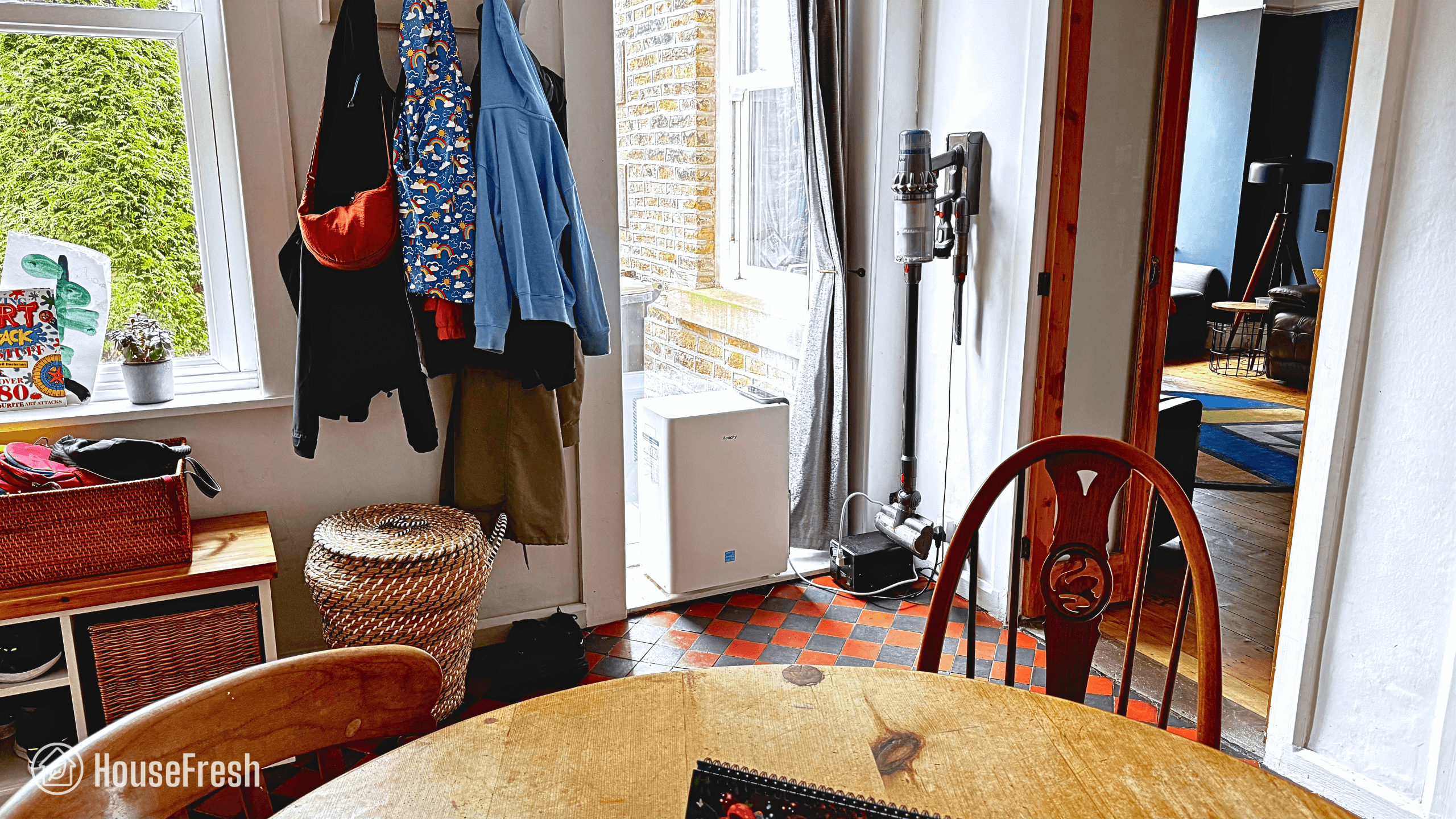
SOURCES

We calculated energy consumption costs with the help of the Department of Energy’s appliance energy calculator. We calculated yearly costs associated with running the Winix T810 for 24hs a day for 365 days. We ran this calculation utilizing the U.S. average utility rate of $0.1268/kWh as of March 17th, 2025.

AirFanta 3Pro review

AirFanta 3Pro Living Room

If you like the idea of a Nukit Tempest but you worry about the process of building it yourself from scratch with multiple PC fans, parts and screws, then this device by AirFanta might be the perfect option for you.

The AirFanta 3Pro is a creation of Adam Wong, someone who is very active on social media platforms — you might recognize him by his handle: @Engineer_Wong. Wong started his journey developing air purifiers in 2022, right after China left the Covid Zero policy. His beginnings involved assembling Corsi-Rosenthal boxes for friends and family, powered by his engineering background. Over time, he started receiving CR box requests from the local Covid Cautious community. This led to him designing and developing a new kind of DIY box that could be assembled and disassembled easily.

As with all the air purifiers we tested, we paid for the AirFanta 3Pro with our own money to experience the entire customer journey, conduct various tests and write an honest (and unbiased) review. If you decide to buy an AirFanta 3Pro after clicking on a link from this review, you will be supporting our work, as we will get a small commission at no extra cost to you.

The overall score for the AirFanta 3Pro incorporates first-hand data results from our battery of tests, as well as our ratings for customer service, brand transparency and design & UX. Check out the full scorecard below to see the split of categories.

The pros and cons of the AirFanta 3Pro

A summary of our top-level findings after testing this air purifier following our methodology.

Use the discount code HOUSEFRESH for 5% off when buying directly from AirFanta.

“This is the only high CADR air purifier that you can disassemble and bring along wherever you go inside a backpack or suitcase.

The AirFanta 3Pro blew me away with its air cleaning performance, which is powered by a smart CR box-inspired design and the choice of combining four low-resistance H11 filters with four PC fans.

The market for PC fan air purifiers is booming, and AirFanta has made its mark with a device you can buy for a fraction of the price of its competitors ($160).”

Danny Ashton HouseFresh
Danny Ashton
HouseFresh Founder
& Lead Tester

If you don’t want to read my full review, here are the six things we like about the AirFanta 3Pro and the three things we don’t.

CONS

It is louder (56.3 dBA) than other PC fan kits we have tested (>45 dBA) when running at full speed.
Unlike other PC fan kits, the 3Pro doesn’t use standard HVAC (MERV 13) filters — you have to use OEM filters.
Energy costs are similar to traditional HEPA devices when running at full speed.

PROS

The highly affordable price ($159.99).
Its incredible air cleaning performance — it took just 17 minutes to clean our test room, which is two minutes slower than the almighty Smart Air Blast Mini.
It is A LOT easier to put it together than a standard DIY PC fan air purifier kit.
It’s small in size, especially when compared to a Corsi-Rosenthal box.
It can be assembled and disassembled in just a few minutes.
When taken apart, the parts are small enough to fit inside a backpack or small suitcase.

Clean air delivery rate (CADR):– Top speed PM1 CADR: 353 cfm
– Sub-45 dBA PM1 CADR: 213 cfm
Filter technology:True HEPA H11 and optional pelleted activated carbon
Recommended room size:529 sq. ft. (5 air changes per hour)
Dimensions:12.6D x 12.6W x 12.6H inches (32D x 32W X 32H cm)
Weight:7.7 lbs (3.49 kg)
Noise level in decibels from 3 ft. away:3.63 volts: 36.1 dB
4.19 volts: 36.9 dB
5.24 volts: 39.7 dB
6.54 volts: 43.3 dB
7.44 volts: 46.7 dB
8.56 volts: 49.1 dB
12.6 volts: 56.3 dB
Electricity consumption in watts :43.23 watts
Filter lifespan:6 – 12 months
Manufacturer’s warranty:1 year
Country of origin:China
Country of manufacture:China

The best feature: it fits inside a carry-on bag

This is the only high-CADR air purifier you can bring with you wherever you go.

AirFanta 3Pro Travel Backpack

Adam Wong designed the AirFanta 3Pro to be not only highly powered but also portable. You will not find any other air purifier with a CADR above 400 that you will be able to fit inside a large backpack or small suitcase.

The 3Pro can be disassembled and reassembled in just a few minutes, making it the best option for those looking for devices they can travel with.

You also get a long piece of cable management Velcro that you can use to wrap all the parts neatly once you have disassembled your AirFanta 3Pro:

Filtration technology

Four HEPA 11 filters (with the option of activated carbon) with an expected life of 6-12 months. Wong stated that they can last a full nine months before they need to be replaced.

AirFanta 3Pro Filters

Unlike actual DIY air purifier kits, you won’t be able to simply pick up some HVAC filters for your AirFanta 3Pro, so you will need to buy the official AirFanta filters. You can choose between EPA 11 filters only or EPA 11 with activated carbon. We have both because we wanted to test the performance of the 3Pro with and without activated carbon.

When it comes to the particle 11 design, AirFanta states they developed a new pleating technology in order to produce powerful filters in such a small package. The 126×11.4“ particle filter material has been pleated eleven times into a much smaller 11.4×11.4×1″ area.

AirFanta 3Pro HEPA

Whether you choose to go with the particle filter only or the particle+gas filter, you will find that AirFanta filters come with an aluminium cover on the outside that protects the air filter and serves as a (sort of) pre-filter for large dust particles.

AirFanta 3Pro Cover

For those needing to tackle odors and gases, the best option is the carbon filter. It is a bonded filter (similar to those we see in Levoit devices) that combines a 15mm thick HEPA 11 filter with a 10mm layer of activated carbon. 

Tip

Remember to remove the filters from the plastic bag they come in before you switch on your AirFanta 3Pro.

Design and controls

The 3Pro is a small and light with a design inspired by the Corsi-Rosenthal box.

AirFanta 3Pro Fireplace

Use the discount code HOUSEFRESH for 5% off when buying directly from AirFanta.

The AirFanta 3Pro is basically a box with a base at the bottom, one filter at each side and a fan array on top — much like the design of the Corsi-Rosenthal box.

The thing with the AirFanta 3Pro is that it is A LOT smaller than a CR box and that other PC fan kits using large HVAC filters:

CR Box VS AirFanta 3Pro Front CR Box VS AirFanta 3Pro Top
DIY air purifiers Size comparison

Now, while this is not a DIY kit like the Nukit Tempest or the CleanAirKits Luggable XL-7, you still need to put the AirFanta 3Pro together, but it’s a lot easier to do compared to the Tempest and the Luggable.

You just need to put the four filters in place on the sides of the base, which are clearly marked.

AirFanta 3Pro Open Corner

Once the four filters are in place at each side, you just need to clip the fan array on top.

AirFanta 3Pro Open

As I mentioned briefly above, the AirFanta 3Pro has been designed to be cheap and portable: when you take it apart, you will be able to fit it neatly inside a standard carry-on bag. It even fits snuggly inside Gisele’s Osprey Proxima backpack:

In terms of controls, the AirFanta 3Pro comes with a 110-220v AC to 3-12v stepless DC power adapter which will allow you to control the speed of the fans and the noise output.

AirFanta recently launched a new edition of the 3Pro, which is certified by CARB and is the only option if you live in California. 

This new edition has an independent speed controller that allows you to control the speed even when it is connected to a power bank of 12v/3A (or higher current) DC 5.5mm x 2.1 mm port.

Something that I really appreciate about AirFanta and Adam Wong is how committed they are to keep improving their devices based on customer feedback.

A few days after we ordered our 3Pro, I saw a tweet from Wong in which he announced the introduction of a handy Velcro strap in response to an idea from @ParentMishmash:

As mentioned at the top of this review, you can use this very same Velcro strip to strap the filters + fan array + base together once you have disassembled your 3Pro to ensure all parts fit nicely inside your suitcase or backpack. Simple yet effective!

Air cleaning performance

The AirFanta 3Pro cleared our test room in 17 minutes — it is nearly as fast at cleaning the air as the MUCH larger Smart Air Blast Mini.

AirFanta 3Pro Sidetable

I’ve been really keen to test the AirFanta 3Pro because there has been a lot of hype around it — especially after it was independently tested by Rob Wissmann and David Elfstrom. These are the results of their CADR tests:

  • CADR: at 13V: 436 CFM
  • CADR at 12V: 413 CFM 
  • CADR at 9V: 328 CFM 
  • CADR at 6V: 213 CFM 

I’m happy to report that the hype is completely warranted. Let me walk you through how the 3Pro performed in our tests.

According to our PurpleAir Zen sensor, the AirFanta 3Pro needed 17 minutes to achieve PM1 zero in our 728 cubic ft. test room running at top speed (12.6v). We estimate a PM1 CADR of 353 cfm, which would allow the 3Pro to provide five air changes per hour in rooms no larger than 529 sq. ft.

Swapping the filters for the HEPA + activated carbon option added three more minutes to the test, bringing the time to clean all traces of PM1 smoke pollutants to 20 minutes:

This matches the incredible CADR score tests performed by David Elfstrom and Rob Wiss, and compares quite favorably with other air much more expensive air purifiers.

As you can see in the table below, the AirFanta 3Pro is not only affordable but also incredibly fast at cleaning the air:

12v performance airfanta 3pro

Our air cleaning performance test showed that at its highest fan speed (12.6v), the AirFanta 3Pro is as powerful as devices costing upwards of $450 and more effective at removing particles from the air than much more expensive air puriifers like the Dyson BP06.

Sound levels

In our testing, the sound levels of the 3Pro ranged from 36.1 dBA to 56.3 dBA. It is much quieter than the new Winix T810 (62.5 dBA) and the Coway AIrmega 200M (64.3 dBA)

The second most important thing to look at when choosing an air purifier is the amount of sound it generates. A device that is too loud is unlikely to be used regularly or, even worse, is likely to be switched off.

That is why we record (from 3 ft. away) the sound levels generated by every air purifier we test running at each fan speed in the same location (our basement). 

The AirFanta 3Pro comes with an AC-to-DC power adapter, which includes a dial for adjusting the voltage and the sound level generated by the air purifier. Here are the results at each fan speed we measured:

VOLTAGESOUND LEVELS (decibels)
3.63 v.36.1 dBA
4.19 v.39.7 dBA
5.24 v.36.9 dBA
6.54 v.43.3 dBA
7.44 v46.7 dBA
8.56v49.1 dBA
12.6 v. (top speed)56.3 dBA

At top speed, the AirFanta 3Pro reaches 56.3 dBA, which is quieter than most mind-sized popular traditional air purifiers available on the market today:

sound top speed airfanta 3pro

However, you may be wondering how this compares to other devices, especially other PC fan-powered air purifiers. Check out our table below:

PC FAN KITSOUND AT TOP SPEED (decibels)
CleanAirKits Luggable XL-7 [Cooler Master SickleFlow 120]38.8 dBA
CleanAirKits Luggable XL-7 Ultra [Cooler Master Mobius 120]47.2 dBA
Nukit Tempest41.8 dBA
NorthBox Systems 6XL [ARCTIC P14 Max]50.2 dBA
Nukit Tempest Euro50.5 dBA
NorthBox Systems 6XL [Noctua P14s Redux]45.1 dBA
AirFanta 3Pro56.3 dBA

Compared to other PC fan devices from Nukit, CleanAirKits and NorthBox Systems, the AirFanta 3Pro is much louder at its highest fan speed. However, it’s still in line with the top-speed sound levels of the traditional retail HEPA devices we have tested. 

However, sound levels at top fan speeds are not as important as air cleaning performance at lower fan speeds.

That is why we always identify a fan speed where the air purifier generates less than 45 dBA of noise to assess its quiet performance. In the case of the AirFanta 3Pro, we repeated the particle removal test multiple times across different voltages:

My recommendation is to go for 6.54V for top performance at sub-45 dB noise levels. Running at this speed, the 3Pro generates 43.3 dB of noise while still being able to clean our test room in 28 minutes.

airfanta quiet performance

When we account for sound levels, we see the performance of the AirFanta 3Pro getting beat by the CleanAirKits Luggable XL-7, which managed to clean our test room in 23 minutes even when running at only 38.8 dBA. However, the Luggable XL-7 costs upwards of $200 (plus filters), so considering the low cost of the AirFanta 3Pro ($159.99 including filters), I am super impressed. 

What impresses me the most is how incredibly well the AirFanta 3Pro compares to the shop-bought HEPA air purifiers I have tested. At its top speed, it is faster and quieter than most of the devices we have reviewed here at HouseFresh.

Tip

If you’re considering getting an AirFanta 3Pro, I suggest experimenting with the voltages to find a sound level that works for you. Personally, I have stuck to having my 3Pro running at the 8-volt mark as I find it offers an excellent performance-to-sound ratio.

Long-term running costs

Running an AirFanta 3Pro will cost you $165.76 per year, combining energy consumption costs ($47.76) and filter replacement costs ($118).

AirFanta 3Pro Corner

Use the discount code HOUSEFRESH for 5% off when buying directly from AirFanta.

As always, I calculated the long-term costs associated with running your AirFanta 3Pro all day, every day at its top high speed for a full year — an unlikely scenario as you’ll probably want to have it running at a lower fan speed, but it’s a good baseline for running costs.

I started by using our energy meter to measure how much electricity the 3Pro uses at different voltages and, when running at top speed (12.6V), it pulled 43.23 watts.

VOLTAGEENERGY CONSUMPTION (watts)
Standby0 watts
3.63 v.2.19 watts
5.24 v.5.02 watts
6.54 v.8.98 watts
7.63 v.13.31 watts
8.56 v17.46 watts
12.6 v. (top speed)43.23 watts

This means that if you had to leave your 3Pro running 24/7 at top speed, it would cost $47.76 in energy costs for a year, using average U.S. energy rates as of July 7th, 2025.

Considering you need to replace the filter every six months and that the replacement costs $59 (HEPA only), you can expect to also spend $118 per year on filters.

When compared to other similar-performing air purifiers, the 3Pro has low energy consumption costs but it’s the OEM filter replacement costs that drive the yearly running costs up.

airfanta long term costs

At 43.2 watts, the AirFanta 3Pro is more energy-efficient than many popular units, such as the Winix 5510 or the Levoit Vital 200S. However, compared with another PC fan-powered air purifier like the Luggable XL-7 from CleanAirKits, it’s clear that the 3Pro consumes more electricity at its maximum speed of 2900 RPM. 

That said, running costs for the 3Pro are similar to those of standard HEPA retail devices, but you do get much higher performance levels especially when you consider the much lower initial purchase cost.

cadr vs price airfanta

Tip

For a more efficient operation of the AirFanta 3Pro, I recommend going for 6.54V.

At this fan speed, the 3Pro consumes just 8.97 watts, so it will just add 10 bucks to your energy bill in a year while still being able to clean the air effectively as Levoit Core 400S or the IQAir HealthPro Plus running at full speed.

AirFanta’s creator, Adam Wong, explains how this big drop in energy consumption is possible:

“The power consumption of a fan is proportional to the cube of its RPM, while the airflow is proportional to the first power of the RPM. So higher RPM will result in less efficient of electricity consumption. The fan in the AirFanta 3Pro has a maximum speed of 2900 RPM, which is much higher than other PC-fan-based air purifiers, making it look less energy-efficient.

In fact, running it at 9V or lower would significantly improve energy efficiency. It still has a quite good CADR at lower voltage.”

— Adam Wong, Founder of AirFanta

All AirFanta products come with a 1-year warranty. AirFanta will send you a new 3Pro and you won’t need to return the faulty device.

If you experience issues with your AirFanta 3Pro, all you need to do is email the AirFanta team at airfanta@air-fanta.com.
Make sure to include photos and/or videos of the issue you are experiencing.

Bottom line: Should you get the AirFanta 3Pro?

It’s totally worth it. This is the only air purifier with a a high CADR that you can travel with.

Here’s the thing: if you were to have come to me selling an air purifier with a CADR of 353 cfm for $159.99, I would have assumed it was some sort of a scam. The sheer power of such a device would surely cost a lot more, right? 

Adam Wong says no.

The AirFanta 3Pro can provide large rooms with multiple air changes for a price that is three times cheaper than what you normally pay for a standard, shop-bought HEPA air purifier. That is an incredible achievement that goes to show how brilliant Wong is and how much he actually cares about creating truly affordable solutions to clean the air. 

AirFanta 3Pro Sofa

Use the discount code HOUSEFRESH for 5% off when buying directly from AirFanta.

While the 3Pro is not totally plug-and-play (as you need to fit the filters and put the fans in place), it is MUCH easier to put together than all the other PC fan-powered DIY air purifier kits I have tested. That said, the 3Pro is also louder than all of them, so that is something to keep in mind.

For those looking for an air purifier they bring along when traveling or to events, there isn’t anything on the market right now that matches the high CADR of the AirFanta 3Pro. You can simply disassemble the device and pack it in your suitcase or backpack just to reassemble it wherever you need it. 

For those wanting a quiet and energy-efficient air purifier, they can leave running in the background even when having work calls or meetings at the office, then a PC fan kit like the Luggable XL by CleanAirKits or the Tempest by Nukit will be a better choice — just know that they will both cost over $100 more than the 3Pro.

Now, is sound is a concern but your budget can’t stretch beyond $160, then remember you can run your AirFanta 3Pro at lower fan speeds. It will be much quieter and still outperform the standard retail HEPA air purifier you can find online, costing you less upfront and in the long run.

I really love this device, so I expect you will find it across many of our lists of recommended devices. 

One last thought before I leave you: I believe everyone living outside the U.S. will really benefit from the AirFanta 3Pro, especially those living in places like the UK, where finding box fans and HVAC filters to build your own Corsi-Rosenthal box is virtually impossible. As if that wasn’t good enough, the 3Pro has a much smaller footprint than the standard CR box, is definitely quieter and offers much more adjustable fan speed options.

Do you have any questions about this device that I didn’t cover in my review? Drop a comment below, and I’ll reply right away.

Nukit Tempest review

Nukit Tempest Living Room

We have already built and tested two DIY units at HouseFresh, the Corsi-Rosenthal box and the more basic DIY Air purifier. We were impressed by their air cleaning performance and straightforwardness to build. So, when I saw CR Box creator Jim Rosenthal’s tweet on the Nukit Tempest, I knew we had to give the Tempest a try.

I am a big fan of the CR box as it is incredibly reliable and can be built with just a few readily available components. However, it doesn’t come without its downsides: the fan is noisy, the box itself takes up a lot of space, and the build is not as robust.

After some discussion on X (formerly Twitter) on how these setbacks could be improved, PC fans were suggested as a suitable alternative for the bigger, louder box fan. It was Zack Deis who designed the first PC Fan Corsi-Rosenthal Box before donating his design so that the Nukit Tempest could be developed.
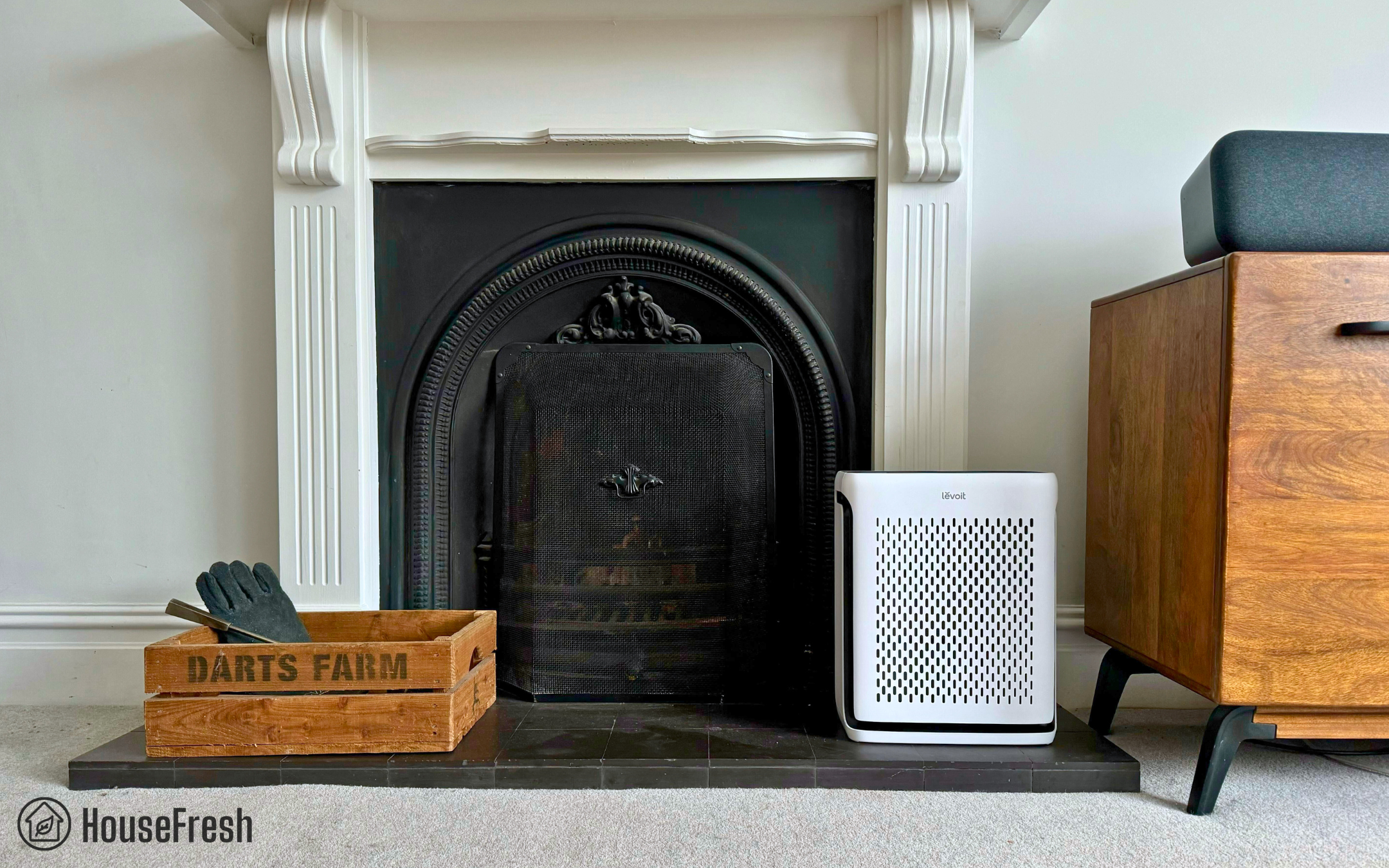
The Tempest is produced by Nukit, a Shenzhen-based startup on a mission to produce high-quality products at a fair price backed by third-party testing and supported by honest marketing and excellent customer service. Nukit has developed a small selection of products and is well known for the Nukit Torch Far-UVC Lights, which are increasingly popular online. They are always working to improve their products, and if you follow them on X, you will quickly learn that they are not shy when it comes to sharing the behind-the-scenes of their work, including new products they are developing right now.

When purchasing the Nukit Tempest kit, you get all the parts required to build the frame for $179.95. However, you still need to buy the MERV filters, DC power supply and PC fans (with fan guards, if you want them) — all of which are transparently listed on The Cyber-Night Market, which is the online store were you can buy Nukit products. We estimate a total cost of $300 to get all the items. 

As always, we bought the Nukit Tempest kit and the parts with our own money to ensure we have the freedom to say what we really think after conducting the same performance tests we run on every air purifier we review.

how we test
How we test air purifiers

Read our full testing methodology.

That was a long intro, so I hope you’re still with me. Let’s jump into the review.

The lowdown on the Nukit Tempest

Danny Ashton HouseFresh

“I am super impressed by the Nukit Tempest. This new type of air purifier uses PC fans to offer great air cleaning power without high levels of sound. While this is the first generation, I’m super excited to see where this new approach to air purifiers takes us.

Be aware that this is a kit and does need some time and effort to build, but those who do will have a great air purifier that is also incredibly quiet.”

— Danny Ashton, HouseFresh Founder & Senior Writer

TEMPEST DIY KIT ARCTIC P14 PC FAN MERV 13 FILTERS

Before jumping into my full review, I have distilled the key strengths and weaknesses of the Tempest into pros and cons below:

What we really like

It has the best cleaning-power-to-noise ratio we have ever seen on an air purifier.
Filters are far easier to replace when compared to the CR box — you don’t need to rip your air purifier apart to change them.
You can choose any 20x20x2″ MERV filters you want to use, from any brand you want.
This is a truly buy-it-for-life device: all parts can be easily replaced at a low cost, allowing you to fix and maintain your unit yourself.
It is highly customizable. You can choose the 20x20x2″ MERV filters, PC fans, power switch and fan guards you want.

What we think could be better

Without activated carbon filters, it won’t be able to help with unwanted smells and gasses.
It is a hot product right now, so it might not always be available for purchase. However, you can sign up for Nukit’s mailing list on The Cyber Night-Market to get notified as soon as it’s back in stock.
While most items are readily available worldwide, 20x20x2″ MERV filters may be harder (or more expensive) to find outside the U.S.
It is not a “plug and play” air purifier, so it will not be suitable for those who are not comfortable building it. PC building experience is highly useful.

HouseFresh rating:★★★★☆
Time to clean our 728 cubic feet test room (with the device running at top speed):Without fan grills: 31 minutes
With mesh fan grills: 43 minutes
Air filtration technology:MERV 13
Recommended room size (4.8 air changes per hour):385 sq. ft. (estimated)
Clean air delivery rate (CADR):247 CFM (estimated by @VentiloAngel)
Dimensions (in inches / in cm):21.25L x 20.25W x 9.6H inches (54L x 51.5W x 24.2H cm)
Weight (in pounds / in kg):14.7lbs (6.65 kg)
Filter life:12 months
Noise level in decibels (measured from 3 ft. away with a sound level meter):41.8 dB
Electricity consumption in watts (recorded with an electricity usage monitor):8.8 watts
Estimated running cost (electricity consumption + official filter replacement):$50.11 per year
Cost per CADR cfm (based on dust CFM as reported by AHAM):$1.20
Country of manufacture:China

The best Tempest feature: Quiet yet powerful

You’ll barely notice it’s running thanks to the PC cooling fans — and it can still effectively cover rooms up to 385 sq. ft.

Nukit Tempest Front Room

The Nukit Tempest not only looks cool but it also offers excellent performance with cleaning power comparable to many medium-to-large air purifiers we have tested. 

Yet, despite its capacity to draw in considerable amounts of air through its filters, the Tempest runs far quieter than most.

But you don’t need to take my word for it. Check out the chart below comparing the max sound levels VS air cleaning speed of the Tempest against various popular air purifiers:

A PC case-inspired design that fits two large MERV filters and six fans

Assembling the Tempest is not particularly easy, but the end result is a cool-looking device with a gamer vibe.

Nukit Tempest Design

The Nukit Tempest looks nothing like a regular air purifier. In fact, if you walked into a room with a Tempest, you are more likely to think it’s a desktop computer than a DIY air cleaner. Similarly to PC building, the appearance of your Tempest will vary slightly depending on the items you choose to assemble it.

Nukit Tempest Top

It has six PC cooling fans on top and six more on one of the sides. As I have small children at home, I decided to also get 140mm mesh guards, which will protect the fans from dust but, most importantly, keep little fingers out of the way. However, it’s worth mentioning that the mesh grill restricted airflow, thus affecting the performance of the Tempest but I will tell you more about this further down the review.

Nukit Tempest Mesh Covers

140mm MESH FAN GUARDS 140mm WIRE FAN GUARDS

Another important point to consider with my kids in mind: the metal is sturdy yet smooth, and it has no sharp edges or imperfections that could cut you while moving it from room to room. Speaking of which, it was great to see all the clever little design details that improve usability, such as the two handles at the top.

Nukit Tempest Handle

The Tempest comes with wire mesh side grills to guard the filters, making the device more resistant than other DIY air purifiers, including the CR Box. Plus, it conceals a bit the fact that it is an air purifier, avoiding the attention-grabbing white filters to be the center of attention.
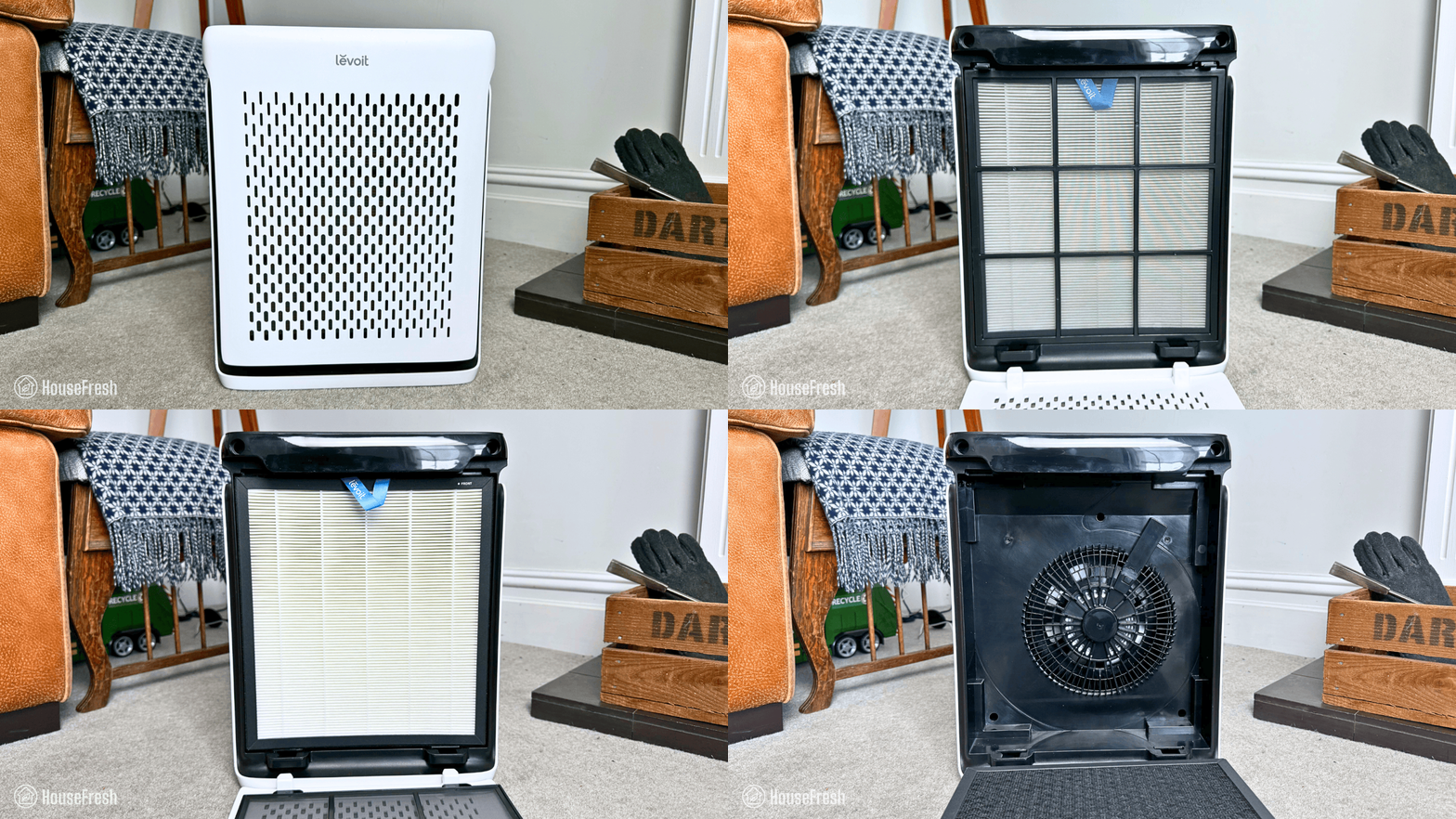
Nukit Tempest Pre Filter

Speaking of the Corsi-Rosenthal Box, I took a photo of the Tempest next to my CR Box to show you just how small and stylish the Tempest looks next to the bulky cube. 
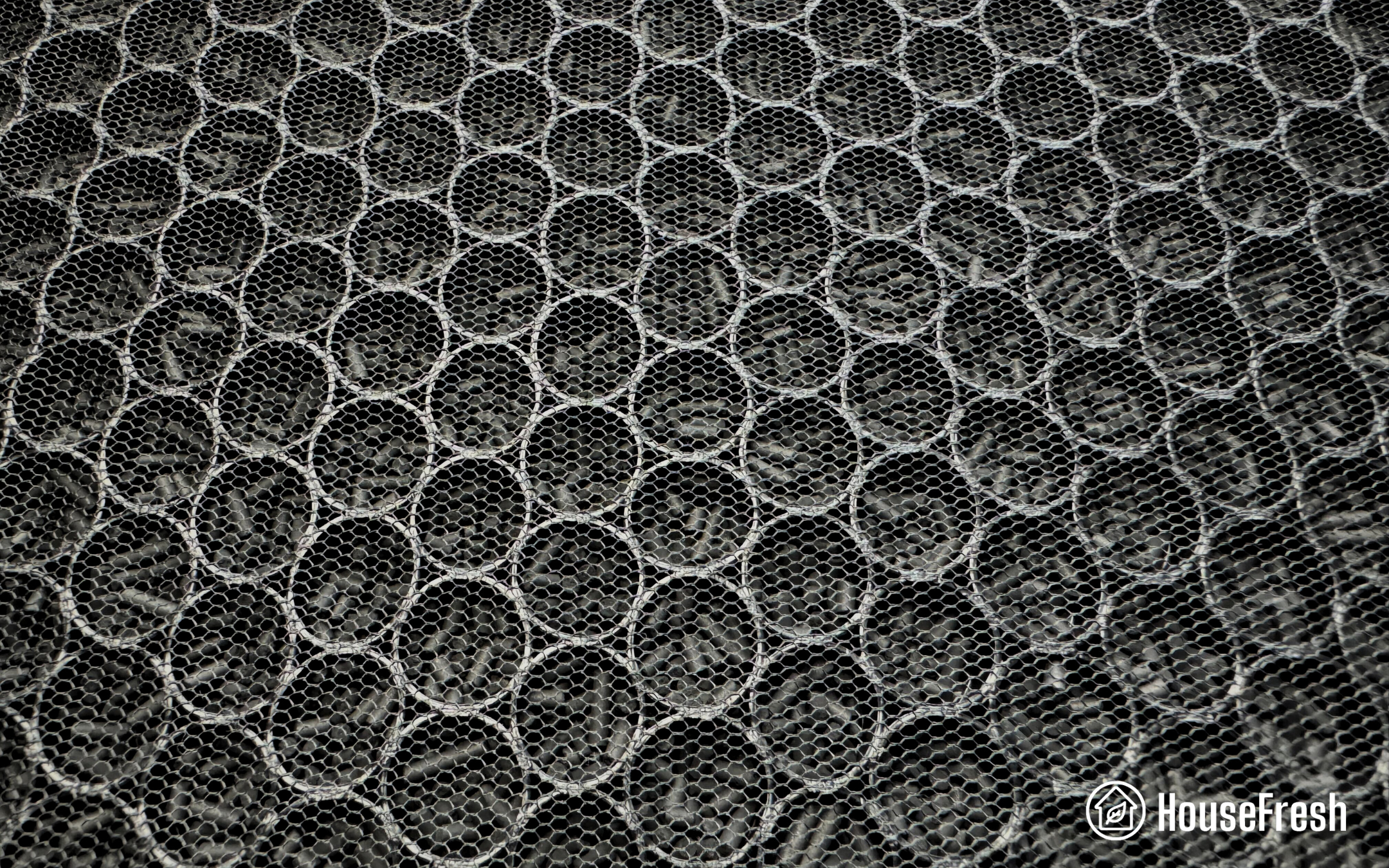
CR Box vs Nukit Tempest

As you can see, the footprint of the Nukit Tempest is much smaller, making it a great choice for spaces where the CR Box couldn’t quite fit. It is also super lightweight, weighing no more than 14.7lbs.

Nukit Tempest VS CR Box Top

Another thing worth mentioning is that the Tempest does not have a control panel. It is either plugged in and running, or unplugged. That said, you could buy a power supply with an on-off switch.

Nukit Tempest Plug

DC POWER SUPPLY

The Tempest was created with homes AND public spaces (such as schools and businesses) in mind, where air purifiers should be running 24/7 but are often not. This is the quietest unit I’ve tested able to clean the air effectively — for example, the Core Mini is super quiet, but it won’t be useful in most rooms.

Another example of quiet power is the Smart Air Blast Mini. I took a photo of both devices next to each other so you can see how they compare to one another in terms of size:

SmartAir Blast Mini VS Nukit Tempest

The Tempest kit comes with four metal panels, screws, a cardboard tube containing the side grills, four square, self-adhesive feet and 3mm rubber hole plugs, a 19mm rubber plug, a PWM connector, a 12v DC power connector AND zip-ties. 

What you will need that’s not included is the following:

ITEMRECOMMENDED WHAT WE BOUGHT
6 x PC cooling fansArctic P14Amazon
6 x Fan guards140mm mesh or metalAmazon
1 x DC power supply12v, 2A with 5.5x2.1mm barrel connectorAmazon
2 x FiltersMERV 13 filters, 20x20x2 inchAmazon

While assembling the Tempest might seem a tad daunting for those not so comfortable with their DIY skills, there’s a thorough step-by-step guide on The Cyber Night-Market website with photos and detailed instructions. You can also watch my video:

All pieces, screws and cables come in separate bags to make assembling easier. It is kind of building a huge Lego –– a fun STEM project to be sure. 

Two 20x20x2″ MERV filters protected by side grills

The Tempest is proof that you don’t actually need HEPA to achieve exceedingly good air filtration results.

Nukit Tempest Fireplace

That’s right: HEPA is not the failsafe many manufacturers want us to believe. 

Certified HEPA filters are considered an assurance for many for their single-pass filtration efficiency, or in simpler terms, the capacity of a filter to trap particles in just one pass of air.  The thicker the filter (HEPA 12, 13 and even 14), the more particles it can catch on the fibers in a single pass. 

On their part, MERV filters have a lower single-pass filtration rate compared to HEPA filters. But air purifiers are designed to run continuously, circulating air and trapping particles on the filters in every cycle. As David Elfstrom, an engineer who has shed light on many key discussions related to indoor air pollution, puts it:

So, with no real need for HEPA, the Nukit Tempest uses affordable and readily available MERV 13 filters just like the Corsi-Rosenthal Box and the simpler DIY air purifiers. 

As MERV filters are less dense than HEPA, they allow for increased airflow. That means that they can move a lot more air than units with HEPA or HEPA-type filters, capturing more particles from the air.

Nukit Tempest MERV 13 filter

The Nukit Tempest hasn’t been sent to the Association of Home Appliance Manufacturers for a CADR test, but that doesn’t mean that it’s not been tested by third-parties. David Elfstom estimated a CADR of 280 CFM and Nathalie Roussay (known as L’Évangéliste de la Ventilation on X) estimated 247 CFM – all of these using the Artic P14 fans, which are the same we’ve used in our own Tempest. 

I will go deeper into air cleaning performance comparisons in the next section but, with these numbers, the Nukit Tempest and its MERV 13 filters could offer similar performance than air purifiers such as the Blueair Blue Pure 311+ and the Alen BreatheSmart 45i – both good, reliable units much liked by many users.

It’s worth noting that replacing the filters in your Tempest will be much easier than disassembling your CR Box and other DIY units before you can rebuild them with the new ones. With the Tempest, you just have to unscrew the sides, remove the old filters, place the new filters and screw them back.

Tip

If you buy MERV filters in bulk, make sure each one is sealed separately or at least in twos. You don’t want the filters in contact with the air before use, or they will start accumulating particulates as they are stored in a cupboard.

The Nukit Tempest cleared our test room in 31 minutes

The Tempest has the best performance-to-noise ratios across all 70+ air purifiers we have tested, and the six PC cooler fans have a lot to do with that.

Nukit Tempest Fans Close Up

To assess the real-world performance of the Nukit Tempest, we run the same tests we perform on all the air purifiers we review, including particle removal speed, noise output and energy usage.

For the speed test, we filled our 728 sq. ft. test room with incense smoke and used our two PurpleAir sensors (the Touch and the Zen) to monitor how long the Tempest took to clean the air, bringing the PM1 levels to zero.

As you will see on the chart above, it took the Nukit Tempest 31 minutes to complete our particle removal test. 

This number changes when we add the mesh guards on top of the PC fans. I wasn’t expecting such a big difference, but it turned out that the mesh guards added 12 minutes to the test:

Without fan grillsWith mesh fan grills
Nukit Tempest31 minutes43 minutes

This is something to consider when building your Nukit Tempest. We haven’t tested it using wire fan grills, but I imagine it will be better than the mesh grill as, clearly, the ultrafine nylon restricts airflow:

Nukit Tempest Mesh Cover Closeups

A reader shared this report on the effects of different grill patterns on fan performance. It shows that the mesh grill does, in fact, restrict airflow. The report also shows that opting for a wire grill can achieve performance results nearly as good as running your Tempest without a grill.

Air cleaning performance, compared

With an average estimated CADR of 247 CFM, the Nukit Tempest’s cleaning speed definitely met our expectations.

Compared with units that boast similar CADR, the Tempest sits in the middle: the Blueair Blue Pure 311+ (250 CFM) was 10 minutes faster, but it outpaced the $428 Alen BreatheSmart 45i (207 CFM) by three minutes.

There is also a six-minute difference with the Corsi-Rosenthal Box (estimated 274 CFM). I cannot deny that I’m still a huge fan of the CR Box; it is such a practical solution for so many people and different contexts. However, if we factor in the noise output of the two, the CR Box’s speedyness becomes somewhat relative.

Let’s see how the Tempest performed noise-wise. 

Noise levels, compared

This is one of the Nukit Tempest’s highlights: how quiet it runs. To measure the noise output, we used a commercial sound meter to record sound levels in dB(A) emitted by the Tempest from 3 ft. away.

As we saw in the first section, the Tempest has only one speed. When running, it emits 41.8 dB(A) of noise, which is equivalent to the (almost imperceptible) noise of a suburban area at night. 

The chart below shows how the Tempest compares to other air purifiers.

If we focus on the lowest fan speeds, the Tempest might not be the quietest unit, but it is not the loudest, either. However, the comparison changes completely when we look at the top speed values: no purifier runs as quietly as the Tempest. 

We were so impressed with these results that we decided to push our tests further. So, we compared the Tempest’s performance (speed and sound) versus some of the best units we tested but running at a similar sound level (in most cases, in Speed 2). Here’s what we found out:

AIR PURIFIER MODELSOUND LEVEL AT TOP SPEED (dBA)TIME TO CLEAN OUR TEST ROOMPRICE
Levoit Vital 200S - Speed 242.5 dB(A)40 minutes$189.99
Winix 5300-2 - Speed 2 without ionizer42.5 dB(A)43 minutes$199.99
Taotronics AP-003 - Speed 242.8 dB(A)39 minutes$99.99
Nukit Tempest41.8 dB(A)31 minutes$179.95 (plus parts)
Air Doctor 3000 - Speed 1 40.2 dB(A) 43 minutes $519.00

When noise output is the primary variable, the Nukit Tempest air cleaning performance amply outperforms all others.

I mean it when I say you will often forget the unit is running in the background. But still, don’t take my word for it; listen to the Tempest running for yourself:

The cost to run a Nukit Tempest: $50.11 per year

1. Electricity costs = $9.25 per year

When choosing an air purifier, long-term costs are worth considering, especially with rising electricity prices worldwide. So, as part of all our reviews, we measure electricity consumption using an energy meter.  

Nukit Tempest Energy Test

The PC fans in the Nukit Tempest mean less noise and less energy usage. In our testing, the Tempest pulled a mere 8.8 watts. Running it 24/7 uninterruptedly would add up to less than $10 a year to your electricity bill.

As a reference, the Blueair Blue Pure 411 has an energy usage of 10 watts at top speed, and it was featured among the 2024 most efficient air purifiers at Energy Star. However, the Blue Pure 411 needed over an hour to remove all PM1 pollutants from our 728 sq. ft. room.

As with noise levels, the energy consumption of the Nukit Tempest matches the same figures you can expect from some of my favorite air purifiers when running at low fan speeds. The problem is that low fan speeds mean slower air cleaning performance, so when comparing these great devices against the Tempest, we see the Tempest win again:

AIR PURIFIER MODELENERGY CONSUMPTION AT TOP SPEED (watts)TIME TO CLEAN OUR TEST ROOM
Air Doctor 3000 - Speed 19.6 watts43 minutes
Nukit Tempest8.8 watts31 minutes
Taotronics AP-003 - Speed 210.5 watts39 minutes
Levoit Vital 200S - Speed 28.0 watts40 minutes
Winix 5300-2 - Speed 2 without ionizer 6.7 watts43 minutes

The performance-to-energy usage ratio of the Nukit Tempest is just incredible.

2. Filter costs = $40.86 per year

Filter costs are the second ongoing expense to factor in. With store-bought units, you can choose between original, branded filters (which tend to be expensive) or generic ones (for which there’s not always enough information online).
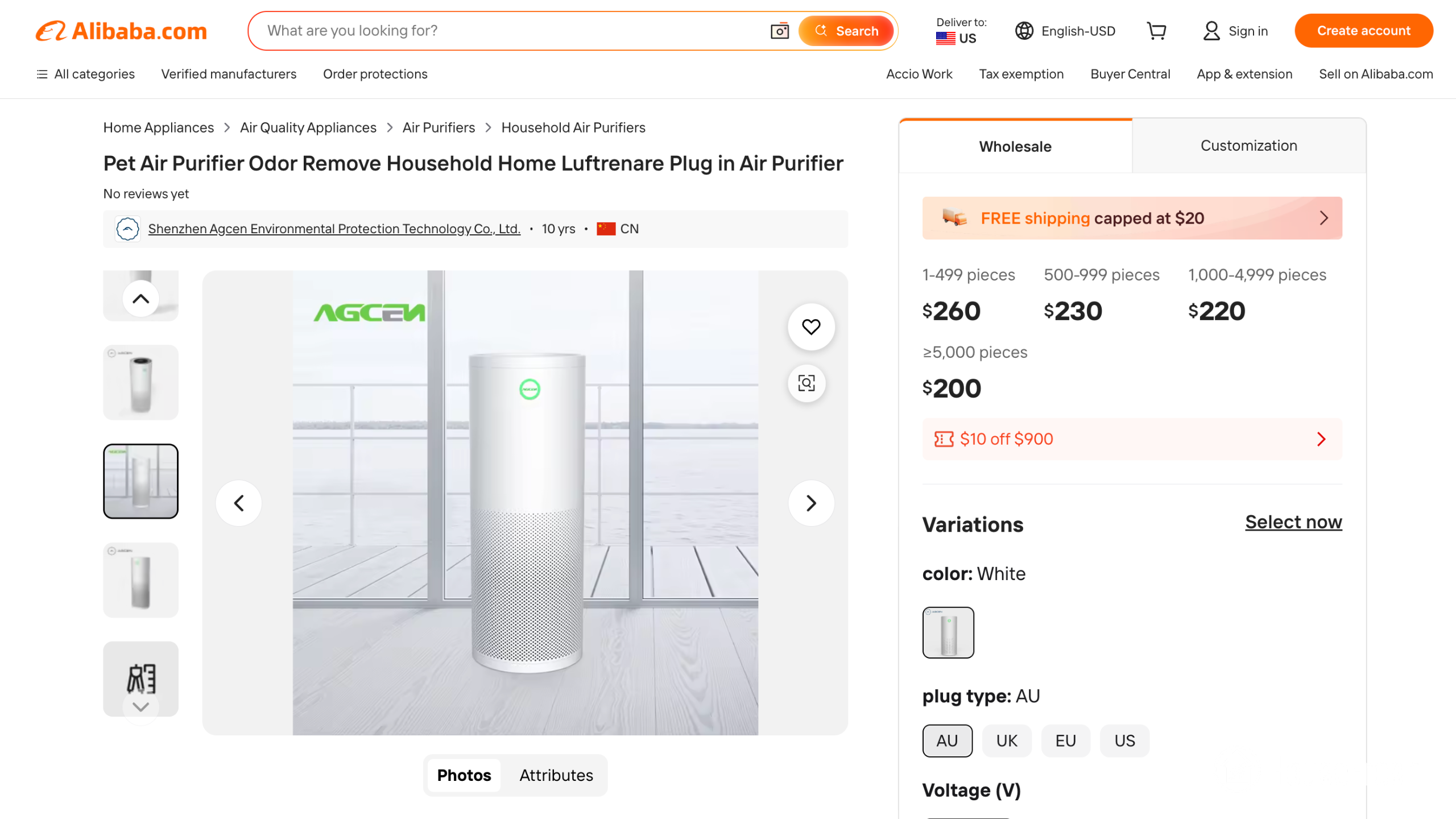
The Nukit Tempest uses standard, non-proprietary 20x20x2 MERV 13 filters. Availability may vary depending on your location, but in the U.S., there are plenty of options at a varied range of prices. 

We used Filterbuy’s set of two for a little over $40. Considering filters need to be replaced about every 12 months, the Tempest has one of the lowest long-term costs we’ve seen in the industry: around $50 a year. 

There are simply too many reasons to love this device.

AIR PURIFIER MODELESTIMATED ELECTRICITY COST (per year) FILTER REPLACEMENT COST (per year)YEARLY MAINTENANCE COST
Coway Airmega 150$48.12$49.99$98.11
Smart Air S$41.00$73.98$114.98
Levoit Vital 200S$67.95$59.99$127.94
Winix 5500-2$81.54$79.99$161.53
Nukit Tempest$9.25$40.86$50.11
Mila$58.45$150$208.45

Bottom line: Is the Nukit Tempest worth it?

The short answer: yes, but be aware that building it might be tricky if you’re not comfortable with cables and tiny parts

The Nukit Tempest has definitely impressed us with its clear advantages over shop-bought devices: it is super quiet, cleans the air pretty fast, can cover large spaces (385 sq. ft.), and its long-term running costs are as low as they get.

One of my favorite things about it is the environmentally conscious buy-it-for-life concept that defies a whole industry of devices with built-in planned obsolescence. Say the PC fans get old and start malfunctioning; you can replace those, and that’s it. The same applies if you want to upgrade the PC fans for newer, quieter ones or if you want to add an on/off switch or Nukit’s own power loss alarm. Most components in your Nukit Tempest could be swapped, upgraded and fixed at home. Besides, with standard MERV filters, you are not tied to any brand.

Nukit Tempest Design

But I get it. Sometimes a ready-to-use solution is all you want or need, and that’s understandable. There are plenty of great store-bought air purifiers that will do a fine job. But if you are at all curious about the use of PC fans or fancy a STEM project you can carry out with your kids, then I strongly suggest giving the Nukit Tempest a try.

You won’t just get an amazing air purifier; you’ll also be supporting a worthwhile project with a genuine interest in indoor air quality that is affordable and powered by honest marketing — two things that the world really needs.

I’m currently testing other PC fan DIY air purifiers (the Luggable by Clean Air Kits, Adam Wong’s AirFanta 3 Pro and the NorthBox Systems’ 6XL), so make sure to subscribe to our YouTube channel to watch my review without having to wait for it to be published on our site.

Tip

If you want to take the DIY spirit further, the instructions to build the Nukit Open Air Purifier’s enclosure are available on GitHub (there’s even an app).

SOURCES

We calculated yearly costs associated with running the Nukit Tempest 24 hours a day, 365 days per year utilizing the latest average energy prices as reported by the Bureau of Labor Statistics of $0.174/kWh as of June 2024.

Winix C545 review

Winix C545 Living Room

With a trajectory of over 50 years, Winix has a solid background in indoor air cleaning.

During the COVID pandemic, the South Korean brand gained a foothold in the U.S. market, attaining a solid place among the most preferred brands to improve Americans’ home air quality.

Winix produces budget-friendly, well-built, and high-performing air purifiers, with the corporate mission as its compass: “To deliver perfect products that are superior in Innovation, Performance and Style.” 

The Winix C545 is not the brand’s latest model (it was Energy Star-certified in 2019). In fact, the unit is only available as refurbished on the U.S. Winix website. But it is still trending and hyped by Costco, so we got curious about its performance. 

Besides traditional mechanical filtration, all Winix units have the built-in PlasmaWave® function, a by-polar ionizer that boosts cleaning efficiency. Ionization is a known controversial topic, so you’ll be pleased to know Winix units emit less than 0.01 ppm of ozone and are CARB-certified. However, one of the highlights of these air purifiers is that the function can be easily disabled. 

We have previously reviewed three Winix units, the 5300-2, 5500-2 and A231 and found solid results. So, we decided to get the C545 and put it to the test.

how we test
How we test air purifiers

Read our full testing methodology.

As always, we bought the C545 with our own money like regular consumers — no special treatment for us, no free Winix for HouseFresh. We prefer it this way. We are free to write unbiased reviews with an honest take on every unit we test.

The lowdown on the Winix C545

Danny Ashton HouseFresh
“The C545 is very similar to other Winix devices, like the 5300-2, and it’s just as good for removing particles. One thing that stands out is its app support, which you don’t find in other Winix models.
The fact that this device is sometimes sold cheaply at $99-$139 at Costco makes it an easy choice for those wanting a good air purifier on a budget.”
— Danny Ashton, HouseFresh Founder & Senior Writer

Winix C545 Living Room

Before we dive into the detailed analysis of the unit, I’ve condensed the C545 highs and lows:

What we really like

All-round budget-friendly unit: low initial price and affordable long-term running costs.
Faster than more expensive units and still competitive, even when compared to newer models.
There are plenty of smart features, including app support for remote control, air quality readings and a light sensor.
An easy-to-navigate control panel that lets you switch off the ionizer at any time.

What we think could be better

It lacks a sturdy activated carbon filter. Instead, the C545 comes with carbon-impregnated fabric that needs to be replaced every three months.
Considering its size, it is not the quietest air purifier. When running at top speed, it generates 59 dB of sound.
The Winix Smart app could be improved.

HouseFresh rating:★★★★☆
Time to clean our 728 cubic feet test room (with the device running at top speed):PurpleAir Touch: 19 minutes
PurpleAir Zen: 27 minutes
Air purifier technology:Washable pre-filter, activated carbon filter, True HEPA filter and Plasmawave technology
Recommended room size (4.8 air changes per hour):360 sq. ft.
Clean air delivery rate (CADR):– Smoke: 232 CFM 
– Dust: 243 CFM 
– Pollen: 246 CFM
Dimensions (in inches / in cm):13.7W × 8.4D × 20.5H inches (35W x 21D x 52H cm)
Weight (in pounds / in kg):11 lbs (5kg)
Filter life:– HEPA filter: 12 months
– Odor filter: 3 months
Noise level in decibels (measured from 3 ft. away with a sound level meter):Speed 1: 36.1 dB
Speed 2: 39.2 dB
Speed 3: 43.1 dB
Speed 4: 59.2 dB
Electricity consumption in watts (recorded with an electricity usage monitor):Standby: 0.27 watts
Speed 1: 4.15 watts (4.46 with ionizer)
Speed 2: 6.6 watts (6.9 with ionizer)
Speed 3: 10.15 watts (10.49 with ionizer)
Speed 4: 51.30 watts (51.01 with ionizer)
Estimated running cost (electricity consumption + official filter replacement):$113.6 per year
Cost per CADR cfm (based on dust CFM as reported by AHAM):$0.53
Manufacturer’s warranty:2 years
Country of manufacture:

The best feature of the Winix C545: good $ to CADR ratio

Impressive 232 CFM (smoke) for $90 if you get it refurbished from Winix

As mentioned in the introduction, the Winix C545 can be bought refurbished at the manufacturer’s website for a mere $89.99. At Costco, on the other hand, you’ll find the new unit for $129.99. At the time of writing this review, I wouldn’t recommend buying from Amazon, as the C545 rises to over $170.

This price disparity makes my job harder when trying to compare the C545 with other units in the same price and cleaning power range. But I will try my best anyway.

The TaoTronics TT-AP003, for example, has a CADR of 226 CFM for $80 and features a pelleted activated carbon filter instead of the carbon-impregnated fabric. The same goes for the Levoit Vital 200S, which outperforms both the TT-AP003 and the C545 BUT it doubles in price ($190).

Now, things are more favorable to the C545 when comparing it against the Winix C535 and 5300-2, which can be found at $140 and $135, respectively. While neither of them have smart features, they share similar CADR and are all suited for 360 sq. ft. rooms. With those numbers in mind, it is clear that the  C545 offers a great $ to CADR ratio with extra smart features, not bad.

An old design that’s compensated with a few aces up its sleeve

The Winix C545 won’t stand out from the crowd for its looks, but it remains functional and offers smart features.

Winix C545 Front

I’d venture to say classic rectangular-shaped air purifiers are making a comeback; they seem to be regaining protagonism after cylindrical units occupied the central stage for some time. Take, for example, the bold-looking Coway Airmega 150 or the sober and stylish SmartAir SA600. 

While the C545 is not among the latest releases in the industry, its rectangular body with a front air intake benefits from this trend.

The C545 comes in an all-white matte style with curbed edges, and is shorter and somewhat chunkier than the larger (and darker) 5500-2 and the 5300-2.

Winix 5300 2 C545 5500 2

While newer Winiexes come with a magnetized tab to fasten the front cover, the front panel on the C545 is only attached to the body by clips. True, many units on the market rely solely on tabs (take the TaoTronics TT-AP003, for example, although it has an extra clip compared to the Winix). Still, it is worth pointing out the magnet feature ensures a more secure attachment.

Winix 5300 2 C545 5500 2 Pre Filter

The controls on the Winix C545 are straightforward and self-explanatory, so you can set it up and have it running without browsing the manual – although I usually take a look when unboxing a new unit. 

Winix C545 Close Up Top

Instead of having just one button to cycle through the four different fan speeds, the C545 comes with arrow buttons to go back and forth between Auto Mode, four different fan speeds and Sleep Mode. 

The P – 3SEC legend stands for PlasmaWave®. To toggle the PlasmaWave® function, you’ll need to press the two arrows for three seconds simultaneously. The white LED light will indicate when it’s activated (light on) or deactivated (light off). By default, the unit will turn on with PlasmaWave enabled — I’m not a fan of that.

Winix C545 Control Panel

The Auto-mode in the C545 is possible thanks to the onboard air quality sensors, which will adjust the fan speed to tackle the level of pollutants detected. The LED light on the control panel will indicate the air quality in the room with a color-coded scale:

LED indicatorFan speed
🔴 red for polluted airTop fan speed
🟠 amber for fair airMedium fan speed
🔵 blue for good air qualityLow fan speed

That’s the industry-standard Auto mode, but the Winix C545 has an extra perk: it has a built-in light sensor that detects the amount of ambient light in the room. 

So, when in Auto mode, the moment you turn off the lights, the unit will turn to Sleep mode automatically. It will adjust the fan speed to the lowest, reducing noise output, and turn off all LED lights (except for the night mode light, though).

Winix C545 Top Down

The Winix Smart app is usually reserved for top-tier air purifiers, such as the 9800 ($329). However, for tech enthusiasts on a budget, the C545 fits the bill — at least for North American users. 

Tip

As of January 2021, the Winix Smart app is no longer available in Europe or the UK due to the EU general data protection regulation. 

Therefore, for those based in Europe or the UK to whom app support was a key driver to getting the C545, I’d suggest checking out the Winix 5500-2, which comes with a remote control and a more robust pelleted activated carbon filter.

Or check out the Levoit Vital 200S, which offers remote access to the unit through the user-friendly Vesync app.

The Winix Smart app will let you create schedules, monitor indoor and outdoor air quality, track the filter’s life (and get alerts when it’s time to replace it), and logically control the unit remotely from wherever you are. As a bonus, you’ll also be able to command the Winix C545 with Amazon’s Alexa.

Manage Filter
In out Indoor
AQ History 1
Control Device 1

Although you get useful features and an enhanced experience with the app, I must say that it’s not the most intuitive one:

  • The signing-up process is tedious and a bit of a maze. Luckily, you just need to do this once.
  • You’ll have to grant the app access to your exact location. Winix claims this is just to provide outdoor air quality readings, but it won’t let you go through the pairing process without it.
  • The app sometimes loses connection with the unit. This can be easily fixed by closing and reopening the app, but it would be nice to see the Winix team permanently solve the issue.

Winix four-stage filtration: mechanical filters boosted by PlasmaWave®

The C545 comes with a robust True HEPA filter for particles but a weak activated carbon filter that falls short when dealing with serious VOCs.

Winix C545 GIF

Almost every air purifier comes with a single set of filters for you to get the unit up and running the moment you take it out of the box. Well, Winix went the extra mile with the C545 and added an additional set (which could last up to 12 months!) That’s right, when you buy a C545, you get two years’ worth of indoor air cleaning. Nice touch, Winix!

But then, there are some highs and lows to the C545 filters worth considering before making up your mind. Let’s start with the good. 

Like all Winix air purifiers, the C545 features AHAM-verified True HEPA filters capable of removing 99.97% of particulate air pollutants from the air as small as 0.3 microns. The filter traps dust, pollen, mold spores, dander, smoke particles, bacteria and more, boosted by the unit’s 246 CFM Clean Air Delivery Rate.

Winix C545 HEPA Filter

A second advantage of the C545 four-stage filtration is the removable pre-filter. Picking up on the rectangular-shaped air purifiers’ comeback, I’d say this type of pre-filter is one good reason behind it.

In budget cylindrical units, like the Leoivt Core series (200S, 300, 400S and 600S) or the Shark HP102, you usually find pre-filters fitted into the HEPA, which makes maintenance a lot trickier. But when you get a removable pre-filter, you will find that it’s much easier to stay on top of vacuuming and washing the mesh.

Winix C545 Pre filter

Winix suggests cleaning their pre-filters every two weeks. It’s pretty often, for sure. But by doing this, you extend the life of your HEPA, as the pre-filter traps larger particles such as lint, hair and pet fur that would otherwise clog the main filter faster.

The greatest downside of the C545 is the activated carbon filter.

Activated carbon filters trap VOCs and odors through adsorption: the gas molecules stick to the carbon, accumulating on its surface. The Winix C545 comes with a thin fabric impregnated with activated carbon, which is less effective when compared to a filter with pelleted activated charcoal.

Winix C545 Activated carbon filter

Utilizing carbon-impregnated filters means there is a far smaller surface for the pollutants to adhere to. This leads to filters that become full (and ineffective) way faster than you’d like.

You can see how flimsy the activated carbon filter in the Winix 5300-2 and the C545 look when compared to the sturdier pelleted activated carbon on the Winix 5500-2 (right):

Winix 5300 2 C545 5500 2 Carbon Filter

Tip

The C545 carbon filter needs replacement every three months. As mentioned above, you are covered for two years as the air purifier comes with eight of these. But while the unit and app show the HEPA filter’s lifespan, you’ll have to keep track of the activated carbon filter’s life cycle.

What you need to know about PlasmaWave®

The last stage of Winix filtration is the PlasmaWave® function. To put it in (very) plain terms, bipolar ionizers on Winix units alter the composition of airborne gas molecules and particles. These are either neutralized and turned into water (H2O) molecules or regroup into bigger, heavier clusters that are thus drawn into the ground (or any other surfaces in the house). 

As a disclaimer, I’m not 100% into ionization, no matter if it is unipolar or bipolar. Even when the air purifiers’ ozone emission is tested, such as in the case of the Winix units, introducing ions into the air can alter all kinds of airborne molecules and particles, such as fumes from ordinary cleaning products, and potentially produce dangerous by-products. In my view, compensating a weak activated carbon filter with an ionizer is not the smartest (nor safest) choice. 

Besides, those re-formed ion-particle clusters will deposit all around you, the HEPA filter won’t trap them all. As proof, you’ll notice more dust around the air purifier when the PlasmaWave® is on.

Tip

New filters always come in plastic wrappings. When you open the C545’s front panel, you’ll find the 2-years worth of filter supply, each individually packed. 

Remember to remove the plastic before placing the filters in the unit, but do so only for the set you’ll be using first. Put away the remaining ones with their packaging intact: the plastic protects the filters and prevents them from trapping any airborne particles while stored.

The Winix C545 cleared our test room in 26 minutes

Although somewhat old, the C545 can still compete with newer units.

At HouseFresh, we run a series of performance tests for every single unit we review. We like taking matters into our own hands to contrast manufacturers’ specs. We evaluate the air purifiers’ performance in real-life situations – mirroring the use you’d give the unit at home. 

Our first step is the air cleaning performance test. We light incense to generate particulate pollution in the same 728 cubic feet we test all units. Then, we measure the time it takes to remove the smallest PM1.0 particles using two Purple Air sensors: the Touch and Zen.

These were the results of the Winix C545:

Air cleaning performance results, compared

The C545 took 26 minutes to remove all PM1 particles from our 728 cubic ft. test room. This is above average on the spectrum of mid-sized affordable air purifiers.

With such speedy results, the Winix C545 outpaced more powerful and costly units like the Mila and Levoit Core 400S. 

While it didn’t outbeat the Levoit Vital 200S, it was three minutes faster than the TaoTronics AP-003. Similarly, upon comparison with other Winixes, the C545 felt behind the 5500-2 but trimmed off a whole minute of the non-smart but otherwise almost identical 5300-2. 

Noise levels results, compared

Cleaning efficiency is undoubtedly a key indicator of an air purifier’s performance. However, considering the air purifier will be running in the background for most of your time at home, the noise output can also be a decisive factor. 

By measuring the noise levels of the Winix C545, we found out the output was:

It’s not the quietest Sleep mode we’ve come across, but it is still silent enough to let you rest unbothered. At top speed, though, the C545 gets noisy. On the bright side, it comes with app support and the Winix Smart App allows you to create custom schedules. You can program or command the unit to do a deep air clean before you get home. 

Here’s how the Winix C545 compares to other units:

AIR PURIFIER MODELSOUND LEVEL AT TOP SPEED (dB) TIME TO CLEAN OUR TEST ROOM
Coway Airmega 15055.6 dB33 minutes
TaoTronics AP-00354.2 dB26 minutes
Winix C54559.2 dB19 minutes
Levoit Vital 200S57.7 dB18 minutes
Smart Air SA60052.5 dB33 minutes

I know from personal experience that noise levels are subjective. Have a listen at our full sound test to see whether the C545 is too noisy for you:

The cost to run a Winix C545: $190.52 per year

An affordable air purifier with average long-term running costs.

ElectricityTest Winix C545

1. Electricity costs = $77.79 per year

Air purifiers are like any other appliance: they add to the electricity bill. Energy costs are rising worldwide and are a pressing matter for some households. Knowing your energy consumption will help you plan your monthly expenses and decide if a unit is right for your home. 

Winix units have the PlasmaWave® feature; common sense would suggest that with the ionizer on, the unit would need more power to operate. However, we found no significant difference after measuring the energy consumption with the PlasmaWave® on and off. 

However, there is a leap when comparing the energy consumption at the bottom and top fan speeds, which range from 4.15 to 51 watts. There’s no mystery here: the fan needs more energy to pull in extra air at the top speed than on the lowest setting.

The C545 is the most efficient than other Winix devices, such as the 5500-2 (51 watts) and 5300-2 (53.46 watts) when running at top speed. 

However, units at a similar price point and similar CADR, like the Levoit Vital 200S or the all-affordable TaoTronics TT-AP003, consume far less energy annually ($37.84 and $30.48, respectively).

AIR PURIFIER MODELENERGY CONSUMPTION AT TOP SPEED (watts)TIME TO CLEAN OUR TEST ROOM
Coway Airmega 15031.55 watts33 minutes
TaoTronics AP-00336.5 watts26 minutes
Smart Air SA60060 watts33 minutes
Levoit Vital 200S44.55 watts18 minutes
Winix C54551.30 watts19 minutes

2. Filter costs = $59.99 per year

While you get replacement filters to last for two years with the Winix C545, air purifiers are built to last longer. 

The C545 uses the S Filters. It’s worth noting that, as an older unit, genuine replacement filters are not always easy to come by. When writing this review, for example, the genuine S Filters are missing from the  Winix Store at Amazon. However, they are available on the Winix web at $60 for a year’s worth. 

On the other hand—and for the same reason—plenty of generic Winix S filters are available on Amazon for $34.99, which is $17.50 a year for two HEPA and four odor filters.

PUREBURG Filters Compatible with WINIX PlasmaWave P150 B151 C545 Purifiers | Filter C 113050 & Filter S 1712-0096-00, 2 HEPA Filters + 8 Carbon Pre-Filters for Dust, Pollen, Pet Dander & Odors
  • COMPLETE REPLACEMENT SET – Includes 2 HEPA filters and 8 activated carbon pre-filters, providing multiple replacements in one convenient pack.
  • COMPATIBILITY – Designed for use with WINIX PlasmaWave P150, B151 and C545 air purifiers. Replaces Filter C 113050 and Filter S 1712-0096-00. Please verify your model before ordering.
  • MULTI-LAYER FILTRATION – The pleated HEPA media helps capture airborne particles such as dust, pollen and pet dander, while the carbon pre-filter helps reduce common household odors.
  • 8 CARBON PRE-FILTERS – Extra carbon pre-filters make routine filter changes convenient and help capture larger particles before air reaches the main HEPA filter.
  • EASY ROUTINE MAINTENANCE – Designed for a straightforward fit and replacement. Replace filters as needed based on usage and indoor conditions to help maintain airflow and filtration performance.

The C545’s replacement filters are not among the most expensive, but considering the odor/activated carbon filter is not exceptional, I wouldn’t consider them the most affordable either. Once again, when comparing with similar units, a two-set of filters for the TaoTronics TT-AP003 costs only $35, while the Levoit Vital 200S filter price rises no further than $60 a year.

Bottom line

With affordable long-term costs and featuring app support, the C545 is a solid option.

The Costco hype that is turning the old Winix C545 into a popular unit once again is not unfunded. 

It boasts a fine CADR score and a better cost-per-CADR ratio when compared to similar air purifiers. Besides, the unobtrusive design, removable pre-filter and a fair share of smart features make the unit very easy to live with.

Winix C545 Corner Room

As for the C545 shortcomings, I would point out two. First (and most significant to me), is the lack of pelleted activated carbon on the odor filters. Having to replace these every three months just to get subpar VOCs and odor filtration in return is not great.

It would be nice to see some improvements done to the Winix Smart App, especially in terms of UI and UX as it would be good to have an app that is more intuitive for the user. Needless to say, the company should also review the app’s privacy policy to comply with European and UK legislation.

SOURCES

We calculated yearly costs associated with running the Winix C545 for 24 hours a day, 365 days per year utilizing the latest average energy prices as reported by the Bureau of Labor Statistics of $0.174/kWh as of April 29th, 2024.

No schema found.

AirDoctor 3000 review 

AirDoctor AD3500 Fireplace scaled

AirDoctor is a brand launched by Peter Spiegel in 2016 and sits under the umbrella of Ideal Living, which has been in business since 1999 and has 146 employees, according to Linkedin. In August 2026, independent filmmaker Reckless Ben published a documentary on YouTube that presents some serious allegations about Spiegel.

In terms of their air purifiers, AirDoctor devices are designed in the USA and manufactured in China. Their unique selling point is the use of UltraHEPA filters, which AirDoctor says perform 100x better than standard HEPA. So I bought an AirDoctor 3000 with my own money to test this claim.

To do this, we performed a series of tests to find out how effective their UltraHEPA is, how loud this unit can get and how much electricity it pulls, among other things. You can read more about our testing methodology here.

The overall score of the Alen 75i incorporates first-hand data results from our battery of tests, as well as our ratings for customer service, brand transparency and design & UX. Check out the full scorecard below to see the split of categories.

Search for AirDoctor (or any other model you are researching) to see where it ranks:

The pros and cons of the AirDoctor 3000

A summary of our top-level findings after testing this air purifier following our methodology.

AirDoctor AD3500 Living Room scaled

“The AD3000 is now discontinued. When I first tested it, over three years ago, this air purifier surprised me as I had mixed expectations for it after seeing the amount of marketing hype.

In our particle removal tests, it matched the performance of the Blueair Blue Pure 211+, which is a good result, clearing our test room in 20 minutes at top speed. However, it can get loud, reaching 63.6 decibels when running at full power.”

Danny Ashton HouseFresh
Danny Ashton
HouseFresh Founder
& Lead Tester

CONS

It comes at a high initial price, selling for over $500.
It’s also pretty loud, reaching 63.5 decibels at its highest, and you only get one fan speed below 45 decibels.
There is no app support unless you pay an extra $200 for the 3000i model — not worth it IMO.
It is power-hungry so you will spend more in electricity compared to newer models.

PROS

It has a high CADR. Based on our tests, we estimate a PM1 CADR of 299 cfm at full speed.
Auto-mode was quick to kick in, and you can easily see the LED sensor from across the room.
The filter lasts for up to 12 months compared to most other units with a 6-month filter life.
There is a good amount of generic filters available that bring down annual filter costs to only $40 per year.

Clean air delivery rate (CADR):– Top speed PM1 CADR: 299 cfm
– Sub-45 dBA PM1 CADR: 115 cfm
– AHAM PM2.5 CADR: 339 cfm (dust)
Filter technology:UltraHEPA filter and dual-action Carbon/Gas Trap/VOC filter
Recommended room size (5 air changes per hour):448 sq. ft. (41 m²)
Dimensions (in inches / in cm):19.87D x 27.16W x 12.38H inches (50.4D x 69W x 31.4H cm)
Weight (in pounds / in kg):18 lbs (8 kg)
Filter life:UltraHEPA filter: 12 months
Carbon filter: 6 months
Noise level in decibels (from 3 ft. away):Speed 1: 40.2 dBA
Speed 2: 48.9 dBA
Speed 3: 55.8 dBA
Speed 4: 63.5 dBA
Electricity consumption in watts:Standby mode: 0.5 watts
Speed 1: 9.6 watts
Speed 2: 17.6 watts
Speed 3: 39.9 watts
Speed 4: 93.2 watts
Manufacturer’s warranty:1 year
Country of origin:United States
Country of manufacture:China

Design, controls and features

A large rectangular air purifier with an onboard sensor, an air quality indicator and an ionizer you can disable.

The design of the AirDoctor 3000 is definitely what you expect when you think of an air purifier.

AirDoctor AD3500 Front scaled

In 2026, the AD3000 looks a little dated. Personally, I prefer the look of the EverestAir.

AirDoctor AD3500 VS EverestAir scaled

The control panel is clearly labeled, so it’s easy to figure out what each button will do.

AirDoctor AD3500 Top

On the far left, you get a button called ‘Ion’ that turns the ionizer function on and off.

AirDoctor AD3500 Controls

It has a sensor that informs an air quality indicator light placed at the front, above the logo.

AirDoctor AD3500 AQI scaled

It’s a dim light that changes color depending on the air quality, going from blue (good) to (red) poor.

AirDoctor AD3500 Sofa Area scaled

Tip

AirDoctor has a smart version of this device called the AirDoctor 3000i, but comes at a $200 premium, which seems a little high for WiFi connection and app support. If you’re unsure about which one to get, I would suggest you save yourself the $200 and stick to the AD3000.

Filtration technology

The AD3000 comes with two separate filters: one for particles and the other for odors.

I appreciate the use of separate filters over the bonded ones. That way, you can replace either filter when you need to without throwing away the full thing.

AirDoctor AD3500 Filter stack

On their homepage, AirDoctor states that their UltraHEPA filter has been third-party lab tested by LMS Technologies as being capable of removing particles as small as 0.003 microns. It would have been good to see the lab report or at least to get a link to it somewhere.

AirDoctor AD3500 HEPA filter

But it’s not just a HyperHEPA filter, the AD 3000 also comes with an activated carbon filter too, which allows the unit to deal with gases and odors.

AirDoctor AD3500 Activated carbon filter

The filter comes with activated carbon pellets, which are more effective at adsorbing odors and chemical gases and have a longer life than carbon-impregnated fabric. You can see in this photo that the filter is packed with a good amount of carbon.

AirDoctor AD3500 Activated carbon filter pellets

Tip

As with all HEPA-based air purifiers, the AirDoctor 3000 filters will come in a plastic bag you must remove before turning the device on. If you forget to do this, you will just move dirty air around your room and not clean it. 

AirDoctor AD3500 Instructions

Air cleaning performance

We tested the AD3000 in our 728 cubic ft. test room, tracking how fast it removed all PM1 particles from the air after we filled the space with incense smoke.

AirDoctor AD3000 HouseFresh Test

When running at top speed, our PurpleAir Zen sensor shows that the AD3000 needed 20 minutes to reach PM1 zero. Based on the natural ventilation of our test room, we estimate a PM1 CADR of 299 cfm.

This makes this air purifier powerful enough to provide five air changes per hour in large rooms up to 448 sq. ft (or 41 m²) when running at its highest fan speed.

When comparing these results against other air purifiers for medium-to-large rooms, we found that there are multiple models from brands like Blueair, Levoit, Winix and Xiaomi that offer better or equal performance at a cheaper price.

AirDoctor AD3000 Performance

But, as I always say, performance at top speed only tells us half the story.

Sound levels

The sound levels of the AD3000 range from 40.2 to 63.5 dBA – – this is louder than other large air purifiers like the Blueair Signature Large or the Winix 9800.

AirDoctor AD3000 Sound Test

If your air purifier is too loud, someone in your house will turn it off sooner or later. That is why we use a sound meter to measure how much noise in decibels the EverestAir generates at each fan speed from 3 ft. away:

AirDoctor AD3000 Sound Levels

The AirDoctor 3000 is on the loud side, reaching 63.5 dBA at top speed.

Every single air purifier model I benchmarked it against is quieter than this, with the closest one being the Xiaomi Elite and its 61.5 dBA.

AirDoctor AD3000 Top Performance vs Sound

The only fan speed below our 45-decibel limit for quiet performance tests is speed 1 at which the AD3000 generates 40.2 dBA. 

Running at speed 1, it needed 51 minutes clear our test room – slower than most.

AirDoctor AD3000 Quiet Performance vs Sound

Long-term running costs

Running an Air Doctor 3000 will cost you $333.38 per year, combining energy and filter replacement costs.

As always, I used an energy meter to measure how much energy the AD3000 pulls at each fan speed and also while on standby.

AirDoctor AD3000 Electricity Consumption

This AirDoctor unit pulls 94.5 watts at top speed, so if you were to leave it running 24/7, it will add $155.88 to your energy bill by the end of the year, based on the average U.S. electricity price as of July 2026.

But there’s another factor that will affect the yearly maintenance costs of your AD3000: filter replacements.

According to AirDoctor, the carbon filter needs to be replaced every 6 months, whereas the UltraHEPA has a lifespan of 12 months. This means you will spend $178.00 each year in filter replacements.

We can add this to energy costs to work out the total yearly cost and compare it with the other devices I’m benchmarking this model against:

AirDoctor AD3000 Yearly Costs

As you can see from the table, the AirDoctor 3000 is the most expensive air purifier to run over a year, compared to similarly performing models from brands like Winix and Levoit. This is a result of high energy consumption and expensive filter replacements.

Bottom line: Is the AirDoctor 3000 worth it?

The AD3000 is a powerful air purifier but in 2026, there are cheaper models from other brands that offer better air cleaning performance at quieter operation.

AirDoctor AD3500 Fireplace scaled

PRICE on amazon PRICE ON AIR DOCTOR

I didn’t expect to like this product as I was a little put off by the term “AirDoctor” and their claims about their UltraHEPA filter being able to capture particles 100 times smaller than the standard HEPA. I’ve seen my fair share of gaslighting from manufacturers, so I went into this review wary and ready to uncover the truth.

After my first round of tests, I was pleased to see that it offers good particle removal performance, comparable to some of the best air purifiers I’ve tested. Back in 2023, this was a serious contender, but in 2026, there are better options out there that will cost you less to buy and to run.

In fact, you can see in this chart that you’re expected to spend nearly $900 in the first year of owning an AirDoctor 3000 when we combine the list price with the yearly running cost – – this is the most expensive air purifier for new owners in my benchmark.

AirDoctor AD3000 Year 1 Costs

Perhaps that is the reason why AirDoctor decided to discontinue the 3000, as it’s just too dated and too power-hungry. Be aware that there is a new model called AirDoctor 3500, which, according to its CADR lab report, has the same level of air cleaning performance and features as the AirDoctor 3000 however, it is unable to use older generic filters due to a change they made in the design.

If you’re reading this and looking for a good performing air purifier for a large room with similar features to what you get with the AirDoctor, then my recommendation is to look at the Levoit EverestAir, the Winix 9800 or the Blueair Signature Large.

You can compare their performance using our air purifier comparison tool – – just look for the name of each model and you’ll get to compare the test results:

By the way, if you buy any of the air purifiers I recommended here using one of our links, we will earn a small commission at no extra cost to you. This is our main source of income and it allows us to buy air quality products so that we can test them and review them to share our findings. We are completely independent and don’t accept air purifiers for review and have no sponsorship deals with any brands. If you want to support our work in a different way, you can also buy us a coffee.

Do you have any questions about this AirDoctor air purifier? Please drop them in the comments below and I’ll reply as soon as I can.