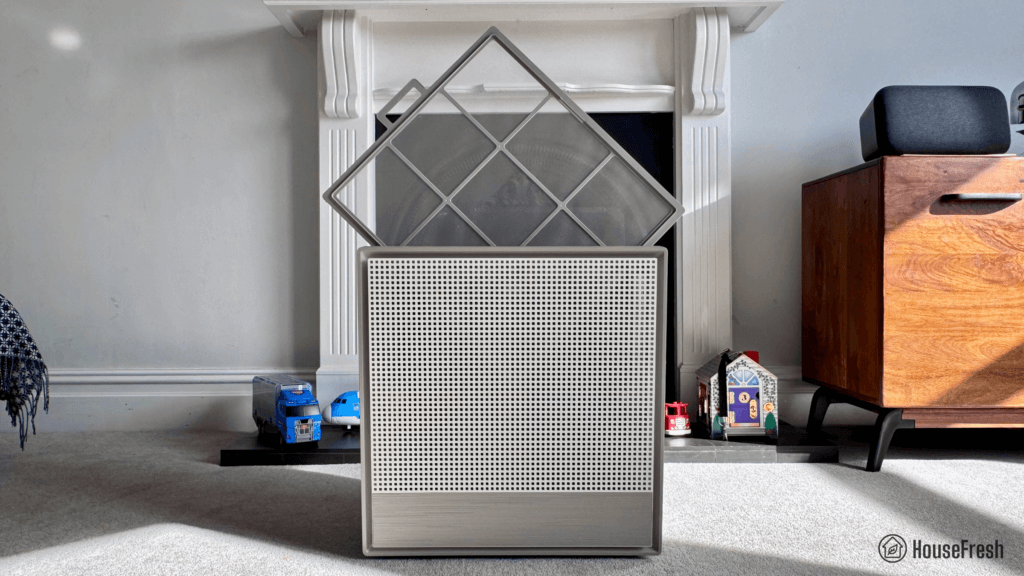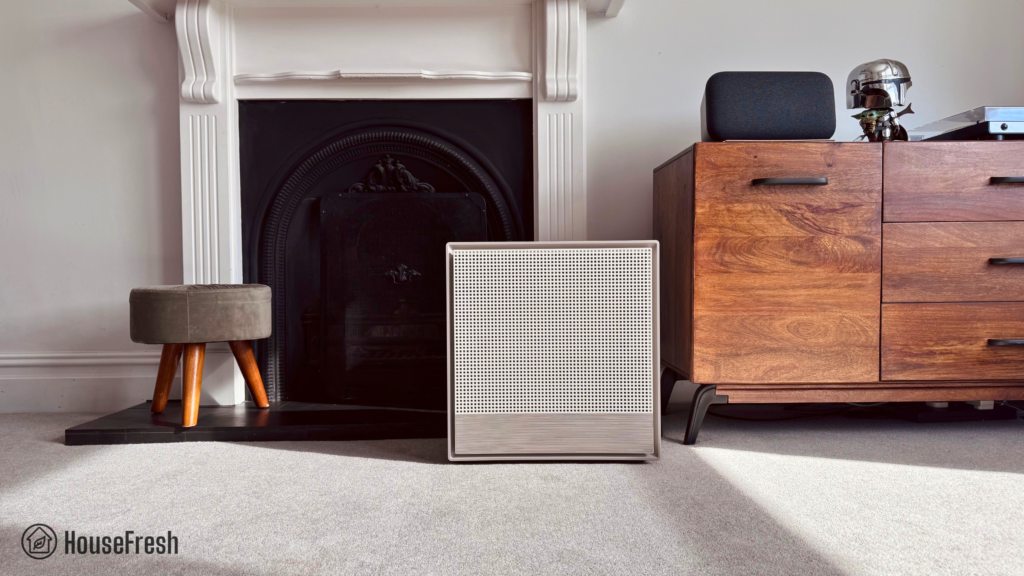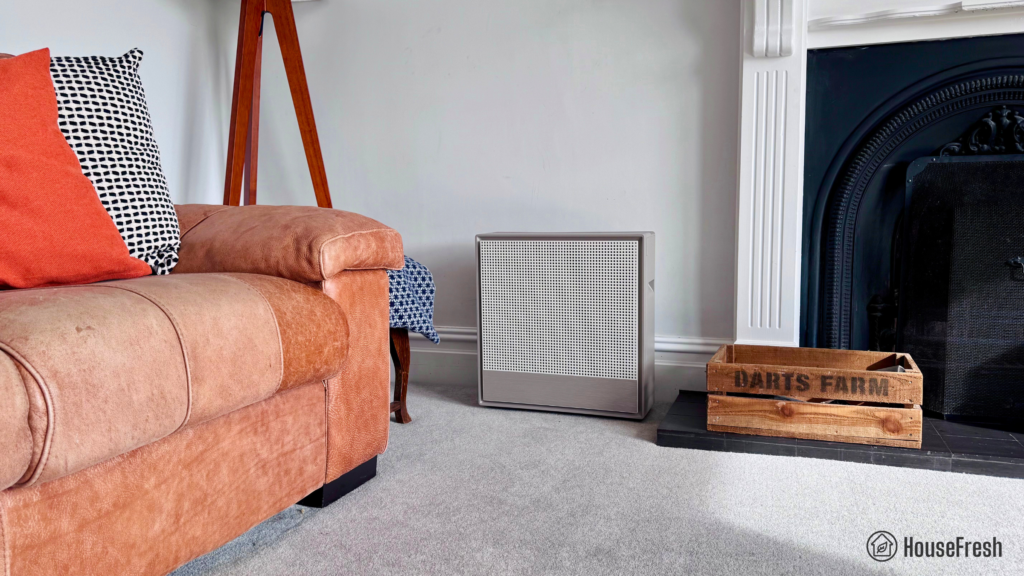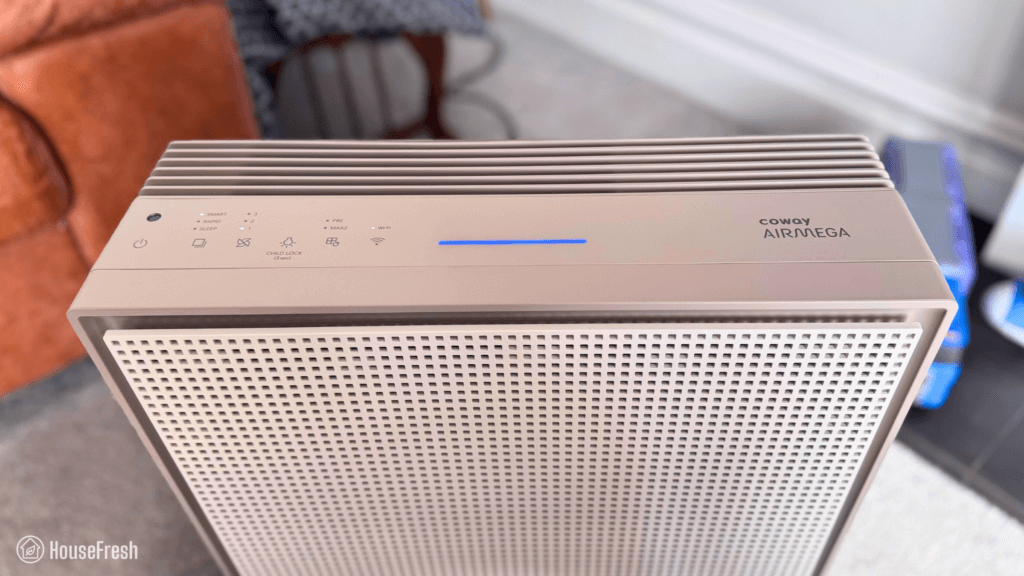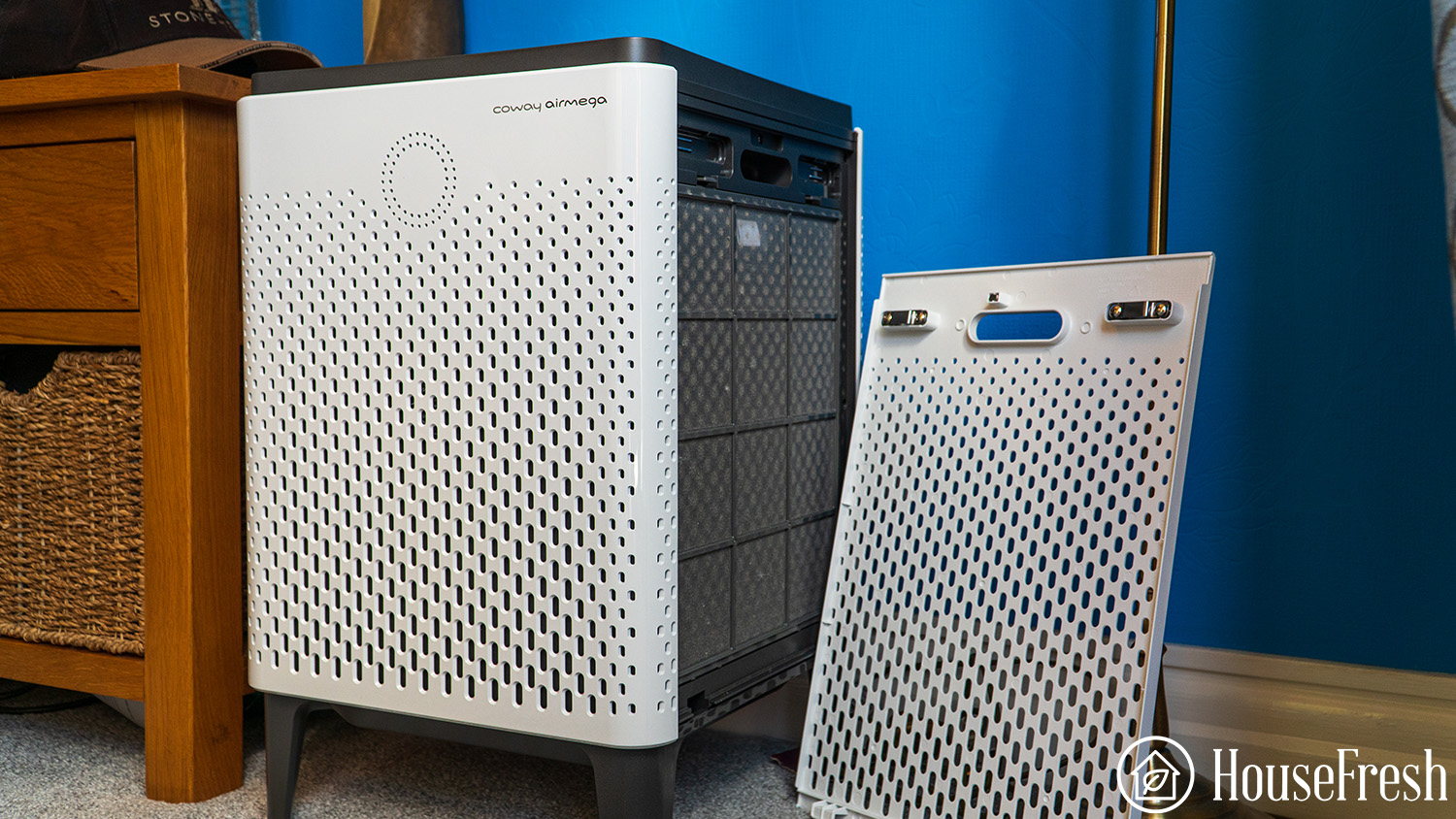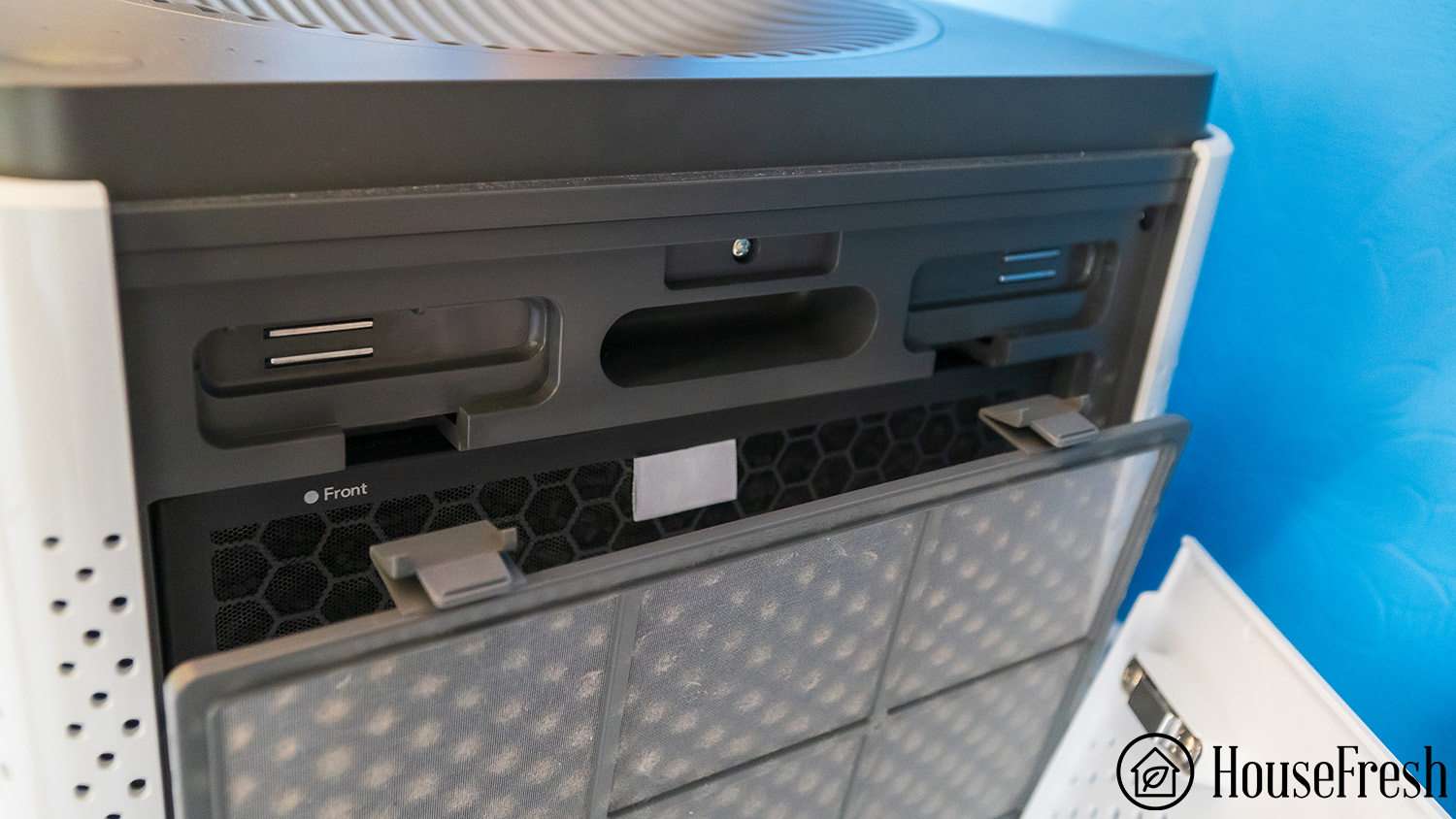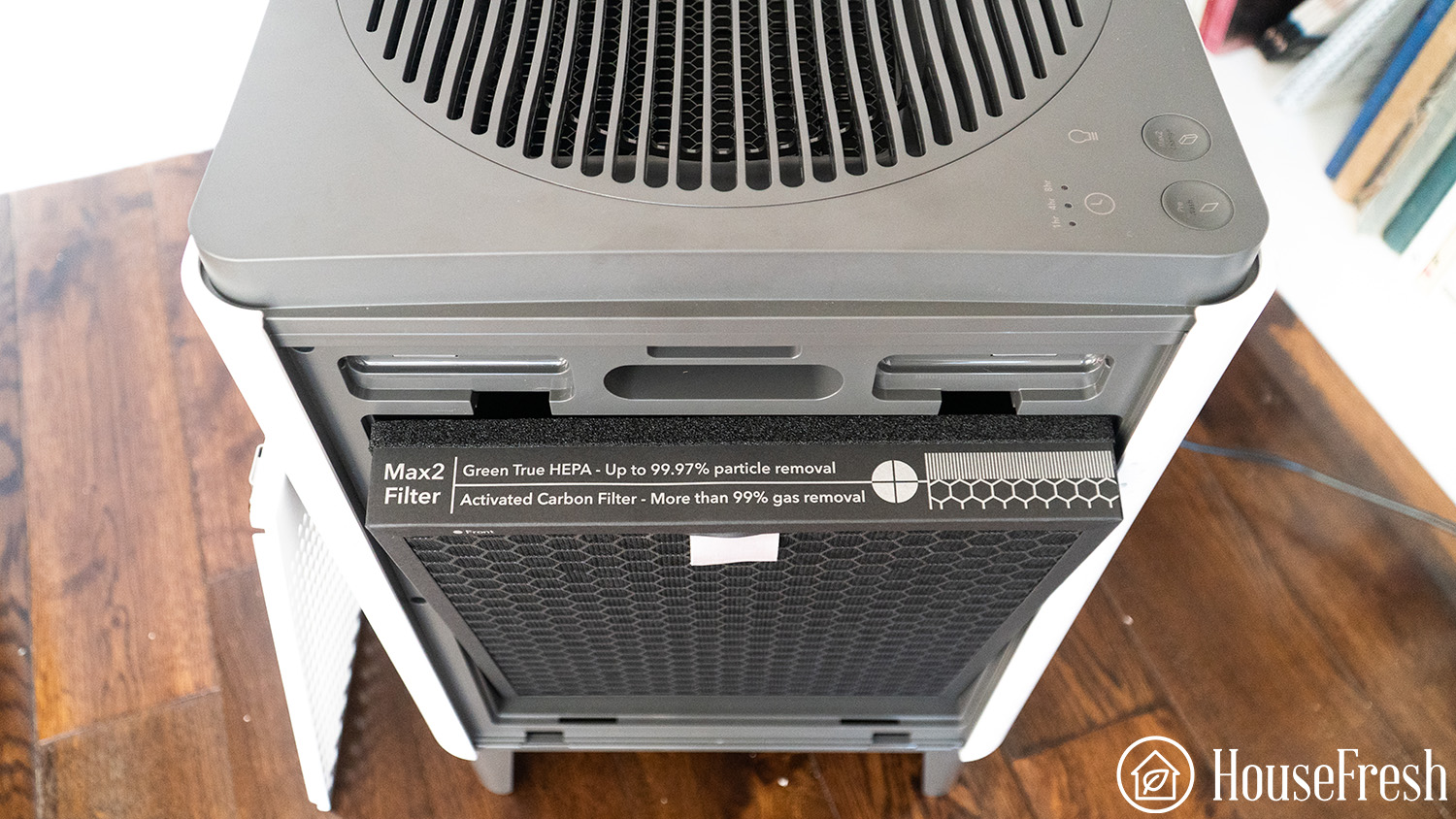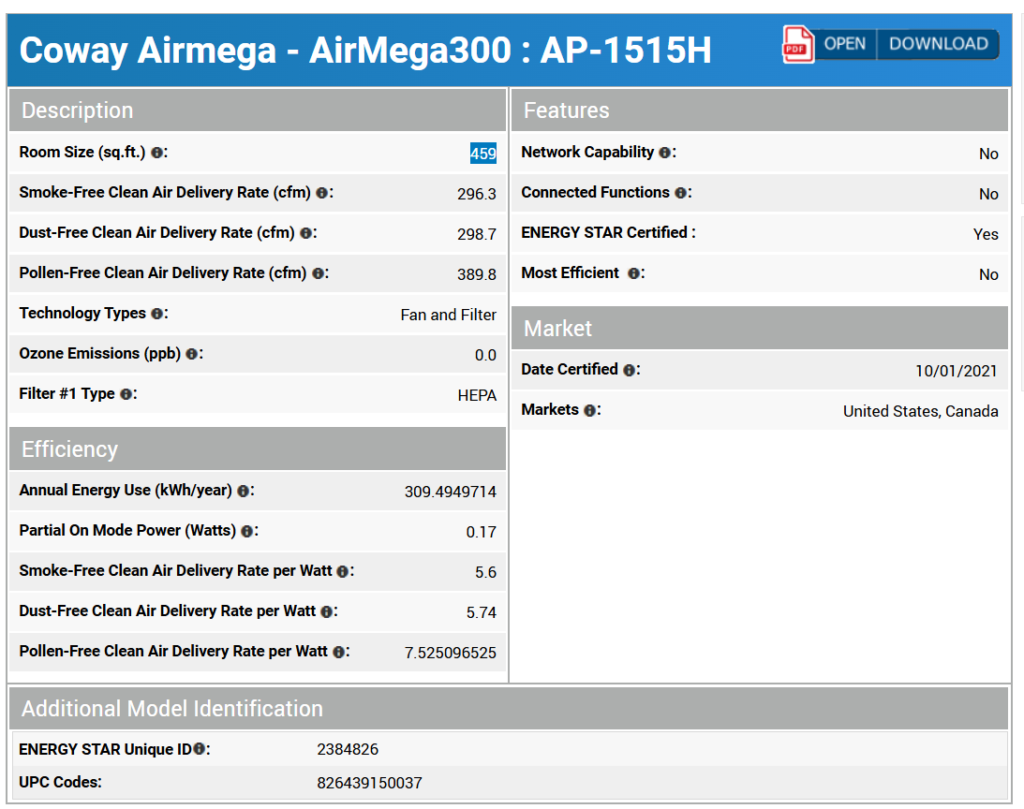
Coway Airmega 350 review

Coway Airmega 350 Living Room scaled

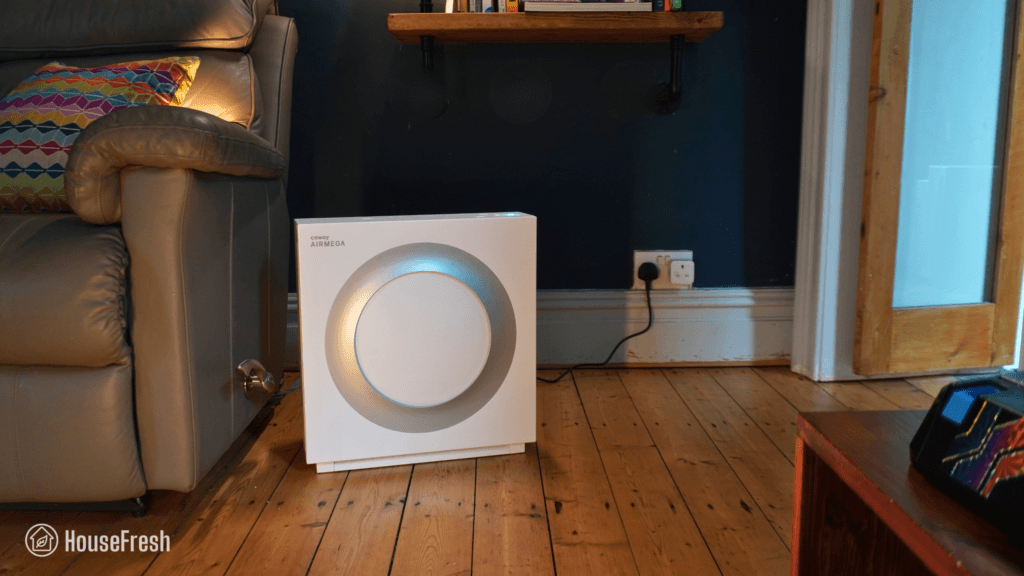
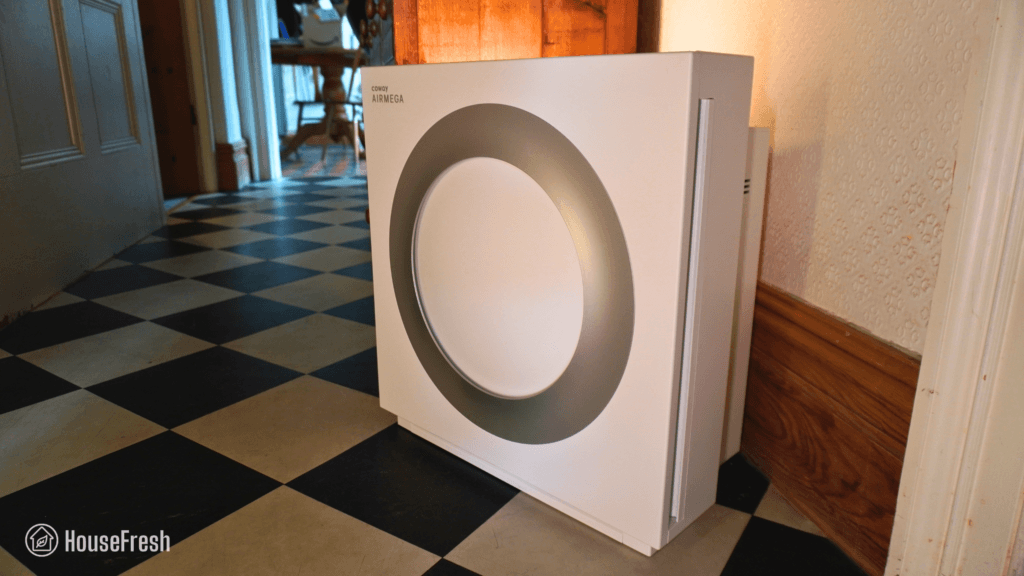
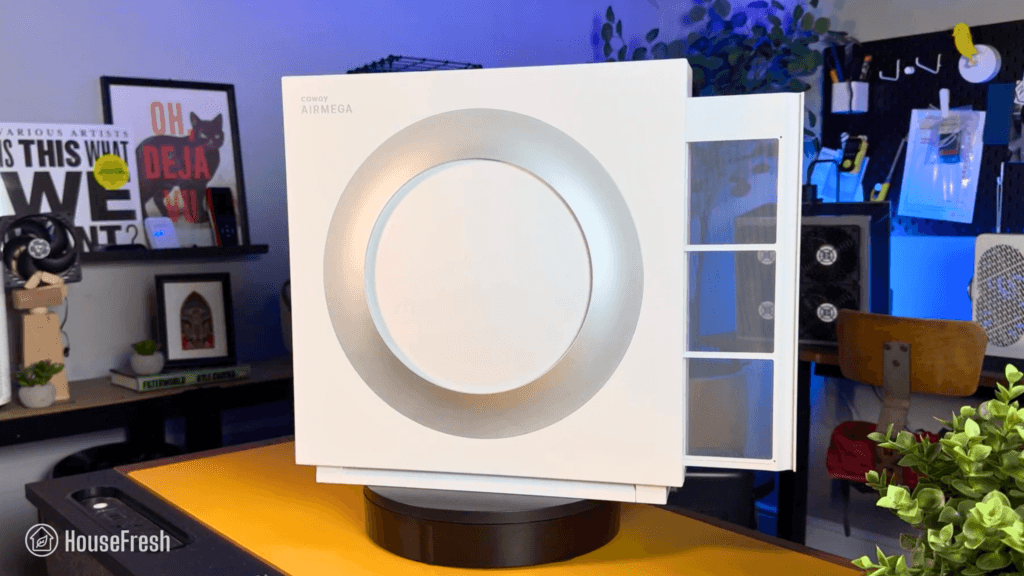
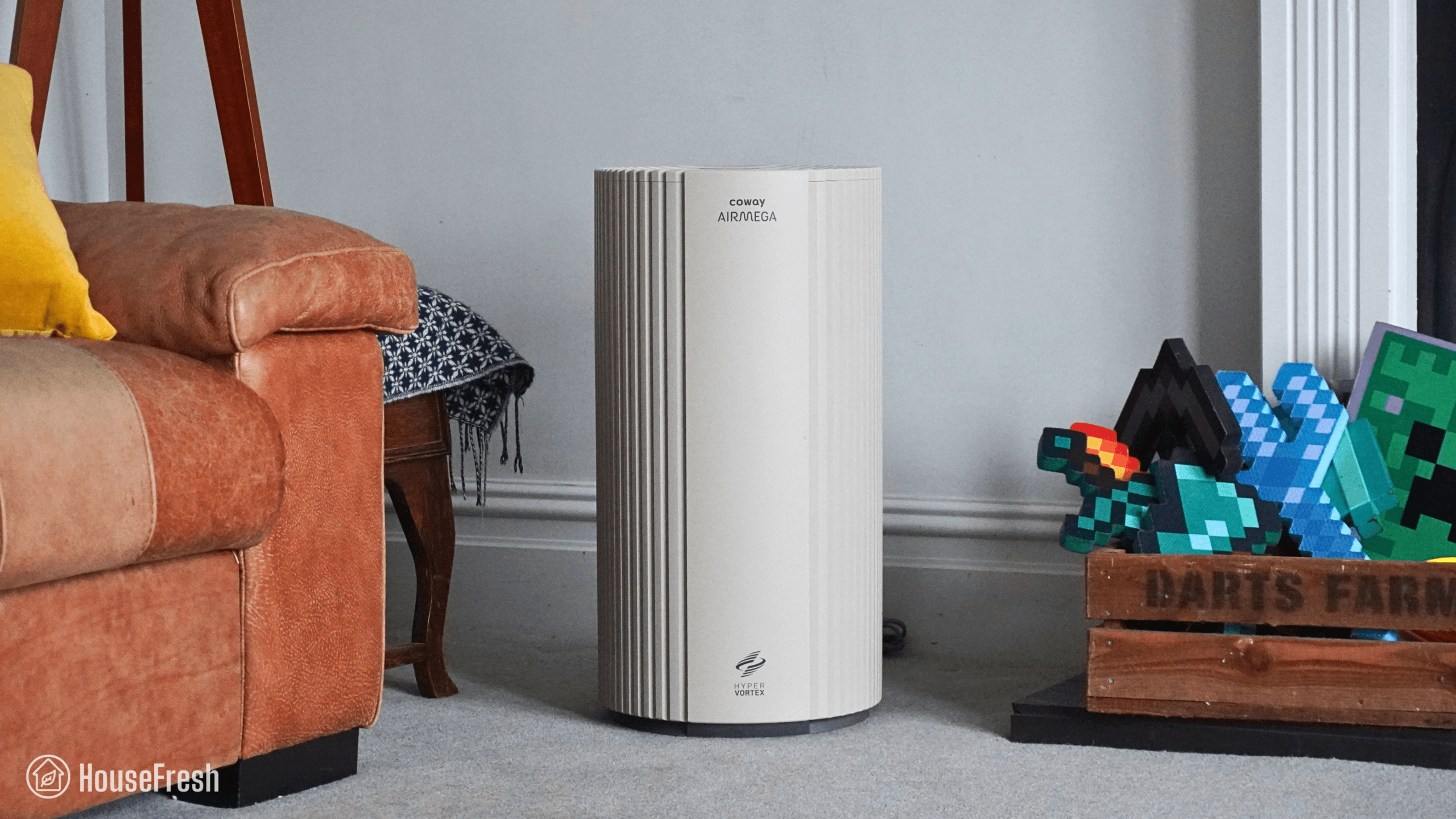
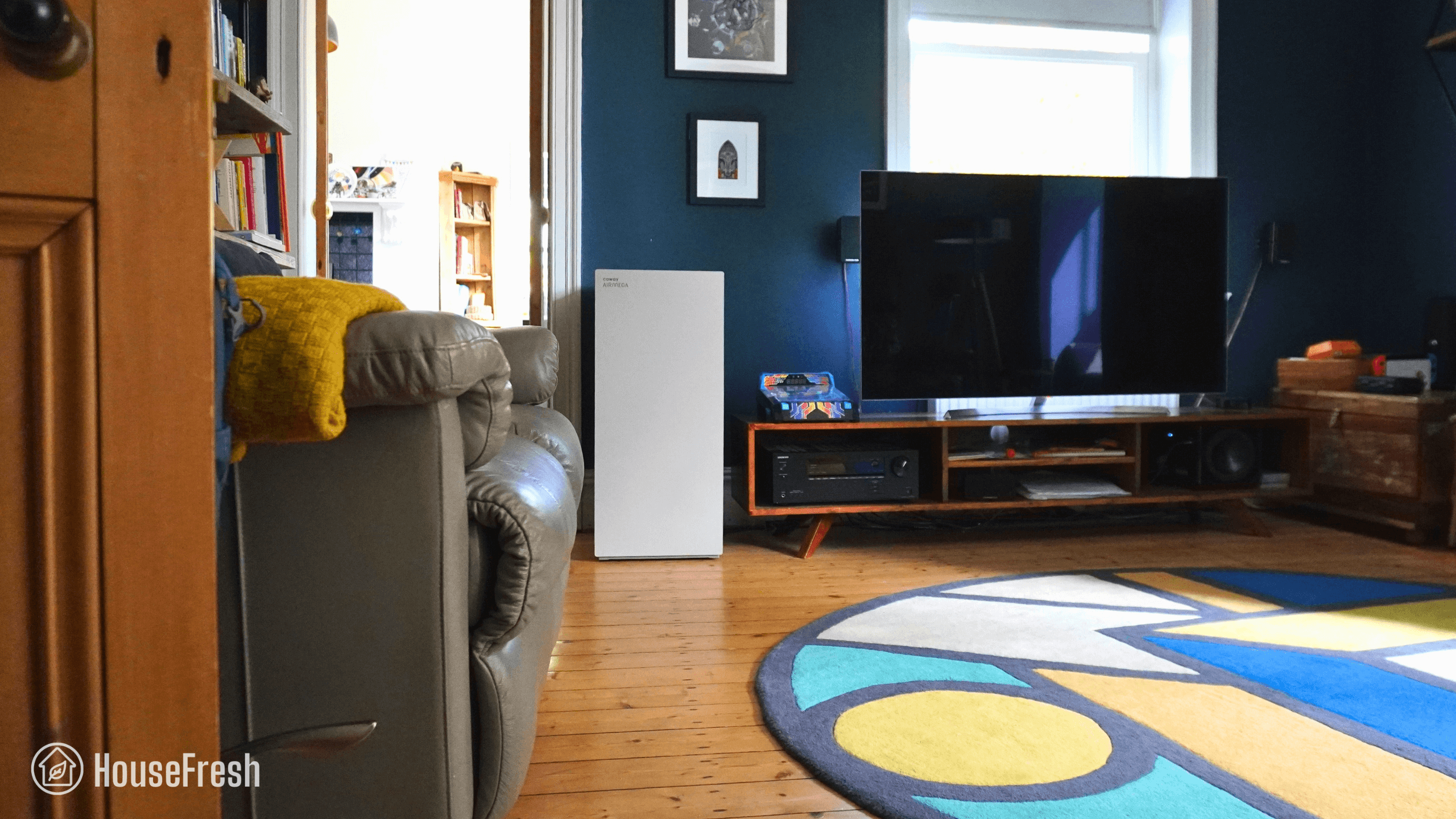
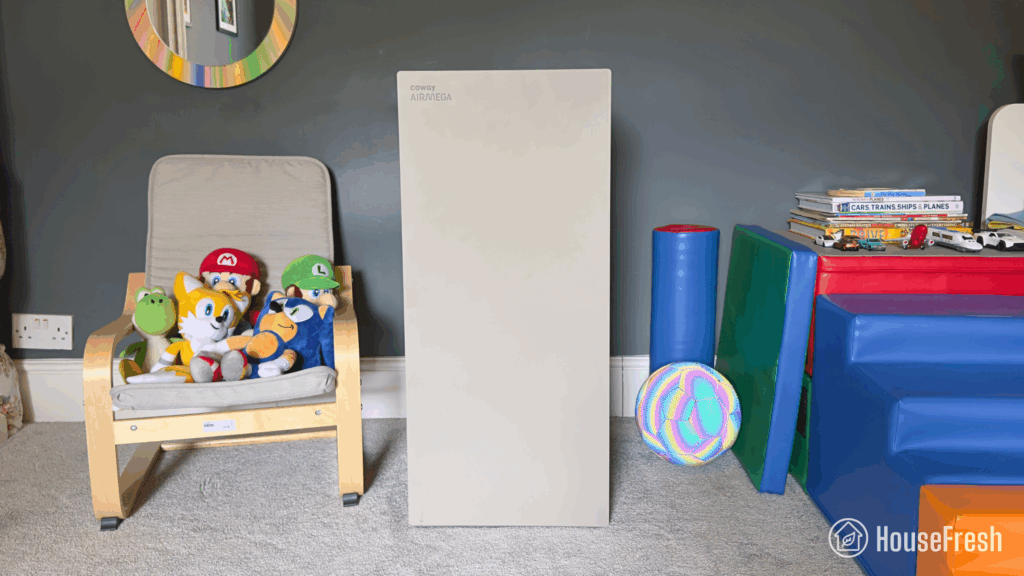
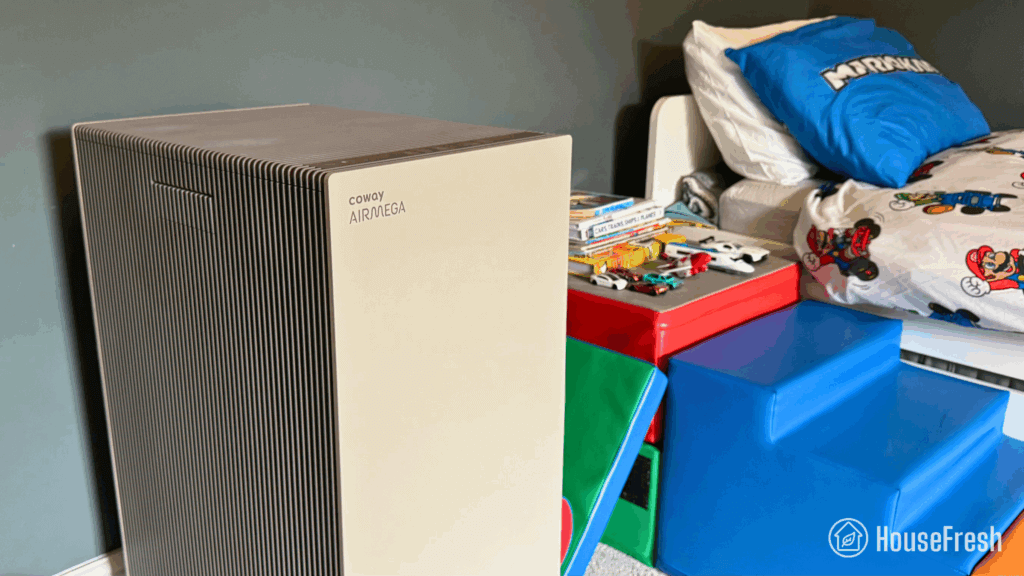
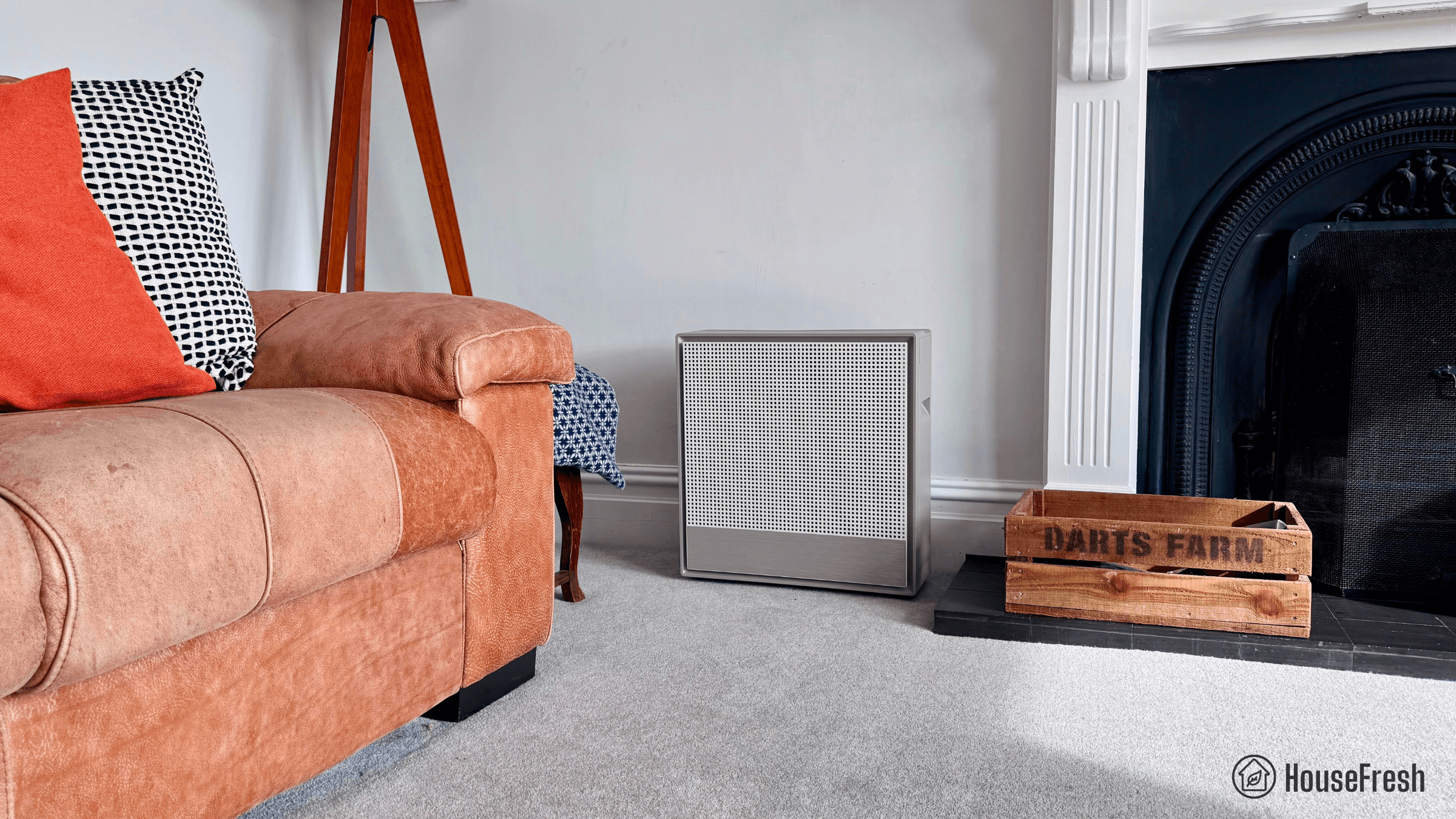
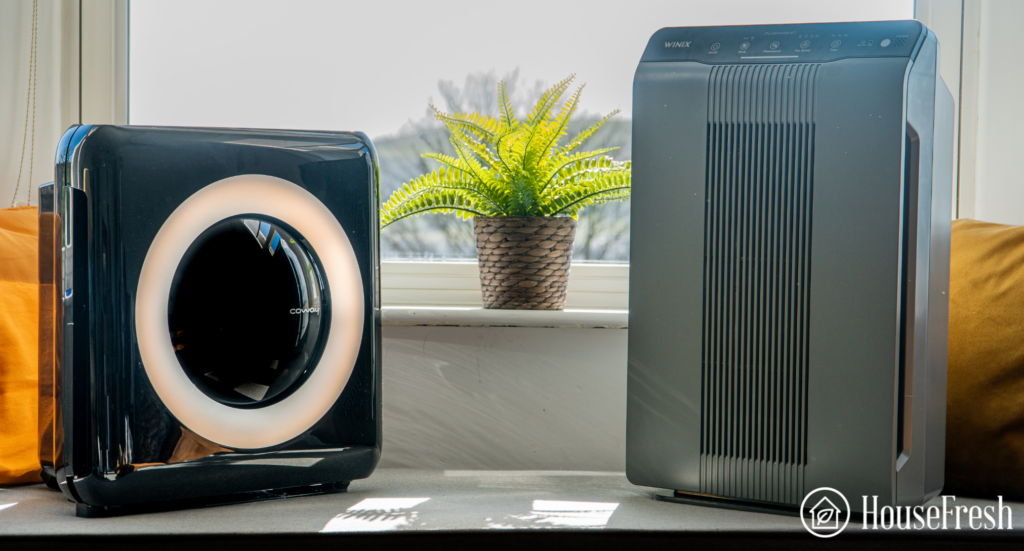
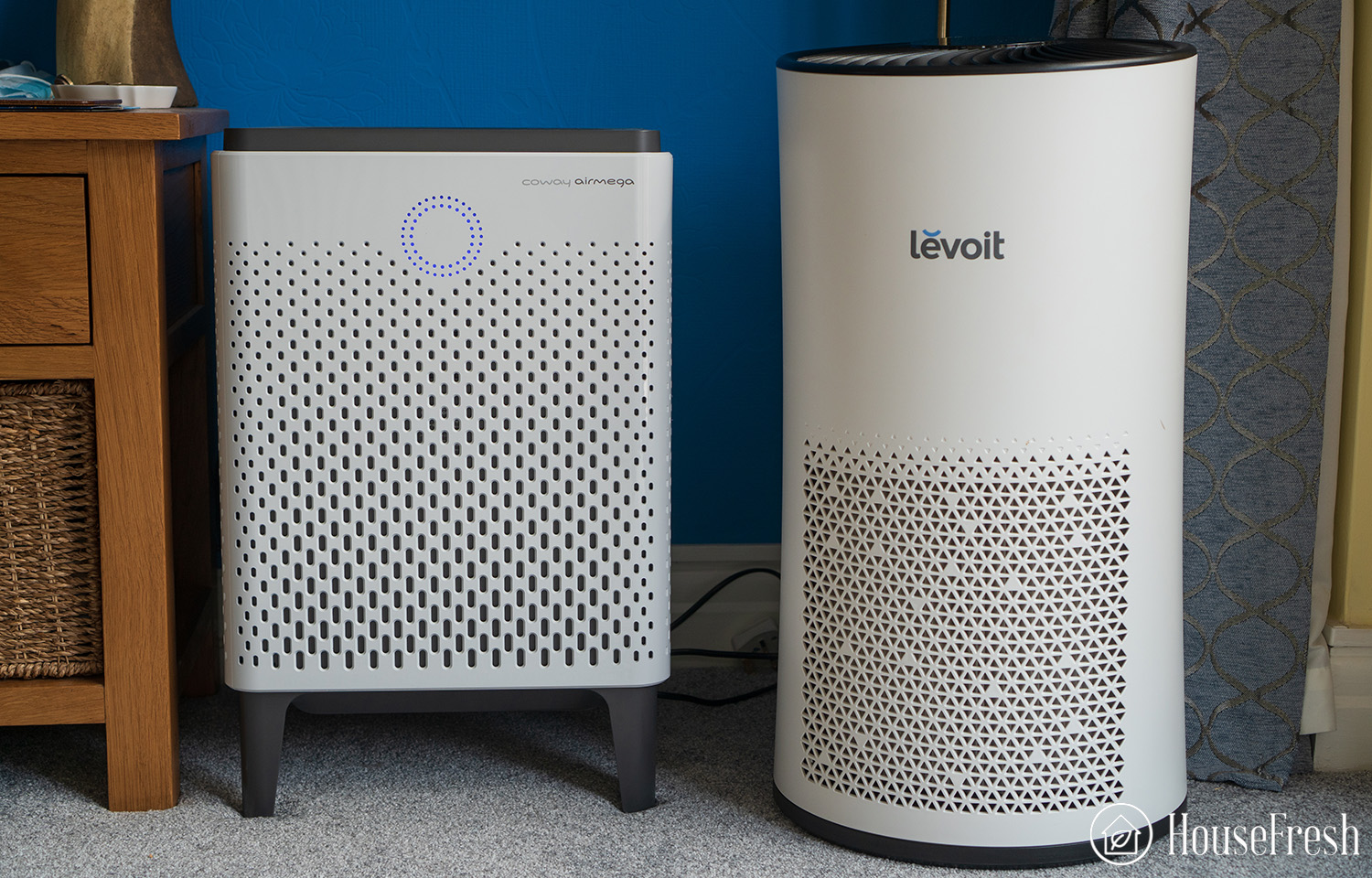
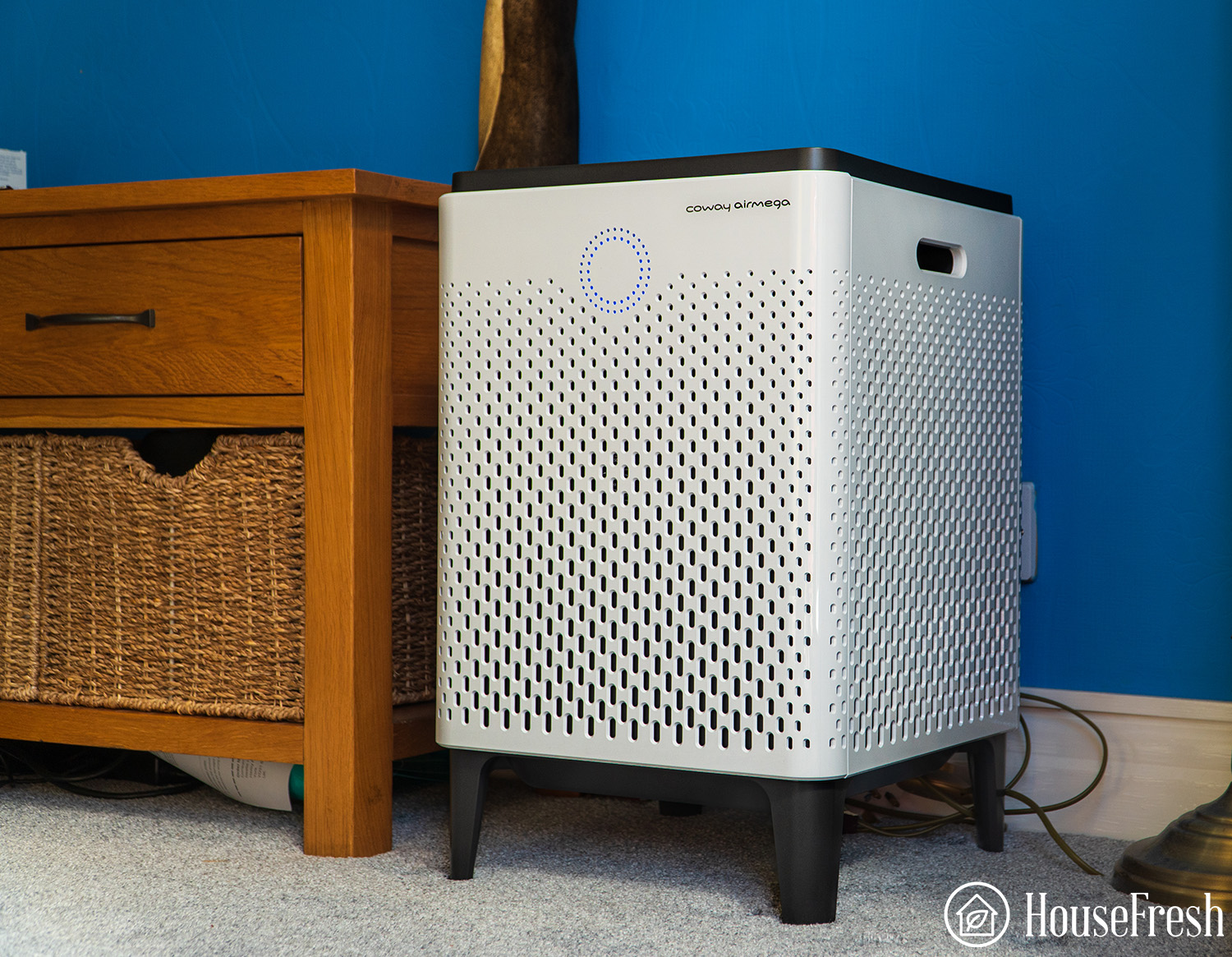
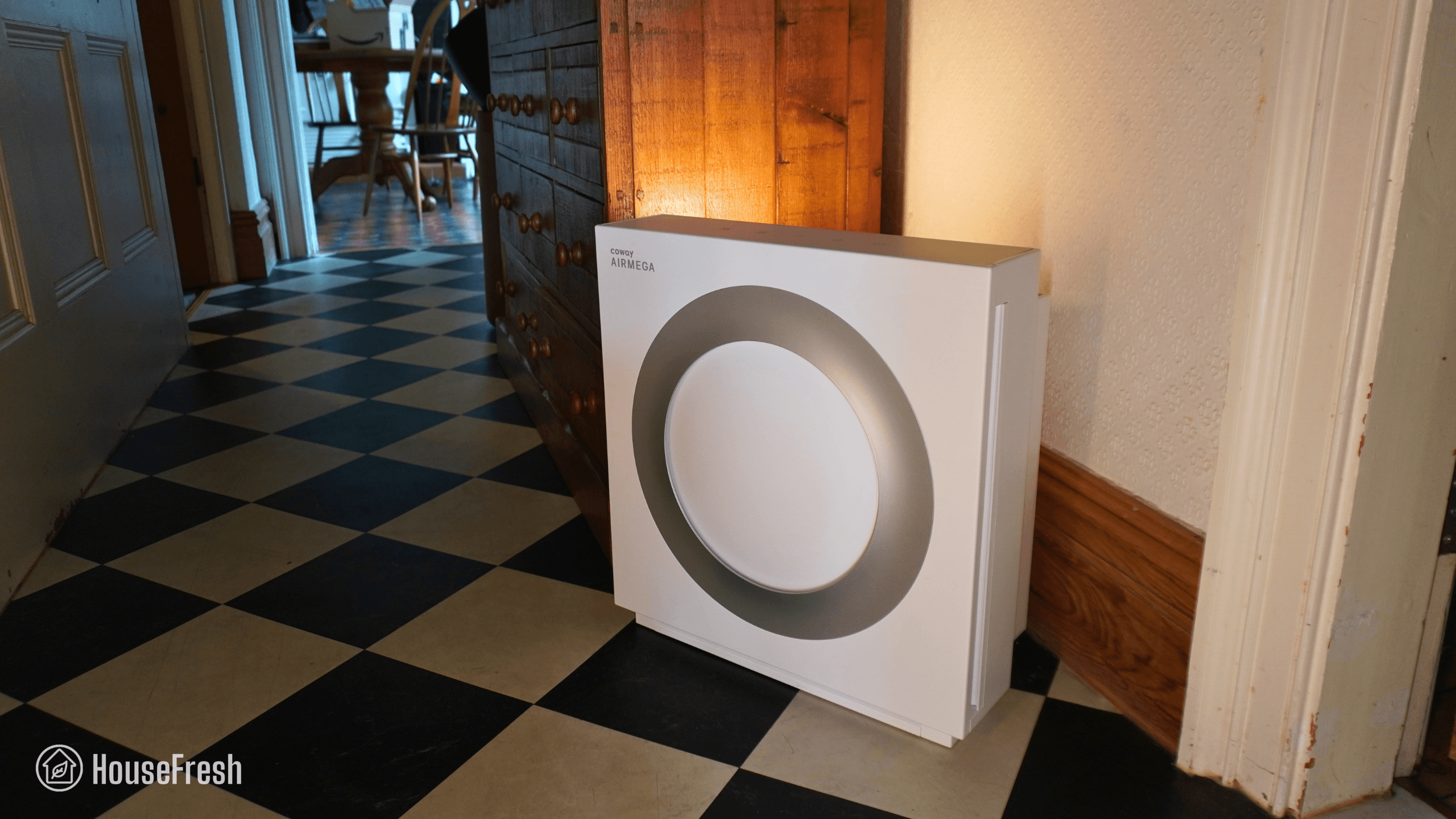
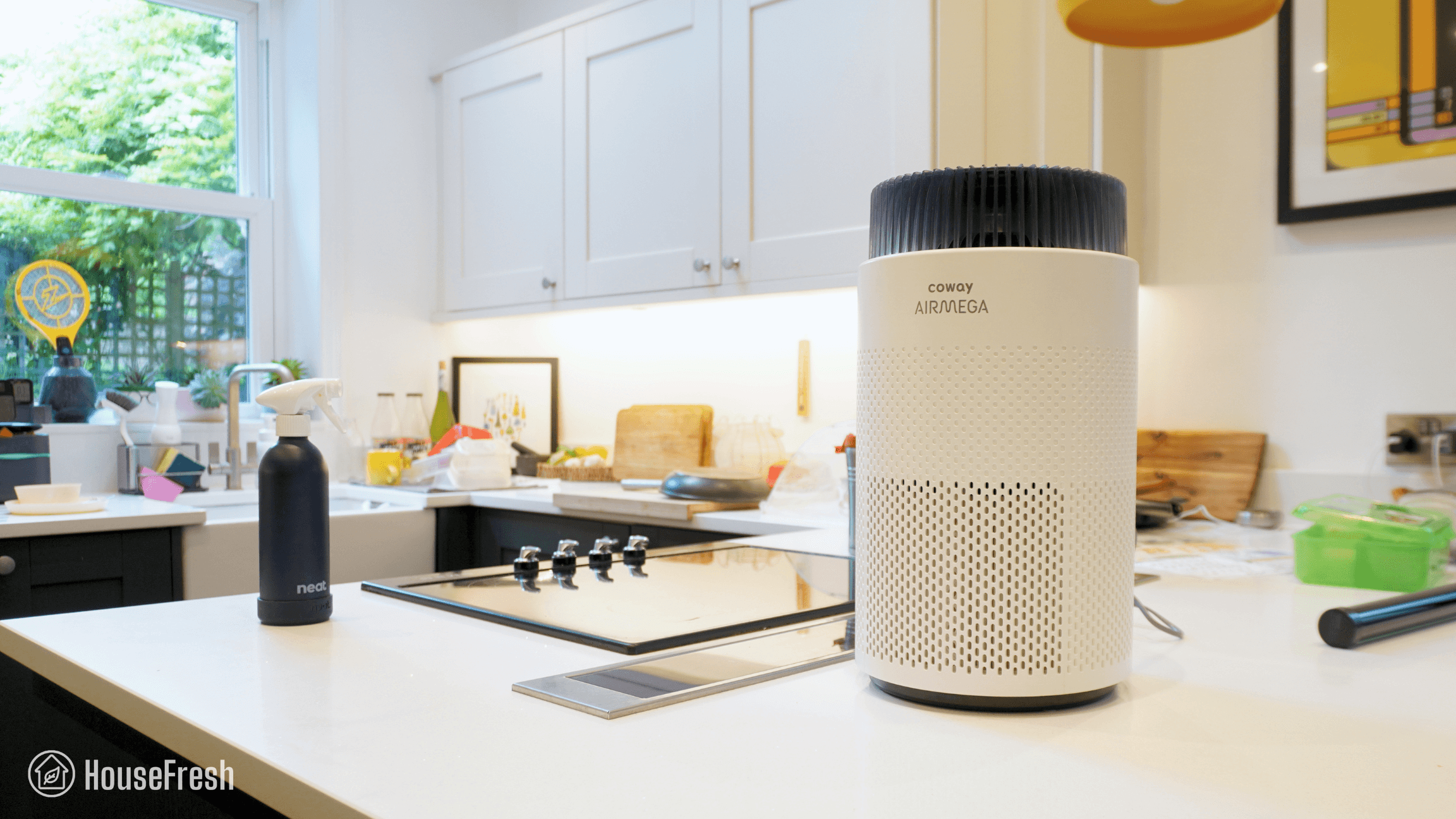
With the Airmega 350, Coway brought the power and low running costs they’re well known for but in a cylindrical design, with the same retro-inspired aesthetic as the Airmega 250S and Airmega ProX.

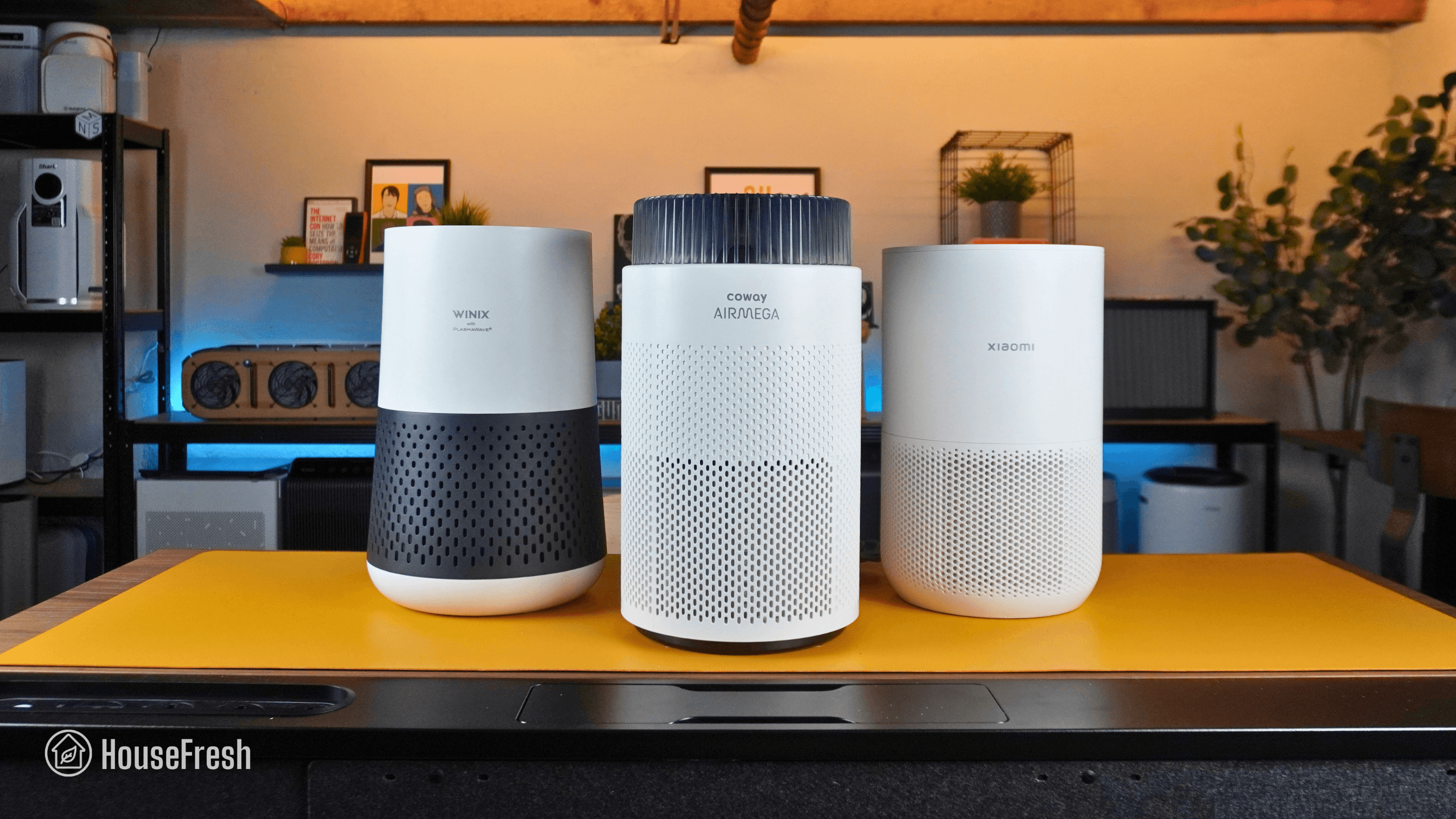
But can this new model compete with the excellent cylindrical designs from Levoit, Winix and Xiaomi? I bought a 350 with my own money and put it through all the tests we perform here at HouseFresh to find out.

The overall score for the Coway Airmega 350 incorporates first-hand data results from our battery of tests, as well as our ratings for customer service, brand transparency, and design & UX. Check out the full scorecard below to see the split of categories.

Search for ‘Coway Airmega 350’ to see where it ranks, based on its air cleaning performance and value for money. You can also filter results to easily compare models in the same price range.

The pros and cons of the Coway Airmega 350

A summary of our top-level findings after testing this air purifier, following our methodology.

“The Airmega 350 is Coway’s alternative to the Levoit Core 600S and the Xiaomi Elite, with a good looking design that will fit even the most stylish of homes. The running costs are very fair, with $79 filter replacements that can last as long as 12 months.

When comparing to Xiaomi and Levoit, you get comparable air cleaning performance but you lose out on a laser sensor and app support. That said, you can use the 350 with a smart plug.”

Danny Ashton HouseFresh
Danny Ashton
HouseFresh Founder
& Lead Tester

CONS

It only has one fan speed below 45 decibels (speed 1) and its performance at this speed is weak (100 cfm).
There is a big jump in how loud this thing gets when you go from speed 1 (37.6 dBA) to speed 2 (49.4 dBA).
It comes with an optical sensor rather than a laser sensor, so you can’t forget to clean it regularly.

PROS

It offers excellent performance at top speed, outmatching large units like the Winix 9800 and the Xiaomi Elite.
You can use it with any smart plug, so you can connect it to your smart home system or set simple automations.
The filter replacements are fairly priced and can last up to 12 months.
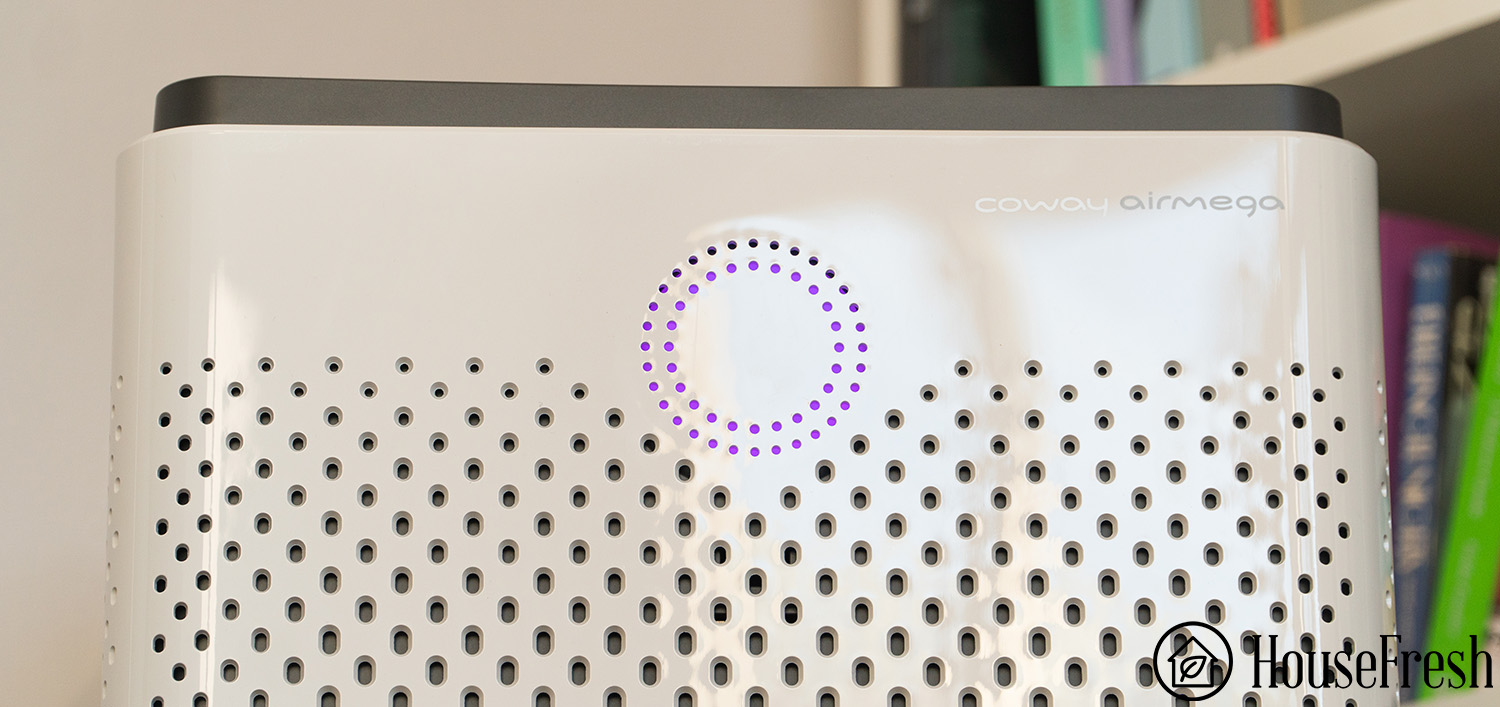
It looks like a million bucks – I know design is subjective, but I think most people will like the look of the 350.

Clean air delivery rate (CADR):– Top speed PM1 CADR: 352 cfm
– Sub-45 dBA PM1 CADR: 100 cfm
– AHAM PM2.5 CADR: 378 cfm (dust)
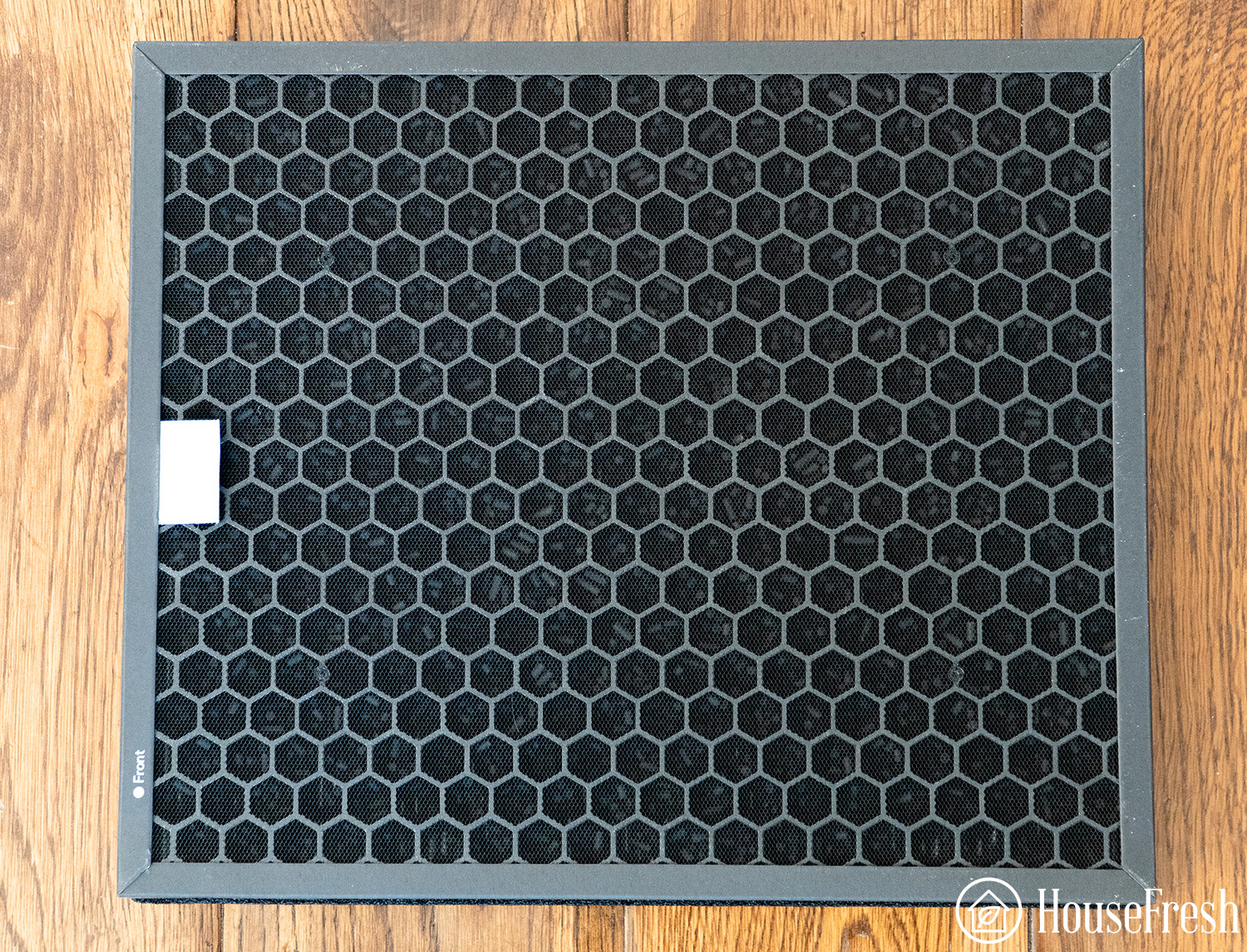
Filter technology:Bonded cylindrical Green HEPA filter with a layer of pelleted activated carbon and a surrounding pre-filter mesh.
Recommended room size:528 sq. ft. (5 air changes per hour)
Dimensions:12 x 12 x 23 in (30.5 x 30.5 x 59 cm)
Weight:17.6 lbs (8 kg)
Noise level in decibels from 3 ft. away:Sleep mode: 35.2 dBA
Speed 1: 37.6 dBA
Speed 2: 49.4 dBA
Speed 3: 55.4 dBA
Turno mode: 61.8 dBA
Electricity consumption in watts:Standby: 0 watts
Sleep mode: 3.1 watts
Speed 1: 4.89 watts
Speed 2: 17.04 watts
Speed 3: 32.65 watts
Trubo mode: 57.95 dBA
Filter lifespan:12 months
Manufacturer’s warranty:3 years
Country of origin:South Korea
Country of manufacture:China

Filtration technology

Coway’s Green True HEPA filter with pelleted activated carbon and a pre-filter mesh.

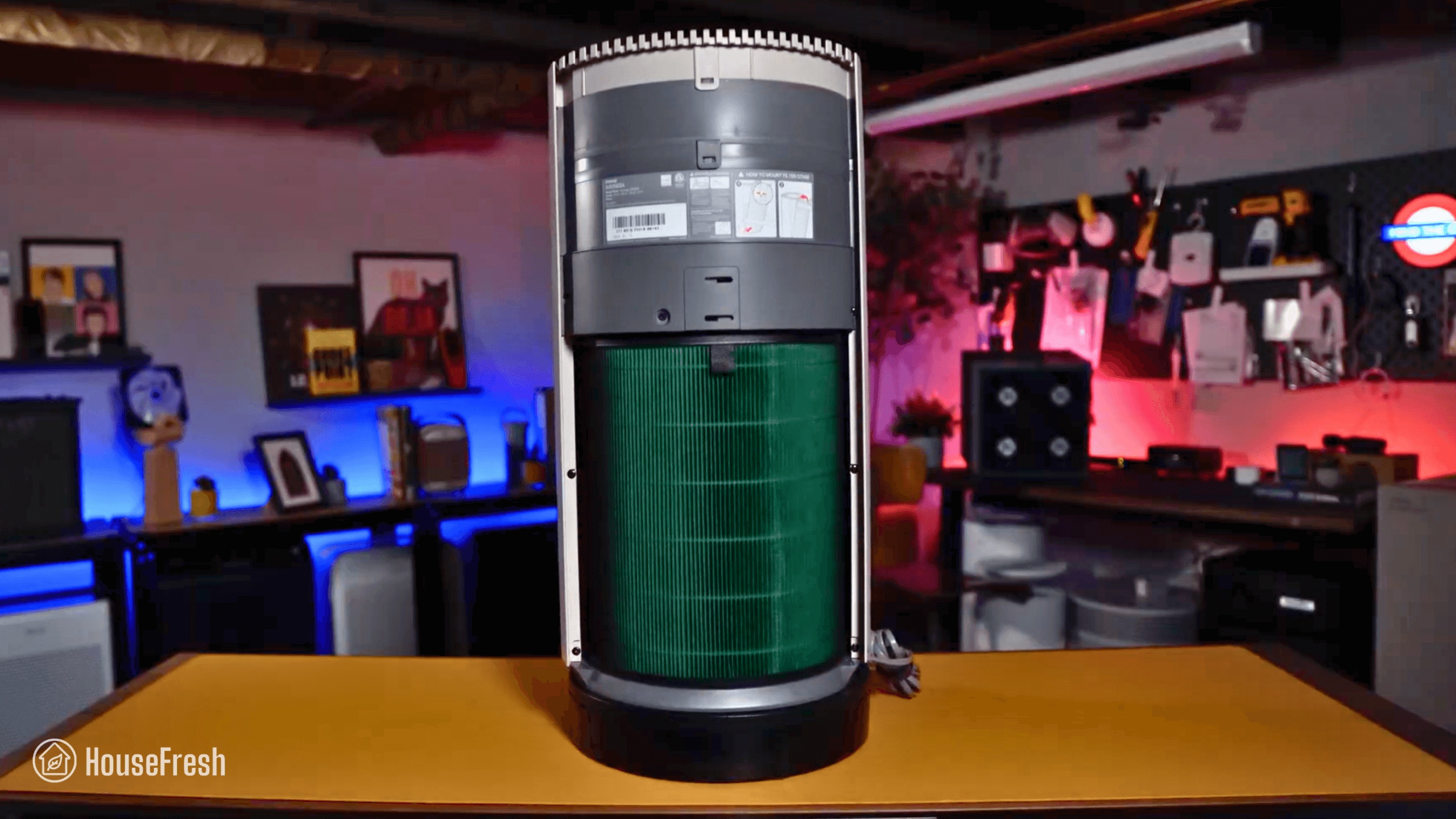
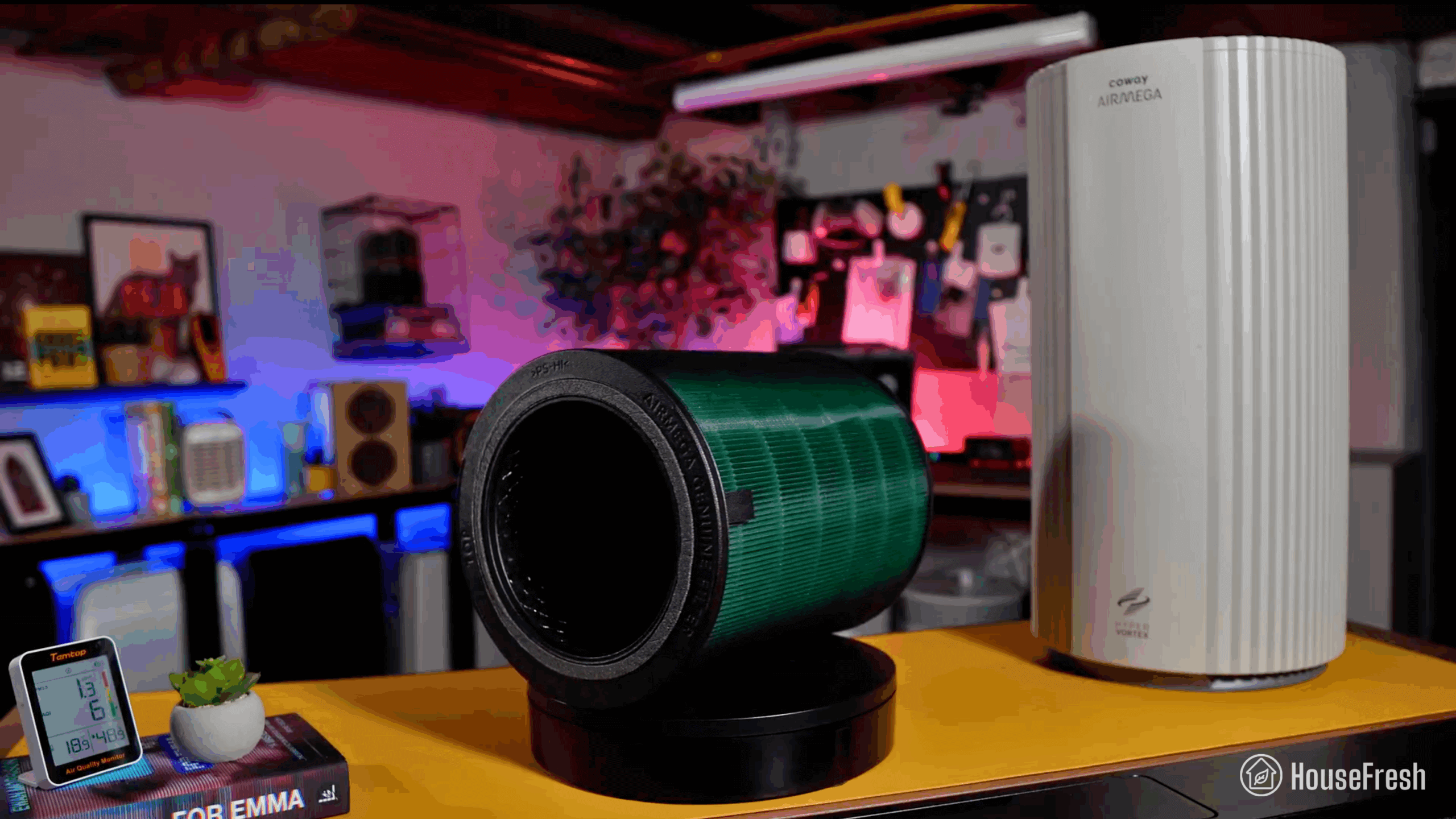
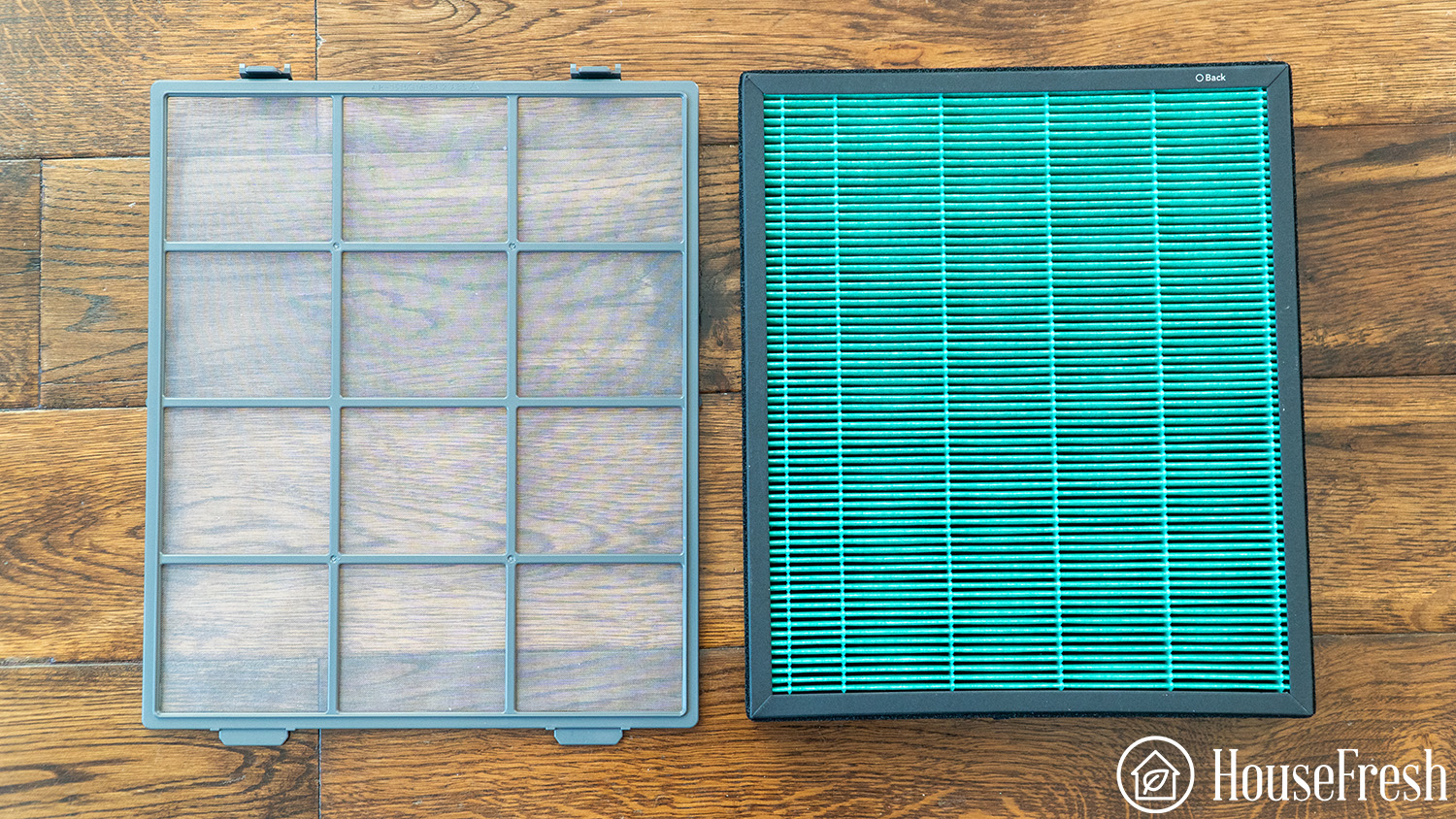
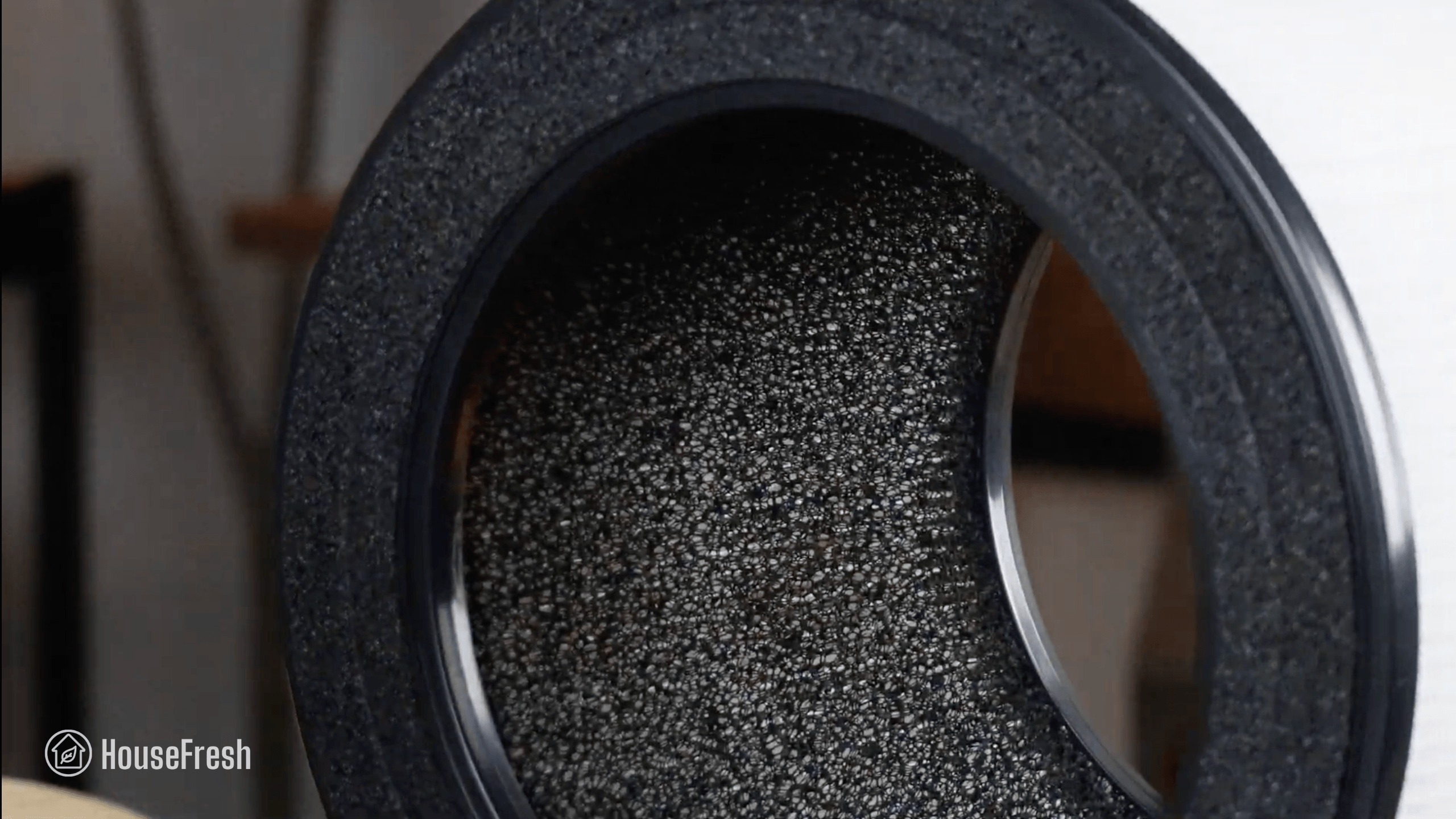
The Airmega 350 comes with a large cylindrical filter with Coway’s signature Green True HEPA and a layer of pelleted activated carbon.

Coway Airmega 350 Filter scaled

As with other cylindrical models, the pre-filter is attached to the main filter, so you will need to remove the whole thing to vacuum it.

Coway Airmega 350 Filter scaled

There are three different filters for the Airmega 350:

  • Fresh Starter+ filter is the standard filter (above)

  • Allergen+ filter, which is treated with a proprietary compound to remove allergens

  • Intense Smoke+ filter, aimed at those who want to tackle smoke and VOCs
350 airmega pdpgrid 7

Design, controls and app features

A cylindrical addition to Coway’s new retro modern family of air purifiers.

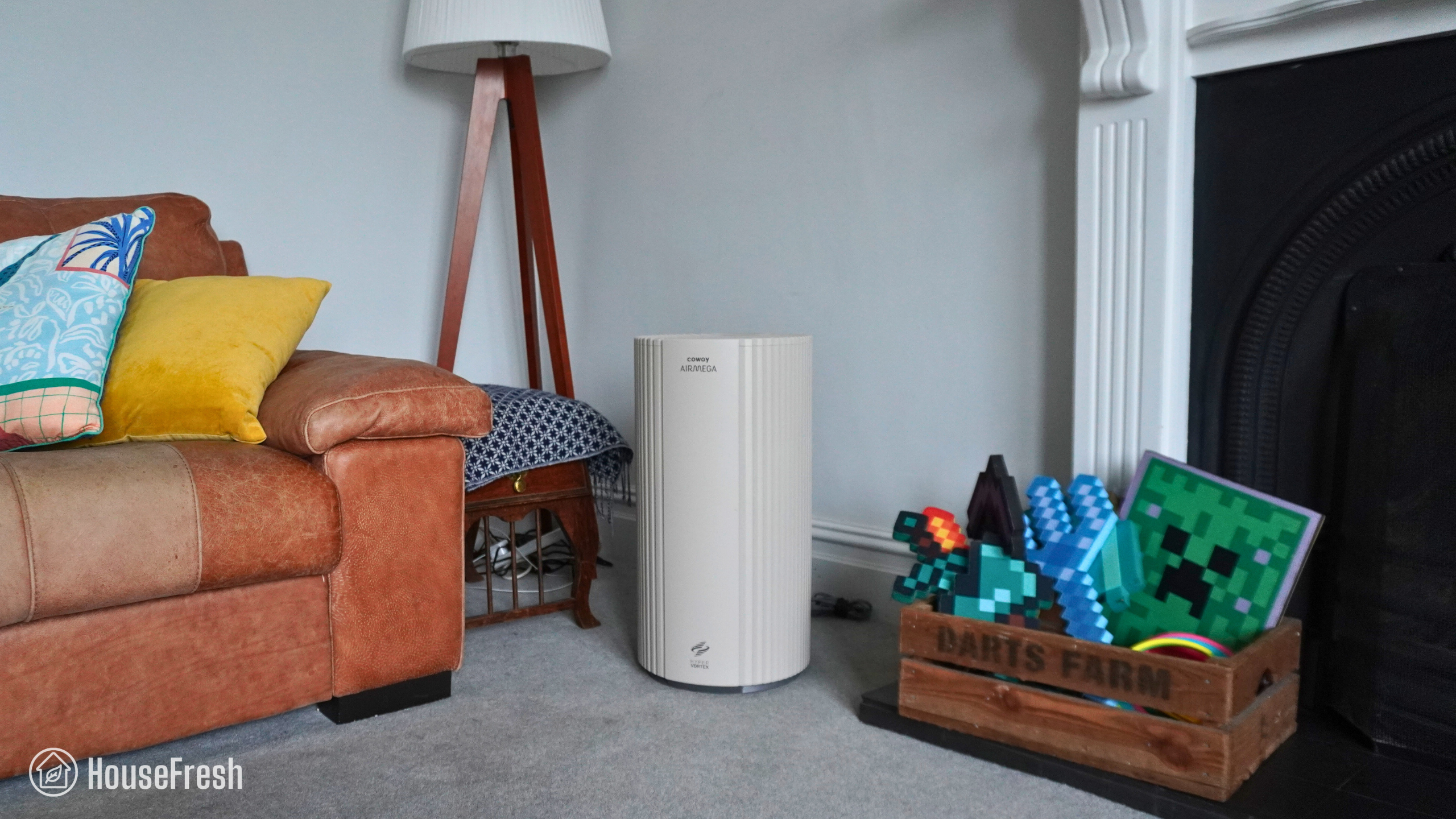
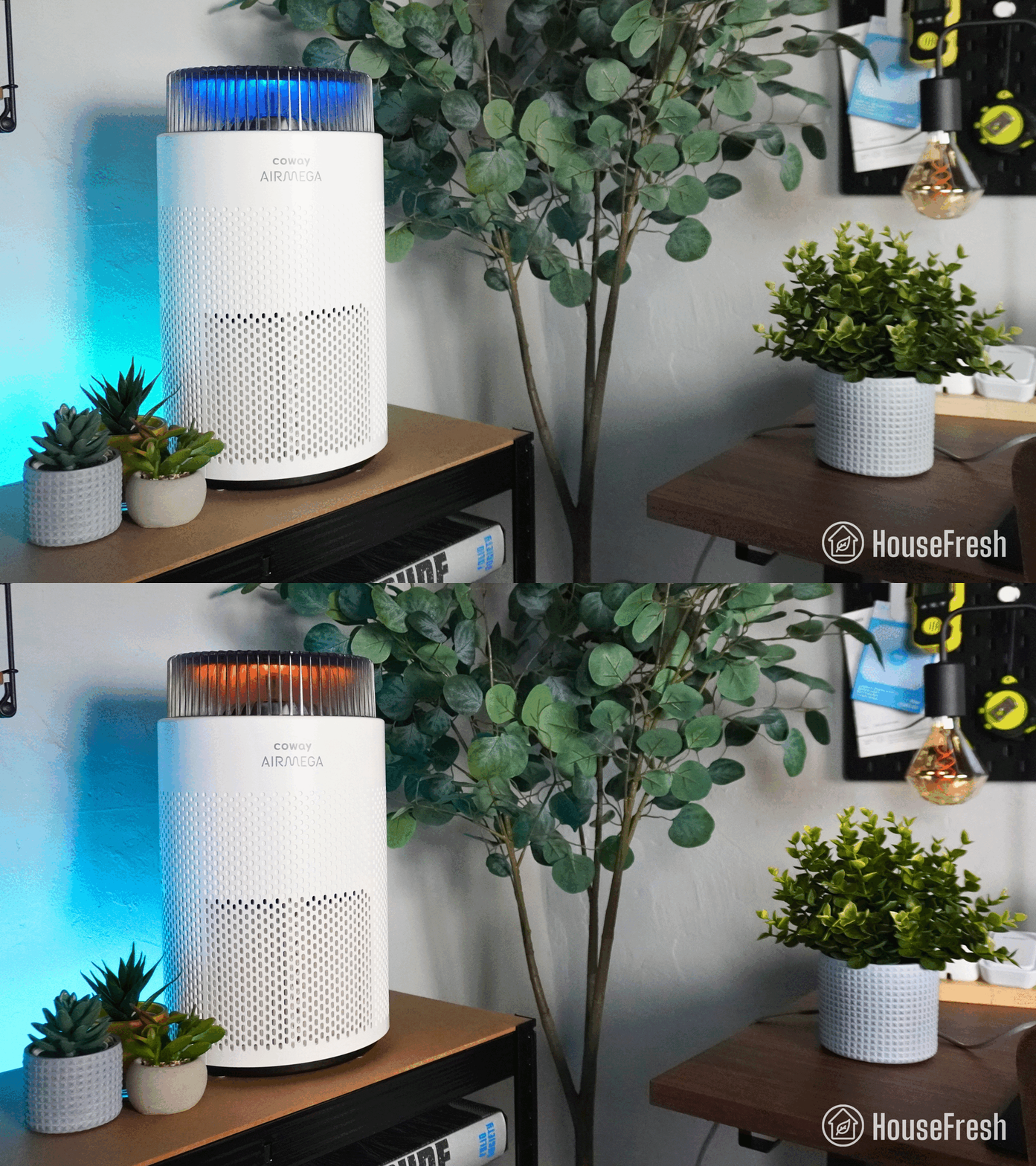
It looks like a million bucks – I know design is subjective, but I think most people will like the retro modern look of the 350.

Coway Airmega 350 Corner

I bought the beige version that matches our 250S, but if you’re not a fan of beige, you’ll be happy to know you can also get it in white.

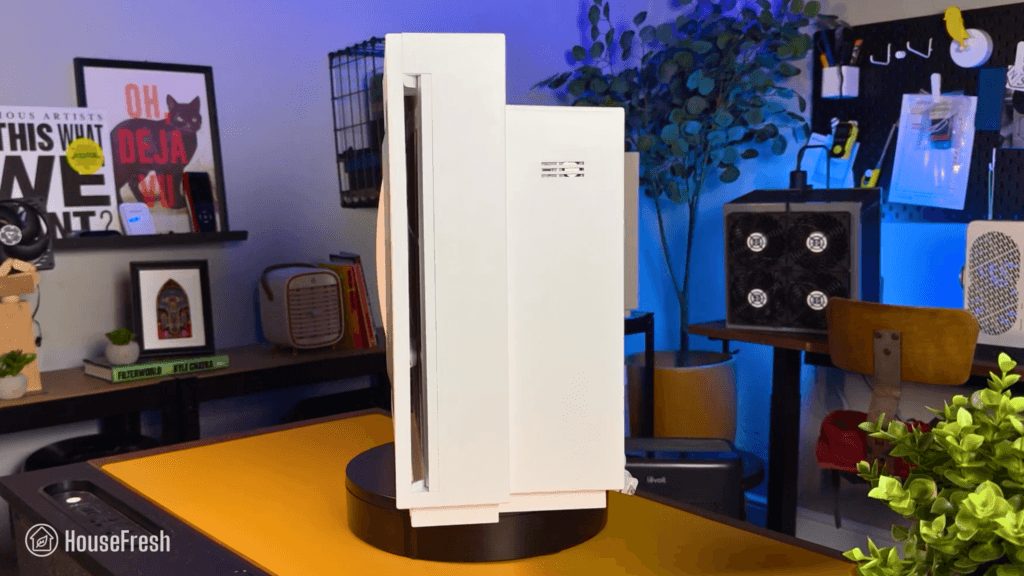
In terms of size, it stands at 23 inches tall (58.4 cm) and weighs 17.19 lbs (7.8 kg), so it’s on the larger side of cylindrical models.

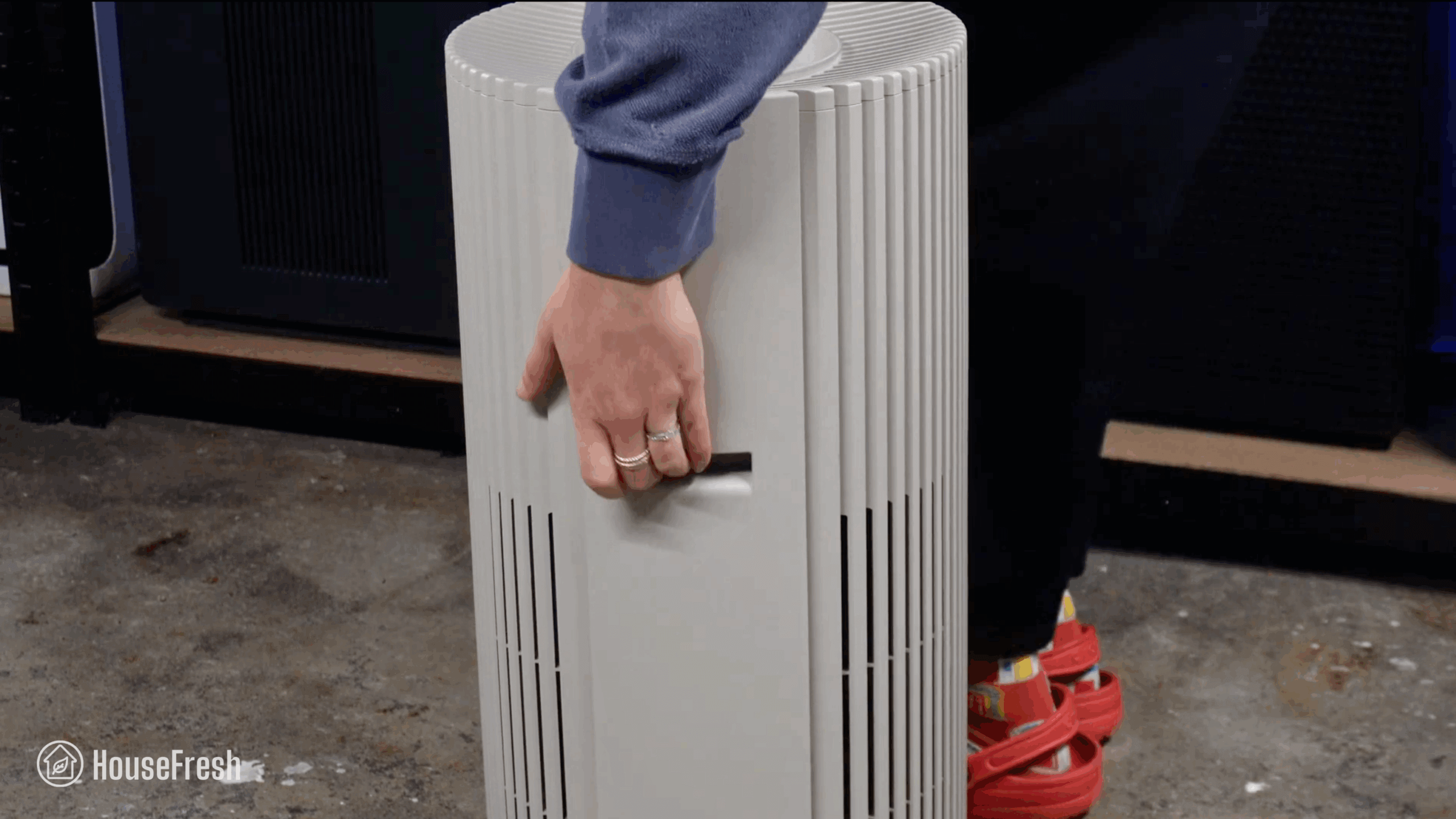
Coway Airmega 350 Handle scaled

It’s great to see that Coway included a deep handle at the back, which makes it easier to move it around the house.

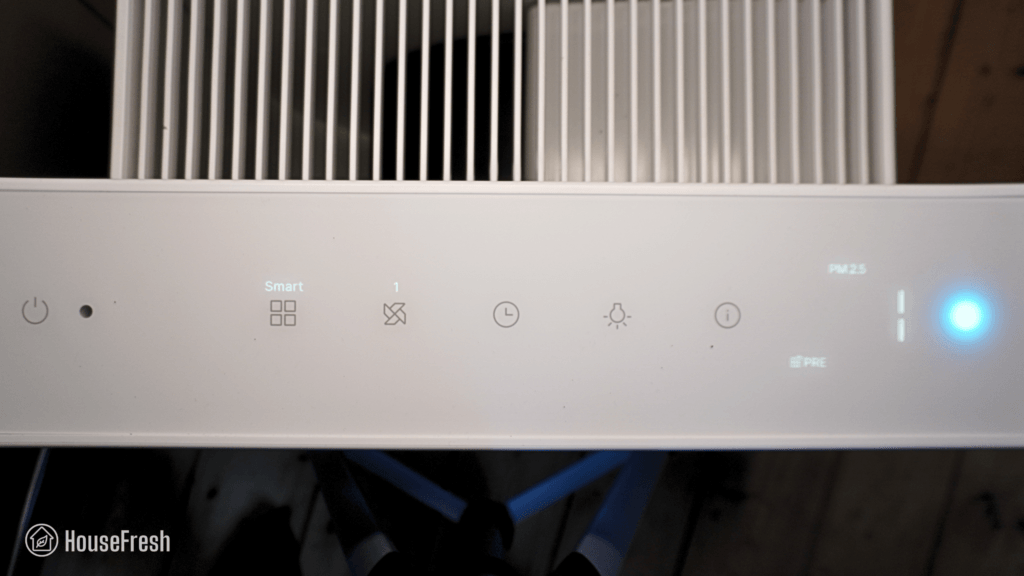
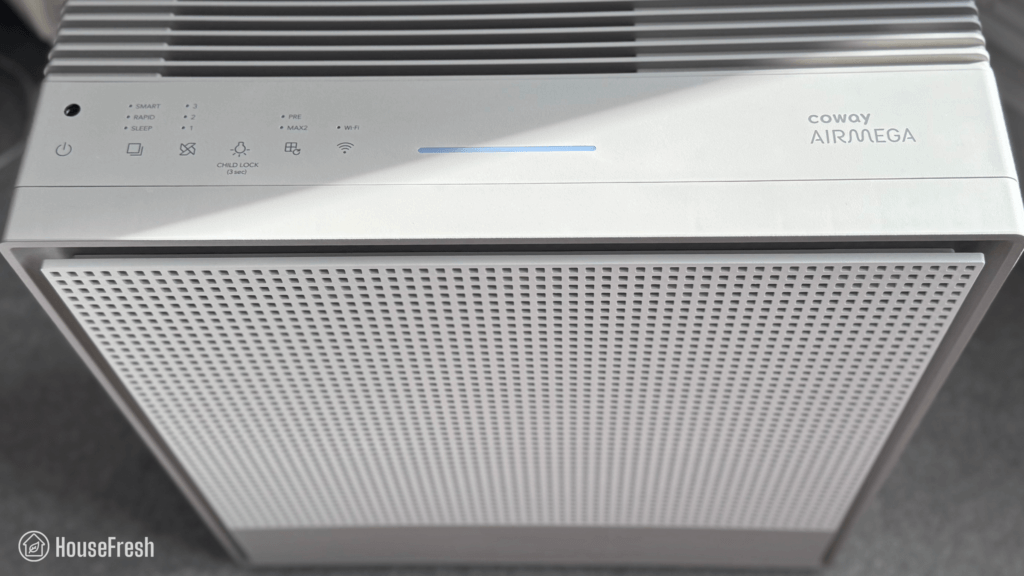
It has an infrared particle sensor that measures PM10 pollution and connects to the LED air quality indicator light at the top.

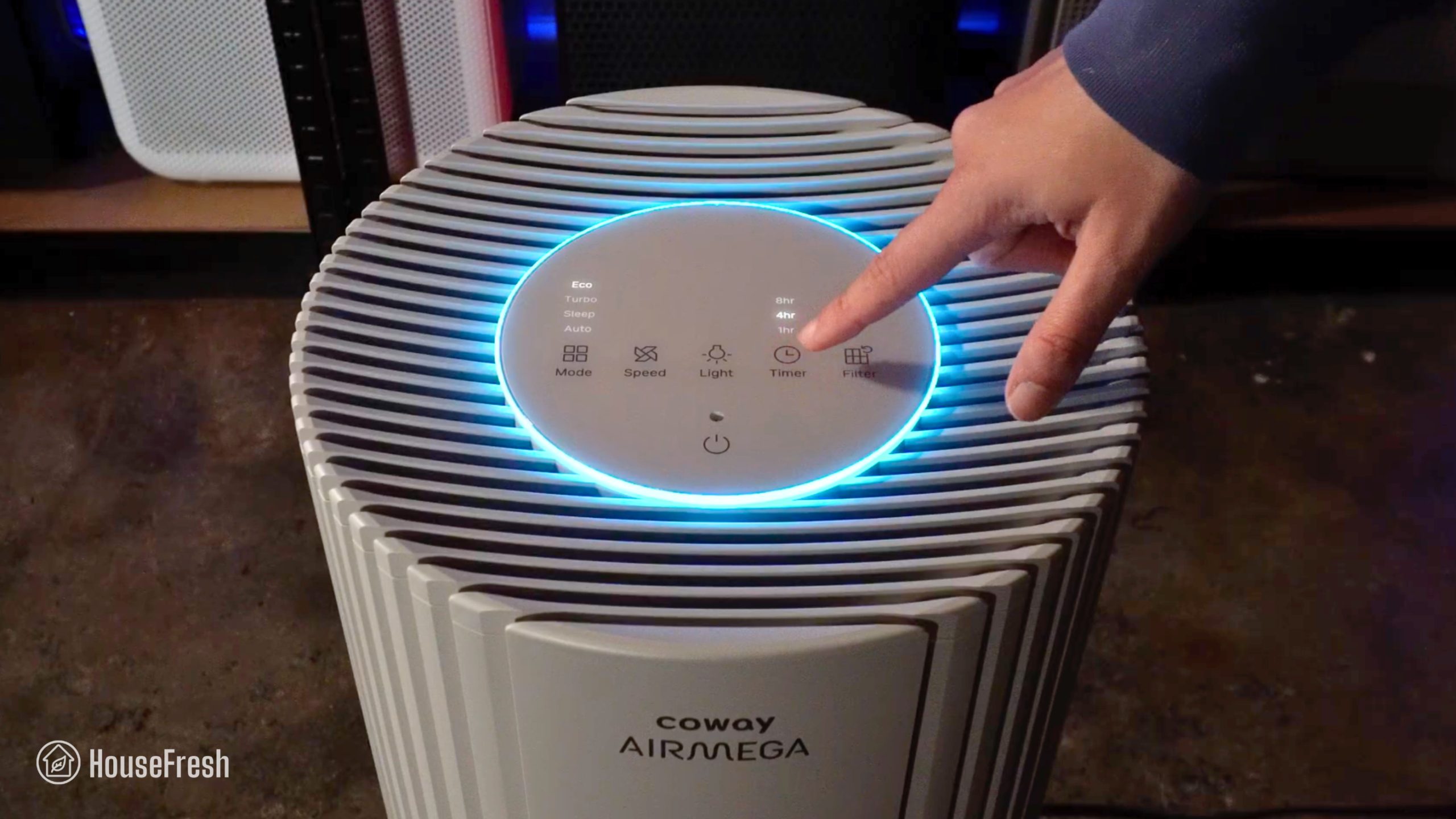
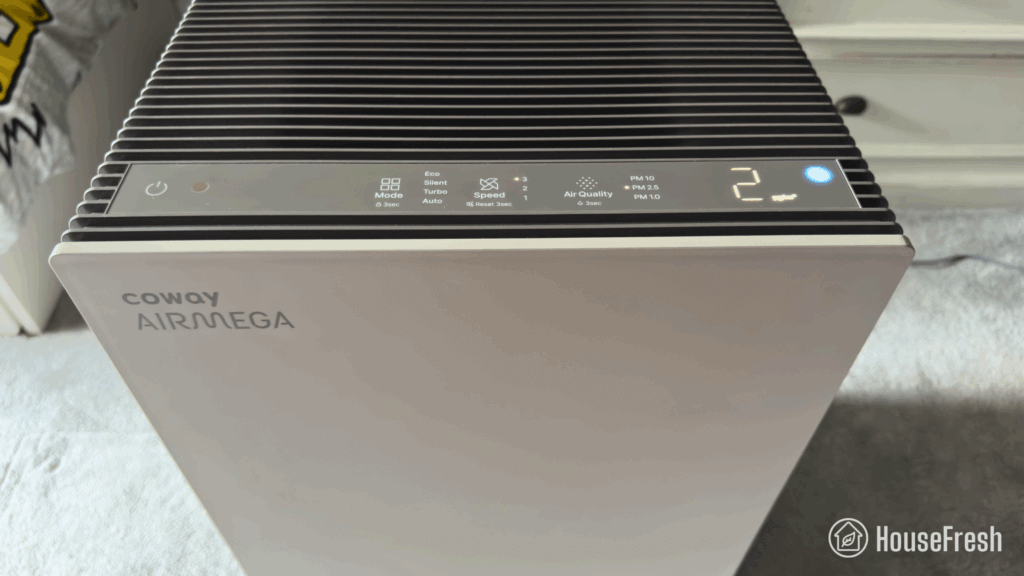
Coway Airmega 350 Controls scaled

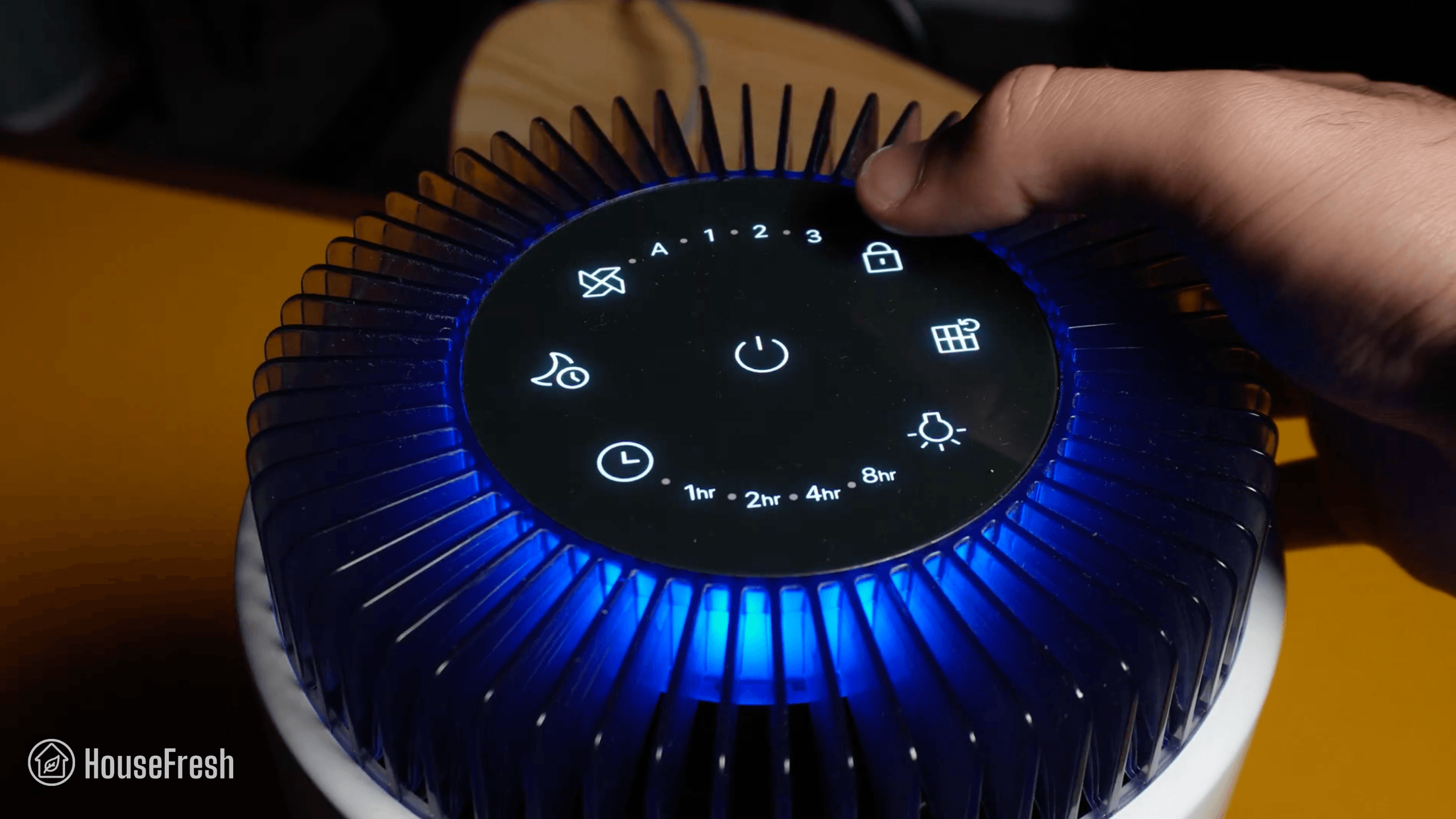
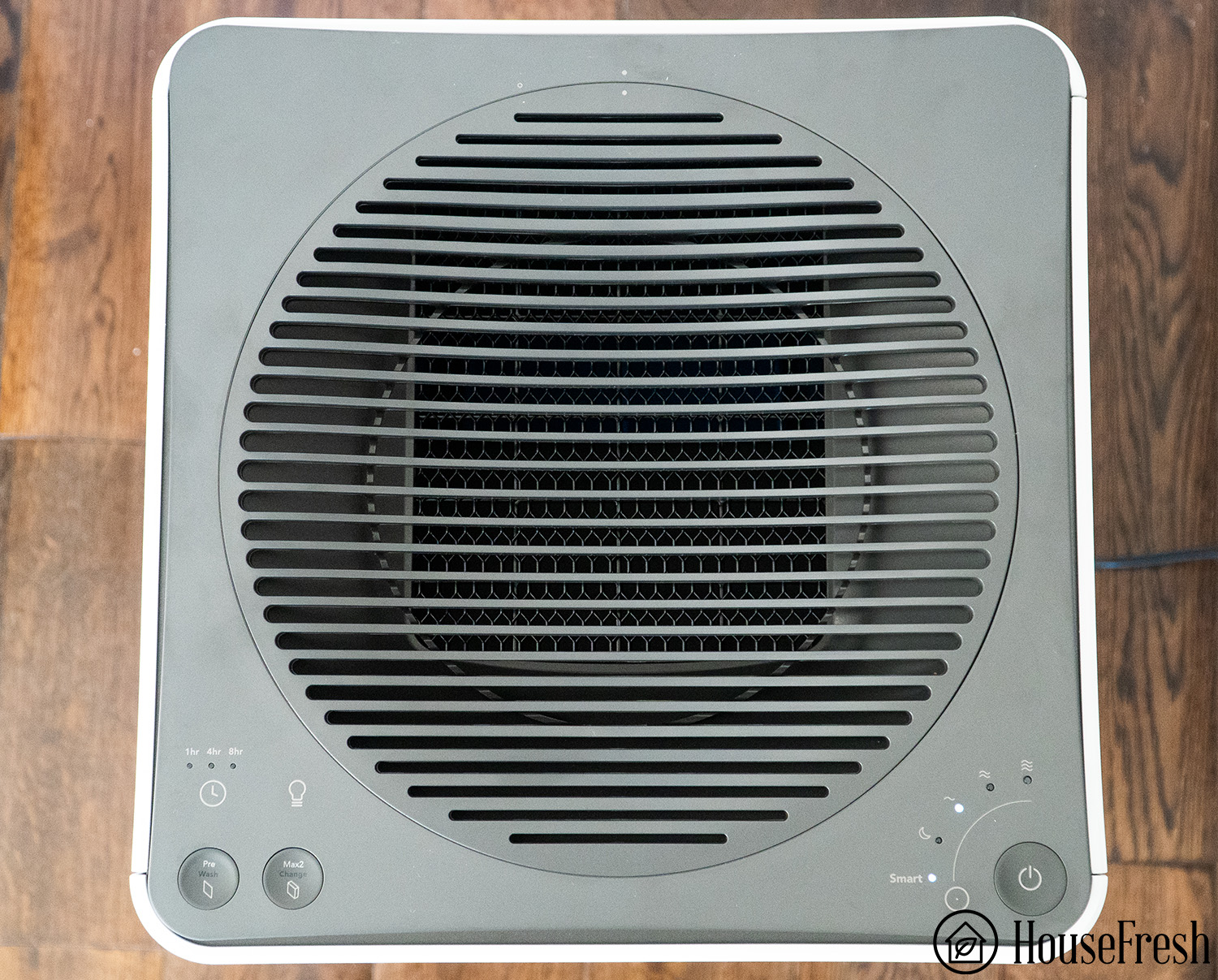
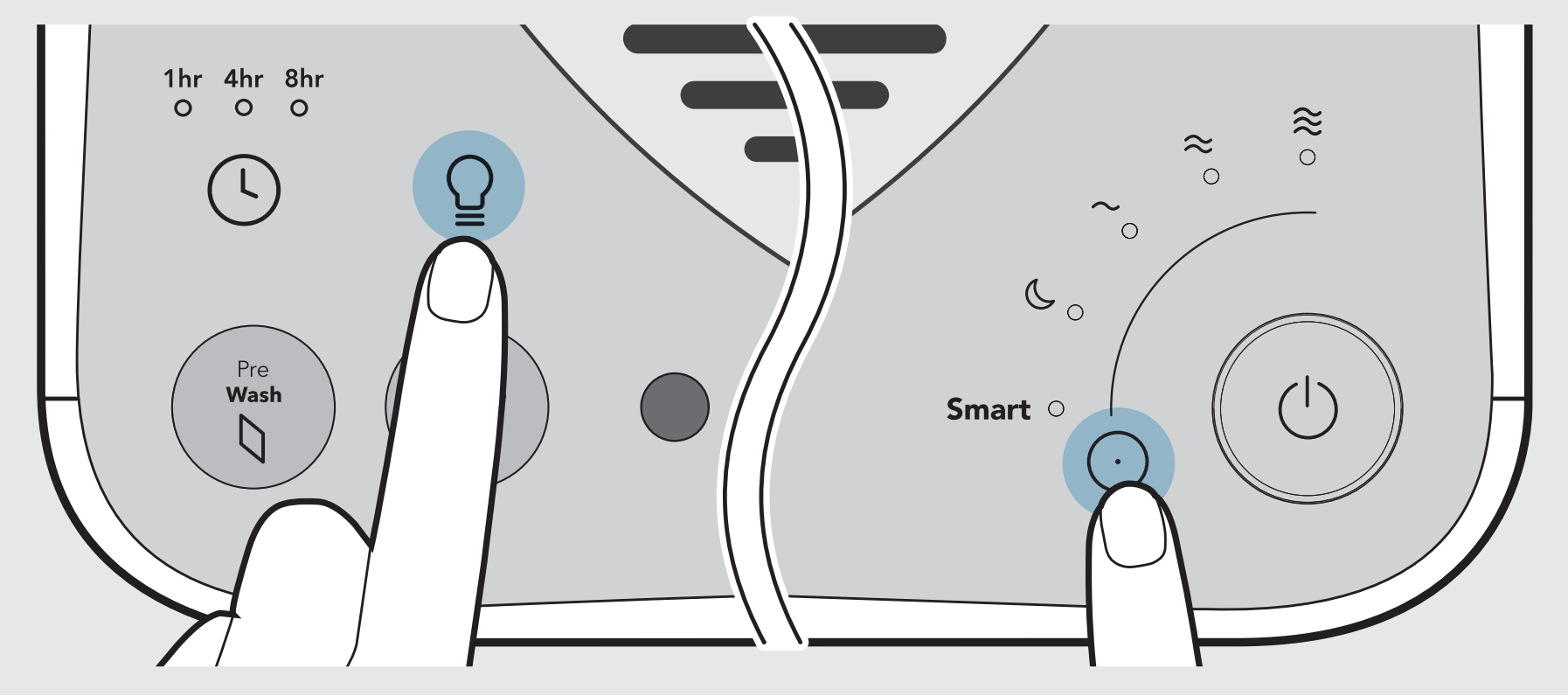
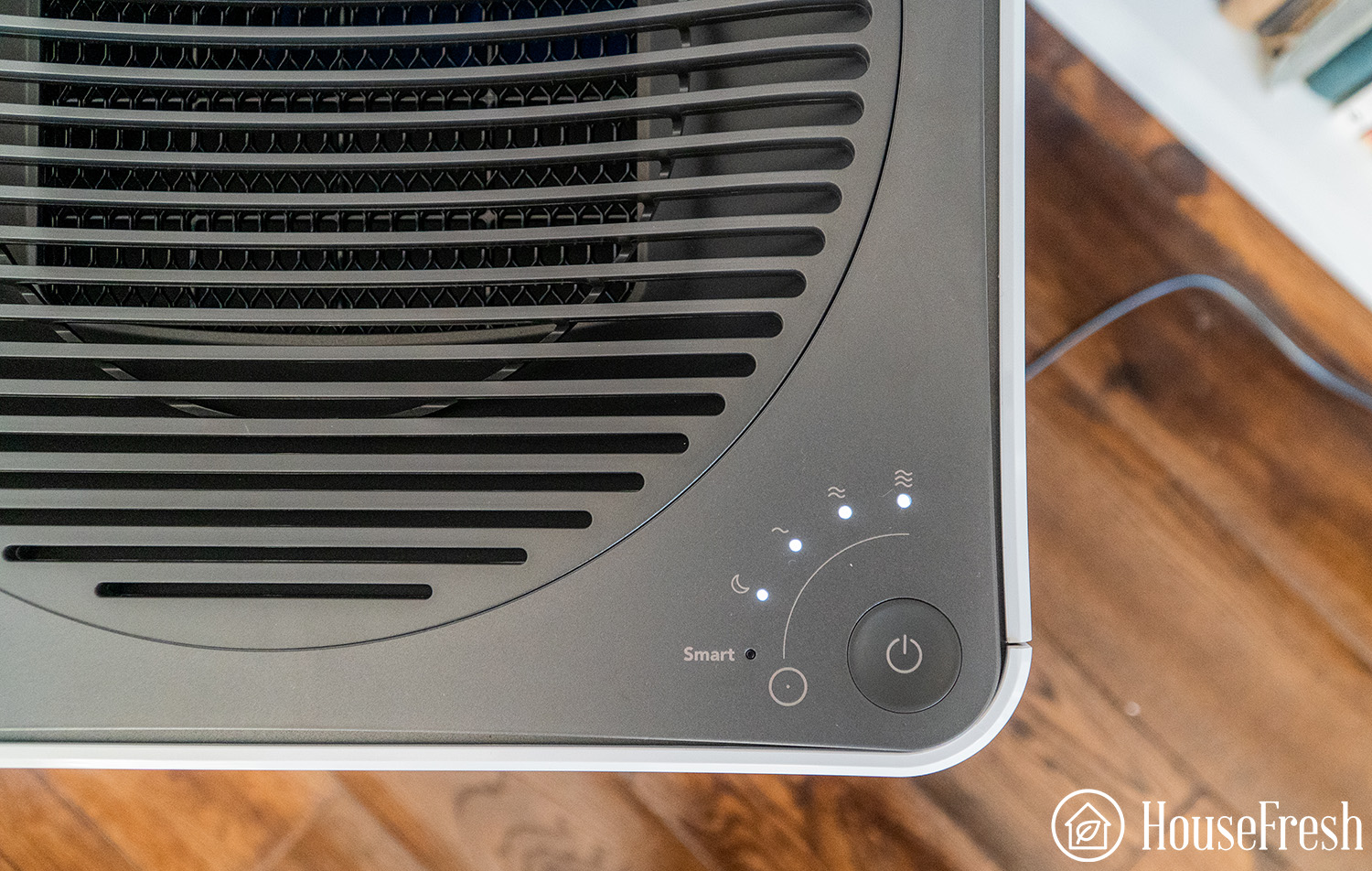
You get buttons to set fan speeds, smart modes and timers. There’s also a light button that turns off the display, the LED ring, or both.

The Coway 350 doesn’t come with an app, but you can use it with any smart plug to add simple routines. I tested it using a Philips Hue Plug and was able to switch it on and off remotely via the Hue app.

You also get a very cool hidden feature I wish more manufacturers would roll out:

If you hold down the Mode and Airflow buttons, you can adjust the sensitivity of the sensor, selecting between 1 (sensitive), 2 (default) and 3 (insensitive).

Air cleaning performance

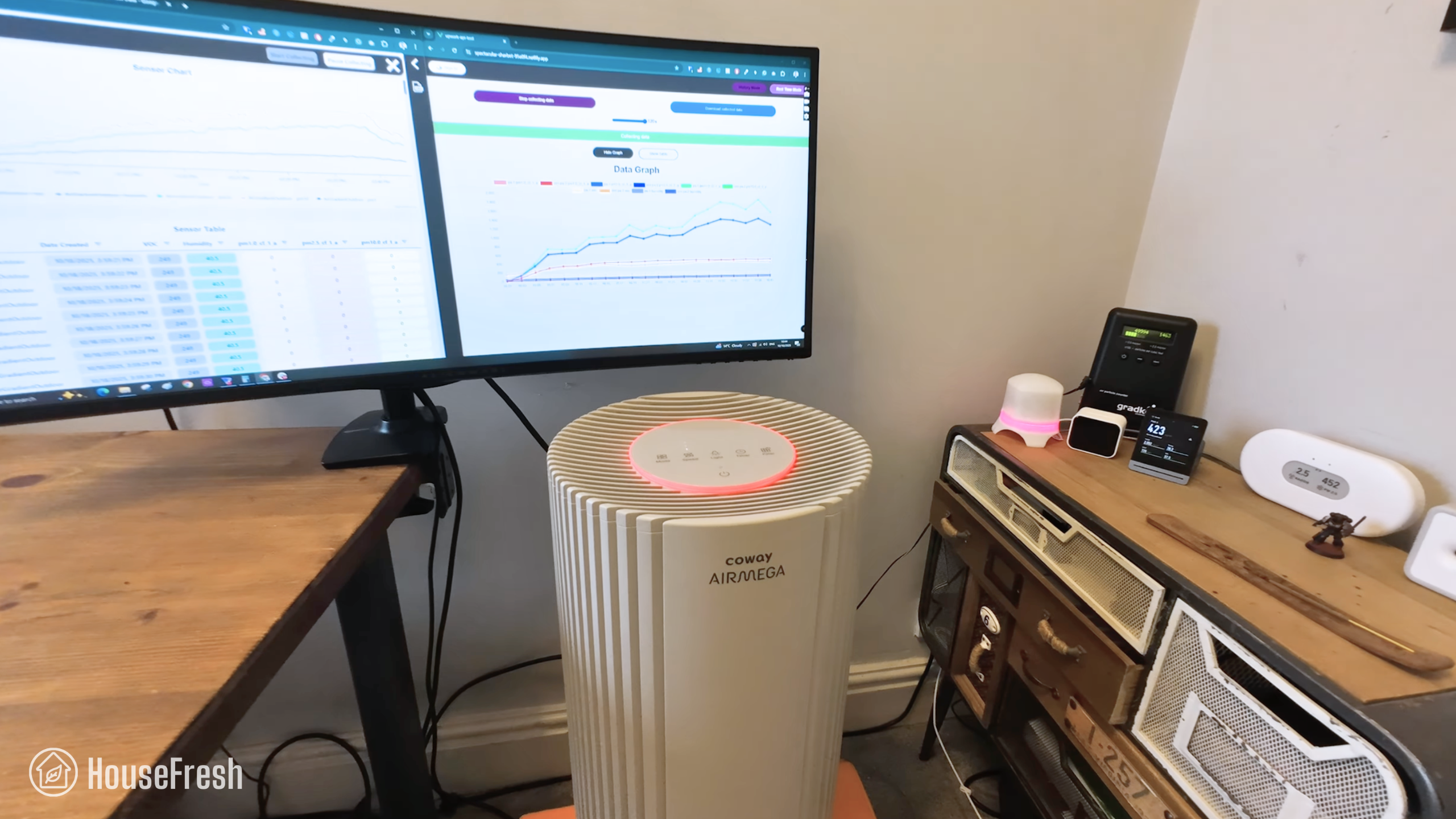
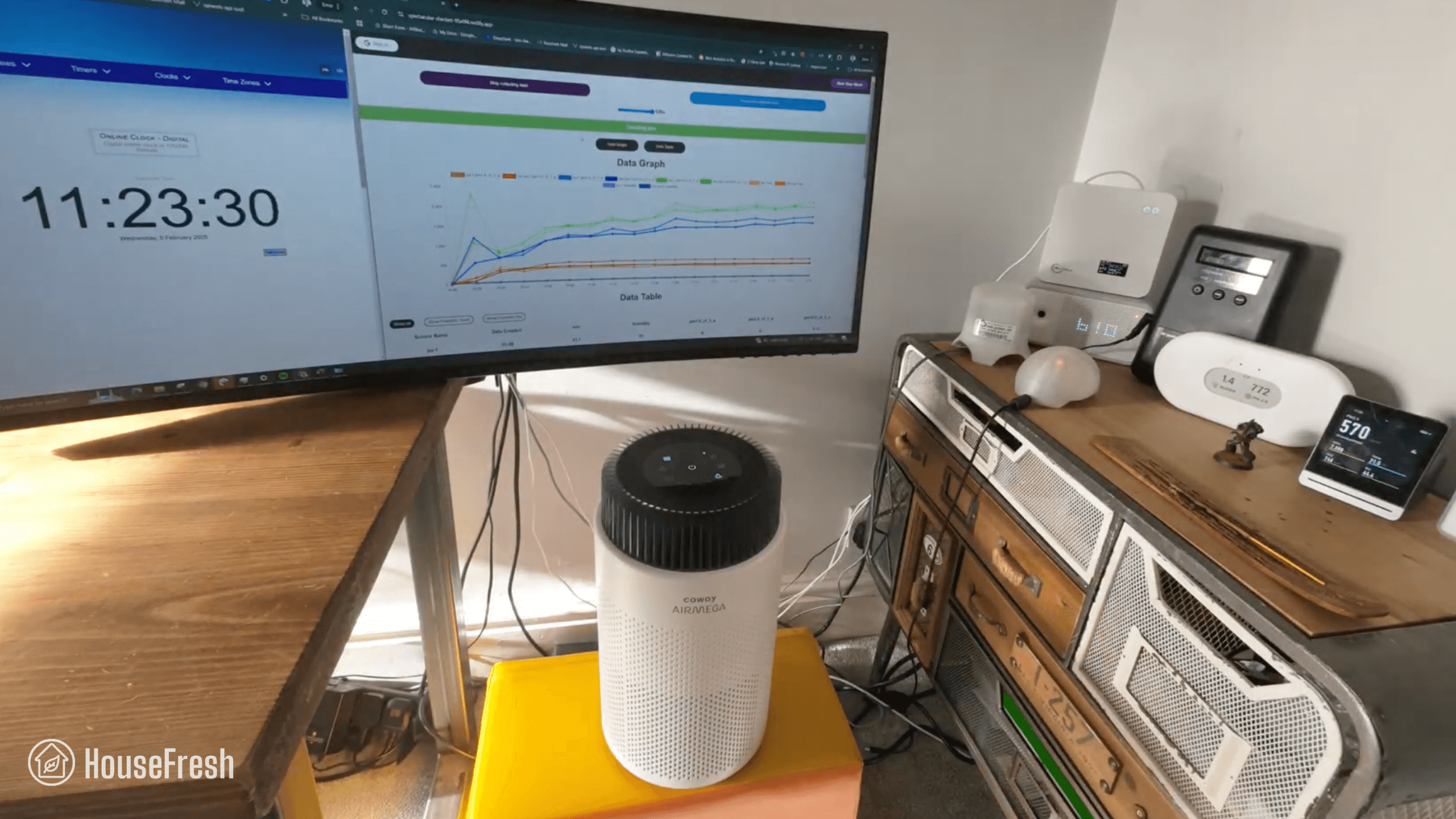
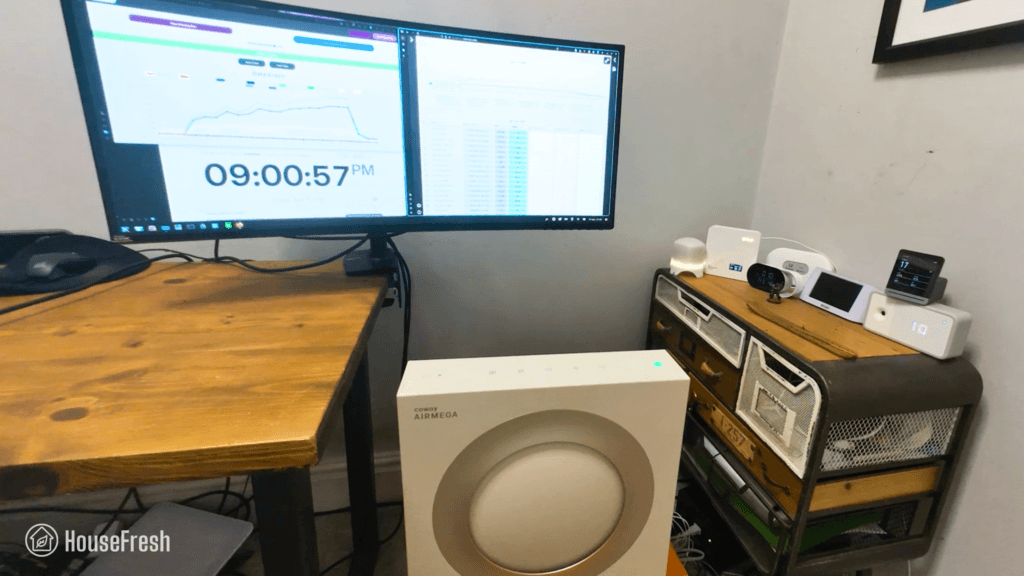
We tested the Coway Airmega 350 in our 728 cubic ft. test room, tracking how fast it removed all PM1 particles from the air after we filled the space with incense smoke.
Coway Airmega 350 Particle Removal Test

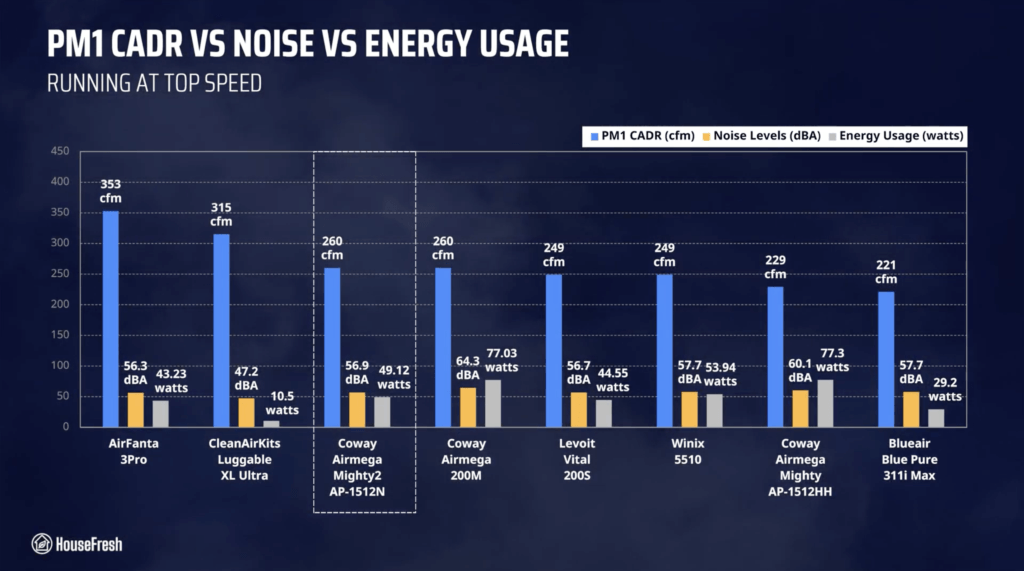
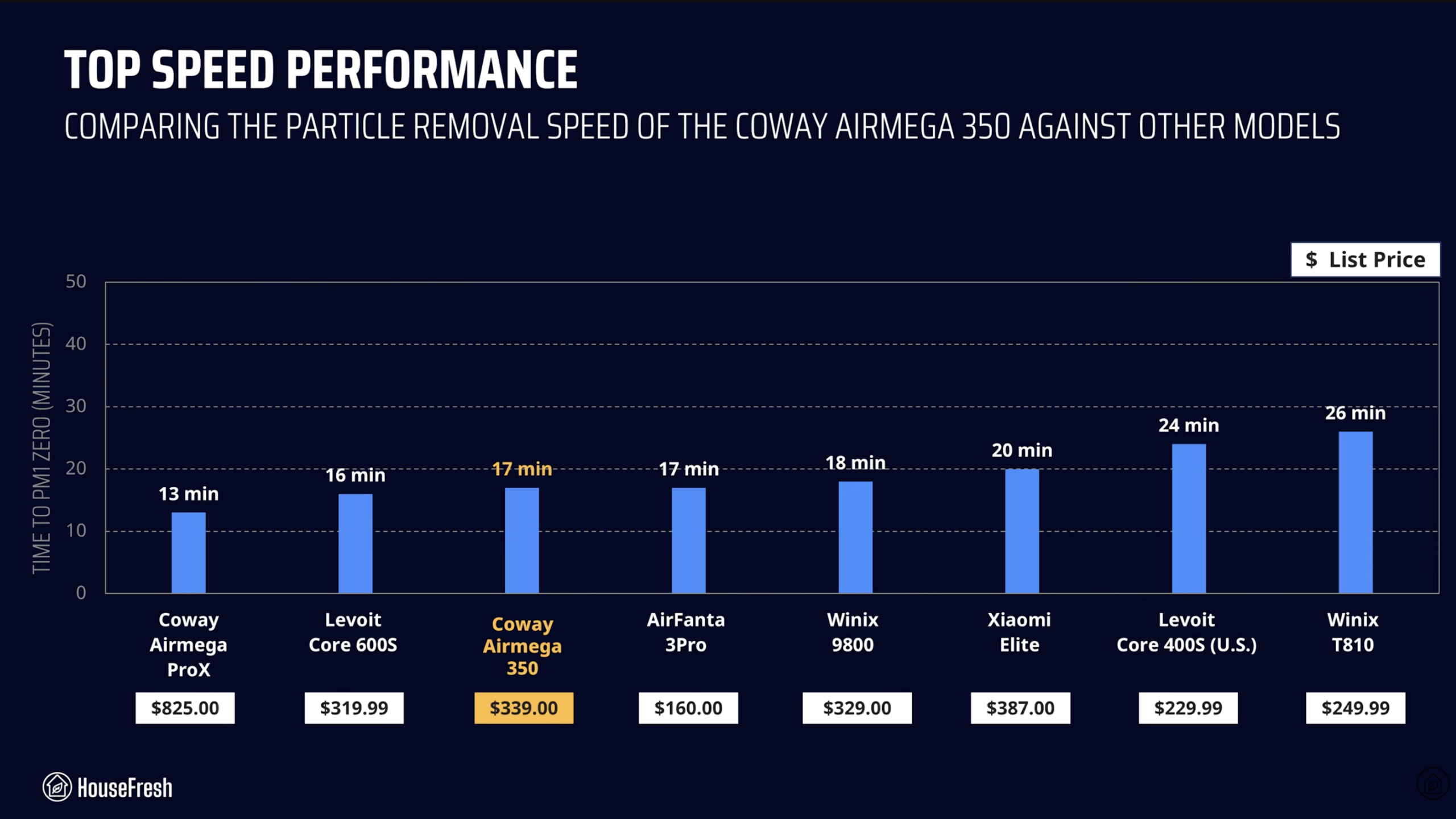
When running at top speed, our PurpleAir Zen sensor shows that the Airmega 350 needed 17 minutes to reach PM1 zero. Based on the natural ventilation of our test room, we estimate a PM1 CADR of 352 cfm.

This makes this Coway Airmega powerful enough to provide five air changes per hour in large rooms up to 528 sq. ft.

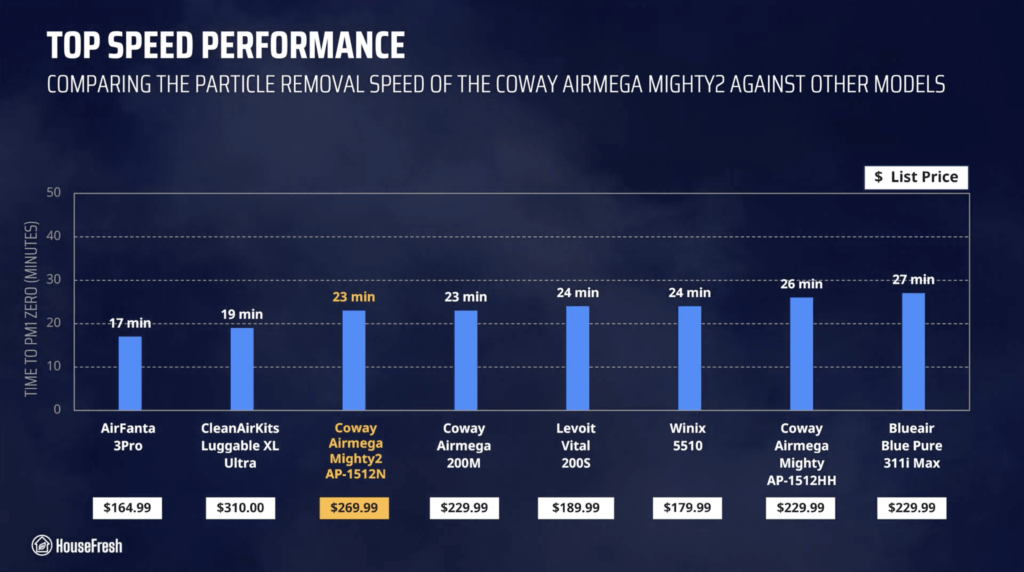
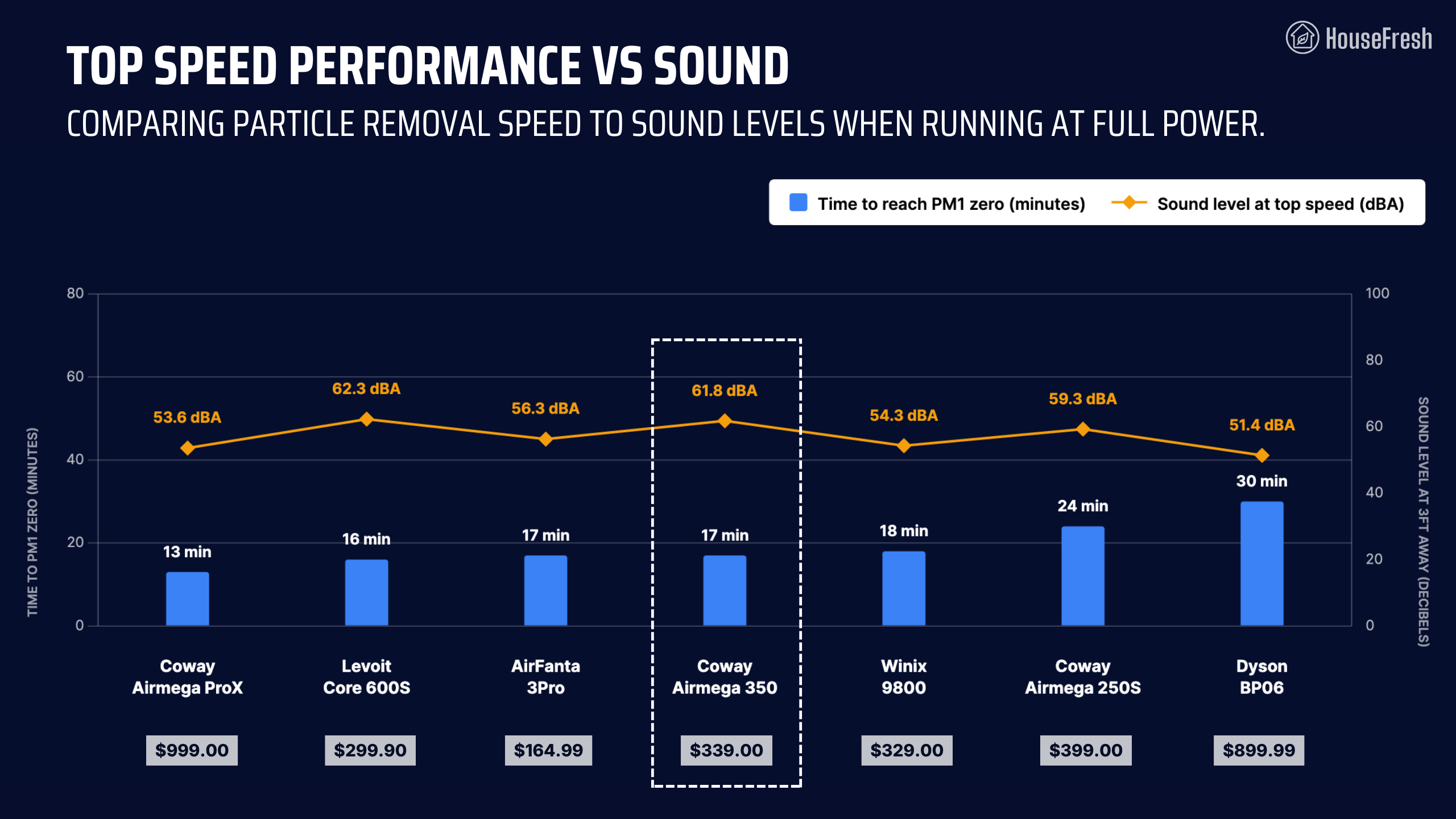
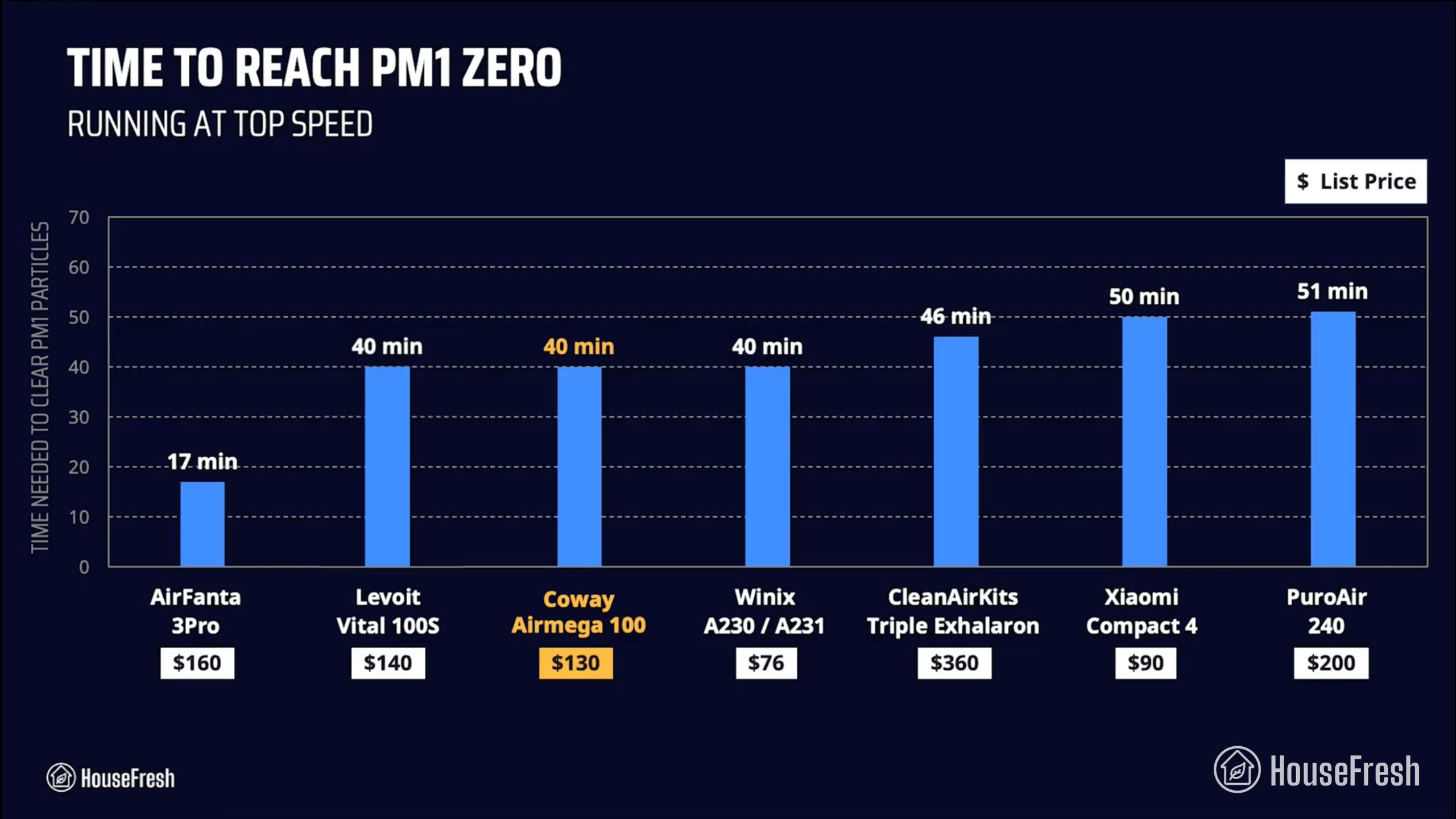
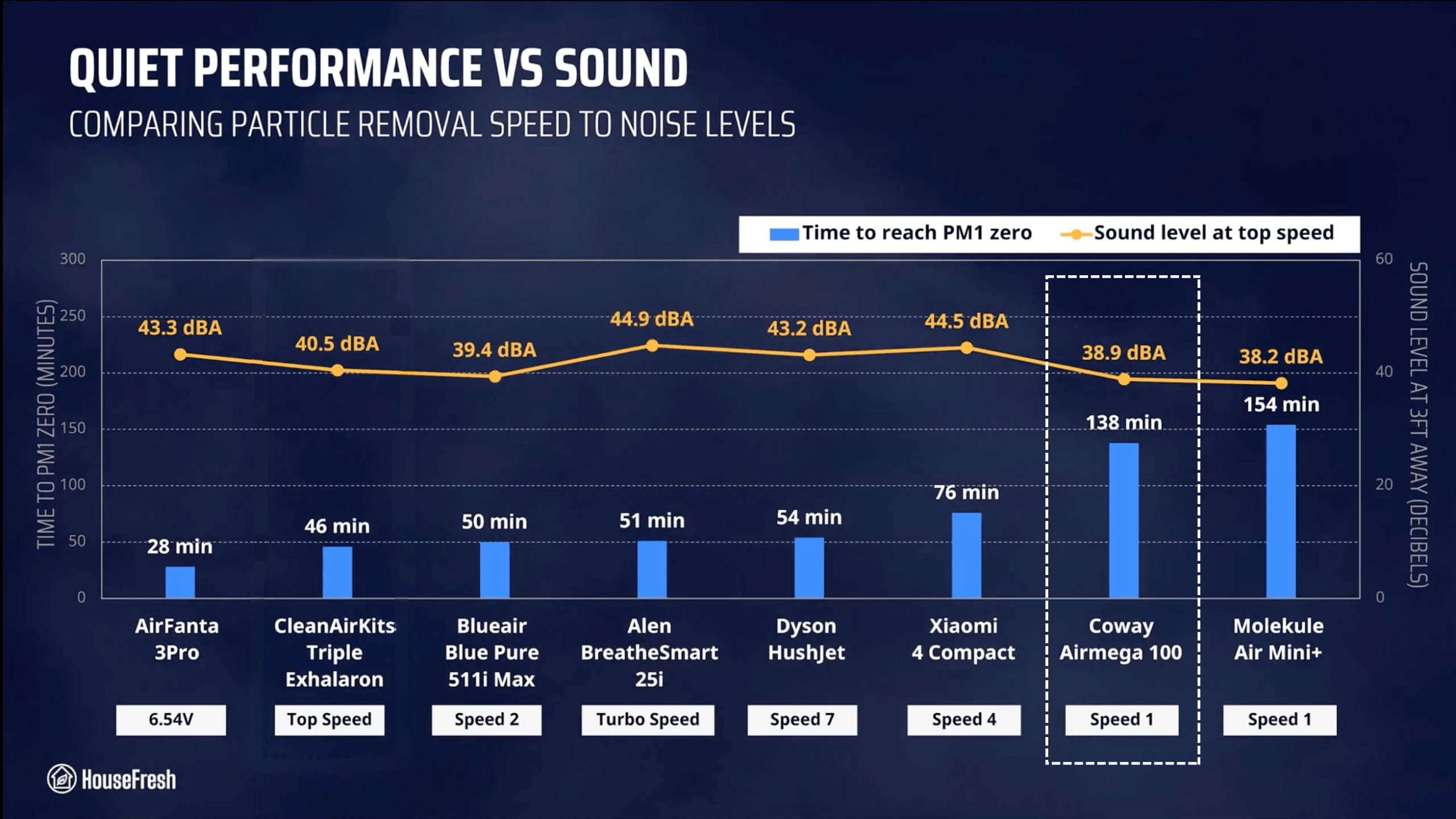
As you can see from the chart, the Airmega 350 outperformed most models we’ve benchmarked it against:

Coway Airmega 100 HouseFresh Particle Removal Test scaled

The only devices that were quicker to complete our test were the much larger Coway Airmega ProX (13 minutes) and the older (and cheaper!) Levoit Core 600S.

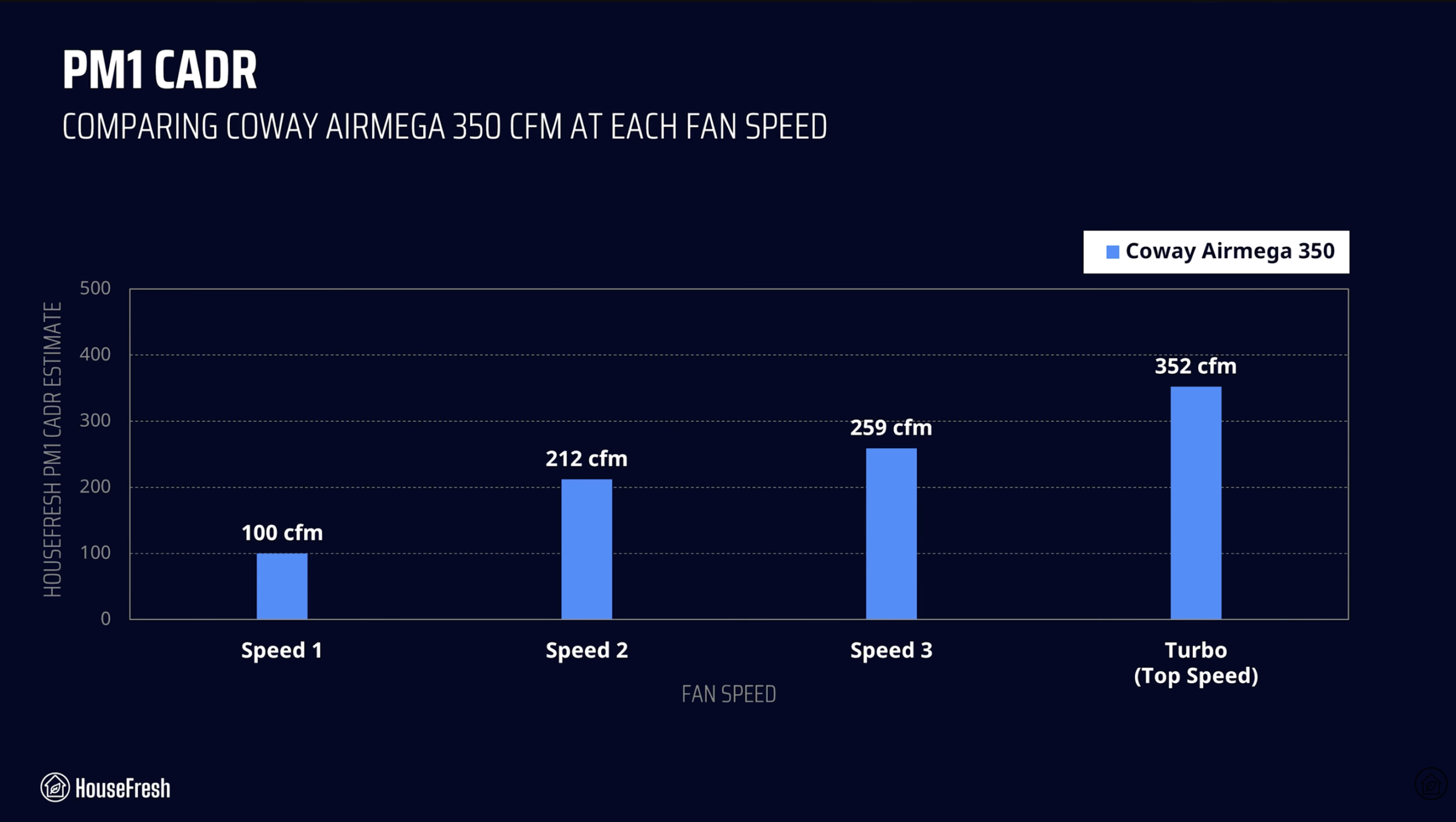
We repeated our particle removal test three times across all available fan speeds, which allowed me to estimate PM1 CADR at each fan speed:

Coway Airmega 350 CADR scaled

BUT, as I always say, air purifiers running at full power are usually too loud for everyday use, so we must account for noise levels…

Sound levels

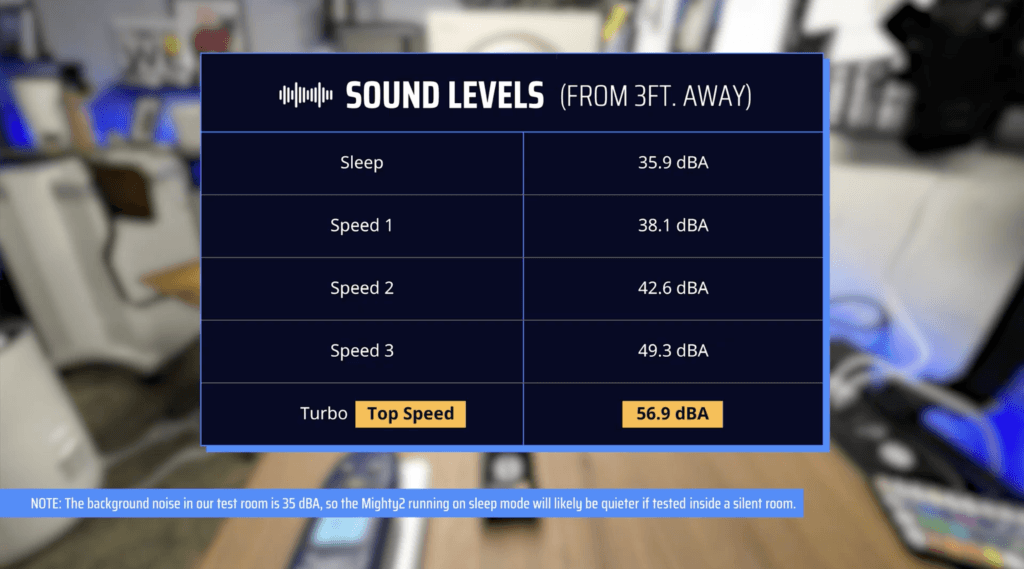
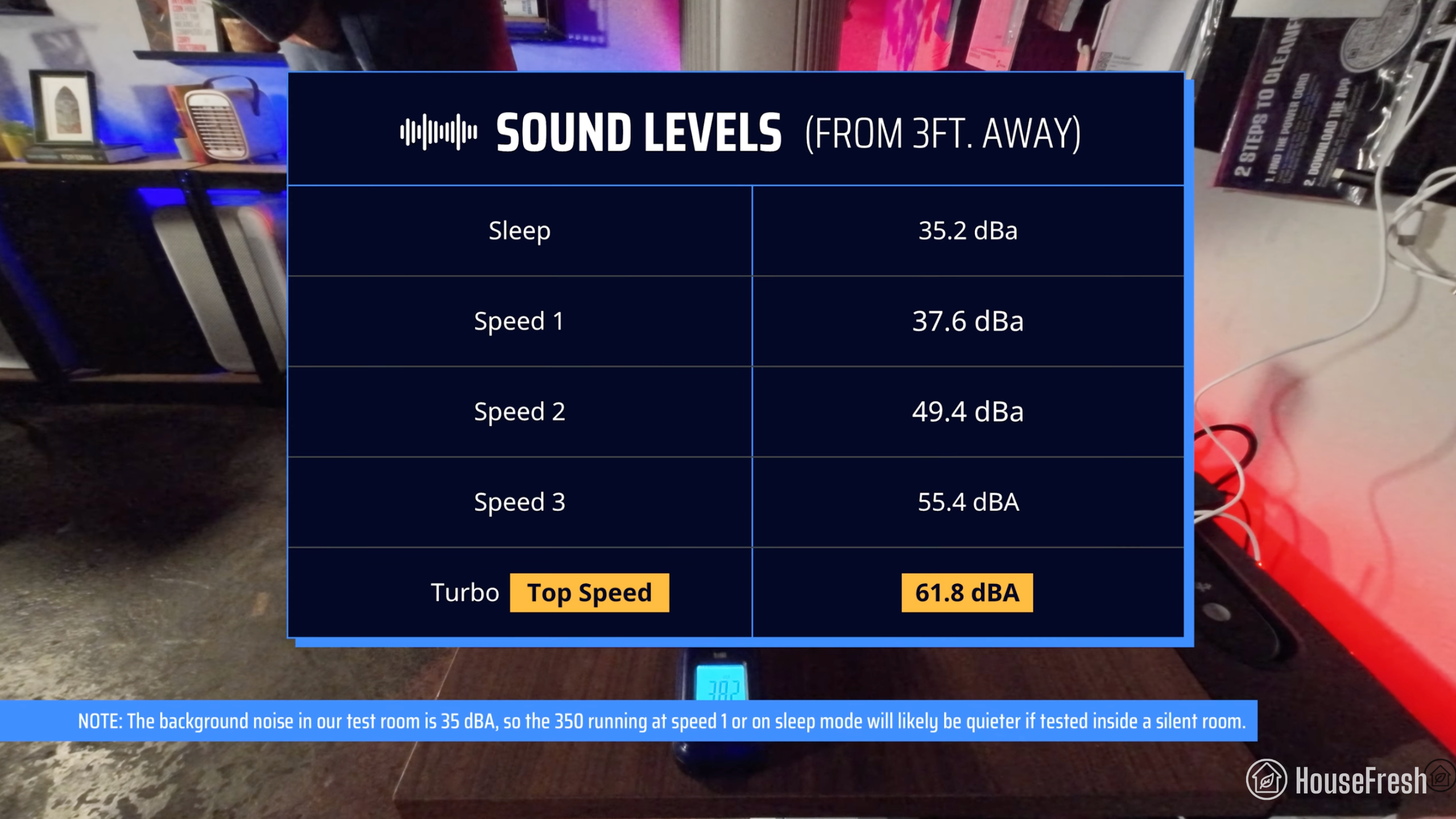
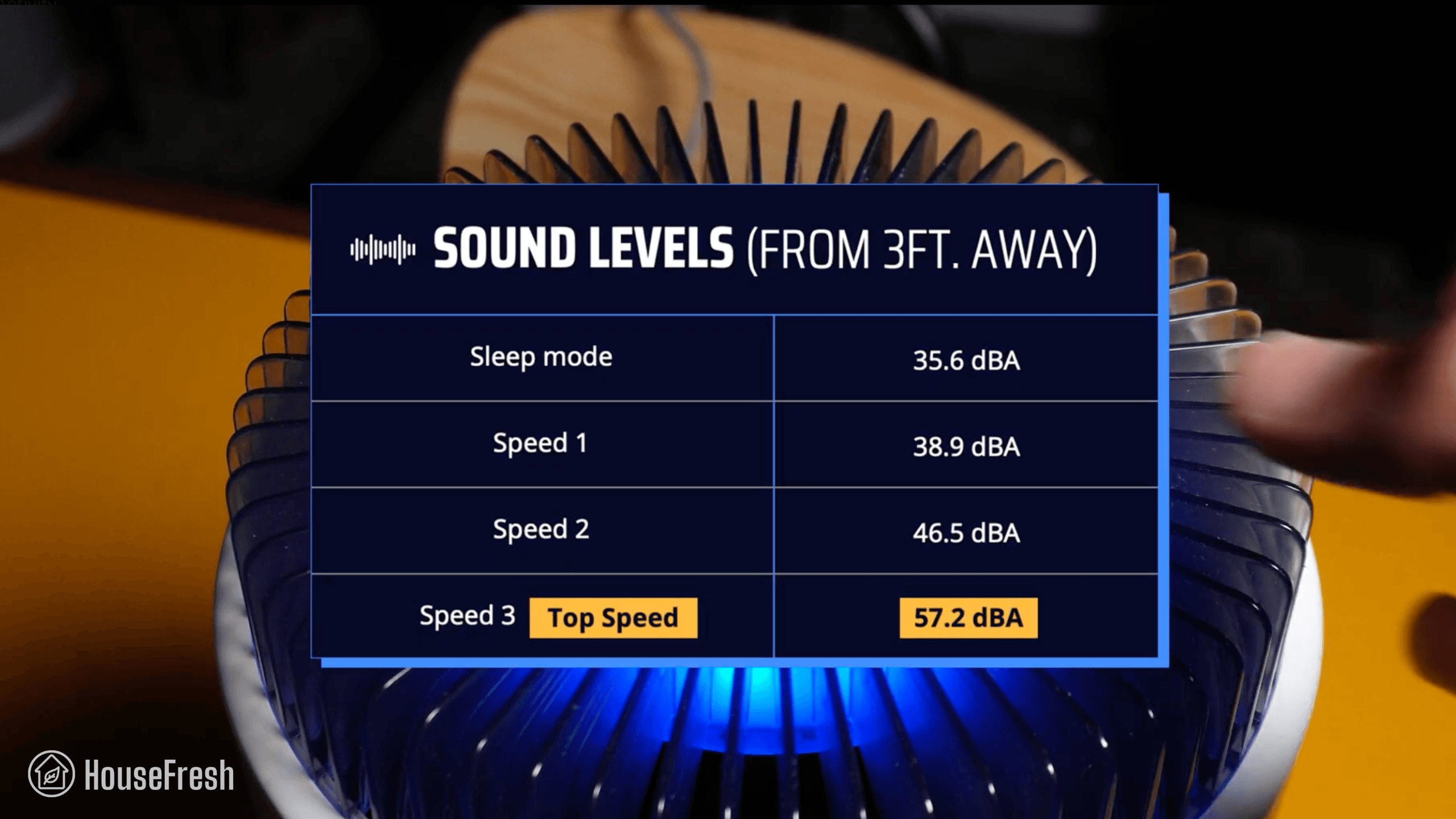
The sound levels of the Coway Airmega 350 range from 35.2 dBA to 61.8 dBA — which is a little louder than most air purifiers we have benchmarked it against.

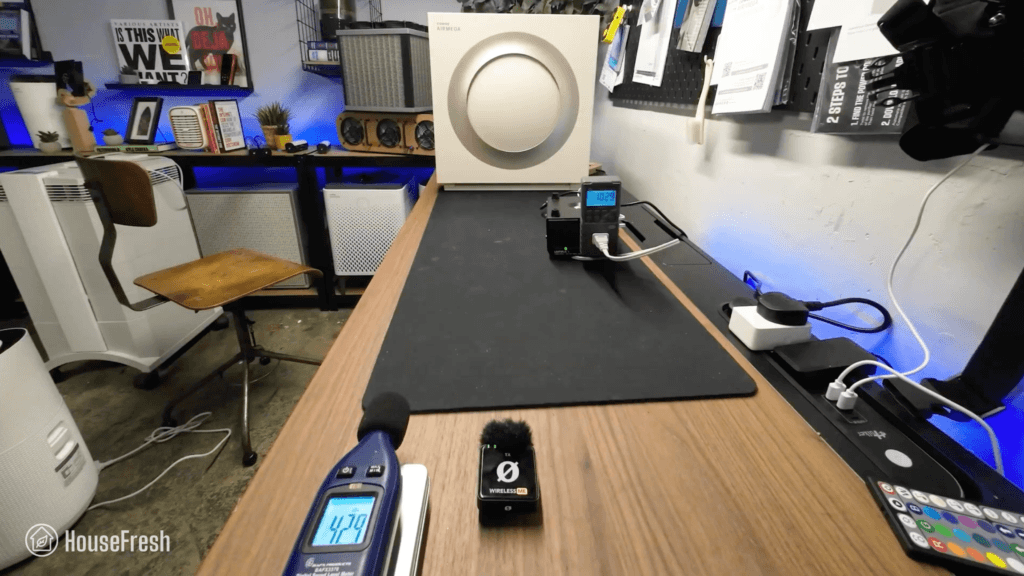
Coway Airmega 350 Sound Energy Test

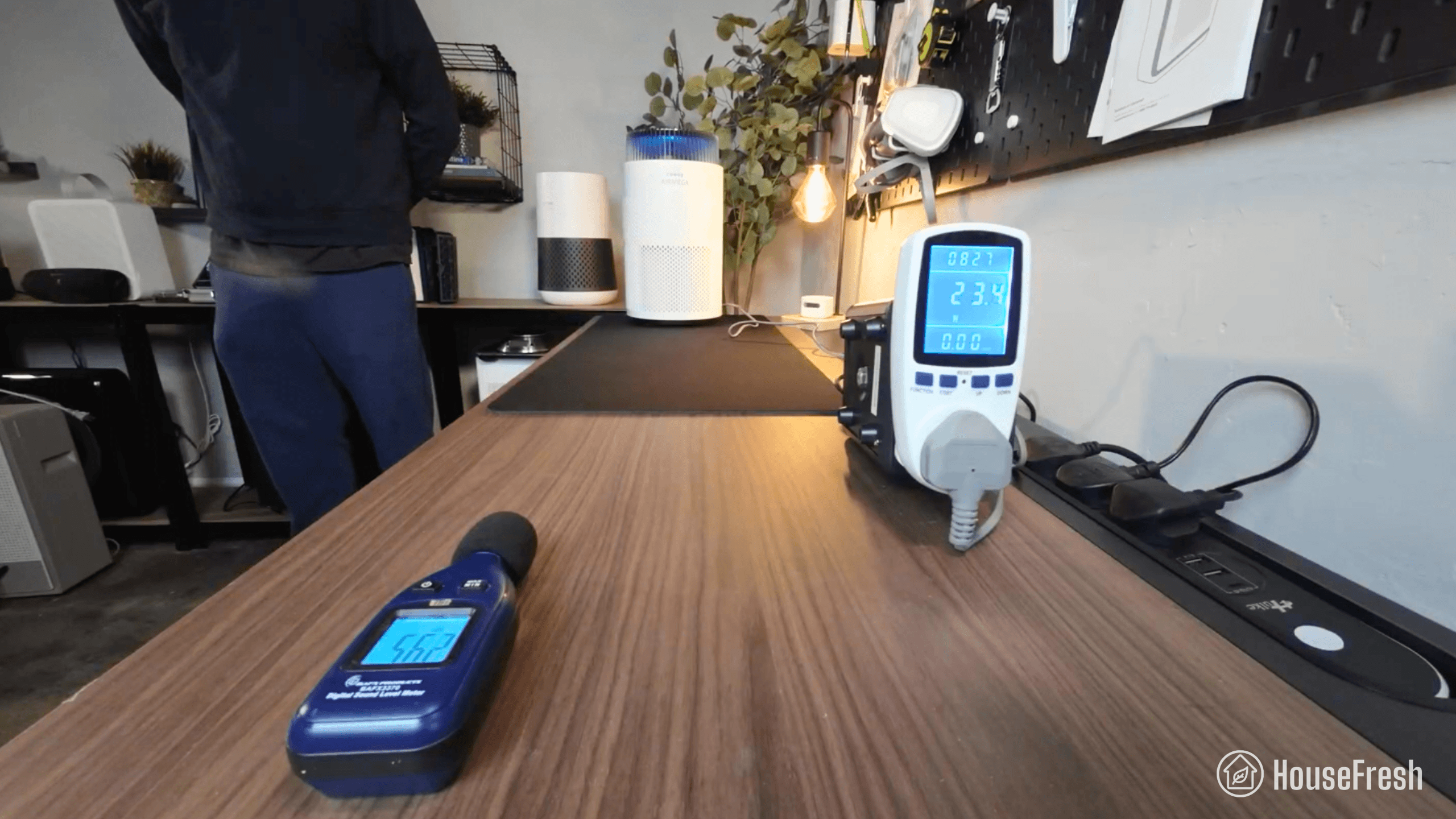
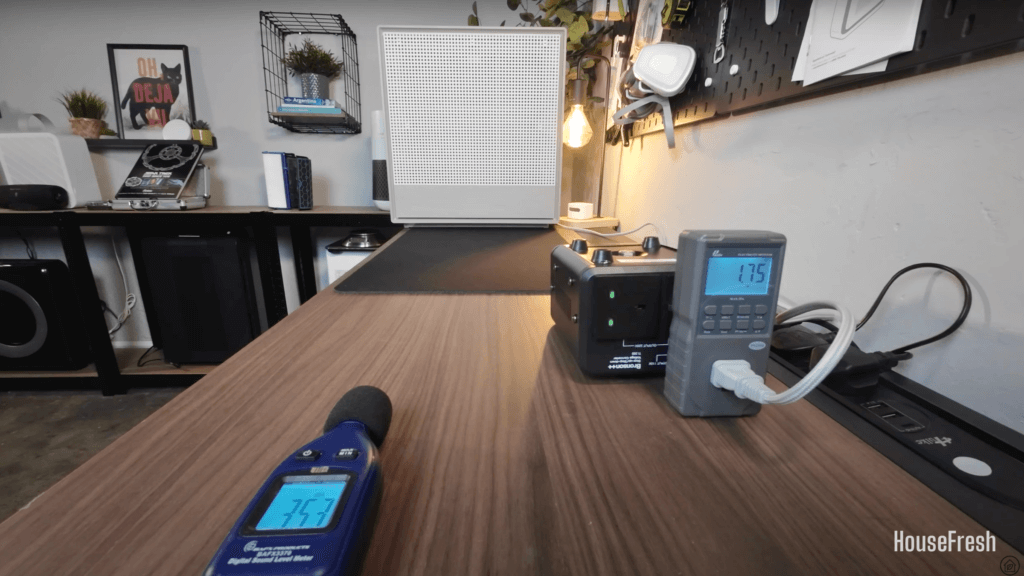
I used our BAFX sound meter to measure how much sound the Airmega 350 generates at each of its fan speeds (including sleep mode) at 3 ft away:

Coway Airmega 350 Sound Levels

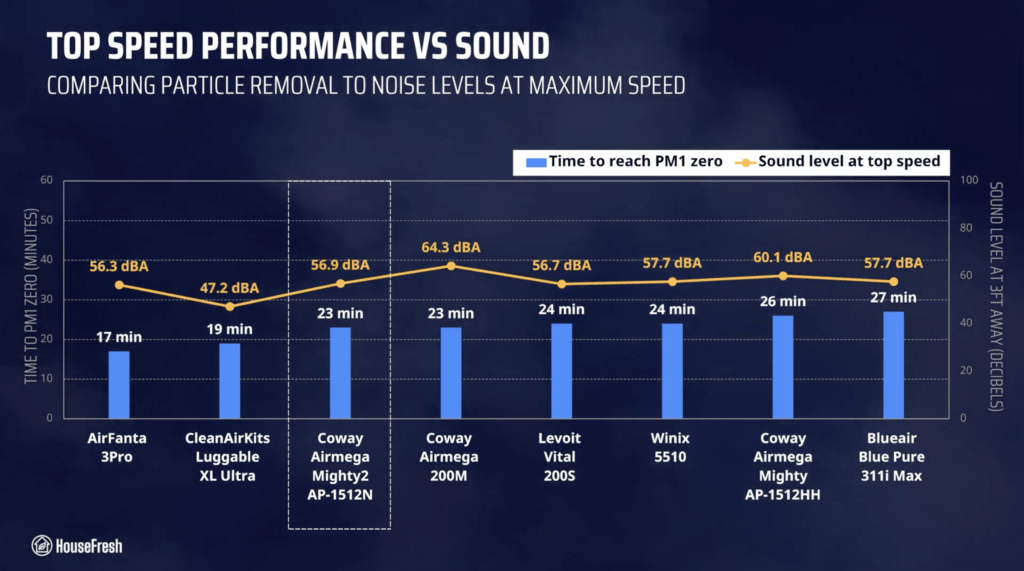
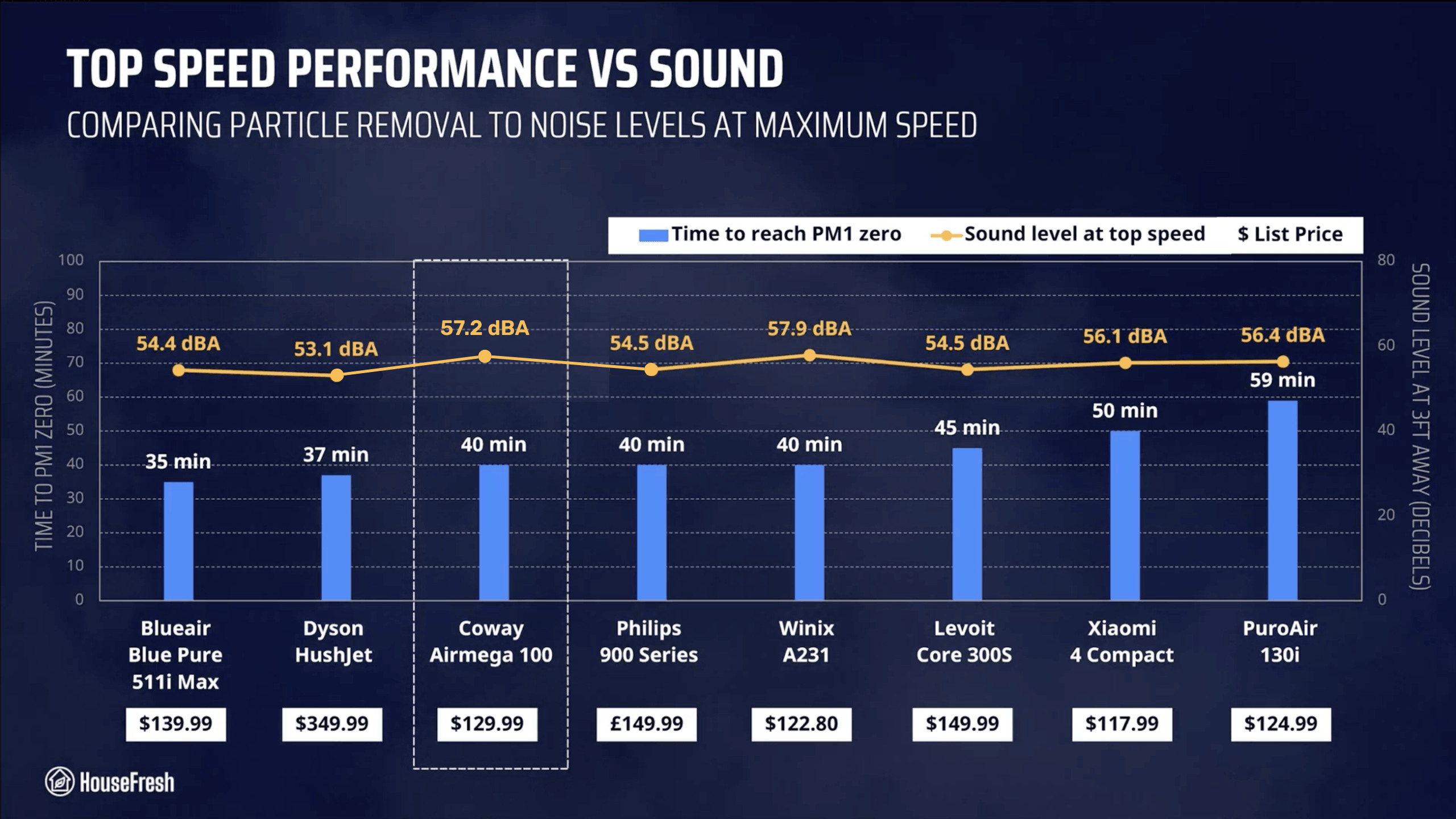
Hitting 61.8 dBA at top speed, the Airmega 350 is one of the loudest air purifiers on the chart, second only to the Core 600S and its 62.3 dBA when running full power.

Coway Airmega 350 HouseFresh Top Performance

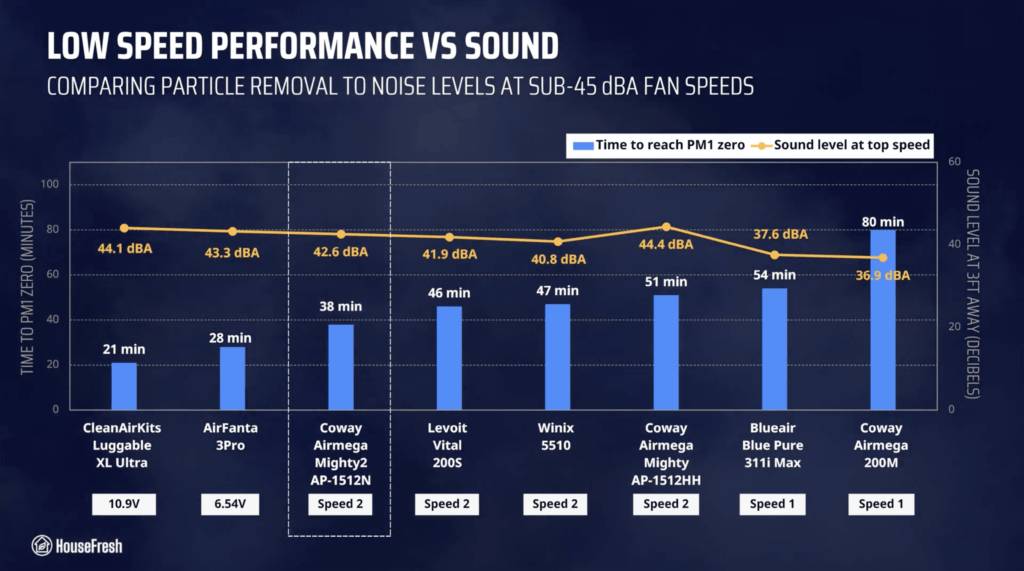
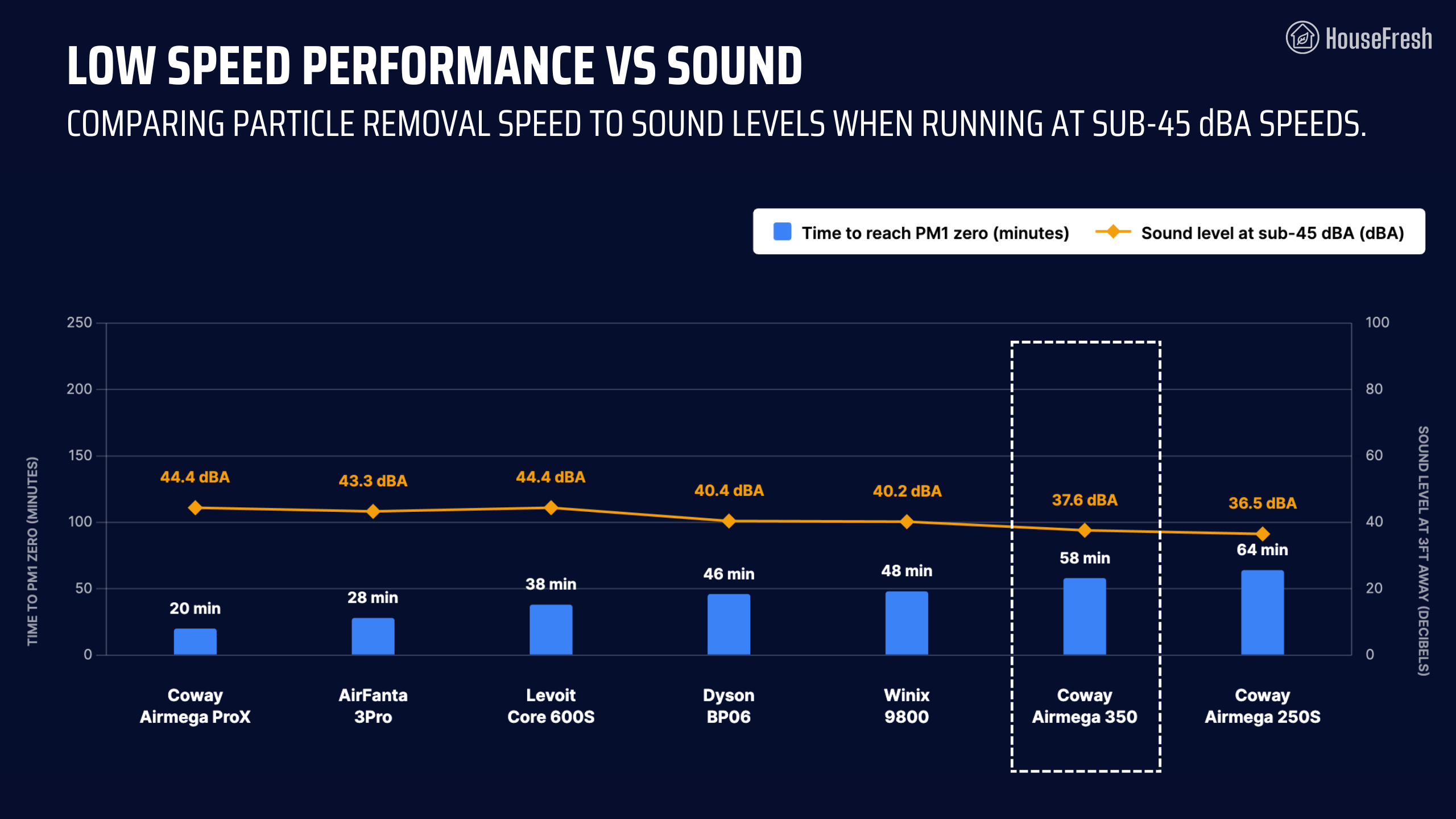
When running at speed 1, it generates just 37.6 dBA and was able to complete our particle removal test in 58 minutes – slower than most other models on the table.

Coway Airmega 350 Sub 45dBA Performance

I wish Coway would add an intermediary fan speed between speed 1 and speed 2, where the 350 stays below 45 dBA.

Long-term running costs

Running a Coway Airmega 350 will cost you $115.69 per year, combining energy and filter replacement costs.

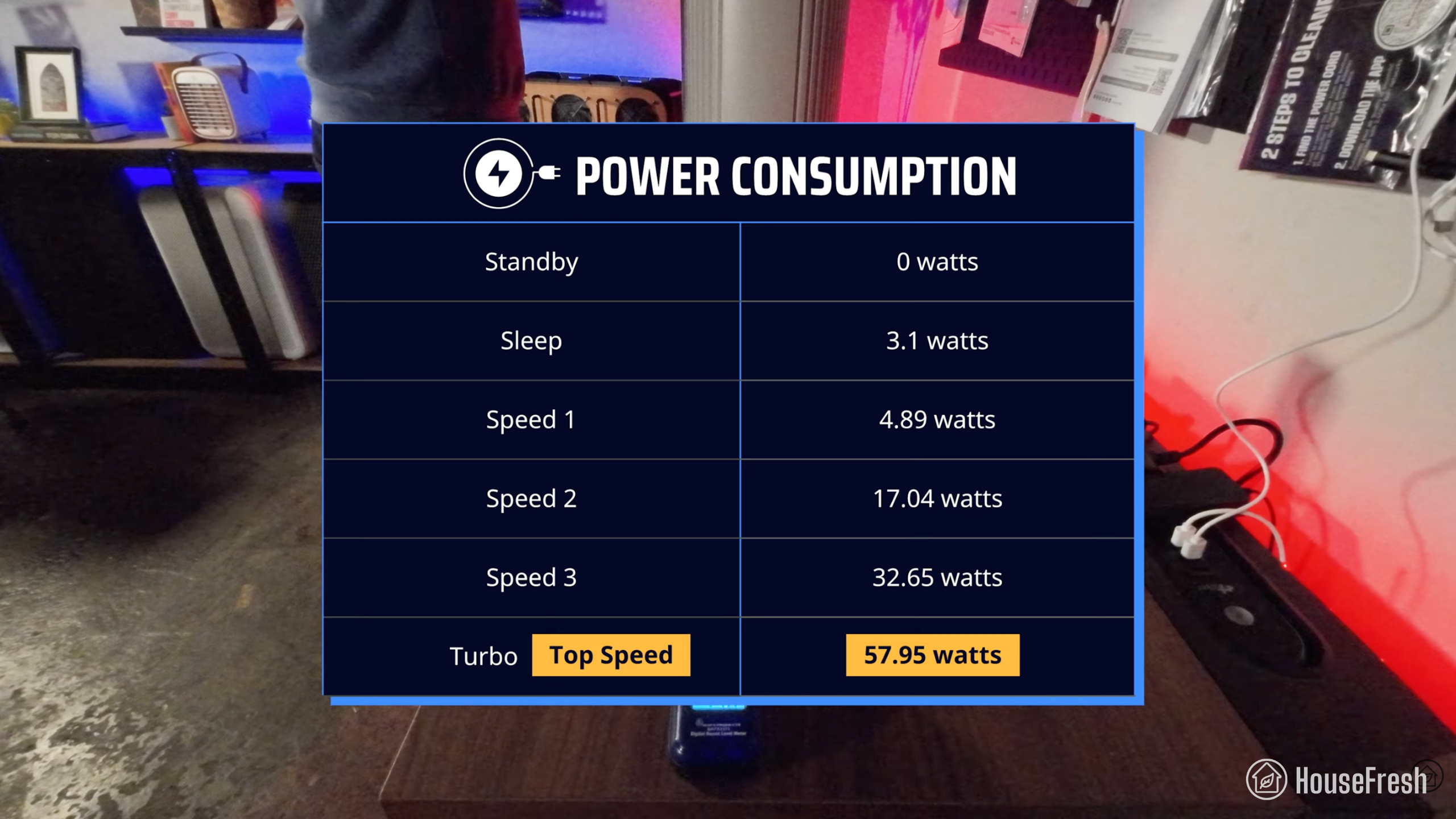
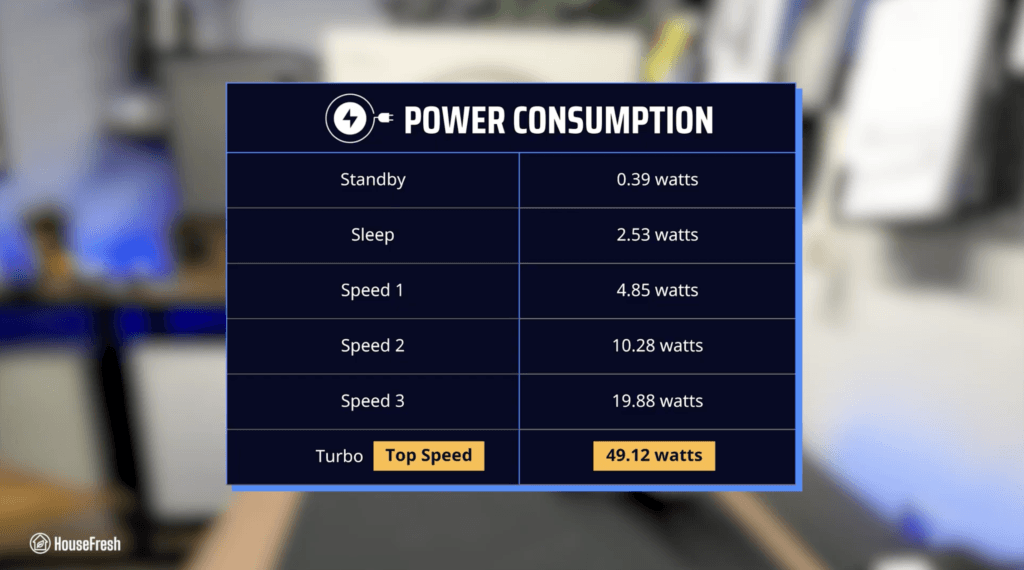
We used our energy meter to record how much electricity the Airmega 350 pulls at each fan speed and while on standby.
Coway Airmega 350 Energy

At top speed, the Airmega 350 draws 57.95 watts, so if you left it running at top speed 24/7 for one year, it would add $69.70 to your energy bill, based on the average U.S. electricity price as of March 2026.

But electricity consumption is not the only long-term cost you need to budget for; there’s also the filter replacements.

According to Coway, you need to change the filter in your Airmega 350 every 12 months. The replacement filter costs $79, so you can expect to spend that much each year on filter replacements alone.

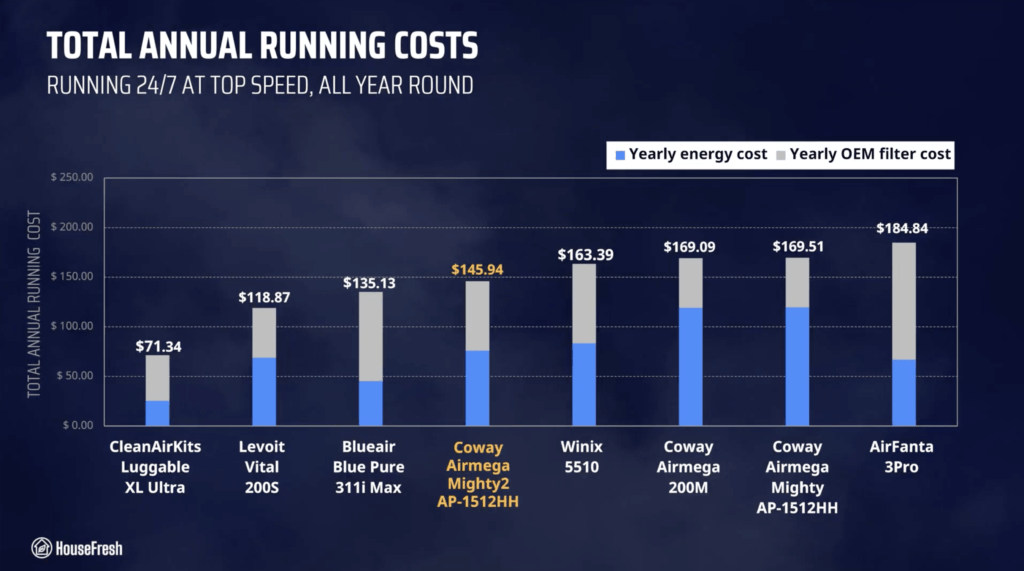
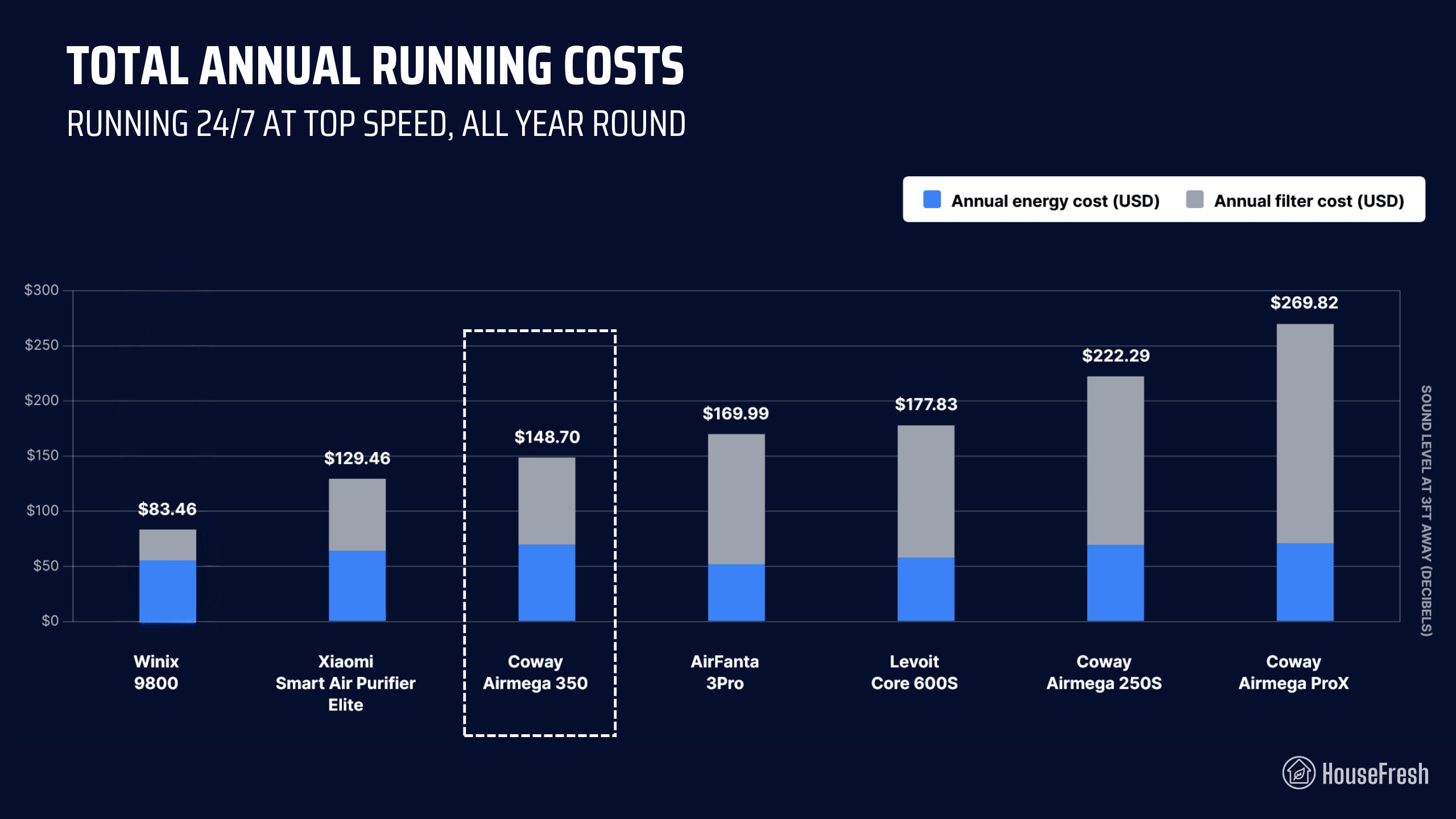
When we add this to energy costs, we can work out that it will cost you $148.70 to run a 350 for a year. Let’s compare it with other models:

Coway Airmega 350 Yearly Running Costs

Thanks to Coway’s affordable filter replacement costs, the Airmega 350 is cheaper to run than most other high CADR models we benchmarked it against, with the exception of the Winix 9800 and the Xiaomi Elite.

Bottom line: Should you get a Coway Airmega 350?

Our data showed that the Airmega 350 offers excellent air cleaning performance when compared to other cylindrical air purifiers on the market today.

Coway Airmega 350 Living Room scaled

If you’re looking for the absolute best bang for your buck, the AirFanta 3Pro will offer the same level of performance at top speed as the Airmega 350, but at a lower price tag ($165).

And if you’re looking for a more traditional-looking air purifier, then the Winix 9800 costs a little less than the 350 ($329) and offers similar performance with much lower running costs courtesy of Winix’s highly affordable Type A filters.

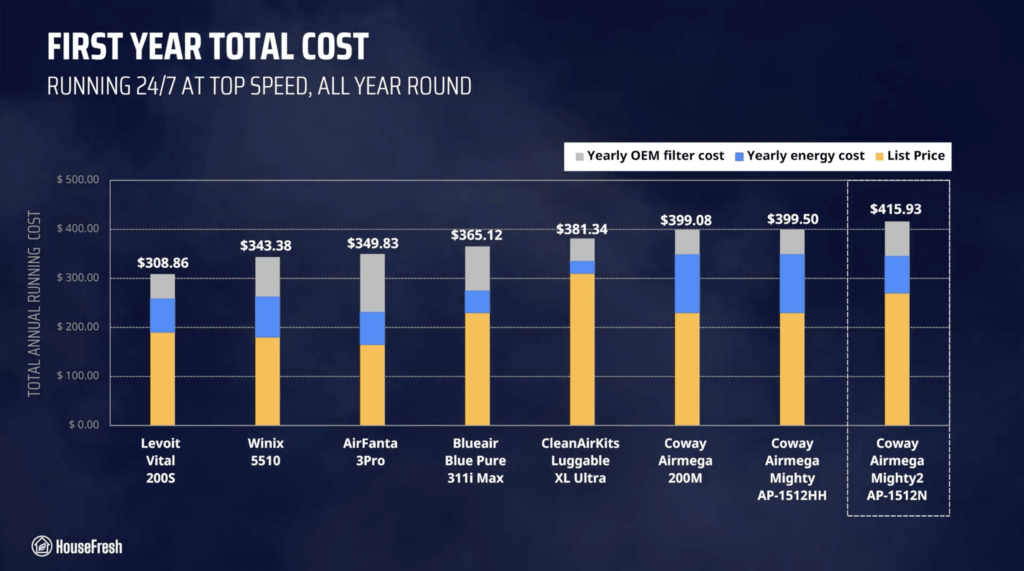
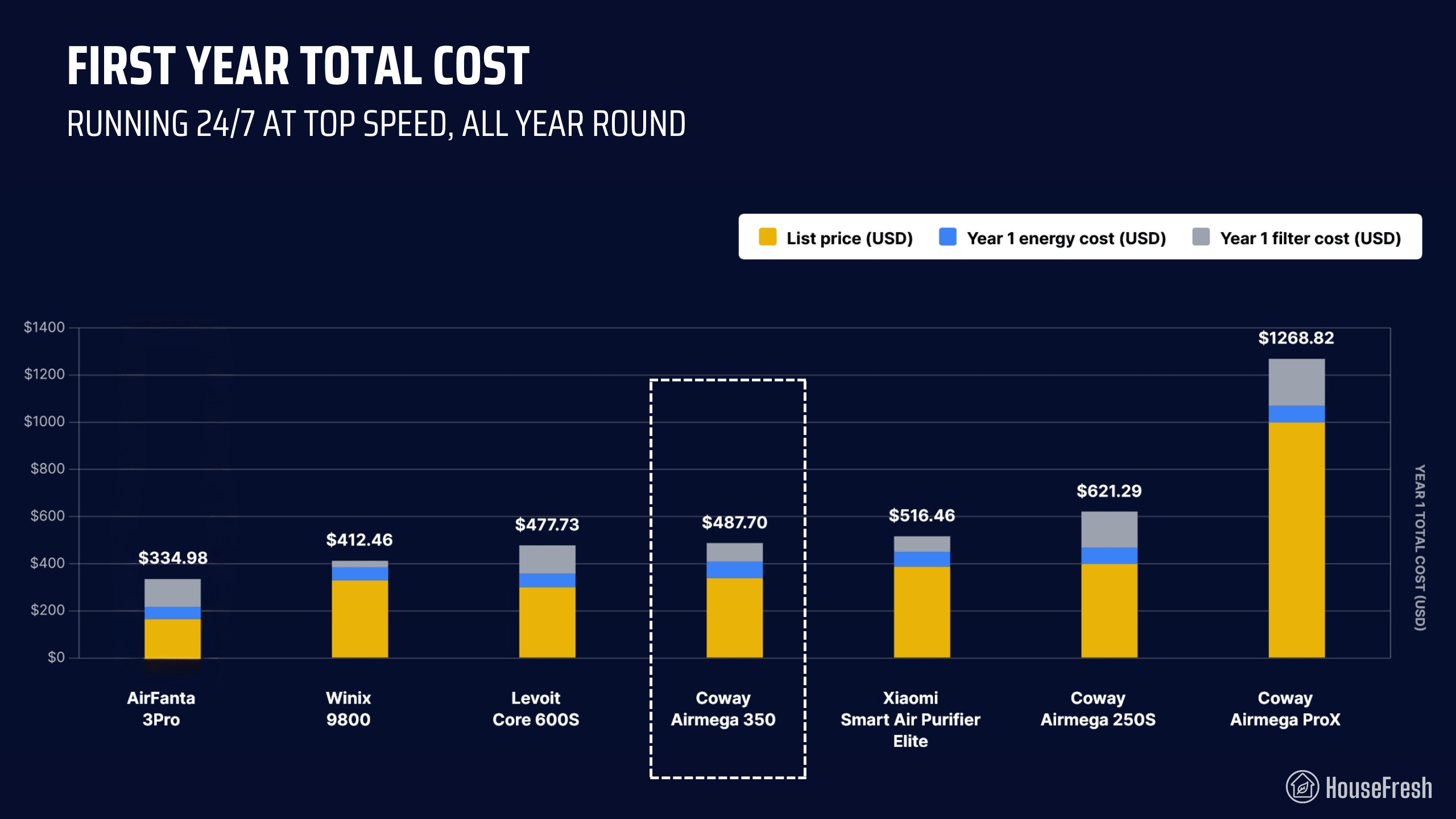
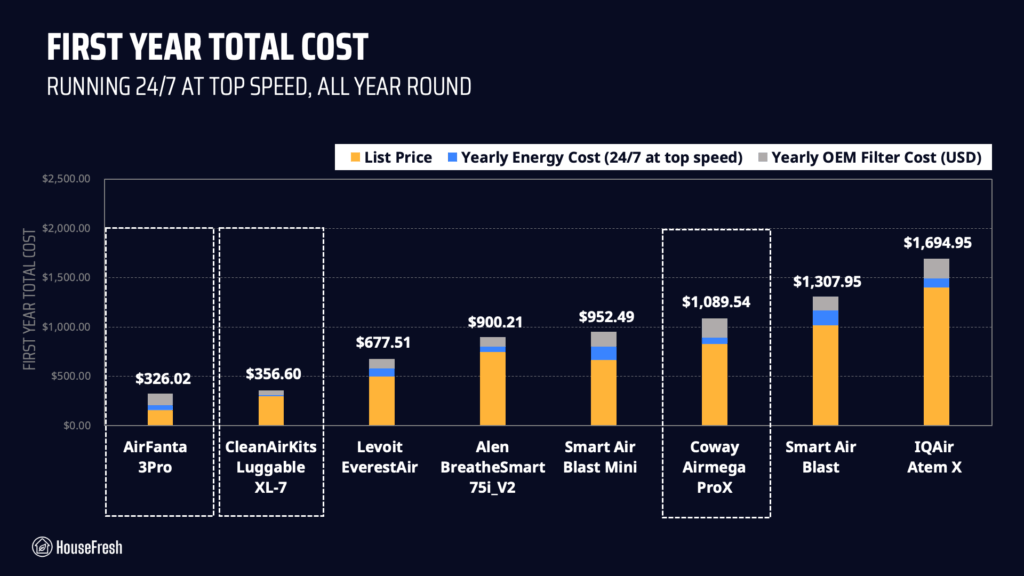
That said, the 350’s running costs are also very fair, so at the end of the first year, the upfront cost will even out:

Coway Airmega 350 Year 1 Costs

I also know that many consumers prefer the look and small footprint of cylindrical air purifiers, so if that is you, then the Coway Airmega 350 might be just the thing.

Personally, I much prefer the design of the 350 to the look of Xiaomi’s Elite and Levoit’s Core 600S. However, when compared to Xiaomi and Levoit, you don’t get an accurate laser sensor and app support.

But I’d swap app support any day for the granular light control and the ability to adjust the sensor’s sensitivity that you get with the Airmega 350. Plus, it’s great to know that you can use a smart plug to control your 350 remotely from your phone.

As it has become common with Coway, there is a big jump in sound from speed 1 to speed 2, which means that its performance at sub-45 dBA sound levels is less powerful than all the air purifiers we benchmarked it against. But if 49 dBA is not too loud for you, then you will get excellent performance at speed 2. For reference, we had our 350 in our bedroom for over a month running at speed 2 all day and all night without it bothering us.

Overall, I think the Airmega 350 is a great alternative to the Levoit Core 600S, and I can see myself recommending this model in the future to those looking for a mid-sized cylindrical air purifier that looks good and offers good air cleaning performance.

If you decide to get yourself a 350, please use this link to help support the work we do here at HouseFresh. If you do, we will get a small commission at no extra cost to you, which we will use to continue buying and testing air quality products.

If you have any questions about the 350 or about Coway air purifiers in general, please drop them in the comments below, and I’ll get back to you as soon as I can.
Coway Airmega ProX review

Coway Airmega ProX TV Room

The highest CADR air purifiers I have tested were designed for commercial spaces.

But what if you wanted something that not only looks good in the home but also comes with all the features you expect from a residential air purifier? Enter the Coway Airmega ProX.

The ProX is the largest model in the Coway Airmega line of air purifiers. But does size equal better performance? We bought one to find out.

The overall score for the ProX incorporates first-hand data results from our battery of tests, as well as our ratings for customer service, brand transparency, and design & UX. Check out the full scorecard below to see the split of categories.

Search for the ProX (or any other model you are researching) to see where it ranks:

The pros and cons of the Coway Airmega ProX

A summary of our top-level findings after testing this air purifier, following our methodology.

“The ProX isn’t cheap, is heavy and takes up a lot of space… but I have to say I’m a big fan.
I like that Coway has dropped the use of an ionizer that we have seen in older models but still managed to provide outstanding air cleaning power with mechanical filtration alone. And they did this without the loud noise and high energy consumption that usually comes with high CADR.”

Danny Ashton HouseFresh
Danny Ashton
HouseFresh Founder
& Lead Tester

CONS

The replacement filters are expensive and will set you back around $200 each year.
The bonded filter design means you will need to replace a perfectly good HEPA filter if the carbon element runs out first.
The filter covers sometimes will pop off when you lift the ProX using the handles on each side.
It takes up a lot of space.

PROS

It has an incredible performance-to-noise ratio. It’s powerful and quiet in a way that surprised me.
It comes with a responsive and low-maintenance laser particle sensor.
It has very low energy consumption for a device with such high CADR.
Coway included thoughtful ‘smart’ features, like the light sensor for auto-sleep mode.

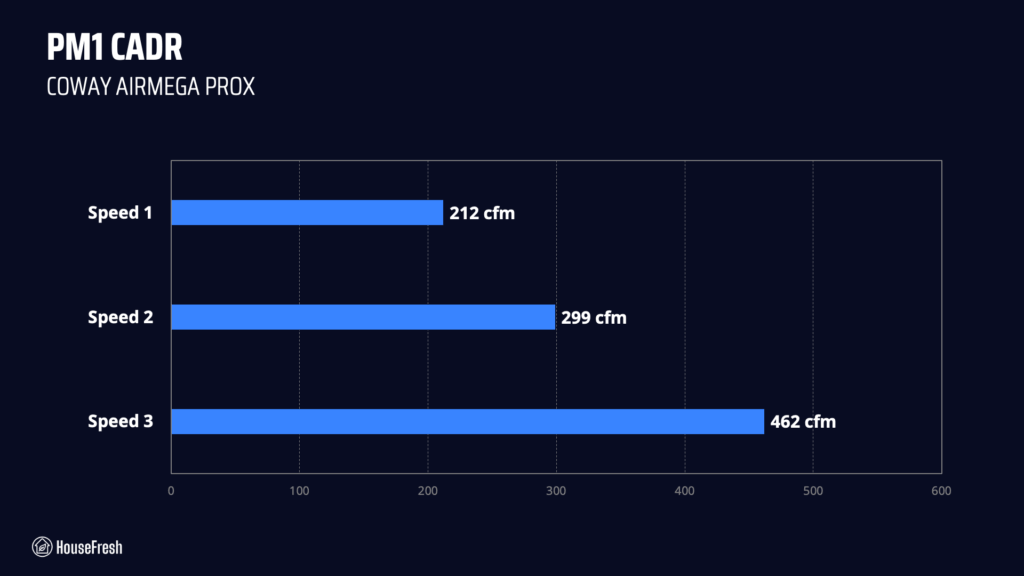
Clean air delivery rate (CADR):– Top speed PM1 CADR: 462 cfm
– Sub-45 dBA PM1 CADR: 299 cfm
– AHAM dust CADR: 586 cfm
Filter technology:Two washable pre-filters and two Max2 filters (Green True HEPA and activated carbon)
Recommended room size:693 sq. ft. (5 air changes per hour)
Dimensions:18.9 x 36.6 x 24.3 in (48 x 93 x 62 cm)
Weight:51 lbs (23kg)
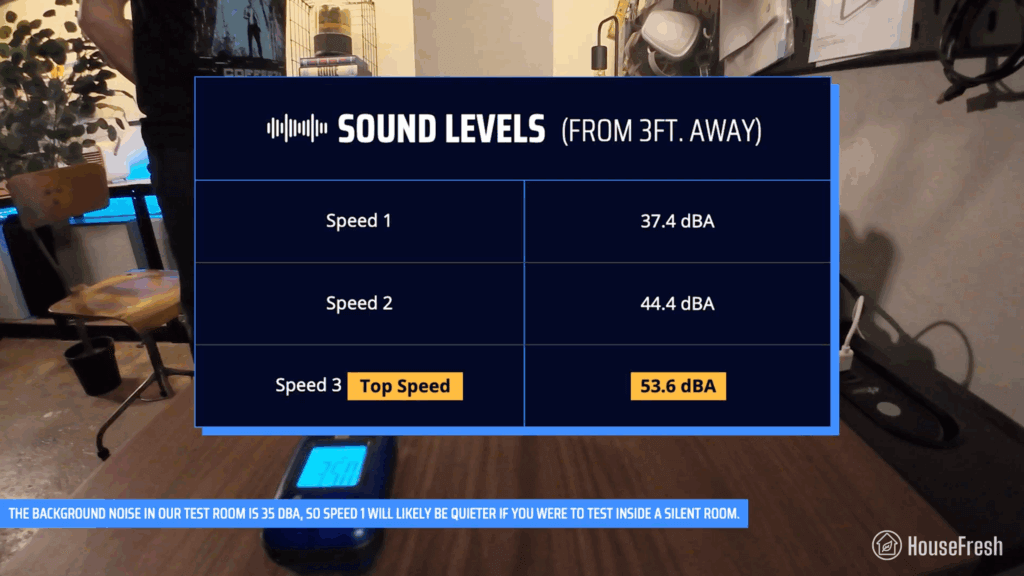
Noise level in decibels from 3 ft. away:Speed 1: 37.4 dBA
Speed 2: 44.4 dBA
Speed 3: 53.6 dBA
Electricity consumption in watts:Standby mode: 0 watts
Speed 1: 11.76 watts
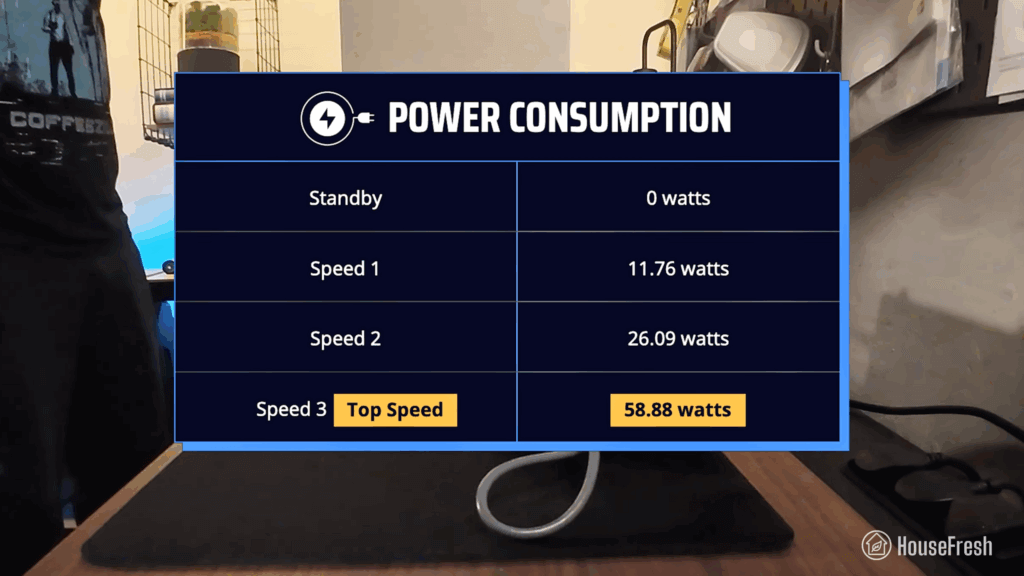
Speed 2: 26.09 watts
Speed 3: 58.88 watts
Filter lifespan:12 months
Manufacturer’s warranty:3 years
Country of origin:South Korea
Country of manufacture:China

Filtration technology

You get Coway’s signature Green True HEPA and pelleted activated carbon, times two.

The ProX has two sets of Max2 filters, one at each side, and unlike the popular AP-1512hh, it doesn’t come with an ionizer function.

Coway Airmega ProX Filters

The filters themselves are bonded filters that combine two Green True HEPA filters with an activated carbon filter.
The filters are bonded, so you’ll need to replace them once the carbon is full, which might happen before the particle filter is at the end of its life.

Coway ProX Carbon

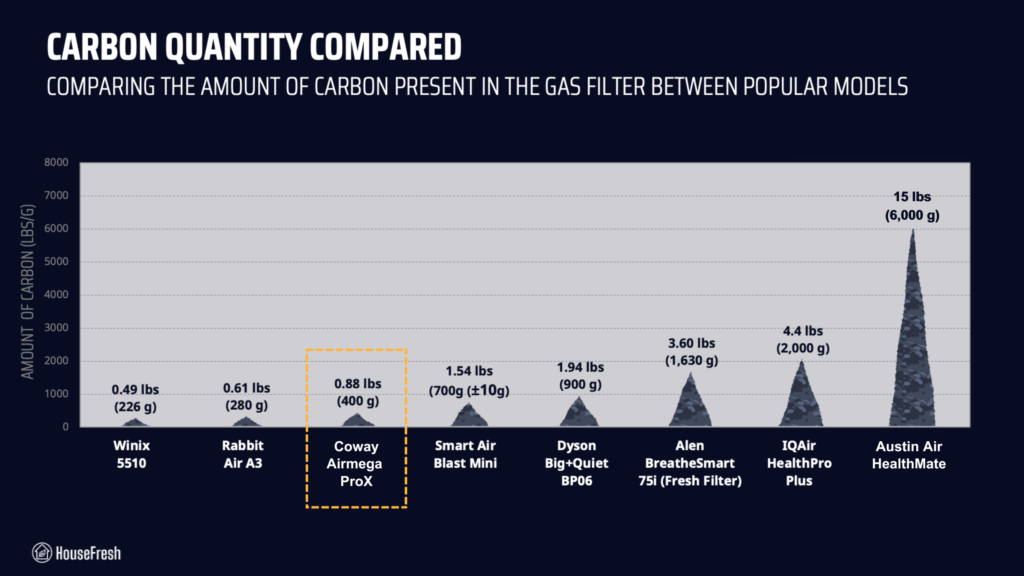
According to this Redditor, the Max2 filters in the ProX container 0.88 lbs of pelleted activated carbon. Be aware that this won’t be enough to address serious odor and VOC issues.

Design, controls and app features

It has the same retro feel as other new Airmega models, with muted colors and hard lines.

The ProX is the largest air purifier we’ve tested from Coway, weighing 51 lbs (23.1 kg).

Coway Airmega ProX TV Room

Considering how heavy it is, I was glad to see it has four wheels to move it around – great for hard floors, not so great for carpets.

If you want to lift it, you can use the handles at each side of the device.

ProX Handle issue

The only problem is that if you pull the handles from the wrong angle, you will end up removing the filter cover… which is a little annoying.

It doesn’t include app support, but it has a laser sensor and customizable auto modes.

Coway Airmega ProX Controls

You also get an air quality indicator at the far right, in the form of an LED light that changes color based on your air quality.

Coway ProX Fans

The large body of the ProX houses two fans stacked on top of each other on either side of the device, which is something I had never seen before.

Air cleaning performance

We tested the ProX in our 728 cubic ft. test room, tracking how fast it removed all PM1 particles from the air after we filled the space with incense smoke.

Coway Airmega ProX Test

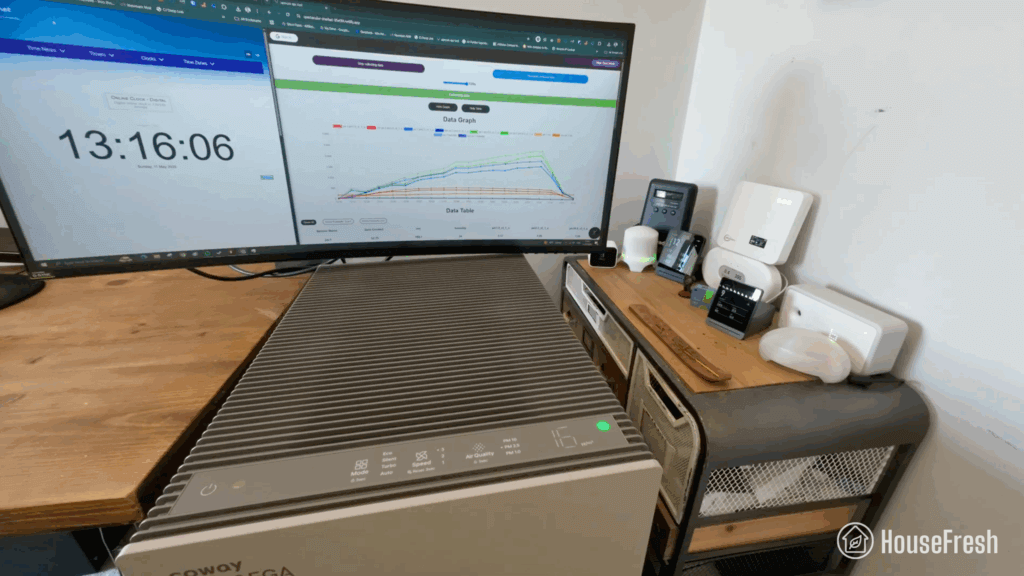
When running at top speed, our PurpleAir Zen sensor shows that the ProX needed 13 minutes to reach PM1 zero. Based on the natural ventilation of our test room, we estimate a PM1 CADR of 462 cfm.

This makes the Airmega ProX powerful enough to provide five air changes per hour in large rooms up to 693 sq. ft.

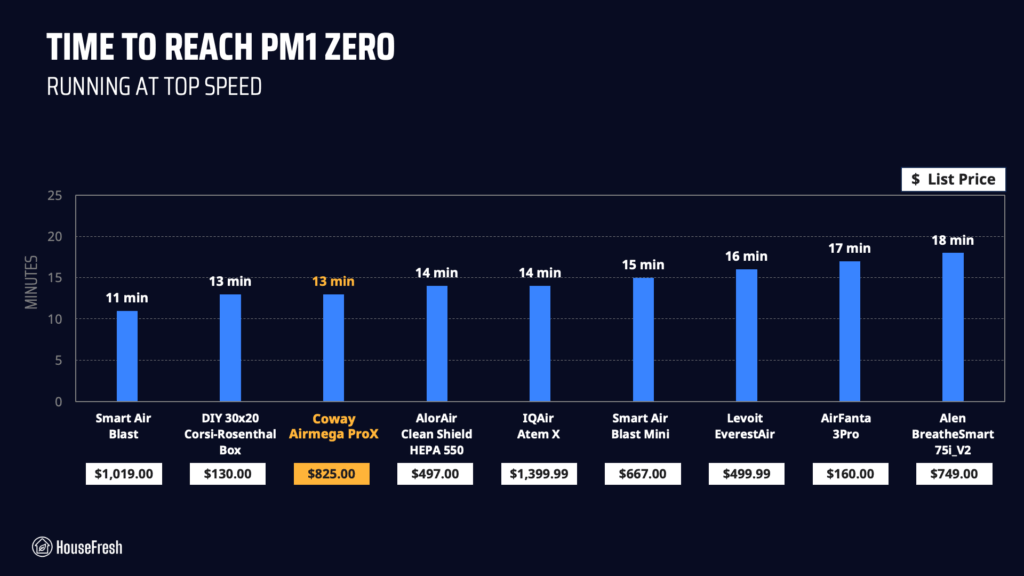
As you can see from the chart, 13 minutes is the same amount of time it took for our DIY 30×20 Corsi-Rosenthal Box to reach PM1 zero:

Coway Airmega ProX HouseFresh Test

The only device to perform quicker than this was the even larger Smart Air Blast, which completed our particle removal test in a speedy 11 minutes.

We repeated our particle removal test three times across all available fan speeds, which allowed me to estimate PM1 CADR at each fan speed:

Coway Airmega ProX CADR

BUT looking at the results of our air cleaning tests in isolation won’t tell us the full story…

Sound levels

The sound levels of the ProX range from 37.4 dBA to 53.6 dBA — considerably quieter than every single large air purifier we have benchmarked it against.

Coway ProX Sound Test HouseFresh

As I always say, if your air purifier is too loud, someone in the house will eventually turn it off.

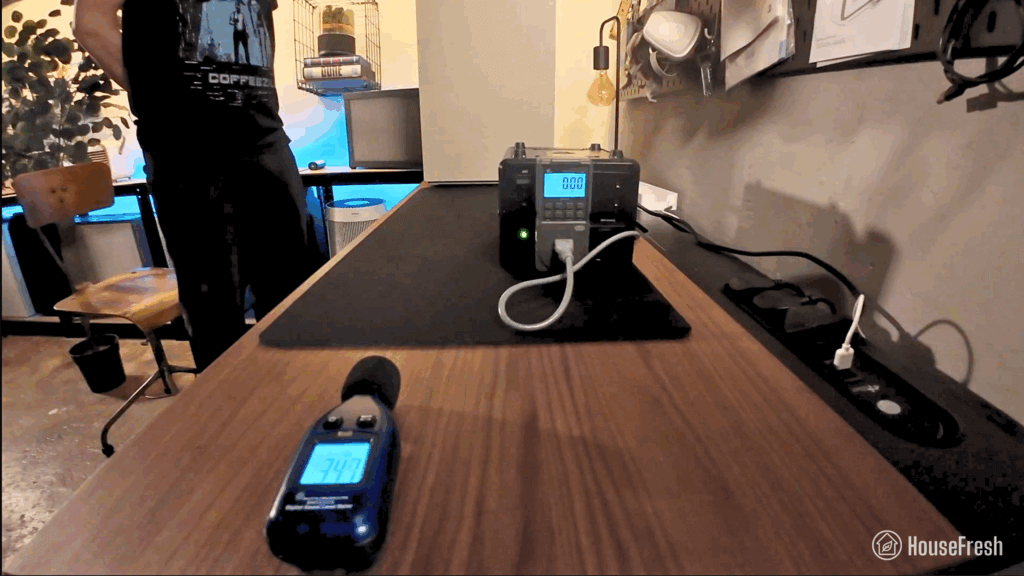
That is why I used our BAFX sound meter to measure how much noise in decibels the Airmega ProX generates at each fan speed from 3 ft. away:

Coway ProX Sound Results

I was surprised by how quiet the ProX is! Hitting 53 dBA at top speed is nothing considering its power.

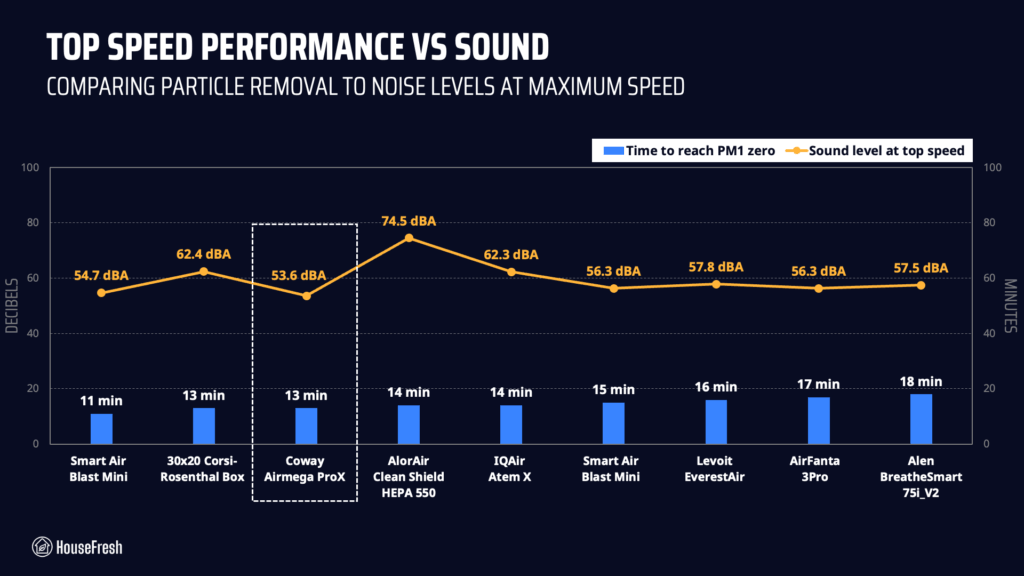
When comparing particle removal speed to noise levels at top speed, it becomes clear that Coway has nailed performance at quiet operation:

Coway Airmega ProX Top speed sound

I repeated the HouseFresh CADR test at each fan speed with excellent results.

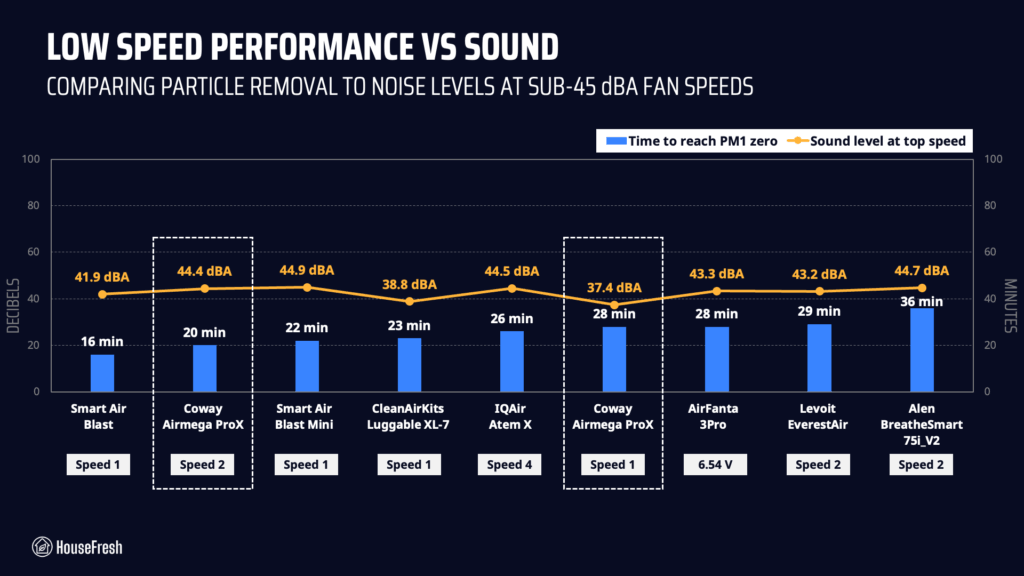
At speed 2, it reached PM1 zero in 20 minutes while generating 44.4 dBA. And at speed 1, it took 28 minutes at just 37.4 dBA.

Coway Airmega ProX Sound

When we compare this to other high-CADR air purifiers, you can see that, in terms of quiet performance, the ProX is only outmatched by the much larger Blast from Smart Air. And it’s clear that even at speed 1, this device delivers excellent air cleaning performance without the noise.

Long-term running costs

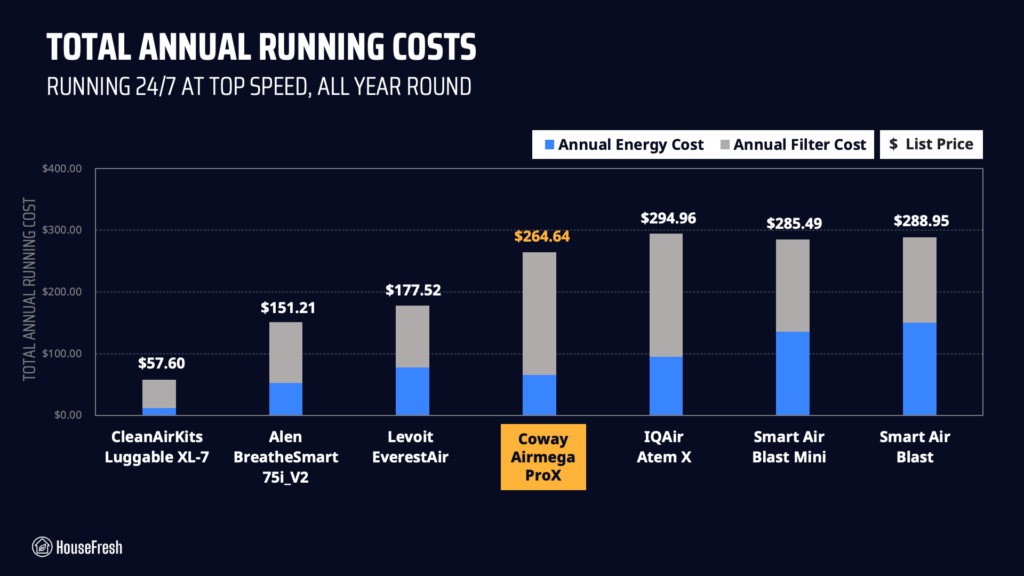
Running a Coway Airmega ProX will cost you $264.64 per year, combining energy and filter replacement costs.

We used our energy meter to record how much electricity the ProX pulls at each fan speed and also while on standby.

Coway ProX energy consumption

At speed 3, the ProX pulls 58.88 watts. Running it at top speed 24/7 for one year will add $65.54 to your energy bill, based on the average U.S. electricity price of 0.1268/kWh at the time of our test.

After conducting our particle removal test, I knew the Airmega ProX offers impressive raw performance, but I didn’t expect it would deliver this high CADR with such low energy consumption.

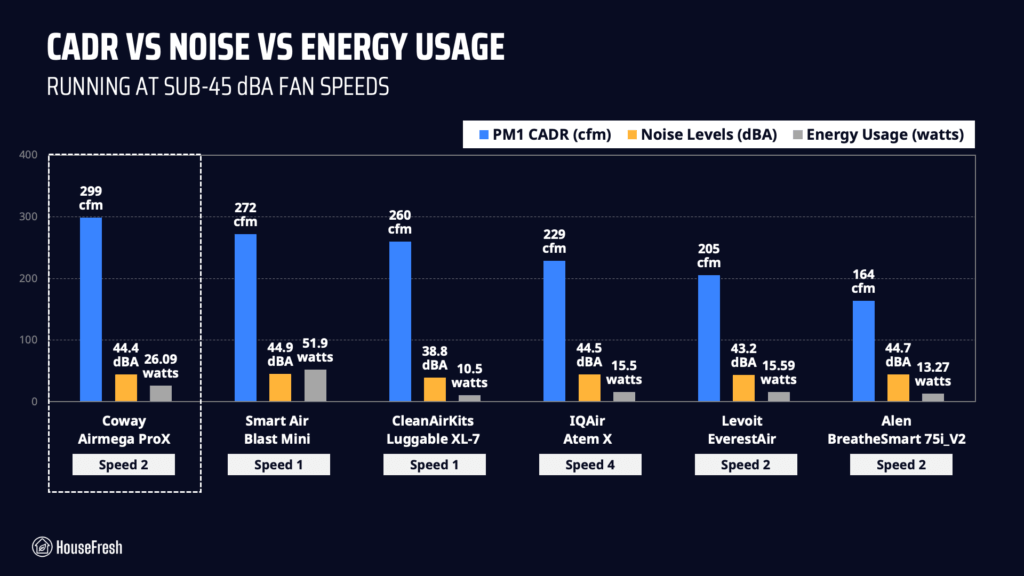
So I went one step further and created a chart to compare its CADR, noise levels AND energy usage at quiet fan speeds to see how the ProX compares to other popular high-CADR air purifiers:

Coway ProX CADR energy sound

As the table above shows, the Coway Airmega ProX delivers incredible CADR at lower fan speeds without excessive energy use or noise, vastly outperforming most large air purifiers I benchmarked it against. The exception would be the Luggable XL-7, which is A LOT more energy efficient and noticeably quieter than the ProX — that said, it’s not nearly as powerful.

But let’s look at the other main factor affecting yearly running costs: filter replacements.

According to Coway, you can expect to change filters every 12 months, and you can buy a new filter set for $199, so you can expect to spend $199 each year on filter replacements alone.

We can add this to energy costs to work out the total yearly cost and compare it with the other devices I’m benchmarking the ProX against:

Coway Airmega ProX Running Costs

$199 for a set of filters is steep, and it pushes the total annual cost to over $260, which is more than the Alen 75i and Levoit EverestAir, and doesn’t come close to the CleanAirKits Luggable XL-7 with its standard 3M HVAC filters.

Bottom line: Should you get a Coway Airmega ProX?

The ProX is one of the best options for those looking for an air purifier to help with dust, pollen, pet allergens, or smoke in large spaces.

Coway Airmega ProX Kids room

The ProX isn’t cheap, is heavy, and takes up a lot of space… but I have to say I’m a big fan.

I like that Coway has dropped the ionizer we saw in older models without dropping performance. Even without the ionizer, the ProX still provides outstanding air-cleaning power with mechanical filtration alone. And they did this without the loud noise and high energy consumption that usually comes with high CADR.

This air purifier doesn’t have an app. However, it still comes with a ton of features that most consumers will appreciate, such as a customizable auto mode, a particle sensor, an air quality indicator, a child lock, and the ability to adjust the sensor’s sensitivity.

Coway also innovated in how the ProX handles sleep time. Instead of a useless sleep mode, the ProX running in auto mode will automatically switch all lights off without you needing to do anything else. It won’t disturb your sleep, but it will ramp up the fan speed when detecting pollutants in the air.

Coway Airmega ProX Side

And even if you were to leave your ProX running at speed 1 all day, it would still provide you a higher CADR than you would get from a medium-sized unit like the Levoit Core 400S running at full speed.

For those looking for an air purifier to help with dust, pollen, pet allergens or smoke in large spaces, the Coway Airmega ProX is one of the best options out there because it won’t cost you an arm and a leg to run, it will offer excellent performance at quiet operation AND it will look good in your home while it’s at it.

Sadly, it is only available in the U.S. right now but I’ll update the review if that changes.

Now, for those looking for the best bang for buck, know that PC fan models like the Luggable XL-7 and the AirFanta 3Pro will still provide a lot more value — and you will be able to get multiple of these devices for the price of the ProX.

ProX first year cost

And if you’re looking for a high CADR air purifier for a commercial space, an office, or a classroom, then check out the Smart Air Blast, which will offer more air cleaning power than the ProX with a full metal body and no smart features, so you can set it and forget it.

But for those who want a large unit that looks good AND has all the bells and whistles you would expect from a standard consumer air purifier, the Airmega ProX is a solid choice.

If you do decide to buy one, please use this link to support the work we do here at HouseFresh. In doing so, we will receive a small affiliate commission at no extra cost to you that we will use to continue buying and testing air quality products.

Did I miss any details? Do you have any questions I left unanswered? Just drop a comment below and I’ll get back to you as soon as I see it.

Coway Airmega 250S review

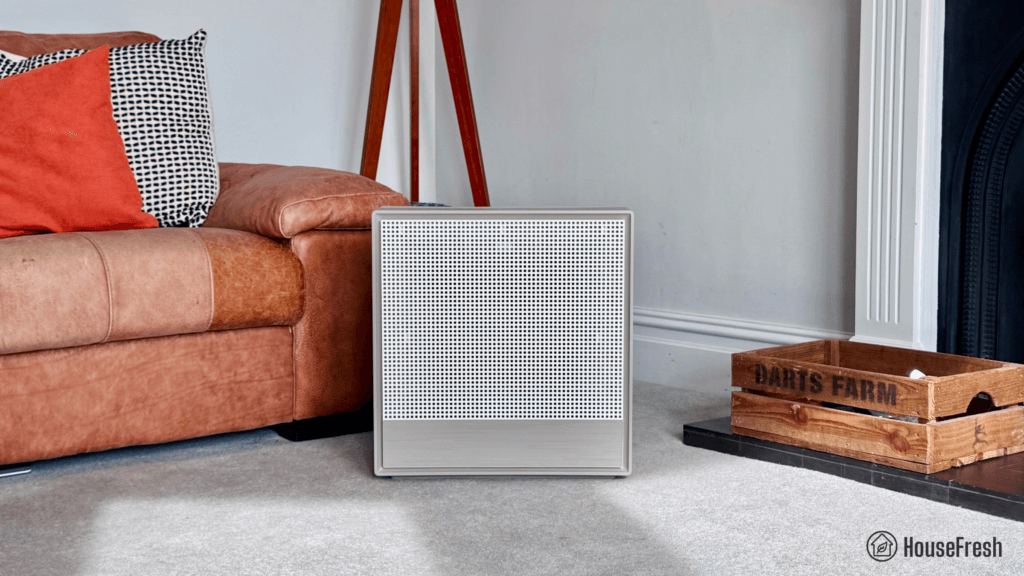
Coway Airmega 250S Living room

Coway is the manufacturer behind the most popular air purifier in the world, the Airmega AP-15122HH which has been the number one pick from the team at the NY TImes’ Wirecutter since 2014. 

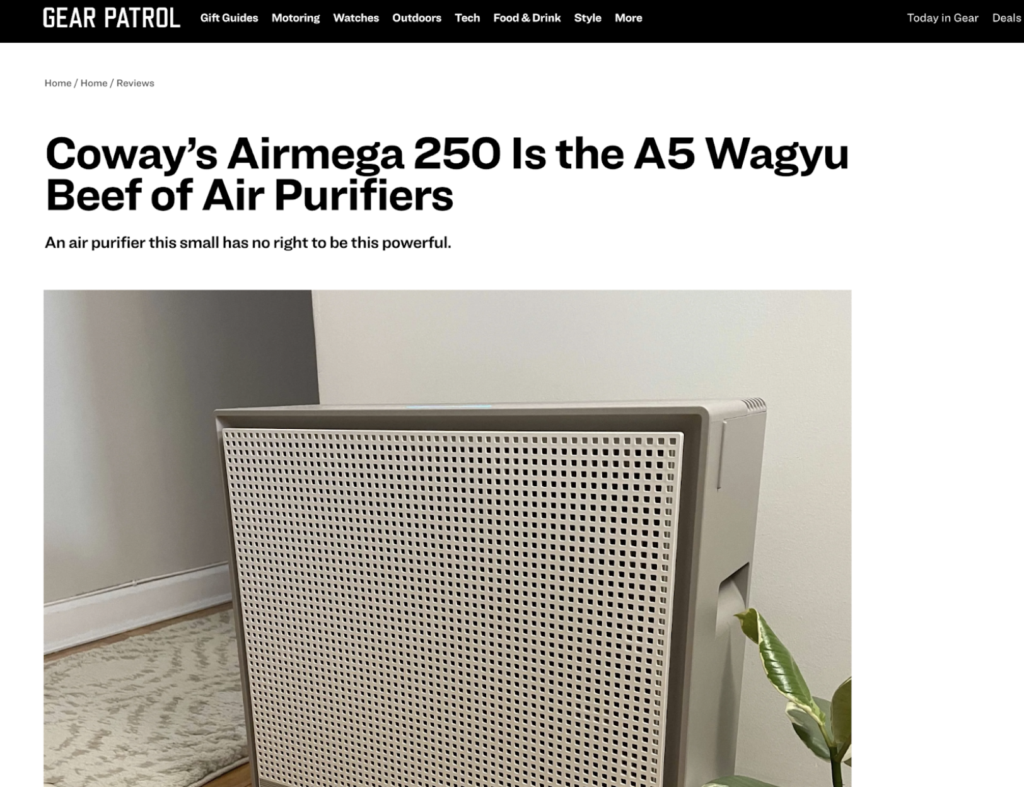
The Airmega 250S is a relatively new model that has been around since the end of 2021, and has been very well received by the press. So well received, in fact, that one reviewer referred to it as “the Wagyu Beef of Air Purifiers”…

Wagyu Beef of Air Purifiers

That got me even more interested in testing its performance.

As always, we bought the Airmega 250S with our own money to experience the customer journey just as you will and remain unbiased without any special deal or connection to Coway.

The overall score for the Dyson Big+Quiet BP06 incorporates first-hand data results from our battery of tests, as well as our ratings for customer service, brand transparency and design & UX. Check out the full scorecard below to see the split of categories.

The pros and cons of the Coway Airmega 250S

A summary of our top-level findings after testing this air purifier following our methodology.

PRice on amazon Price ON COWAY

“The Airmega 250S has excellent build quality and is beautifully designed, so it is a good option for those who are happy to spend a little more on an air purifier that will look great while cleaning the air.

However, if you are sensitive to noise, you might want to pass on the 250S because it doesn’t offer good air cleaning performance under 45 dBA.”

Danny Ashton HouseFresh
Danny Ashton
HouseFresh Founder
& Lead Tester

If you don’t want to read my full review of the Coway Airmega 250S, here are the three things I like and the three things I don’t.

CONS

Long-term running costs are higher than similar performing devices due to the filters needing to be changed every six months.
Sub-par air cleaning at its only sub-45 dBA fan speed. There is a big jump in noise levels when moving from speed 1 to speed 2.
The app has a habit of logging you out, which is quite annoying and could explain the low user ratings in both the App store and the Google Play store.

PROS

Build quality and design are a step above the rest. The Airmega 250S is full of little design details, from the braided cable to the retro-modern aesthetic.
It offers solid air cleaning performance at top speed – earning the 250S a spot in our rankings right beside many of our top recommended air purifiers.
It is more energy efficient than previous Coway models we’ve tested.

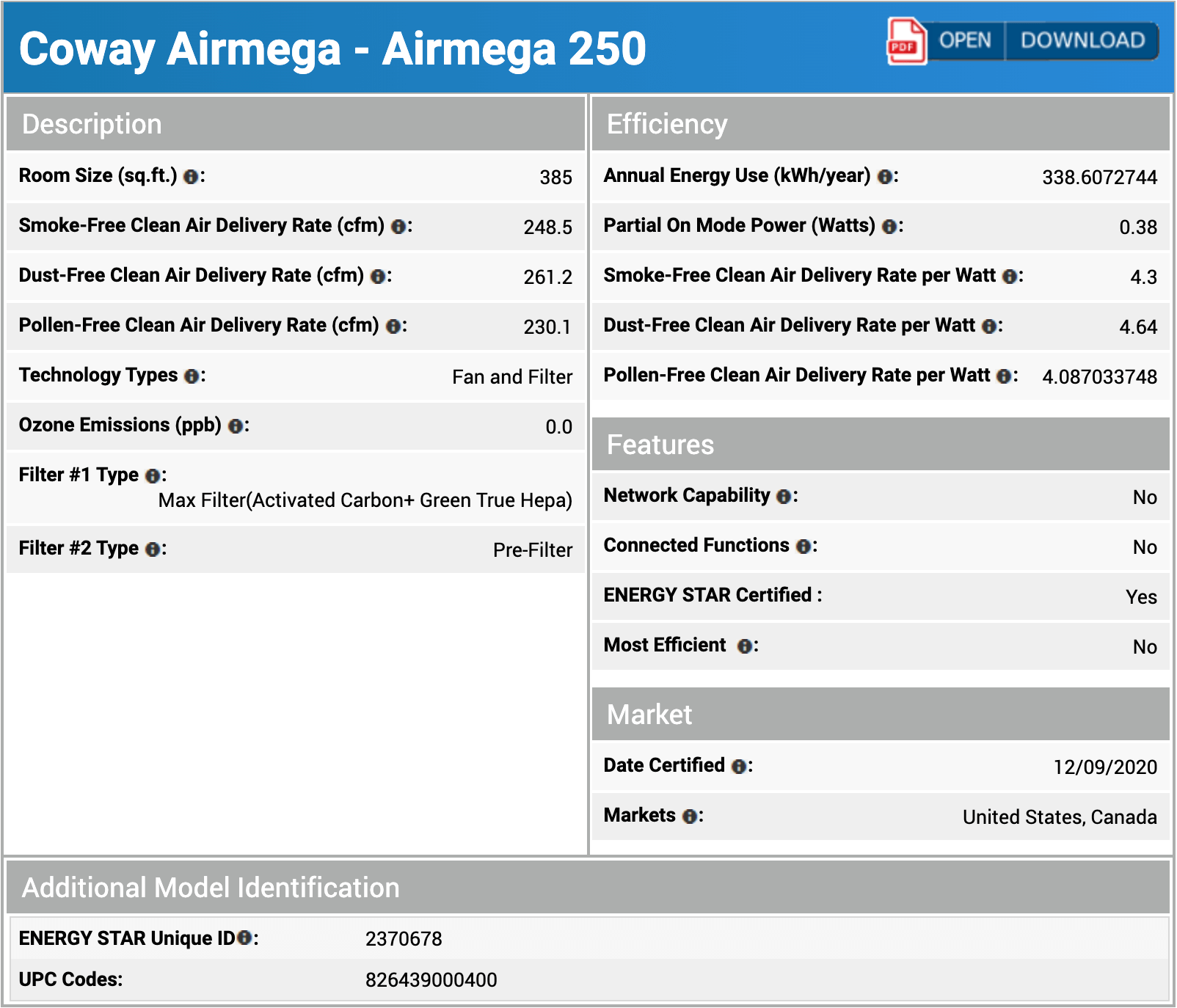
Clean air delivery rate (CADR):– Top speed PM1 CADR: 249 cfm
– Sub-45 dBA PM1 CADR: 91 cfm
– AHAM PM2.5 CADR: 261.2 cfm (dust)
Filter technology:True HEPA filter with pelleted activated carbon and a washable pre-filter
Recommended room size:373 sq. ft. (5 air changes per hour)
Dimensions:18.5 x 19.7 x 8.3 in (47 x 50 x 21 cm)
Weight:20.5 lb (9.3 kg)
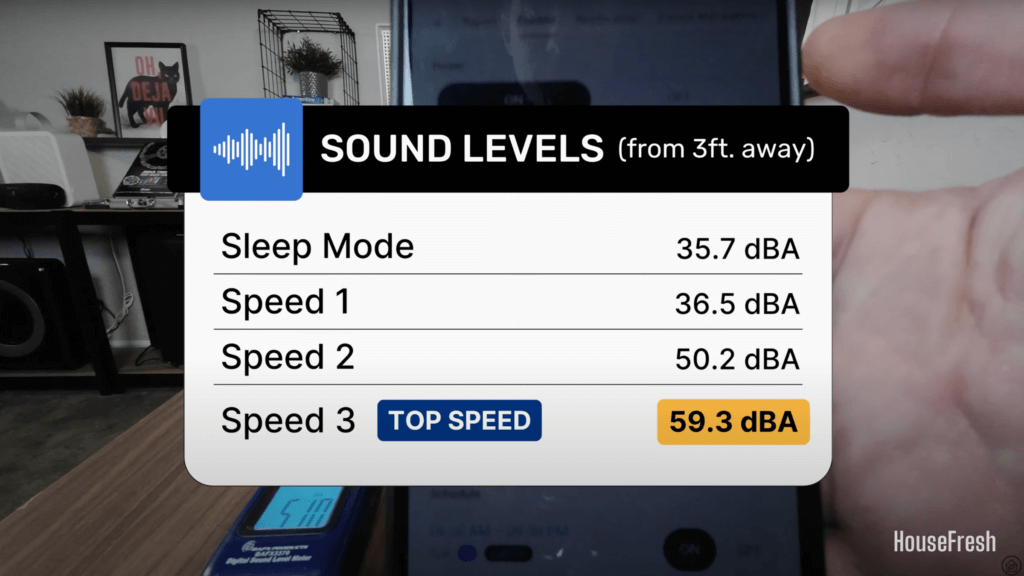
Noise level in decibels from 3 ft. away:– Sleep mode: 35.7 dBA
– Speed 1: 36.5 dBA
– Speed 2: 50.2 dBA
– Speed 3: 59.3 dBA
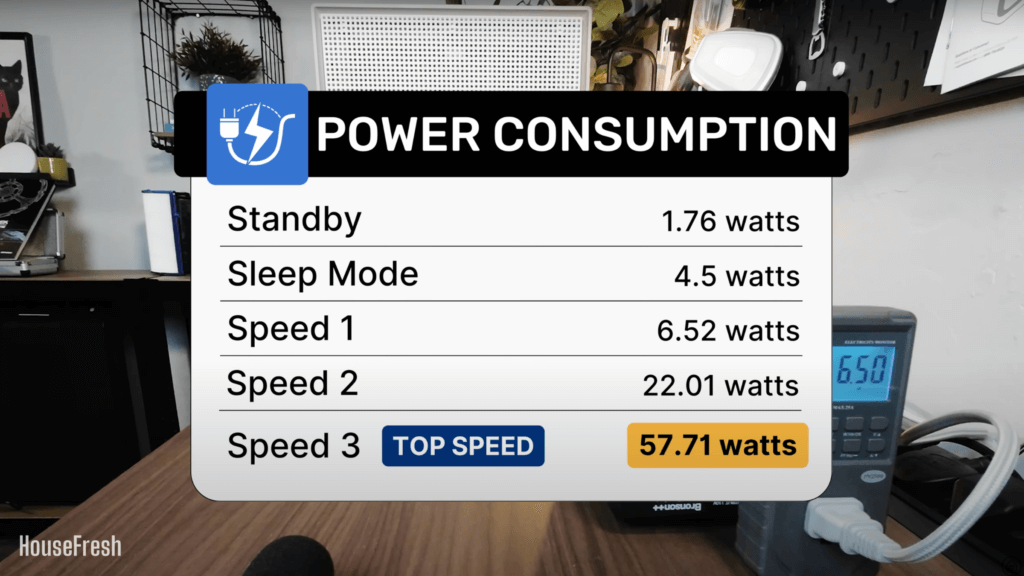
Electricity consumption in watts:– Standby mode: 1.76 watts
– Sleep mode: 4.53 watts
– Speed 1: 6.52 watts
– Speed 2: 22.01 watts
– Speed 3: 57.71 watts
Filter lifespan:6 – 12 months
Manufacturer’s warranty:3 years
Country of origin:South Korea
Country of manufacture:South Korea

Coway Airmega 250S AHAM

The best Airmega 250S feature: Retro-inspired design built with high quality materials

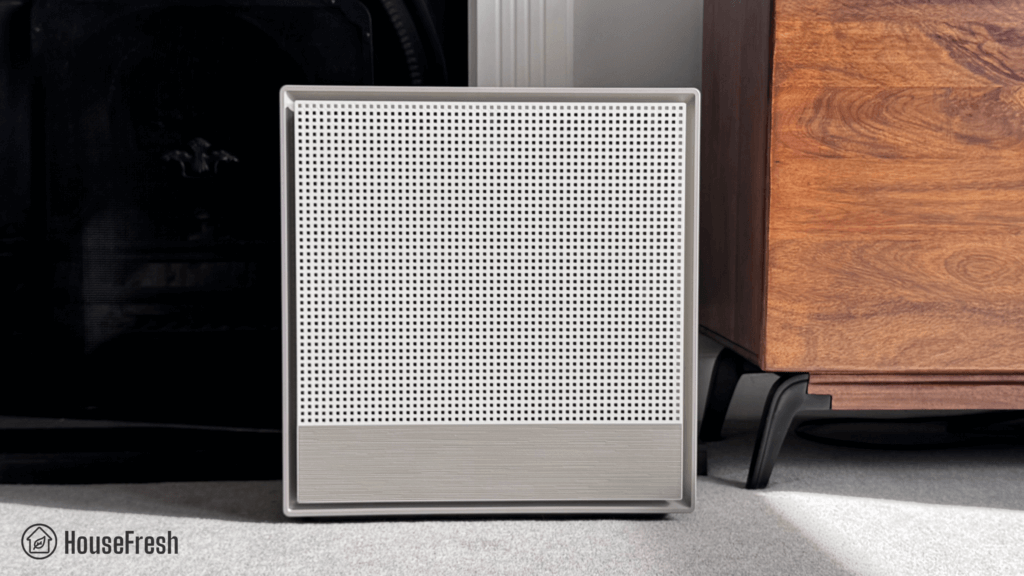
The 250S has been built to last and is guaranteed to look great in most rooms.

If you’re reading this review, it’s probably because you saw the 250S and thought the design was worth paying extra compared to other air purifiers from Coway. 

I’ll be honest, as soon as I unboxed this device, I became obsessed with how it looks. I am not one to care about design or aesthetics but the Airmega 250S really made me notice. And it’s not just how nice the retro-inspired design looks — from the plastic chassis to the braided cable, this thing has been made with high quality materials.

Filtration technology

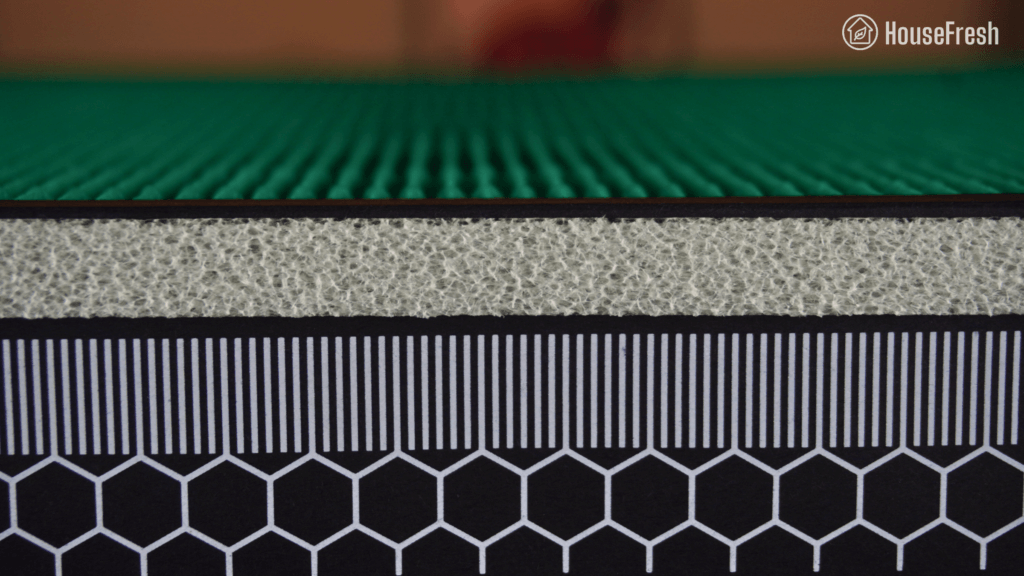
The Airmega 250S comes with a bonded H13 HEPA filter with pelleted activated carbon and a removable pre-filter that is also washable.

With the Airmega 250S, Coway moved away from the non-bonded filters we’ve seen in the past from models such as their incredibly popular AP-15122HH or the newer Airmega 200M. And unlike those models, the 250s also lacks an ionizer function.

It comes with an all-in-one filter they call ‘Max 2’ filter with a Green True HEPA particle filter on one side and a gas filter with pelleted carbon on the other.

Coway Airmega 250S Filter closeup

The removable pre-filter on this unit is really high quality and slides into place beautifully. I like that it’s washable so you can rinse it, dry it and place it back.

Coway Airmega 250S Pre filter

Bonded filters can have better performance at removing particles compared to separate filters, but once the carbon runs out, you will need to replace the whole filter — even if the HEPA filter didn’t need to be replaced.

Design, controls and features

A customizable heavy, rectangular air purifier with two on-board sensors and app connectivity.

Coway Airmega 250S Front

Weighing 20.5 lb (or 9.3 kg), the Airmega 250 S is heavier than other similarly powered air purifiers, and it is also wider than other mid-sized devices so it will take up more space on the floor. Luckily, it has hand holds on each side, so it’s fairly easy to move around the house.

It comes with two sensors: one for particles and one for gases. When on auto mode, it switches to high fan speeds as needed based on the readers of the sensors.

Coway Airmega 250S Living room 1

While it has no screen showing air quality levels, it comes with an LED bar that changes color depending on how bad the air quality is — you will also get an alert through your phone once you have setup the app.

Coway Airmega 250S Controls

The AQI light bar is easy to see and will change color from blue (good) to green (moderate) to yellow (unhealthy) to red (very unhealthy), depending on the sensor readings.

Something I really like is the introduction of a ‘Rapid’ mode, which will supercharge the usual auto mode ensuring the device will hit its highest fan speed until the air quality is improved.

Coway Airmega 250S Top

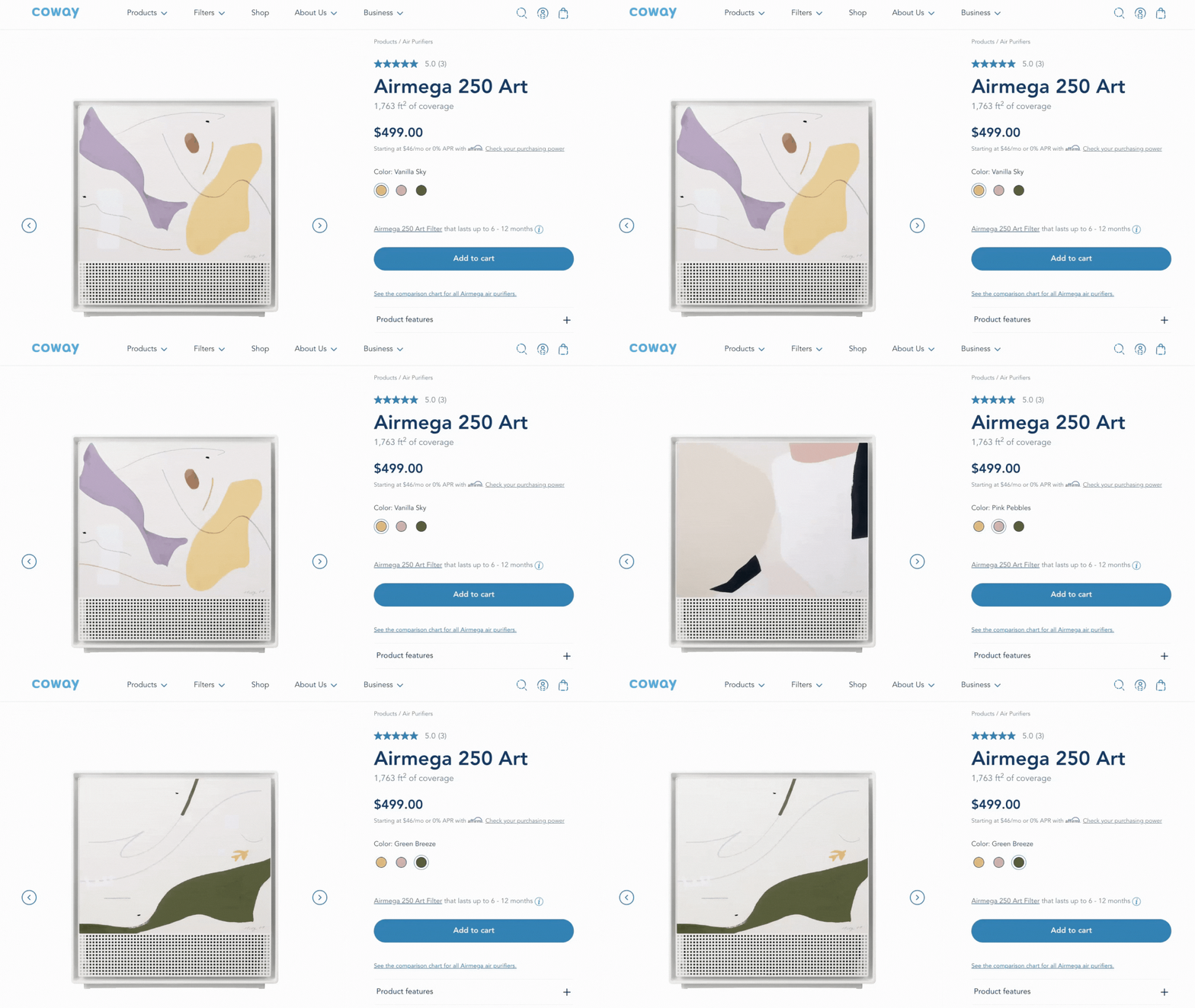
We bought the Airmega 250S in Warm Gray, but if you go with the Airmega 250 Art, you can upgrade the look of the device to include an artwork imprinted on the front cover.

Coway Airmega 250 Art

However, it will cost you an additional $50 if you buy from Coway (or an added $100 if you buy from Amazon) and you will be giving up on the app connectivity that you get with the 250S.

The Airmega 250S comes with app connectivity through the Coway IoCare app, which is easy to use and has a clean UX without invasive ads. You can access all the controls you get on the device from the app, with the added option of scheduling routines and accessing historical air quality data.

An issue I encountered with the IoCare app is that it keeps logging me out. This is especially annoying if you don’t have the password handy. Based on the poor 1.4 out of 5 stars the app gets in the App store, it looks like I am not the only one having difficulties. But to be fair to Coway, I haven’t had any other issues with the app apart from this.

Air cleaning performance

We tested the Airmega 250S in our 728 cubic ft. test room, tracking how fast it removed all PM1 particles from the air after we filled the space with incense stick.

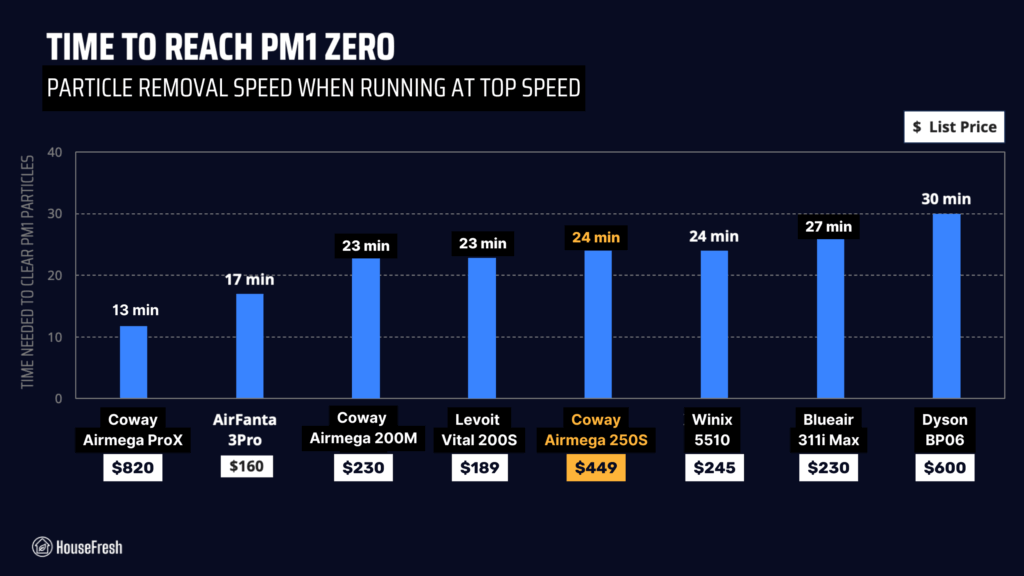
We started by testing the particle removal performance of the 250S running at its highest fan speed. According to our PurpleAir Zen sensor, it needed 24 minutes to achieve PM1 zero in our 728 cubic ft. test room:

Based on the natural ventilation of our 728 cubic feet test room, we estimate that it has a top speed PM1 CADR of 249 cfm, which could provide five air changes per hour in rooms up to 373 sq. ft.

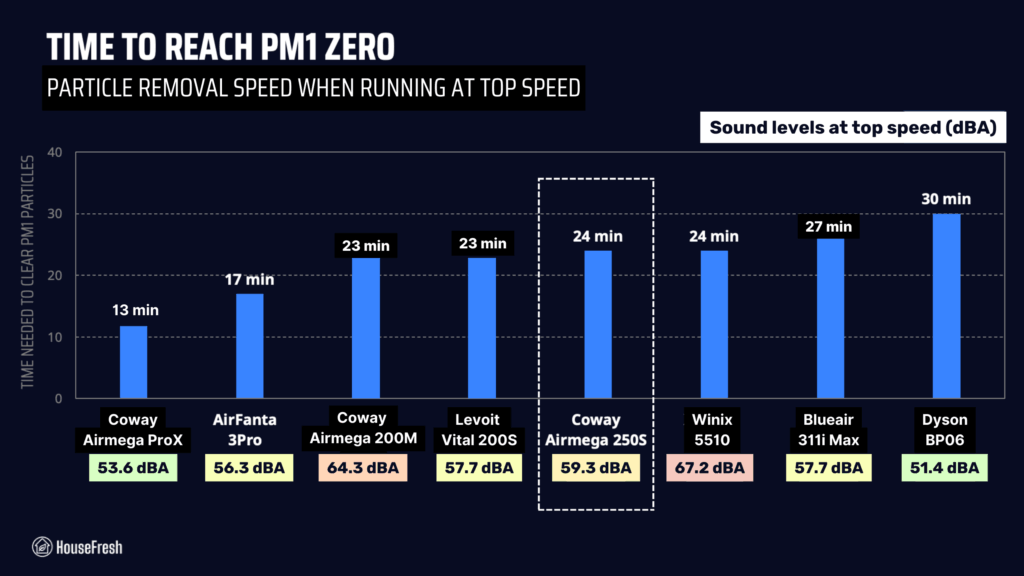
With this data in hand, we can compare the performance of the 250S to the results of other similarly-priced air purifiers running at their top speed:

Coway Airmega 250S Performance Top Speed

As you can see from the table, air cleaning performance to cost seems fair when benchmarking with other similar powered devices. That said, you still get a much better bang for your buck with something like the AirFanta 3Pro or the Vital 200S

And if you are set on getting a Coway but not too fussed about it being the 250S, then you should probably look into the Airmega 200M, as it offers better particle removal performance for a cheaper price.

Sound levels

The sound levels of the 250S range from 35.7 dBA to 59.3 dBA — louder than similar performing models like the Smart Air SA600 and the Levoit Vital 200S.

Coway Airmega 250S Sound energy test

If an air purifier is too loud, you will find yourself turning it off eventually.

That is why we used a sound meter to measure how much sound the Coway Airmega 205S generates from 3 ft. away at each of its fan speeds:

Coway Airmega 250S Sound levels

Be aware our background noise is 35 dBA, so the 250S running at sleep mode and set to speed 1 is likely to be quieter than 36.5 dBA if you could measure sound levels in a silent room.

Even though it’s a larger device, when running at its highest fan speed, the 250S is quieter than the Airmega 200M. That said, it is still louder than most other mid-sized traditional air purifiers we benchmarked it against.

Coway Airmega 250S Performance VS Sound

However, it is clear that this device is much louder than a PC fan-powered air purifier like the Luggable XL-7 from CleanAirKits.

One of the benefits of going with a mid-to-large sized air purifier, is that you can run them at low (and quiet) fan speeds while still enjoying powerful air cleaning performance due to use of larger fans and filters. That is why we also test the particle removal speed of our air purifiers running at quiet fan speeds.

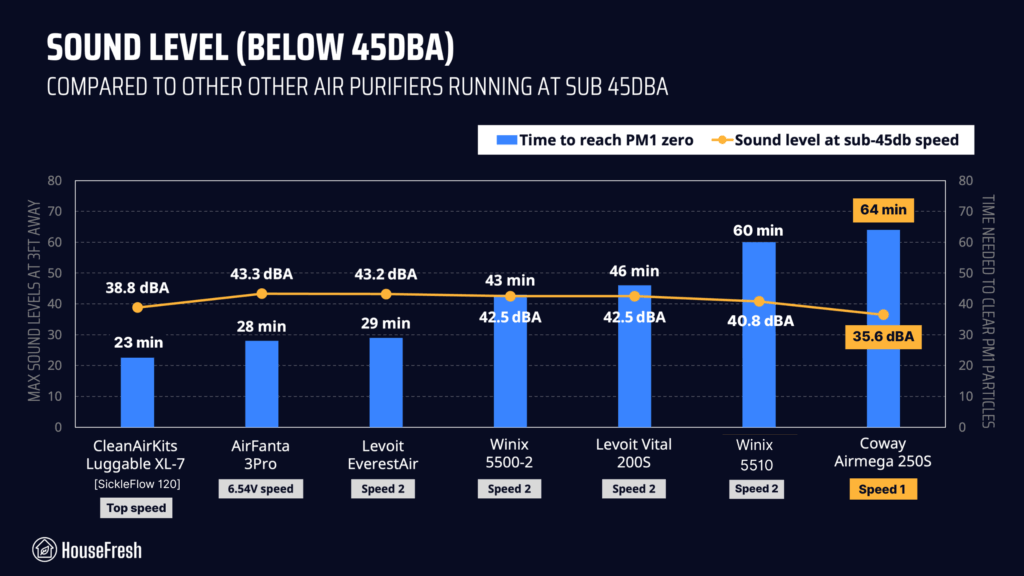
The Airmega 250S needed 64 minutes to remove all PM1 particles from the air running at speed 1 (36.5 dBA) and 30 minutes running at speed 2 (50.2 dBA). 

When comparing the sub-45 dBA performance of the 250S to other air purifiers running at fan speeds that generate less than 45 decibels, it becomes clear that this air purifier doesn’t offer good air cleaning at quiet operation.

Coway Airmega 250S Performance Sub 45DBA

Based on the natural ventilation of our test room, we estimate that the Coway Airmega 250S has a sub-45 dBA PM1 CADR of 91 cfm which would be powerful enough to offer five air changes per hour in rooms no larger than 136.5 sq. ft.

I would like for Coway to add a fan speed in between speed 1 and speed 2 that doesn’t exceed 45 dBA, as this is a sound level that many people will have no issues hearing all day in the background.

Long-term running costs

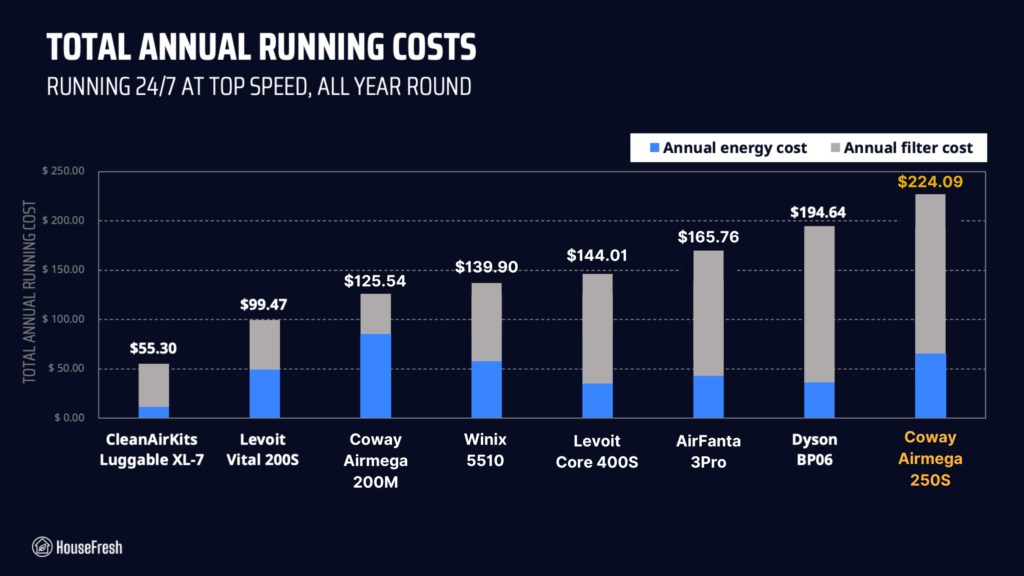
Running a Coway Airmega 250S will cost you $224.08 per year, combining energy consumption costs and filter replacement prices.

Coway Airmega 250S Close

As always, we used our energy meter to record how much energy the Airmega 250S uses when running at each fan speed and also while on standby. If you had to leave your 250S running at its top speed 24/7, it would cost $64.10 in energy costs for a year. 

Coway Airmega 250S Energy consumption

Now, I know this is an unlikely scenario as you will probably prefer having the device running at a quieter fan speed in the background, but I use this ‘worst case scenario’ to estimate the most the 250S could add to your energy bill each year.

But it’s not just energy costs that add to the running cost of an air purifier, you will also need to replace the filters eventually. In the case of the 250S, Coway says that you need to replace the filters every 6-12 months.

The recommended official filter (AP-1720-FP) costs $79.99, which means that you will need to spend $159.98 each year in filter replacements. 

When we combine energy costs with filter replacement costs, we find that the Coway Airmega 250S will cost you $224.08 per year to run.

Coway Airmega 250S Yearly Costs

Due to the filters needing to be changed twice per year, the costs are higher than those models that only need changing every 12 months. In this benchmark of similar devices, the 250S ranks as the air purifier with the highest long-term running costs.

Coway Airmega 250/250S Air Purifier Replacement Filter Set, Max 2 HEPA Filter and Active Carbon Filter, AP-1720-FP
  • Coway Airmega 250/250S Replacement Filter
  • Coway Airmega Max2 filter is an all-in-one that combines Coway HEPA filter with an Activated Carbon filter.
  • Coway Airmega Max2 filter has an average of 12-month lifespan.

Bottom line: Should you get the Coway Airmega 250S?

For raw money-to-air-cleaning-performance, you will get a better deal with the older AP-15122HH or the newer Airmega 200M.

Coway Airmega 250S Sofa

The Airmega 250S has excellent build quality and is beautifully designed, so it is a good option for those who are happy to spend a little more on an air purifier with smartphone connectivity that will look great while cleaning the air.

However, if you like the look of the 250S but are not keen on having yet another app on your phone, then you may want to choose the Airmega 250 instead or even the Airmega 250 Art for a snazzier look.

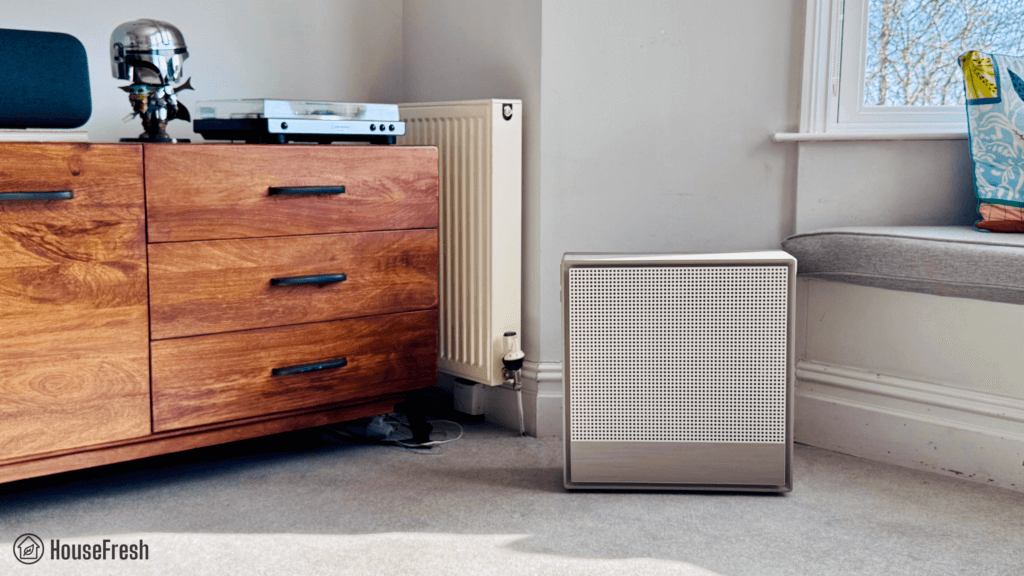
Coway Airmega 250S Corner

If you’re not convinced by the looks, then I’d say there are other mid-to-large sized air purifiers out there that will give you great air cleaning power even at quiet fan speeds for less or about the same price you’ll pay for the 250S.

A big problem with this device is the small number of fan speeds. 

While speed 1 is very quiet, air cleaning performance is not as impressive. Switching to speed 2 will improve this, but the 250S will get noisy as this fan speed goes over 50 dBA, which is louder than most people would like to have running continuously. 

It would be much better to see a fan speed in between that runs at just under 45 dBA, as we know that many people could deal with this sound level running all the time in the background.

For those wanting a powerful air purifier with excellent quiet performance, smartphone connectivity, and a design that looks as good as the Coway 250S, check out the Levoit EverestAir

And if you want to save some money, look into the Winix 5500-2 and the Levoit Vital 200S, both of which will give you the same level of air cleaning power for a cheaper upfront and long-term cost.

I hope my review was helpful and if you have any questions about the Coway Airmega 250S, be sure to leave them in the comments below.

Coway Airmega 150 review

Coway Airmega 150 Living Room

Developing products since the late 80s, Coway has been at the forefront of performance and design. With their large range of products, they aim to challenge the boundaries of conventional air purifiers by adding innovation without compromising performance.

I was impressed with both the Airmega 300 and the Airmega AP-1512HH Mighty when we tested them in our home lab, and they’re both unique compared to the traditional looks of other boring air purifiers. (I’ve been pestering Danny to buy the Airmega IconS to review. Feel free to help me out and email him to request it.)

Another addition to the Airmega range is the 150, which Coway says is “compact, quiet, and powerful combined with unique design.” This bold air purifier is available in three colors, has built-in air quality sensors, and features a color-coded AQI.

But is this a case of style over substance? In this review, I delve into the Airmega 150 to look at its design, features, filters, and, most importantly, how it performs compared to rival units on the market.

The lowdown on the Coway Airmega 150

Danny Ashton HouseFresh
“It’s not a bad device, and some might like its unique aesthetic, but at this price point, I much prefer the Winix 5500-2 as it’s got more activated charcoal and was much faster in our test at removing particles.”
— Danny Ashton, HouseFresh Founder & Senior Writer

Coway Airmega 150 Fireplace

Don’t want to read the full review? Check out what I like about the Airmega 150 and what Coway could have done better. 

What we really like

Comes in different colors to suit your tastes
Has an auto mode and air quality indicator (AQI)
Pre-filter is easy to remove to clean
Energy-efficient with low running costs

What we think could be better

The plastic casing feels a little thin.
I’d like to see app connectivity.

HouseFresh rating:★★★☆☆
Time to clean our 728 cubic feet test room (with the device running at top speed):33 minutes
Air purifier technology:HyperCaptive™ GreenHEPA™ filtration system
Recommended room size (4.8 air changes per hour):237 sq. ft.
Clean air delivery rate (CADR):Dust: 161.1 CFM
Smoke: 152.8 CFM
Pollen: 219.8 CFM
Dimensions (in inches / in cm):6.5 x 13.4 x 18.5in (16.5 x 34 x 46.9cm)
Weight (in pounds / in kg):12.1 lbs (5.5 kg)
Filter life:1 year
Noise level in decibels (measured from 3 ft. away with a sound level meter):Speed 1: 35.2 dB
Speed 2: 39.5 dB
Speed 3: 55.6 dB
Electricity consumption in watts (recorded with an electricity usage monitor):Standby mode: 0 watts
Speed 1: 2.38 watts
Speed 2: 6.04 watts
Speed 3: 31.55 watts
Estimated running cost (electricity consumption + official filter replacement):$98.11 per year
Cost per CADR cfm (based on dust CFM as reported by AHAM):$1.18
Manufacturer’s warranty:3 months
Country of manufacture:South Korea

A new generation of air purifier design

Coway discards tradition for a look that suits a bold and modern home

Coway Airmega 150 Front

Forget bland white appliances. Get some color into your home. We at HouseFresh take our interior design quirks seriously, and it seems as if Coway caught onto that. The 150 comes in three colors: Sage Green, Peony Pink, and Dove White (I guess you can’t completely dismiss the classics).

We went for Sage Green because it matched the color of my couch, and although I like pink, Peony is a little too bold for my taste.

Coway Airmega 150 Top

The unit overall is quite sparse. You could easily mistake it for a heater or a speaker from the front. 

There’s no obnoxious branding plastered over the grill, just a tag on the top with the Coway name embossed. This tag isn’t just ornamental. Pulling it upwards, you’ll find it’s actually attached to the pre-filter, making it especially easy to remove and clean. Nice feature, Coway.

Coway Airmega 150 Close Up

Looks are subjective, but for me, the 150 looks great. It’s modern, stylish and unassuming. My only gripe is that the whole unit feels a little thin and plasticky. I wish they had used thicker casing like most of the other air purifiers in the Airmega range.

Even then, when you compare it side-by-side with plain, white devices like the Levoit Core 300S, you can clearly see how much Coway has invested in the design stage of this unit:

Coway Airmega 150 Comparison Levoit

However, I will say that the Airmega 150’s design doesn’t look totally unique, as other models like the SA600 from Smart Air have similar designs. But it definitely stands out if you compare the 150 to other more traditional air purifiers.

HouseFresh Air Purifiers Reviews

Some brands pack their control panels with smart technology, touch screens, and settings on settings (check out the Mila, for example), but that wasn’t what Coway wanted with the Airmega 150.

They’ve kept it super simple with only three buttons. One controls your unit’s power, another allows you to select fan speed or auto mode, and the last one allows you to configure the machine’s display lights. There aren’t any other notable smart features on the 150, so if you want a timer, display lock, or app connectivity, this isn’t the air purifier for you.

Coway Airmega 150 Control Panel

If you look on the side of the Airmega 150, you’ll notice two slots. This is where the air quality sensor lives.

Coway Airmega 150 AQ Sensor

The air quality sensor in the Airmega 150 monitors the number of pollutants present in your room in real-time. The data collected is then relayed to the unit’s auto mode, which adjusts the fan speed according to your present air quality.

Coway Airmega 150 AQI Red

When the quality of the air changes, the sensor sends this information to the color-coded AQI on top of the unit. 

🔵 Blue = Good air

🟢 Green = Moderate air

🟡 Yellow = Unhealthy air

🔴 Red = Very unhealthy air

3-stage HEPA filter that lasts

Coway covers the bases with their GreenHEPA™ technology and a removable pre-filter.

Coway Airmega 150

When brands engineer their own filters, they like to give them catchy names… In the case of Coway, their team has developed the HyperCaptive™ Max2, which has three filtration stages: pre-filter, deodorization filter and

Pre-filter

The pre-filter is the first line of defense, capturing larger particles from the air, like dust and dander. Trapping these larger particles early on means the HEPA filter can focus on the microscopic particles.

Coway Airmega 150 Pre filter

I appreciate when brands let you remove the pre-filter so that you can clean it. By periodically cleaning this filter, you can prevent clogging and prolong the HEPA’s lifespan.

Coway Airmega 150 Pre filter 2

Deodorization filter

Coway’s Deodorization filter is basically the carbon layer that removes odors, gasses, and other VOCs from your room. The general rule is the more activated carbon it includes, the more effective it is. Unfortunately, in the case of the Airmega 150, Coway opted for an impregnated fabric that sticks to the front of the HEPA filter to add a layer of odor filtration.

Coway Airmega 150 Activated carbon filter

Impregnated carbon fabric is not as effective as activated carbon pellets. You can see in the photo below how flimsy the filter is:

Coway Airmega 150 See through carbon filter

Green True HEPA™ Filter

HEPA filters use a tightly woven maze of tiny fibers that trap microscopic particles like flies in a spider web. HEPA filters are made in different grades. The higher the grade, the smaller the particles they can capture.

Coway states that its Green True HEPA™ filter captures 99.97% of airborne pollutants, such as bacteria, viruses, fungi, and pollen. By applying an antimicrobial treatment to its HEPA filters, these pollutants are thwarted and unable to spread.

Coway Airmega 150 HEPA filter

Like all Coway devices, the Airmega 150 has been sent for third-party lab testing as part of the AHAM VERIFIDE program. You can see the lab report on the ENERGY STAR Certificate tool. Here are the CADR results:

Smoke CADR152.8 CFM
Dust CADR161.1 CFM
Pollen CADR219.8 CFM

Based on these CADR scores, it should clean our test room in around 34 minutes, give or take a couple minutes.

Tip

Find everything you need to know about HEPA filters here, including:

HEPA filters may be the most effective way of trapping pollutants in your air, but here’s the catch: they can get congested and become less effective after a while. This means you need to replace the filters in your air purifier periodically.

When it’s time to replace your filters, a red light will appear on your control panel:

  • When the red light illuminates next to the PRE symbol, it’s time to clean your pre-filter.
  • When it illuminates next to MAX2, it’s time for a replacement HEPA filter.
Coway Airmega 250 Controls 1

Replacing the filter on the Airmega 150 takes less than a minute. Here’s how:

  1. Switch off and unplug the unit
  2. Pull the front panel open and reveal the filter
  3. Remove the old filter and replace it
  4. Click the front panel back into place

Tip

Before installing the replacement filter, make sure you remove all packaging

If you don’t, the filter will not remove any contaminants from your air, and you’ll probably notice a burning smell coming from your air purifier. Not cool.

The Coway Airmega 150 cleared our test room in 33 minutes

Worthy performance for a unit of this size

To make our reviews as fair and even as possible, we test all the units we review (no matter what size) in the same 728 cubic ft room.  

how we test
How we test air purifiers

Read our full testing methodology.

We start by lighting an incense stick in our home lab until the room fills with thick smoke and turn on our air purifier to the highest speed. Next, we sat back to monitor and record how long it took for the Airmega 150 to clear all pollutants from the air using our PurpleAir indoor sensor.

Coway Airmega 150 Air Cleaning Test

The Coway Airmega 150 took 33 minutes to clear all generated PM1.0 ug/m3, PM2.5 ug/m3, and PM10.0 ug/m3 pollutants from our home lab. This is about what we expected for the size of the unit. However, we would have liked to have seen it perform a little faster for an air purifier that’ll set you back over $160 from a top brand like Coway.

Air cleaning performance test results

I’m not writing this Airmega off, but when you compare it to the Levoit Vital 200S or the Winix 5500-2, you can see why we expected more.

It may not look as good, but the Winix 5500-2 is cheaper and outperformed the Airmega 150 by a massive 13 minutes. So, if you’re looking for performance over design, the 5500-2 might suit you better.

Noise levels test results

A big advantage of running a smaller air purifier is that the fan is usually a lot quieter as the fan and motors are smaller. The Airmega 150 is quiet at its lowest fan speed, notching out just 35 dB, which is the same level as someone whispering nearby. At its highest fan speed, the 150 hits a respectable 55.6 dB, which is the same as moderate rainfall.

When you compare it to other air purifiers of similar size and spec, you see that it falls nicely into its size category without deviating in any particular way.

Noise is subjective; what’s quiet to some is loud to others; that’s why we video air purifiers running at each fan speed so that you have an idea of sound levels for yourself.

Cost of running a Coway Airmega 150: $98.11 per year

Energy-efficient with affordable running costs in the long-term.

When buying an air purifier, it’s not only the unit’s initial cost you need to consider. You also need to look at the unit’s long-term running costs.

1. Electricity costs: $48.12 per year

The first cost you need to look at is the amount of energy the air purifier uses, as some units are more energy-efficient than others. And with energy prices ever rising, it’s an important factor to consider.

Coway knows this and engineers their air purifiers to make them as energy-efficient as possible.

The Airmega 150 is a testament to this, as our energy tests show. We calculated that it should cost around $48.12 to run at full speed, 24/7, 365. This is impressive for its size. Especially when you compare it with the Winix 5500-2, which we calculated to cost almost $35 more annually.

We calculated this cost using the average price of energy in the U.S., as reported by the Bureau of Labor Statistics.

2. Filter costs: $49.99 per year

Another additional expense you can’t avoid is replacing the HEPA filters in the 150. HEPA filters are so effective at trapping particles that the pollutants have nowhere to go, filling the filter up until they become blocked.

How often you change them depends on how hard it works (the amount of pollutants the filter removes). Coway advises replacing the filter in the Airmega 150 every 12 months. But you don’t have to keep an eye on the calendar. You’ll know when your HEPA is full when a red light pops up on the control panel.

You can purchase an official Coway replacement for $49.99.

Coway Airmega 150 Genuine Air Purifier Replacement Filter Set, HEPA Filter and Active Carbon Filter, AP-1019C-FP
  • Coway Airmega 150 Replacement Filter
  • Only fits Airmega 150 (AP-1019C)
  • Number of pieces: 2
  • Package Dimensions: 1.0 L x 14.5 H x 11.0 W (inches)

Unofficial replacement filters are cheaper, but I can’t testify to their effectiveness.

Bottom line: Should you get the Coway Airmega 150?

The 150 looks like a thousand bucks, but is it worth it when compared to other units?

Coway is never one to shy away from designing their air purifiers with a little extra… flare. As soon as they released the Airmega 150, I loved that they were pushing boundaries again. And the fact that they’ve made it available in different colors makes it more appealing to those who care about the style of their home appliances.

Coway Airmega 150 Corner Room

Overall, the Coway 150 is a good-looking air purifier built for a small room that will clean the air as effectively as units like the Levoit Core 300.

I do have a few reservations about 150, though. My main complaint is the lack of pelleted activated carbon. It seems odd when the Amazon listing from the official Coway store includes an image like this one that will make consumers think the filter includes pelletized activated carbon when, in fact, you only get two sheets of impregnated fabric.

If you suffer from allergies or live in a highly polluted area, you will be better off with more powerful units such as the Smart Air Blast Mini or the more affordable Winix 5500-2. However, if you’re just looking to generally improve your air quality without having an ugly white box in the corner, the Airmega 150 will suit your needs.

SOURCES

We calculated yearly costs associated with running the Coway Airmega 150 24 hours a day, 365 days per year utilizing the latest average energy prices as reported by the Bureau of Labor Statistics of $0.174/kWh as of April 2024.

Coway Airmega AP-1512HH Mighty review

Coway Airmega AP 1512HH Corner

Today, I am reviewing one of the most popular air purifiers in the world: the Coway Airmega AP-1512HH Mighty.

Why is it so popular, you ask?

Well, the AP-1522HH has been crowned the best air purifier by the NY Times’  Wirecutter team for many years in a row.

After some digging, I found that the original Wirecutter team first picked the Airmega AP-1512HH as #1 back in 2014, two years BEFORE the NY Times bought The Wirecutter: https://web.archive.org/web/20150314221945/http://thesweethome.com/reviews/best-air-purifier/ 

10 years later, The Wirecutter still stands by this pick, featuring the Coway Airmega AP-1512HH Mighty as the best air purifier on the market today:

wirecutter number one pick AP 1512hh

I am keen to show you what our testing data says about this.

how we test
How we test air purifiers

Read our full testing methodology.

receipt Coway airmega15122hh amazon 1

We bought it back in 2022 for £199, and it is available in the U.S. today for $229.99.

I will also compare the Coway Airmega AP-1512HH against the 90+ air purifiers we have tested at HouseFresh, collecting data on air cleaning performance, sound generation, energy efficiency, real-life user experience, and long-term running costs. 

To find out more about how we test, please click the box above as I list in detail how we benchmark and test air purifiers here at housefresh.com

The lowdown on the Airmega AP-1512HH

Danny Ashton HouseFresh
“The Coway Airmega AP-1512HH is a solid air purifier with good air cleaning performance for the money. However, after testing over 90 air purifiers, I personally feel it is now a little dated.

As of 2025, there are a number of air purifiers on the market that will offer better value than the AP-1512HH.

But if you have an AP-1512HH at home, you 100% have a great device and should keep using it for as long as it runs.”

— Danny Ashton, HouseFresh Founder & Senior Writer

We know that your time is precious, so here’s our Too Long; Didn’t Read pros and cons about the AP-1512HH Mighty air purifier.

What we really like

Decent value for air cleaning performance when using the ionizer at full speed
Some of the cheapest OEM filters we have seen
It has a carry handle for easy transportation
It is very popular, so lots of generic filters are available
Auto-mode works well,l but you do need to keep the sensor area clean

What we think could be better

A lot more power-hungry than similar performing air purifiers we have tested
Without an ionizer, performance to $ is much less than lots of other air purifier models
At speed 2, air cleaning performance drops significantly

The specifications

Coway Airmega AP 1512HH Living Room

Before I review our testing data, let’s consider what other third-party tests have to say.

The Coway Airmega AP-1512HH Mighty was CADR tested back in 2013, and you can find the results of the test on the EnergyStar website:

https://www.energystar.gov/productfinder/product/certified-room-air-cleaners/details/2359491

One paper it’s a solid machine.

It is designed to tackle contaminants in rooms around 361 sq. ft, which aren’t huge, but with that CFM, it should clear rooms pretty fast (keep reading to see our performance test results).

HouseFresh rating:★★★★☆
Time to clean our 728 cubic feet test room (with the device running at top speed):26 minutes
Air purifier technology:Pre-filter, True HEPA, Activated Carbon, and Bipolar Ionizer
Recommended room size (4.8 air changes per hour):362 sq. ft.
Clean air delivery rate (CADR):Dust: 247.7 CFM
Smoke: 233.6 CFM
Pollen: 232.2 CFM
Dimensions (in inches / in cm):18.3H x 16.8W x 9.6D inches (46.5H x 42.7W x 24.4D cm)
Weight (in pounds / in kg):12.34 lbs (5.60 kg)
Filter life:6 months
Noise level in decibels (measured from 3 ft. away with a sound level meter):Speed 1: 38.9 dB
Speed 2: 44.4 dB
Speed 3: 60.1 dB
Electricity consumption in watts (recorded with an electricity usage monitor):Standby mode: 0.3 watts
Speed 1: 3.7 watts
Speed 2: 8.7 watts
Speed 3: 75.3 watts
Estimated running cost (electricity consumption + official filter replacement):$123.63 per year
Cost per CADR cfm (based on dust CFM as reported by AHAM):$0.77
Manufacturer’s warranty:3 years
Country of manufacture:South Korea

AHAM CADR Results – One paper it’s a solid machine

Coway AHAM CADR result

The CADR test shows that the AP-1512HH has a dust CADR of 247 CFM, which is a solid score for an air purifier sold for under $250. 

This is in the same power level we see in more modern devices like:

Two things that stood out to me when comparing the CADR certificates:

  • The Coway AP-1512HH draws much more power with a dust-clean per watt of 3.14 vs. 5.7 for the Vital 200S or 4.86 for the 5500-2.
  • The Coway AP-1512HH emits 9ppb of Ozone, which is still well under the 50ppb limit set by the California Air Resources Board but higher than the 0ppb you see in the 5500-2 certificate, even though that Winix device also comes with an ionizer function. This would suggest that it uses a higher level of ionization, but when I left it running for 3 hours, I didn’t detect increases in ozone. 

So, I will monitor our energy consumption and compare performance with and without the ionization function to measure the level of ionization, as well as using an ozone detector.

Please feel free to check out the full ENERGY STAR report.

Alexa, play the Imperial March

Unique black design and a straightforward control panel

Coway Airmega AP 1512HH Fireplace

Let’s look at the design for the Coway AP-1512HH. 

I will start by saying I like it, but my wife hates it. So, after we finished our user experience tests around the house, our Coway AP-1512HH made its way back into the basement.

I like that it resembles Darth Vader from Star Wars, but you can also get it in white if you prefer a more Stormtrooper style.

I agree with Gisele that the shiny plastic can easily pick up smudges from sticky fingers.

You can also get it in white if you prefer more Stormtrooper style.

There’s no visible grill on the front like you see with other air purifiers. Instead, there’s a glossy sphere, which is like looking into the bottom of a spoon when you look into it. The control panel sits on top for easy access with the grill, meaning you can put this unit back against the wall, and it won’t affect the airflow.

Coway AP 1512HH Close Up

I sat the AP-1512HH next to our Winix 5300-2 to see how it looked compared to a unit with similar specifications. With its glossy finish and rounded corners, the Coway would fit better into a modern home. It doesn’t look like a conventional air purifier, which is one of the things I love about this unit.

Coway Airmega AP 1512HH VS Winix 5300 2

There’s nothing worse than getting a new product and having no clue how to work it. Luckily, Coway has always had the customers in mind when operating their air purifiers, and the AP-1512HH is no different.

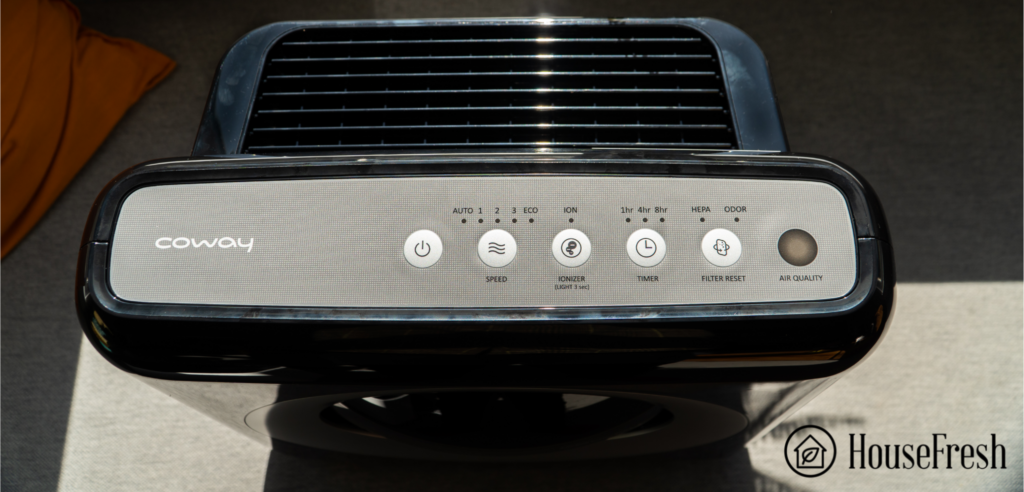
Coway AP 1512HH Control Panel

The control panel at the top is simple and easy to use. It has 3 fan speeds, an auto mode, and an eco mode. 

The ionizer can easily be disabled by pressing the button, although when it switches off, it will default back to a mode without an ionizer. It also has a timer with 3 time options and a button for resetting the filter timer. 

One common missing feature is the child lock (another reason Gisele doesn’t like it), and it also lacks app support.

Coway Airmega AP 1512HH Control Panel Close Up

On/OffPretty self-explanatory: it allows you to turn the device on and off.
Fan SpeedThis will allow you to change through the three fan speeds and also select eco and auto modes. Eco Mode turns the fan speed to its lowest to save energy. If your environment is clean after 30 mins, it will turn the fan off.
Auto ModeIt uses the unit’s in-built air quality monitor and adjusts the fan speed according to its readings. If the air is bad, it will turn the fan up without you needing to press any buttons.
IonizerThis button engages the ionizer function if you wish to use it. To turn it off, simply press the button again.
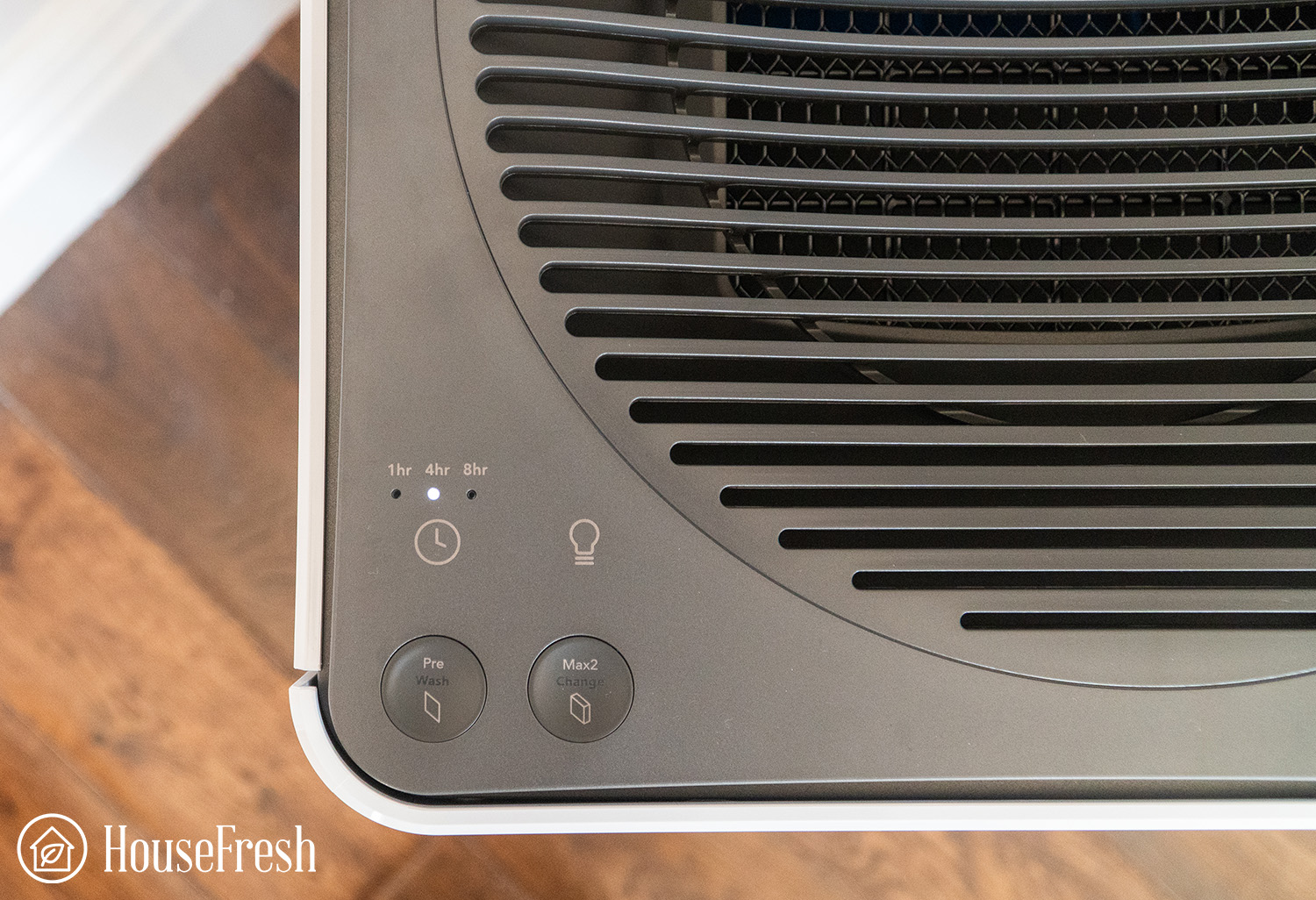
TimerSelect from 1hr, 4hr, and 8hr countdowns. After the time selected has depleted the air purifier will automatically turn off.
Filter ResetWhen your filters need replacing, an indicator light will show up on the control panel. Once you’ve replaced the filter(s) hit this button, so the unit knows it has fresh ones installed.

The Coway AP-1512HH has a sensor that automatically adjusts the fan speed depending on the pollutants it detects. A light at the far right changes color, but you need to be above the air purifier to see it.

Coway Airmega AP 1512HH AQI Red

The air quality indicator in the Airmega AP-1512HH will show you one of three colors:

🔴 Red indicates that your air is heavily polluted

🟣 Purple shows the room is medium polluted

🔵 Blue indicates your air is currently clean

Coway AP1512hh sensor

Looking at the sensor, it is a particle sensor which means you need to clean it regularly every 2 months use a Q-tip/Cotton swap to clean inside.

Powerful 4-stage filtration

Everything you need to tackle air pollutants in your home

When looking for an air purifier for your home, we recommend you only look at units that use HEPA filters as they are scientifically proven to be the most efficient method of removing airborne contaminants from your home.

When opening up the panel of the AP-1512HH, I was pleased to find a comprehensive filtration system that included the all-important HEPA filter.

Coway Airmega AP 1512HH HEPA Filter Genuine

Once you remove the front cover, you can access the filters. The first one is a removable pre-filter.

If you’ve watched any of my previous air purifier reviews, you will know that I am a big fan of removable pre-filters as they are easier to clean. 

  • Pre-filter – This acts as the first line of defense against airborne contaminants. It works by trapping larger pollutants in its material, thus, prolonging the life of your HEPA. This pre-filter can also be cleaned, so you won’t need to replace it when it gets dirty.
Coway Airmega AP 1512HH Unit pre filter

  • HEPA filter – The AP-1512HH houses a True HEPA filter that traps 99.97% of tiny harmful particles like dust, pollen, mold, and smoke.
Coway Airmega AP 1512HH Unit HEPA

  • Activated carbon – Coway refers to this as their “Deodorization filter,” which is basically what it does. This sheet of bonded carbon uses a process called adsorption to trap odors and other VOCs, removing them from the air in your room. The carbon is impregnated fabric, which is cheaper and less effective than the pelleted style we see in other air purifier models. When we had this unit in our kitchen, we found it was less able to deal with odors than the Winix 5500-2 with its pelleted carbon filter.
Coway Airmega AP 1512HH Unit activated carbon

You may have noticed it says “4-stage filtration” in the title, and I’ve only mentioned three. This is because the fourth is an Ionizer. For those unfamiliar with this technology, it means the air purifier creates an electrochemical reaction in the air, which attracts additional airborne pollutants.

Tip

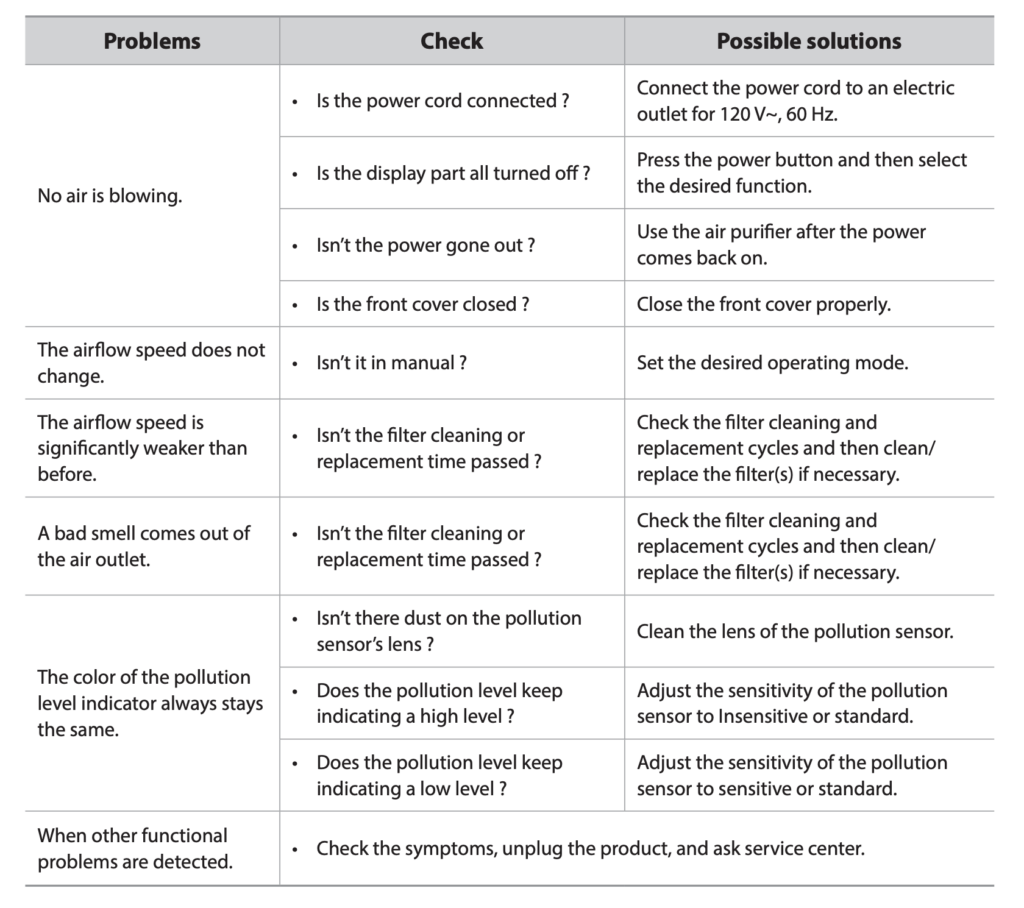
The manual of the Coway AP-1512HH, I recommend you keep the manual around as it has a very handy section with a table with troubleshooting tips:

AP 1512HH Troubleshooting

As with most air purifiers, they become less effective when the filters become full of pollutants. That’s why you need to change them after some time. The HEPA and activated carbon filters need changing around every six months, but don’t worry about adding it to your calendar; the Airmega will indicate when they need replacing.

  • Step 1: Remove the front panel by pulling it away from the body
  • Step 2: Unclip the pre-filter from the top and put to one side
  • Step 3: Take out the activated carbon filter
  • Step 4: Pull on the tabs to remove the HEPA filter
  • Step 5: Replace the filters and reassemble your unit 

This video will show you each step clearly:

Tip

Do me one favor: remove all the plastic packaging from the replacement filters before installing them into your air purifier. If you don’t, then the filters won’t work, and you’ll probably smell burning plastic after a while. Not what you want, I assure you. 

The Airmega AP-1512HH cleared our room in 26 minutes

Okay, here’s the science and probably why you’re looking into this air purifier: its performance.

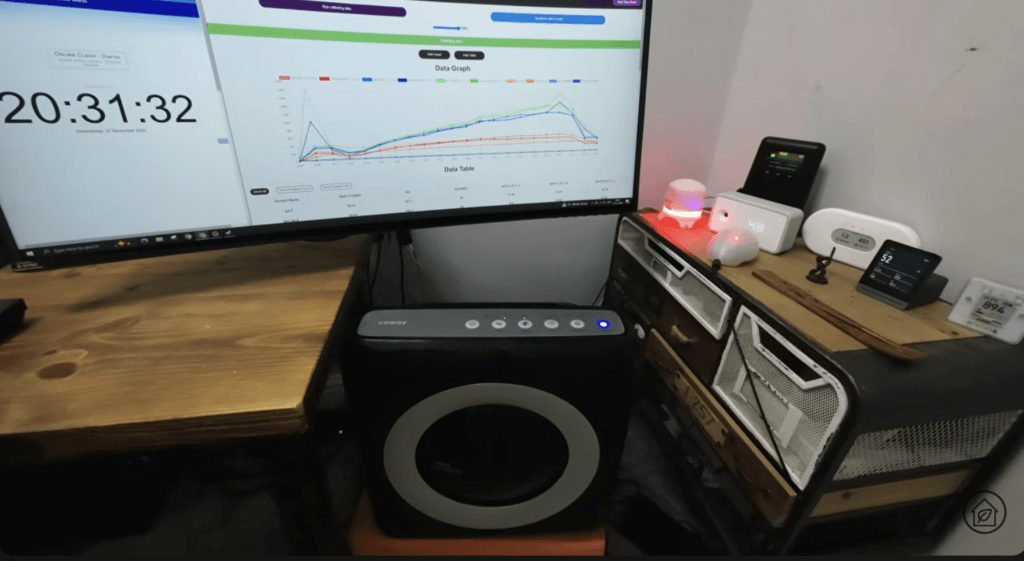
Unlike some other air purifier review sites, we don’t rely on the manufacturer’s performance testing results because they most likely conducted those tests in a lab environment. You probably don’t have a lab, and neither do we, so we do our own tests in our 728 cubic ft home lab.

Here comes the fun part…

We first fill our room full of pollution to simulate the worst-case scenario using a concentration of incense smoke. Once the room is fully contaminated, we switched the Coway onto its highest fan speed and measured how long it took for the unit to clear the room of the pollutants.

Screenshot 2025 03 22 at 17.26.23

We measured our results using a Zen sensor from Purpleair, which provides us with constant updates on PM1.0ug/m3, PM2.5ug/m3, and PM10.0ug/m3 (pollution).

Here is what we found:

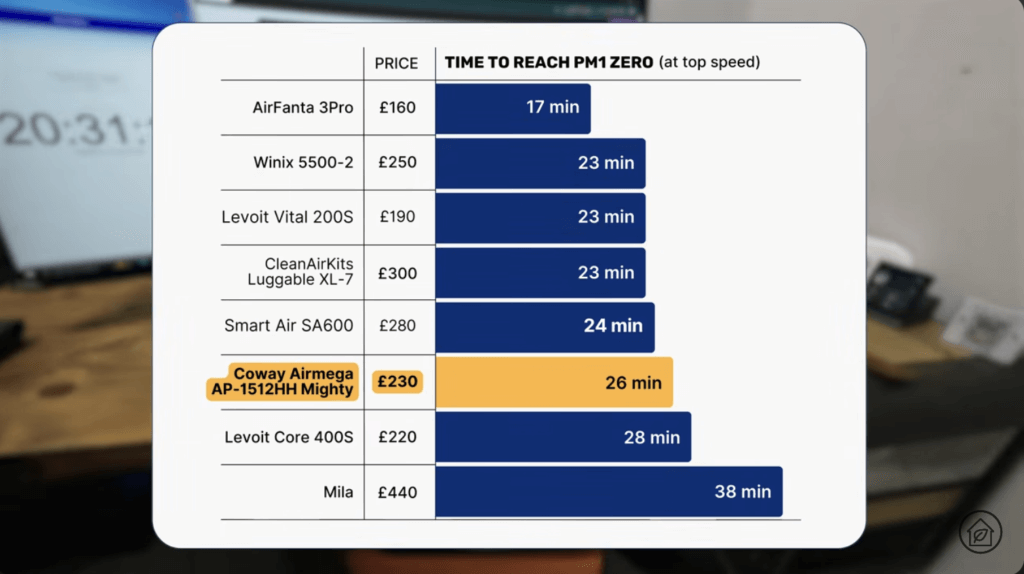
As you can see from the results graph, the AP-1512HH cleared our room of contaminants in 26 minutes. This shows that its high-performance fan makes light work of heavy pollution. This goes to show that the years Coway has been making units has provided them with the technology and know-how to manufacture highly efficient air purifiers.

Air cleaning performance test results

Screenshot 2025 03 22 at 17.30.12

If we compare this to other units we’ve tested, you’ll see just how well the AP-1512HH performed.

We can benchmark this against other similar-priced devices running at their top speed:

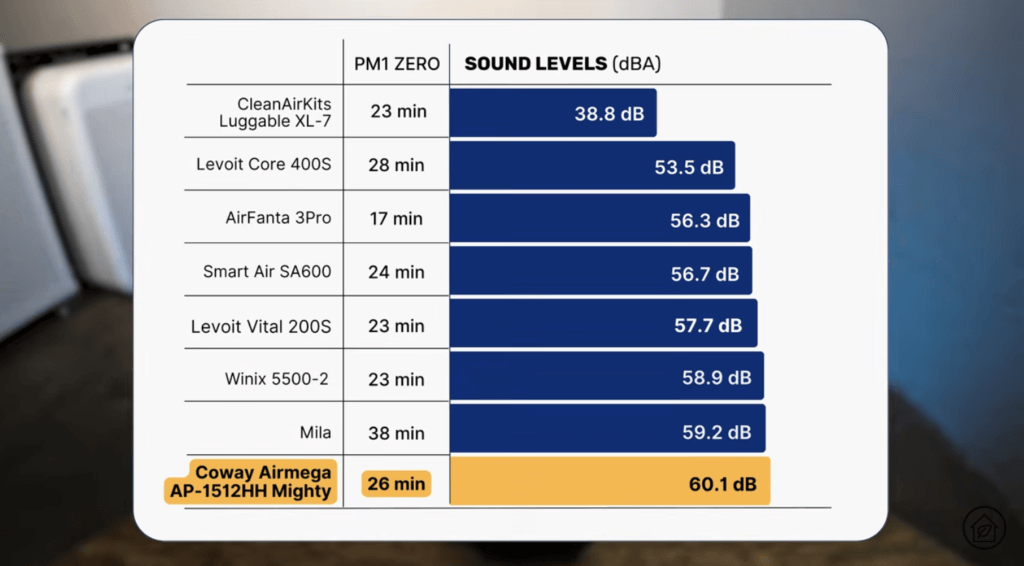
Air Purifier of Cleaned our test room (Zen)Cost (RRP) 
AirFanta 3Pro17 minutes$159.99
Winix 5500-223 minutes$249.99
Levoit Vital 200S23 minutes$189.99
CleanAirKits Luggable XL-723 minutes$299.00
Smart Air SA60024 minutes$279.95
Coway Airmega AP-1512HH Mighty26 minutes$229.99
Levoit Core 400S28 minutes$219.99
Mila38 minutes$439.99

Looking at top speed performance, the Coway AP-1512HH doesn’t particularly stand out when compared to some of the best devices we recommend, but it is much better value than a device like the Mila, which is nearly double the price. 

As the Coway AP1512-HH uses an ionizer, and the fact that the CADR reports a much higher ozone level than what we see with other similar performing air purifiers, we wanted to see how much of an effect the ionizer had on air cleaning performance.

When testing with the ionizer disabled the AP-1512HH achieved PM1 zero in 29 minutes :

Without the ionizer, you are looking at 3 more minutes to clean our test room.

Noise levels test results

Screenshot 2025 03 22 at 17.28.10

Another pro of this air purifier is the sound it makes. It can go from 38.9 dB (lowest fan speed) to 60.1 dB (high fan speed), which is right down the middle average for air purifiers.

If an air purifier is too loud, you are likely to turn it off, which is why it’s important to measure the sound generated at 3 feet away at different fan speeds.

Here are the results for the Coway Airmega AP-1512HH Mighty:

SpeedSound at 3ft away
138.9 dBA
244.4 dBA
360.1 dBA

But noise can be subjective to have a listen for yourself to see what you think d-.-b

We can also compare the top fan speed results with other air purifiers we have tested:

Air PurifierCleaned our test room (Zen)Sound level at top speed
AirFanta 3Pro17 minutes56.3 dBA
Winix 5500-223 minutes58.9 dBA
Levoit Vital 200S23 minutes57.7 dBA
CleanAirKits Luggable XL-723 minutes38.8 dBA
Smart Air SA60024 minutes56.7 dBA
Levoit Core 400S28 minutes53.5 dBA
Coway Airmega AP-1512HH Mighty26 minutes60.1 dBA
Mila38 minutes59.2 dBA

As the table shows, the Coway AP-1512HH runs louder than many of the other devices we have benchmarked, especially the new generation of PC fan-powered air purifiers.

One big benefit of choosing a large air purifier is that you can run it on a lower fan speed, which will be much quieter but still clean a lot of air.

That is why we re-tested the Coway AP-1512HH running at speed 2, which is under the 45 dBA recommended by Clean Air Stars for noisy offices and classrooms.

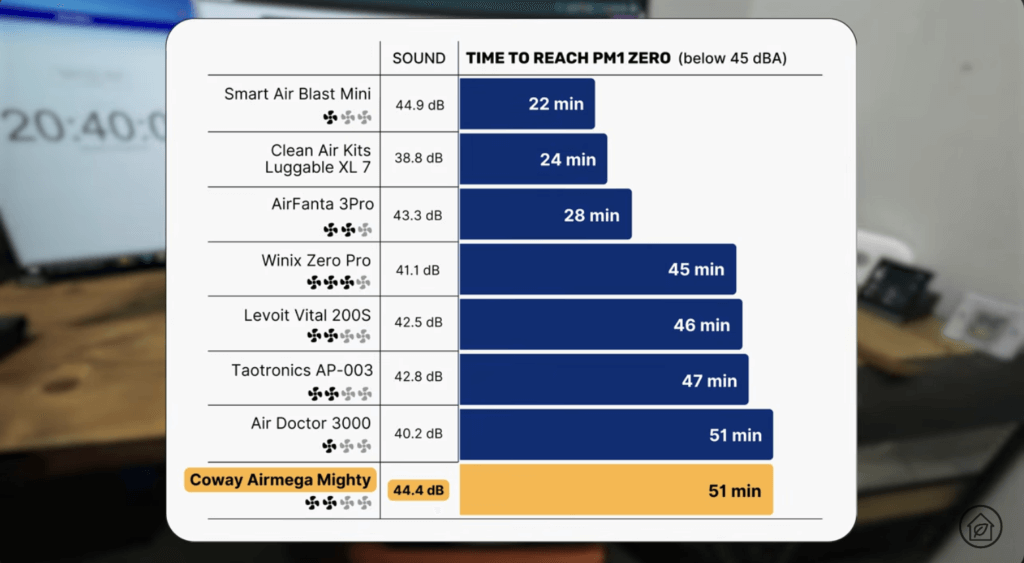
In our test, the AP-1522HH achieved PM1 zero in 51 minutes when running at sub 45 dBA:

We can compare these results with other air purifiers running at sub 45dBA:

Screenshot 2025 03 22 at 17.28.35

Air PurifierMax Sound levels at 3ft awayCleaned our test room (Zen)
Clean Air Kits Luggable XL-738.8 dBA24 minutes
Air Doctor 3000 – Speed 140.2 dBA51 minutes
Winix Zero Pro – Top speed41.1 dBA45 minutes
Levoit Vital 200S – Speed 242.5 dBA46 minutes
Taotronics AP-003 Speed 242.8 dBA47 minutes
AirFanta 3Pro – 6.54V43.3 dBA28 minutes
Coway Airmega AP-1512HH Mighty – Speed 2 44.4 dBA51 minutes
Smart Air Blast Mini – Speed 144.9 dBA22 minutes

The CleanAirKits Luggable-7 and the AirFanta 3Pro show how effective the new PC fan-powered devices are compared with traditional HEPA retail designs.

Even though it was louder, it still lagged behind many of the HEPA retail air purifiers we recommend here at HouseFresh when looking at air cleaning performance at sub 45dBA.

The cost to run the Coway AP-1512HH: $195.79 per year

1. Electricity costs = $83.64

Based on the CADR report results, I was interested to see how much energy the Coway Airmega AP-1512HH Mighty pulled compared to other similar-performing units.

These are the results for the Coway AP15122-HH. We also included the energy usage with and without the ionizer.

Without ionizerWith ionizer
Standby0.3 watts0.3 watts
Eco3.5 watts4.2 watts
13.7 watts4.2 watts
28.7 watts9.0 watts
375.3 watts77.3 watts

The first thing that jumps out at me about these results is the big jump in energy consumption we see when going from speed 2 to speed 3. 

We usually see gradual increases, but this data suggests that the top speed runs many times faster than speed 2. 

If you were to run the Coway Airmega AP-1512HH Mighty at top speed all day, every day of the year, then the cost would be $83.64.

We can also compare top-speed energy costs with similar-performing air purifiers:

Air Purifier of Cleaned our test room (Zen)Yearly energy usage at top speed
AirFanta 3Pro17 minutes$47.76
Winix 5500-223 minutes$59.38
Levoit Vital 200S23 minutes$49.48
CleanAirKits Luggable XL-723 minutes$11.66
Smart Air SA60024 minutes$59.76
Coway Airmega AP-1512HH 26 minutes$83.64
Levoit Core 400S28 minutes$27.44
Mila38 minutes$42.56

The Coway AP-1512HH is the most power-hungry air purifier on the market, costing much more to run in the long term than other similarly priced models.

2. Filter costs = $80.94 per year

Screenshot 2025 03 22 at 17.25.09

But it’s not just energy costs that add to the running costs for an air purifier; the Coway Airmega AP-1512HH Mighty will also need its filters replacing eventually.

According to Coway, you will need to replace the carbon filters in the AP-1512HH every 6 months so twice a year and the particle filter every 12 months.

Coway offers a pack where you can buy both HEPA and two activated carbon filters together, saving you time and money in making several purchases. This pack retails at $57.49 from their site, but there are always deals on Amazon.

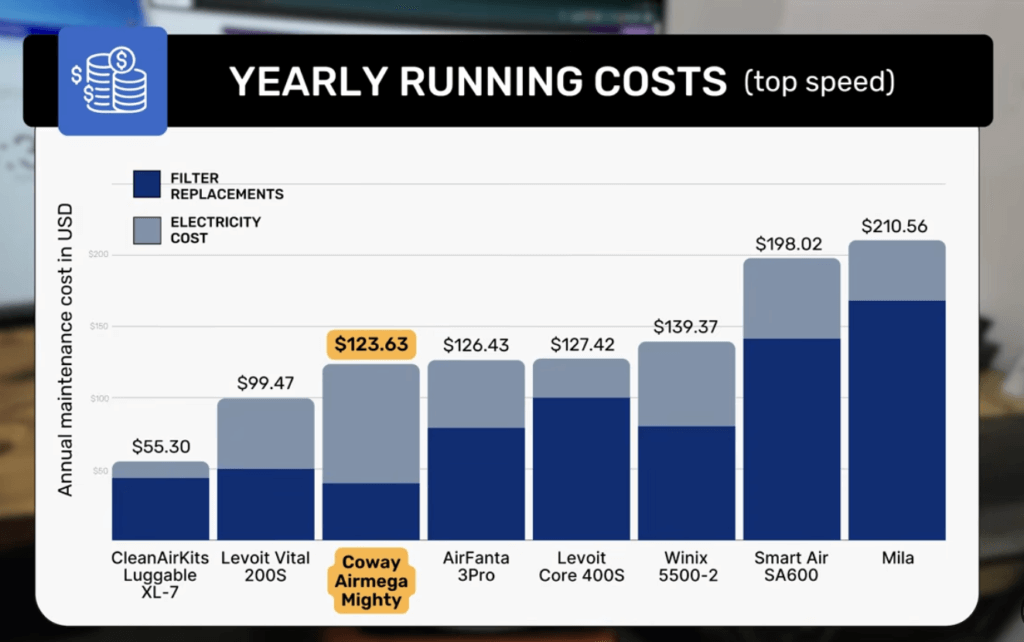
We can compare this with other similar performing air purifiers and get a yearly running cost comparison:

We can compare this with other similar performing air purifiers and get a yearly running cost comparison:

Air Purifier of Annual Energy Cost Annual Filter CostTotal Annual Cost
AirFanta 3Pro$47.76$78.67$126.43
Winix 5500-2$59.38$79.99$139.37
Levoit Vital 200S$49.48$49.99$99.47
CleanAirKits Luggable XL-7$11.66$43.64$55.30
Smart Air SA600$59.76$271.35$331.11
Levoit Core 400S$27.44$99.98$127.42
Coway Airmega AP-1512HH Mighty$83.64$39.99$123.63
Mila$42.56$168.00$210.56

The Coway AP-1512HH has some of the lowest filter costs we have seen for OEM HEPA retail devices, and this is great because these lower filter replacement costs help balance the higher energy consumption costs.

This makes it one of the cheapest air purifiers to run in the long term. It still lags behind the newer Levoit Vital 200S and the PC-fan-powered CleanAirKits Luggable XL-7 but is ahead of everyone else on the list.

If you want to trim the costs even further, you can use generic filters, which can cost as little as $15-20 per filter. However, you must be aware that generic filters will likely impact air cleaning performance.

I bought the Pureburg filters to compare performance and found that they had the same speed in our test room. When using the ionizer, they achieved PM1 zero in 26 minutes.

As the price difference between generics and OEM filters is so small, I don’t see a significant reason why you would go down the generic route with the Coway AP-1512HH.

Bottom line

The Coway Airmega AP-1512HH is a reliable air purifier that offers good air cleaning performance for its price. 

Additionally, due to their popularity, OEM filters are among the most affordable options we have found outside of IKEA. 

As I said at the beginning, the AP-1512HH is the most popular air purifier in the world. Not only does The Wirecutter recommend it, but every other newspaper and magazine on the web does, too.

Coway Airmega AP 1512HH Living Room

However, after testing over 90 air purifiers, it is now a little dated.

In 2025, there are air purifiers on the market that will offer better value than the AP-1512HH:

  • The AirFanta 3Pro costs $70 less and will offer nearly double air cleaning performance.
  • The Levoit Vital 200S costs $50 less and comes with app support, a child lock and lower running costs due to a more efficient fan motor.
  • The CleanAirKits Luggable XL-7 costs around the same price if you go for a DIY kit and will give you more powerful air cleaning at a whisper-quiet operation.
  • The Winix 5500-2 usually costs $190 and comes with a much better-activated carbon filter that uses pelleted carbon instead of the impregnated fabric carbon you get with the AP-1512HH.

If you have an AP-1512HH at home, you 100% have a great device and should keep using it for as long as it runs.

But for those buying an air purifier for the first time, there are better options for performance, value, energy efficiency, sound generated and odor removal. 

As always, please let me know if you have any specific questions about the Airmega AP-1512HH in the comments below. This is how we received the idea to test generic filters.

SOURCES

We calculated yearly costs associated with running the Coway Airmega AP-1512HH Mighty for 24 hours a day, 365 days per year utilizing the latest average energy prices as reported by the Bureau of Labor Statistics of $0.174/kWh as of January 2025.

Coway Airmega 300 review

DSC00224

If you’ve already started your journey into home air purification, you will likely have come across Coway units in your research. With over three decades of experience under their belts, the engineers at Coway have made it their mission to “help people live happier, healthier lives” by innovating technology through research, development, and design.

Coway has developed their HyperCaptive™ air filtration system, combining their washable pre-filter, Green True HEPA filter™, and activated carbon filter. 

Since its release, the 300 has had an update in the 300S, which has WiFi capability to connect to the Coway smartphone app, which can also connect to your Google Home device if you have one. Also, with new models released like the Airmega 250S and Airmega Icon (which has a wireless phone charging dock), the 300 might look a little ancient.

Based on our data, Coway has made a great little unit with a high CADR for its size at 300 CFM. It may be a bit more expensive than other units of this size like the Honeywell HPA300, but you’re also getting some pretty neat smart features and its Max2 HyperCaptive™ filters.

The lowdown on the Coway Airmega 300


danny

“During our air cleaning performance test, the Airmega 300 cleared our testing room in an impressive 26 minutes and based on its CADR of 298.7 cfm its good for rooms up to 459 square feet with 4.8 air changes per hour.

Yes, it’s a bit plasticky, no, it doesn’t have as many features as some of the units in this price range, but its a popular large CADR air purifier for a reason – its performance.”

— Danny Ashton, Founder & Senior Writer

Coway Airmega 300S Living room 1

PRICE on amazon PRICE on Coway UK

If you’re too busy to check out the full review, here are the pros and cons I found with the Coway Airmega 300 when putting it through its paces.

What we really like

A modern design that will fit into many different decors.
It has an air quality indicator light.
It features an auto-mode.
Having a filter on each side maximizes the cleaning of contaminated air

What we think could be better

The four legs can mark carpets. Wheels would have been better.
That on/off jingle will haunt my dreams.

HouseFresh Rating:★★★★☆
Time to clean our test room:26 minutes
Air purifier technology:Three-stage HyperCaptive™ Max2 filters (pre-filter + activated carbon + Green True HEPA™)
Recommended room size:459 square feet (4.8 air changes)
Clean air delivery rate (CADR):306 CFM (589 m³/h)
Dimensions (in inches / in cm):13.6W x 21.2H x 13.6D inches (34.5W x 53.8H x 34.5D cm)
Weight (in pounds / in kg):21.4 lbs (9.7 kg)
Noise level (low – high):22dB – 52dB
Filter life:12 months
Warranty5 years from the date of the original retail purchase
Estimated energy consumption:$55.71 per year

A clear focus on design

As soon as the 300 landed on my doorstep, you could tell from the packaging that this came from a company that values its design, as it shows you what the unit looks like from all angles before you even open the box.

Pulling it out of the box, you instantly feel it’s quite light, so moving it from room to room isn’t a problem using the handles on each side.

Coway Airmega 300 Close Up Front

The power button is recessed and the rest of the controls are touch sensitive. This took me a few seconds to work out, as I skipped the instruction manual (I like to delve straight in).

Coway Airmega 300 Top Down

On the front of the unit is the circular LED air quality monitor. The color changes let you know the air quality in the room so that you can adjust the fan accordingly. A great feature of the Coway units is that the colors don’t change drastically; they blend seamlessly into the next, making it very unintrusive.

ColorAir Quality
BlueGood
PurpleModerate
PinkUnhealthy
RedVery Unhealthy

A design issue I found with the 300 is that the side and front panels detach a little too easily and when they do, they feel a little flimsy. Also, the legs are thin and leave marks on the carpet. This unit would benefit from either a flat base or wheels.

Placing the 300 next to the Levoit LV-H133 (which is very similar in performance), you notice the size difference. Coway have taken what could have been a plain white front and added a fake grill to give it that extra design feature. I prefer the lighter black finish of the 300 over solid black on the top of the unit, but the overall shape of the Levoit is more appealing.

Levoit LV H133 Coway Comparison 2 logo

Operating the 300 is easy. A pro to not having a butt load of features is that you don’t get confused when making adjustments. There are four buttons on the control panel:

Coway Airmega 300 Manual Controls NO LOGO NEEDED

  1. On/Off button
  2. Fan speed/Auto mode selector
  3. Timer
  4. Display light on/off

The timer function has three modes, 1hr, 4hr, and 8hr. You press on the clock icon on the left-hand side to scroll through the modes until you hit your desired time. The “button” next to the timer is a little light bulb. This allows you to turn on/off the lights on the color quality monitor. Perfect for using this in the bedroom as you sleep or if you don’t want it to draw any attention to the unit.

Coway Airmega 300 Controls 2 1

On the right-hand side is where you control its four fan speeds. Tap the circle to scroll through each speed, or leave it on smart mode. If you’ve read any of my other reviews, you’ll know this is my preferred option. The smart mode works with the quality monitor to automatically adjust the fan speed to adapt to the quality of the air in real-time.

Tip

The air quality sensor should be cleaned every two months for absolute accuracy. You can access the sensor through the front panel.

Coway Airmega 300 Controls

Another great feature of Smart mode is that if the air quality doesn’t change after 10 minutes, the unit will shut the fan off automatically to save energy. If the air quality then changes, it will automatically start again. The controls are easy to adjust, and it takes little time for the fan to reach your desired speed. 

The lowest speed is their night mode. This ensures that the fan stays at a constant speed, making the least noise possible so it doesn’t disturb your much-needed rest.

There isn’t a whole load of features on the Airmega 300. I wanted an app to control and monitor the unit without being in front of it. If you agree, check out the WiFi-enabled Airmega 300S, which you can control through the Coway app.

Two three-stage HyperCaptive™ Max2 filters

Okay, down to the nitty-gritty, the main reason we want an air purifier in the first place. How does the Airmega 300 perform at cleaning your room of airborne contaminants? 

Coway Airmega 300 Pre Filter HEPA Filter

Each Coway unit is fitted with two signature three-stage HyperCaptive™ Max2 filters. One for each side of the unit.

  • Stage 1 – Pre Filter: This acts as the first line of defense. It captures the larger particles in the air like hair, dust, and dust mites. By filtering these particles early, it prolongs the life of the rest of the filters. It can be washed at home as well, so there’s no need to replace it.
  • Stage 2 – Activated Carbon Filter: This uses a large amount of activated carbon to remove and deodorize odors from your home. From cooking, cigarette/vaping, and pet smells, to odors that contain harmful gases like VOCs (Volatile Organic Compounds). These VOCs can cause headaches, nausea, and in the long term have been linked to liver damage and even cancer.
Coway Airmega 300 Carbon Filter

  • Stage 3 – Green True HEPA™ Filter: The last line of defense is arguably the most important. This “one of a kind” filter captures 99.999% of ultra-fine particles down to 0.01 ㎛², including bacteria, mold, viruses, and pollen. Ideal for those who suffer from allergies.

The filters are hidden behind the removable grill on each side of the air purifier. Coway suggests replacing these every 12 months, but if you forget, an indicator light on the control panel will tell you exactly when it’s time. One indicator is devoted to the pre-filter. When this lights up, you need to remove it, wash and dry it, then return it to its position. The second will indicate when the Max2 filter needs replacing. 

Replacing the filters isn’t a hard task. 

Step 1: Unplug the unit and remove the magnetic side panel

Coway Airmega 300 Filter Change 2

Step 2: Unclip the pre-filter

Coway Airmega 300 Filter Change 3

Step 3: Pull the tab on the top of the Max2 filter to remove

Coway Airmega 300 Removing Filter

Step 4: Insert your new Max2 filter and reverse the steps

Tip

Before inserting your new Max2 filter, remove all the plastic packaging first.

We recorded a video showing you how to do this, in case the step-by-step above isn’t clear enough:

The Coway Airmega 300 cleared our test room in 26 minutes

At HouseFresh, we put every air purifier through its paces to see how they perform in real-world conditions. We do this because we want to give you, the reader, an idea of what it can do in your home. We don’t live in airtight labs, so why should we judge an air purifier’s performance in one?

For our performance tests, we always use the same conditions each time. This means we can easily compare each unit against the other. 

We test each air purifier in our 705 cubic ft office. By filling the room with different-sized contaminants created from incense sticks, we turn the unit onto its top fan speed and measure how long it takes to clear the pollutants.

To measure each unit’s performance, we use a Purpleair indoor monitor, which tracks the number of airborne pollutants of sizes 1.0ug/m3, 2.5ug/m3, and 10.0ug/m3 every few minutes.

Here’s what we found with the Airmega 300:

Coway airmega 300 AHAM CADR

With a CADR of 296.3 for Smoke, 298.7 for dust, and 389.8 for pollen, we expected the 300 to perform well in our testing room, and we weren’t wrong. As you can see on the graph, the Airmega cleared the pollutants created by incense in just 26 minutes.

Air cleaning performance, compared

The result wasn’t a surprise when we compare this to other air purifiers we’ve tested. It shows that the 300 is right up there with the other major players like the Honeywell HPA300 with the same performance time and the Levoit LV-H133, which was only 1 minute faster.

Noise levels test results, compared

Sound is a big part of my life. I love all things music and spend a lot of time playing guitars, synthesizers, and many (maybe too many) other weird handmade instruments. For an air purifier to live in my house, it has to be stealthy. 

Compared to some of the other units we’ve reviewed:

When you look at the decibels produced, the Coway seems like an average unit. But when you compare that to the size of the room it’s working in and the size of its fan, you’ll see that it does a quieter job than most when working in larger rooms.

 Here’s a sound video for you to gauge the hum it produces:

The cost of running a Coway Airmega 300: $144.50 per year 

1. Electricity costs = $55.71 per year

When buying an air purifier, it’s not only the price of the unit you need to consider. You also need to think about how much it will cost to run. Air purifiers use electricity, electricity costs money, and those costs are growing…rapidly.

Luckily, manufacturers are making air purifiers more energy efficient. As efficiency is at the forefront of our global warming, brands are starting to show they care by getting energy-certified products from companies Energy Star.

When it comes to the Airmega 300, Coway has made a pretty efficient unit. We clocked its highest energy consumption at 52.5 watts. This was on its highest fan speed which, as you’ve seen from our performance test, wouldn’t need to be on for long periods of time.

We figured out that you would be paying around $55.71 yearly to power your unit. In my opinion, that’s a pretty small price for all the health benefits and fresh, clean air the 300 provides.

We calculated this cost using the average price of energy in the U.S. with the help of the Department of Energy’s appliance energy calculator.

2. Filter costs = $88.79 per tear

Not only do you need to power your air purifier, you also need to keep it working at its maximum efficiency. This includes replacing its HEPA and Activated Carbon filters. Over time, these filters become clogged with all the contaminants they’ve pulled out of the air in your home. Once they become full, they become less efficient.

Replacing these filters is an expense you can’t skip on. After all, there’s no point paying to run an air purifier if the filters are too full to do their job.

Luckily, when you buy a replacement from Coway, they come in sets of two, so there’s no need to double the cost. Each set can cost up to $99, depending on where you shop. There are unofficial Max2 filters that cost less, but I can’t testify to how efficient they are.

Coway AIRMEGA Max 2 Air Purifier Replacement Filter Set for 300/300S, green/black, 1256 sq. ft. (3111635)
300/300S Replacement Filter for Coway AIRMEGA Max2 300/300S Air Purifie-r, Combined with HEPA and Activated Carbon 2-in-1 Filter, AP-1515-FP
Technology
Coway Airmega Max2 filter is an all-in-one HEPA filter system that combines True HEPA filter technology with an Activated Carbon filter
Combined True HEPA with Activated Carbon 2-in-1 Filter
More information
Price
$89.99
$33.24
Coway AIRMEGA Max 2 Air Purifier Replacement Filter Set for 300/300S, green/black, 1256 sq. ft. (3111635)
Technology
Coway Airmega Max2 filter is an all-in-one HEPA filter system that combines True HEPA filter technology with an Activated Carbon filter
More information
Price
$89.99
300/300S Replacement Filter for Coway AIRMEGA Max2 300/300S Air Purifie-r, Combined with HEPA and Activated Carbon 2-in-1 Filter, AP-1515-FP
Technology
Combined True HEPA with Activated Carbon 2-in-1 Filter
More information
Price
$33.24

When you add that to the cost of changing the filter every 12 months, this unit costs $144.50 per annum. Of course, these calculations are conditional on how much you use it, what size room you’re using it, and which state you’re in. 

Bottom line: Is the Coway Airmega 300 worth it?

Although the 300 does have its faults; no wheels, annoying jingles, and a top grill (in which you could lose a penny), it is still one of my favorite units I’ve reviewed and will remain in my office. 

It may not have the features we expect from recent models, such as an app to control and monitor or even a remote control, but the 300 still holds its own against its competitors in our performance tests.

Coway Airmega 300 Editorial

It clears the air of contaminants and odors rapidly, and the color wheel air quality monitor is a great feature to reassure you that the unit is working. It doesn’t take up too much room compared to other units that service larger rooms, like the Alen BreatheSmart 75i

Overall, the Coway 300 would make a great addition to your home. My only advice would be (if you have it) to spend a little extra and go for the Airmega 300S for its extra features.

SOURCES

We used the Department of Energy’s appliance energy calculator to calculate yearly costs associated with running the Coway Airmega 300 for 24hs a day for 365 days. We ran this calculation utilizing the U.S. average utility rate of $0.12/kWh as of March 12th, 2023.